











Generate Route Map Of Customers (Sale orders & Invoice)

This module allows you to generate accurate route maps by selecting multiple records at once. It uses the
latitude and longitude stored in each contact to plot a precise route directly on the map. Route maps can
be generated not only from contacts, but also from sales orders and invoices.

Features

Contact Location Management
Store latitude and longitude in contacts to maintain accurate location information for mapping and routing.

Sales Order Location Mapping
Generate and view route maps for customer locations linked to sales orders.
Invoice Location Mapping
Generate and view route maps for customer locations linked to invoices.

Multi-Record Route Generation
Select multiple records directly from the list view of Contacts, Sales Orders, or Invoices at once to generate a single route covering all selected customer locations.

Automatic Location Synchronization
Keeps location details consistent across Contacts, Sales Orders, and Invoices.

Automatic Route Starting Point
Automatically sets the route starting location based on the logged-in user's latitude and longitude.

Optimized Multi-Stop Routing
Adds all selected customer locations as waypoints in Google Maps to create an optimized route for multiple stops.
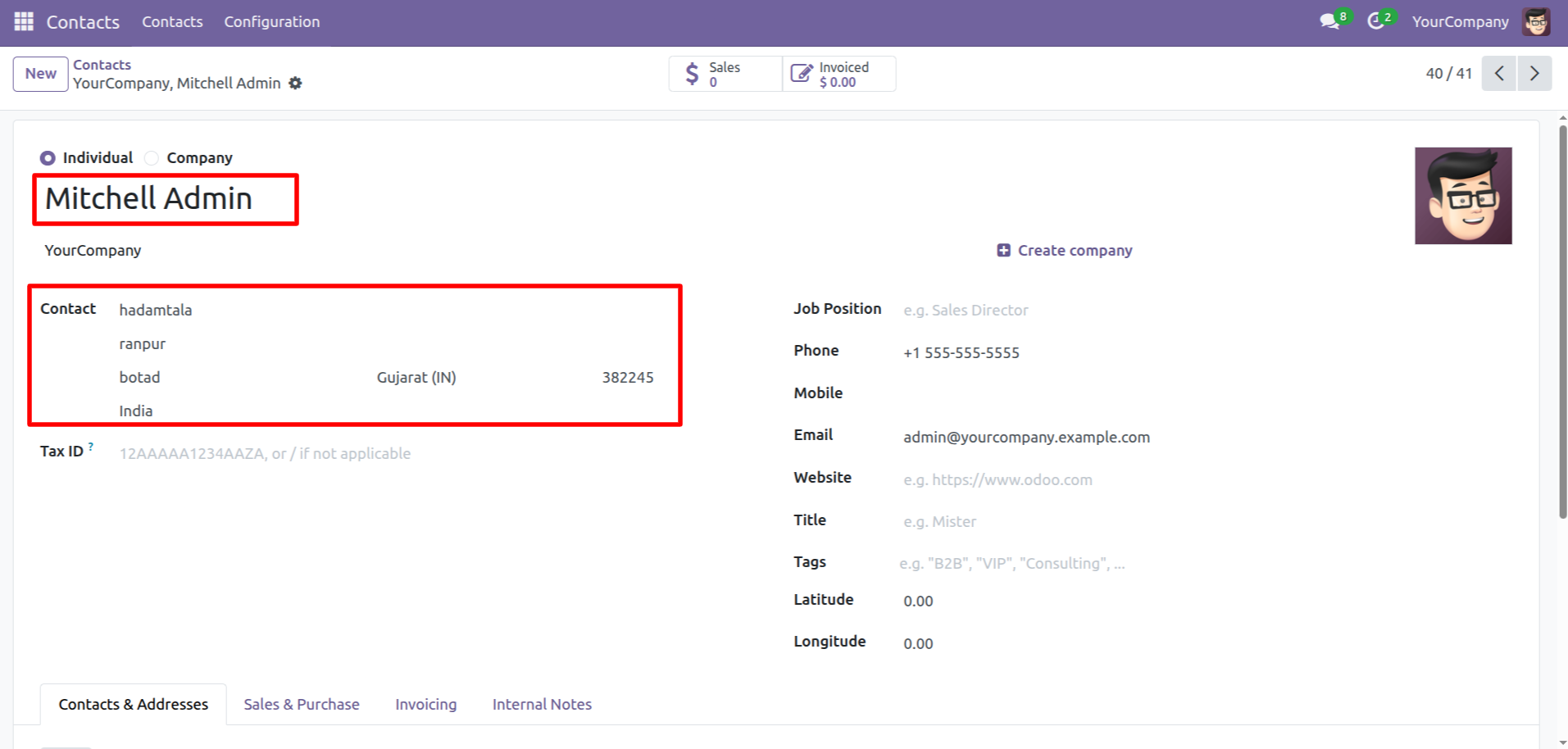
Create a new contact (Mitchell Admin).
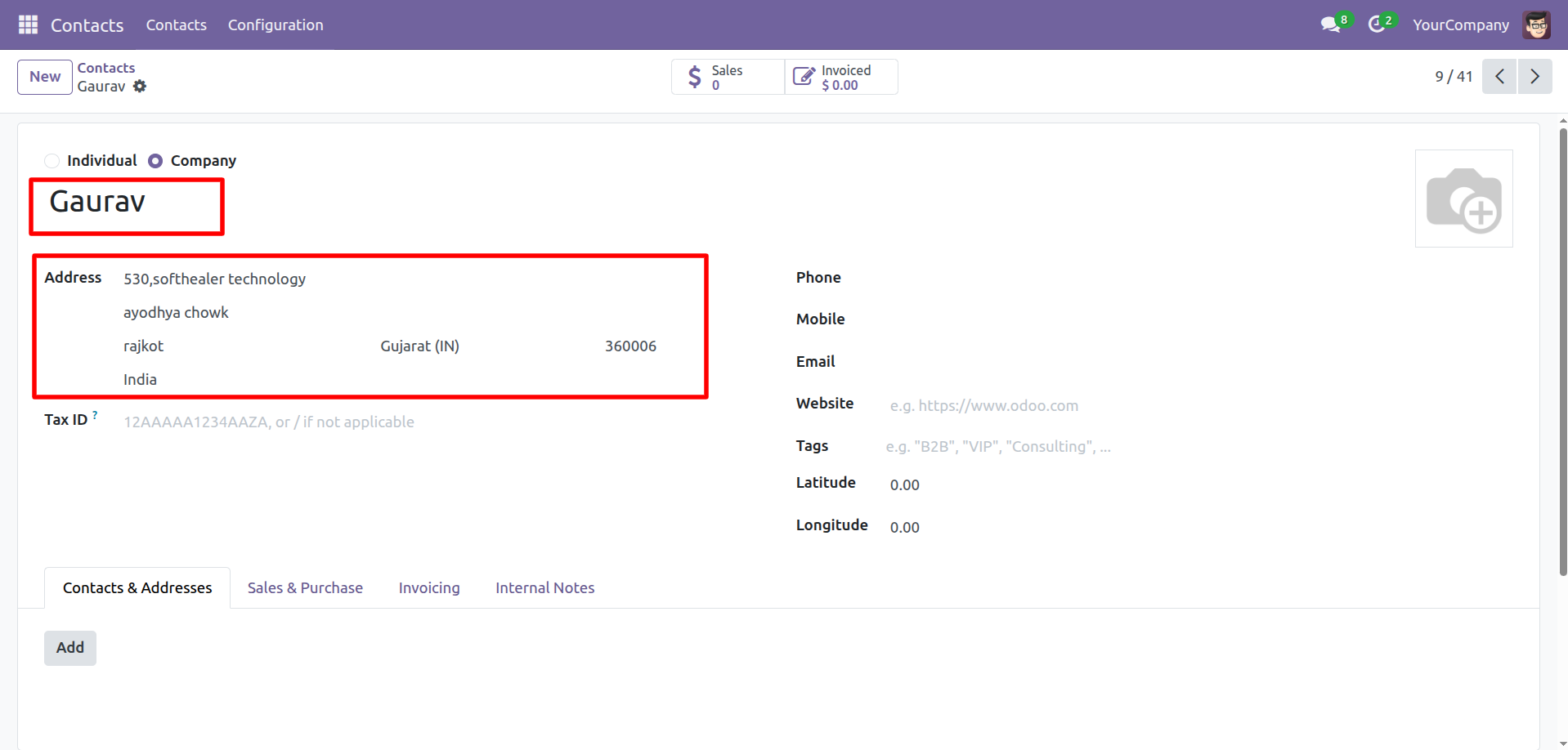
Create a new contact (Gaurav).
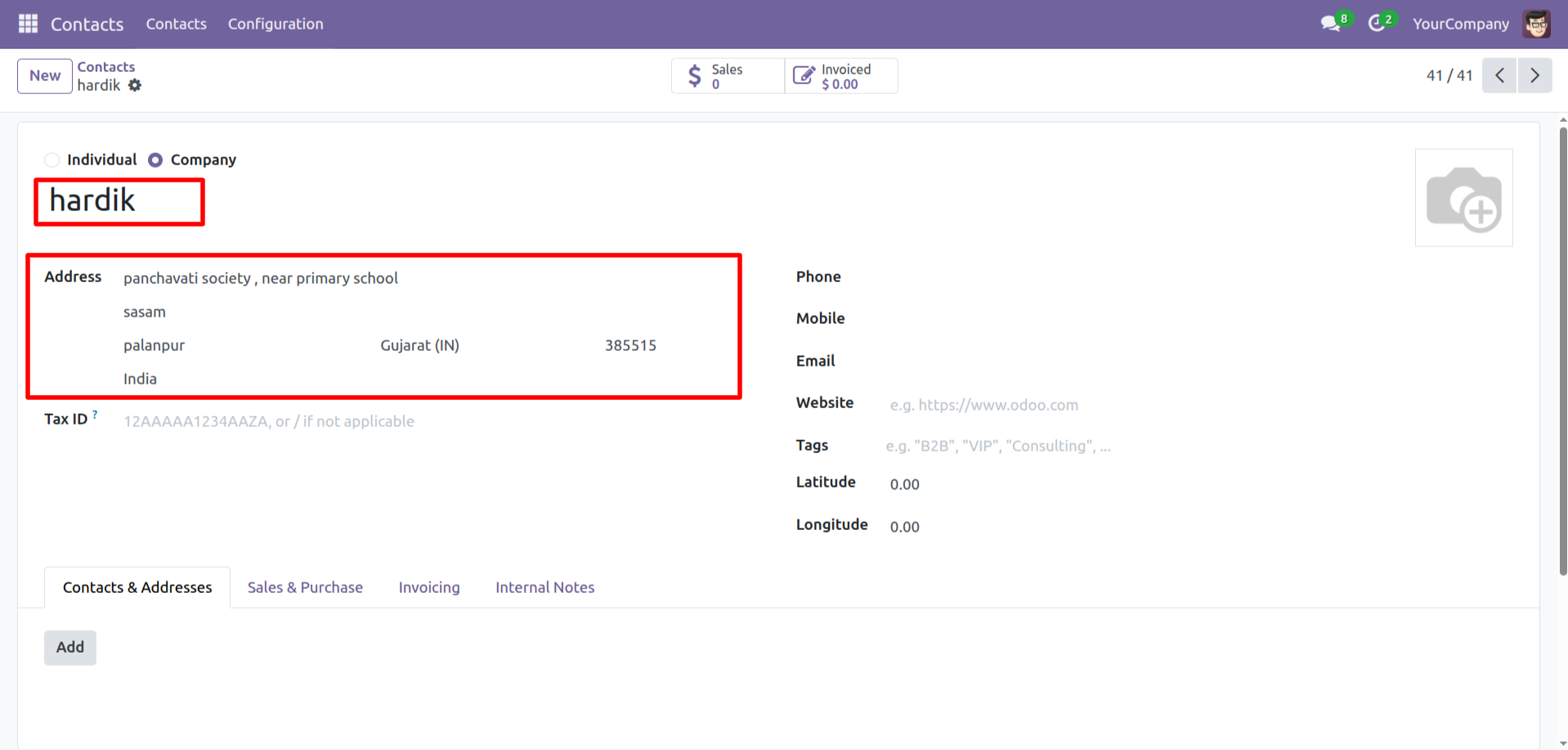
Create a new contact (Hardik).
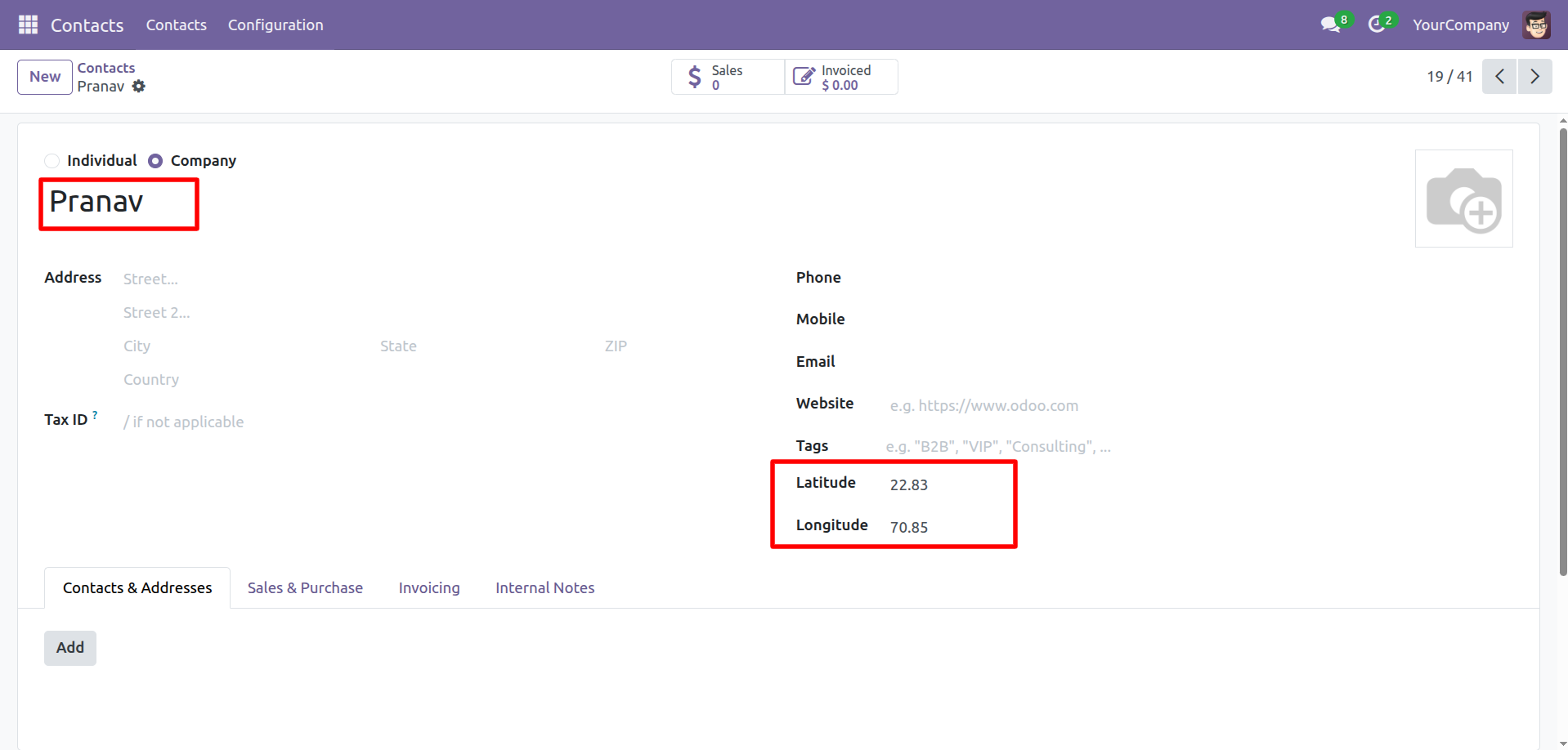
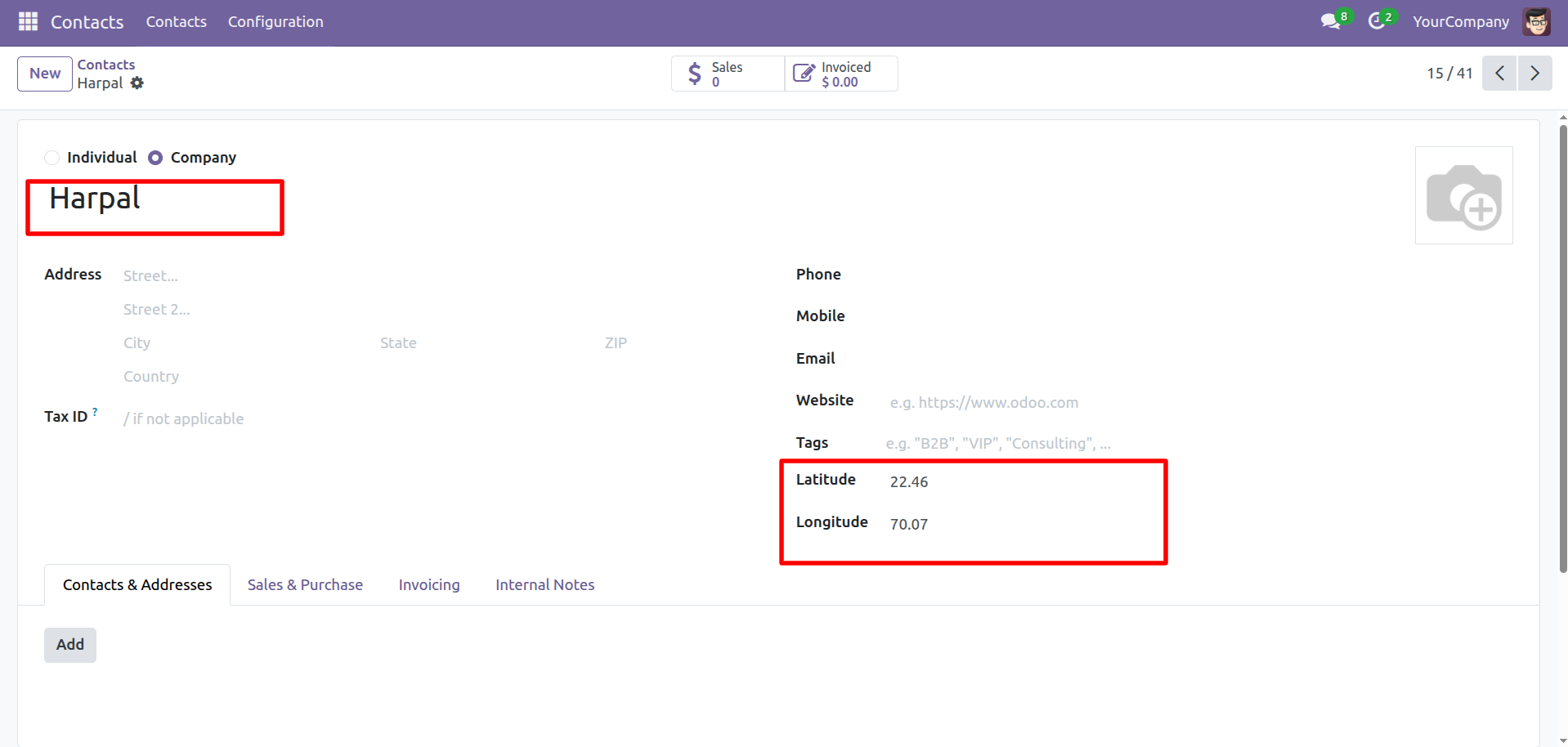
Create a new contact named Pranav & Harpal, and specify its latitude and longitude.
Select the contact and click on the 'Route Map' from the Actions.
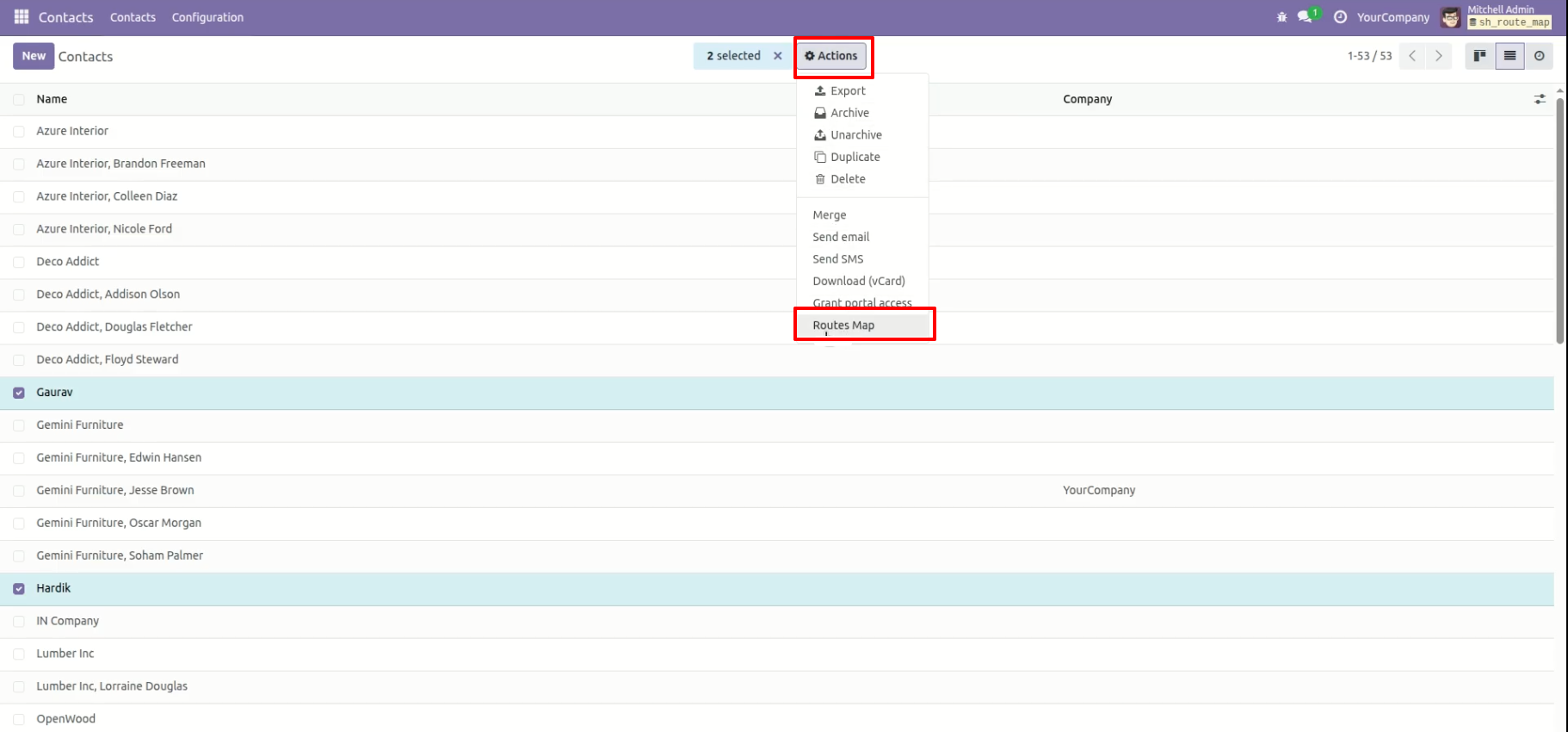
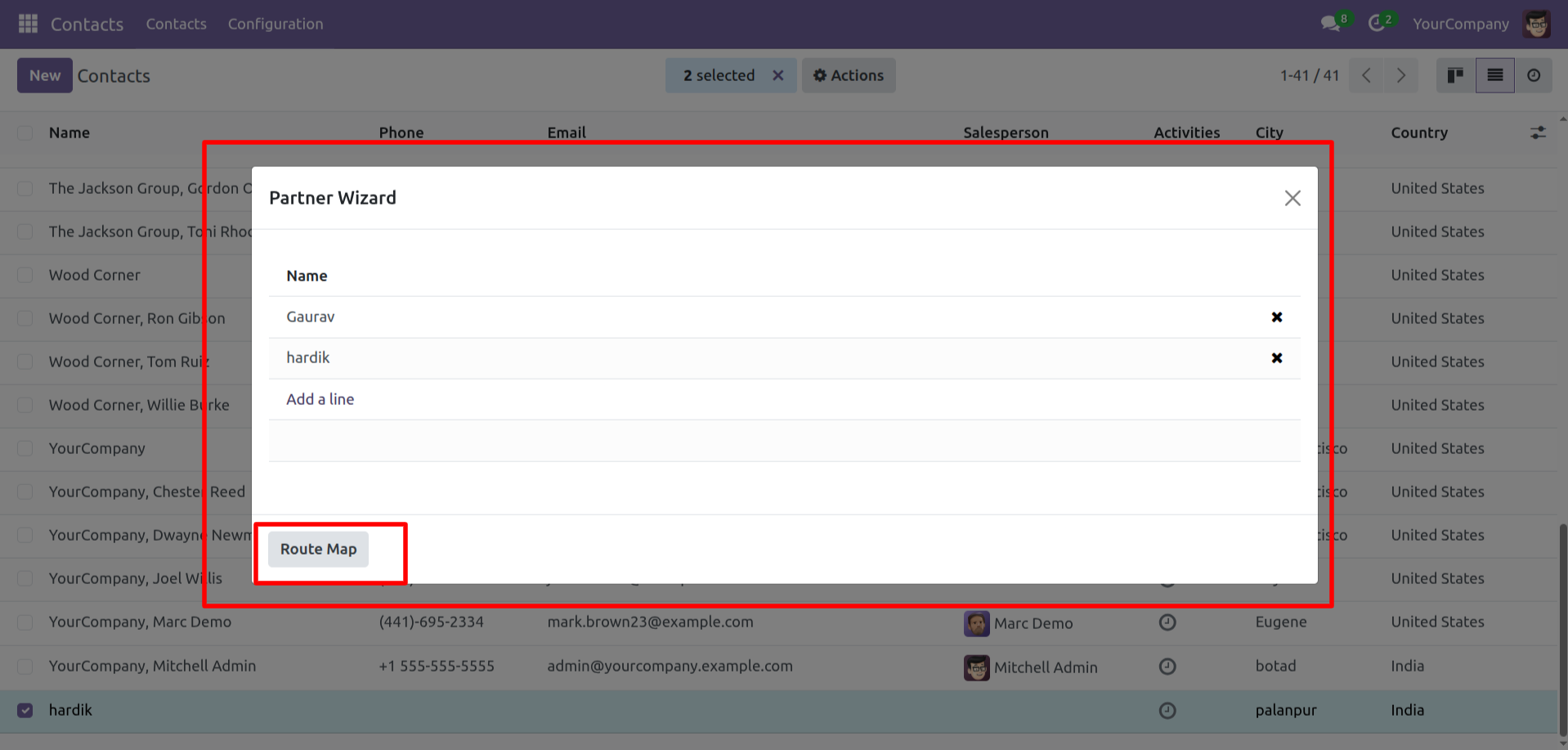
Check the contact and click on the 'Route Map' button.
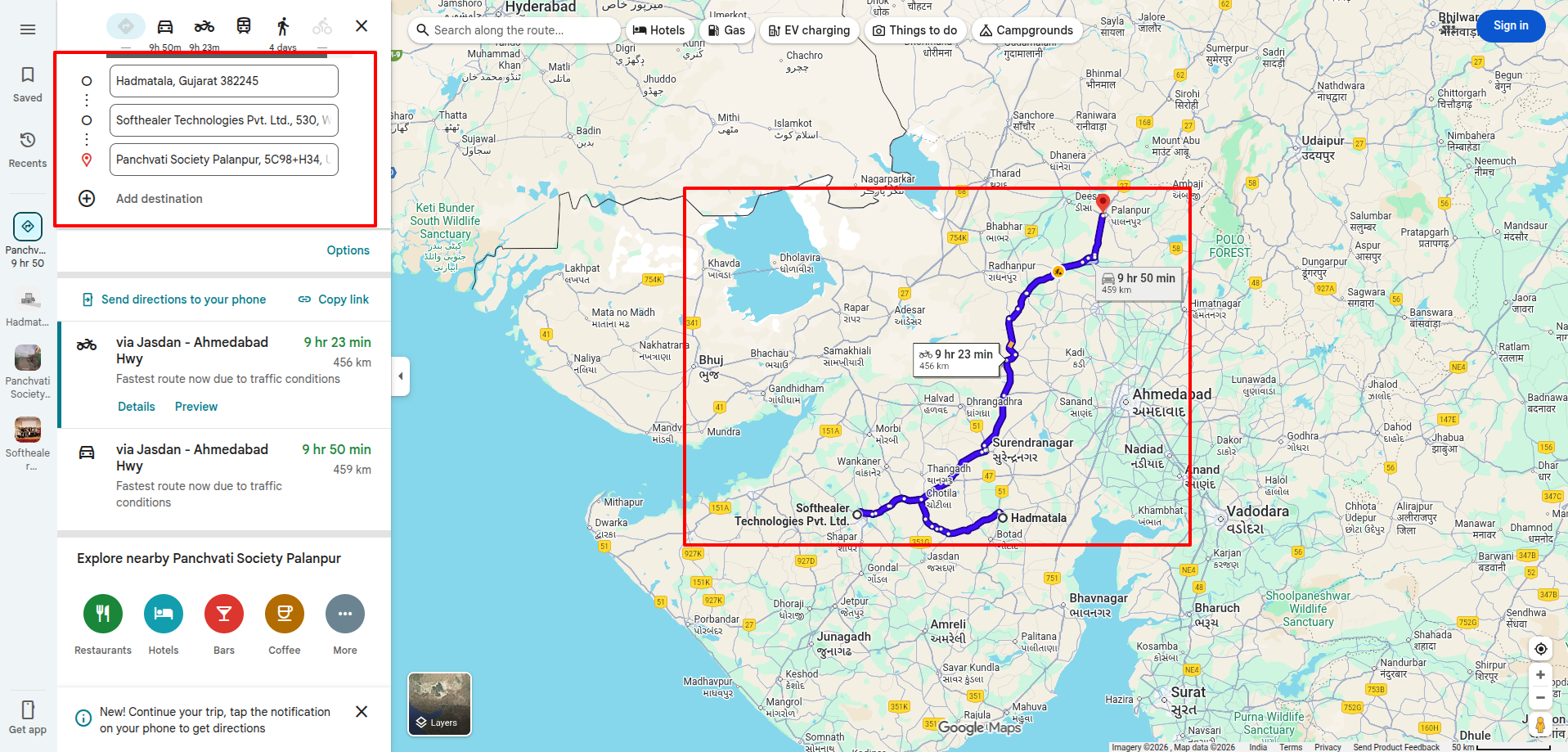
Here you can see the route.
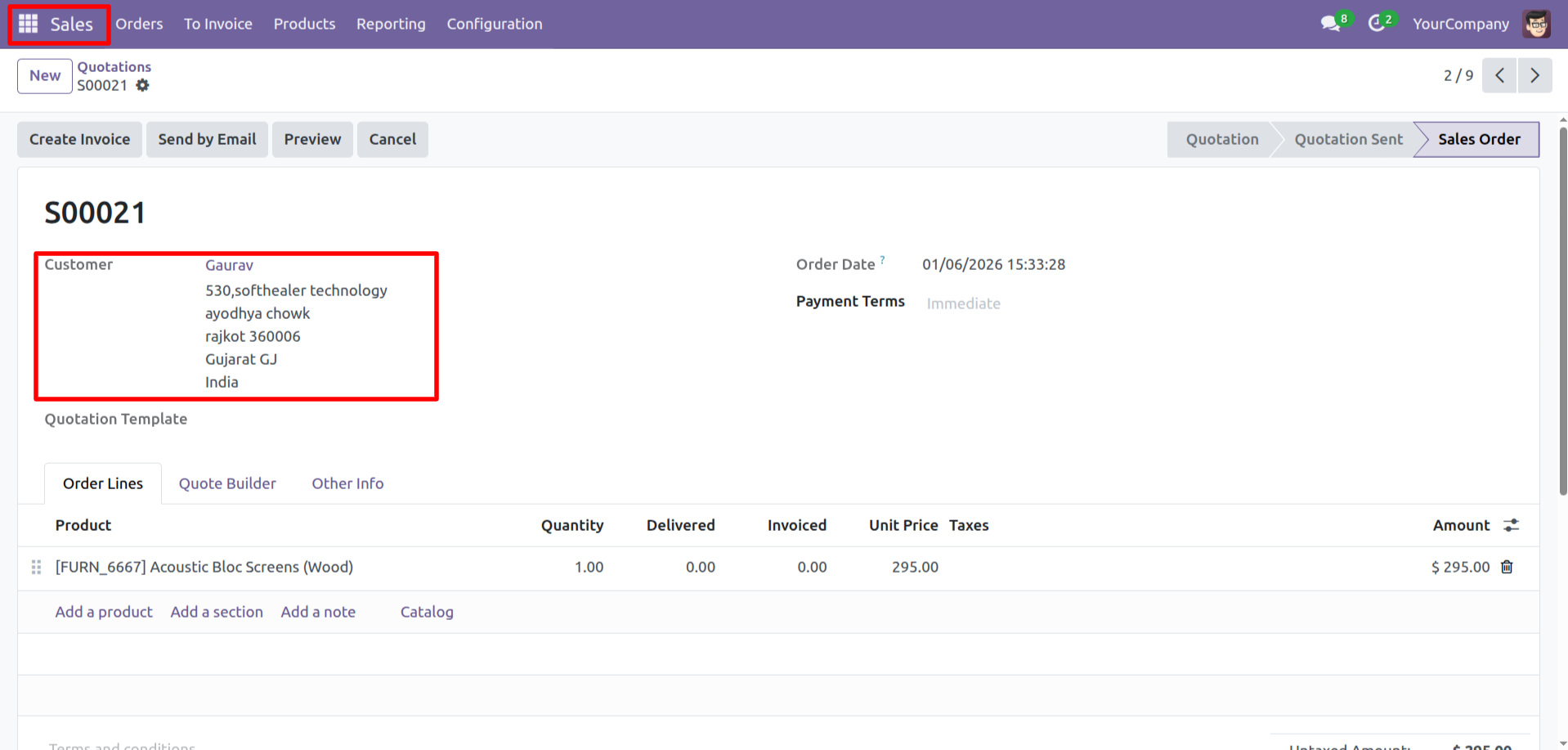
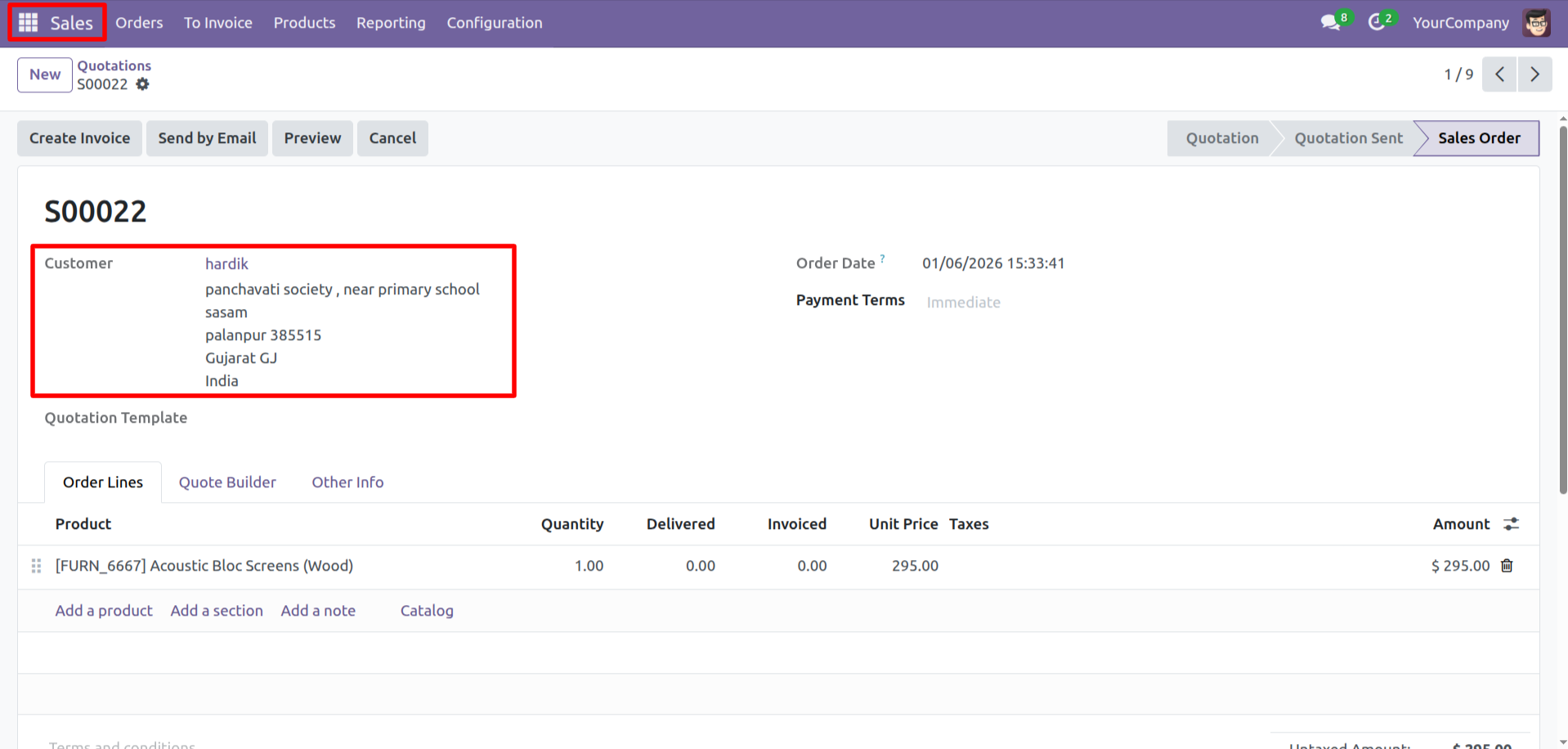
Create a sales order.
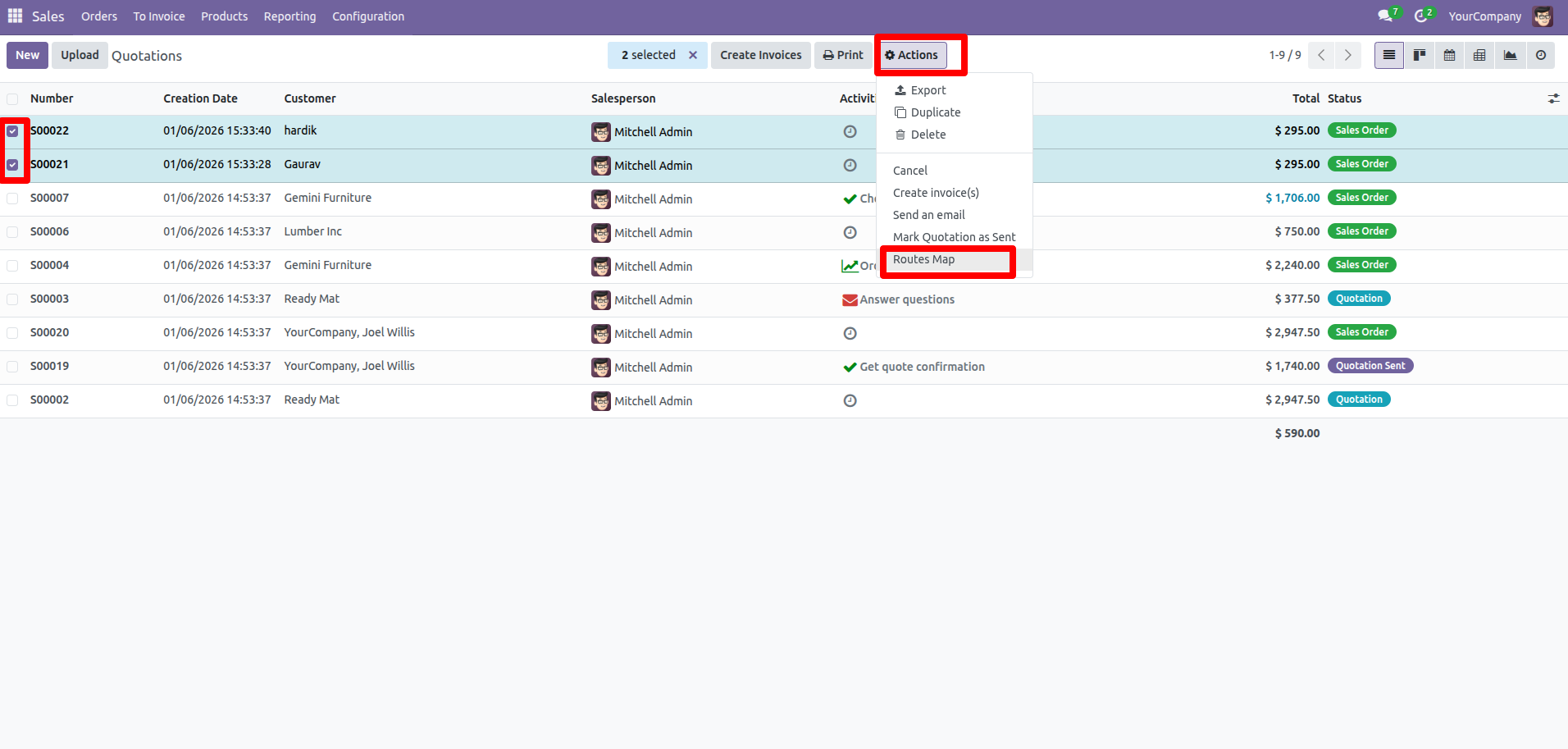
Select the sale orders and click on the 'Route Map' from the Actions.
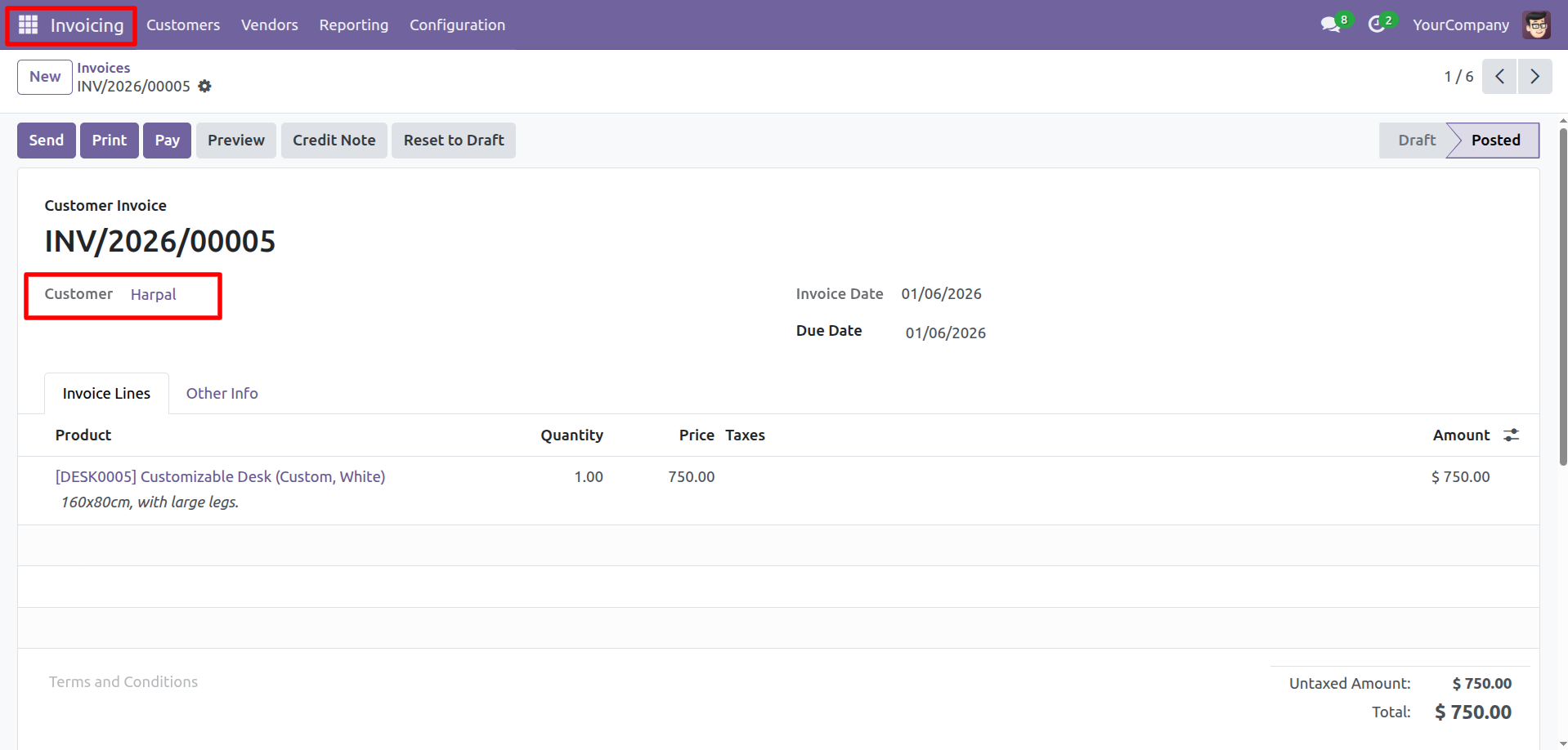
Create an invoices.
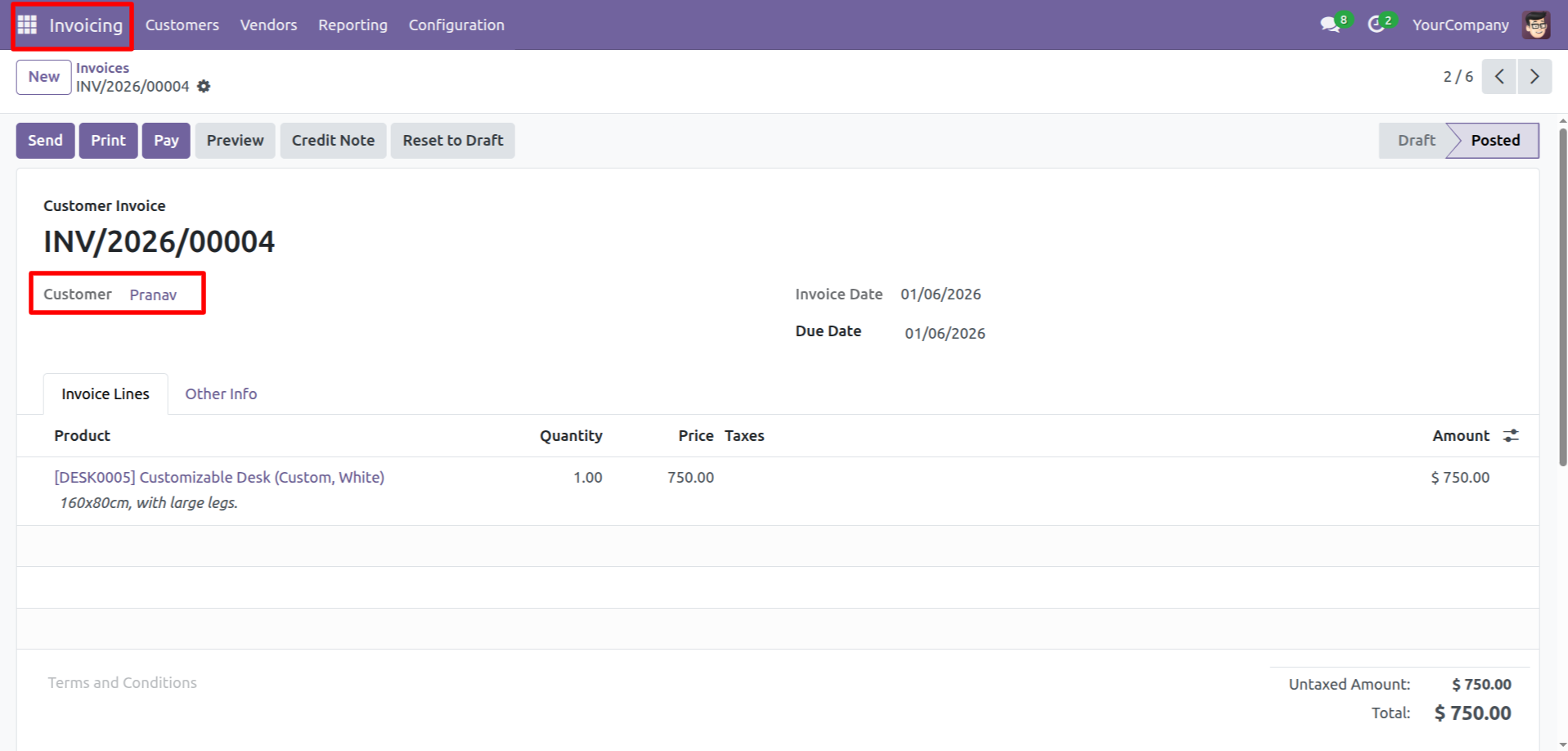
Select the invoices and click on the 'Route Map' from the Actions.
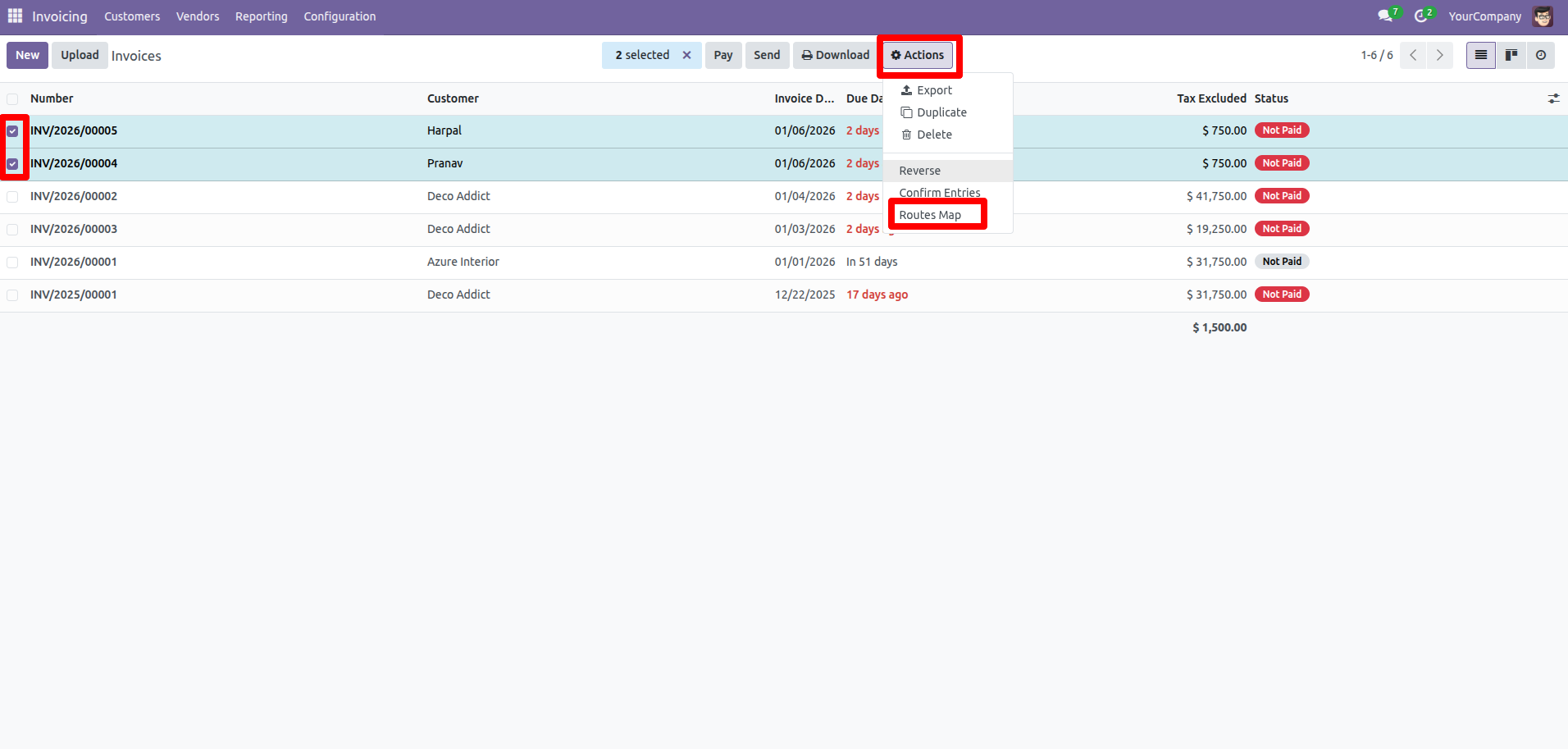
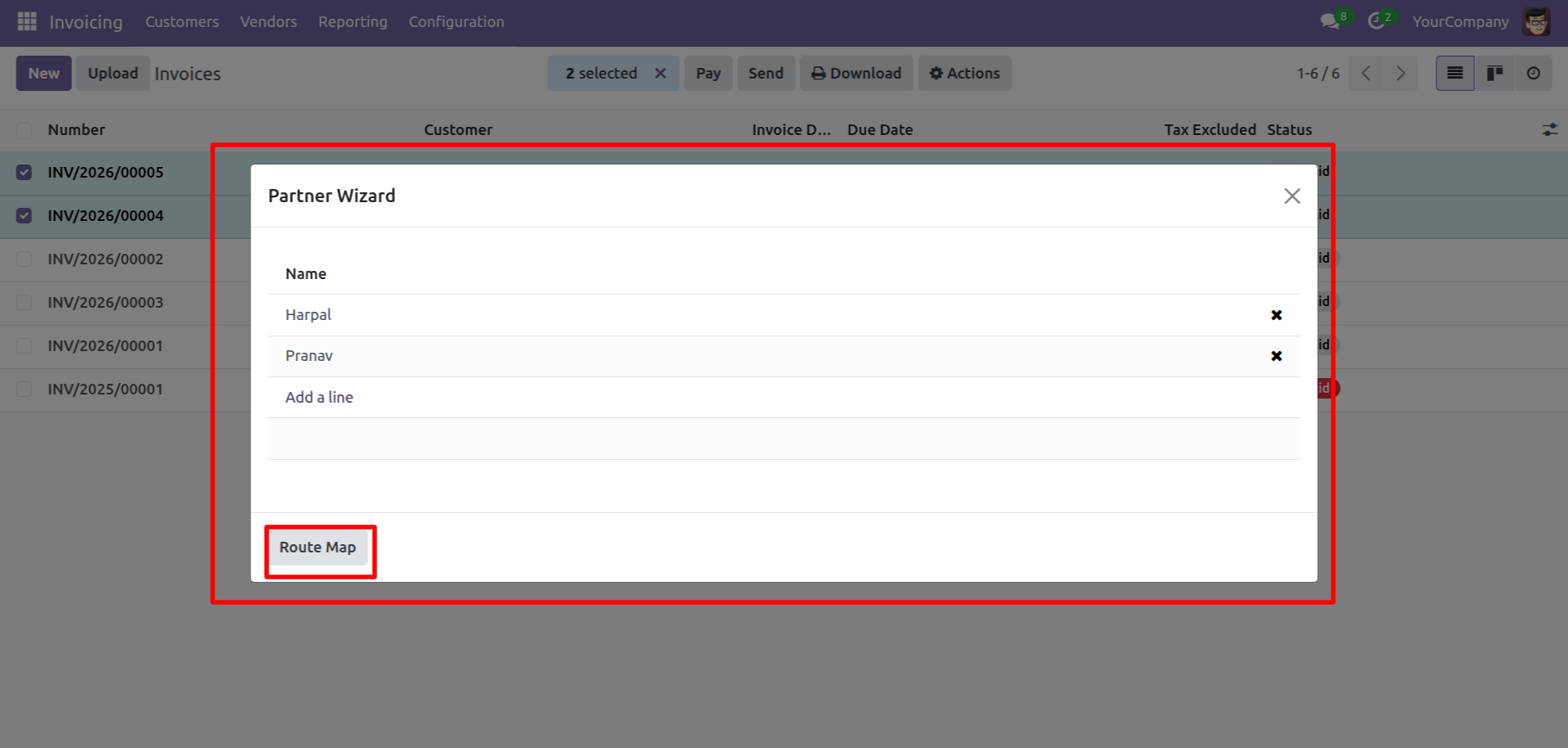
Click on the 'Route Map' button.
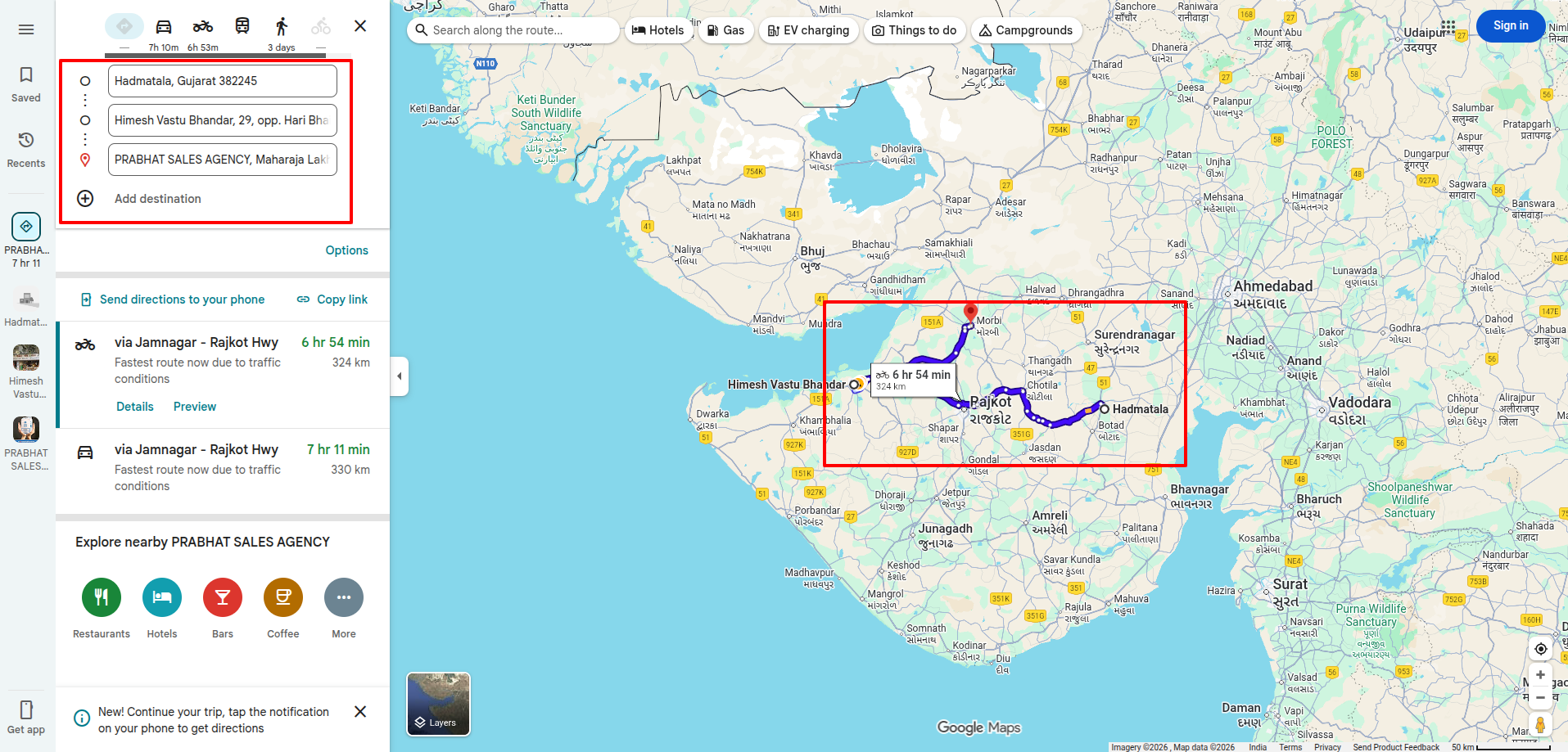
Here you can see the route.
Version 19.0.1 | Released on : 24th January 2026
- Yes, this app works perfectly with Odoo Enterprise (Odoo.sh & Premise) as well as Community.
- No, this application is not compatible with odoo.com(odoo saas/Odoo Online)
- Yes, to test this module, please contact us at sales@softhealer.com.
- Please contact us at sales@softhealer.comto request customization.
- Yes, we provide free support for 365 days from the date of purchase.
- Yes, you will receive lifetime free updates for the version of the module you purchased.
- No, there is no need to install any additional libraries.
- Yes, for version 12 and above, you need to purchase the module separately for each version you intend to use.
- No, exchanges or refunds are not allowed. Please make sure to select the correct version before purchasing.
- You can contact us at support@softhealer.com for language translation support. We use Google Translator tools to provide translations in multiple languages, so the accuracy may vary. We welcome your suggestions to help improve translations.
Discover Our Latest Apps