












FBR Connector Backend

FBR Connector Backend
Module posts your odoo invoice data to the FBR Portal. This module is useful from the backend invoice
view to submit to the FBR portal! After submitted, receipt generated, receipt generated with invoice no.
fetch from FBR Portal. If any issue with FBR portal connection then it will auto resend using a cron job
or manually as well from the backend. It will not show invoice no if the FBR Portal connection issue. You
can easily filter failed/success sync orders of FBR Portal. It also provides the PCT(Pakistan Customs
Tariff) code. We have added a service fee option as well in this which is useful to add a service fee in
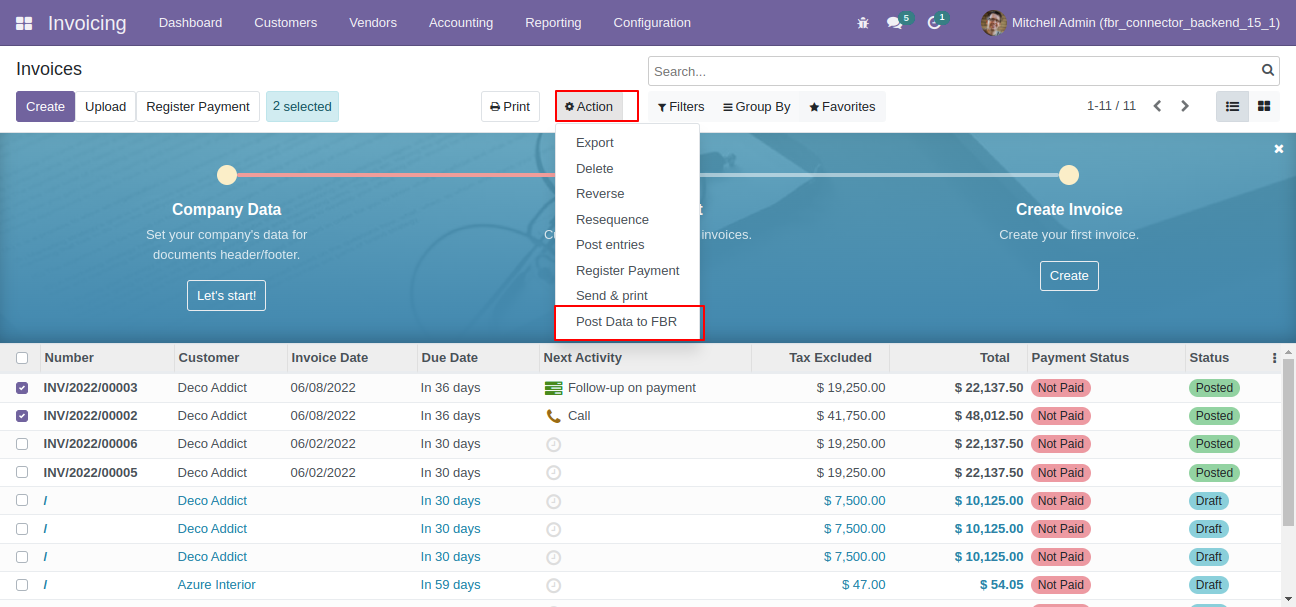
FBR Receipt. You can also send multiple invoices to the FBR portal in one click using mass action from
the tree view of invoices!
ABOUT FBR :
The Federal Board of Revenue (FBR) formerly known as the Central Board of Revenue (CBR), is a top federal
government organization of Pakistan that investigates tax crimes and money-laundering. FBR operates
through special Broadening of Tax Base Zones that keep tax evaders under surveillance and perform special
tasks for FBR Headquarters. FBR performs the role of collection of taxation in the country from all
individuals and businesses.
FBR also collects intelligence on tax evasion and administers tax laws for the Government of Pakistan and
acts as the central revenue collection agency of Pakistan.

Related Modules
Hot Features
Features
- Easy to send invoice details to the FBR portal.
- Main configuration added to enable/disable FBR connector.
- You can resend the receipt using a cron job or manually.
- You can easily post multiple invoice data by mass action.
- We provide FBR authentication options sandbox & production.
- You can check FBR logs easily.
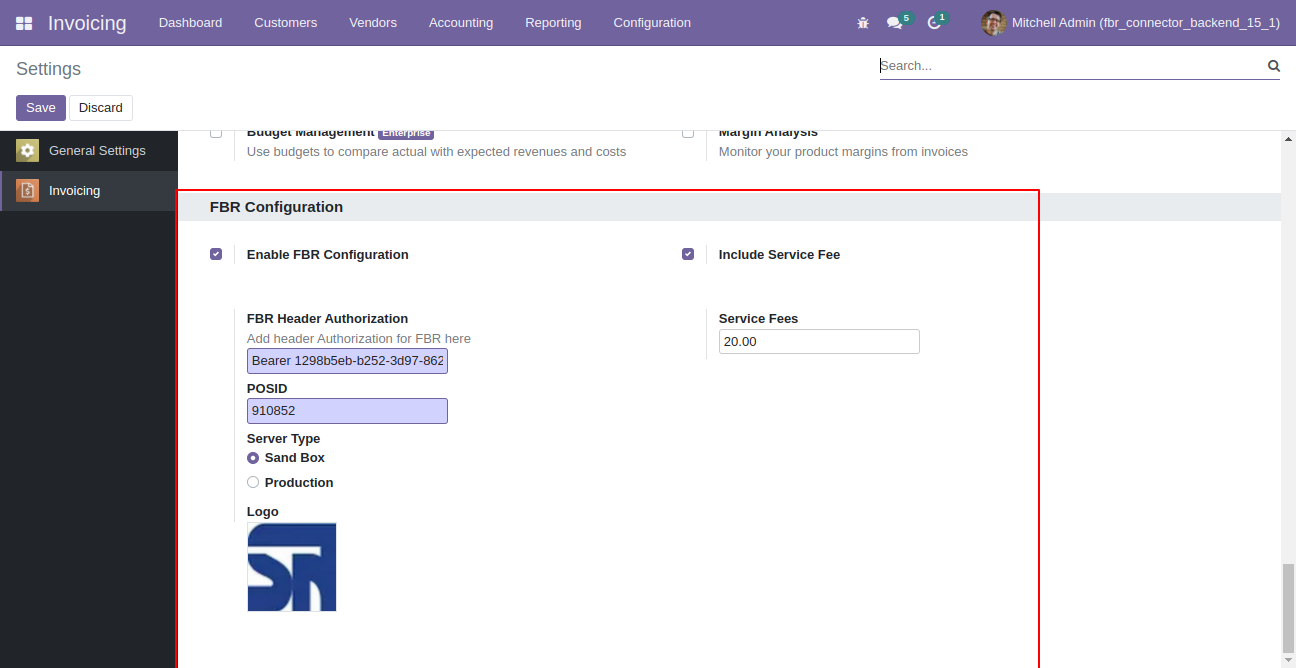
Invoice Configurations --> FBR Configuration. Add FBR Header Authorisation, POSID, server type and select with or without service.
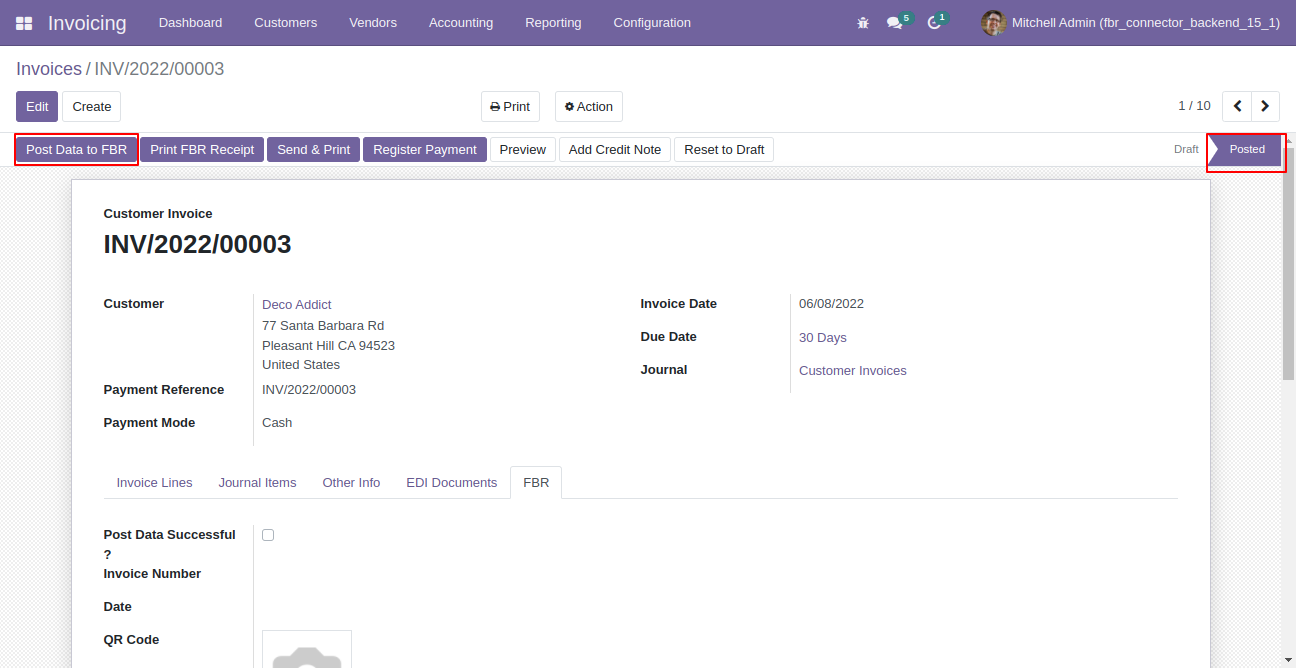
In invoice there is button 'Post Data to FBR'.
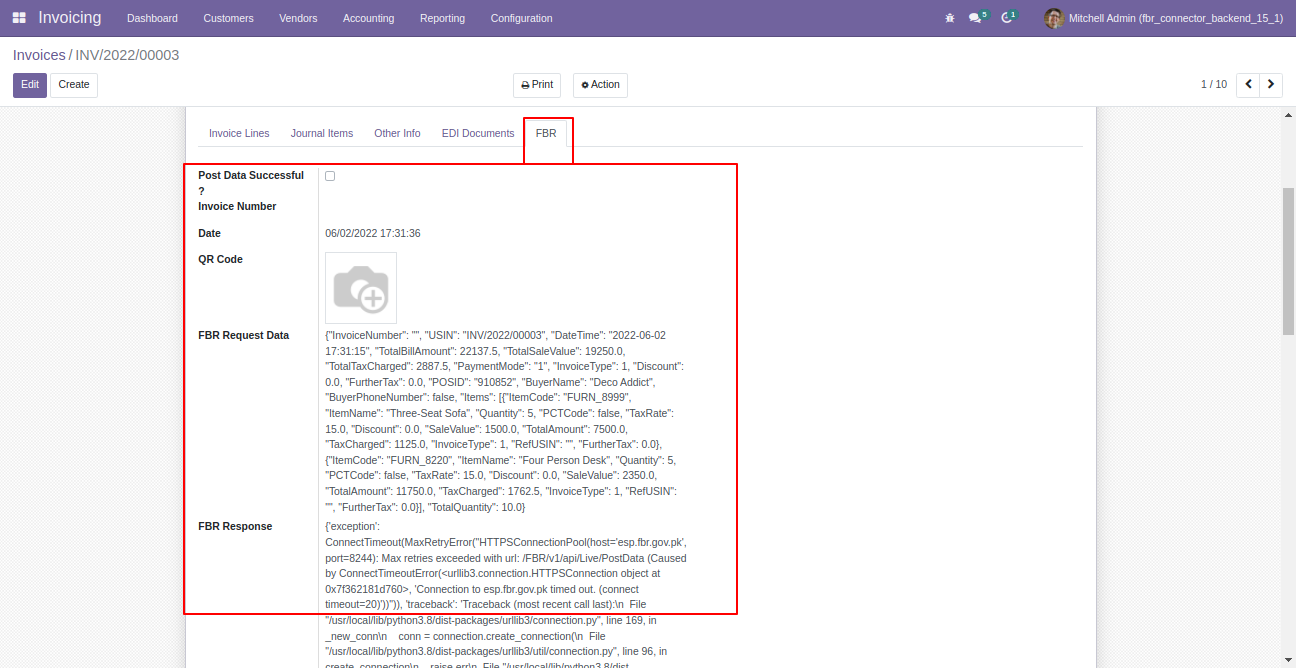
In invoice there is tab for FBR status 'FBR'.
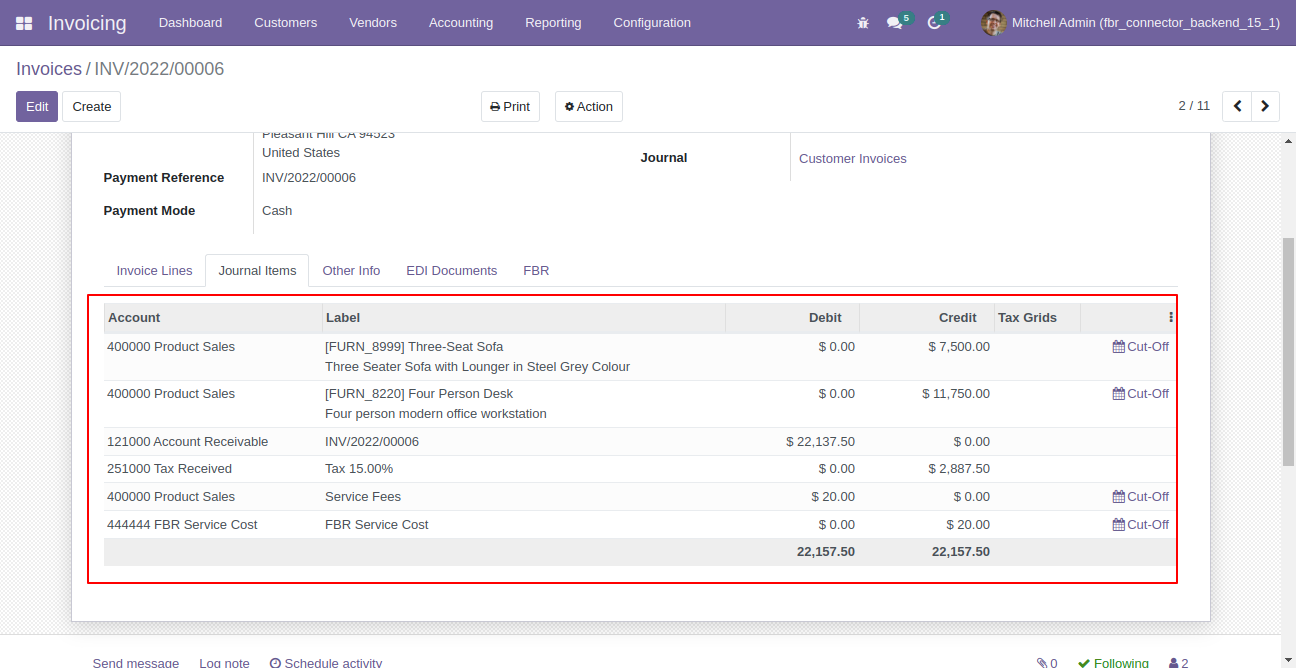
Journal Entries.
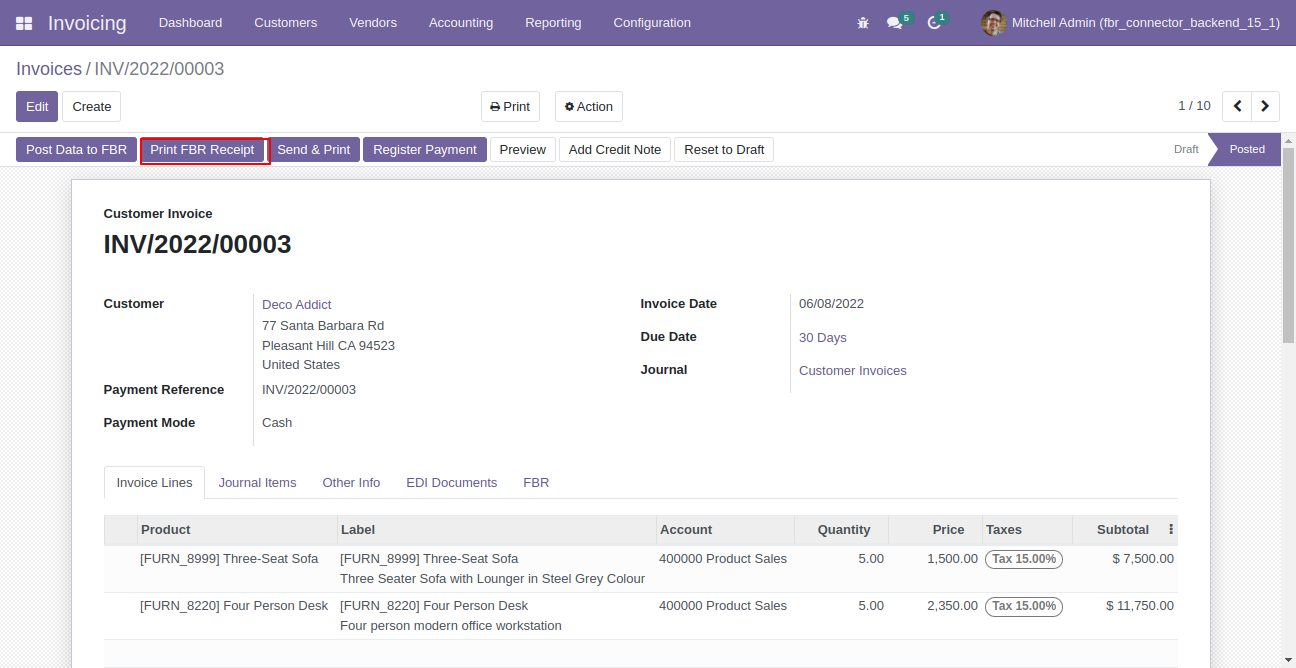
Click 'Print FBR Receipt' to print fbr receipt.
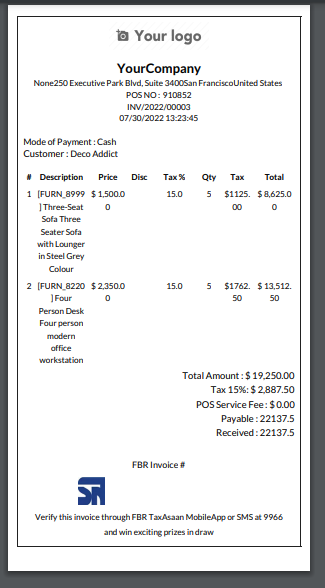
FBR Receipt.
For multiple invoice just select more than one invoice from the list view and click on action 'Post Data to FBR'
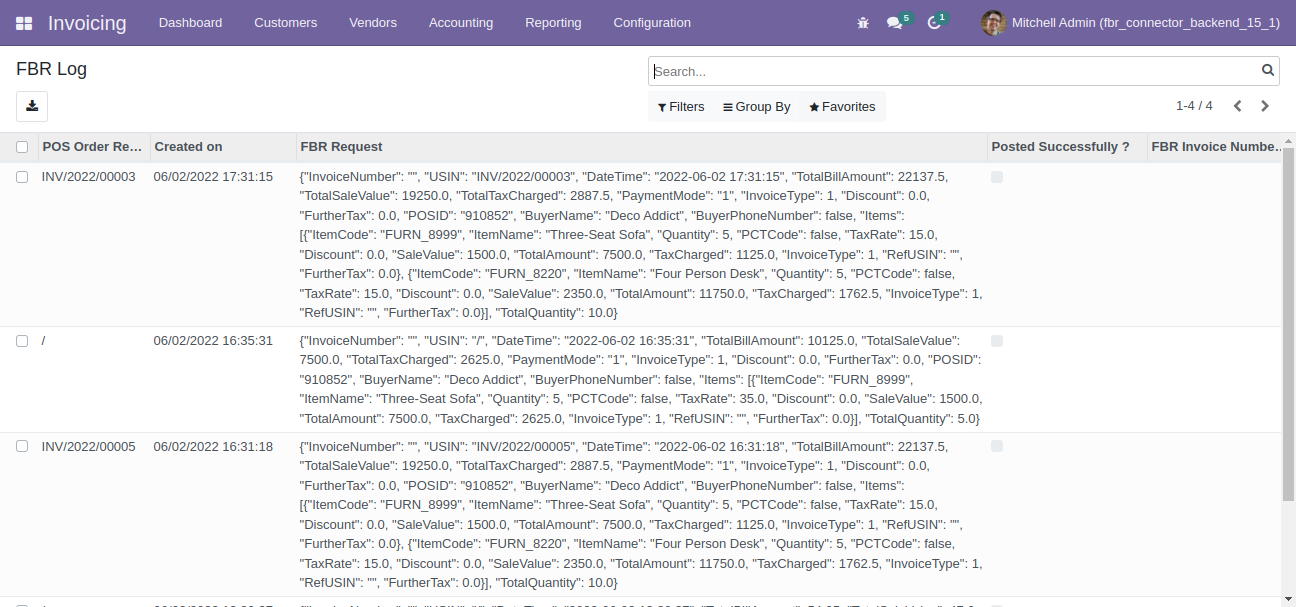
For FBR Logs.
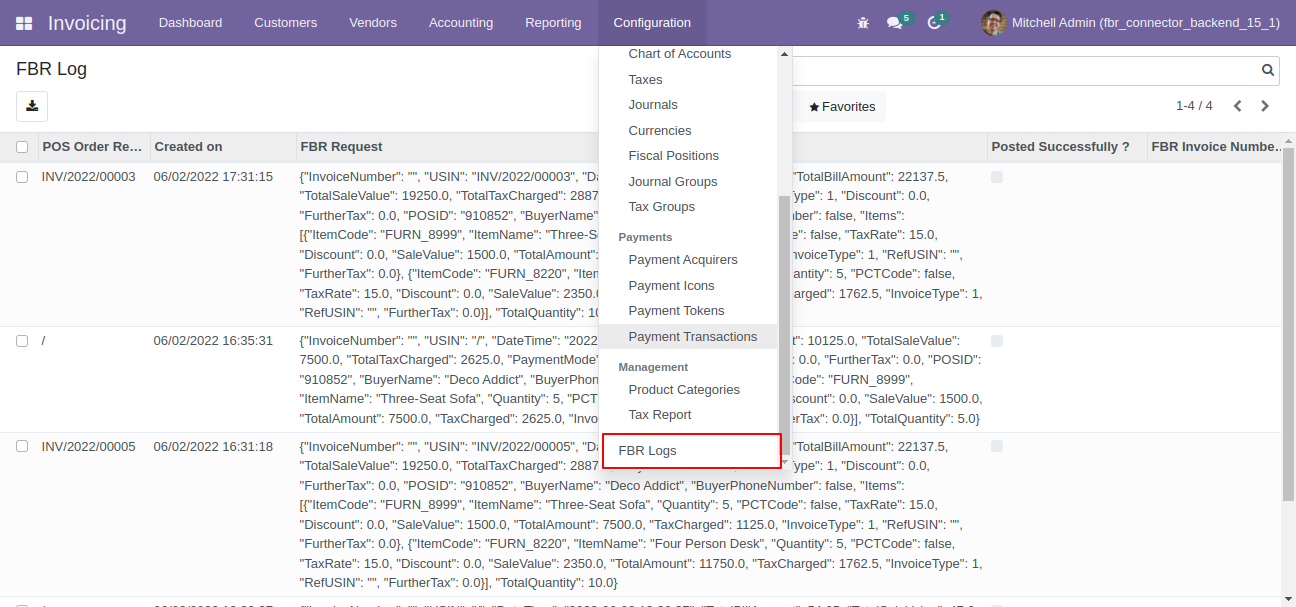
FBR logs looks like below.
Version 19.0.1 | Released on : 27th September 2025
- Yes, this app works perfectly with Odoo Enterprise (Odoo.sh & Premise) as well as Community.
- No, this application is not compatible with odoo.com(odoo saas/Odoo Online)
- Yes, to test this module, please contact us at sales@softhealer.com.
- Please contact us at sales@softhealer.com to request customization.
- Yes, we provide free support for 365 days from the date of purchase.
- Yes, you will receive lifetime free updates for the version of the module you purchased.
- No, there is no need to install any additional libraries.
- Yes, for version 12 and above, you need to purchase the module separately for each version you intend to use.
- No, exchanges or refunds are not allowed. Please make sure to select the correct version before purchasing.
- You can contact us at support@softhealer.com for language translation support. We use Google Translator tools to provide translations in multiple languages, so the accuracy may vary. We welcome your suggestions to help improve translations.
Discover Our Latest Apps