












Facebook Meta Pixel eCommerce Tracking

Integrate Facebook Meta Pixel seamlessly with your Odoo website to track customer interactions and measure marketing performance effectively. This module automatically tracks key eCommerce events such as Page View, View Content, Add To Cart, Add To Wishlist, Initiate Checkout, Purchase, and Lead events while maintaining detailed tracking logs within Odoo. It supports multiple pixel configurations, cookie consent compliance, custom product identifiers, and automatic log cleanup. With centralized event monitoring and complete visibility into tracked activities.

Features
Multiple Facebook Pixel Support
Configure and manage multiple Facebook Pixels simultaneously on a single Odoo website.
Complete E-Commerce Event Tracking
Automatically track events including Page View, Purchase, Lead, Add To Cart, Add To Wishlist, and more directly within Odoo.
Lead Event Tracking
Track customer registrations and Contact Us form submissions as Facebook Lead events.
Internal Event Logging
Store and review Facebook tracking event logs within Odoo for monitoring and troubleshooting.
Cookie Consent Compliance
Respect Odoo cookie consent settings and trigger tracking events only after user approval.
Flexible Product Identification
Track products using Product ID, Barcode, or Internal Reference based on business requirements.
Flexible Transaction Value Calculation
Optionally exclude delivery charges from Purchase and InitiateCheckout event values.
Automatic Log Cleanup
Automatically remove old tracking logs to keep event history organized and maintain system performance.
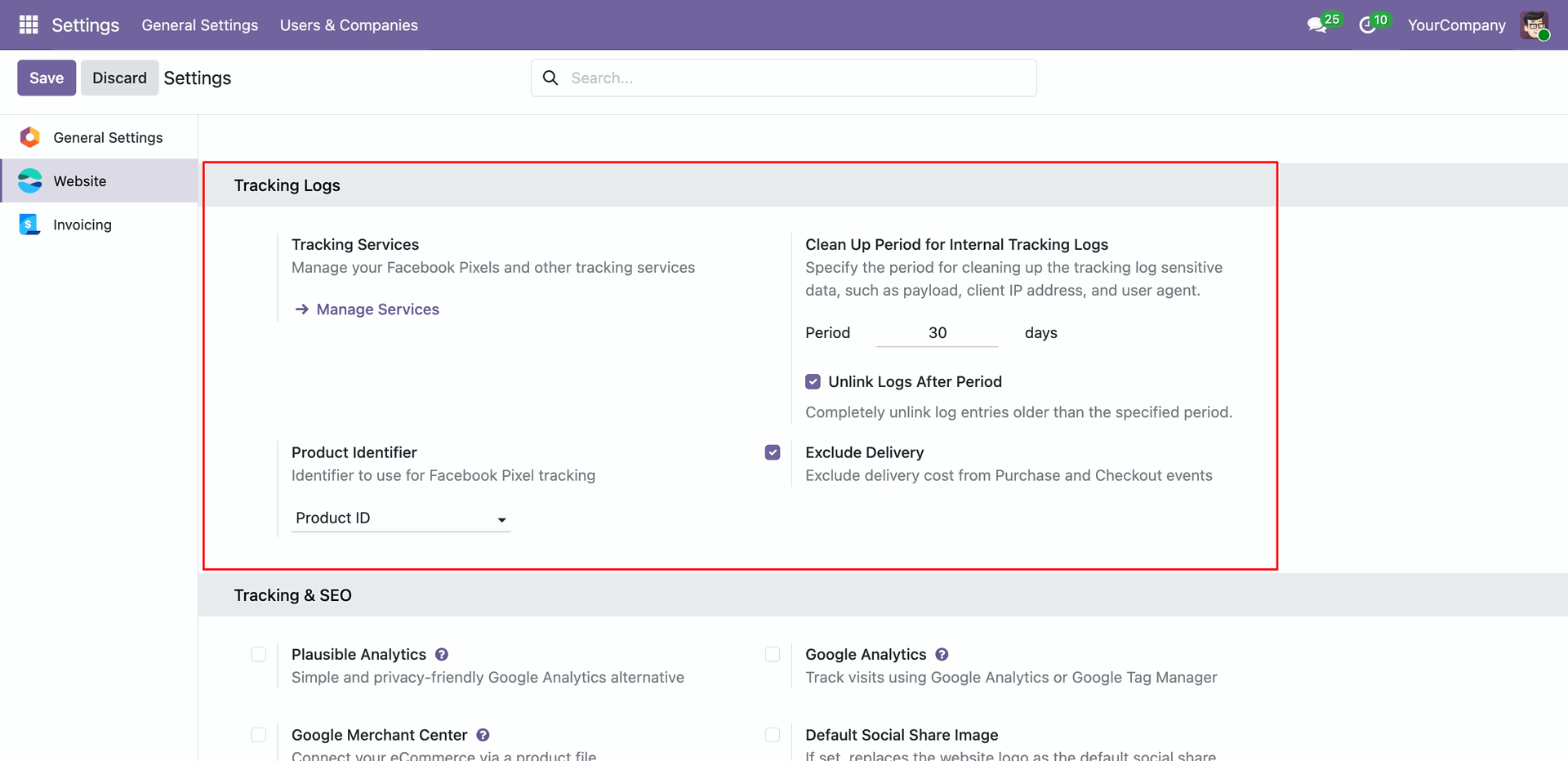
Configure core Website Tracking settings in Odoo, including tracking log cleanup periods, log unlinking options, choosing the product identifier format, and excluding delivery costs from purchase value tracking.
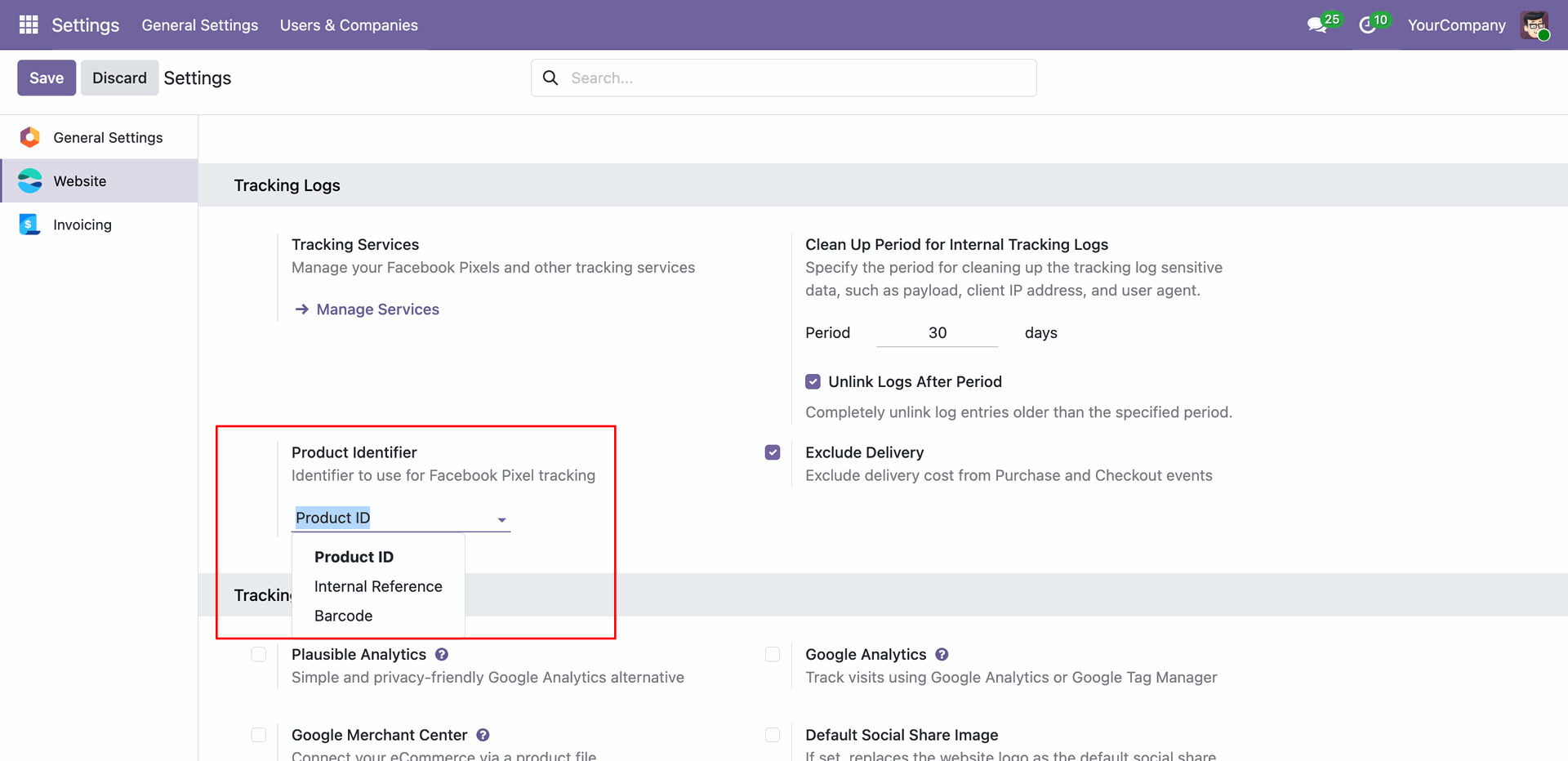
Define how products are identified in tracking events by selecting the preferred Product Identifier from the dropdown options: Product ID, Internal Reference, or Barcode.
Easily locate and access the Tracking Services configuration menu under the main Website application's settings panel in Odoo.
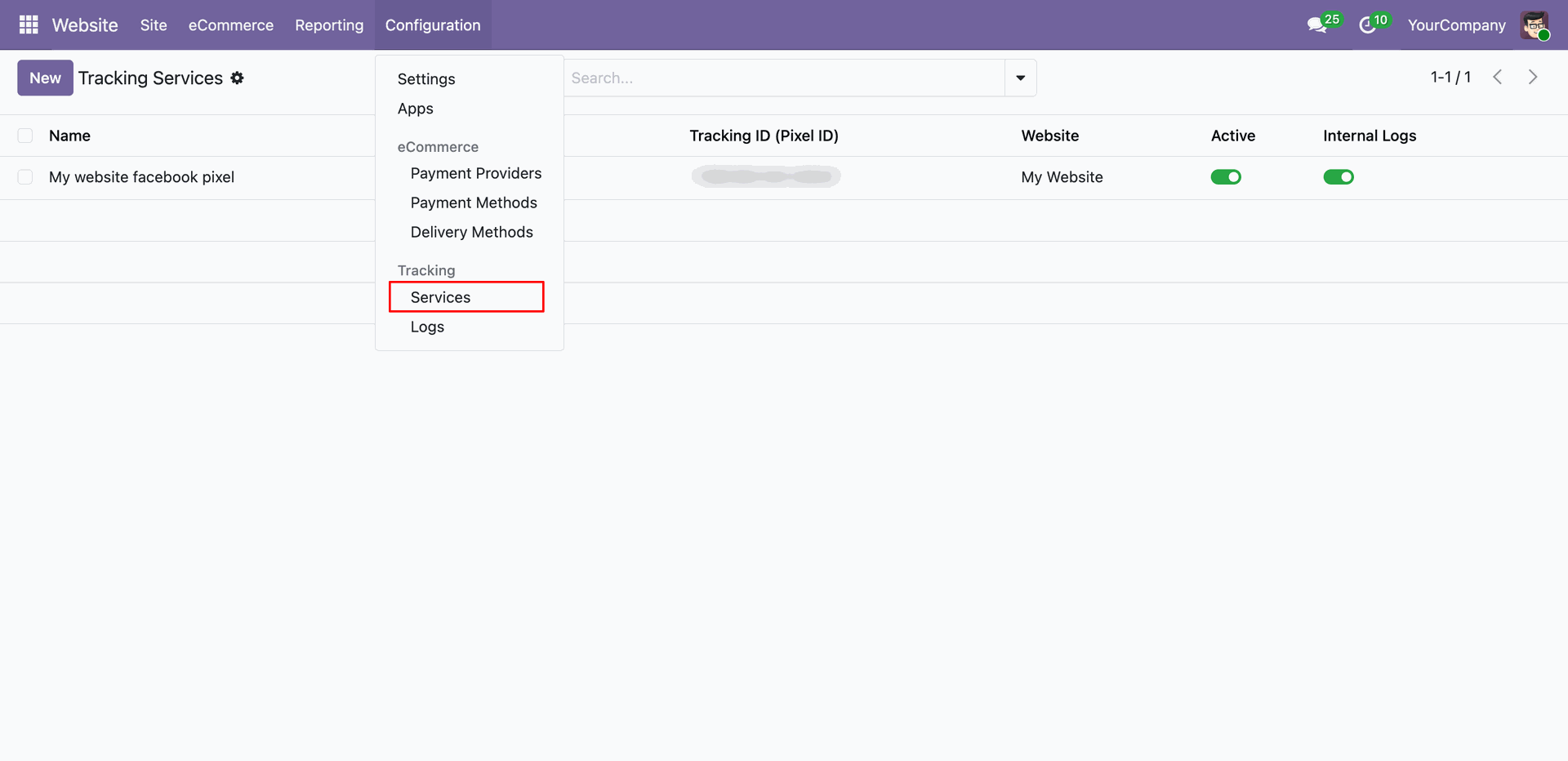
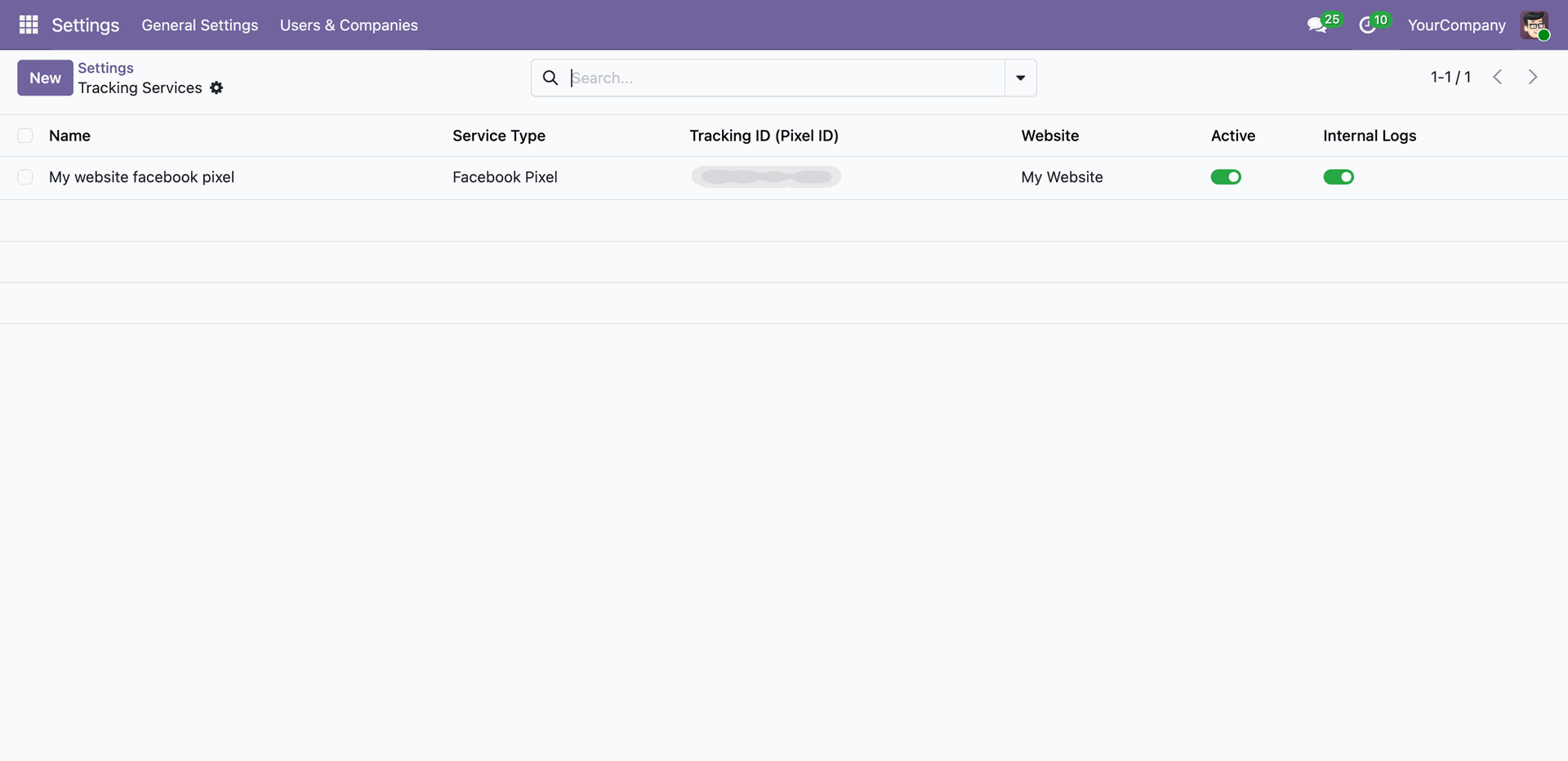
View and manage all configured tracking services in a convenient list view, displaying the active status and whether logging is enabled for each service.
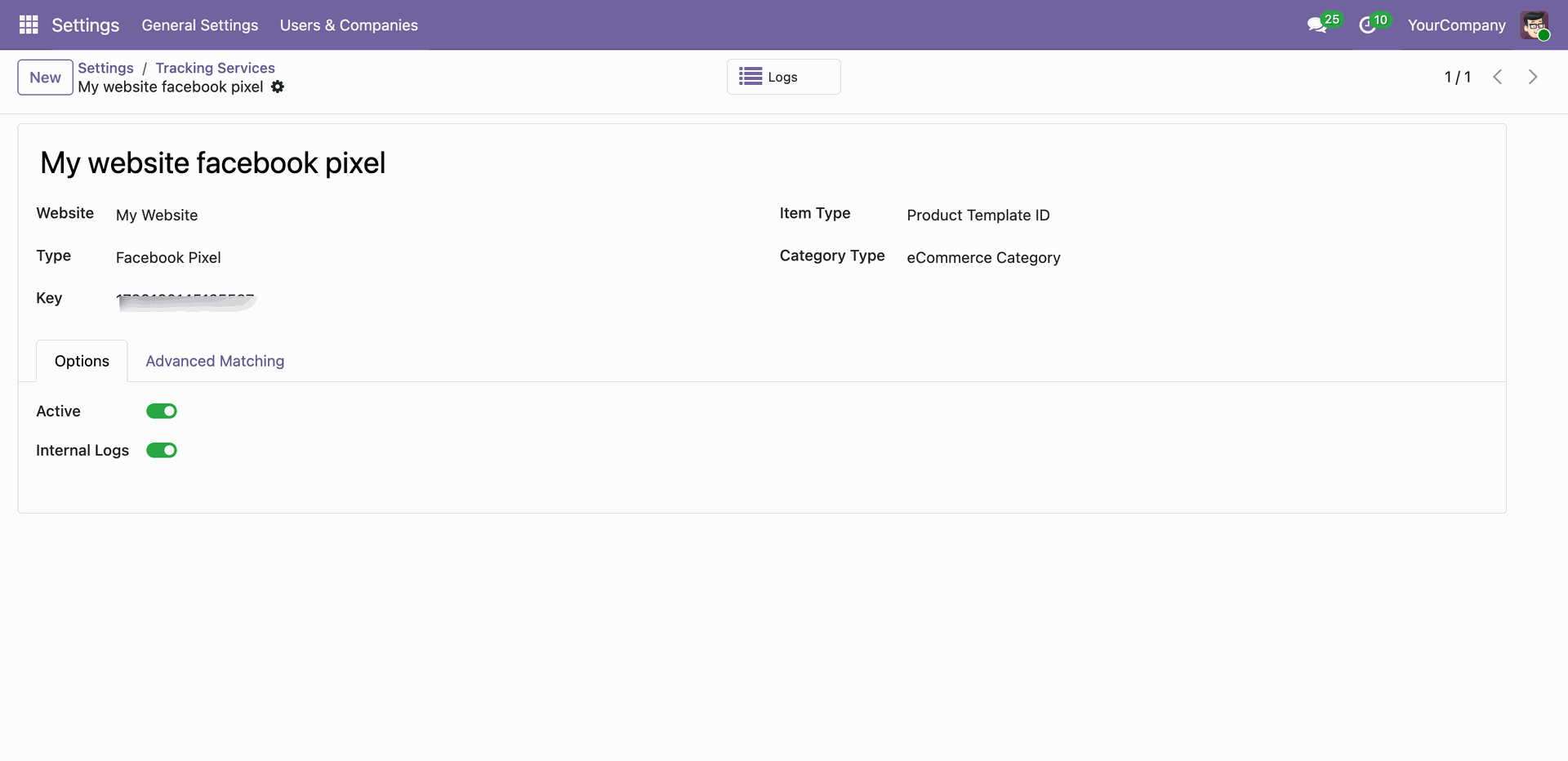
Access the detailed configuration form for a tracking service to select the target Website, specify the tracking Key/ID, and define the item identifier and category mapping type.
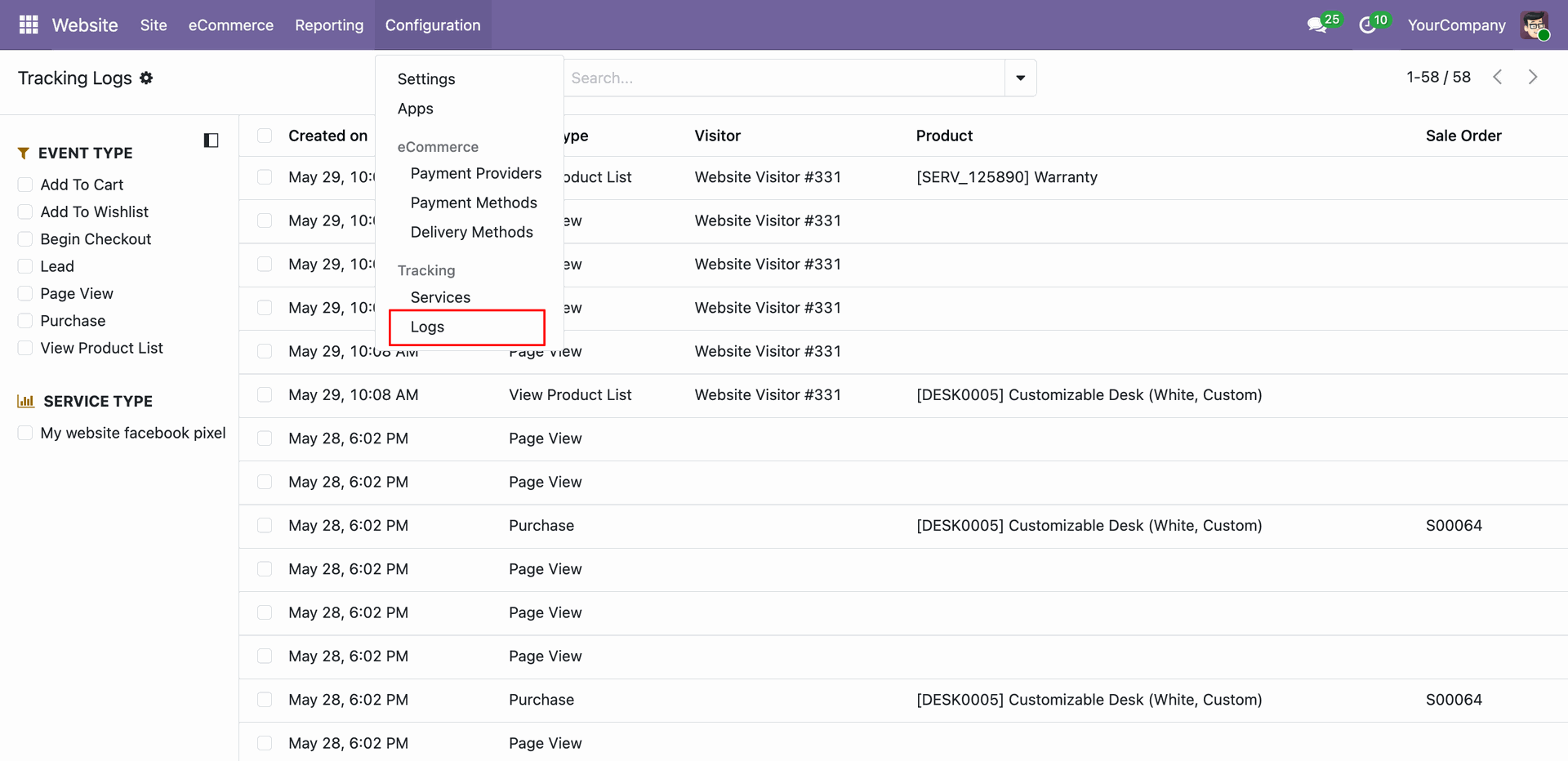
Access the Tracking Logs menu from the global Website configuration section to review all recorded event logs.
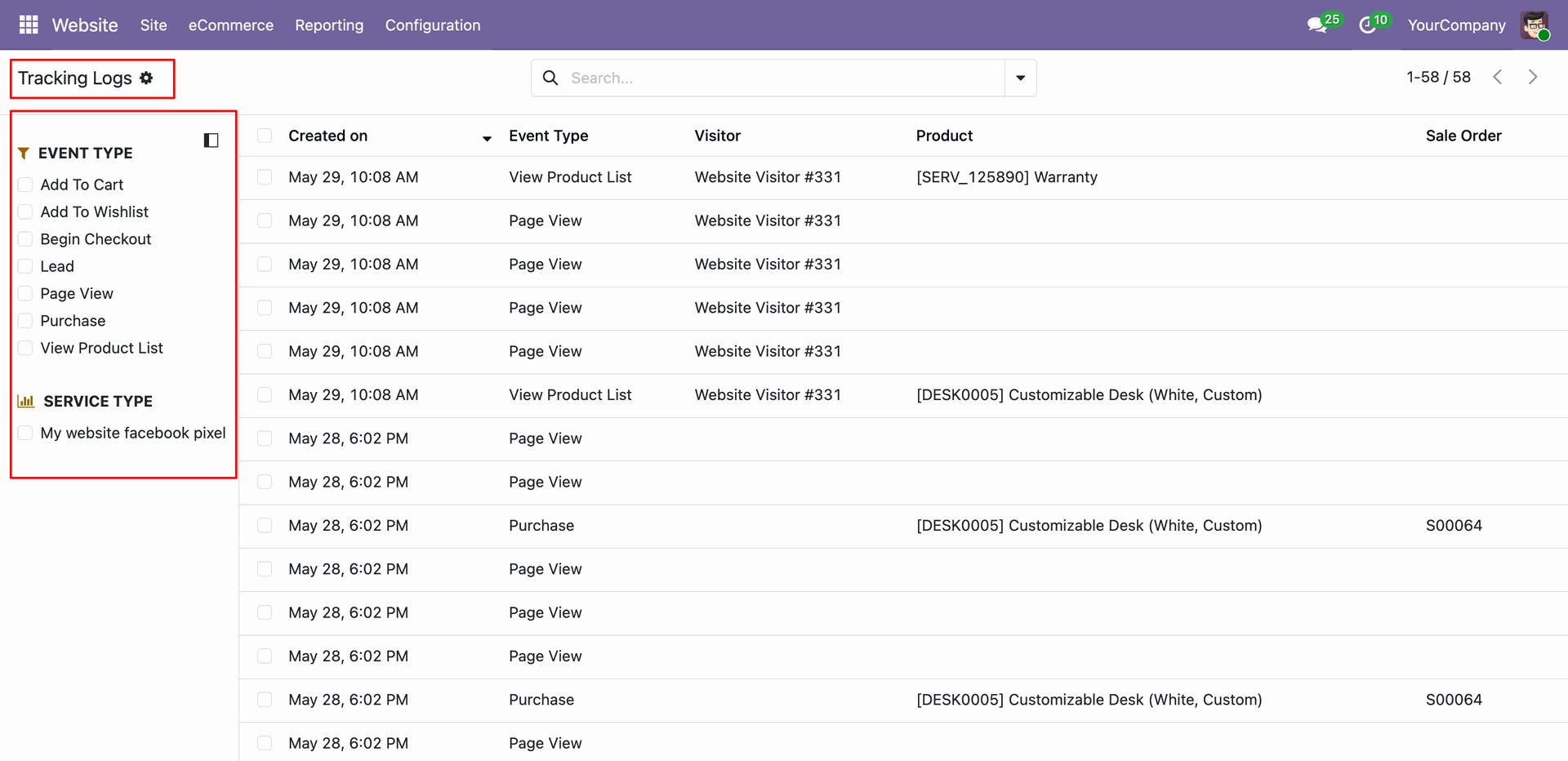
Browse the comprehensive list of logged tracking events, using the dynamic left-side filter panel to sort logs by event name or tracking service.
Inspect the Products tab within a specific tracking log to view details of the product template and product variant IDs tracked during the visitor session.
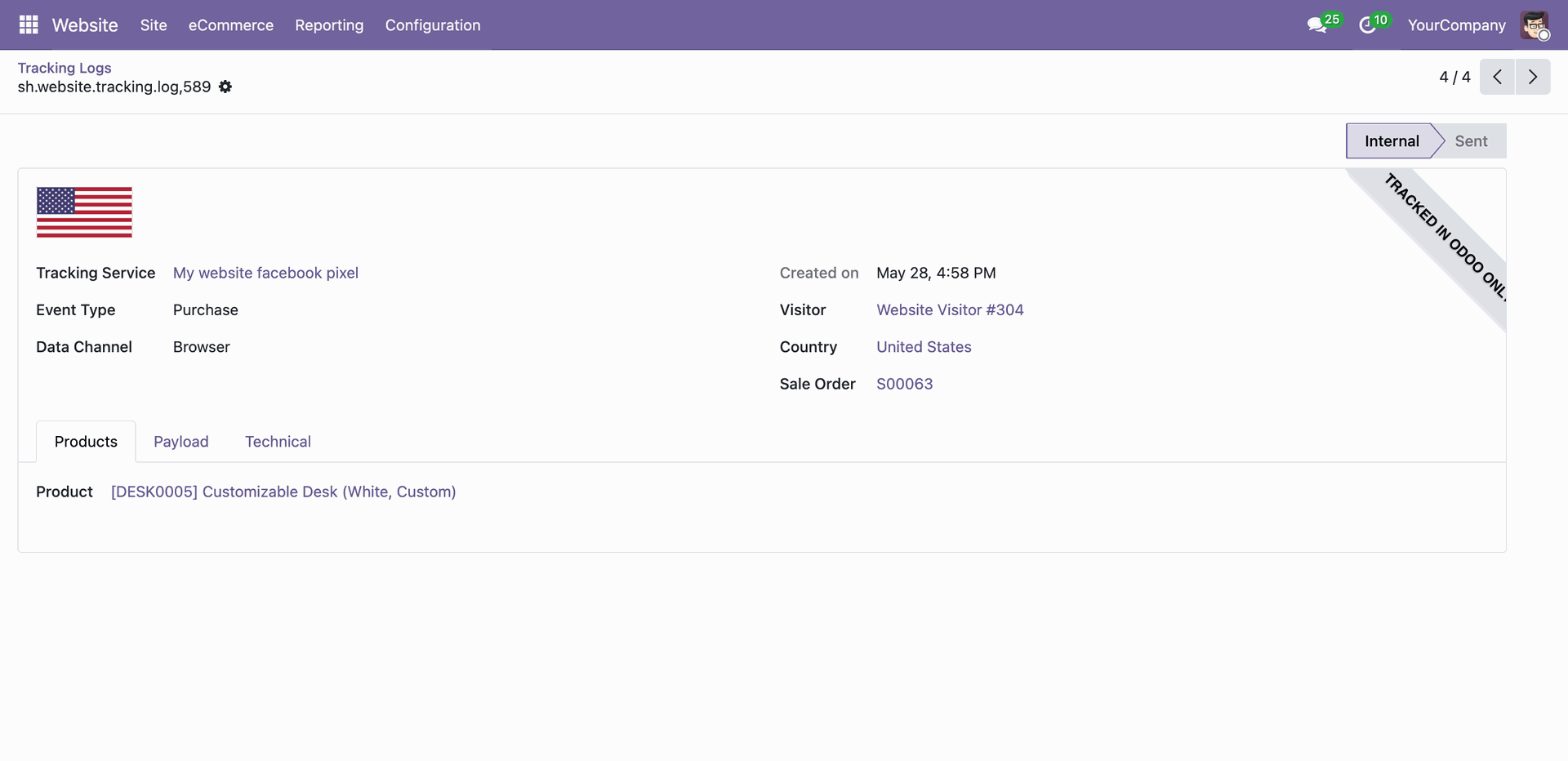
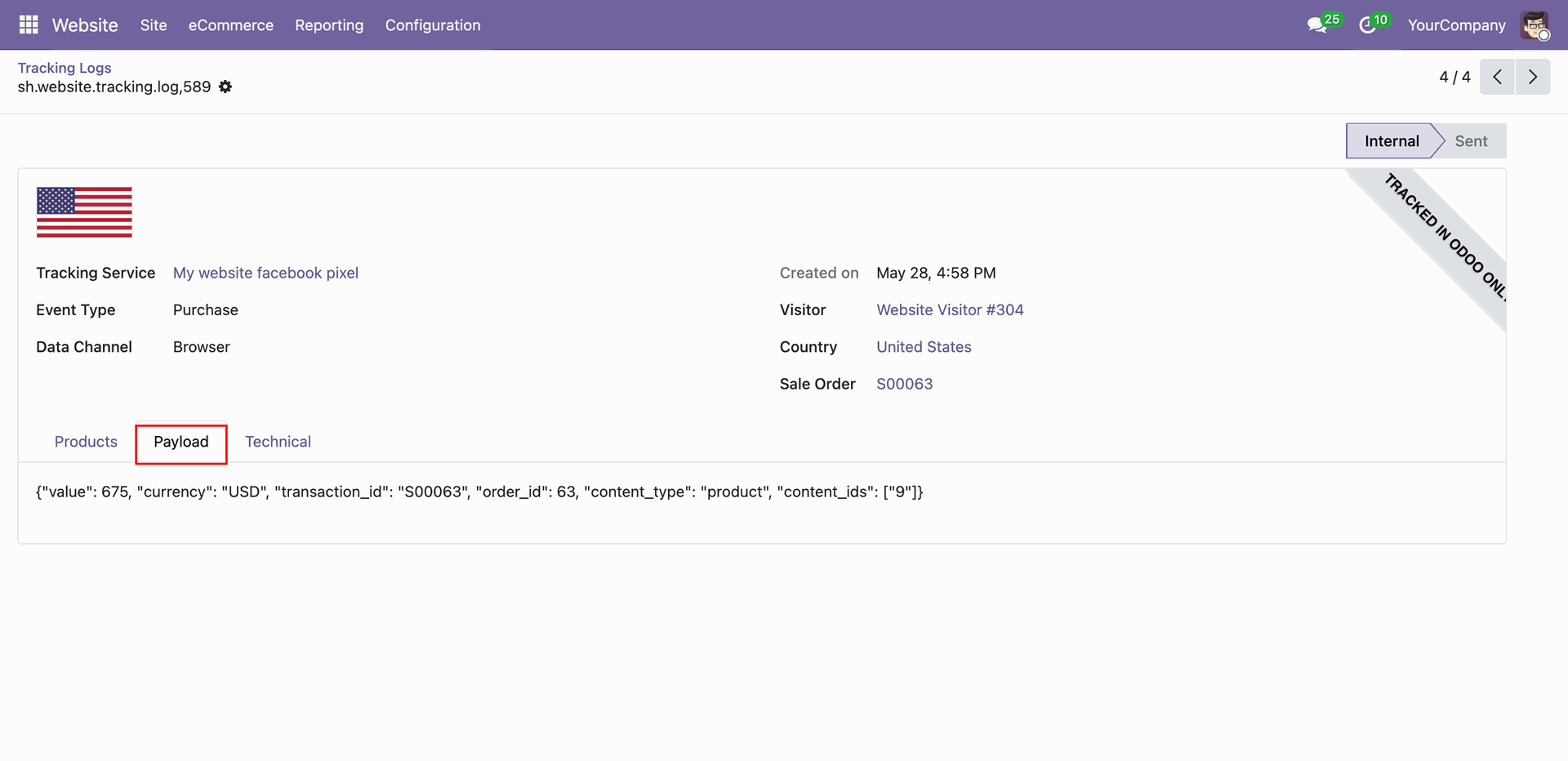
View detailed Facebook Pixel event payloads directly within Odoo.
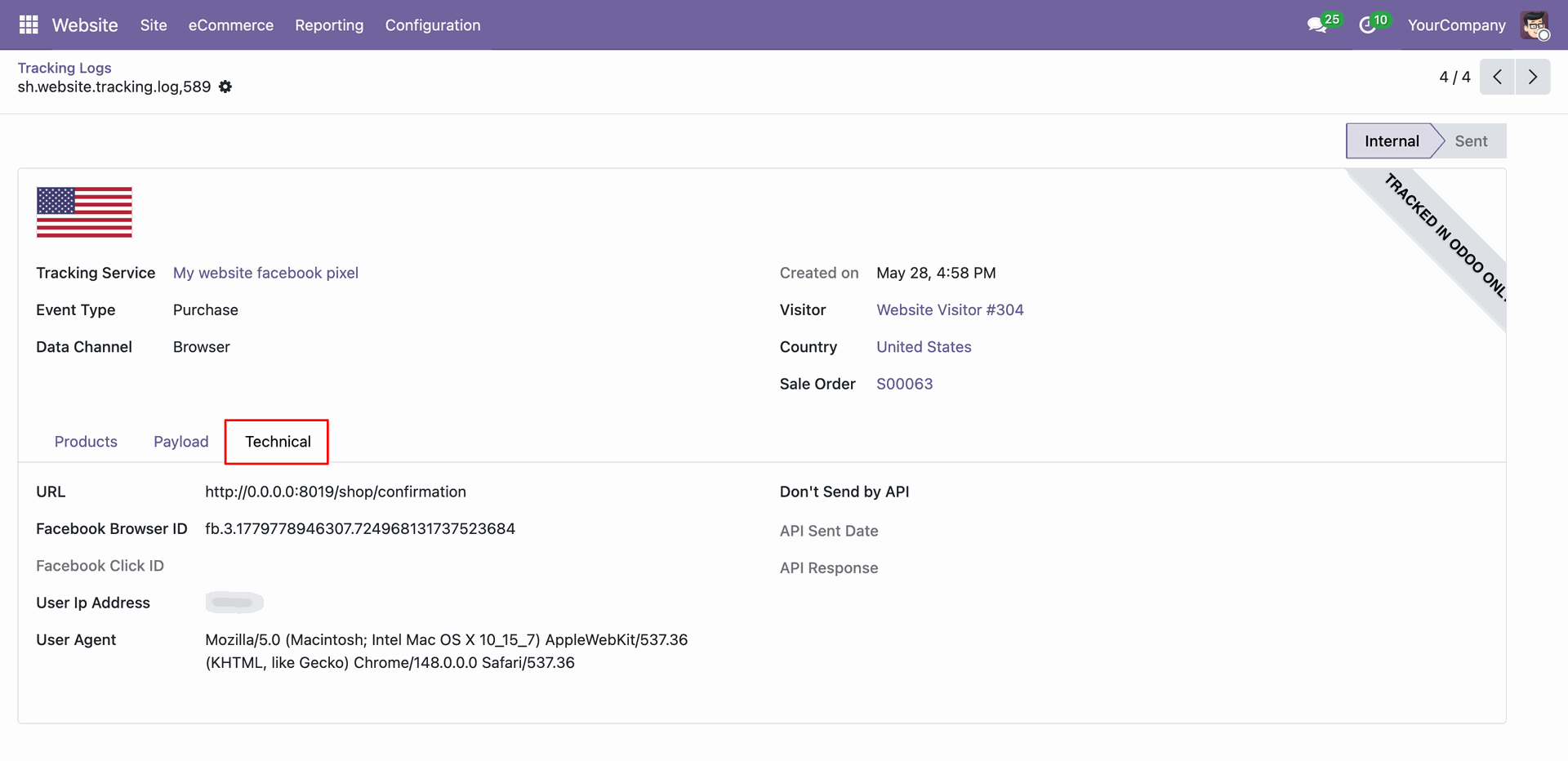
Access the Technical tab in the backend logs to inspect technical details such as visitor browser ID, user agent details, and IP address.
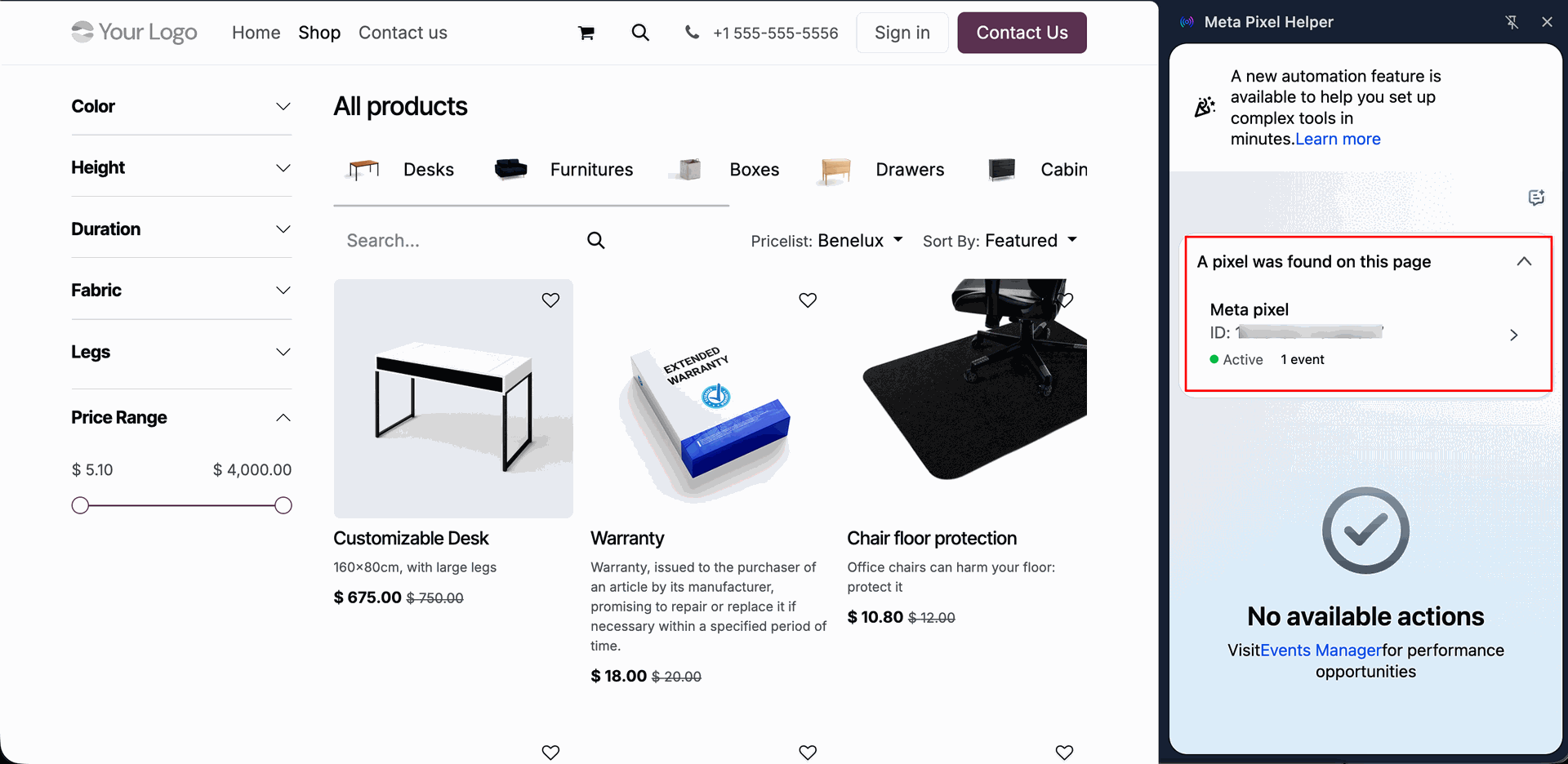
Visit the storefront of the Odoo e-commerce shop and use the Meta Pixel Helper browser extension to verify that the standard PageView event fires successfully.
Verify the backend logs in Odoo to confirm that the PageView event was successfully recorded with its corresponding metadata and visitor identifier.
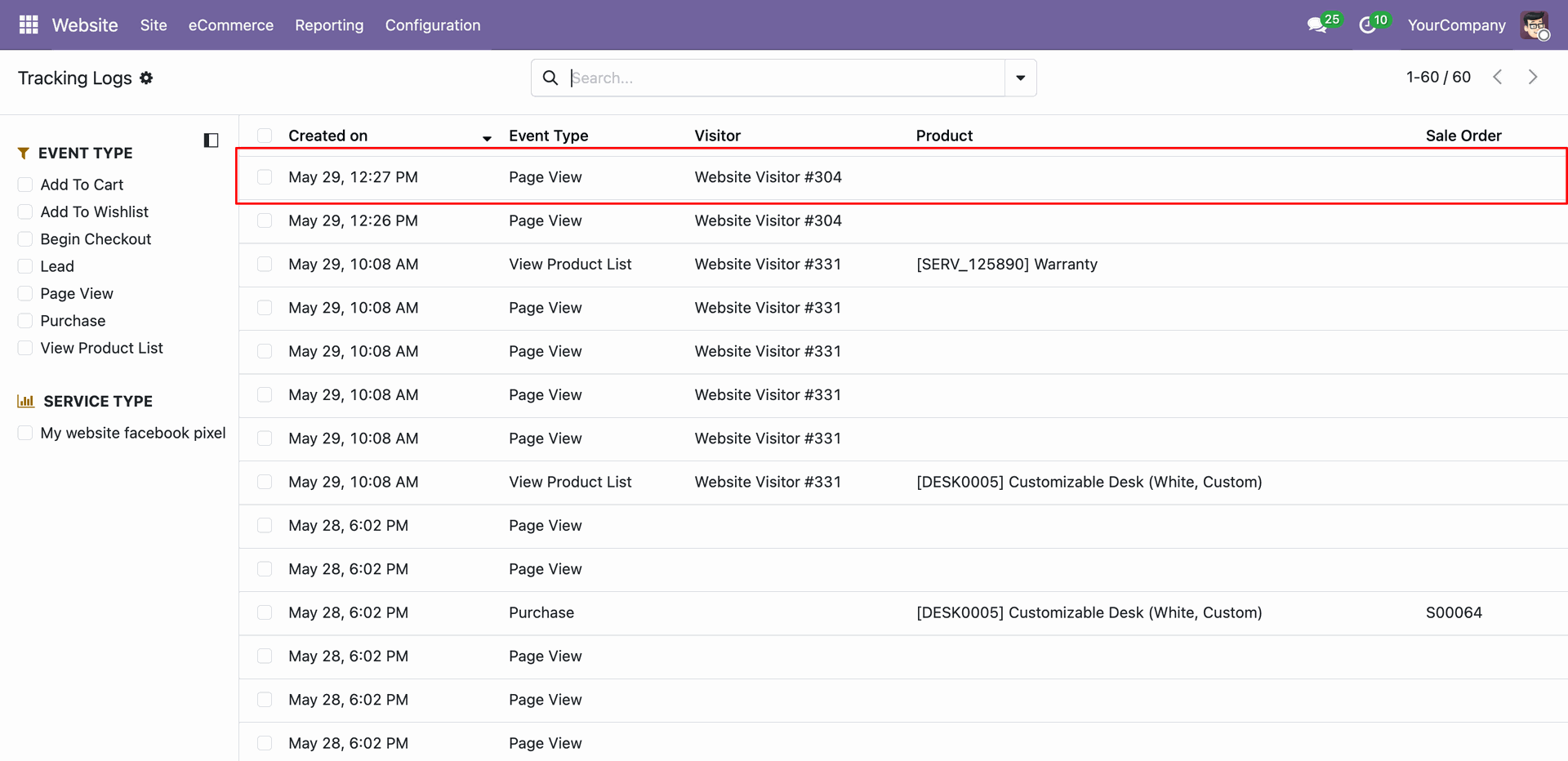
View a product details page on the frontend website, with the Meta Pixel Helper extension validating the real-time firing of both PageView and ViewContent events.
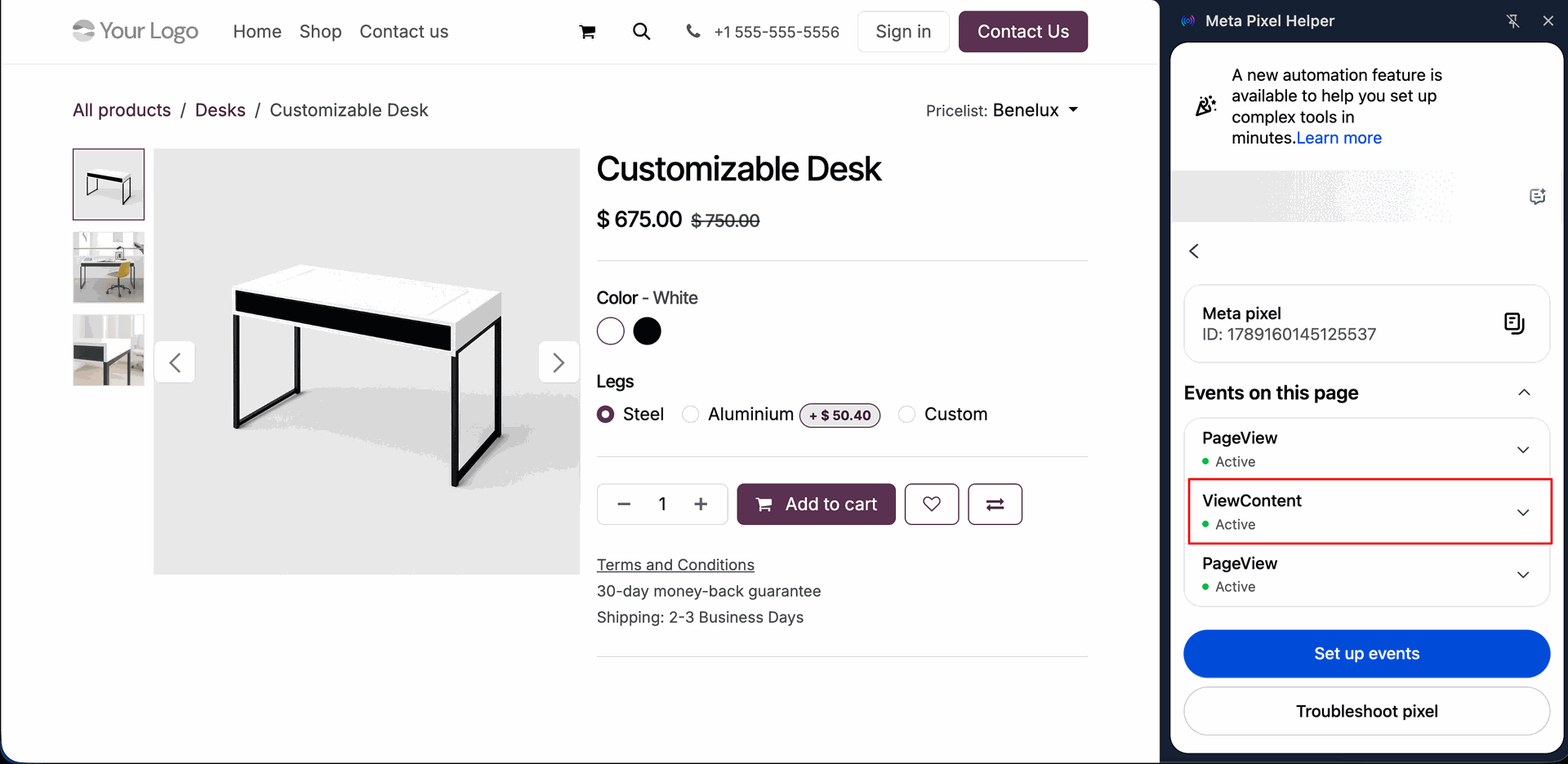
Confirm the backend tracking system has captured the ViewContent event log detailing the viewed product details and transaction parameters.
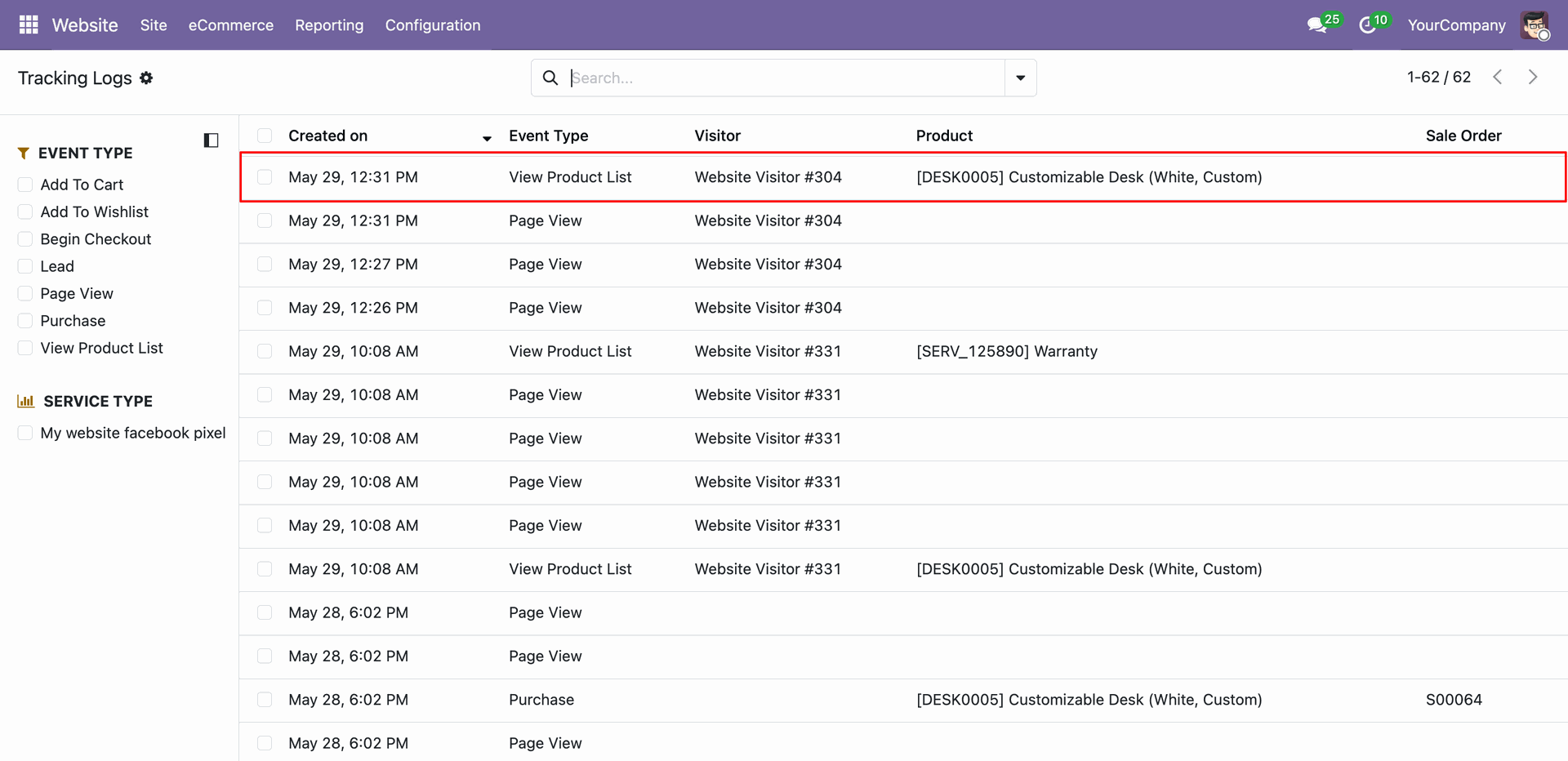
Click "Add to Cart" on the storefront, triggering the AddToCart event with custom parameters including item ID, price, and currency checked by the Pixel Helper.
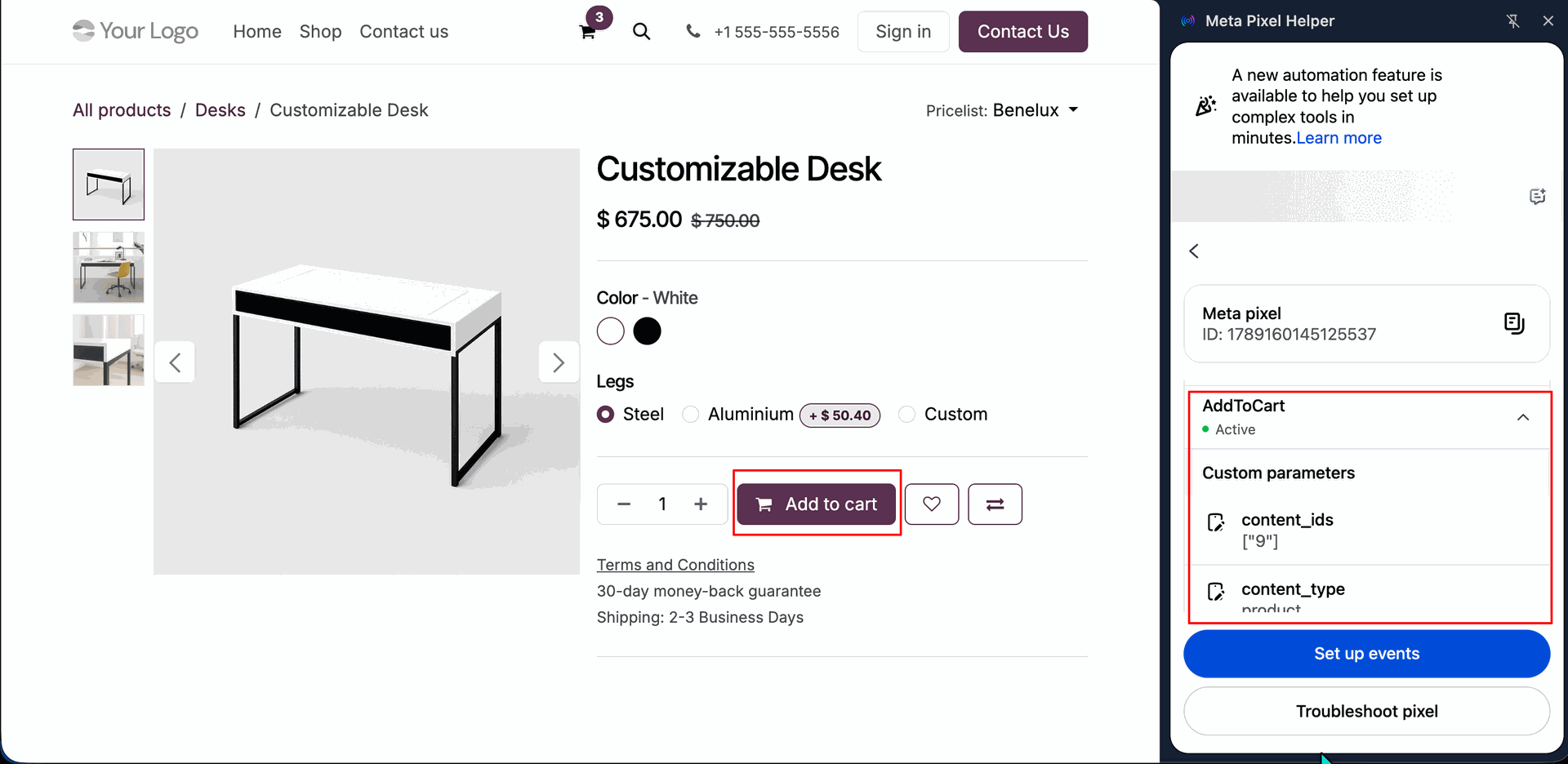
Inspect the generated backend log for the AddToCart event to verify that all product properties and quantities are correctly recorded.
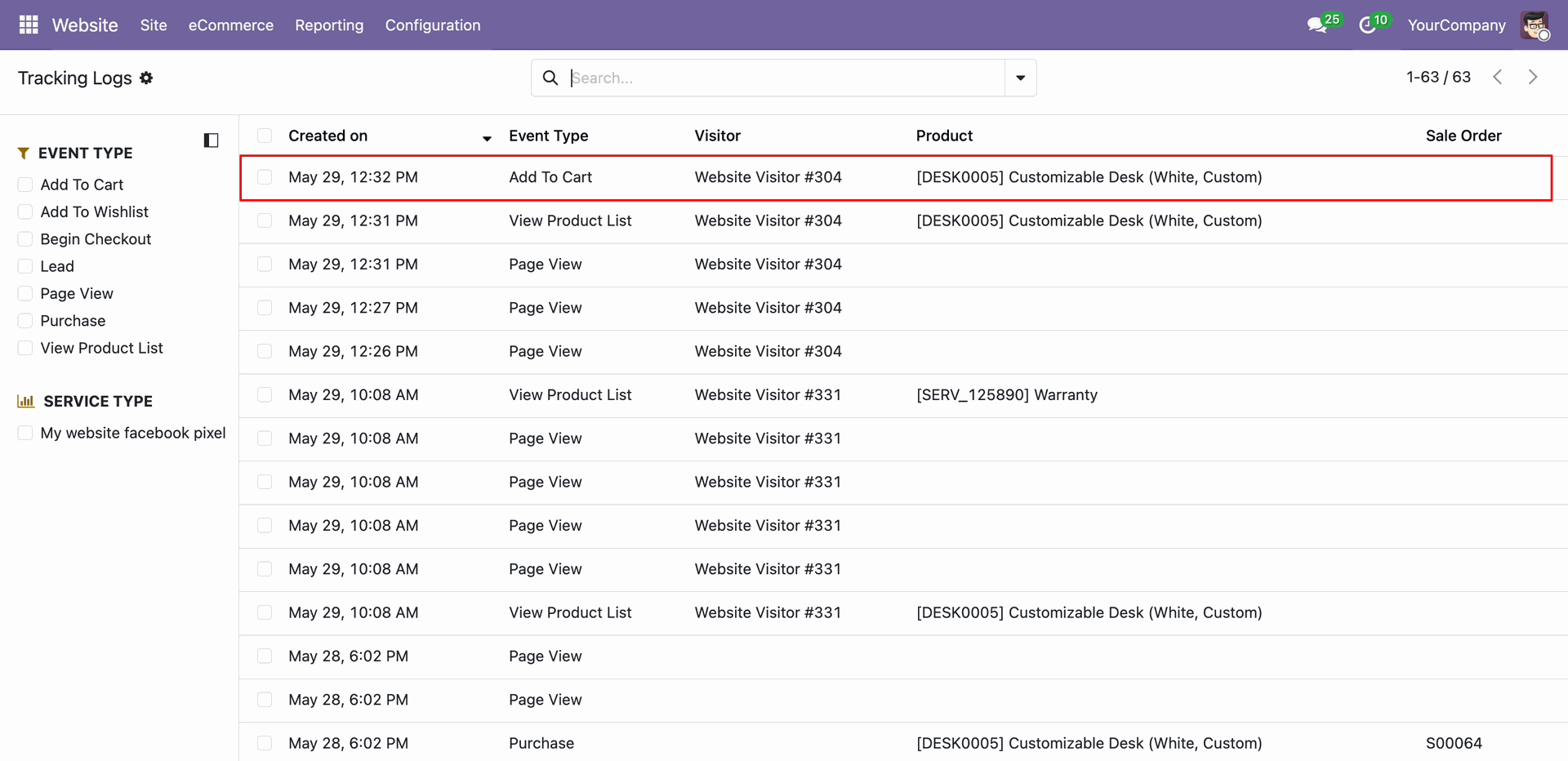
Click the wishlist heart icon on the storefront product card to fire the AddToWishlist event, tracking user interest in specific products.
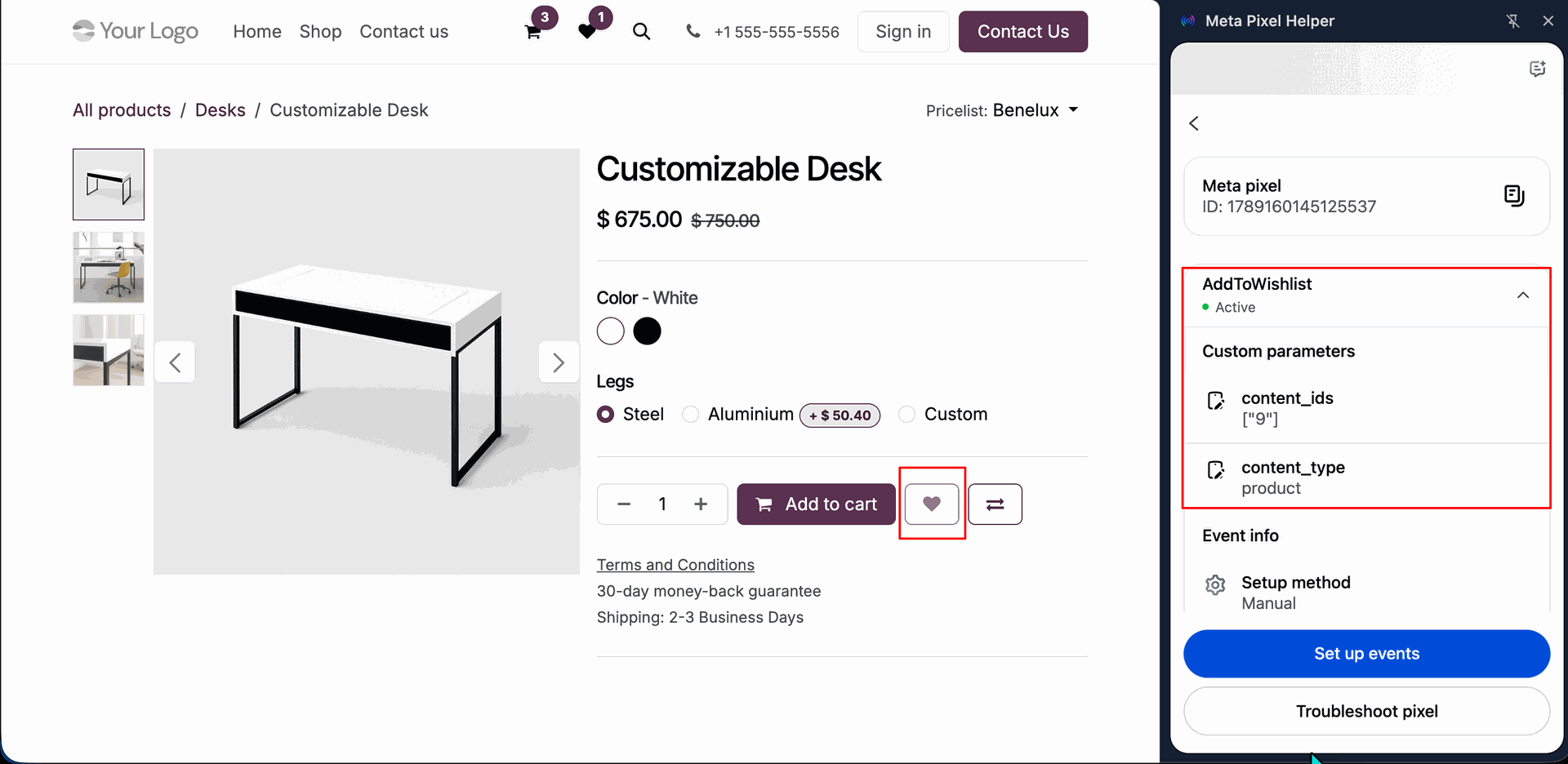
Review the backend tracking logs to confirm the AddToWishlist event has been successfully logged with appropriate product identification.
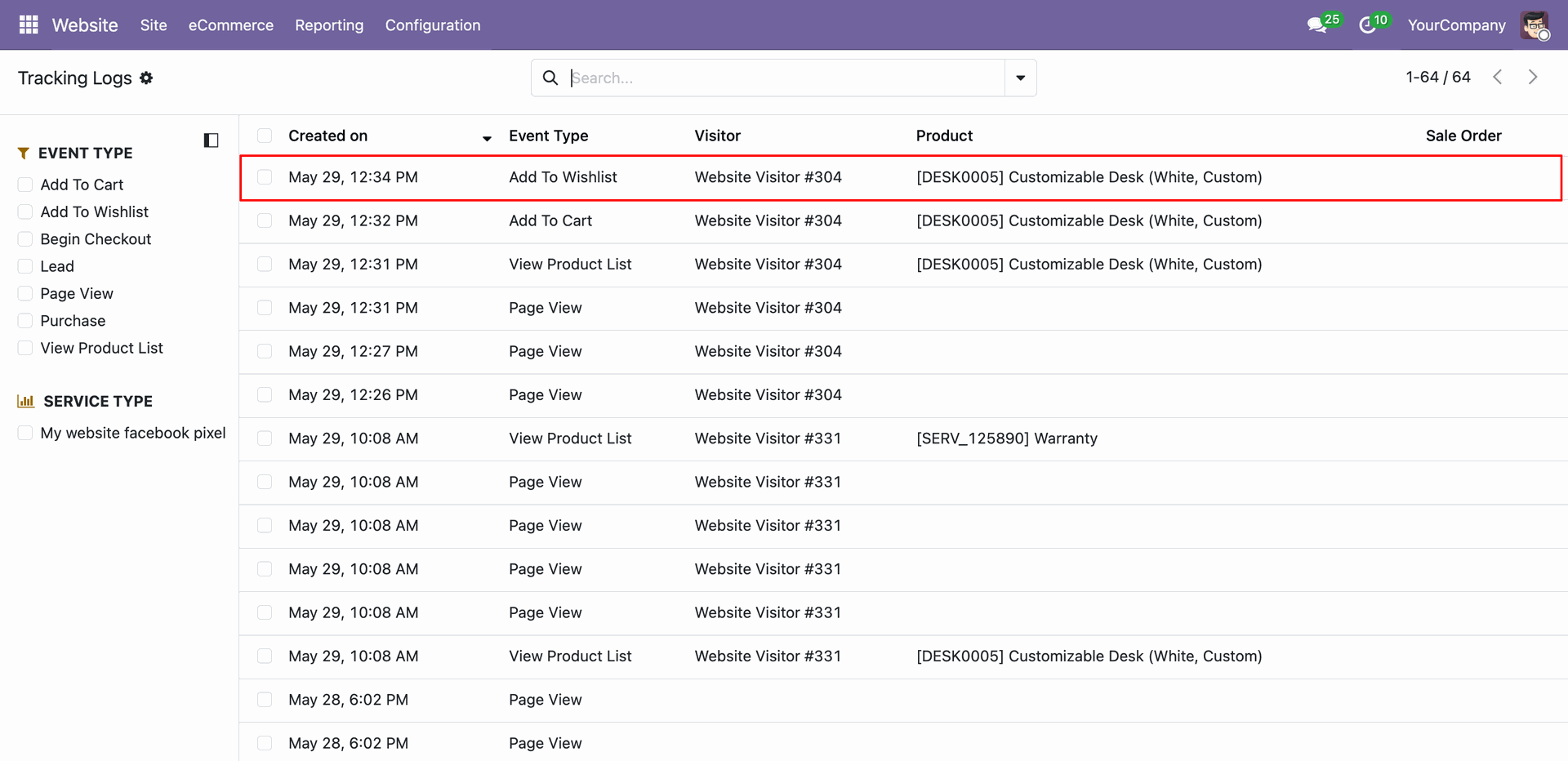
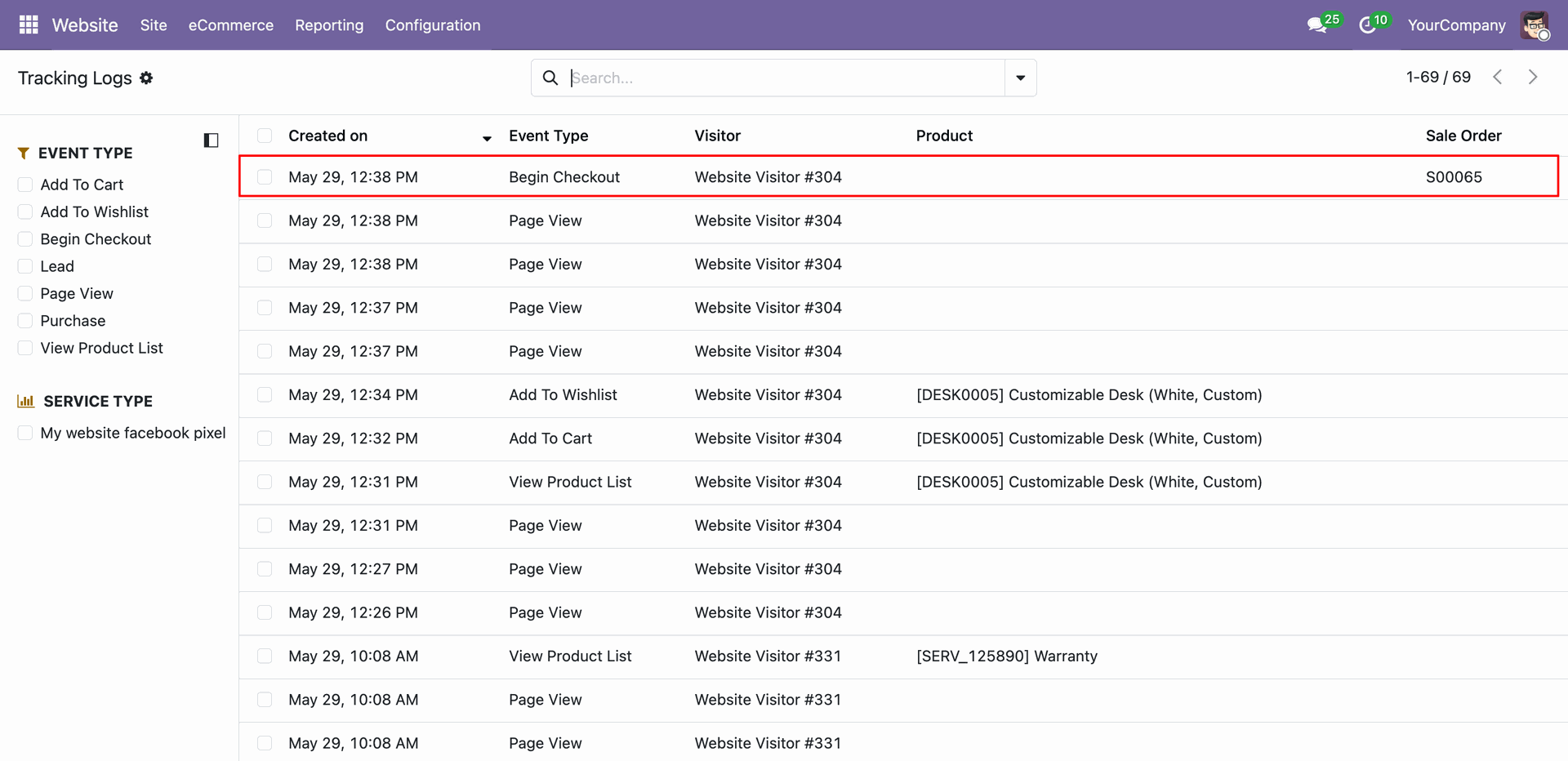
Navigate to the checkout page where the payment process begins, triggering the InitiateCheckout/Begin Checkout event with order subtotal values.
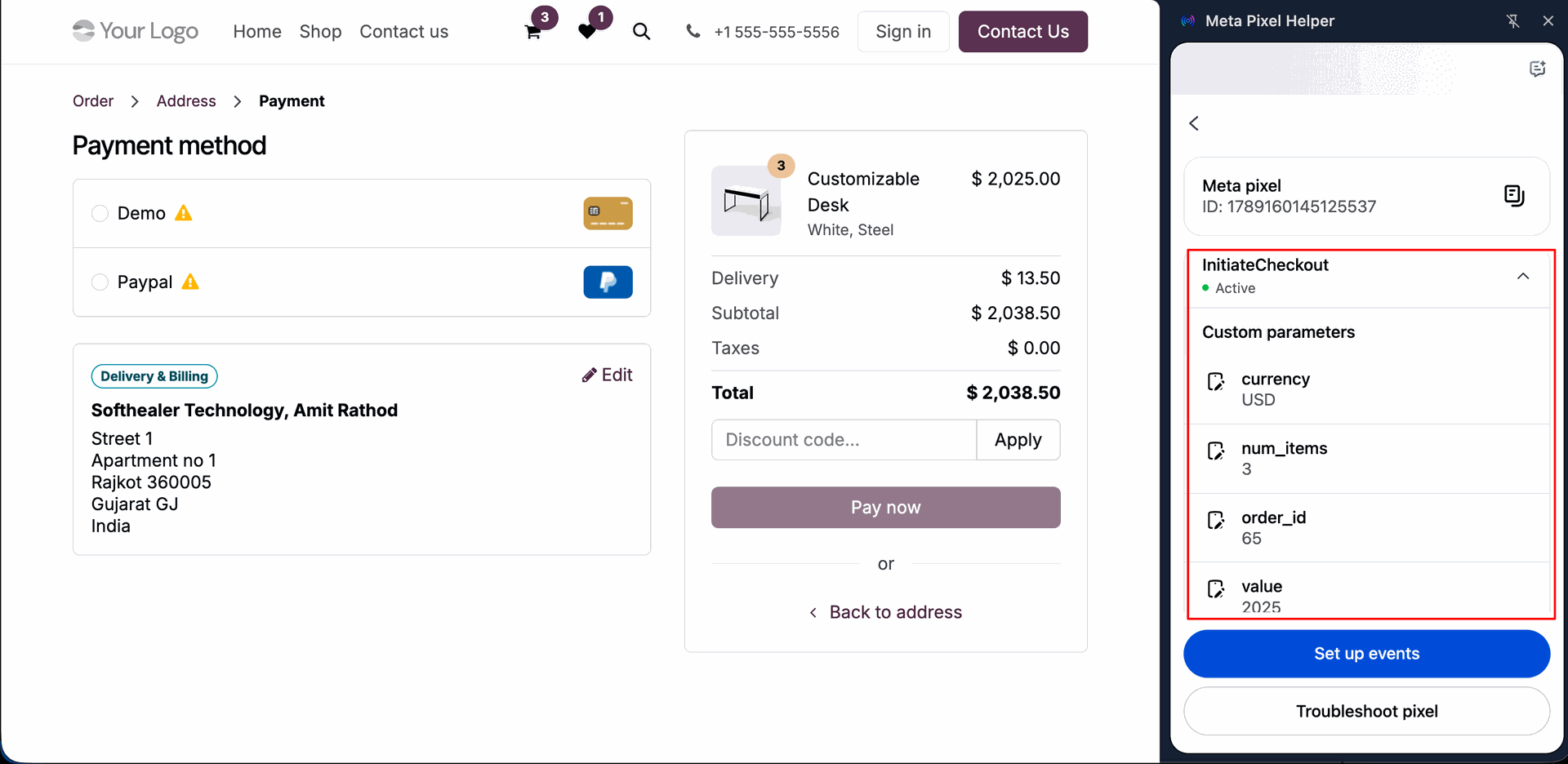
Check the backend tracking logs to ensure the InitiateCheckout event is logged with the correct sales order reference and checkout details.
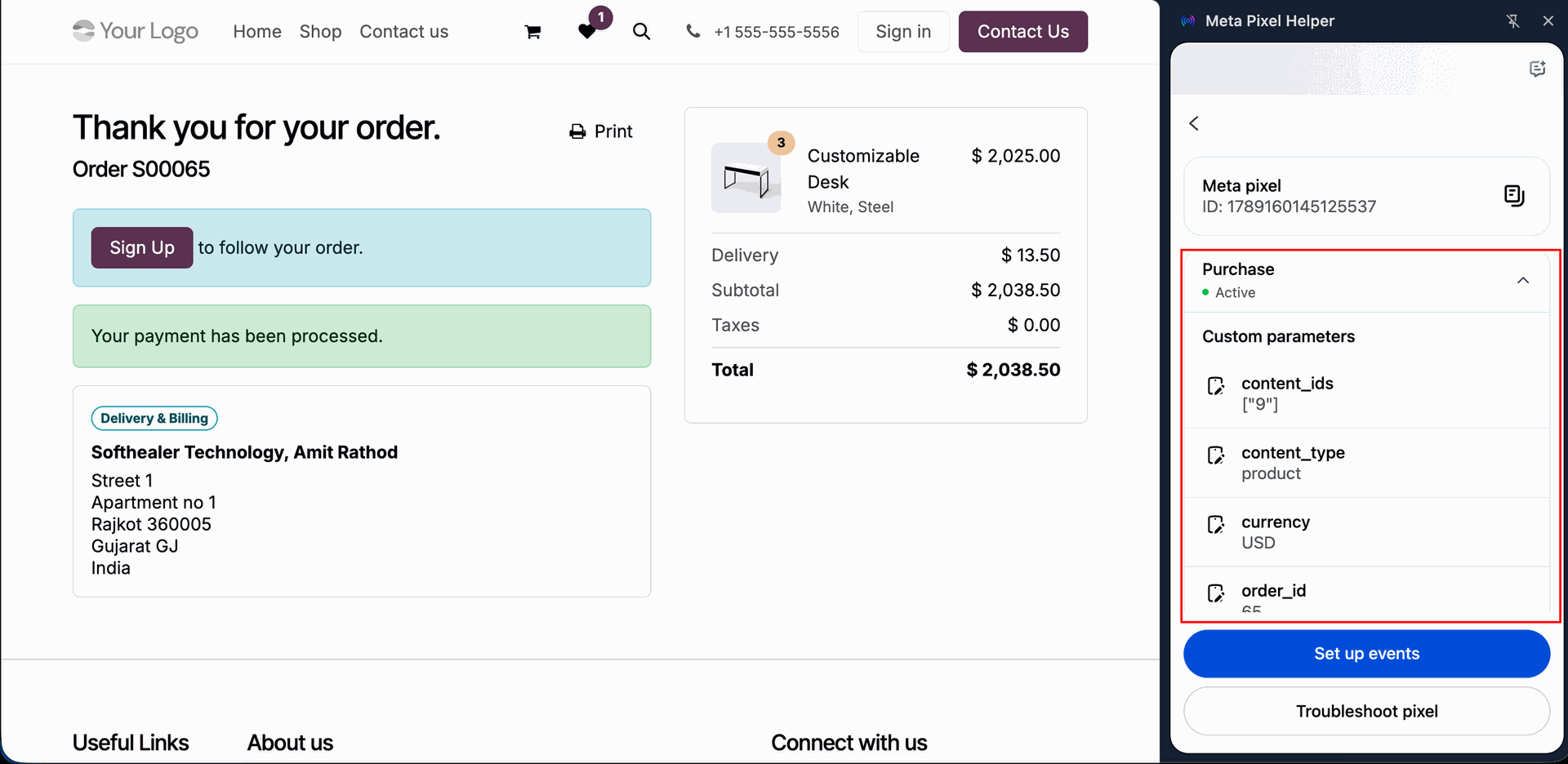
Complete a successful order on the website to redirect to the order confirmation page, triggering the Purchase event verified by the Meta Pixel Helper.
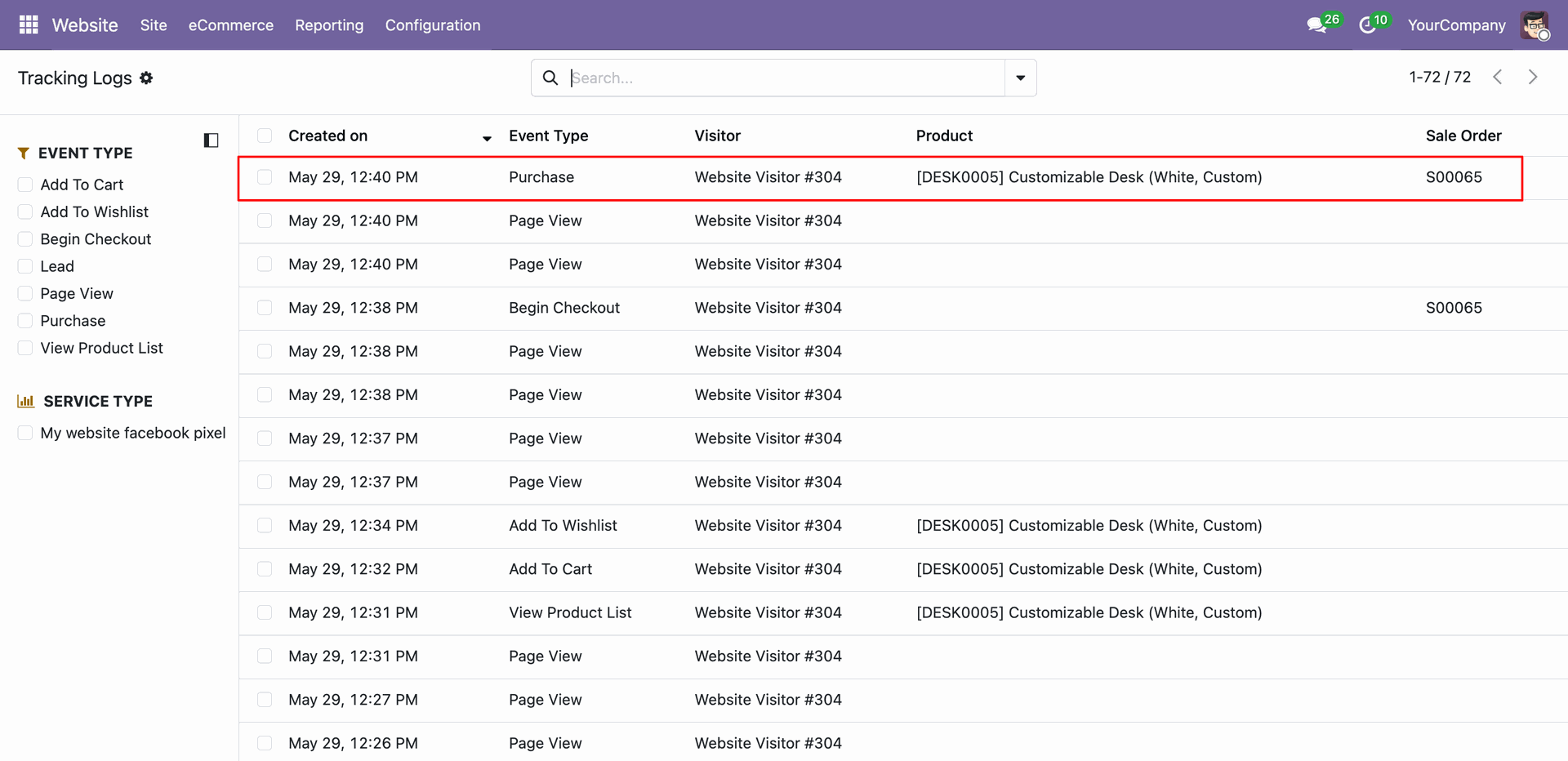
Verify the Purchase event in the backend logs, confirming it is linked to the correct Odoo Sales Order with accurate purchase total and currency.
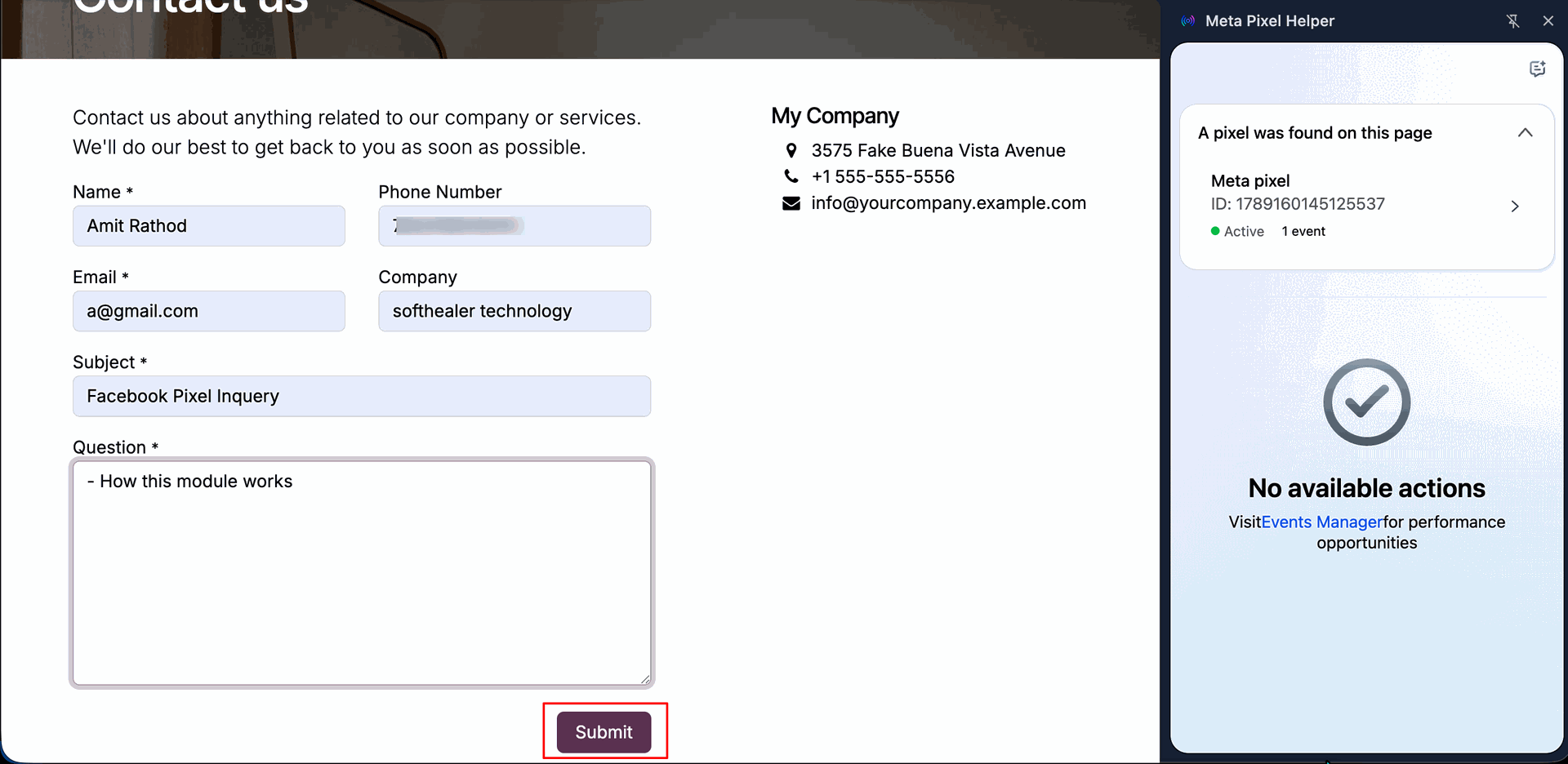
Fill out and submit the frontend "Contact Us" form to establish user communication and trigger lead capture tracking.
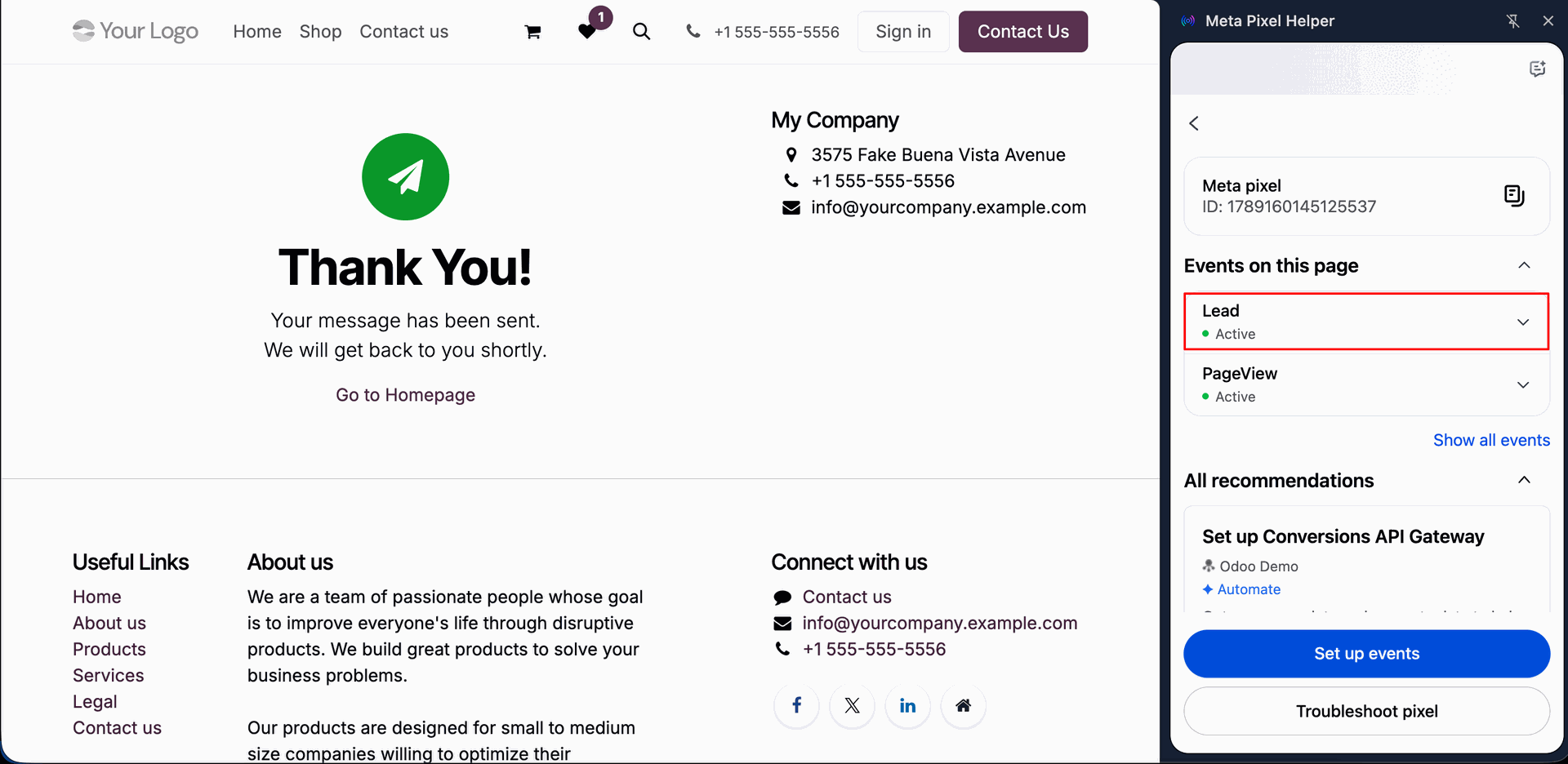
Confirm that submitting the Contact Us form redirects to the thank-you page and fires the standard Lead event, verified by the Meta Pixel Helper.
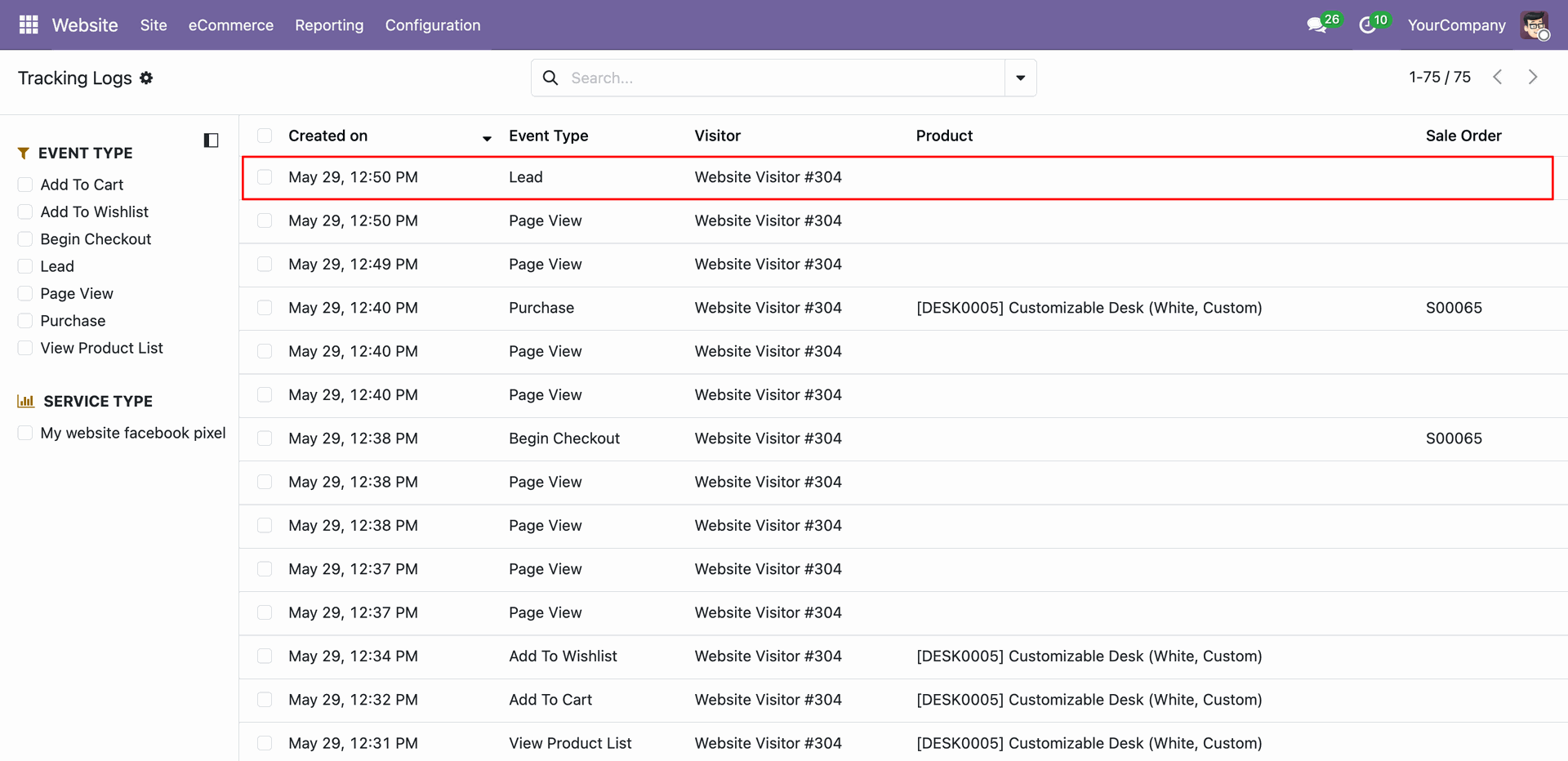
Verify the backend tracking logs to ensure the Lead event has captured visitor details and form submission metadata.
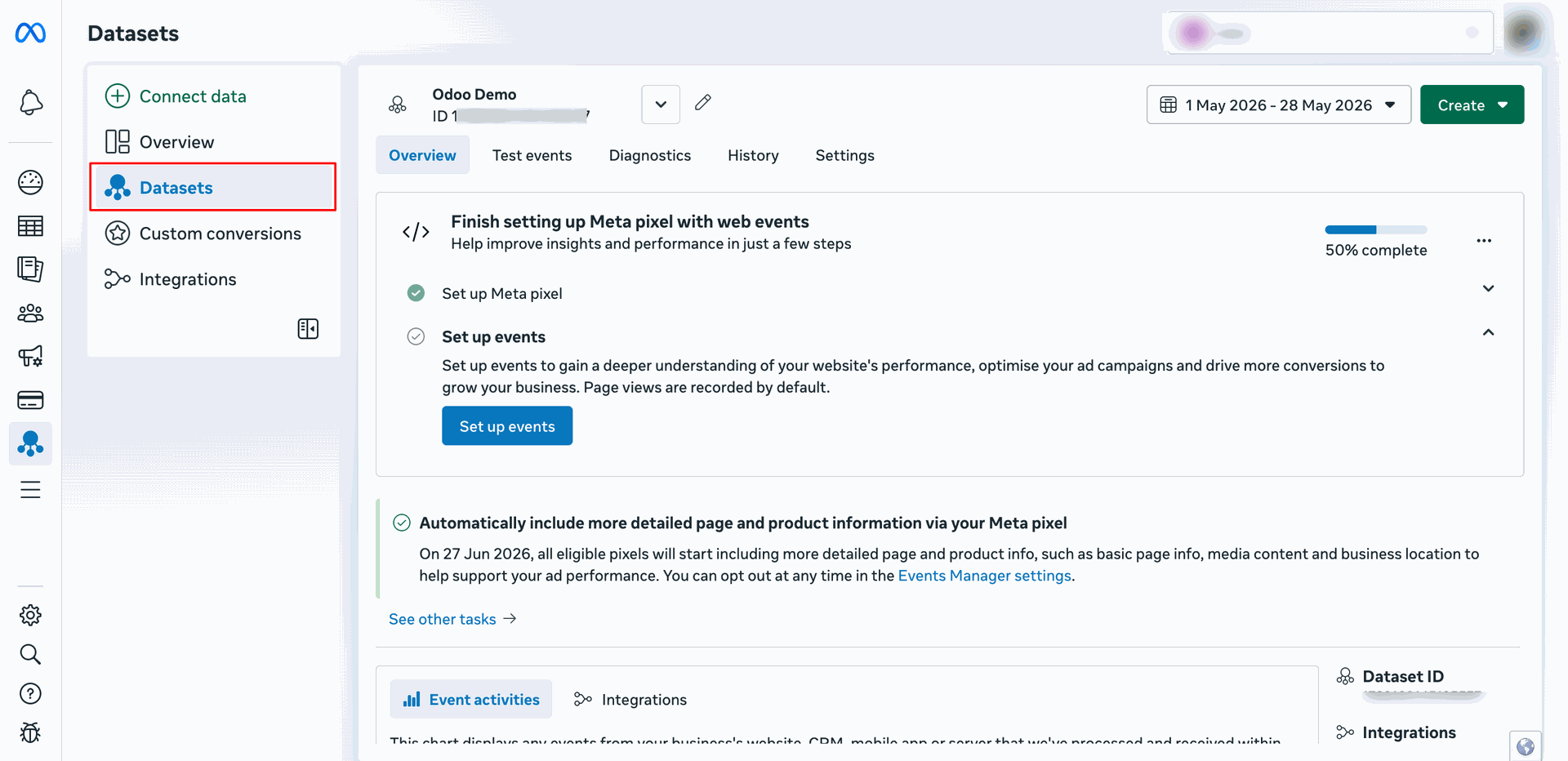
Navigate to the Meta Events Manager Datasets settings.
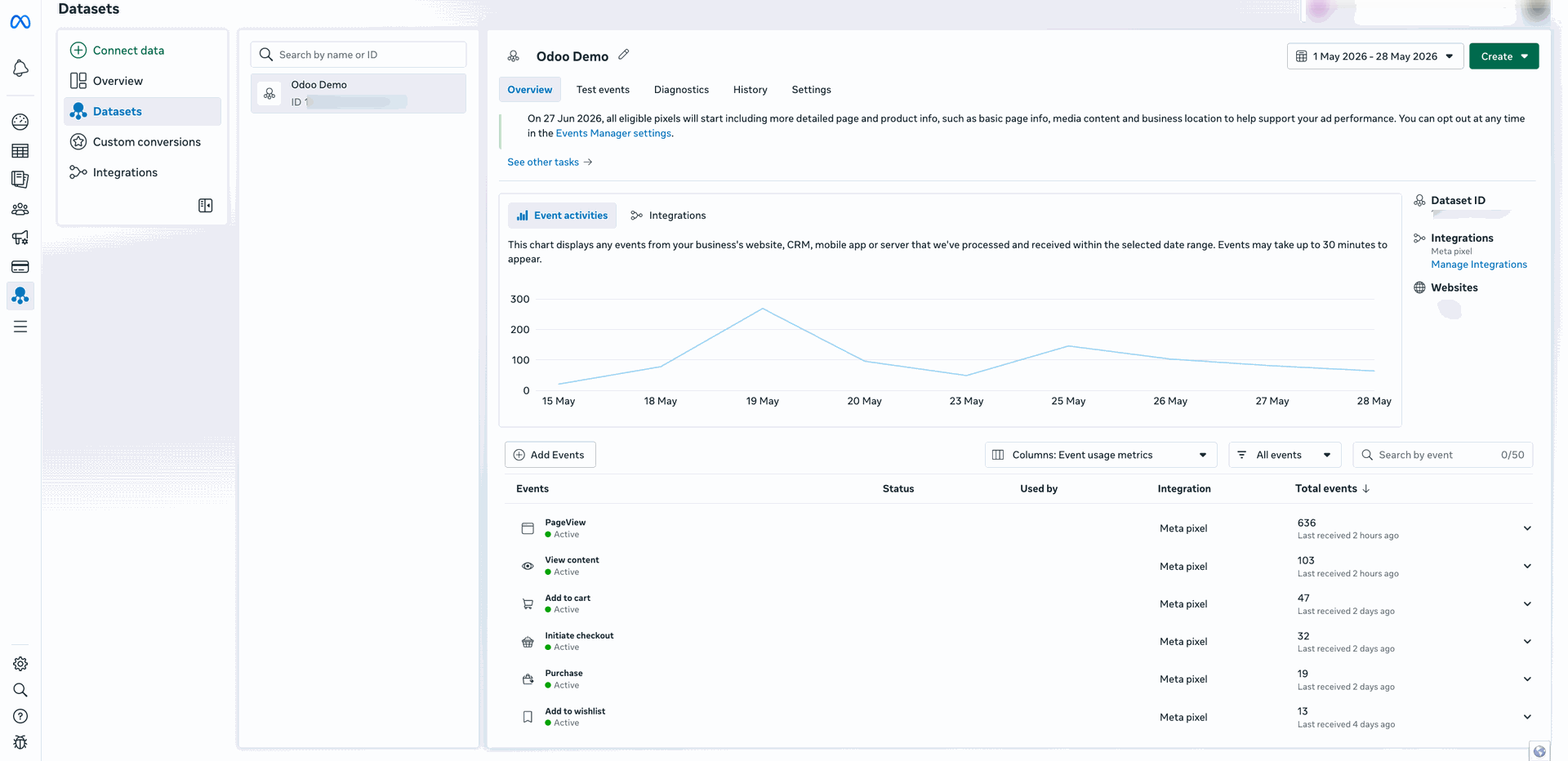
View the Facebook Events Manager dashboard displaying a graph of active events, matching parameters quality, and real-time usage metrics.
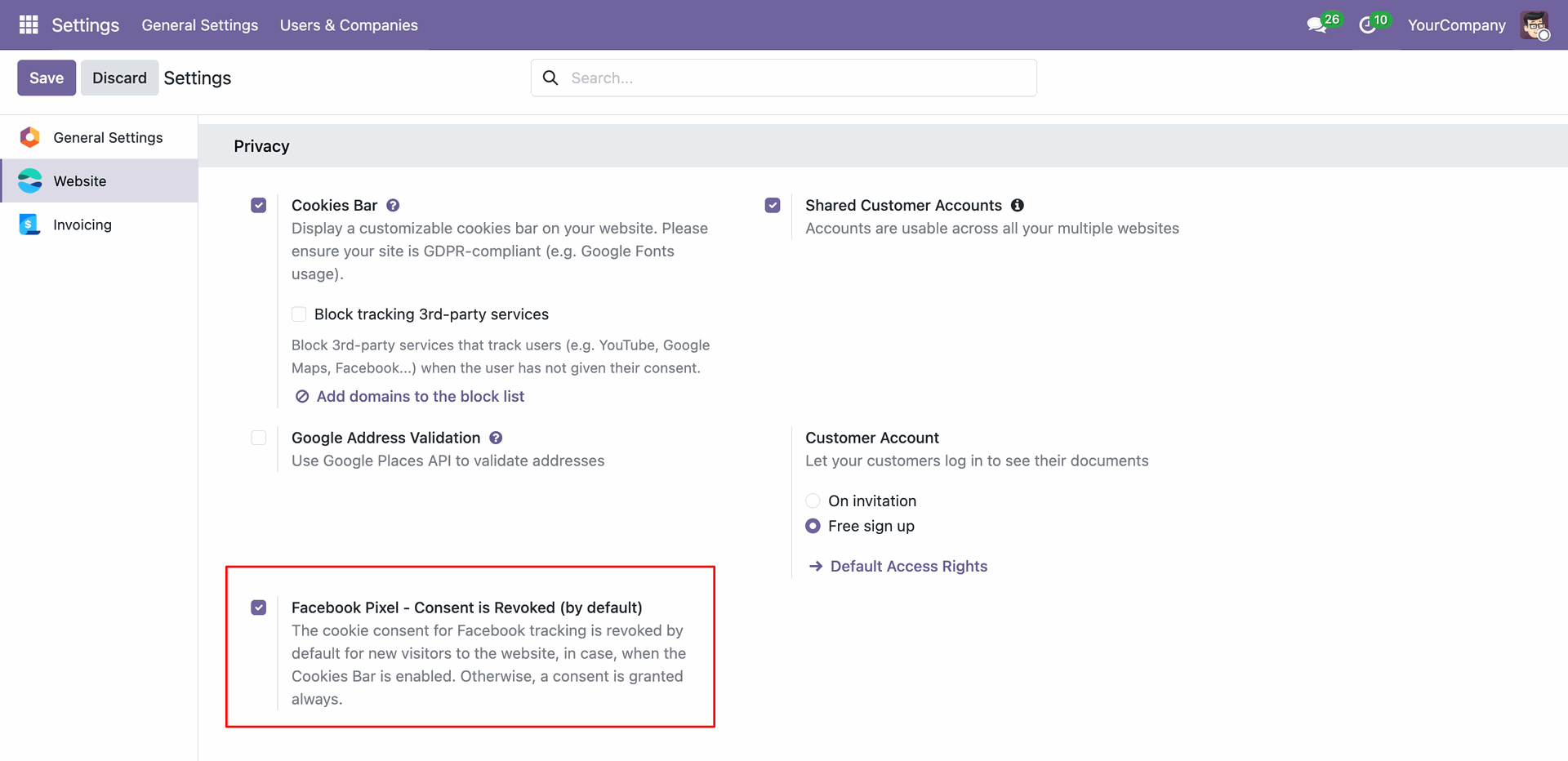
Enable Cookie Consent options in Odoo Website settings to require user consent before active tracking scripts are initialized.
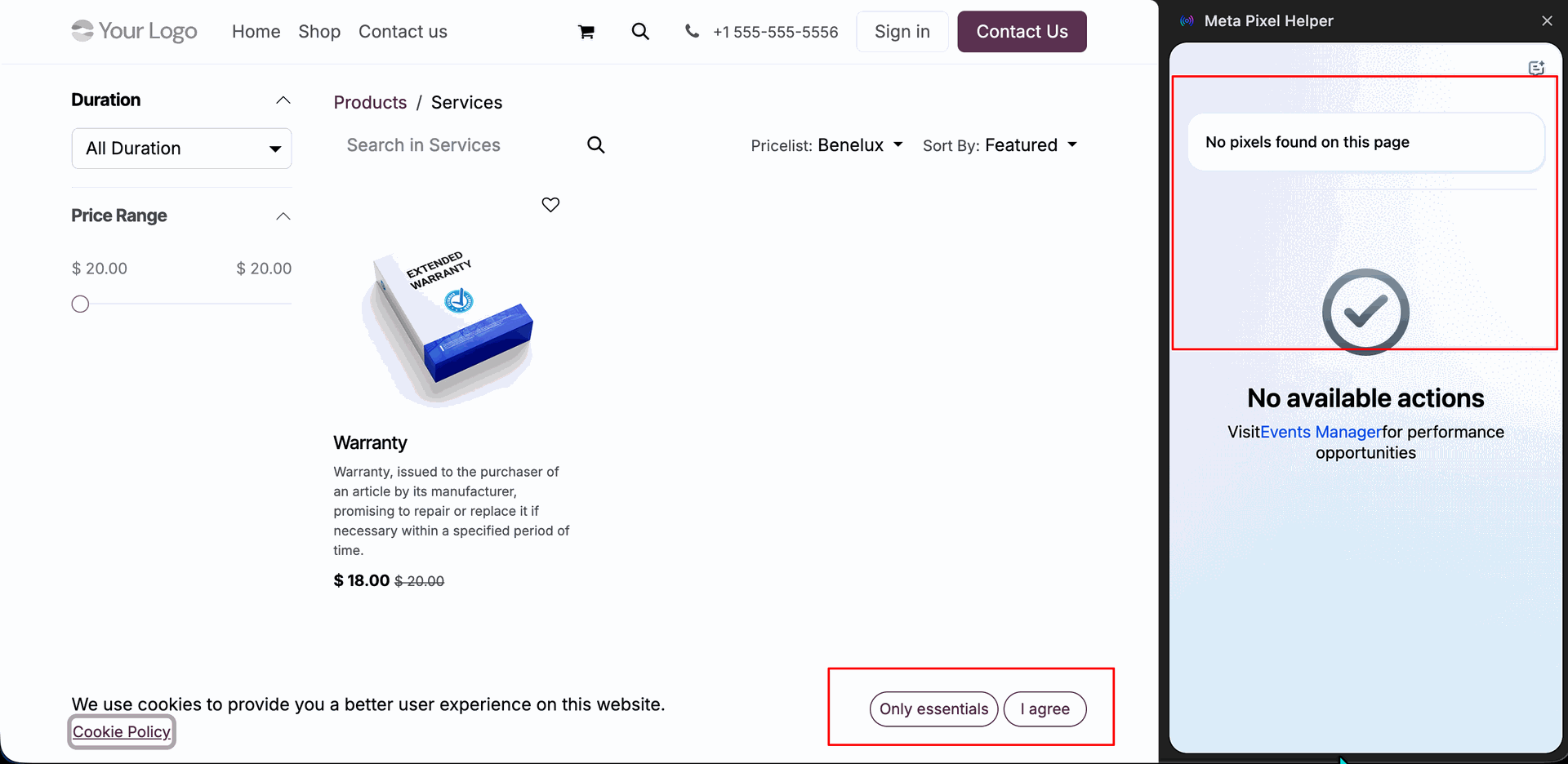
Observe the storefront cookie consent banner displaying a notification; no pixels are loaded or tracked until the user explicitly accepts cookies.
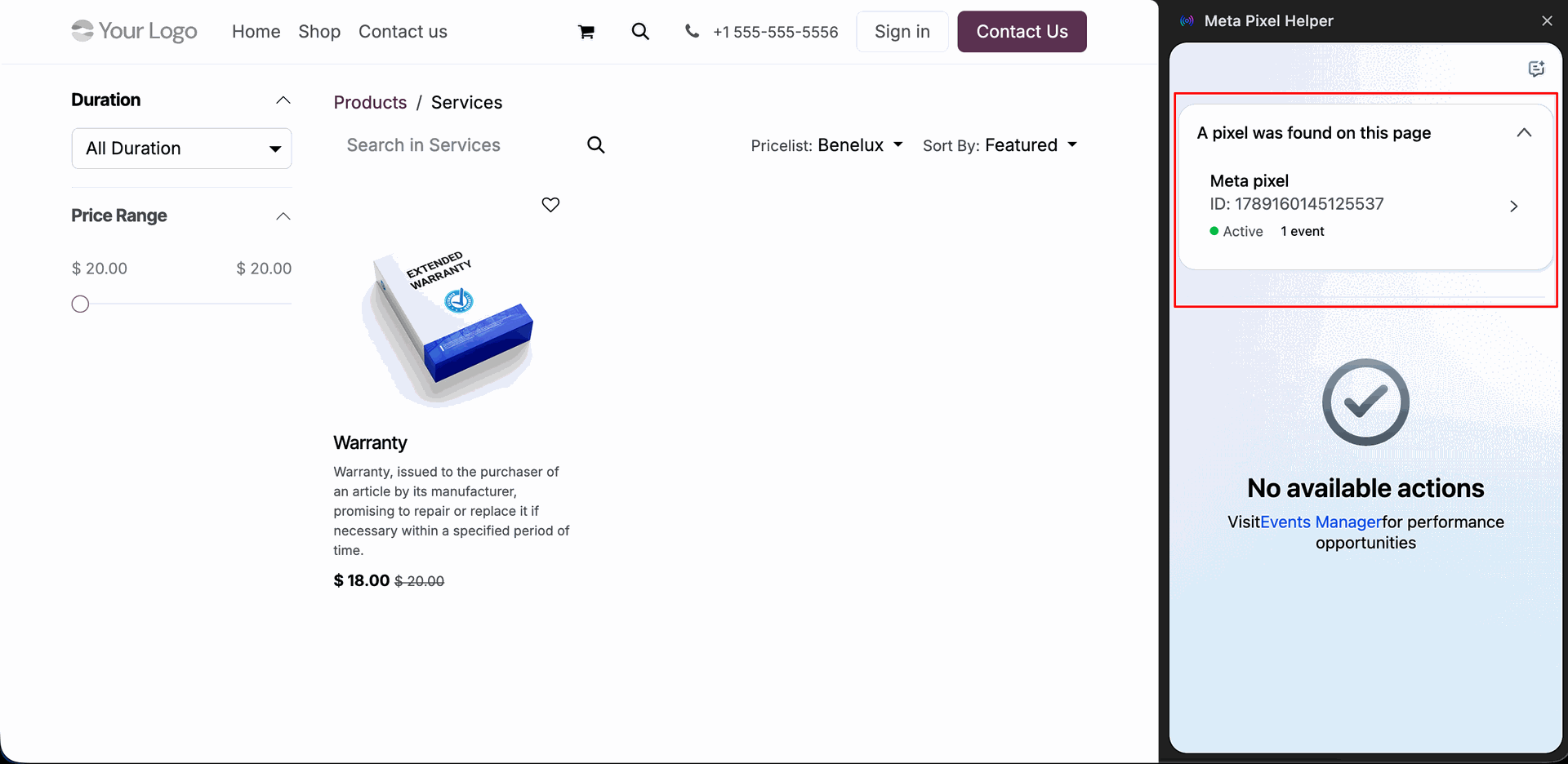
Verify that immediately after the user accepts the cookie banner, the tracking pixels initialize and are detected active by the Meta Pixel Helper.
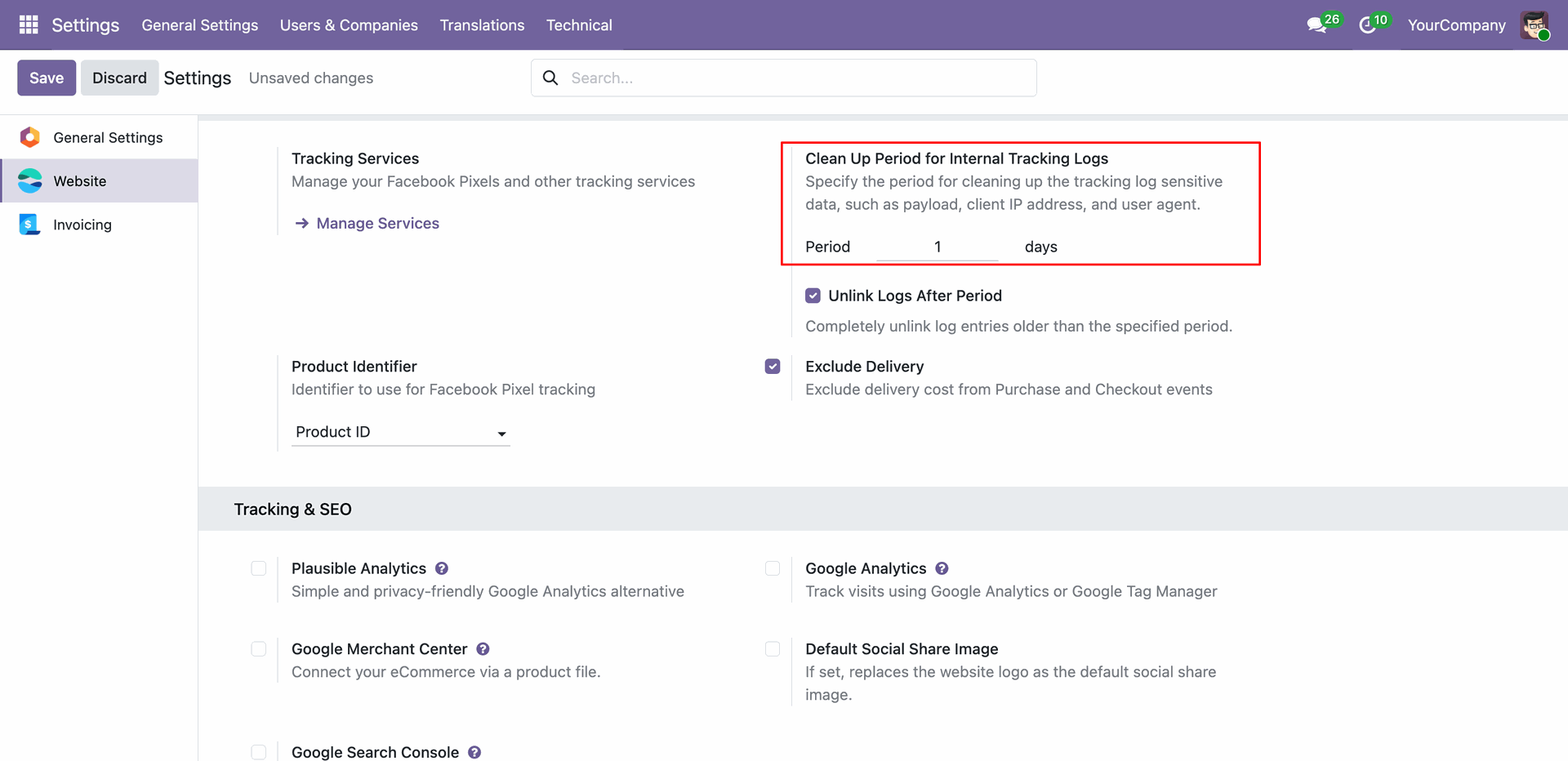
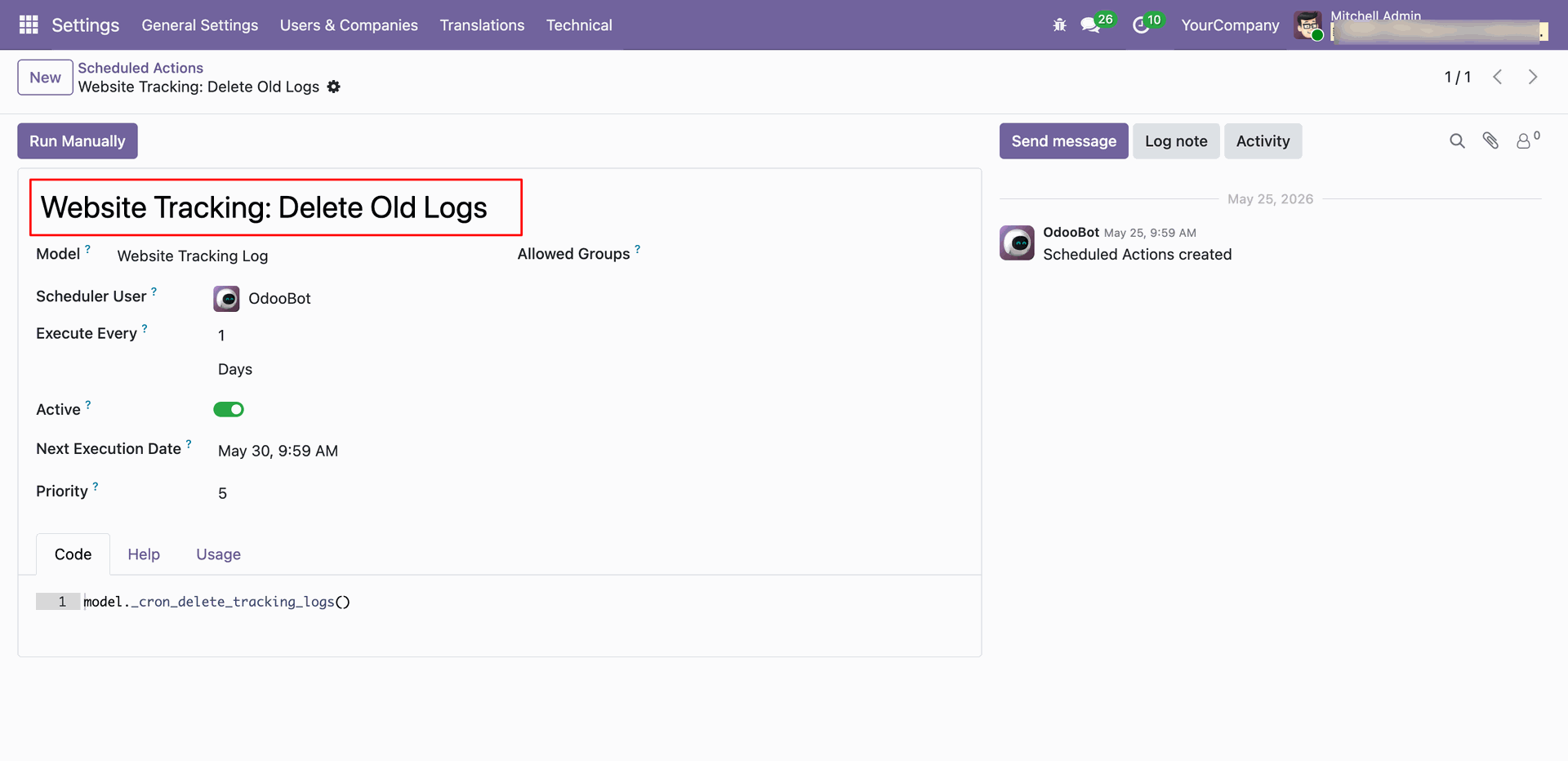
Configure the Odoo Scheduled Action/cron settings for tracking logs clean-up, specifying the number of days to retain logs.
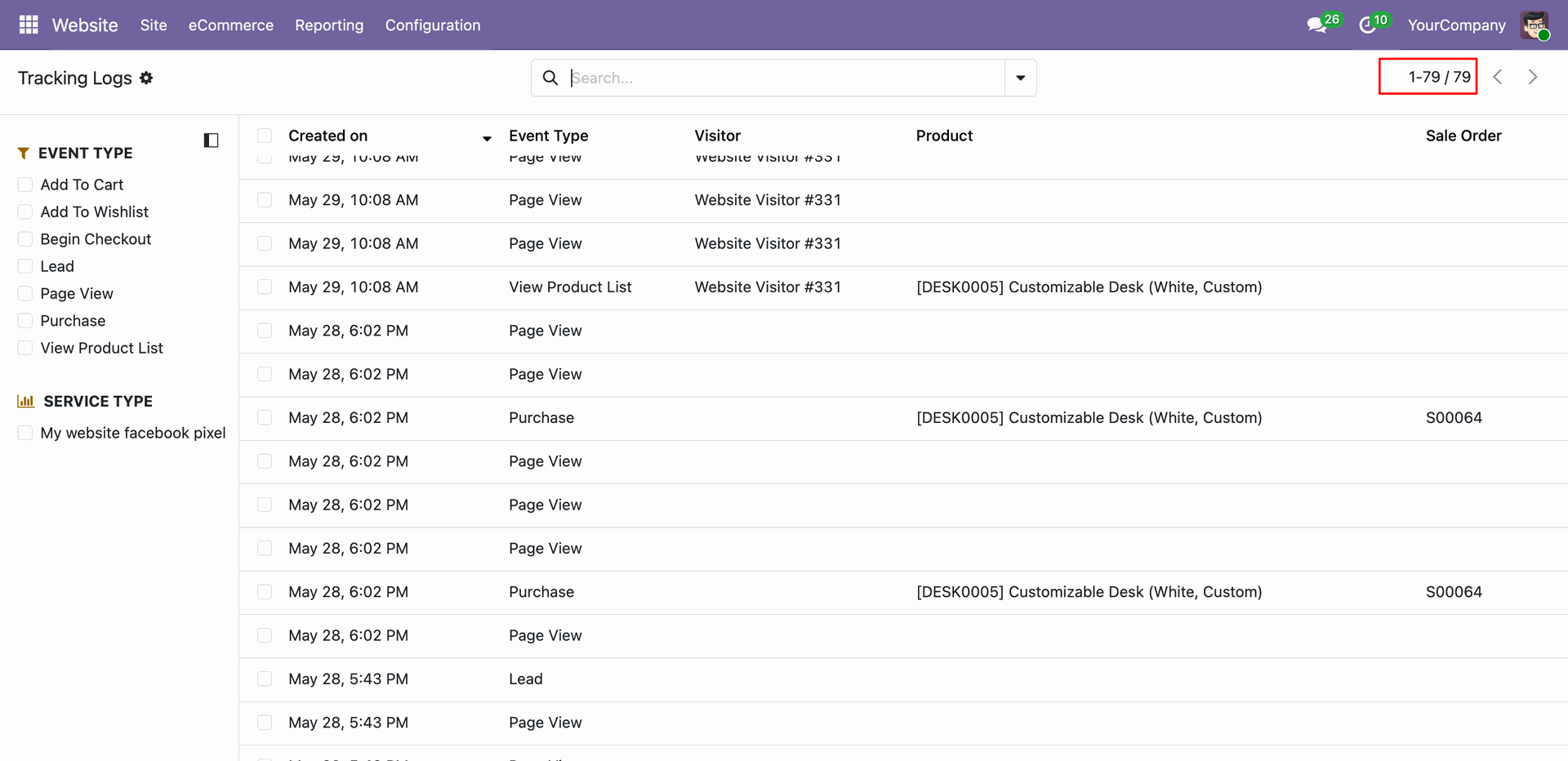
View the initial state of the backend logs dashboard containing multiple older logs before the auto-cleanup cron executes.
Configure and run the "Website Tracking: Delete Old Logs" scheduled action in Odoo to automate log cleaning.
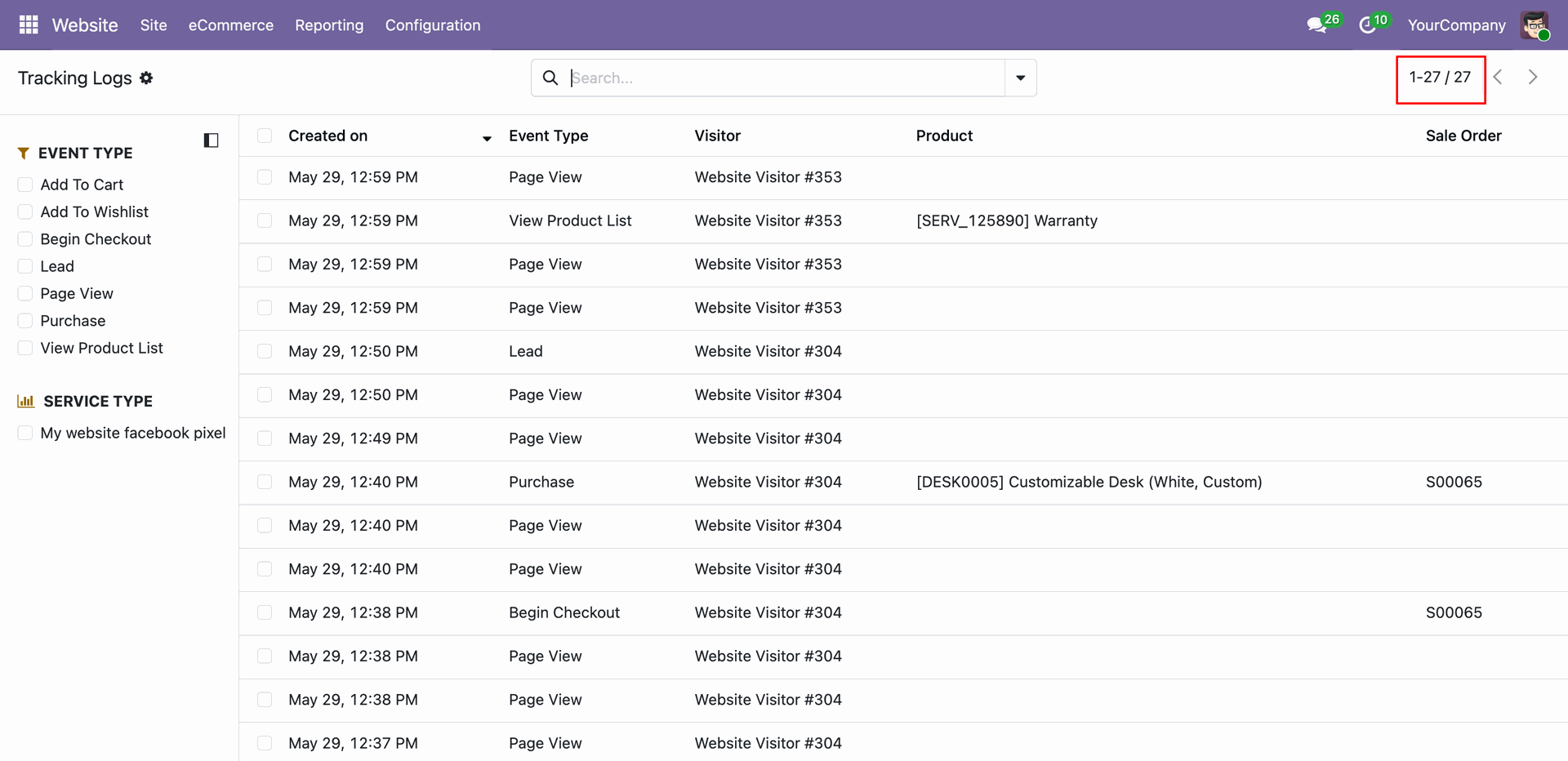
Check the backend logs list view after the scheduled cleanup cron execution to confirm that only logs within the retention period are kept.
Version 19.0.1.0.0 | Released on : 19th June 2026
- Yes, this app works perfectly with Odoo Enterprise (Odoo.sh & Premise) as well as Community.
- No, this application is not compatible with odoo.com(odoo saas/Odoo Online)
- Yes, to test this module, please contact us at sales@softhealer.com.
- Please contact us at sales@softhealer.com to request customization.
- Yes, we provide free support for 365 days from the date of purchase.
- Yes, you will receive lifetime free updates for the version of the module you purchased.
- No, there is no need to install any additional libraries.
- Yes, for version 12 and above, you need to purchase the module separately for each version you intend to use.
- No, exchanges or refunds are not allowed. Please make sure to select the correct version before purchasing.
- You can contact us at support@softhealer.com for language translation support. We use Google Translator tools to provide translations in multiple languages, so the accuracy may vary. We welcome your suggestions to help improve translations.
Discover Our Latest Apps