













Export Pricelist

This module will provide a feature to export a pricelist customer wise. You can get multiple customers pricelist in single PDF as well as in excel file(with different sheets).

Features
- Easy to export pricelist in PDF and Excel files.
- Easy to get multiple customer pricelist in sing file (PDF or Excel).
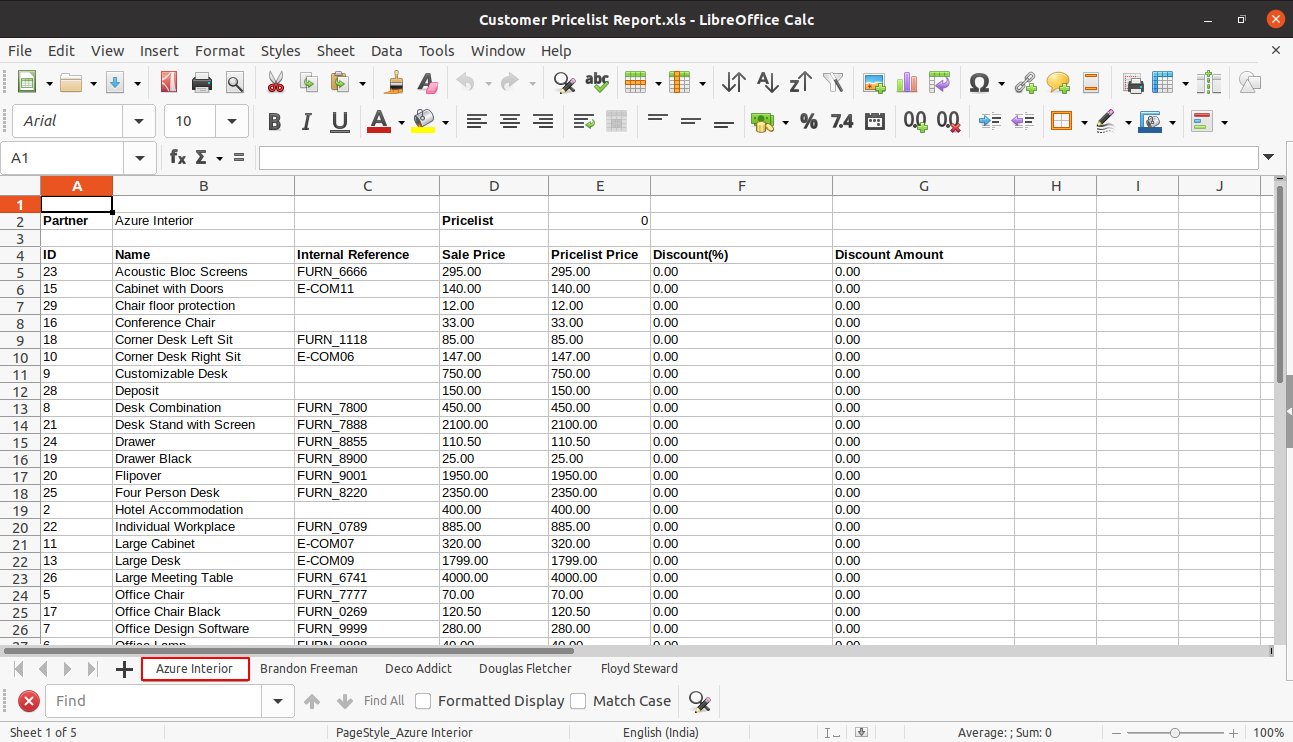
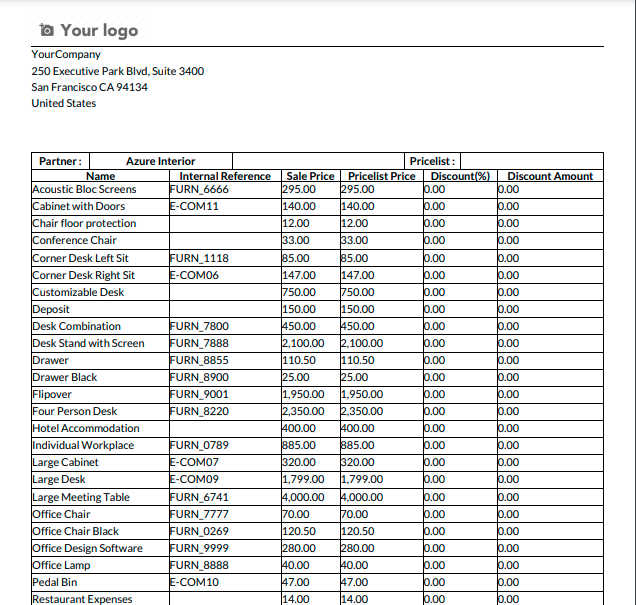
- In Export pricelist file you will get details like partner id, Product Name, Internal Reference, Sale Price, Pricelist Price, Discount Percentage, Discount Amount.
-
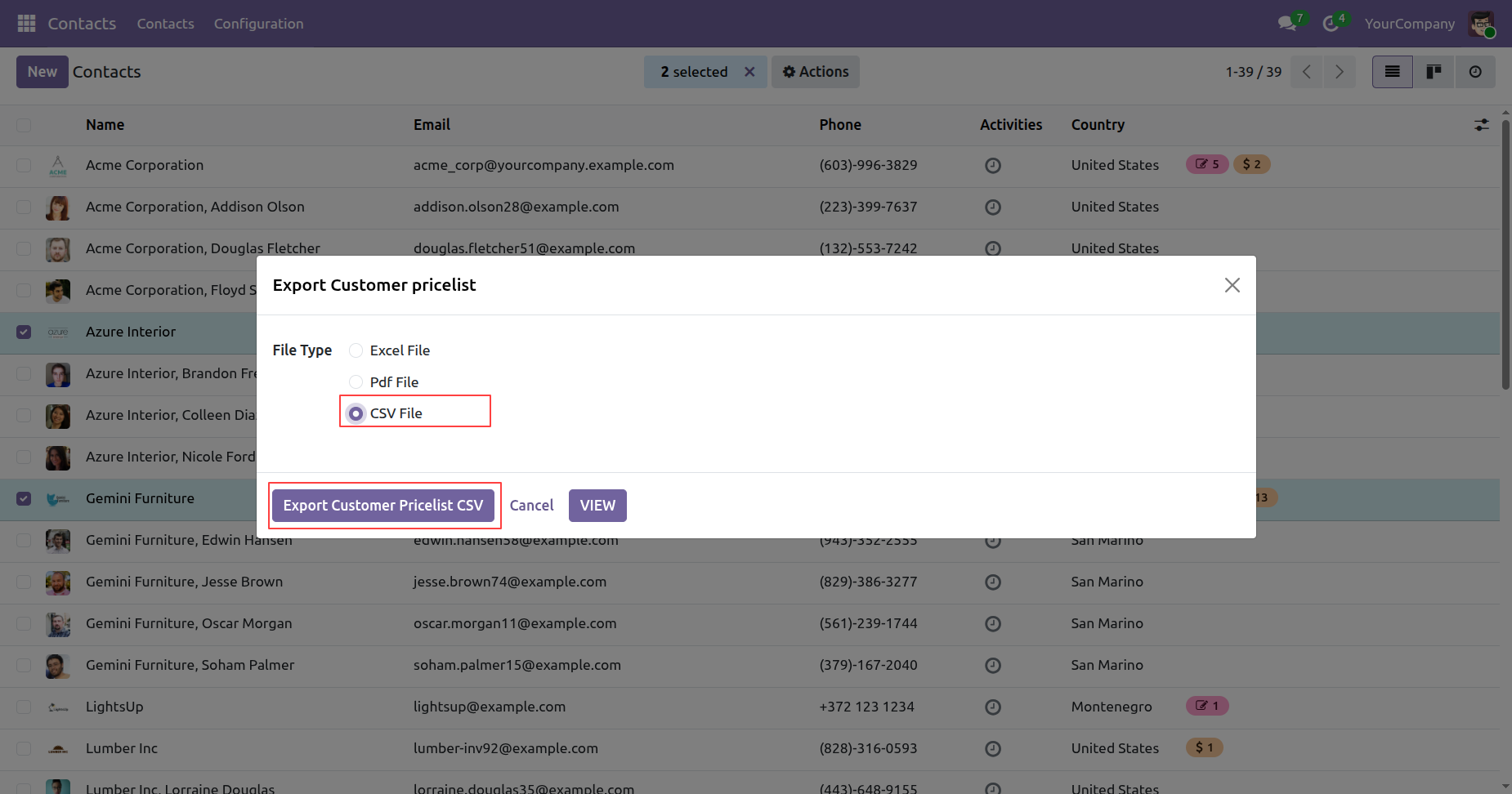
You can Export CSV Pricelist with a Preview option for quick data validation before download.

-
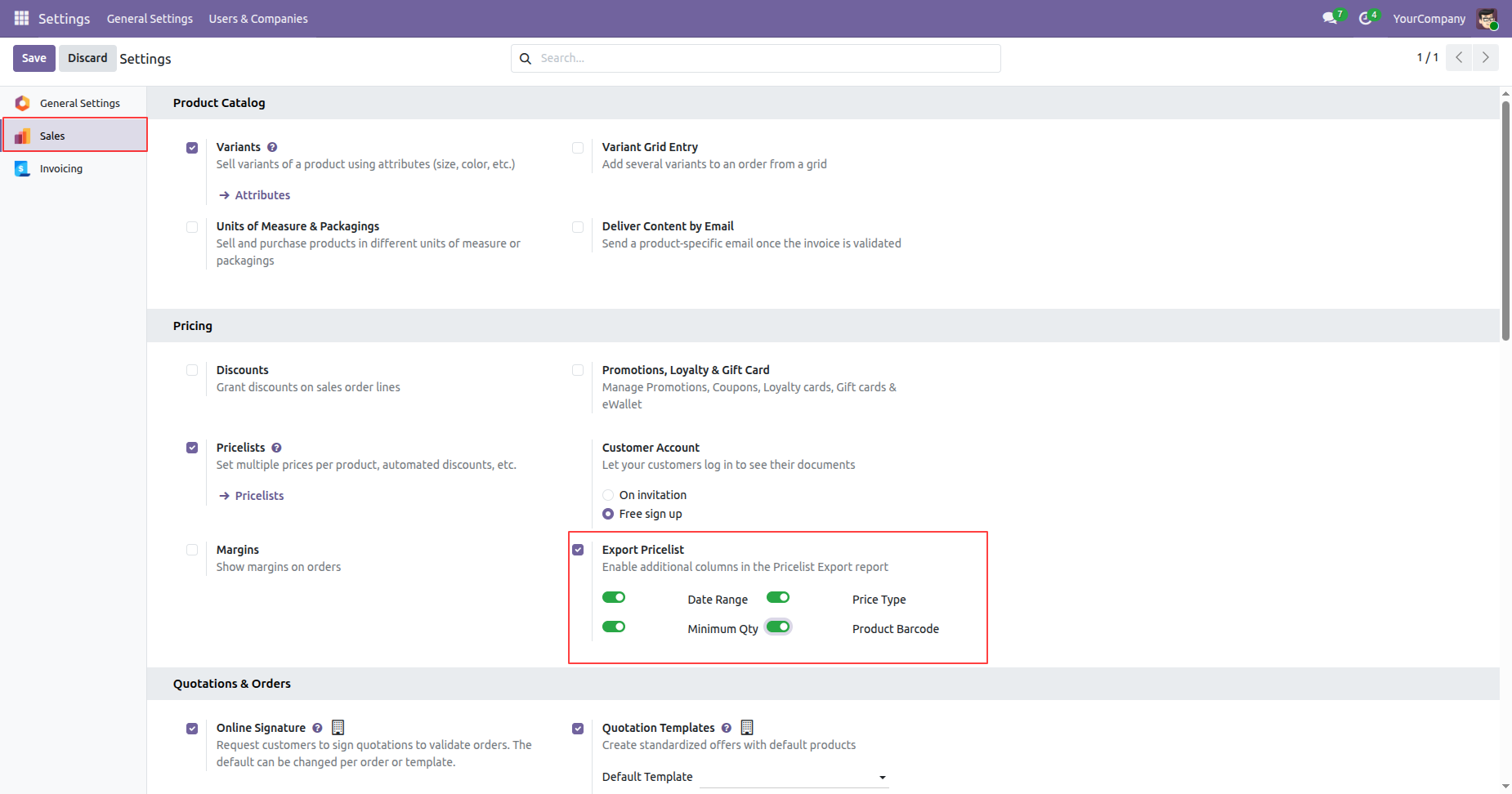
You can onfigure company-level settings to enable or disable optional export columns (Date Range,
Minimum Quantity, Product Barcode, Price Type).
-
Improved export accuracy by generating data based on product variants (Product.Product) instead of
product templates.

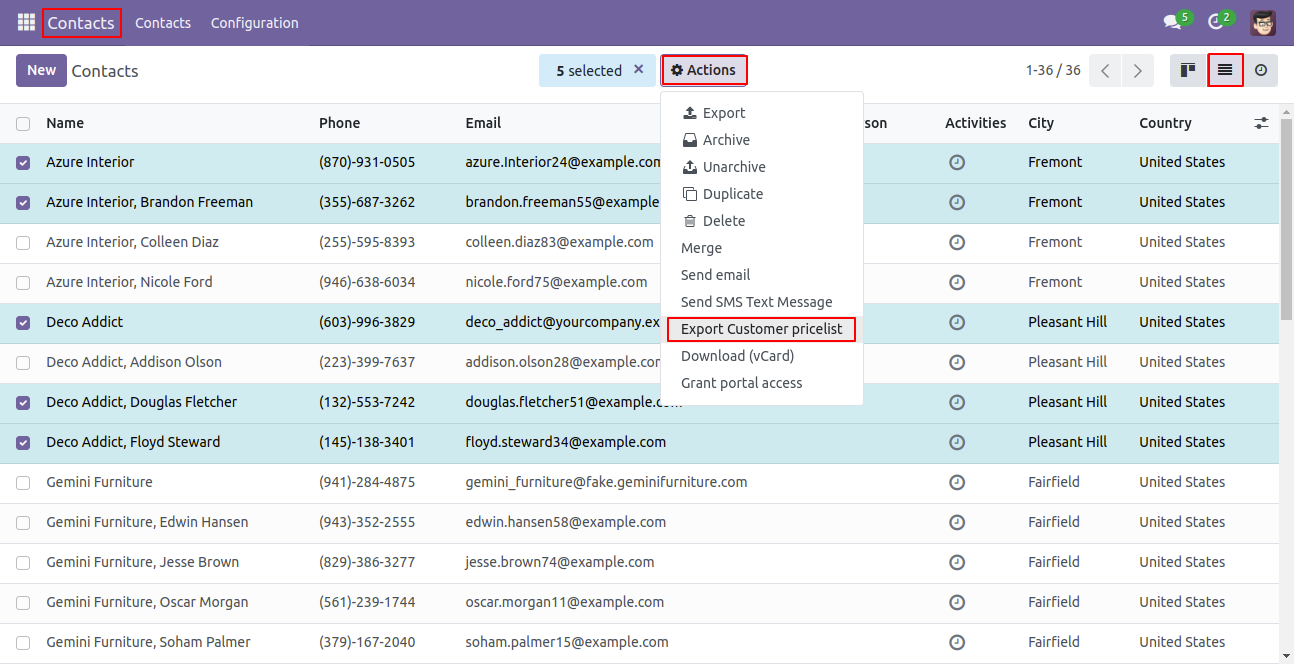
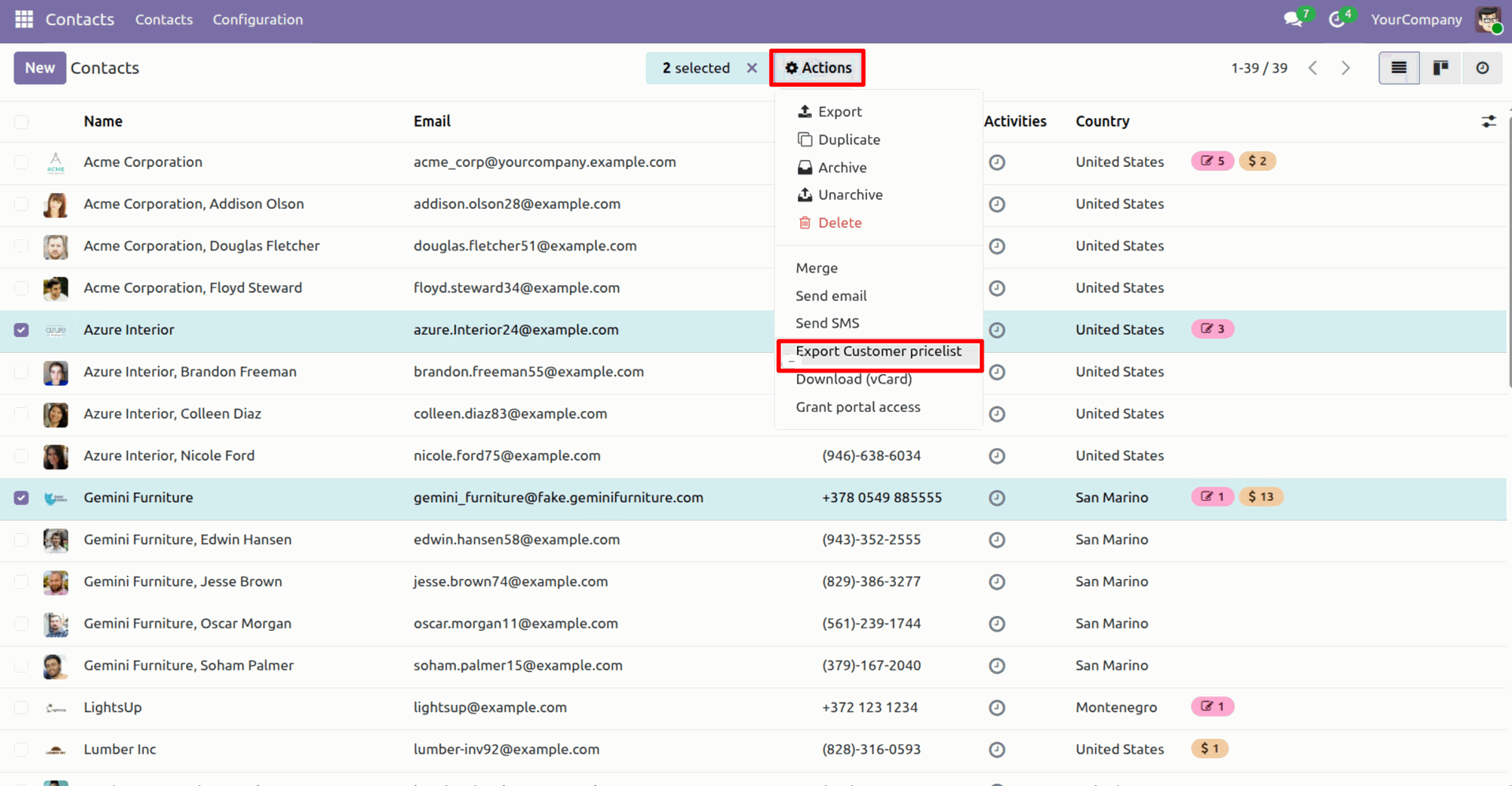
Goto Contact list view and select that customers which pricelist you need to export. After that click 'Export Customer pricelist' in Action.
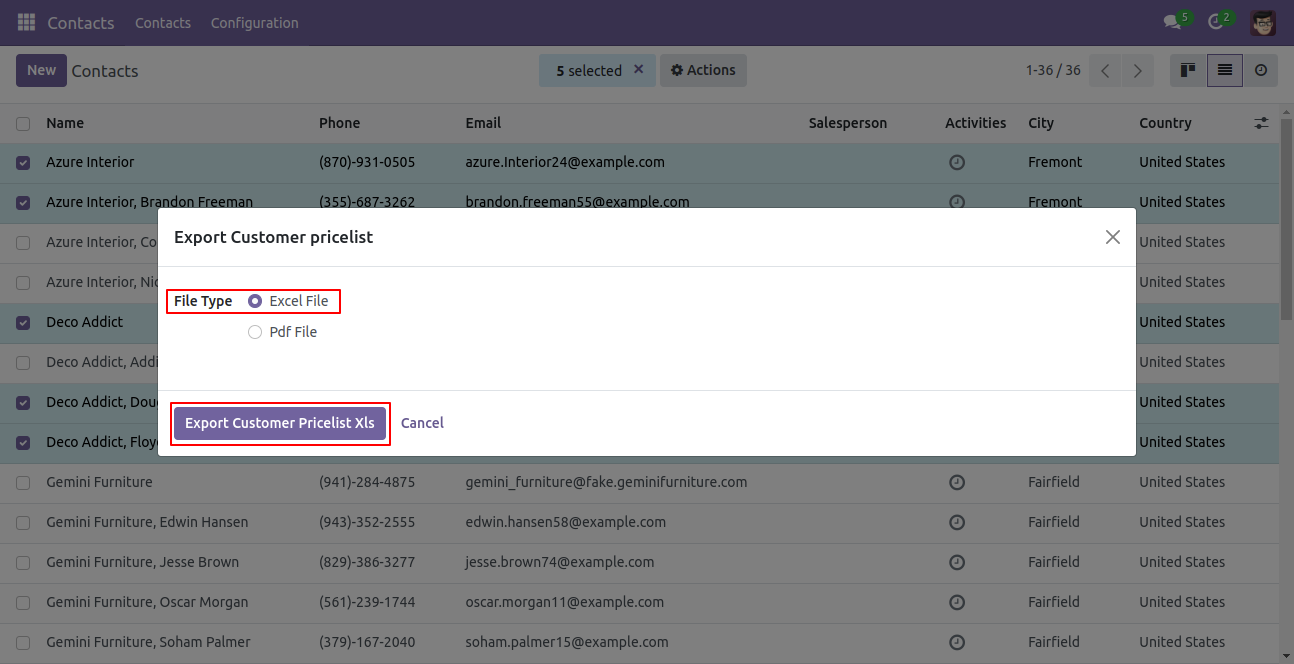
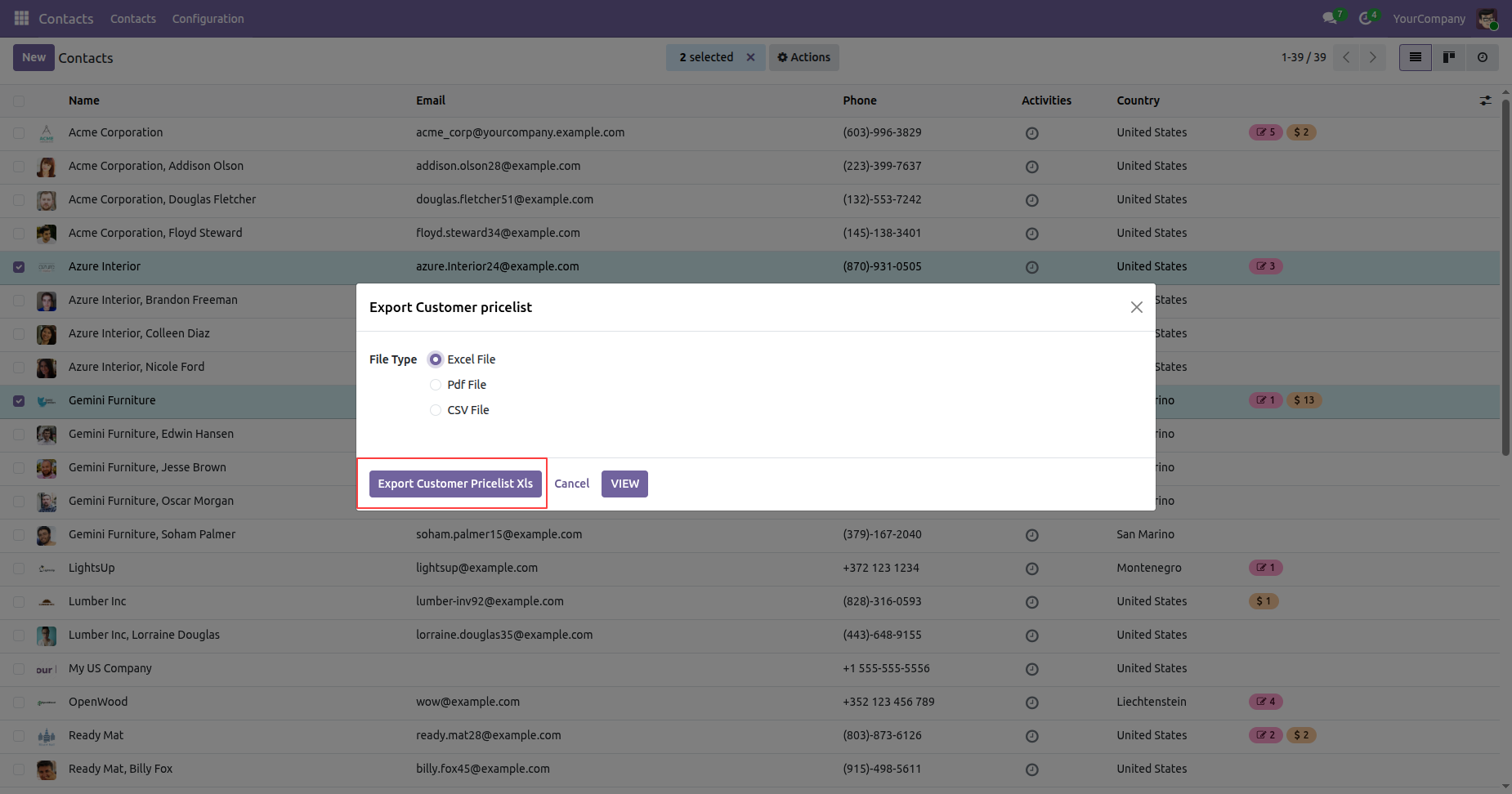
After that one wizard will popup and select file type 'Excel file' and click 'Export Customer Pricelist Xls'.
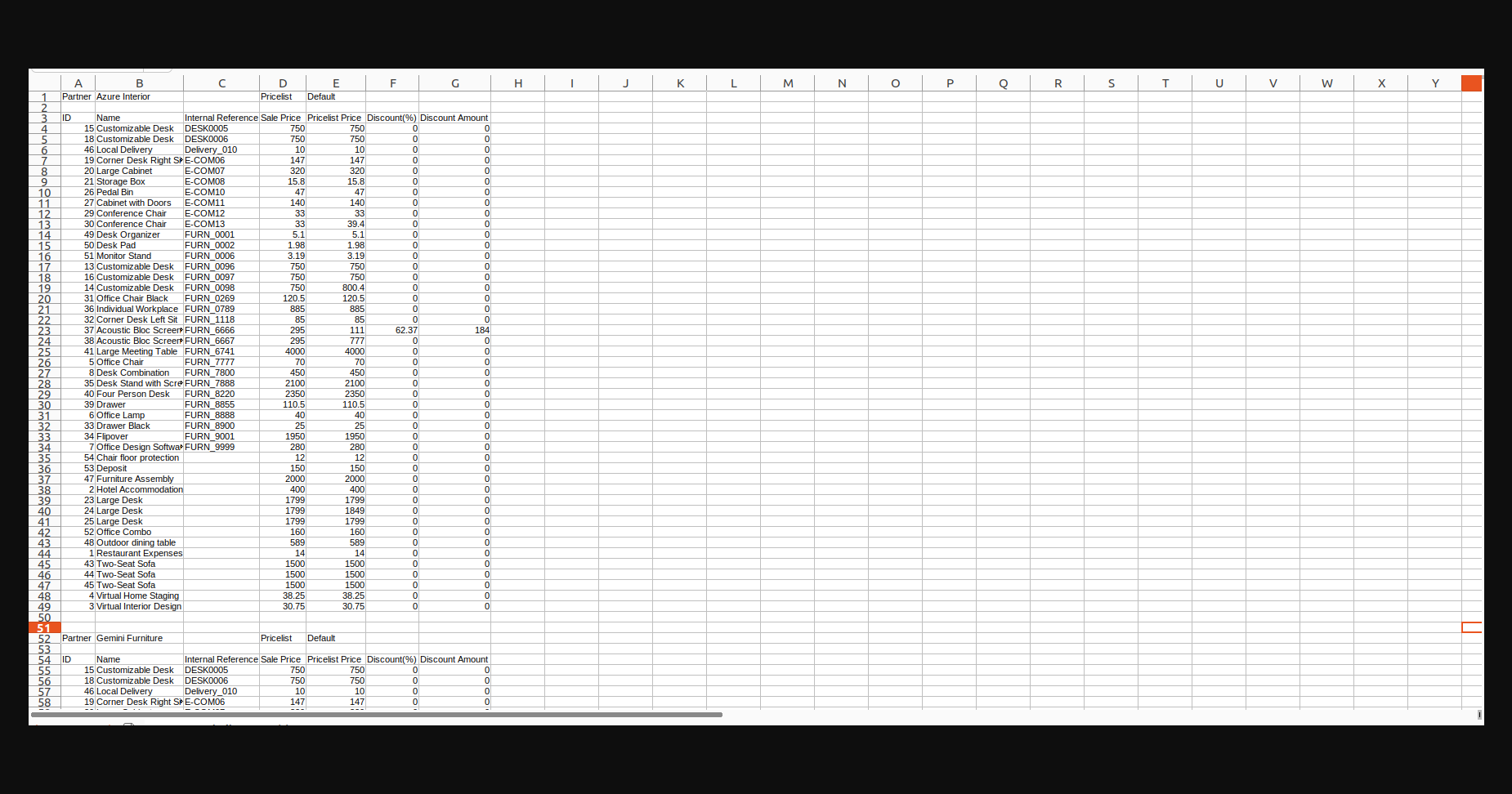
And then you will get a price list in an excel file you can see in the below image. Sheet 1.
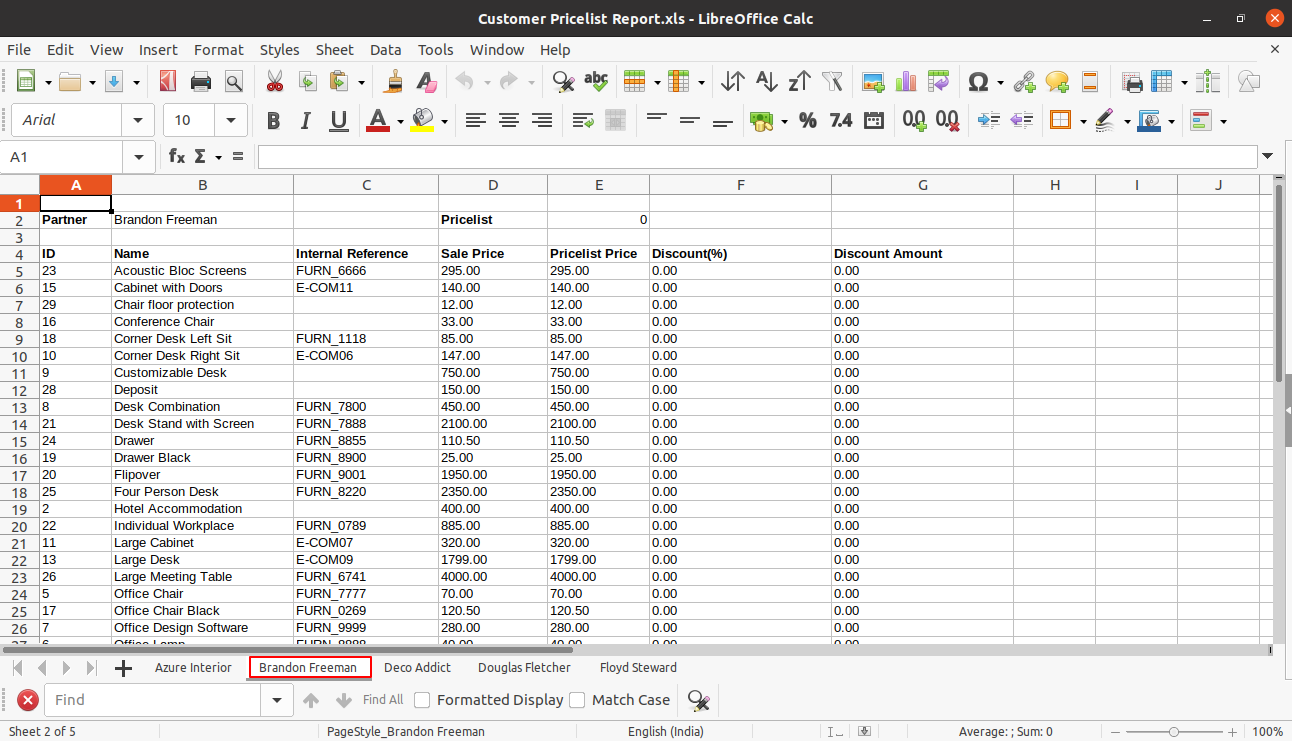
As we select multiple customers so you will get pricelist as customer wise in different sheets in a single excel file. Sheet 2.
Now select file type 'PDF File' and click 'Export Customer Pricelist PDF'.
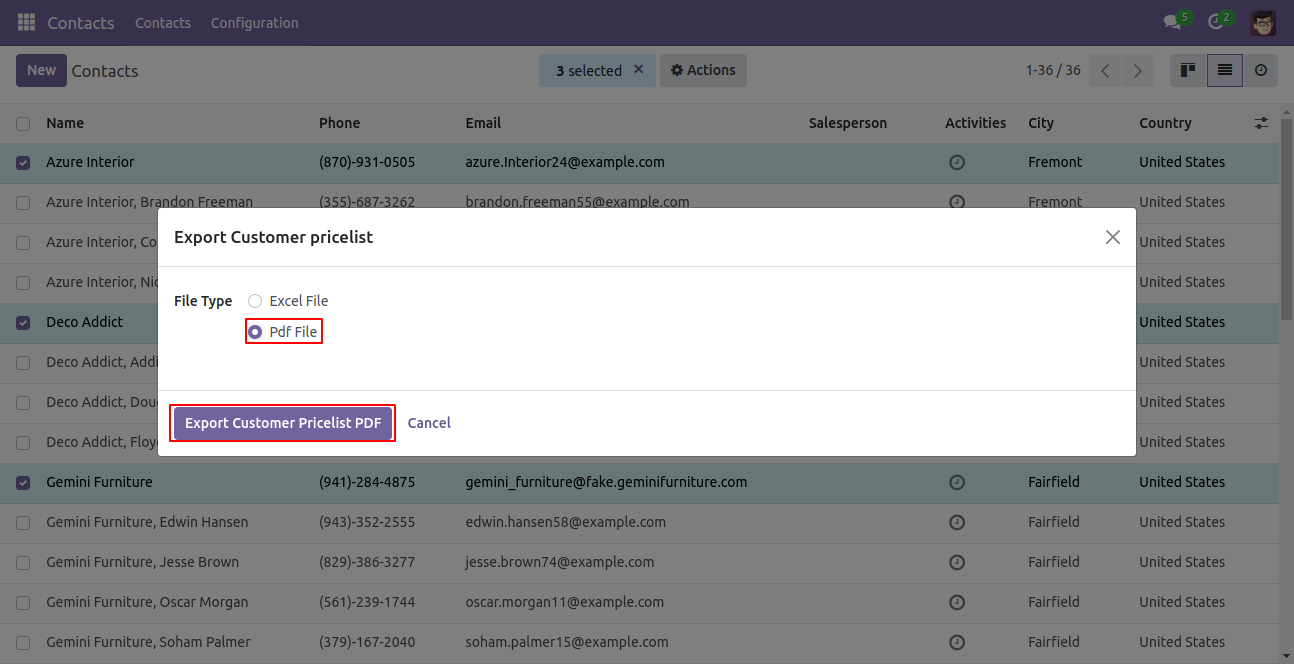
PDF pricelist file looks like below.
Goto Contact list view and select that customers which pricelist you need to export. After that click 'Export Customer pricelist' in Action.
After that one wizard will popup and select file type 'CSV File' and click 'Export Customer Pricelist CSV'.
And then you will get a price list in an CSV file you can see in the below image.
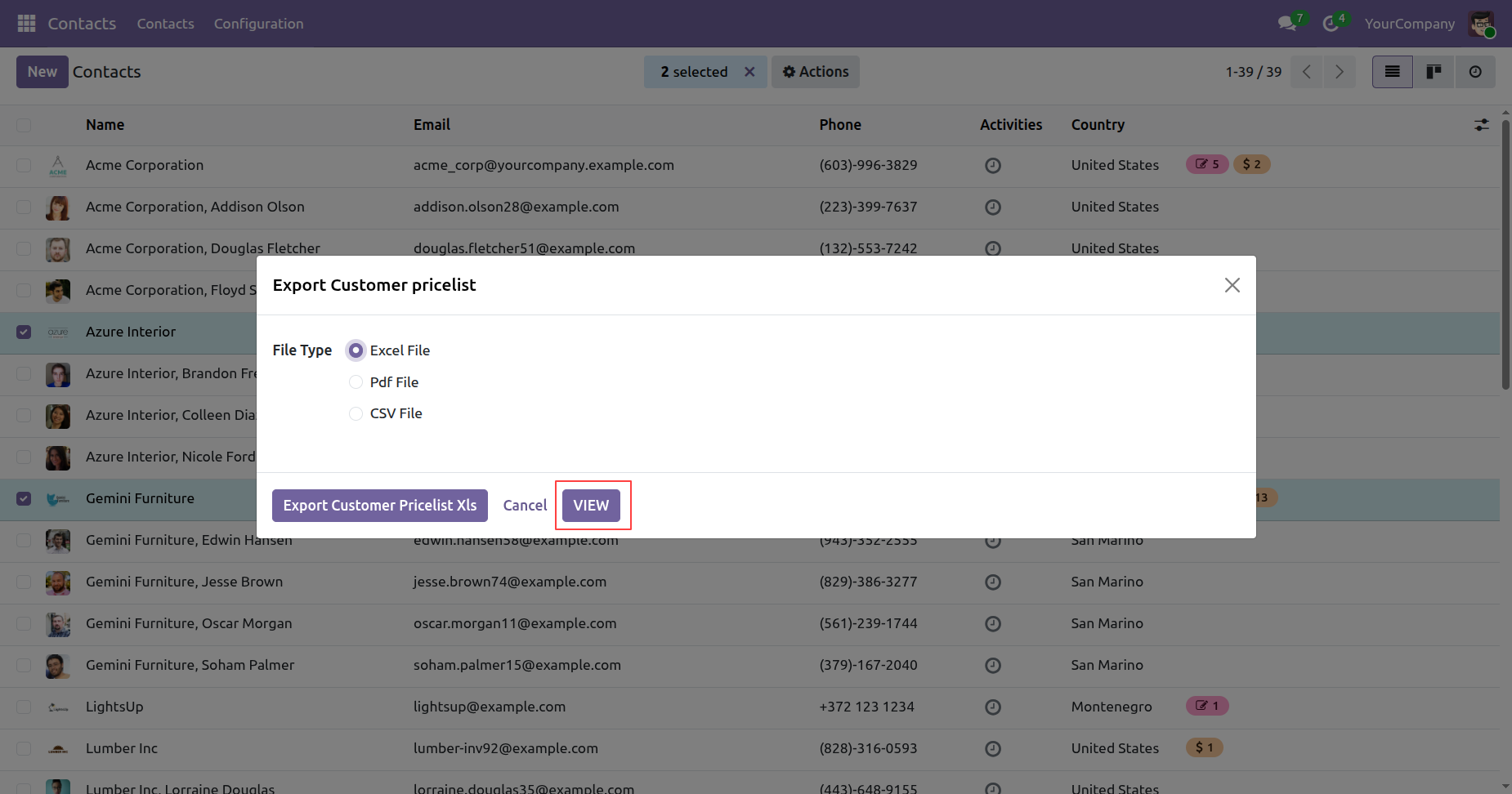
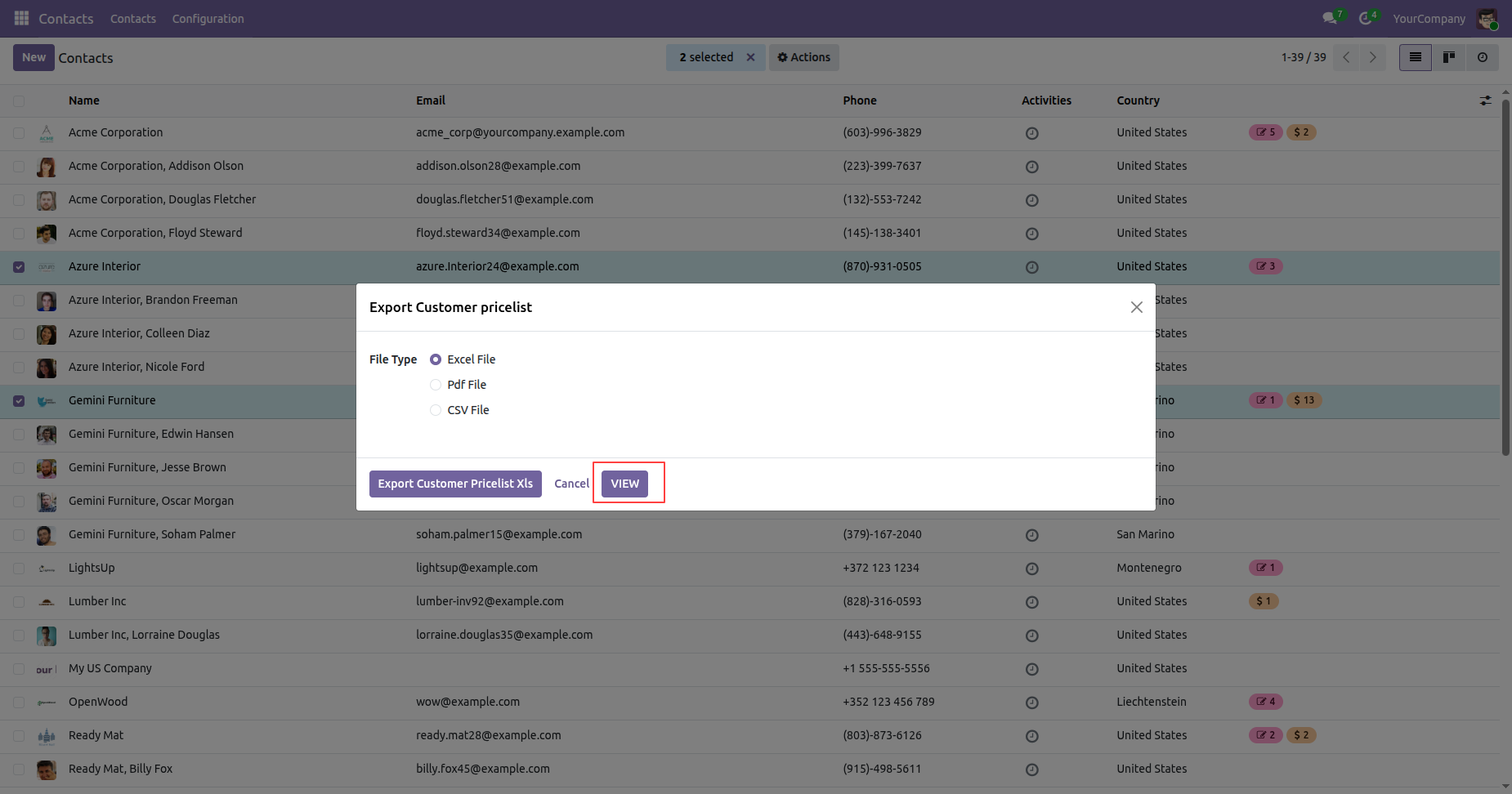
Select the 'Excel File' and click on the 'View' button.
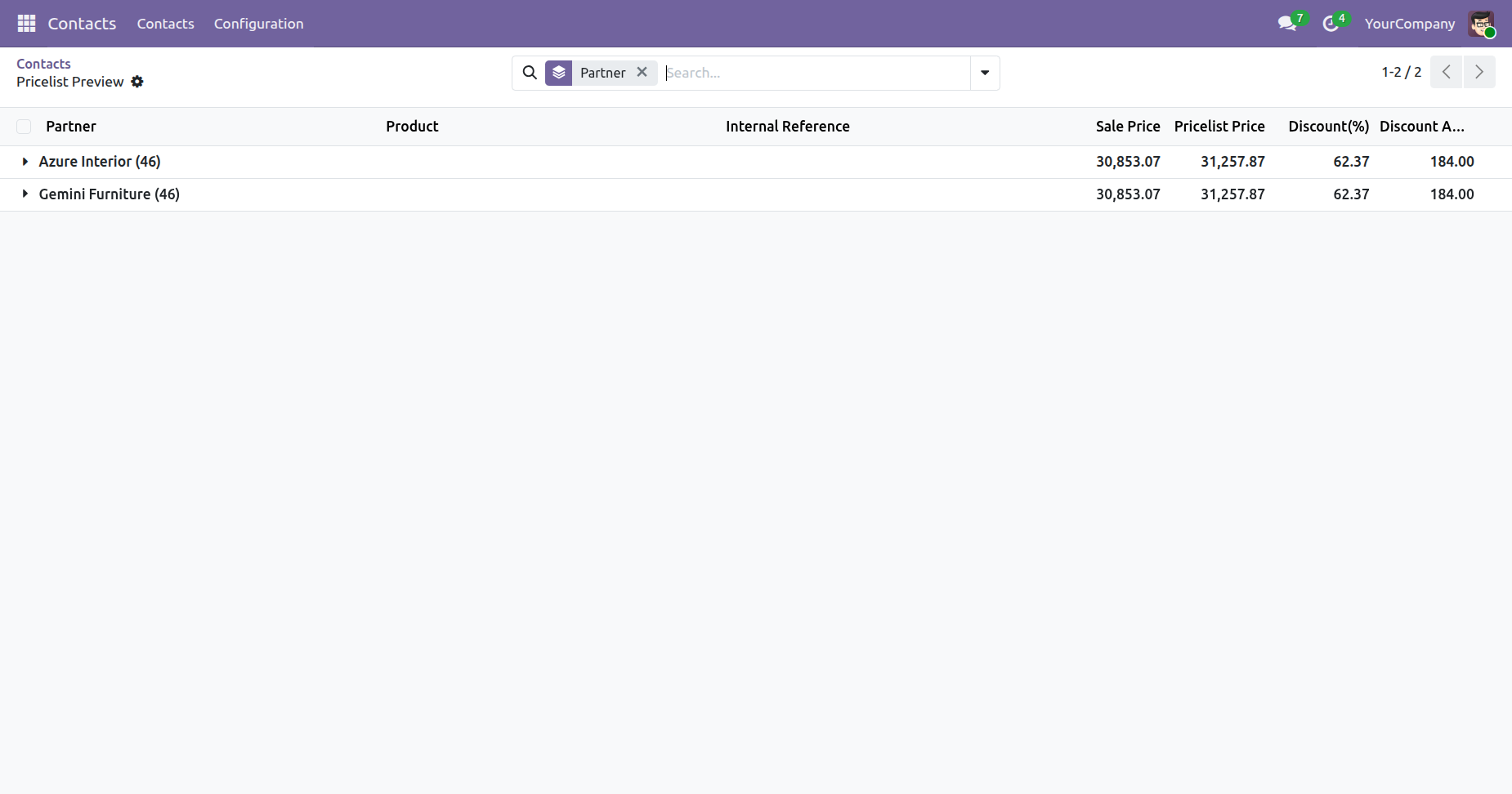
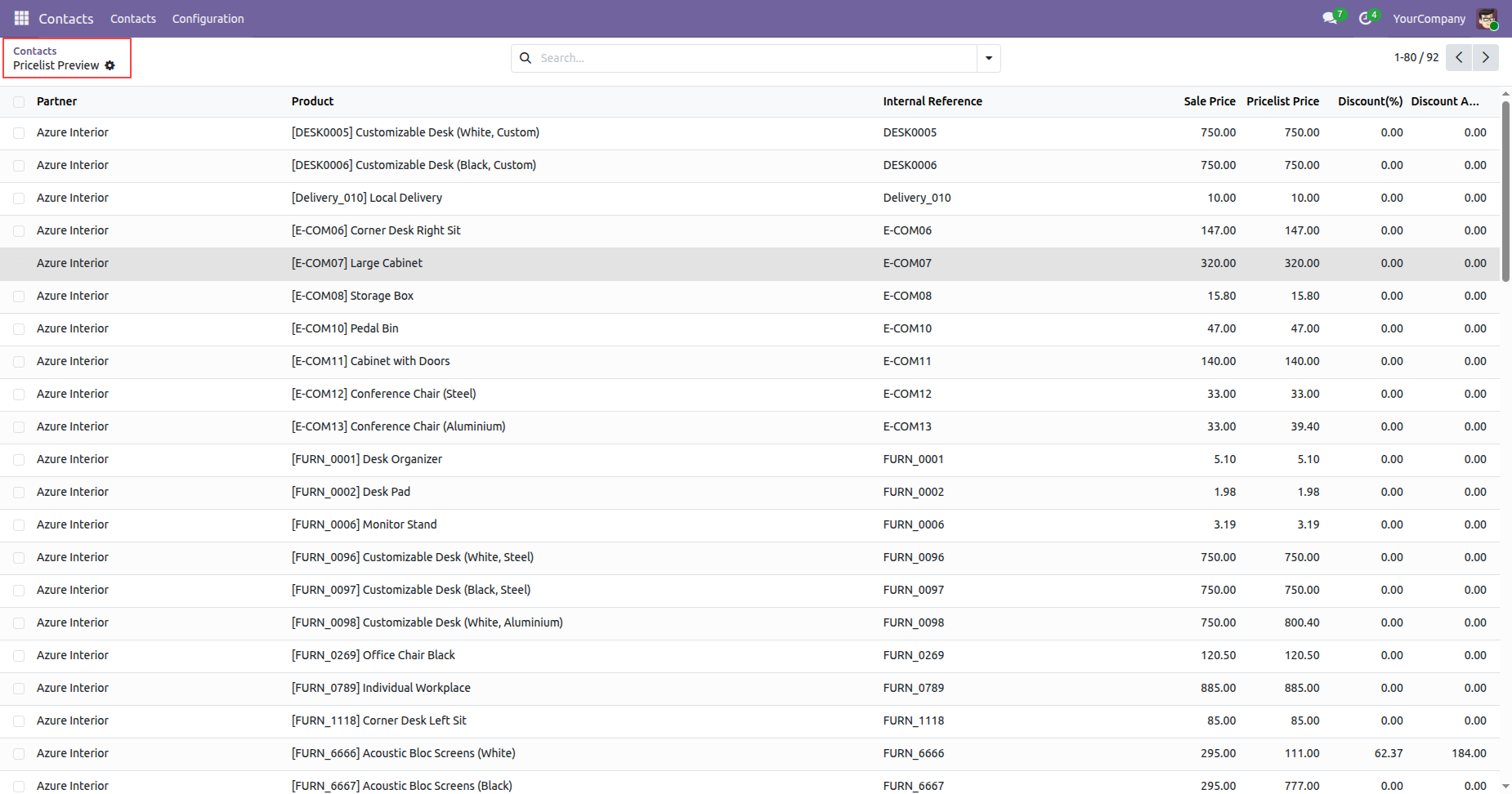
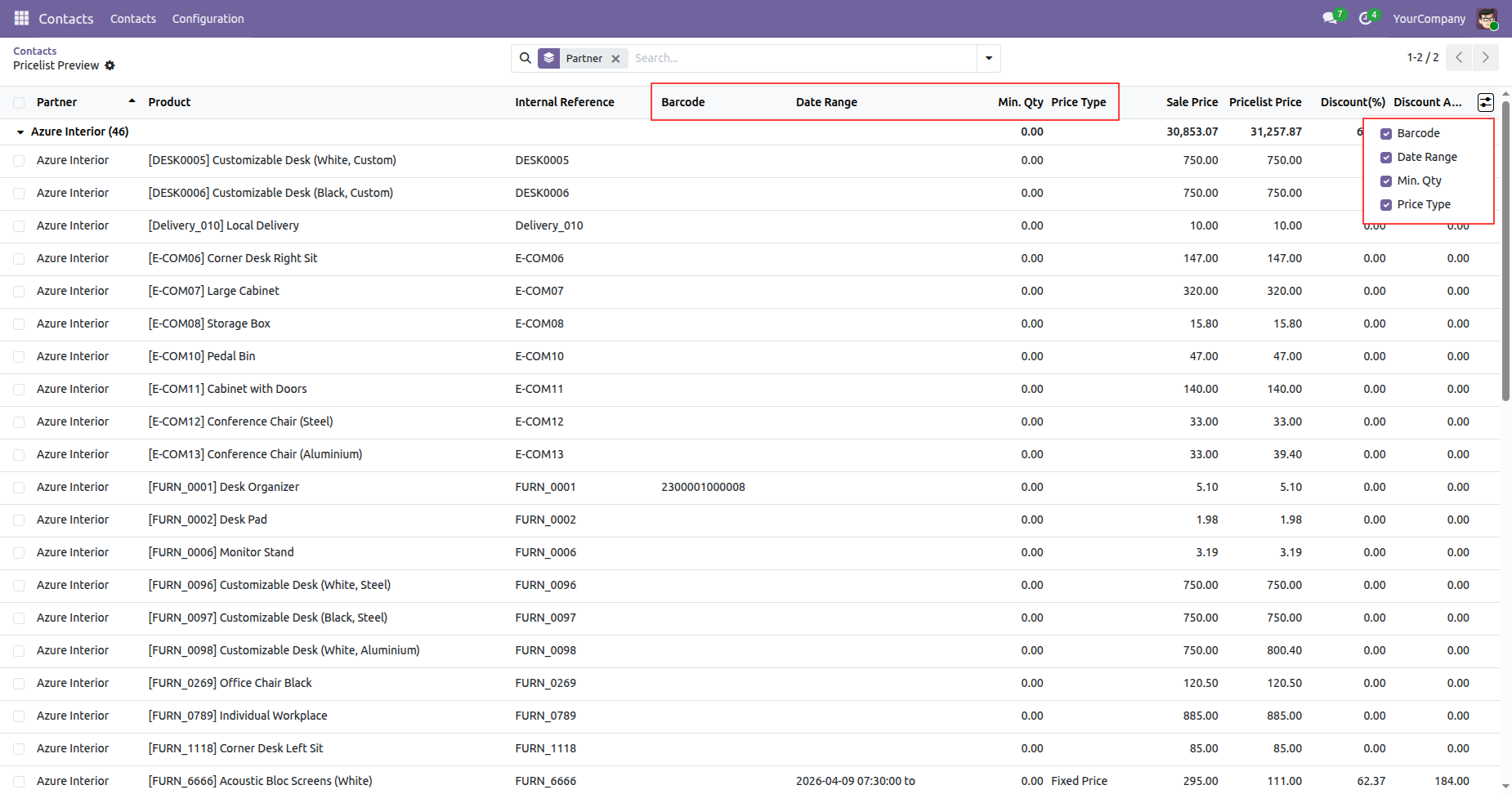
And then you will get a price list view in the below image.
Tree view of the contacts.
Go to the Sales settings ==> Enable the 'Export Pricelist' option and activate the other settings as shown in the image.
Form view of the pricelist.
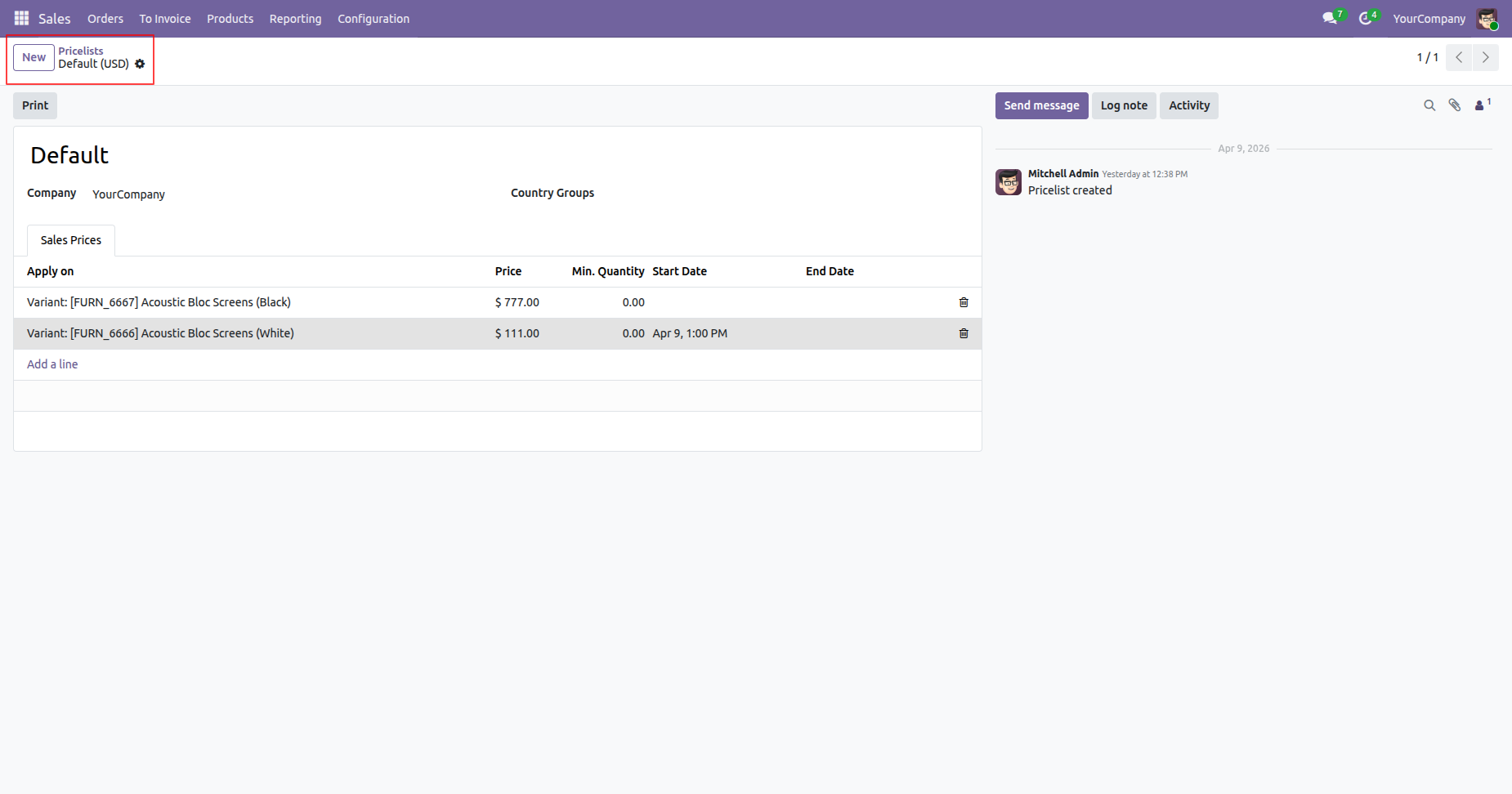
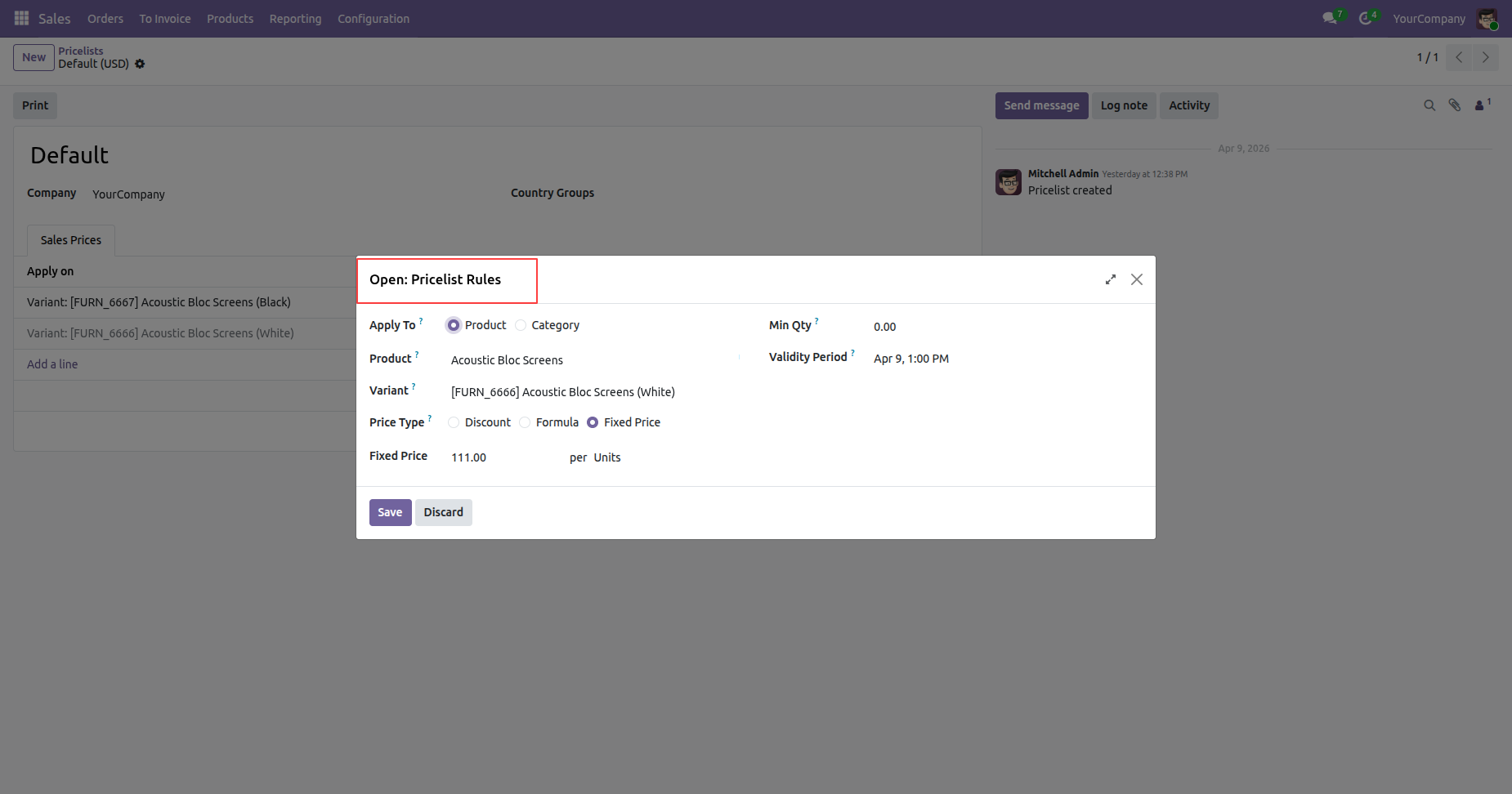
Click on the sales price for which you want to view the details.
After that, the 'Pricelist Rules' wizard will appear.
Select the 'Excel File' and and click 'Export Customer Pricelist Xls'.
And then you will get a price list in an excel file you can see in the below image.
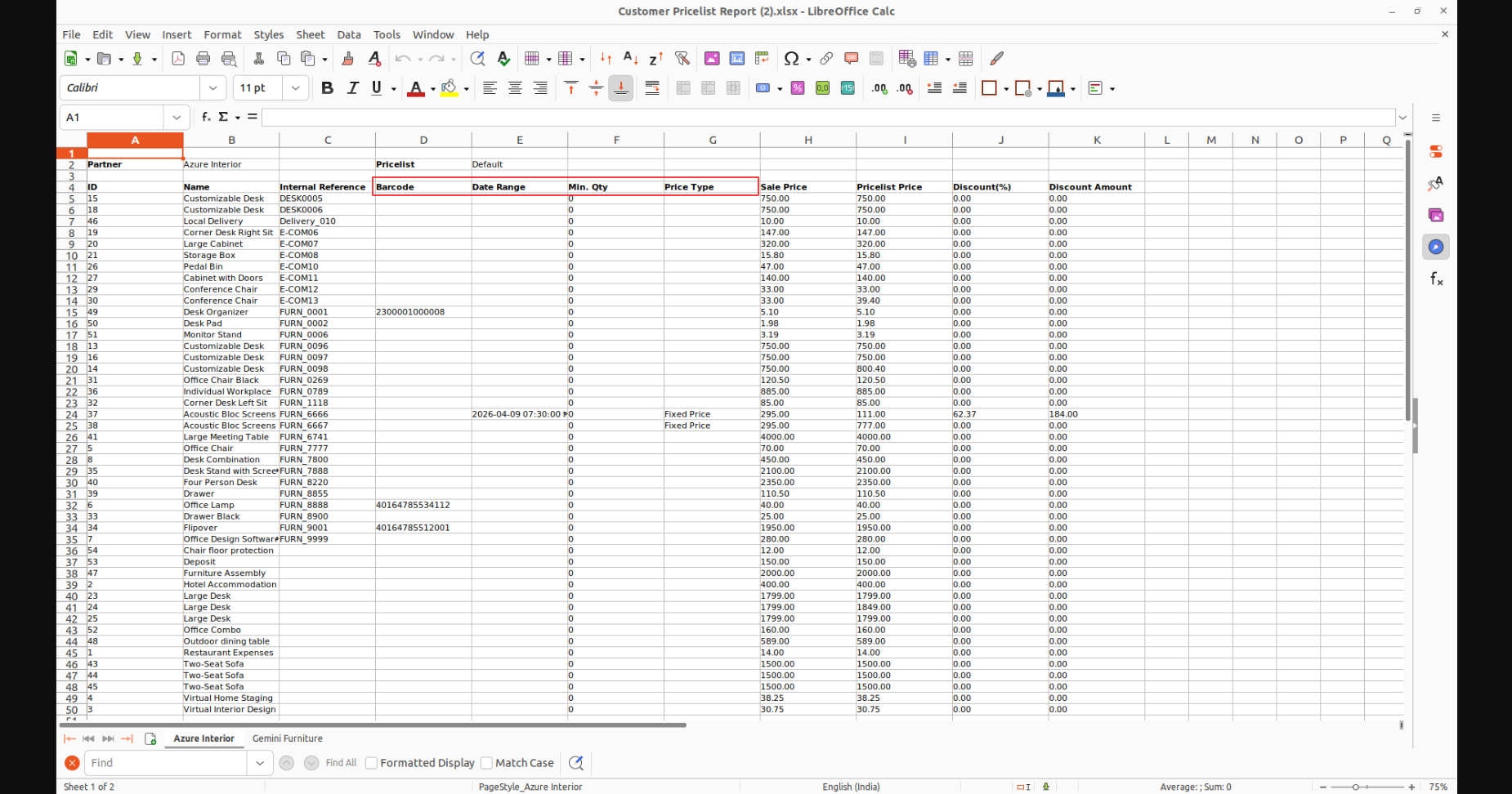
Select the 'Excel File' and click on the 'View' button.
And then you will get a price list view in the below image.
Here, you can view options such as barcode, date range, minimum quantity, and price types.
Version 18.0.3.0.0 | Released on : 11th April 2026
Version 18.0.2.0.0 | Released on : 28th October 2024
Version 18.0.1.0.0 | Released on : 29th August 2024
- Yes, this app works perfectly with Odoo Enterprise (Odoo.sh & On-Premise) as well as Community.
- No, this application is not compatible with odoo.com(odoo saas/Odoo Online).
- No, currently it does not work if the product type is selected as a combo product. For more details, please contact our support team at support@softhealer.com.
- Please Contact Us at sales@softhealer.com to request customization.
- Yes, you will get free update for lifetime.
- No, you don't need to install addition libraries.
- For version 12 or upper, you will need to purchase the module for each version that you want to use.
- Yes, we provide free support for 365 days.
- No, We do not provide any kind of exchange.
