












Employee Travel Expense Management

The Employee Travel Expense module streamlines the complete travel request and expense process by allowing employees to create detailed travel requests, while managers can review them and approve or reject them. It centralizes all travel-related information, including travel details, additional logistics, and advance payments, ensuring better planning, transparency, and financial control.

Features

Comprehensive Travel Request Management
Easily create and manage employee travel requests with all necessary details like purpose, dates, and destination.

Structured Approval Workflow
Streamlined approval process including Draft, Confirmed, Approved, Returned states.

Comprehensive Travel Details
Manage complete travel details including location, schedule, & duration in one place. Keep all travel data organized and easily accessible.

Advance Payments
Manage advance payments related to travel directly within the request. Track financial details to ensure proper expense control.

Activity Log & Tracking
Track all actions, updates, and communications in real-time using chatter. Maintain full visibility and history of every travel request.

Project and Analytic Integration
Link travel requests to specific projects and analytic accounts for accurate cost tracking and reporting.

Travel Expense Reports
Generate detailed reports for all travel expenses with accurate financial data. Easily analyze and track employee travel costs for better decision-making.
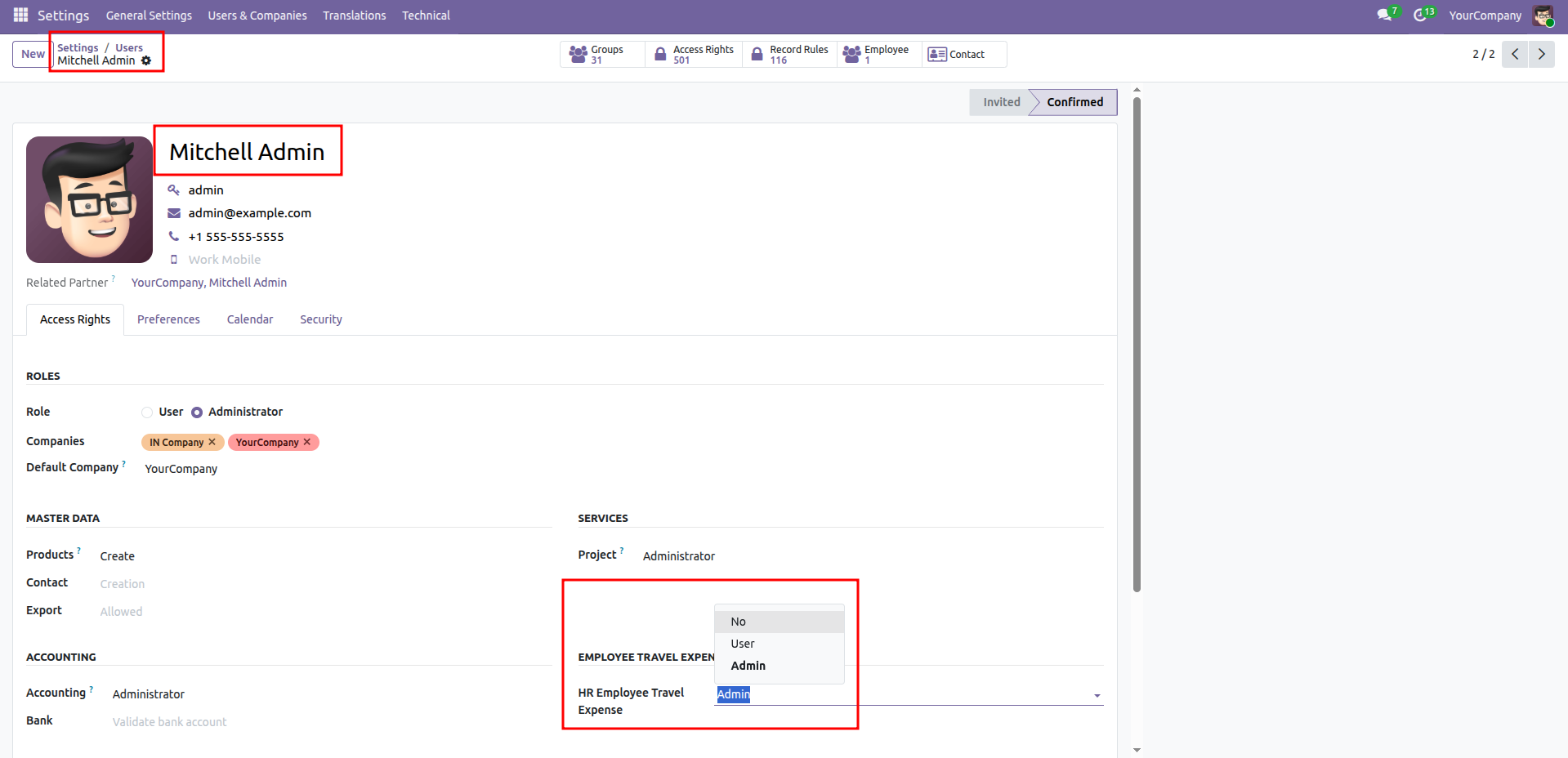
Configuring HR expense access rights for an administrator.
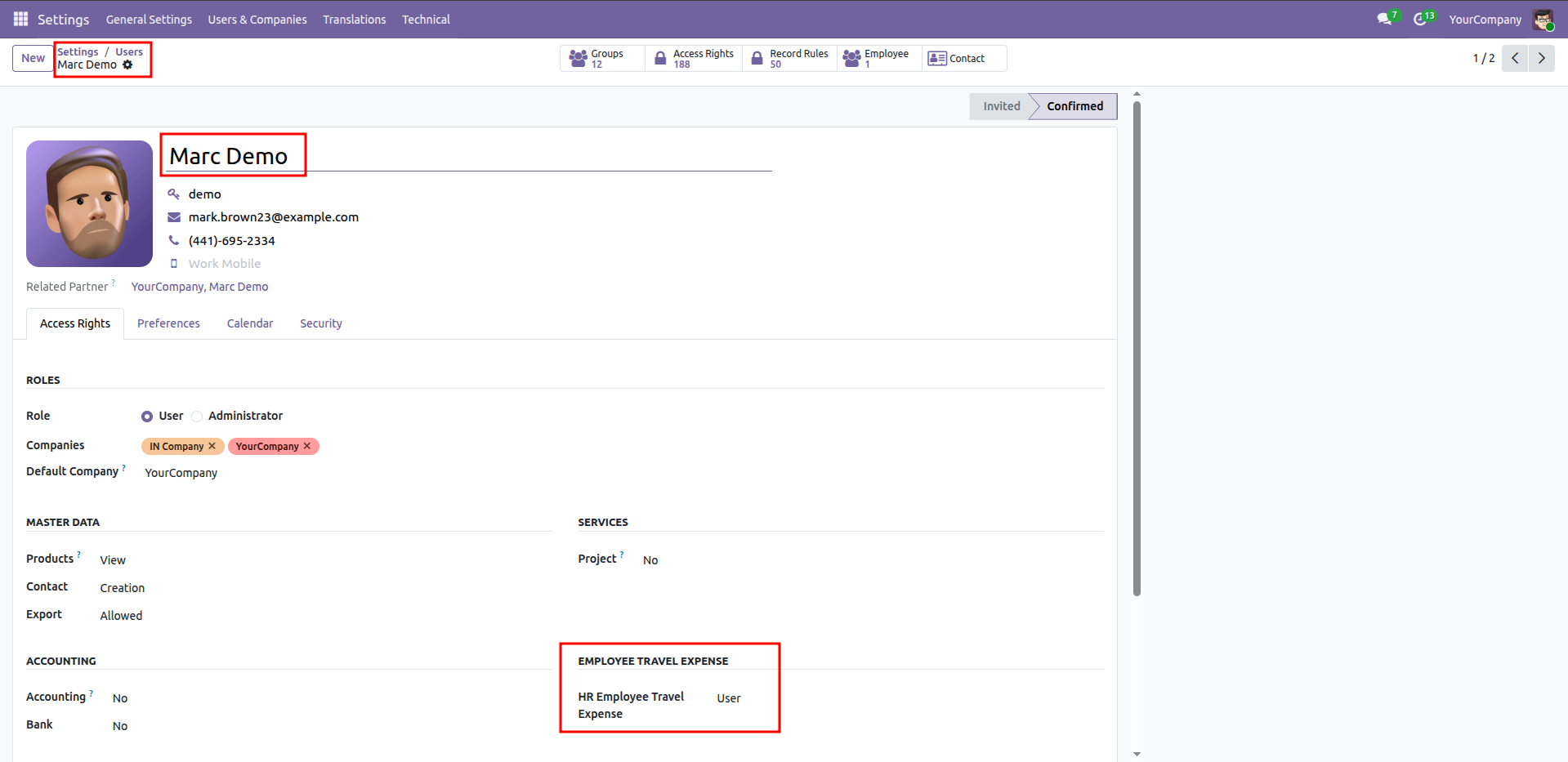
Configuring HR expense access rights for a user.
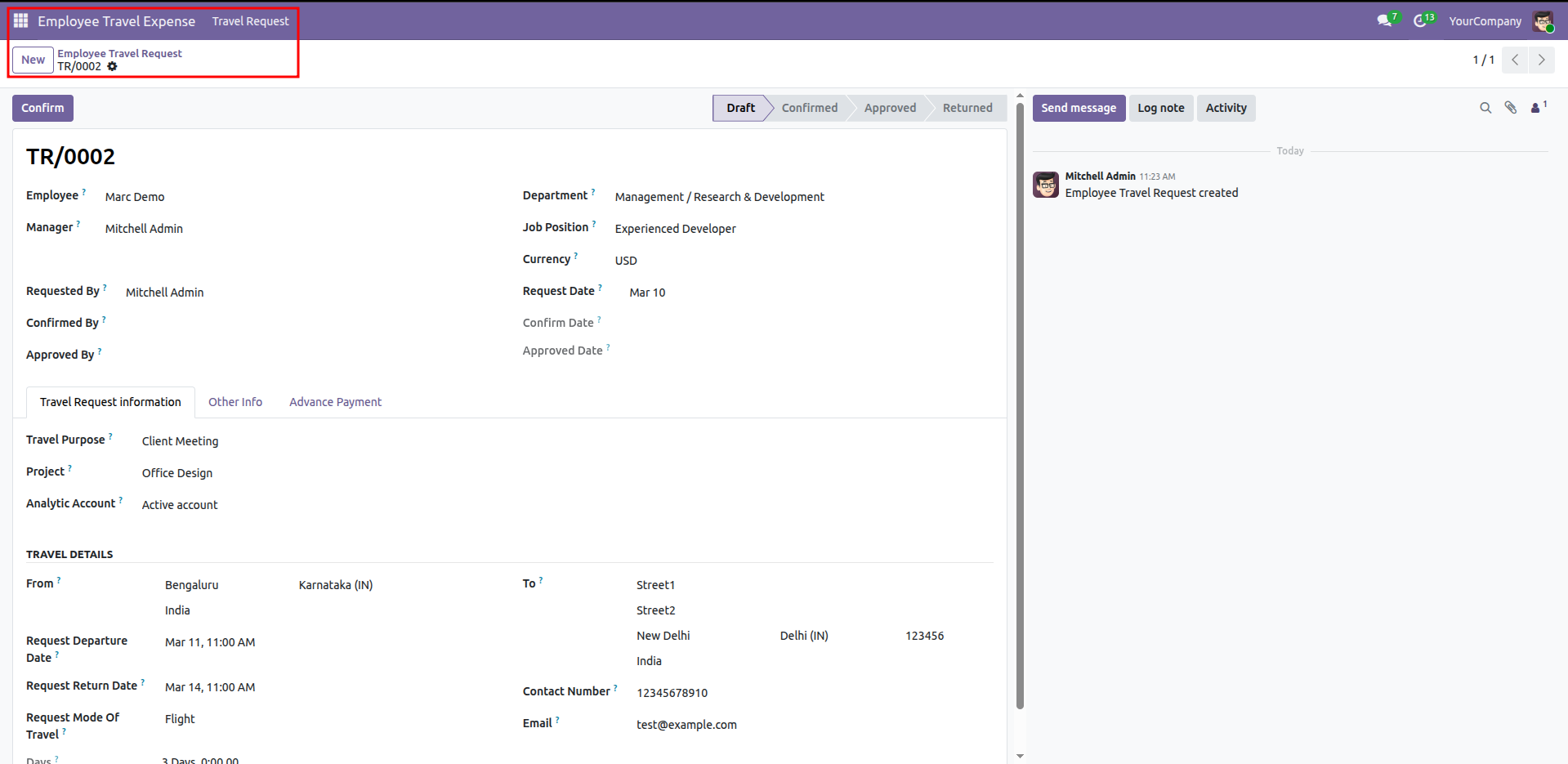
Travel Request Form View - Main information and status.
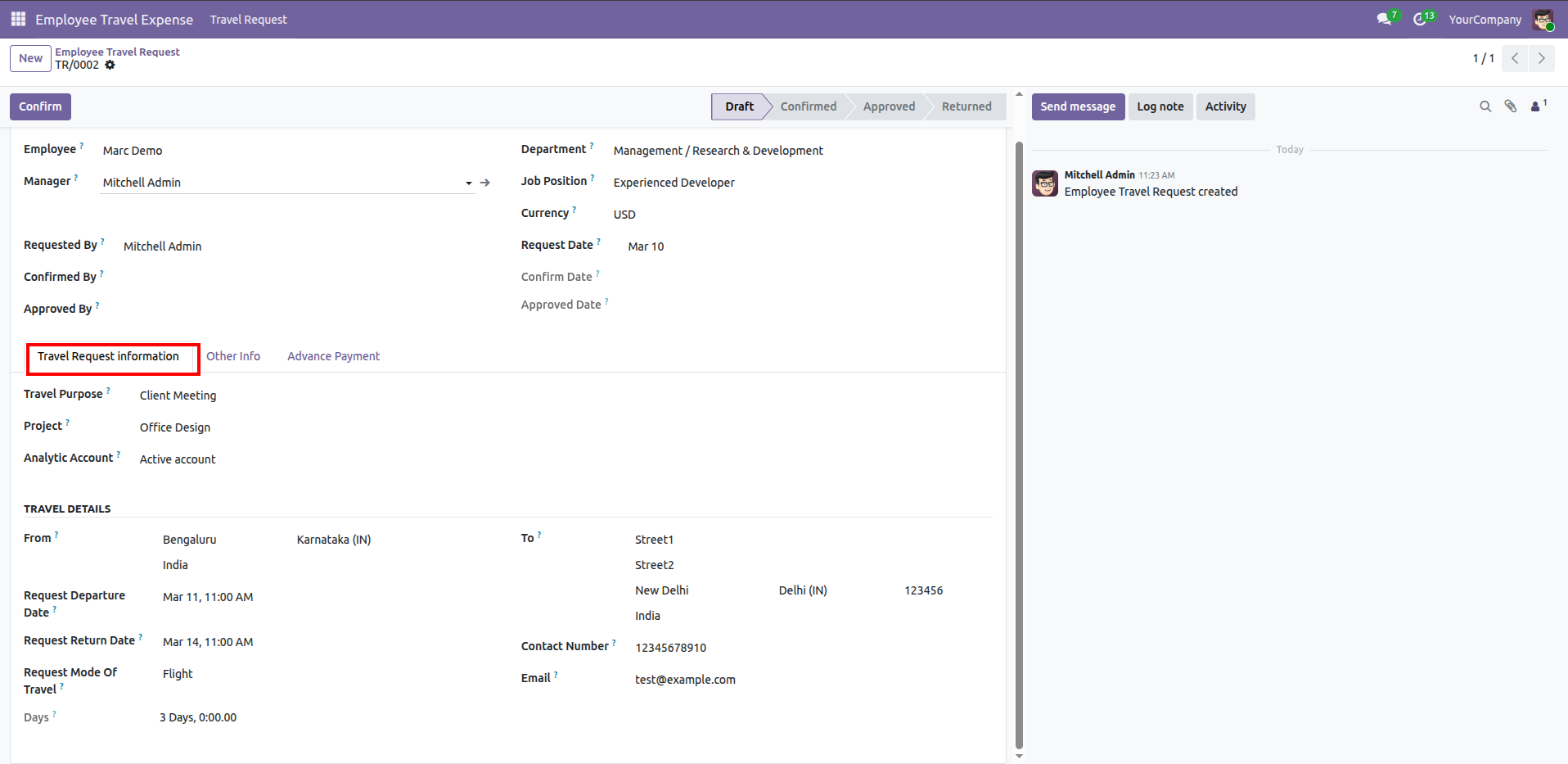
Travel Request information tab - Travel purpose, project, and analytic account.
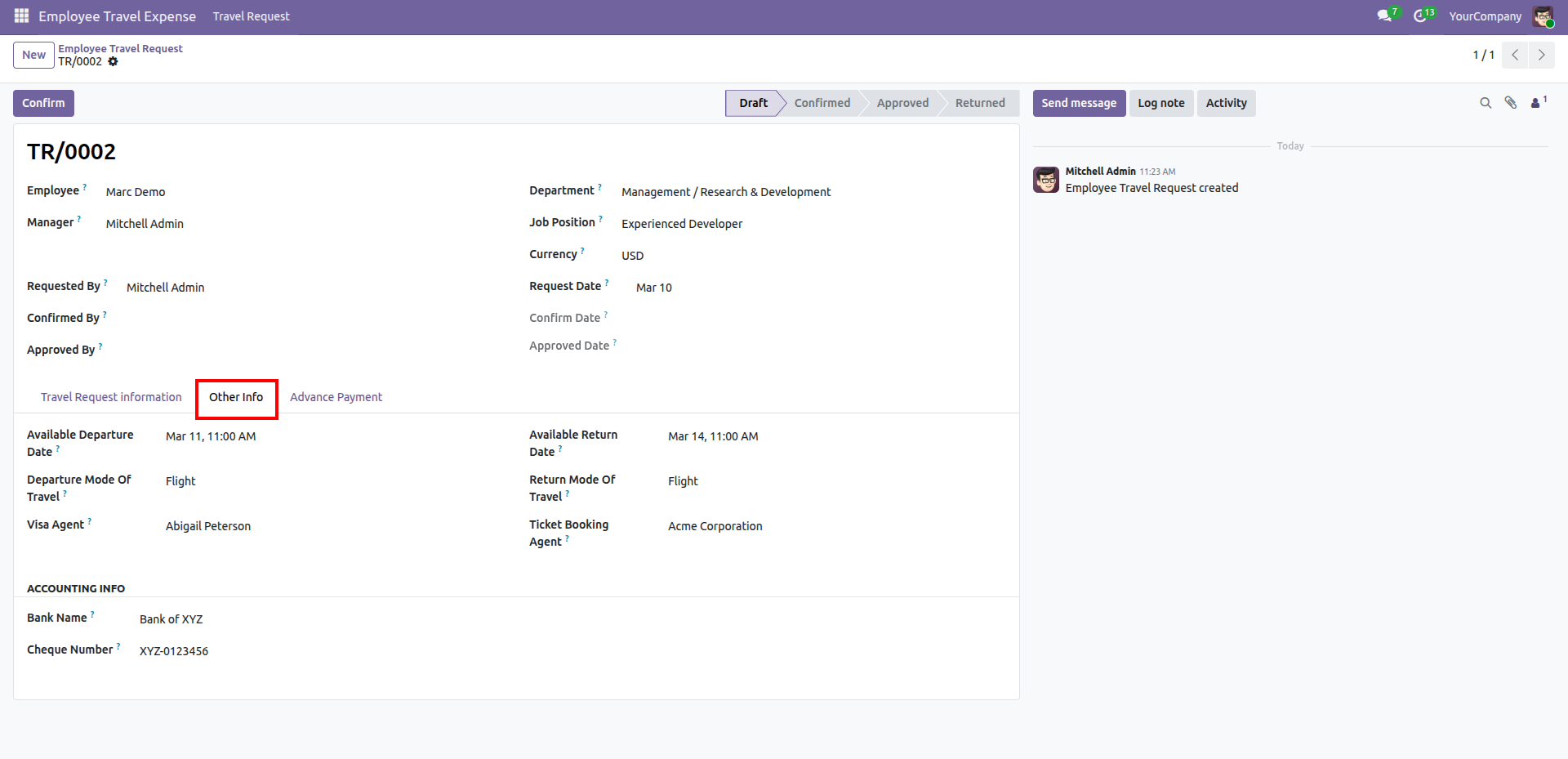
Other Info section - Departure and Return address details.
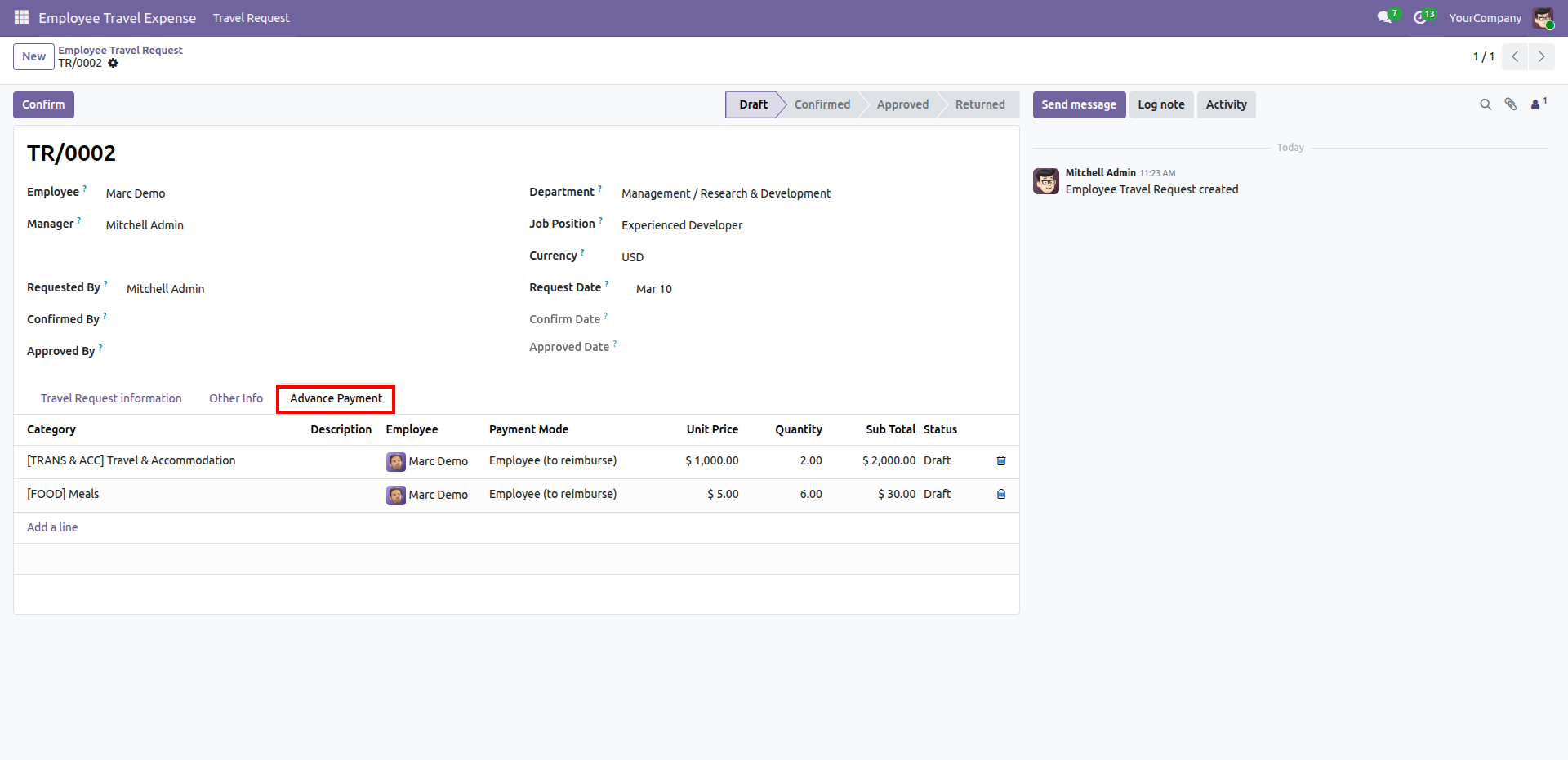
Advance Payment section - Adding travel and meal expense lines for a travel request.
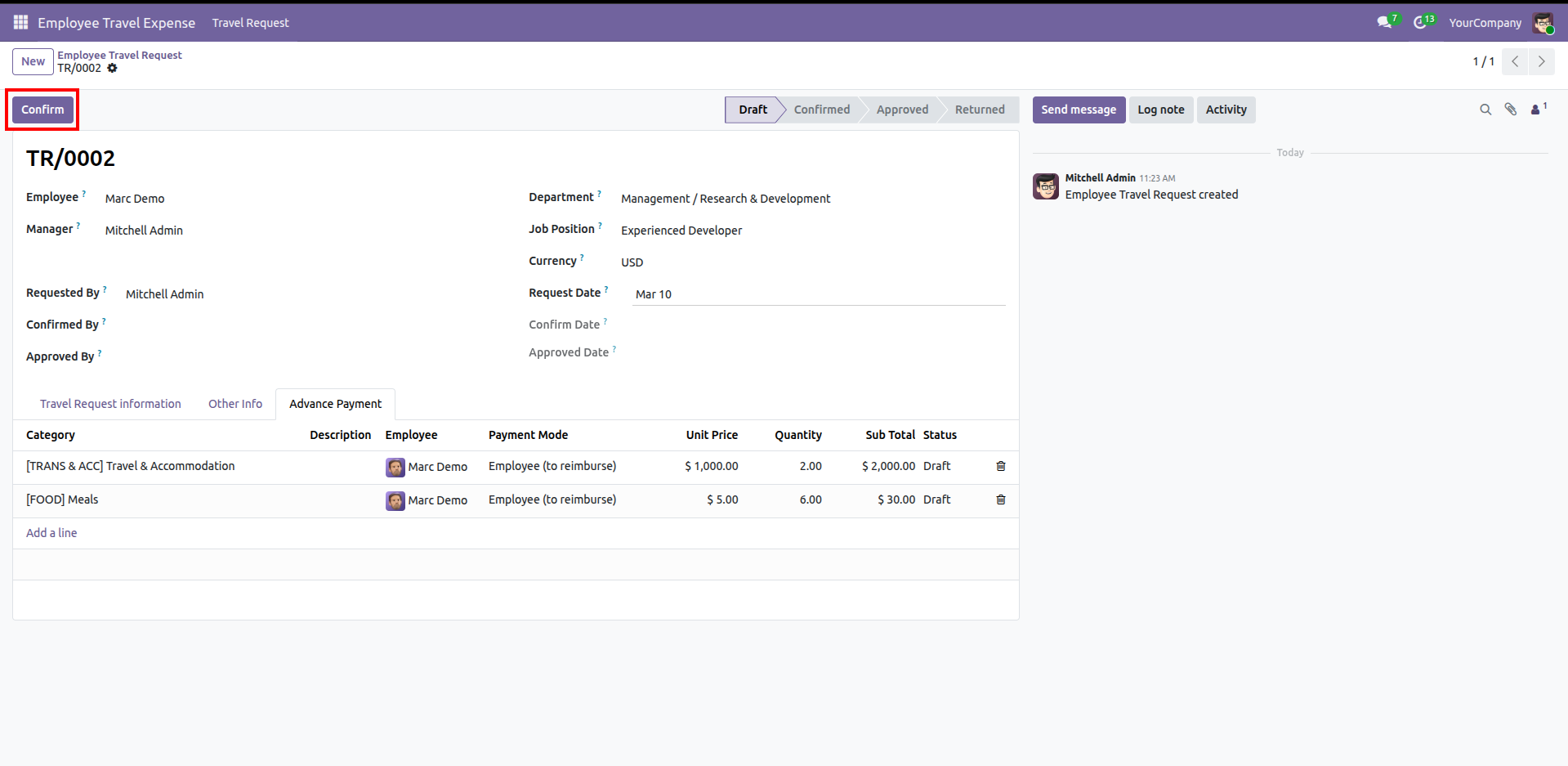
Clicking the "Confirm" button to move the travel request from draft to the next stage of the workflow.
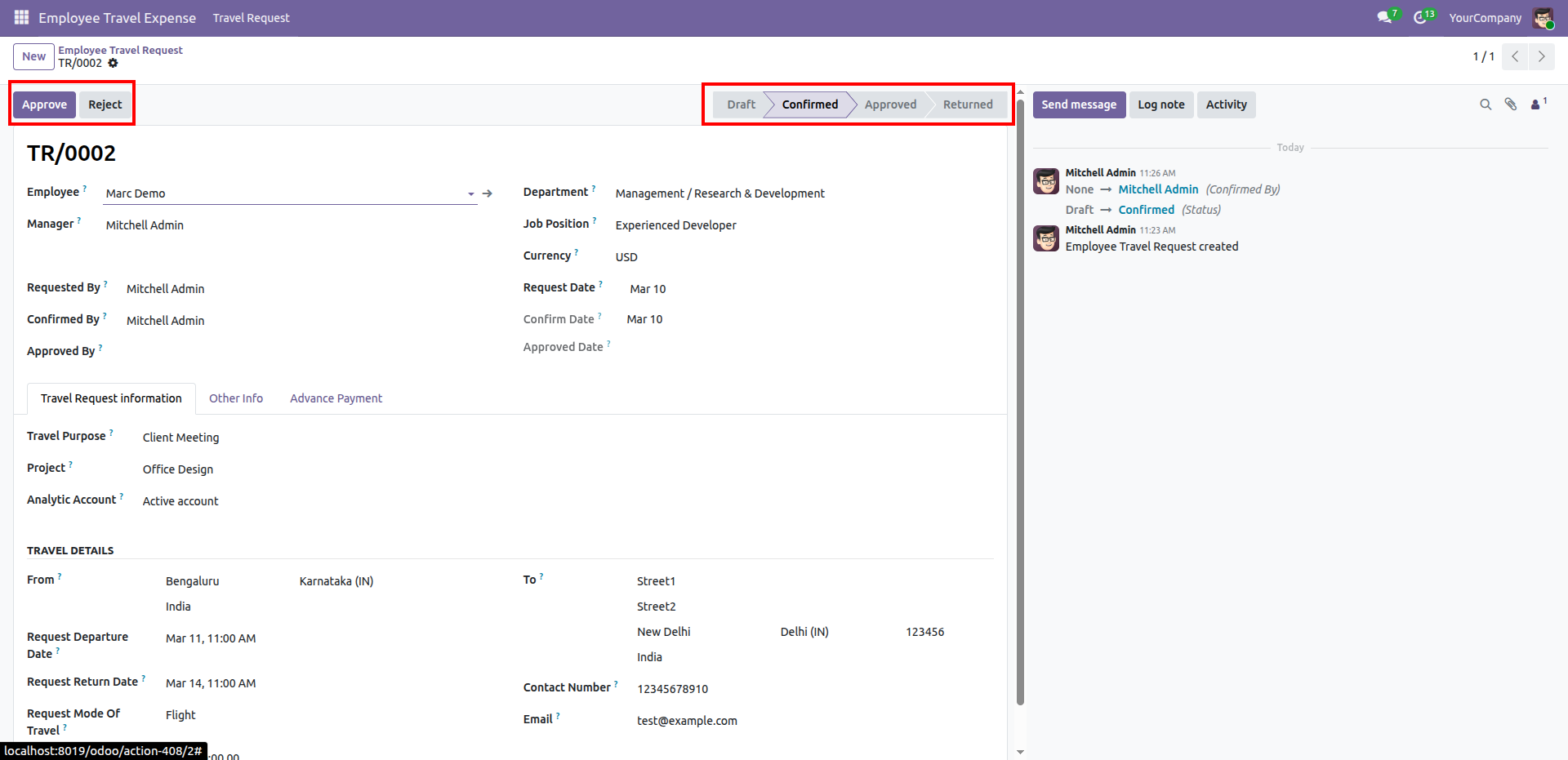
Reviewing the "Confirmed" travel request with options to "Approve" or "Reject" the submission.
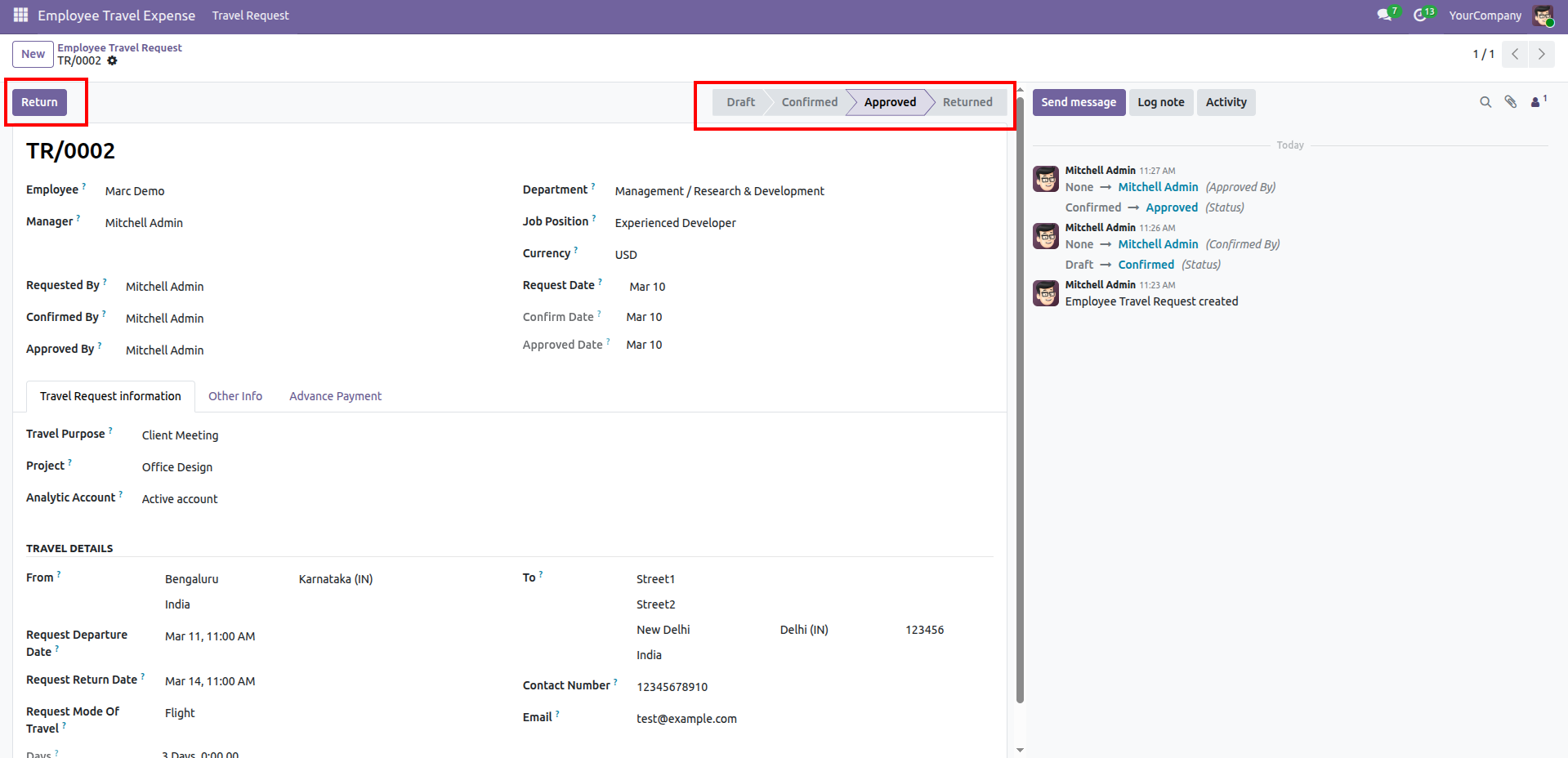
Reviewing an "Approved" travel request with the option to "Return" it for further modifications.
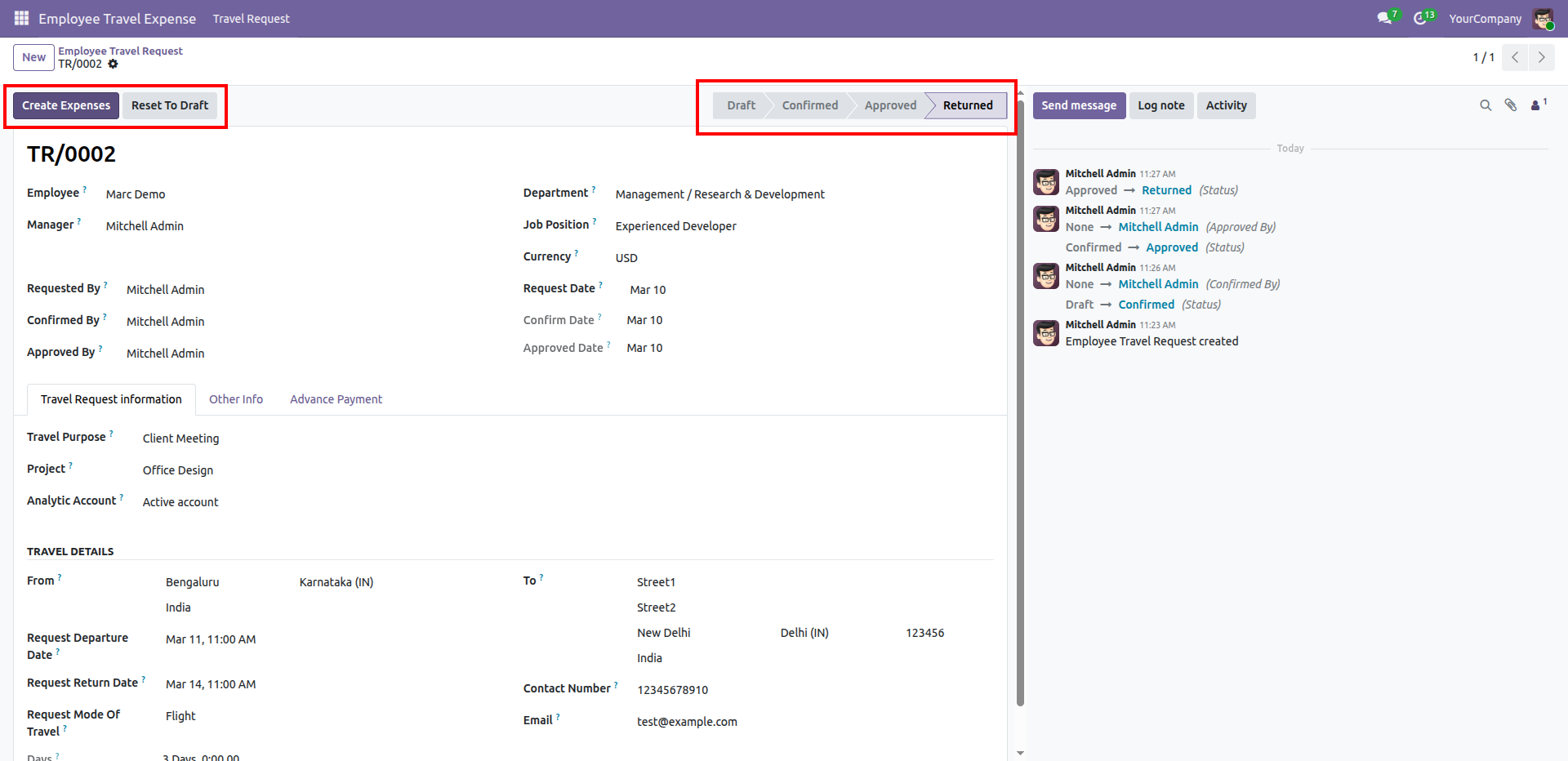
Selecting "Create Expenses" or "Reset To Draft" for a travel request that has been moved to the "Returned" state.
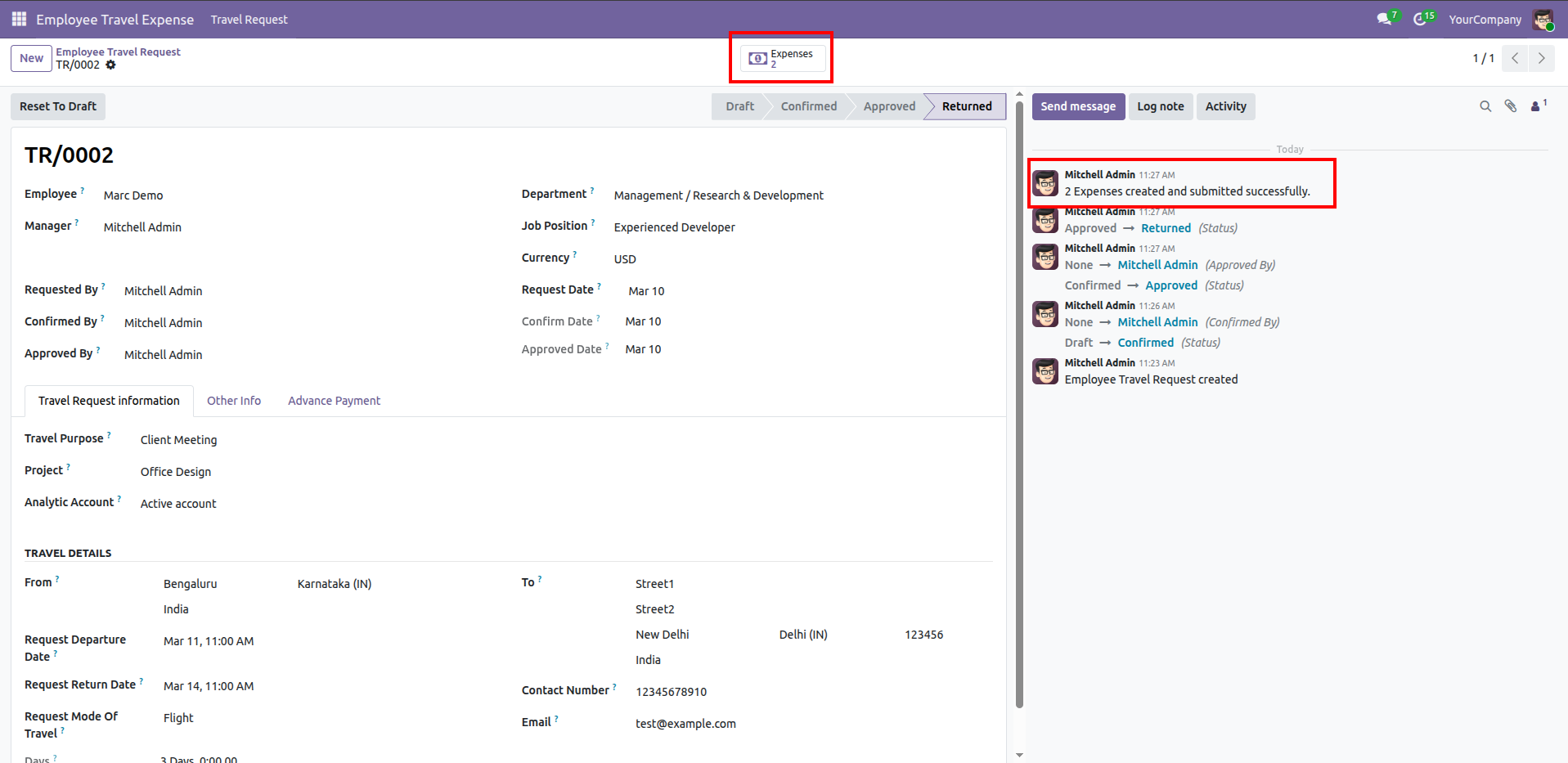
Accessing created expenses from the travel request.
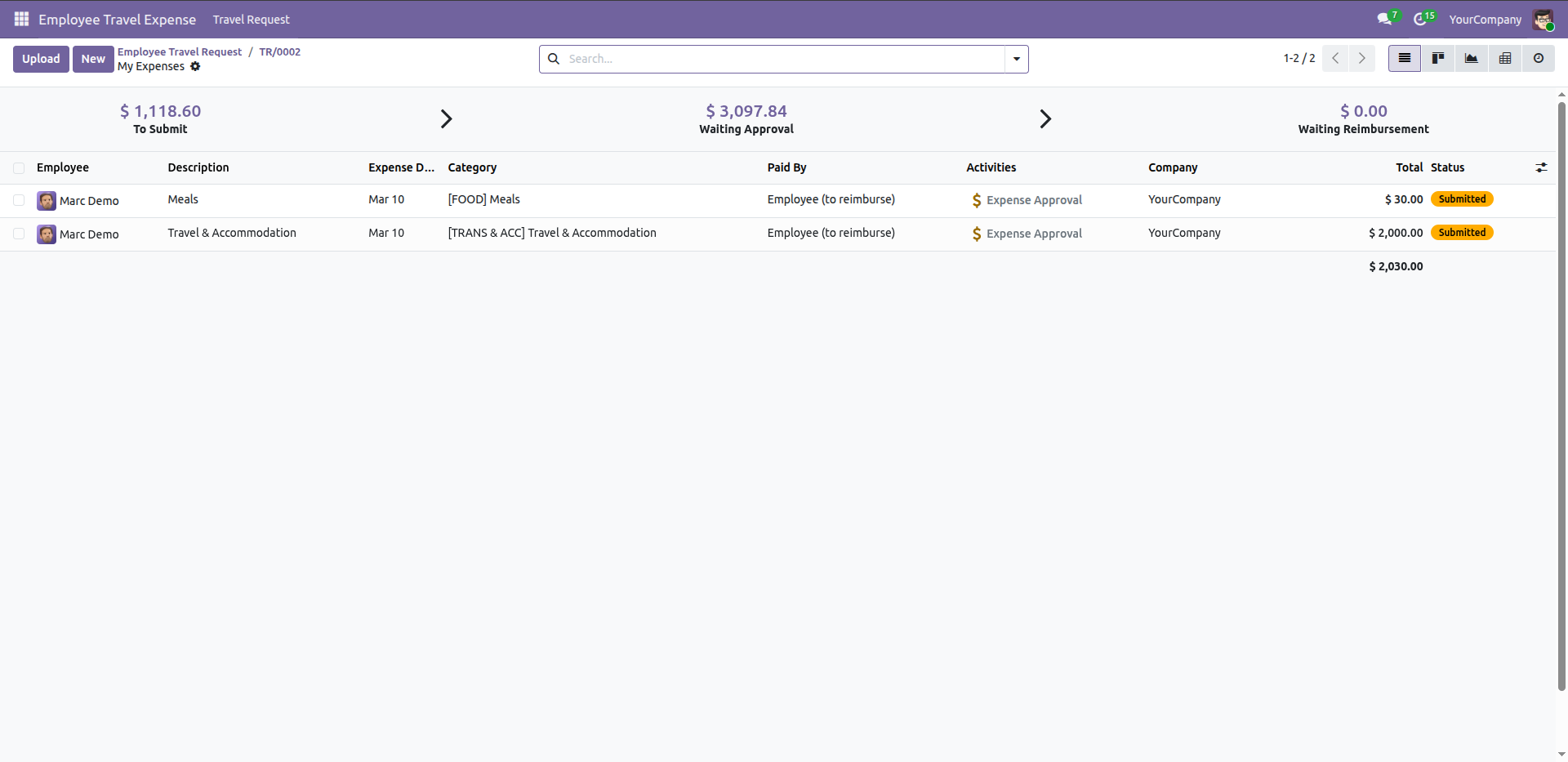
Reviewing submitted expenses for Employee awaiting approval within the Travel Expense module.
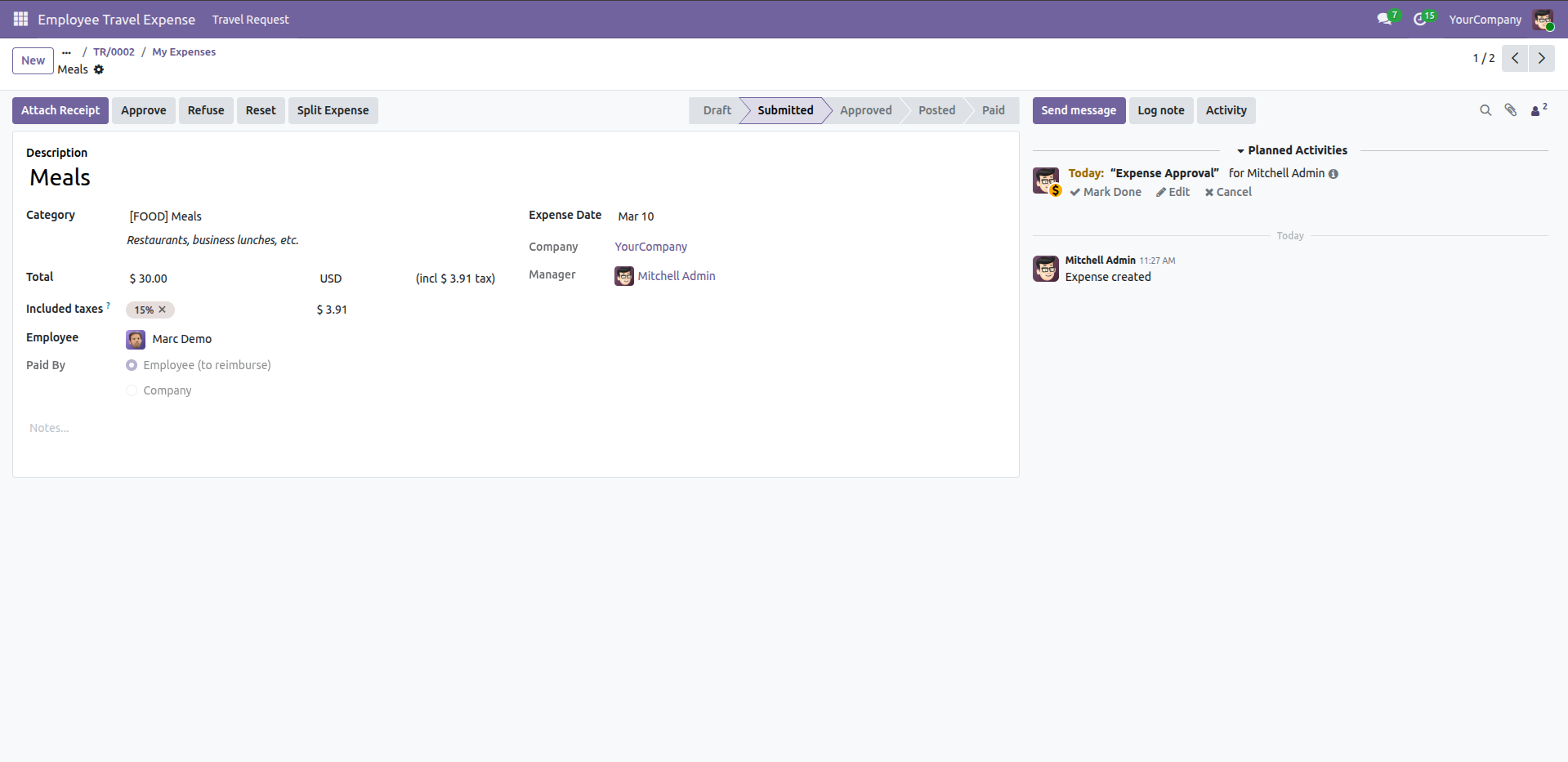
Reviewing a submitted meal expense with options to attach a receipt, approve, or split the expense.
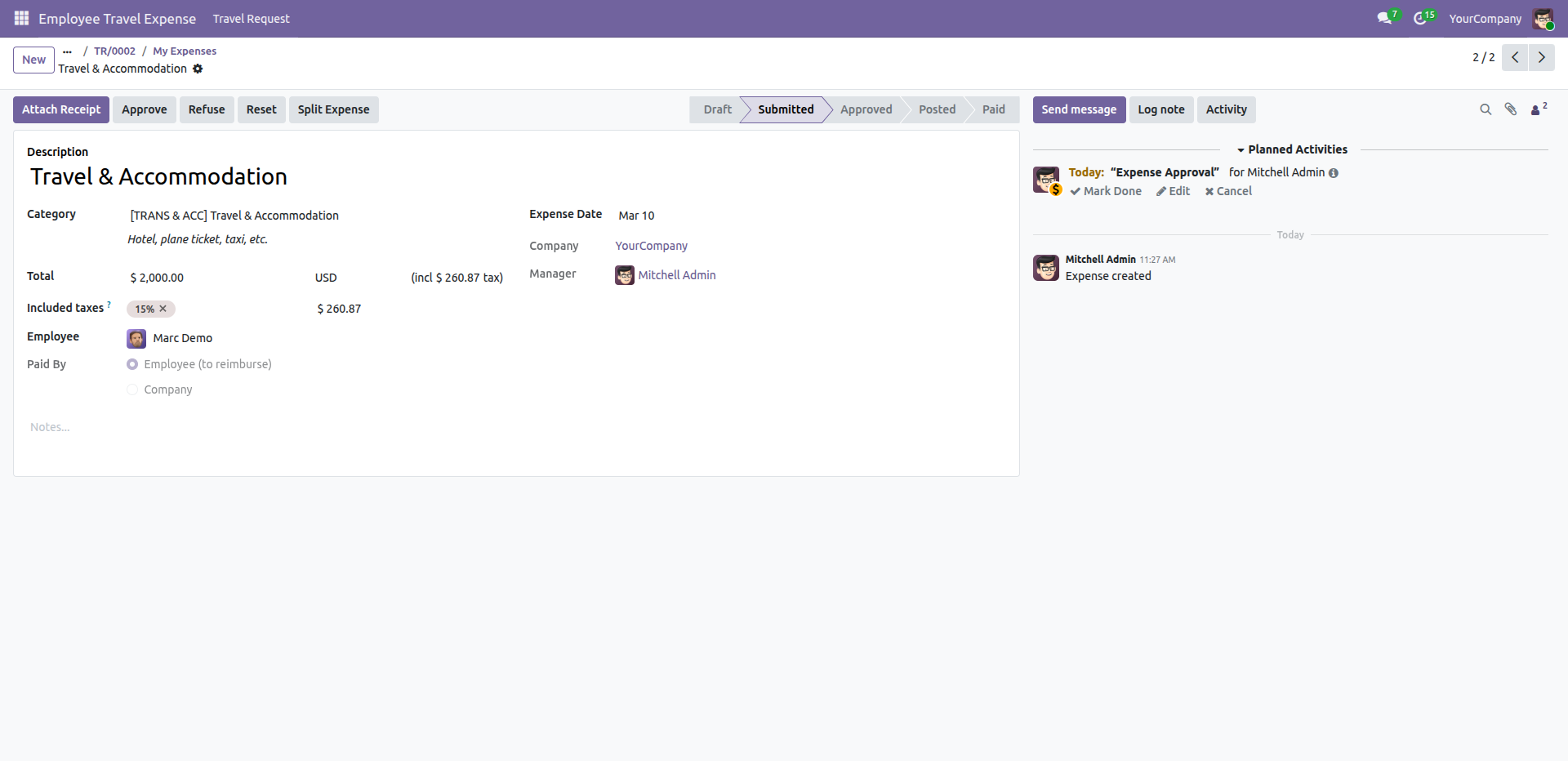
Reviewing a submitted travel and accommodation expense with options to attach a receipt, approve, or split the expense.
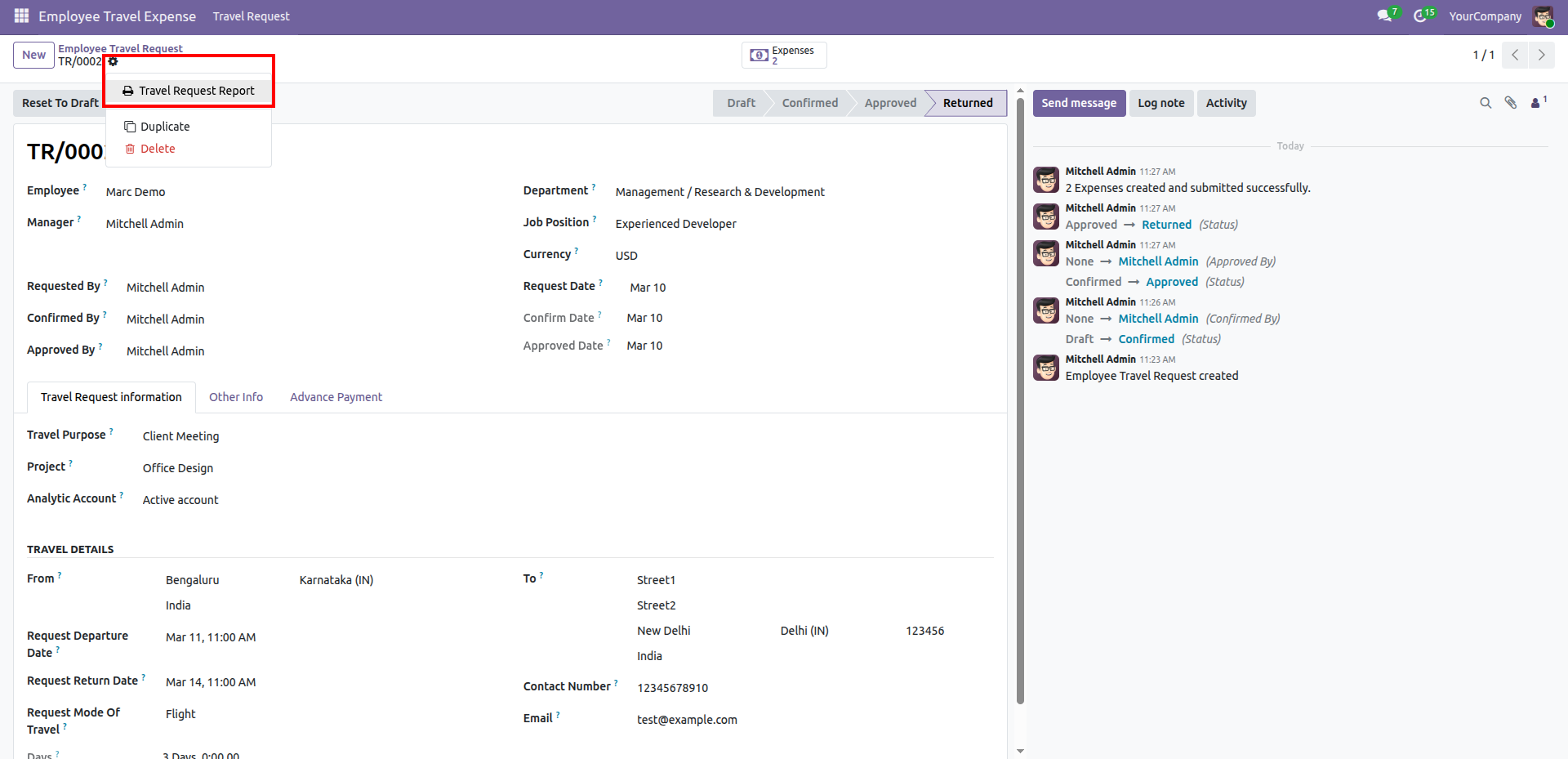
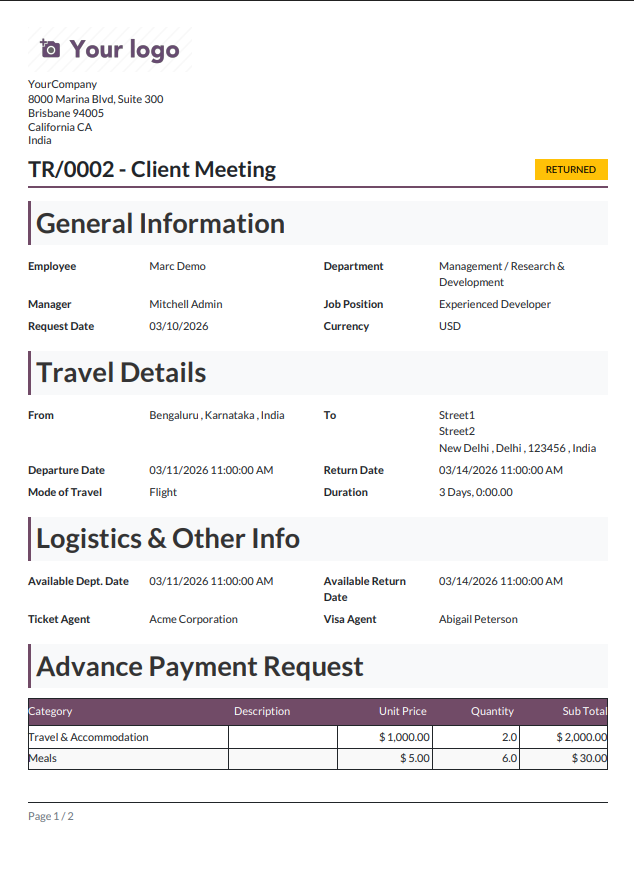
Generating a travel request report.
Generated Travel Request Report (PDF).
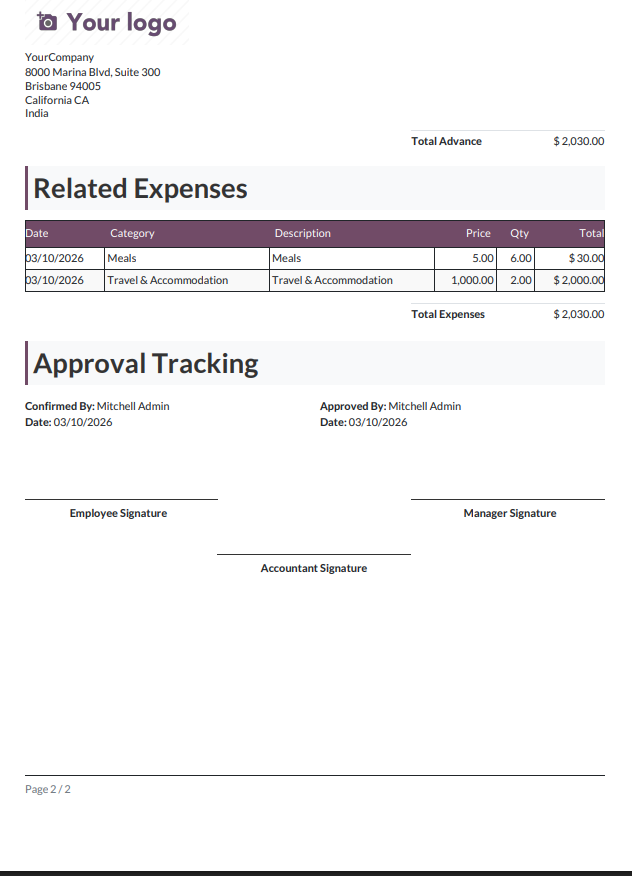
Reviewing the final expense summary and approval tracking section of the Travel Request report.
Version 18.0.1.0.0 | Released on : 17th April 2026
- Yes, this app works perfectly with Odoo Enterprise (Odoo.sh & Premise) as well as Community.
- No, this application is not compatible with odoo.com(odoo saas/Odoo Online)
- Yes, to test this module, please contact us at sales@softhealer.com.
- Please contact us at sales@softhealer.com to request customization.
- Yes, we provide free support for 365 days from the date of purchase.
- Yes, you will receive lifetime free updates for the version of the module you purchased.
- No, there is no need to install any additional libraries.
- Yes, for version 12 and above, you need to purchase the module separately for each version you intend to use.
- No, exchanges or refunds are not allowed. Please make sure to select the correct version before purchasing.
- You can contact us at support@softhealer.com for language translation support. We use Google Translator tools to provide translations in multiple languages, so the accuracy may vary. We welcome your suggestions to help improve translations.
Discover Our Latest Apps