












Employee Shift Management

The Shift Management module simplifies your workforce scheduling by allowing you to easily define,
assign, and track employee shifts directly within Odoo. Managers can quickly allocate shifts - such as
morning, night, or custom rotations-to individuals or groups, triggering automatic email notifications to
keep everyone informed. The system also handles schedule flexibility through a dedicated change request
workflow, enabling managers to approve or reject shift adjustments seamlessly. With built-in features for
handling week-off days and automated daily reminders for upcoming shifts, this tool ensures better
coordination, reduces scheduling conflicts, and keeps your team aligned.

Features

Bulk Shift Allocation
Easily assign specific shift types (e.g., Morning, Night) to single or multiple employees for a defined date range.

Customizable Shift Types
Create and manage various shift categories to suit your organizational needs.

Automated Email Notifications
Automatically send email alerts to employees as soon as a new shift is allocated to them.

Shift Change Request System
A structured workflow allowing specific shift modifications, which managers can either approve or reject with email feedback.

Integrated Scheduling
Seamlessly links with Odoo's Resource Calendars to respect defined working hours and week-off days automatically.

Week-off Management
Define non-working days (e.g., weekends) within the schedule to ensure shifts aren't allocated on off-days.

Upcoming Shift Reminders
Configurable automated reminders (Cron job) that notify employees a specific number of days before their shift starts.

Shift Reports
Generate reports to view and analyze employee shift schedules and allocations.
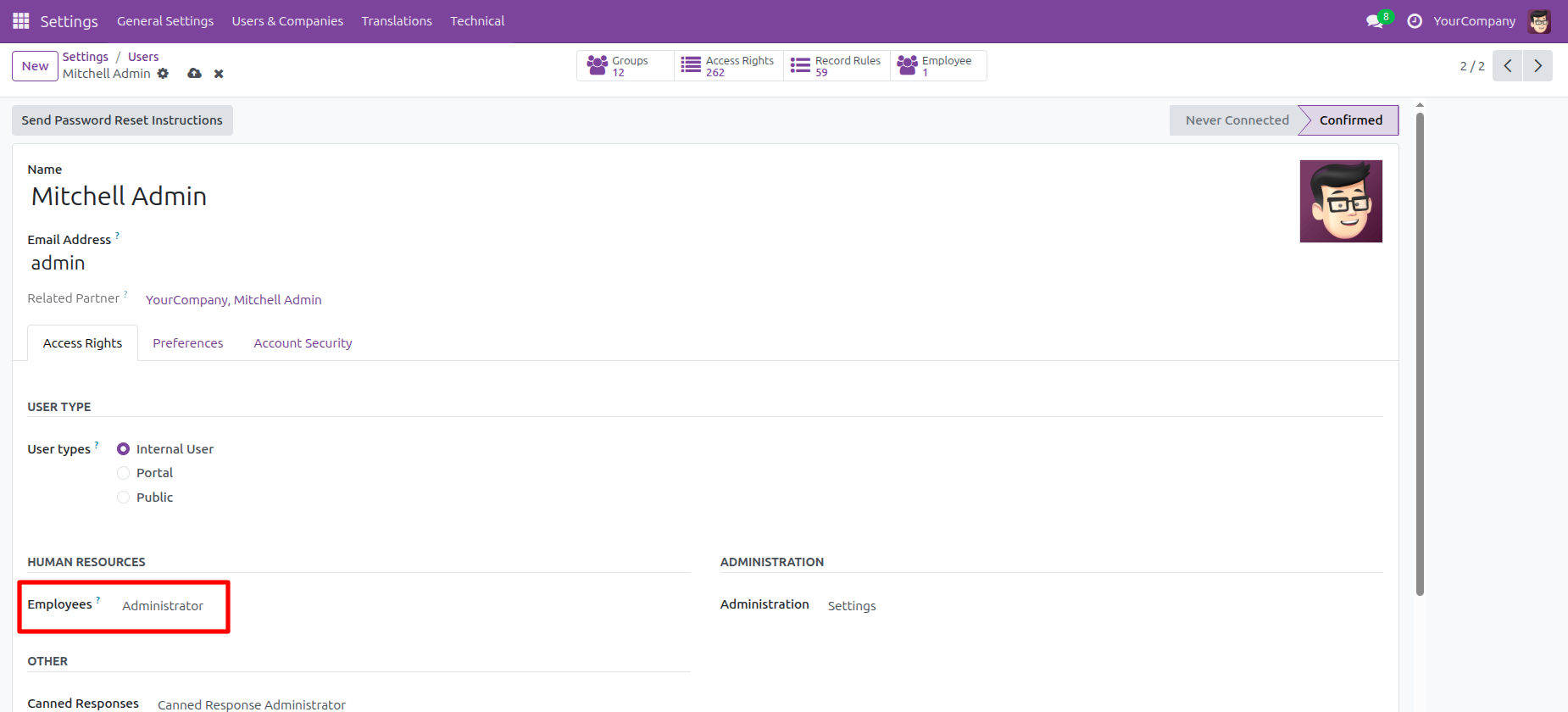
The user configures Mitchell Admin's access rights by setting the Employees role to Administrator and Shift Management to Admin, as highlighted.
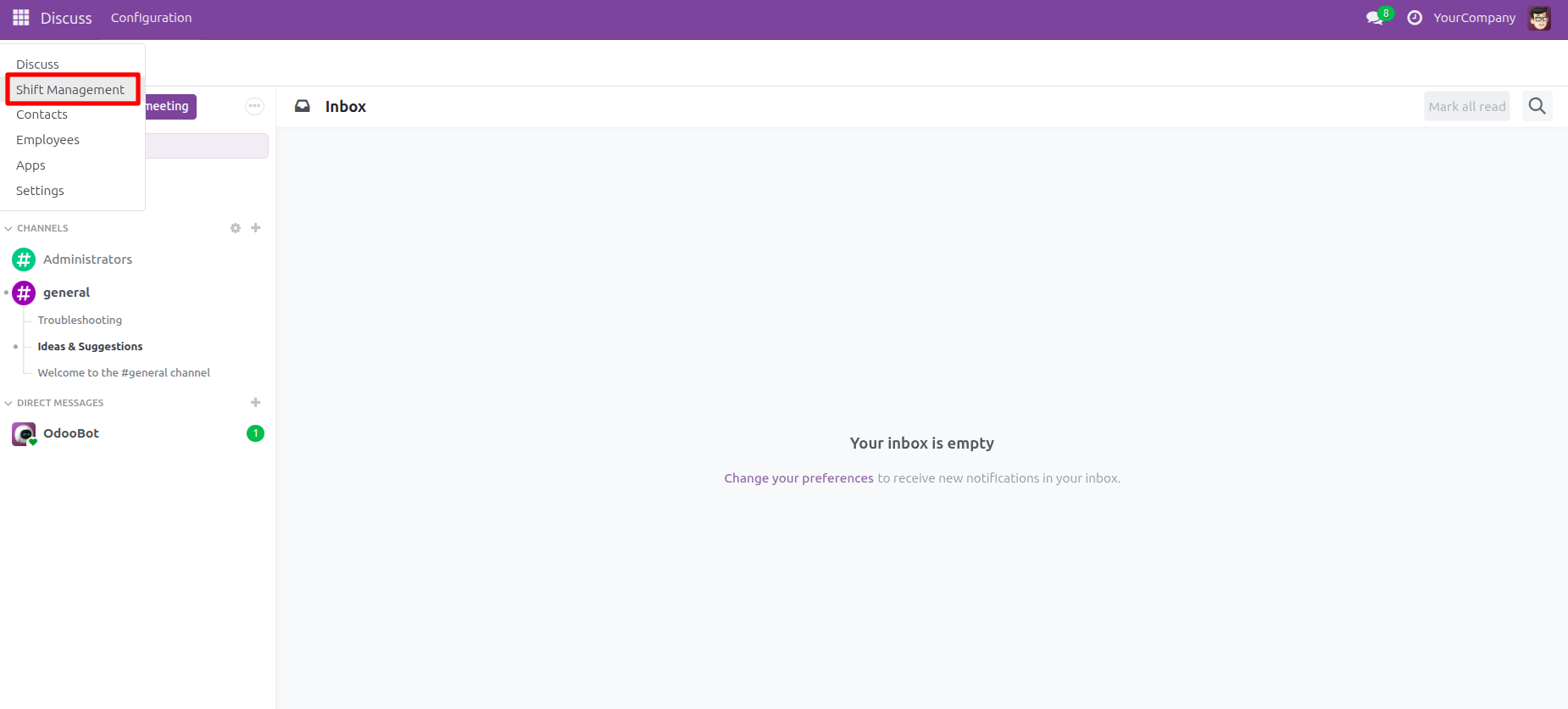
The user selects Shift Management from the main menu dropdown to navigate to the shift planning application.
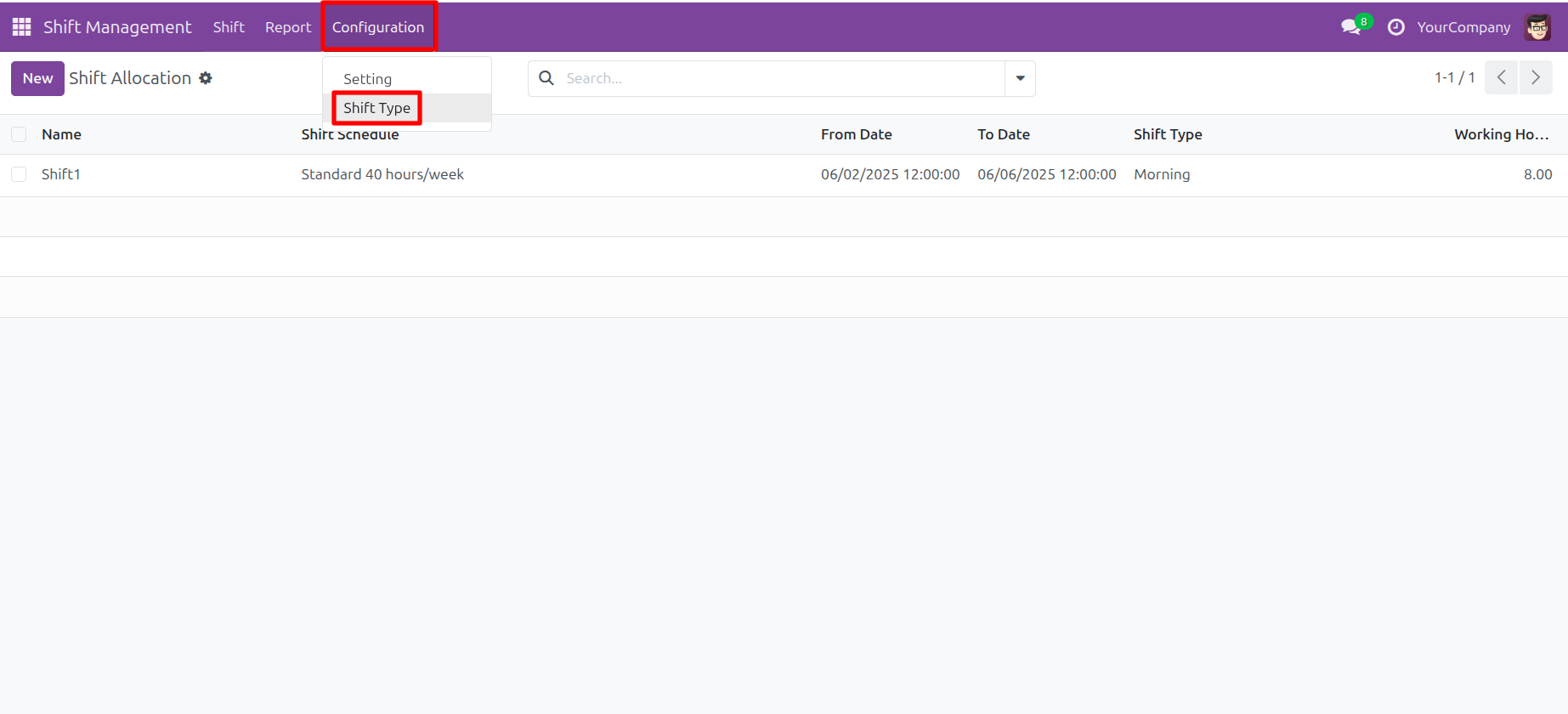
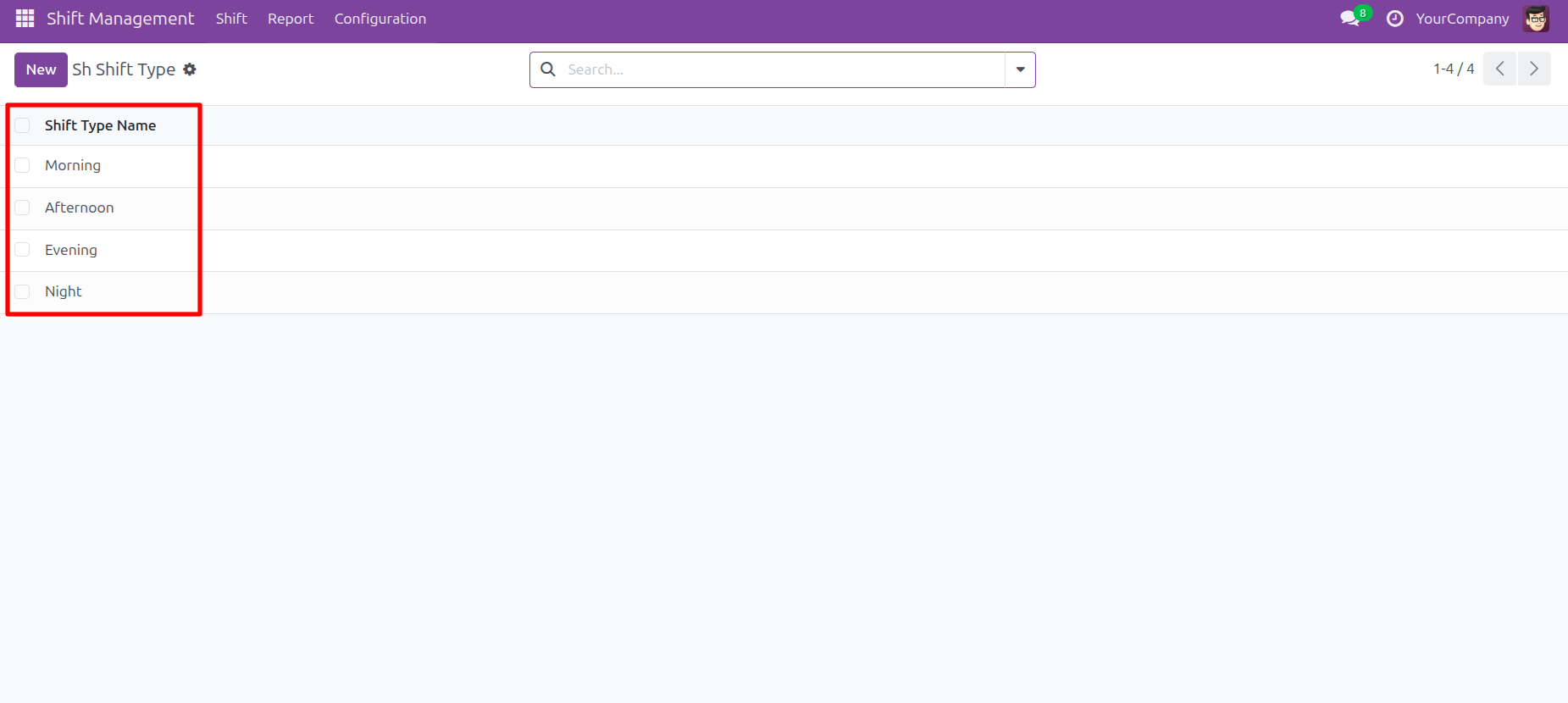
The user clicks the Configuration menu and selects Shift Type to access the shift definition settings.
The user views the Shift Type configuration list, where the four available shift categories are: Morning, Afternoon, Evening, and Night.
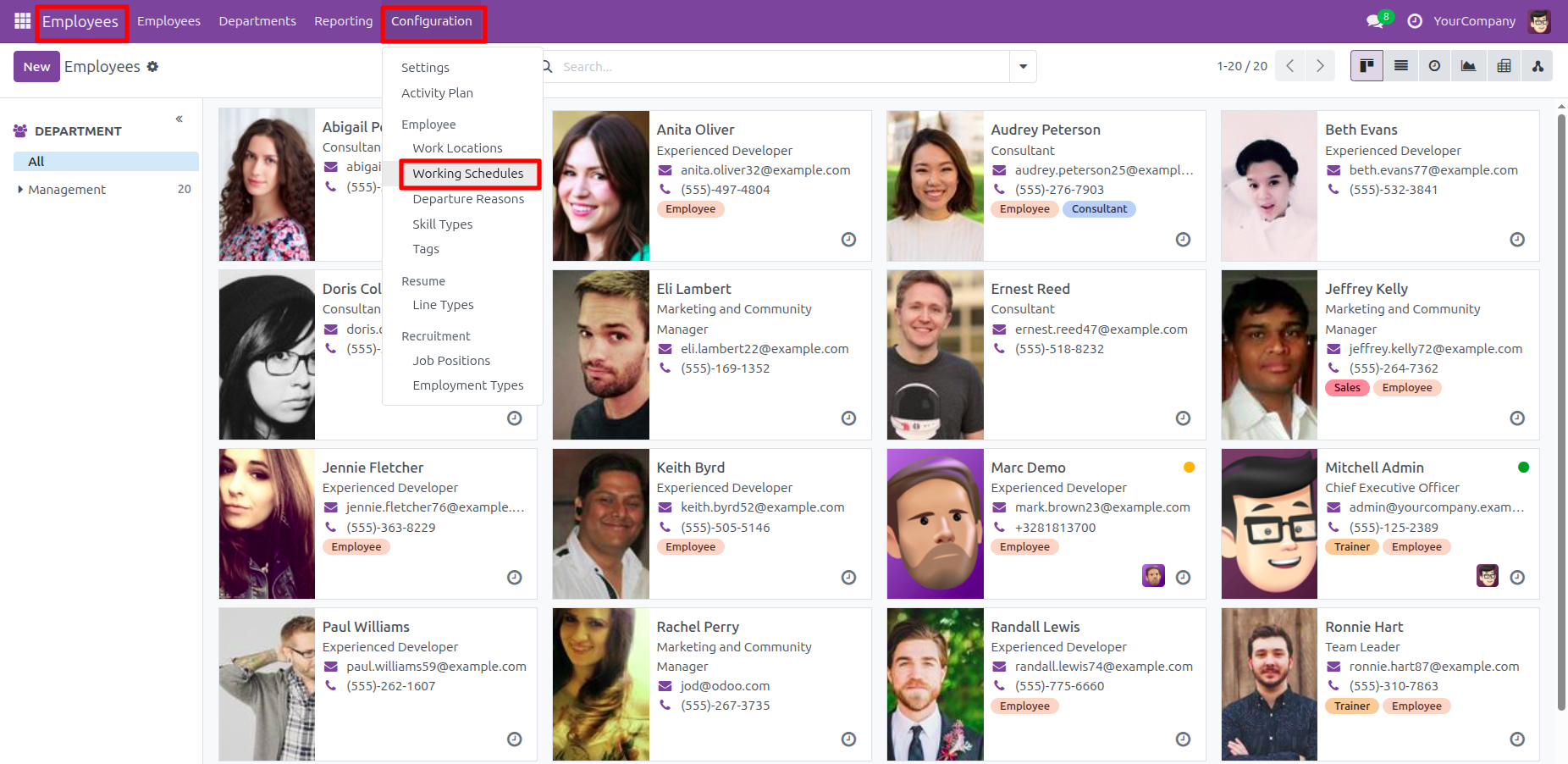
The user navigates to Configuration -> Working Schedules within the Employees app to access the setup for employee working hours.
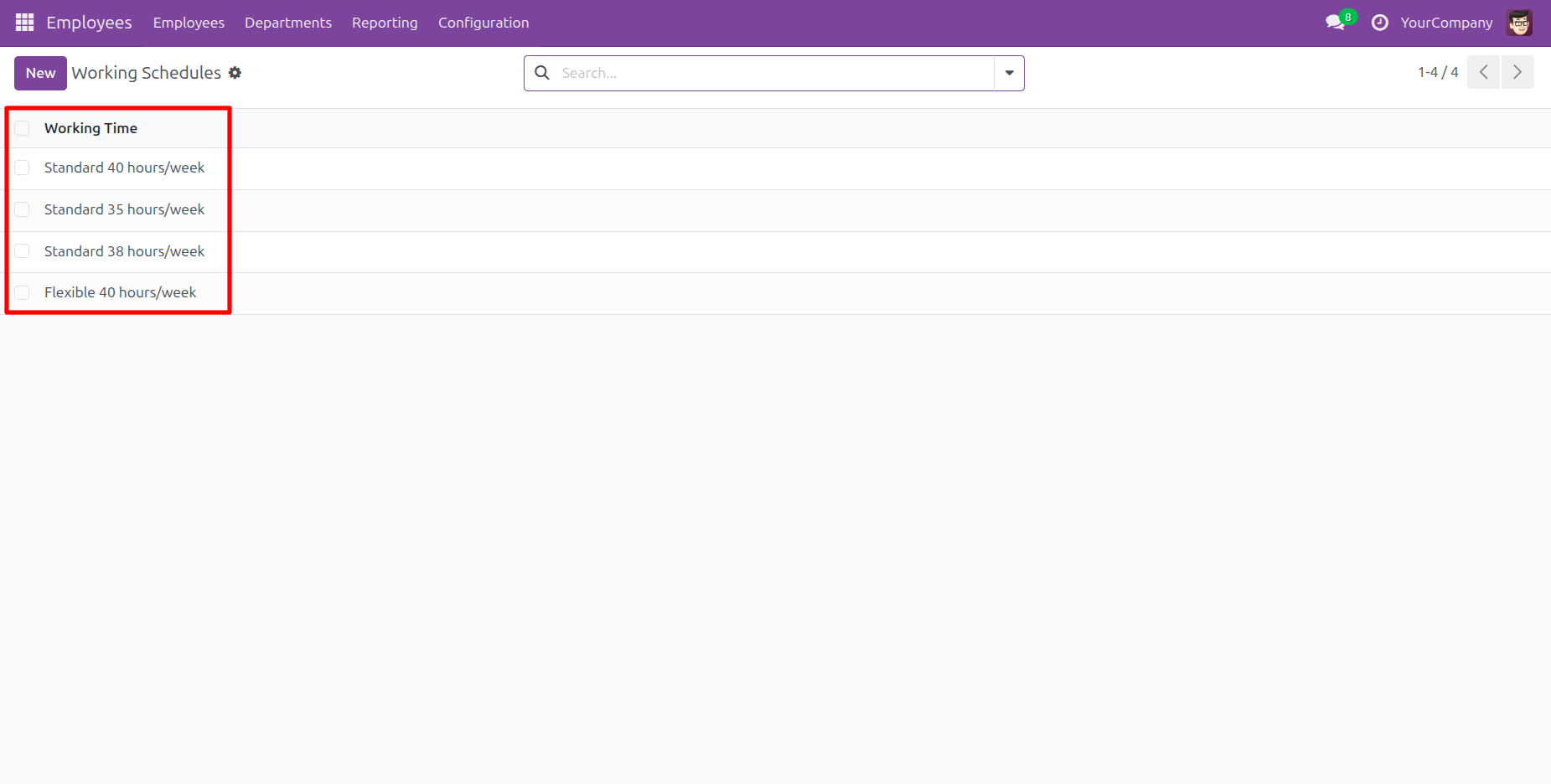
The user views the Working Schedules list, where the available options are: Standard 40 hours/week, Standard 35 hours/week, Standard 38 hours/week, and Flexible 40 hours/week.
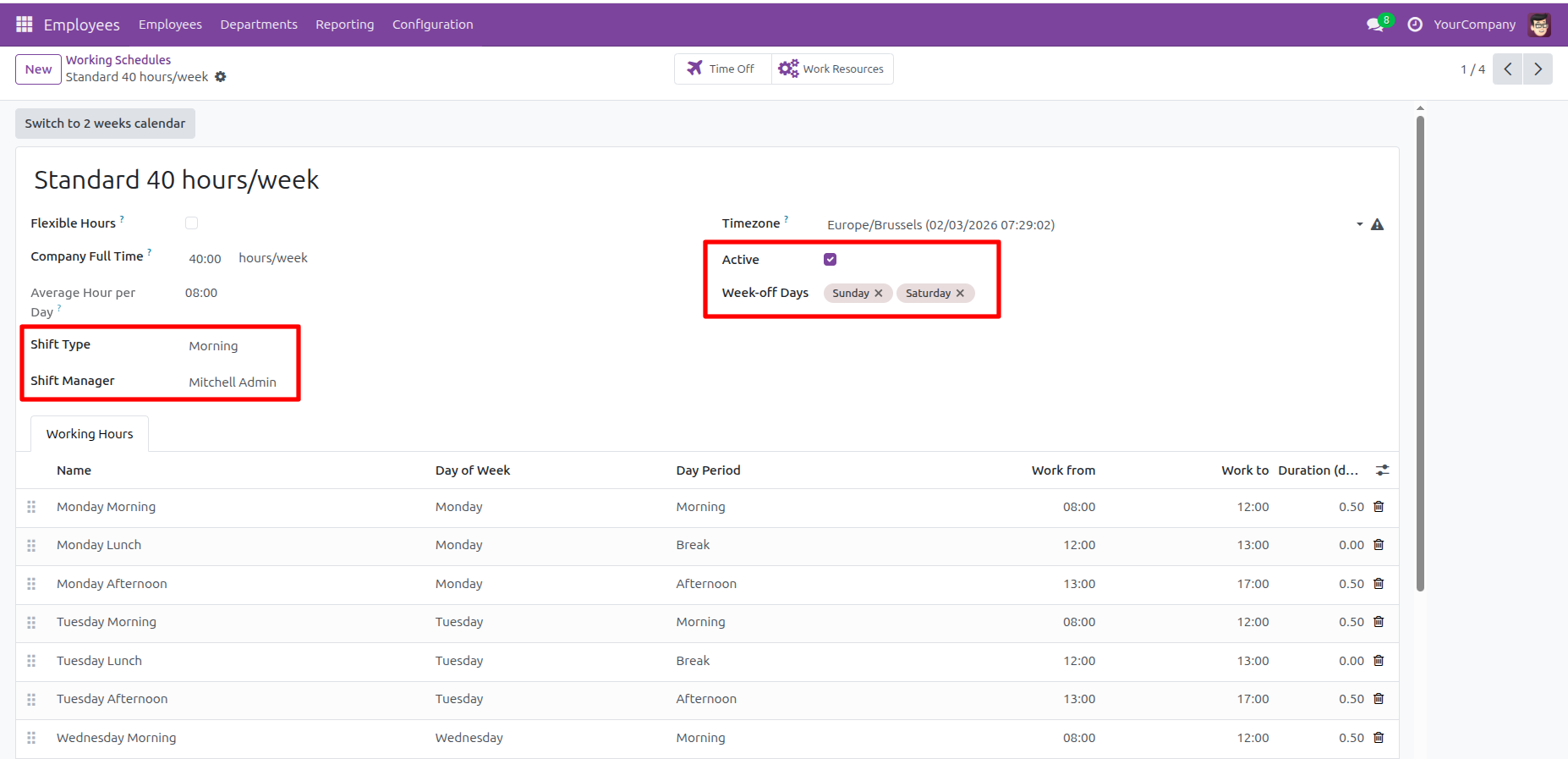
The user sets the Shift Type to Morning and Shift Manager to Mitchell Admin, while also defining Sunday and Saturday as Week-off Days.
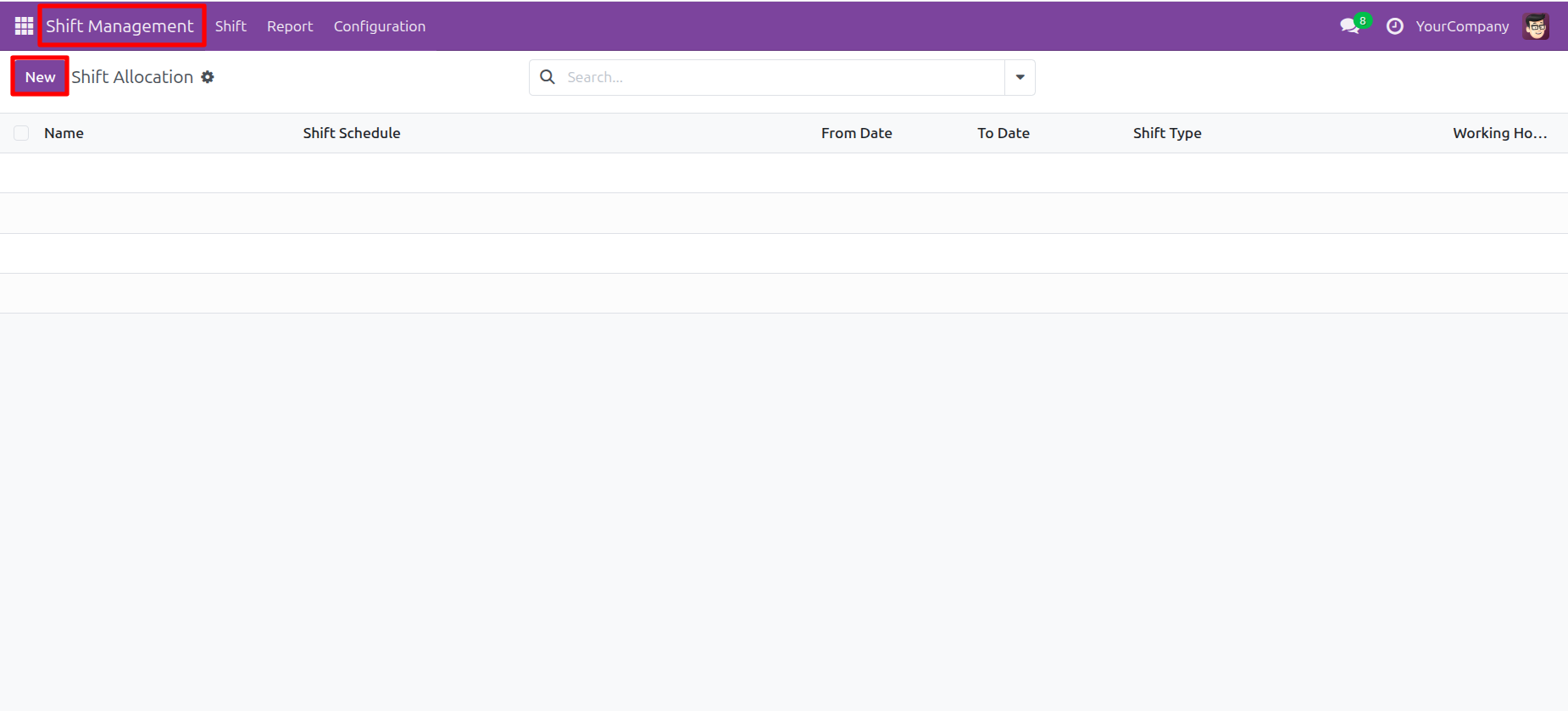
The user navigates to the Shift Management app and clicks the New button on the Shift Allocation screen to create a new record.
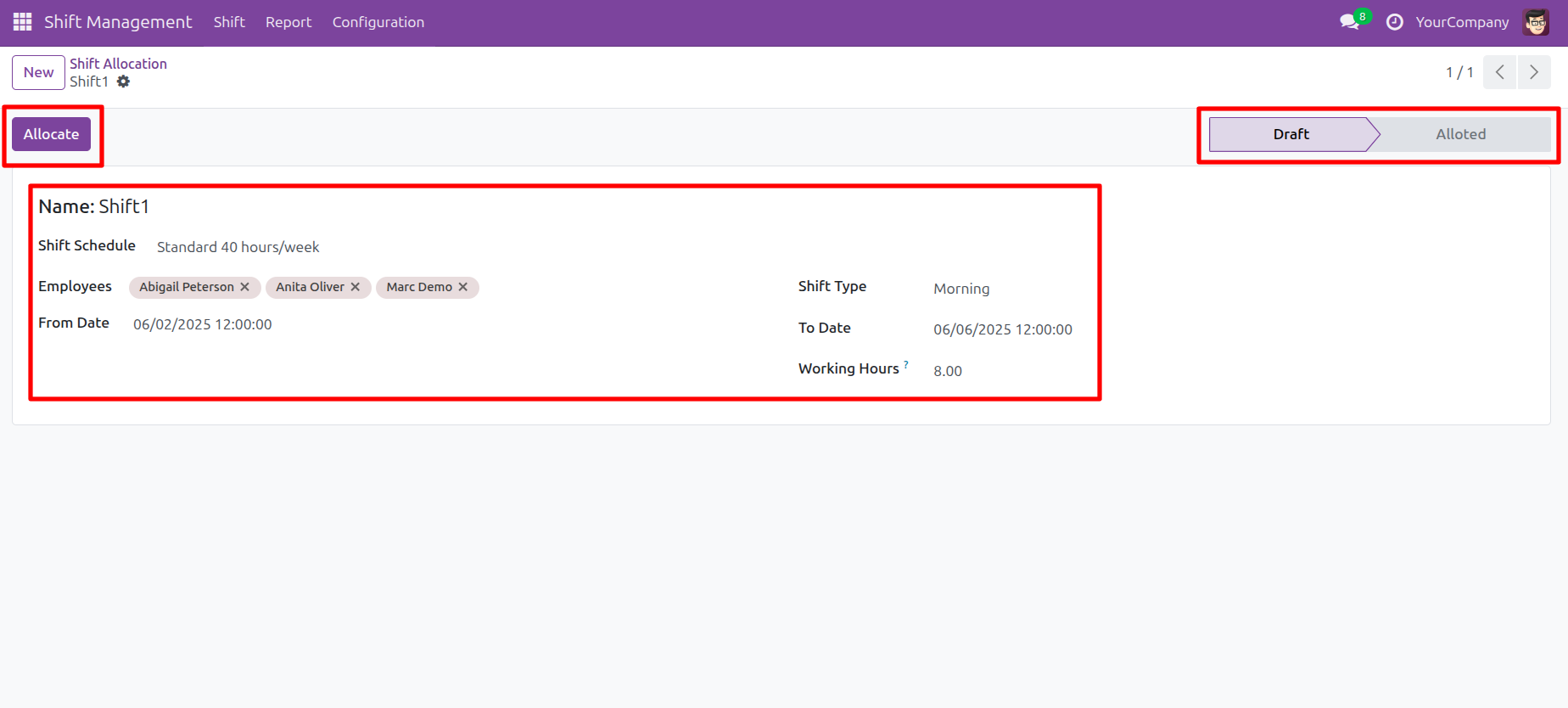
The user fills out the Shift1 allocation form for three employees and prepares to click Allocate to transition the record from Draft to Alloted.
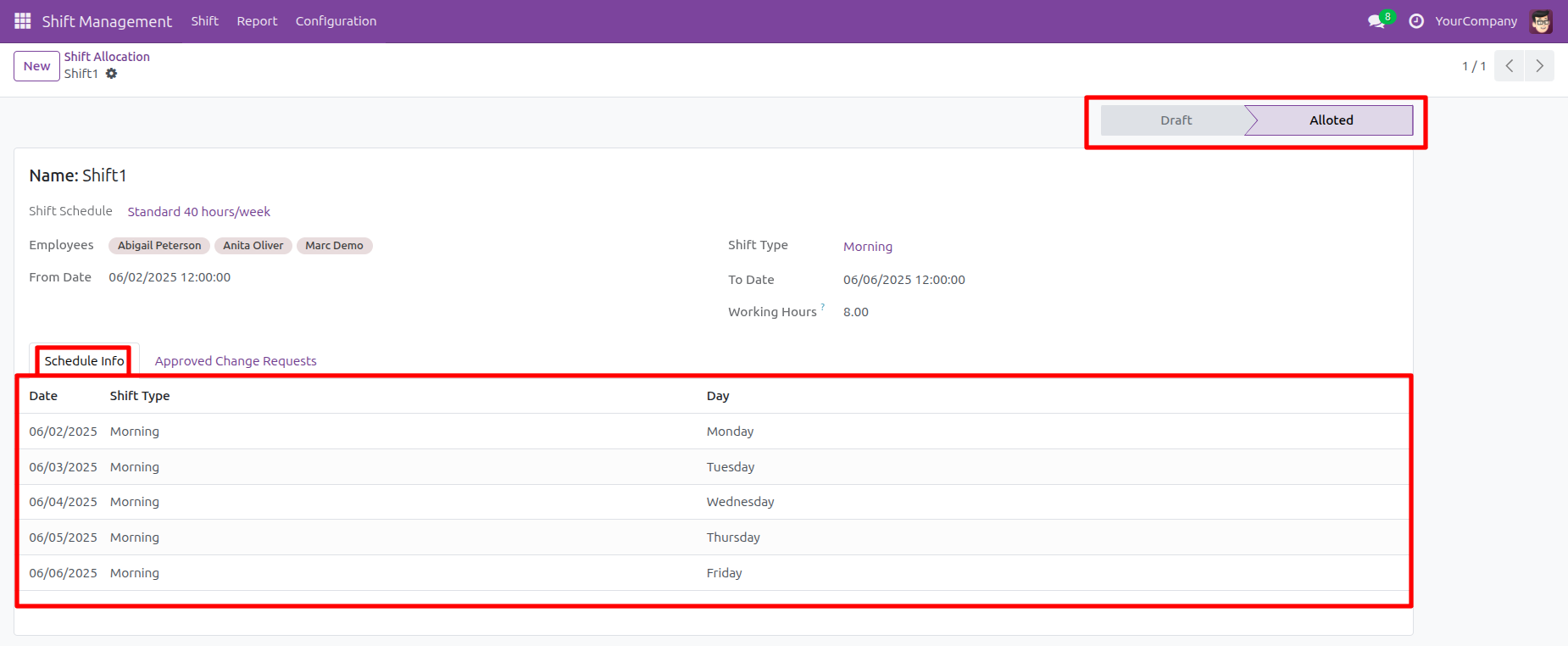
The record status shows Alloted, and the user views the Schedule Info tab, where the highlighted table lists the generated Morning shifts for the week of 06/02/2025.
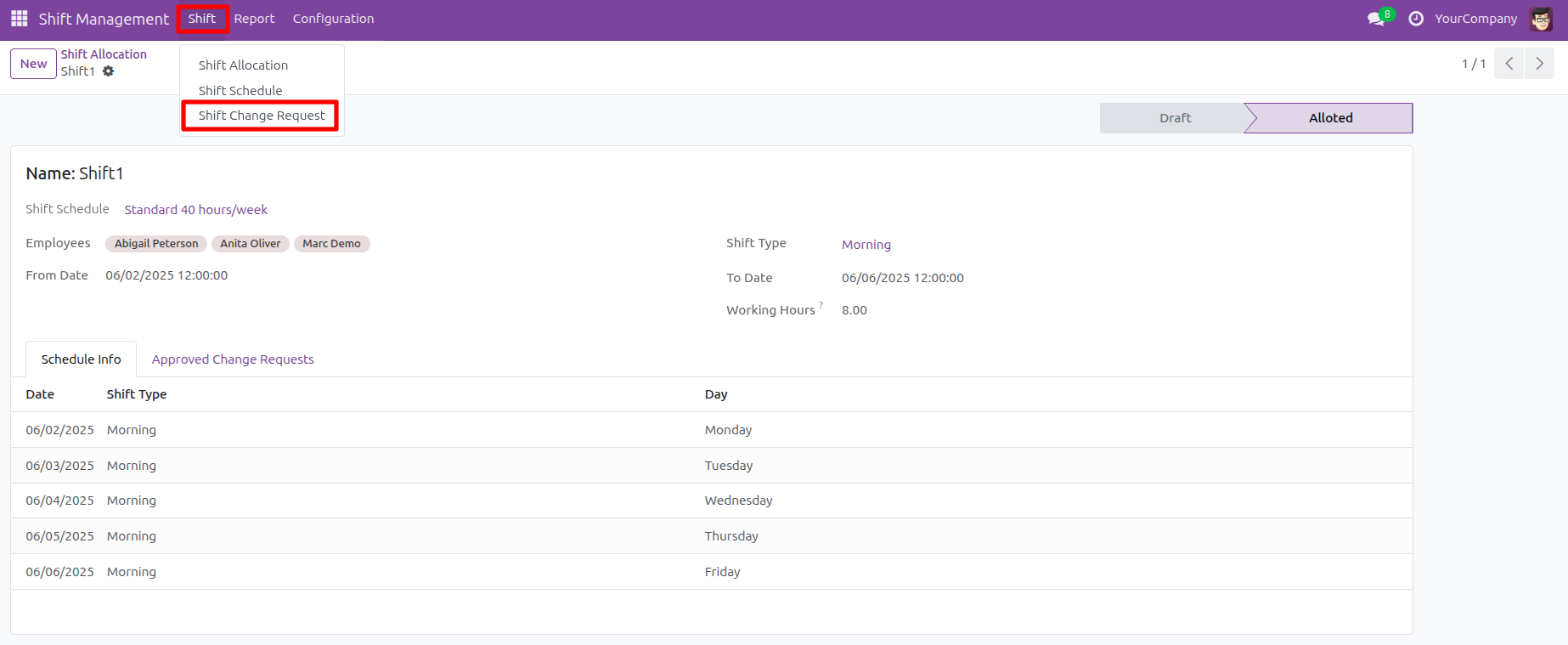
The user navigates to the Shift menu and selects Shift Change Request to manage schedule changes.
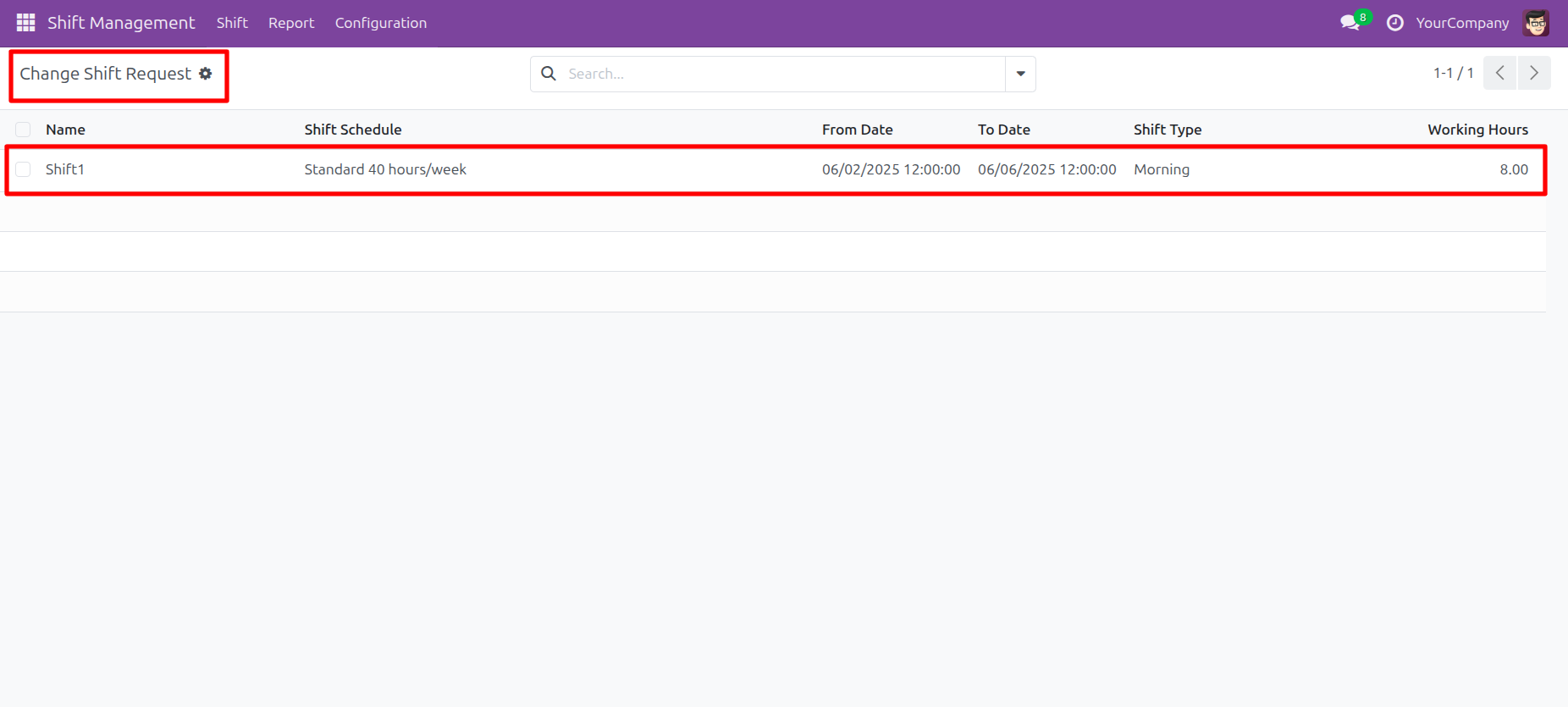
The user views the Change Shift Request list and identifies the Shift1 record to select it for modification.
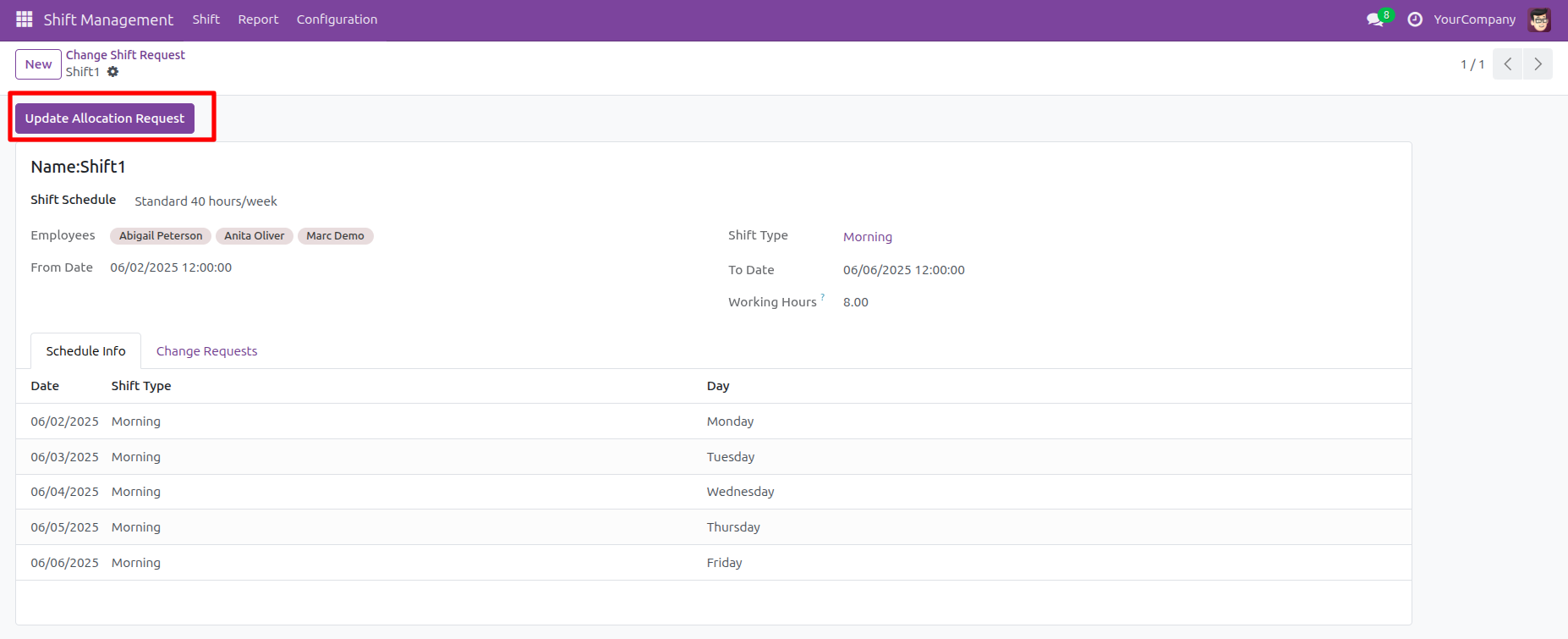
The user clicks the Update Allocation Request button to initiate the modification process for the Shift1 record.
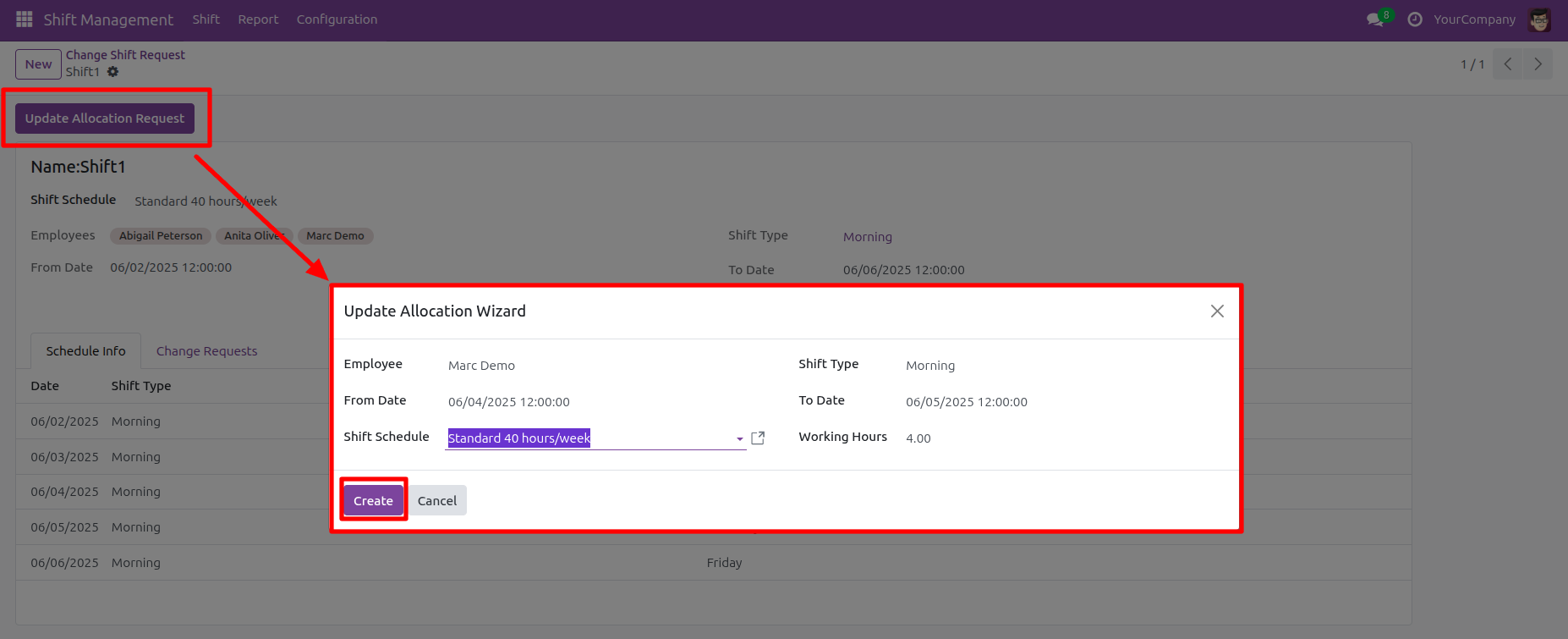
The user triggers the Update Allocation Wizard by clicking the Update Allocation Request button, then configures the change for Marc Demo before clicking Create to submit the request.
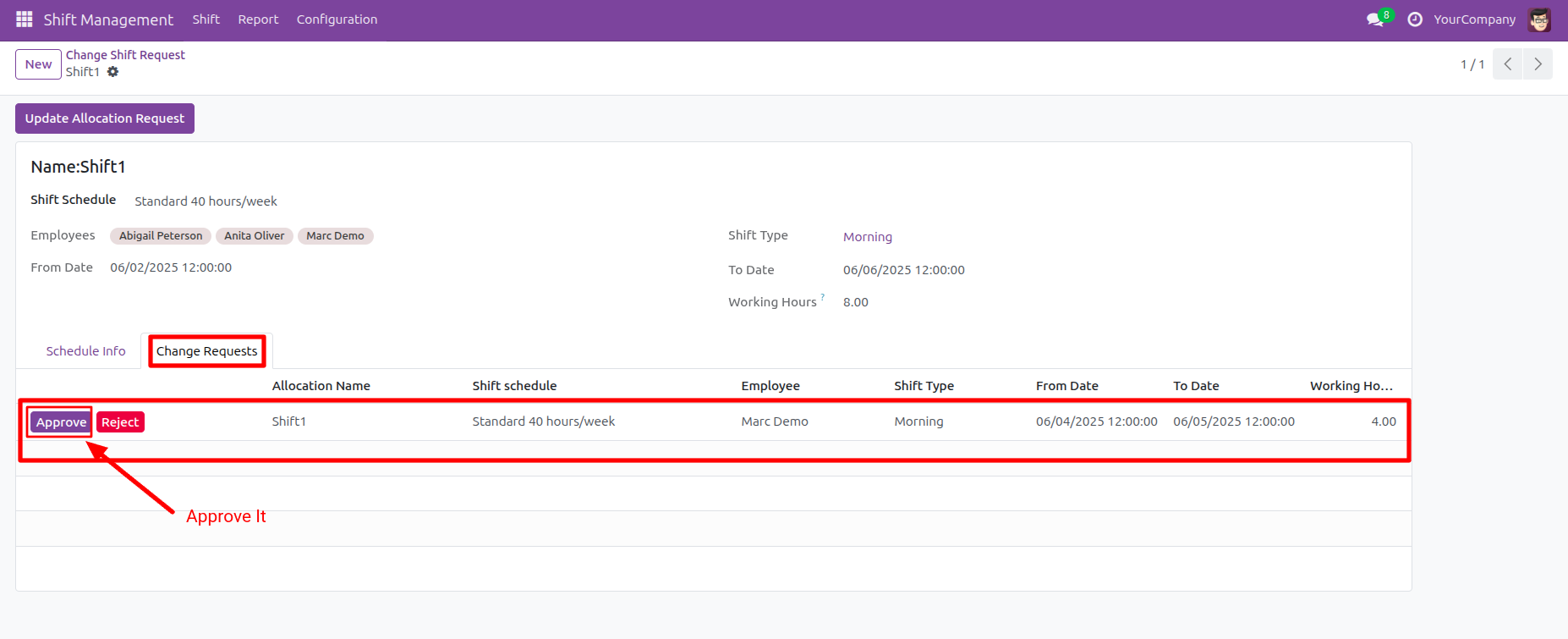
The user accesses the Change Requests tab and clicks the Approve button on the highlighted request for Marc Demo to validate the shift modification.
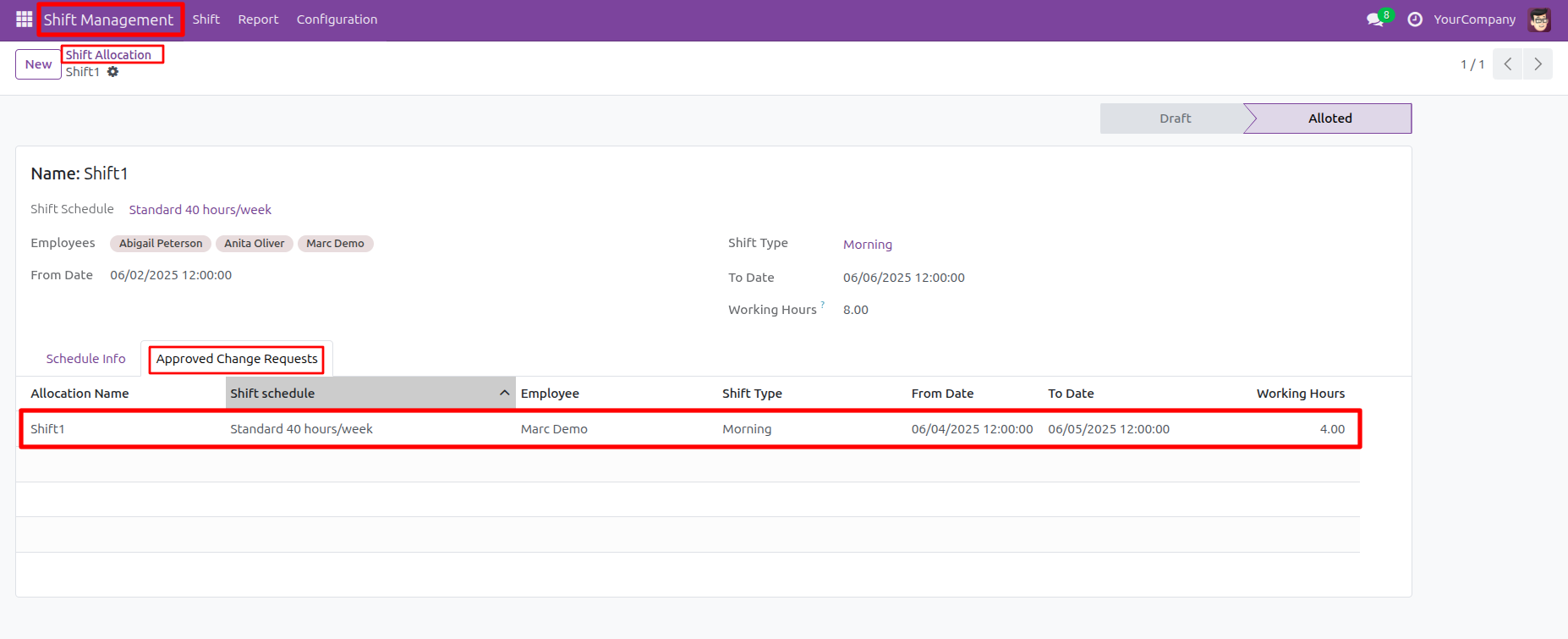
The user verifies the modification by viewing the Approved Change Requests tab, where the highlighted row confirms the approved 4.00 hour Morning shift for Marc Demo.
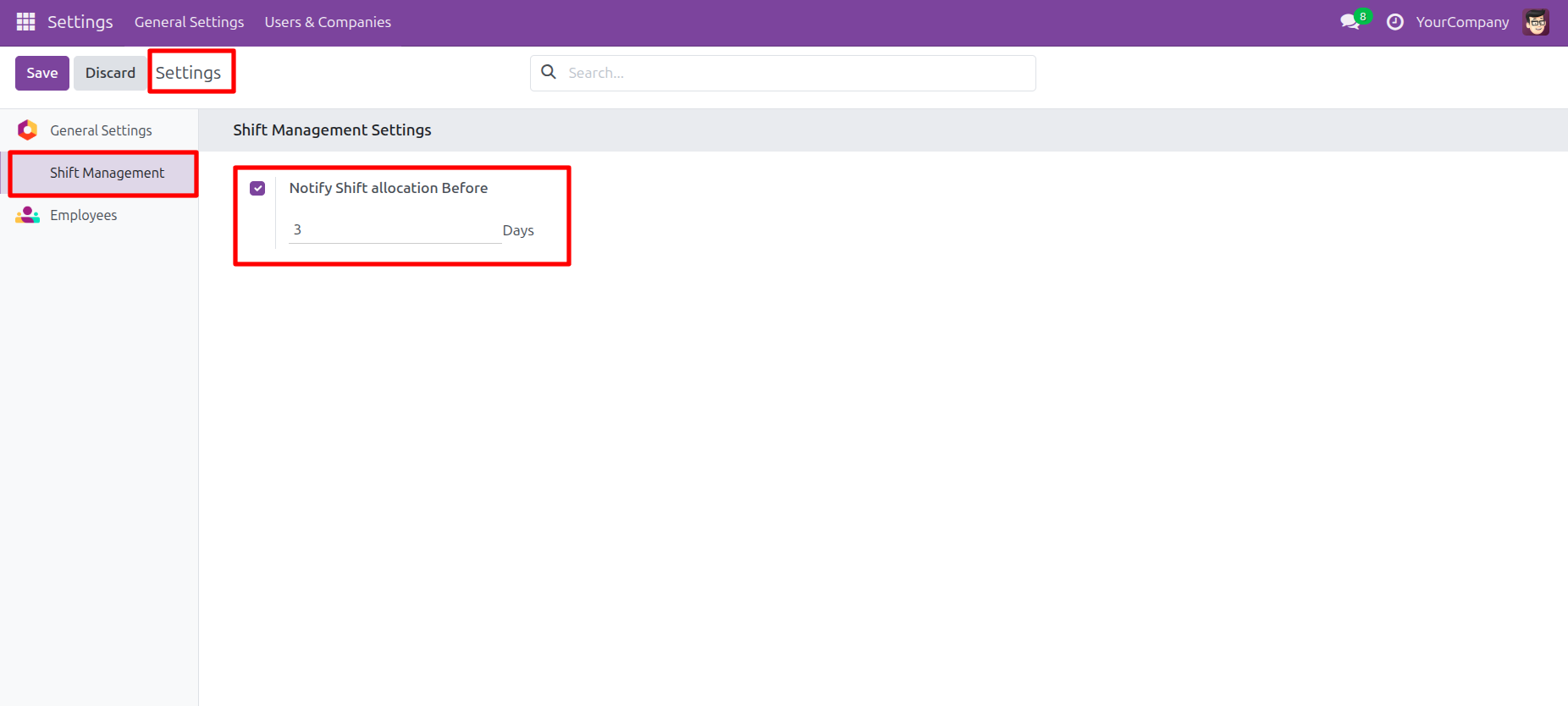
The user configures Shift Management settings by enabling the Notify Shift allocation Before option and setting the value to 3 Days.
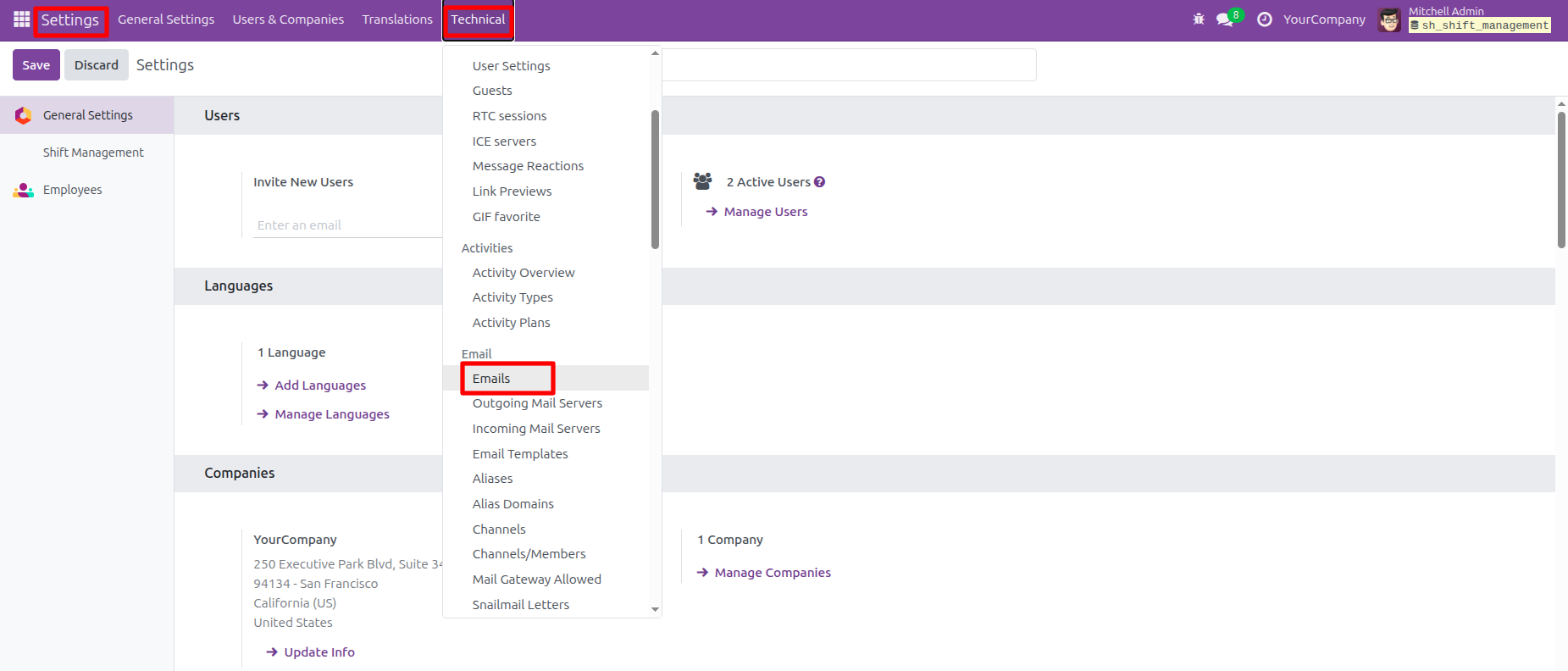
The user clicks the Technical menu and selects Emails from the dropdown list to access the email management interface.
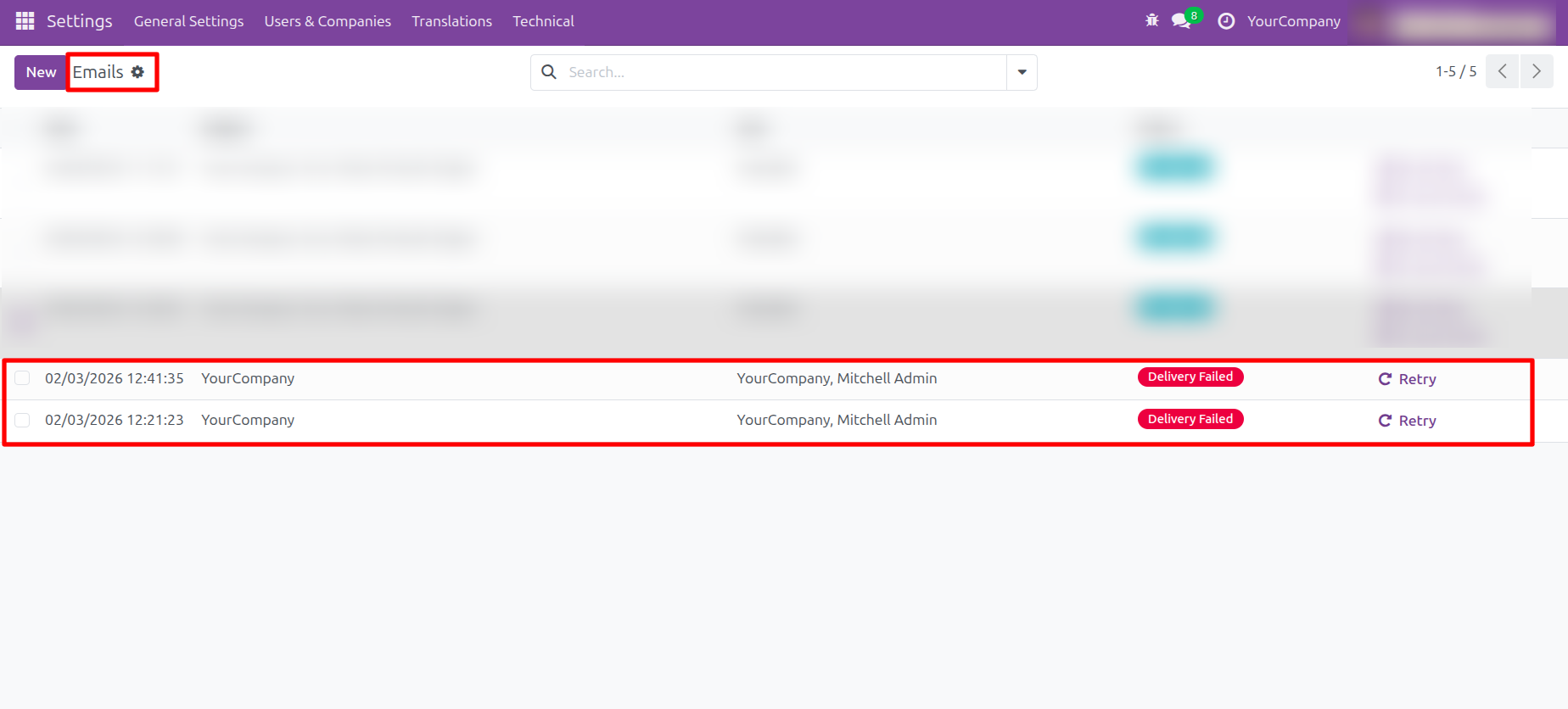
The user identifies delivery issues in the Emails list, where the two records are marked as Delivery Failed, indicating unsuccessful transmission attempts on 02/03/2026.
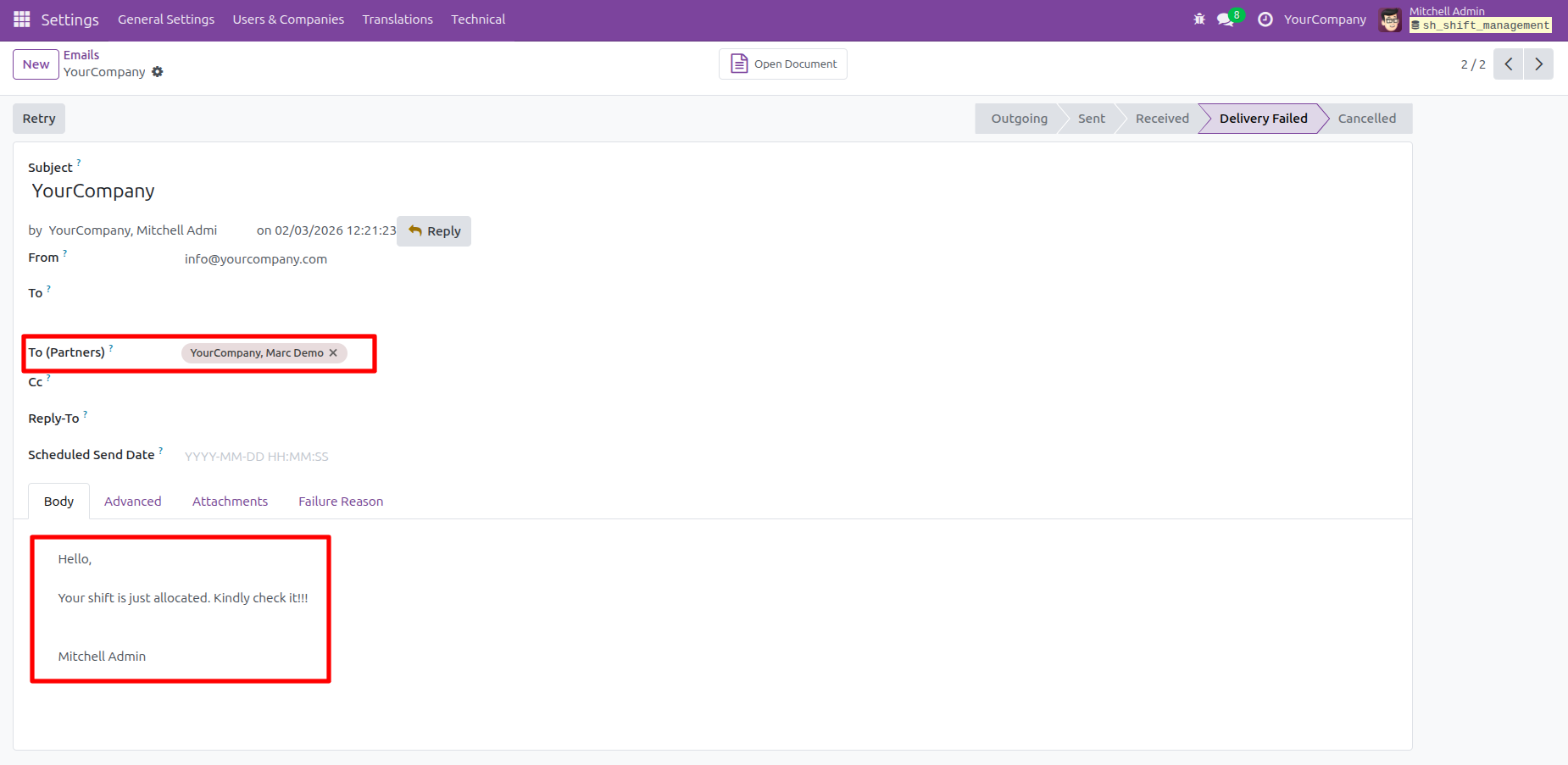
The user reviews the email record, where the recipient Marc Demo and the automated message body: 'Your shift is just allocated. Kindly check it!!!'
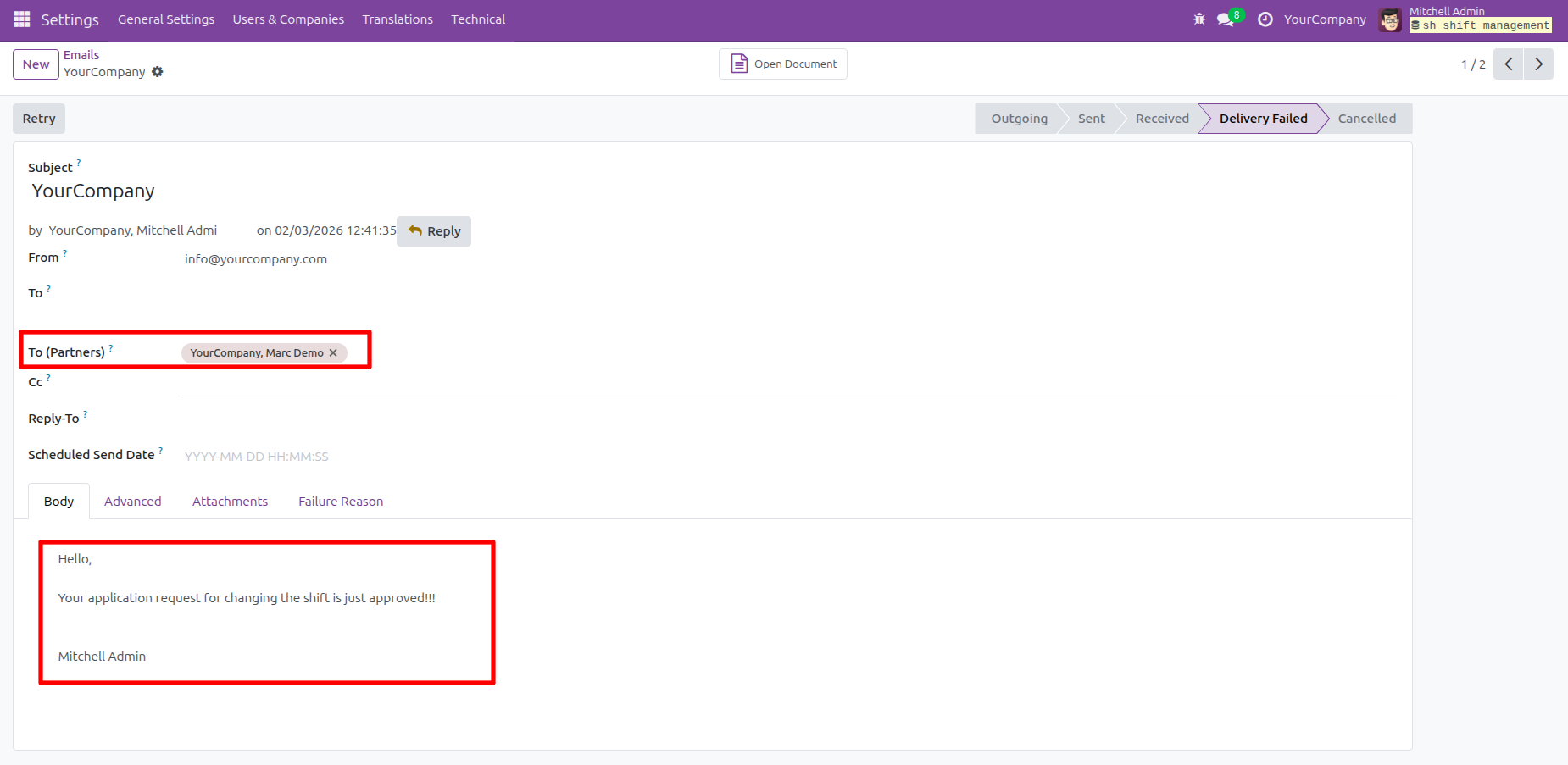
The user reviews the email regarding the shift change, where the recipient Marc Demo and the body text confirm: 'Your application request for changing the shift has just approved!!!'
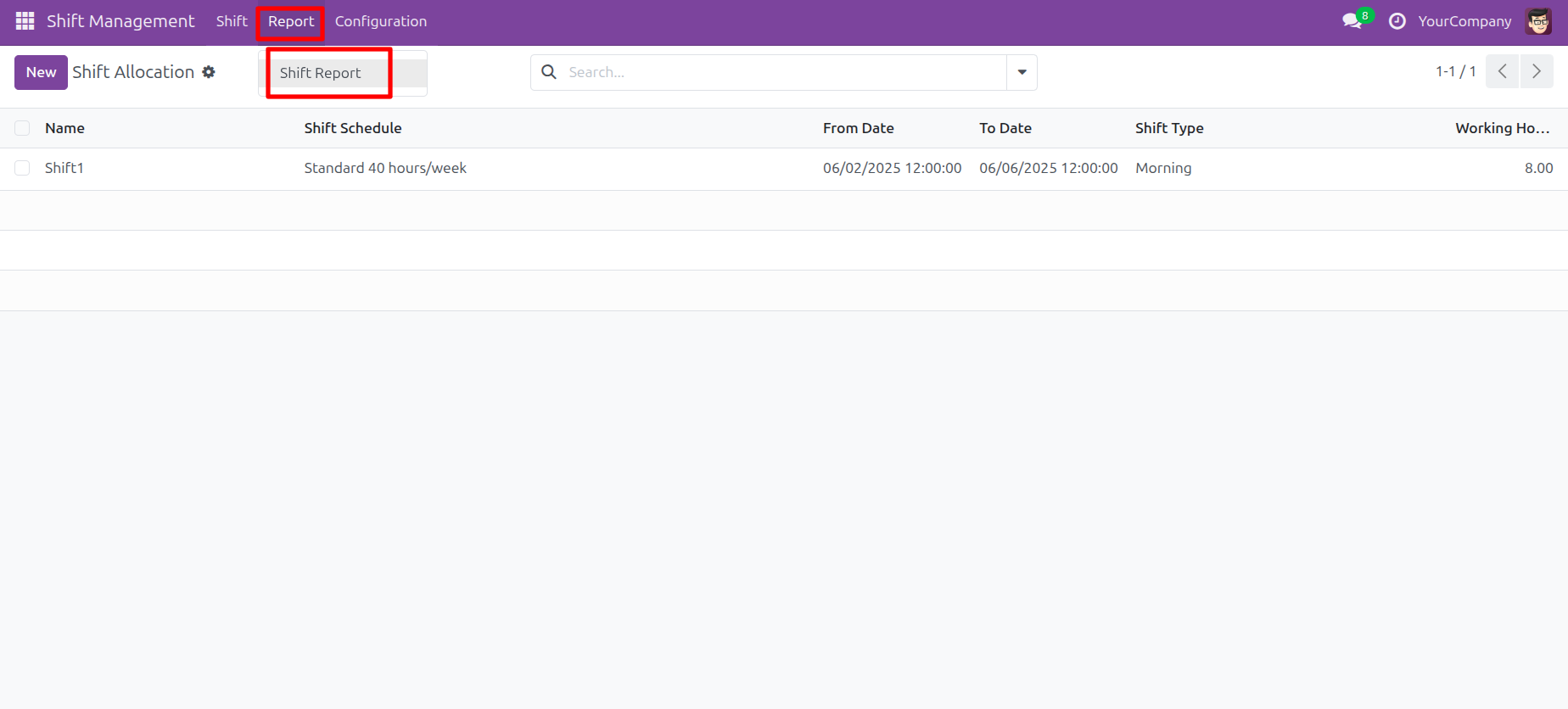
The user navigates to the Report menu and selects Shift Report to access the shift management analysis tools.
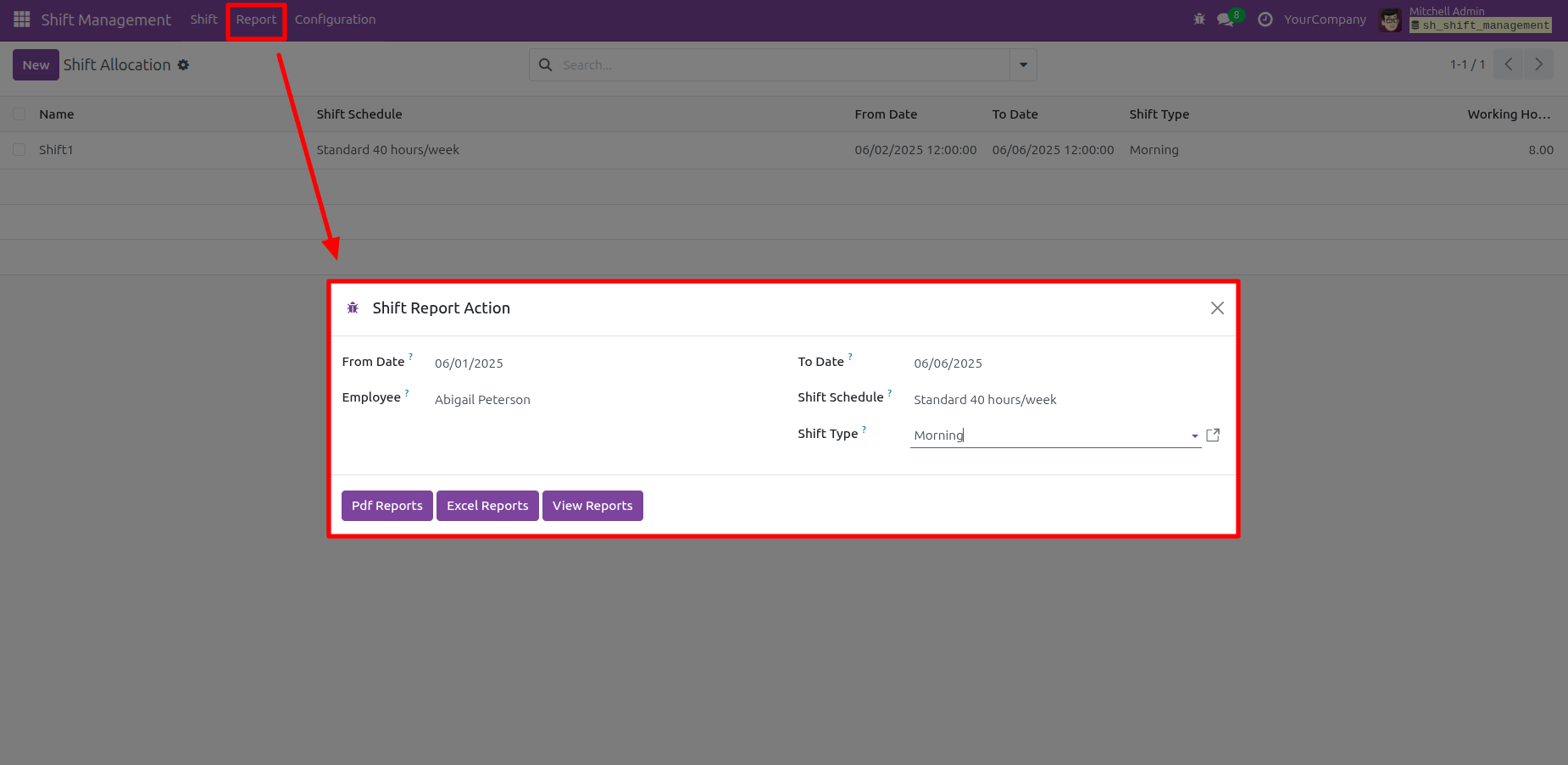
The user fills out the Shift Report Action modal for Abigail Peterson (06/01/2025-06/06/2025) and selects Morning shifts before choosing to generate Pdf, Excel, or View Reports.
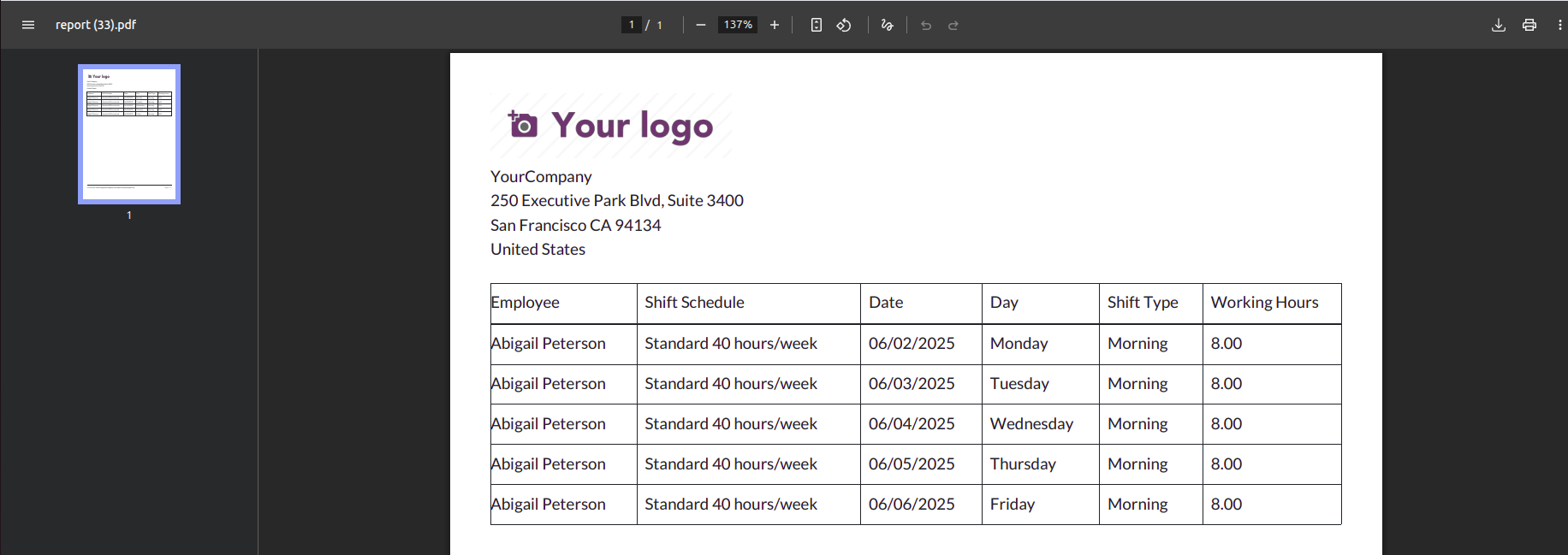
The user reviews the generated PDF report, which details Abigail Peterson's Morning shifts and 8.00 working hours for the week of 06/02/2025.
Version 18.0.1 | Released on : 3rd February 2026
- Yes, this app works perfectly with Odoo Enterprise (Odoo.sh & Premise) as well as Community.
- No, this application is not compatible with odoo.com(odoo saas/Odoo Online)
- Yes, to test this module, please contact us at sales@softhealer.com.
- Please contact us at sales@softhealer.comto request customization.
- Yes, we provide free support for 365 days from the date of purchase.
- Yes, you will receive lifetime free updates for the version of the module you purchased.
- No, there is no need to install any additional libraries.
- Yes, for version 12 and above, you need to purchase the module separately for each version you intend to use.
- No, exchanges or refunds are not allowed. Please make sure to select the correct version before purchasing.
- You can contact us at support@softhealer.com for language translation support. We use Google Translator tools to provide translations in multiple languages, so the accuracy may vary. We welcome your suggestions to help improve translations.
Discover Our Latest Apps