












Employee Custom Fields

This module useful to create dynamic fields in employee/customer/supplier without any technical knowledge. Specify basic things and fields added in the form view.

Related Modules
Hot Features
Features
- Easy to add custom tab & field in employee Form View.
- Easy to specify the position of fields.
- Multiple fields type available.
- The widget is also given for many to one and many to many fields.
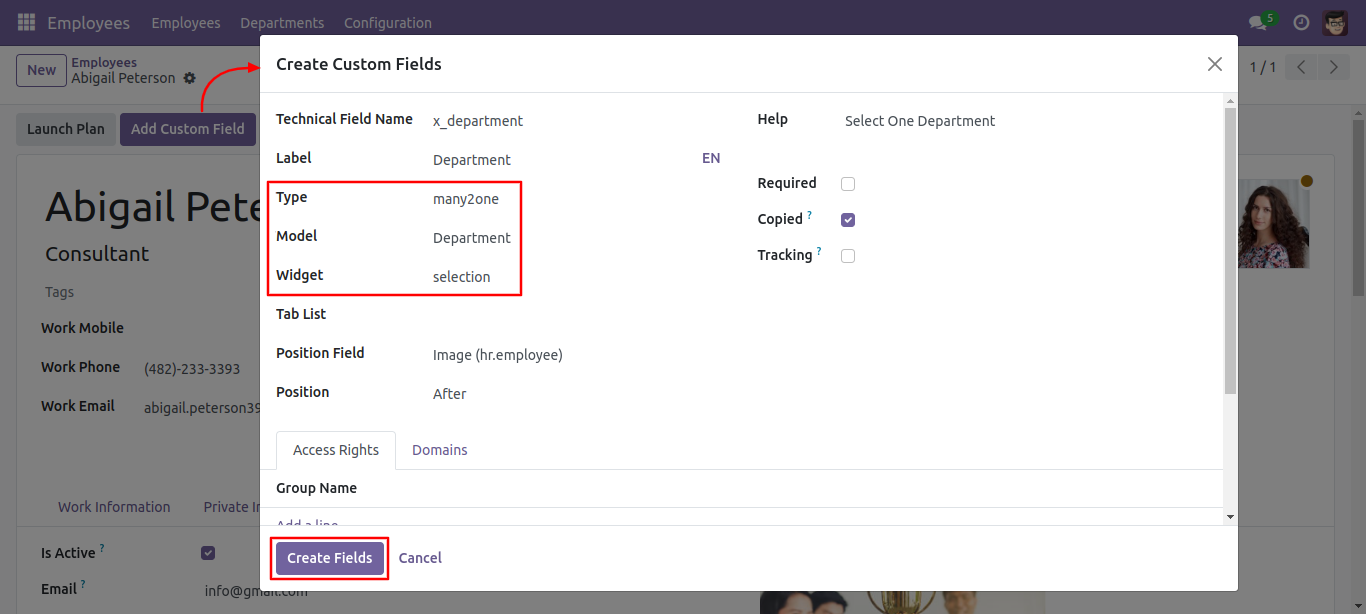
- Selection widget for many to one field.
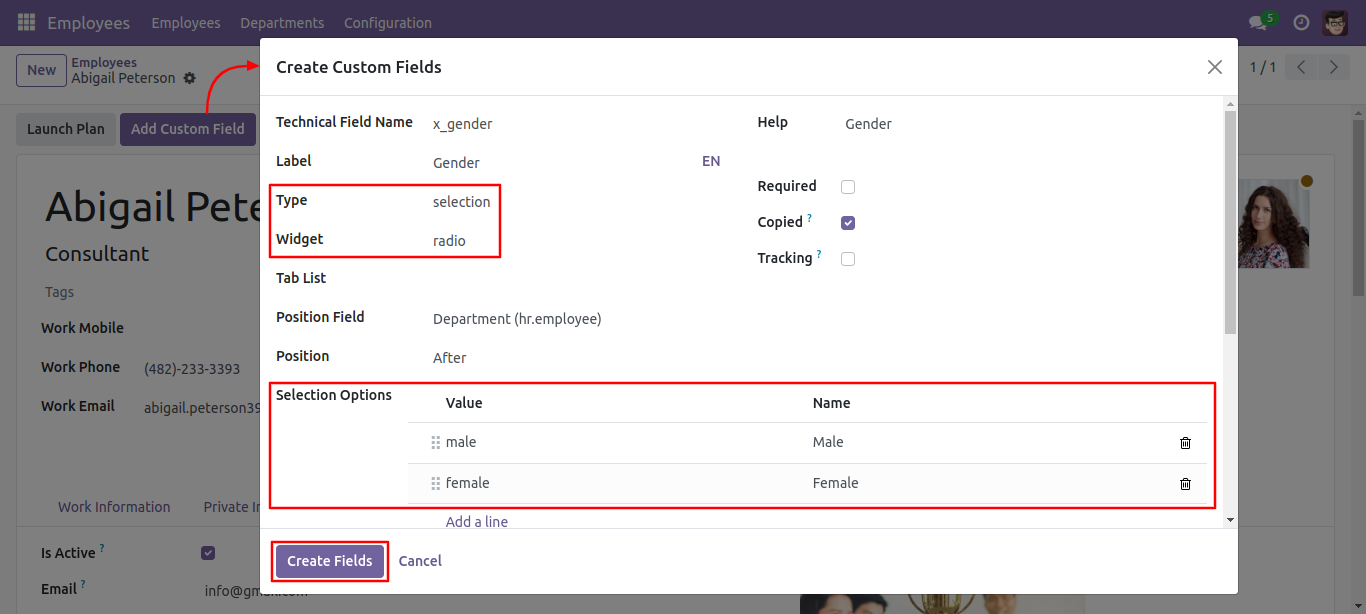
- Radio widget for a selection field.
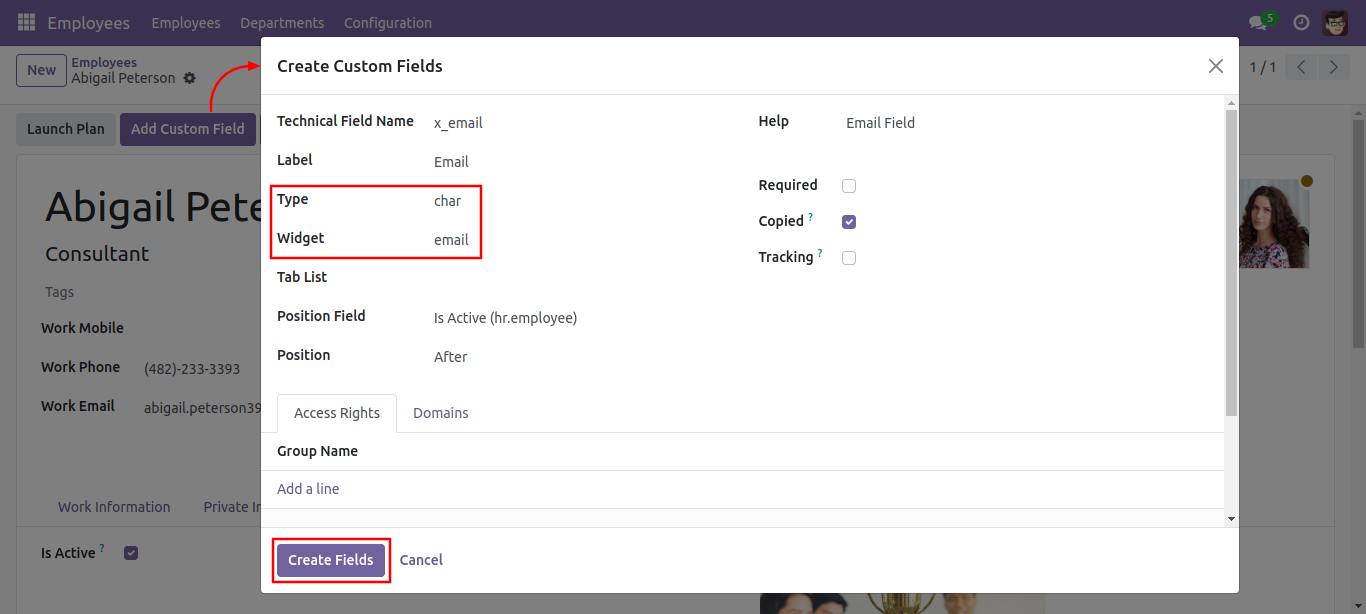
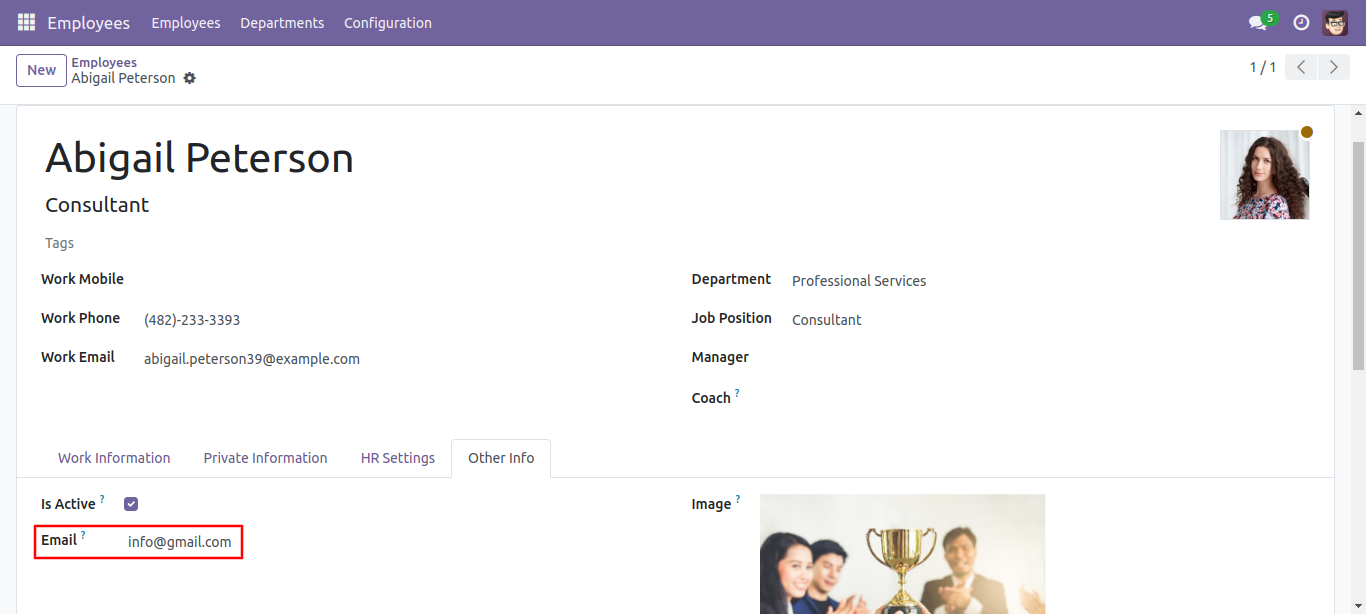
- Phone, URL, email widget for char fields.
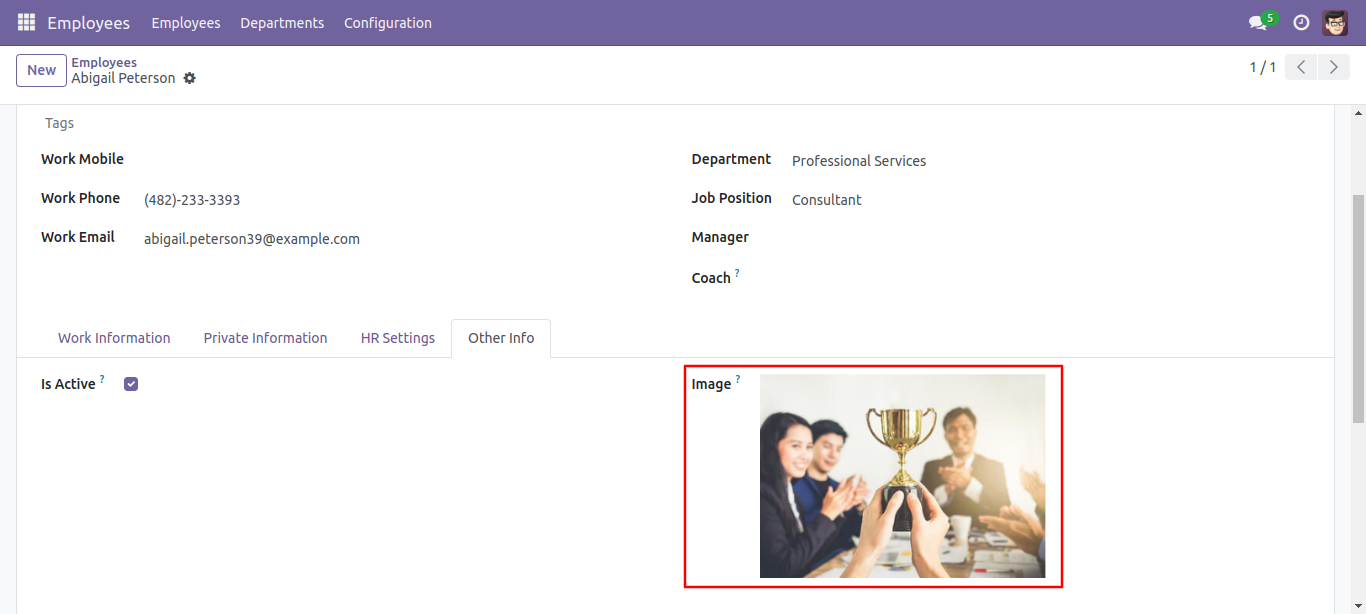
- Image widget for binary field.
- Tags or checkboxes widget for many to many fields.
- Easy to edit or delete any fields.
- Easy to give access to fields to specific groups.
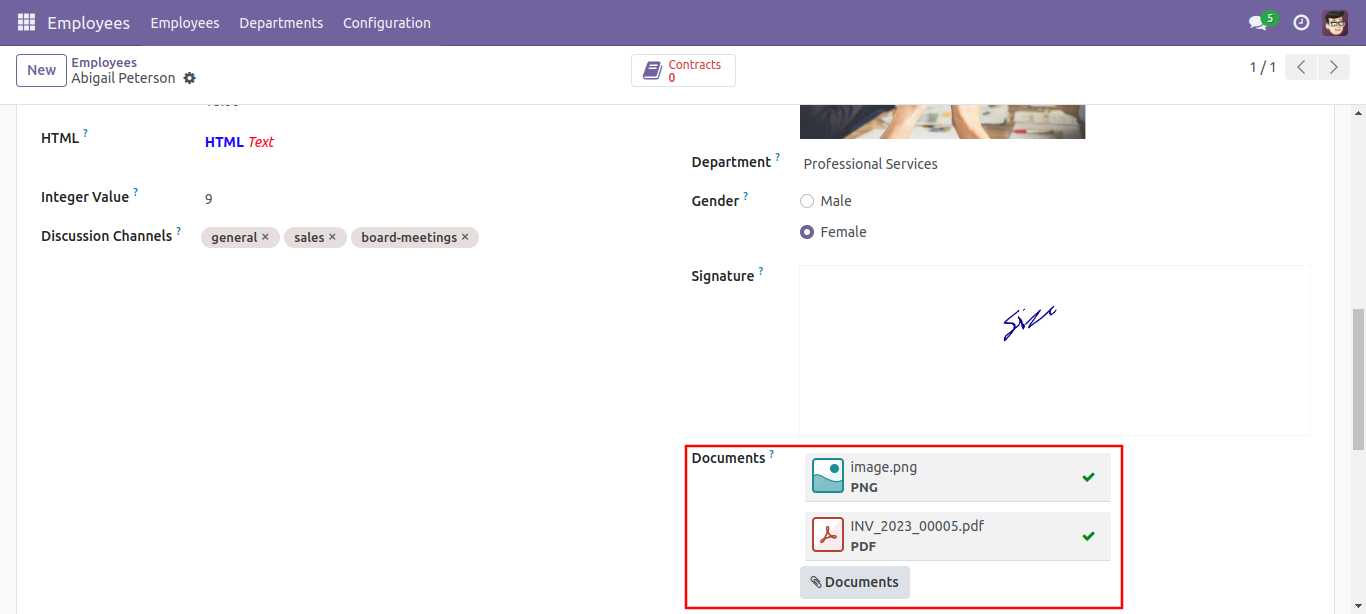
- Many To Many : Binary widget added (Binary widget useful to give more than 1 one attachments).
- Float Time: Float time widget added to track time (hours: minutes).
- Text: Html widget added which will be useful to get an HTML interface on the text field.
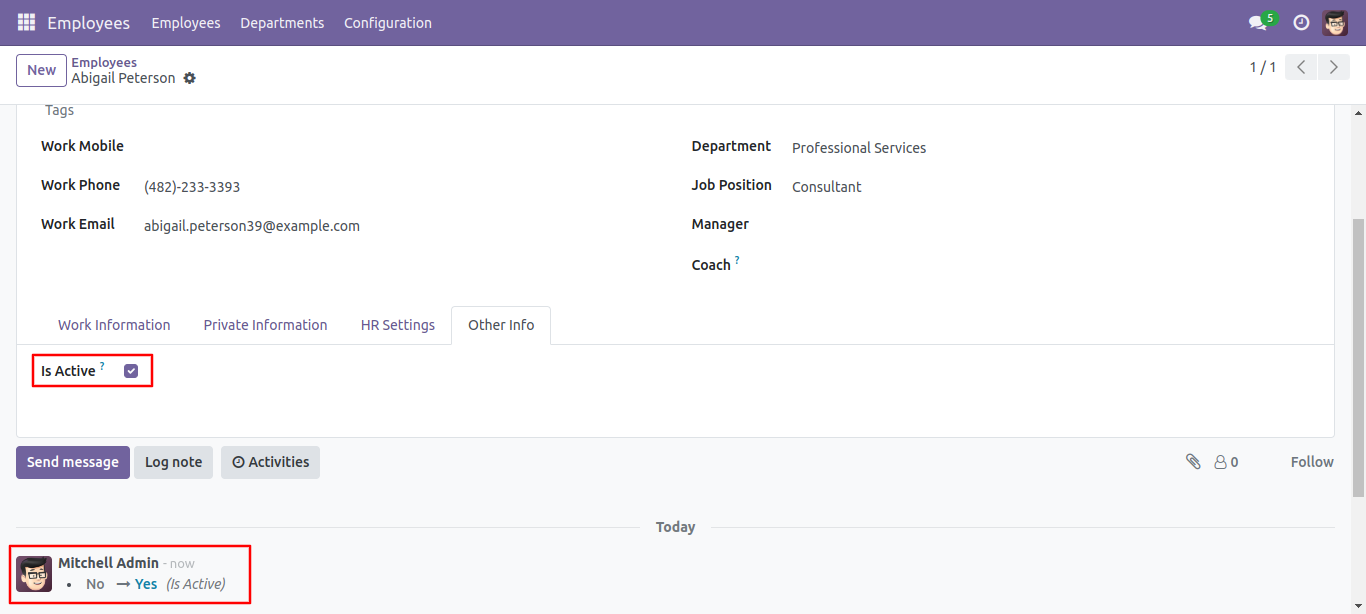
- Tracking: This feature added to all the fields. It will be useful to track values on chatter. if any value changes then you can get it very easily.
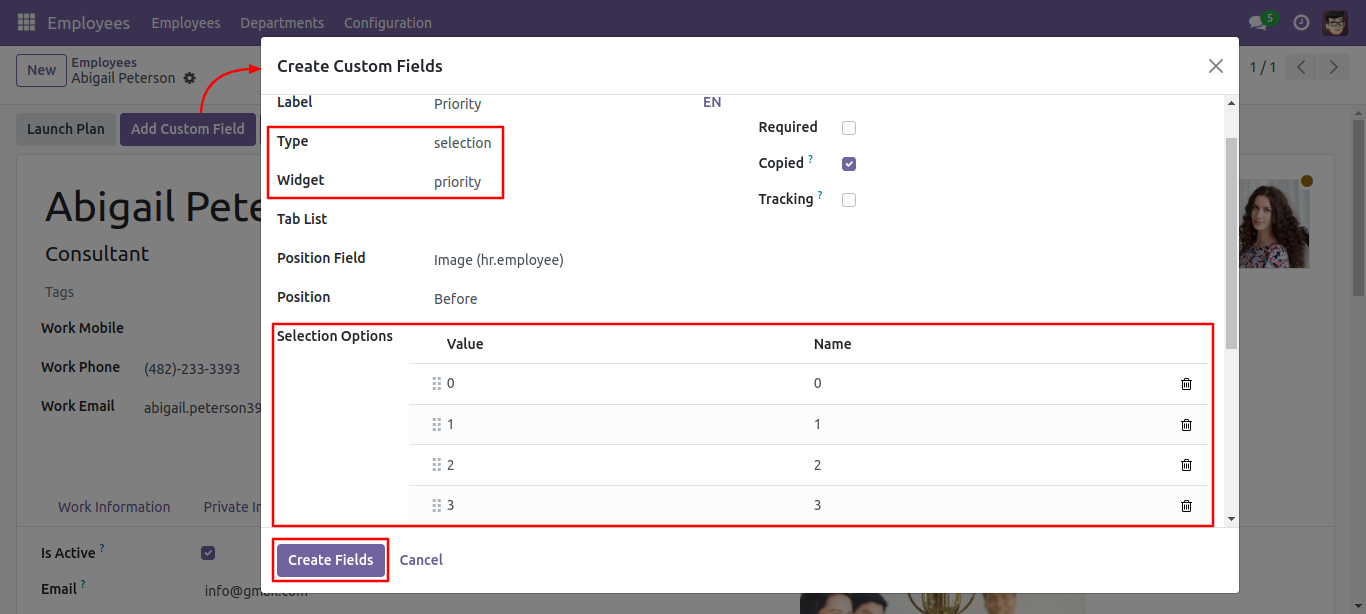
- Priority: This feature added to add a priority view.
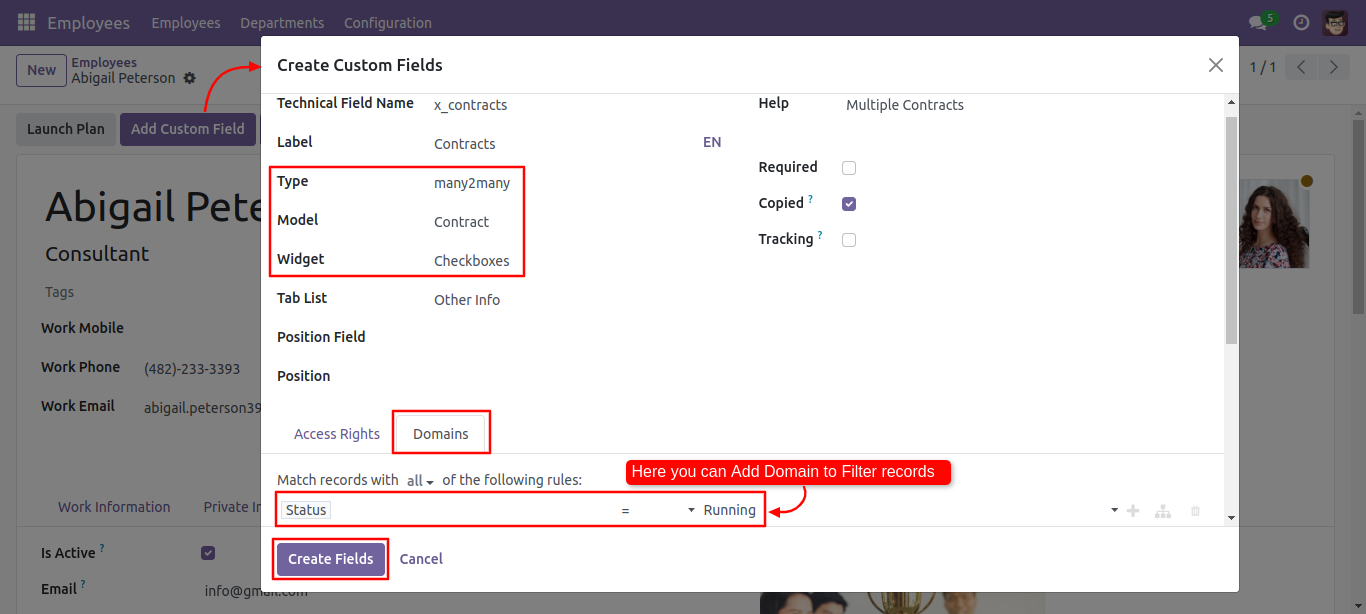
- Domain: This feature added for many to one and many to many fields. this will help you to filter records of the selected model. let's say you have selected contacts model and you want to filter only customers. so you can easily do using this feature.
- Checkboxes: This feature added to select multiple values from the model. in this, you will see all options with a tickbox. you can tick multiple items.
Set access rights to allow add custom fields inside the employee.
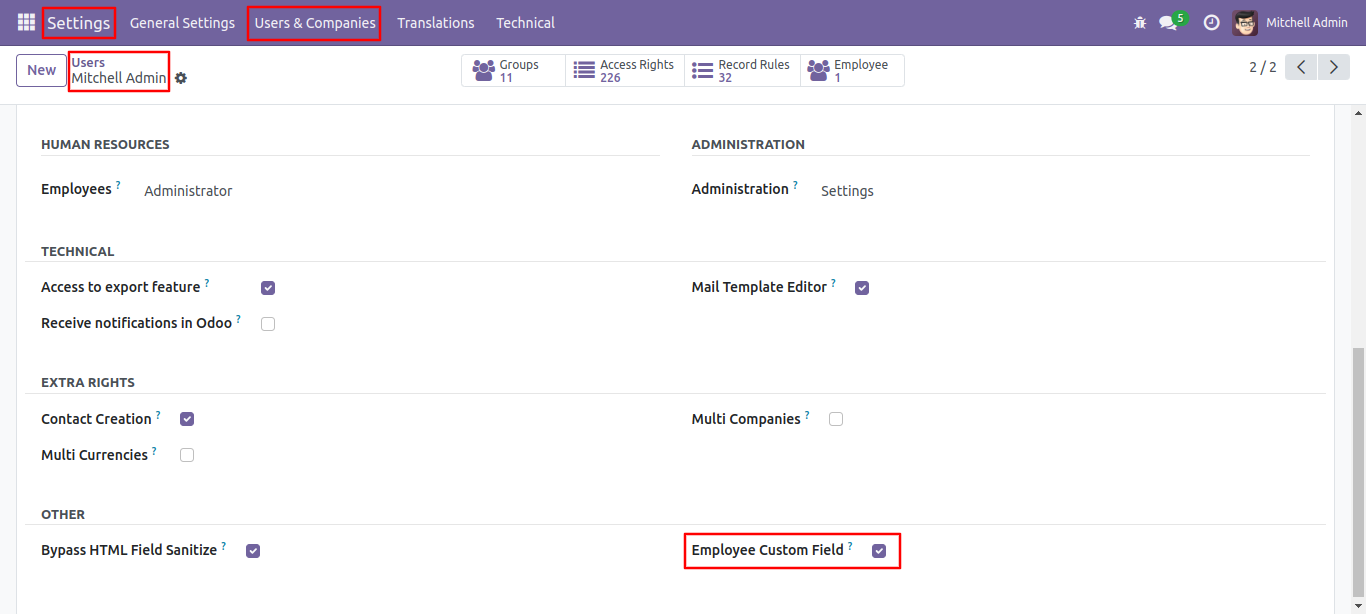
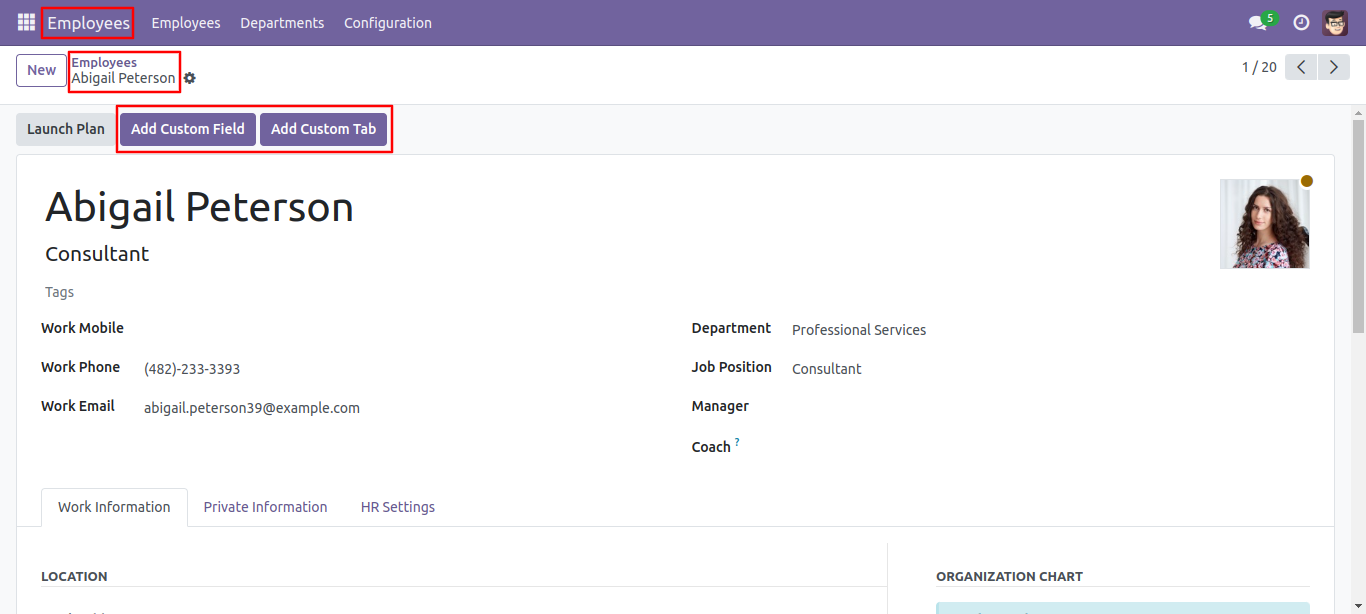
Click on the 'Add Custom Field' & 'Add Custom Tab' button to add a new field & tab in the employee form view. Ckick on the 'Add Custom Tab' button.
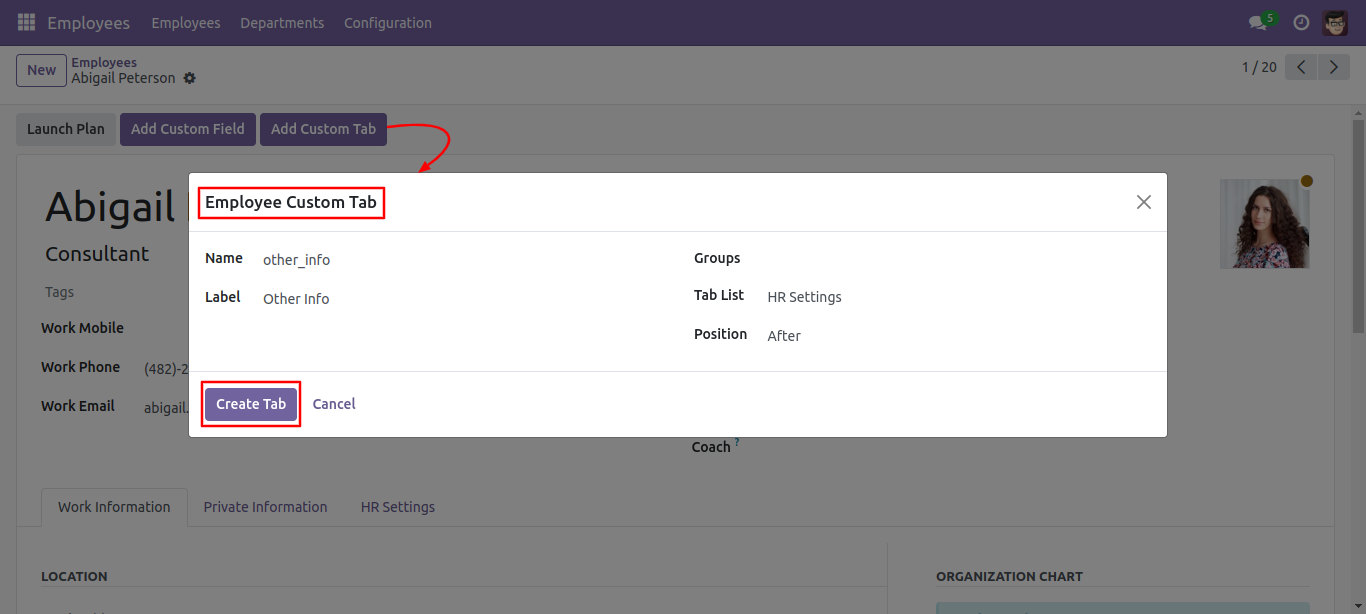
After click that button one wizard will popup. where you can set tab name, label, groups, tab list, and position and click 'Create Tab'.
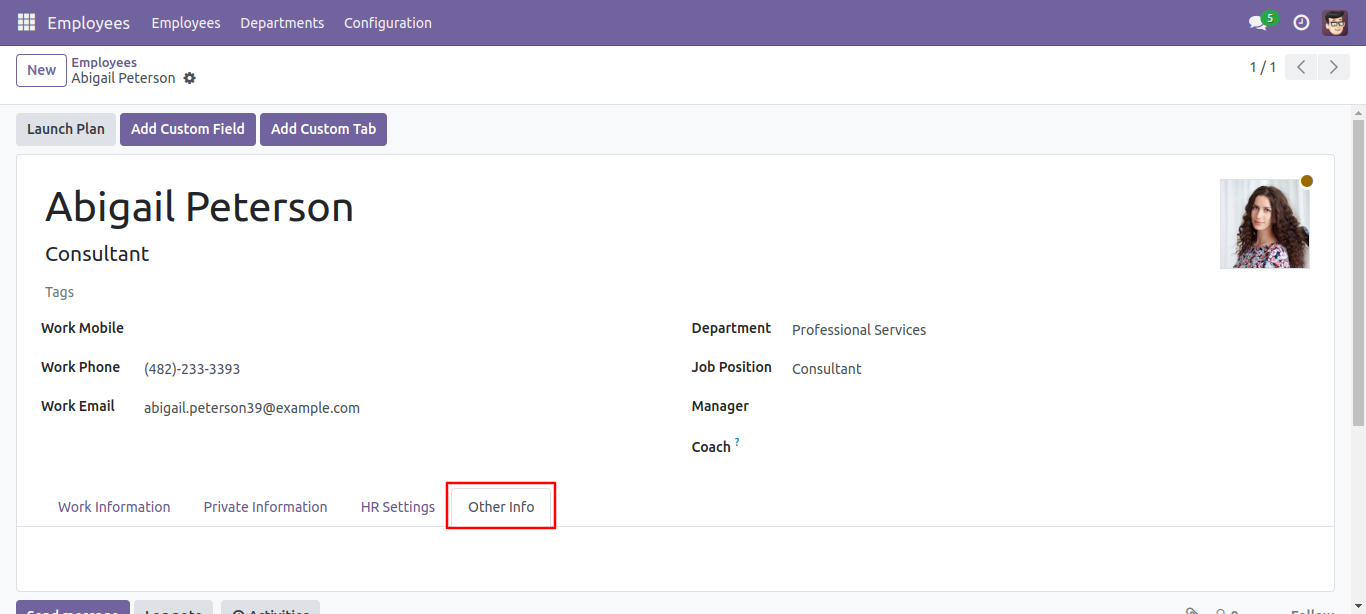
'Other Info' Tab is created.
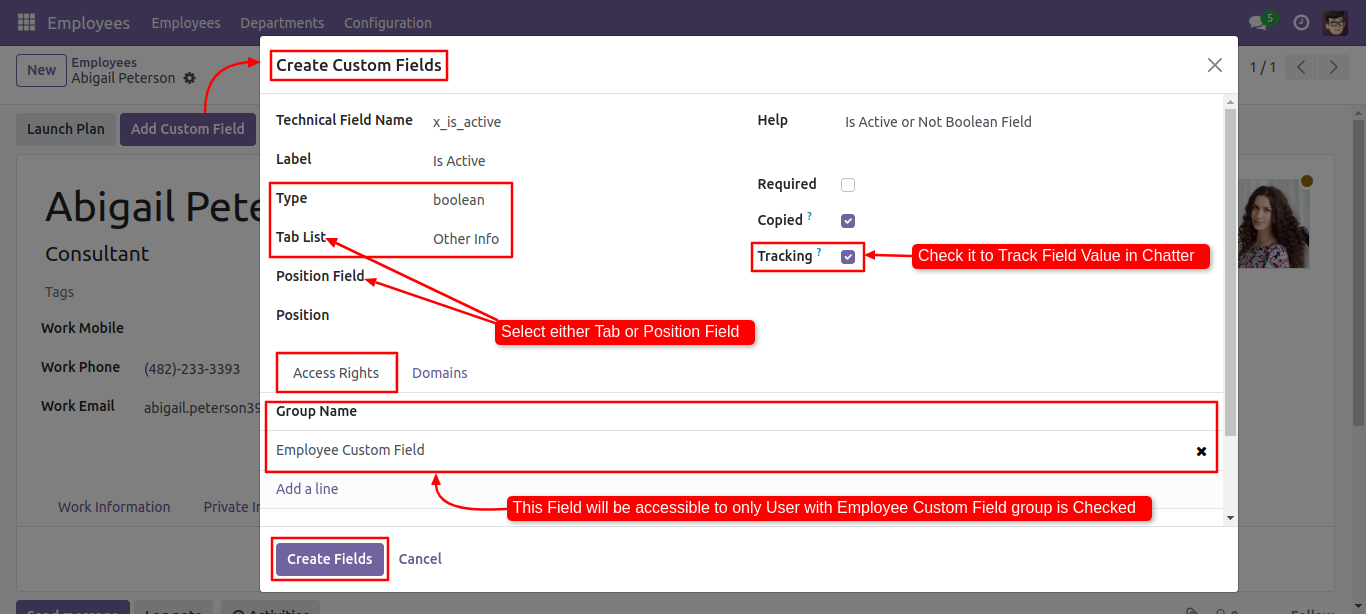
For adding the field in custom tab click 'Add custom field' and add field name, label, type, tab(Other Info) and click 'Create field'.
Binary widget added.
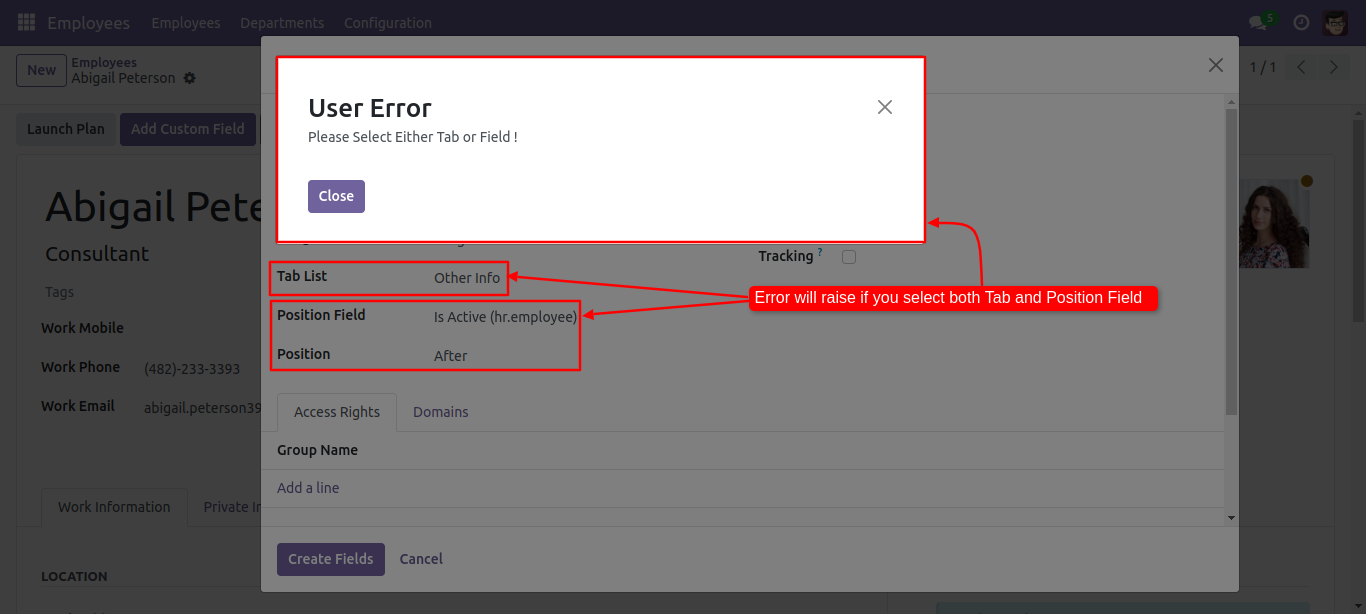
IF you select both custom field and custom tab then the error message will be appear.
Binary widget added (Binary widget useful to give more than 1 one attachments).
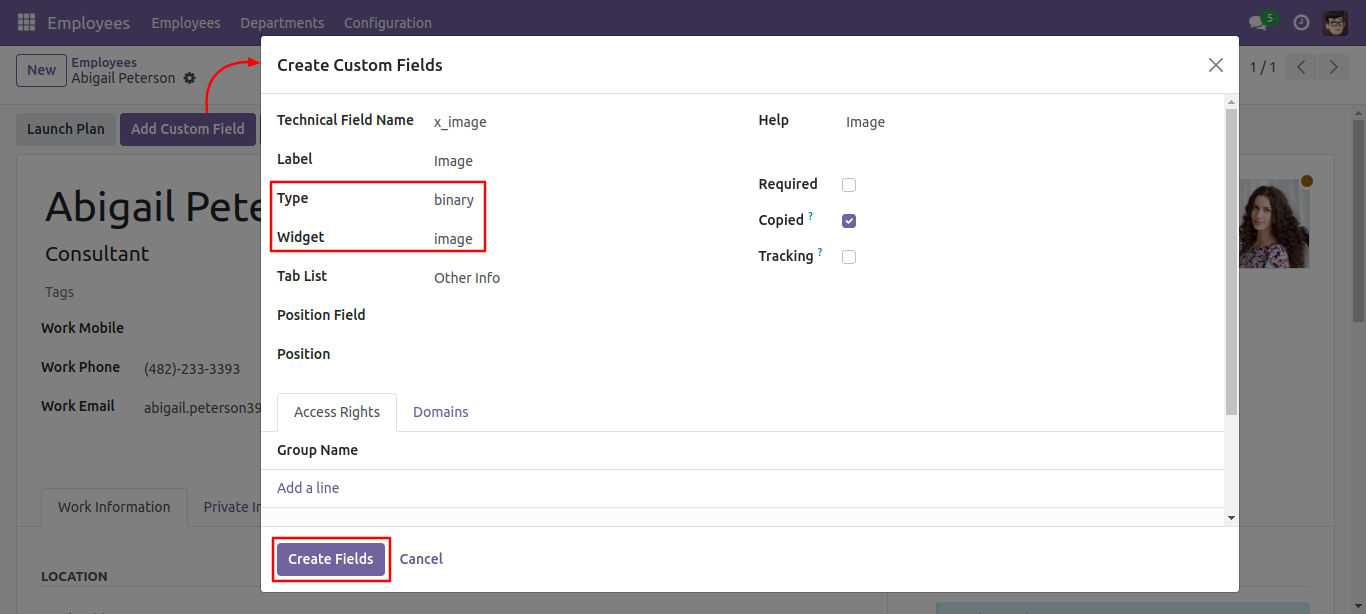
Binary widget added.
Set type as a char and widget email.
The char field with 'email' widget added to form.
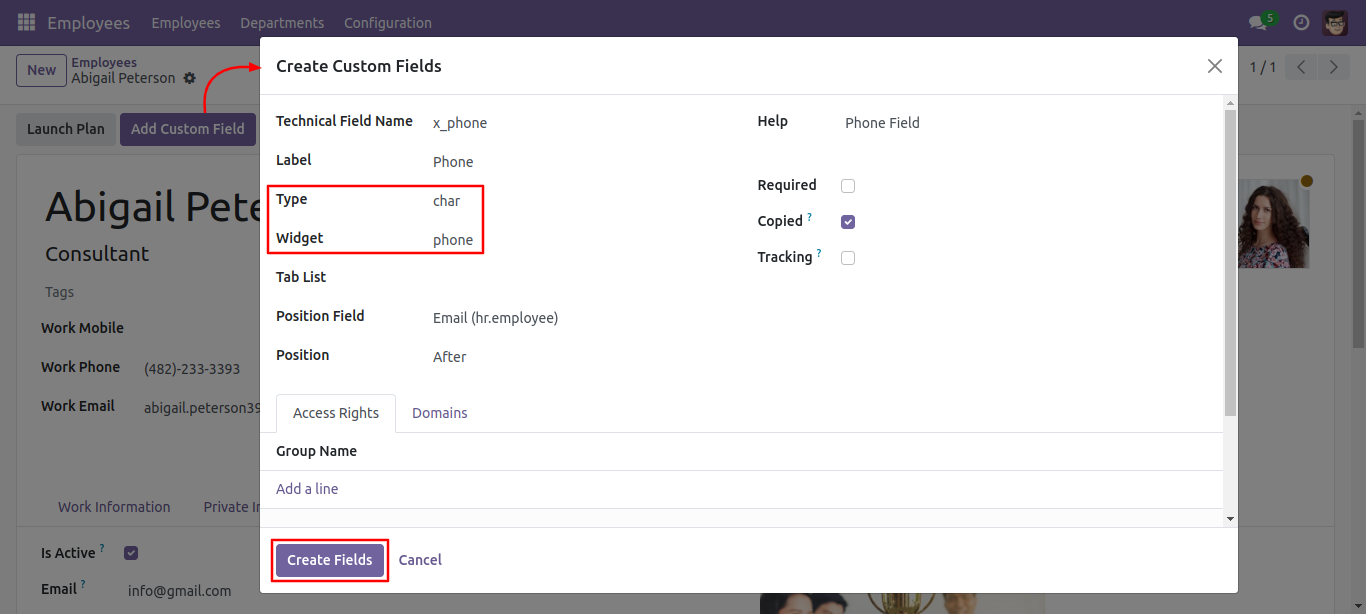
Set type as a char and widget phone.
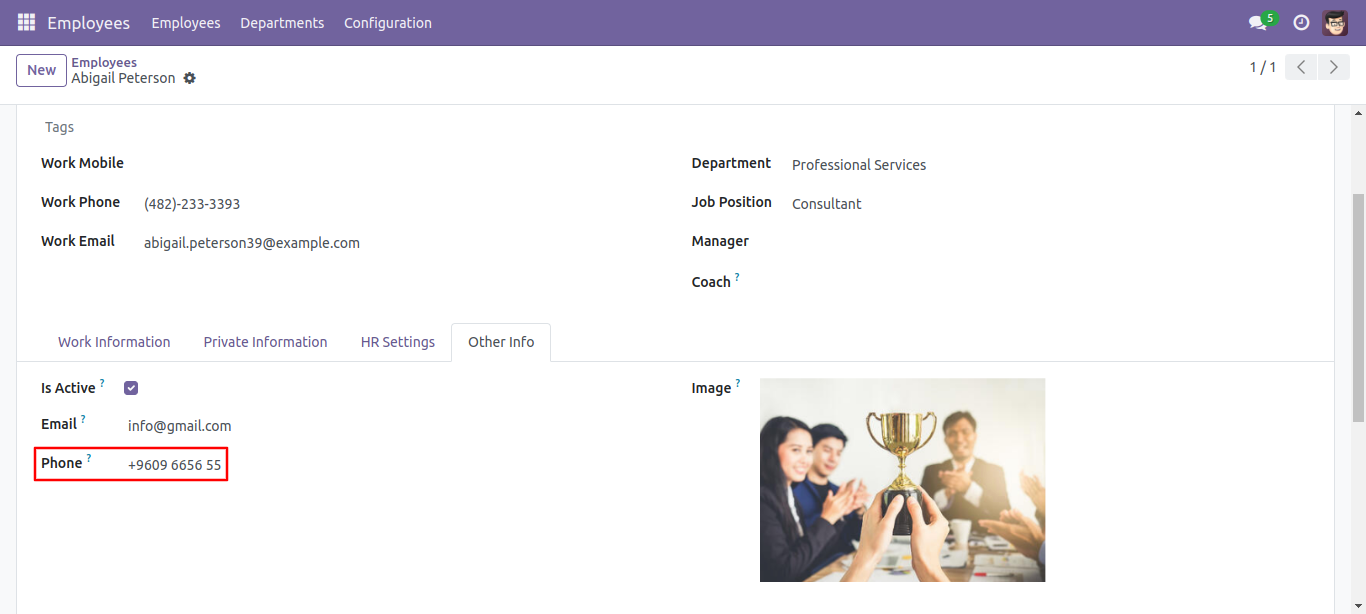
The char field with "phone" widget added to form.
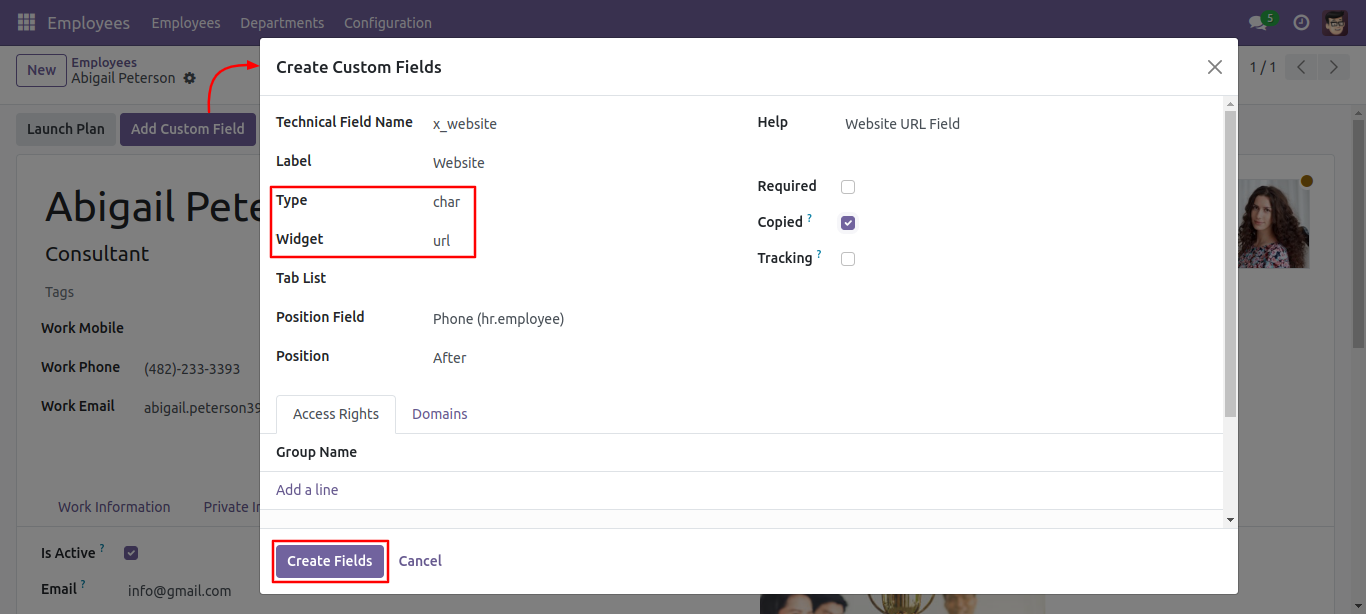
Set the type as 'char' and the widget as 'URL.'
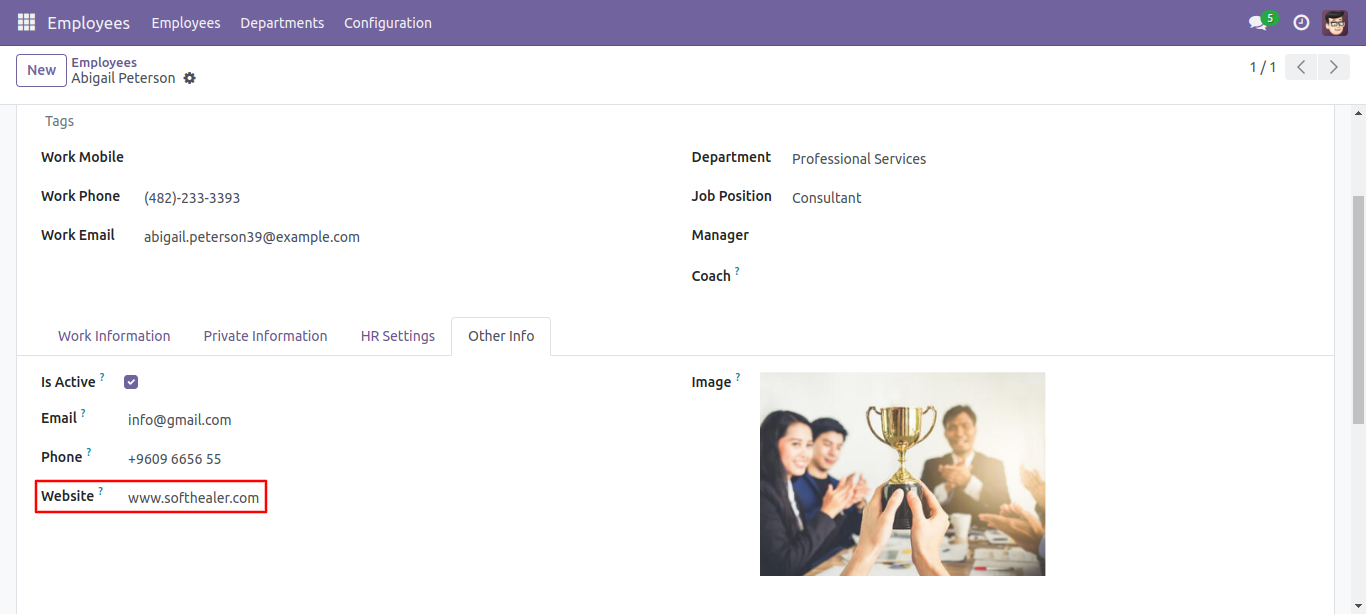
The 'char' field with a 'URL' widget is added to the form.
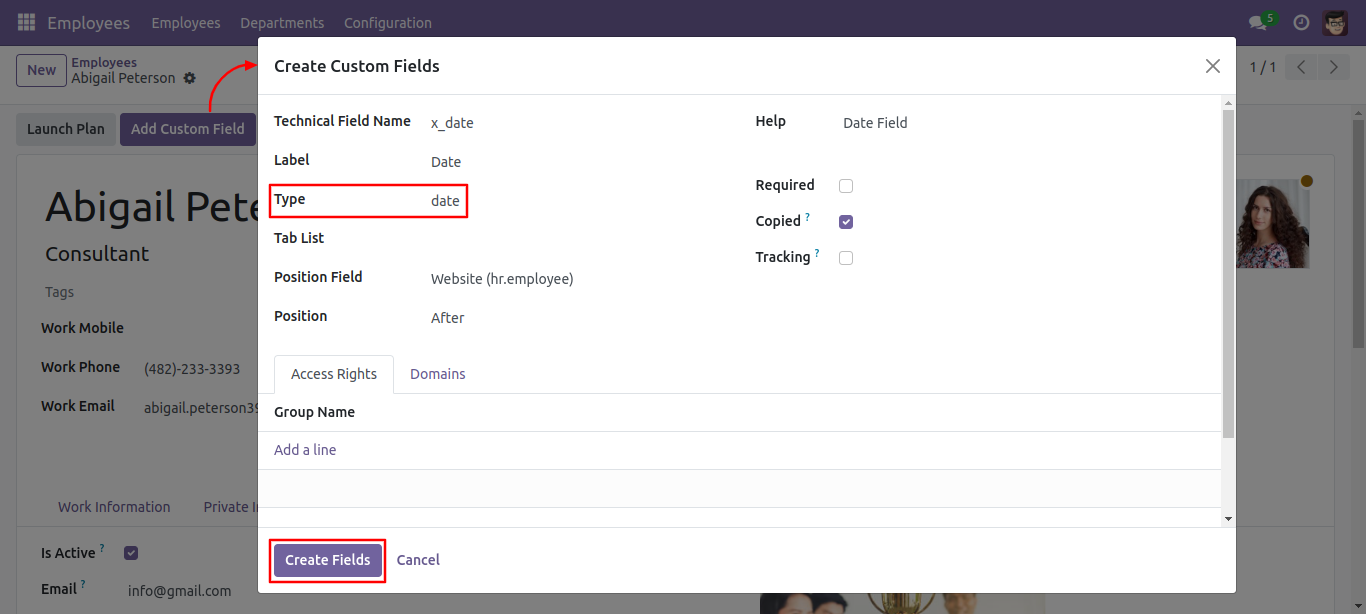
The 'Date' field is set to 'copied: True.'
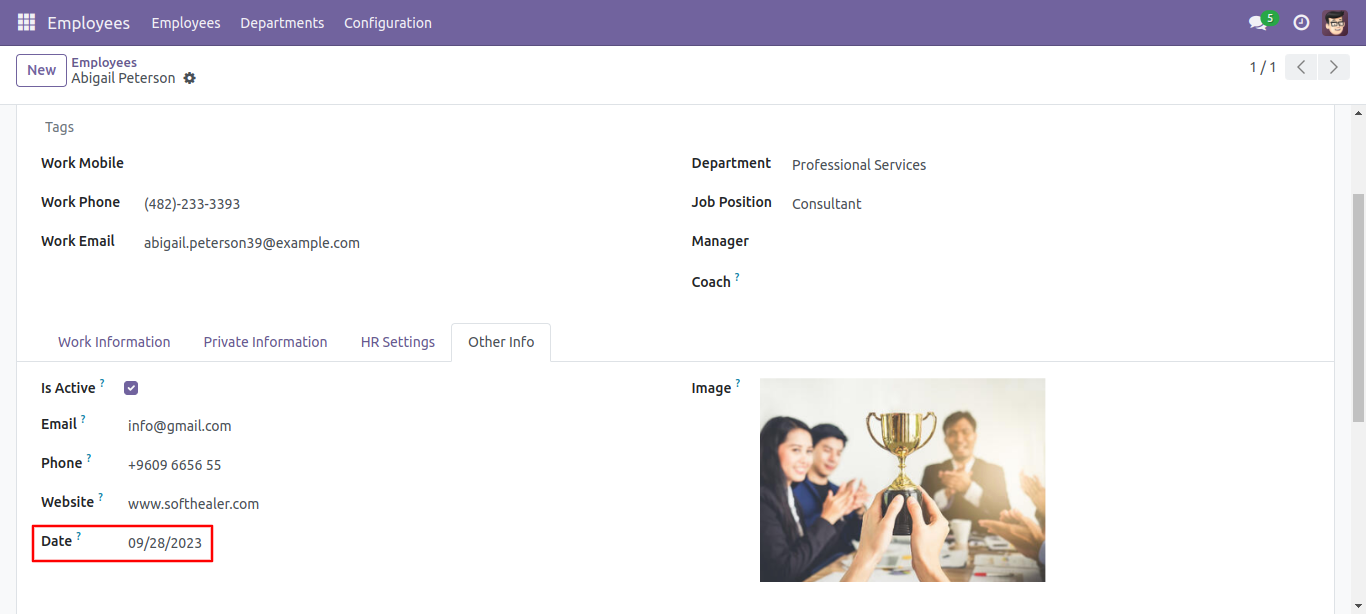
The 'Date' field is added.
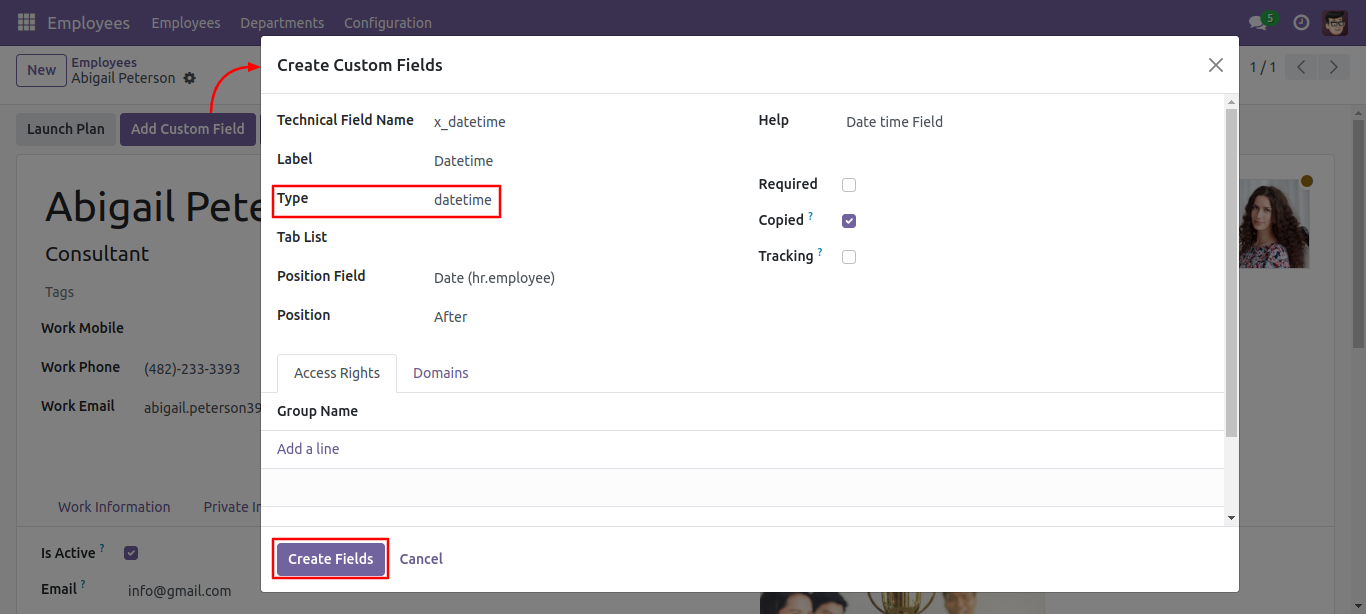
The 'Datetime' field is set to 'copied: True.'
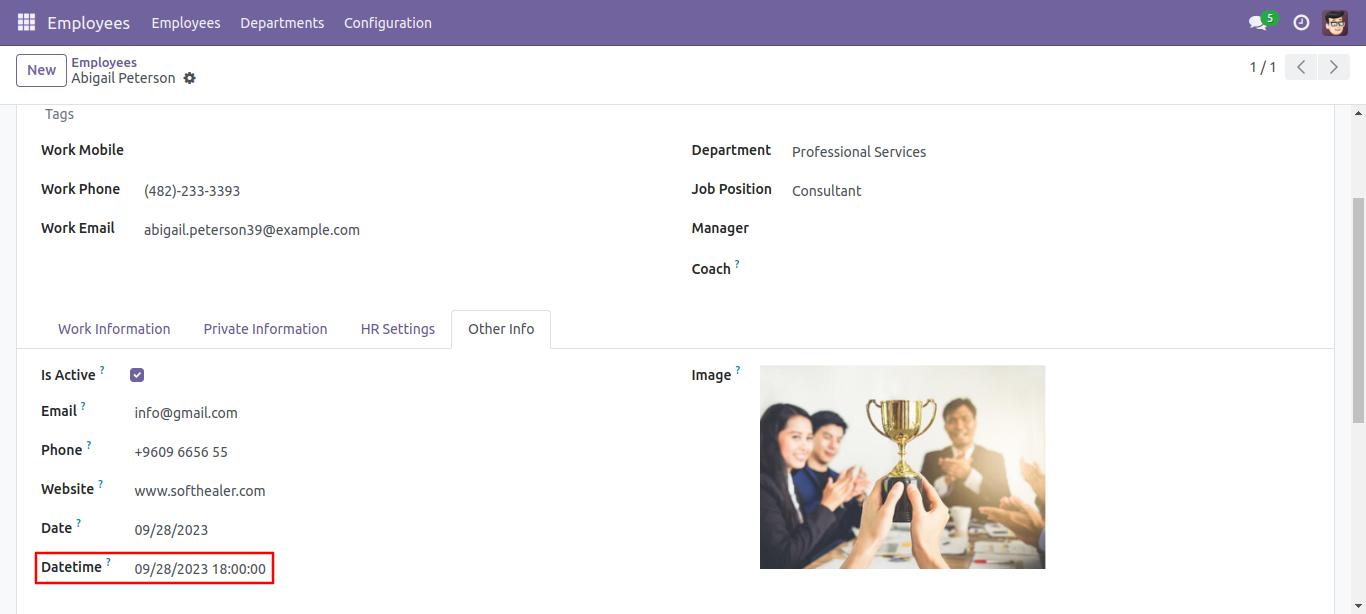
The 'Datetime' field is added.
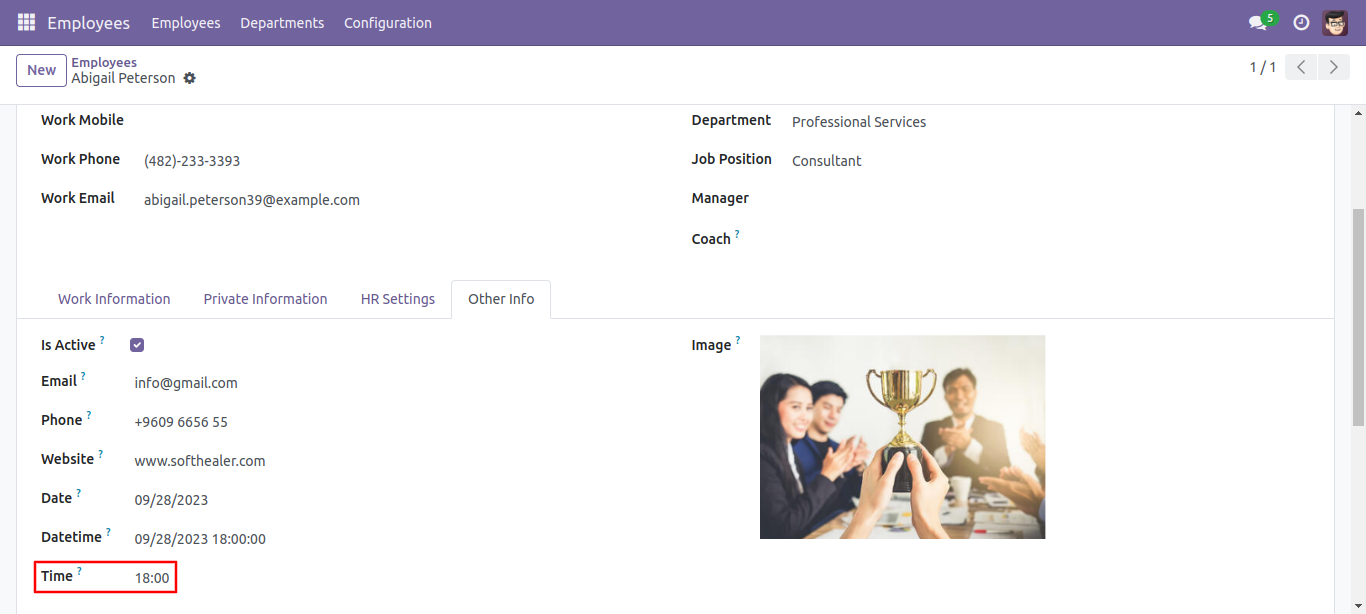
A 'Float' field with a 'Float time' widget is added to track time (hours: minutes).
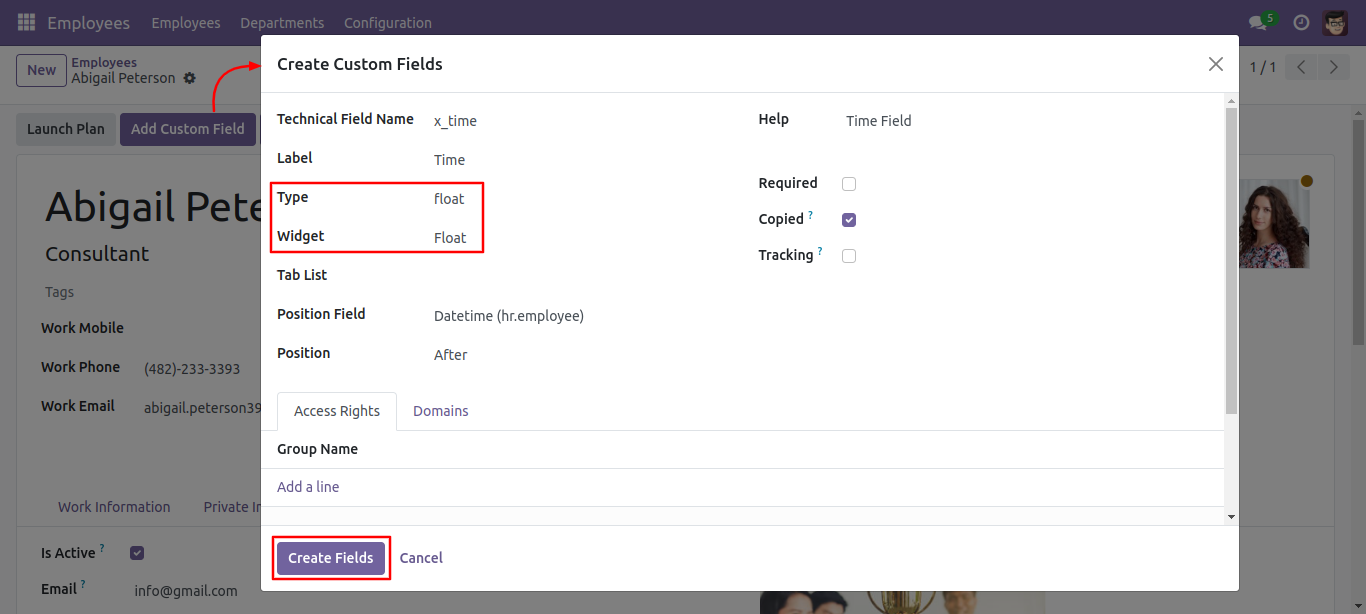
A 'Float time' widget is added.
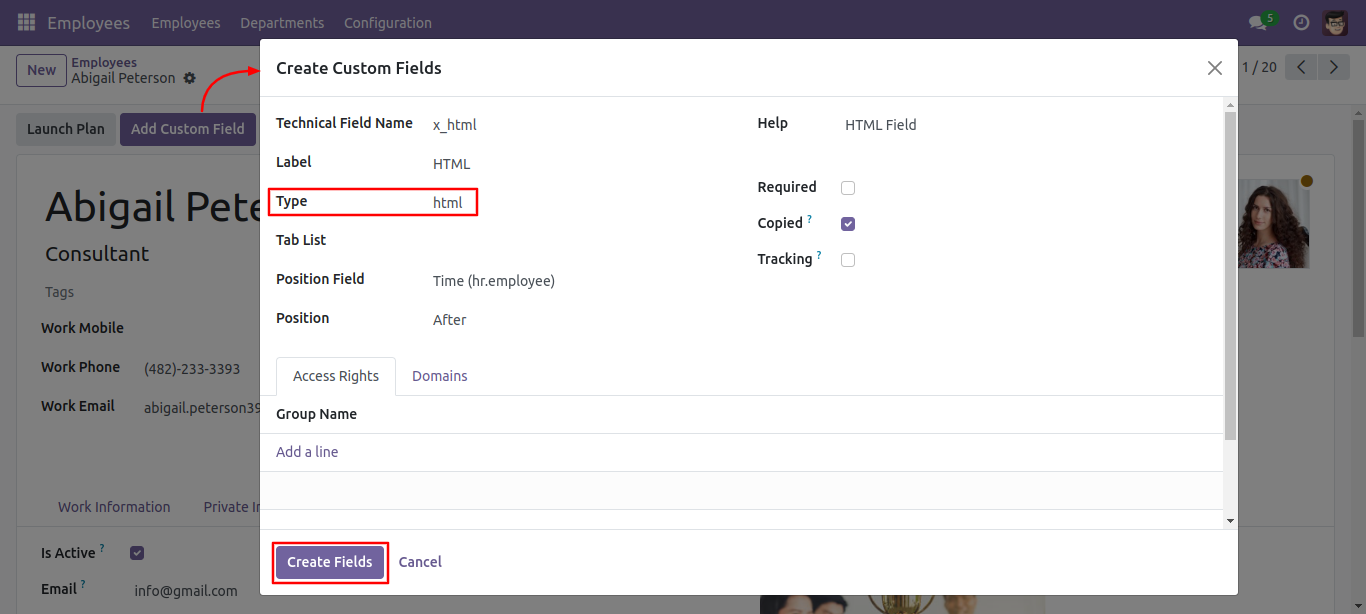
An 'HTML' type is added, which will be useful for creating an HTML interface.
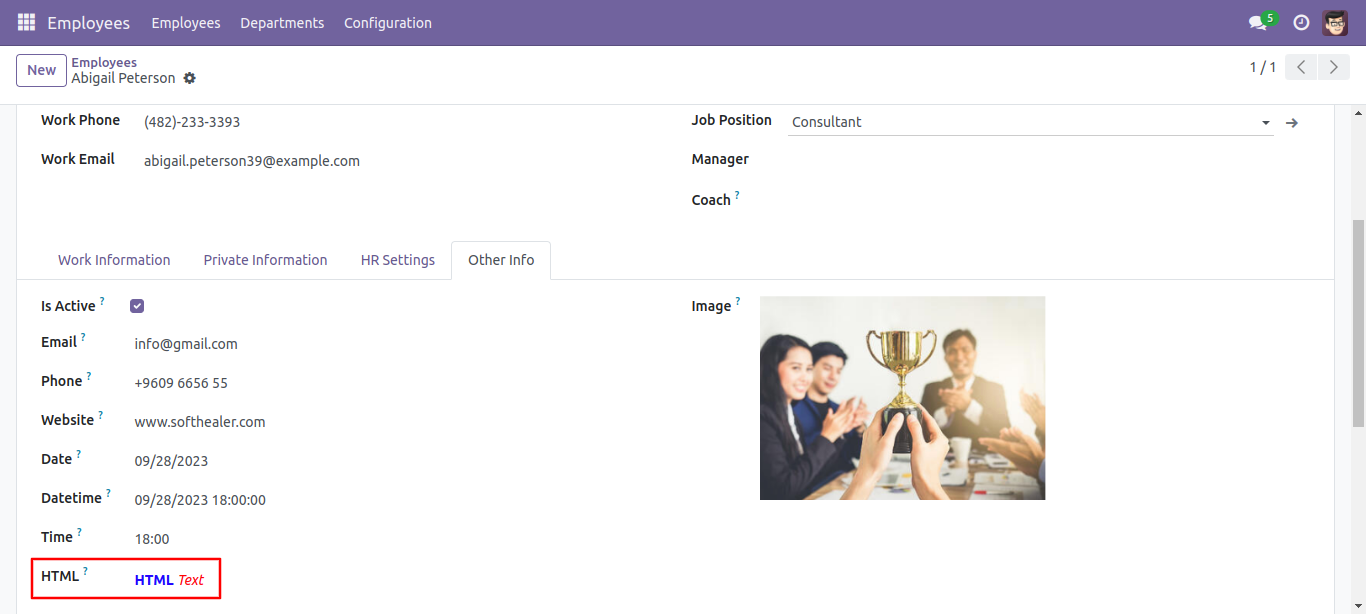
The 'HTML' feature is added.
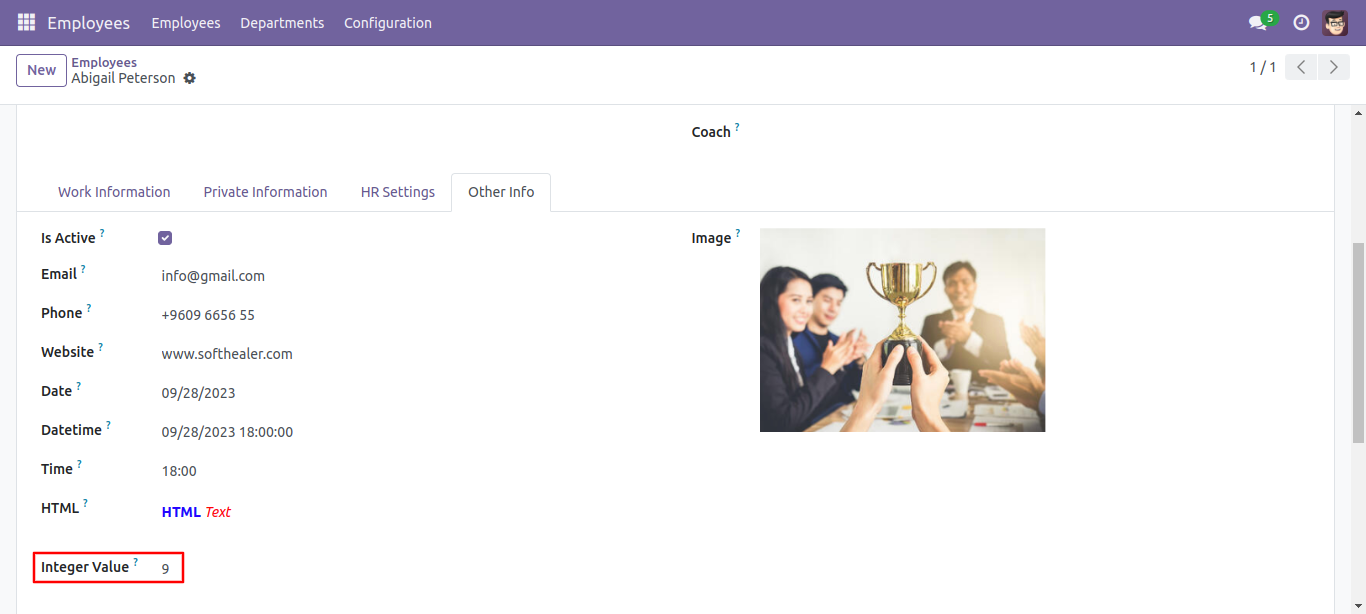
An 'Integer' type is added.
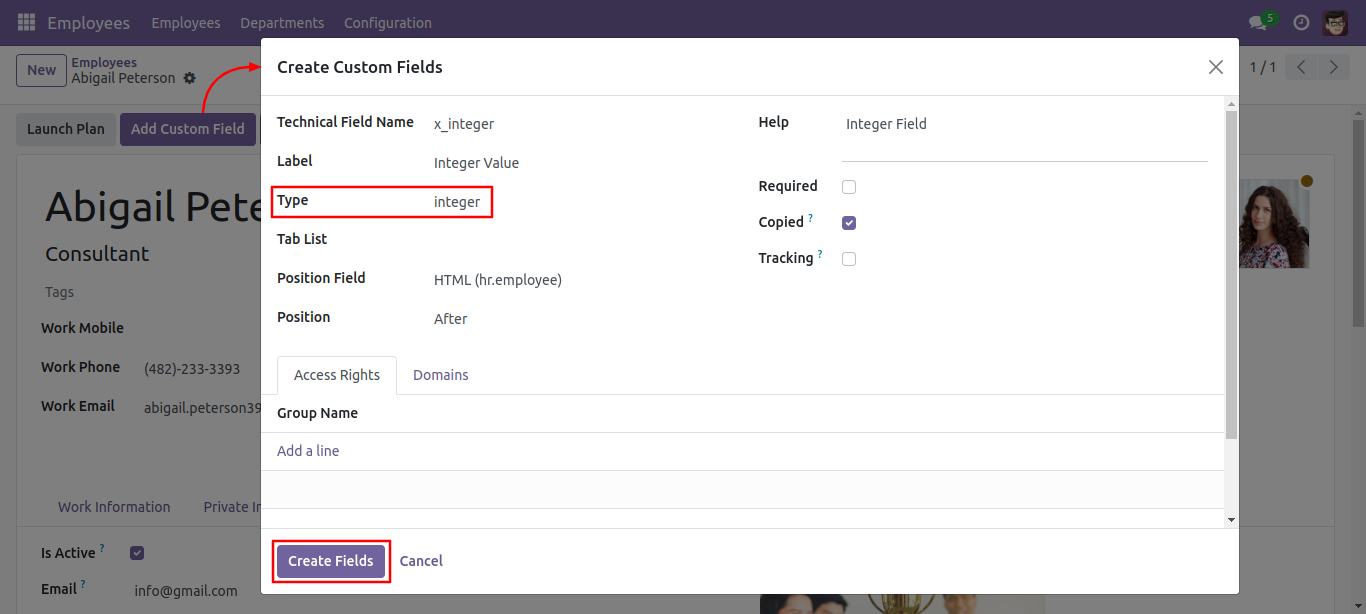
An Integer value is added.
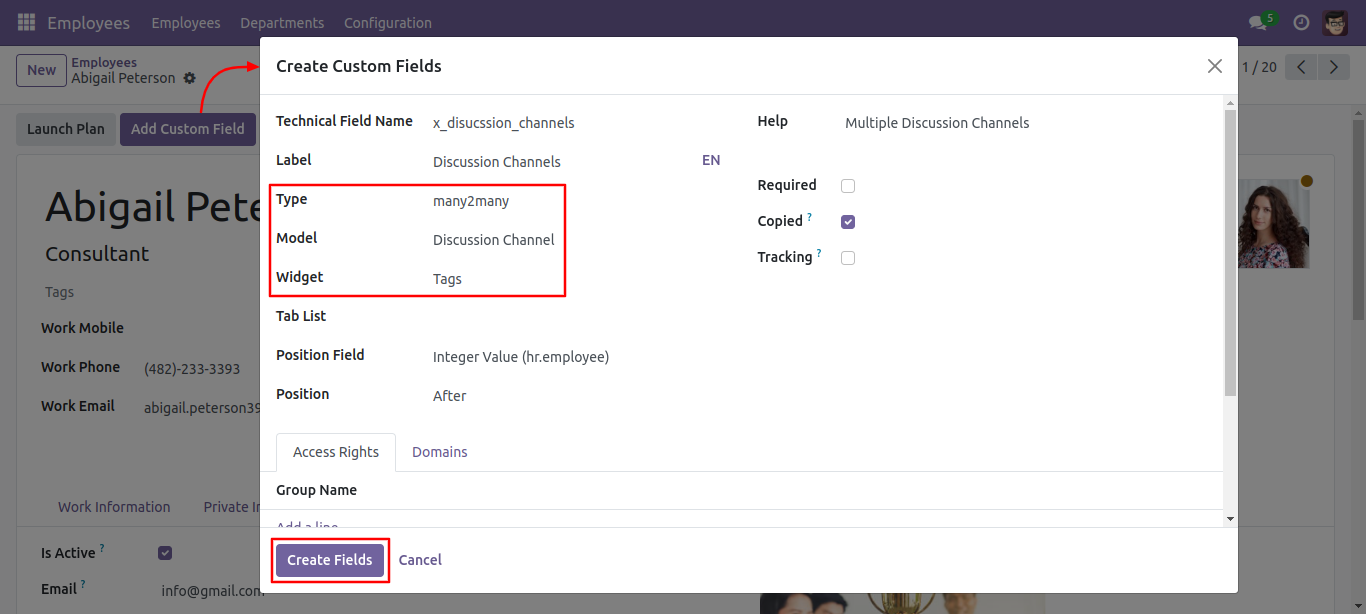
Many to many fields with model and widget and access rights set to the given group.
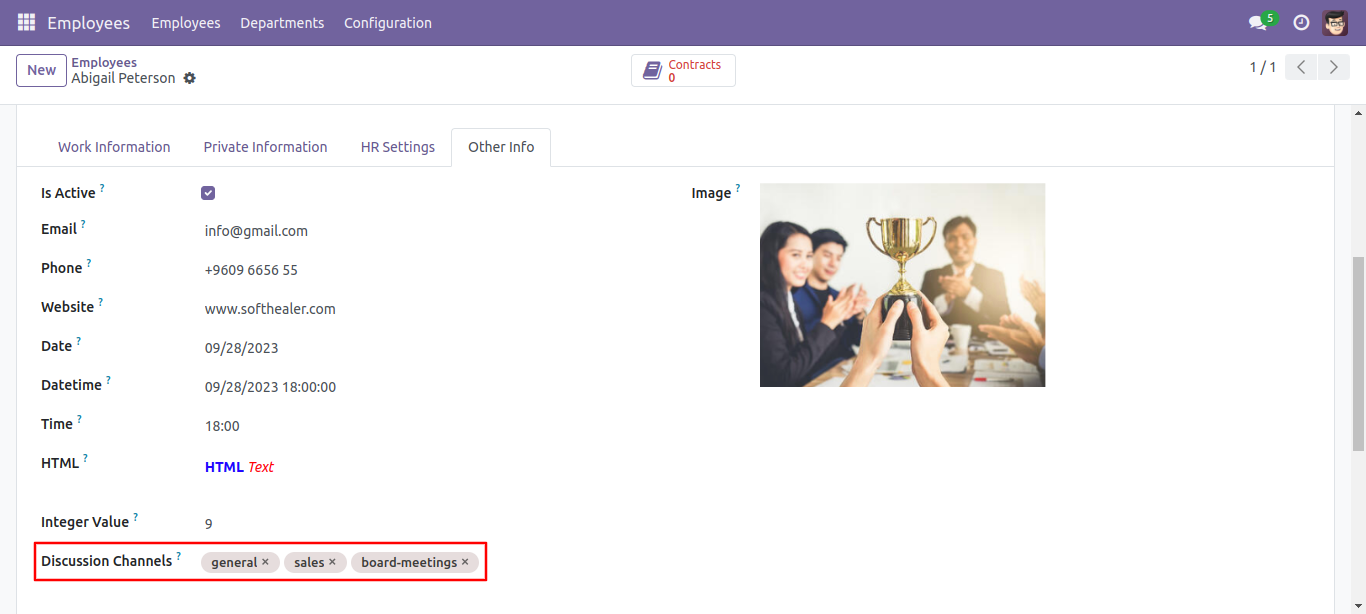
Discussion channels feature added.
Checkboxes: This feature added to select multiple values from the model. in this, you will see all options with a tickbox. you can tick multiple items.
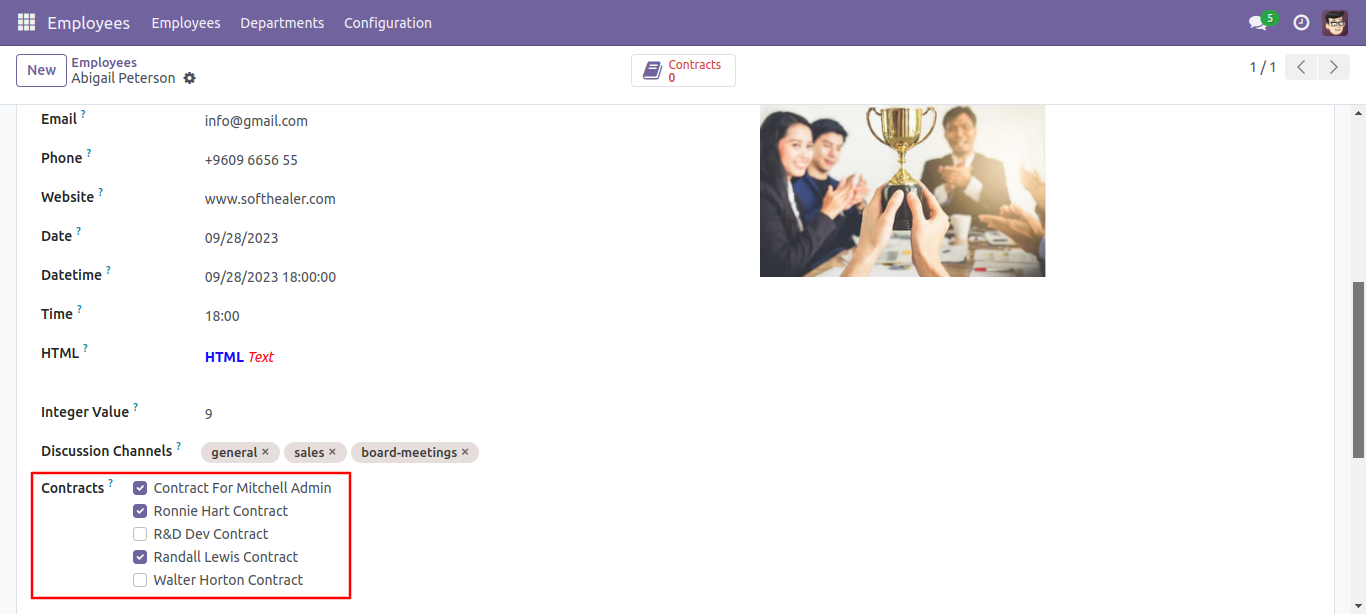
Many to many of Checkbox's outputs looks like below.
Many to one: Selection widget added.
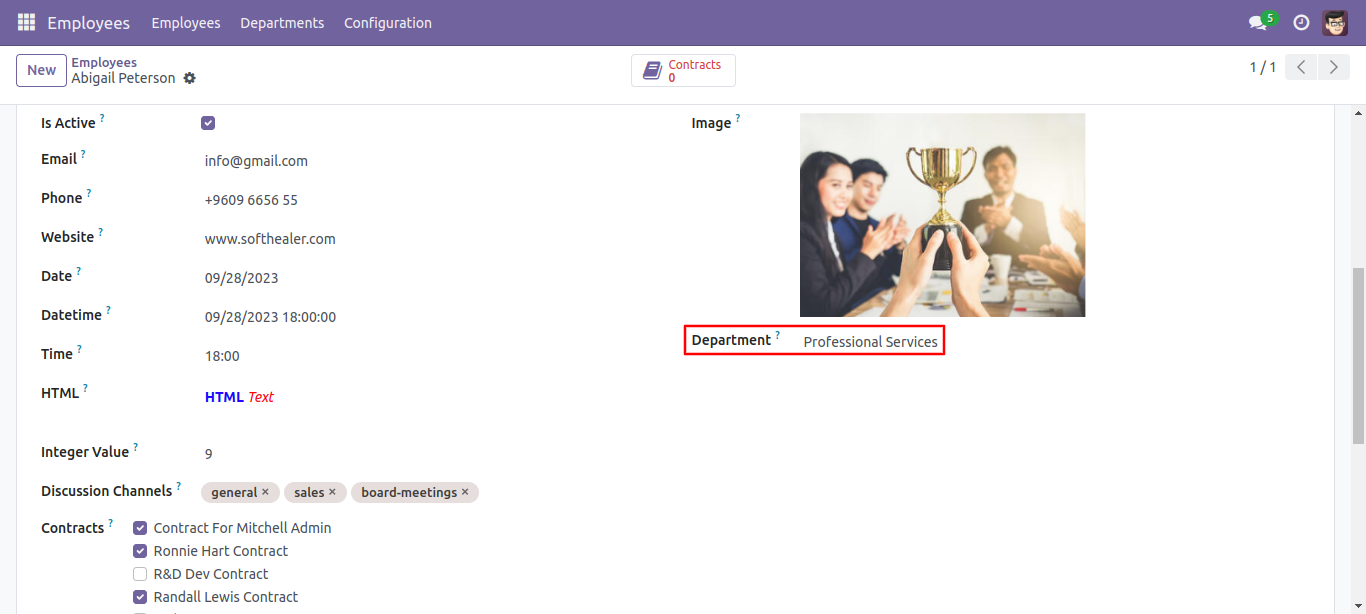
Selection widget added.
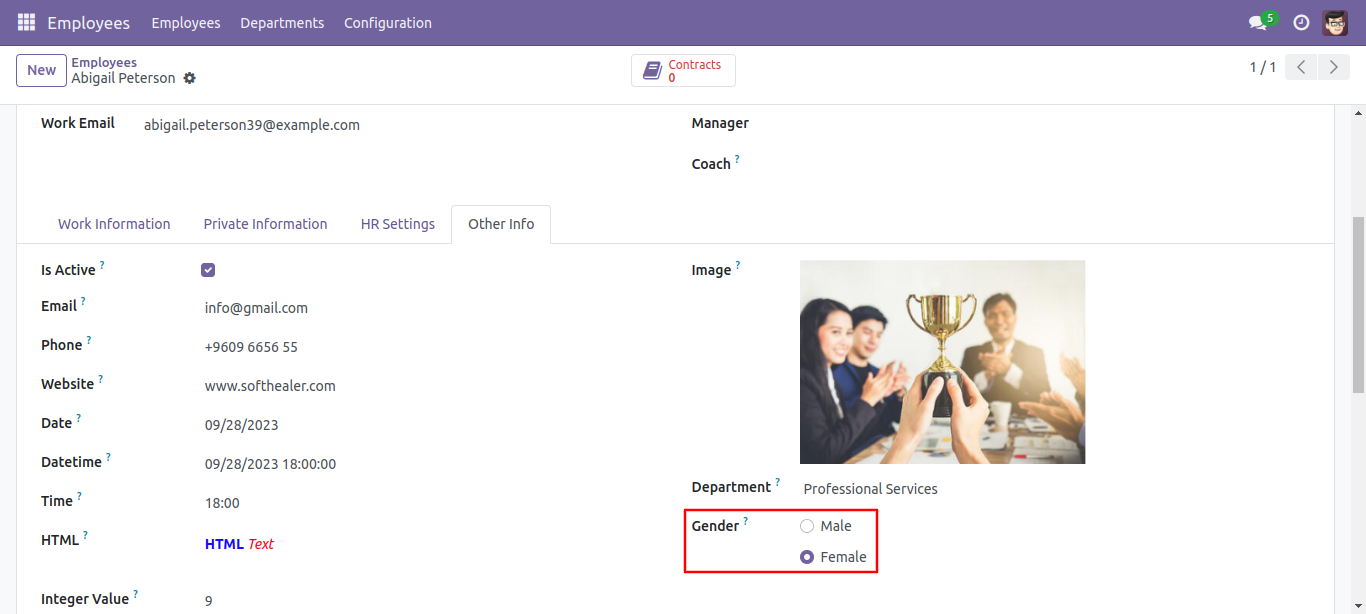
Set type as selection and enter options as per requirement, widget set to the radio.
The selection field with 'radio' widget added to form.
Priority: This feature added to add a priority view.
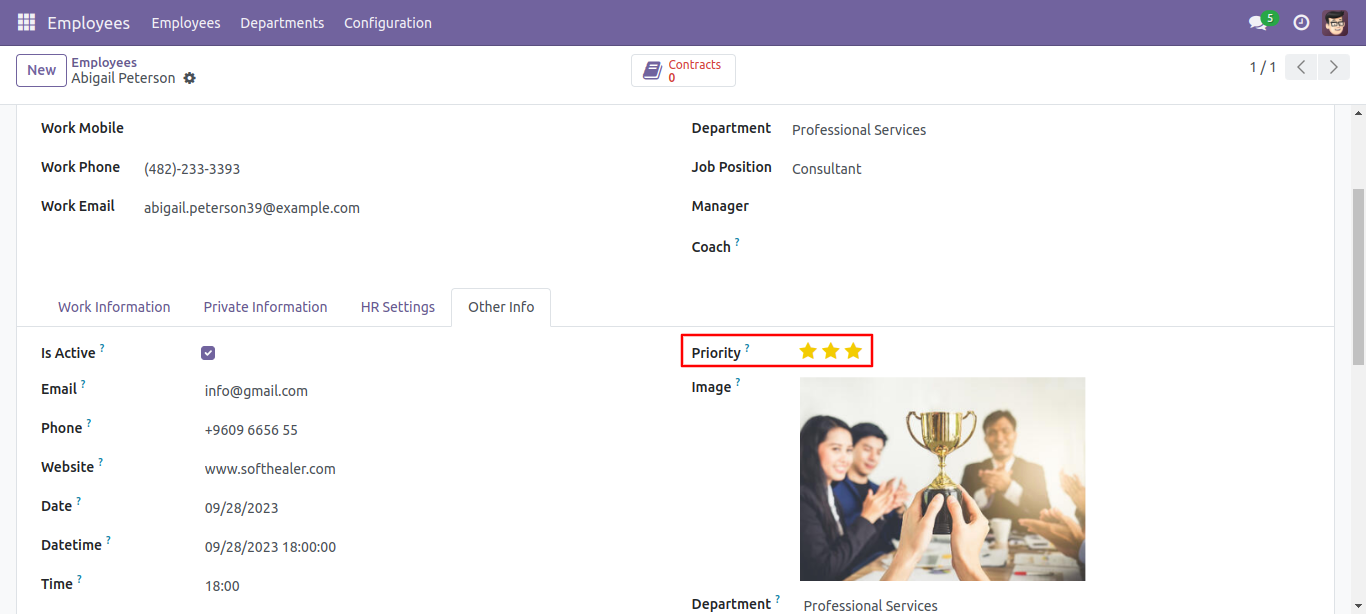
The selection field with 'priority' widget added to form.
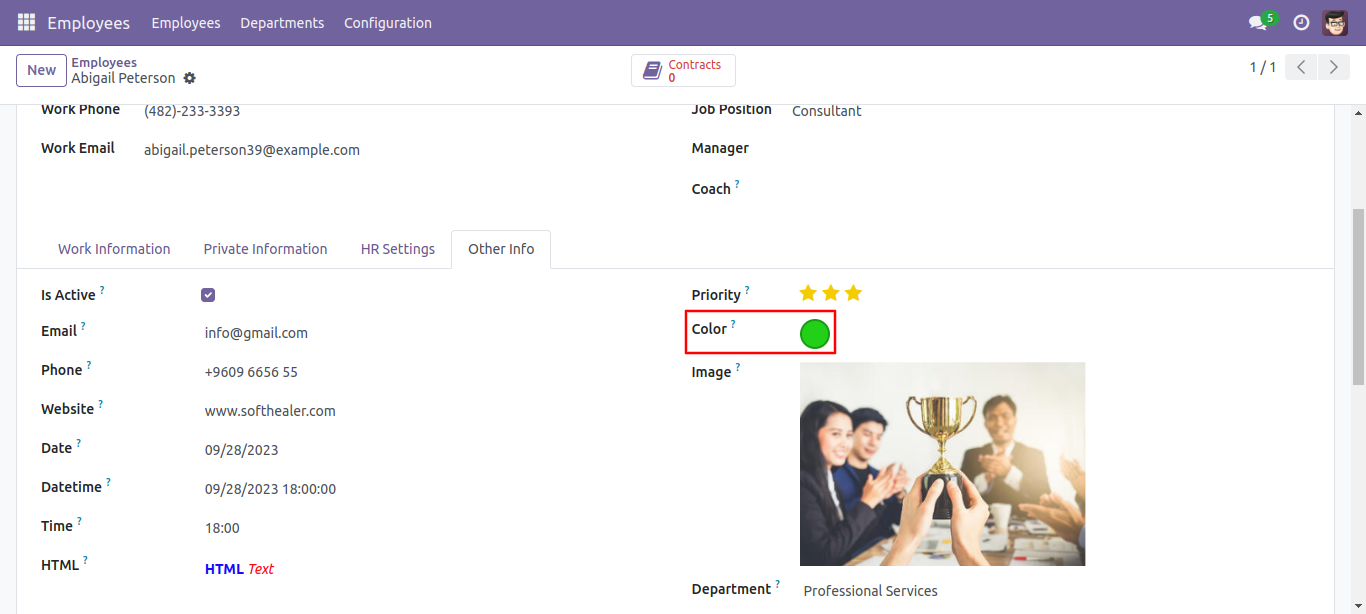
Color field added.
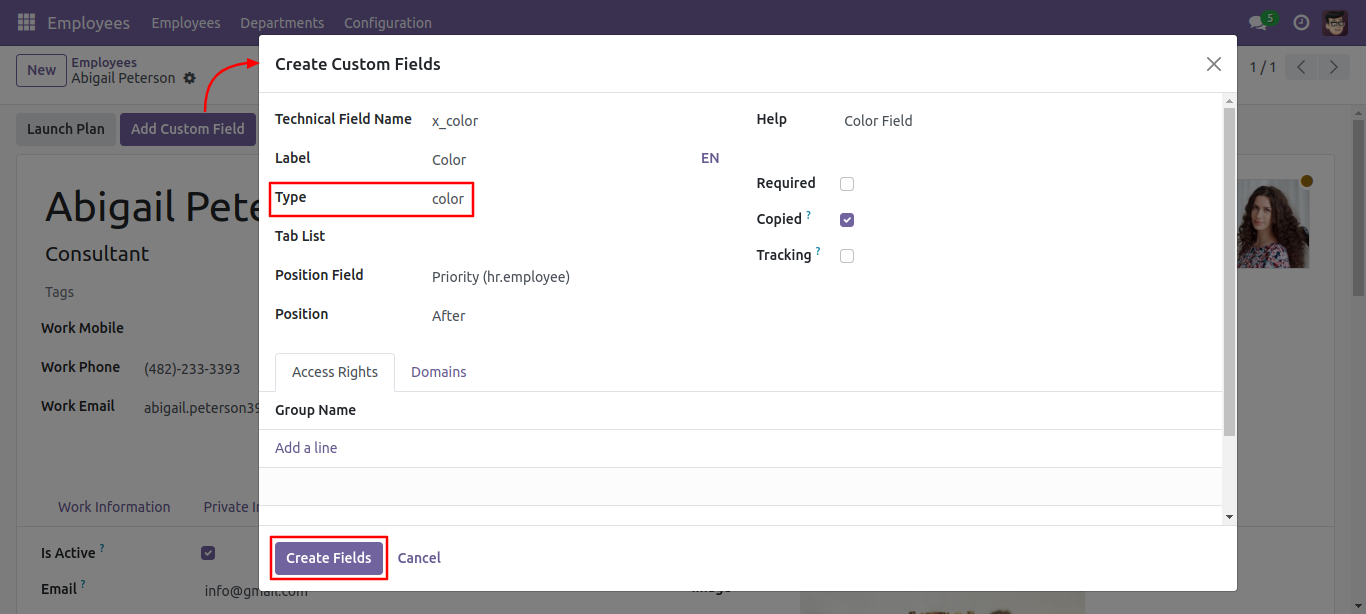
Color field added for a selection of different colors.
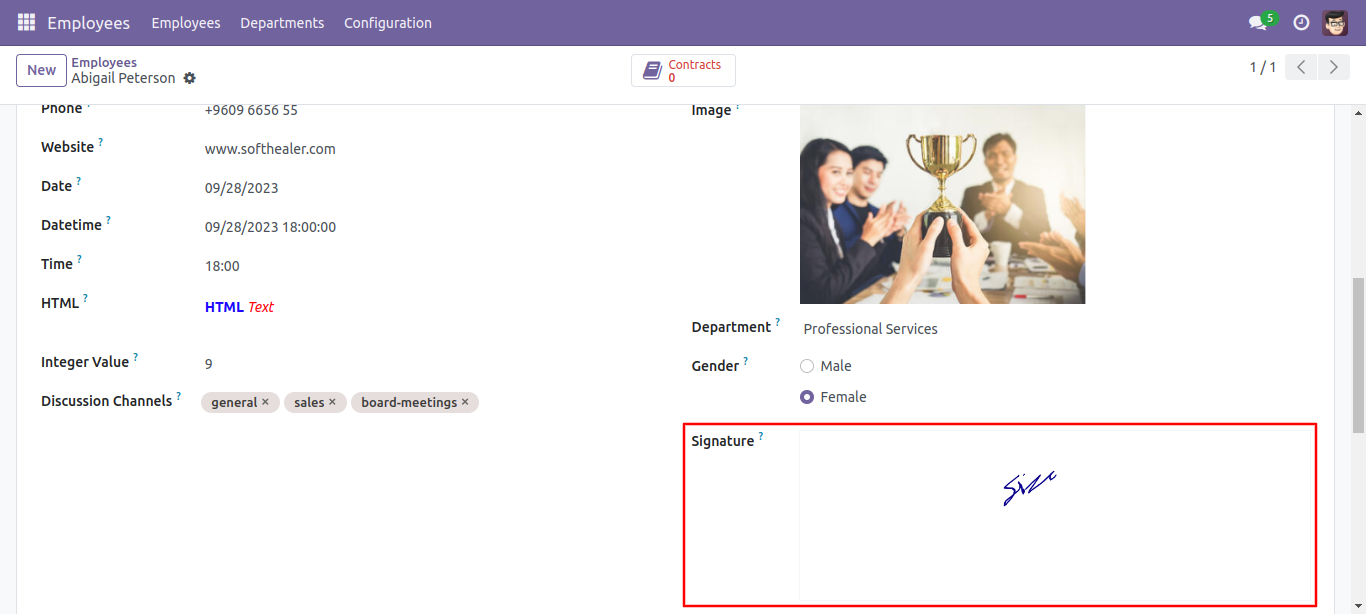
Signature field with access rights.
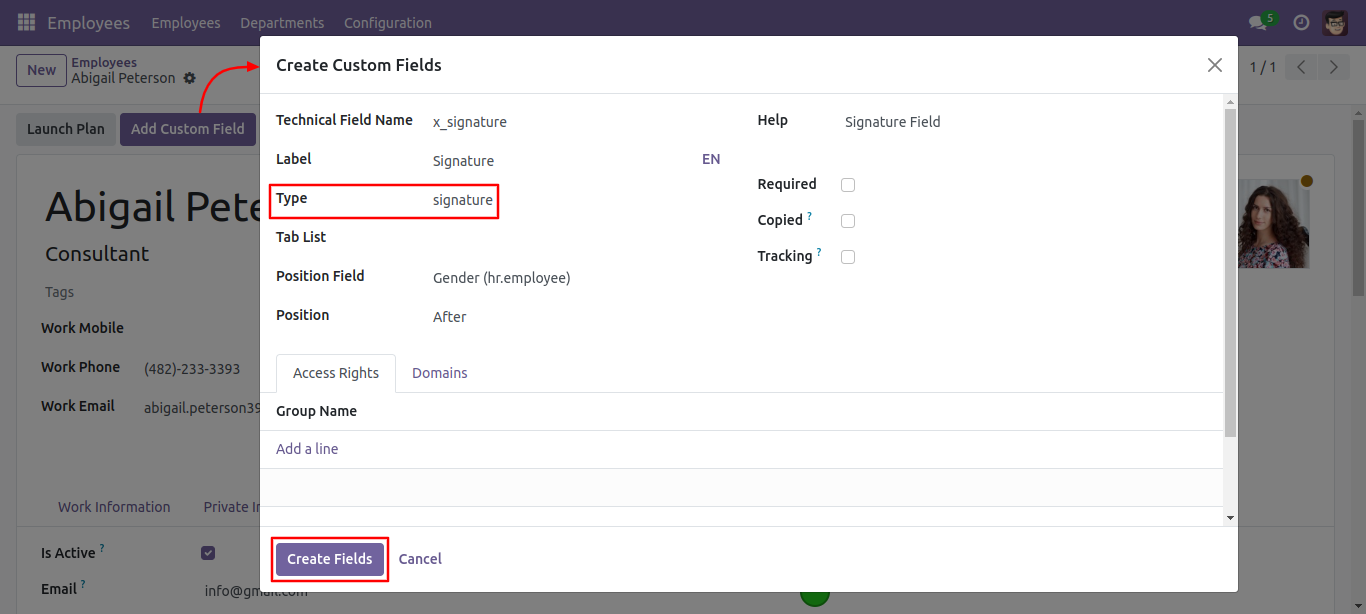
Signature field added.
Many to many: Binary widget added.
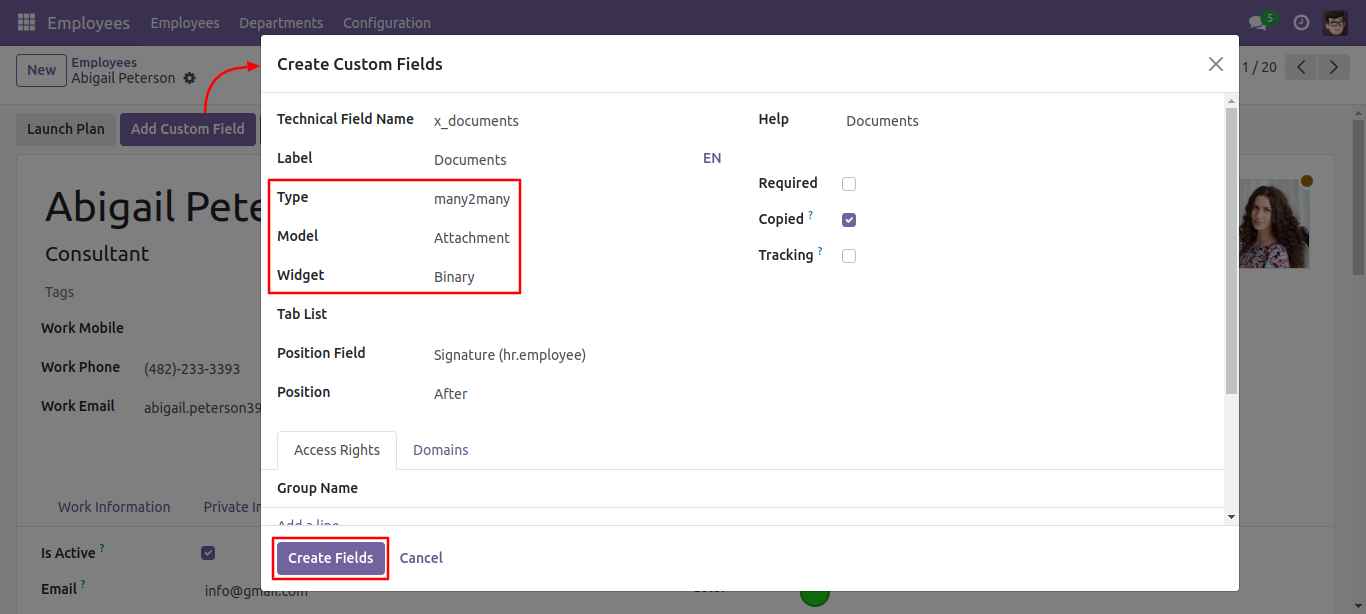
Binary widget added (Binary widget useful to give more than 1 one attachment).
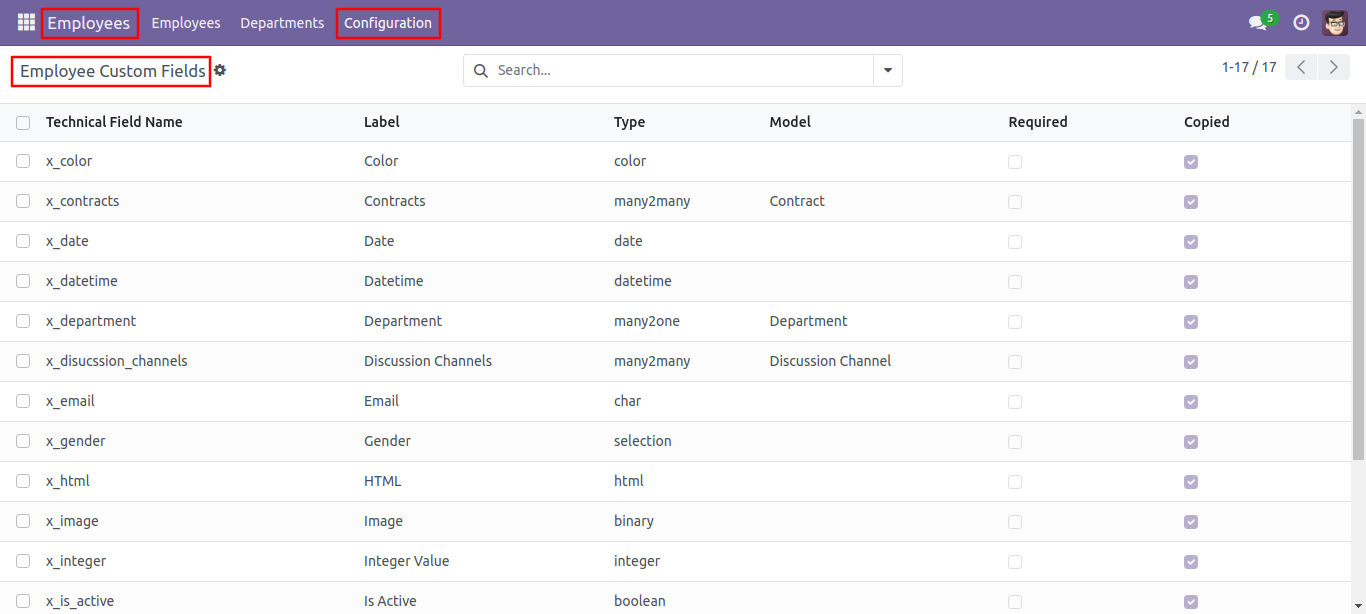
'Employee Custom Field' Menu in Configuration where you can see the list and edit the custom Fields.
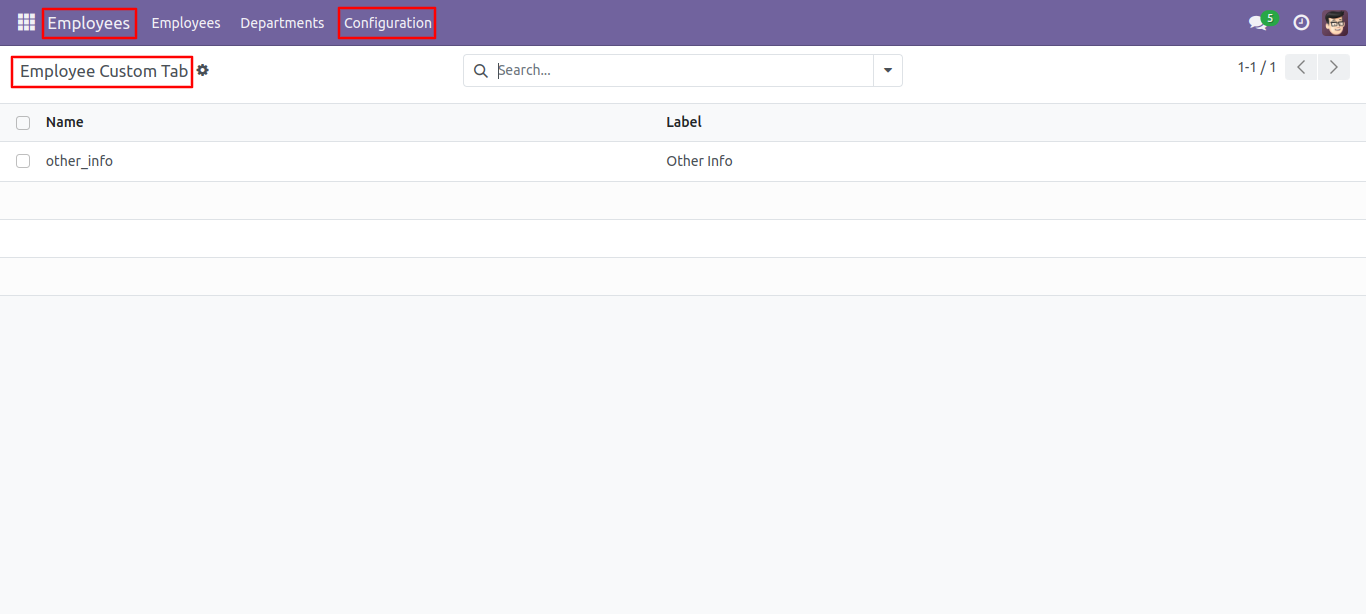
'Employee Custom Tab' Menu in Configuration where you can see the list and edit the custom tabs.
Version 19.0.1 | Released on : 30th August 2025
- Yes, this app works perfectly with Odoo Enterprise (Odoo.sh & Premise) as well as Community.
- No, this application is not compatible with odoo.com(odoo saas/Odoo Online)
- Yes, to test this module, please contact us at sales@softhealer.com.
- Please contact us at sales@softhealer.comto request customization.
- Yes, we provide free support for 365 days from the date of purchase.
- Yes, you will receive lifetime free updates for the version of the module you purchased.
- No, there is no need to install any additional libraries.
- Yes, for version 12 and above, you need to purchase the module separately for each version you intend to use.
- No, exchanges or refunds are not allowed. Please make sure to select the correct version before purchasing.
- You can contact us at support@softhealer.com for language translation support. We use Google Translator tools to provide translations in multiple languages, so the accuracy may vary. We welcome your suggestions to help improve translations.
Discover Our Latest Apps