













Advance Salary - Enterprise Edition

This module helps employees to create an advance salary request. The responsible person has the authority to approve or reject the request. Employees can submit the request only once a month. Payslips will also display the advance salary amount's addition and deduction so that financial calculations will be more clear.

Features
- Employees can easily create an advance salary request.
- Only the responsible person has the right to approve or reject the approval request.
- Employees are allowed to submit the advance salary request only once per month.
- The responsible person for approvals will receive a request for approval notification.
- The requester will receive a confirmation approval notification.
- The addition and deduction of the advance salary amount are shown in the payslips.
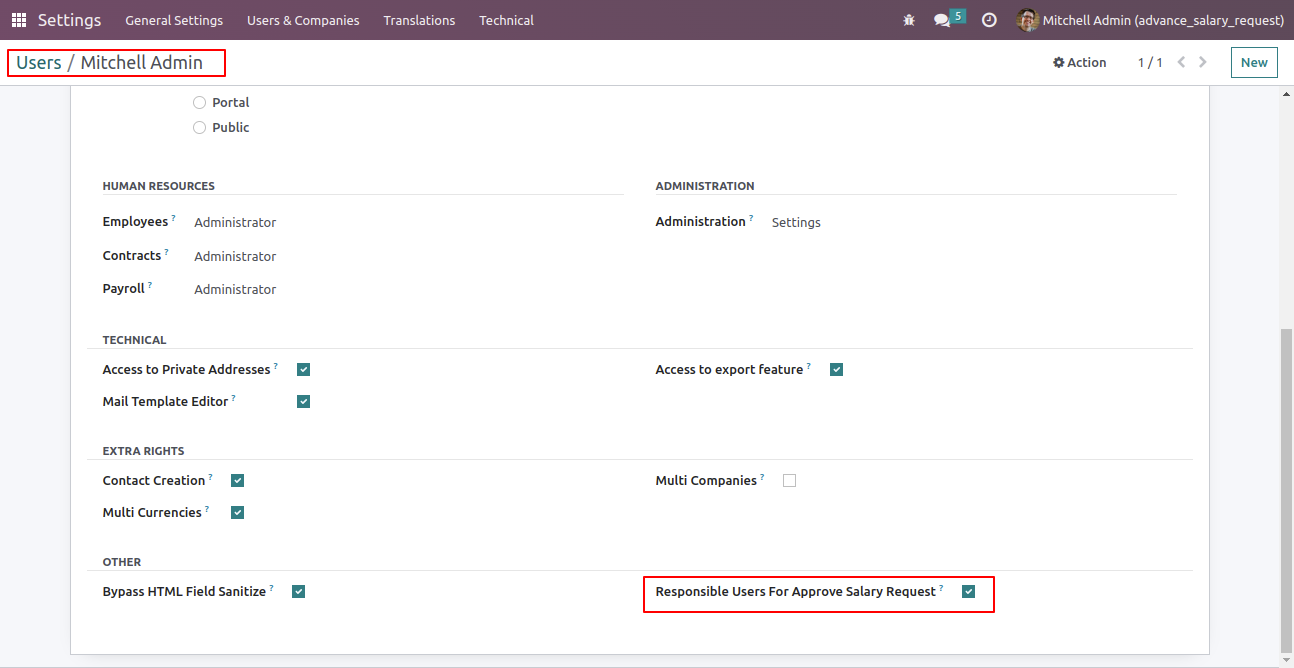
Go to the user setting and tick 'Responsible user for approve salary request'.
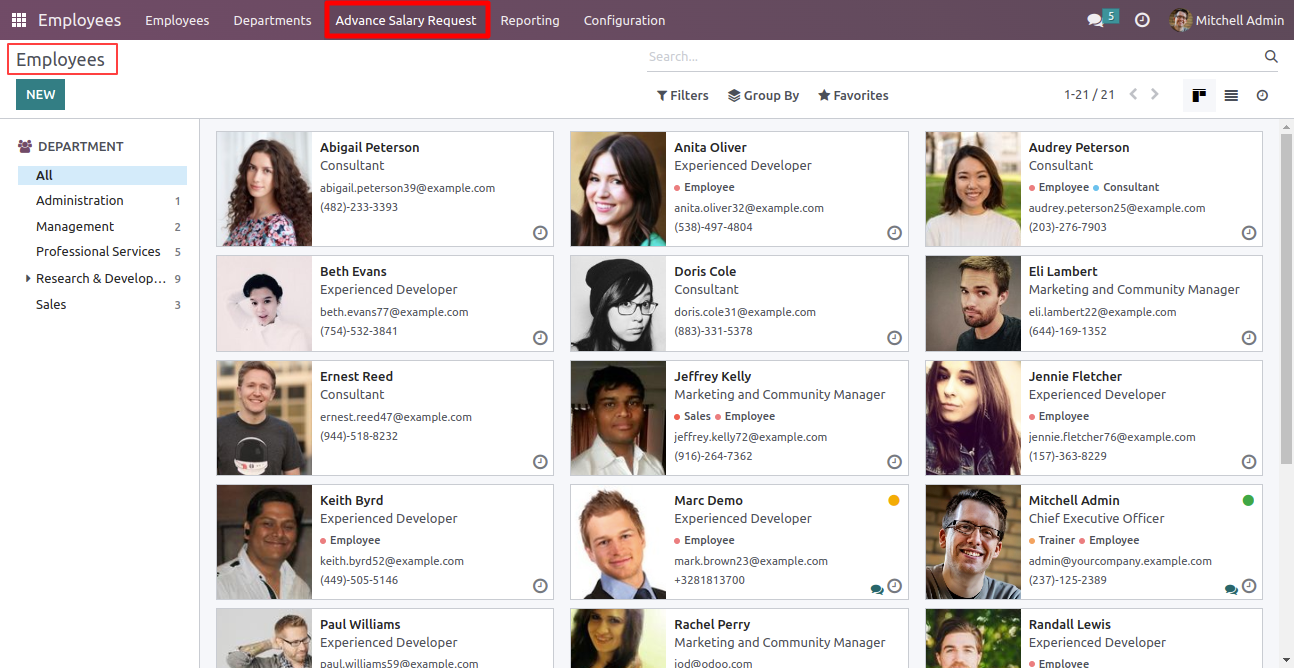
Open the employee's section and click on the 'advance salary request' menu.
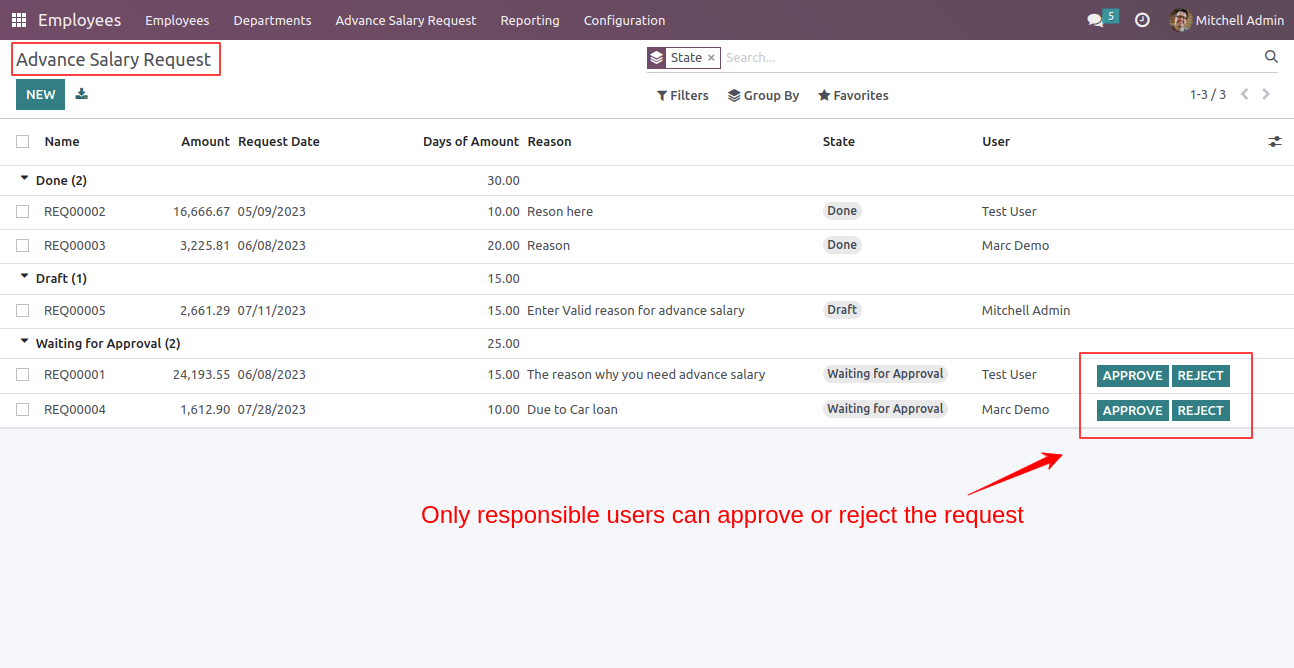
Approve or reject the advance salary request.
Note: Only the responsible person can approve or reject the request.
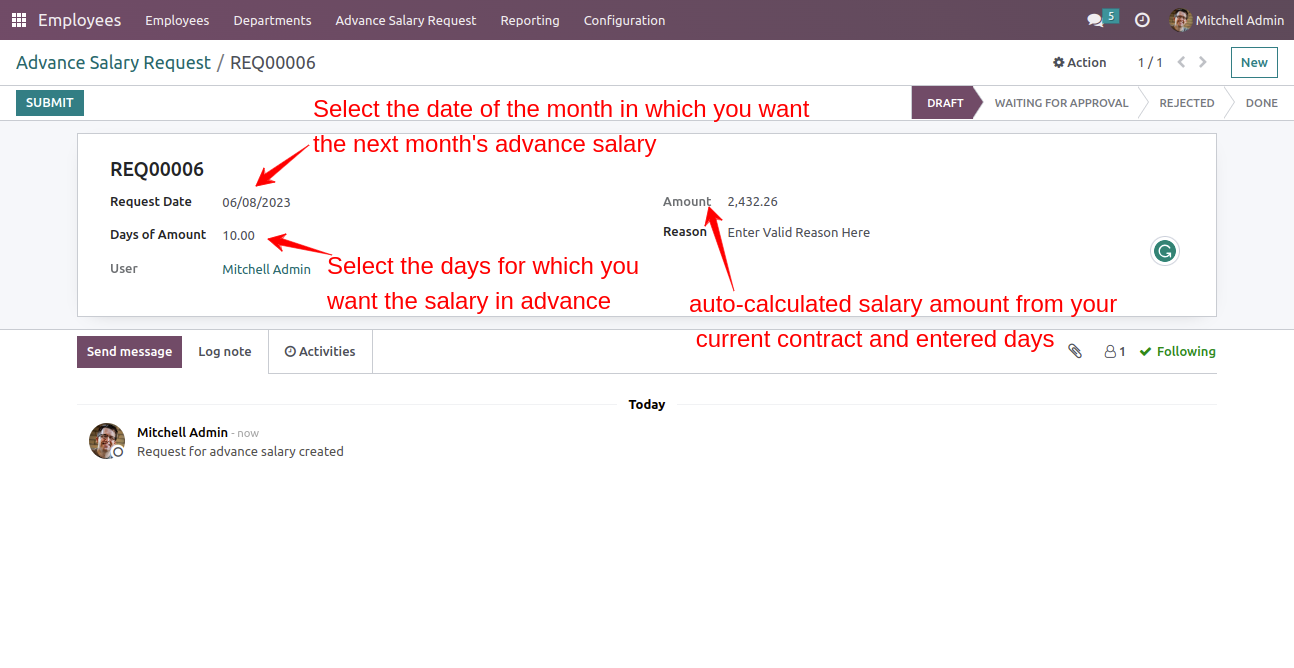
In the form view the advance salary request, select the requested date and the number of days
you need the salary for in advance. The amount will be automatically calculated based on the
information you provide.
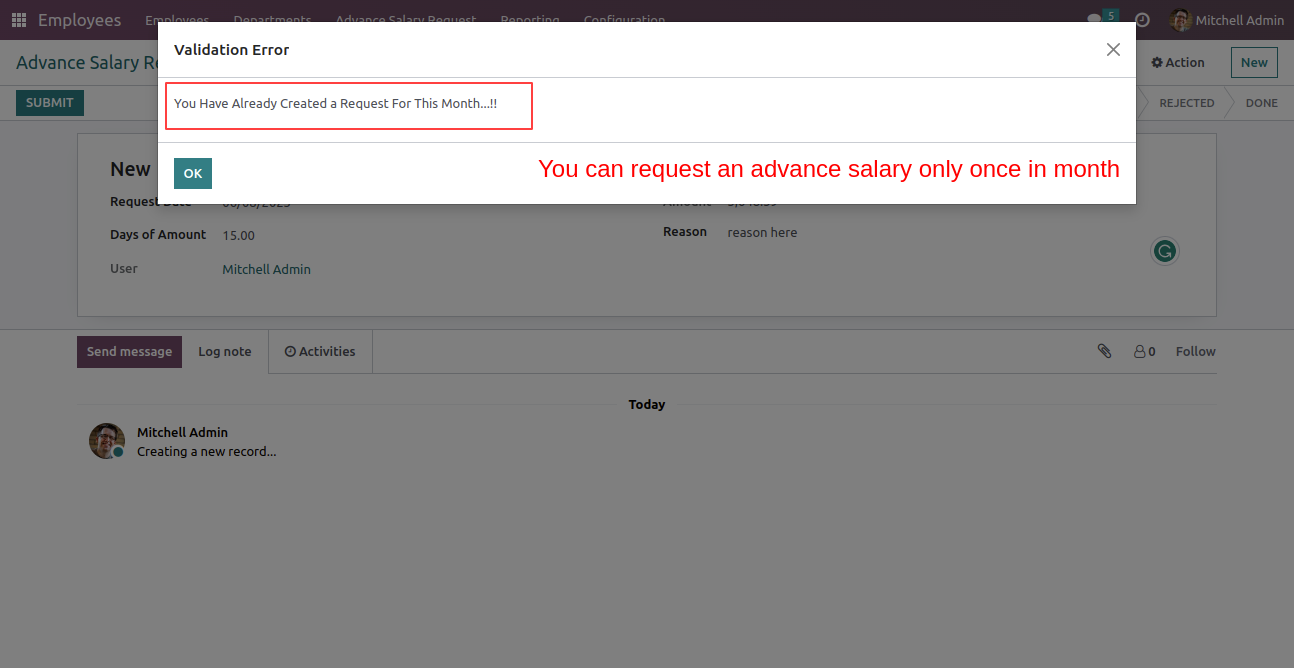
Click the 'submit' button to complete the process.
The validation error appears.
Note: You are allowed to submit the advance salary request only once per month.
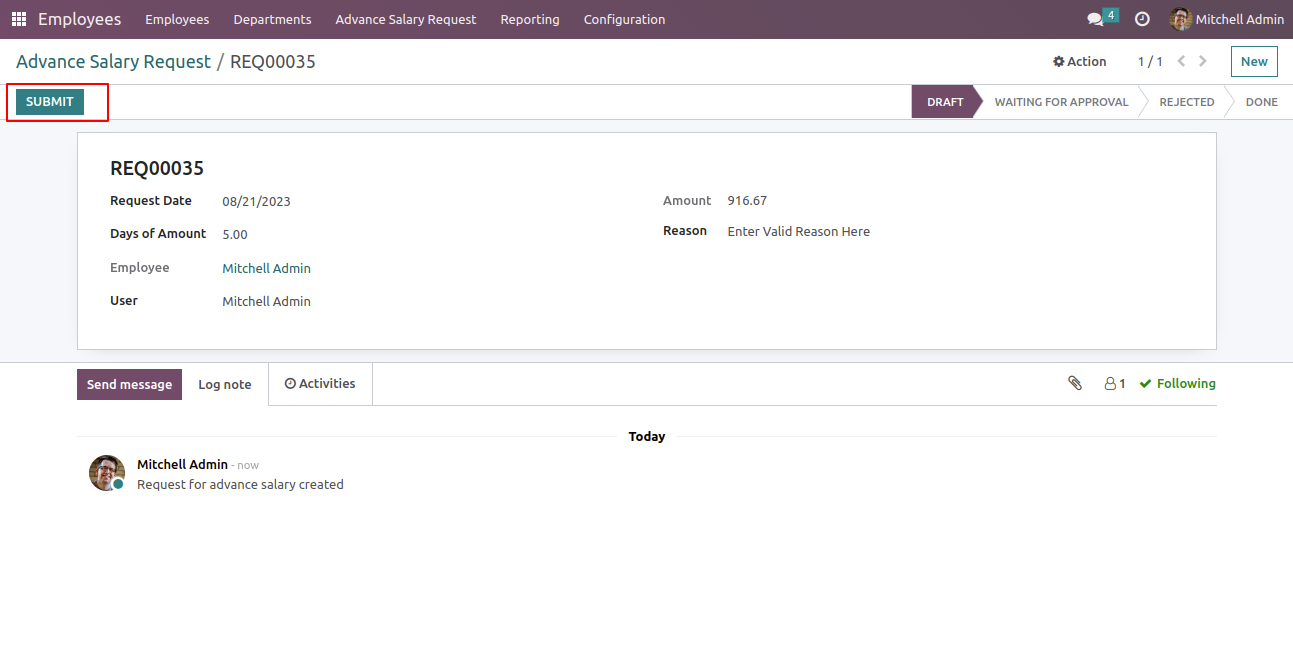
Set the correct details and click on the submit button.
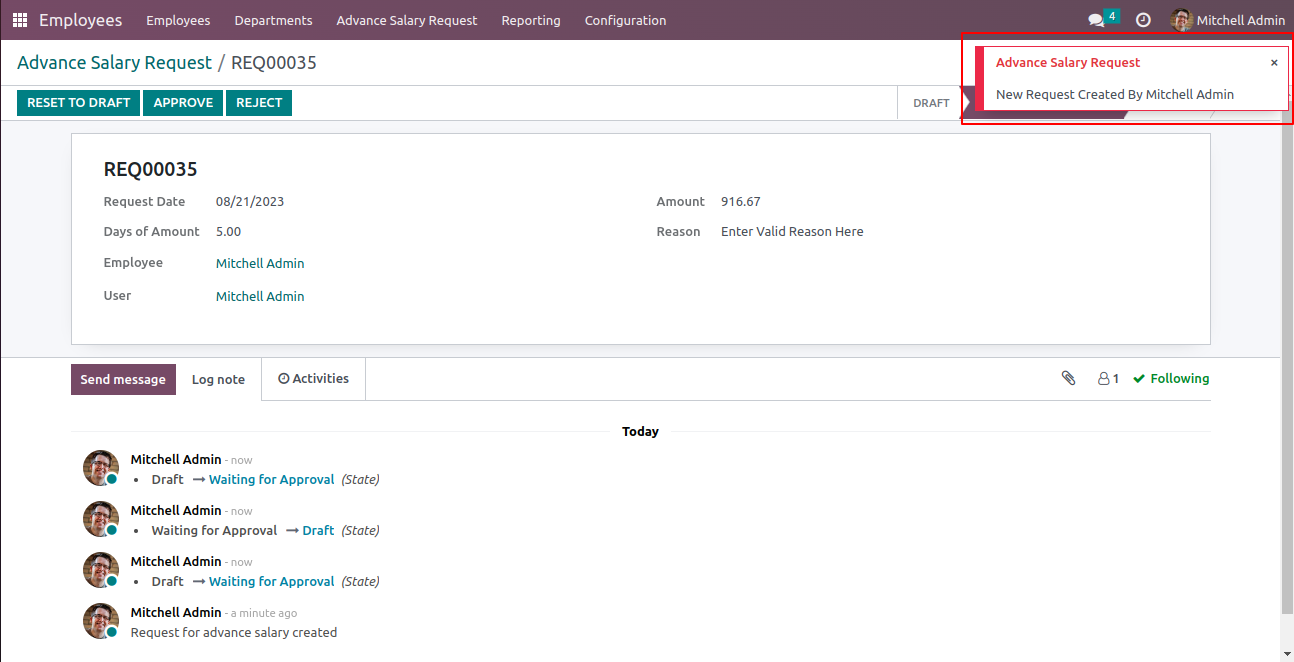
The individual responsible for approvals will receive a request for approval notification.
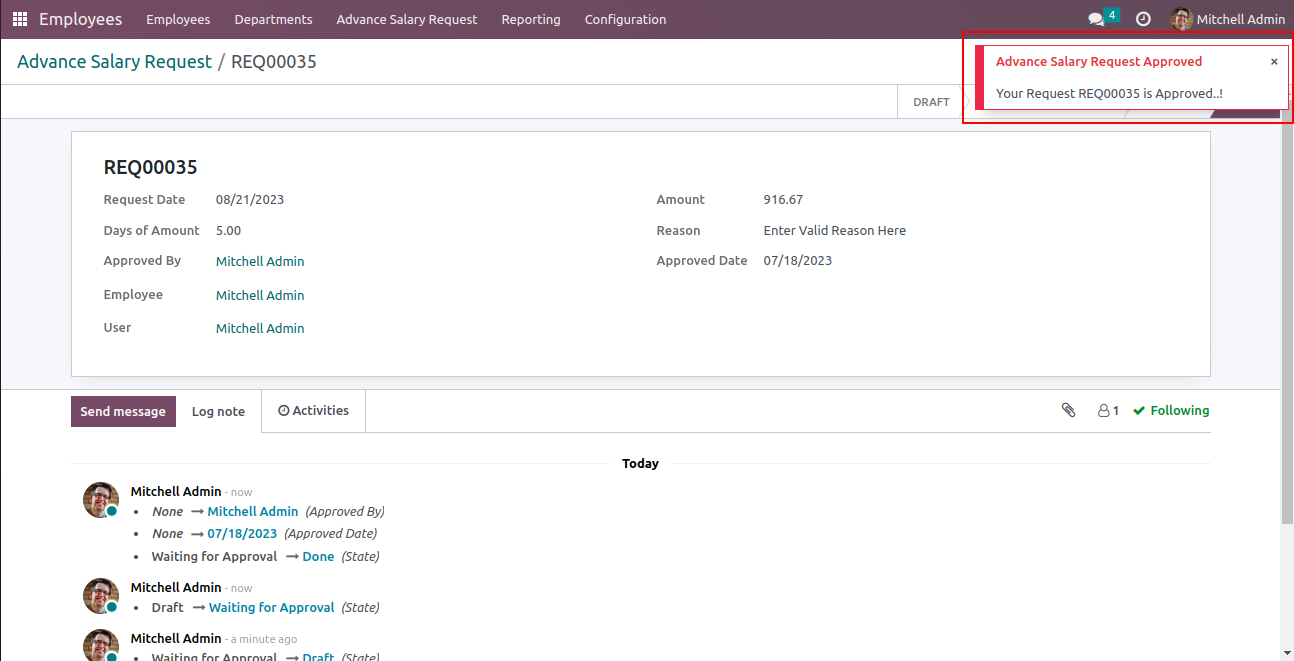
Once the responsible person approves the request, the requester will receive a notification confirming the approval.
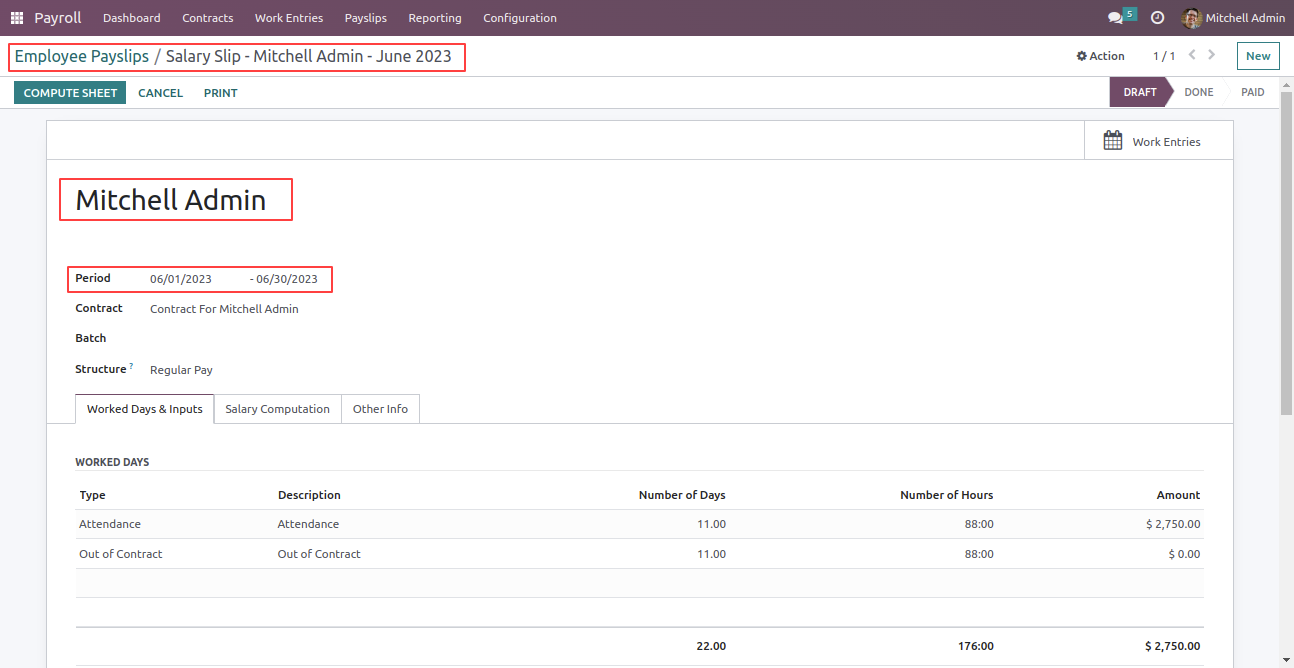
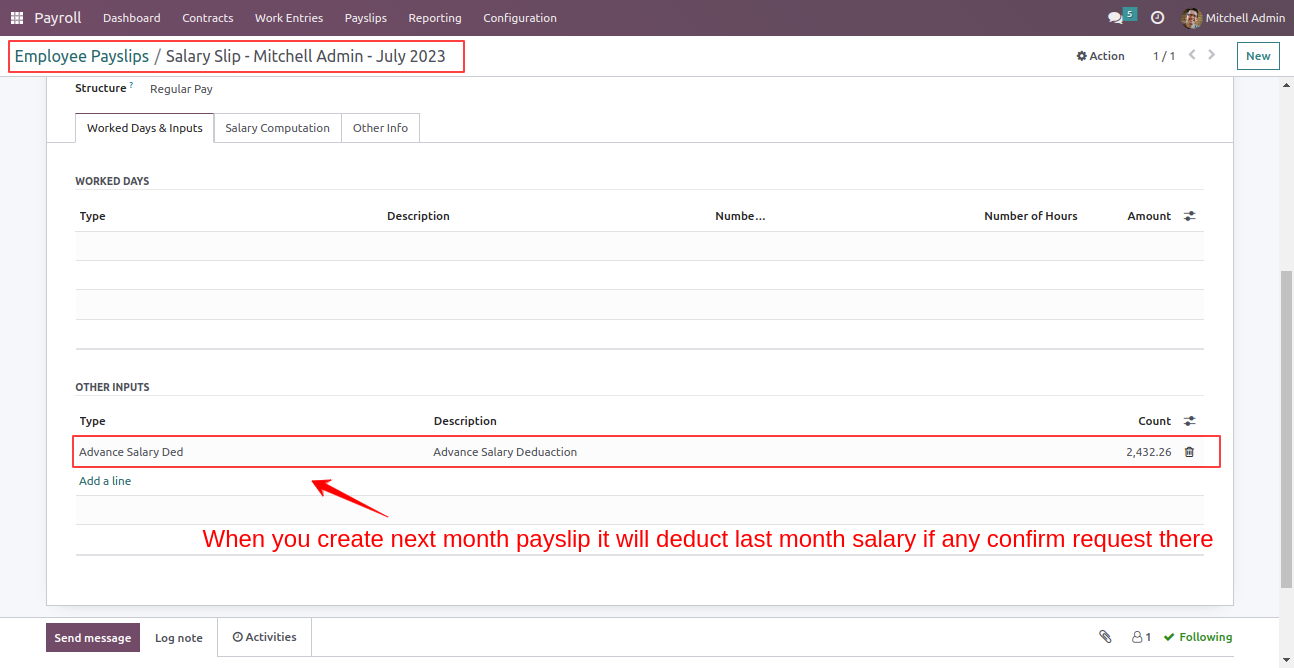
In the form view of the employee's payslip, you can see the time period covered in the payslip.
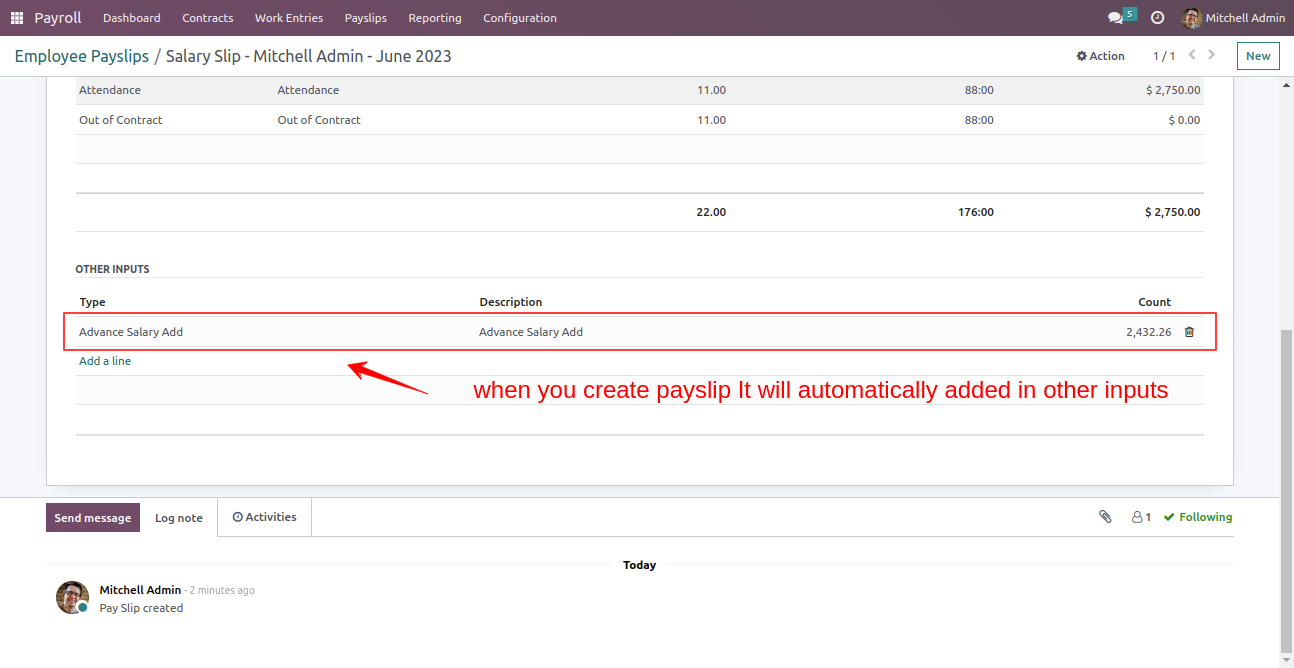
When you create a payslip, it will be automatically added to the other inputs.
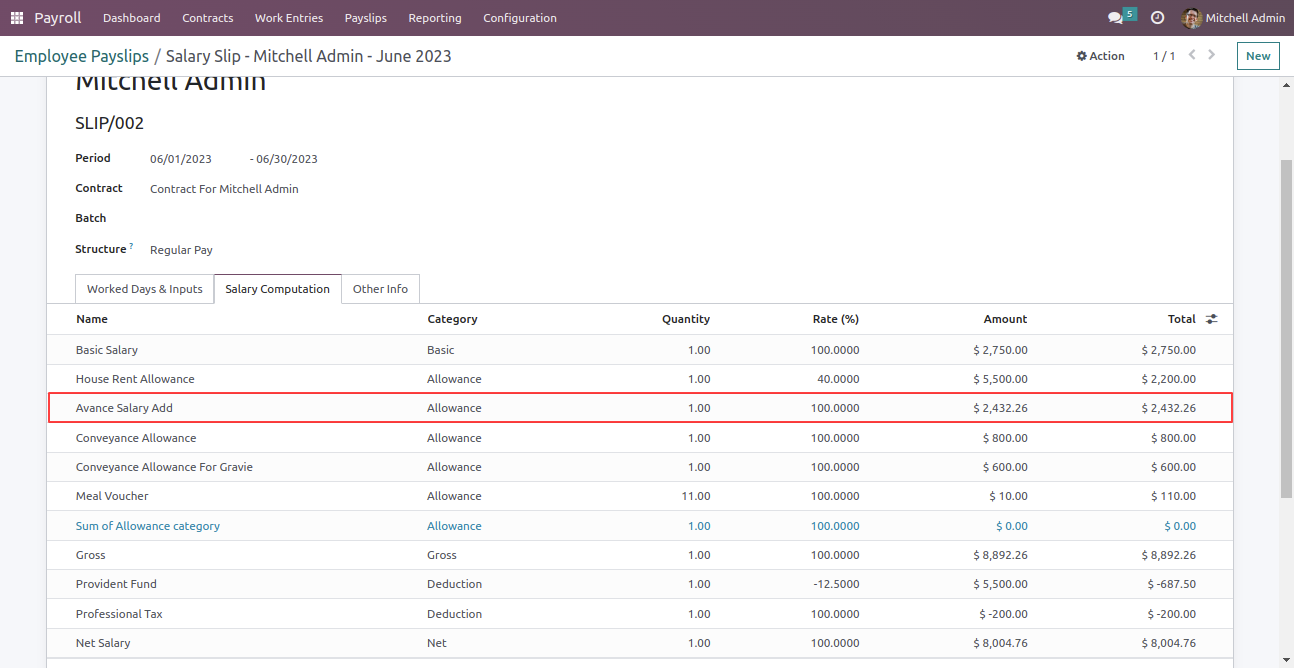
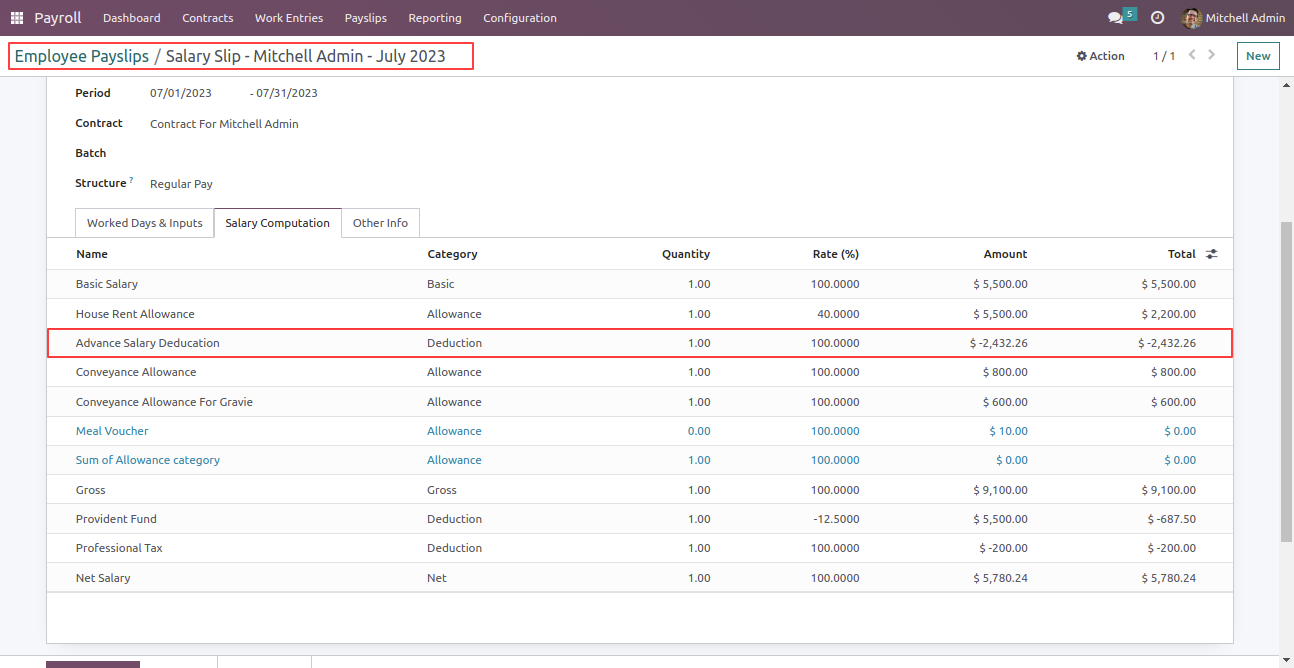
In the salary computation tab, the advance salary is added.
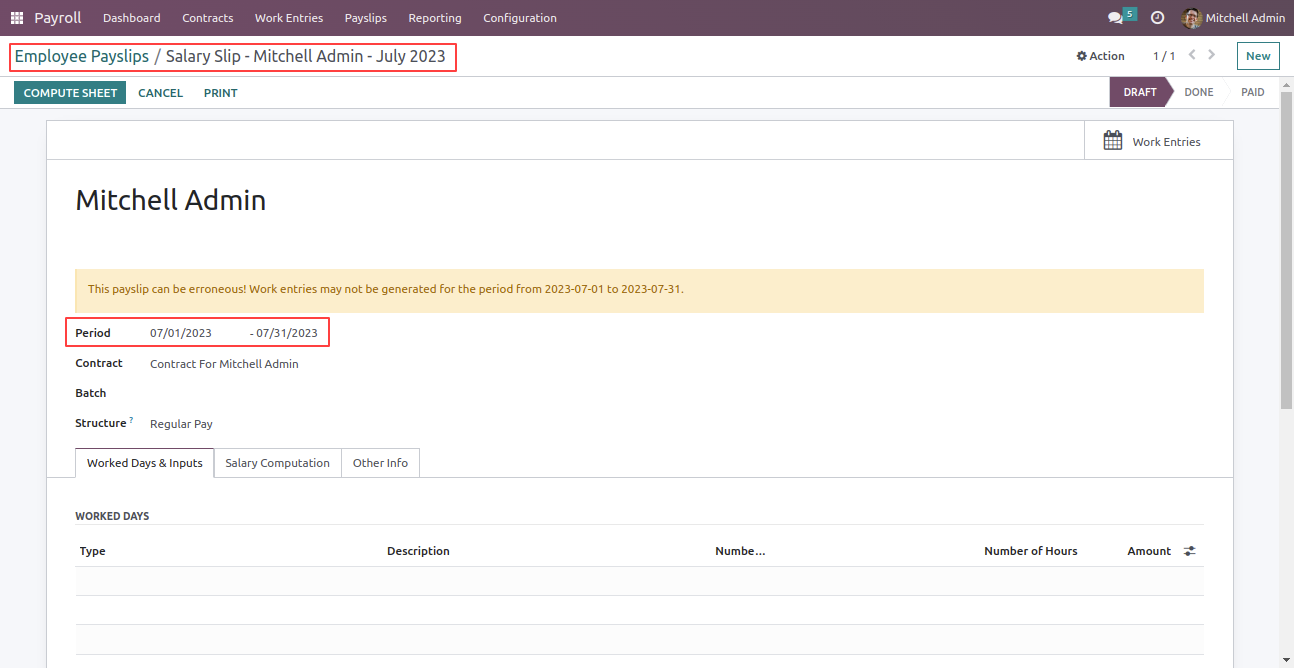
Create the payslip for the upcoming month and the advance salary amount is deducted from the
total amount.
Note: If there is any confirmed advance salary request, the advance salary amount
will be deducted from the total salary amount of the next month.
In the salary computation, the advance salary is deducted.
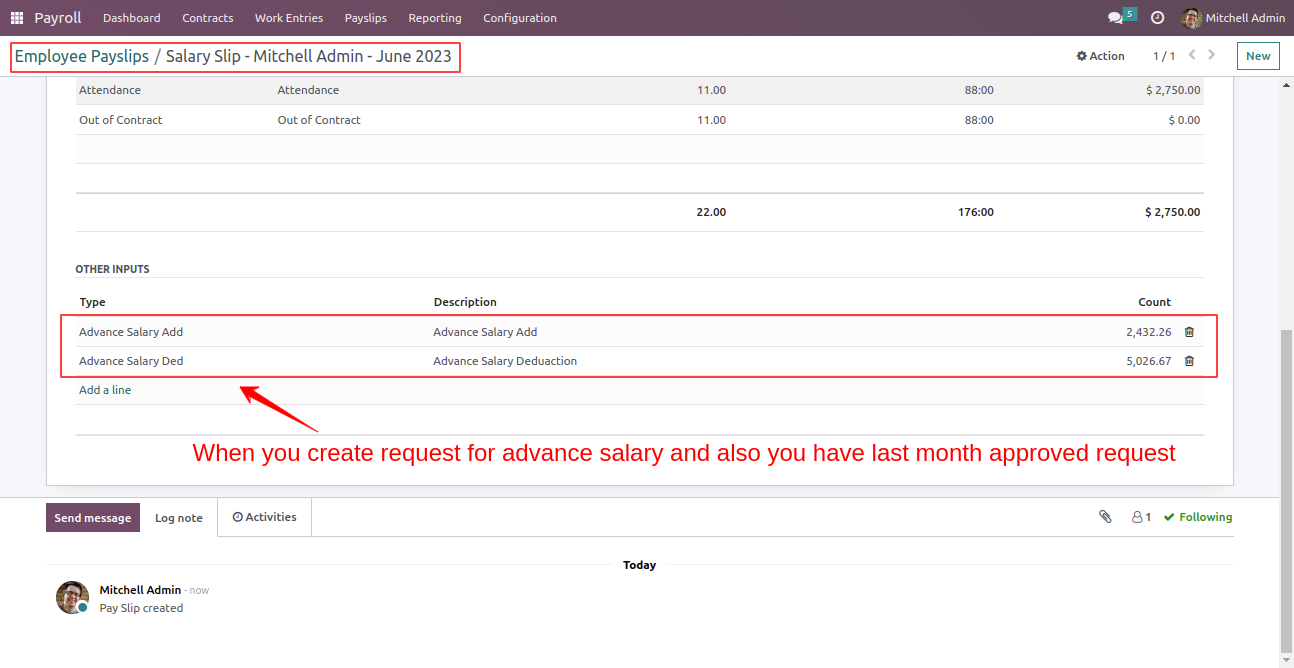
When you submit a request for advance salary, and if you already have a previously approved request, that approved amount will added to the other inputs.
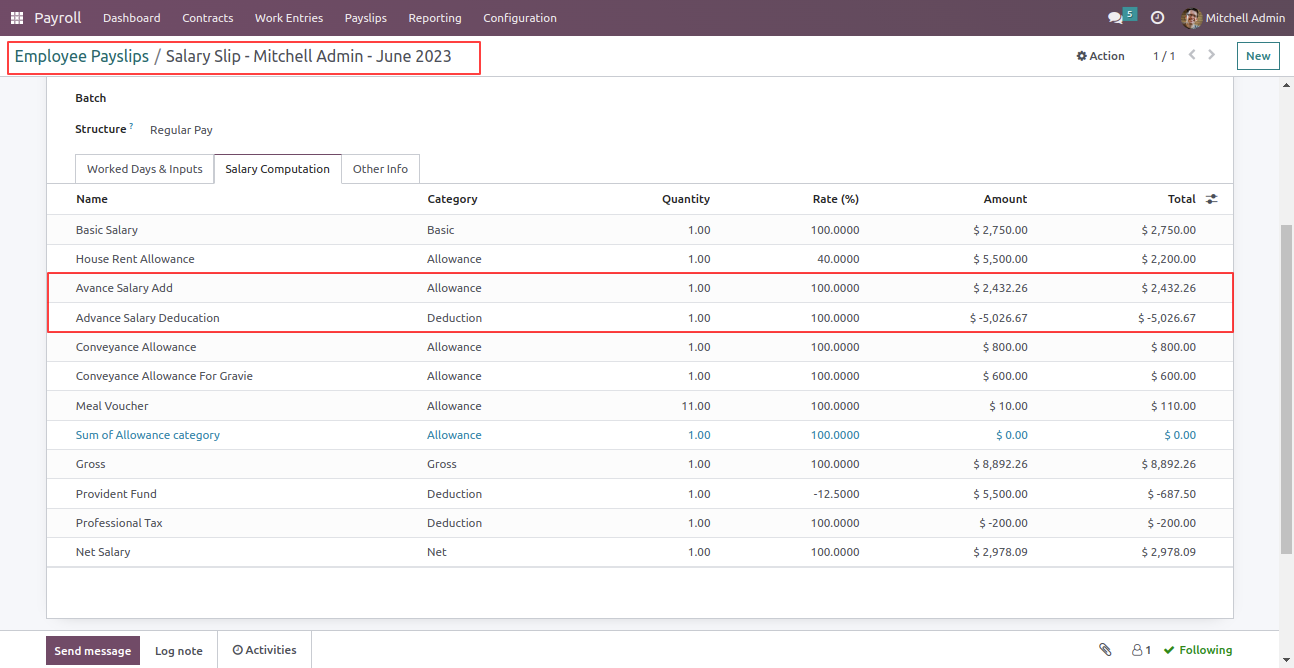
In the salary computation tab, you will see both the addition and deduction of the advance salary amount.
Version 18.0.1.0.0 | Released on : 16th February 2026
- >This app works perfectly with Odoo Enterprise (Odoo.sh & Premise) only.
- No, this application is not compatible with odoo.com(odoo saas/Odoo Online)
- Yes, to test this module, please contact us at sales@softhealer.com.
- Please contact us at sales@softhealer.com to request customization.
- Yes, we provide free support for 365 days from the date of purchase.
- Yes, you will receive lifetime free updates for the version of the module you purchased.
- No, there is no need to install any additional libraries.
- Yes, for version 12 and above, you need to purchase the module separately for each version you intend to use.
- No, exchanges or refunds are not allowed. Please make sure to select the correct version before purchasing.
- You can contact us at support@softhealer.com for language translation support. We use Google Translator tools to provide translations in multiple languages, so the accuracy may vary. We welcome your suggestions to help improve translations.
