












Email CC and BCC

This module enhances the email sending options by adding CC & BCC by default in odoo. You can select the person in CC & BCC whom you want to send the emails as by default. You can also change CC & BCC when you compose your email.

Features
Default CC & BCC in Email
Easily configure default CC and BCC recipients for emails.

Editable CC & BCC While Composing
Modify CC and BCC recipients dynamically while composing emails for flexible communication.

Multi-Company Support 
Manage and operate seamlessly across multiple companies within a single system environment.

Dynamic Routing Rules
Configure dynamic routing rules to automatically direct records and processes based on customizable conditions.

CC Email Transparency Control
Use CC to include multiple recipients while maintaining visibility of shared communication.

BCC Privacy Email Support
Send emails to multiple recipients using BCC while keeping recipient details hidden from others.

Default Reply-To Option in Email
Configure and set a default Reply-To email address to manage responses more effectively.

Customer-Specific CC/BCC Recipients
Configure customer-specific CC/BCC recipients that automatically appear in when send emails.

Recipient Blacklist Shield
Configure blacklist rules for specific email addresses or domains to prevent sending emails to restricted recipients.

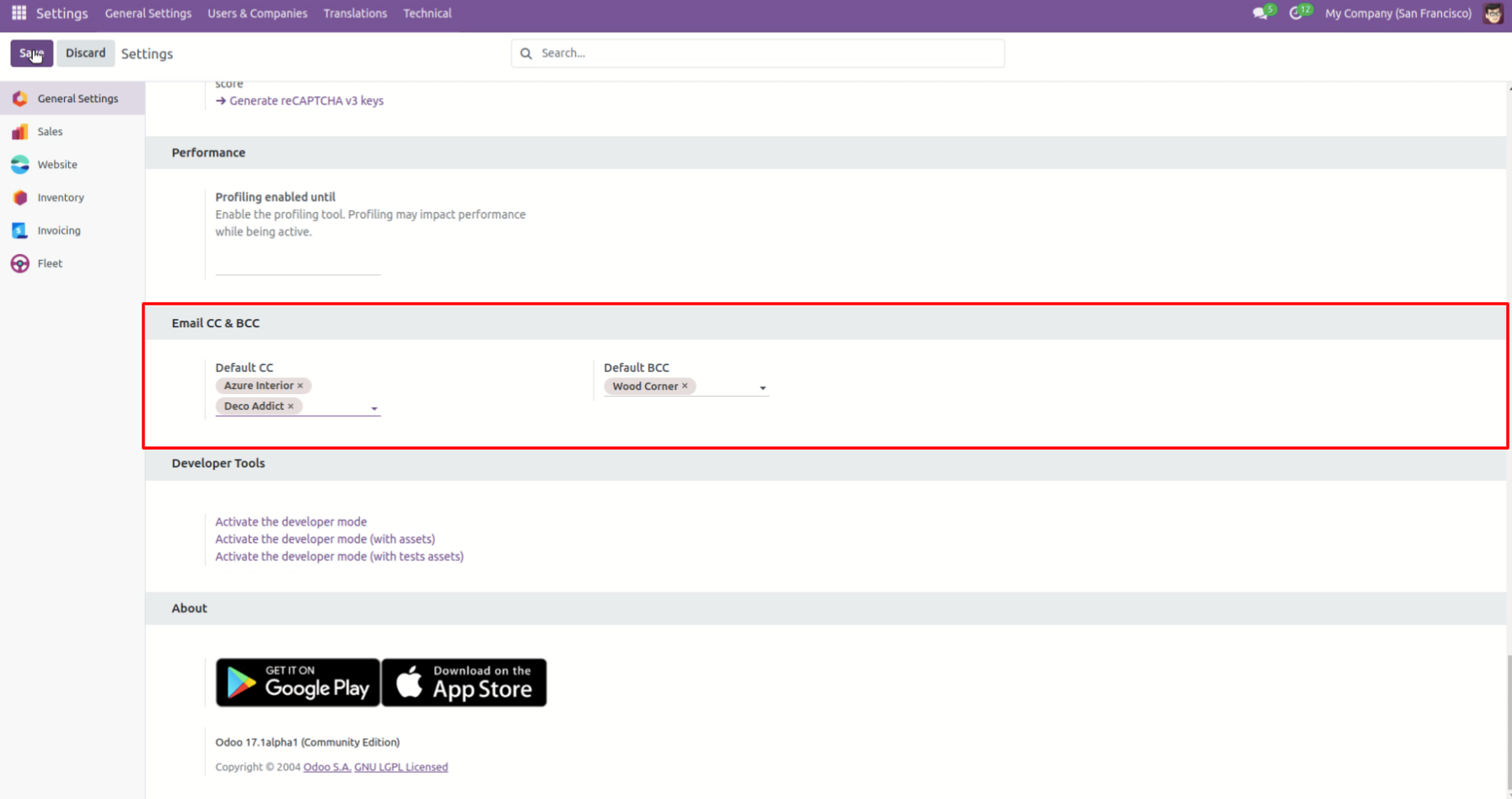
Select default email CC & BCC from settings.
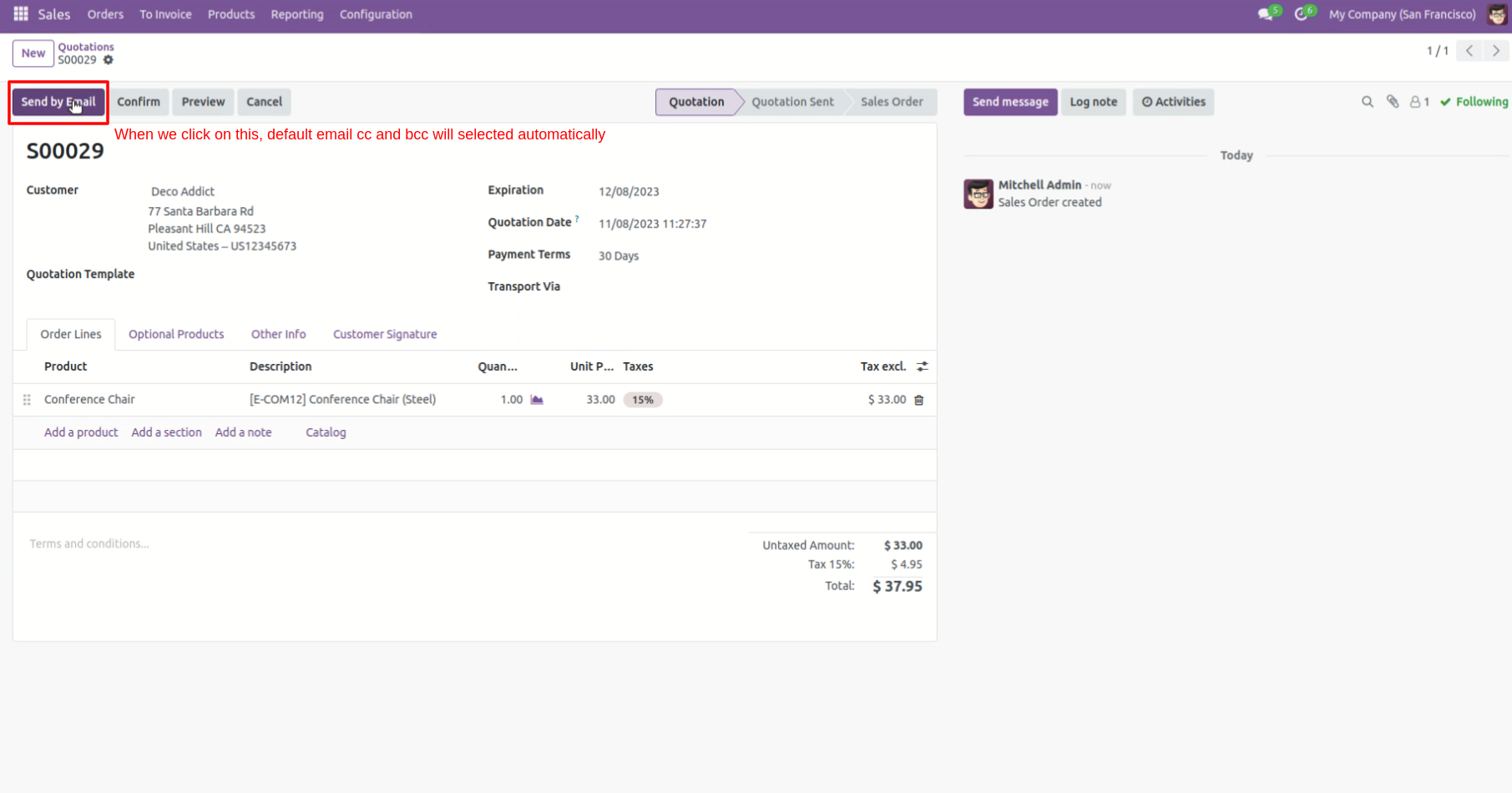
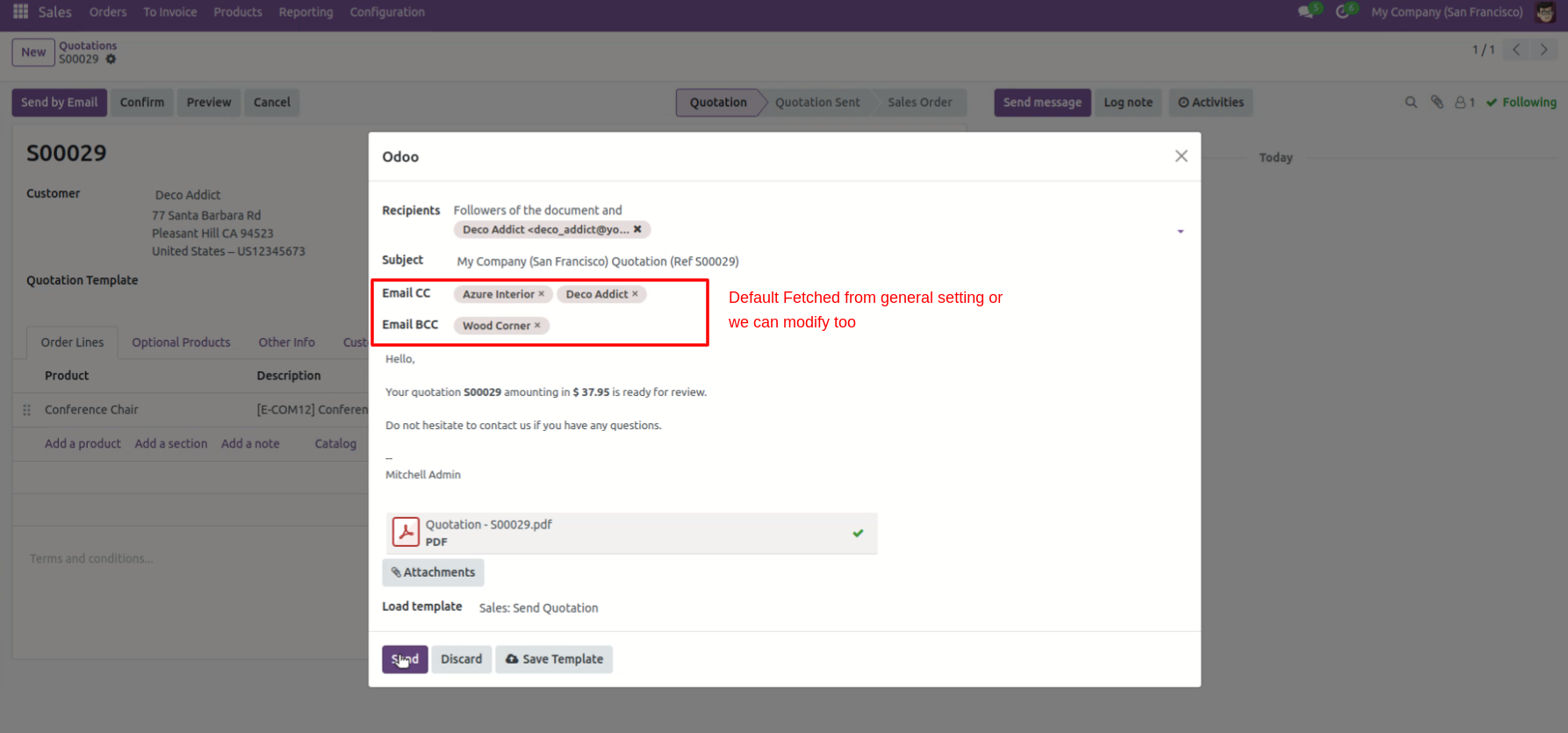
Press 'Send by Email' to send email and you got default CC & BCC.
Default CC & BCC automatically comes when you compose the email, you also can change that from the email.
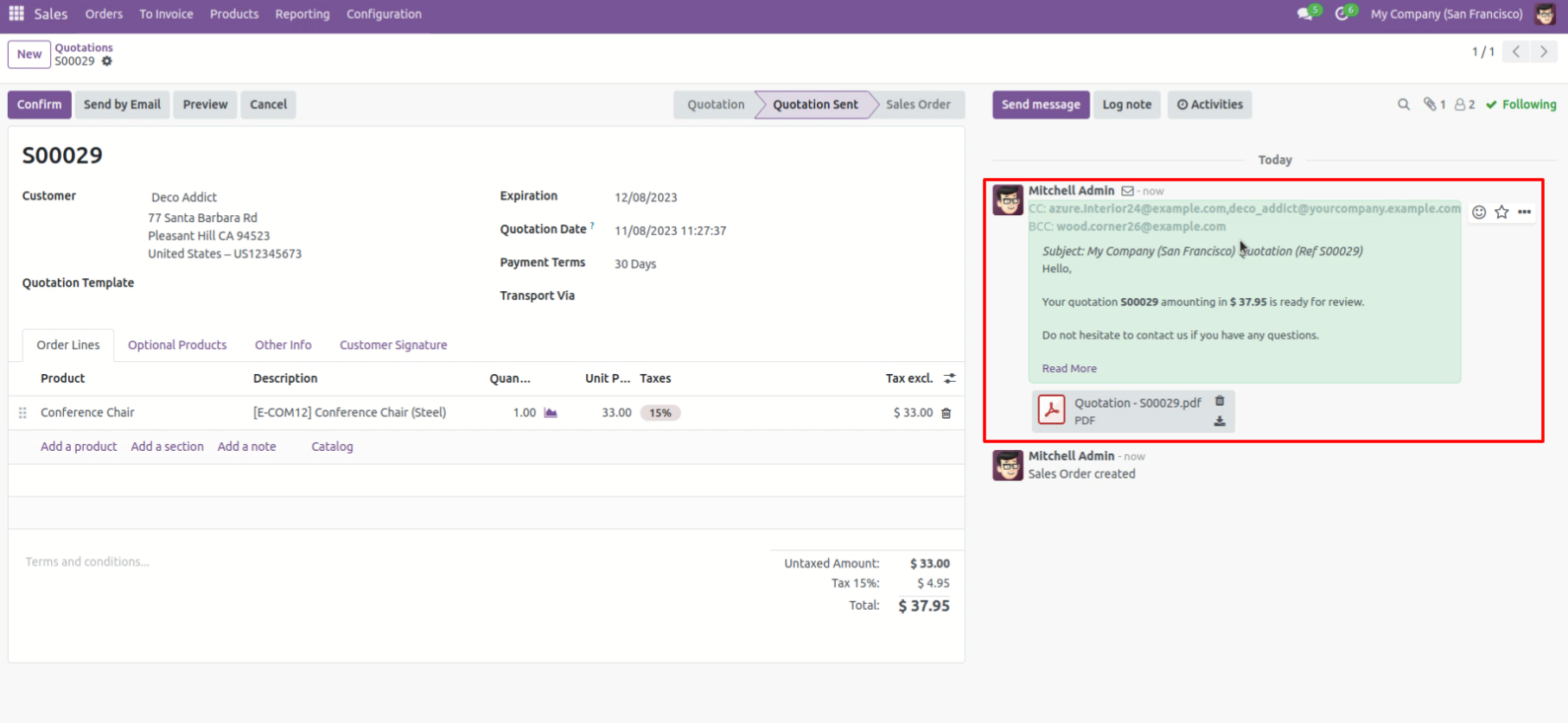
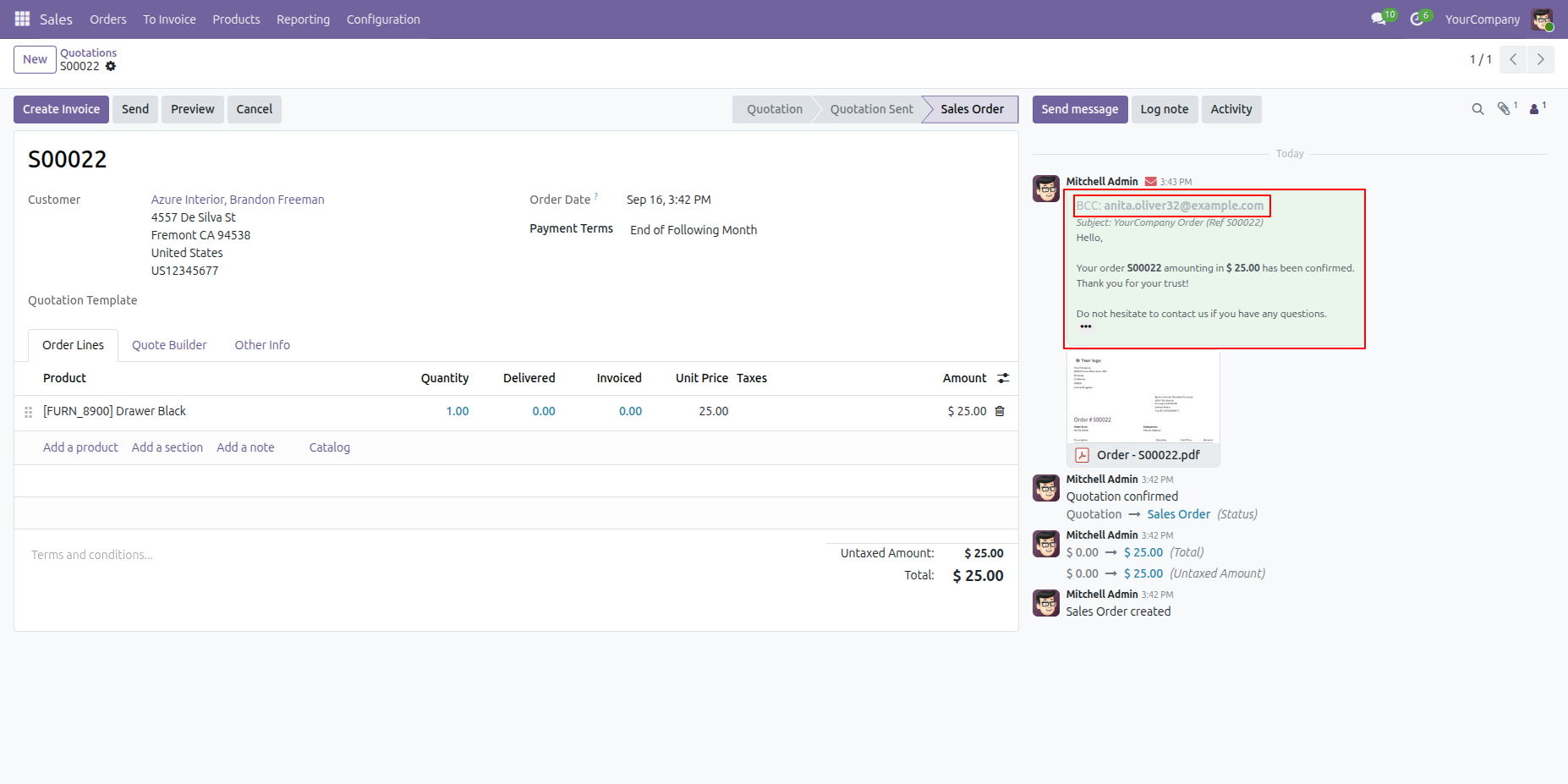
You can see sent email in chatter with default CC & BCC.
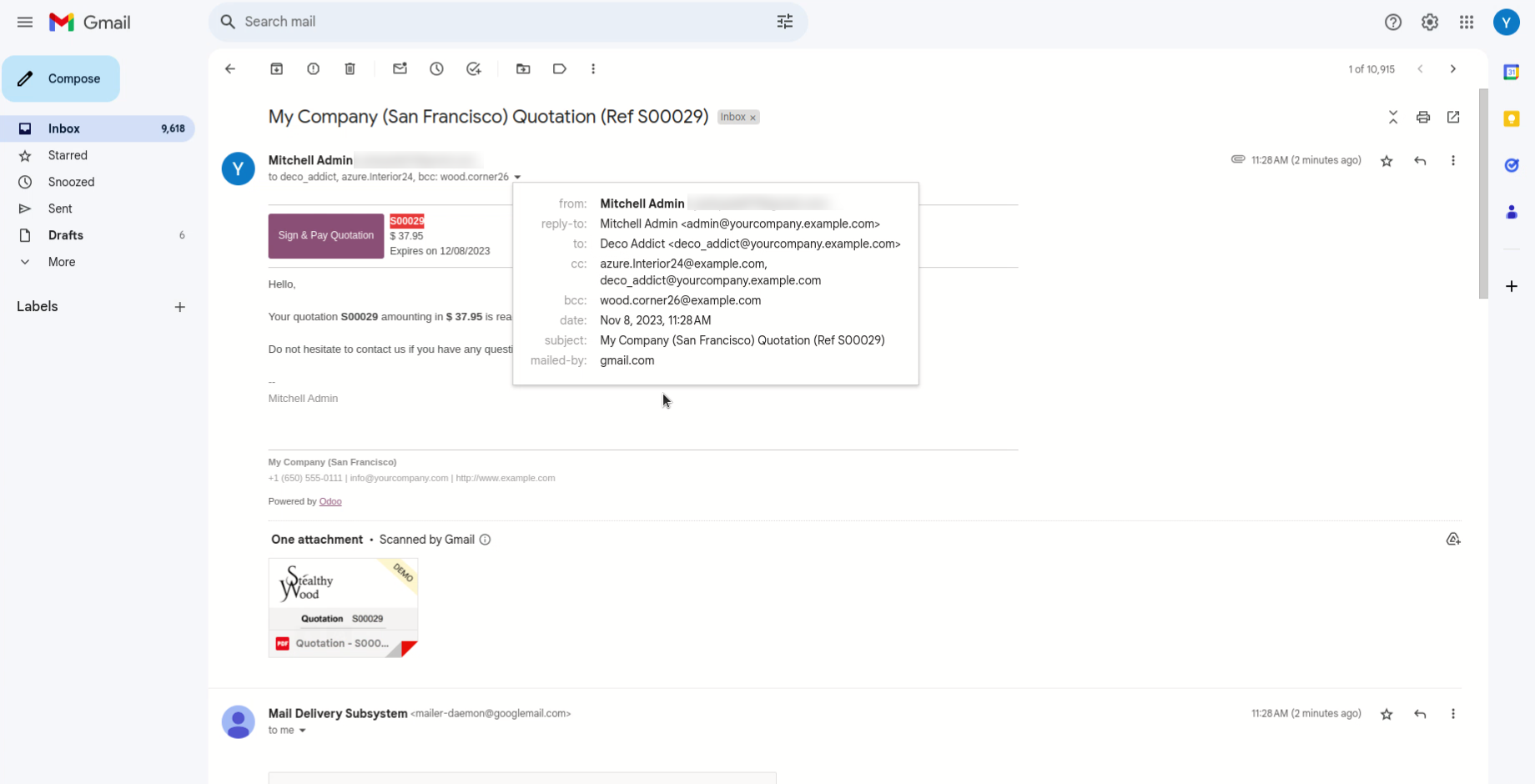
You can see sent email with default CC & BCC.
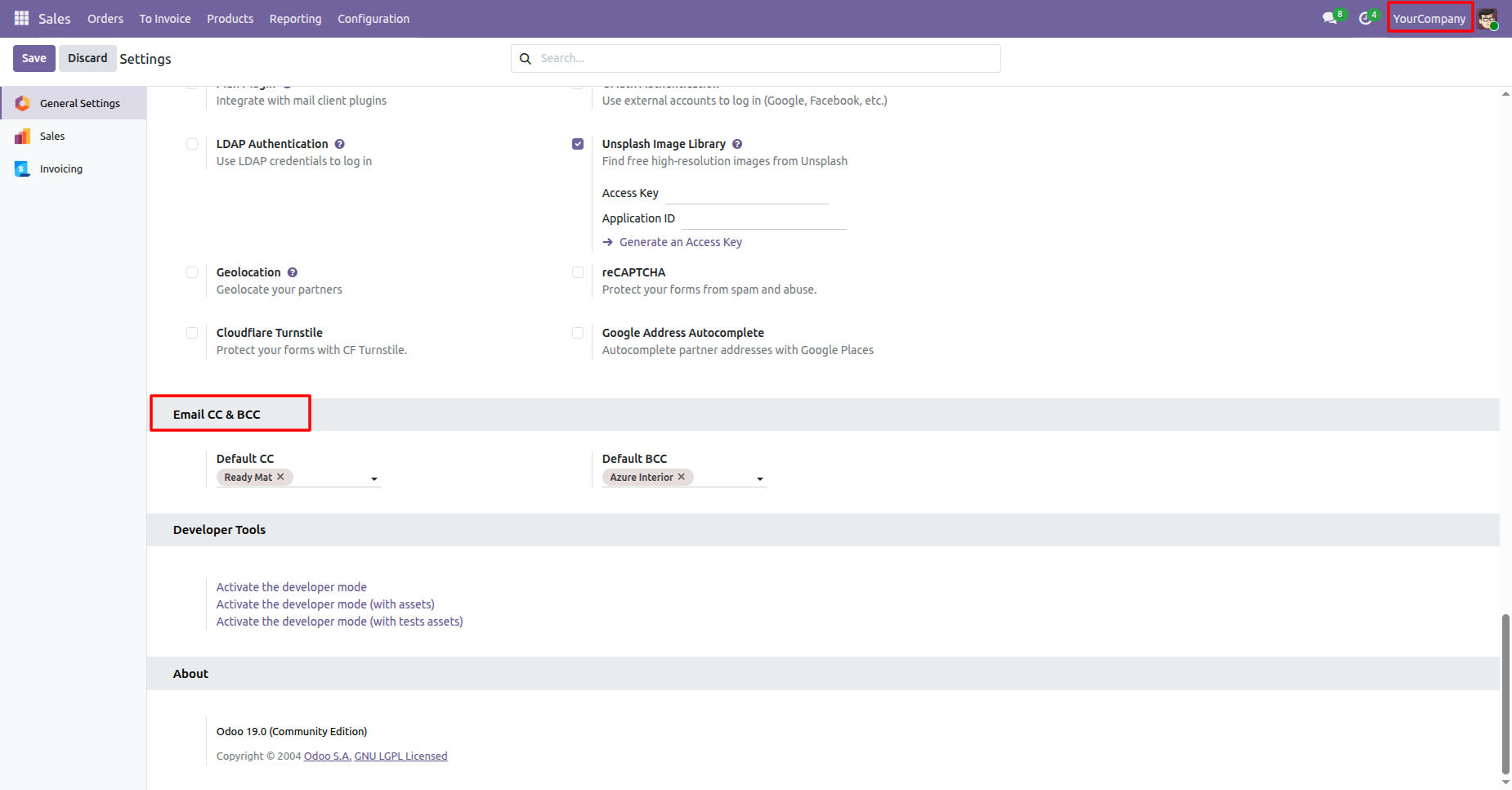
Select default email CC & BCC from settings.
Here you can see that the activate company is 'Your Company'.
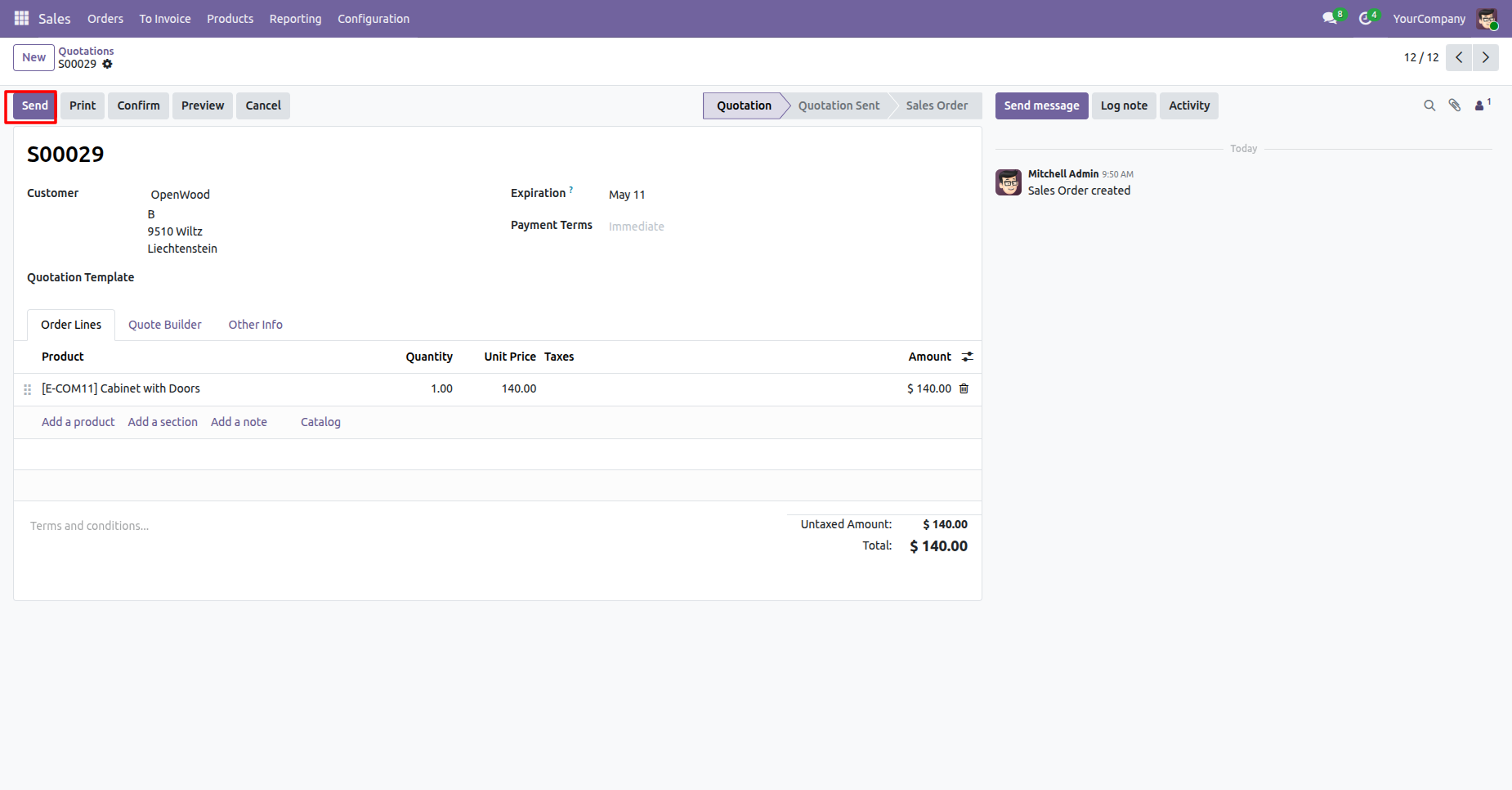
Press 'Send by Email' to send email and you got default CC & BCC.
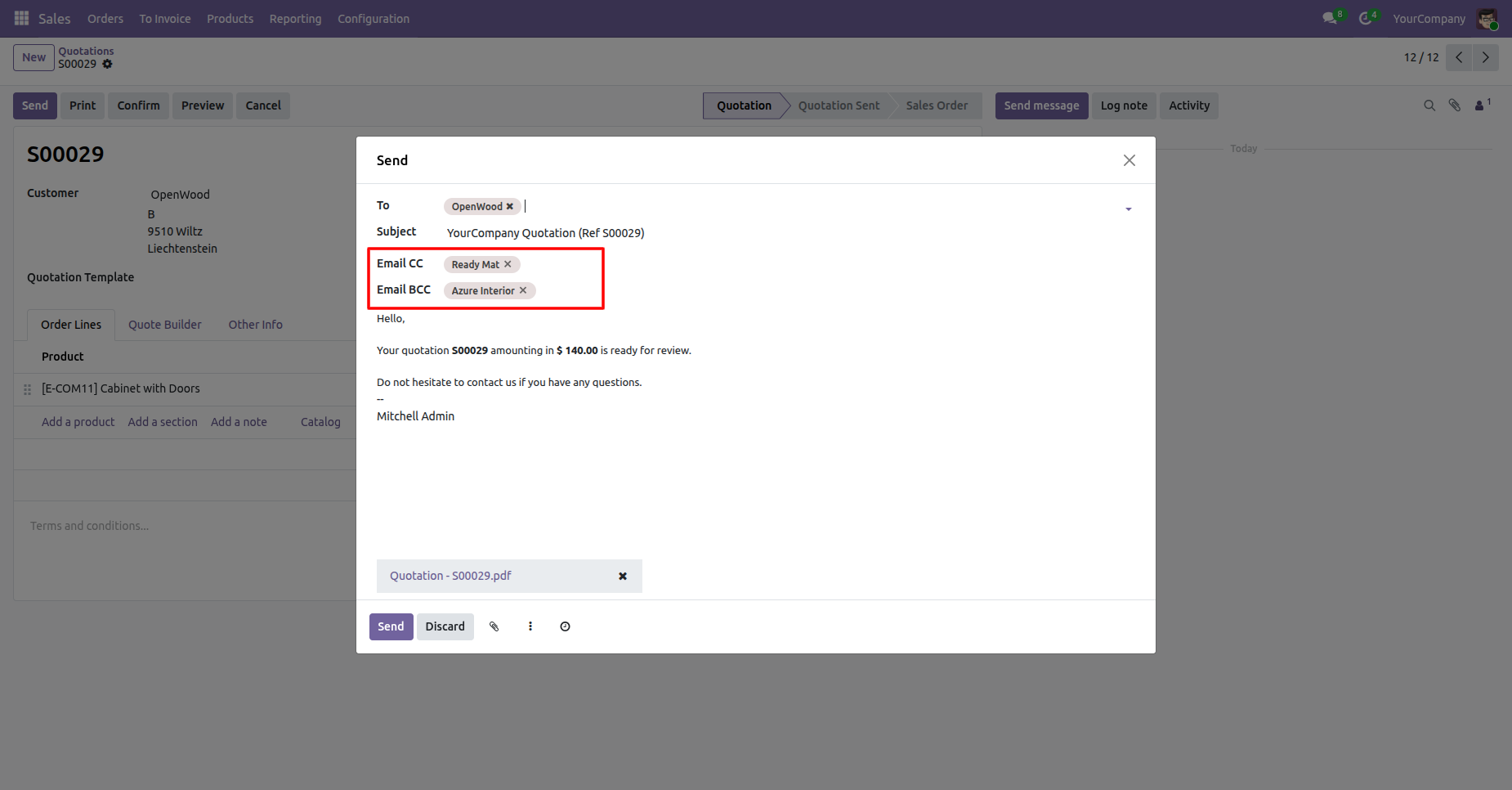
Default CC & BCC automatically comes when you compose the email, you also can change that from the email.
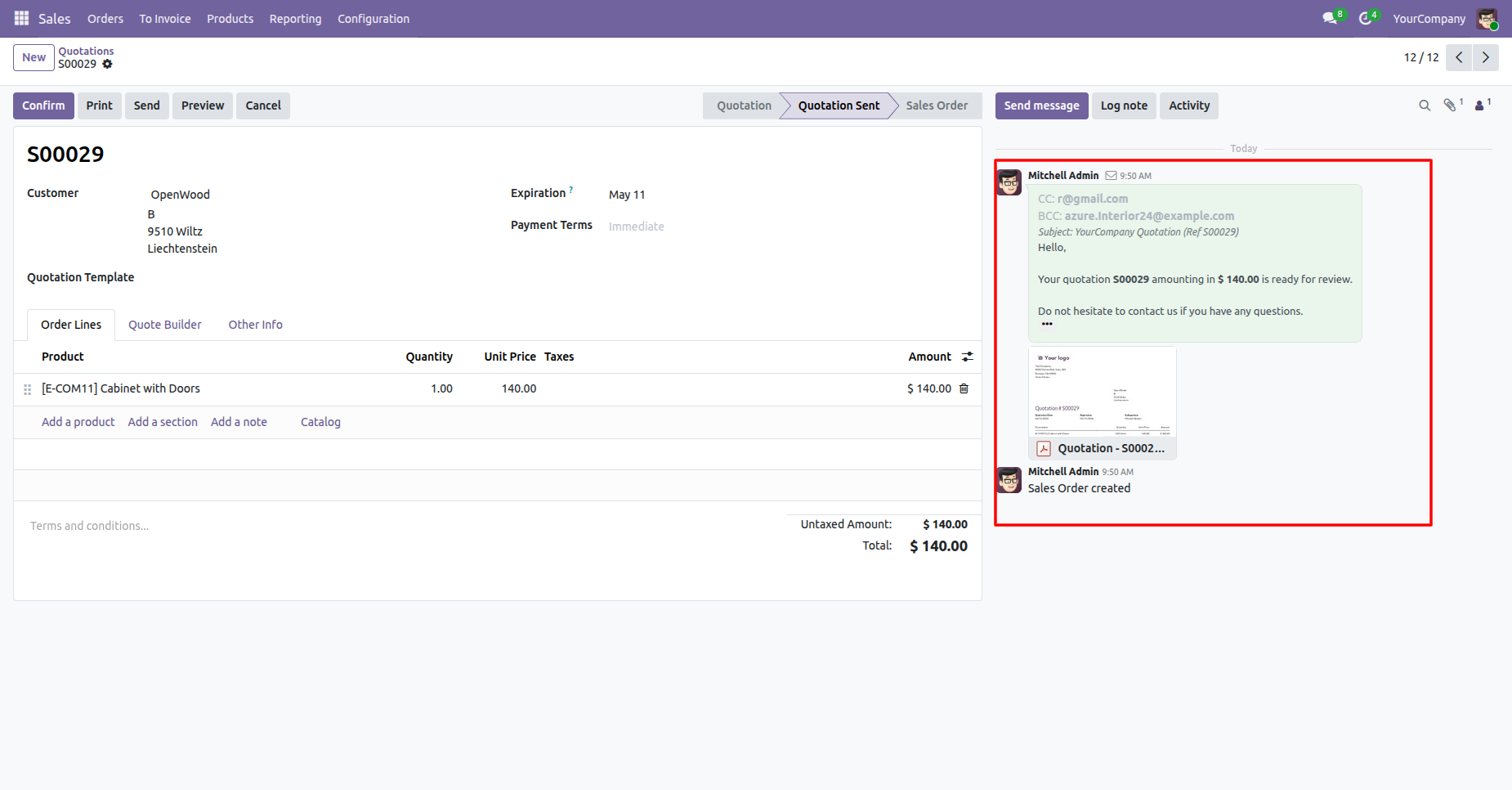
You can see sent email in chatter with default CC & BCC.
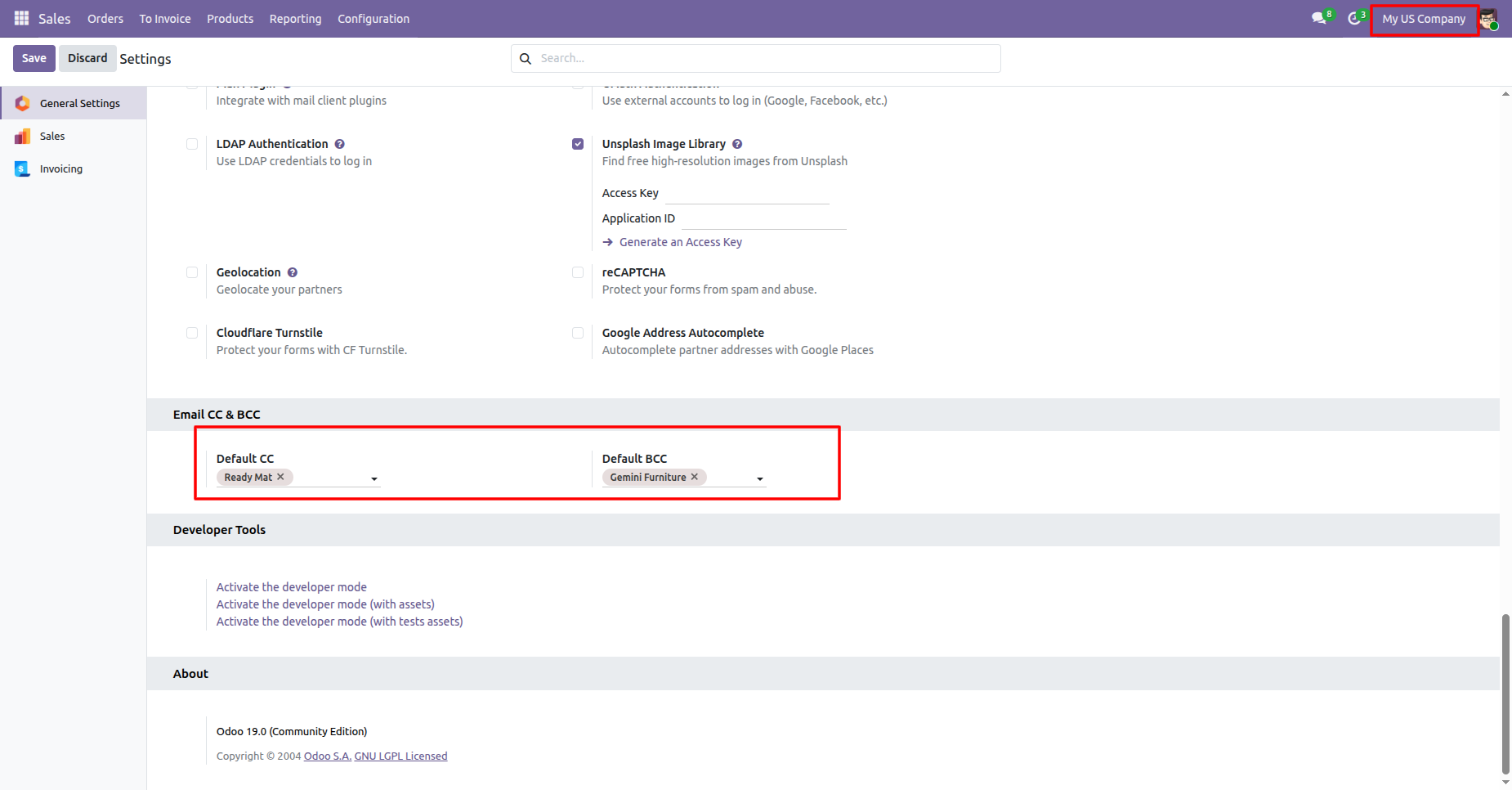
Select default email CC & BCC from settings.
Here you can see that the activate company is 'My US Company'.
Press 'Send by Email' to send email and you got default CC & BCC.
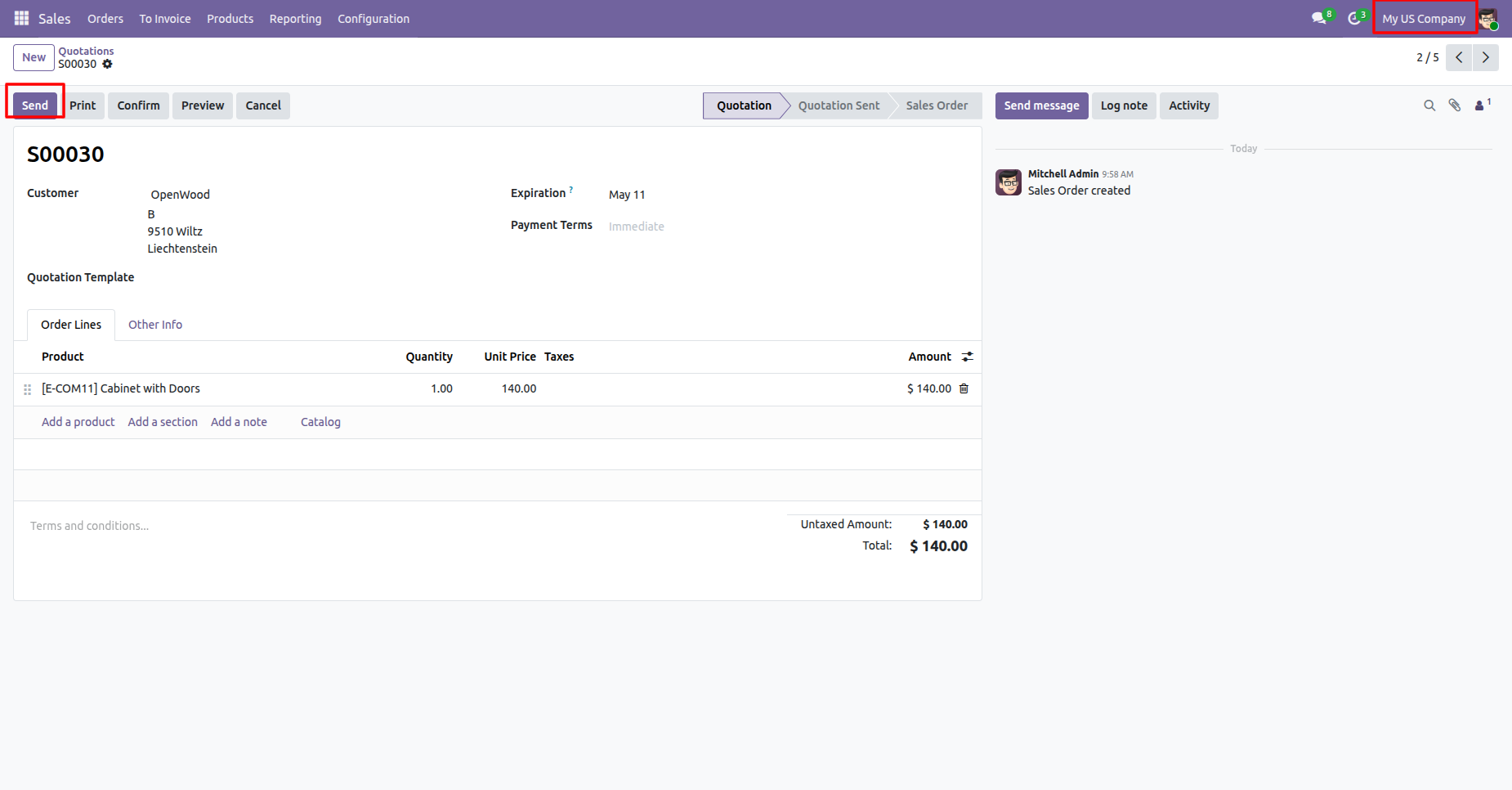
Default CC & BCC automatically comes when you compose the email, you also can change that from the email.
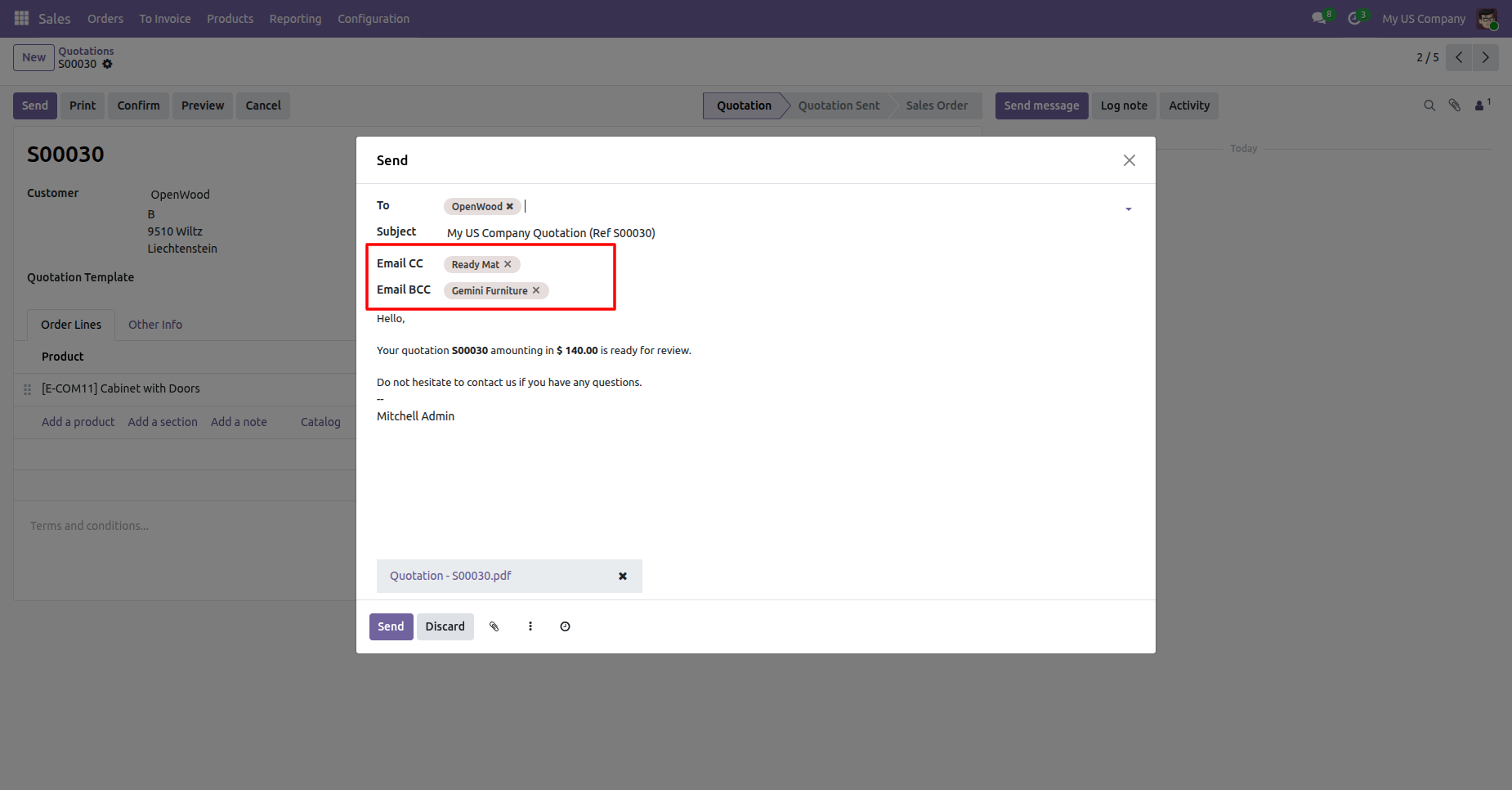
You can see sent email in chatter with default CC & BCC.
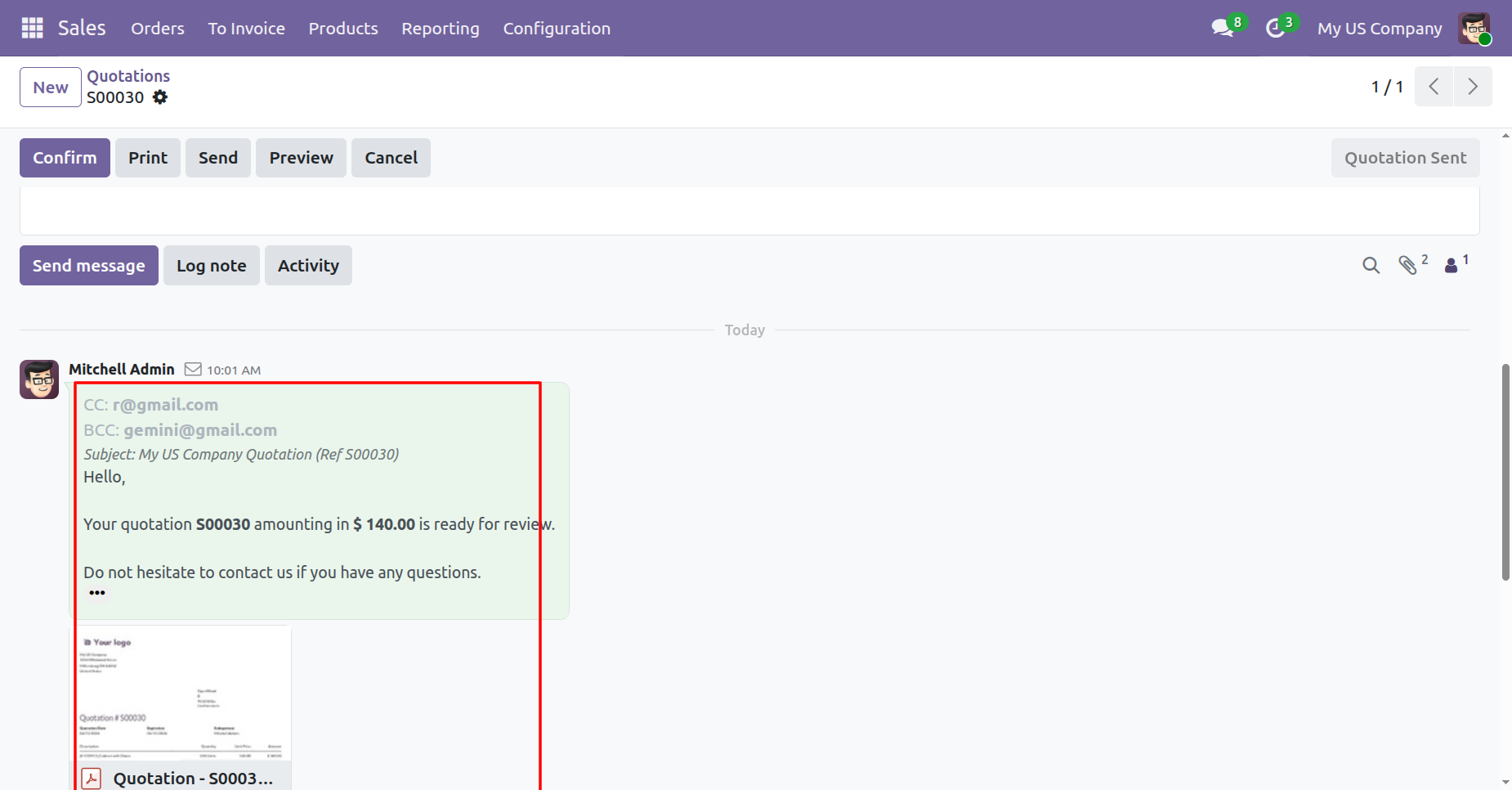
Go to User Settings and set the default reply-to email address in General Settings.
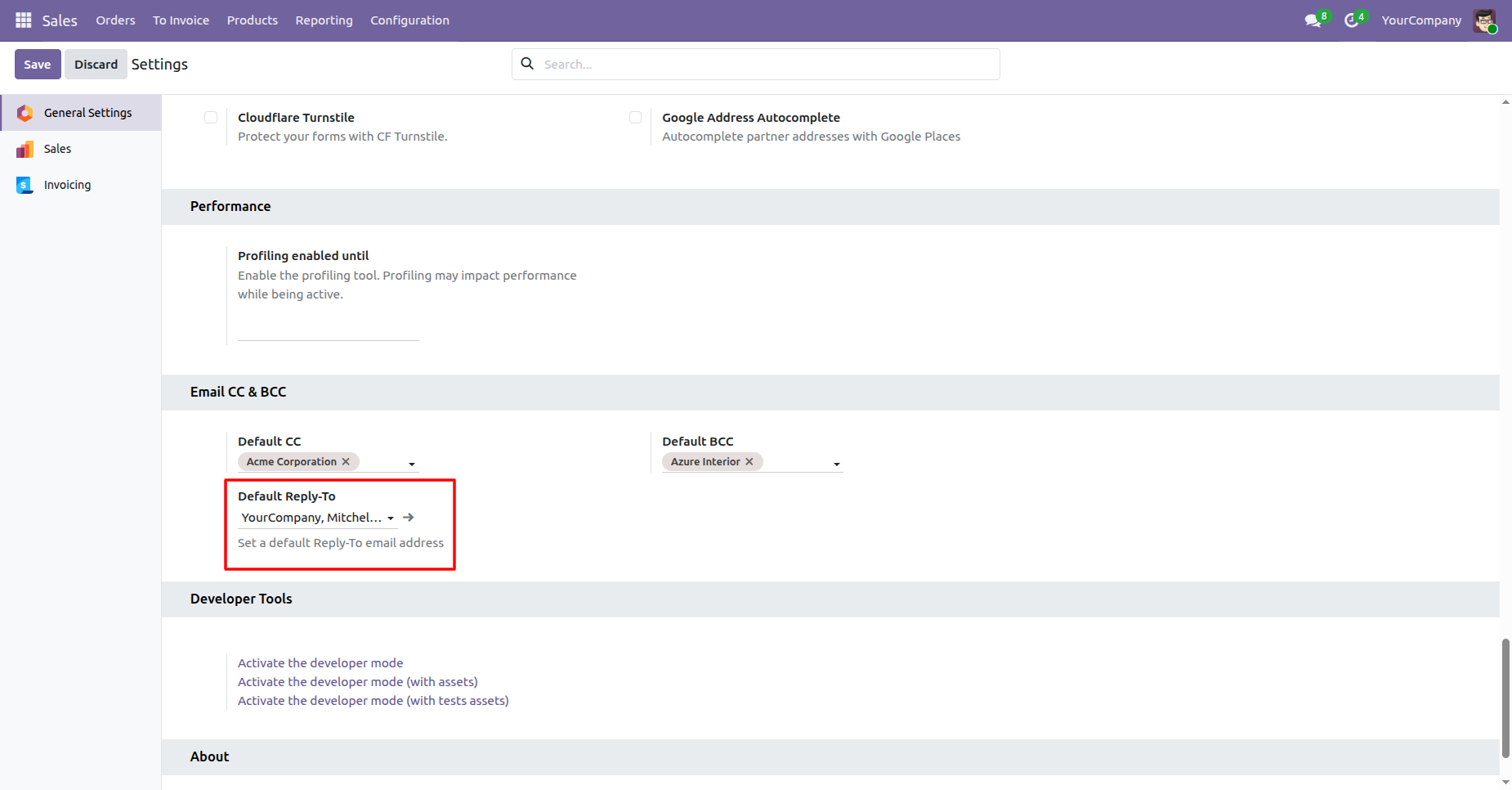
Go to Quotations and click the Send button to send the email.
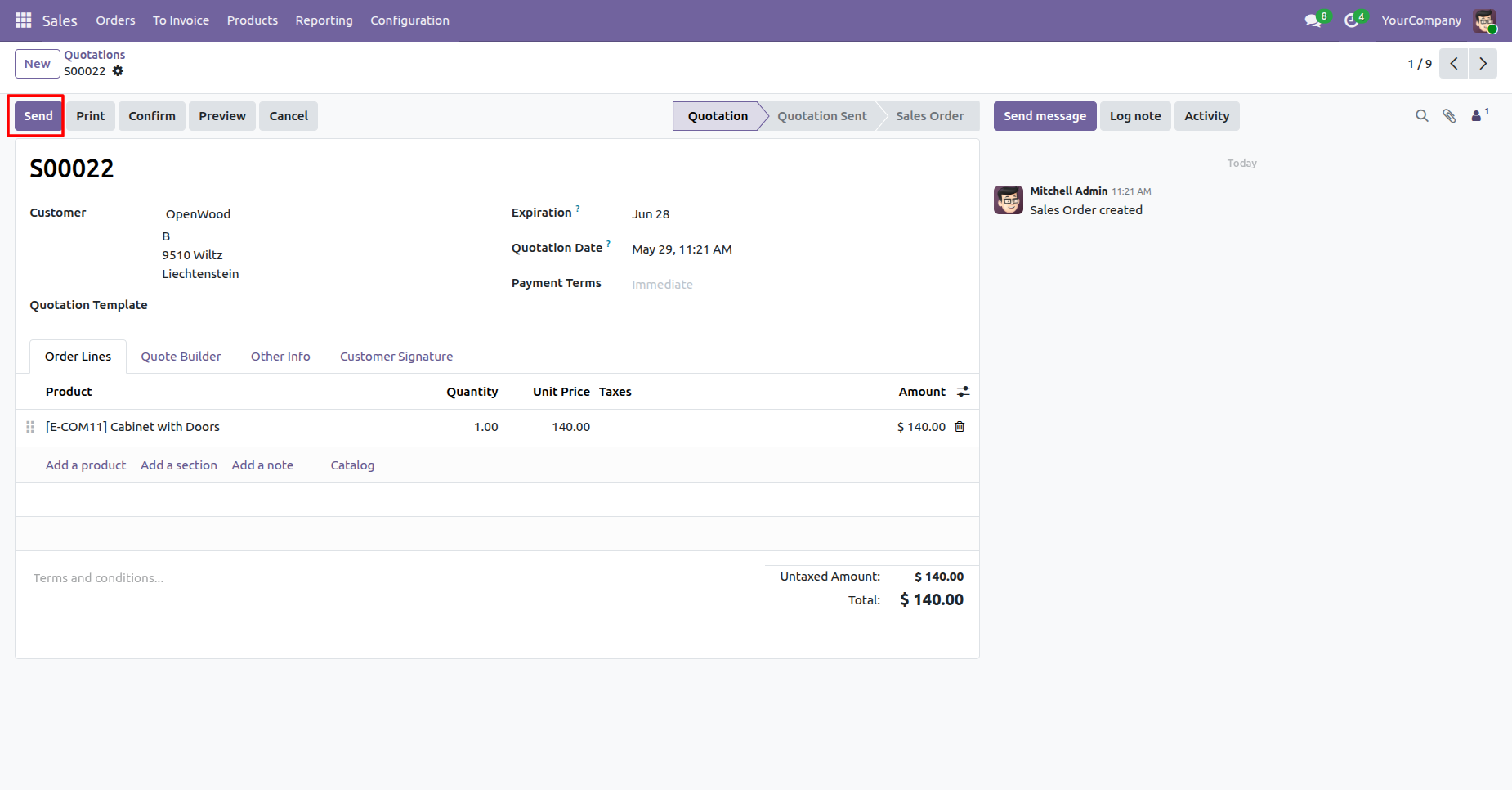
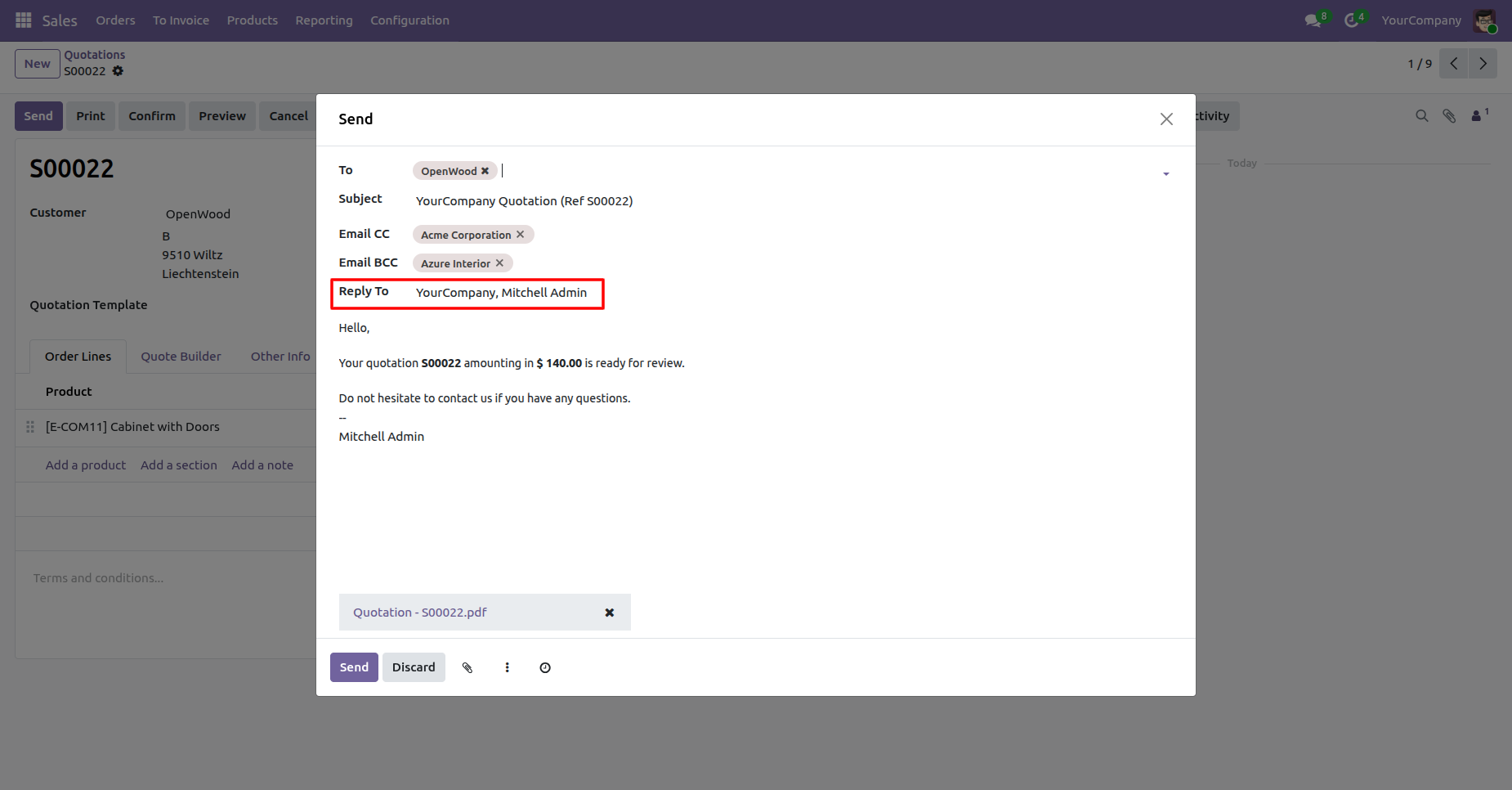
By clicking the Send button, a wizard will open where you can see the default reply-to email address configured in the settings.
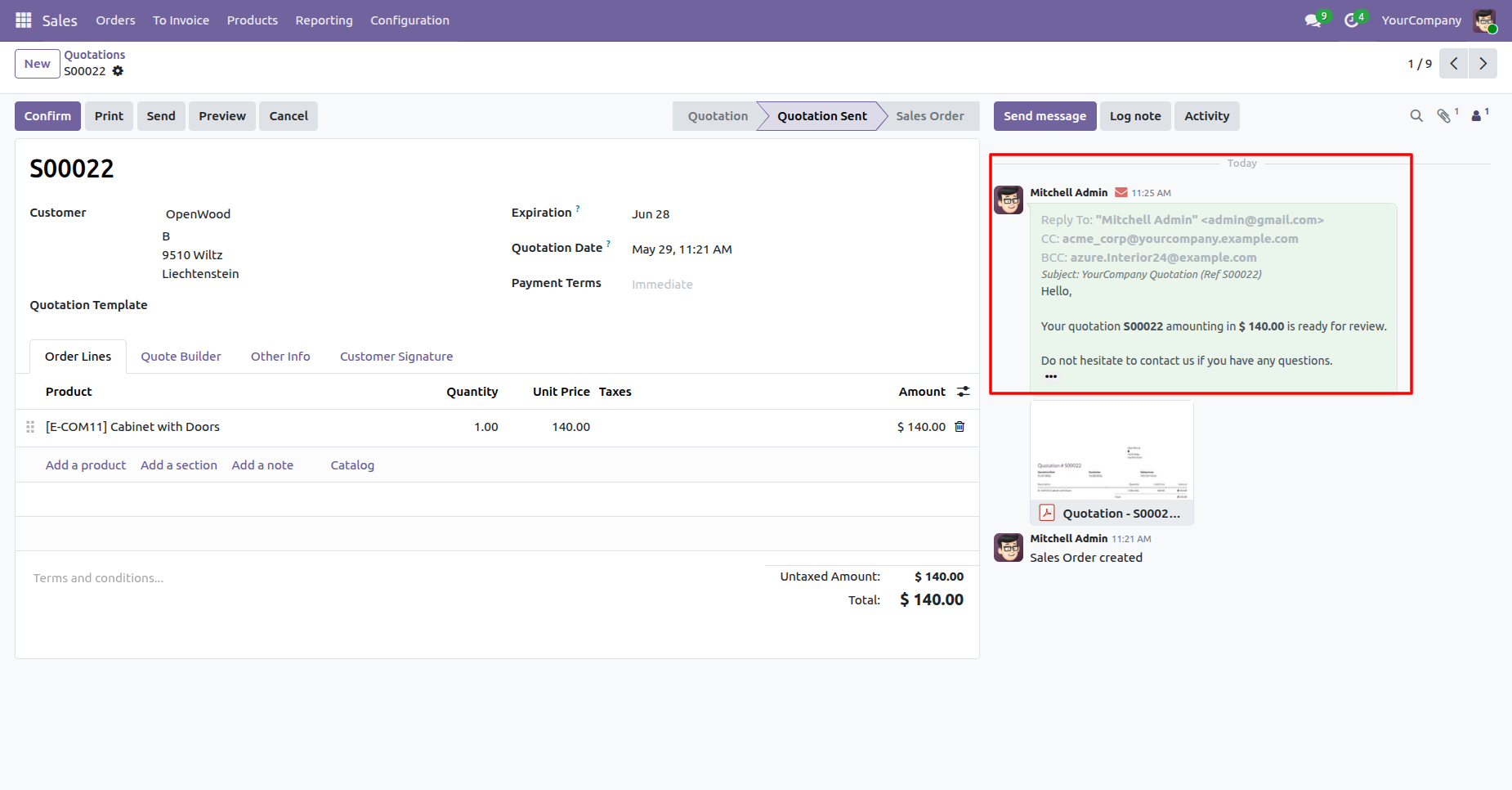
The email has been sent to the reply-to email address, and you can also verify it in the chatter.
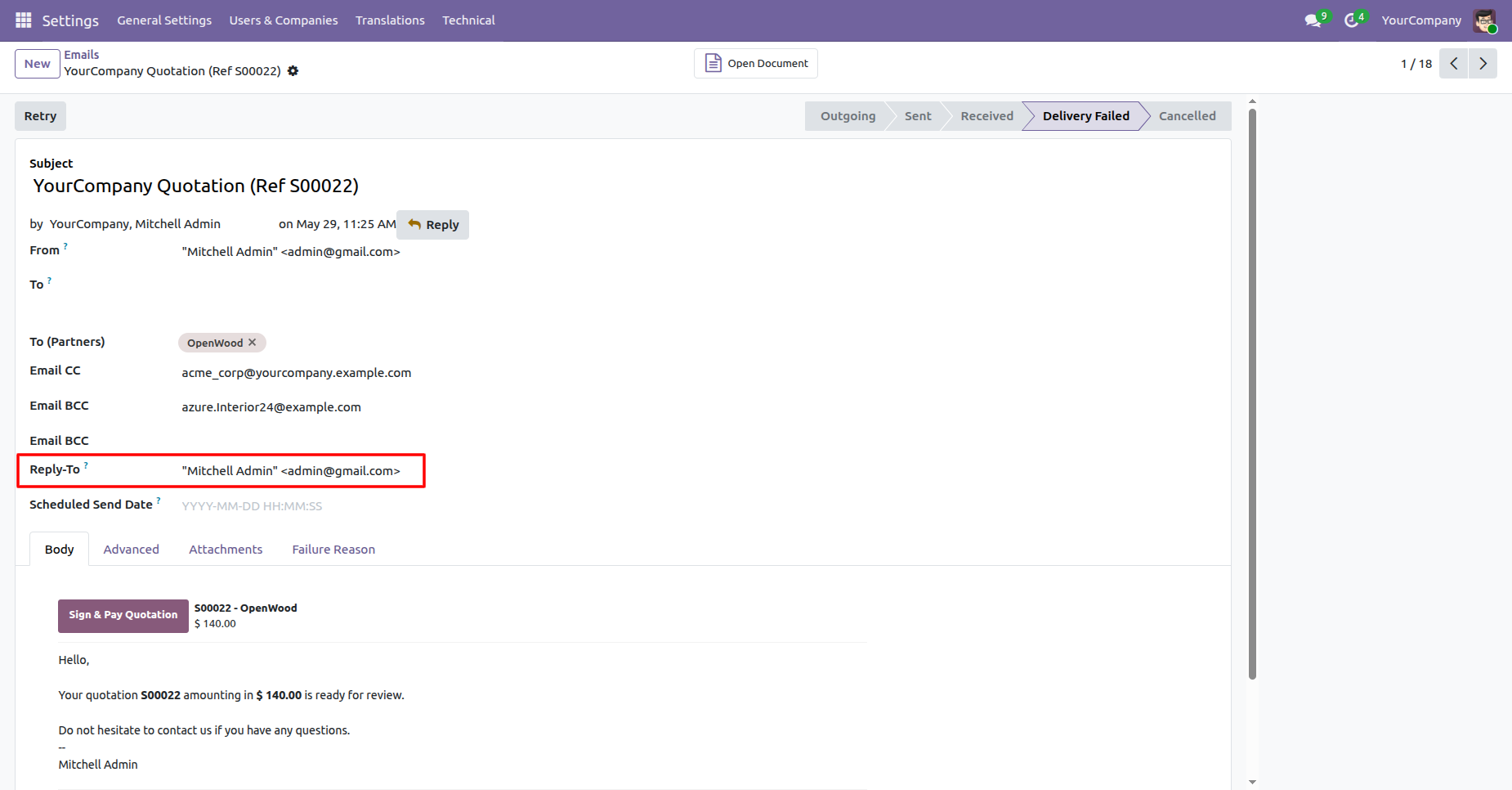
Go to the email; the reply-to field is also visible there.
Go to Settings and, under General Settings, click the Configure Dynamic CC/BCC Rules button to manage the dynamic email CC/BCC configuration.
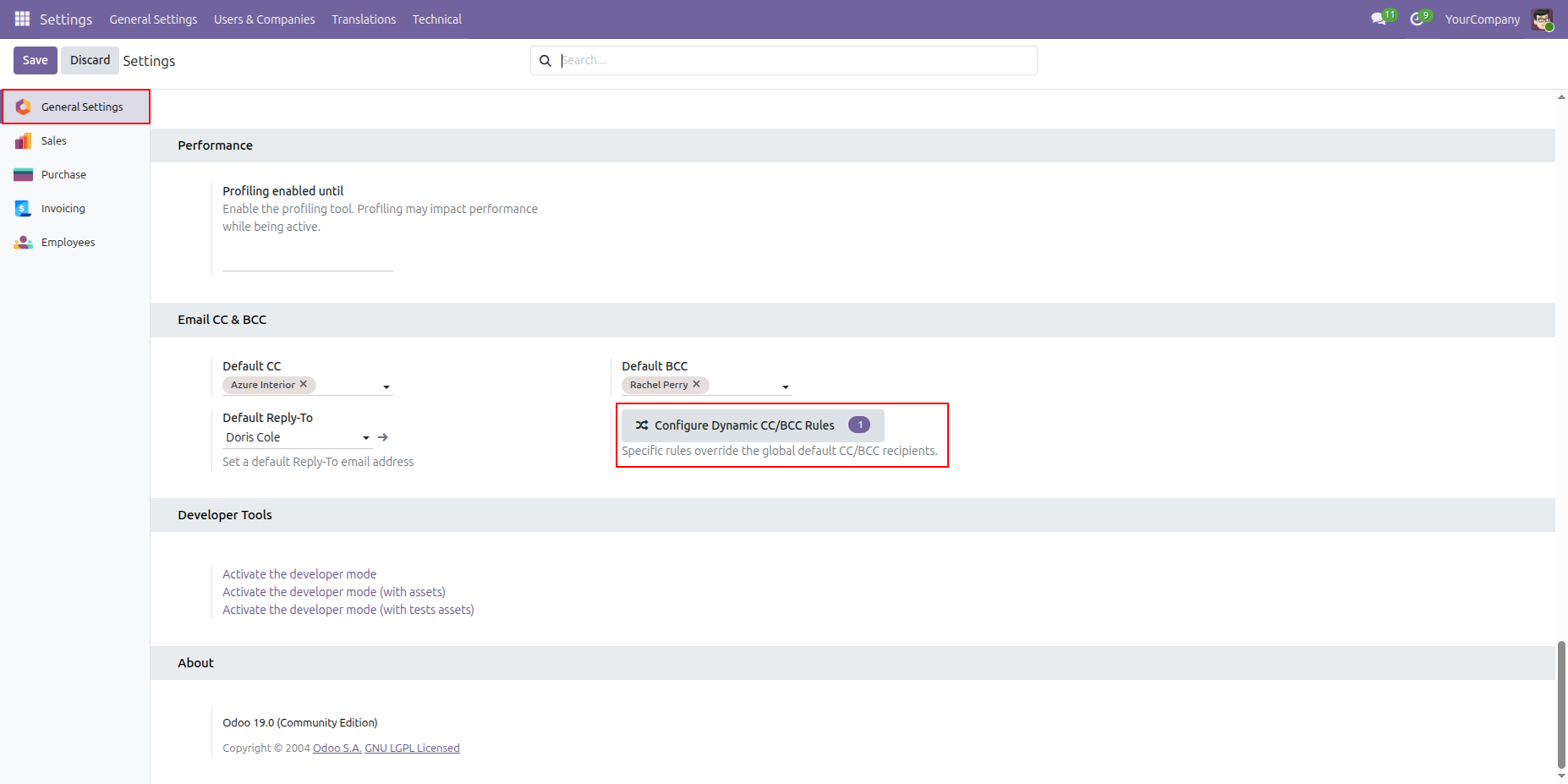
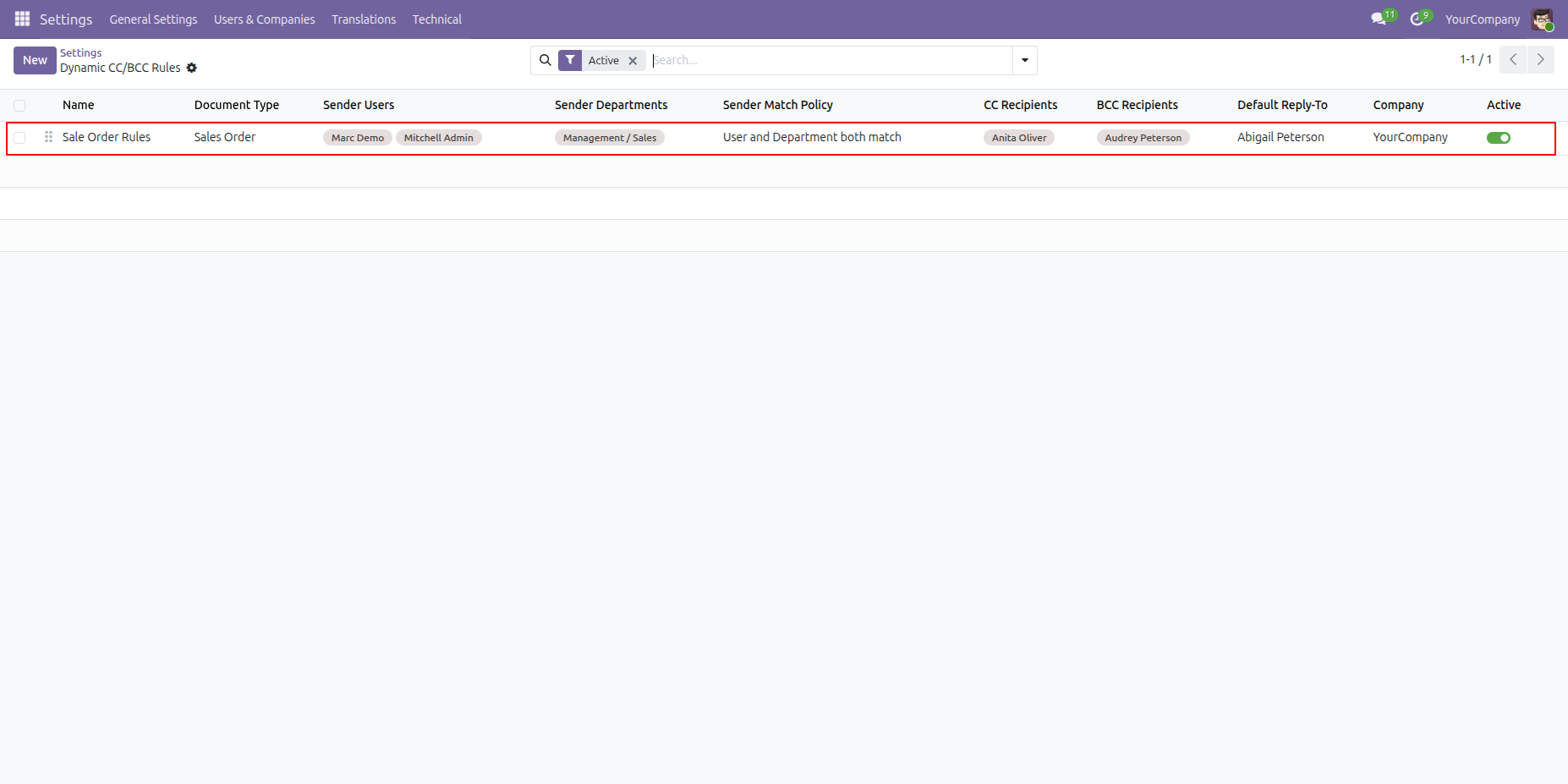
Clicking the Configure Dynamic CC/BCC Rules button opens the CC/BCC Rules list view.
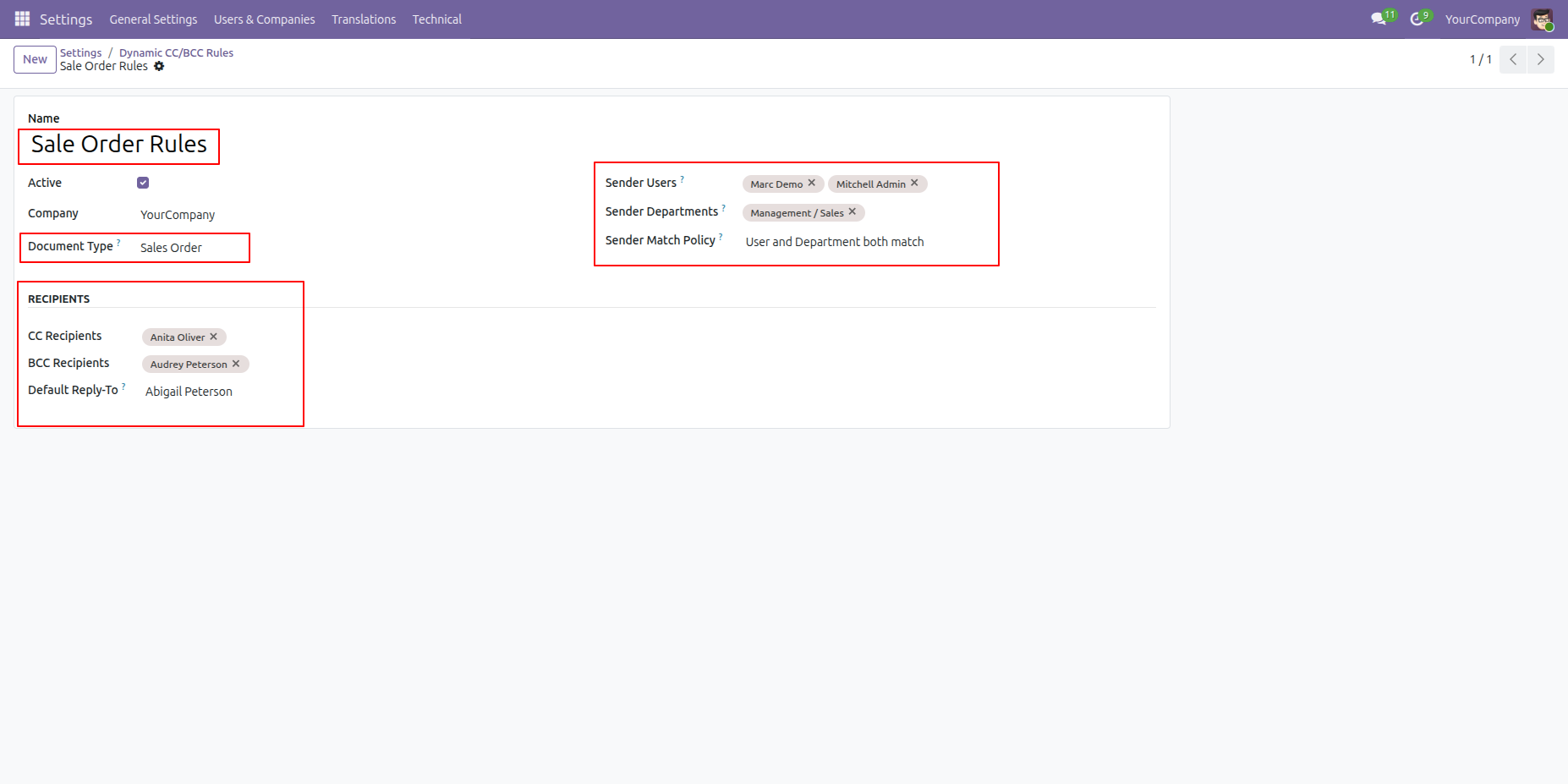
Create a new CC/BCC Rule, then configure the Document Type, Sender User, Sender Department, and Match Policy. After that, specify the CC, BCC, and Reply-To recipients, and save the rule.
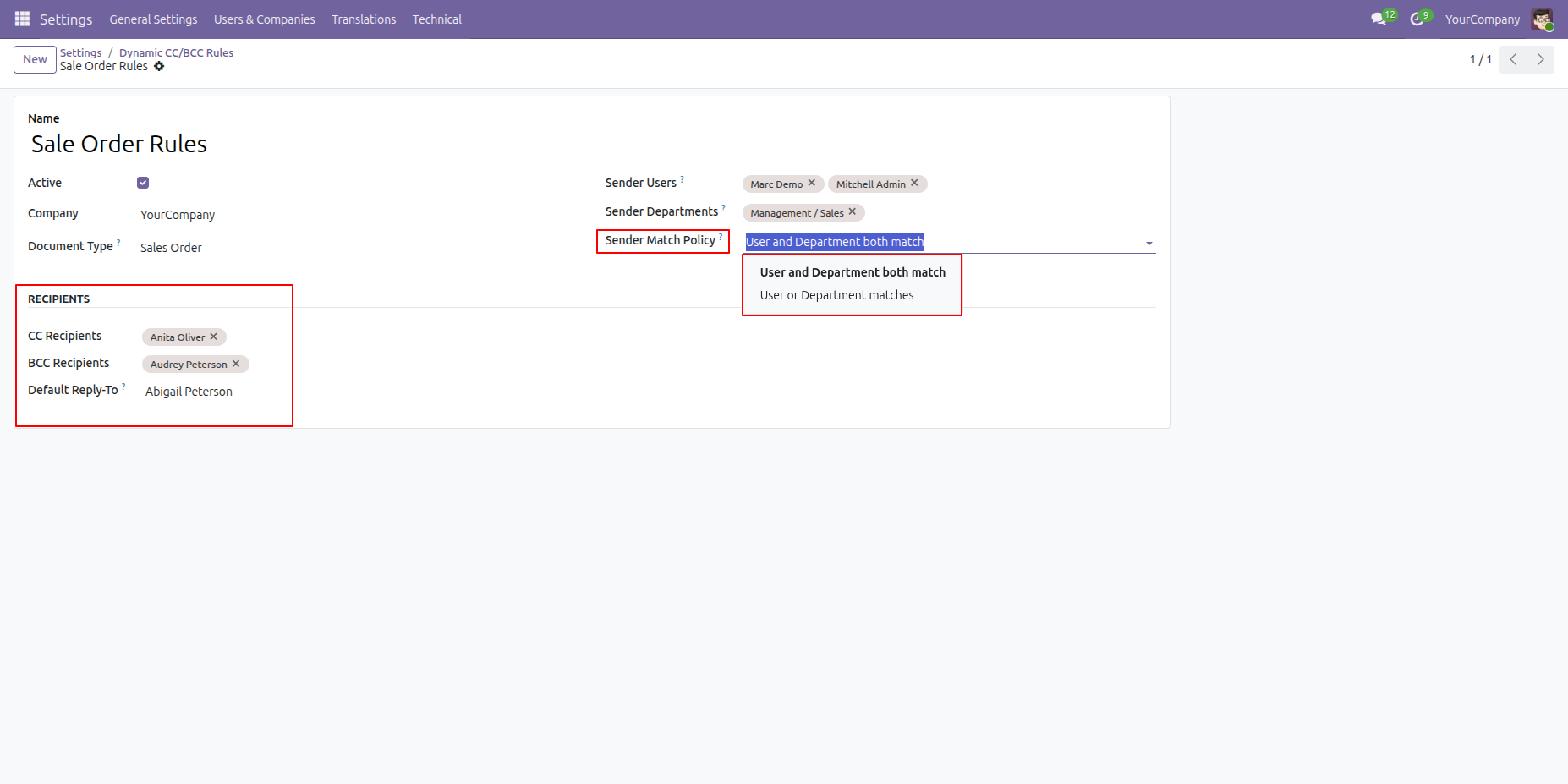
Select the Sender Match Policy to determine how the rule should be applied. You can choose to match both the Sender User and Sender Department, or apply the rule when either the Sender User or the Sender Department matches the configured criteria.
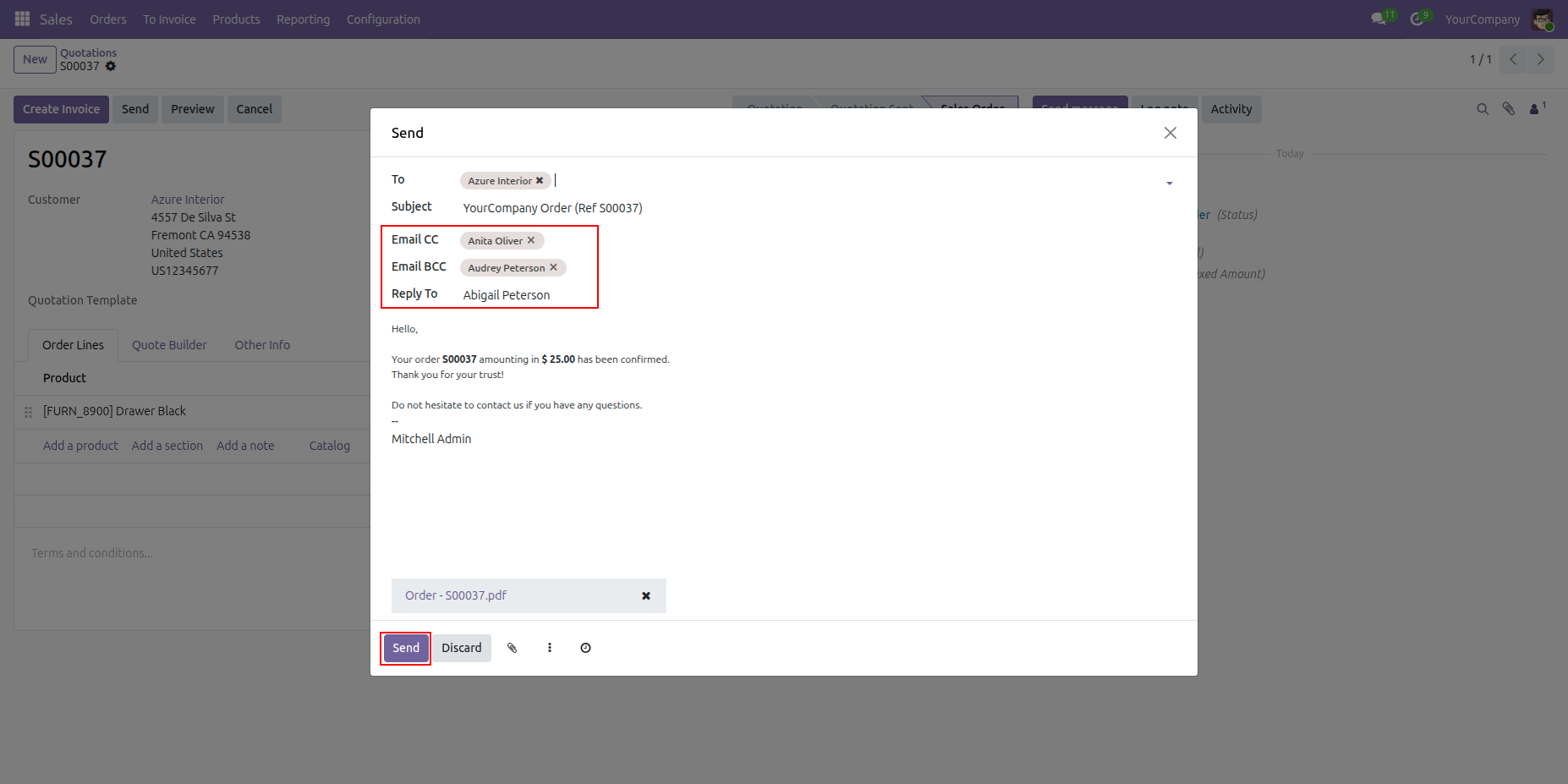
Go to the selected Document Type and click Send Mail. The Email Composition wizard will open, where the Reply-To, CC, and BCC recipients are automatically populated based on the configured Dynamic CC/BCC Rule for the selected model.
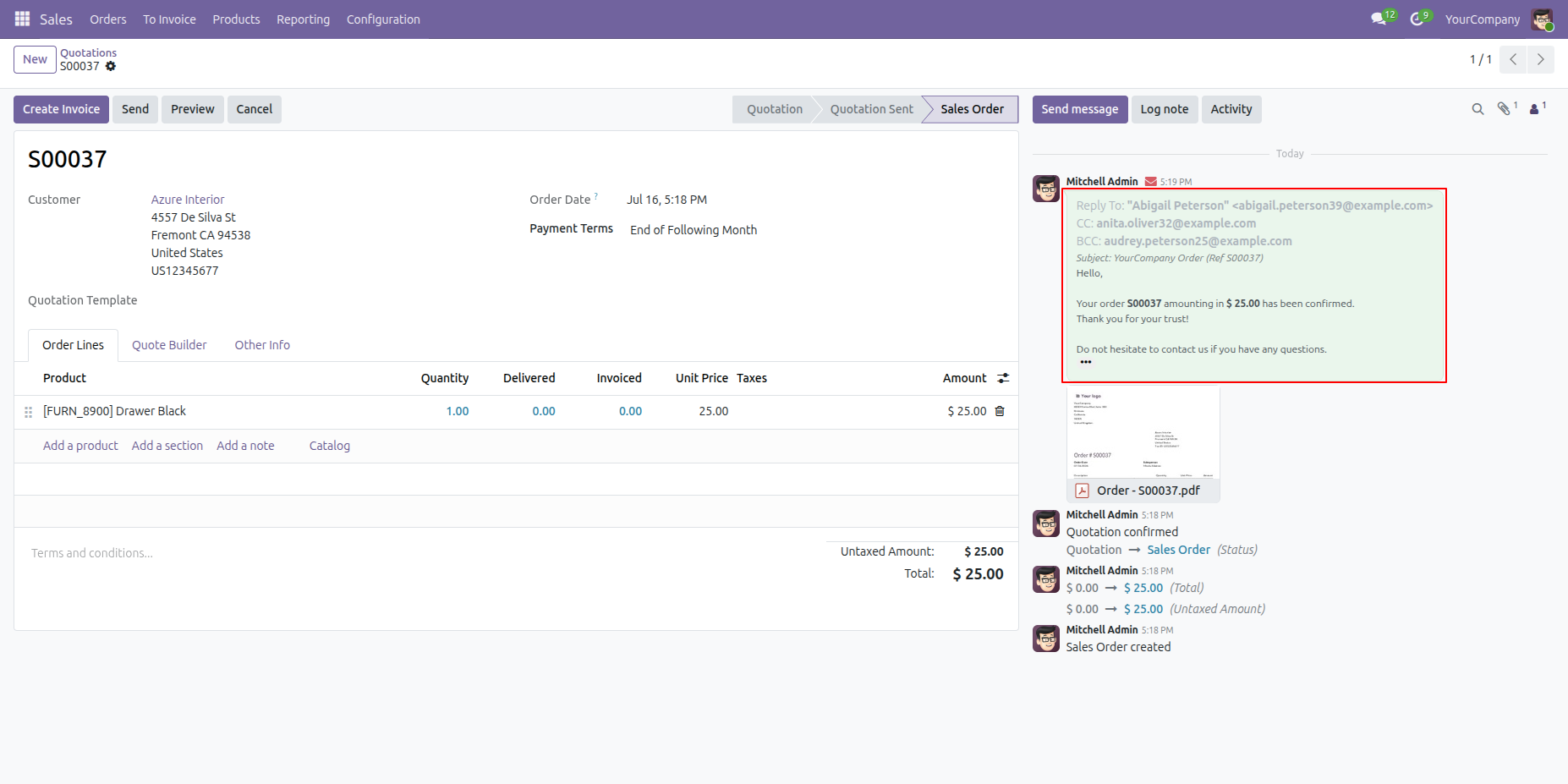
After the email is sent, it is logged in the Chatter, along with the To, CC, BCC, and Reply-To email addresses used for the sent message.
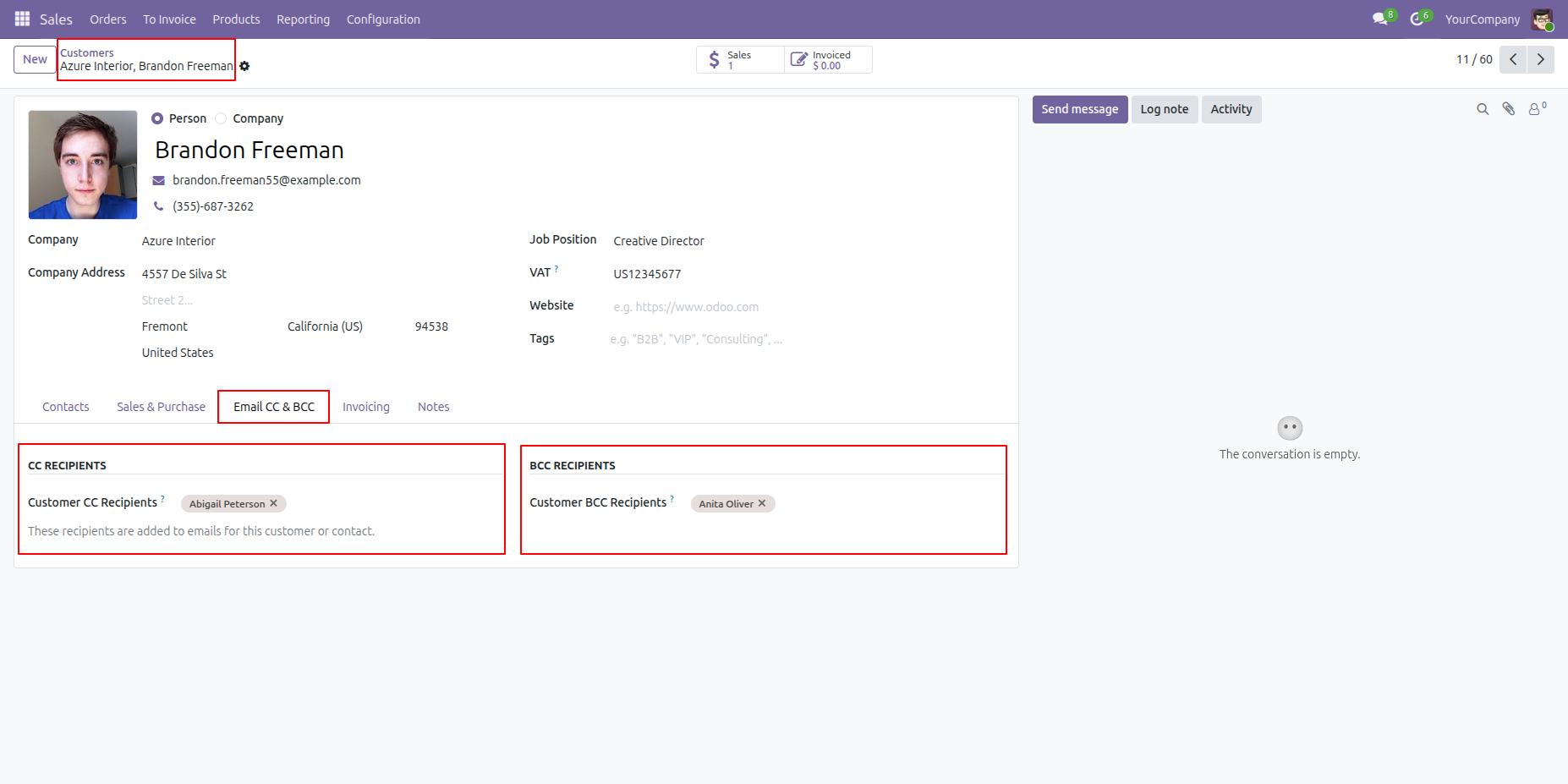
Add CC/BCC recipients under the Email CC & BCC tab.
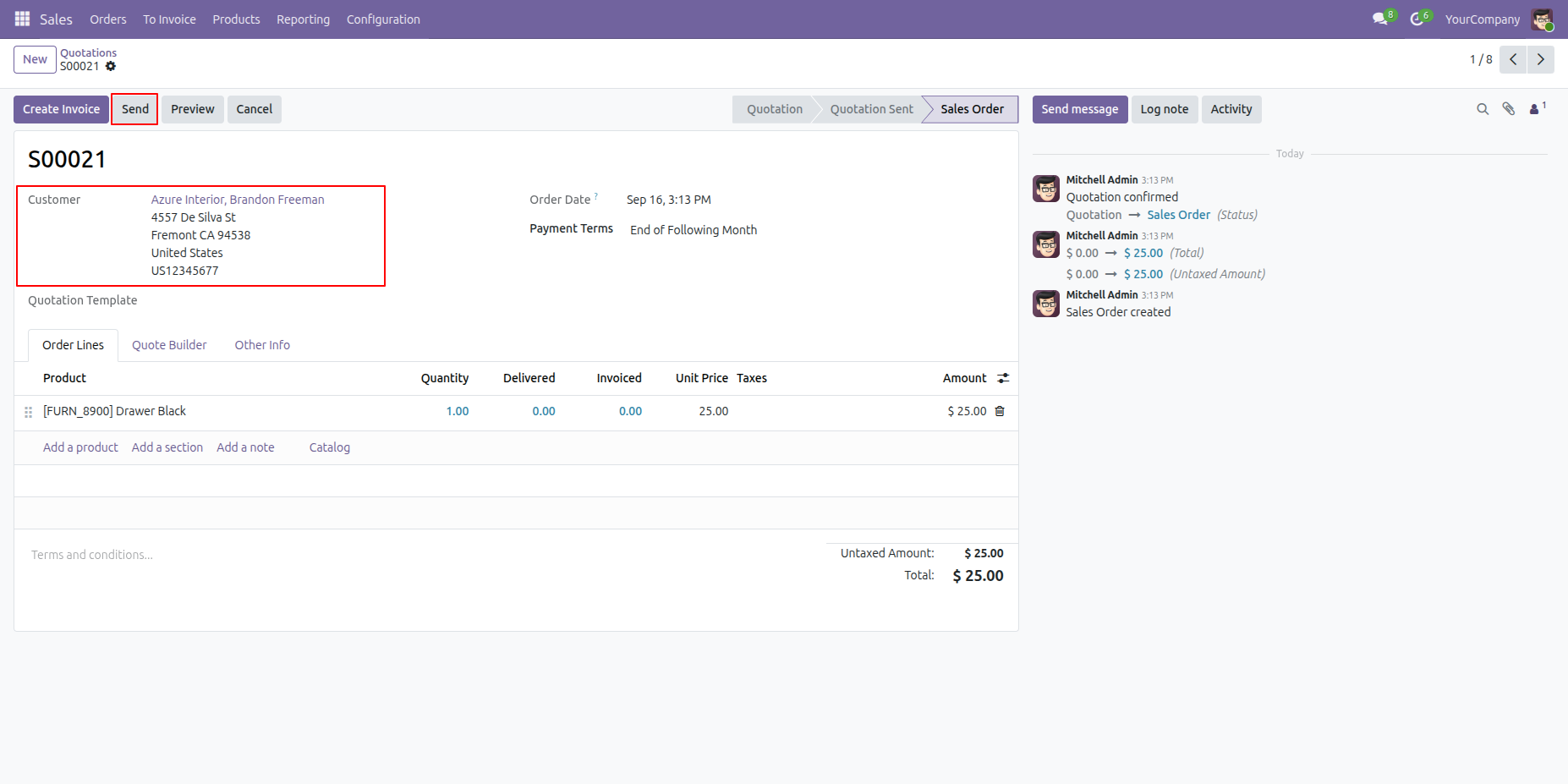
Create a quotation for the customer in which we configure the CC & BCC recipients and click 'Send' button
Here, you can view the email CC and BCC recipients.
Click 'Send' button.
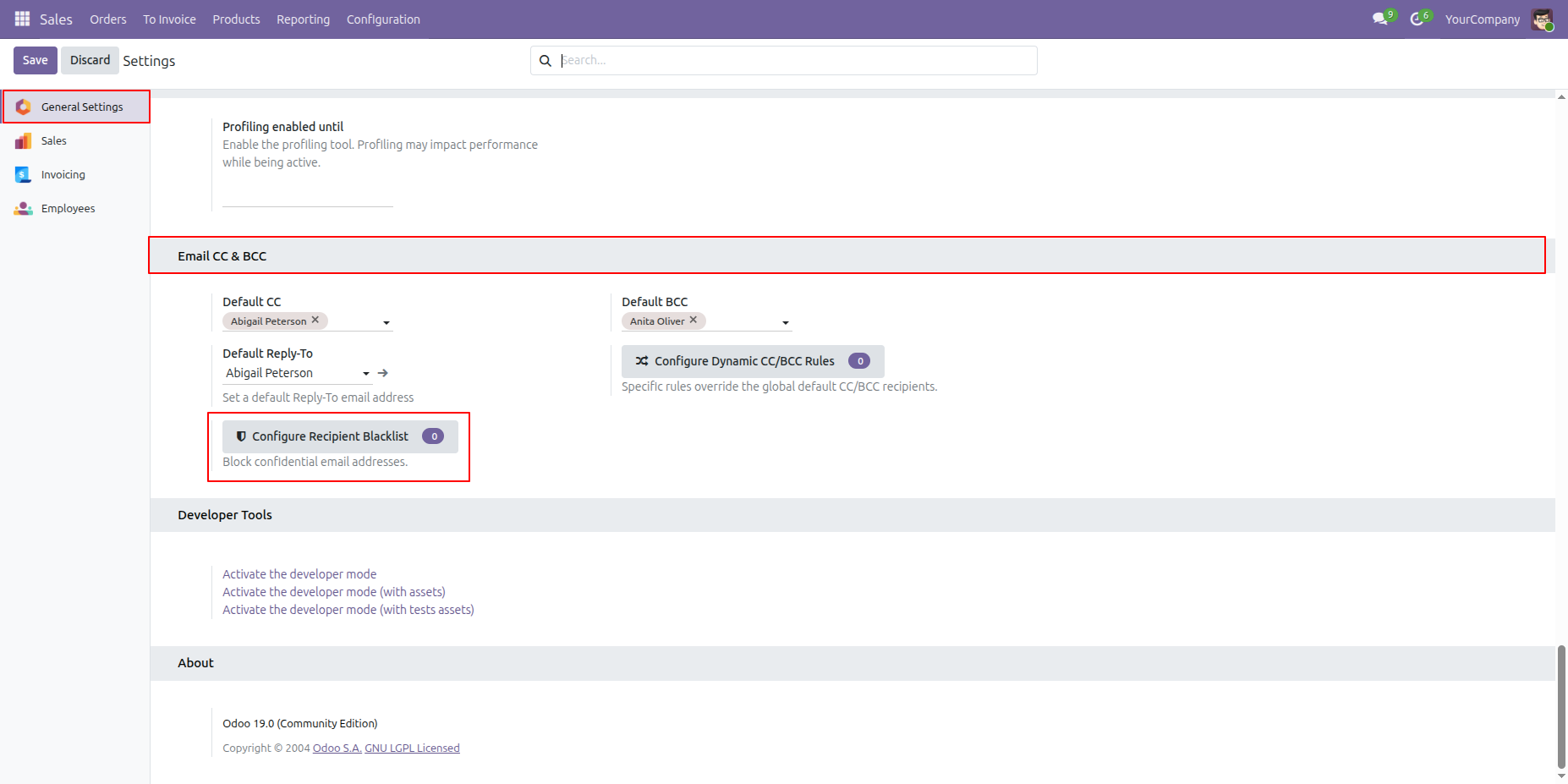
Go to General Settings and, under Email CC/BCC, click on Configure Recipient Blacklist.
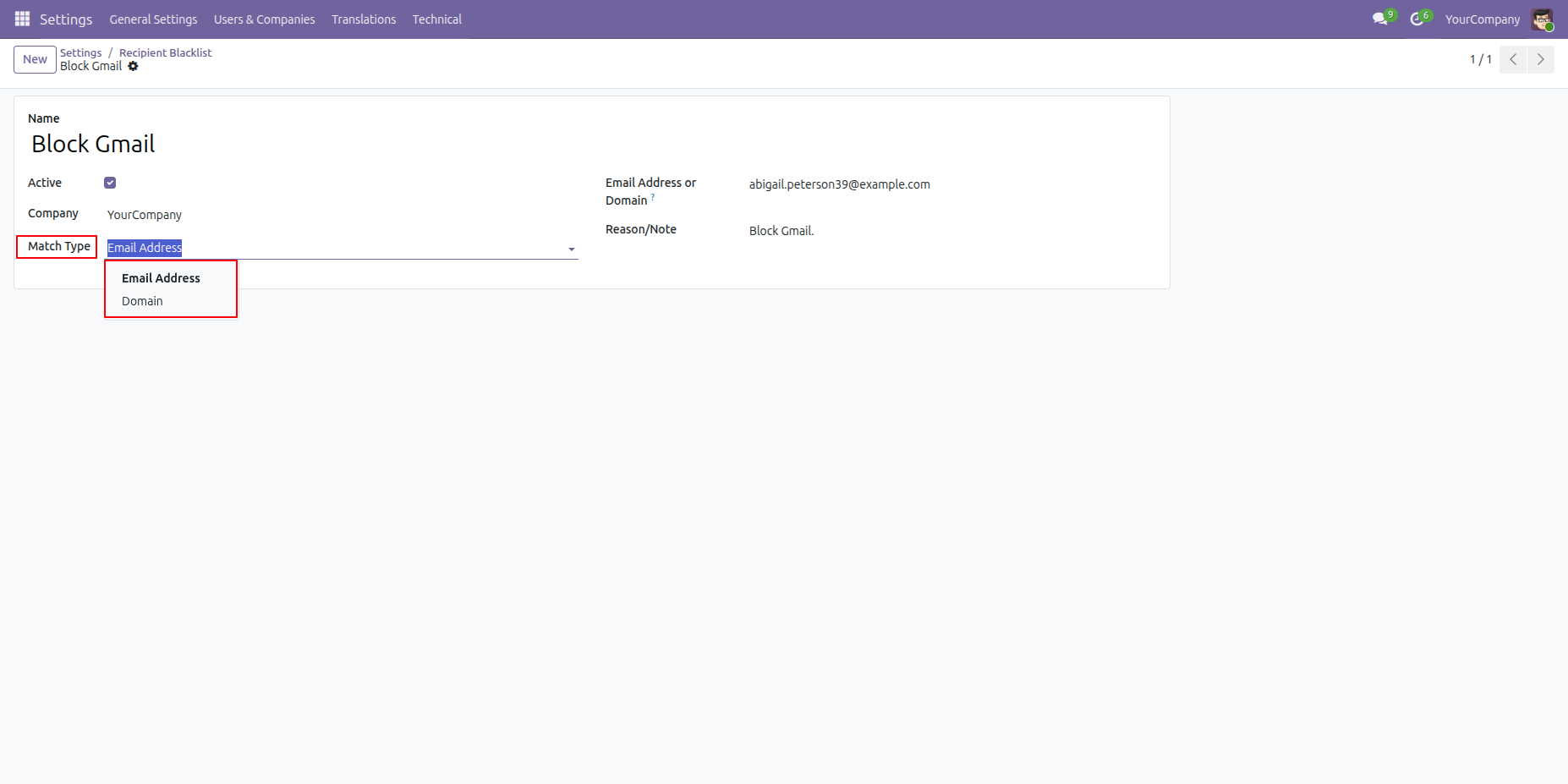
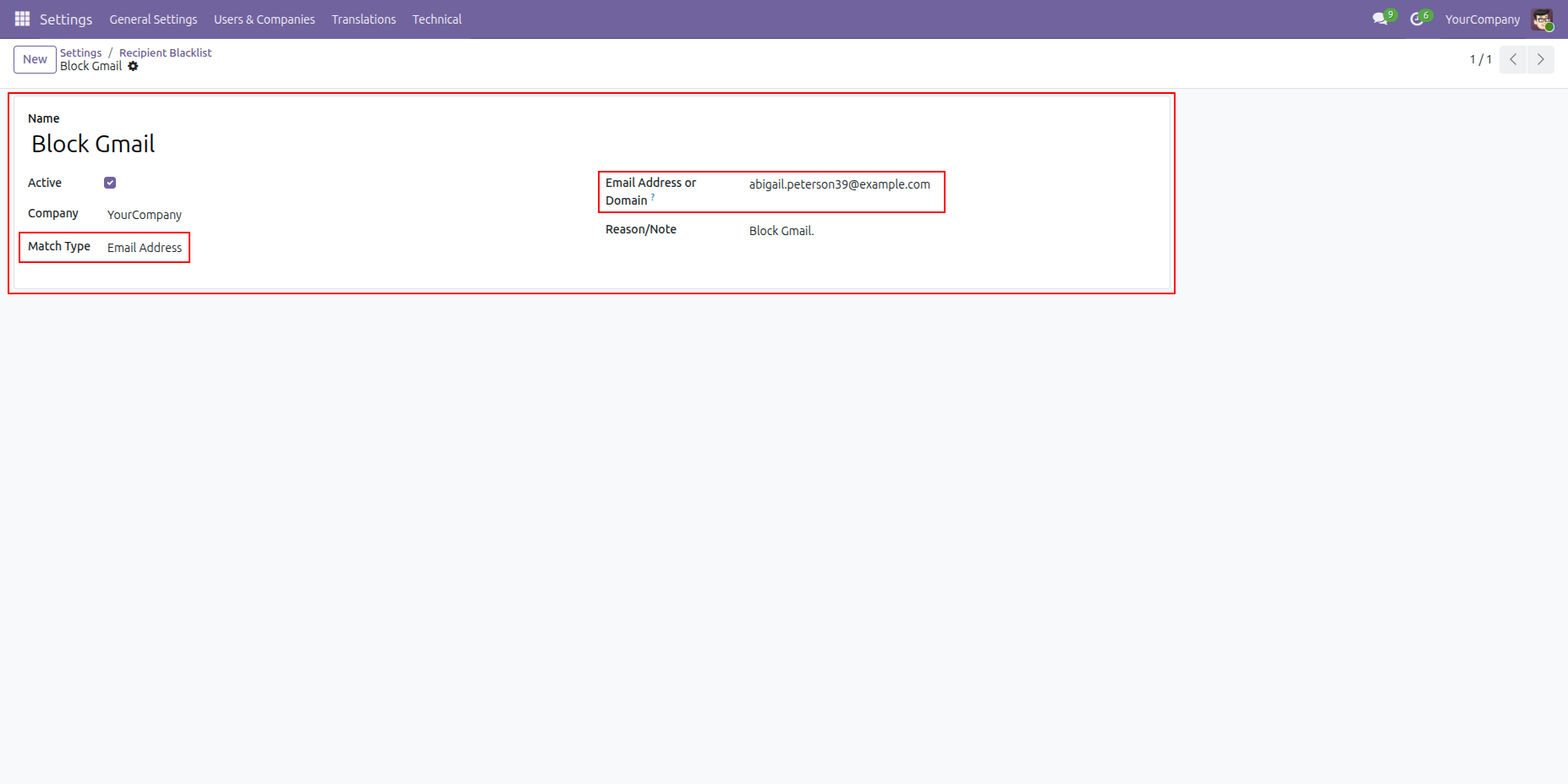
Select the Match Type (Email Address or Domain) to determine how the rule should be applied and enter the other required details and activate it.
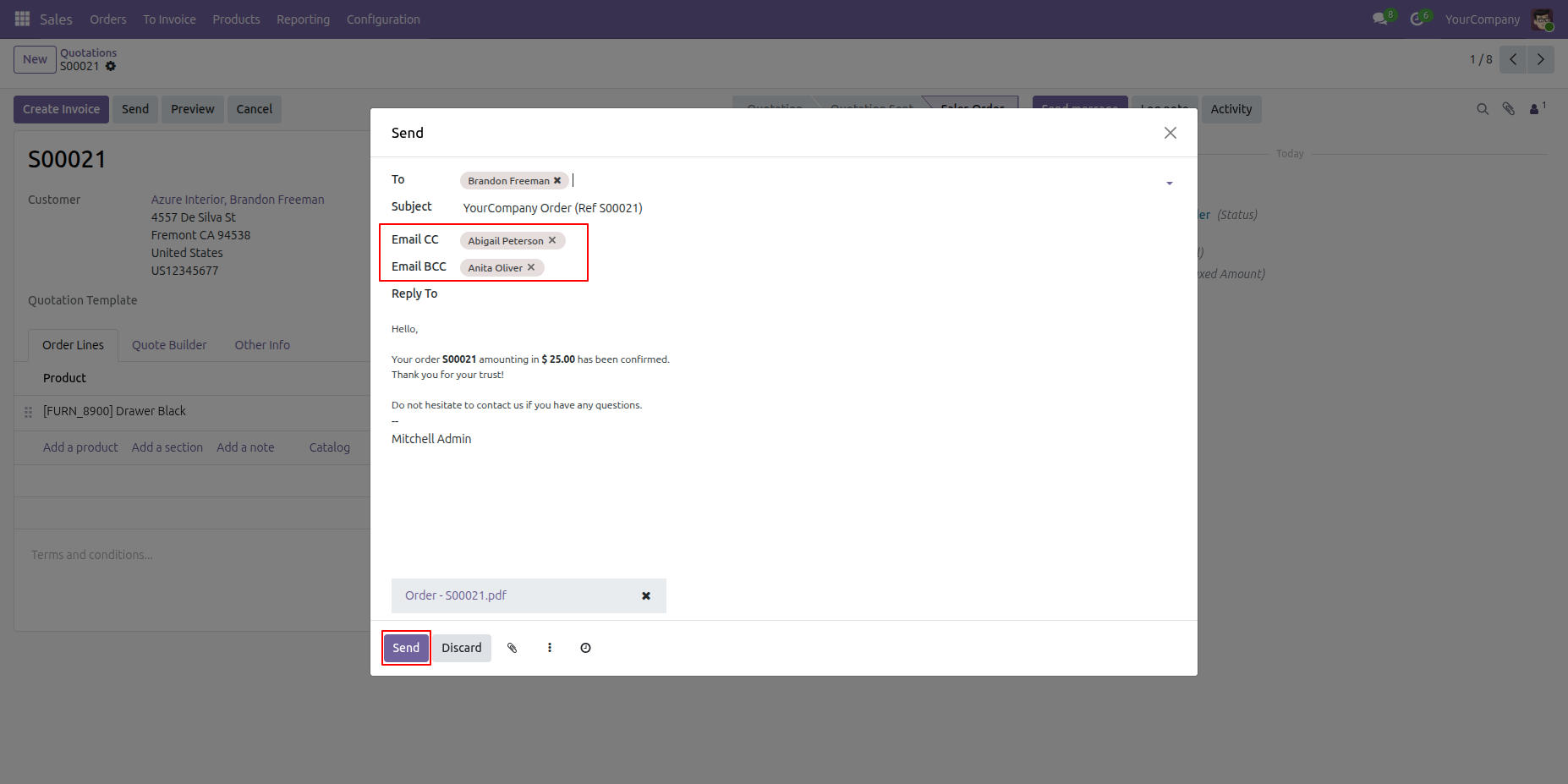
Create a quotation and click 'Send' button
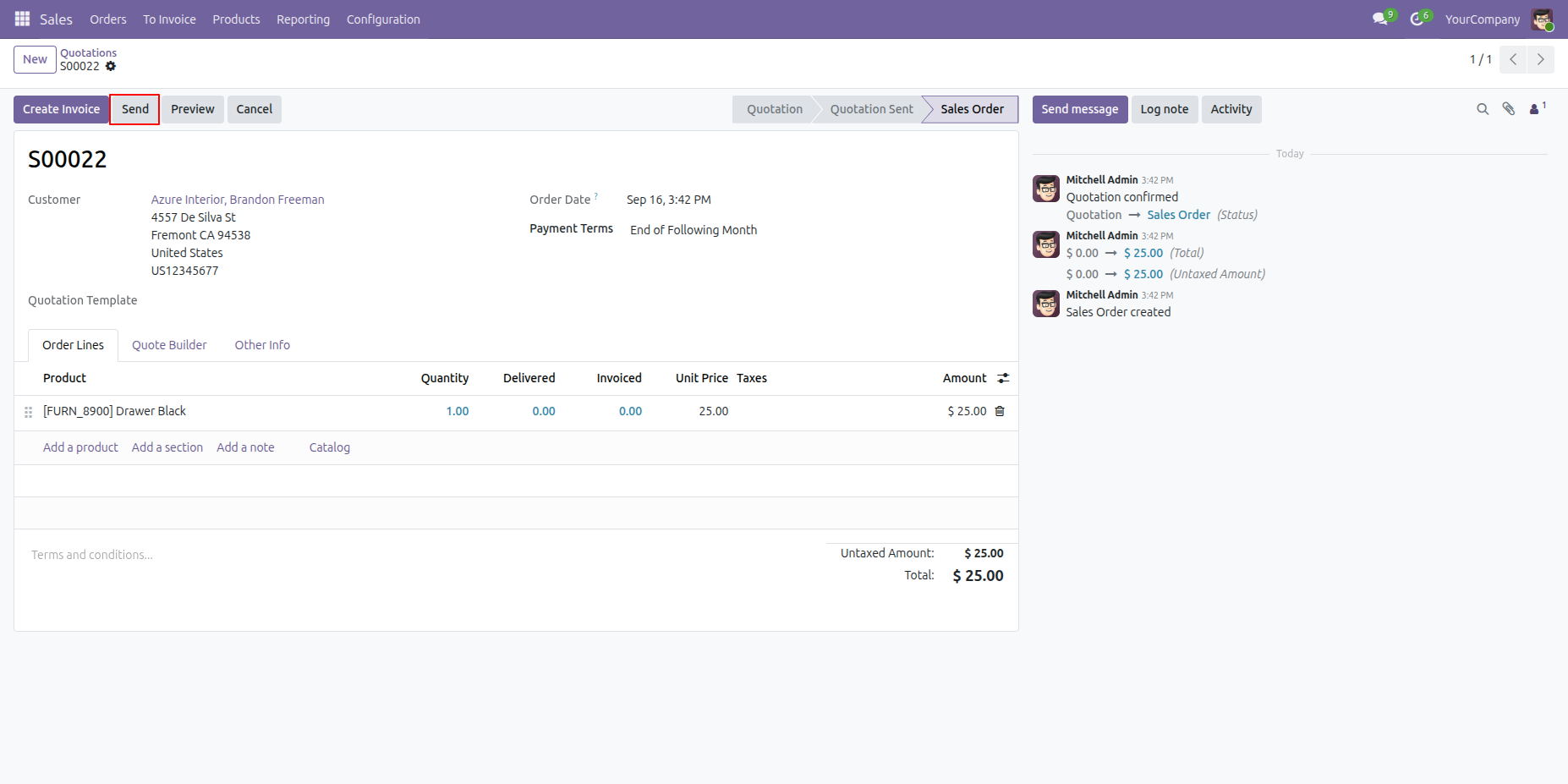
Click on 'Send' buton.
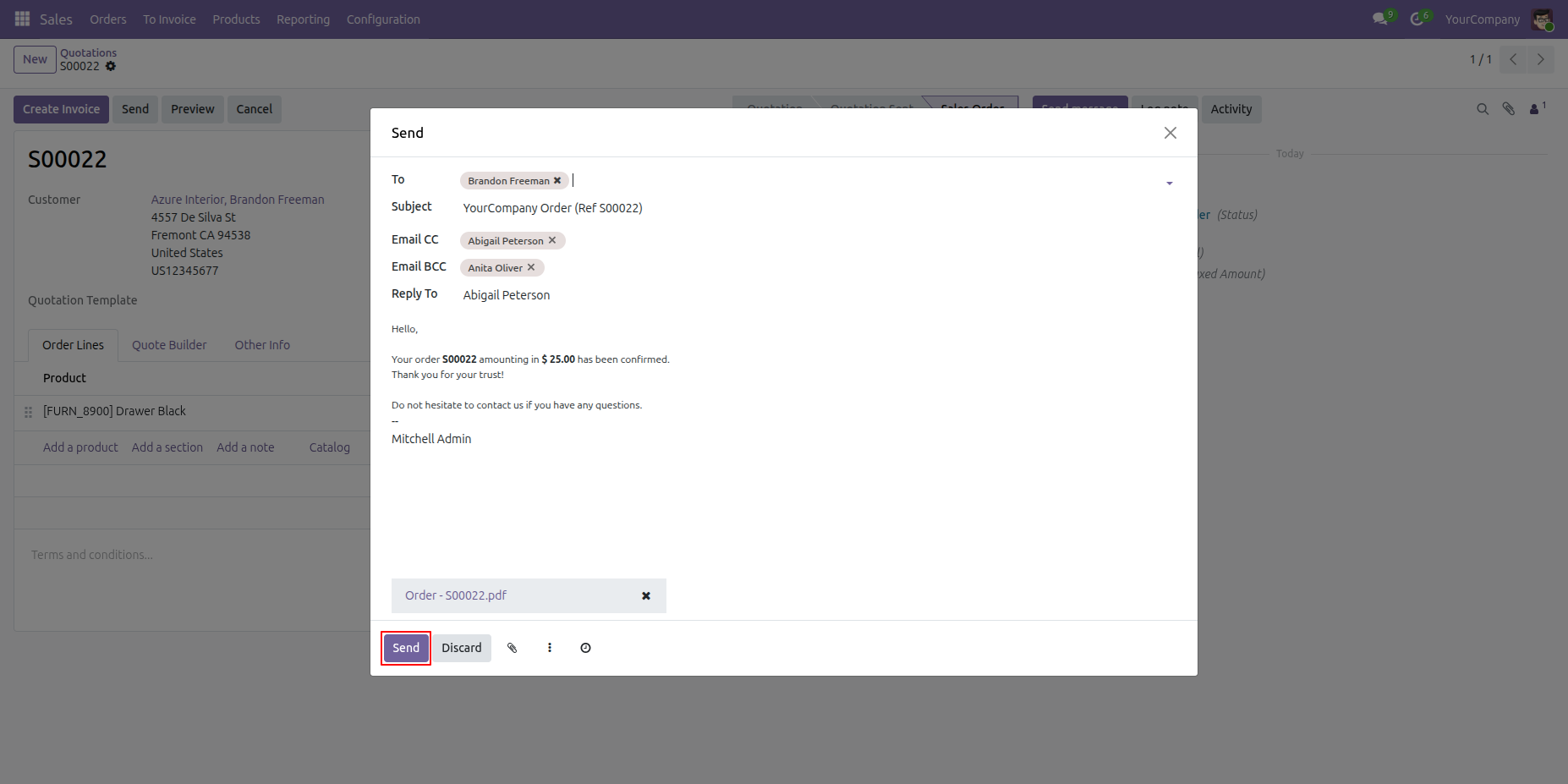
After that, a validation error will appear.
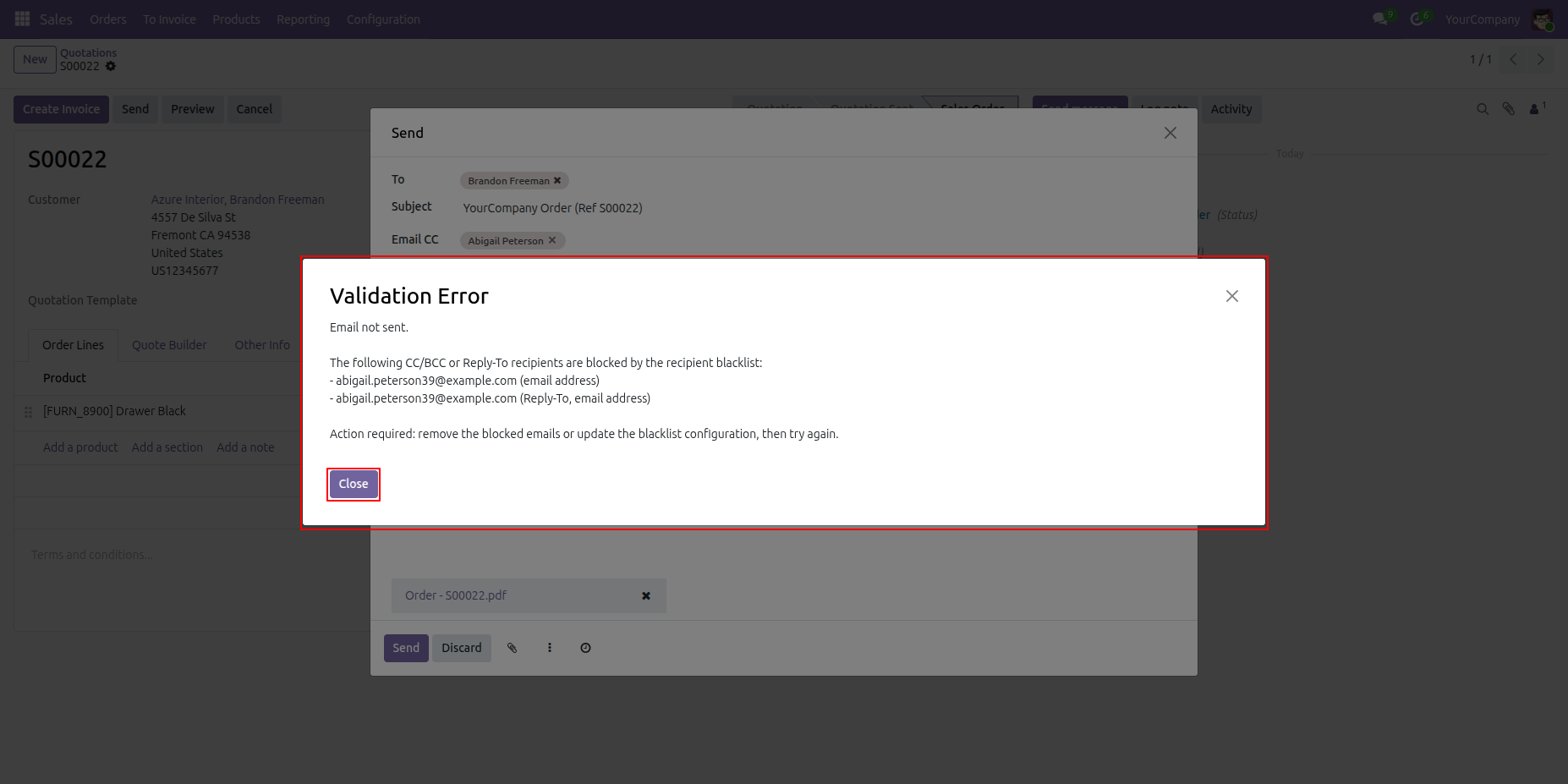
Remove the blocked CC email address and the Reply-To email address, then send the email.
The email is displayed in the Chatter section.
Version 18.0.9.0.0 | Released on : 13th October 2026
Version 18.0.8.0.0 | Released on : 03rd August 2026
Version 18.0.7.0.0 | Released on : 2nd June 2026
Version 18.0.6.0.0 | Released on : 14th April 2026
Version 18.0.5.0.0 | Released on : 18th Jun 2025
Version 18.0.4.0.0 | Released on : 14th May 2025
Version 18.0.3.0.0 | Released on : 25th April 2025
Version 18.0.2.0.0 | Released on : 12th March 2025
Version 18.0.1.0.0 | Released on : 19th September 2024
- Yes, this app works perfectly with Odoo Enterprise (Odoo.sh & Premise) as well as Community.
- No, this application is not compatible with odoo.com(odoo saas/Odoo Online)
- Yes, to test this module, please contact us at sales@softhealer.com.
- Please contact us at sales@softhealer.comto request customization.
- Yes, we provide free lifetime support for the version you purchased.
- Yes, you will receive lifetime free updates for the version of the module you purchased.
- No, there is no need to install any additional libraries.
- Yes, for version 12 and above, you need to purchase the module separately for each version you intend to use.
- No, exchanges or refunds are not allowed. Please make sure to select the correct version before purchasing.
- You can contact us at support@softhealer.com for language translation support. We use Google Translator tools to provide translations in multiple languages, so the accuracy may vary. We welcome your suggestions to help improve translations.
Discover Our Latest Apps