











Electronic invoice KSA - Point of sale | Saudi Invoice QR Code

This module allows you to print a Saudi electronic invoice with a QR code in a POS receipt. You can customize the size (height and width) and position of QRCode on POS receipts (top & bottom). You can print POS receipts in regional and global languages, such as Arabic and English so you can print product names and company address in both languages in POS receipt. We provide a POS order line notes option and POS users can print the order line notes in the receipt. As per Saudi Arabia Zakat's regulations to apply specific terms to the electronic invoice by 4th of Dec 2021. We have made this module compatible with the standard Odoo module.

Hot Features
Features
- Print QRCode based on TLV Base 64.
- You can print Saudi electronic invoice with a QR code in the receipt with standard KSA odoo module.
- Print a Saudi electronic invoice with a QR code in a POS receipt.
- You can customize the size and position of QRCode on POS receipts.
- Easy to print product names in Arabic and English language in receipt.
- Easy to print company address in both languages in POS receipt.
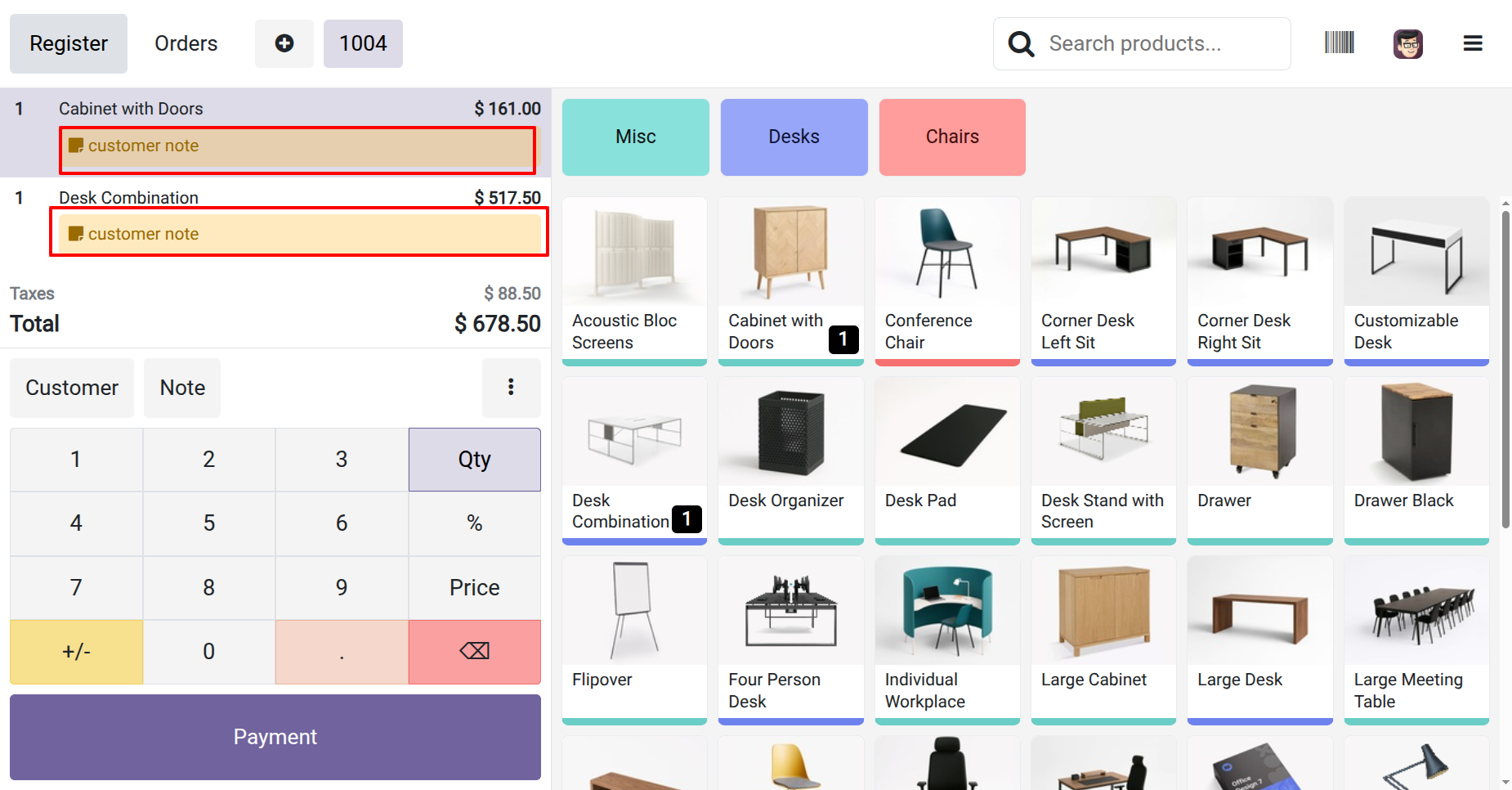
- You can add notes in the POS order line.
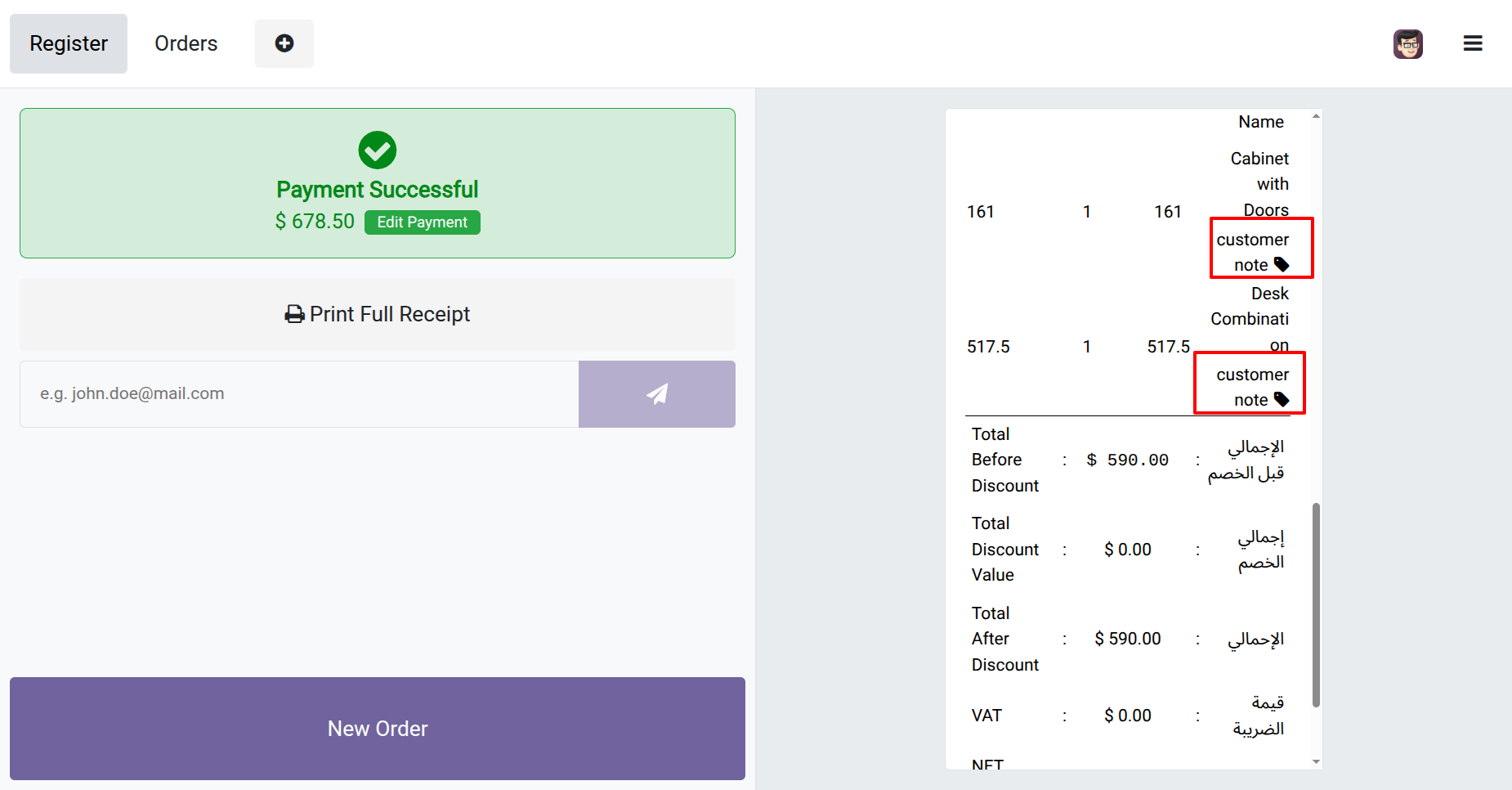
- POS users can print the order line notes in the receipt.
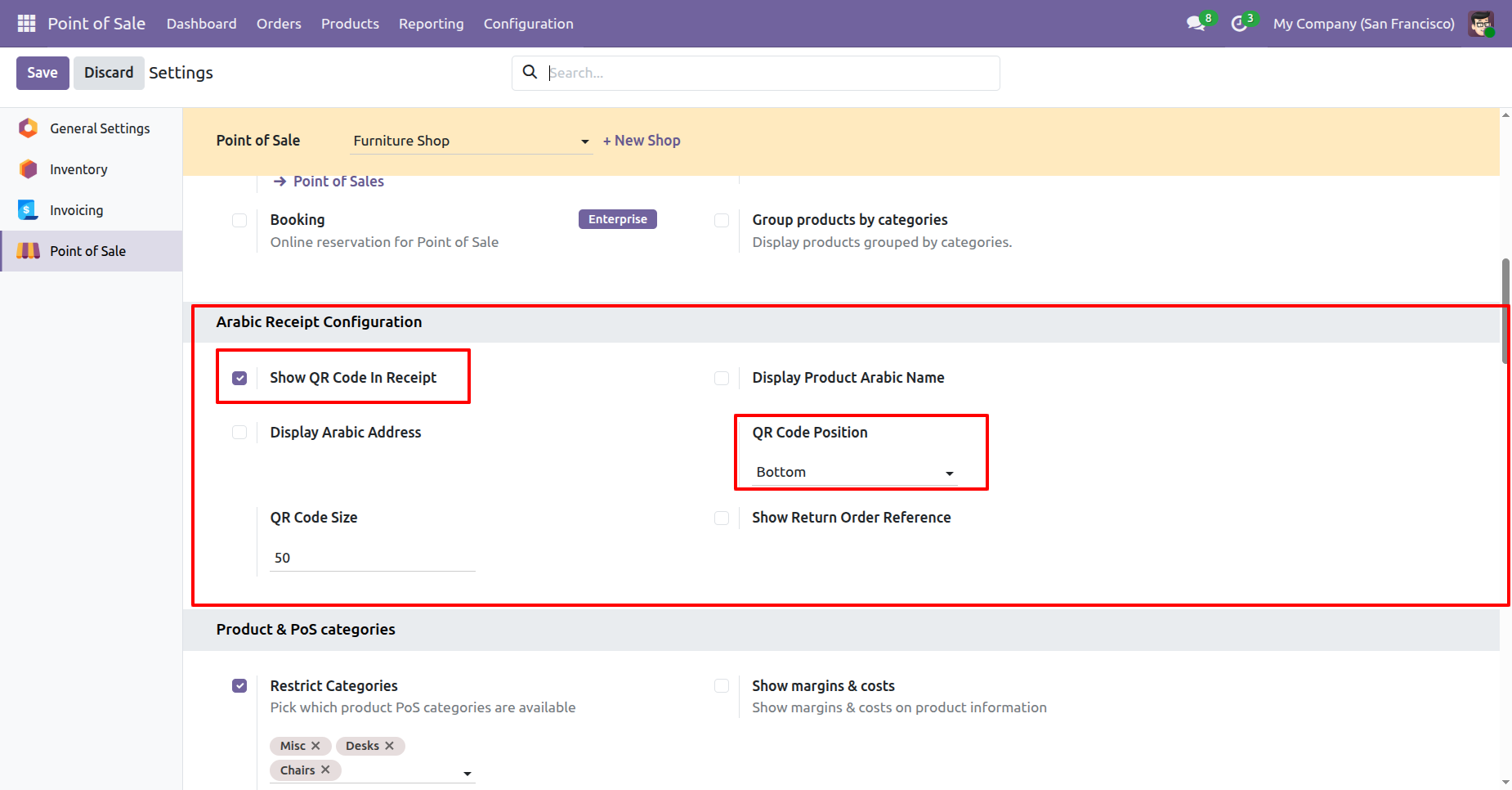
Enable "Show QRCode In Receipt" for saudi electronic invoice with a QR code in a POS receipt.
Select position of QRcode. Here we choose Bottom.
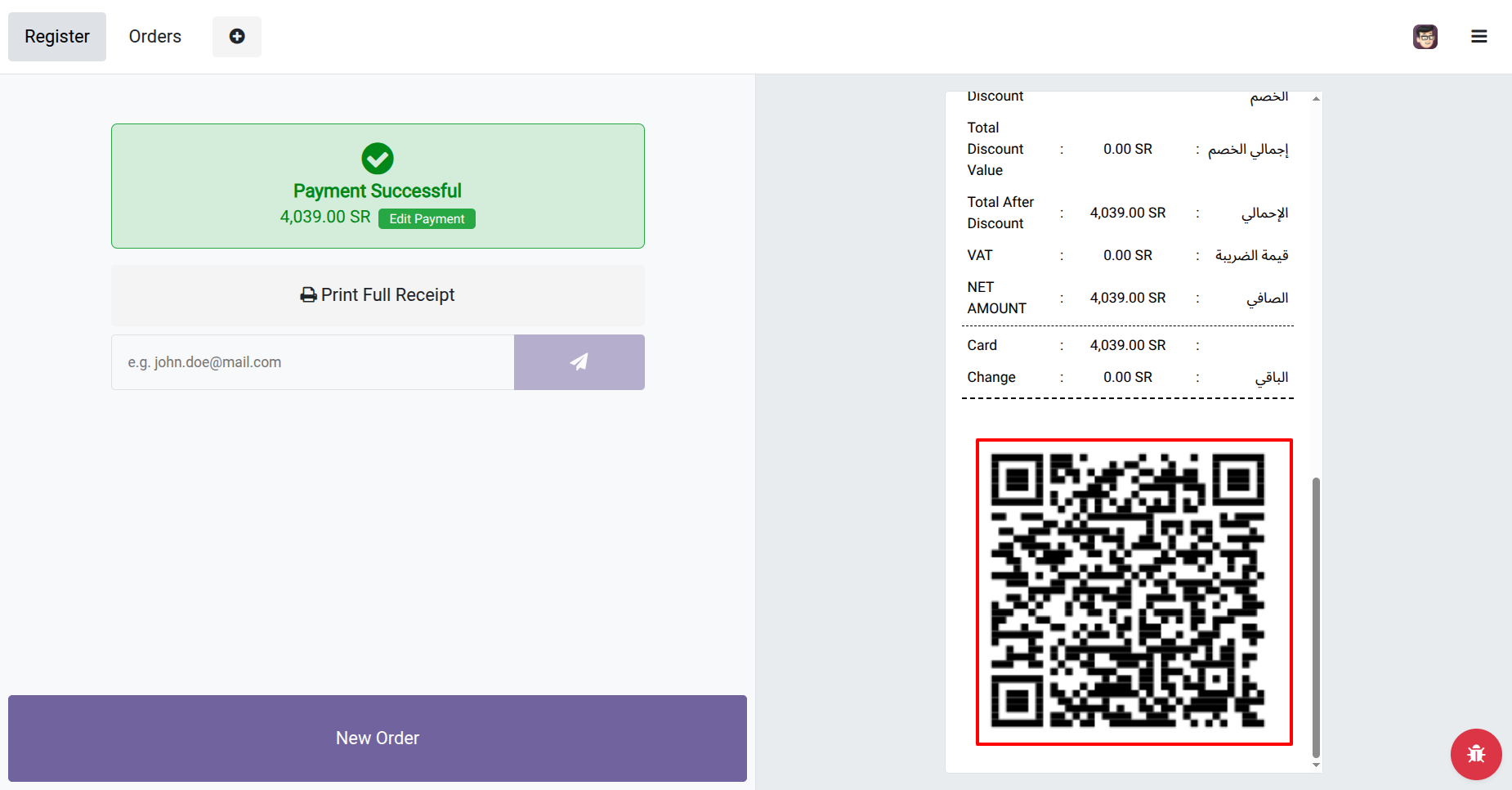
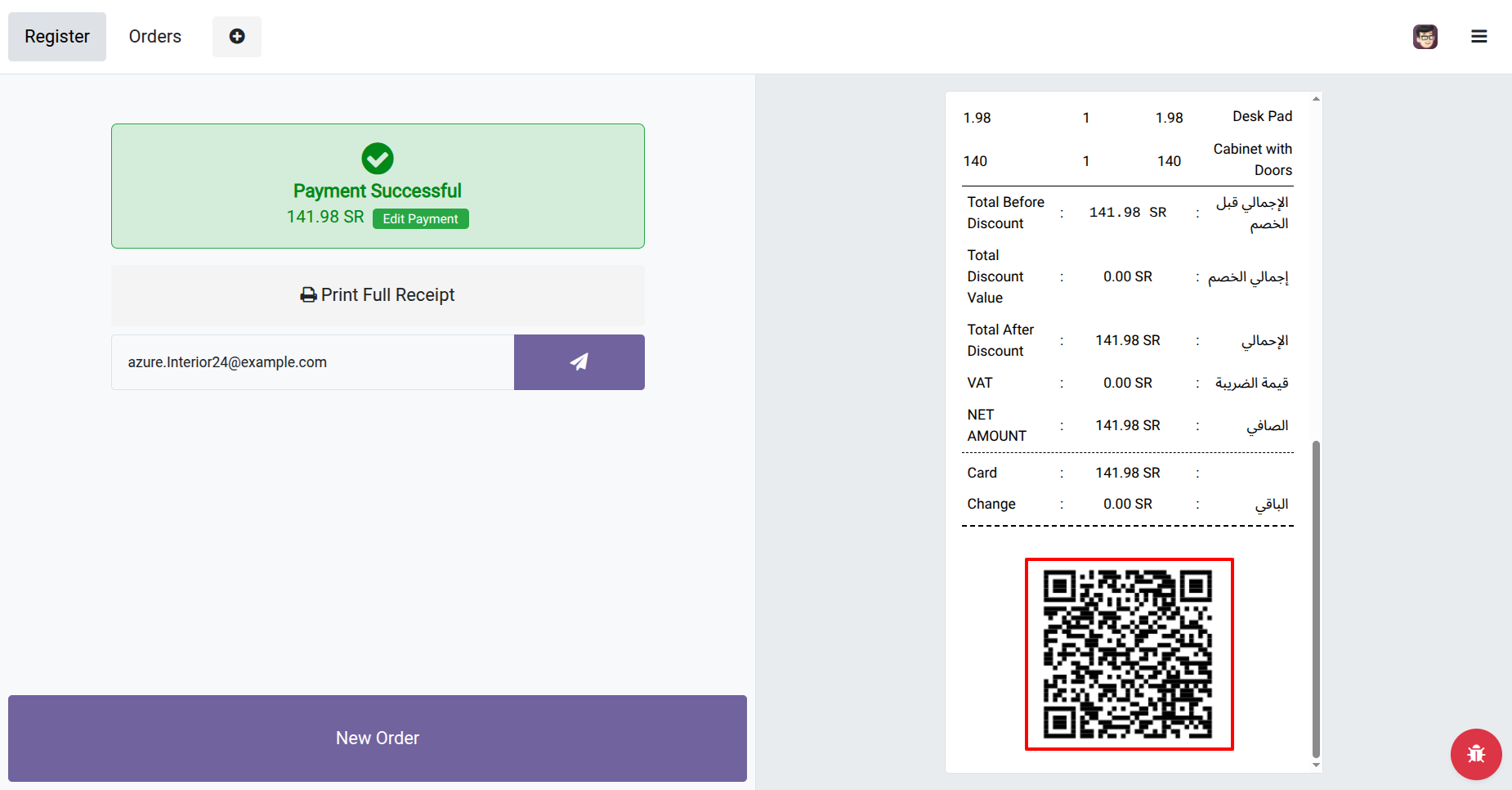
POS receipt with QRCode position Bottom.
Now we set size of QRCode.
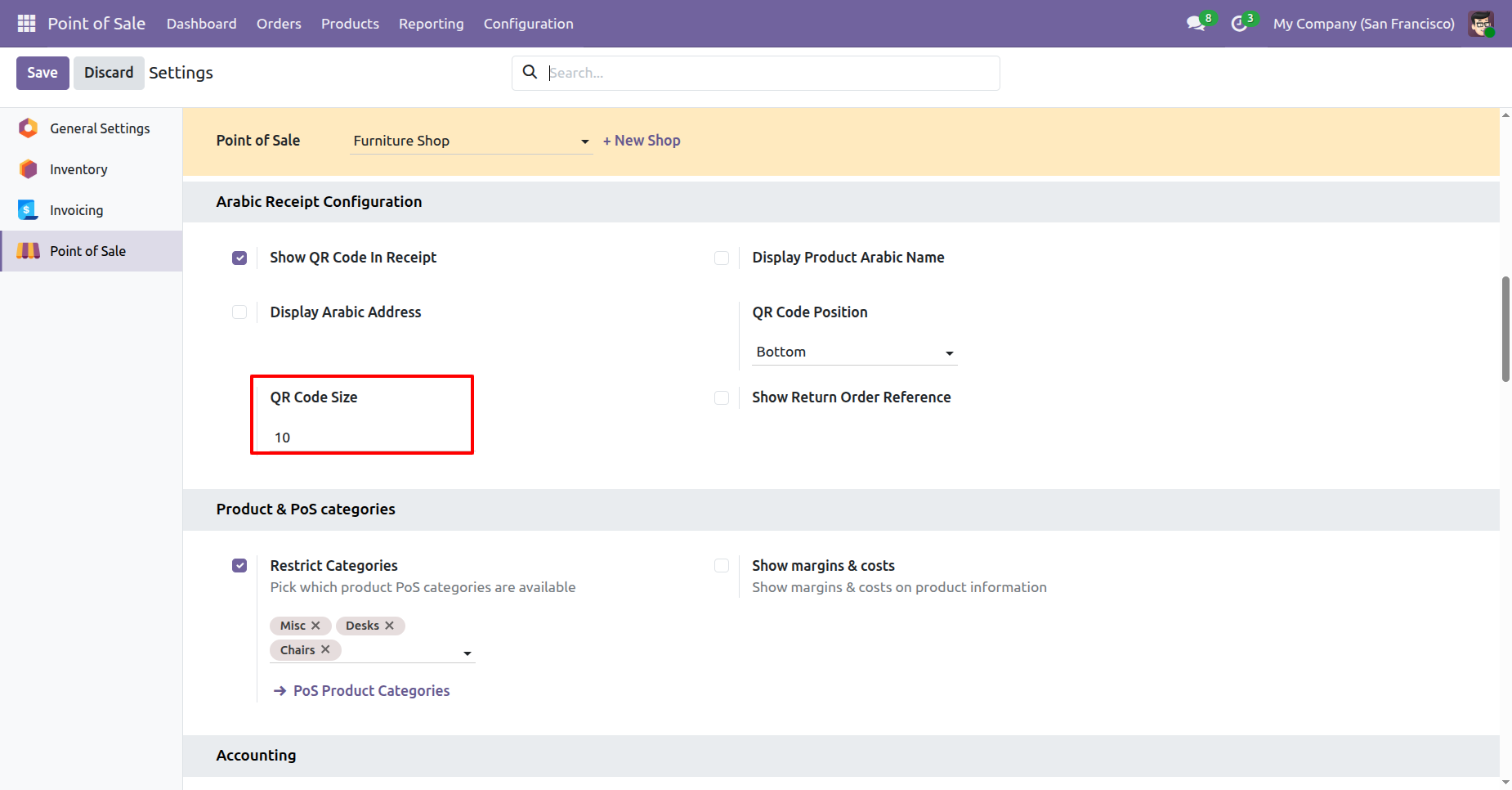
POS receipt with defined QRCode size.
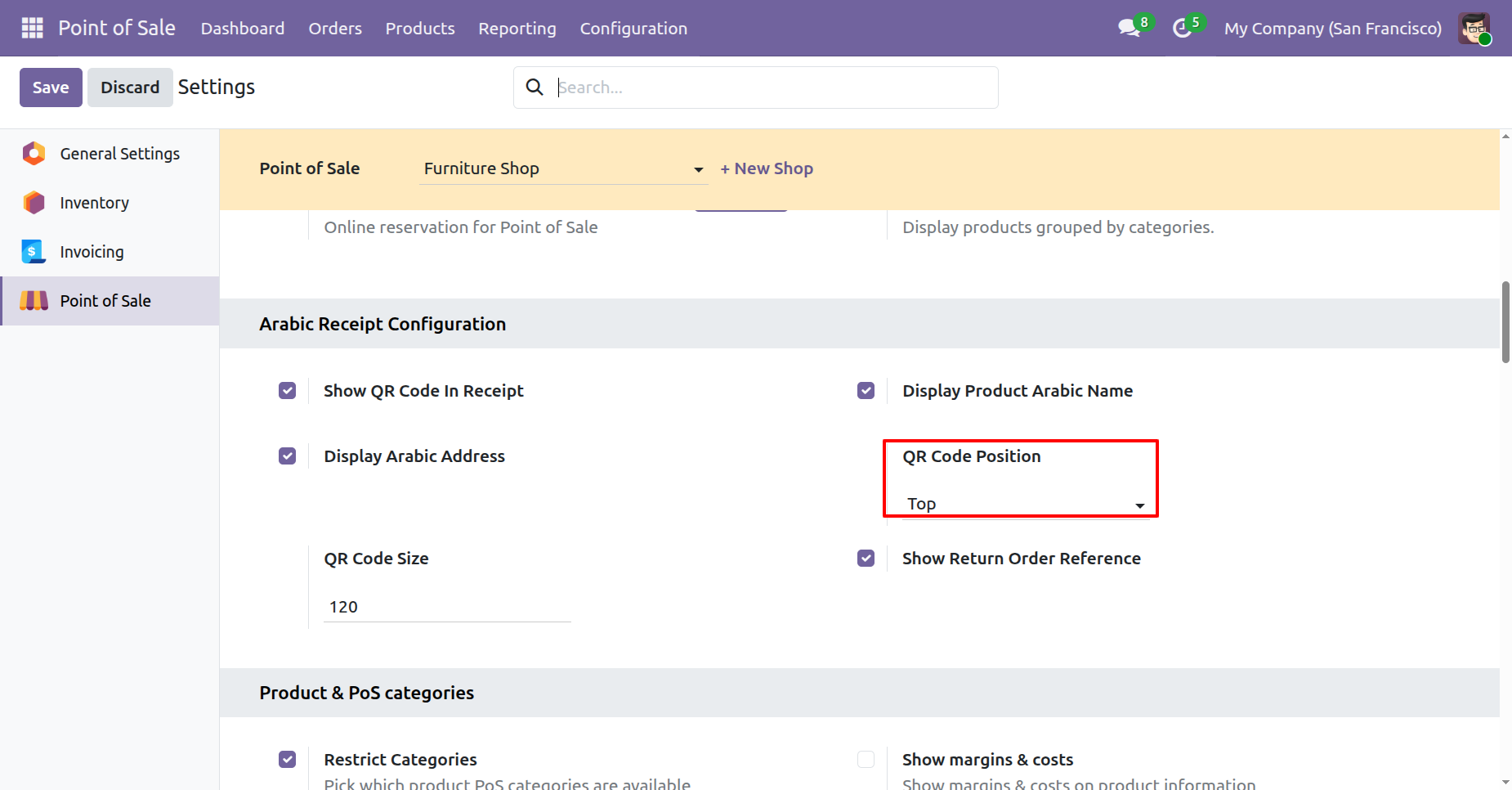
Select position of QRcode. Here we choose TOP.
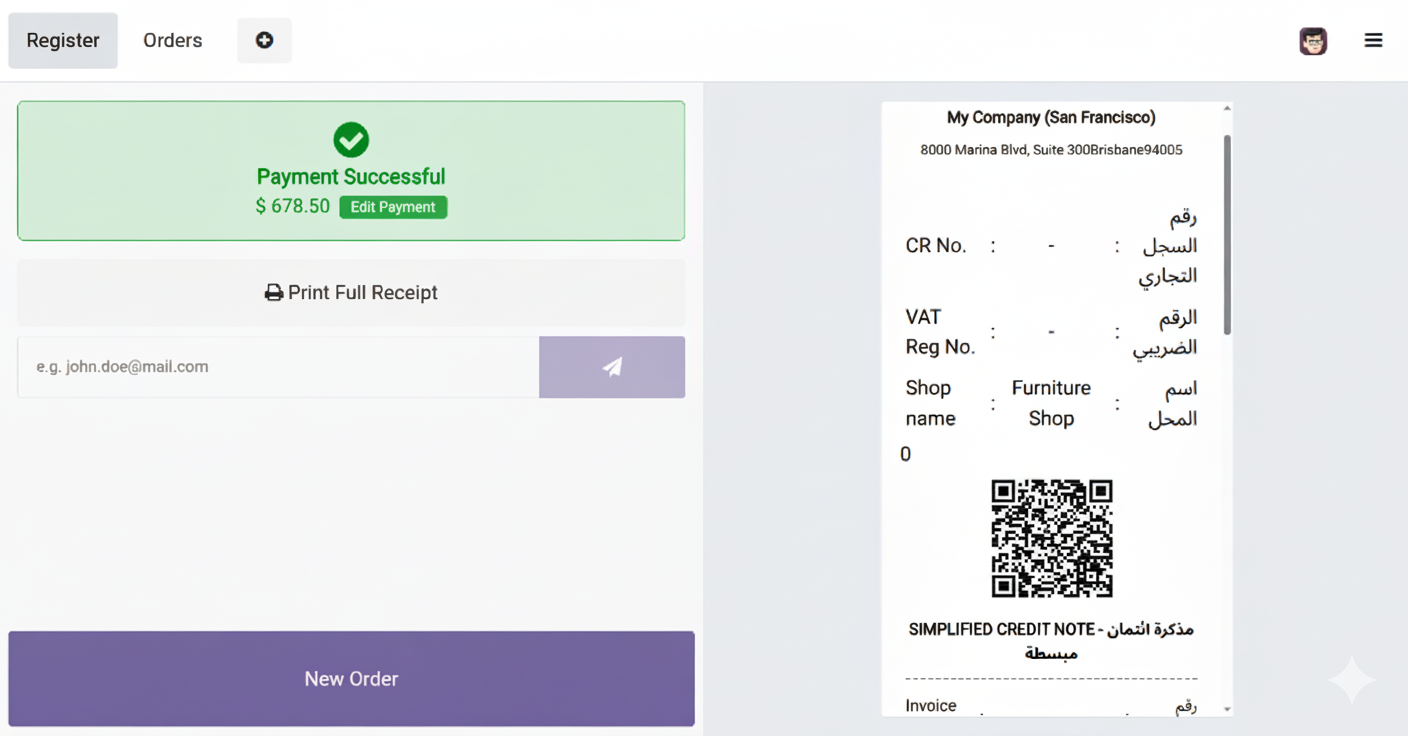
POS receipt with QRCode position Top.
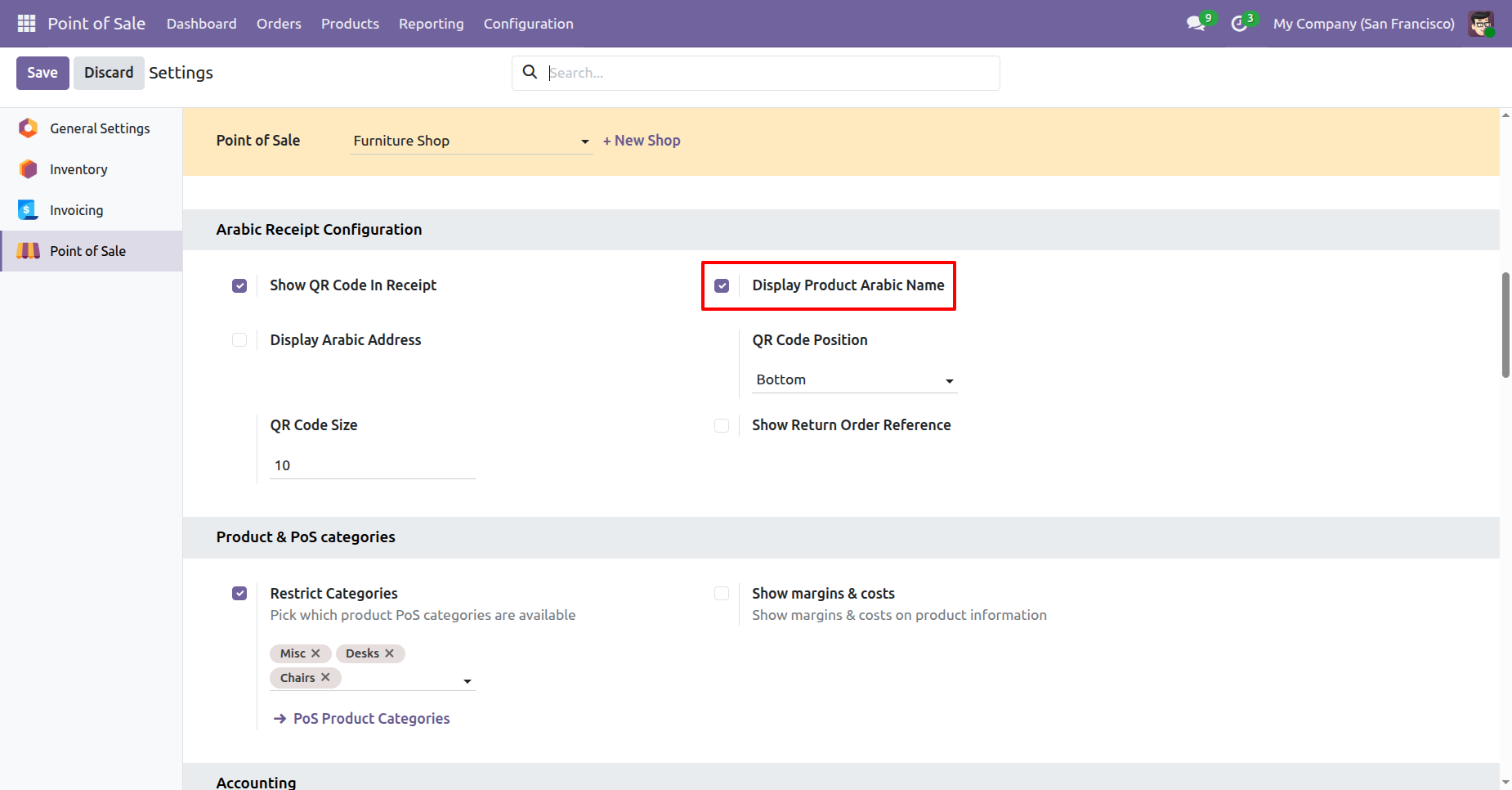
Now we enable display product "Arabic Name".
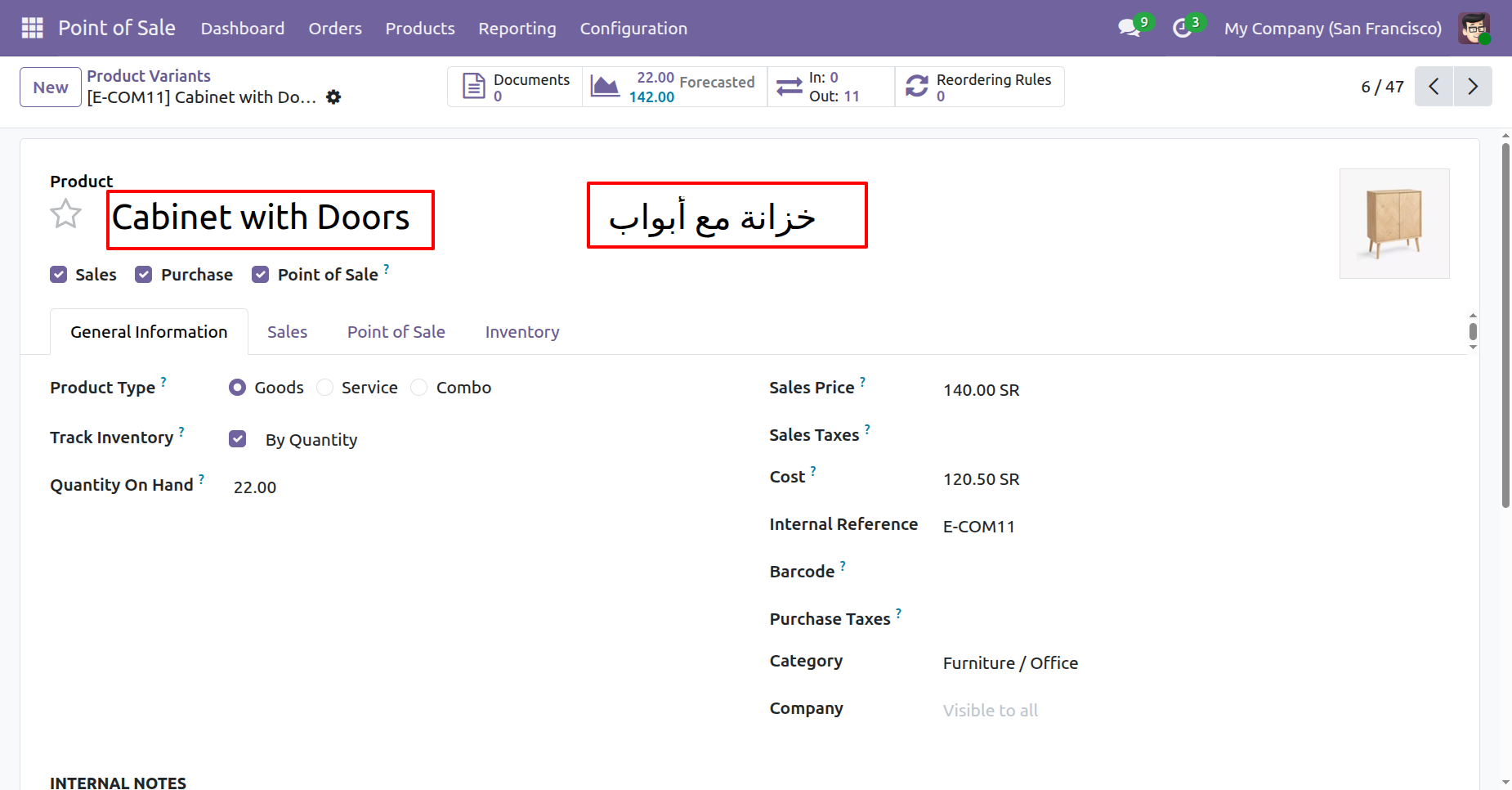
Product name in Arabic and English language.
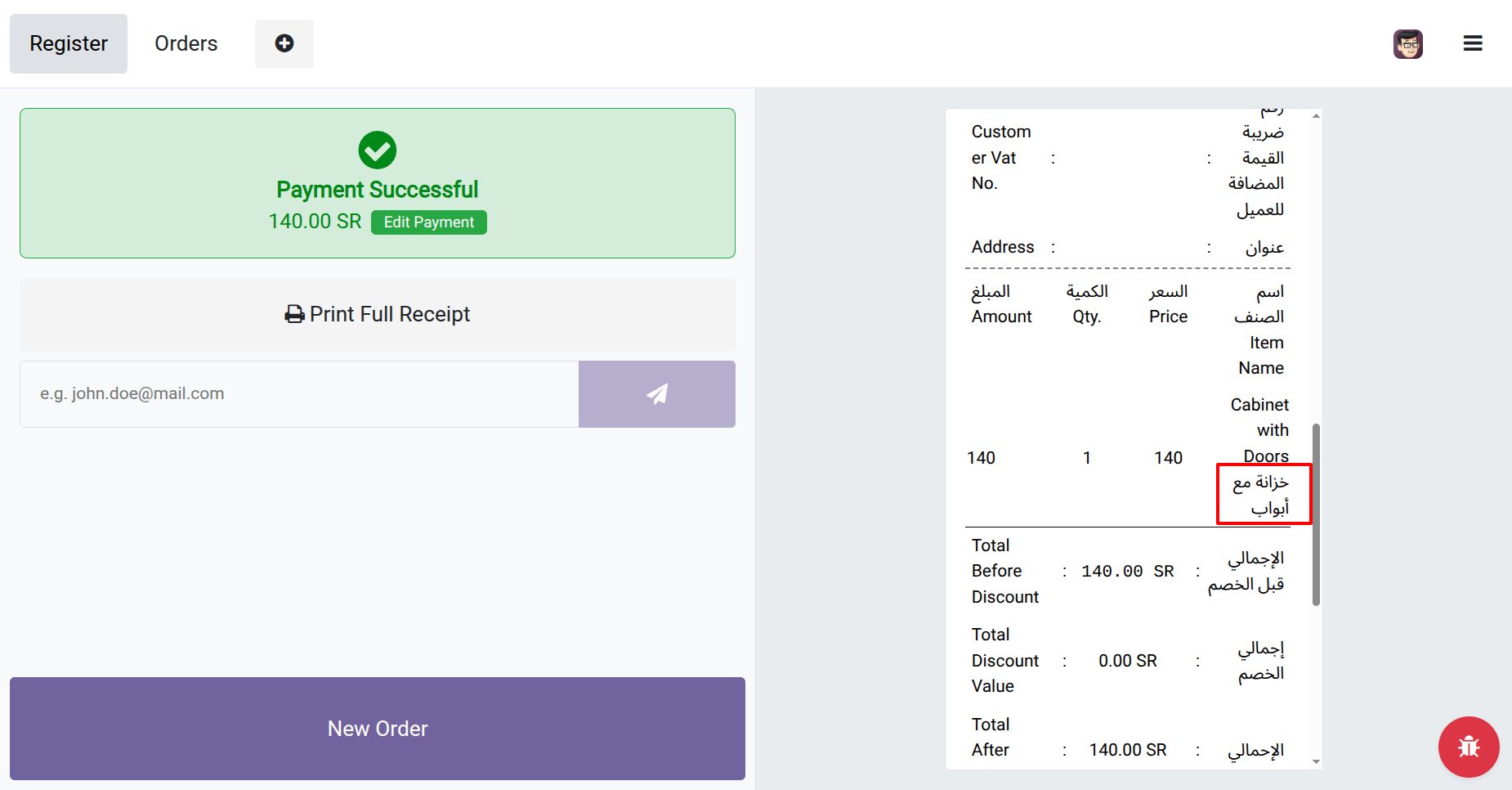
You can see product names in Arabic and English language in receipt.
Now we enable "Display Arabic Address".
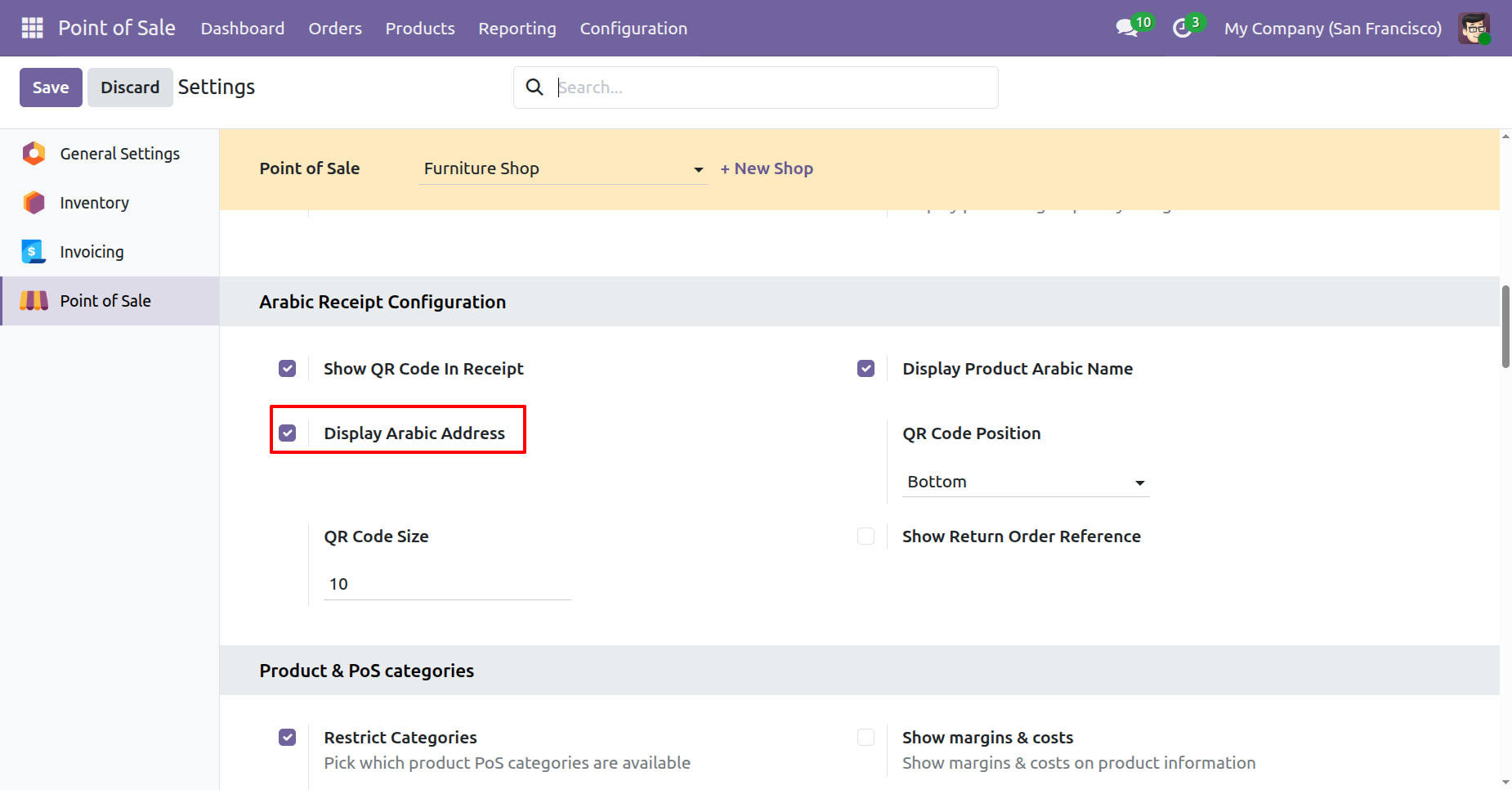
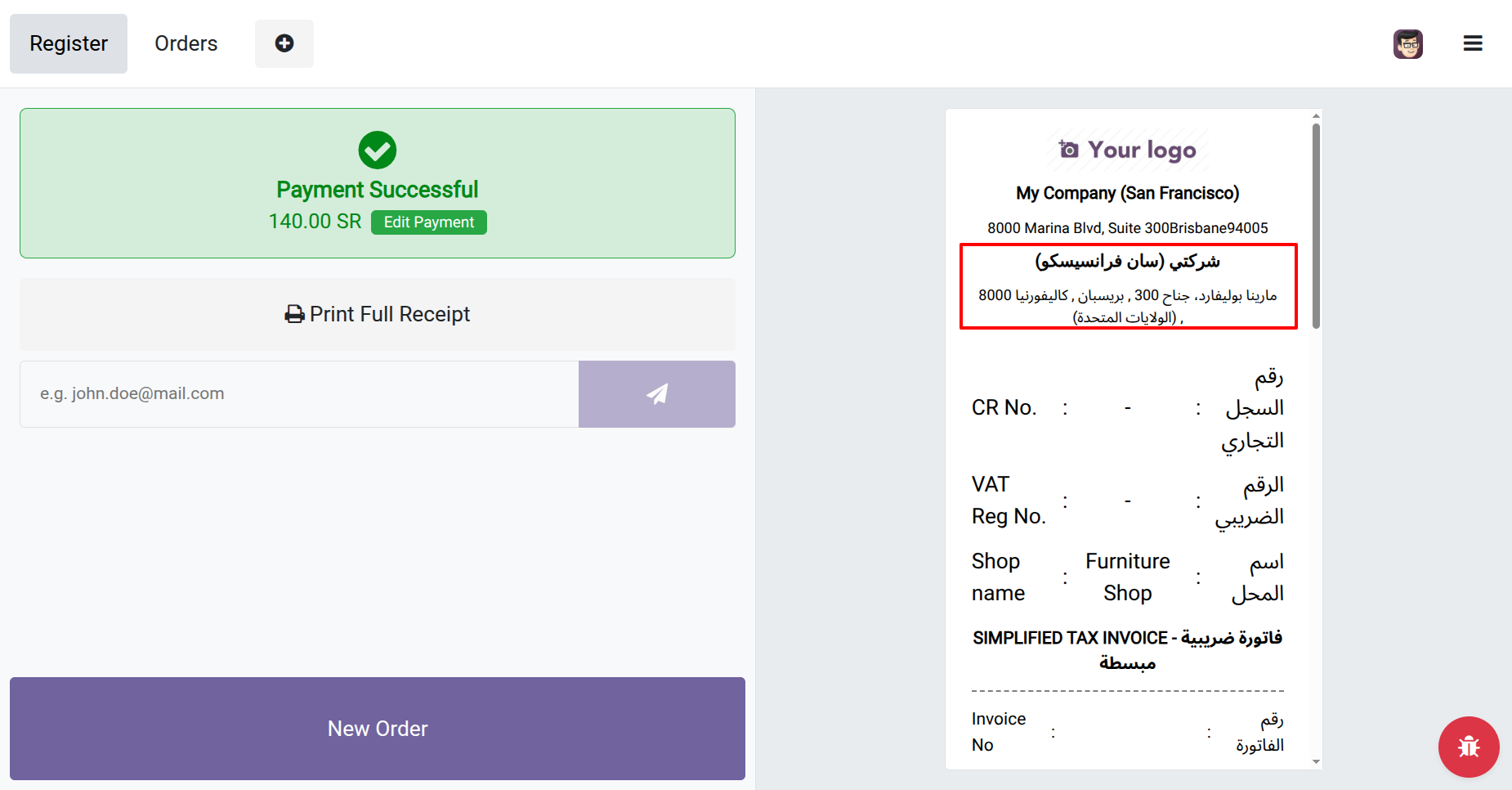
Company address in Arabic and English language.
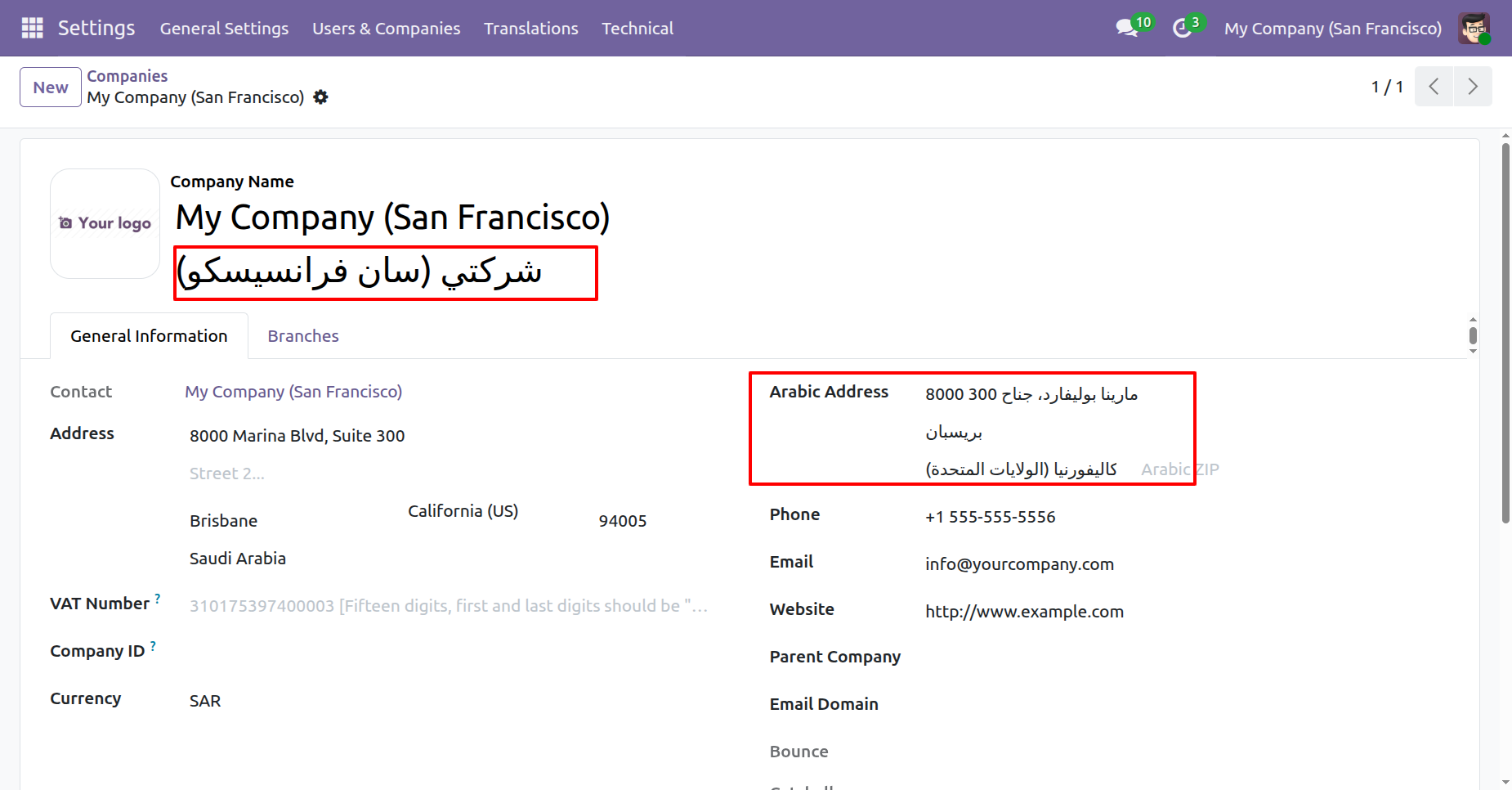
You can print company address in both languages in POS receipt.
Product screen with customer note and internal note.
Receipt with notes and other details.
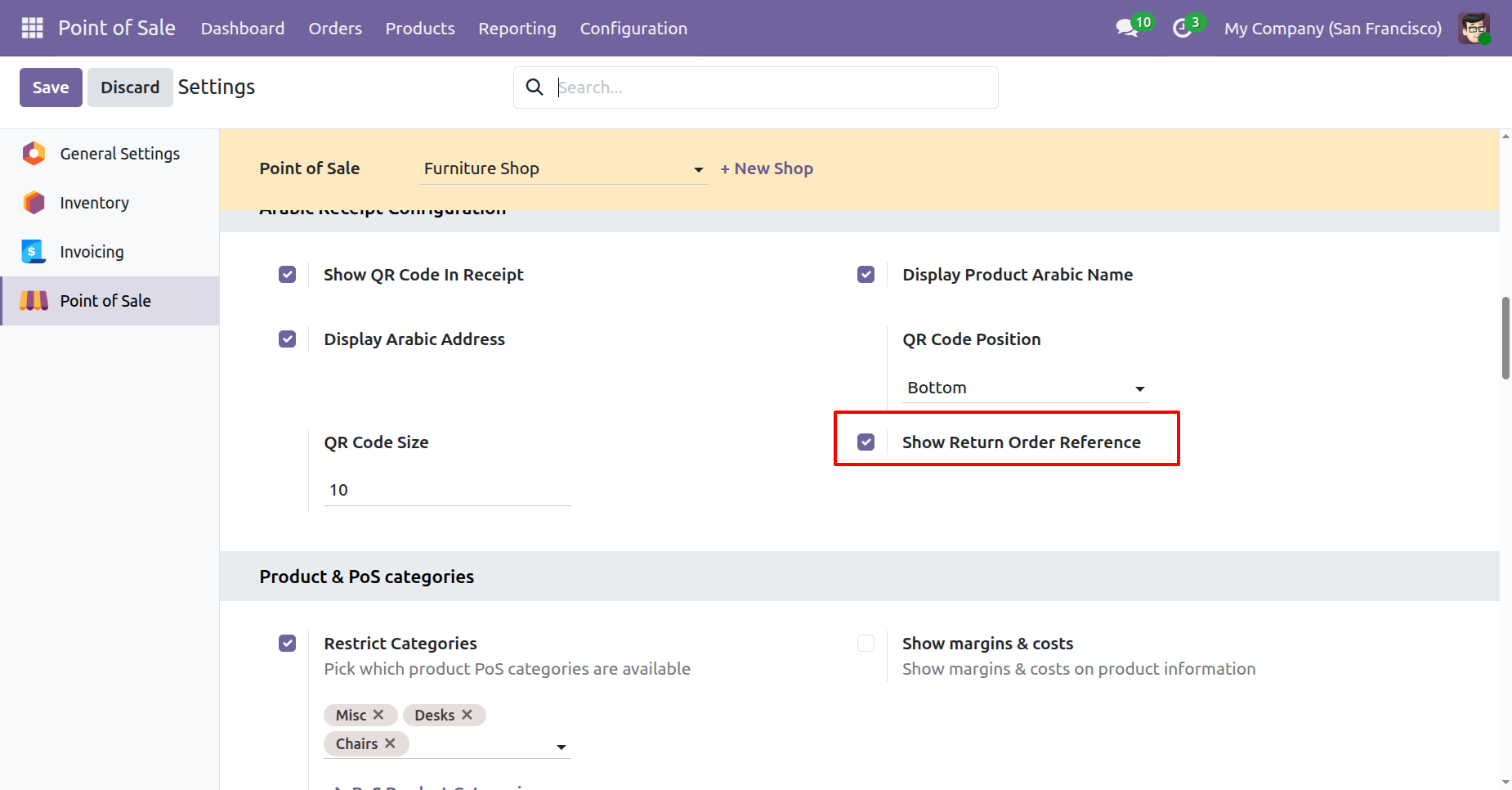
Enable "Allow To Return Order" to allow return order.
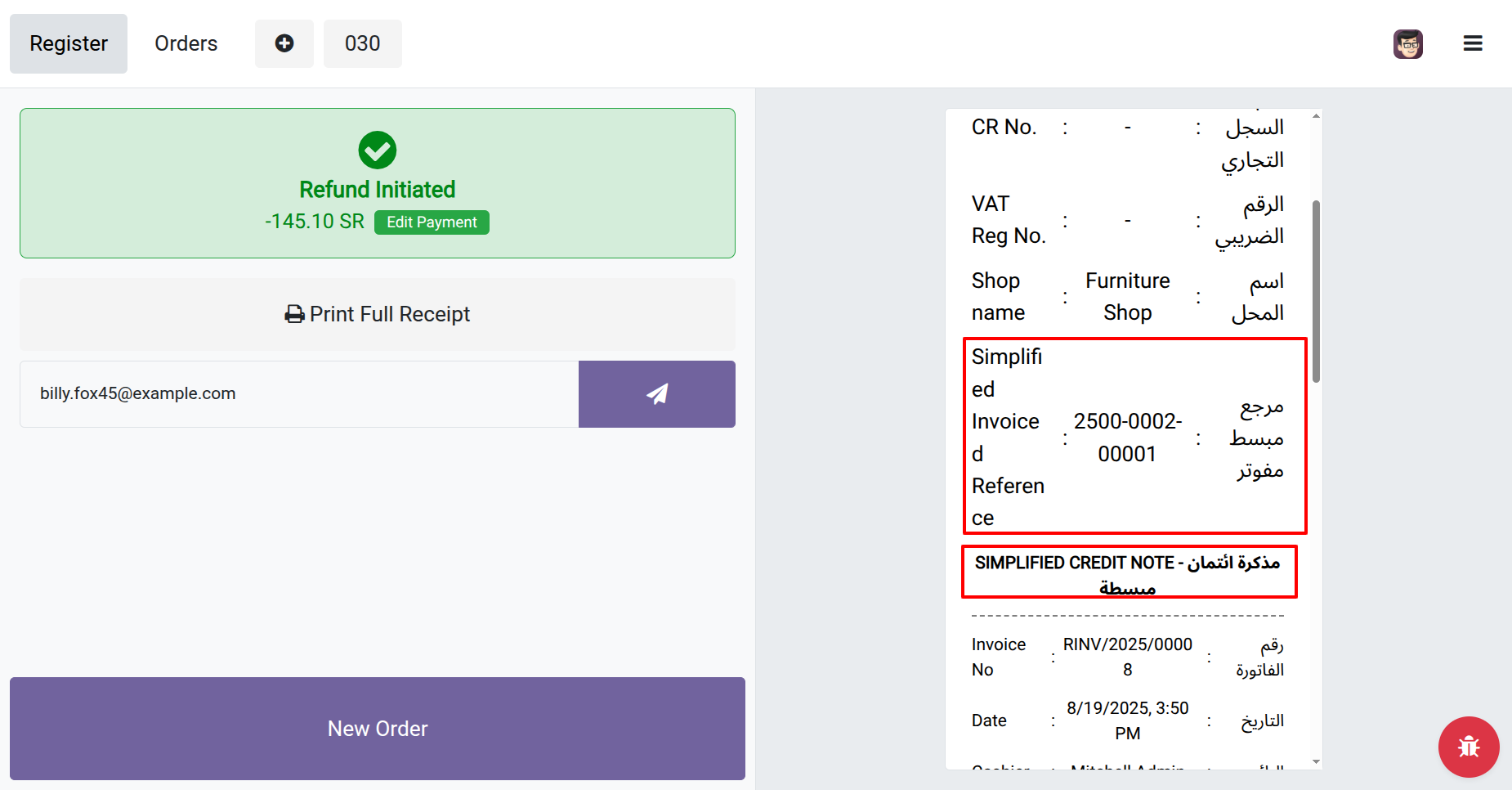
Printed receipt with the return order reference.
We display below details in QRCode in TLV format.
| No | Fields | Description |
|---|---|---|
| 1 | Seller Name | Company Name |
| 2 | Vat | Company VAT Number |
| 3 | Date | Point Of Sale Order Date |
| 4 | Total with Vat | Point Of Sale Order Total with Tax |
| 5 | Vat Total | Point Of Sale Order Total Tax |
"TLV Base64 QR code Verified with E-Invoice QR Reader KSA"

Enable "Allow To Return Order" to allow return order.

Printed receipt with the return order reference.

Version 20.0.1.0.0 | Released on : 15th September 2026
- Yes, this app works perfectly with Odoo Enterprise (Odoo.sh & Premise) as well as Community.
- No, this application is not compatible with odoo.com(odoo saas/Odoo Online)
- Yes as we have replaced the full receipt so it's possible another app which extending this can not work properly. We can give paid support to resolve this conflict.
- Yes, to test this module, please contact us at sales@softhealer.com.
- Please contact us at sales@softhealer.com to request customization.
- Yes, we provide free support for 365 days from the date of purchase.
- Yes, you will receive lifetime free updates for the version of the module you purchased.
- No, there is no need to install any additional libraries.
- Yes, for version 12 and above, you need to purchase the module separately for each version you intend to use.
- No, exchanges or refunds are not allowed. Please make sure to select the correct version before purchasing.
- You can contact us at support@softhealer.com for language translation support. We use Google Translator tools to provide translations in multiple languages, so the accuracy may vary. We welcome your suggestions to help improve translations.
Discover Our Latest Apps