












Dynamic Warnings

Empower your team and minimize errors with our Dynamic Warnings module, designed to display custom alerts
exactly where you need them. This intuitive tool allows you to set up conditional warnings on any form
view - such as Sales Orders, Invoices, or Contacts. Simply select your target model, define the specific
conditions (filters) for when the alert should appear, and customize the message style (Info, Warning, or
Danger) to grab attention. With the ability to restrict alerts to specific user groups, you can ensure
that critical information reaches the right people at the right time, enhancing communication and
workflow efficiency across your entire organization.


Related Modules
Features

Universal Model Support
Capable of creating and displaying dynamic warnings on any Odoo model.

Customizable Alert Messages
Empower users to define their own specific custom text messages to be displayed on the views.

User Group Access Control
Features the ability to restrict the visibility of specific warnings to selected user groups for better security and relevance.
Message Types

Add and manage different message types to display the right information for different situations.

Message Date Validity
Set start and end dates to control when a message should be displayed.

Multi-Company Compatibility
Manage messages and warnings across multiple companies with company-specific settings.

Multiple Alert Styles
Offers three distinct visual styles for alerts—Danger (Red), Warning (Yellow), and Info (Blue)—to convey urgency.

Smart Conditional Filters
Integrated with a powerful domain filter that allows users to set precise conditions for when a warning should be triggered.

Custom Warning Colors
Customize warning colors to clearly highlight different types of messages.

Dynamic Messages
Display messages dynamically based on configured conditions and business needs.
Dismiss Warning
Allow users to dismiss warning messages when they are no longer needed.

Dynamic Warning Dashboard
Get a clear overview of messages, their status, and key message-related information from one dashboard.

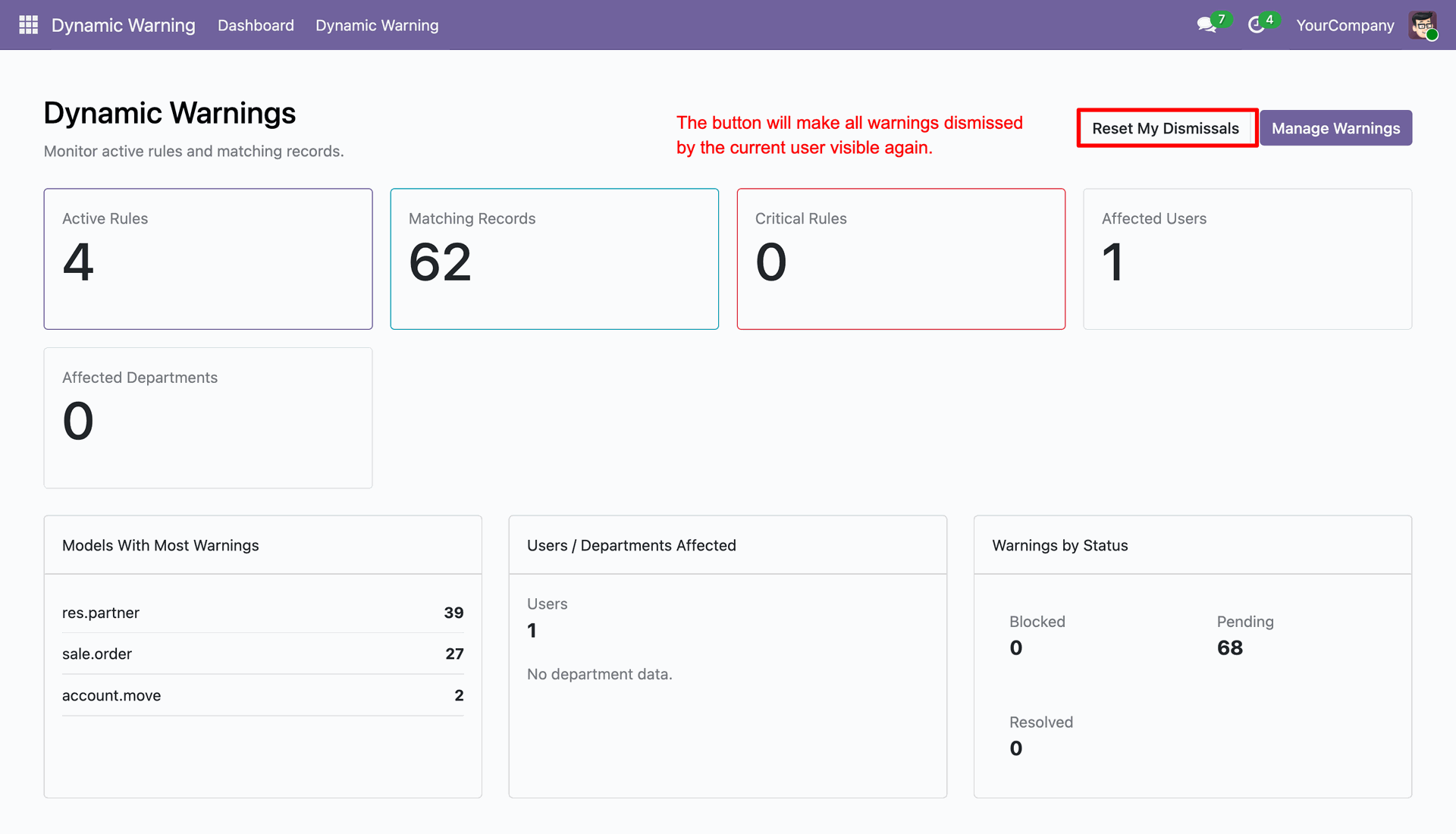
View active dynamic warning rules, matching records, critical rules, affected users, affected departments, and warning status from the dashboard.
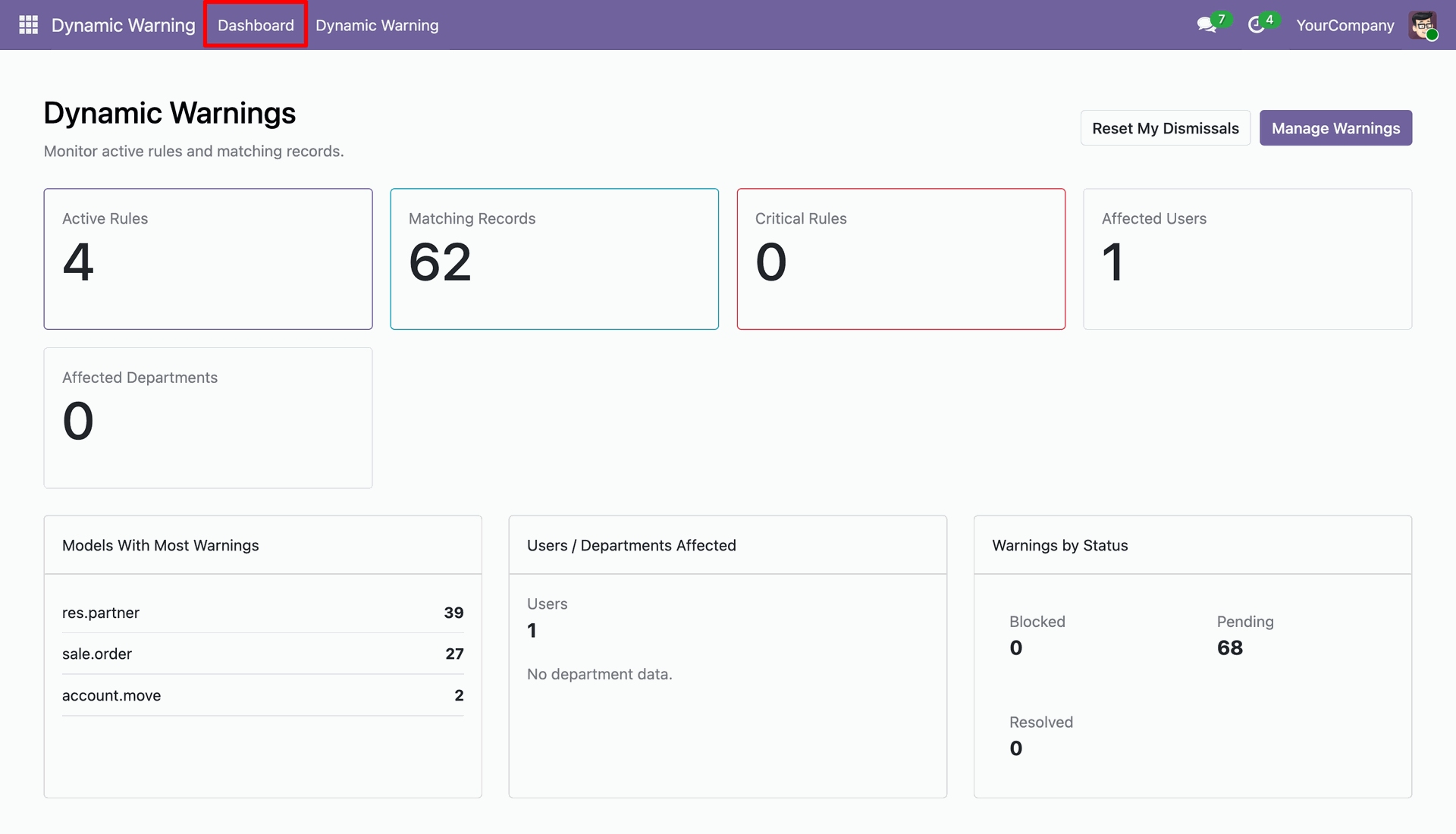
Reset dismissed warnings or manage warning rules directly from the Dynamic Warnings dashboard.
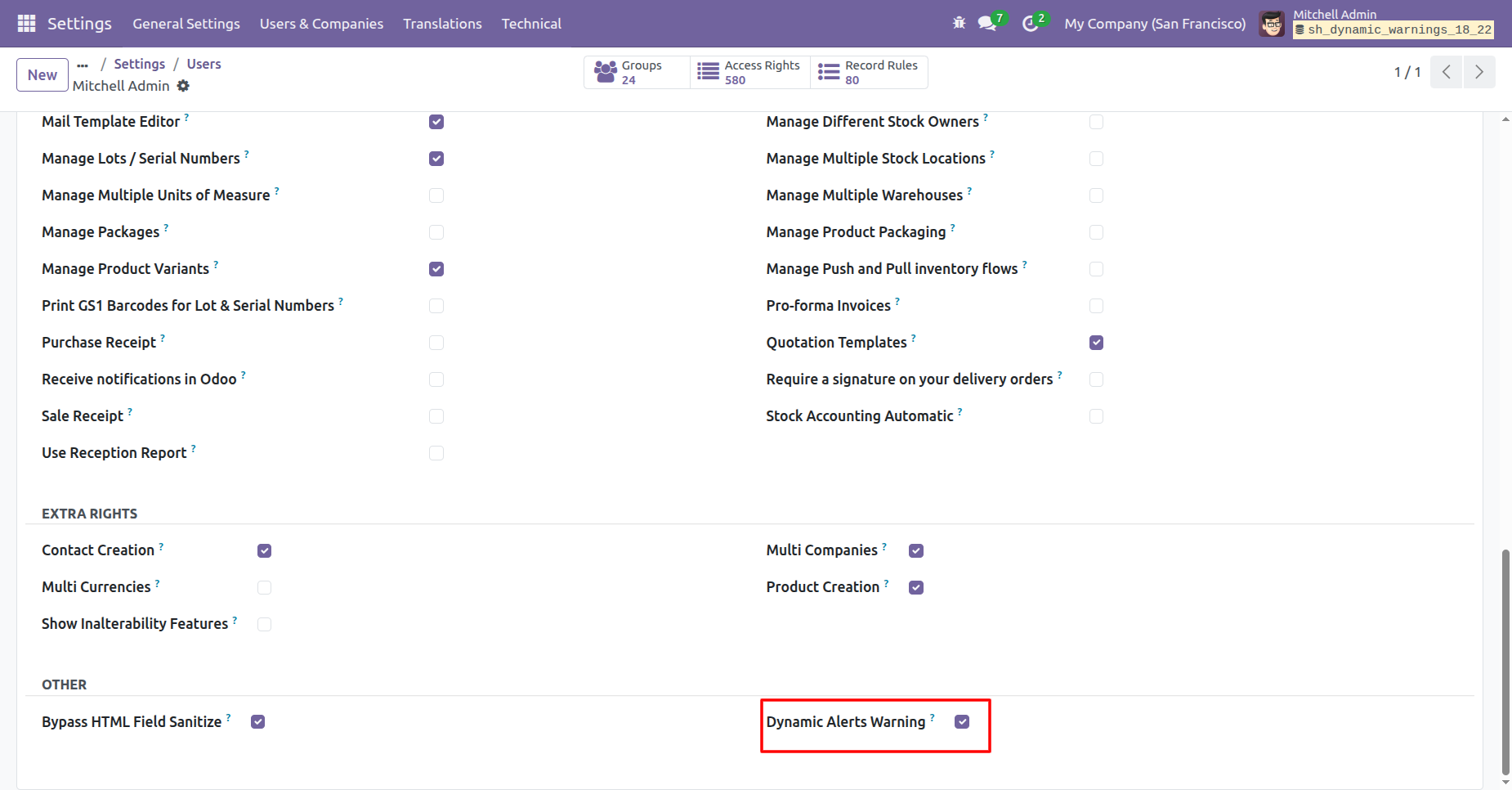
Enable the Dynamic Alerts Warning checkbox under the Other section in the user settings to grant access.
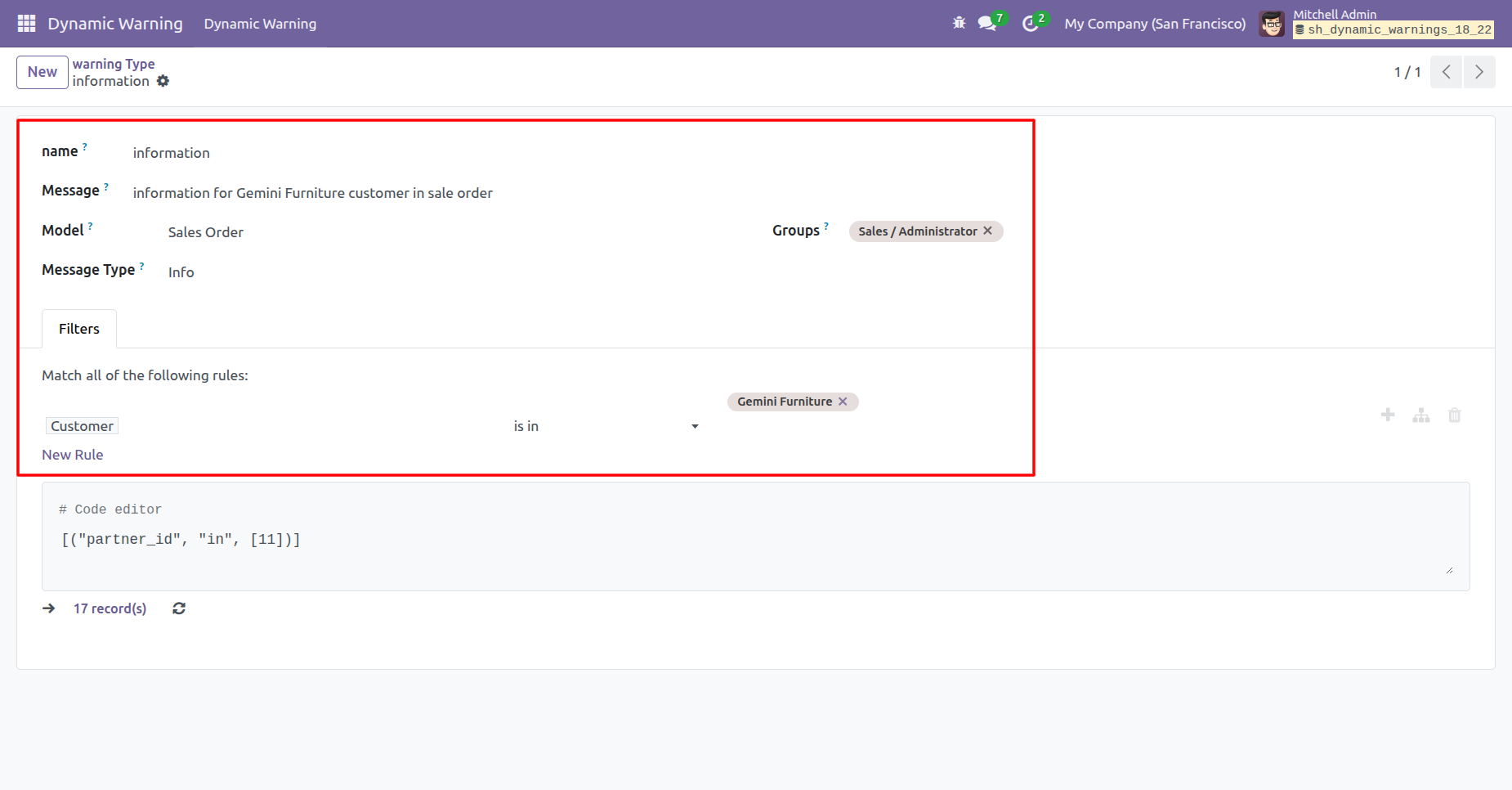
Configure the warning details, including the message text, target model, and specific filter conditions (e.g., Customer is Gemini Furniture).
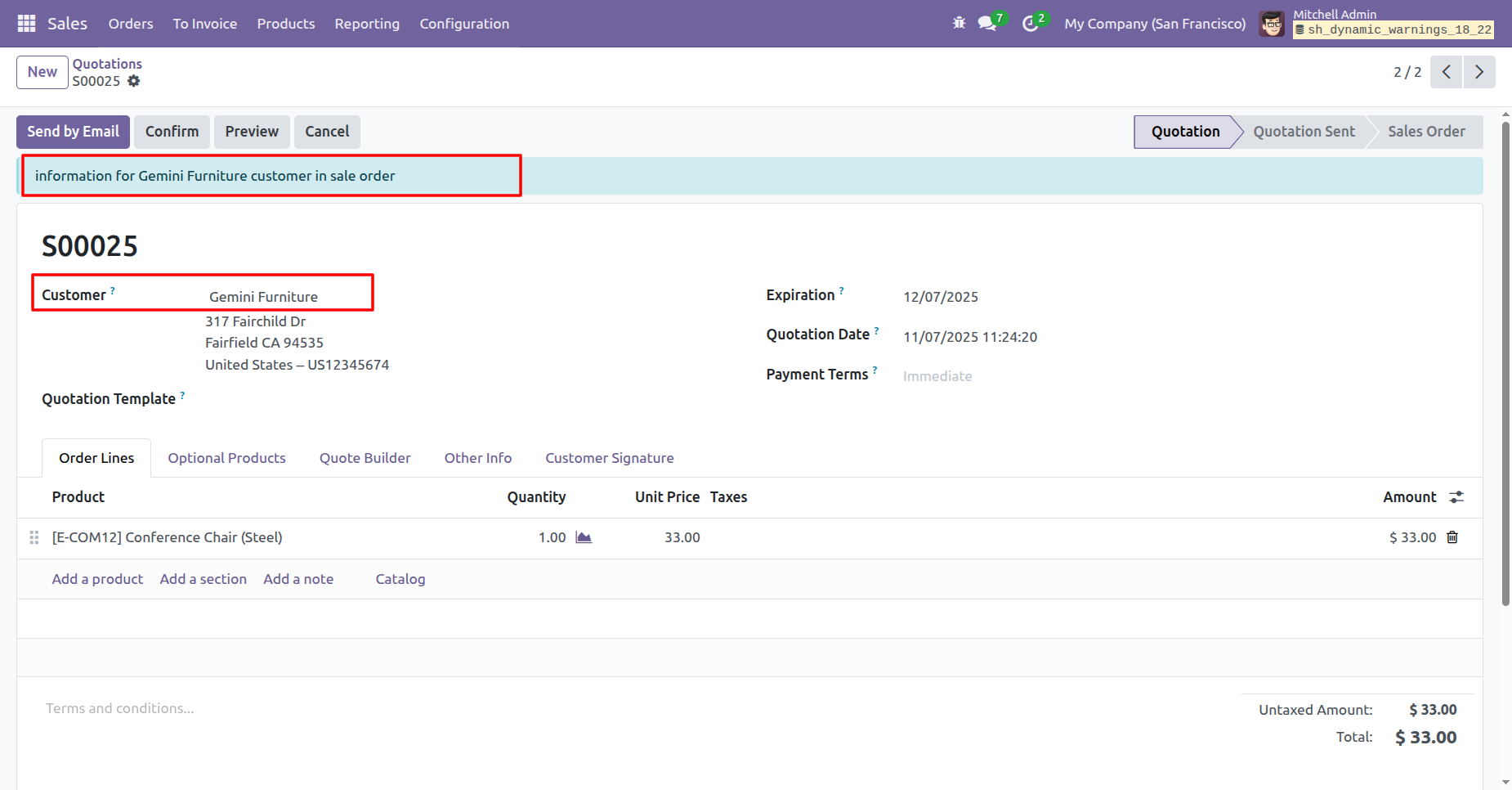
The 'Info' warning appears as a top banner immediately when the specific customer condition is met.
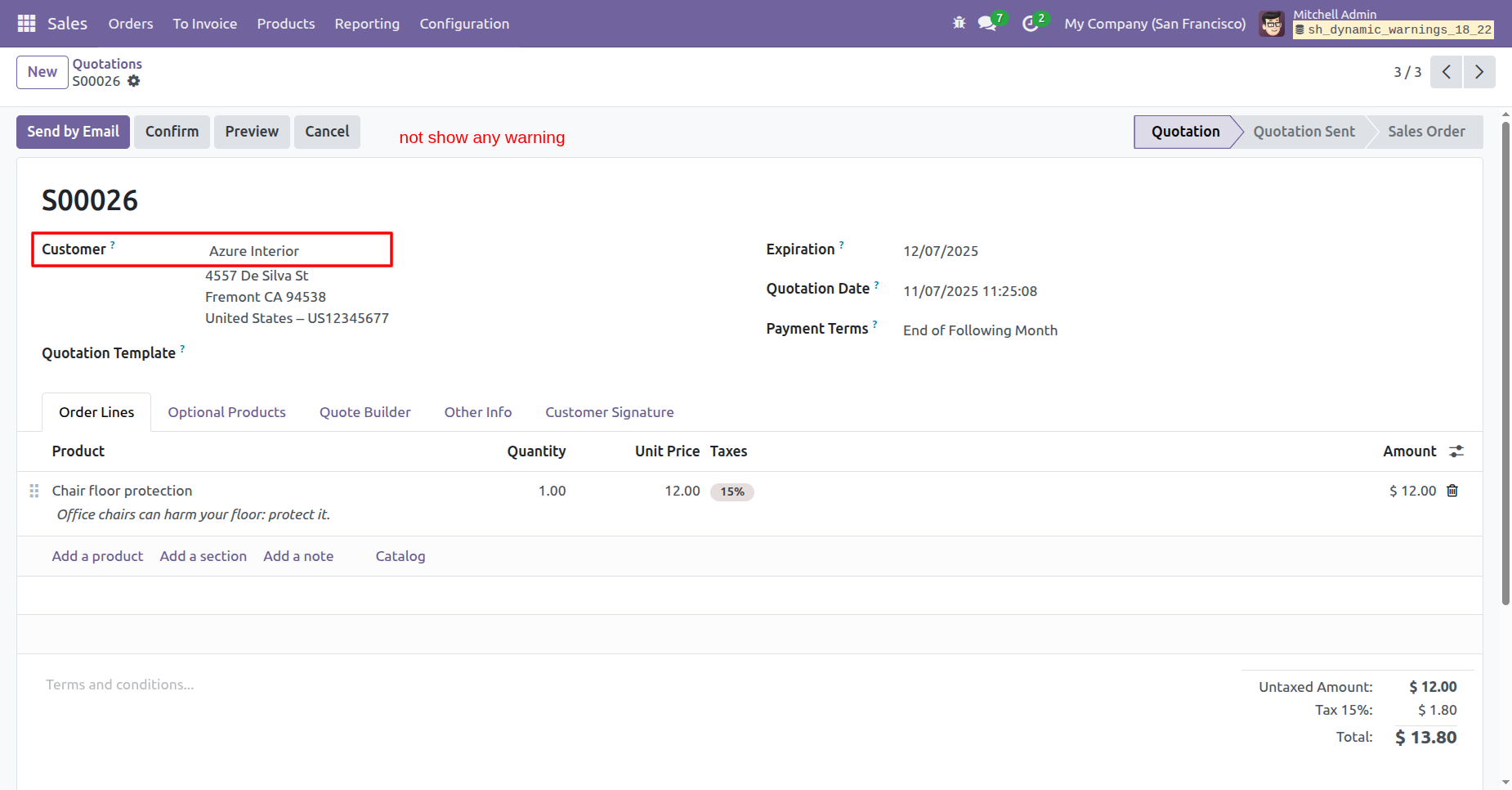
Select a different customer, like Azure Interior, to verify that the warning does not trigger when the conditions are not met.
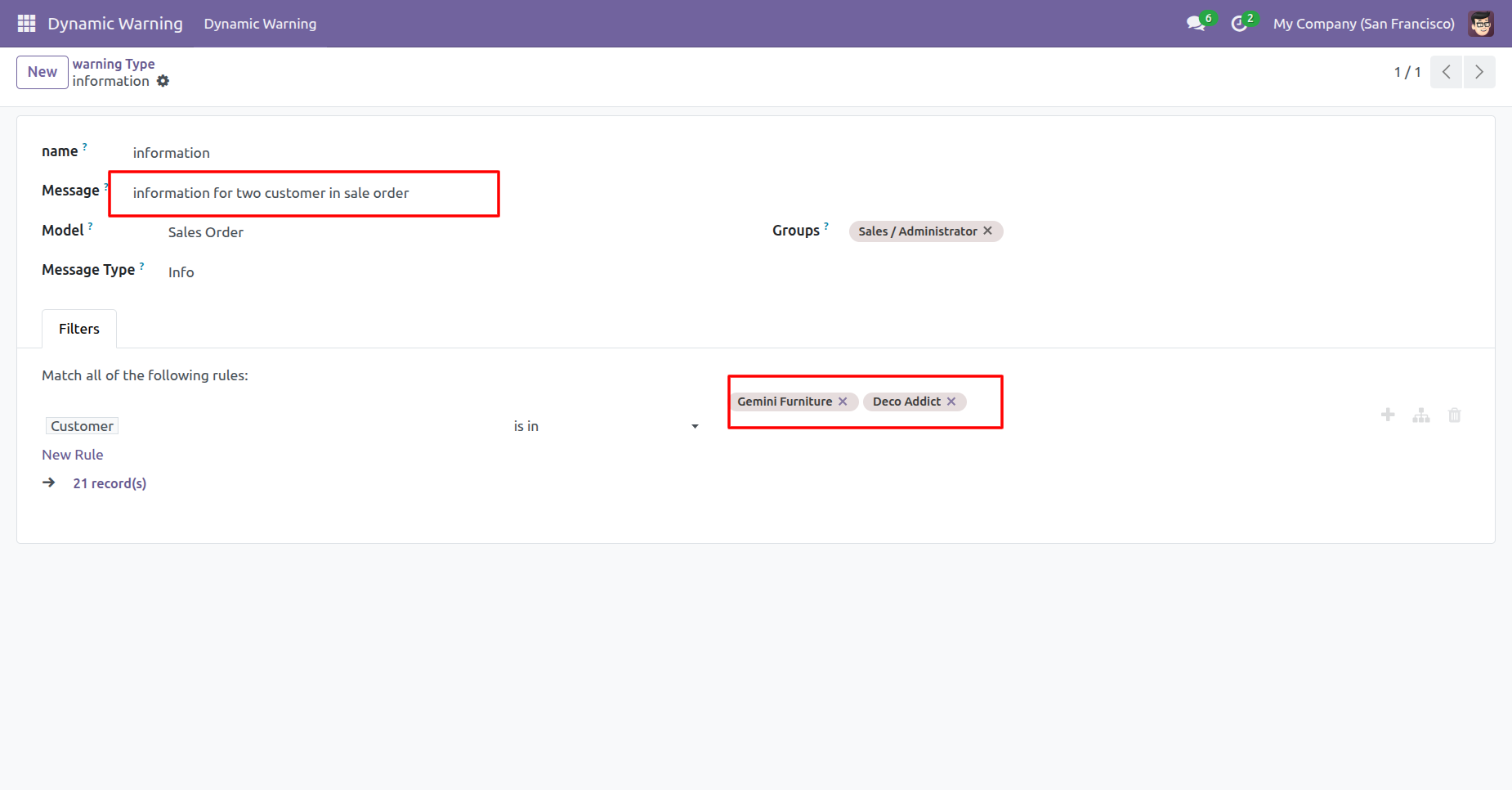
Update the filter to include multiple customers (Gemini Furniture, Deco Addict) and adjust the message text accordingly.
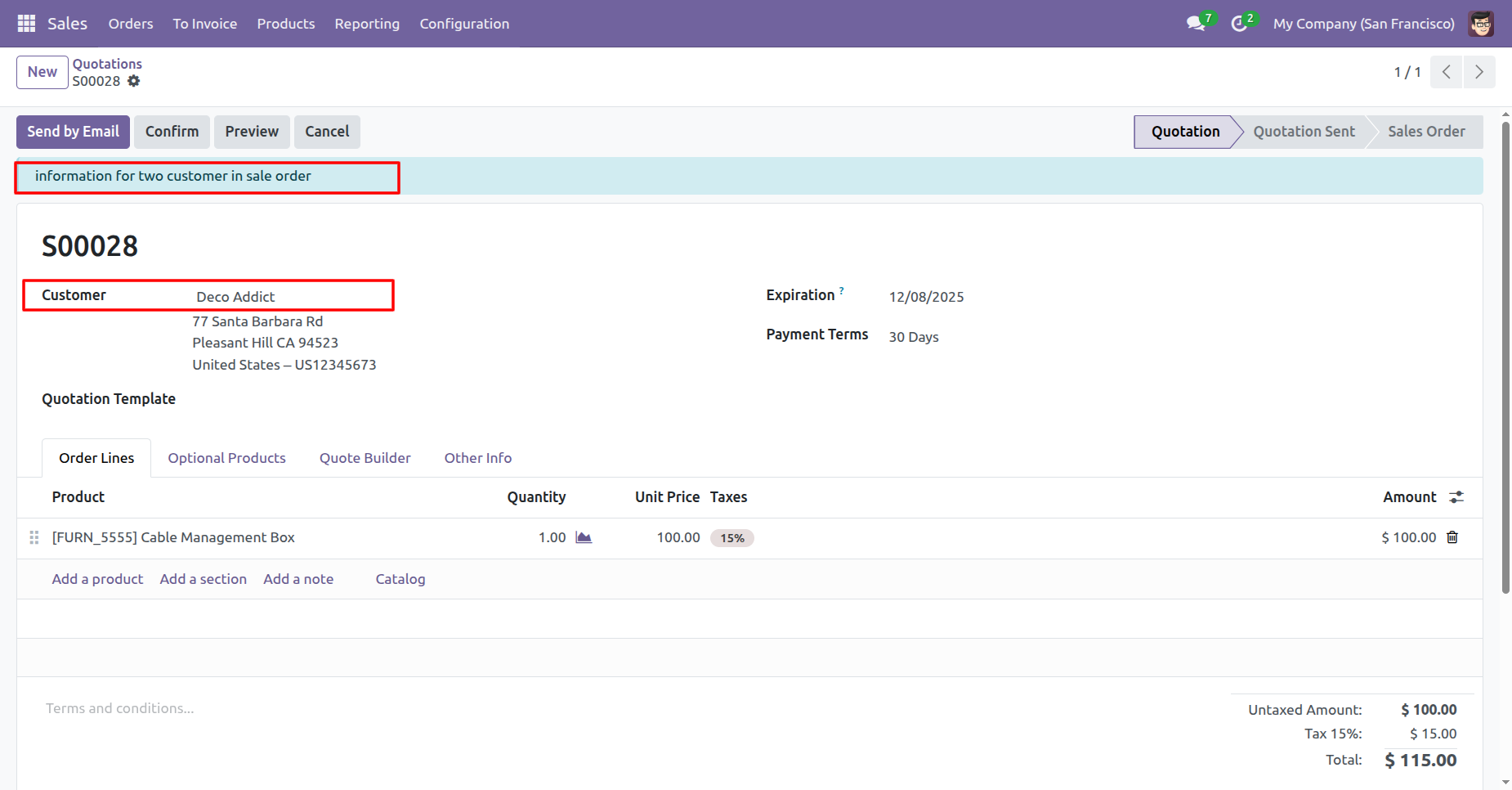
Select Deco Addict to verify that the updated warning message triggers correctly for the second customer in the rule.
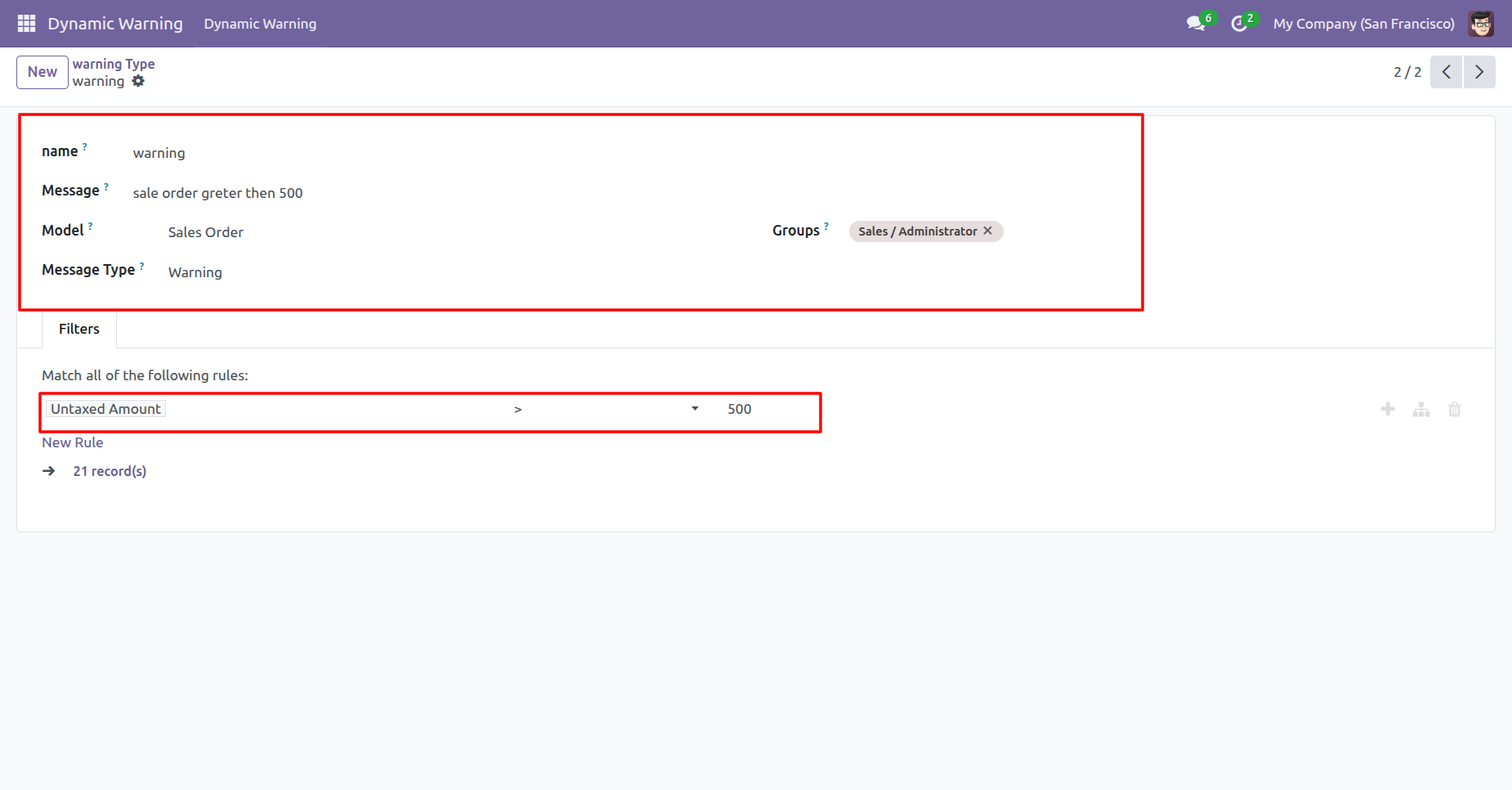
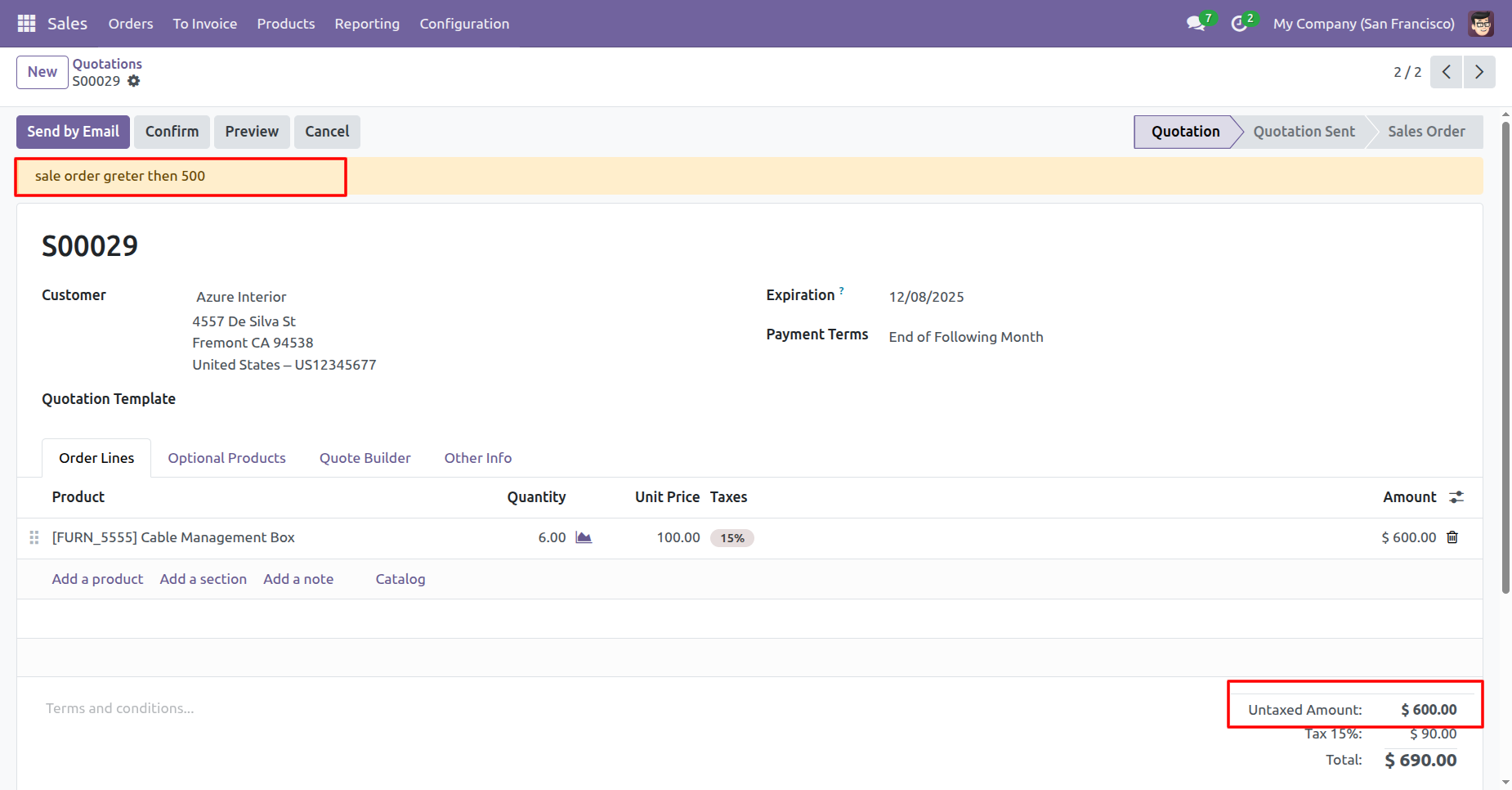
Configure a 'Warning' type alert to trigger automatically when the Untaxed Amount of an order exceeds 500.
The yellow warning banner appears automatically because the order's Untaxed Amount ($600.00) exceeds the configured limit of 500.
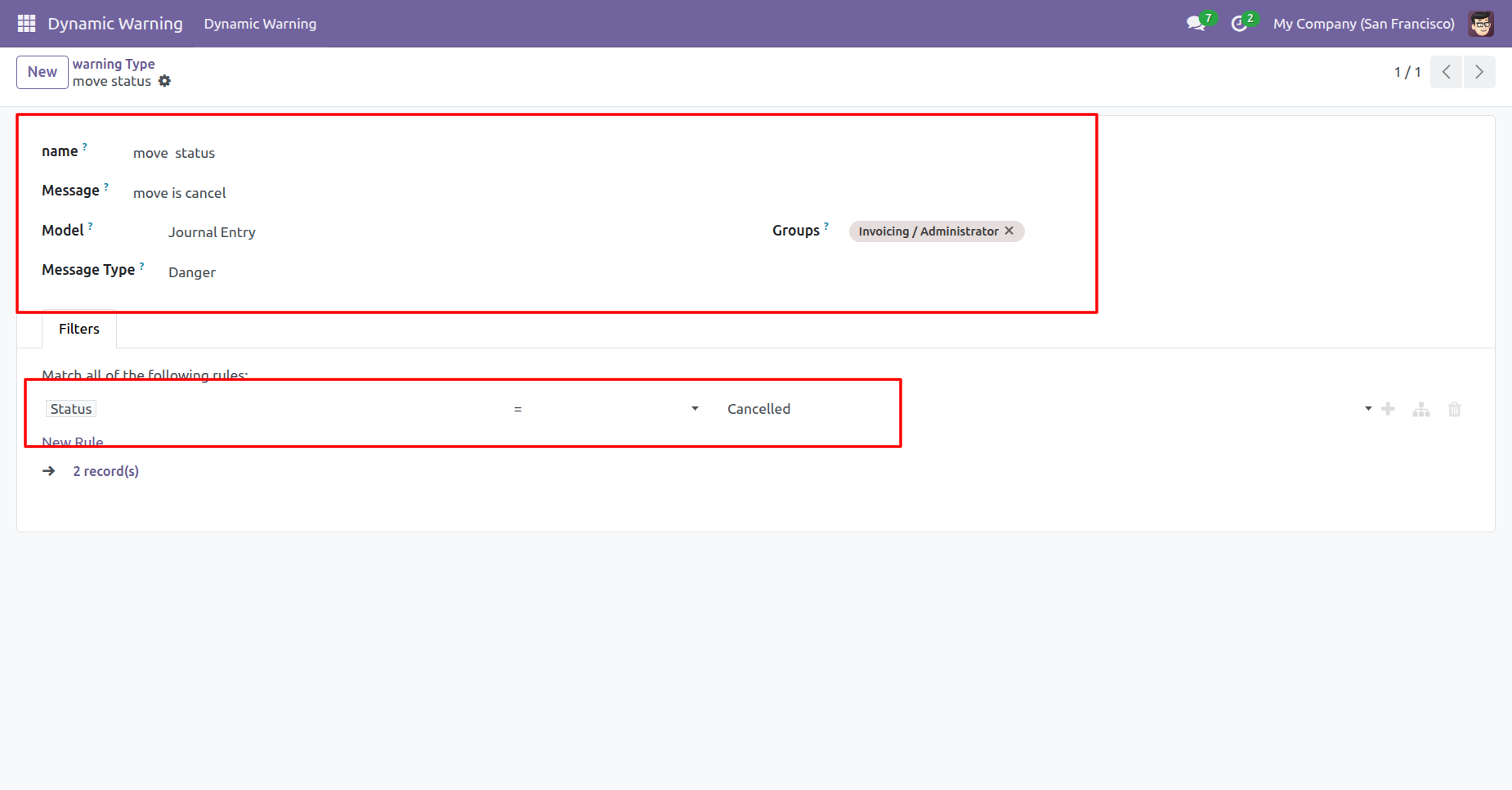
Configure a 'Danger' type warning for the Journal Entry model that triggers specifically when the Status is set to Cancelled.
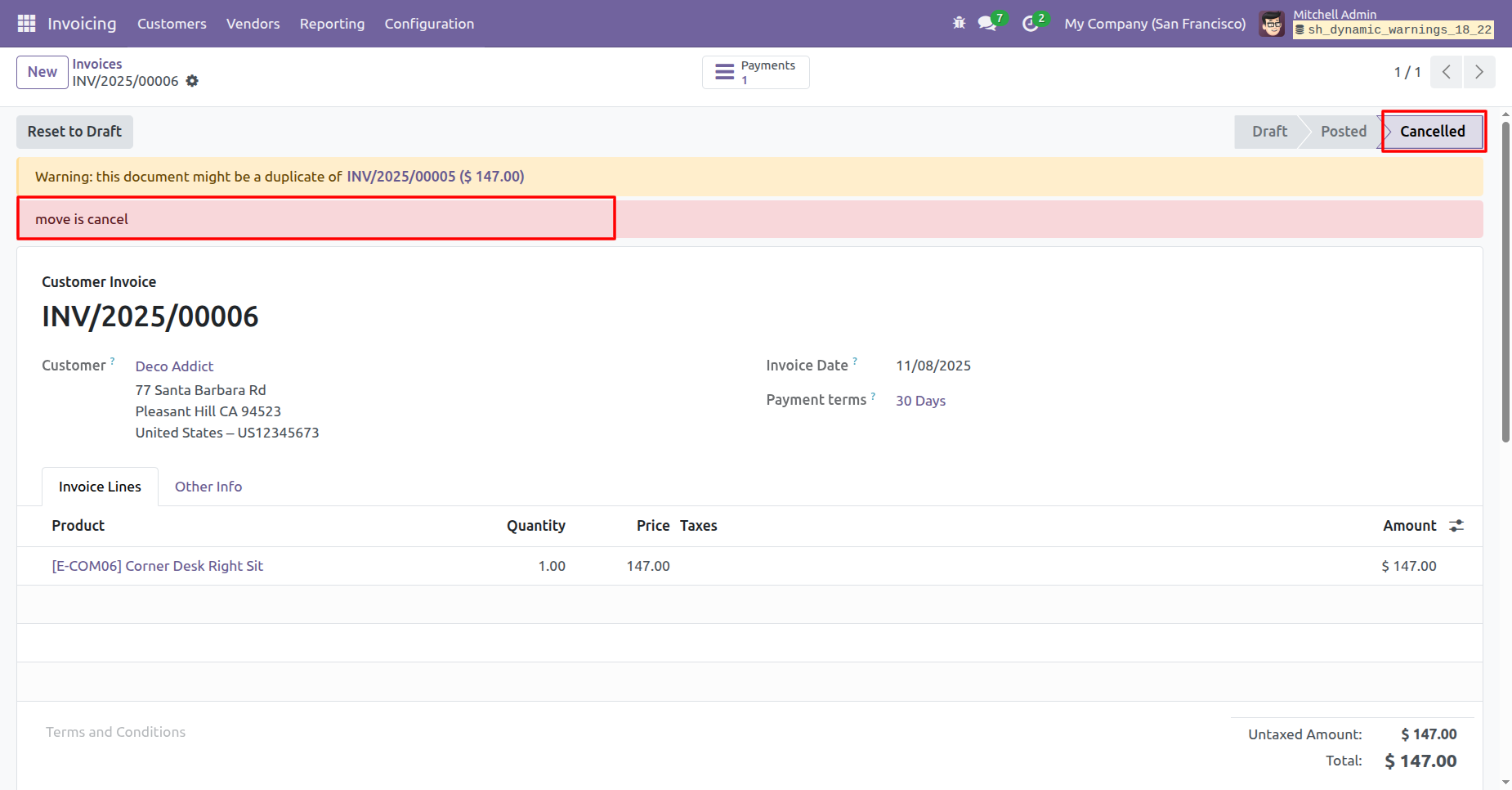
The red 'Danger' banner appears automatically when the document status is Cancelled, alerting the user to the critical state.
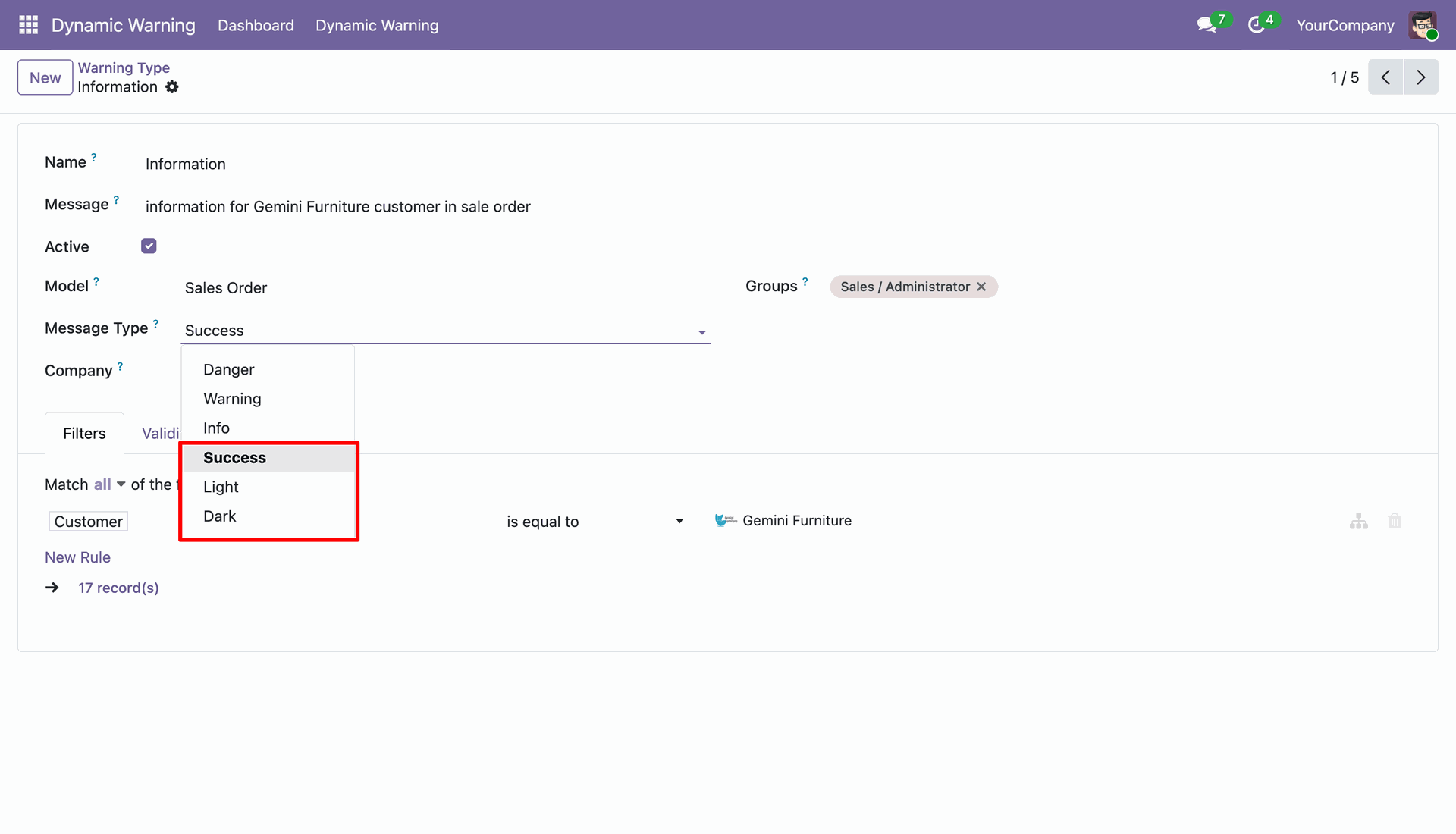
Create a warning by defining its name, message, model, message type, company, and matching filter conditions.
View a sales quotation where the configured warning message appears for the matching customer record with selected message type.
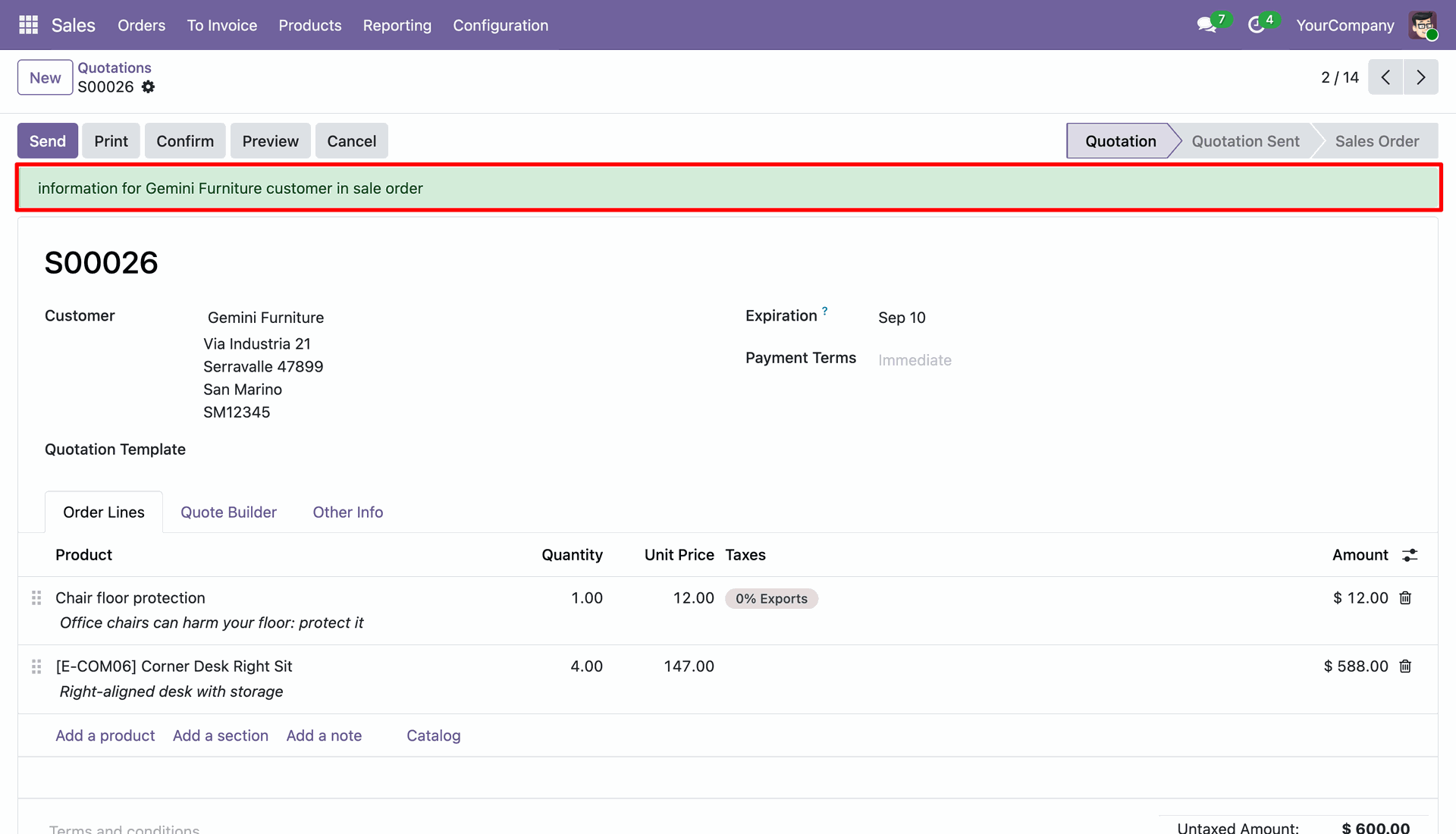
Review the same warning displayed on the sales quotation with different message types.
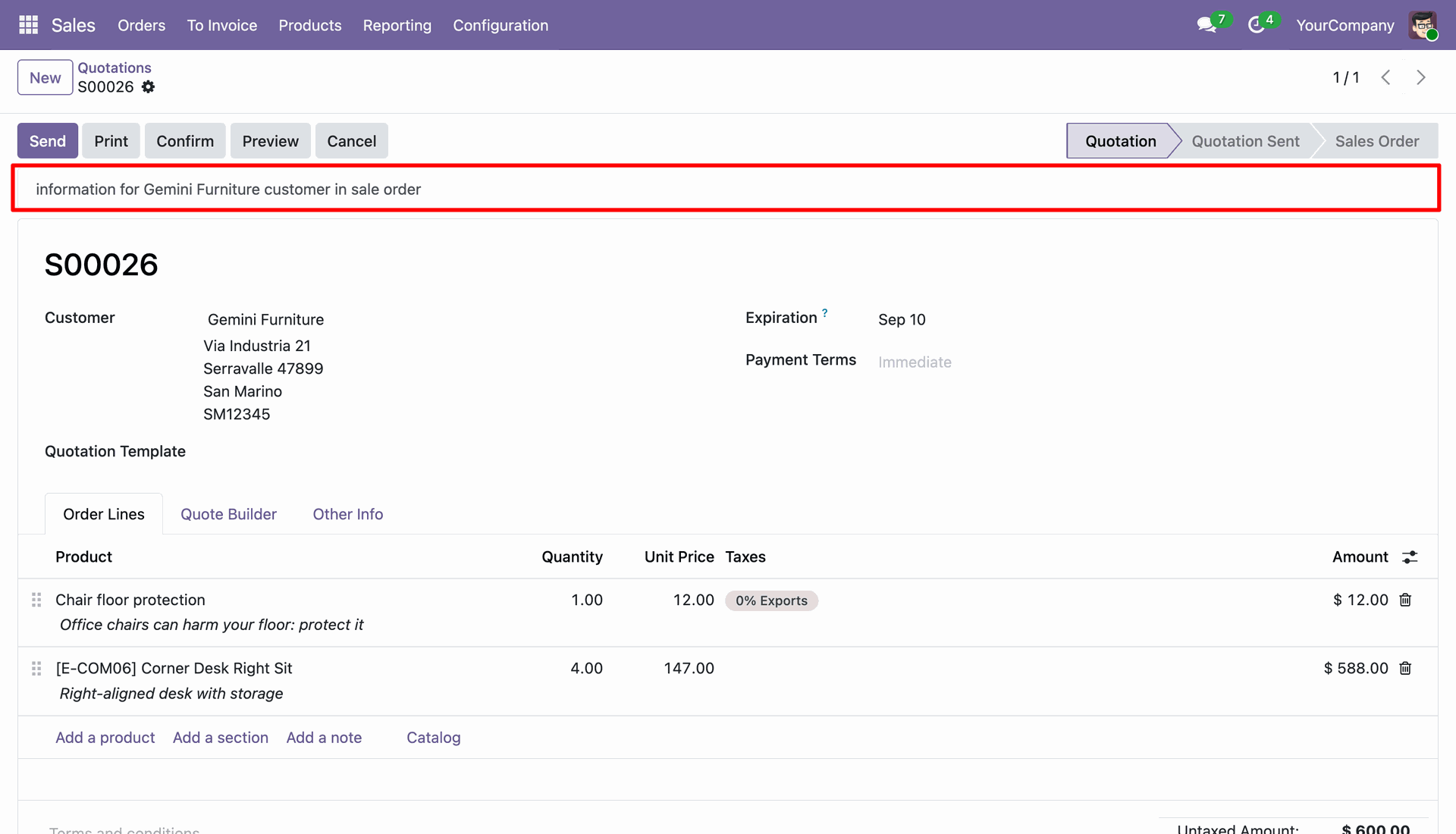
Set the warning validity period using Valid From and Valid To dates, with optional dismiss and display settings.
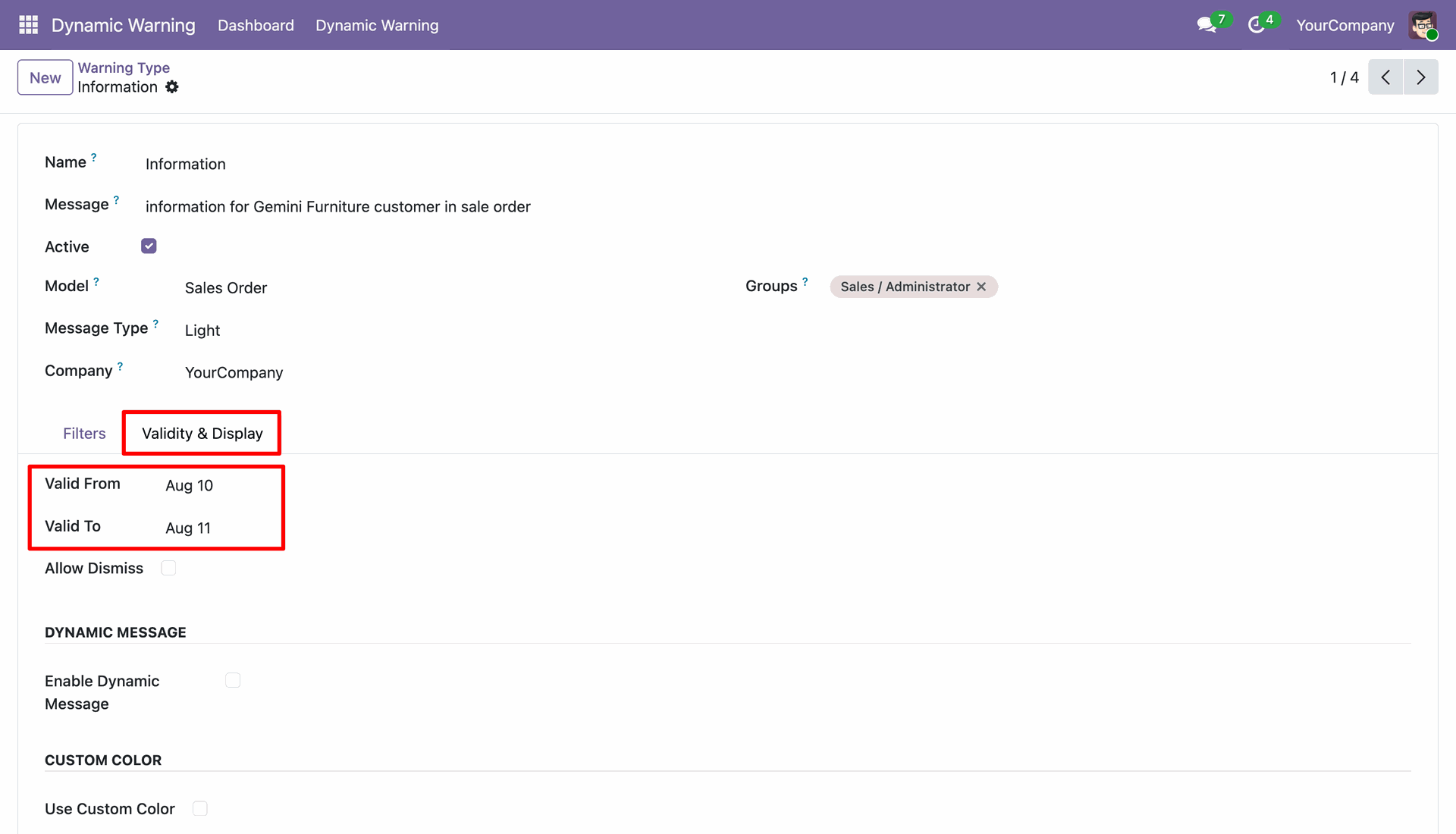
View the configured warning message displayed on a matching sales quotation during its active validity period.
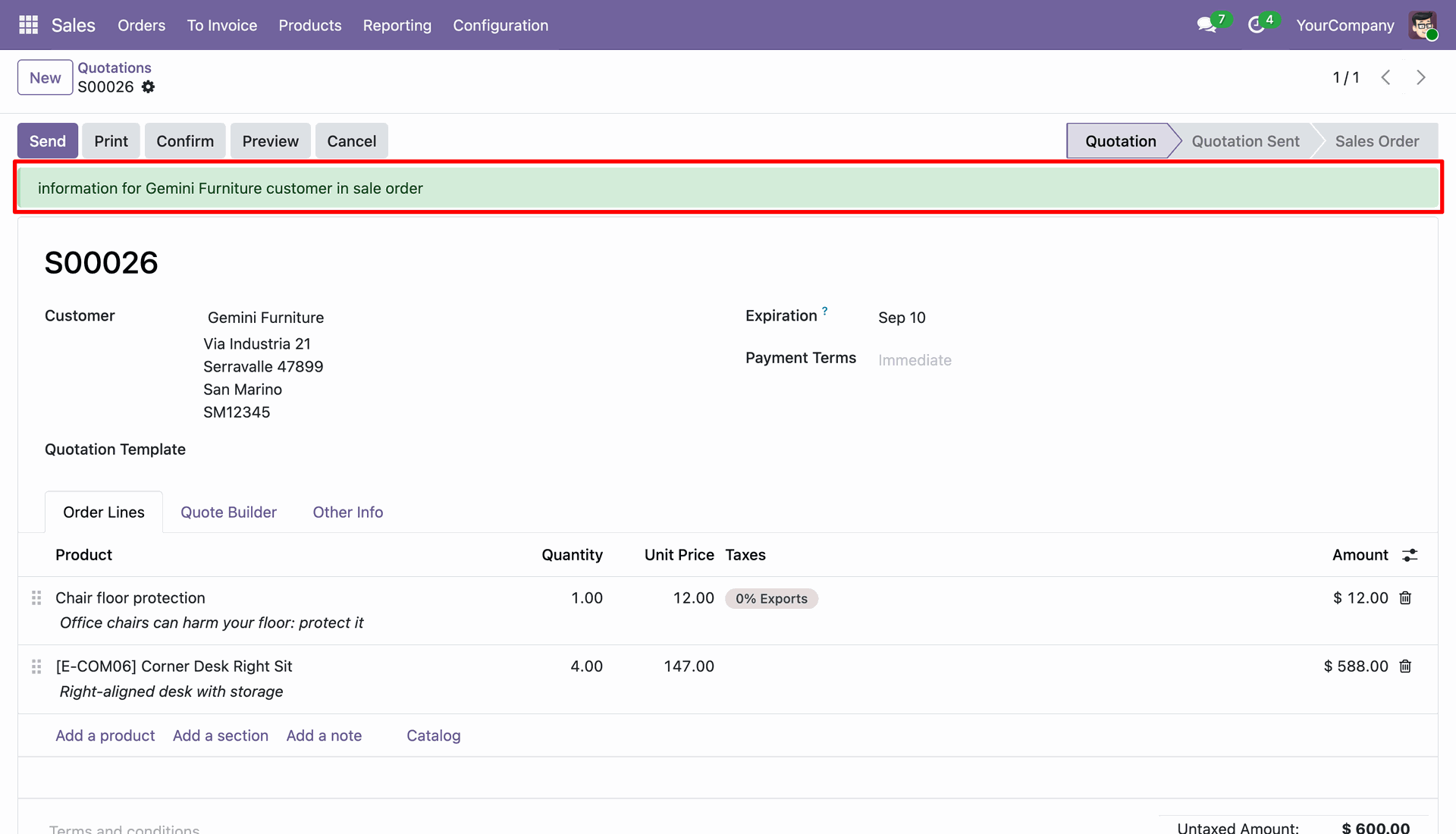
Configure message type and validity settings to control how the warning is presented on matching records.
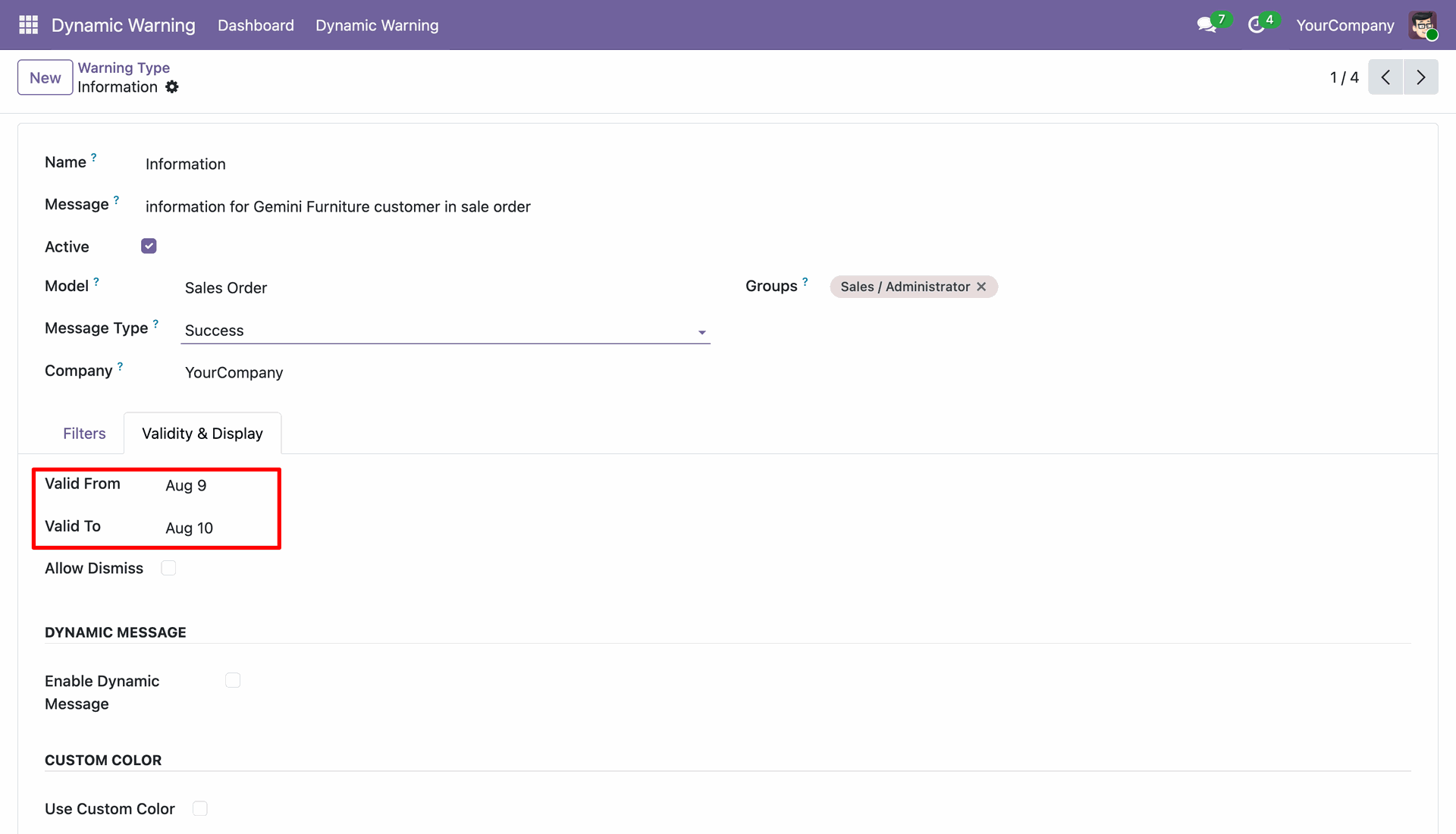
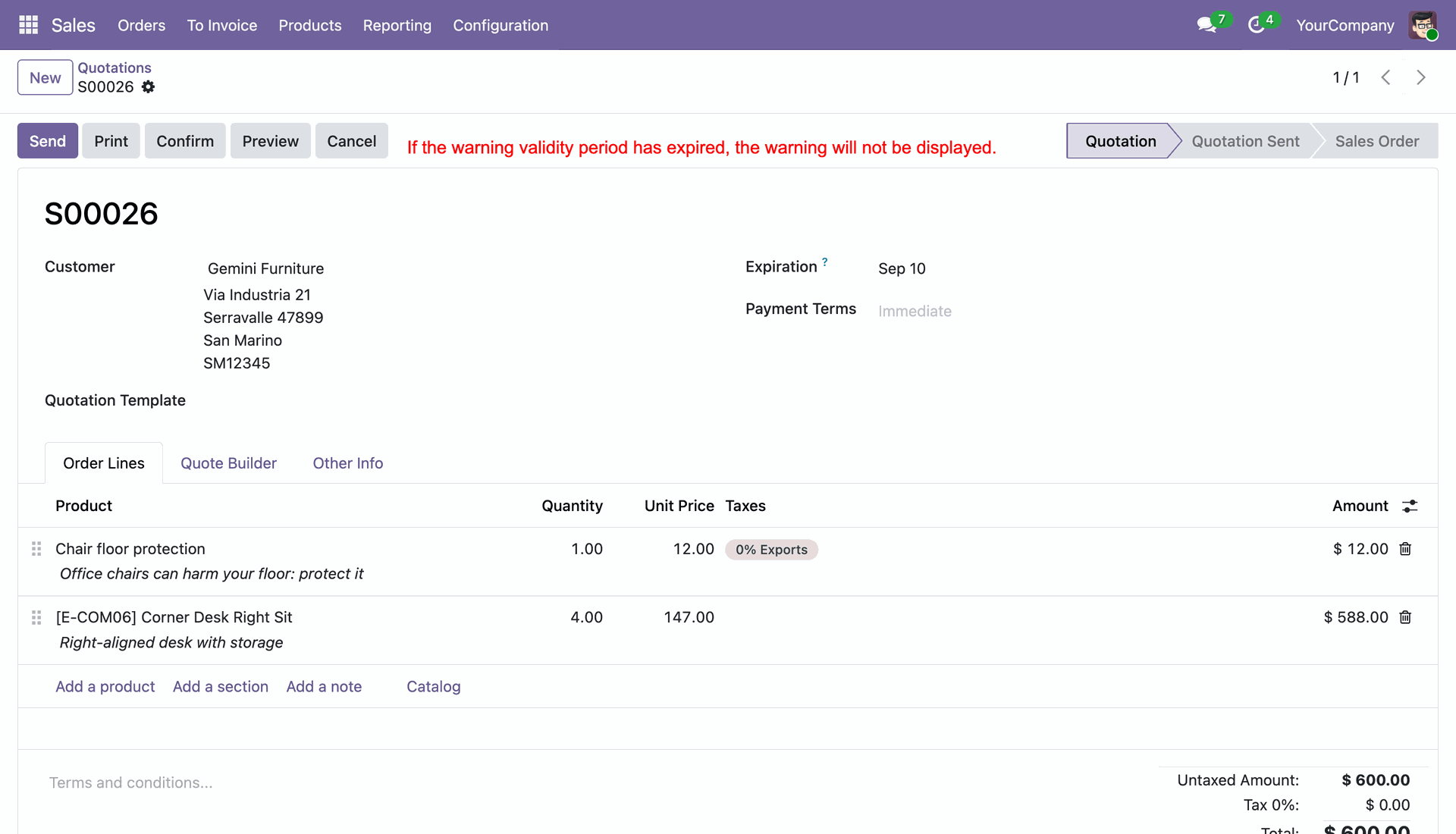
See that an expired warning validity period prevents the warning from being displayed on the sales quotation.
Enable Dynamic Message and enter a message template that can use record values such as customer and sales order information.
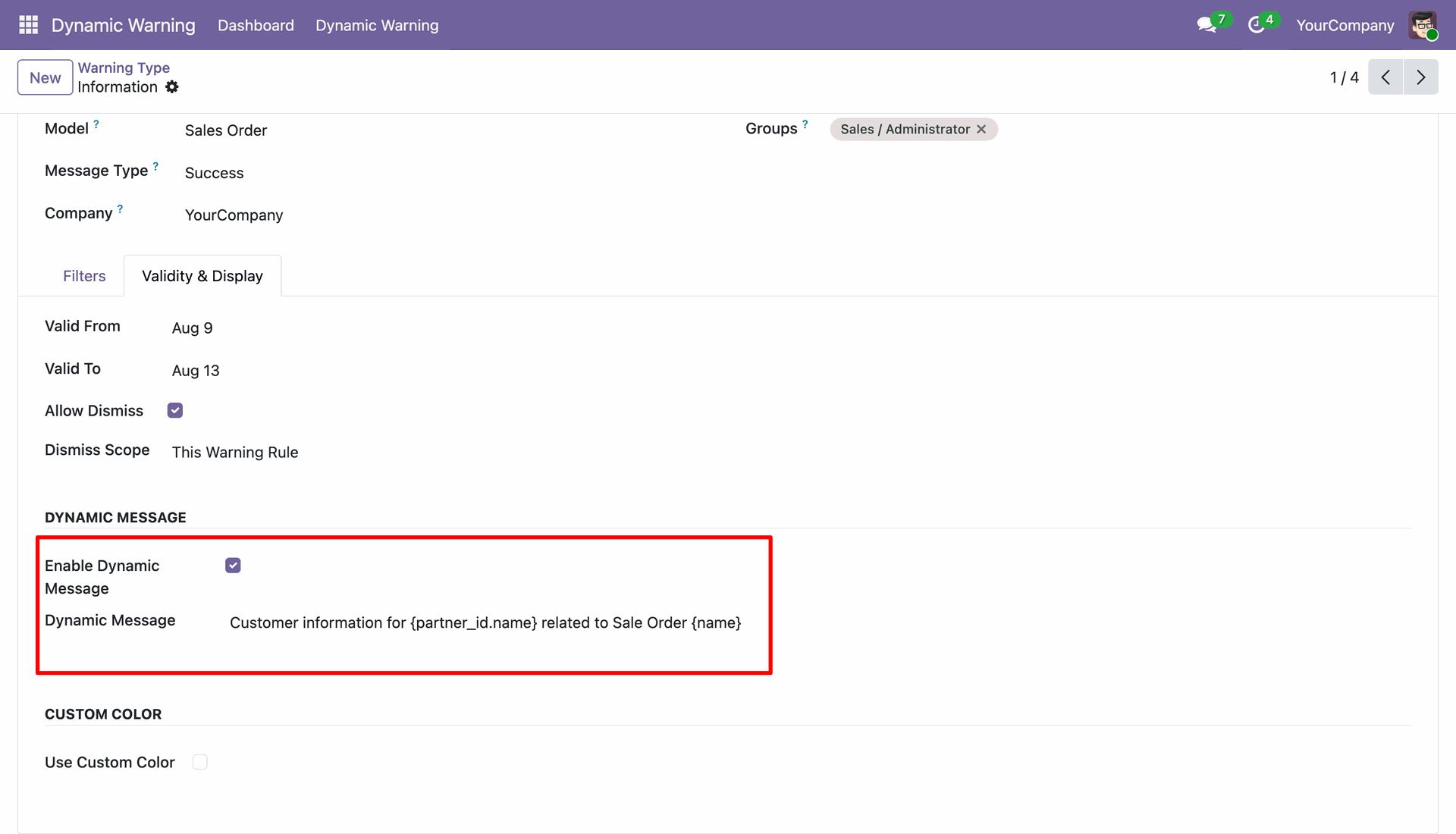
View the dynamic message template configured with record placeholders for customer and sales order details.
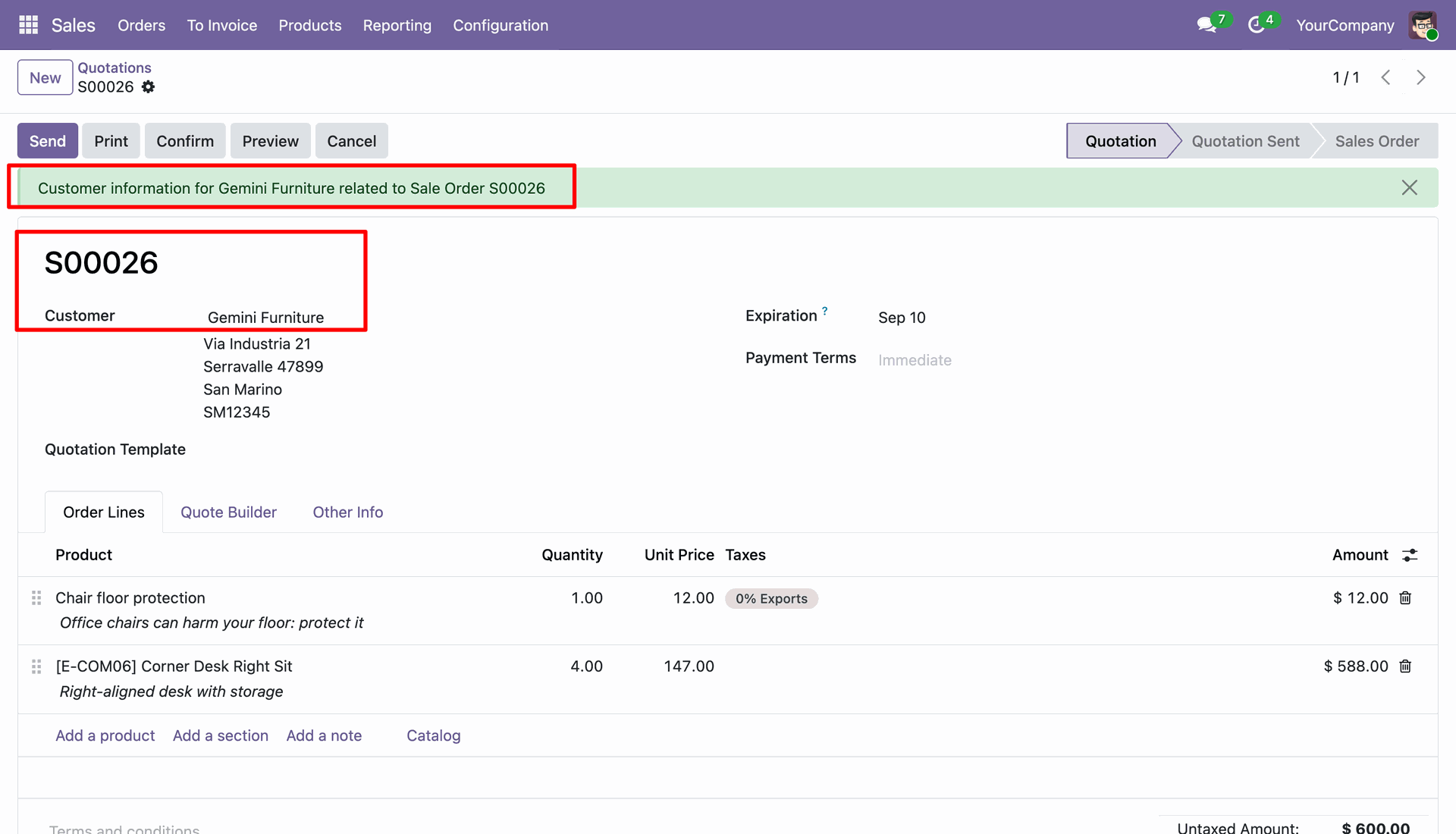
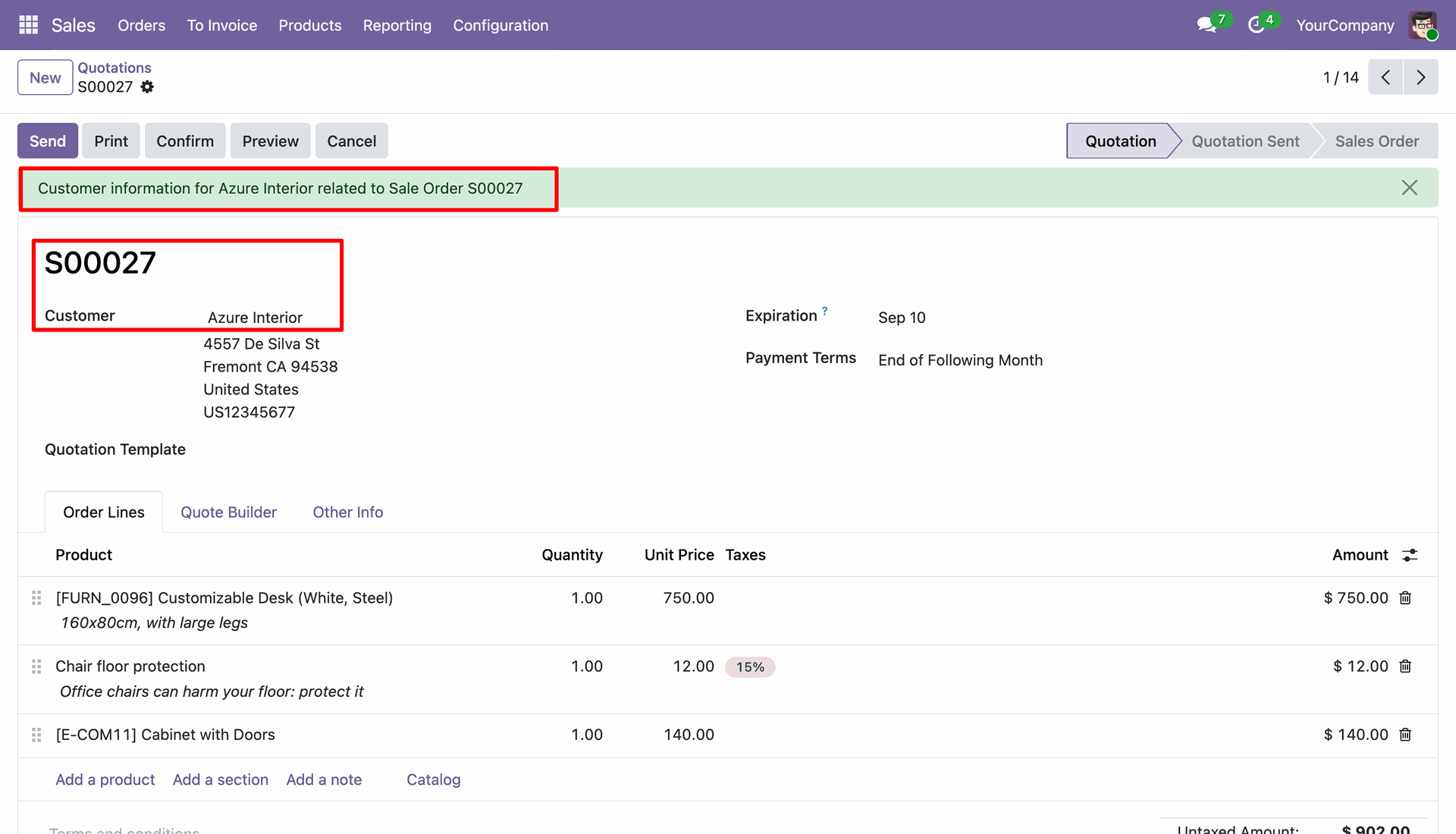
See the dynamic message automatically displayed with actual customer and sales order values on a matching quotation.
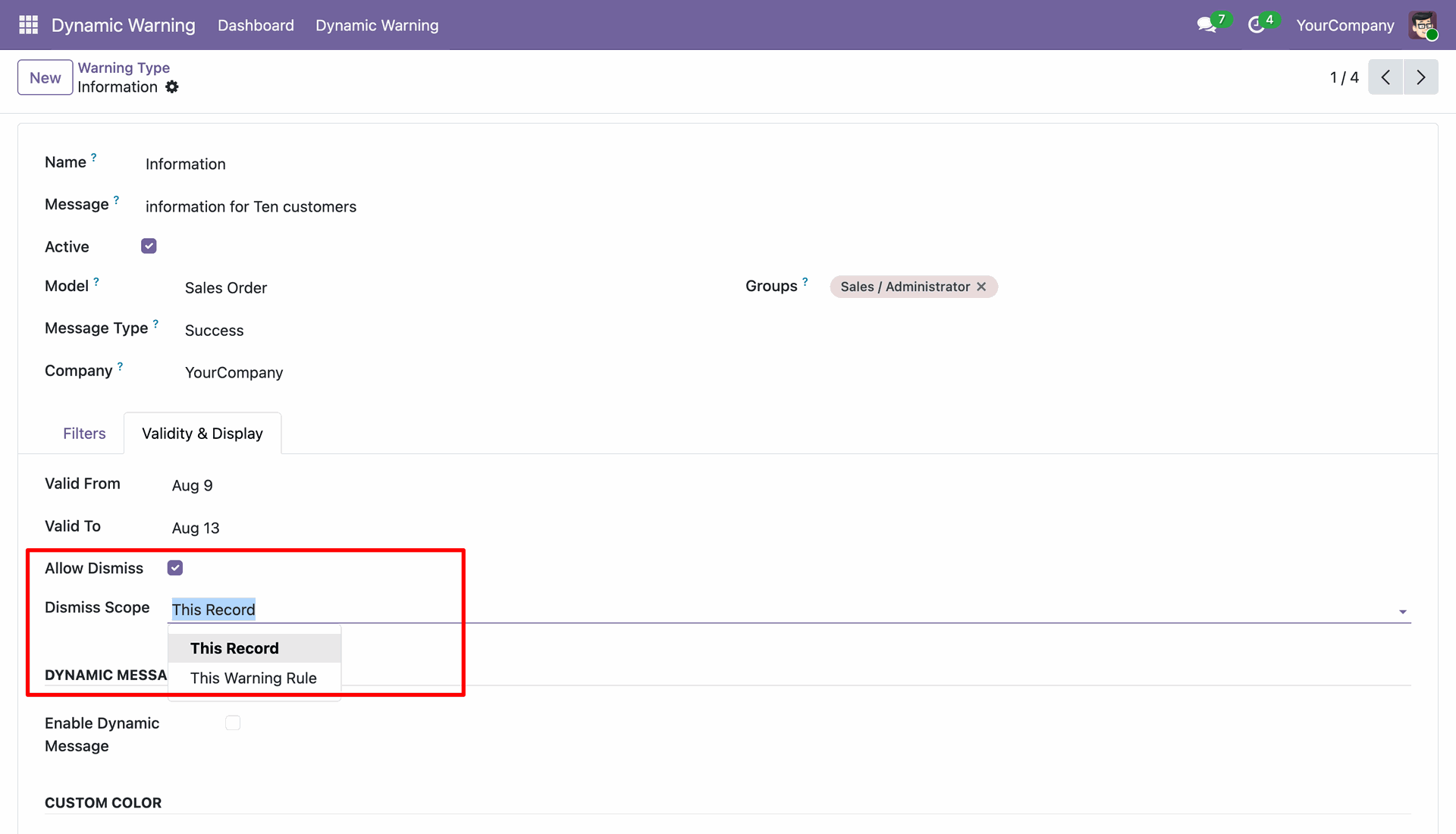
Enable warning dismiss and choose whether the dismiss applies to the current record or the current warning rule.
Select This Record as a dismiss scope.
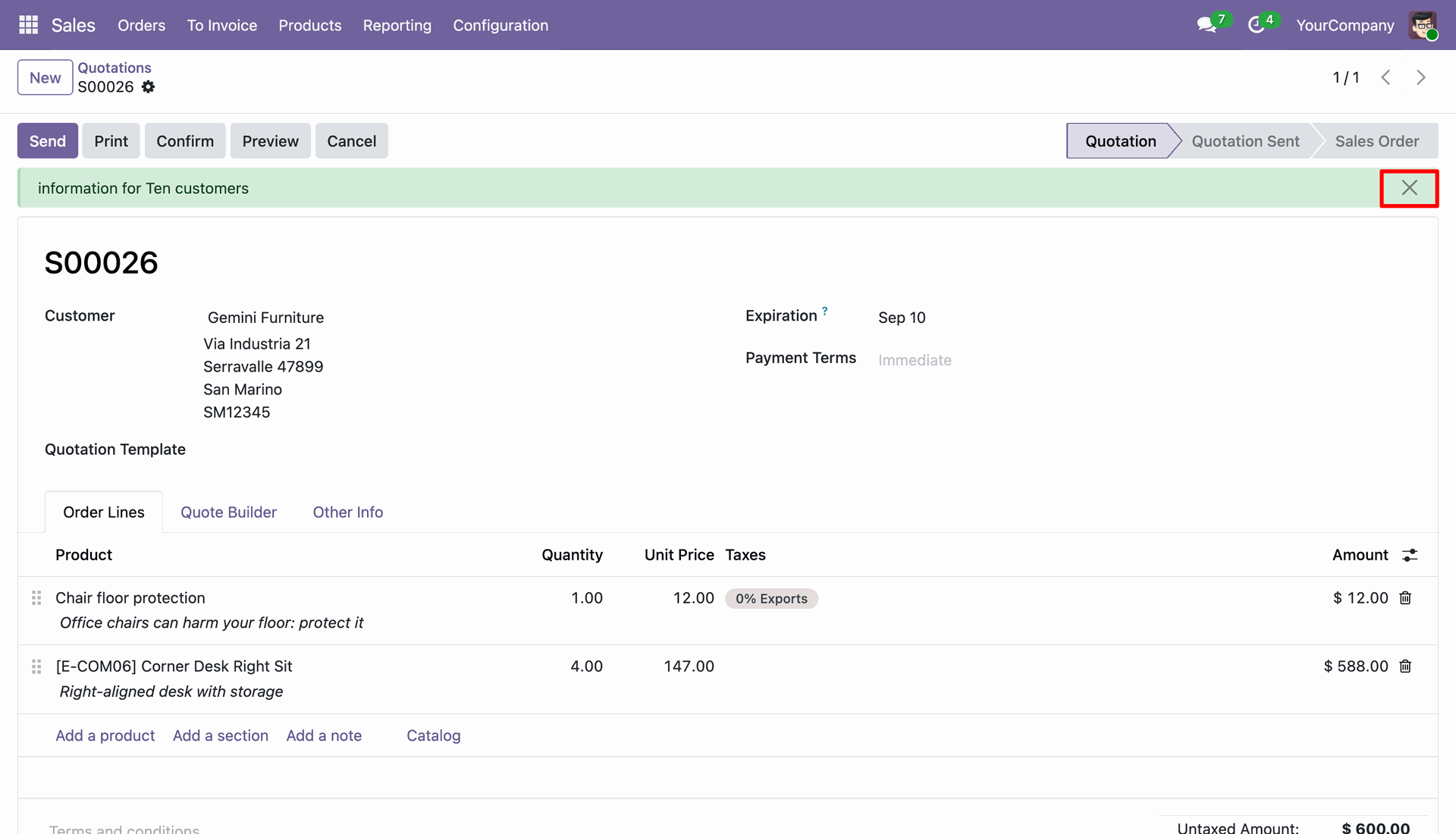
User can remove configured warning message on a quotation by clicking on cancel icon.
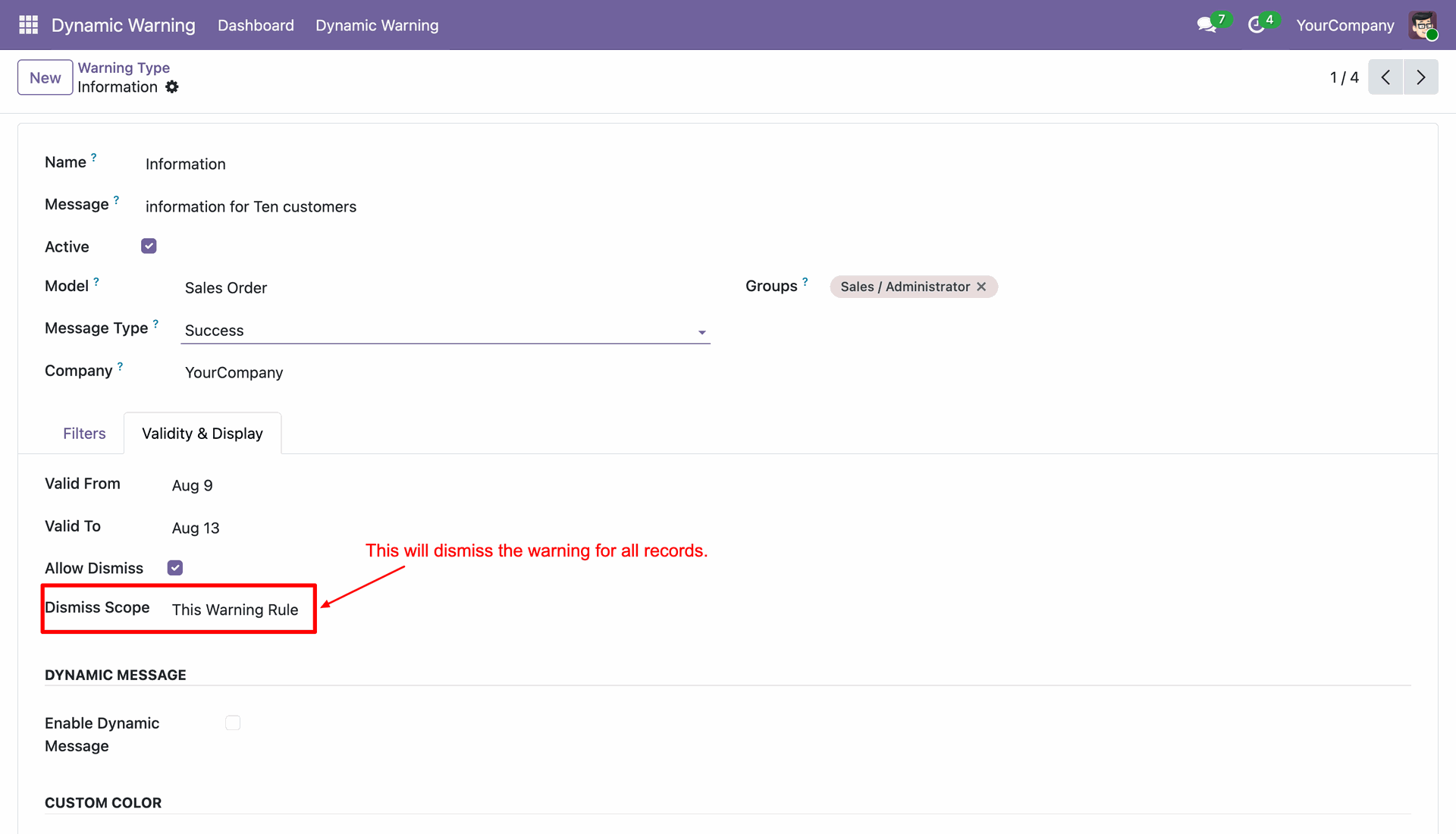
Choose the dismiss scope to This Warning Rule and it will apply for all records.
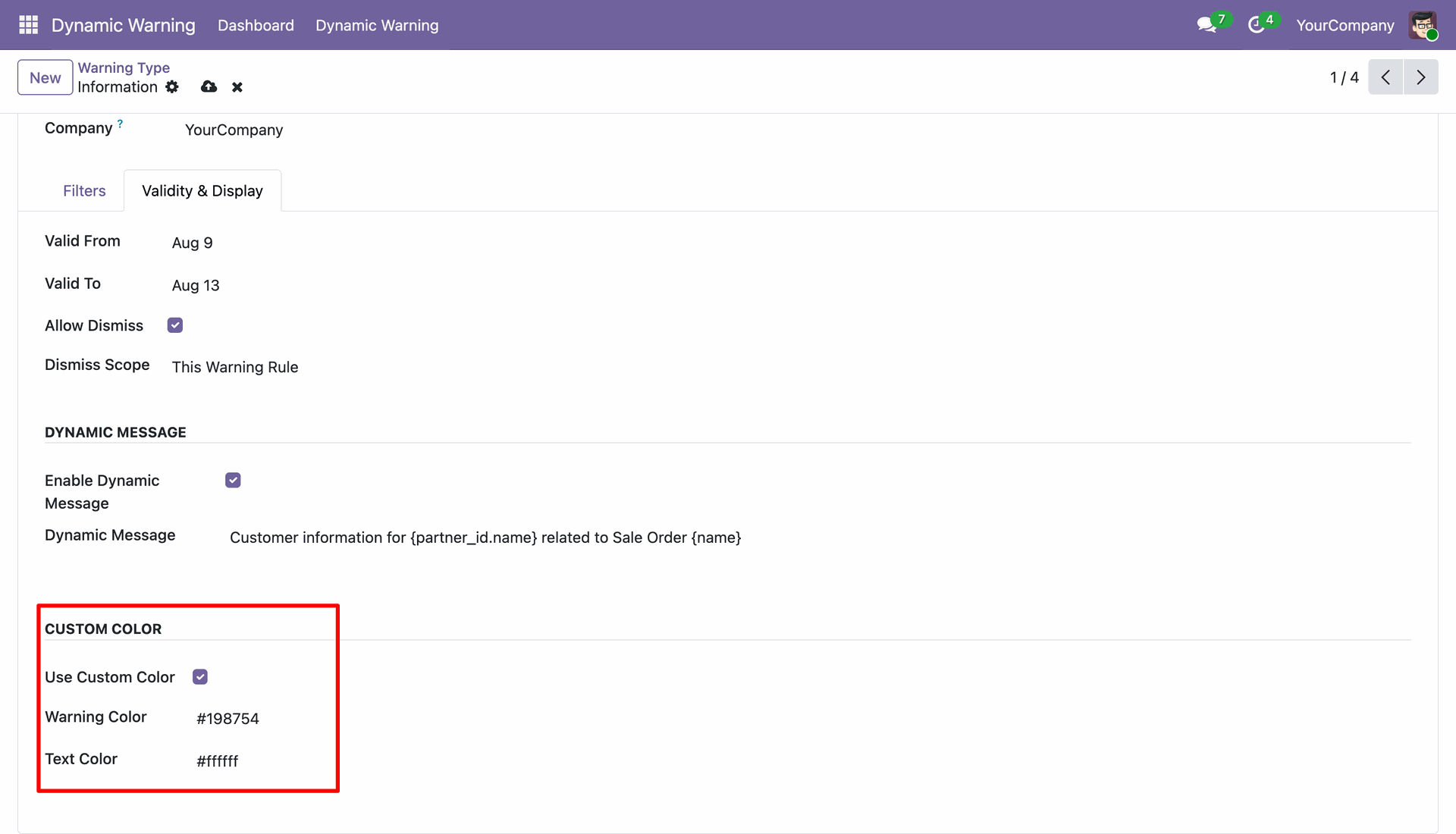
Enable custom warning colors and configure separate warning and text colors for the displayed message.
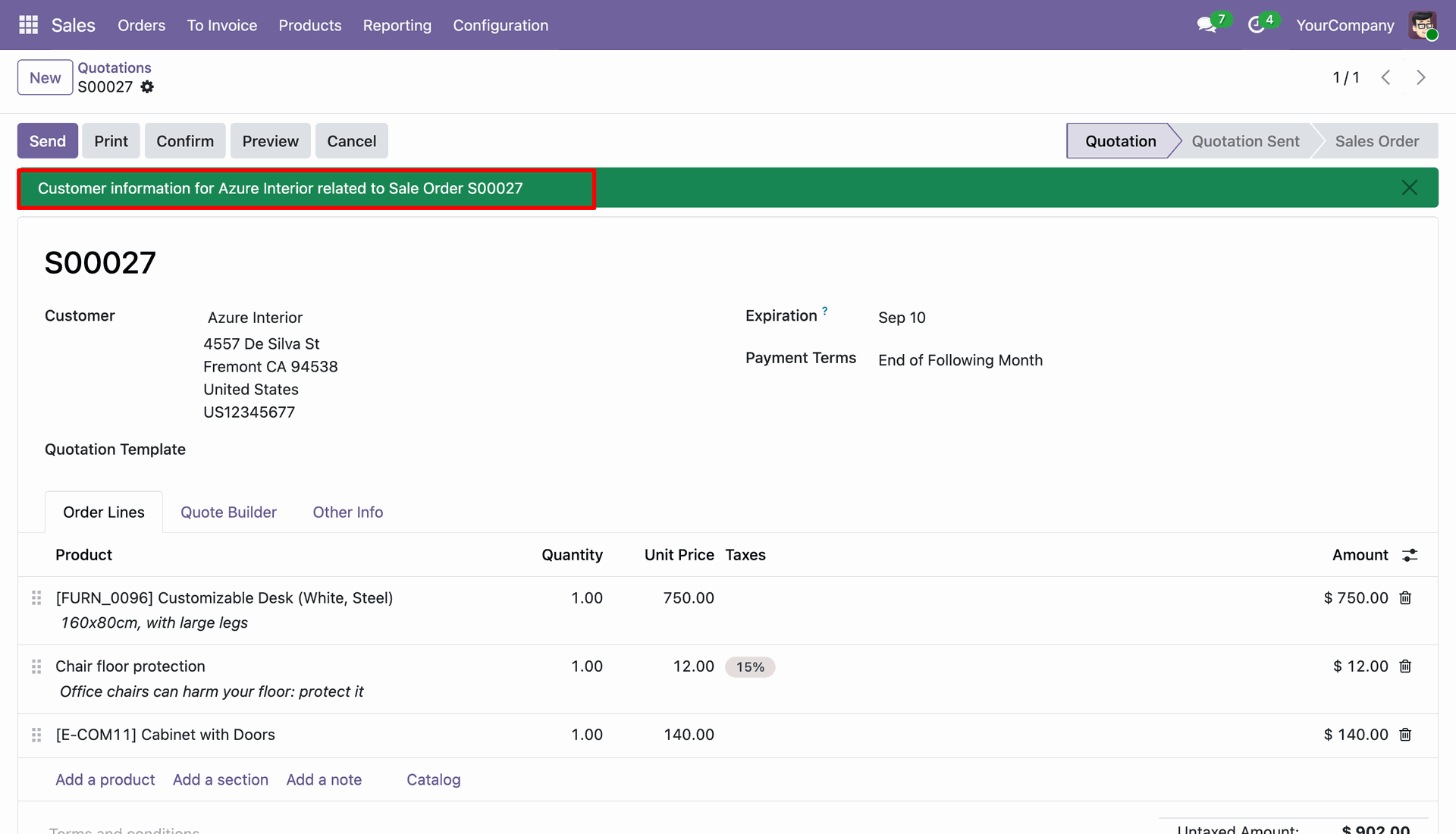
View the quotation with the configured custom warning color and text applied to the warning message.
Version 18.0.2.0.0 | Released: 10th September 2026
Version 18.0.1.0.0 | Released on : 6th February 2026
- Yes, this app works perfectly with Odoo Enterprise (Odoo.sh & Premise) as well as Community.
- No, this application is not compatible with odoo.com(odoo saas/Odoo Online)
- Yes, to test this module, please contact us at sales@softhealer.com.
- Please contact us at sales@softhealer.comto request customization.
- Yes, we provide free lifetime support for the version you purchased.
- Yes, you will receive lifetime free updates for the version of the module you purchased.
- No, there is no need to install any additional libraries.
- Yes, for version 12 and above, you need to purchase the module separately for each version you intend to use.
- No, exchanges or refunds are not allowed. Please make sure to select the correct version before purchasing.
- You can contact us at support@softhealer.com for language translation support. We use Google Translator tools to provide translations in multiple languages, so the accuracy may vary. We welcome your suggestions to help improve translations.
Discover Our Latest Apps