












Dynamic User Based Search Filters

This module allows you to automatically show user-specific records in Odoo list views without requiring
users to apply filters manually. It works by detecting the logged-in user and applying a preconfigured
filter that displays only the records related to that user. When different users open the same list view,
the data adjusts automatically based on who is logged in, helping reduce clutter, avoid confusion, and
save time while using standard Odoo search and list views.

Features

Dynamic User-Based Filtering
Automatically filters records based on the logged-in user so each user sees only their relevant data.

Current User Recognition
Detects the active user automatically and adjusts the displayed records accordingly.

Default Search Filter
Adds the configured filter to the search bar for easy access and reuse.

Auto Apply on View Load
Applies the filter automatically when the list view is opened.

Drag & Drop Filter Setup
Easily create filters using the drag-and-drop Search View editor.

Standard Search View Support
Works seamlessly with existing Odoo search views.
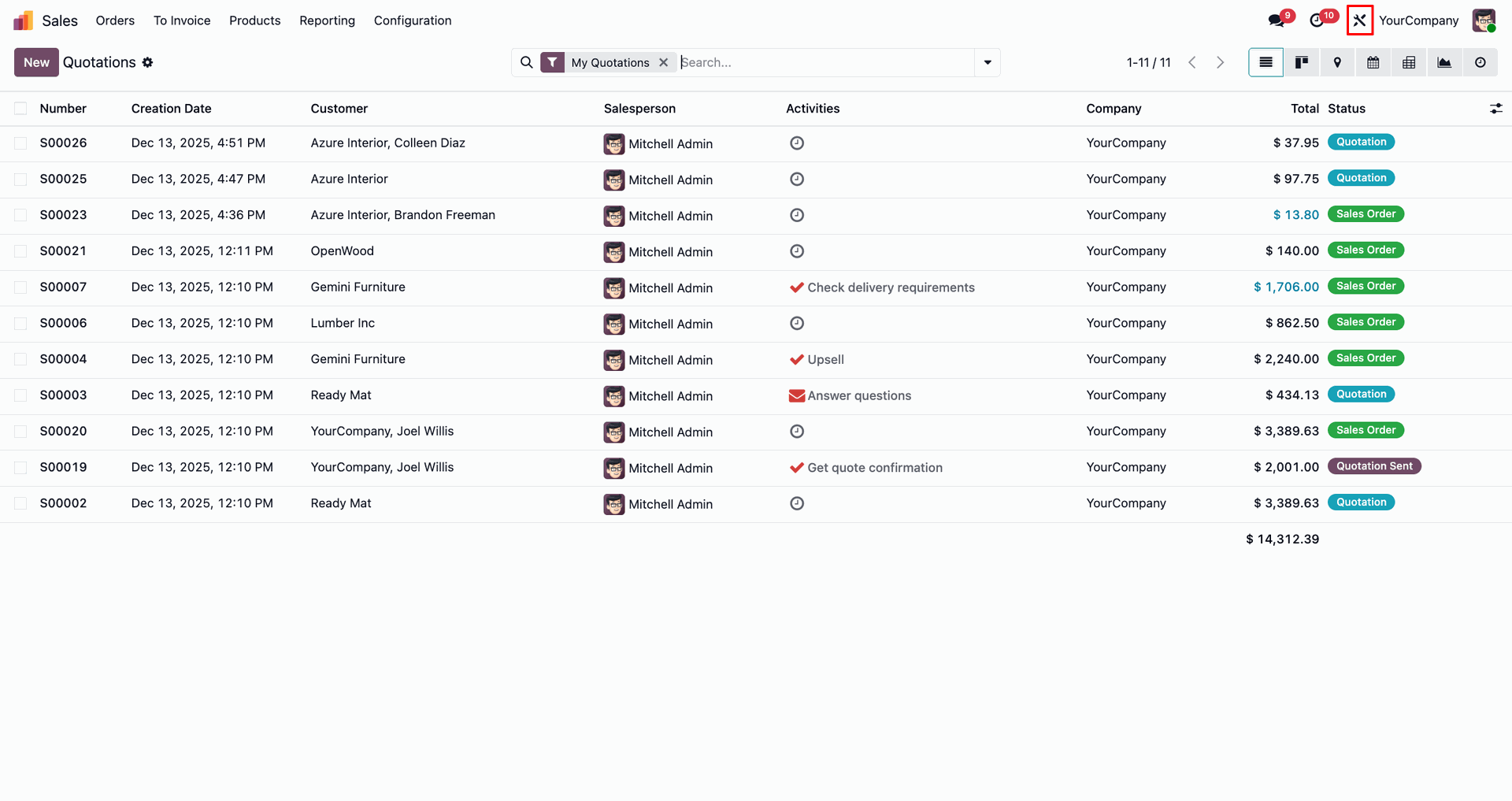
The top navigation bar features a global Tools shortcut, enabling one-click access to the module's functionality from any system view.
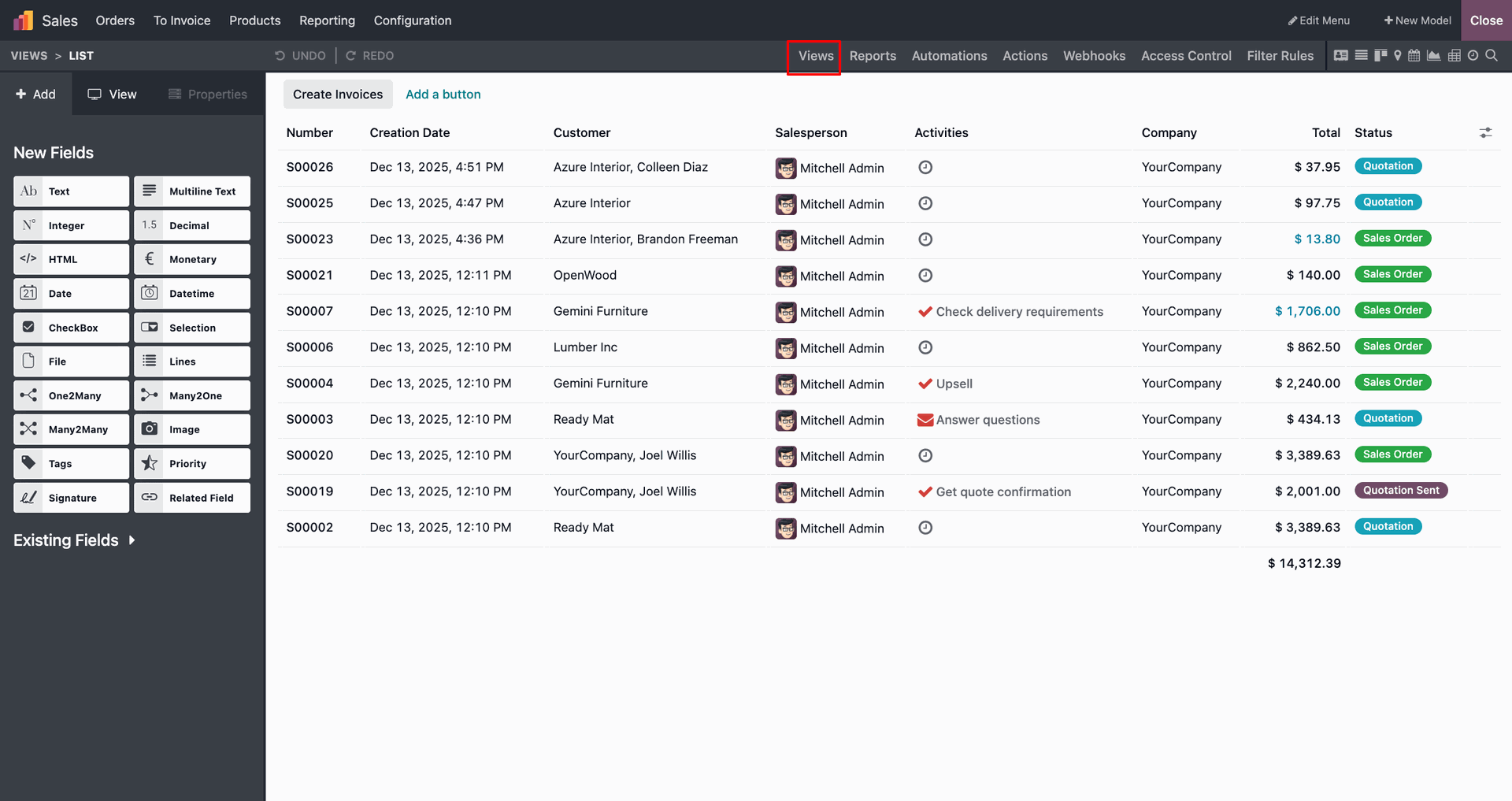
From the Views menu, you can open and manage different views for the selected model. This is where search and filter behavior can be adjusted.
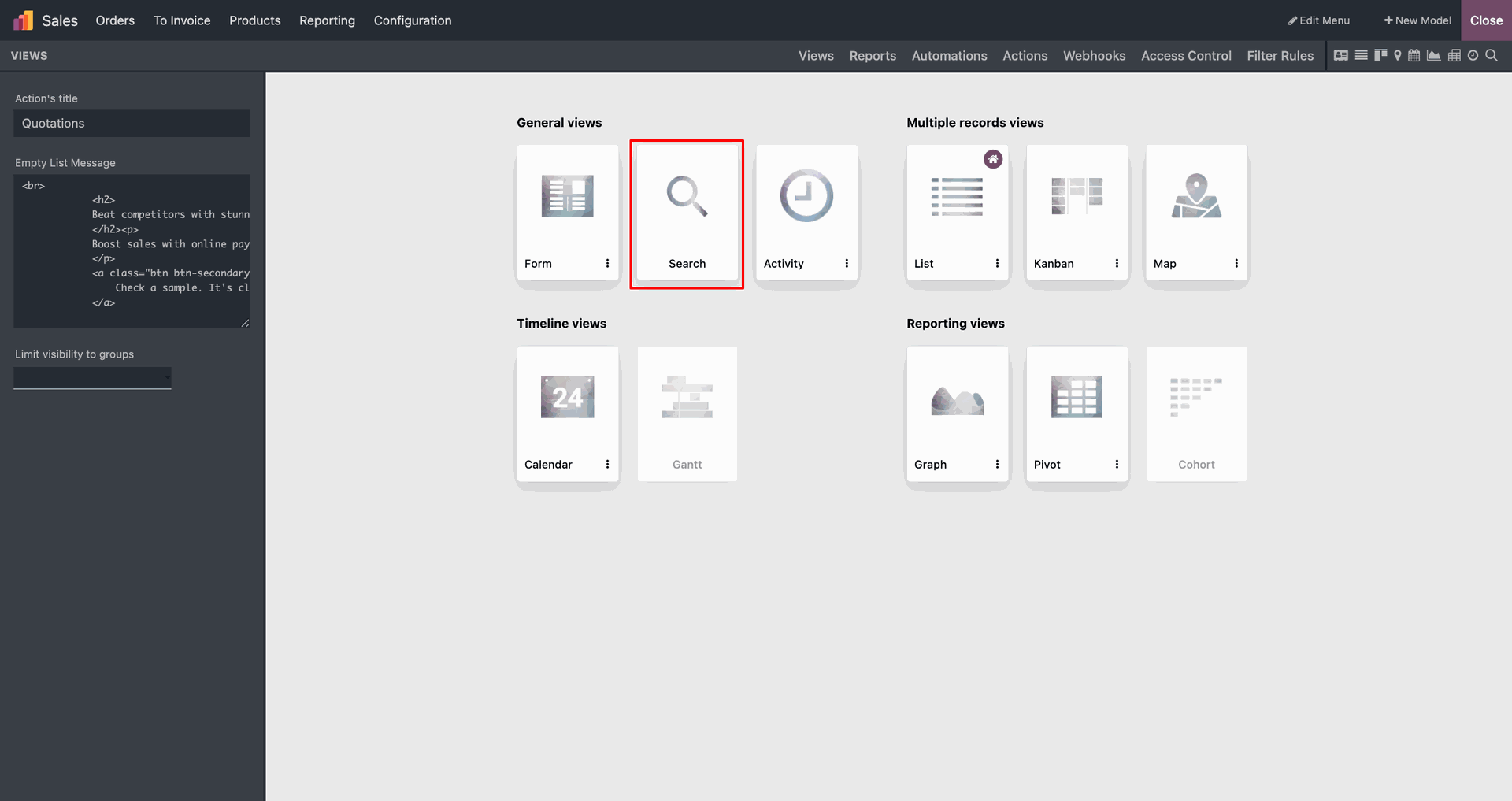
The Search view option is highlighted within the General views category, enabling users to customize search filters and parameters for the module.
Drag and drop the Filter component from the sidebar into the Filters section to create and configure new search criteria.
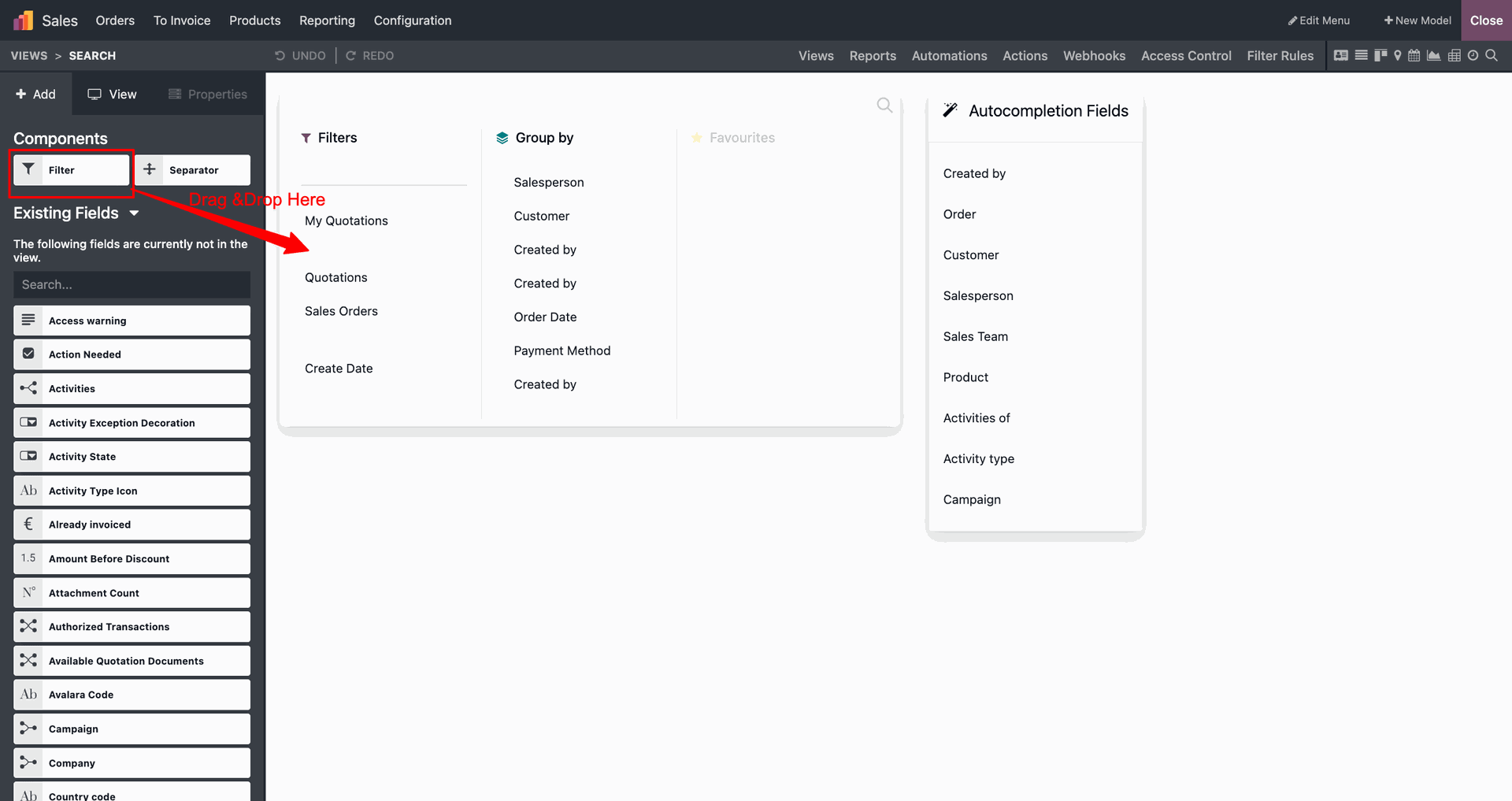
While setting the filter condition, click the user icon and select Current User. This makes the filter dynamic so it automatically matches the logged-in user.
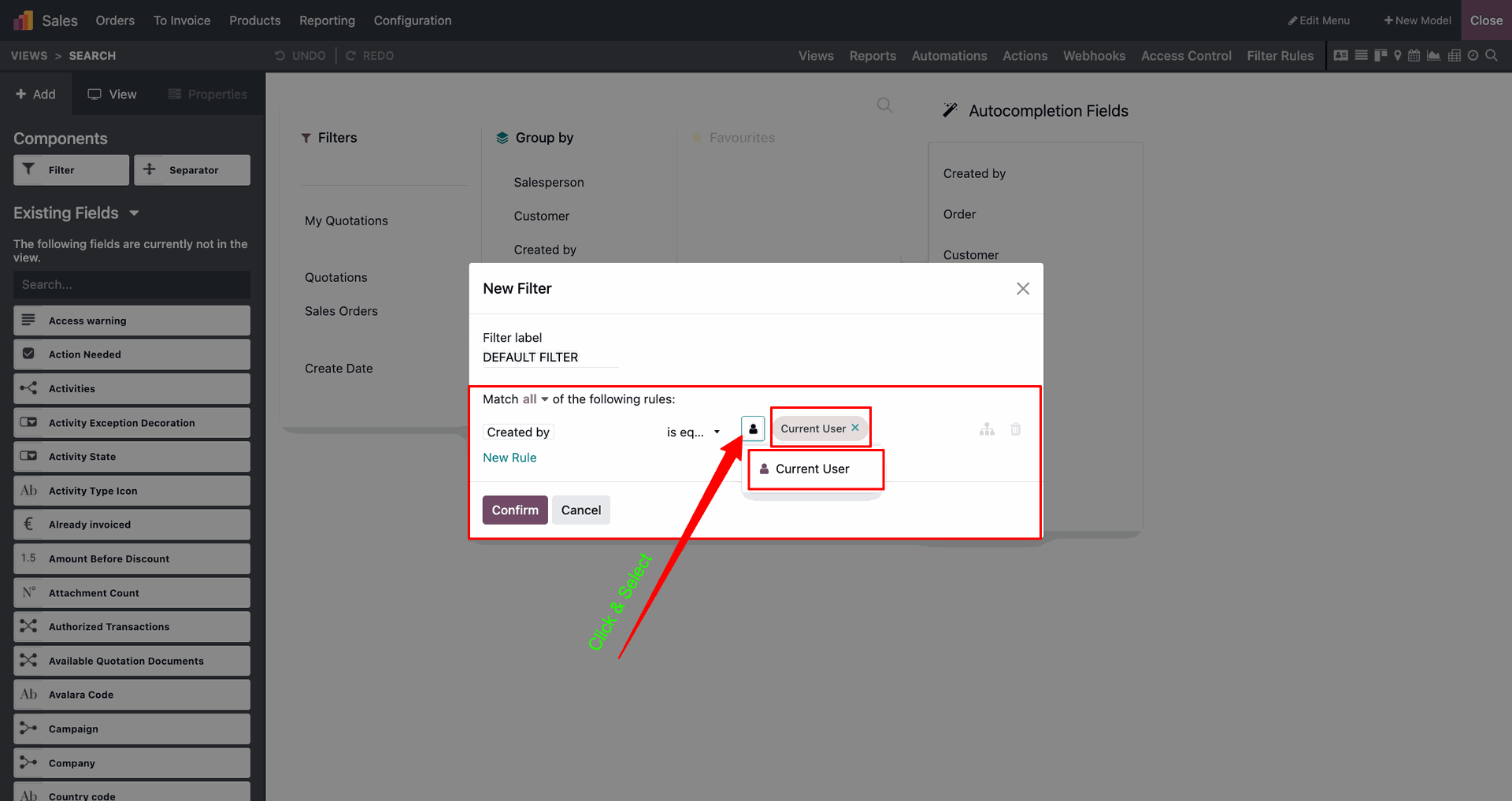
The highlighted Salesperson column shows a mix of users (e.g., Marc Demo, Mitchell Admin), confirming that the list view is displaying unfiltered records from all staff members.
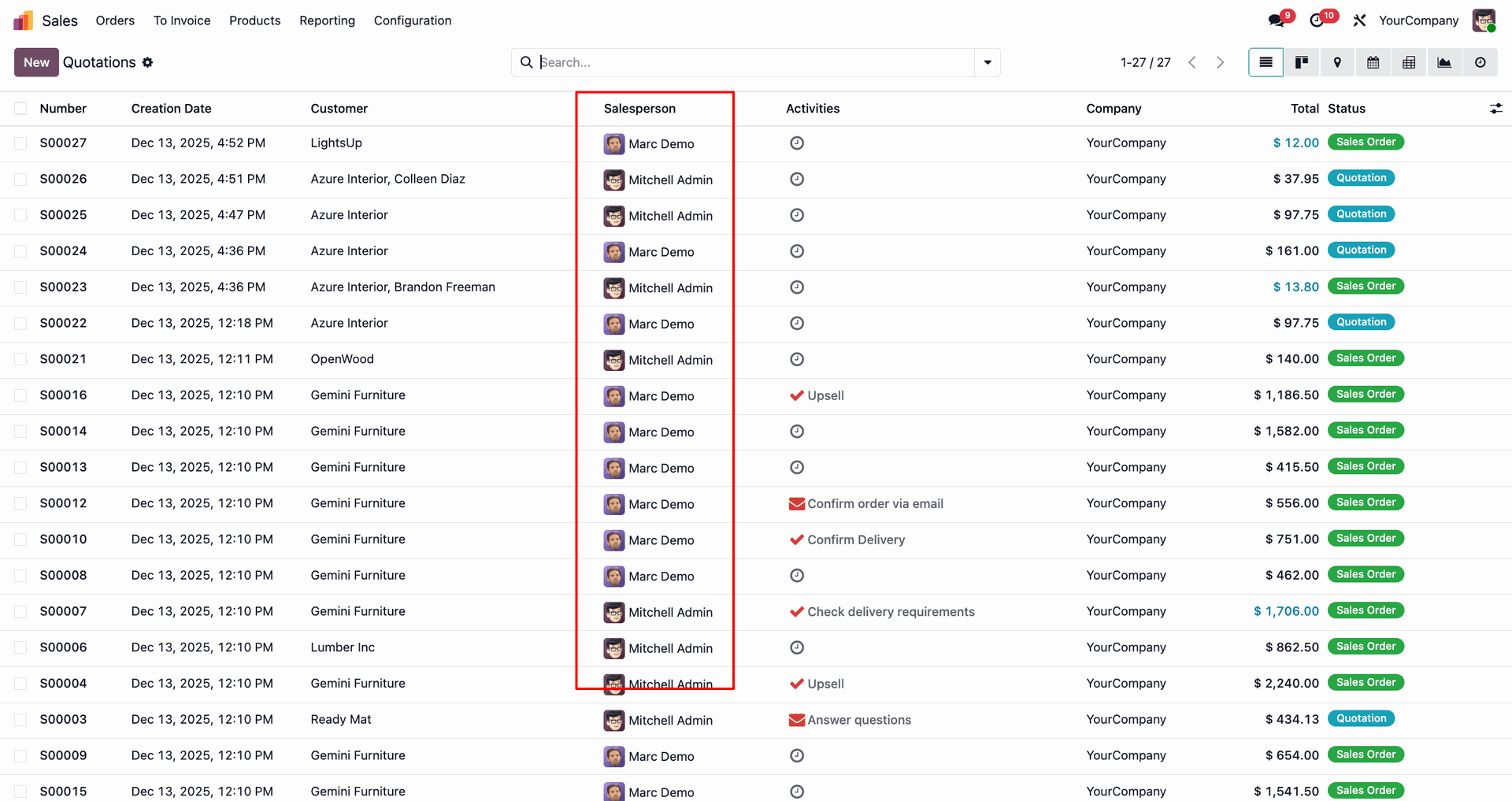
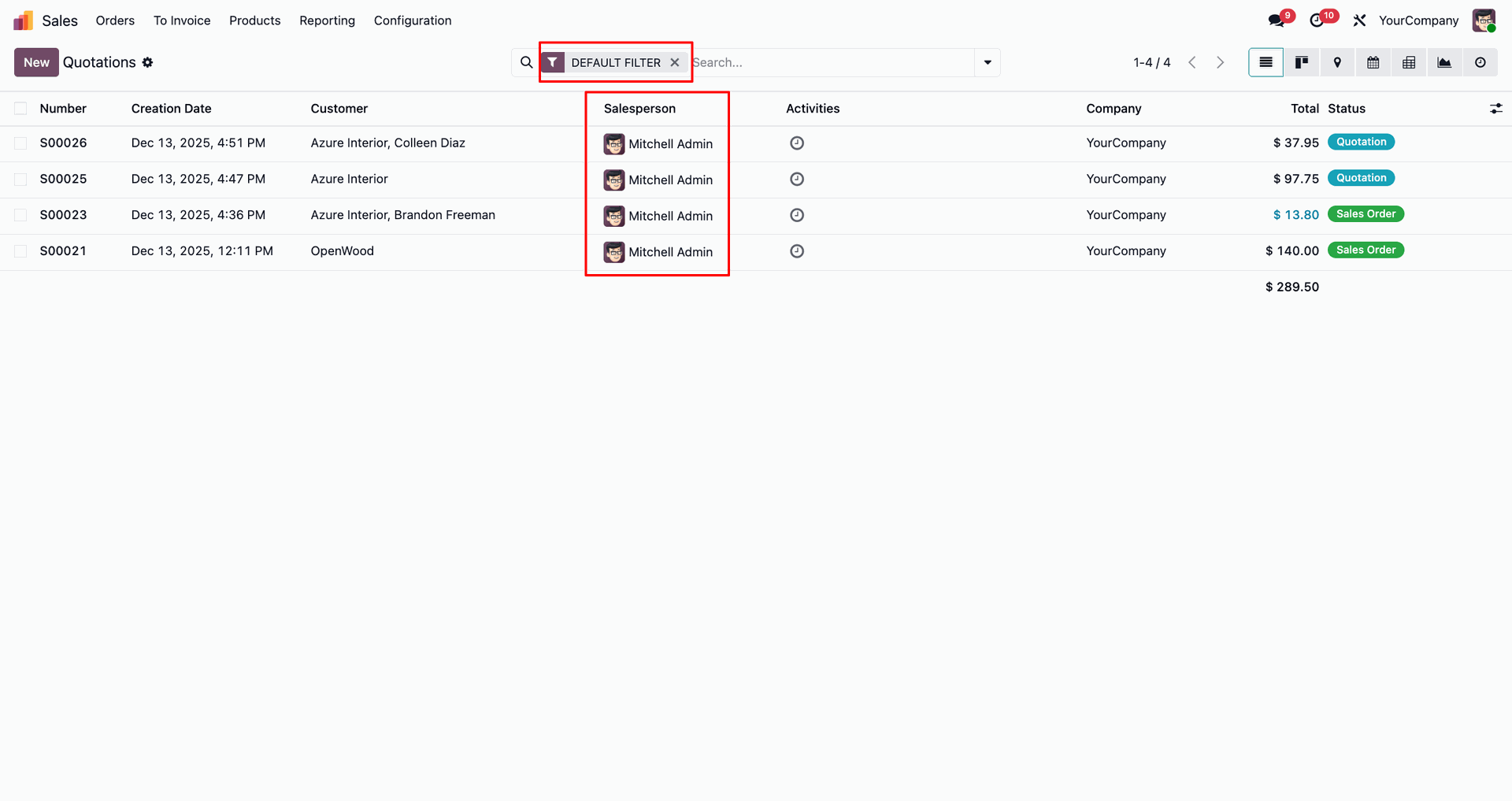
The newly created DEFAULT FILTER is now accessible within the search bar's dropdown menu, allowing users to quickly apply the custom filtering logic.
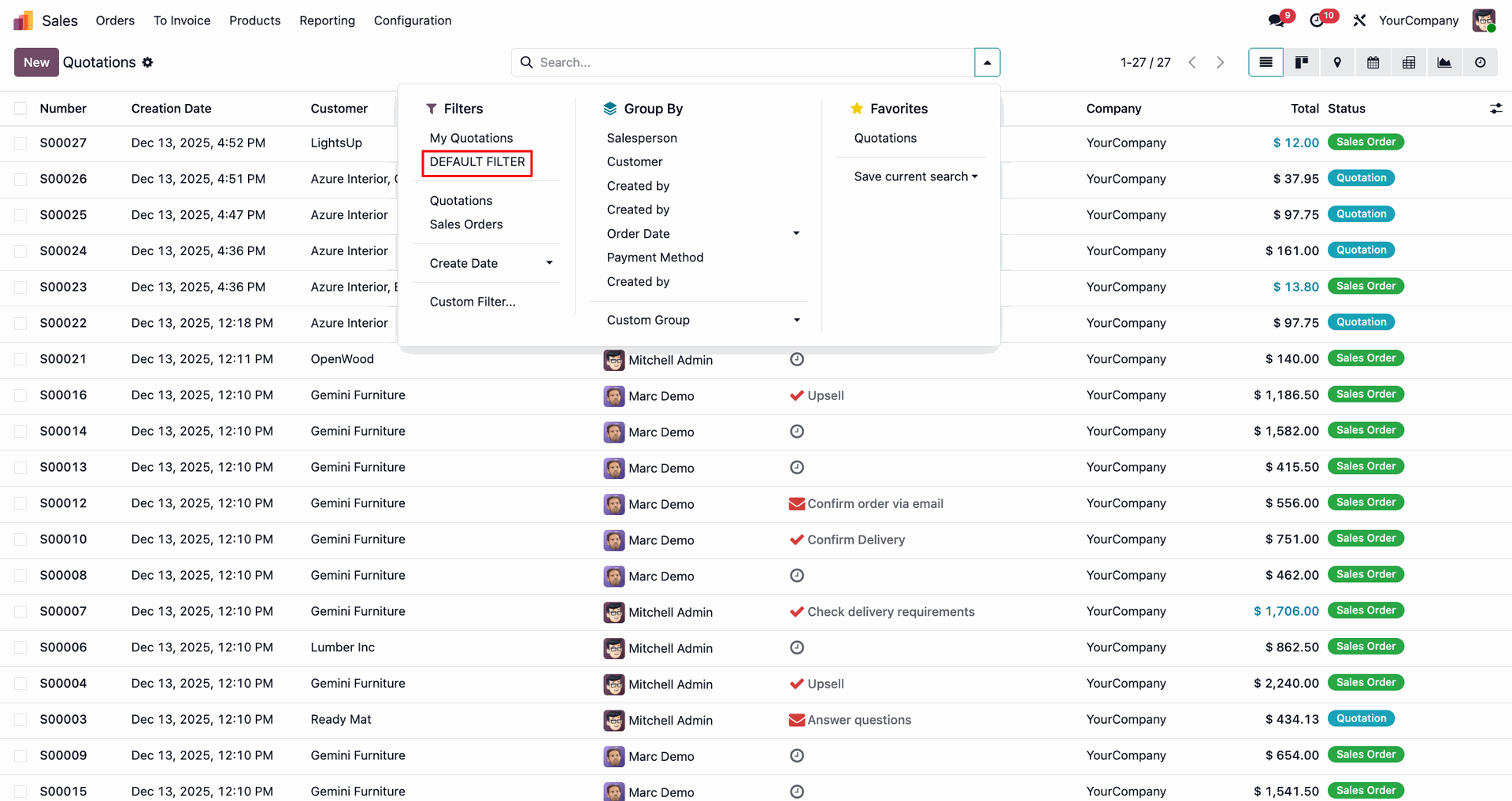
With the DEFAULT FILTER applied, the view is automatically filtered to show only the quotations assigned to the logged-in salesperson, Mitchell Admin.
Version 18.0.1.0.0 | Released on : 13th August 2026
- Yes, this app works perfectly only with Odoo Enterprise (Odoo.sh & Premise).
- No, this application is not compatible with odoo.com(odoo saas/Odoo Online)
- Yes, to test this module, please contact us at sales@softhealer.com.
- Please contact us at sales@softhealer.comto request customization.
- Yes, we provide free support for 365 days from the date of purchase.
- Yes, you will receive lifetime free updates for the version of the module you purchased.
- No, there is no need to install any additional libraries.
- Yes, for version 12 and above, you need to purchase the module separately for each version you intend to use.
- No, exchanges or refunds are not allowed. Please make sure to select the correct version before purchasing.
- You can contact us at support@softhealer.com for language translation support. We use Google Translator tools to provide translations in multiple languages, so the accuracy may vary. We welcome your suggestions to help improve translations.
Discover Our Latest Apps