












Dynamic Product Configurator for Odoo (CPQ)

Simplify complex product configuration and sales with a powerful CPQ solution for Odoo. Configure products using attributes, options, and pricing rules, calculate prices instantly, and seamlessly create, send, and confirm quotations or sale orders.

Features

Interactive CPQ Configuration
Configure complex products with attributes in real-time through a user-friendly and modern interface.

Product CPQ Enabling Flag
Mark any product template as a CPQ product using a simple configuration toggle to make it customizable in the CPQ workspace.

Dynamic Price Calculations
Calculate costs instantly as attribute selections change, giving an accurate price update.

Native Pricelist Support
Apply discounts and price adjustments based on company-specific or customer-specific active pricelists and formula rules.

Real-time Tax Calculations
Evaluate tax amounts instantly based on the current product price and company-specific tax rules.

Configurator Sales Workflow
Configure products and create, send, and confirm quotations or sale orders directly from the product configurator.
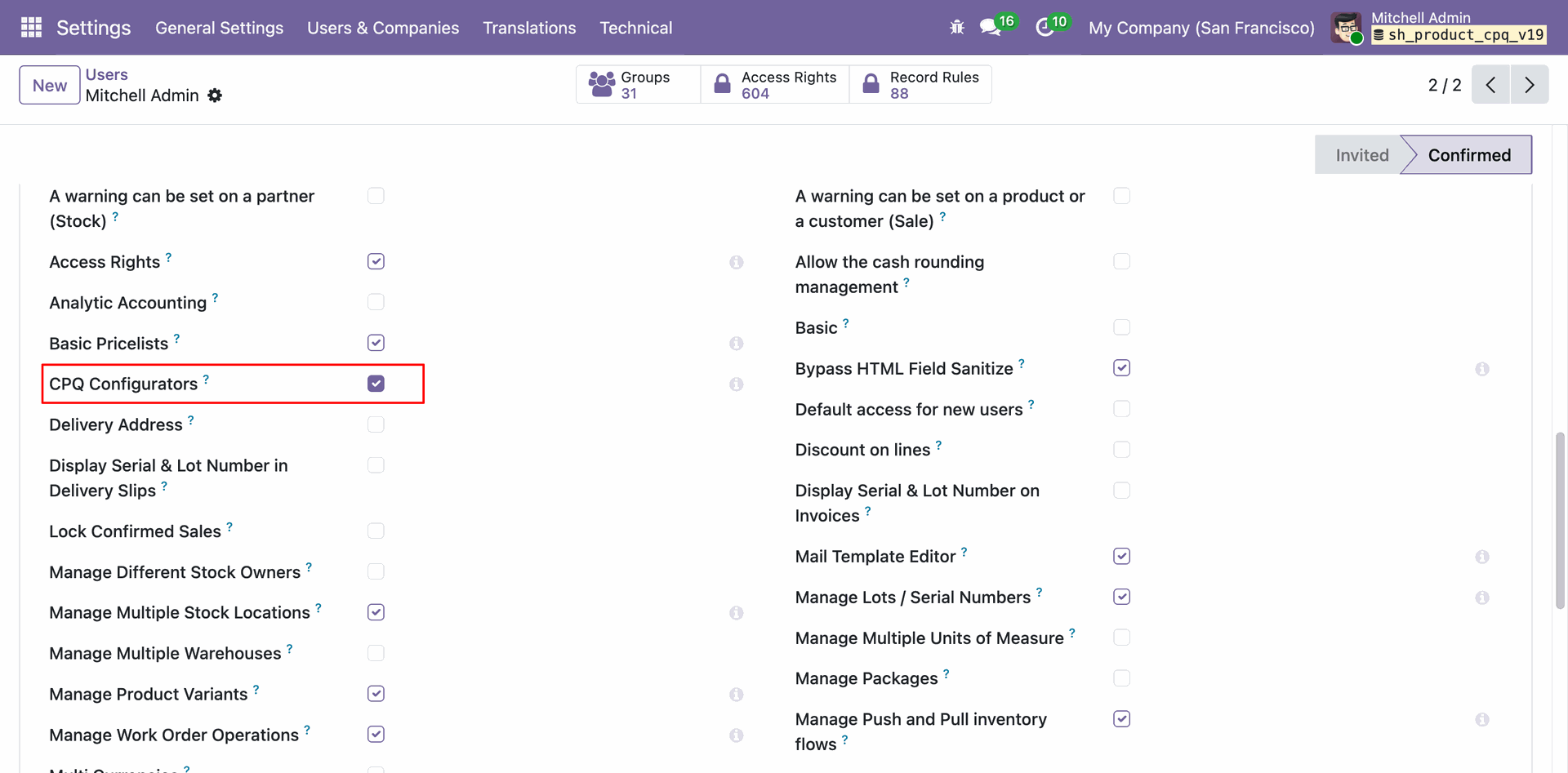
Enable the "CPQ Configurators" directly from the user's access rights settings to grant CPQ configuration access.
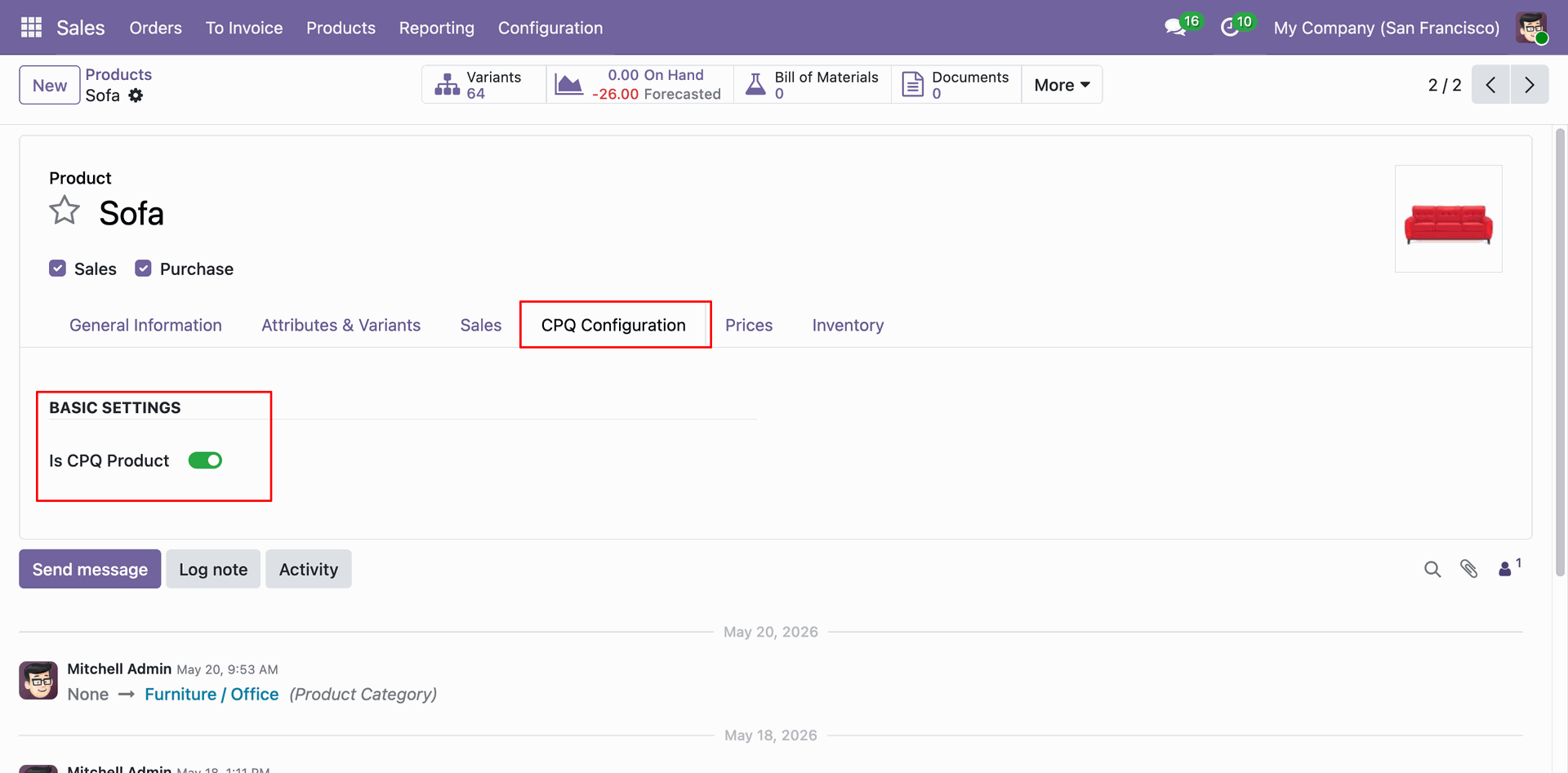
Mark any product as a CPQ product by enabling the "Is CPQ Product" toggle under the dedicated CPQ Configuration tab on the Product form.
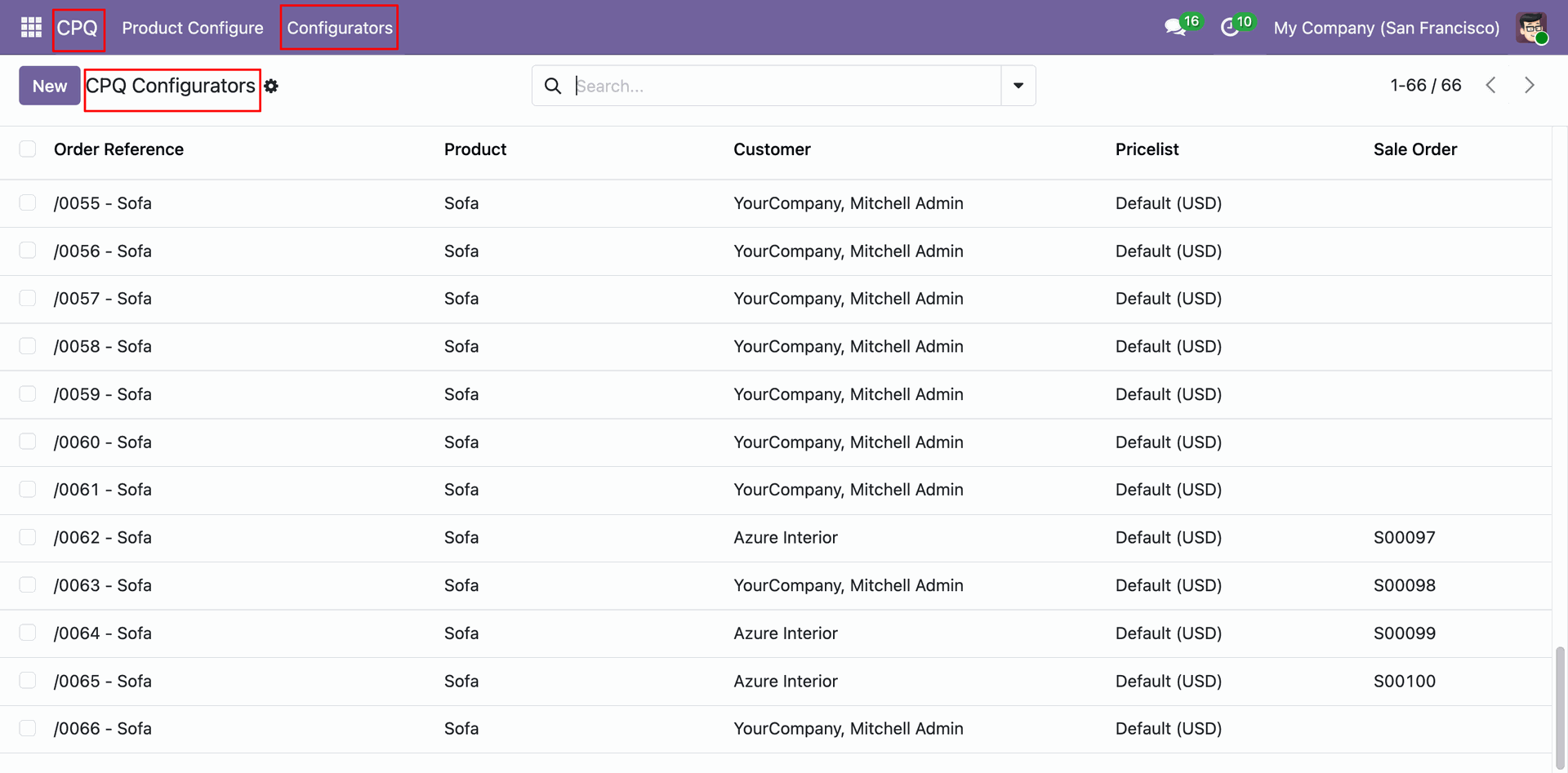
Access the CPQ Configurators list view under the CPQ menu.
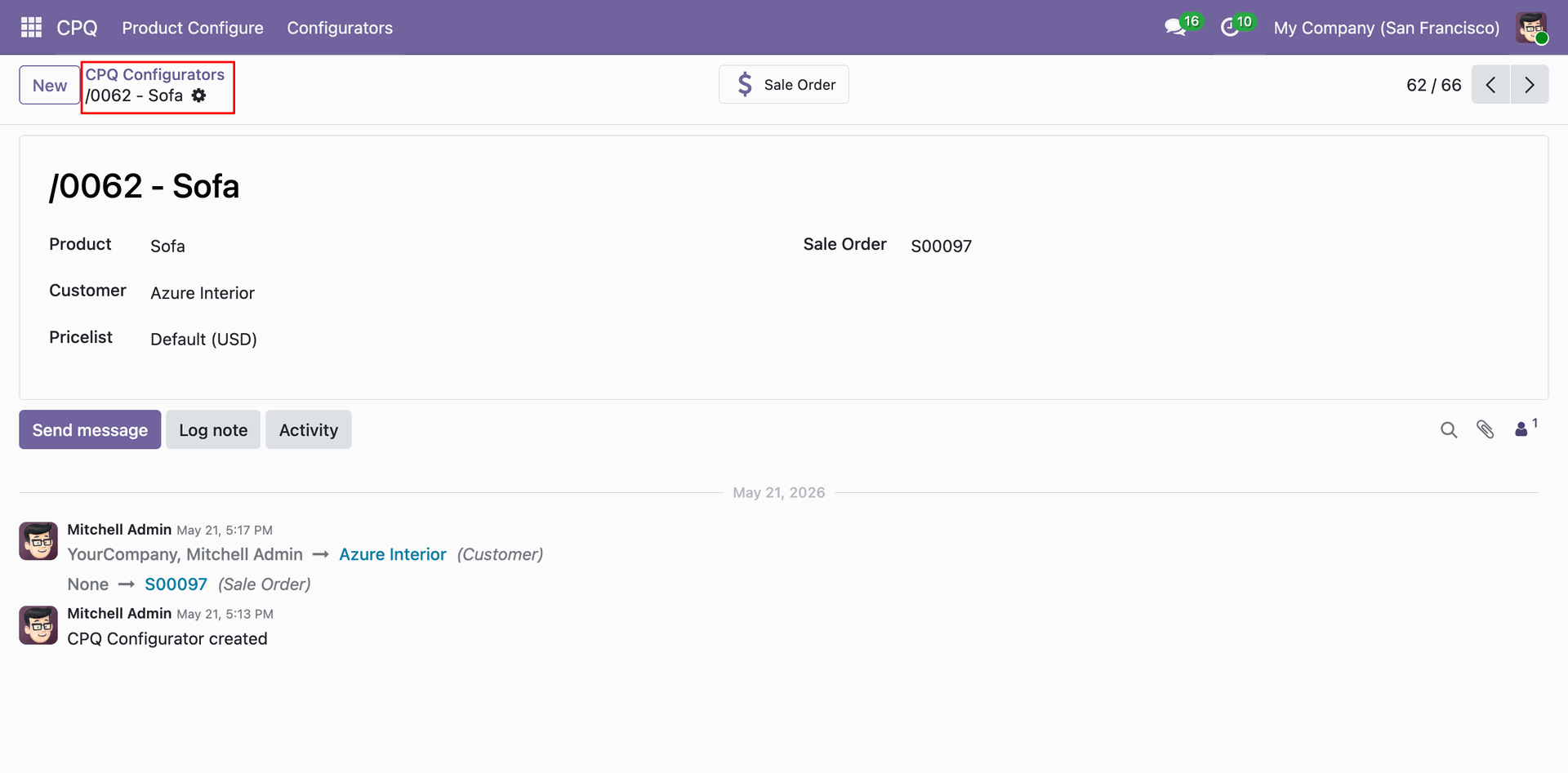
Open any CPQ Configurator record to view its full detail form view.
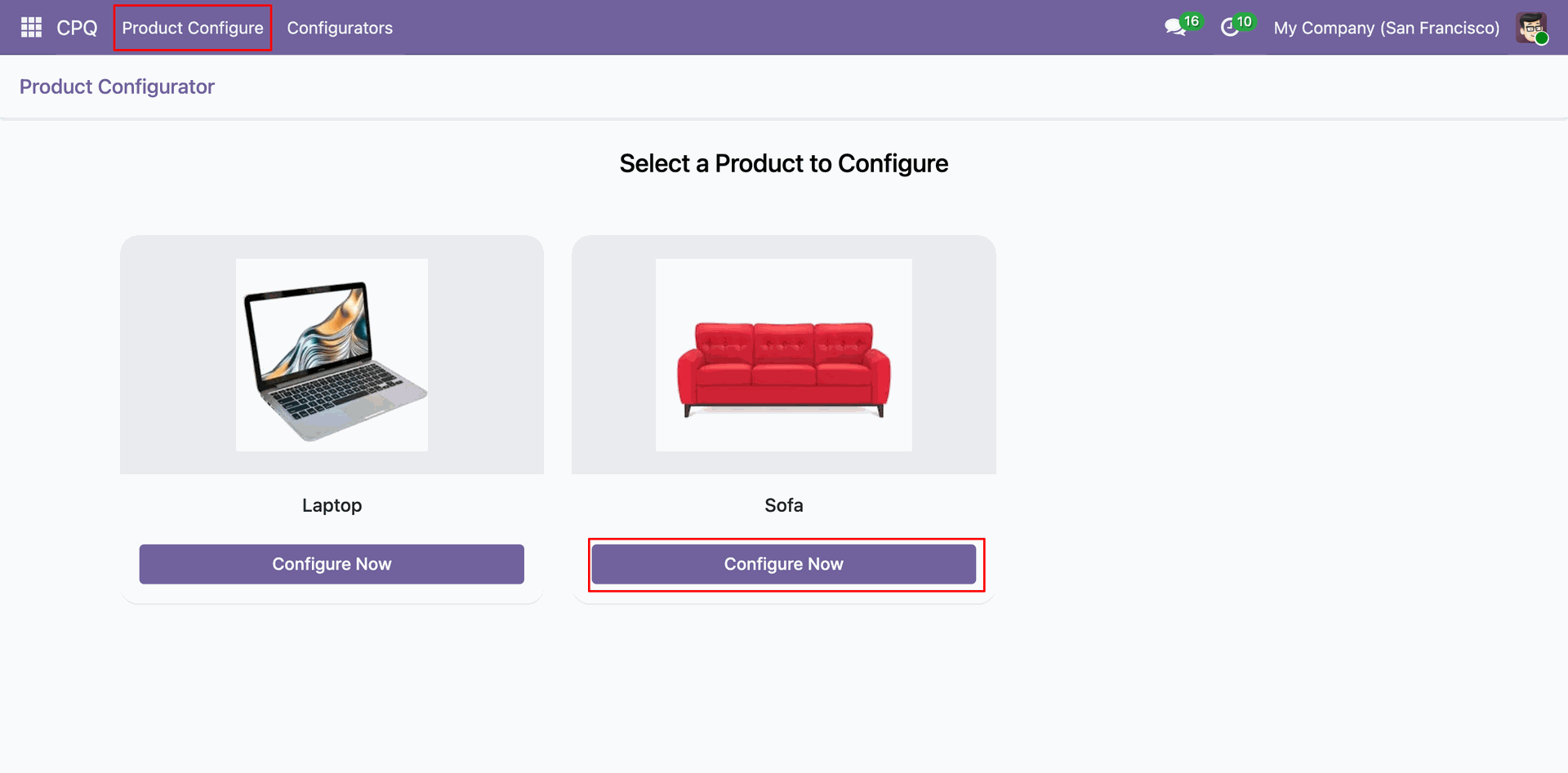
From the CPQ menu's "Product Configure" section, choose any CPQ-enabled product from an interactive card-based selection to begin configuration.
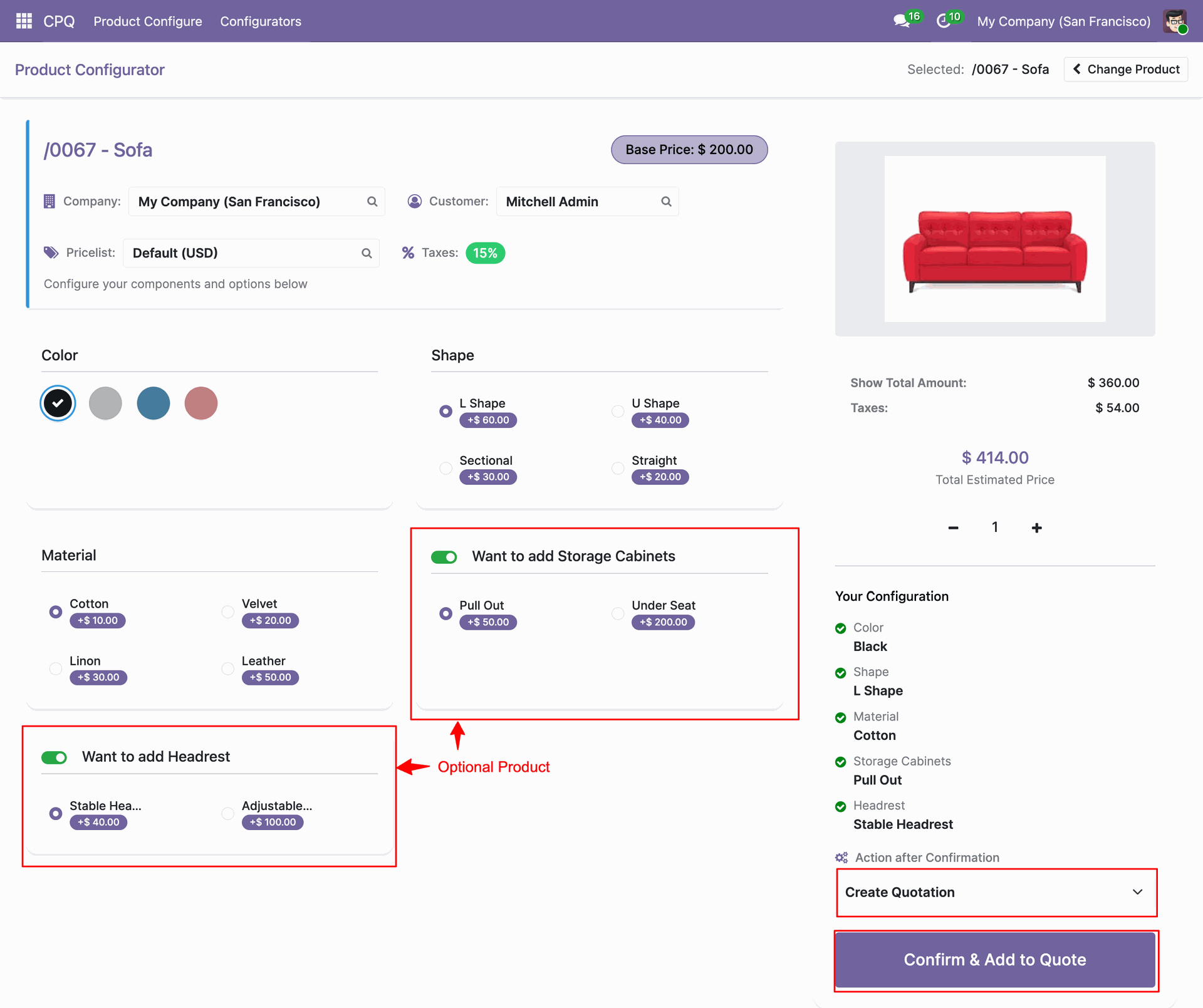
Configure the selected product in the interactive CPQ workspace.
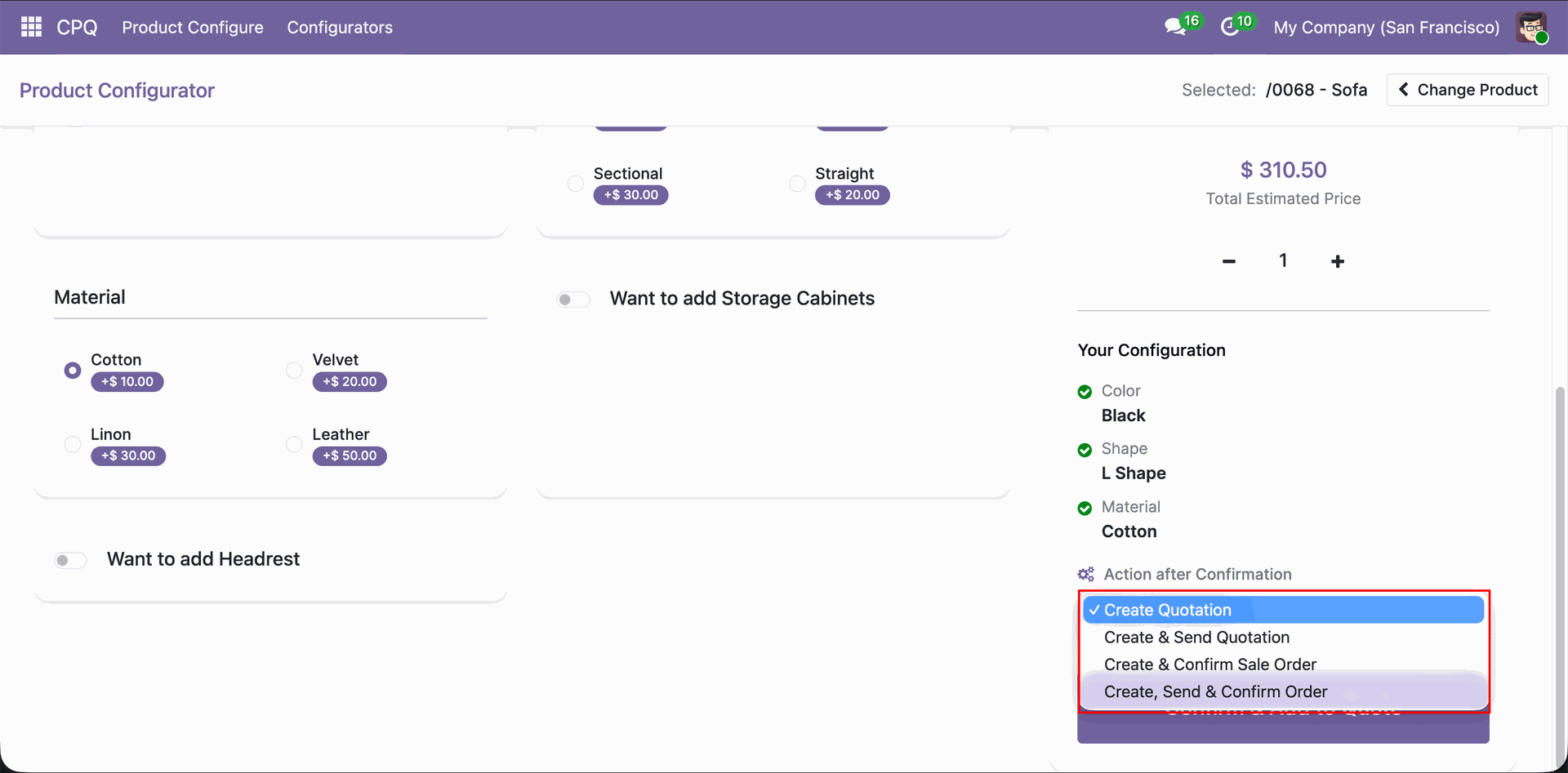
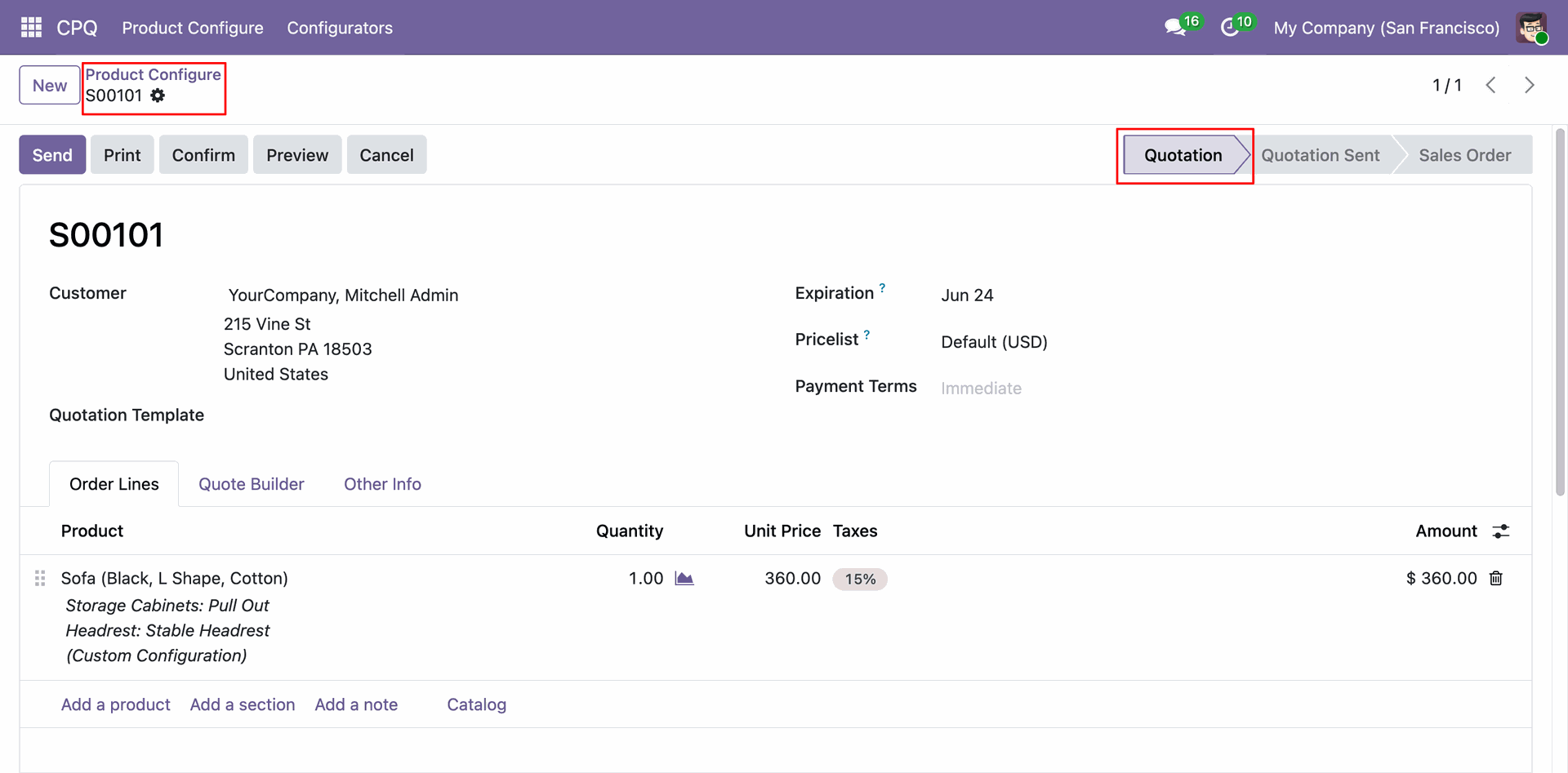
Select the desired post-confirmation action from four flexible options: Create Quotation, Create & Send Quotation, Create & Confirm Sale Order, or Create, Send & Confirm Order - giving you full control over the sales workflow triggered after configuration.
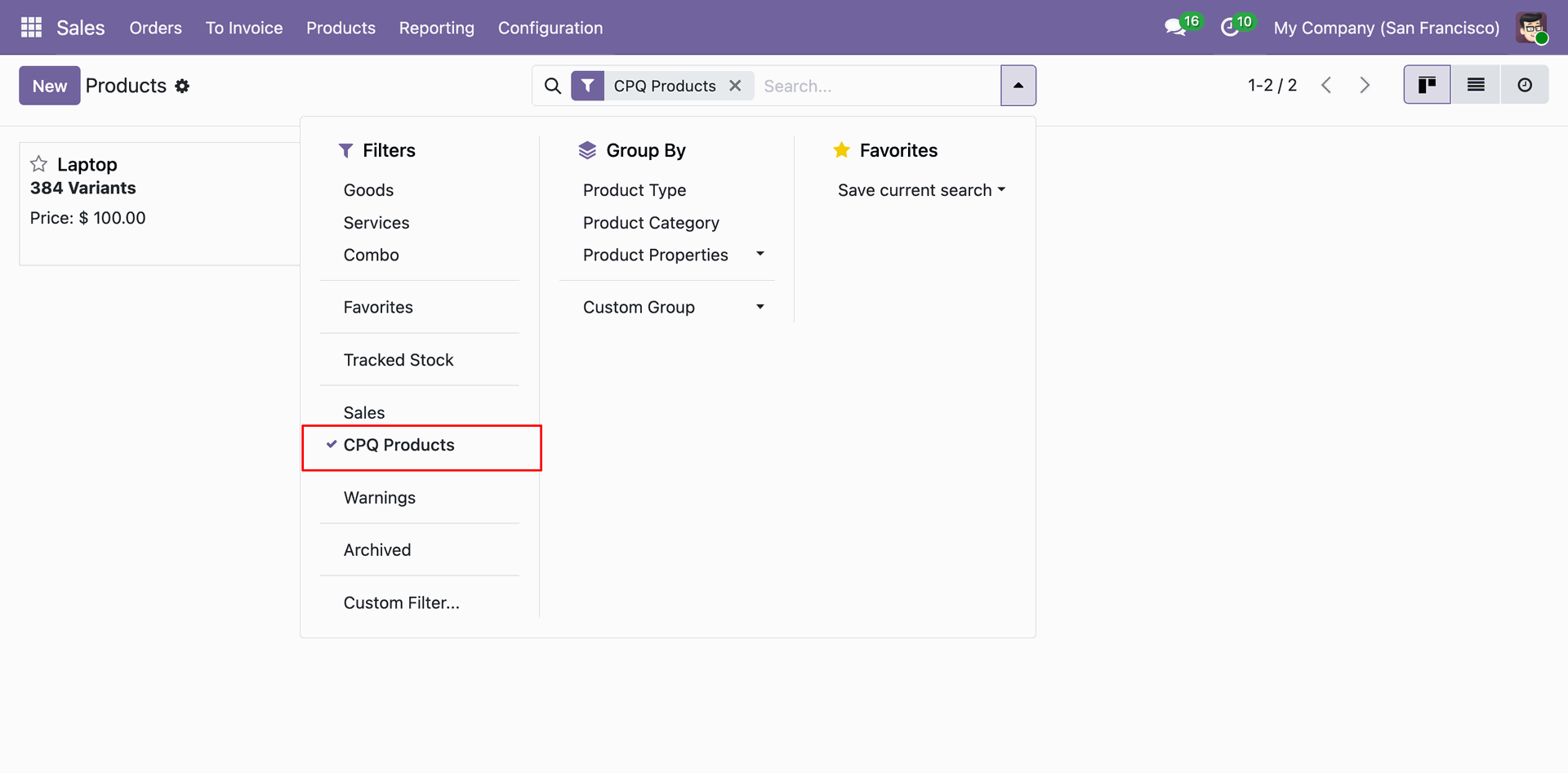
Use the built-in "CPQ Products" filter in the product list to instantly view all products that have CPQ configuration enabled.
Once the configuration is confirmed with the "Create Quotation" action, Odoo automatically generates a new sales quotation with a product line reflecting the full custom configuration details.
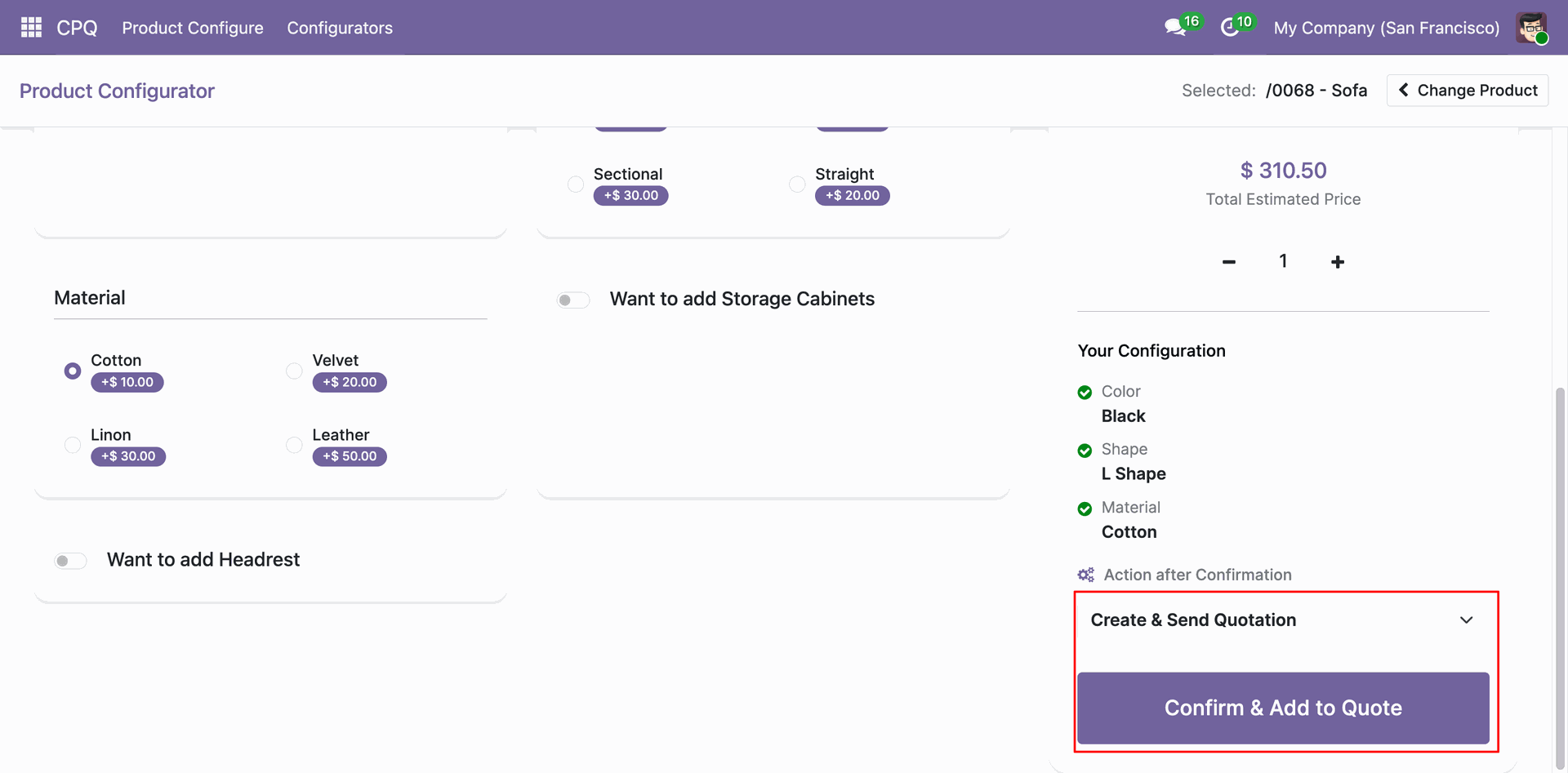
With the "Create & Send Quotation" action selected, clicking "Confirm & Add to Quote" will automatically generate the quotation and send it to the customer via email in a single step.
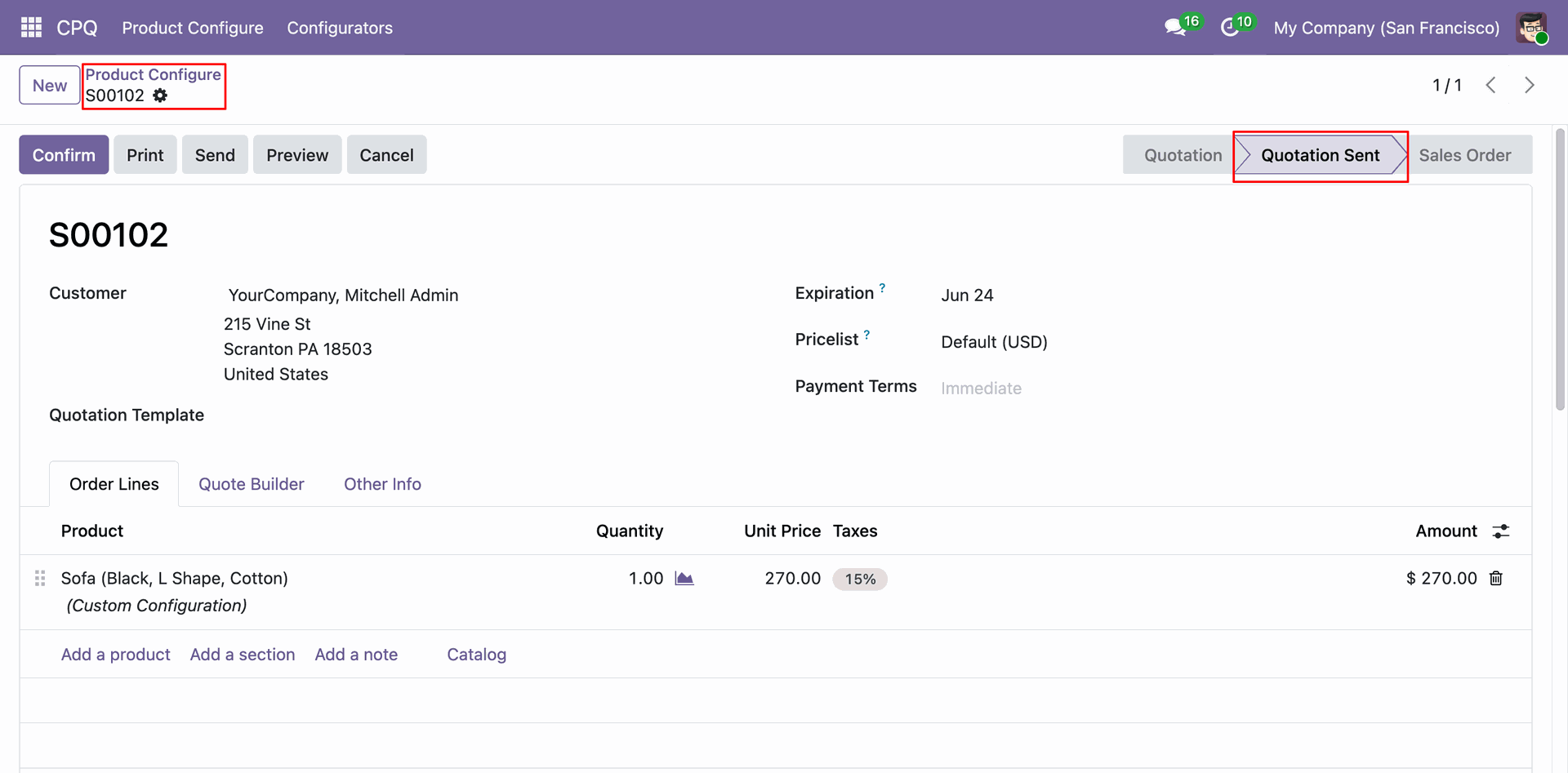
The resulting sales quotation is automatically moved to the "Quotation Sent" stage after using the "Create & Send Quotation" action, with the configured product, custom variant description, and pricing already populated on the order line.
Select the "Create & Confirm Sale Order" action to automatically generate a confirmed sale order from the CPQ configuration without any intermediate quotation step.
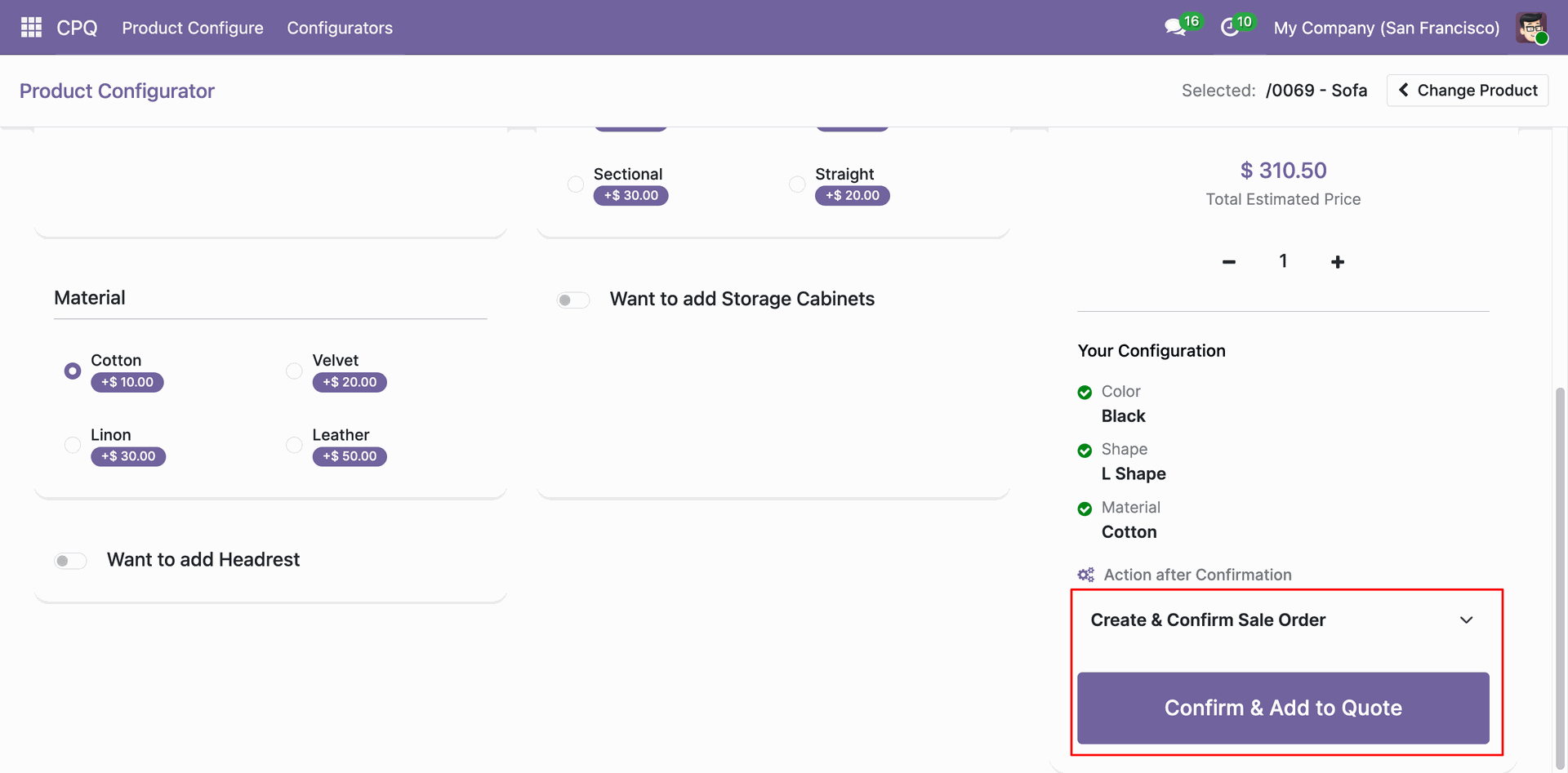
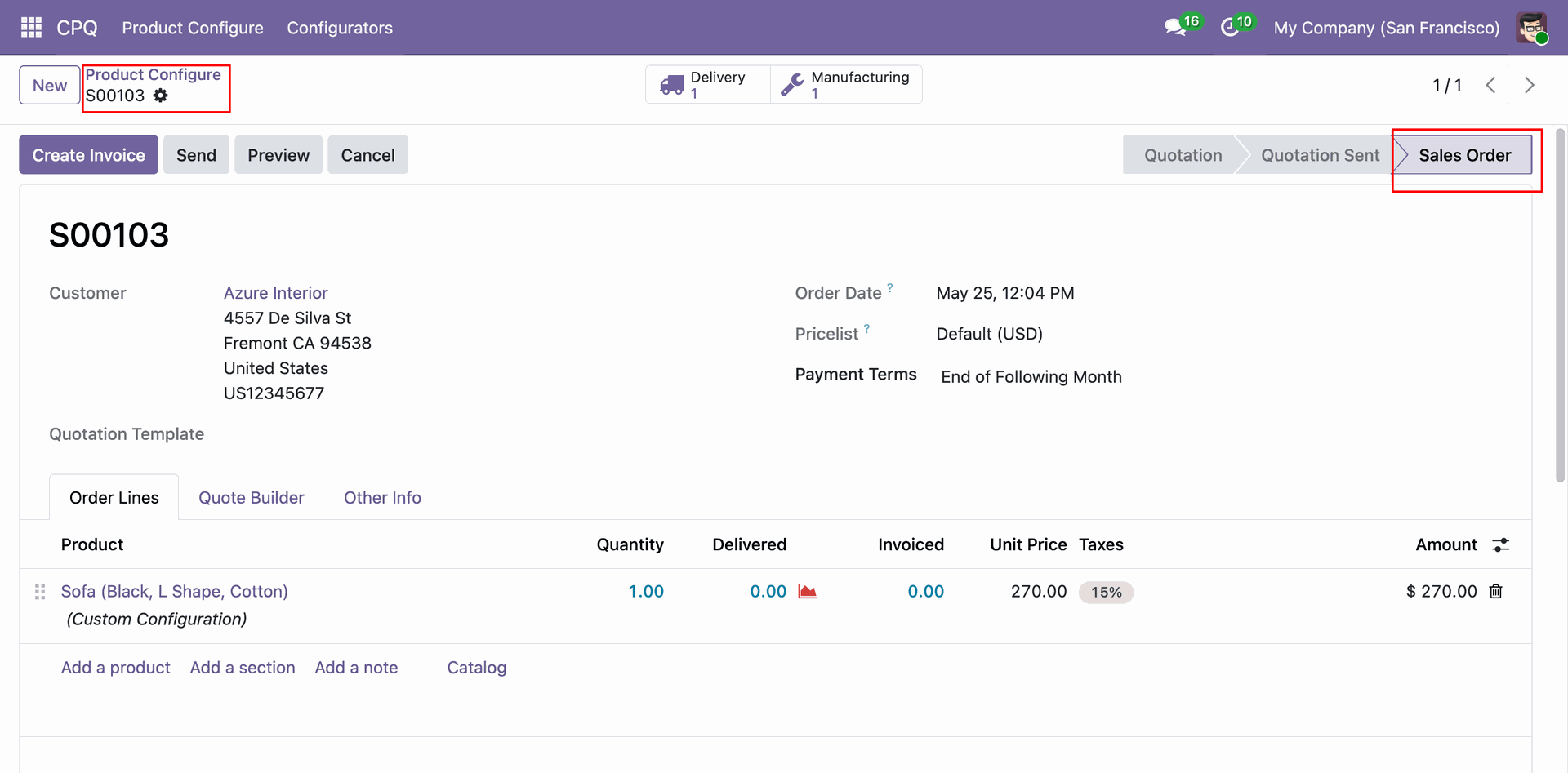
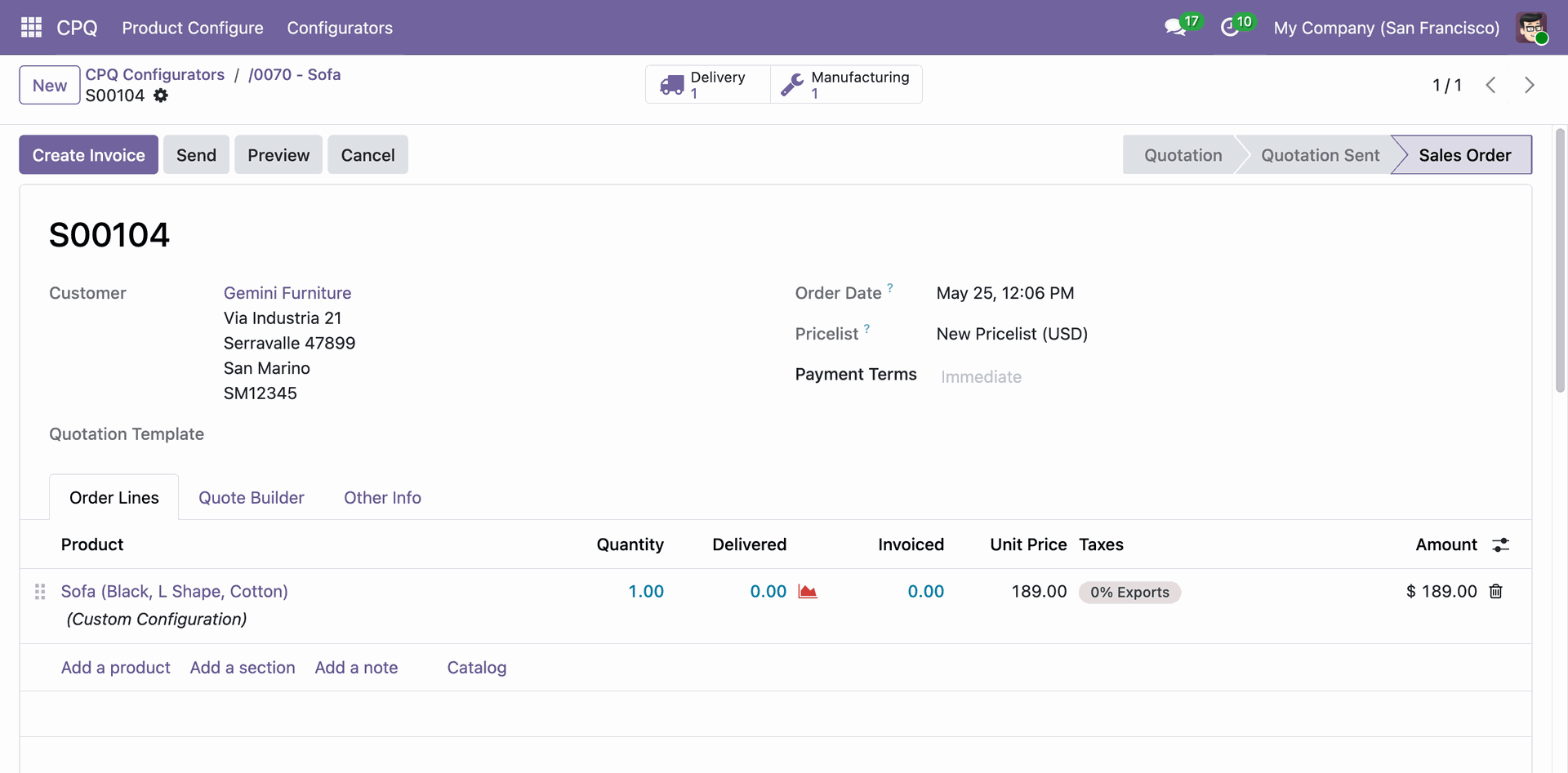
When using the "Create & Confirm Sale Order" action, the system skips the quotation stage entirely and directly creates a confirmed Sales Order with the CPQ-configured product, ready for delivery and invoicing.
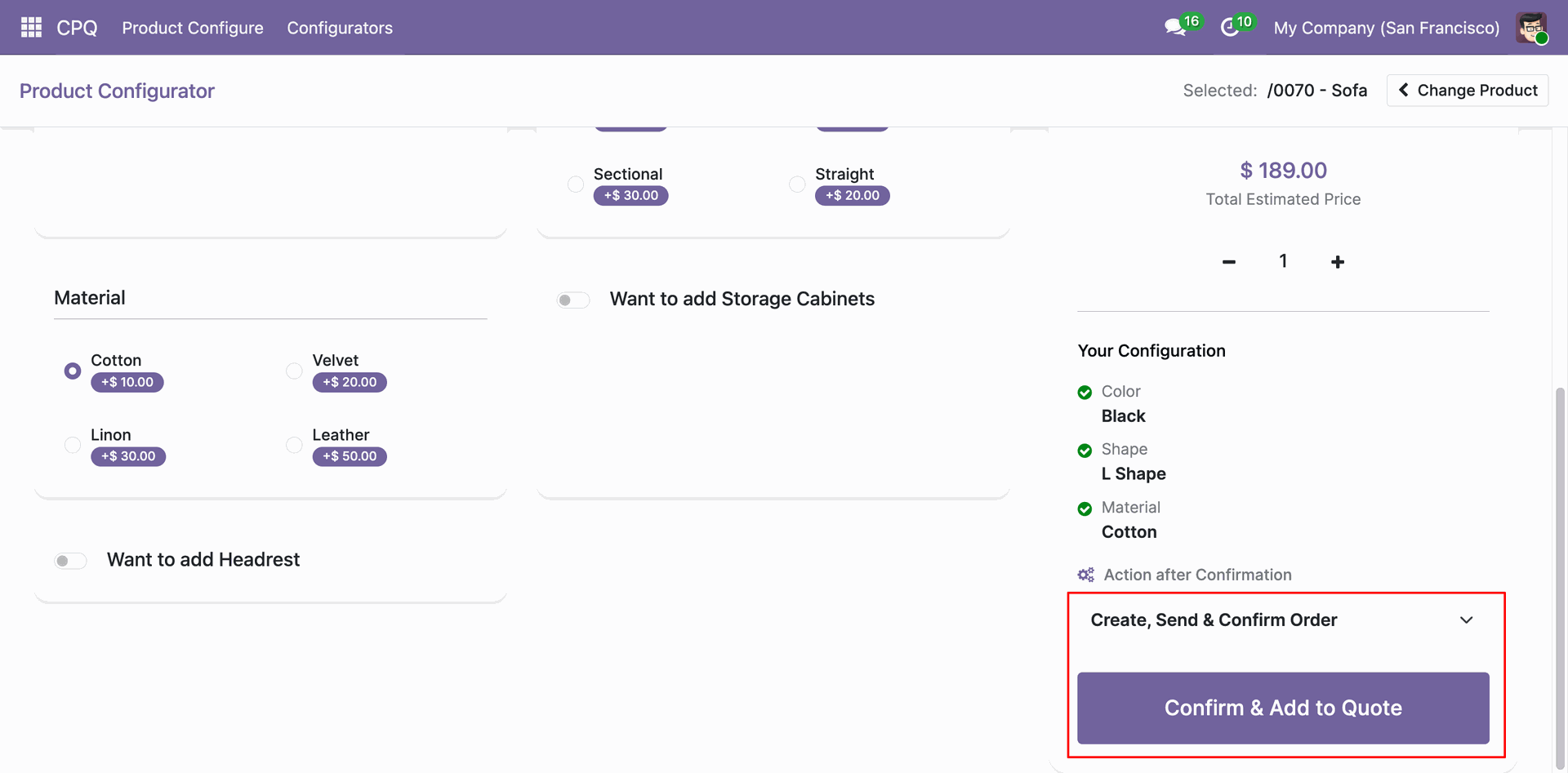
The "Create, Send & Confirm Order" action is the most automated option - selecting it will generate, email, and confirm the sale order all at once when the configuration is submitted.
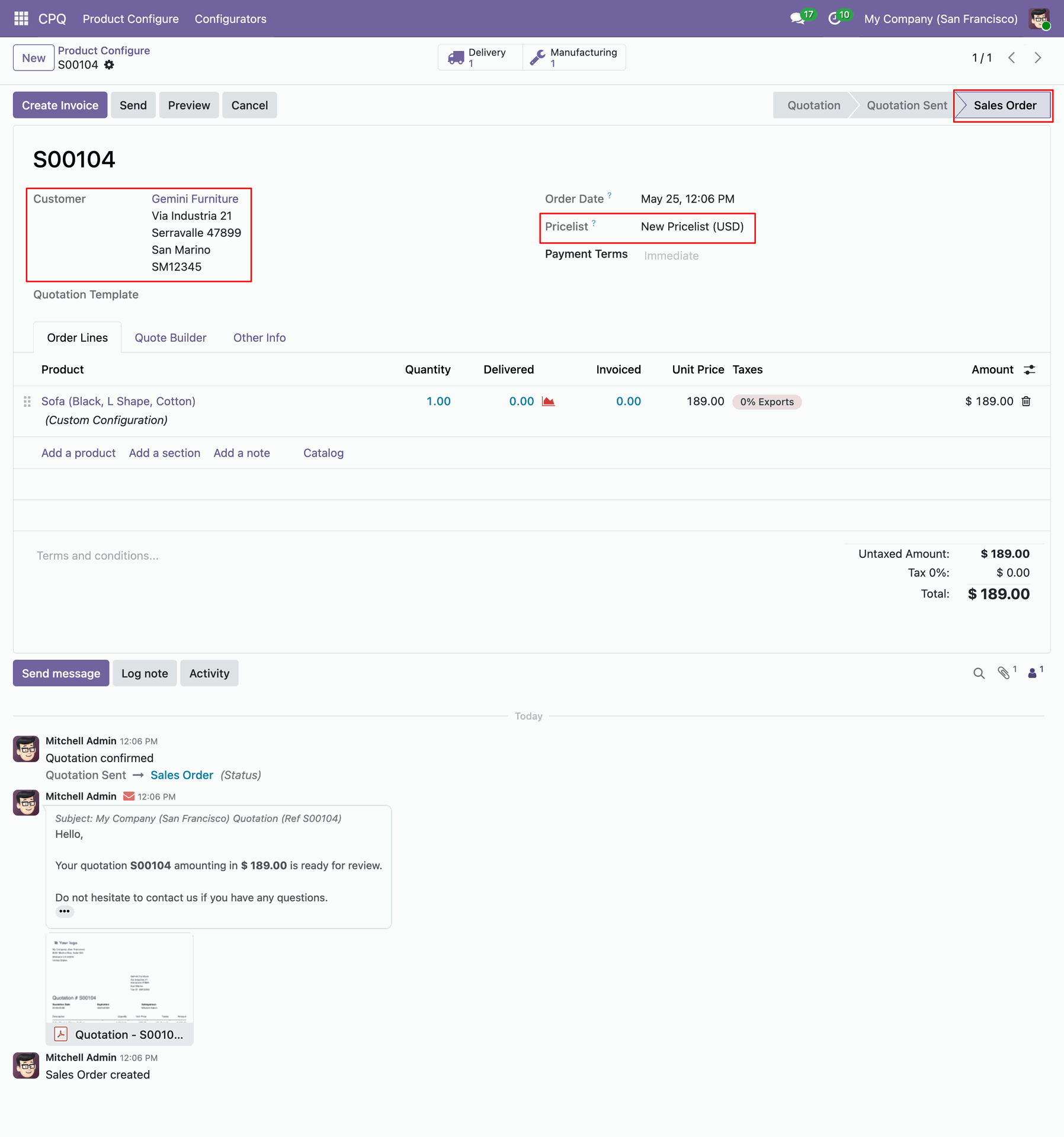
Using the "Create, Send & Confirm Order" action creates a fully confirmed Sales Order in one click, automatically emails the quotation PDF to the customer, and applies the customer-specific pricelist to compute the final unit price.
The CPQ Configurator detail record stores the full session data - product, customer, pricelist, and the linked Sale Order - and provides a direct "Sale Order" smart button to navigate to the resulting order instantly.
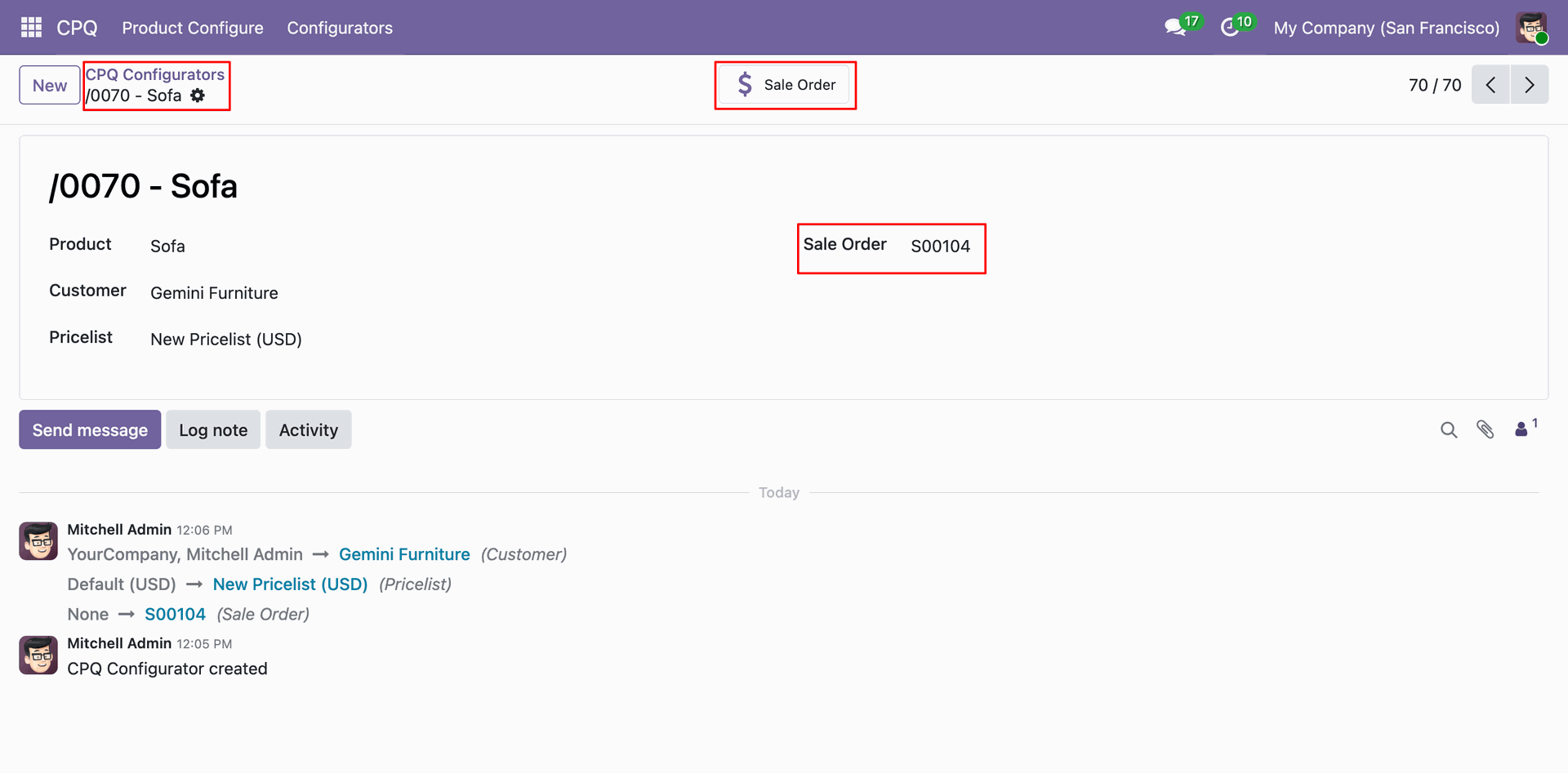
Click the Sale Order smart button from the CPQ Configurator to directly open the linked confirmed Sales Order, complete with delivery and manufacturing smart buttons, custom pricelist, and the CPQ-configured product line.
Version 19.0.1.0.0 | Released on : 22nd August 2026
- Yes, this app works perfectly with Odoo Enterprise (Odoo.sh & Premise) as well as Community.
- No, this application is not compatible with odoo.com(odoo saas/Odoo Online)
- Yes, to test this module, please contact us at sales@softhealer.com.
- Please contact us at sales@softhealer.com to request customization.
- Yes, we provide free support for 365 days from the date of purchase.
- Yes, you will receive lifetime free updates for the version of the module you purchased.
- No, there is no need to install any additional libraries.
- Yes, for version 12 and above, you need to purchase the module separately for each version you intend to use.
- No, exchanges or refunds are not allowed. Please make sure to select the correct version before purchasing.
- You can contact us at support@softhealer.com for language translation support. We use Google Translator tools to provide translations in multiple languages, so the accuracy may vary. We welcome your suggestions to help improve translations.
Discover Our Latest Apps