













Duplicate Data Merge Utility

This module helps you identify and manage duplicate records in your system. It enables you to detect duplicates records, and merge them efficiently. By using this tool, you can keep your data clean, accurate, and well-organized, ensuring improved data integrity and smoother operations.

Related Modules
Features

Duplicate Record Identification
Detect duplicate records from any model.
Fingerprint Generation for Records
Generate unique fingerprints for existing records.
Duplicate Data Merge
Seamlessly merge identified duplicate records into a single clean record.
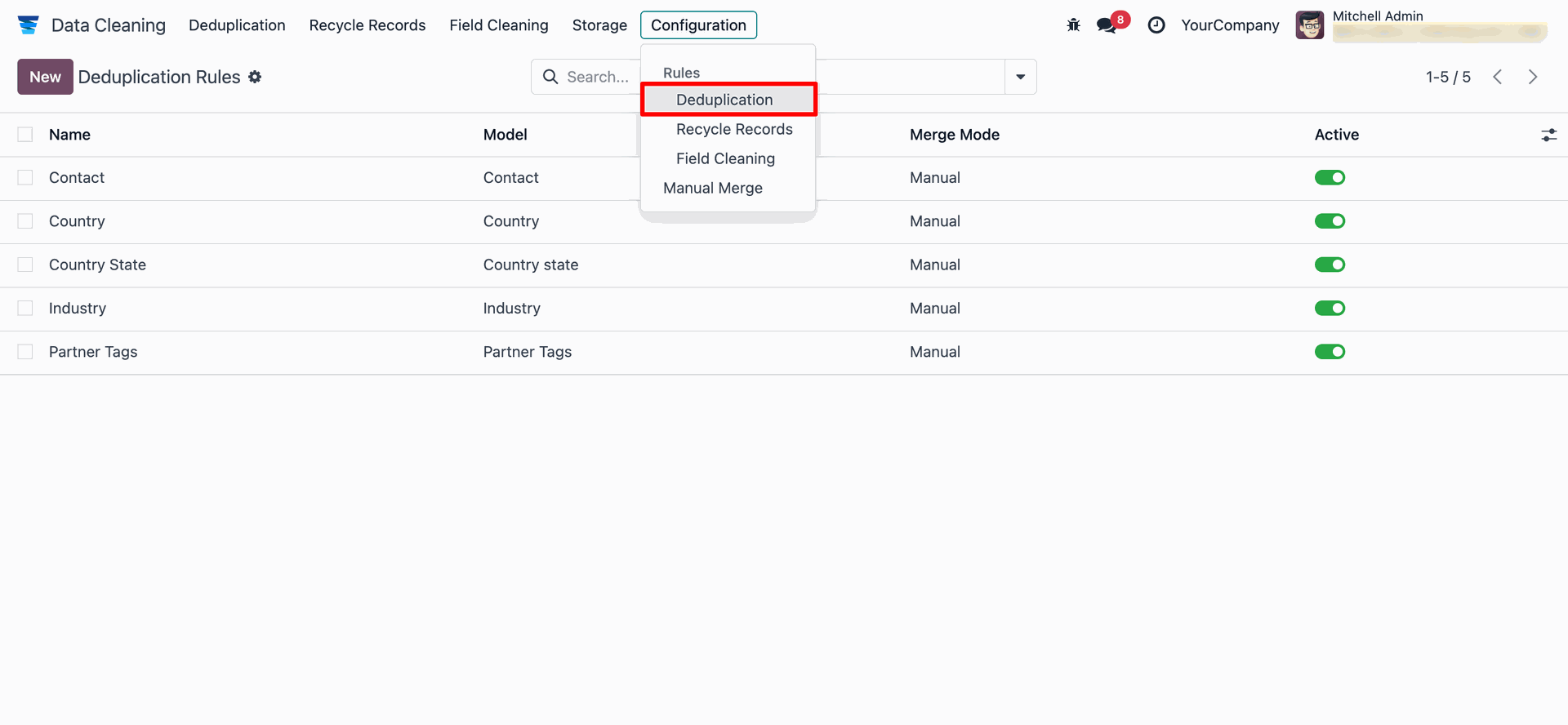
'Deduplication' menu and tree view.
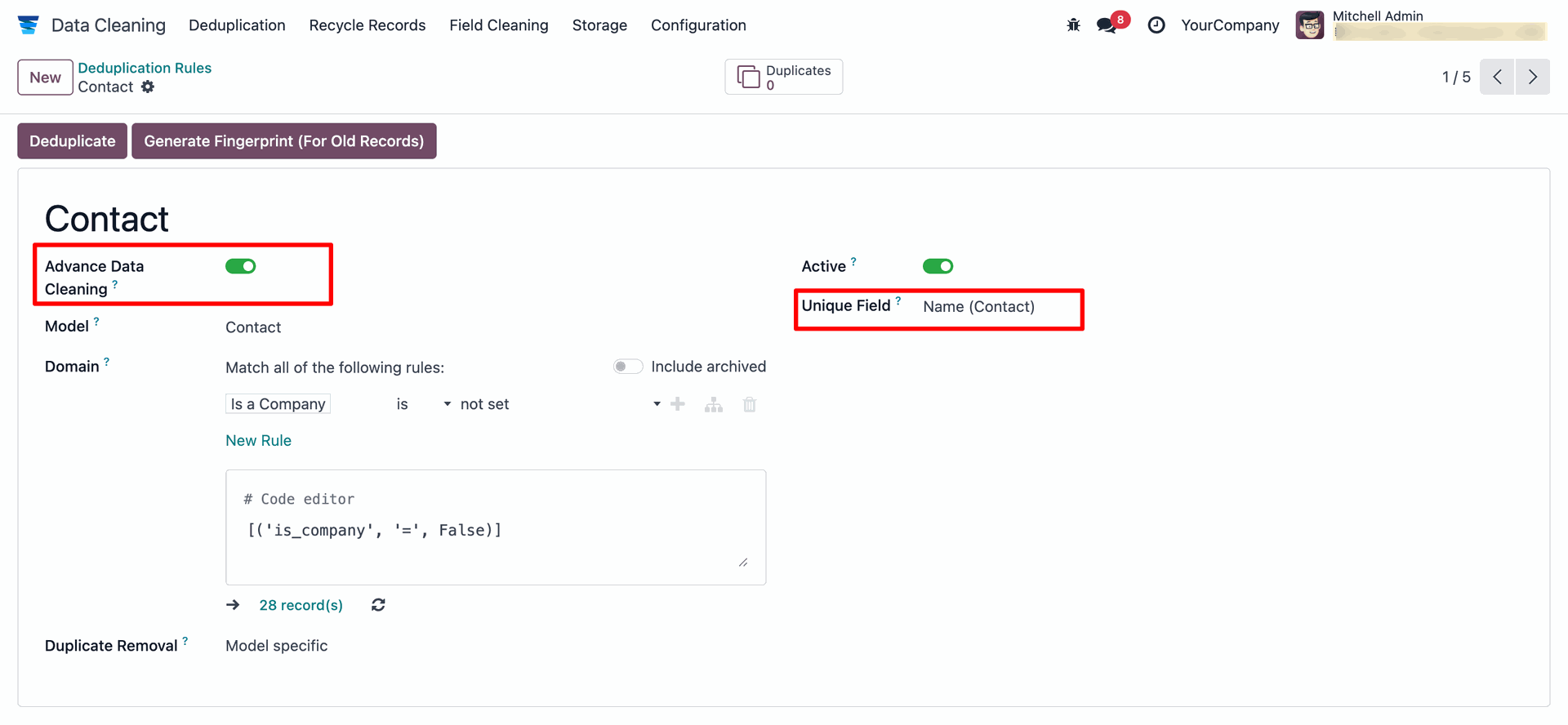
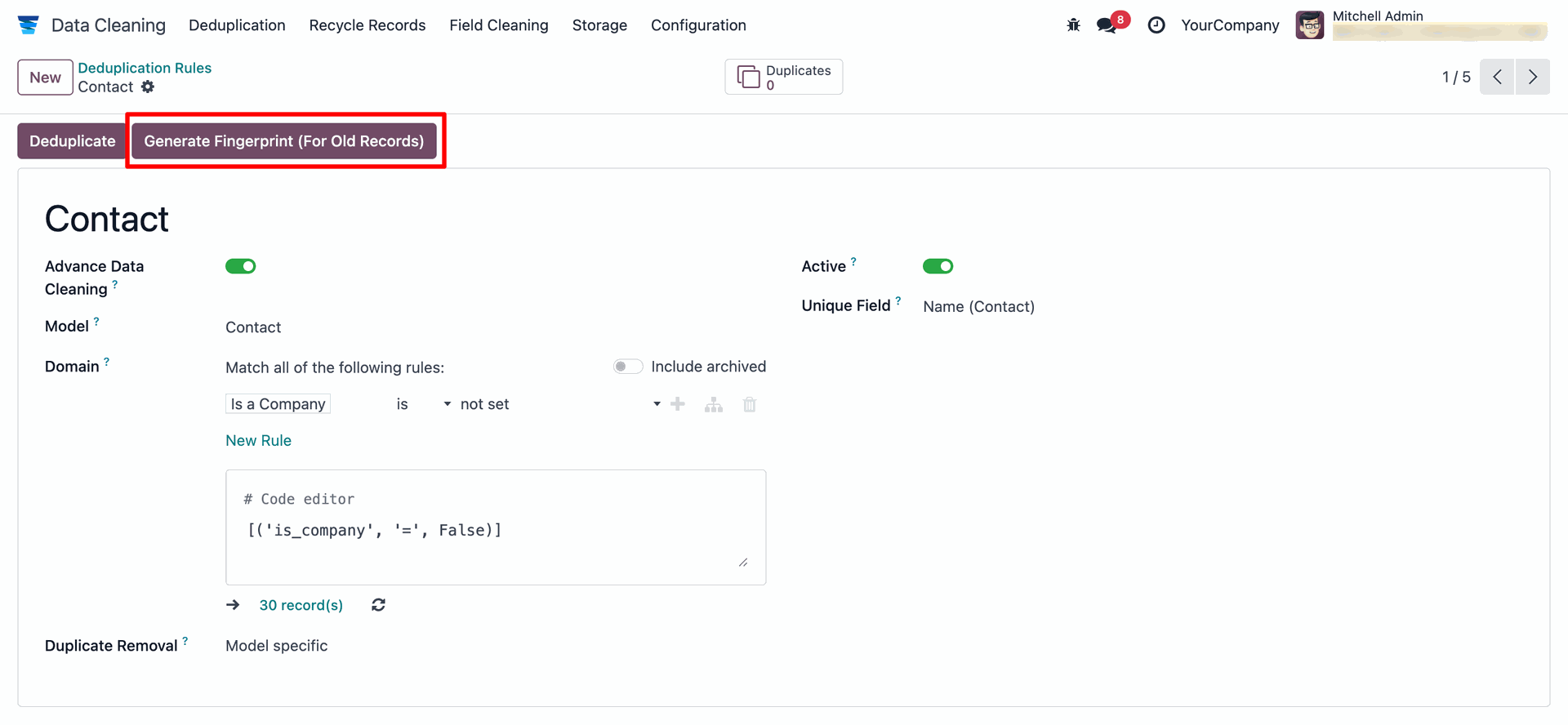
Enable 'Advanced Data Cleaning' and select the field you want to clean under 'Unique Field'. In this example, we have selected 'Contact'.
Create the same contact multiple times.
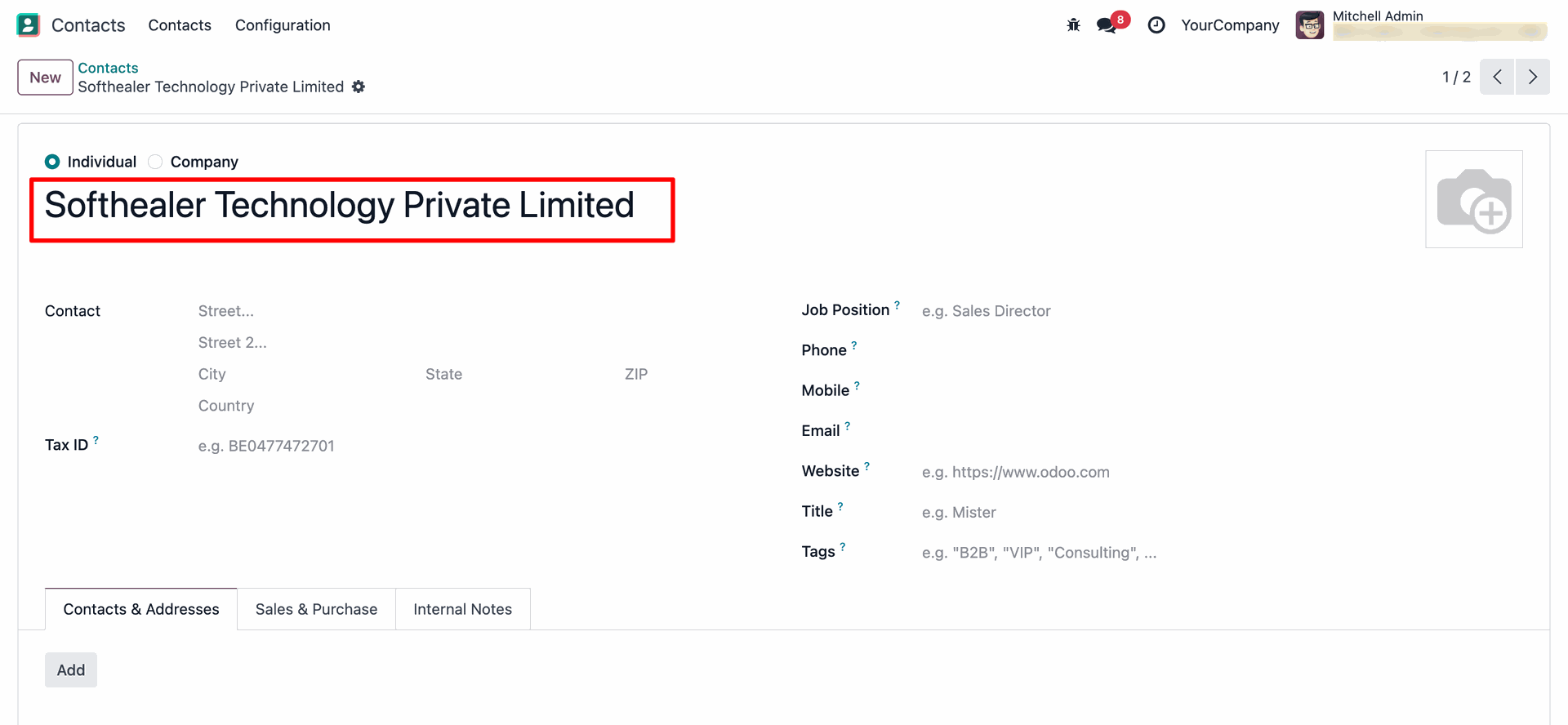
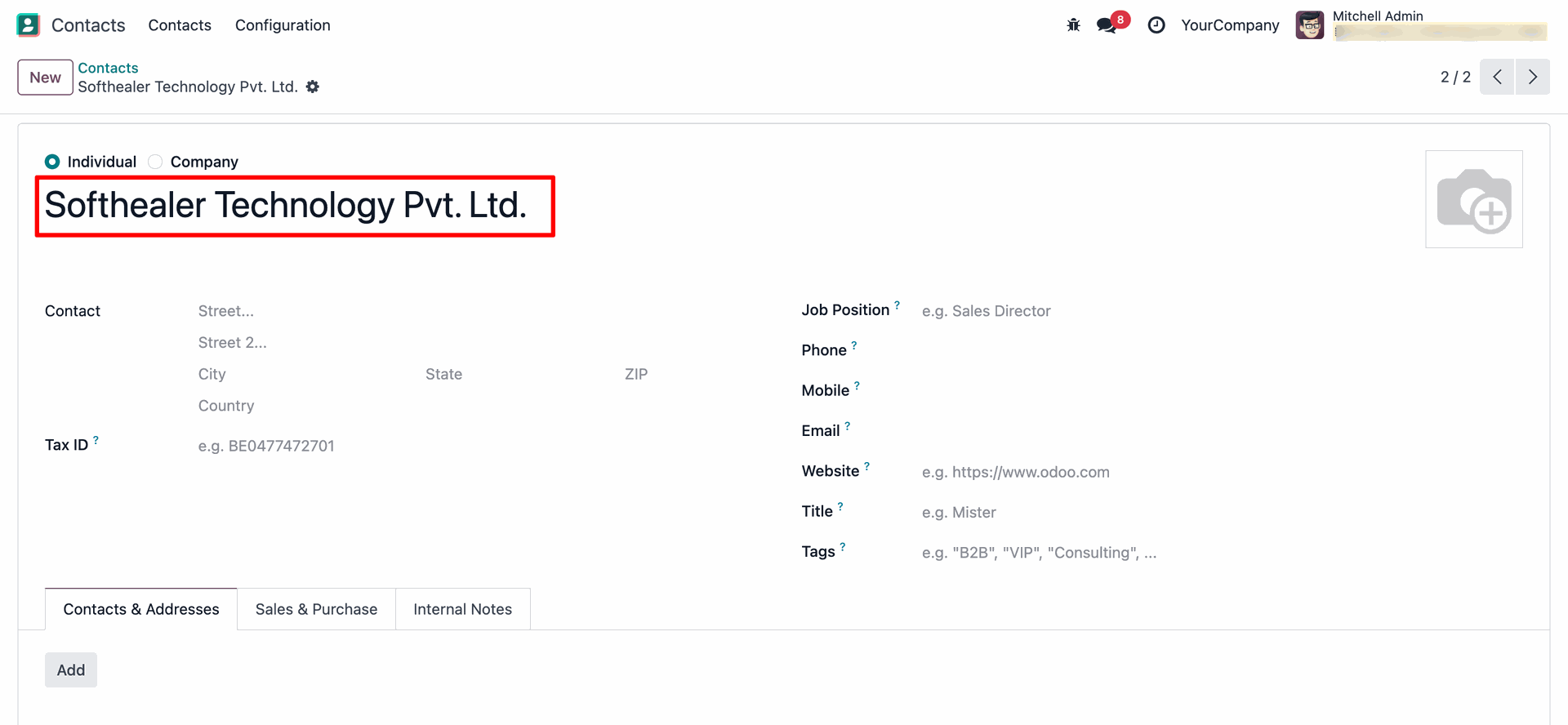
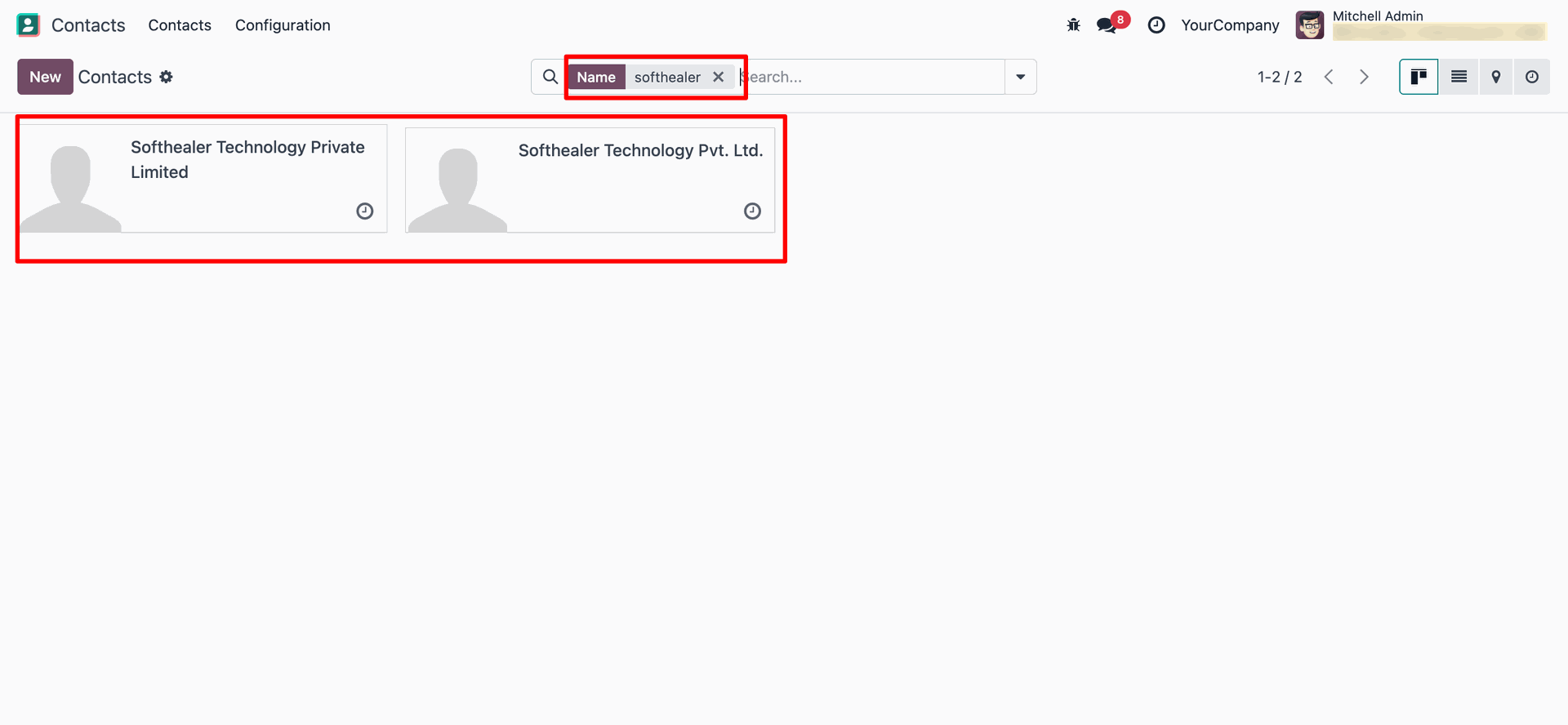
In the duplicate form view, click on the 'Generate Fingerprint (For Old Records)' button.
Select the model and click on the 'Close' button.
A popup will appear confirming that 'Fingerprint Generation' is completed.
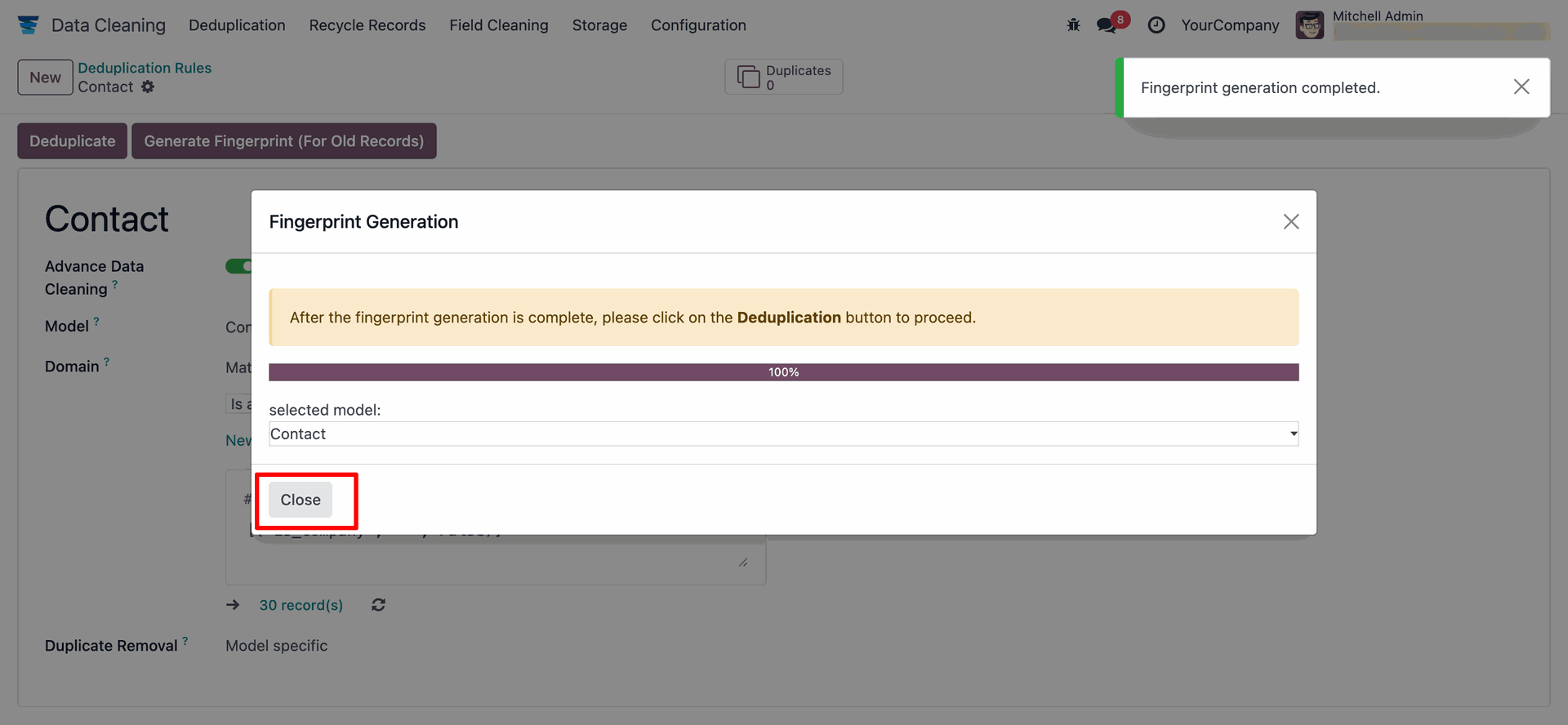
Click on the'Deduplicate' button.
After that, click on the 'Deduplicate' smart button to view the duplicate records.
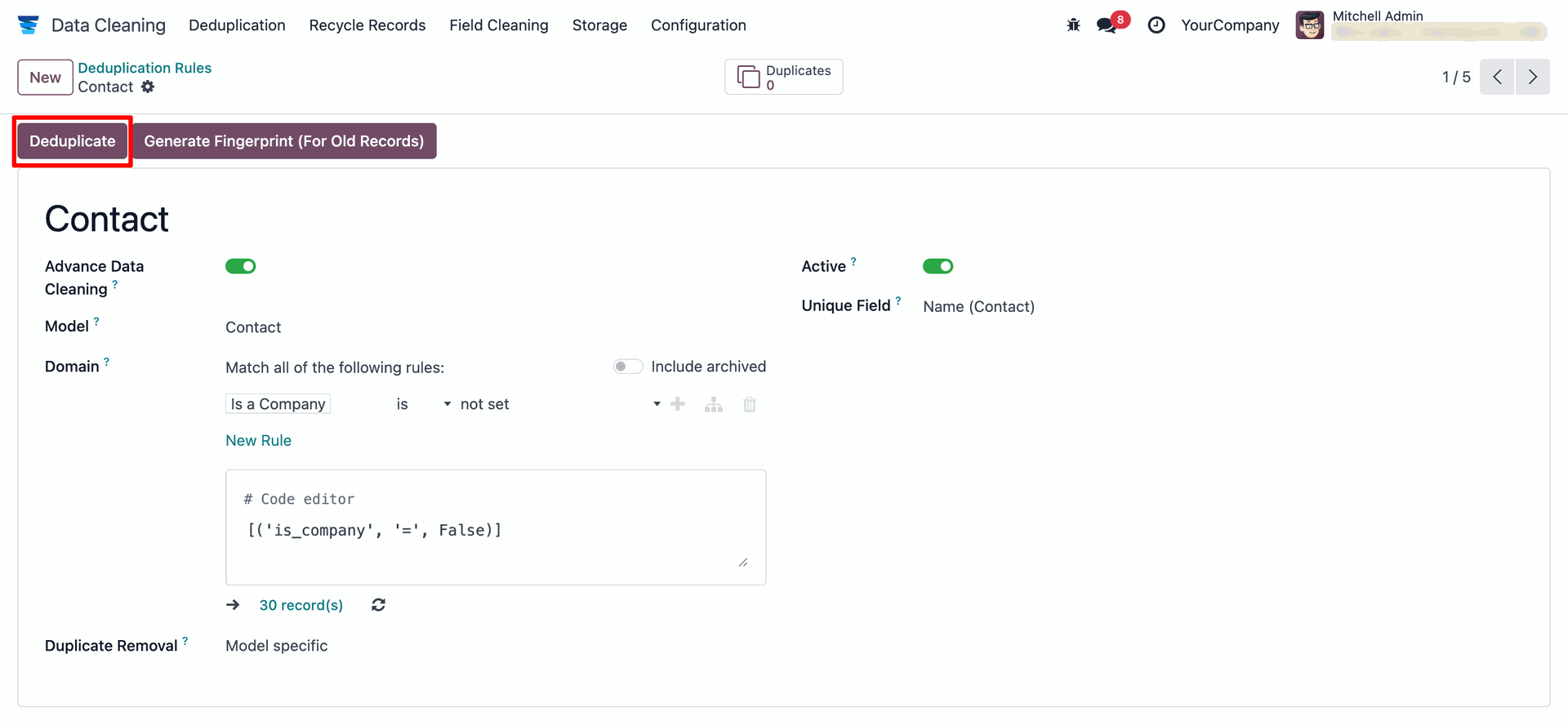
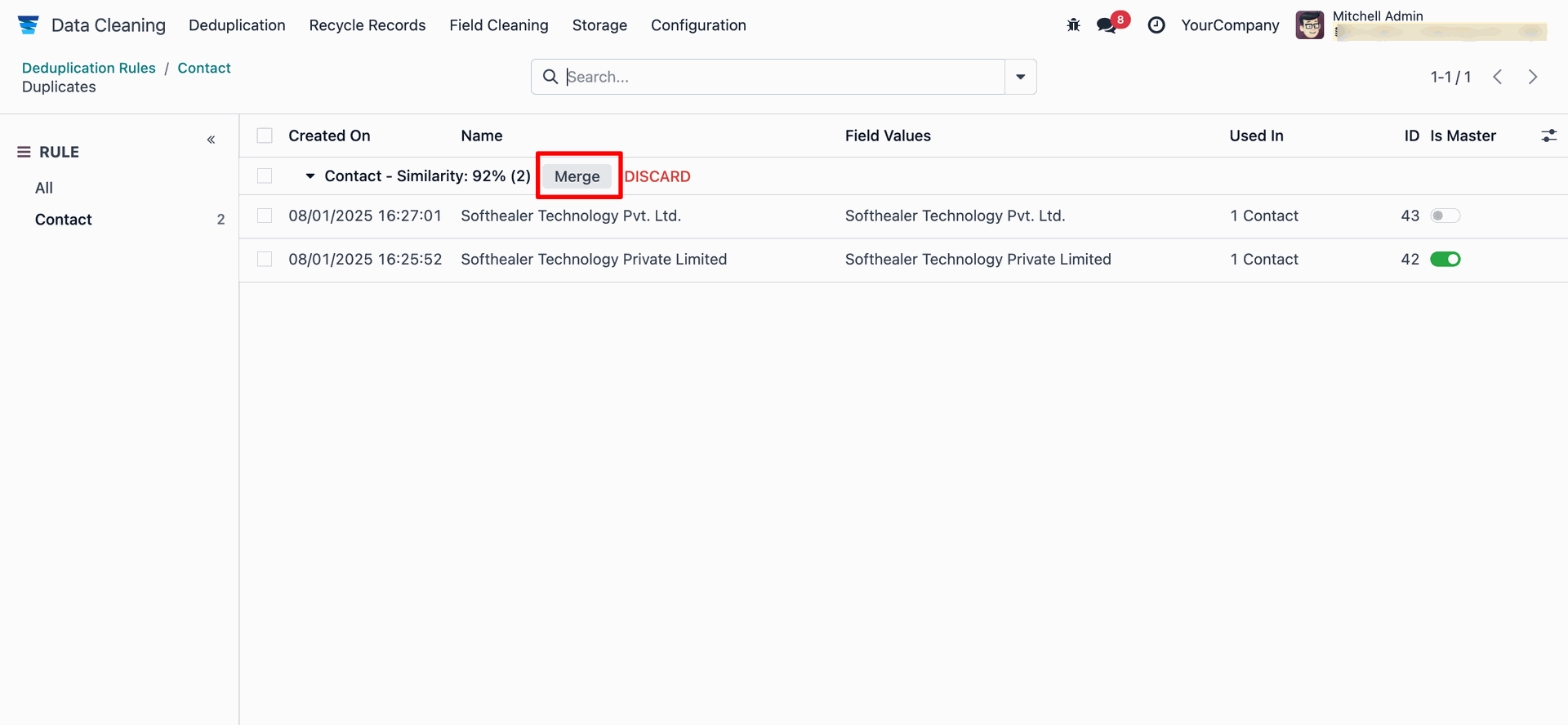
Here you can see the list of duplicate records.
Select the record you want to keep as the main one by enabling the 'Is Master' option, then
click on the 'Merge' to combine all duplicate records into it.
You can keep the records unchanged by using the 'Discard' button.
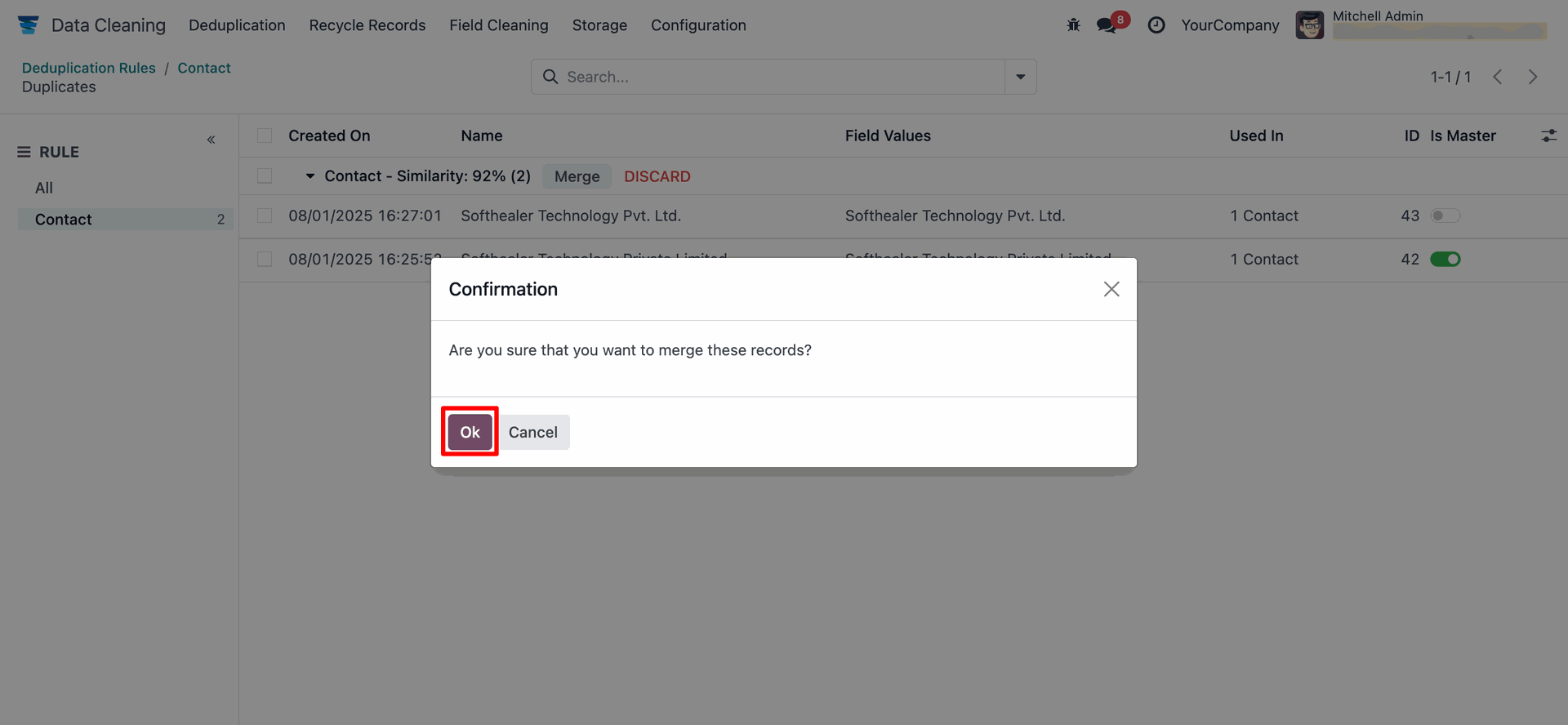
Click on the 'Ok' button on the confirmation wizard.
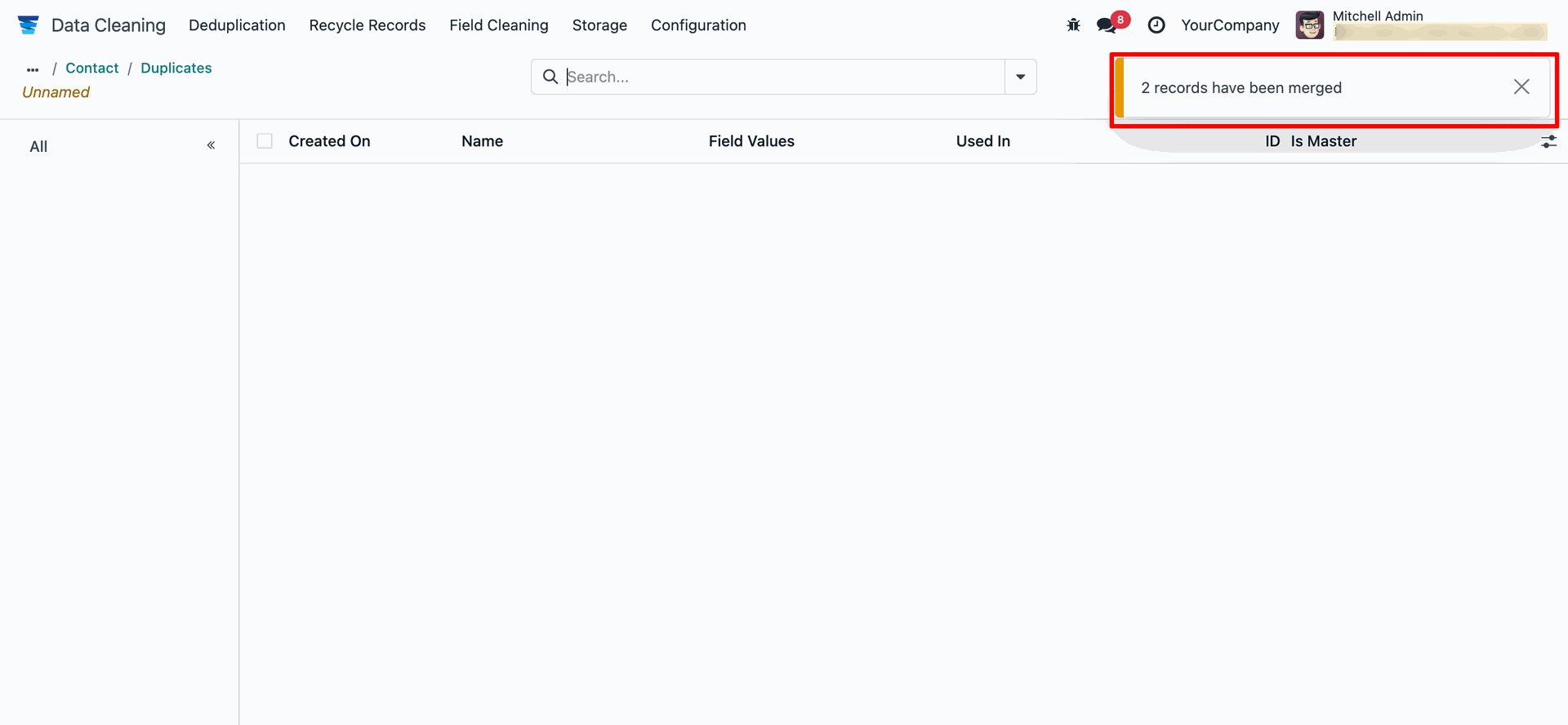
A popup will appear confirming that the record has been merged.
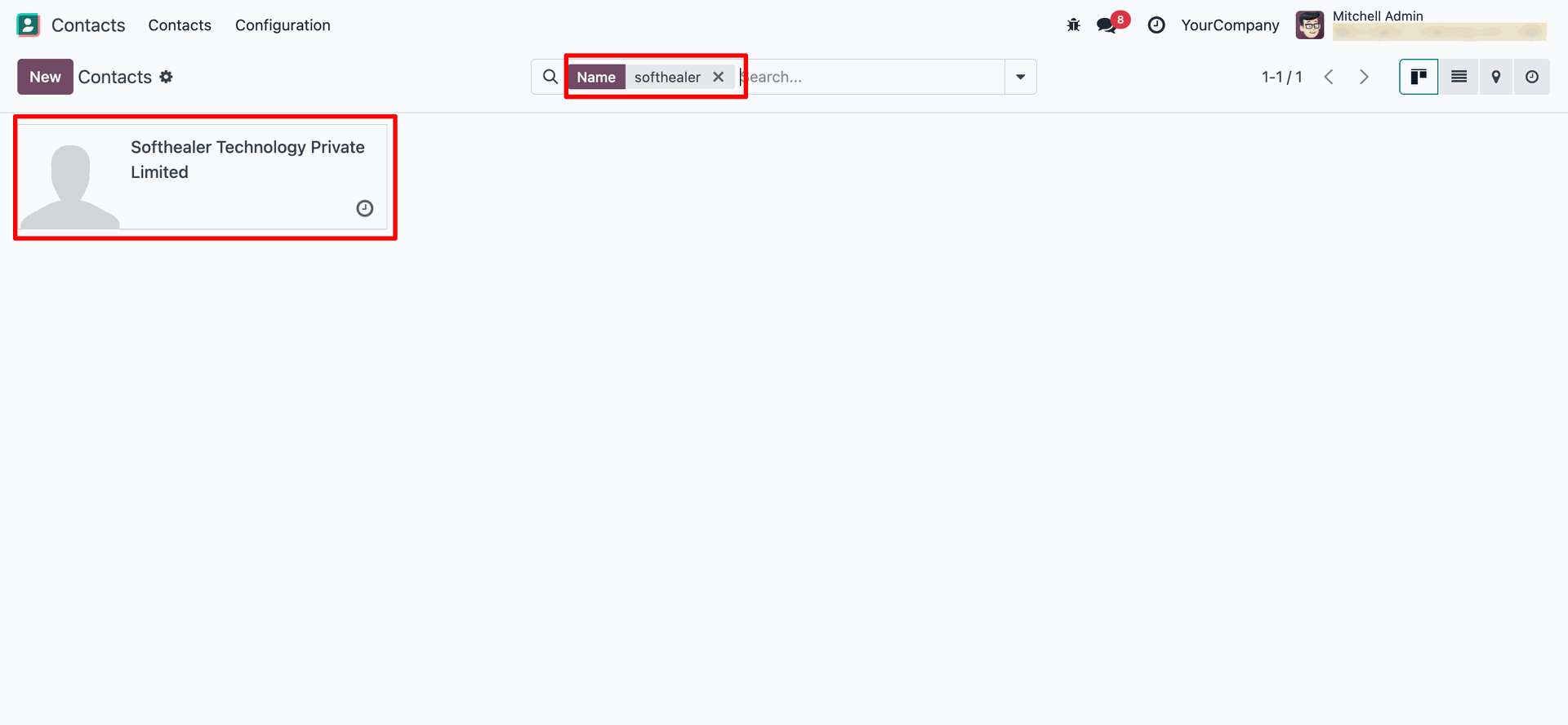
Here you can see the merged record. The duplicate records have been removed.
Version 18.0.1.0.0 | Released on : 29th November 2025
- No, this app works perfectly with Odoo Enterprise (Odoo.sh & Premise) only.
- No, this application is not compatible with odoo.com(odoo saas/Odoo Online)
- Yes, to test this module, please contact us at sales@softhealer.com.
- Please contact us at sales@softhealer.comto request customization.
- Yes, we provide free support for 365 days from the date of purchase.
- Yes, you will receive lifetime free updates for the version of the module you purchased.
- No, there is no need to install any additional libraries.
- Yes, for version 12 and above, you need to purchase the module separately for each version you intend to use.
- No, exchanges or refunds are not allowed. Please make sure to select the correct version before purchasing.
- You can contact us at support@softhealer.com for language translation support. We use Google Translator tools to provide translations in multiple languages, so the accuracy may vary. We welcome your suggestions to help improve translations.
