










Download Chatter Attachments As ZIP

The Chatter Attachments Download module simplifies file management by allowing users to download all
attachments associated with a record's chatter in a single click. Instead of retrieving files
individually, a convenient "Download all as zip" button is integrated directly into the chatter
interface, instantly bundling all documents and images into a single ZIP file. This efficient tool
streamlines workflows, saving valuable time for users who frequently handle multiple
attachments.

Features
One-Click Batch Download
Download all attachments from a record's chatter simultaneously with a single button click.
Download All as ZIP Button
Adds a Download all as ZIP button directly inside the chatter that automatically combines all documents and images into a single ZIP file.

Global Chatter Support
Works seamlessly across all Odoo models, without any additional configuration.

Smart Visibility
The download button is intelligently displayed only when attachments are present on the record.
Click the Attachment icon in the top-right corner of the chatter area to upload and attach files to the current record.
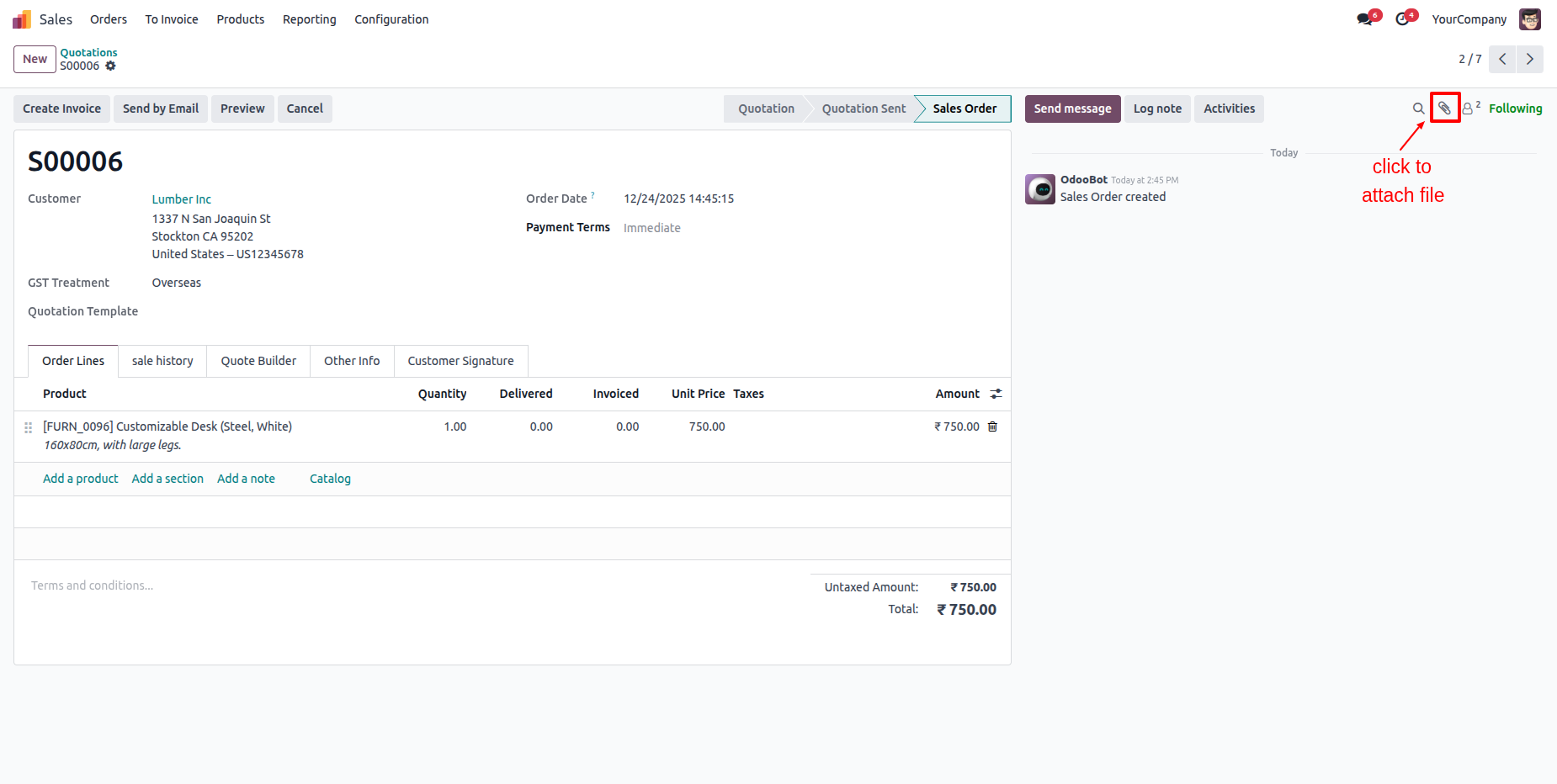
Easily upload new attachments or download all documents as a ZIP directly from the list.
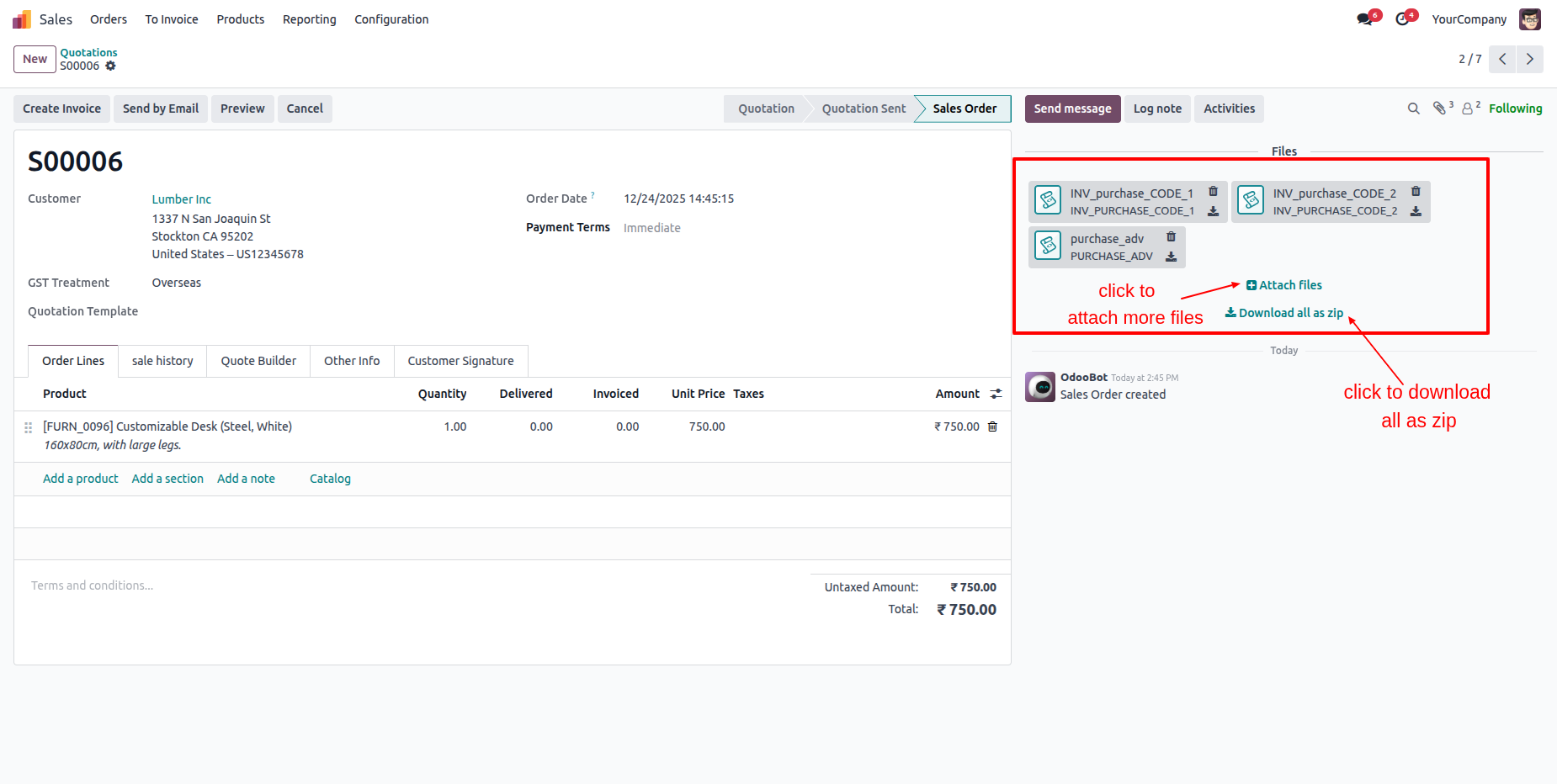
Click the Download all as zip button to instantly save all documents listed in the chatter section as a single compressed file.
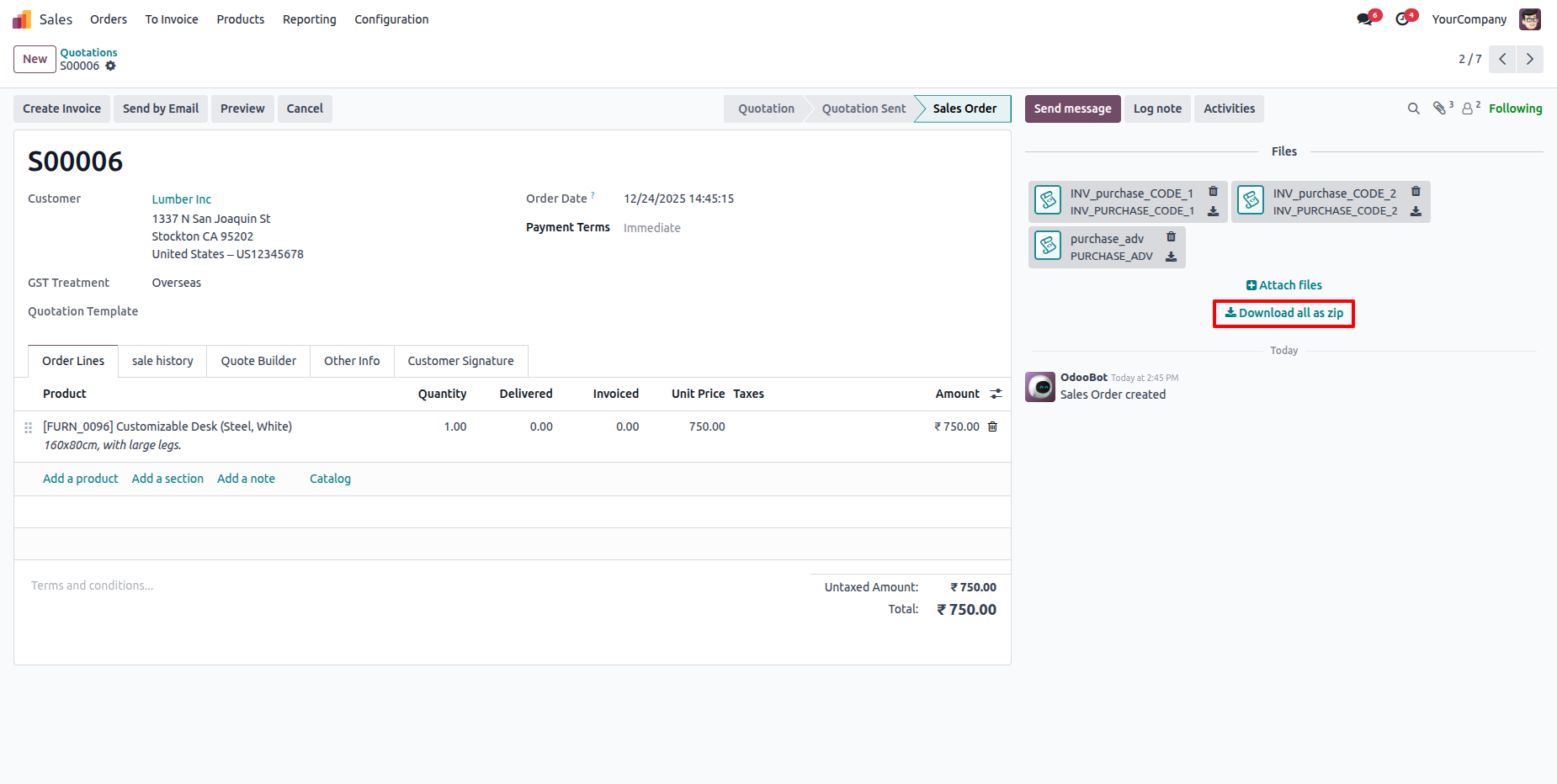
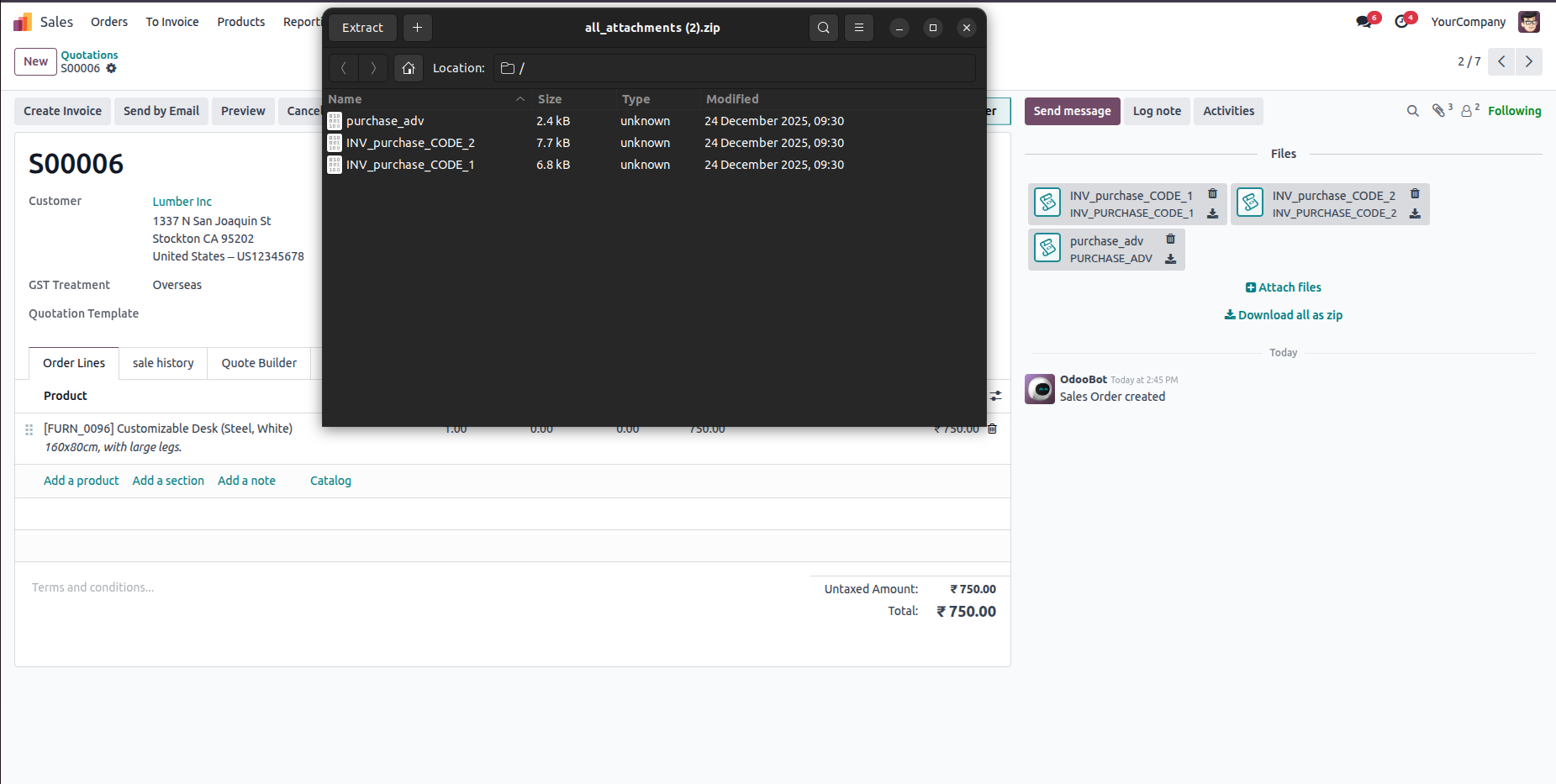
Opening the downloaded ZIP file displays all the attached documents, allowing you to access every file from a single ZIP.
Version 18.0.1 | Released on : 8th January 2026
- Yes, this app works perfectly with Odoo Enterprise (Odoo.sh & Premise) as well as Community.
- No, this application is not compatible with odoo.com(odoo saas/Odoo Online)
- Yes, to test this module, please contact us at sales@softhealer.com.
- Please contact us at sales@softhealer.comto request customization.
- Yes, we provide free support for 365 days from the date of purchase.
- Yes, you will receive lifetime free updates for the version of the module you purchased.
- No, there is no need to install any additional libraries.
- Yes, for version 12 and above, you need to purchase the module separately for each version you intend to use.
- No, exchanges or refunds are not allowed. Please make sure to select the correct version before purchasing.
- You can contact us at support@softhealer.com for language translation support. We use Google Translator tools to provide translations in multiple languages, so the accuracy may vary. We welcome your suggestions to help improve translations.
Discover Our Latest Apps