












Customer Wallet Management - Website

Manage customer website wallets efficiently with a centralized system for adding funds, tracking wallet balances, and handling transactions. Simplify online payments and provide customers with a convenient wallet-based payment experience in Odoo.

Related Modules
Features
Website Wallet Balance
Allow customers to view and manage their available wallet balance directly from the website.
Wallet Dashboard
Track wallet credits, debits, and transaction history for clear and transparent account management.

Wallet Payment
Let customers use their wallet balance as a convenient payment option during website checkout.
Centralized Wallet Management
Manage customer wallet balances and transactions efficiently from the Odoo backend.
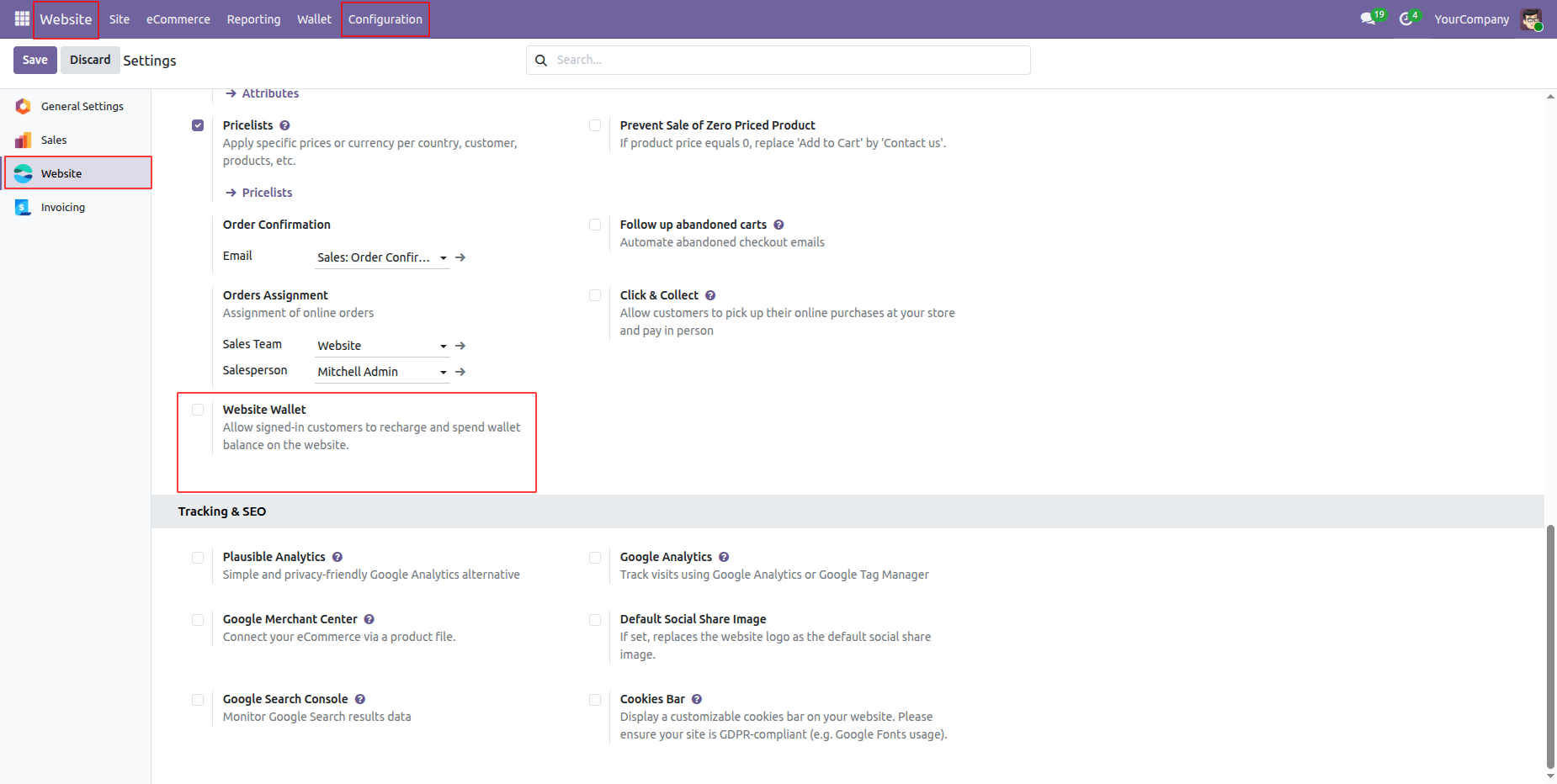
Navigate to Website Configuration settings and enable Website Wallet option to allow customer wallet transactions.
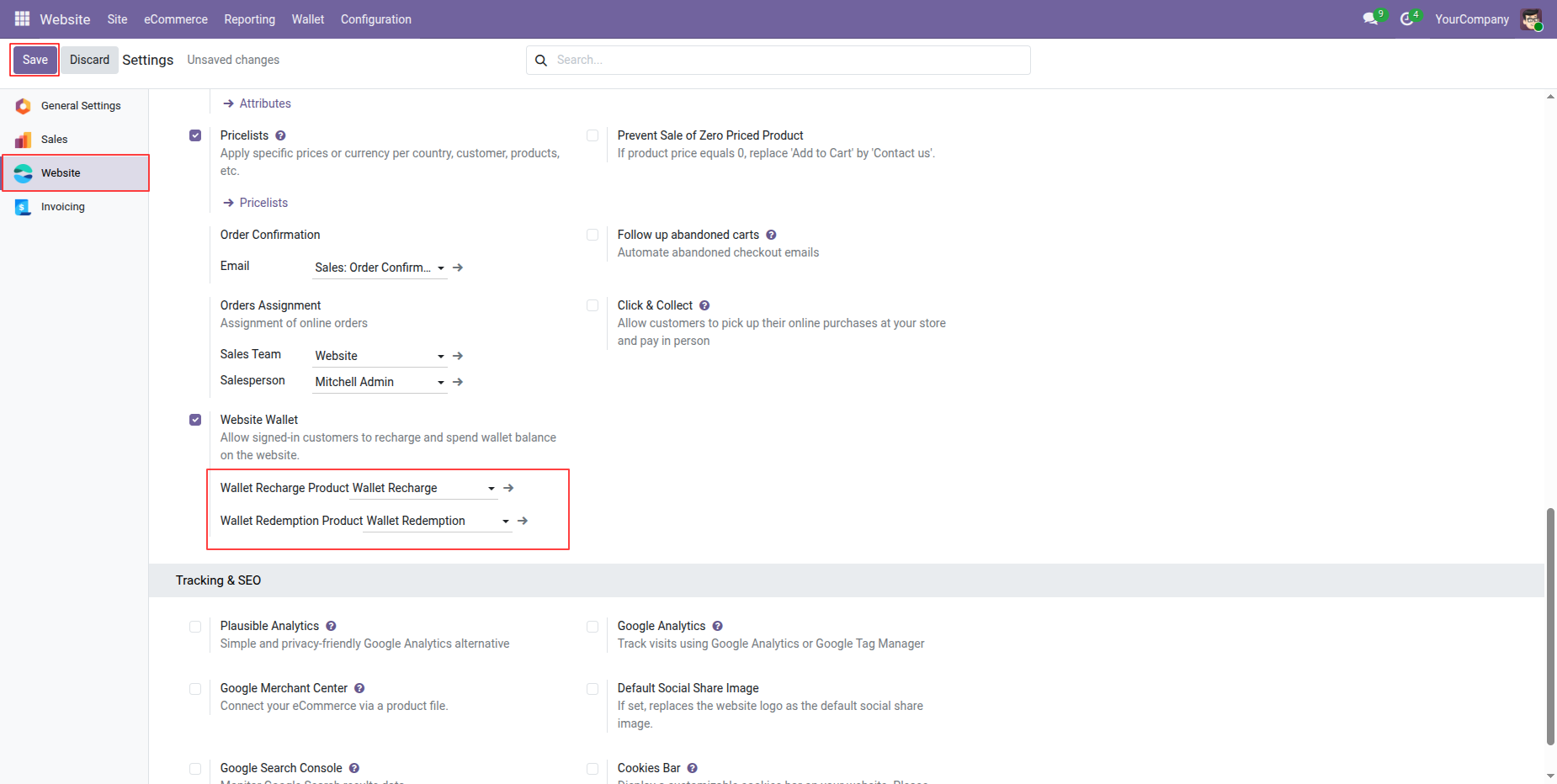
Select wallet recharge and redemption products in settings and then click Save to apply configurations.
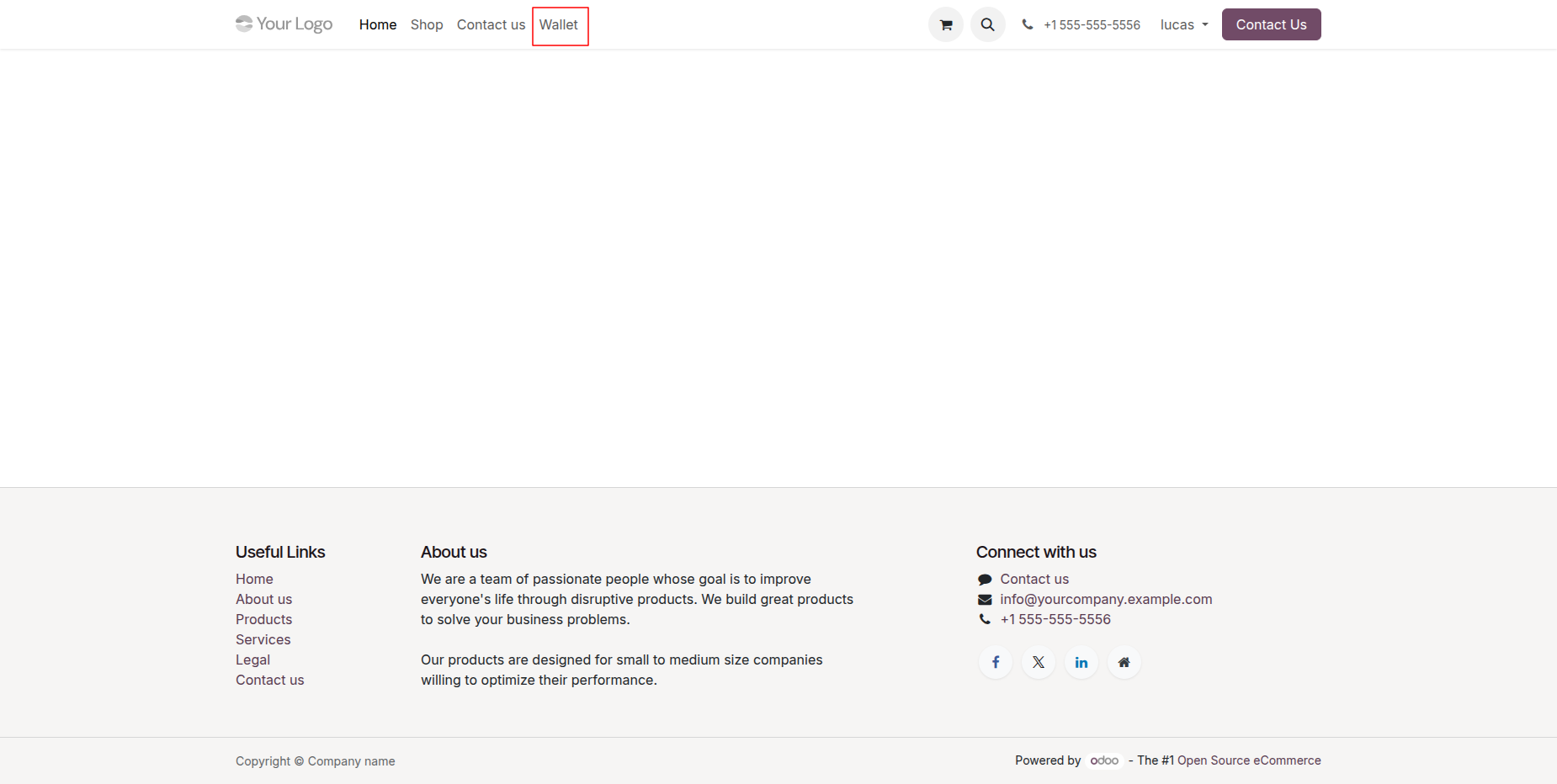
Access the website menu and click Wallet to open customer wallet management page on storefront.
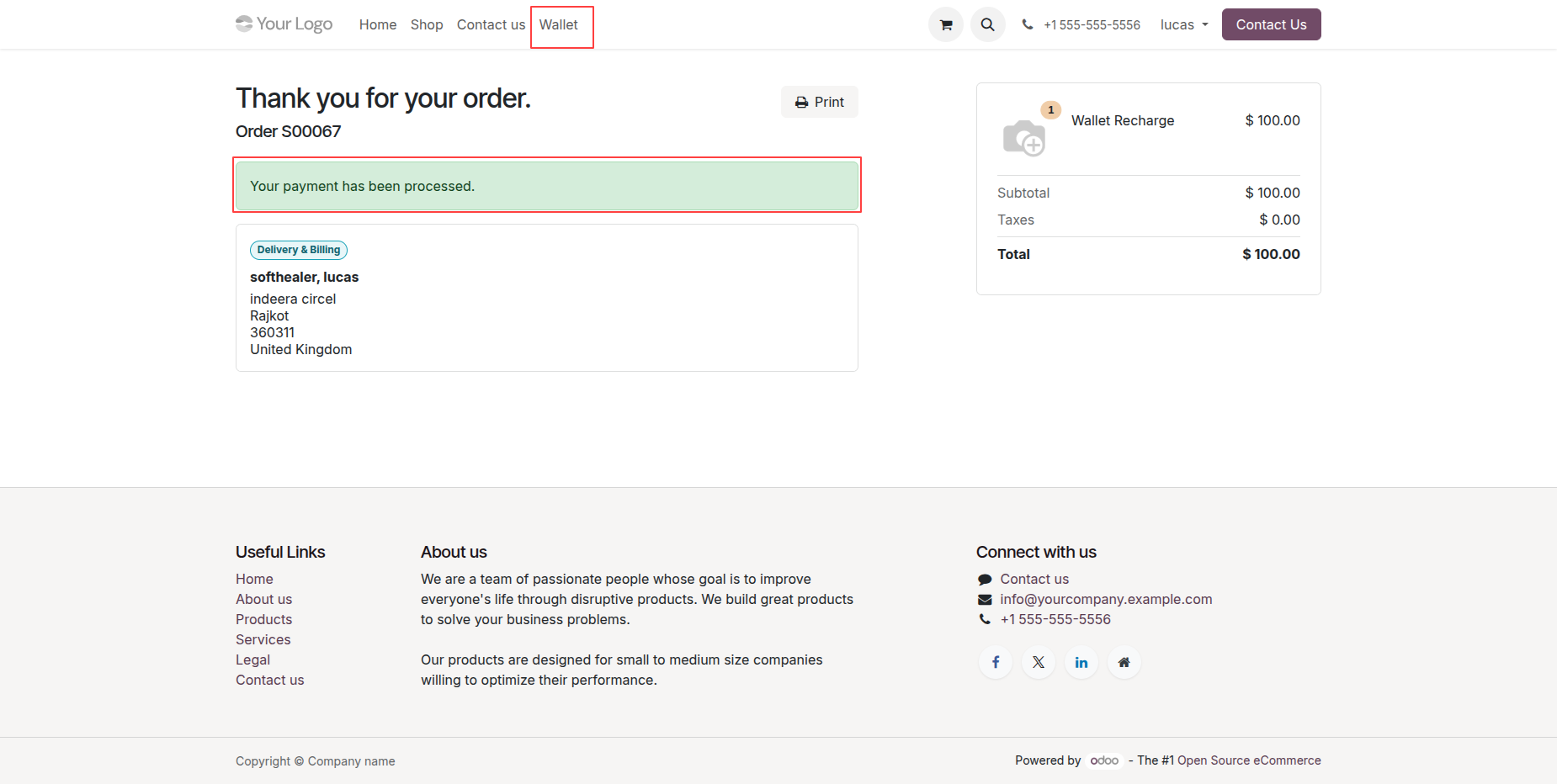
Open customer wallet dashboard displaying zero balance, transaction summaries, and empty transaction history.
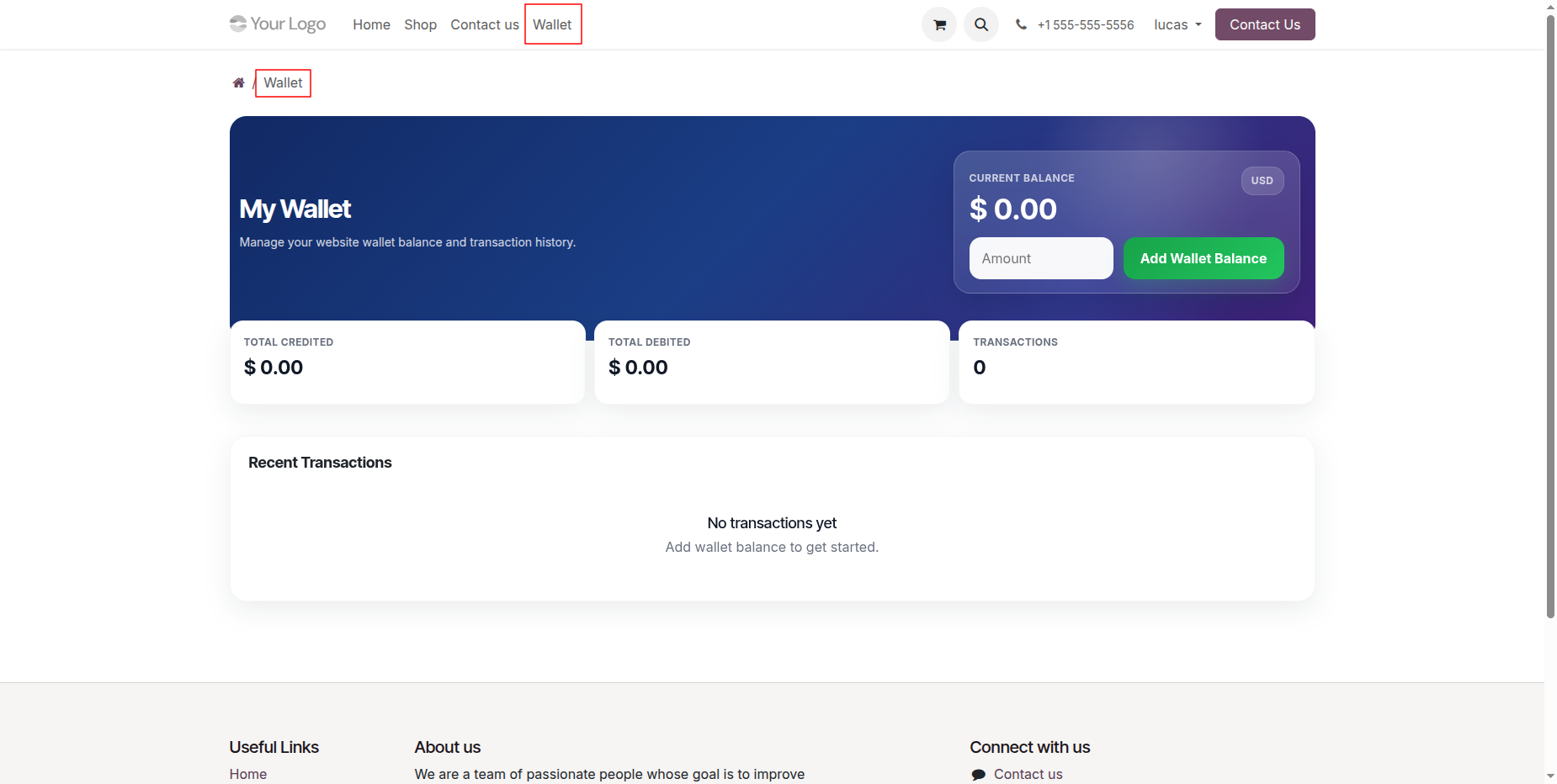
Enter recharge amount in input box and click Add Wallet Balance to proceed with payment.
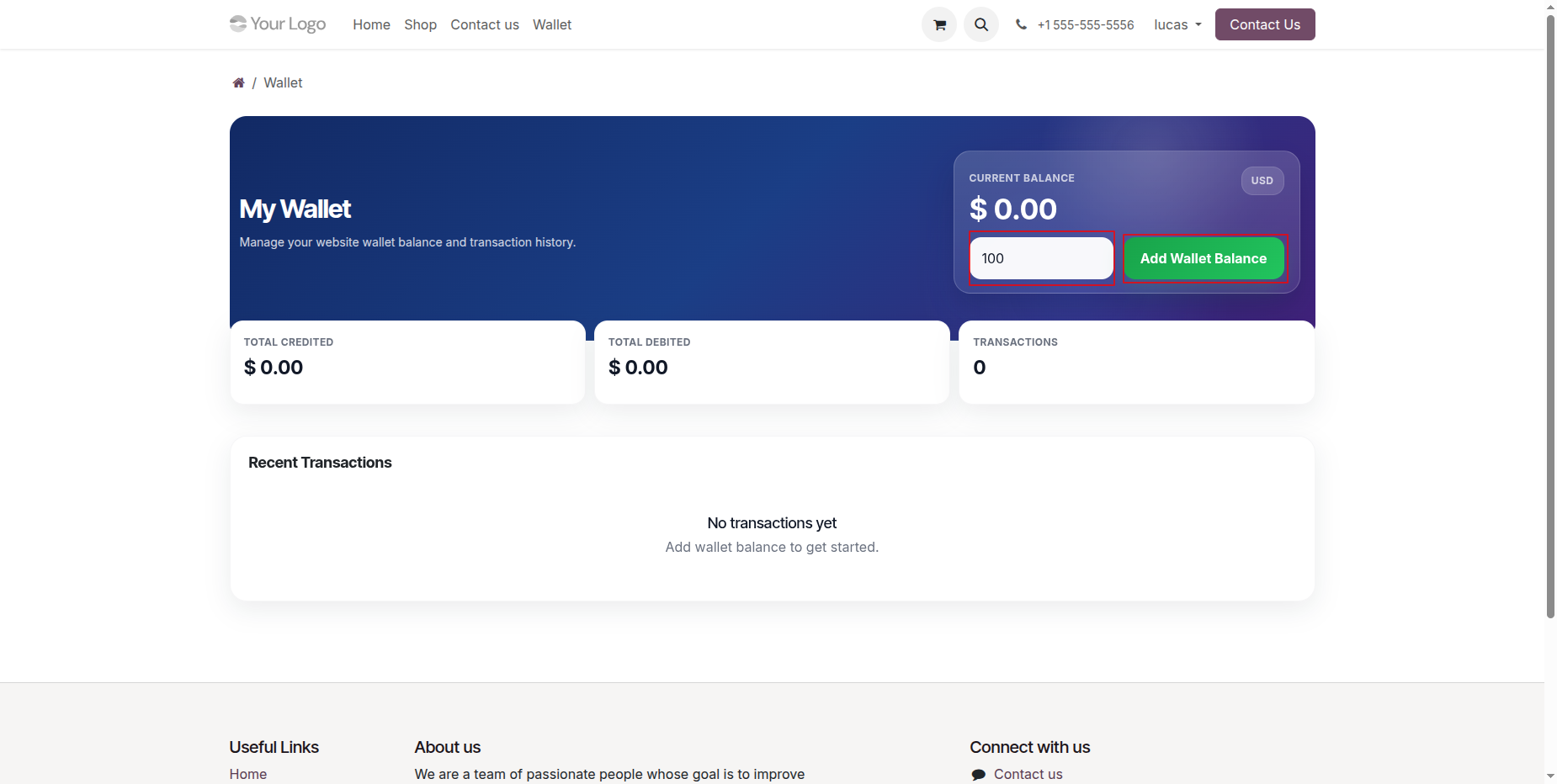
Verify wallet recharge item details in cart summary and click Confirm to proceed to payment.
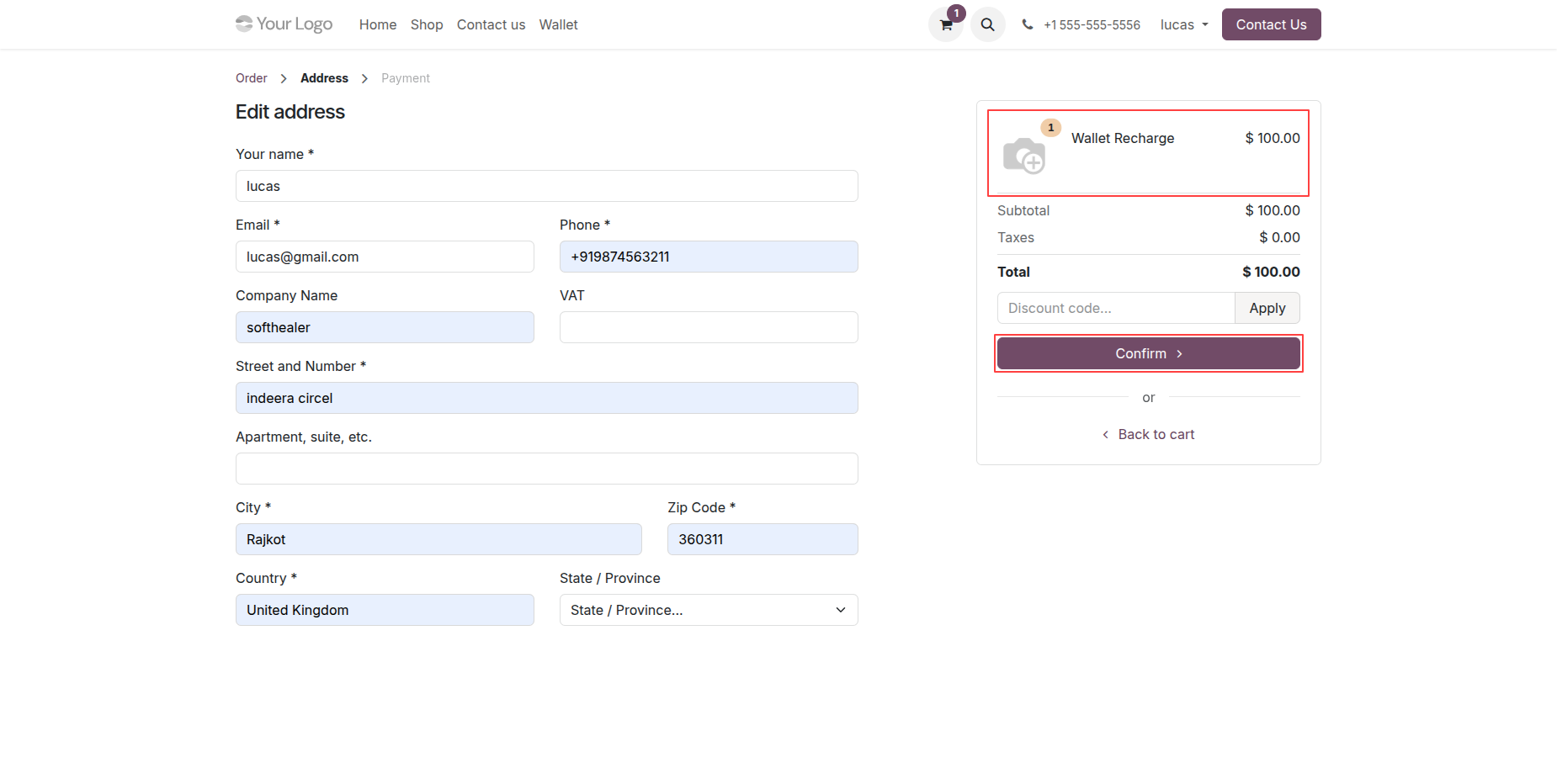
Select preferred payment method on payment page and click Pay now to process wallet recharge.
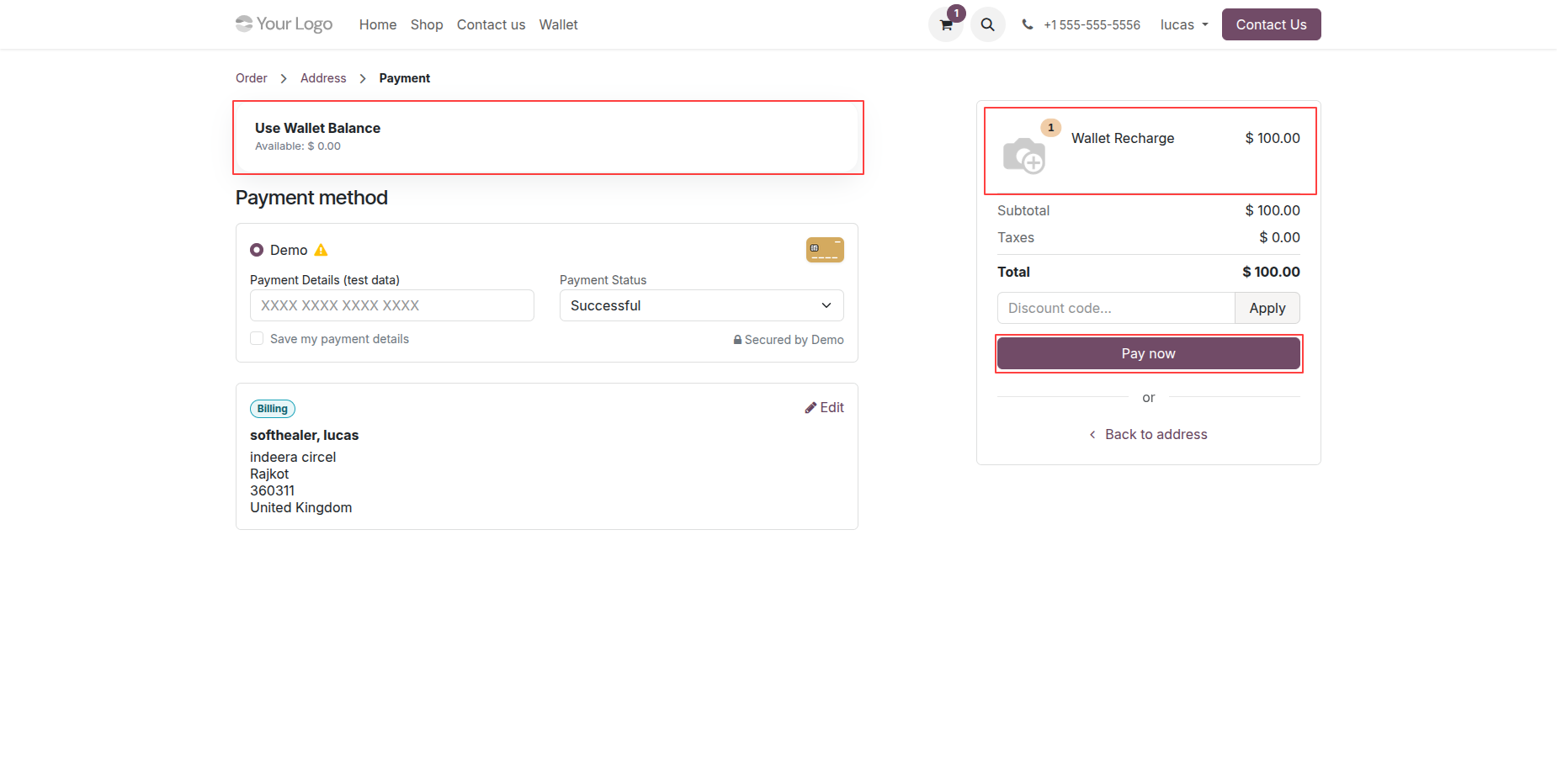
Review order confirmation screen displaying successful payment notification for the processed wallet recharge order.
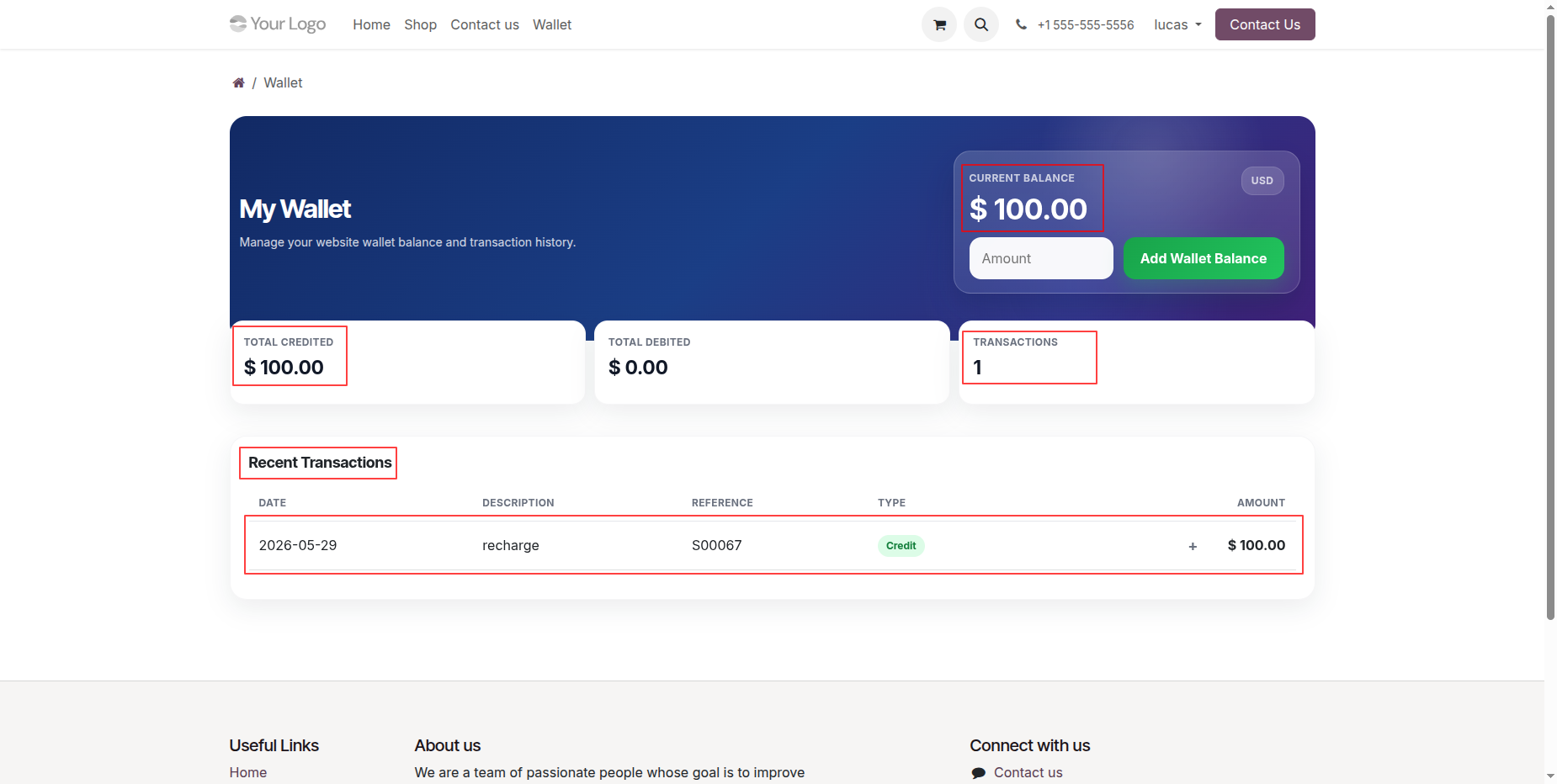
Check updated wallet dashboard reflecting credited balance amount and newly recorded recharge transaction entry.
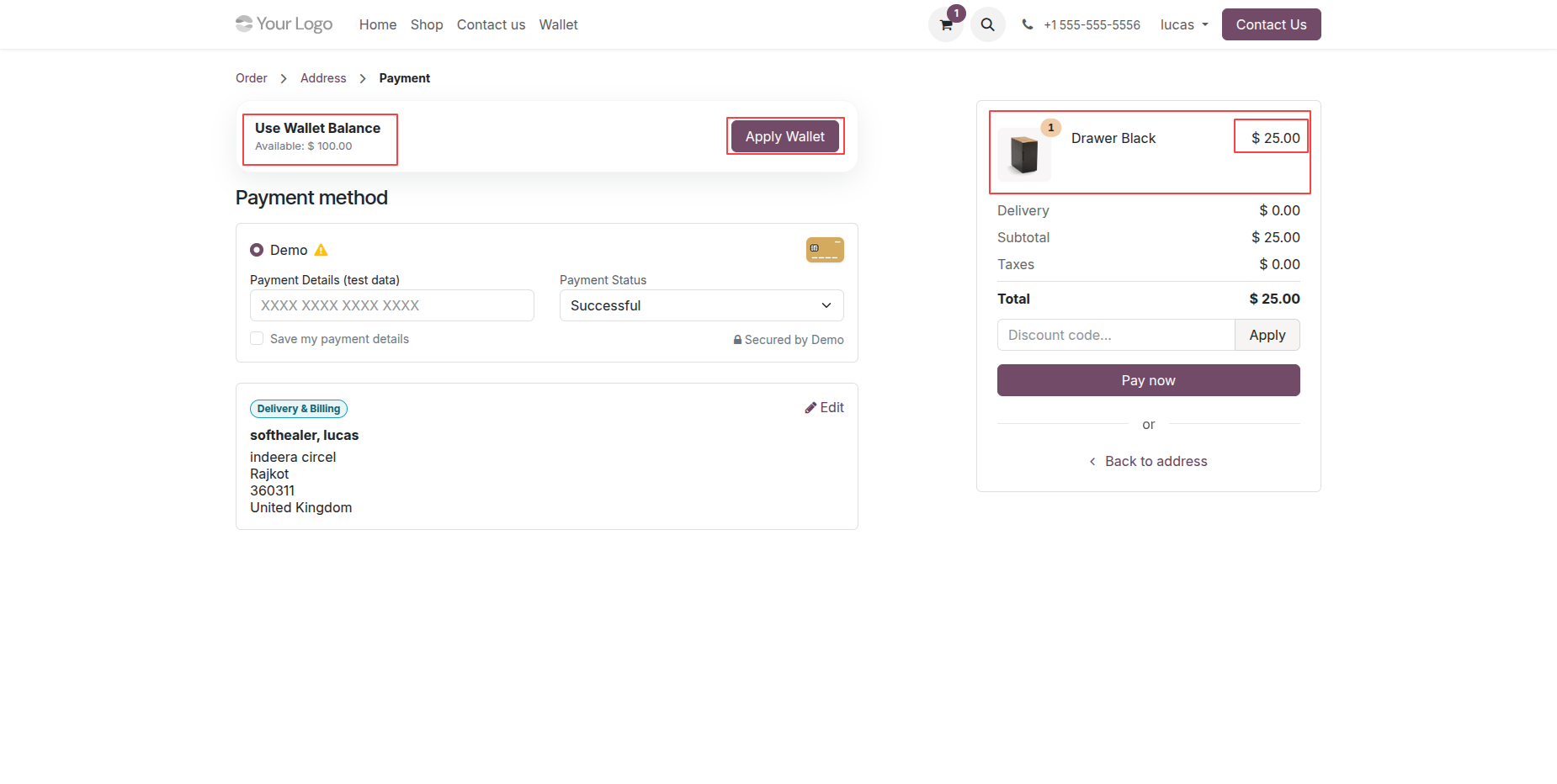
Click Apply Wallet button during checkout to use available wallet balance for order payment.
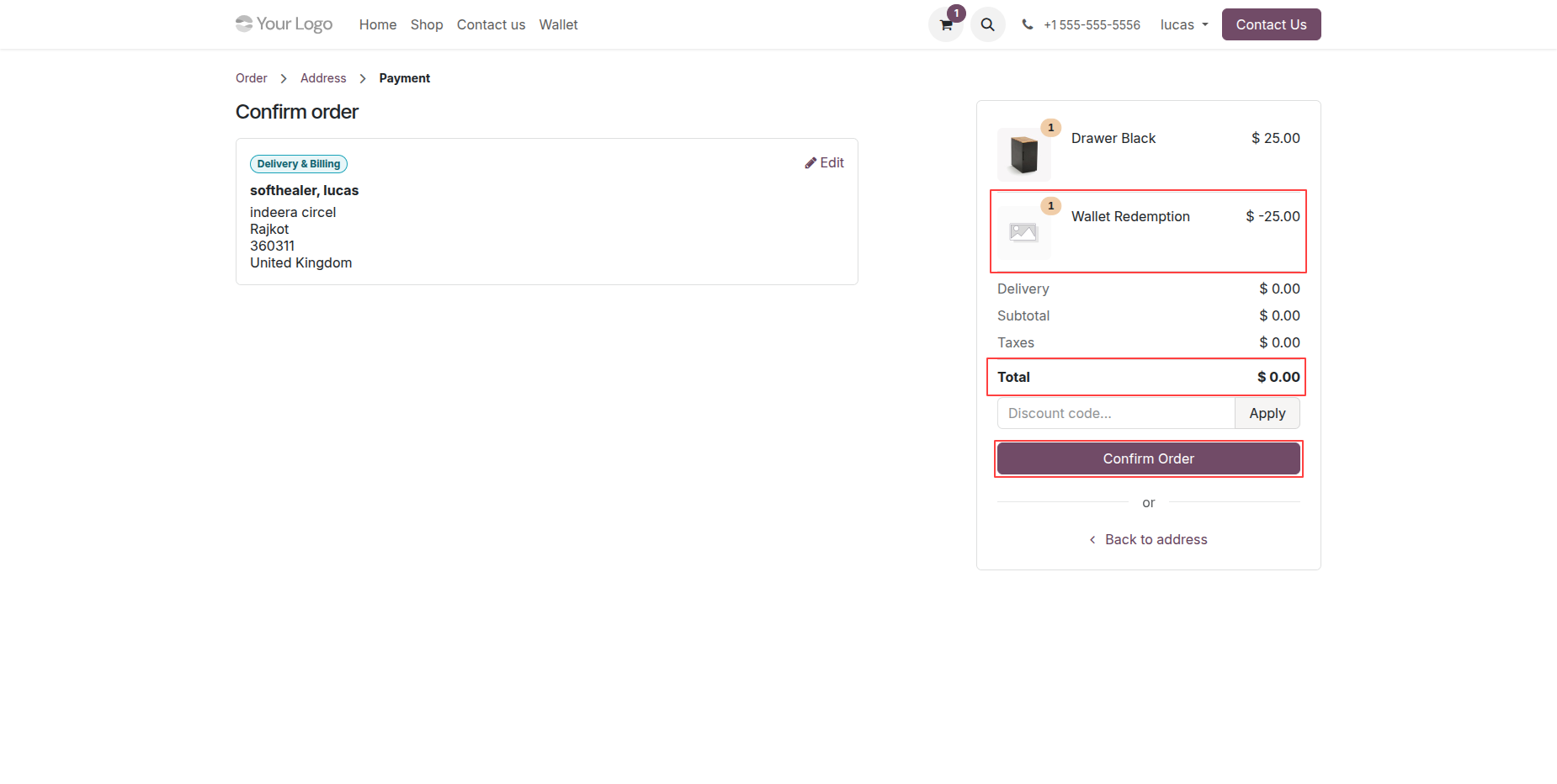
Review order summary displaying applied wallet redemption discount and click Confirm Order to complete checkout.
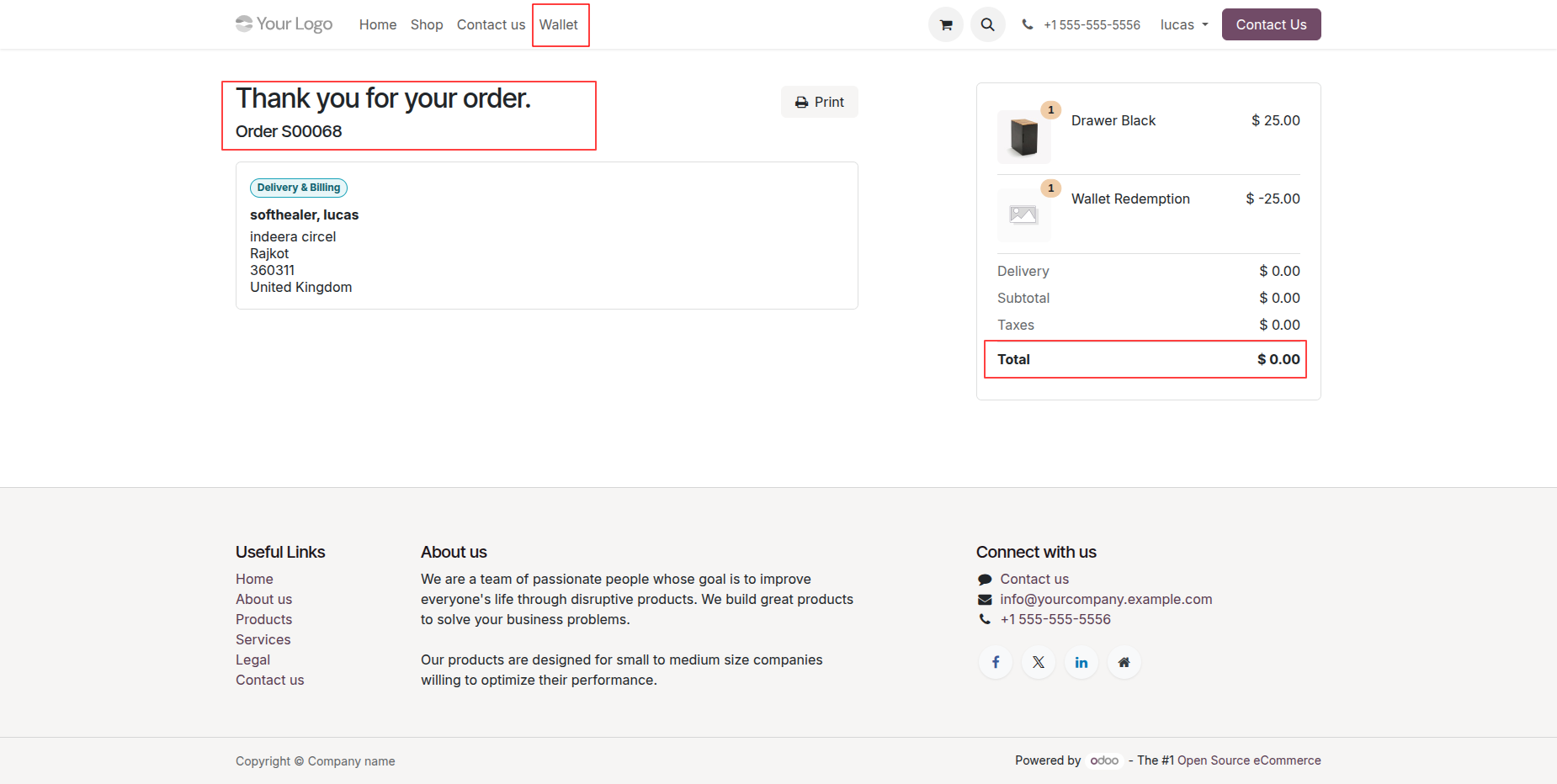
View order confirmation page displaying completed order details and zero total after wallet redemption.
Examine updated wallet balance and recent debit transaction history after completing website checkout order.
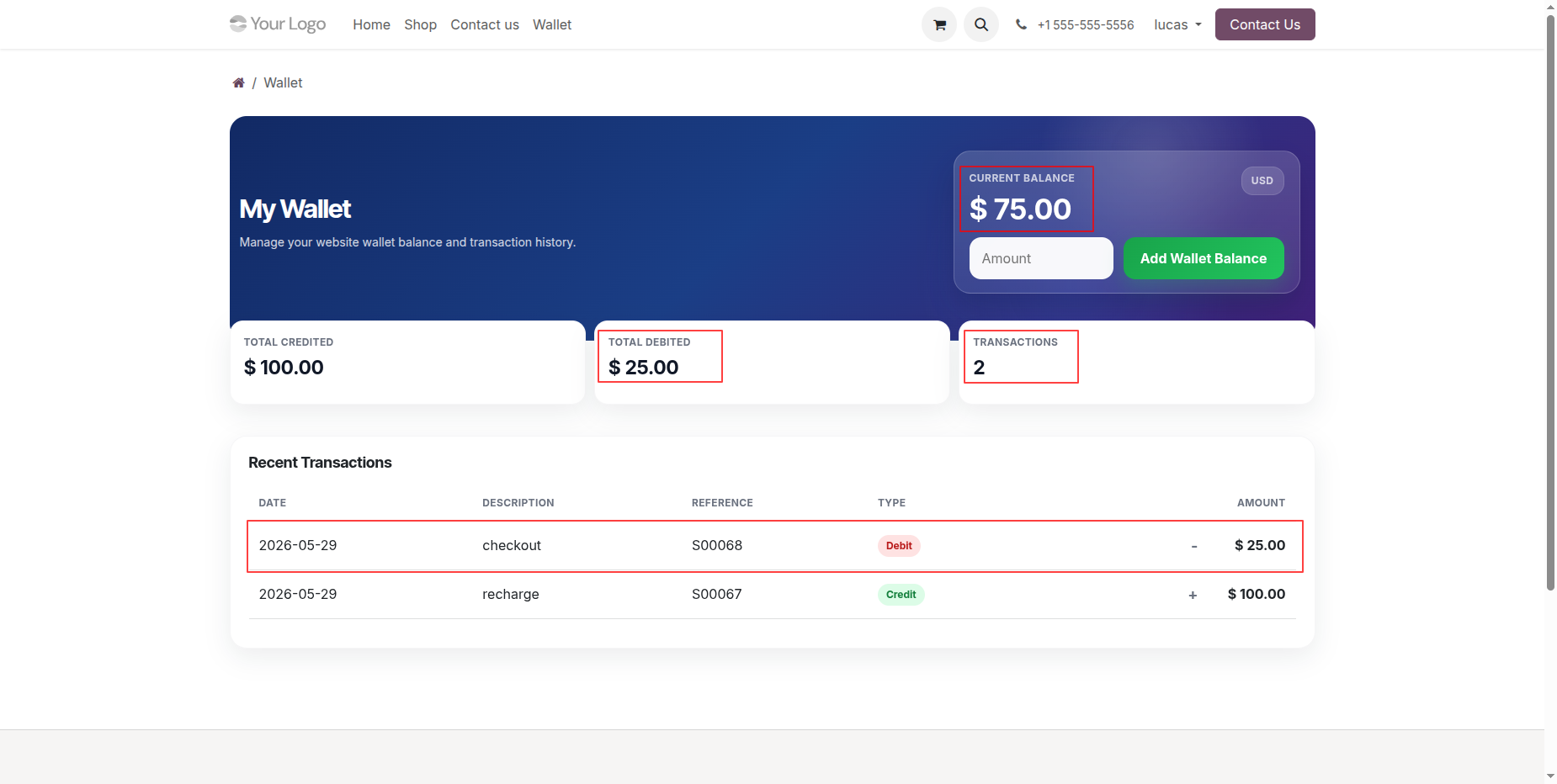
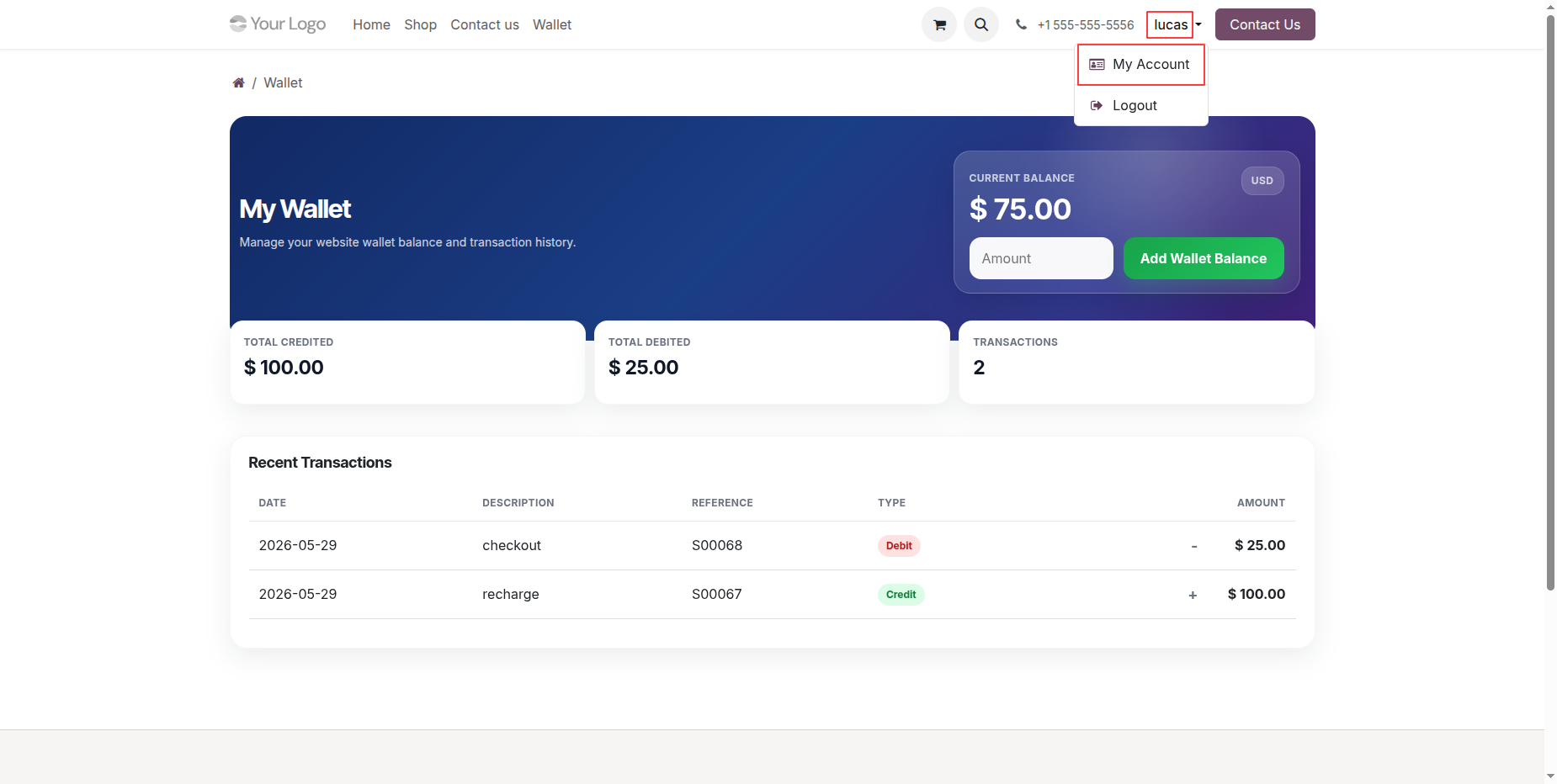
Open customer profile dropdown in header menu and select My Account to access portal settings.
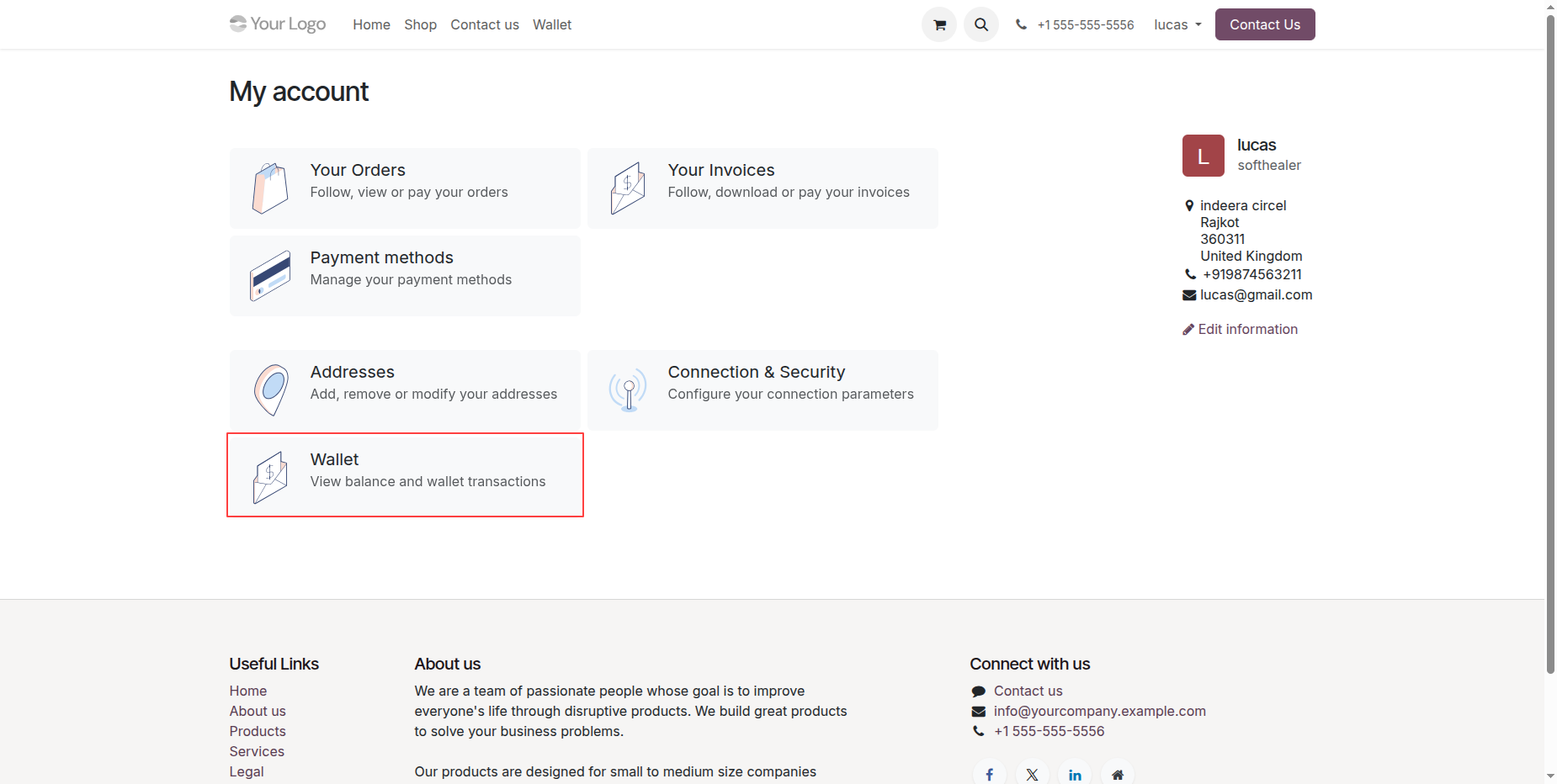
Navigate to My Account portal page and click Wallet card to view balance and transactions.
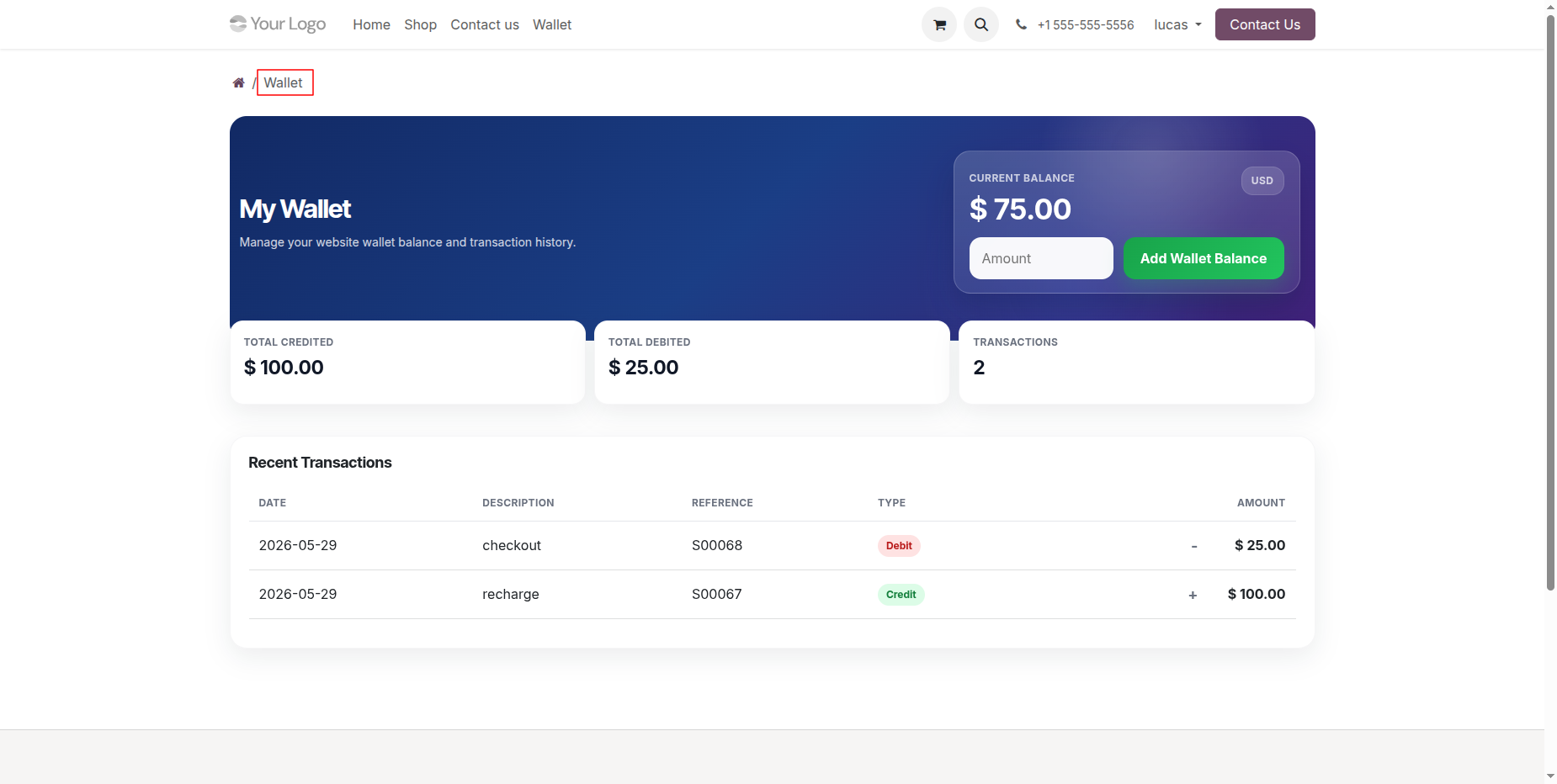
Access My Wallet page from portal link to inspect overall account balance and transaction records.
Select Wallet menu in backend header and click Wallet Transactions to open transaction overview.
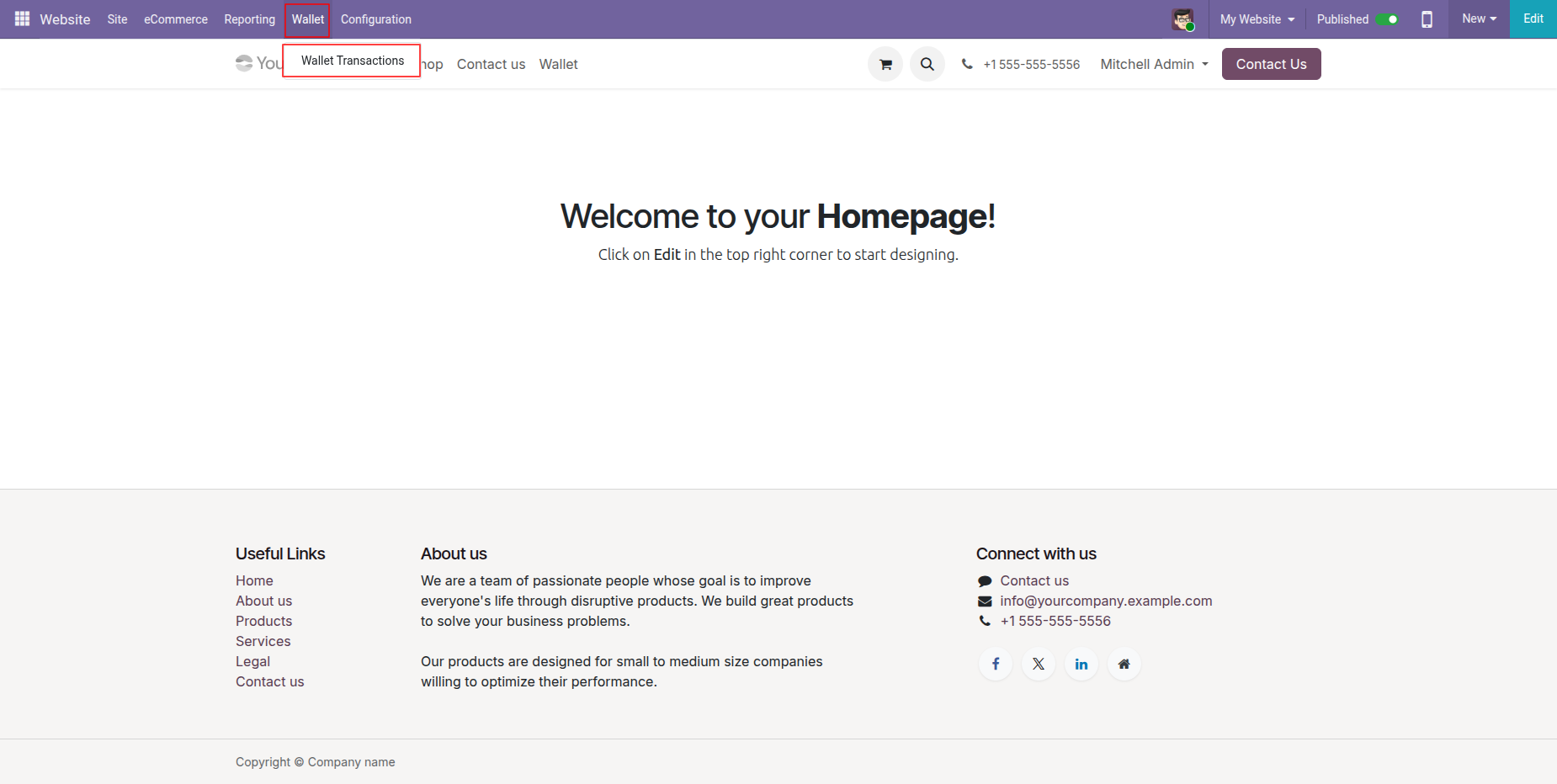
View backend list of wallet transactions displaying credit and debit records with status details.
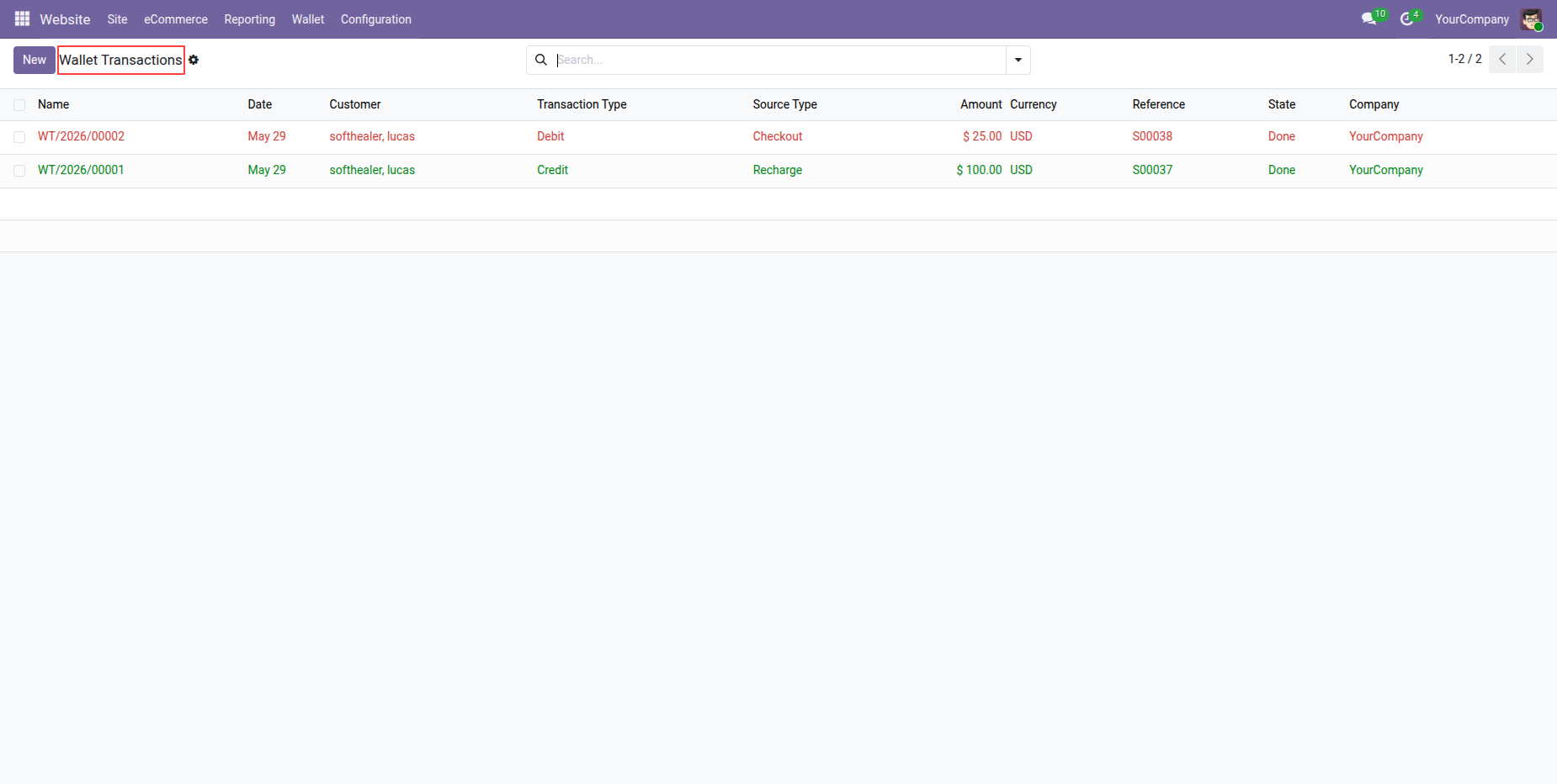
Navigate to eCommerce menu in backend top navigation bar and select Customers dropdown option.
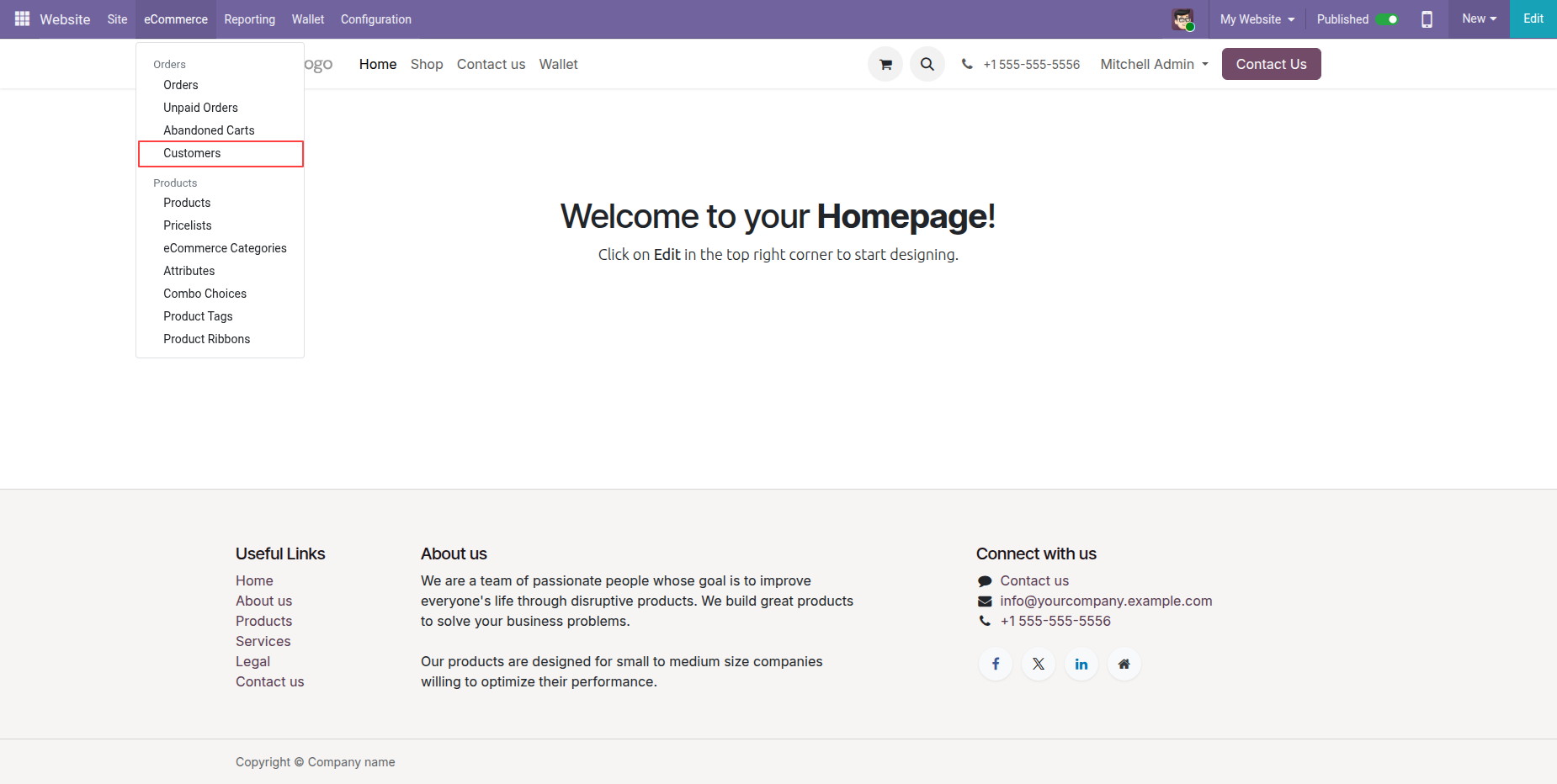
Inspect customer record form displaying Wallet smart button along with wallet currency and balance details.
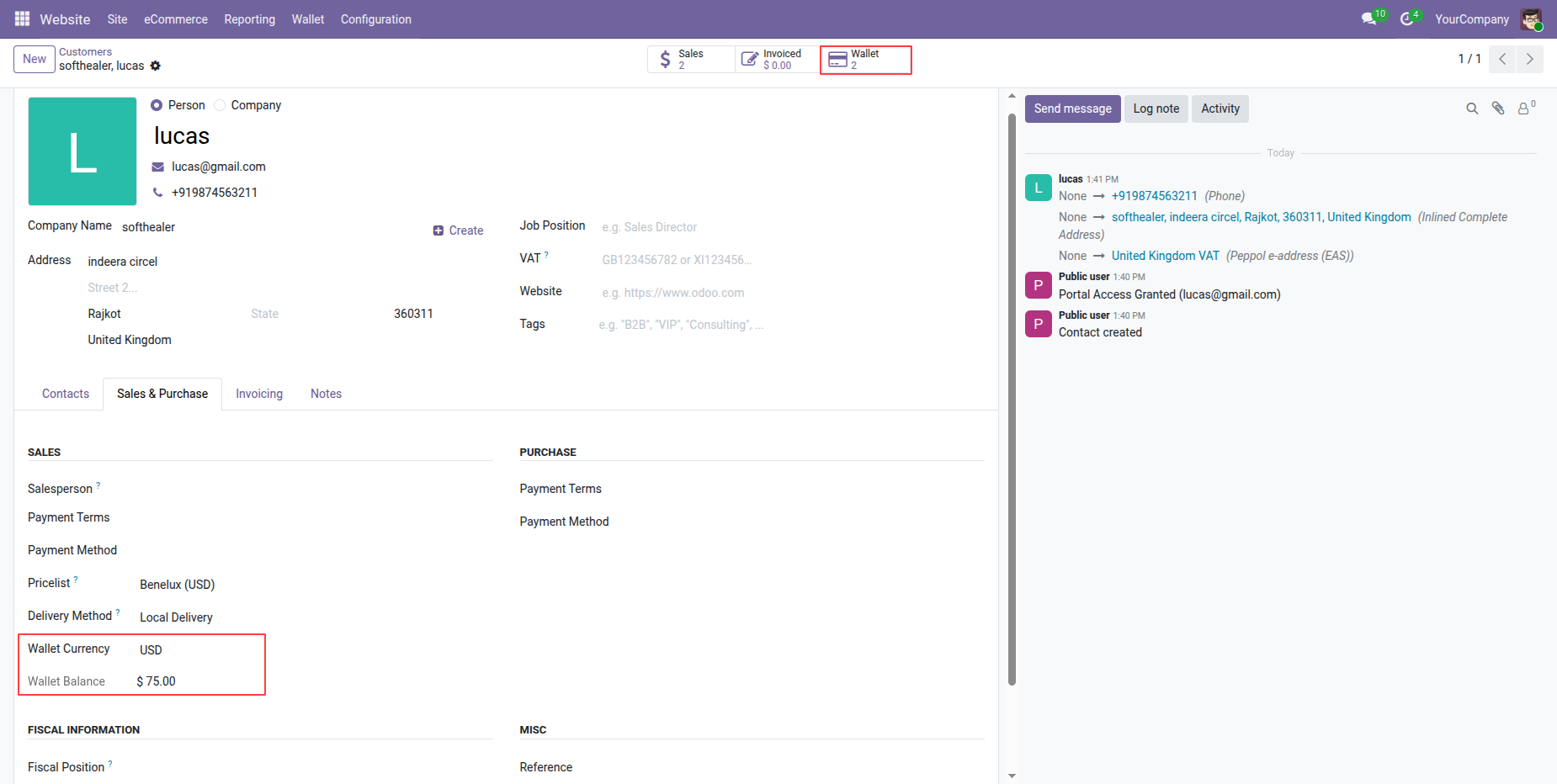
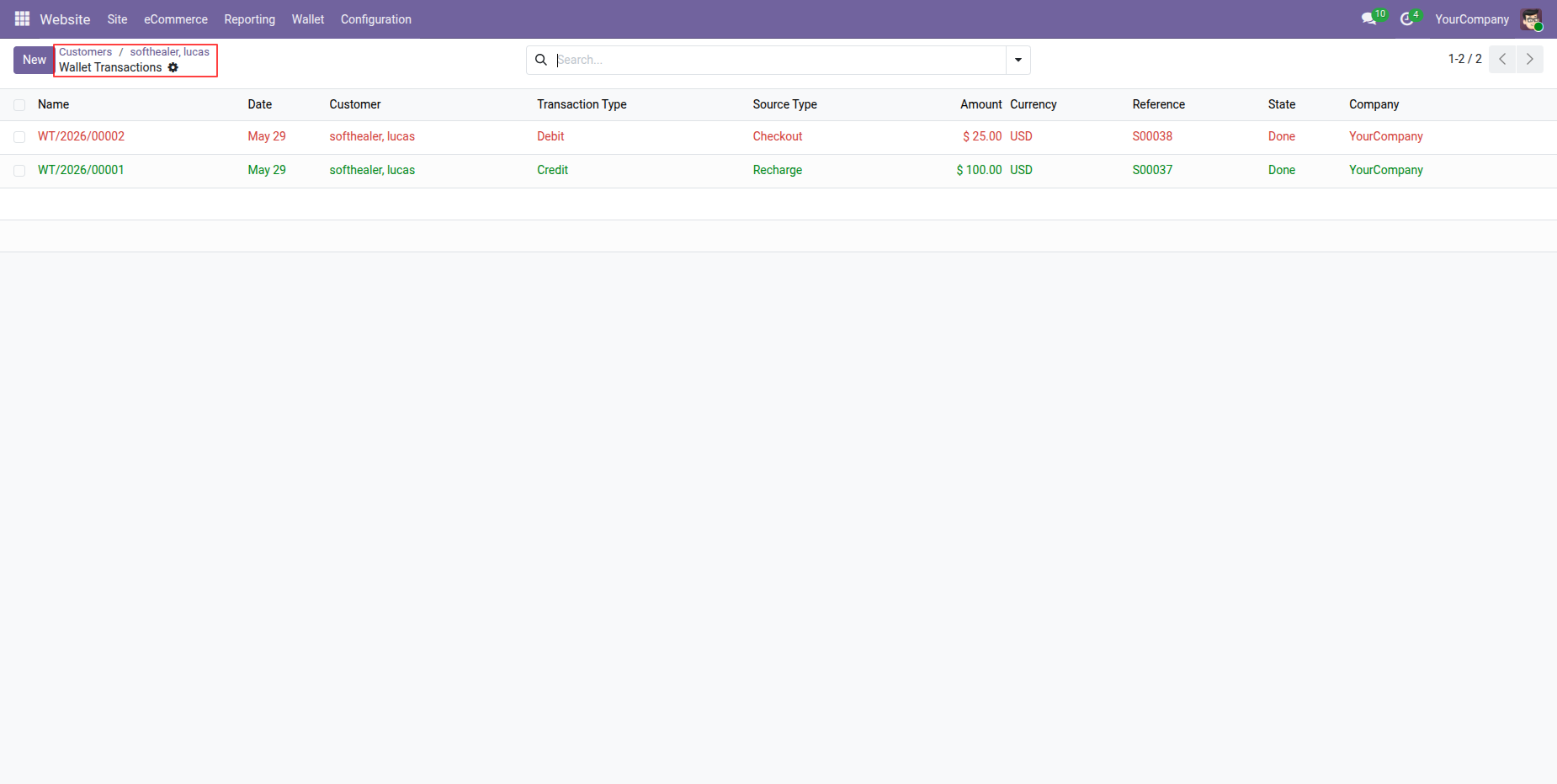
Review filtered wallet transactions list for specific customer opened via form smart button navigation.
Version 18.0.1.0.0 | Released on : 25th August 2026
- Yes, this app works perfectly with Odoo Enterprise (Odoo.sh & Premise) as well as Community.
- No, this application is not compatible with odoo.com(odoo saas/Odoo Online)
- Yes, to test this module, please contact us at sales@softhealer.com.
- Please contact us at sales@softhealer.comto request customization.
- Yes, we provide free support for 365 days from the date of purchase.
- Yes, you will receive lifetime free updates for the version of the module you purchased.
- No, there is no need to install any additional libraries.
- Yes, for version 12 and above, you need to purchase the module separately for each version you intend to use.
- No, exchanges or refunds are not allowed. Please make sure to select the correct version before purchasing.
- You can contact us at support@softhealer.com for language translation support. We use Google Translator tools to provide translations in multiple languages, so the accuracy may vary. We welcome your suggestions to help improve translations.
Discover Our Latest Apps