
 Easy to Manage
 Dedicated Support















 Scan to email sales



Customer Survey Management

Customer Surveys are a method of getting consumer feedback to help companies measure satisfaction, and perform market research. When you create a survey designed to gather feedback, a company can check in a concrete way how they are performing. Our this module will provide two different ways to manage surveys first is just send the survey form to customer's email and filled by customer and the second way is the employee will visit the customer and ask survey questions answers will be filled out by the employee of the company on behalf of the customer. One more important feature is easy to pause and resume the incomplete survey form. Also, you can send a survey to direct customer emails.

Related Modules
Hot Features
Features
- Easy to share survey form to the customer by email.
- Easy to resume postponed survey form.
- Easy to print survey forms from customers.
- Easy to track survey by status in the 'Survey Answers' tab like 'Not started yet', ' Resume Survey',' Partially Completed', and 'Complete'.
-
Smart Buttons
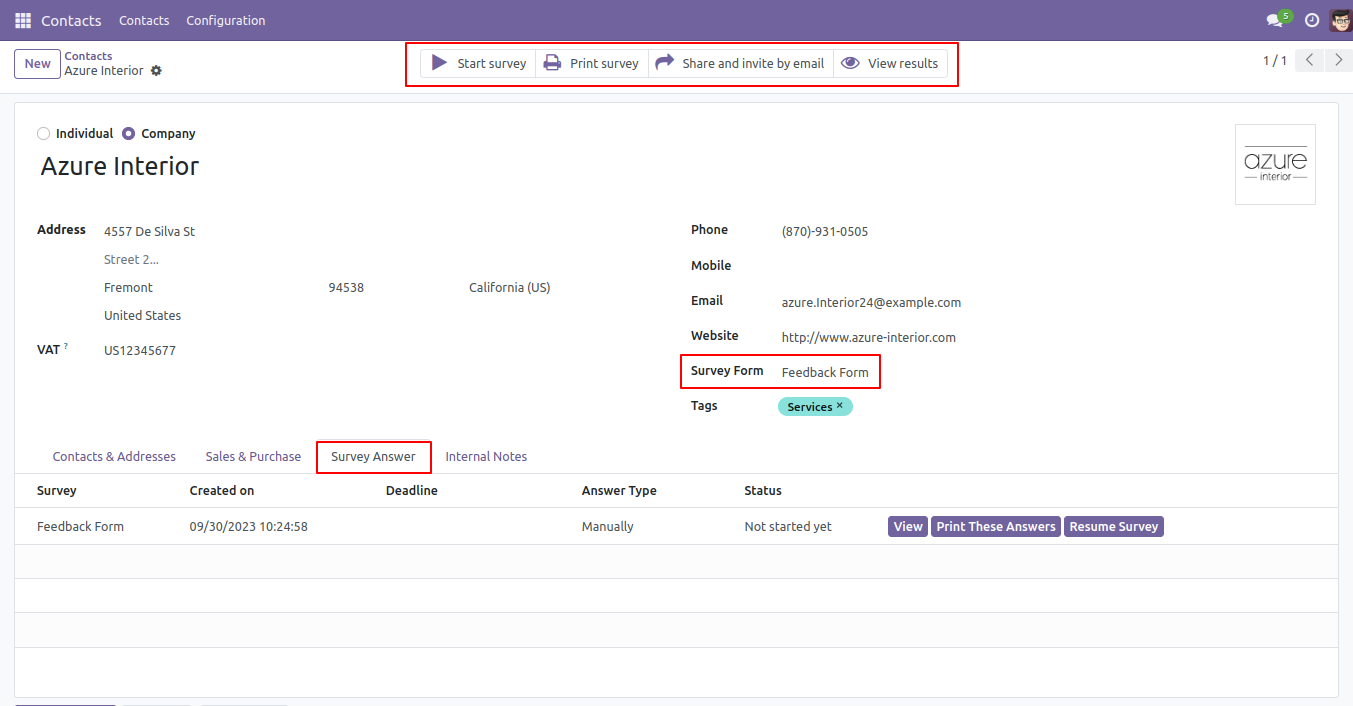
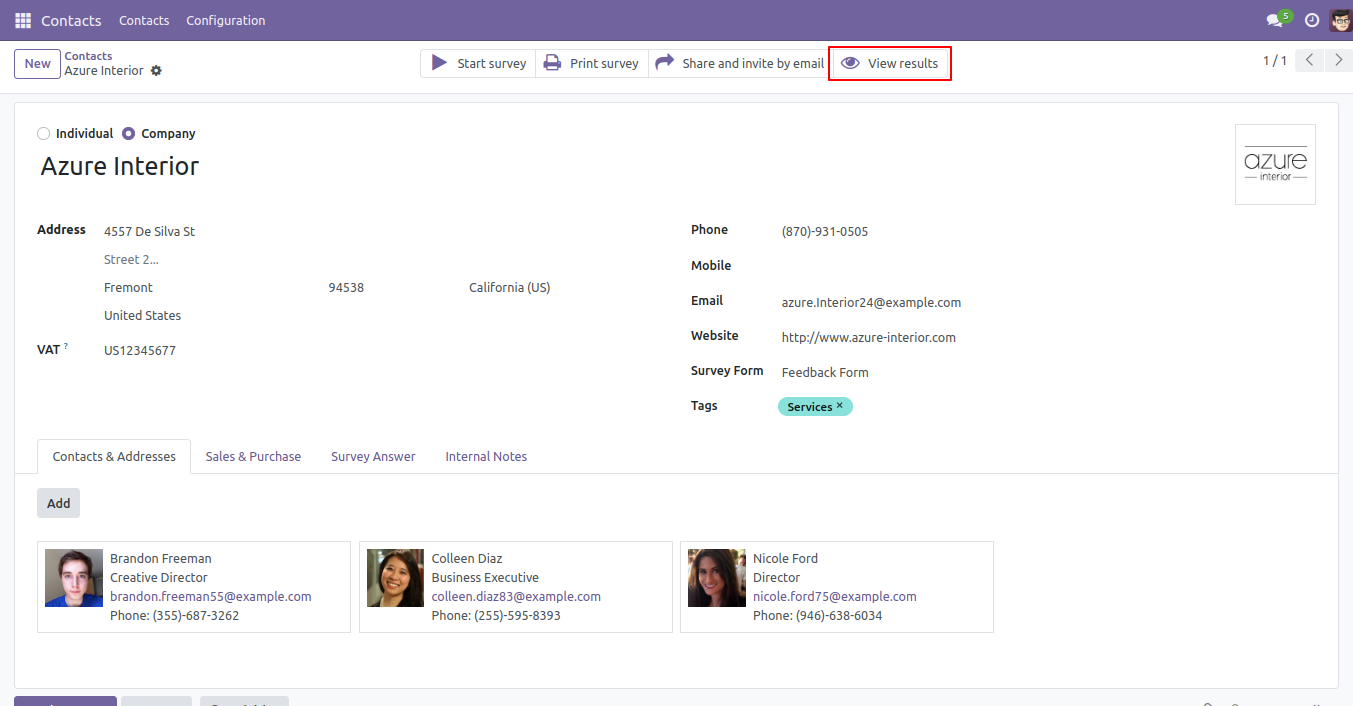
Start Survey: Where you can start a survey manually for that customer.
Print Survey: Where you can print a blank survey form for offline.
Share and Invite by Email: Where you can share the survey to related customers.
View Results: Where you can see the survey results. - Easy to Manage survey which is sent by email and also track it through the status.
- Easy to Manage all surveys which is sent by email and also track it through the status in the 'Survey Answers' tab.
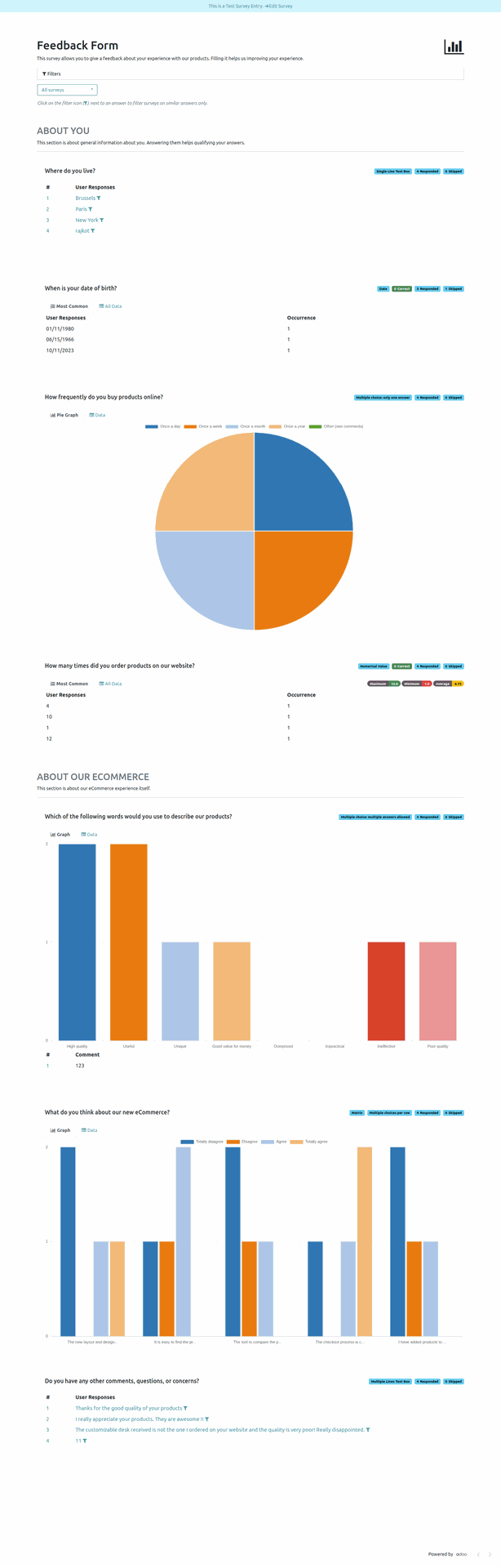
- In the customer, you can see the results of all surveys in the 'View Result' smart button.
Select survey form in the customer. Smart buttons like 'Start Survey',' Print Survey', 'Share and Invite by Email', and 'View Results'.
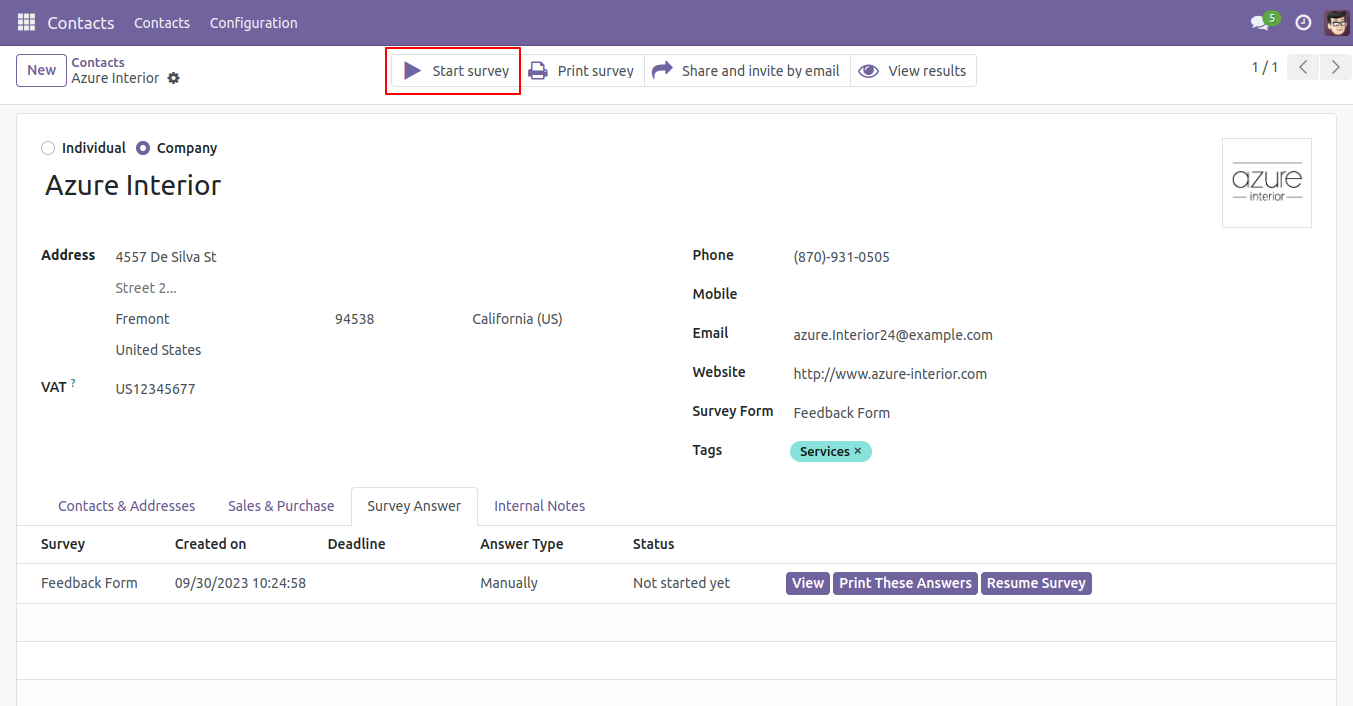
Click on the start survey button.
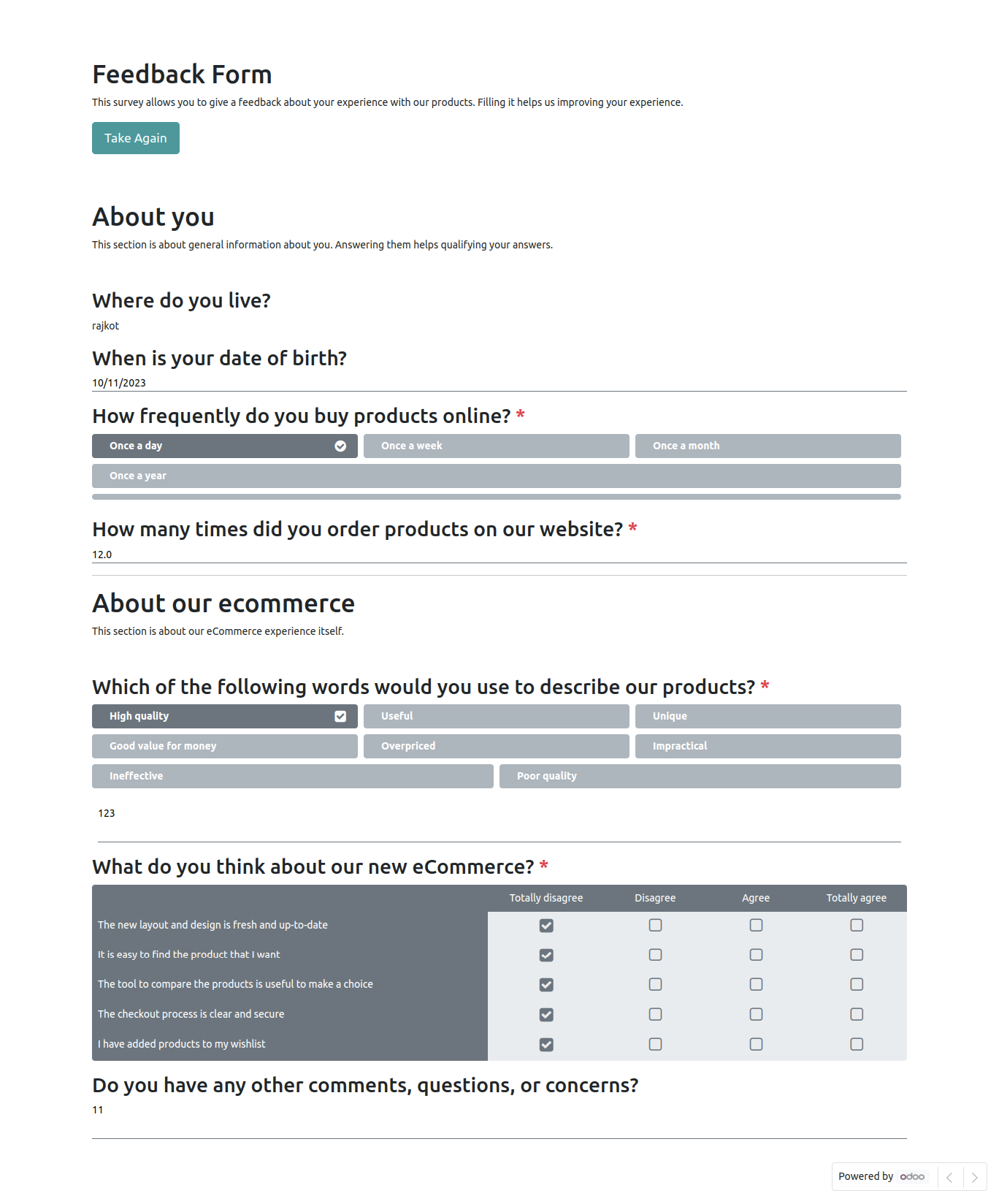
After clicking the smart 'Print Survey' button you can see the view as like the below image.
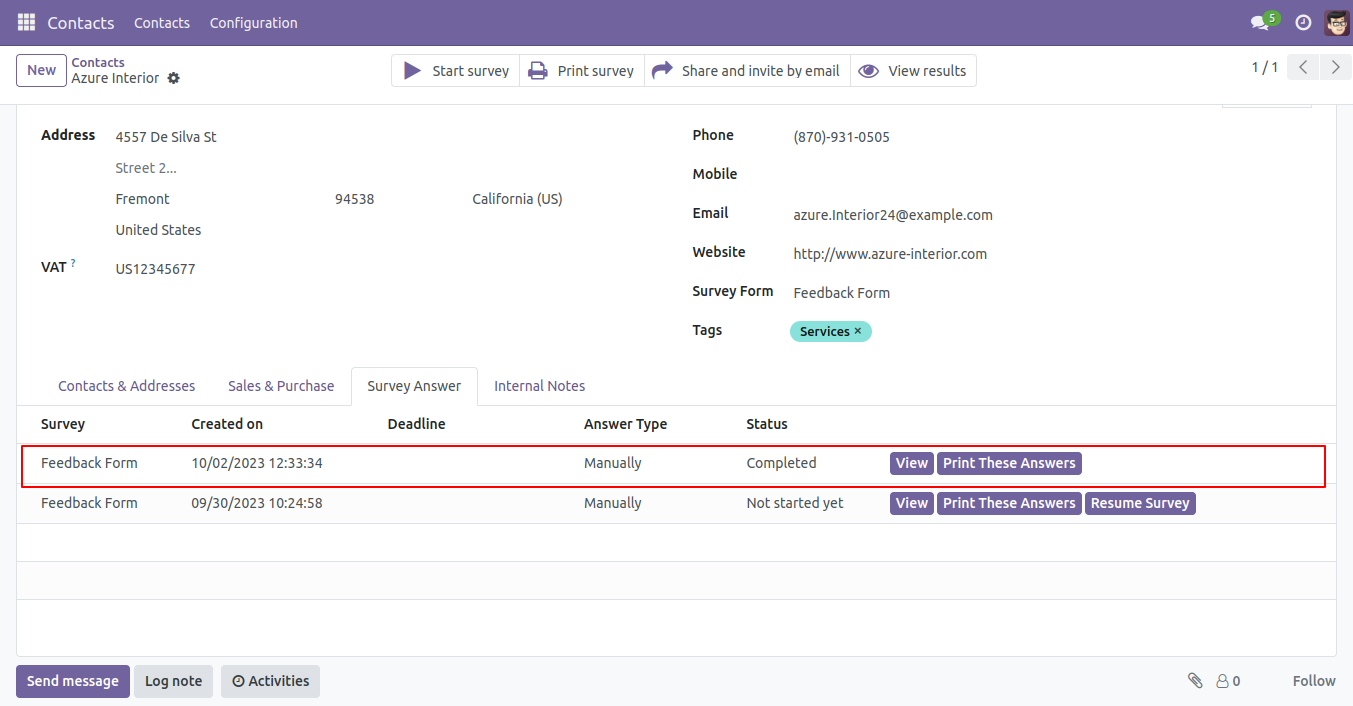
In the 'Survey Answers' tab, you can see the list of the survey which is sent through email and filled in manually. As you can see the list of the survey through emails with answer type, status, and two buttons 'View', and 'Print These Answers'.
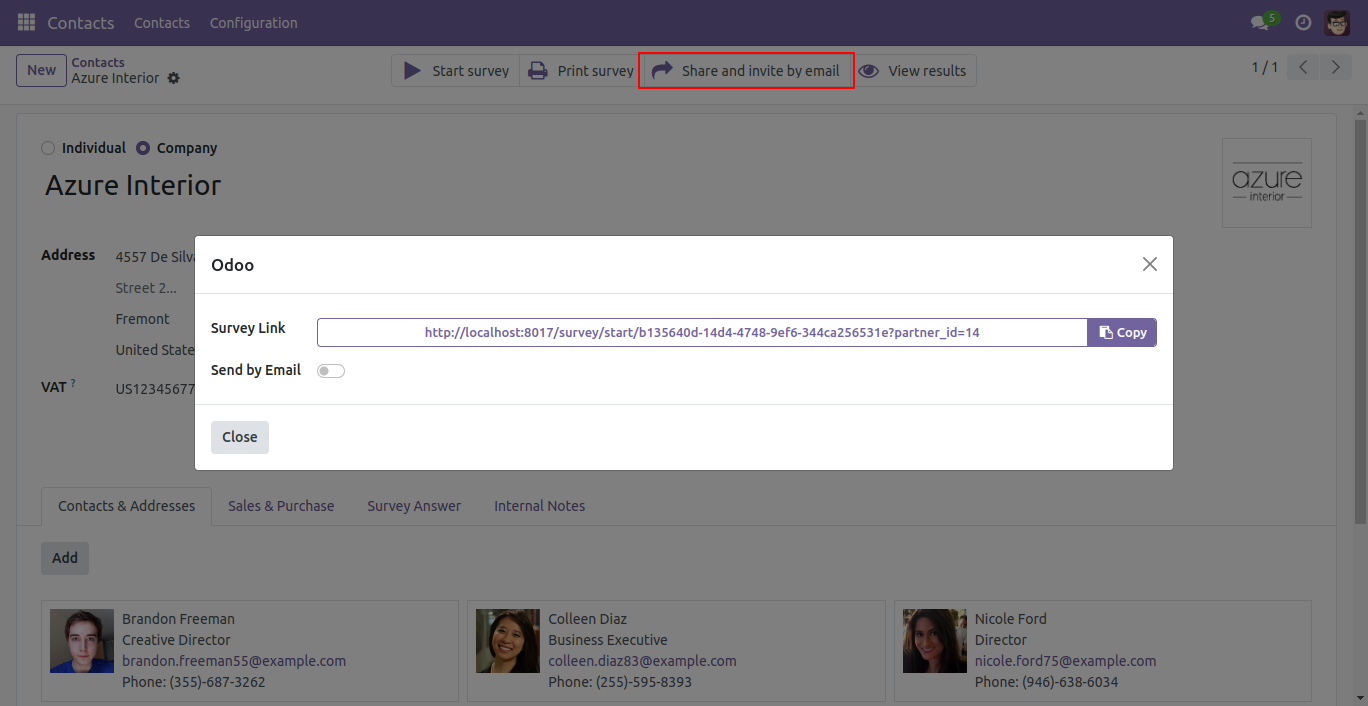
To share the survey link, click on the 'Share and Invite by Email' smart button. After that, you can see the view as like the below image.
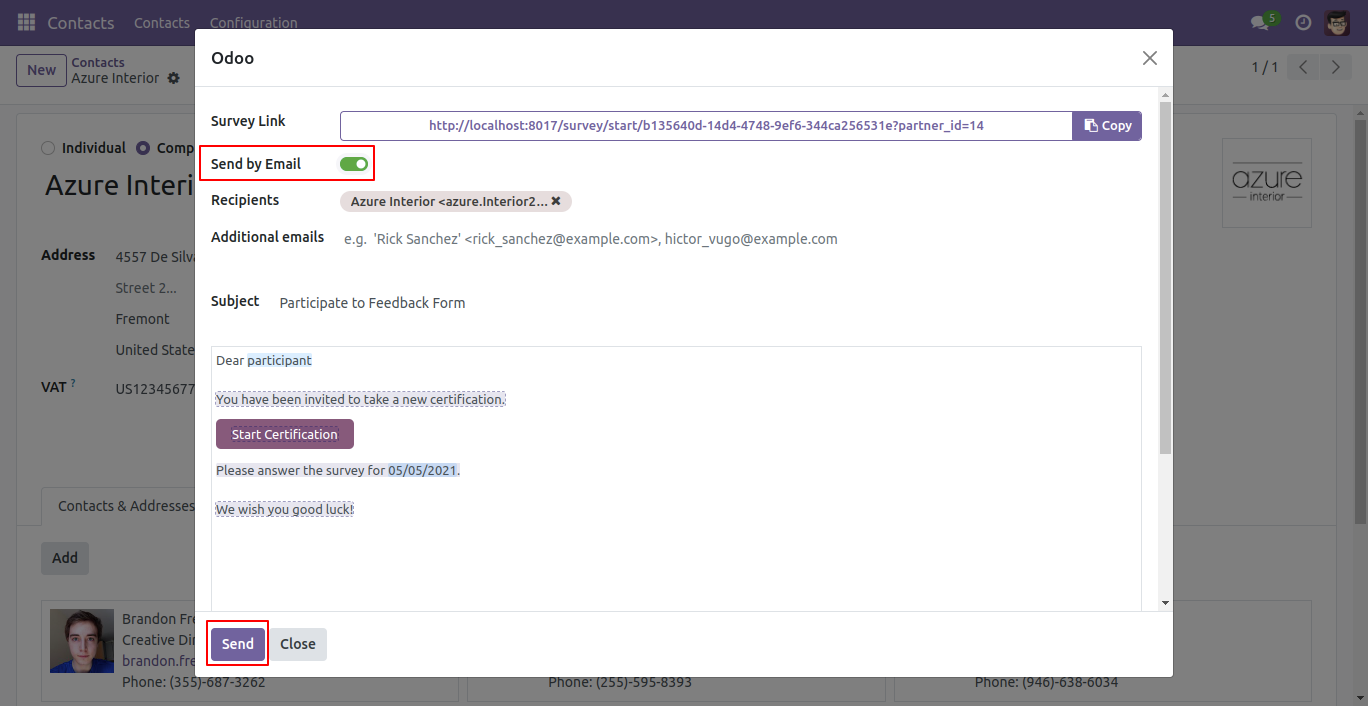
On the 'Send by email' option send it by clicking on the 'Send' button.
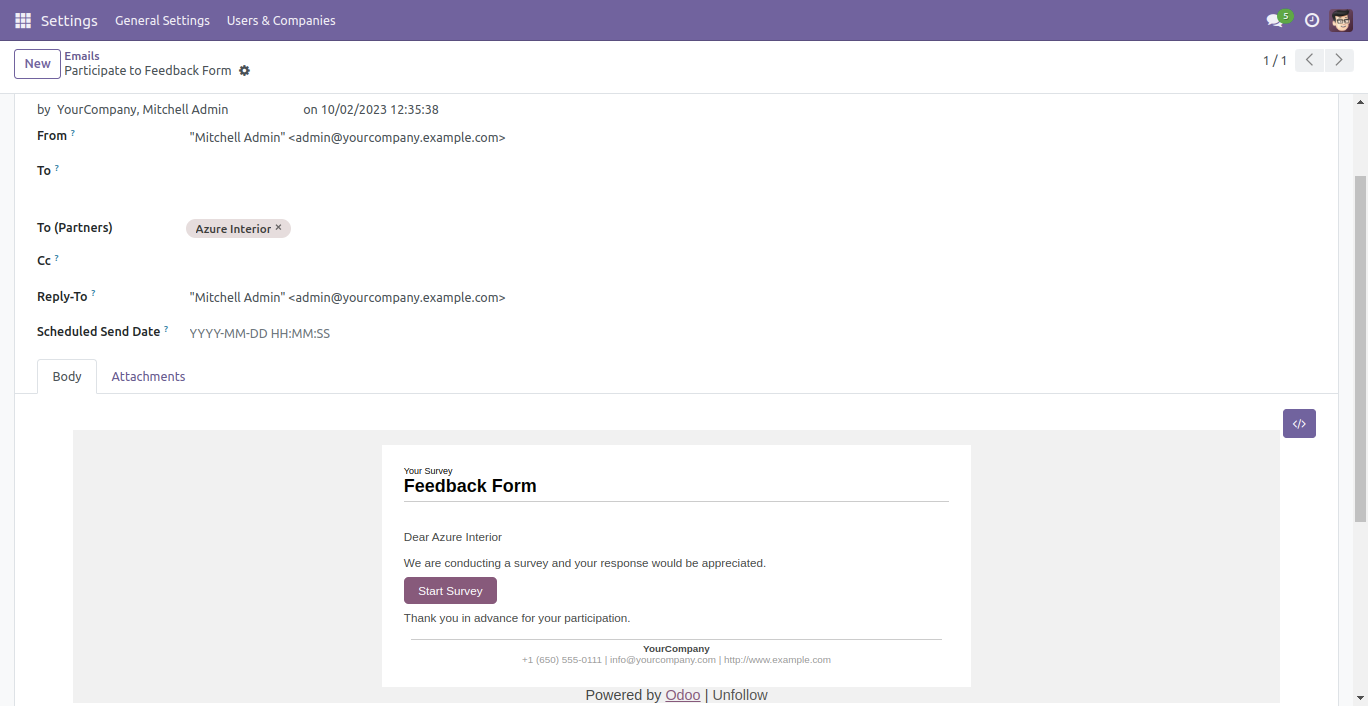
Email looks like below.
To see the result, click on the 'view Results' smart button.
After clicking the smart 'View Result' button you can see the view as like the below image.
Version 19.0.2 | Released on : 24th October 2025
Version 19.0.1 | Released on : 30th September 2025
- Yes, this app works perfectly with Odoo Enterprise (Odoo.sh & Premise) as well as Community.
- No, this application is not compatible with odoo.com(odoo saas/Odoo Online)
- Yes, to test this module, please contact us at sales@softhealer.com.
- Please contact us at sales@softhealer.com to request customization.
- Yes, we provide free support for 365 days from the date of purchase.
- Yes, you will receive lifetime free updates for the version of the module you purchased.
- No, there is no need to install any additional libraries.
- Yes, for version 12 and above, you need to purchase the module separately for each version you intend to use.
- No, exchanges or refunds are not allowed. Please make sure to select the correct version before purchasing.
- You can contact us at support@softhealer.com for language translation support. We use Google Translator tools to provide translations in multiple languages, so the accuracy may vary. We welcome your suggestions to help improve translations.
Discover Our Latest Apps