












Customer Payment Receipt PDF Email

This module streamlines your payment workflow by providing an option to send PDF receipts to customers as soon as their payment is confirmed, which ensures your clients receive immediate acknowledgement of their transactions.

Features

PDF Receipt Email Send
Send a PDF payment receipt to customers immediately after a payment is confirmed.

Accurate Payment Records
Provide customers with clear and downloadable payment receipts for future reference.
Navigating to the Payments section via the Customers menu.
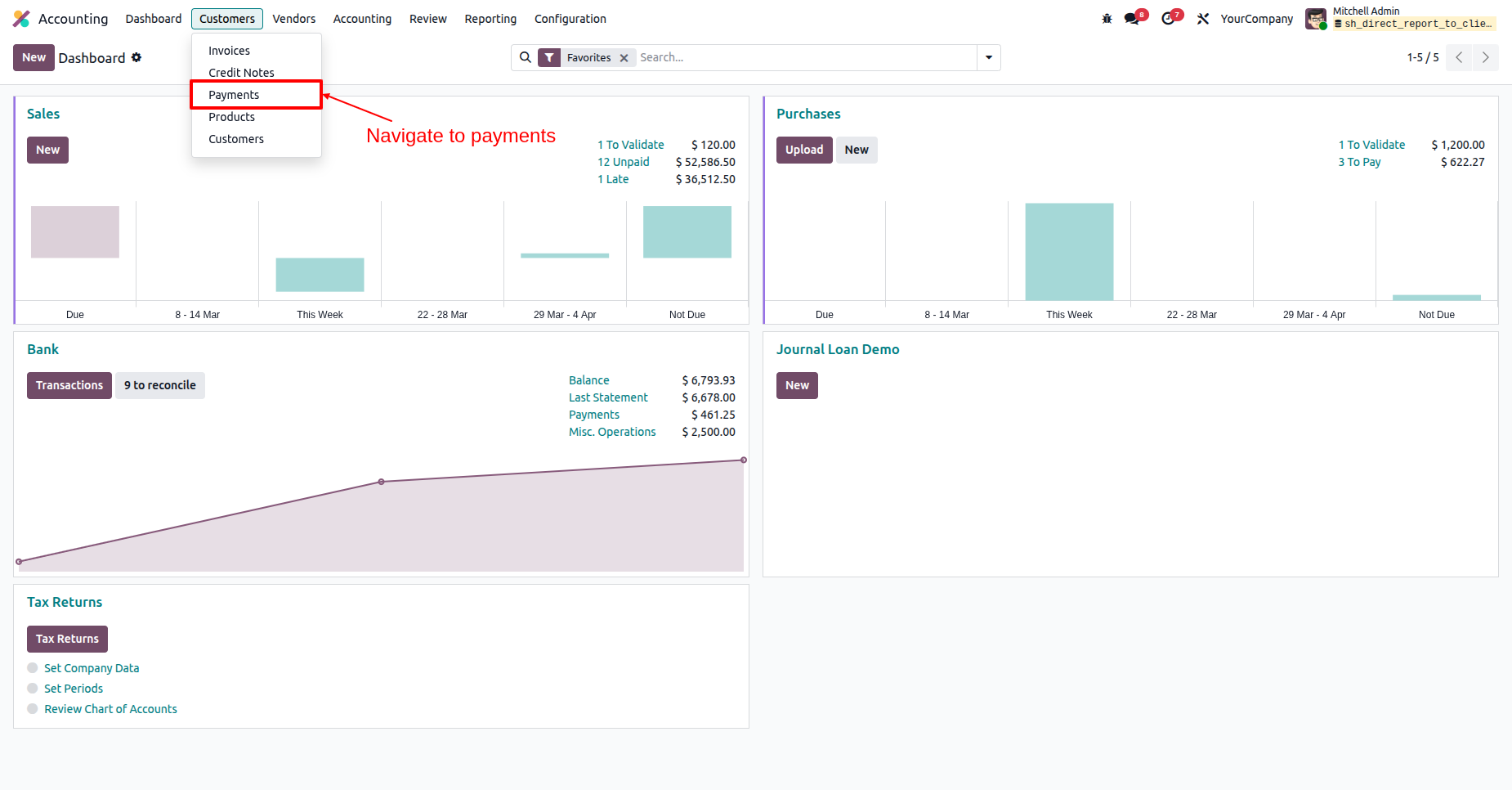
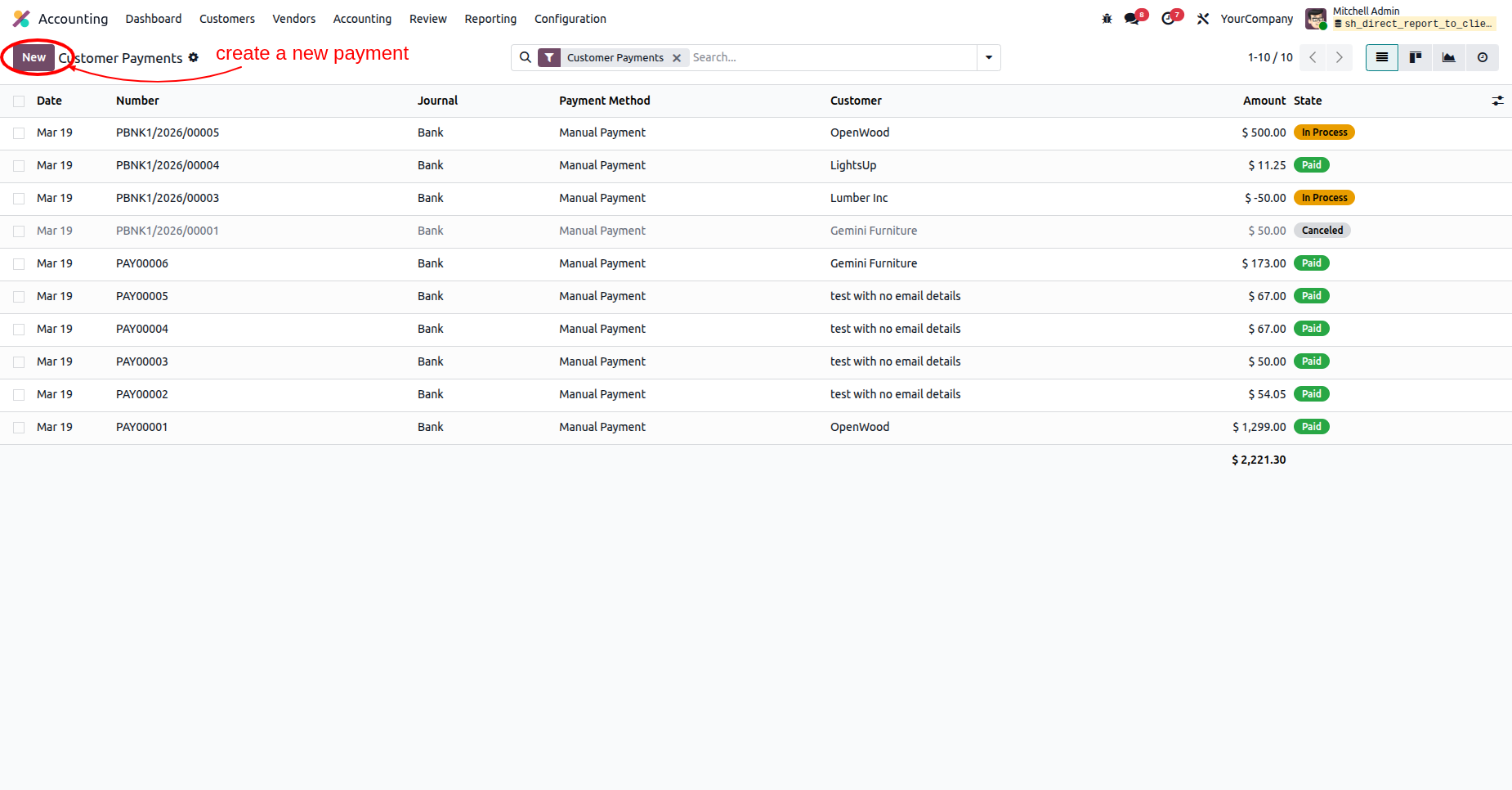
Selecting the New button in the Customer Payments list.
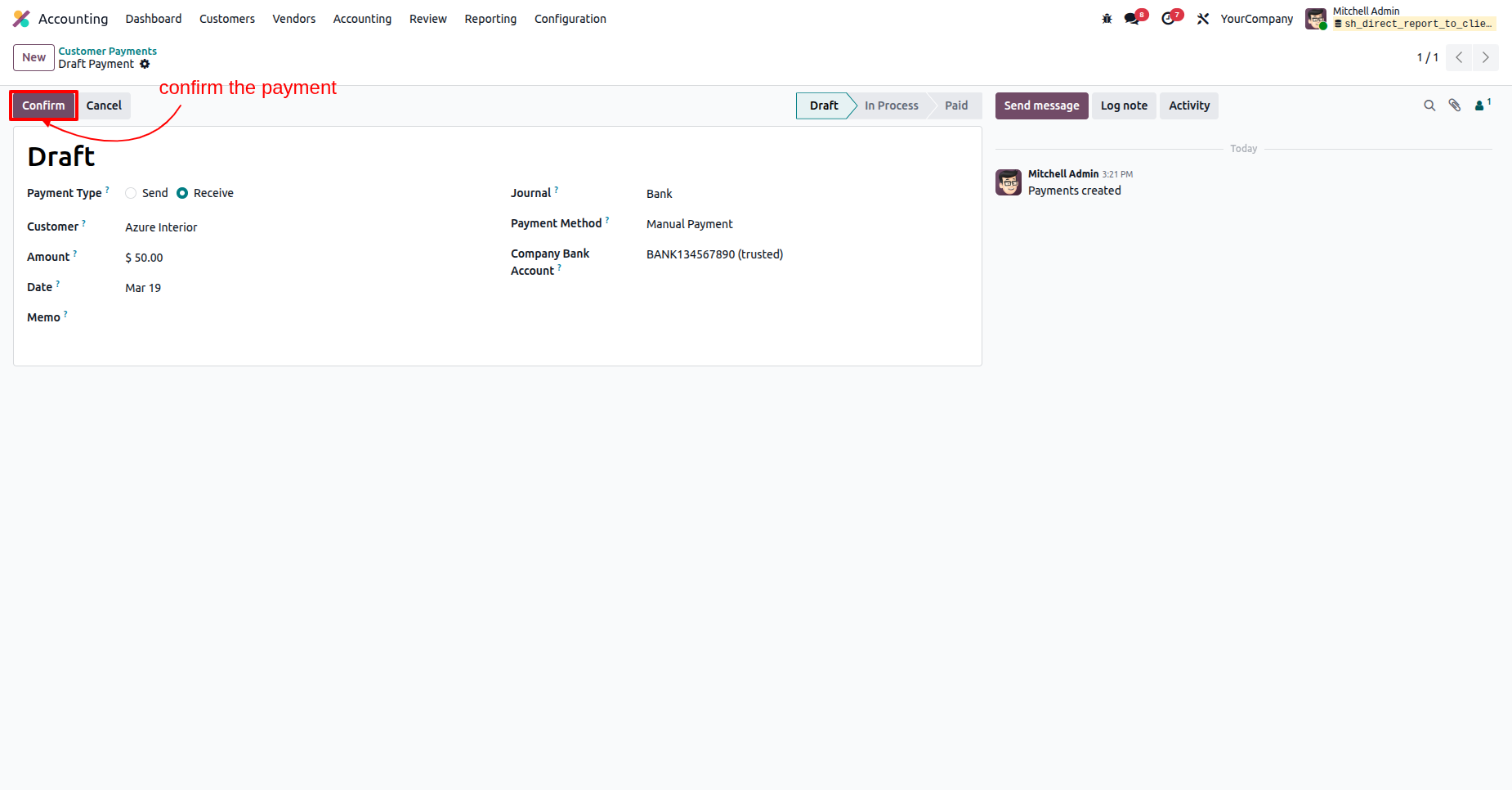
Clicking the Confirm button on a $50.00 draft payment from Azure Interior to move the transaction into the "In Process" stage.
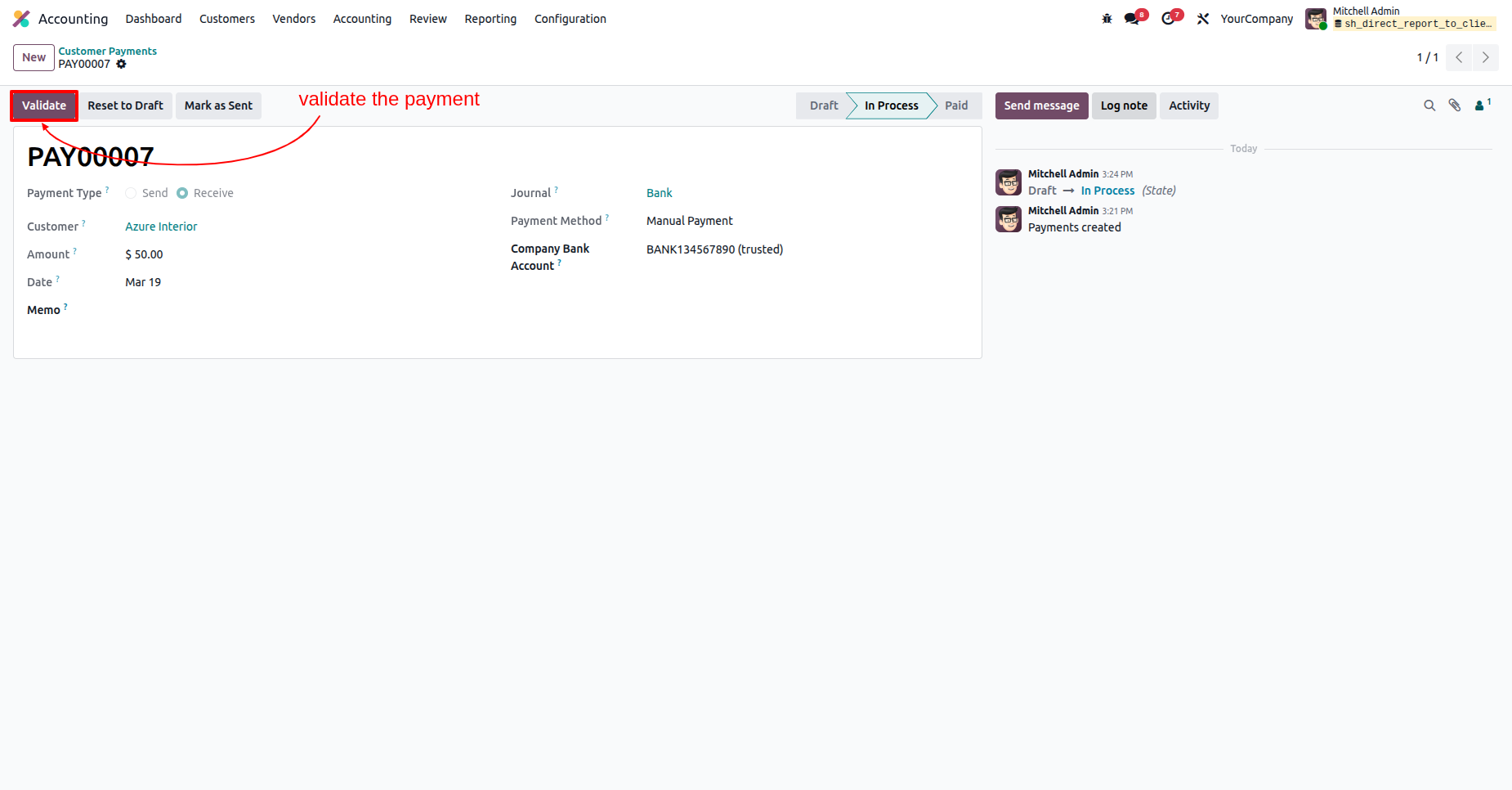
Selecting the Validate button for payment PAY00007 to move the transaction from "In Process" to "Paid" status.
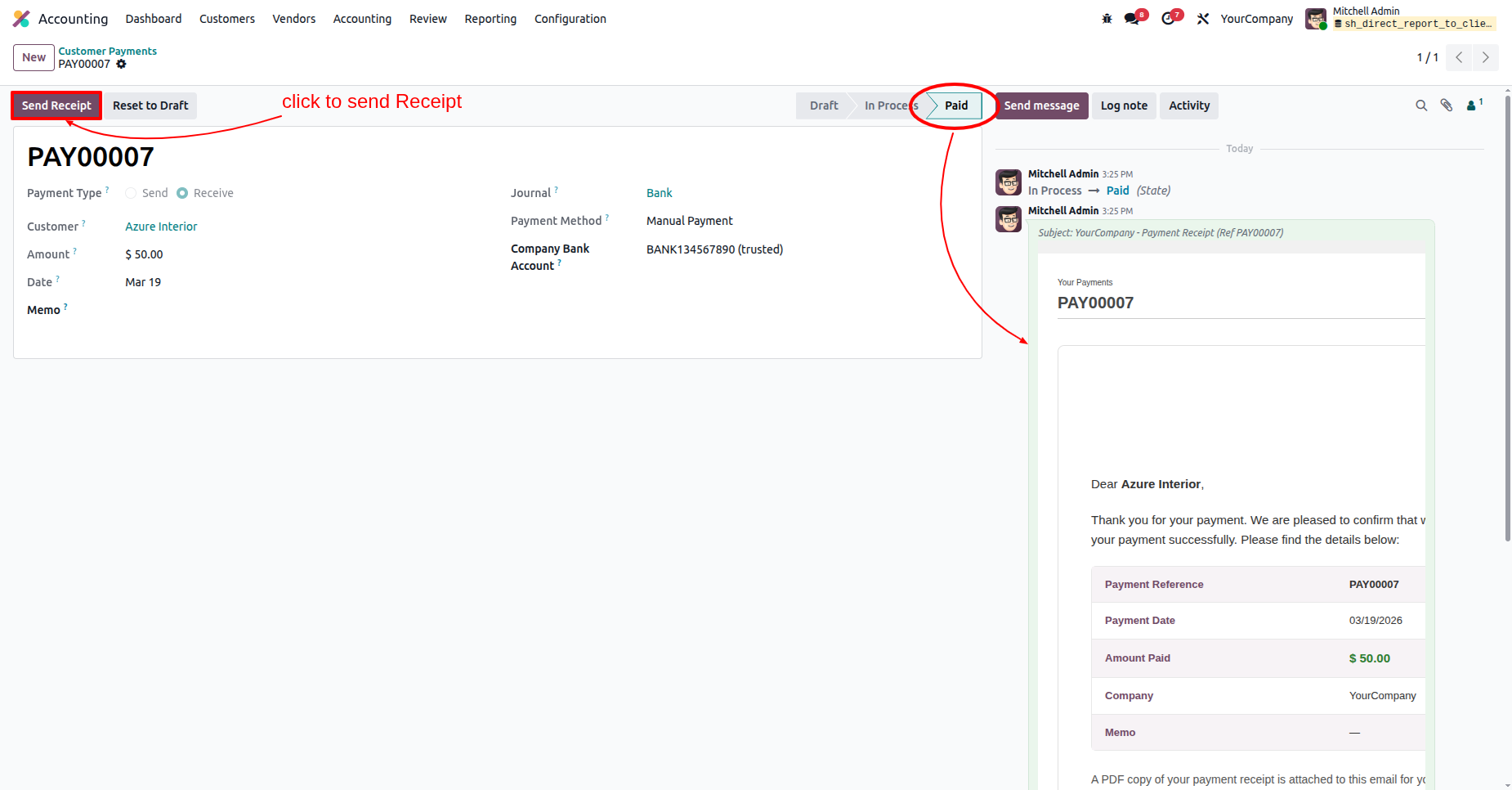
Selecting the Send Receipt button for a finalized payment to automatically email a PDF confirmation and payment details to Azure Interior.
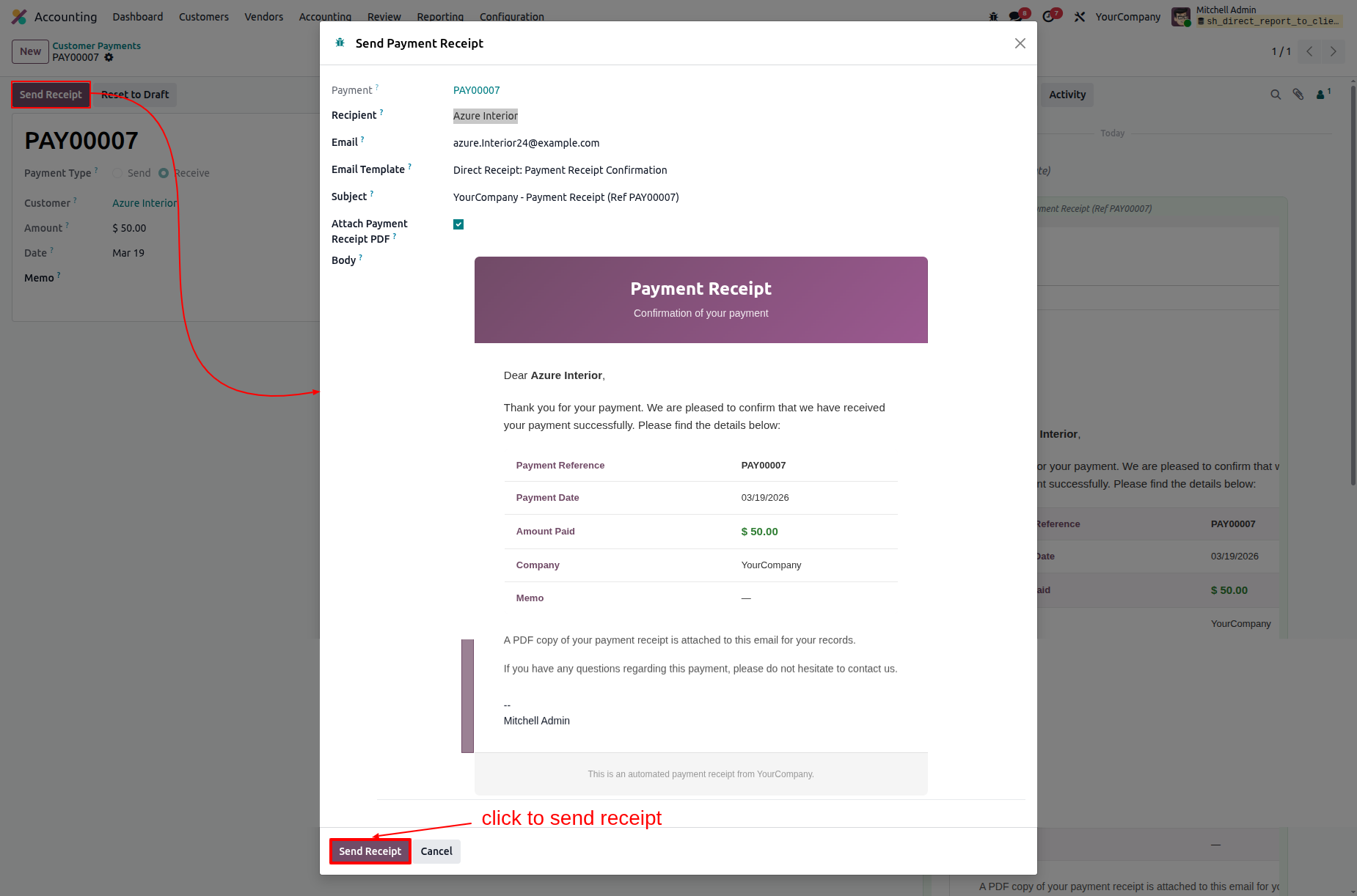
Finalizing the communication by clicking Send Receipt in the pop-up, which prepares a branded email to Azure Interior with the payment PDF attached.
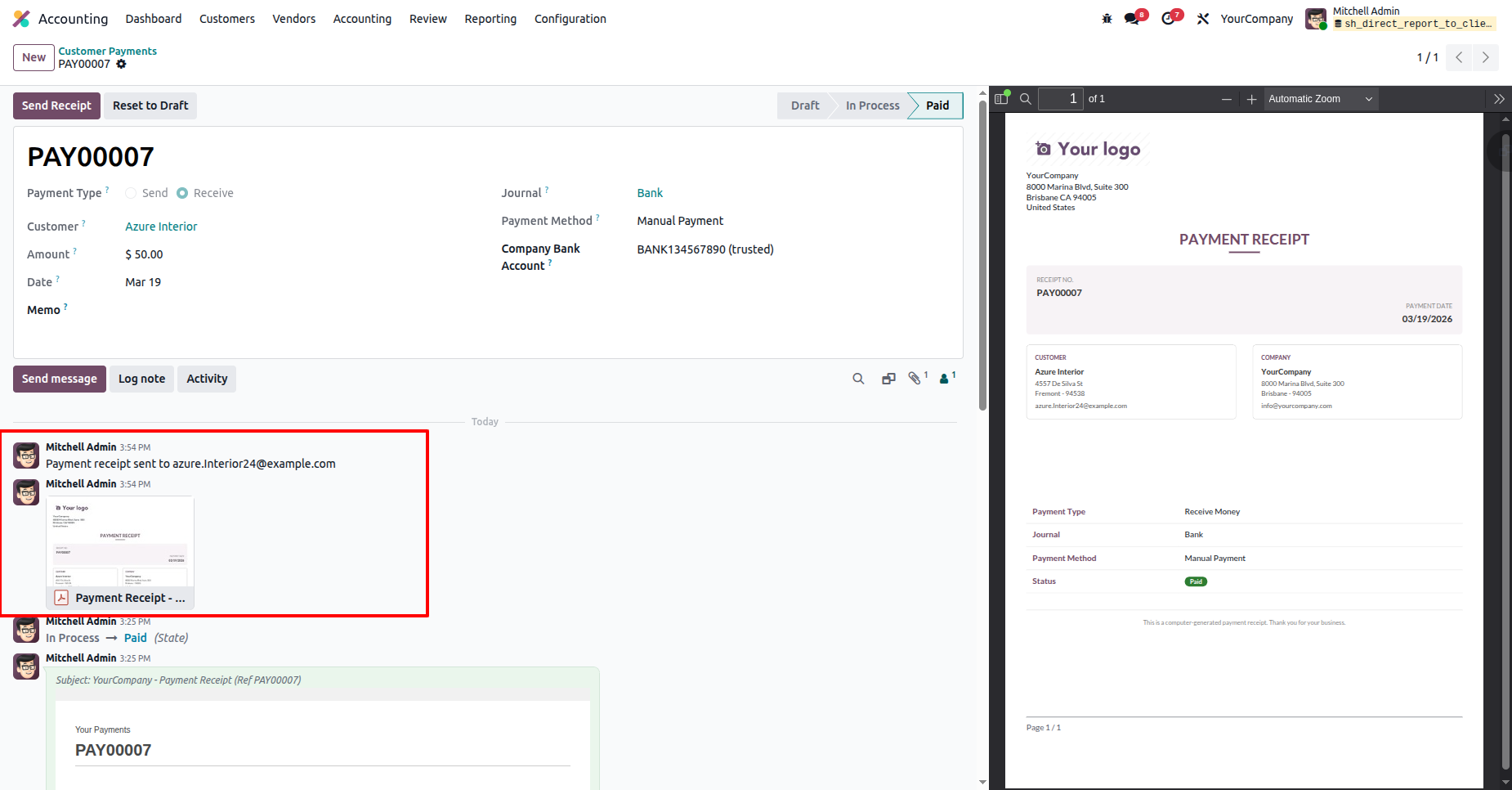
Reviewing the communication log in the chatter, which confirms the Payment Receipt for PAY00007 was successfully emailed to the customer.
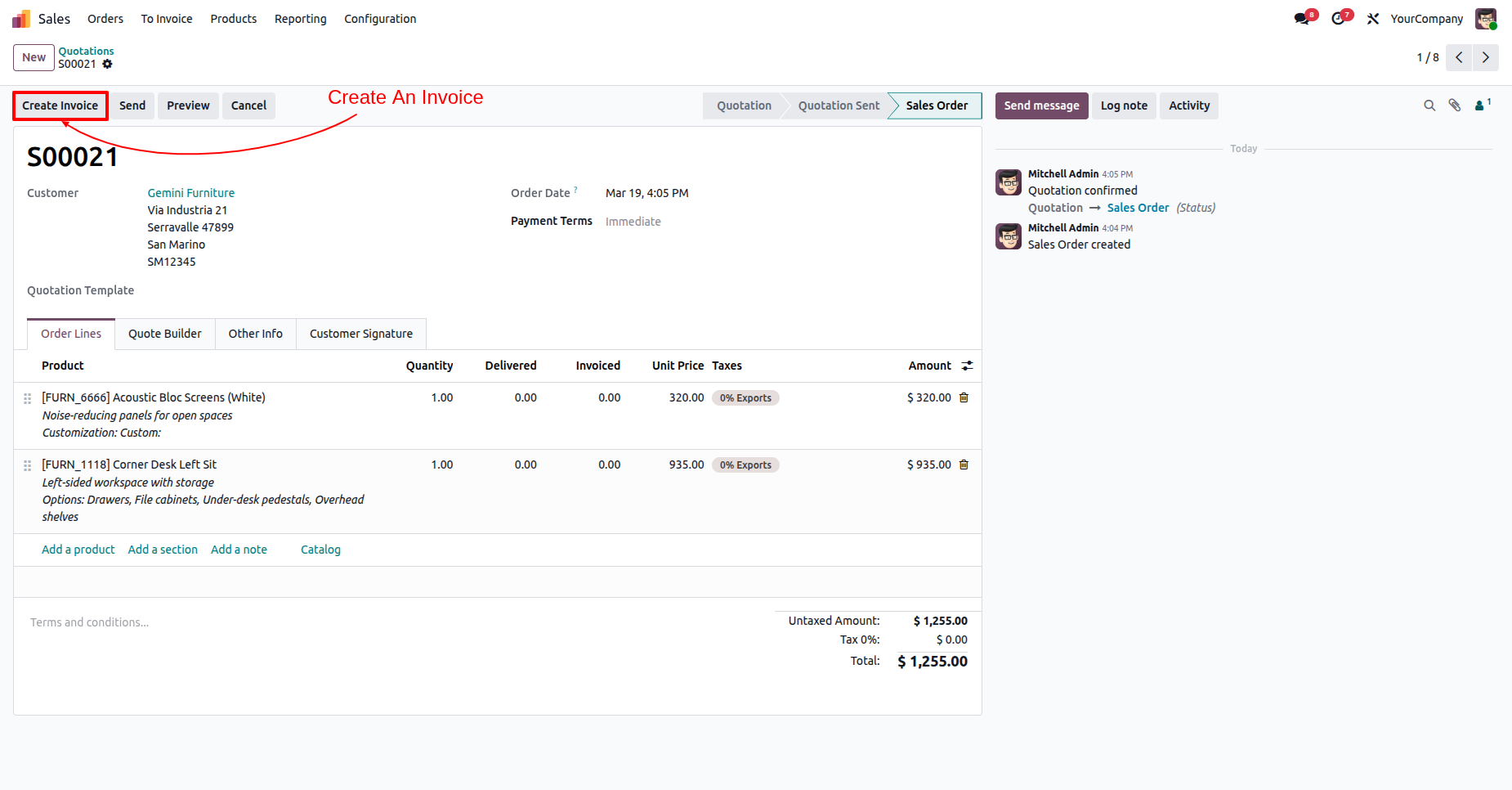
Selecting the Create Invoice button on confirmed Sales Order S00021 to initiate the billing process for Gemini Furniture.
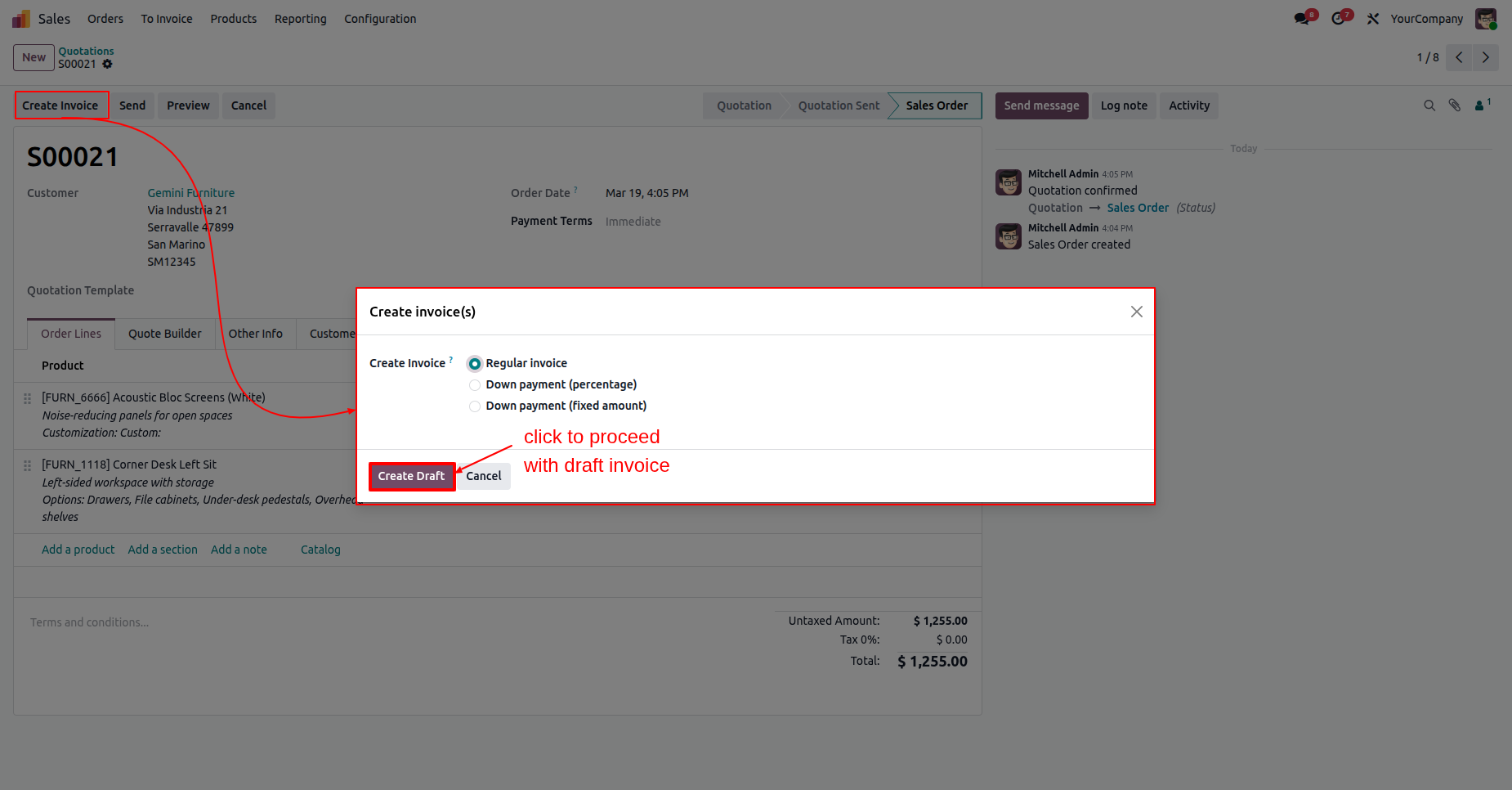
Selecting the Regular invoice option and clicking Create Draft to convert Sales Order S00021 into a draft billing document.
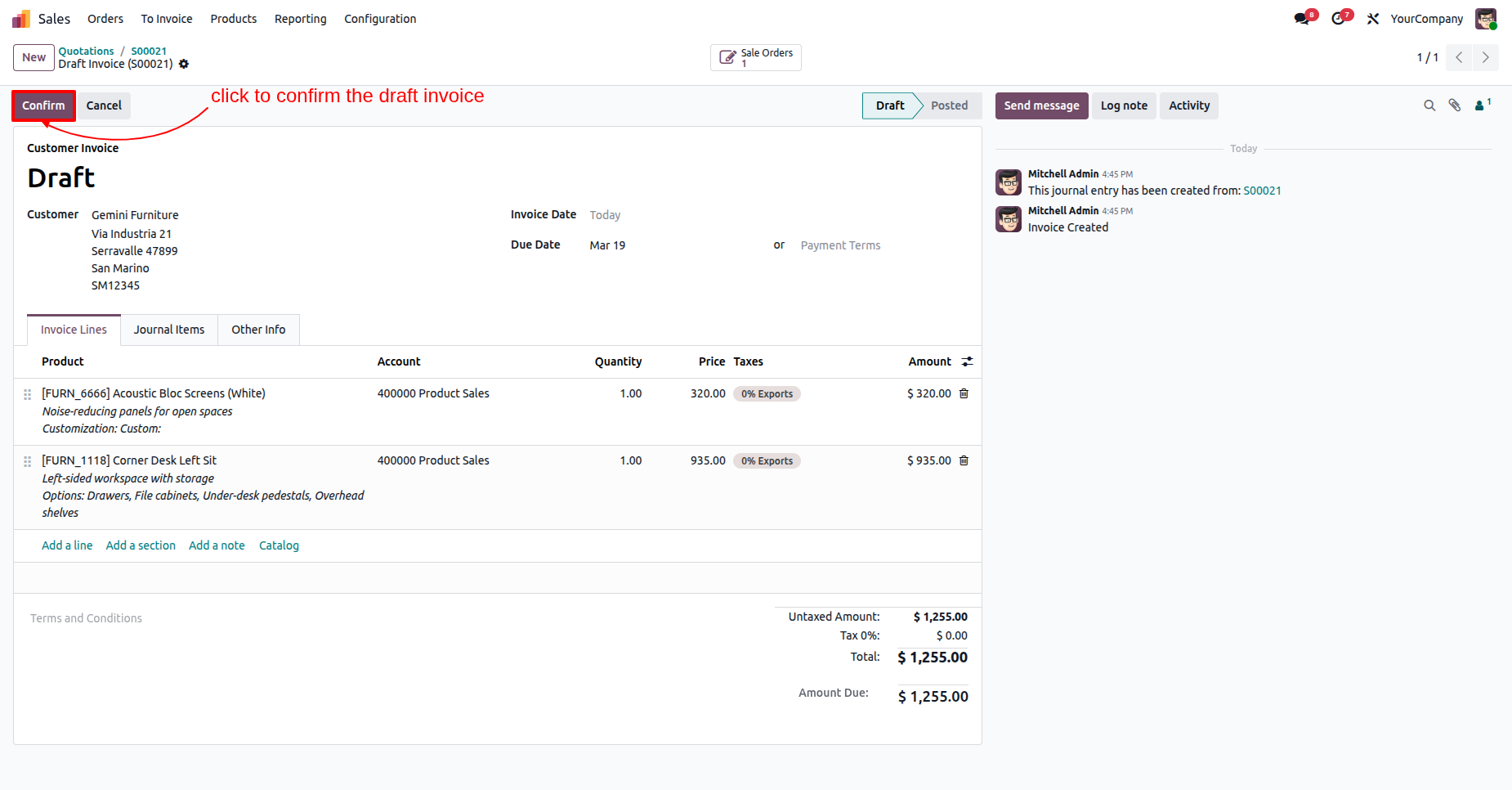
Clicking the Confirm button on the draft invoice.
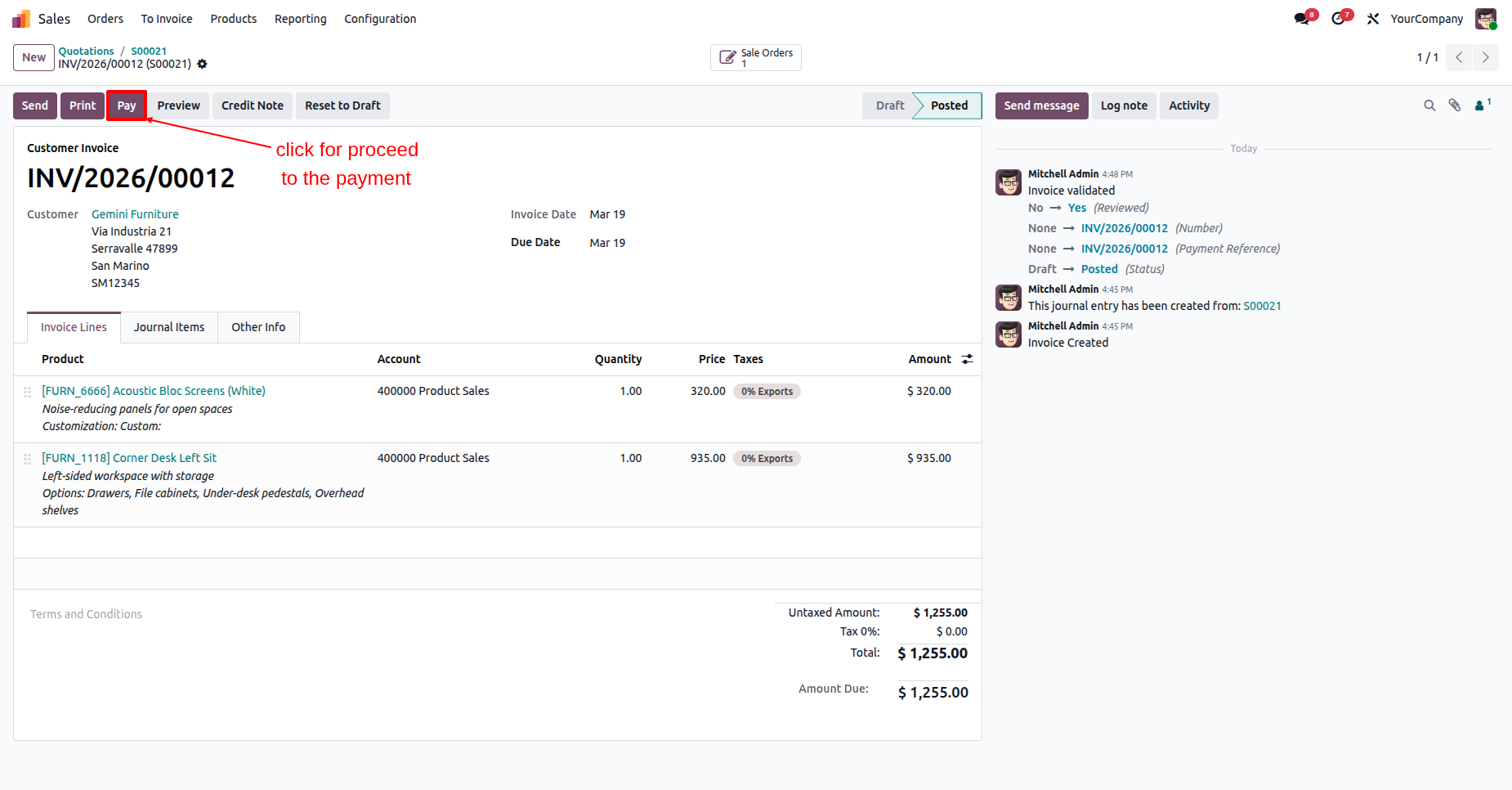
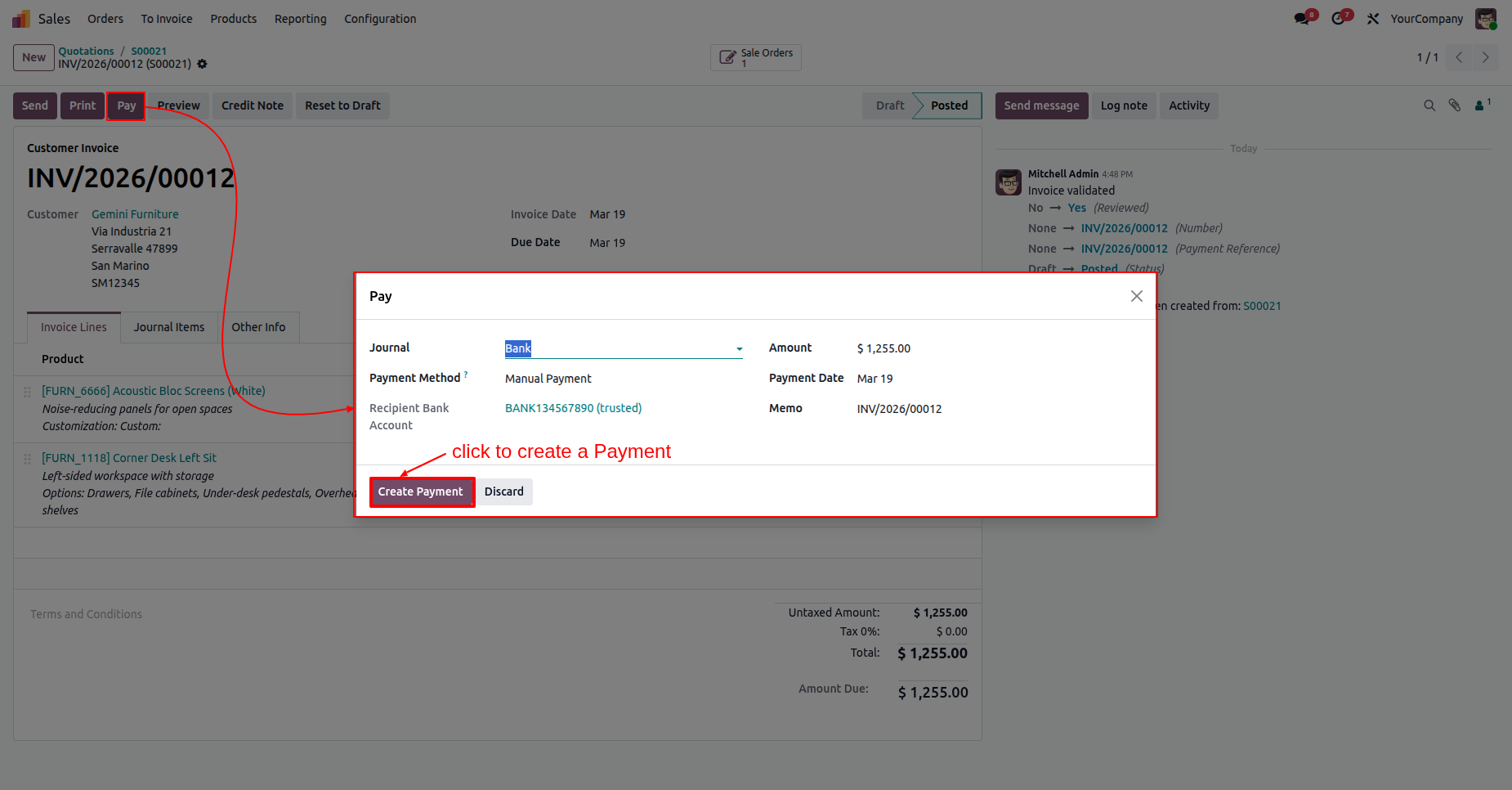
Selecting the Pay button on validated invoice INV/2026/00012.
Clicking Create Payment to record a $1,255.00.
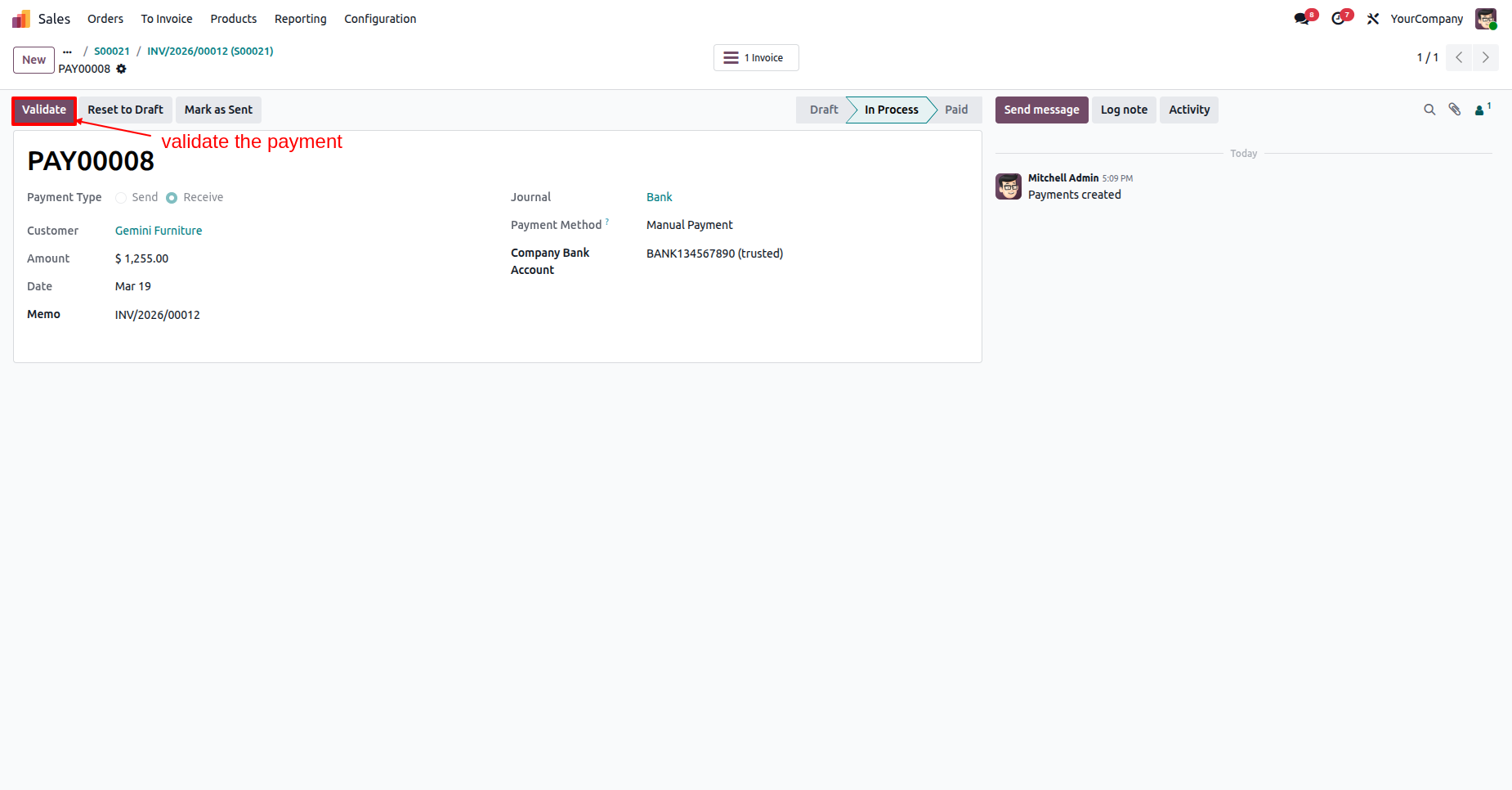
Selecting the Validate button for payment PAY00008 to finalize the $1,255.00 transaction and move it from "In Process" to "Paid" status.
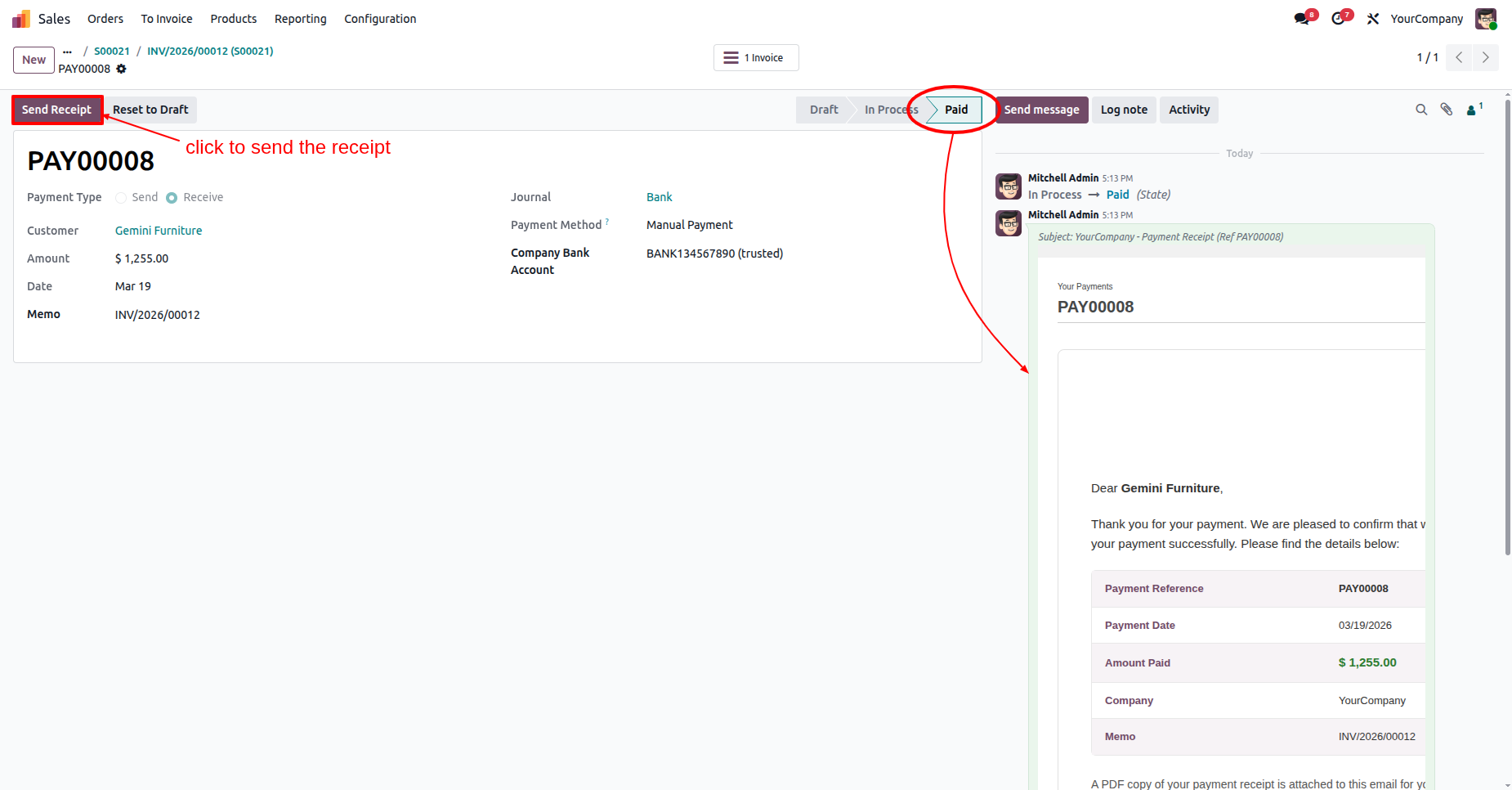
Selecting the Send Receipt button for a finalized $1,255.00 payment.
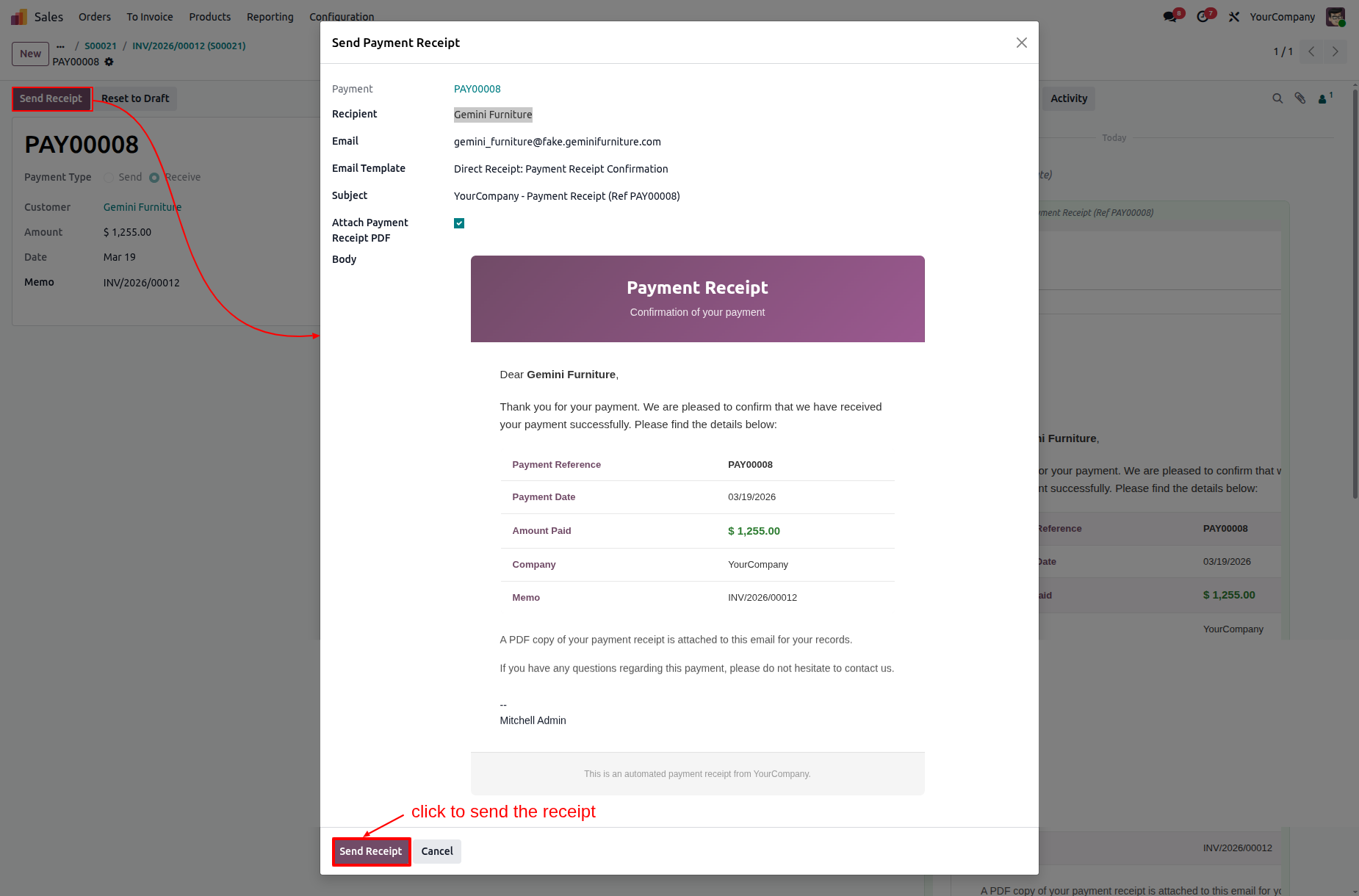
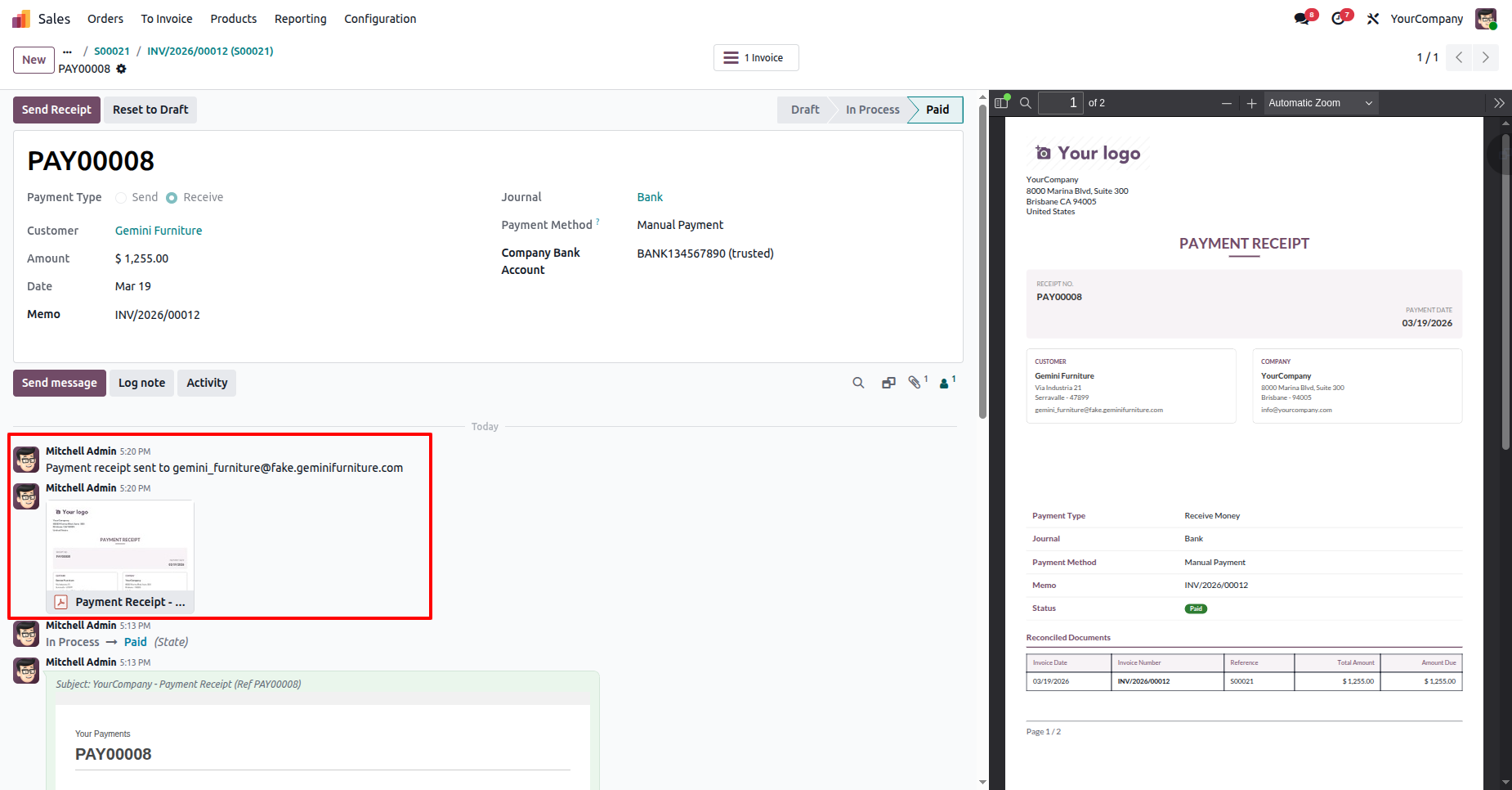
Finalizing the transaction by clicking Send Receipt in the pop-up modal to email a branded confirmation and PDF receipt to Gemini Furniture.
Reviewing the Odoo chatter to confirm the Payment Receipt for PAY00008 has been sent to the customer’s email, completing the transaction for Gemini Furniture.
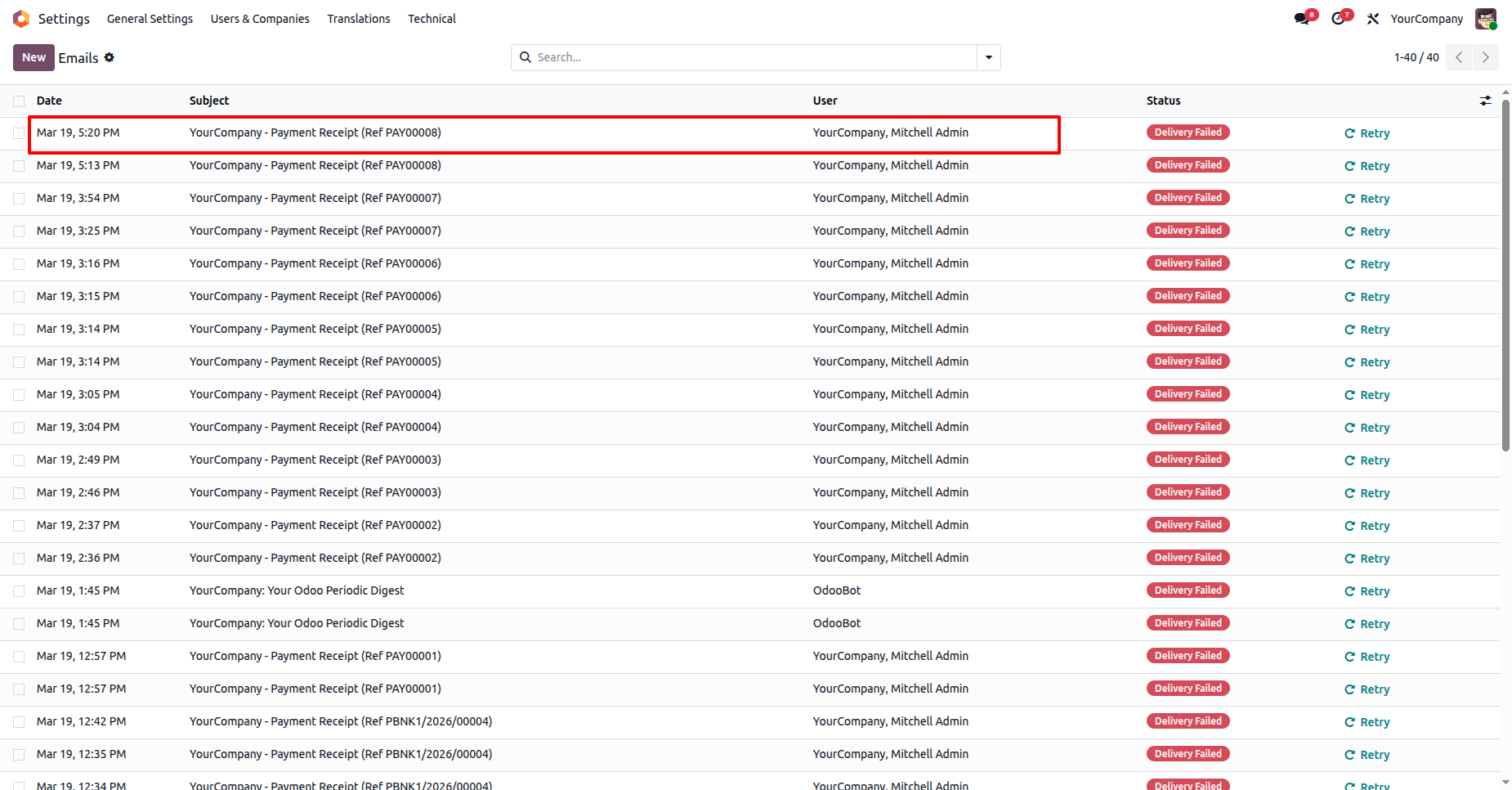
Monitoring the email queue in Settings.
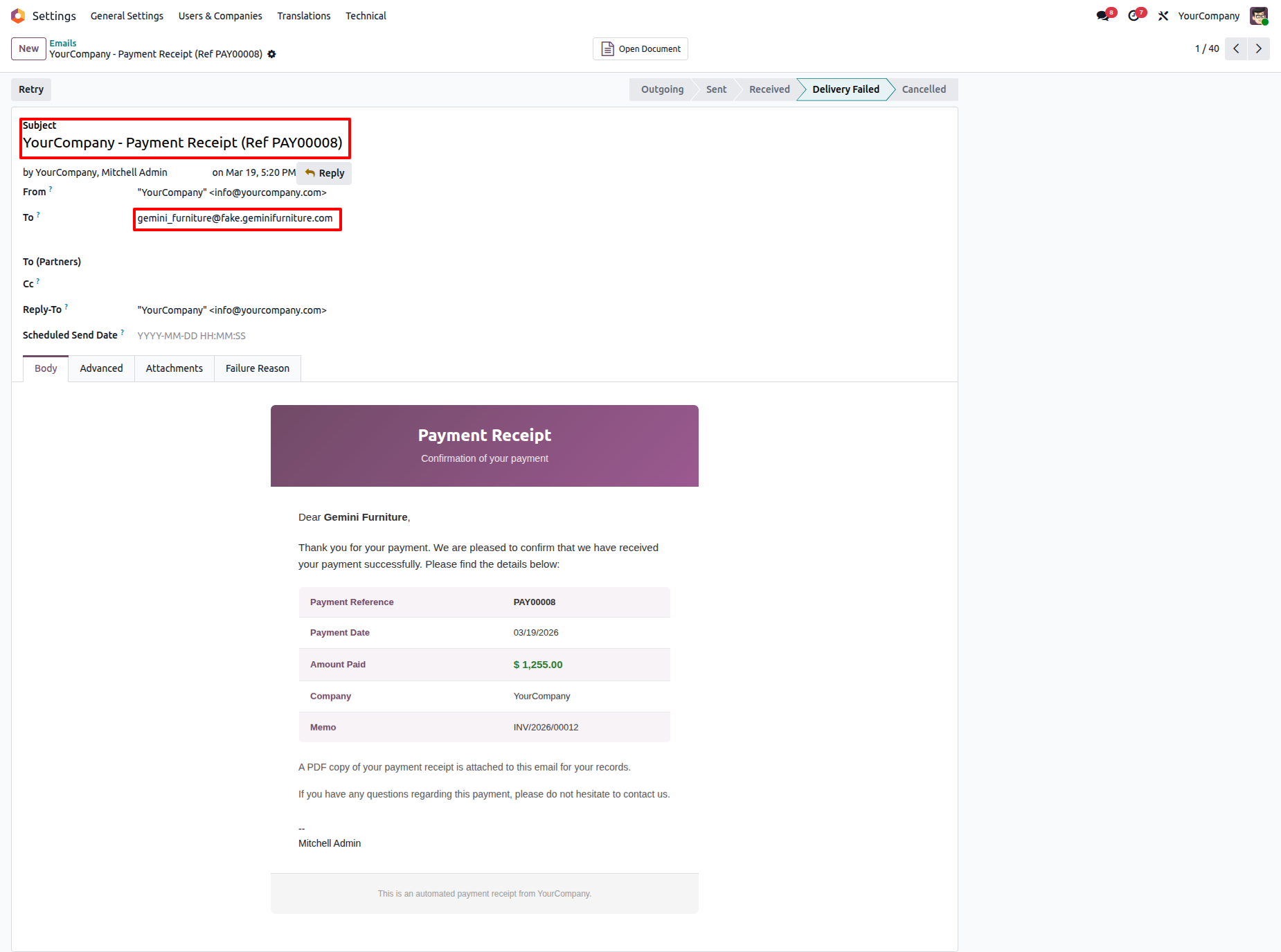
Reviewing the outgoing email for PAY00008 in the Technical settings.
Version 18.0.1.0.0 | Released on : 30th July 2026
- Yes, this app works perfectly with Odoo Enterprise (Odoo.sh & Premise) as well as Community.
- No, this application is not compatible with odoo.com(odoo saas/Odoo Online)
- Yes, to test this module, please contact us at sales@softhealer.com.
- Please contact us at sales@softhealer.com to request customization.
- Yes, we provide free support for 365 days from the date of purchase.
- Yes, you will receive lifetime free updates for the version of the module you purchased.
- No, there is no need to install any additional libraries.
- Yes, for version 12 and above, you need to purchase the module separately for each version you intend to use.
- No, exchanges or refunds are not allowed. Please make sure to select the correct version before purchasing.
- You can contact us at support@softhealer.com for language translation support. We use Google Translator tools to provide translations in multiple languages, so the accuracy may vary. We welcome your suggestions to help improve translations.
Discover Our Latest Apps