











Create Manufacturing Order From POS

This module automatically generates manufacturing orders from POS. Features include automatic MO confirmation, marking orders as done upon POS payment, and tracking MO status directly from POS order records. Perfect for businesses that manufacture products on-demand during the checkout process.

Features
Automated MO Creation
Create manufacturing orders automatically when products are sold in POS.

Product Level Configuration
Enable or disable MO creation for specific products or variants.

Automatic Confirmation
Automatically confirm generated MOs to streamline production.
Auto-Done Capability
Mark manufacturing orders as 'Done' automatically once the POS order is paid.

Integrated Tracking
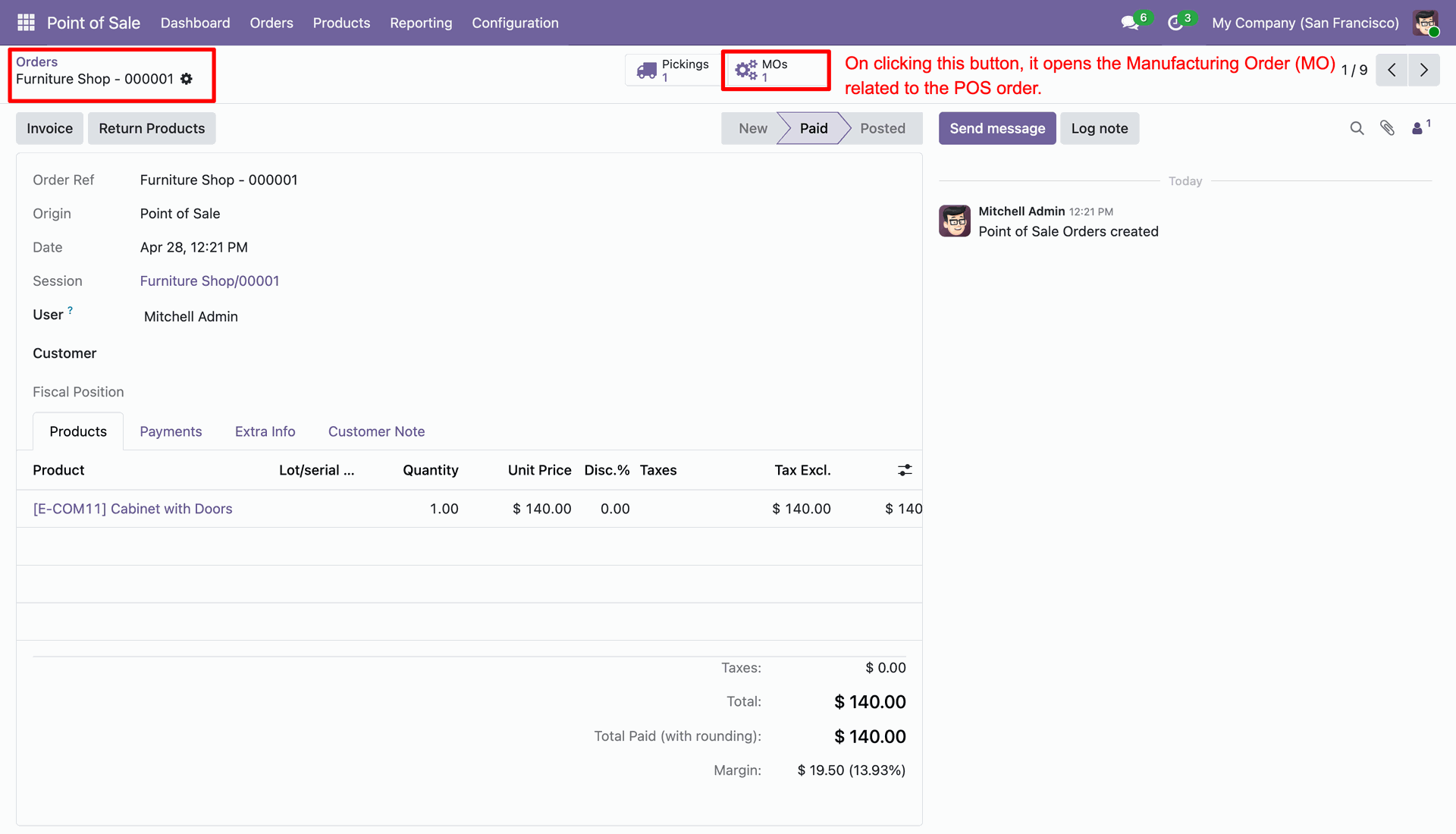
View and access related MOs directly from the POS order form via a dedicated smart button.
Support for Variants
Fully supports product variants with individual MRP configurations.
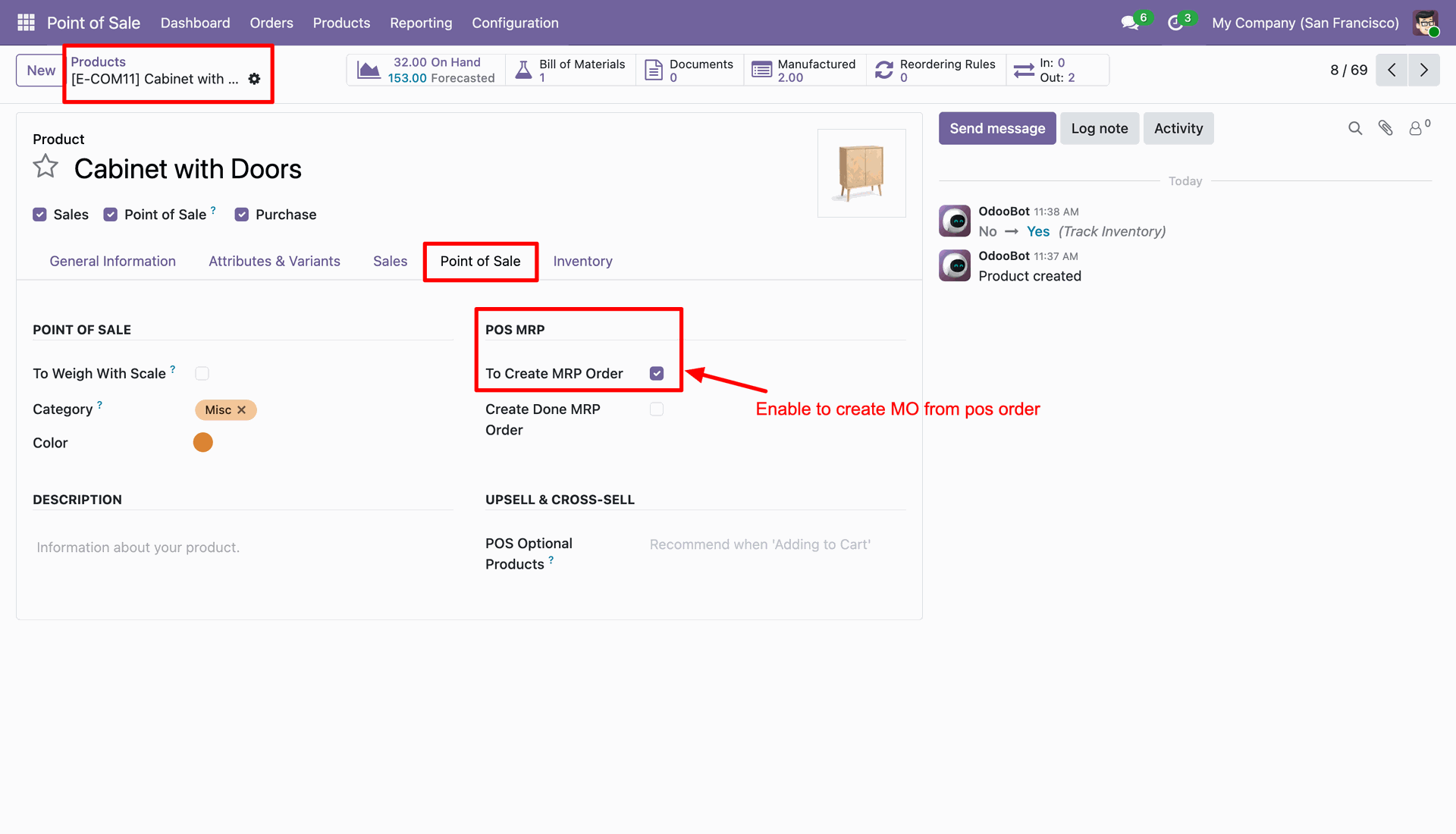
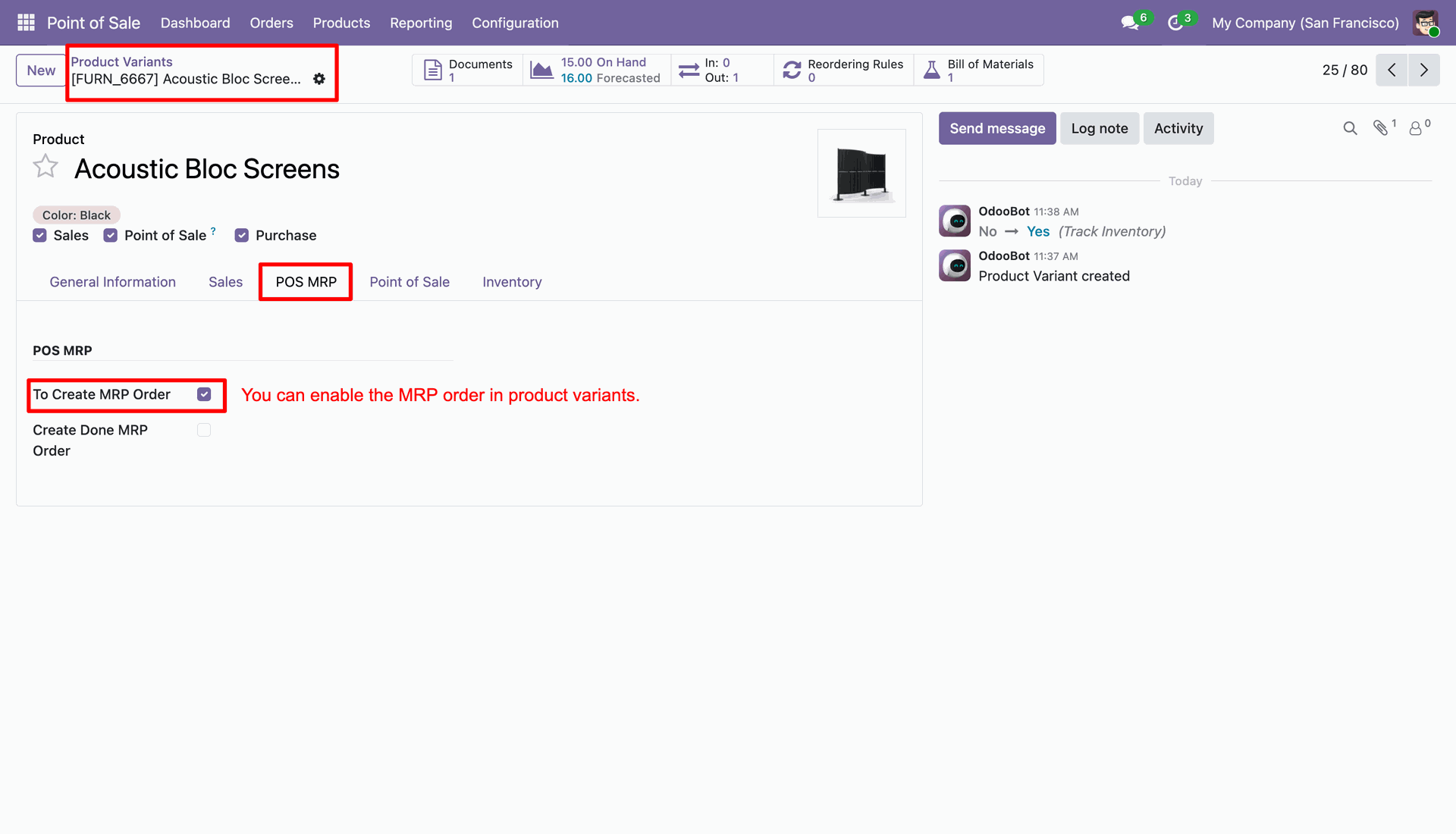
Enable the 'To Create MRP Order' option in the product form under the POS MRP tab.
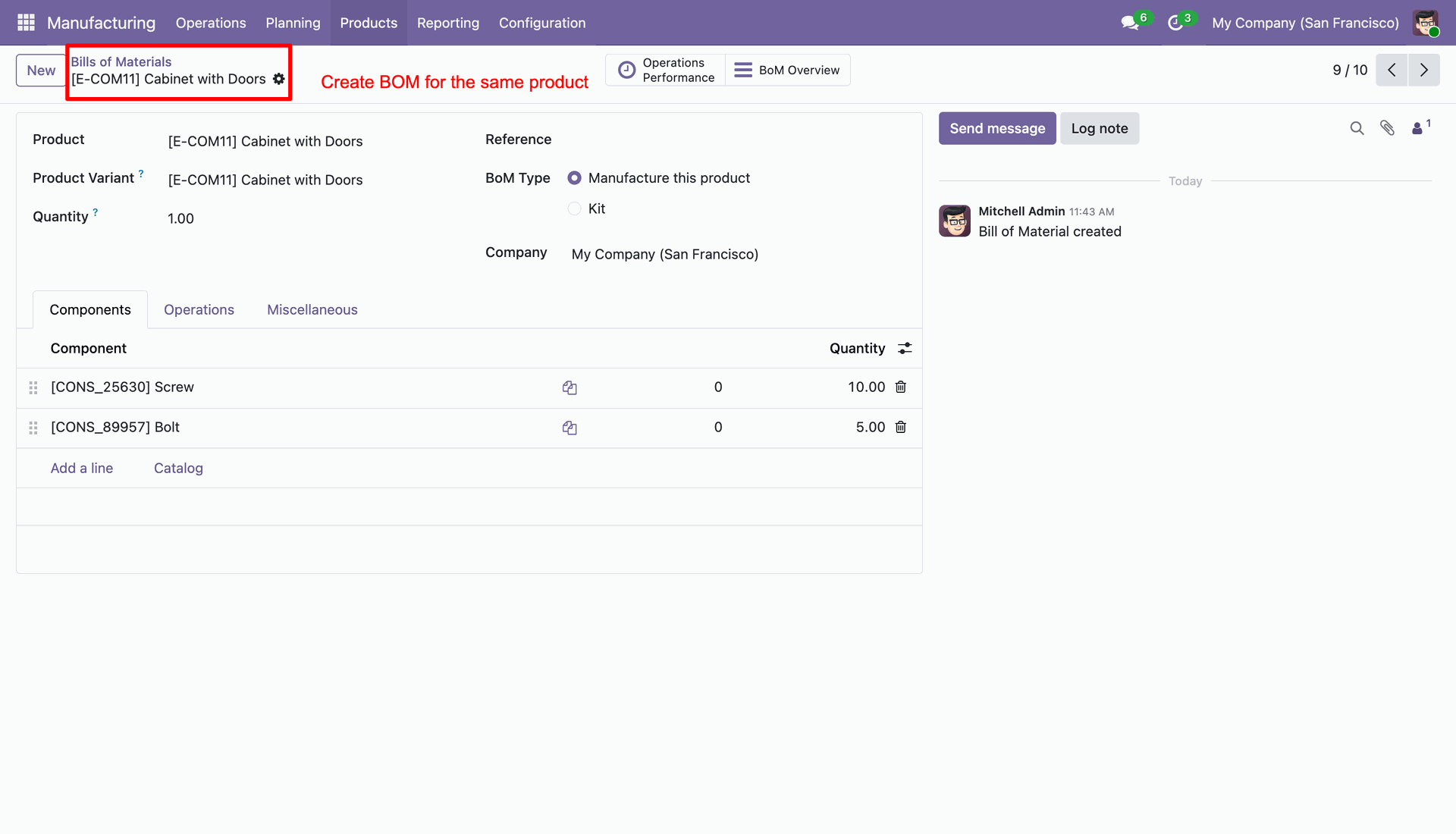
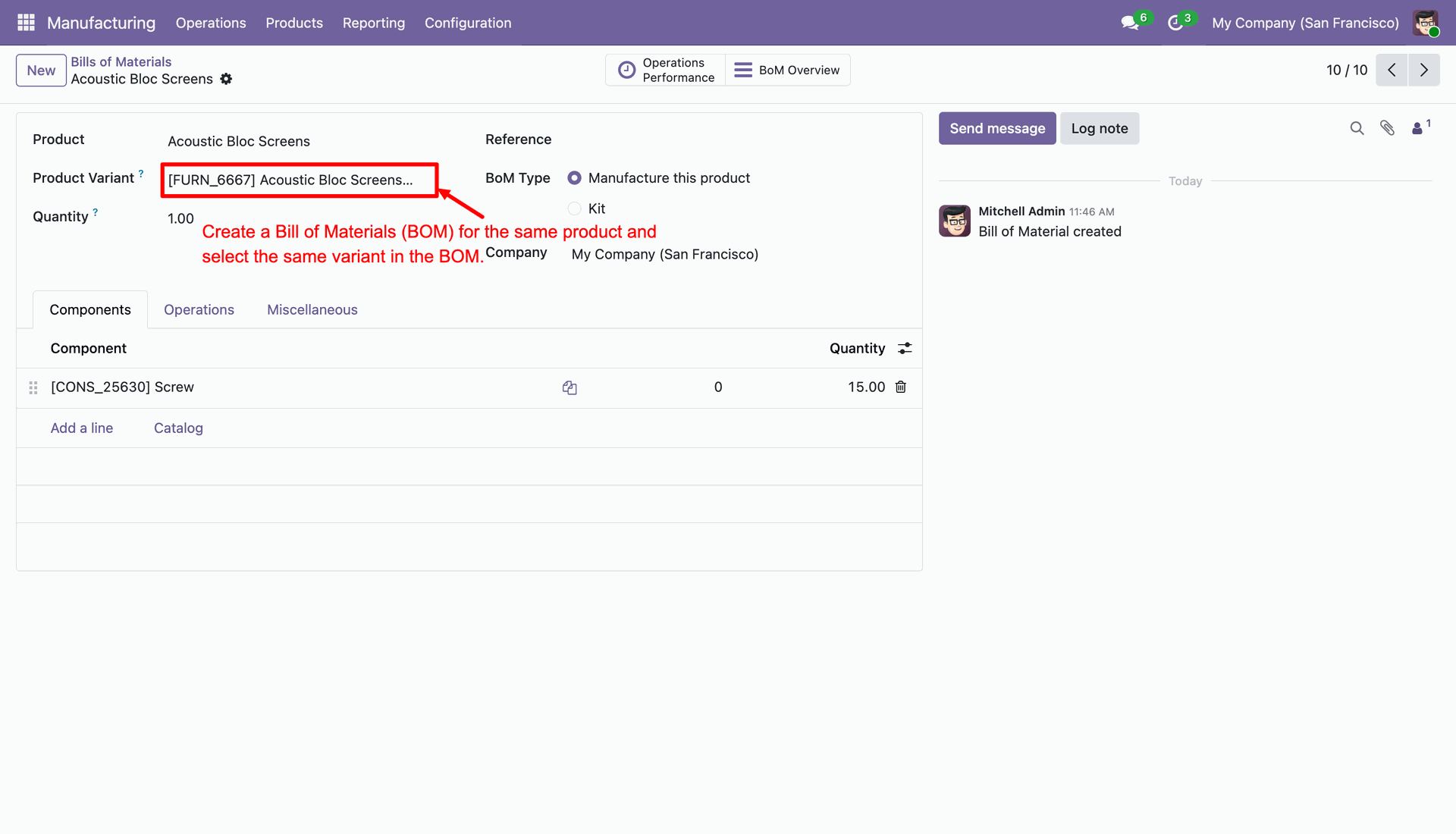
Create a BOM order for the product in Manufacturing(MRP).
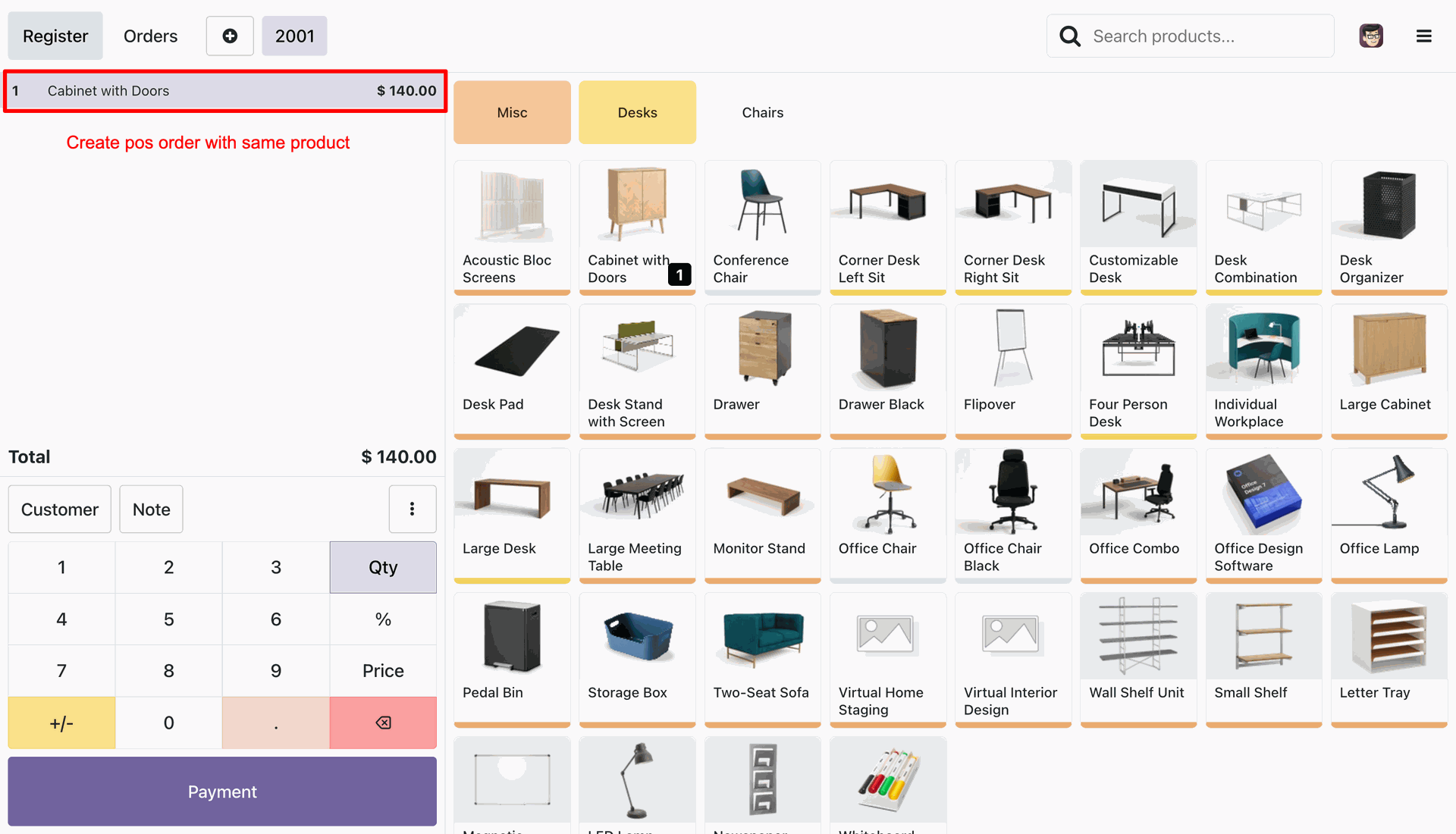
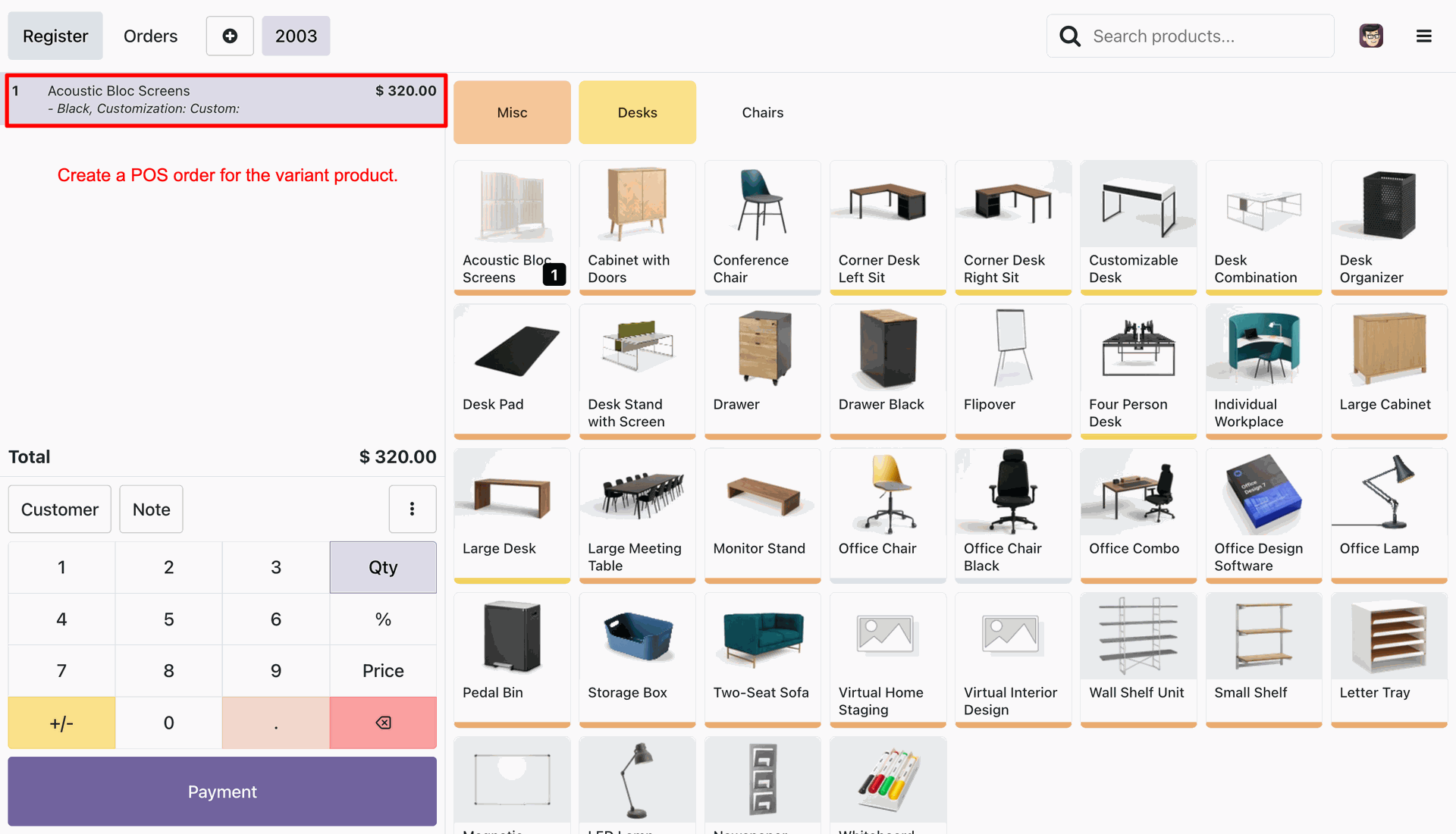
Create POS order with the same product.
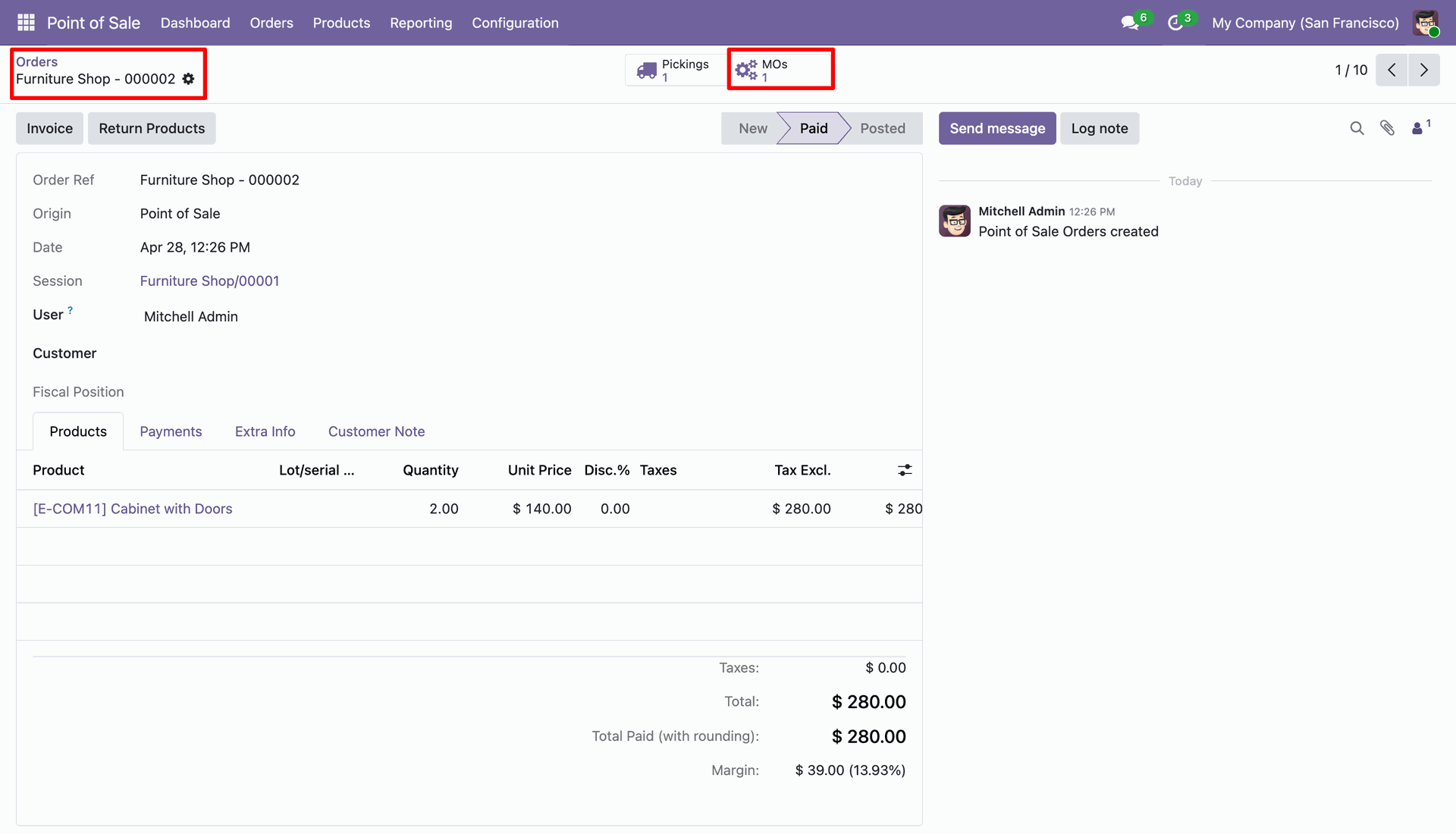
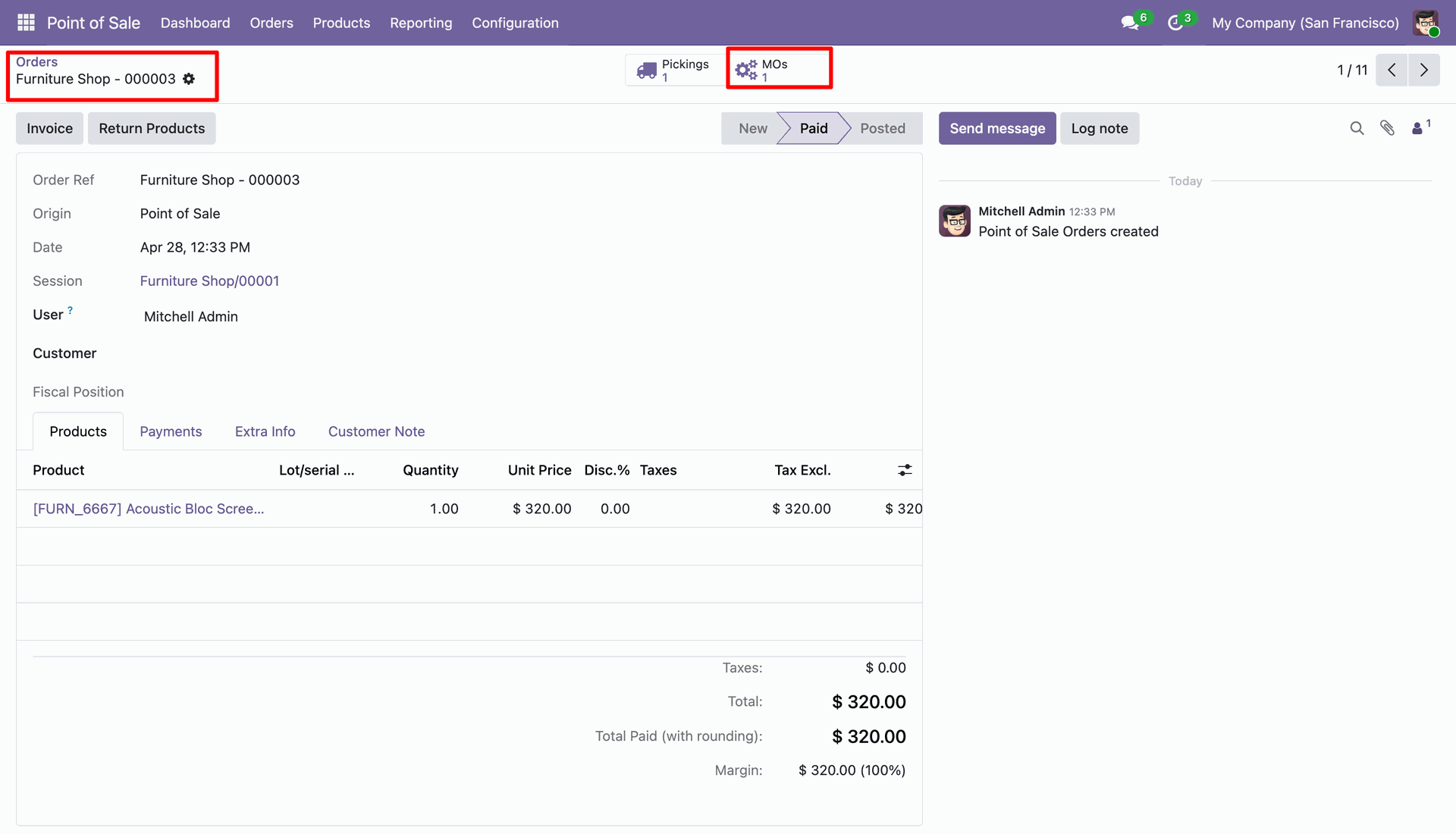
Detailed form view of the POS order interface whoere you can access related Manufacturing Order (MO) via the smart button.
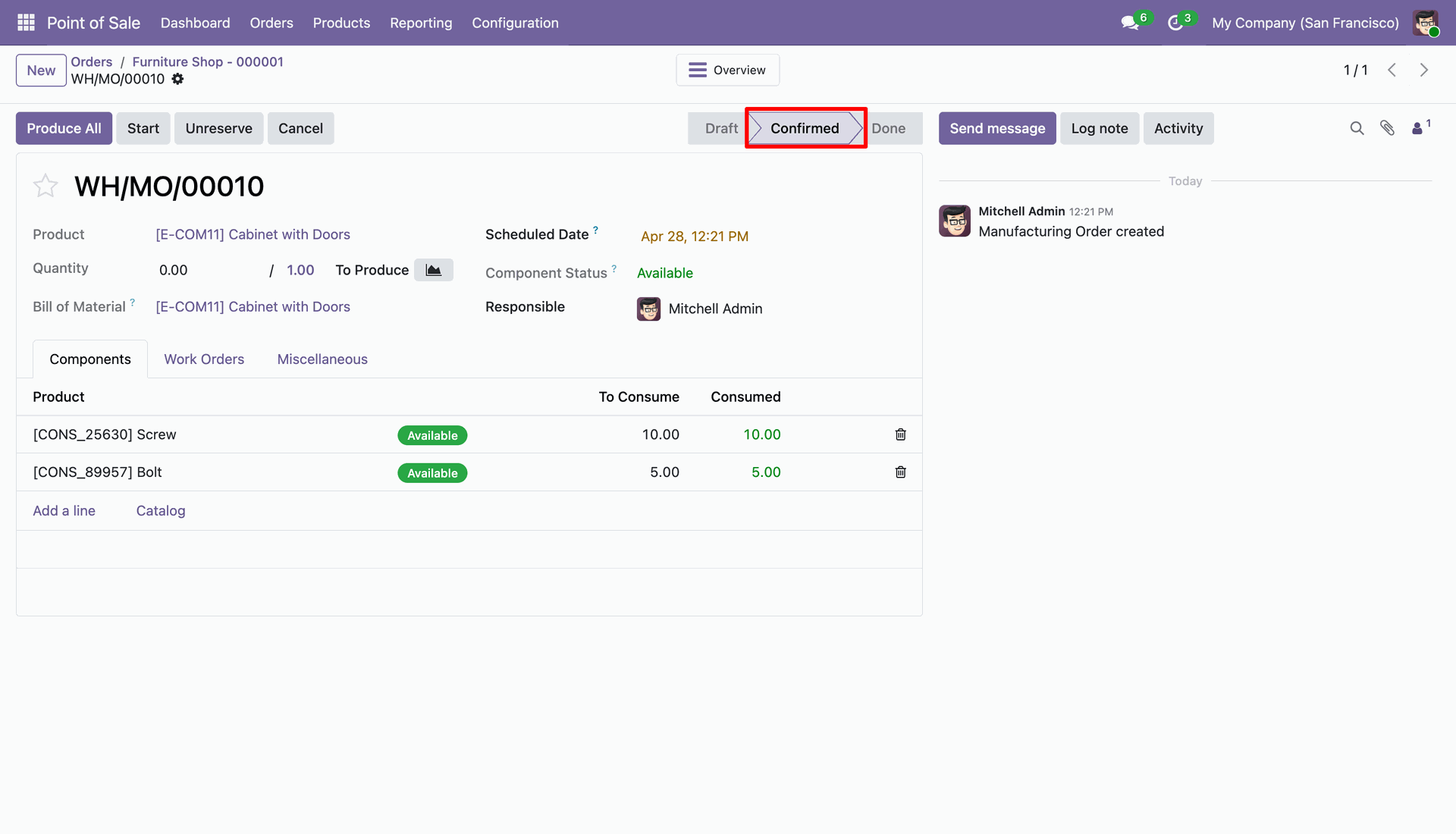
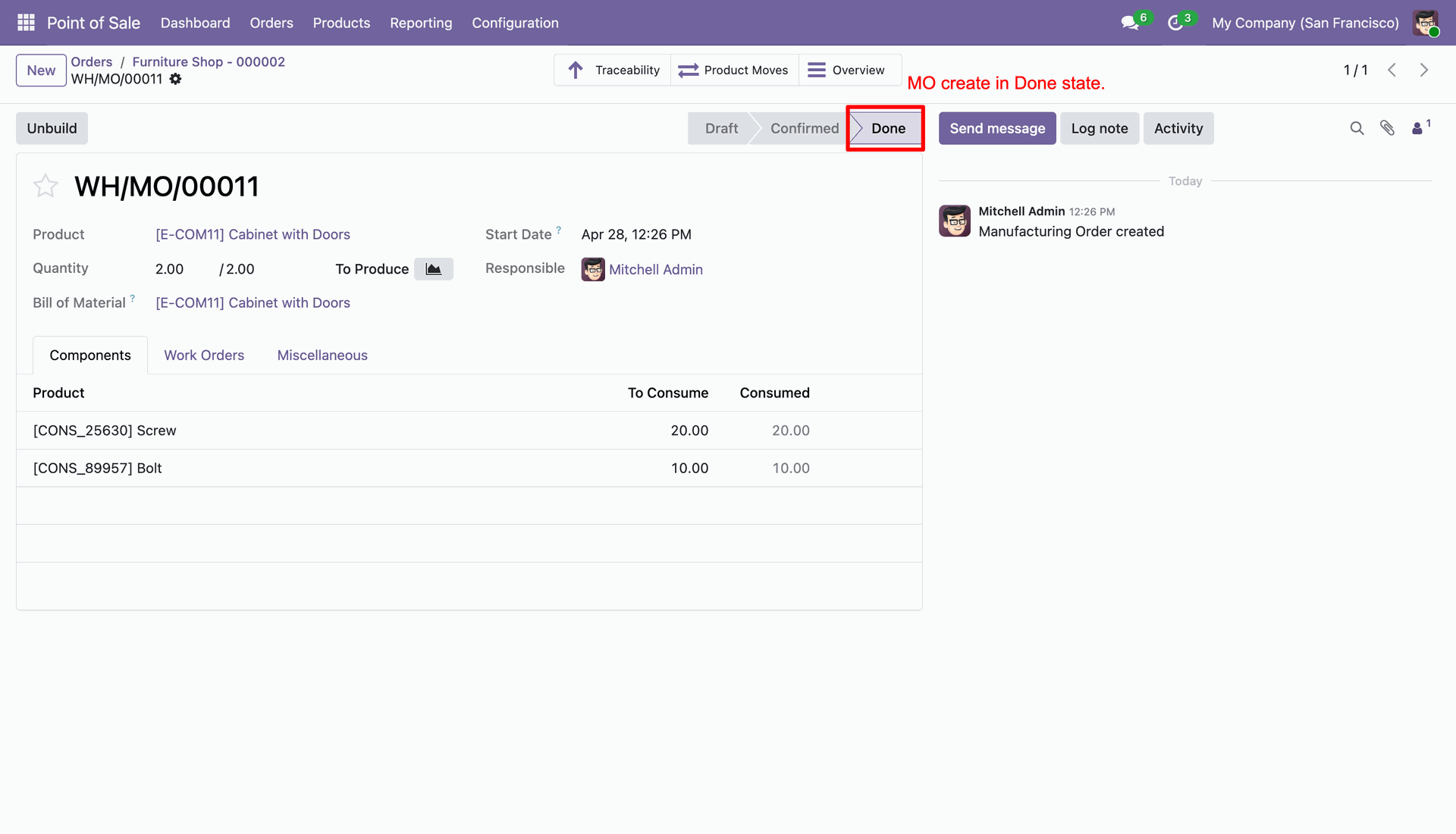
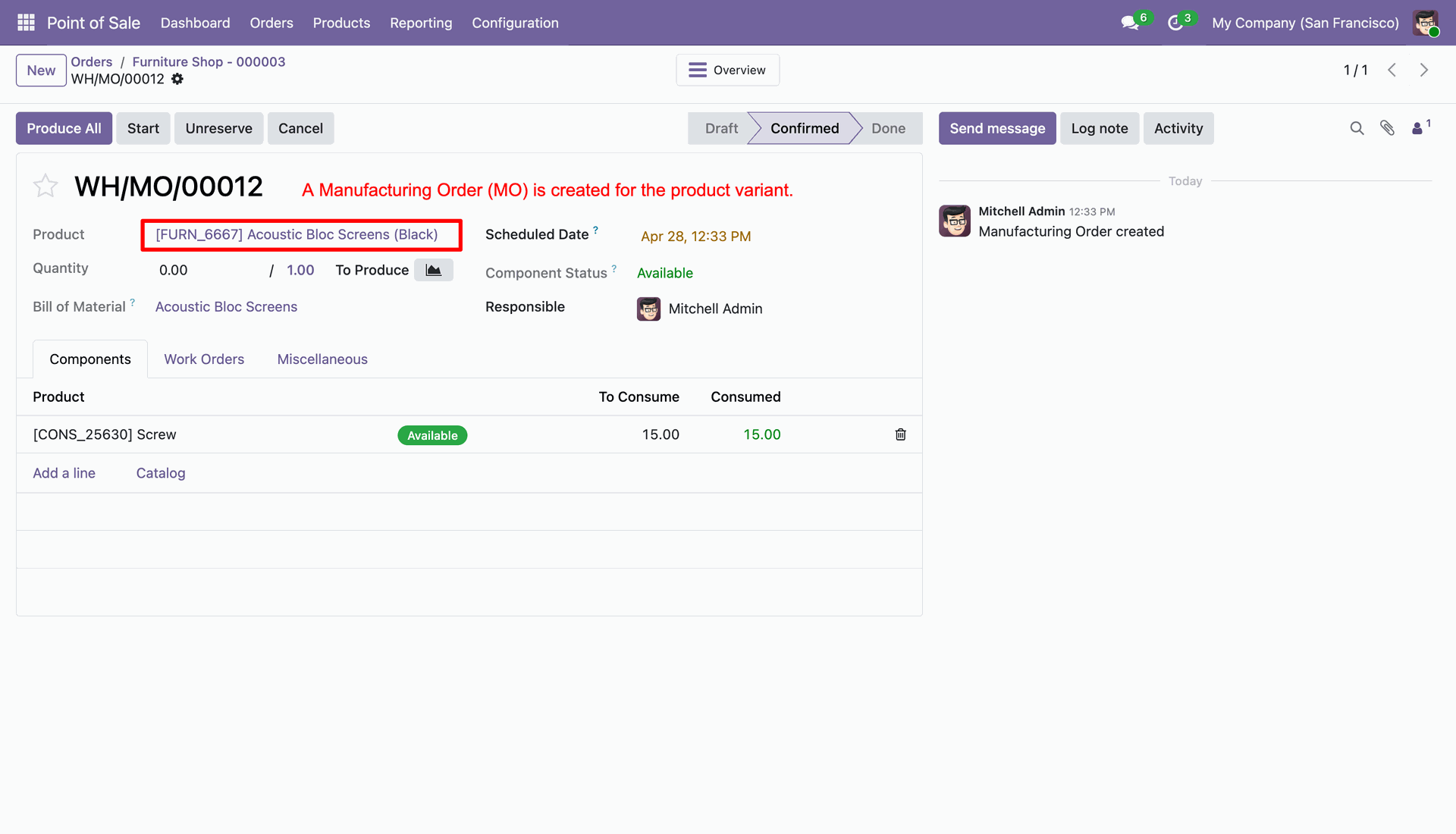
Automatically created and confirmed Manufacturing Order for the POS transaction.
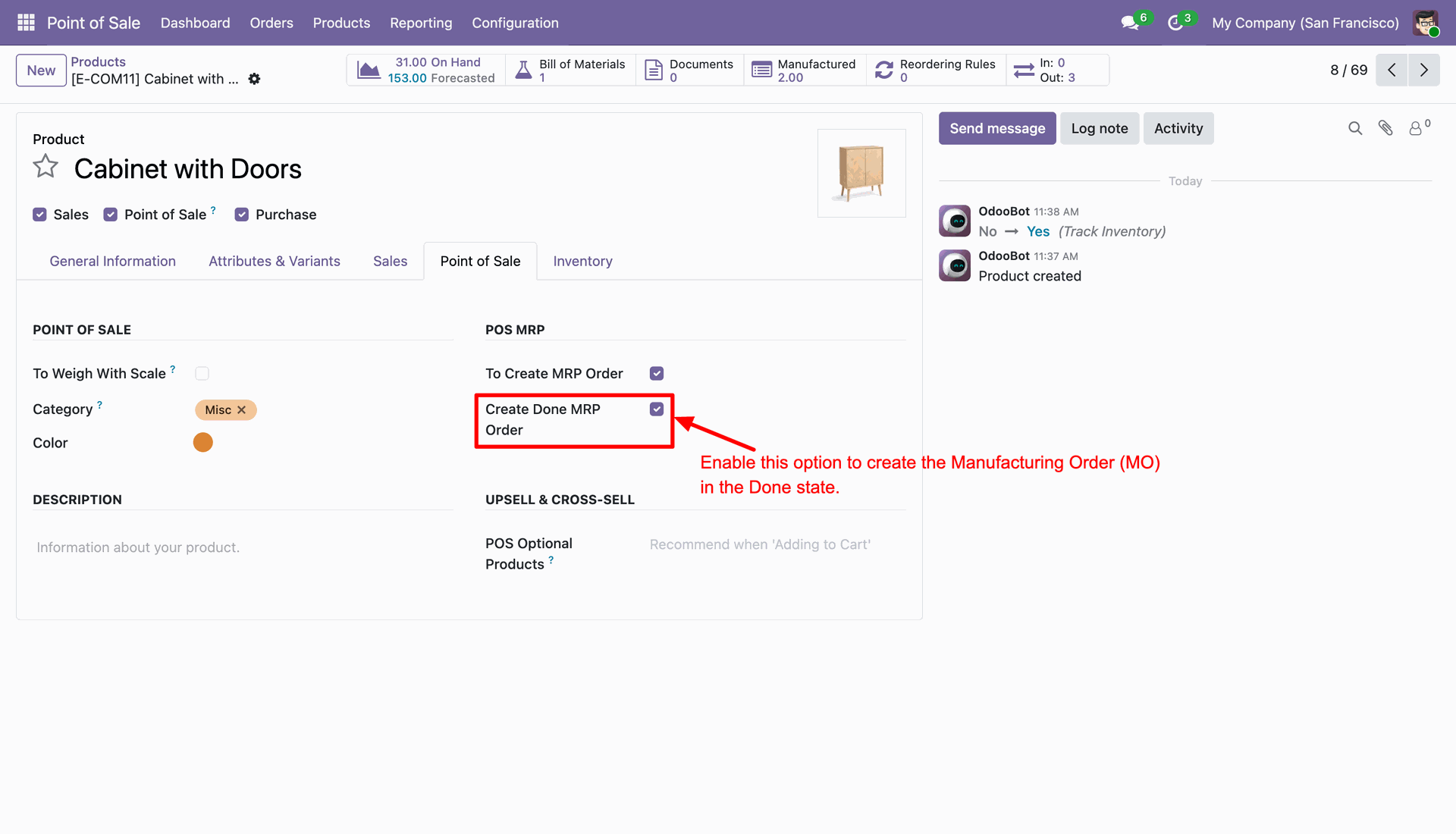
Toggle 'Create Done MRP Order' to automatically complete production upon POS sale.
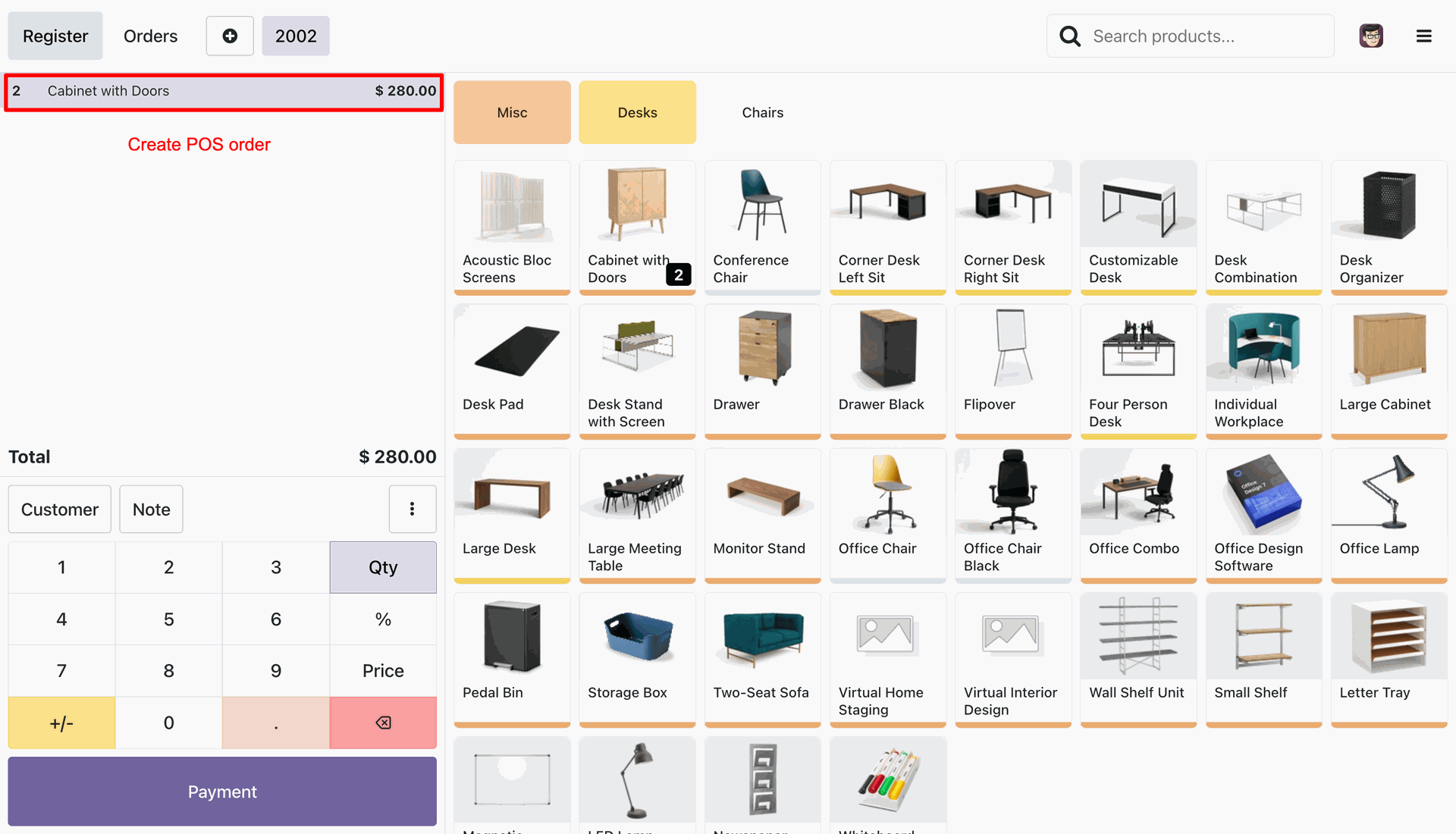
Processing a POS sale for a product set to auto-complete its manufacturing process.
Quick access to the auto-completed MO from the validated POS order.
Manufacturing Order automatically advanced to 'Done' state after POS payment validation.
Product variant configuration to trigger manufacturing order.
Specific Bill of Materials (BOM) setup for the selected product variant.
Selling the same product variant in the POS interface to trigger MRP integration.
Linked MO for the product variant in POS records.
Successful generation of a variant-specific Manufacturing Order from a POS order.
Version 18.0.1.0.0 | Released on : 29th April 2026
- Yes, this app works perfectly with Odoo Enterprise (Odoo.sh & Premise) as well as Community.
- No, this application is not compatible with odoo.com(odoo saas/Odoo Online)
- Yes, to test this module, please contact us at sales@softhealer.com.
- Please contact us at sales@softhealer.com to request customization.
- Yes, we provide free support for 365 days from the date of purchase.
- Yes, you will receive lifetime free updates for the version of the module you purchased.
- No, there is no need to install any additional libraries.
- Yes, for version 12 and above, you need to purchase the module separately for each version you intend to use.
- No, exchanges or refunds are not allowed. Please make sure to select the correct version before purchasing.
- You can contact us at support@softhealer.com for language translation support. We use Google Translator tools to provide translations in multiple languages, so the accuracy may vary. We welcome your suggestions to help improve translations.
Discover Our Latest Apps