


 Easy to Manage
 Dedicated Support
















 Scan to email sales






Create Invoice On Delivery

Sometimes in business, we need to create a direct invoice based on the delivery order. This module creates invoices from delivery orders when validating delivery orders. If you activate the 'send invoice email when delivery validates' option then it auto sends invoices by email when you validate the delivery order.

Features
- Automatically invoice creates when delivery order validates.
- Easy to manage invoices directly from the delivery.
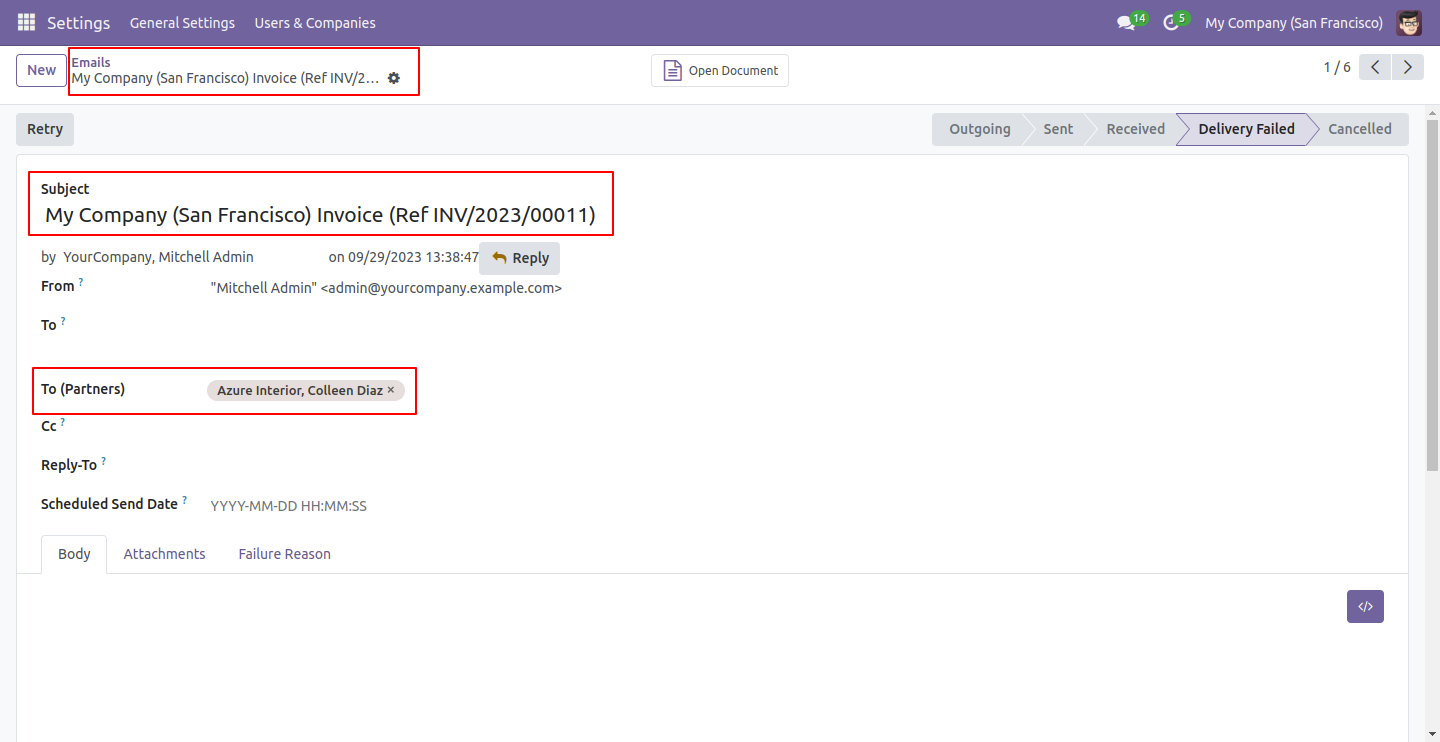
- It sends an auto-email of the invoice to the customer on picking validation.
-
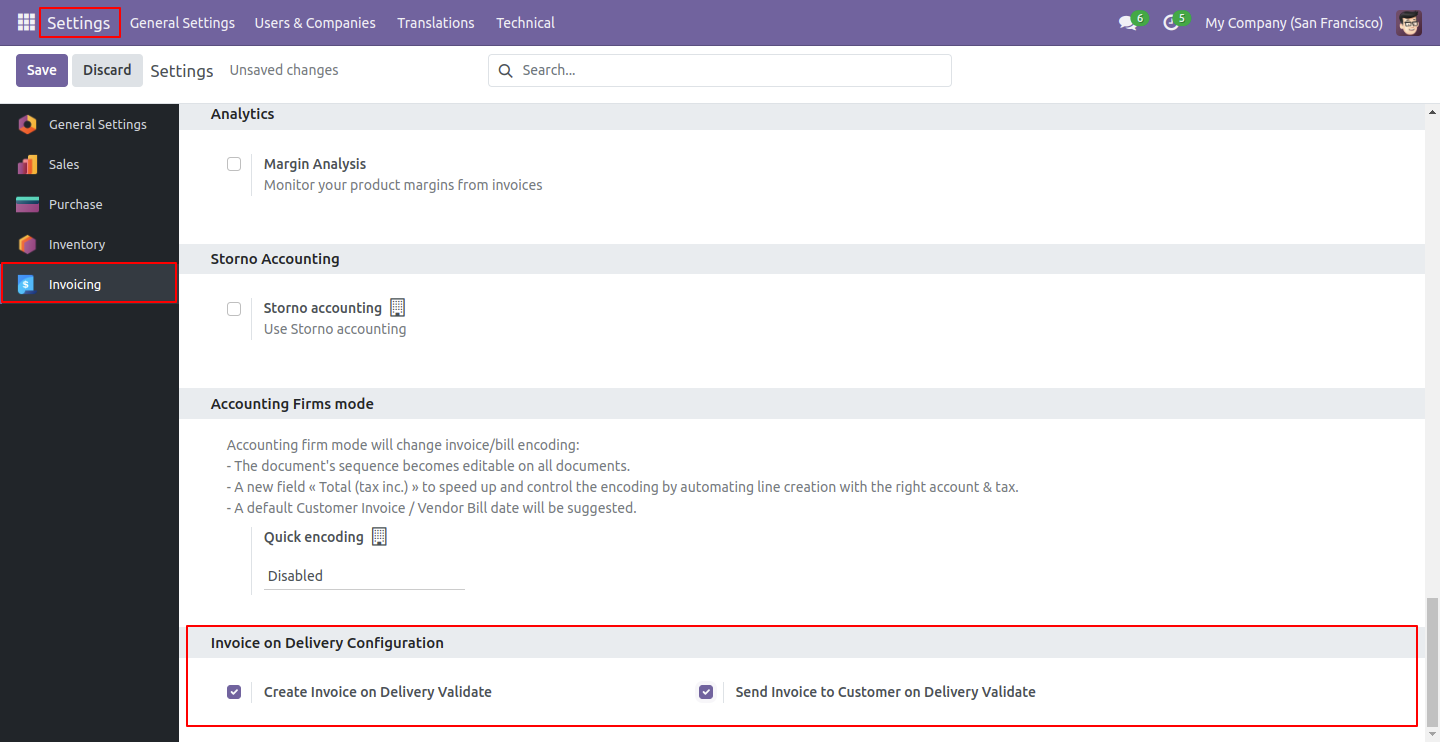
We provide the below configurations,
A) Create Invoice On Delivery Validate: If you enable this option then it auto-creates an invoice when validating the delivery order.
B) Send Invoice To Customer On Delivery Validate: If you enable this option then it auto-sends invoice email on picking validation.
Enable both groups in order to create an invoice when validating the delivery order and send an invoice email on picking validation.
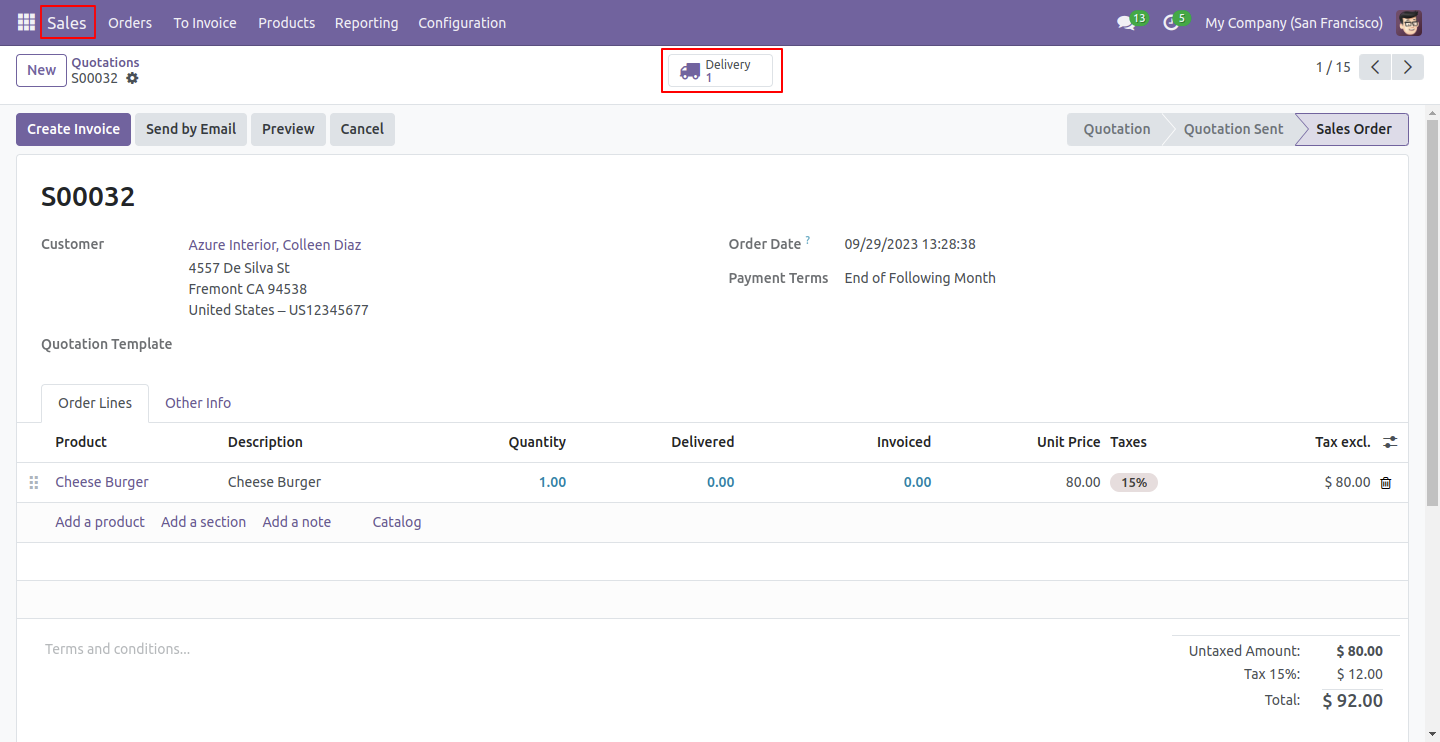
Now create a quotation and confirm it, and open a delivery order.
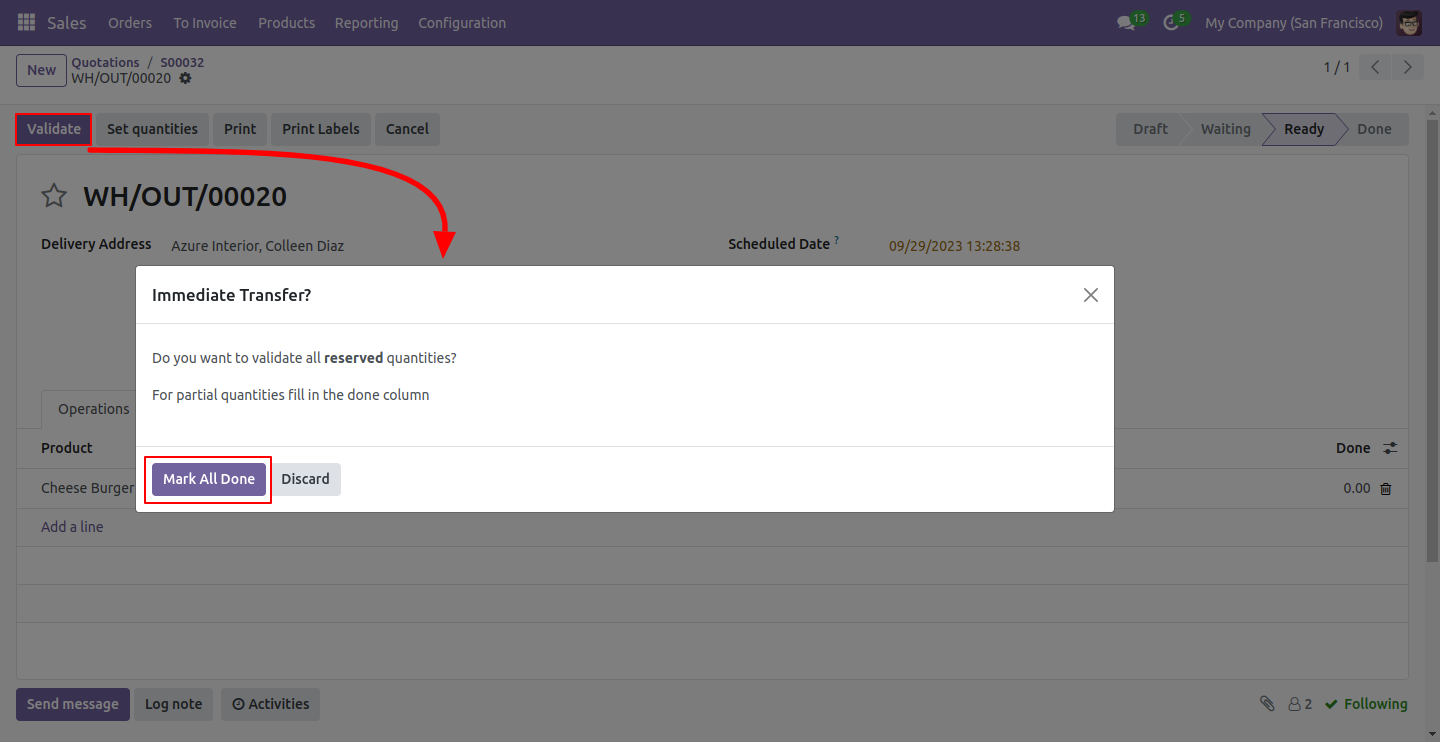
Validate the delivery order and proceed with an immediate transfer by clicking on the 'Mark All Done' button.
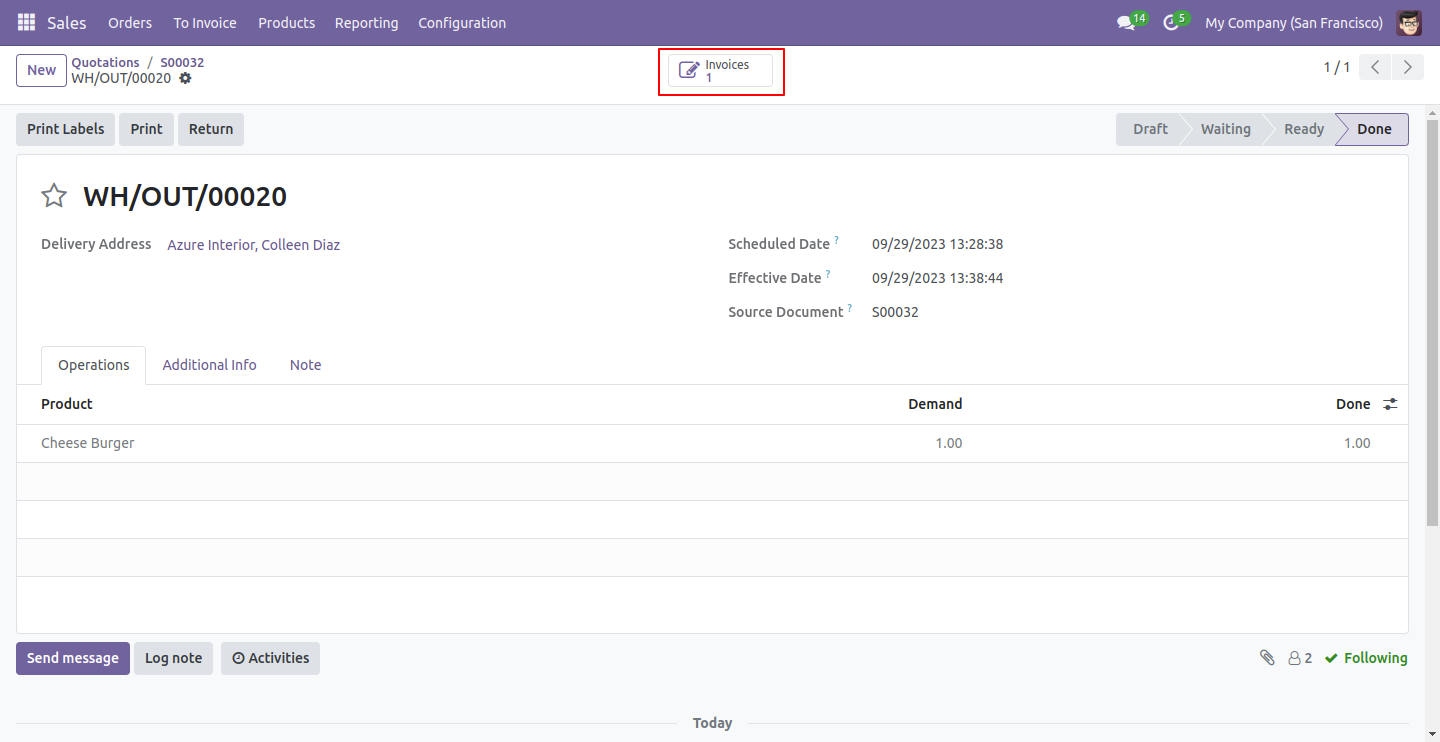
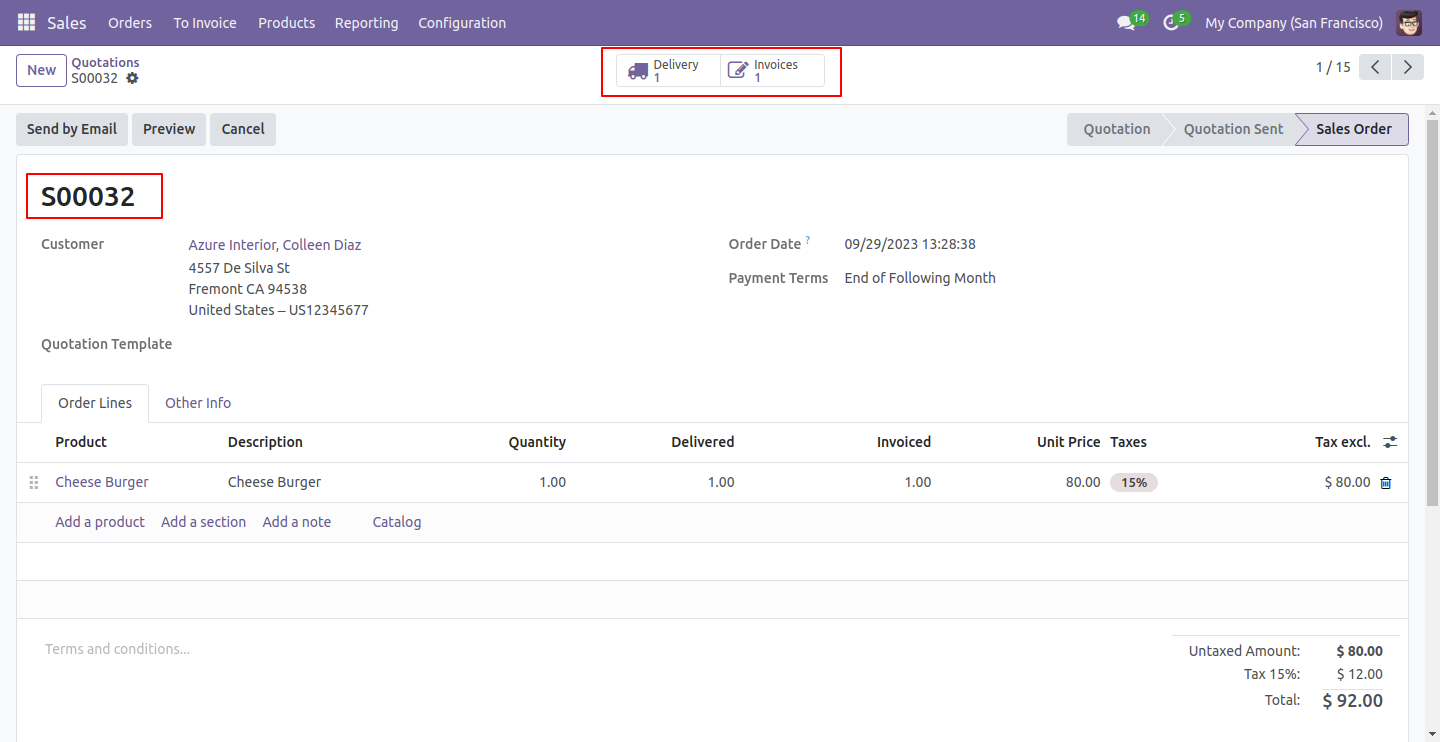
So invoice is created and you can see the generated invoice using the smart button 'Invoices'.
You can see both the delivery order and the invoice from the sale order.
It auto-sent invoices email on picking validation.
Version 18.0.2 | Released on : 2nd December 2024
Version 18.0.1 | Released on : 3rd September 2024
- Yes, this app works perfectly with Odoo Enterprise (Odoo.sh & On-Premise) as well as Community.
- No, this application is not compatible with odoo.com(odoo saas/Odoo Online).
- No, currently it does not work if the product type is selected as a combo product. For more details, please contact our support team at support@softhealer.com.
- Please Contact Us at sales@softhealer.com to request customization.
- Yes, you will get free update for lifetime.
- No, you don't need to install addition libraries.
- For version 12 or upper, you will need to purchase the module for each version that you want to use.
- Yes, we provide free support for 100 days.
- No, We do not provide any kind of exchange.
