












Timesheet Invoice

A timesheet is a method for recording and tracking the amount of an employee’s time spent on each project. This module provides a feature to create an invoice from the timesheet. Timesheet invoice ensures payments are received much faster and the inconvenience of missed bills is eliminated because you provide all the stuff like details about projects, spent time, date of the project in one invoice so it's very easy for a client to understand about his project. Also if any customer has more than one project so you can create only one invoice of all the projects just enable a 'Group by Customer'.

Hot Features
Features
- Easy to create an invoice from timesheet.
- Easy to print details of the timesheet in invoice description like project, task, date, time taken, description.
- Easy to track created invoices of the timesheet in the timesheet tree view.
- Easy to print more than one project of the same customer in a single invoice.
- Easy to set individual products for that project which is select for the invoice.
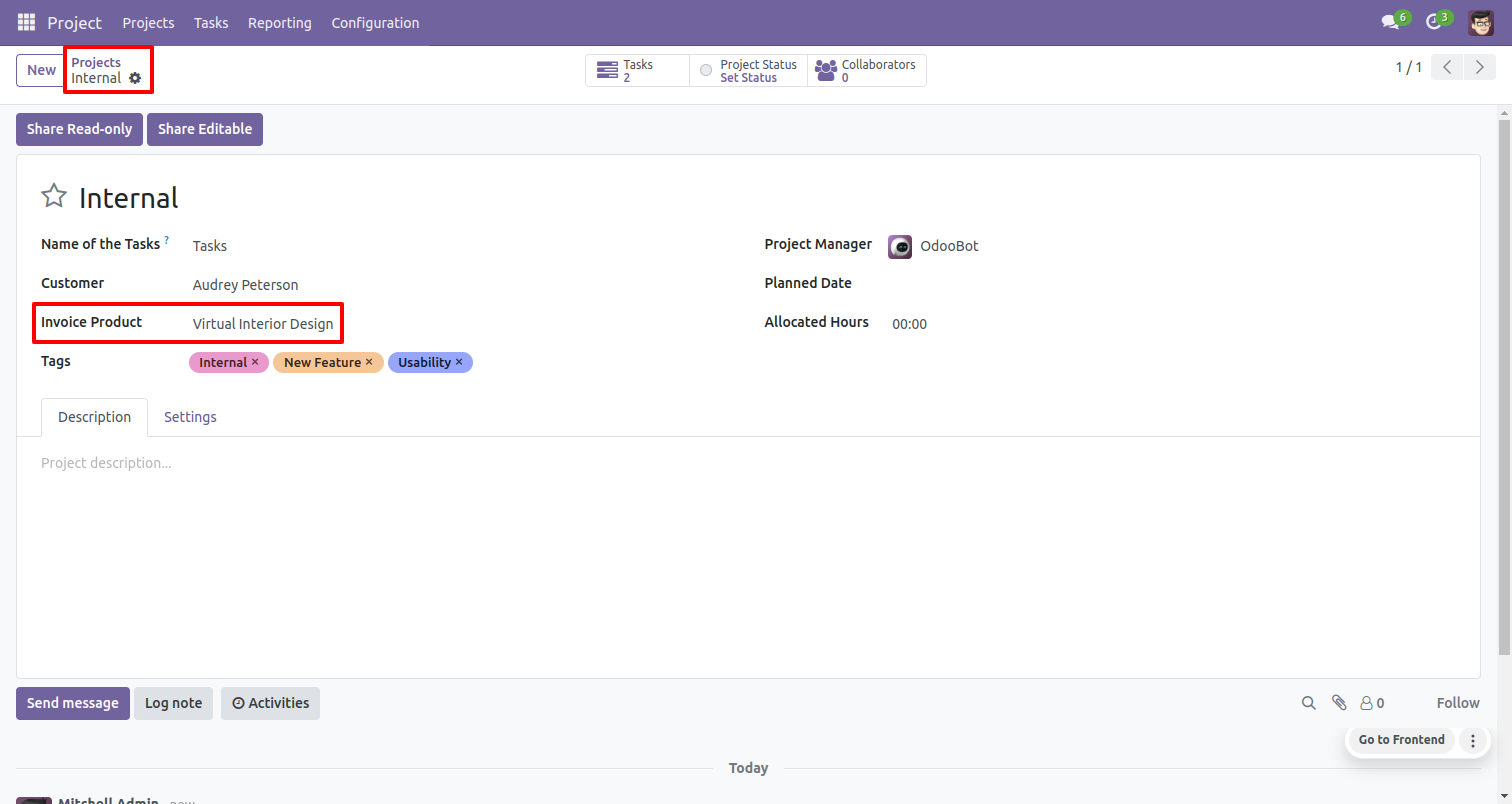
In project set 'Invoice Product'.
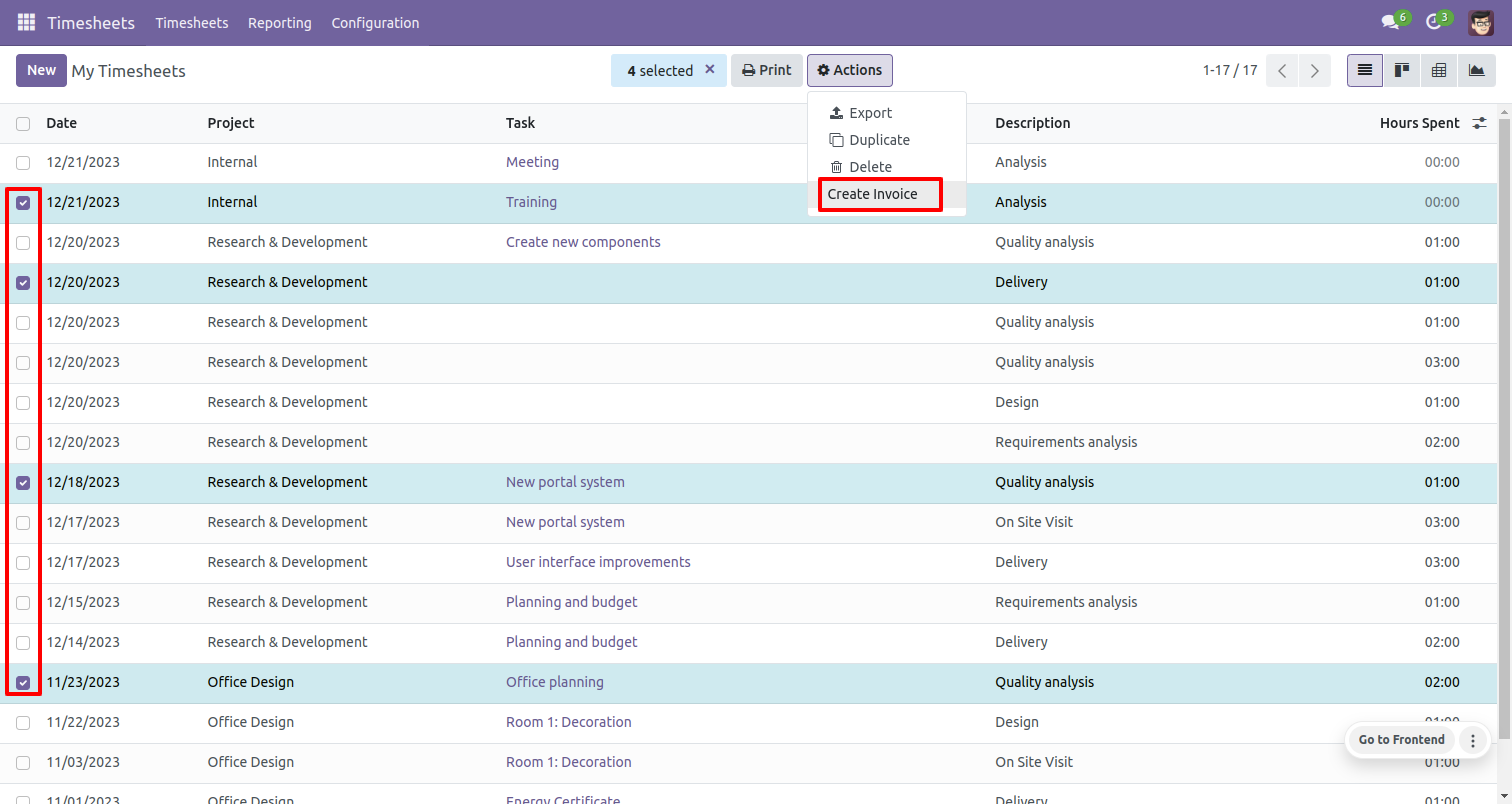
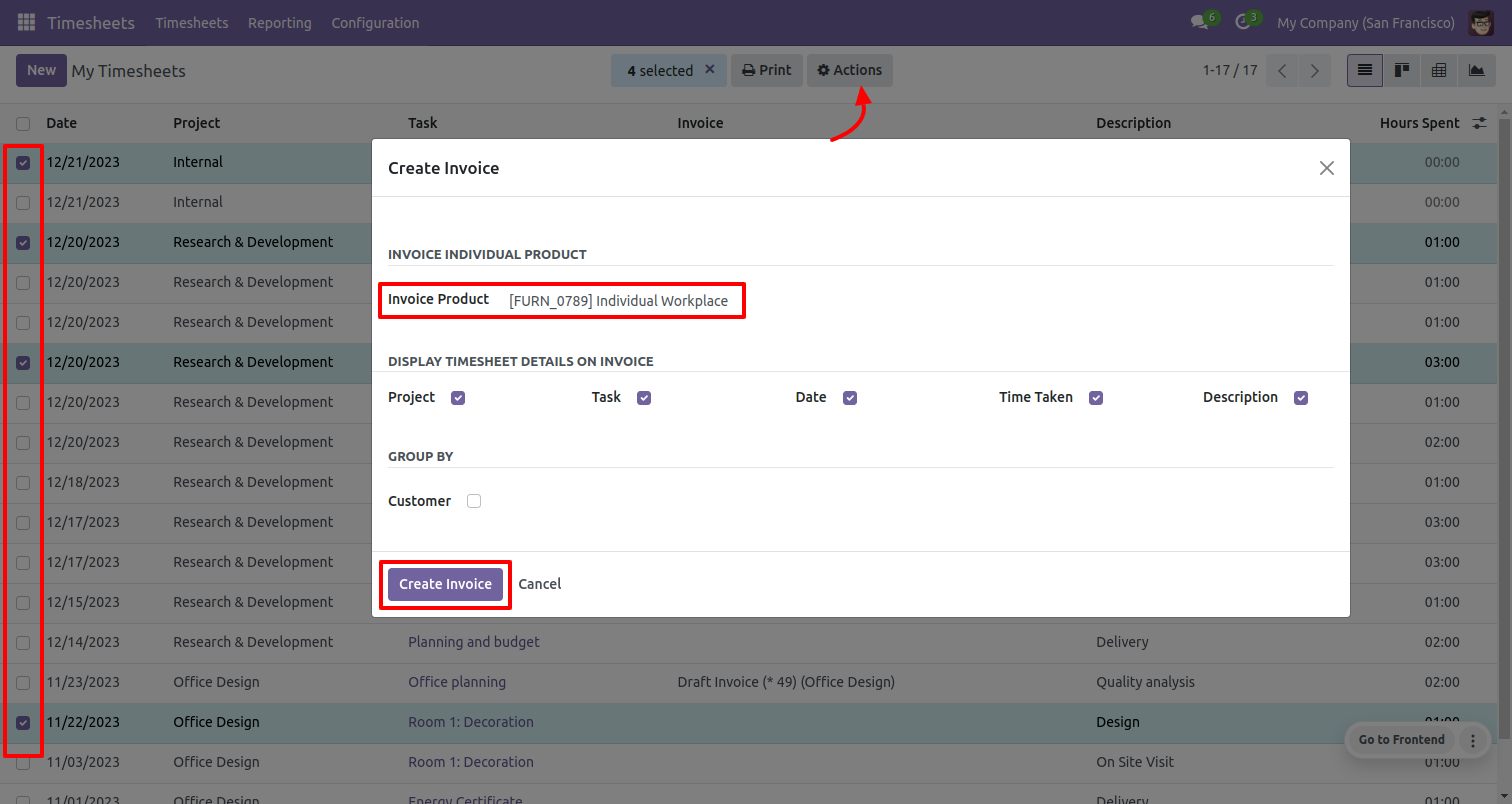
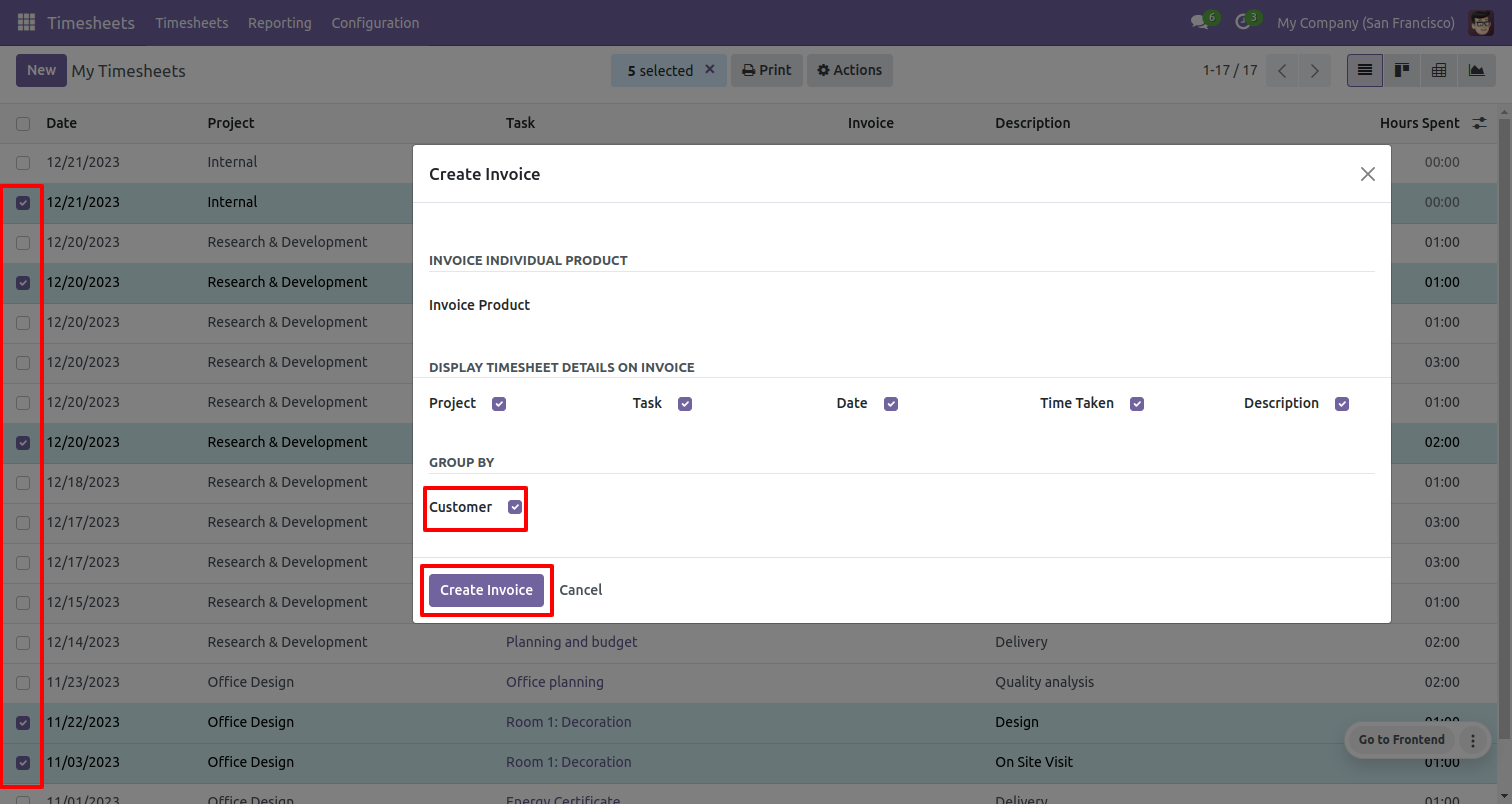
Select the timesheet you want to invoice and click 'Create Invoice'.
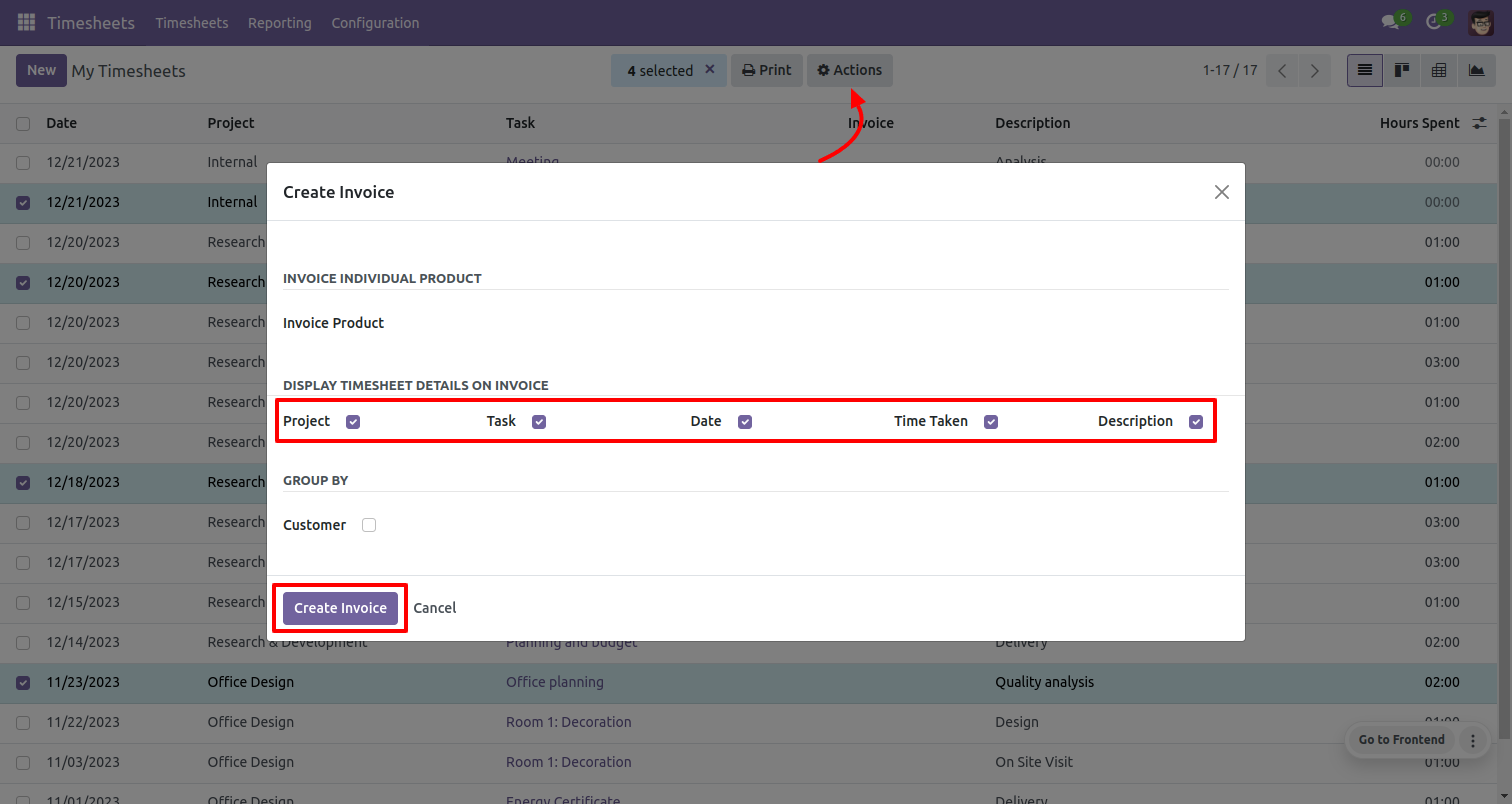
After that, this wizard will popup and fill select which details you want to display in the invoice and click 'Create Invoice'.
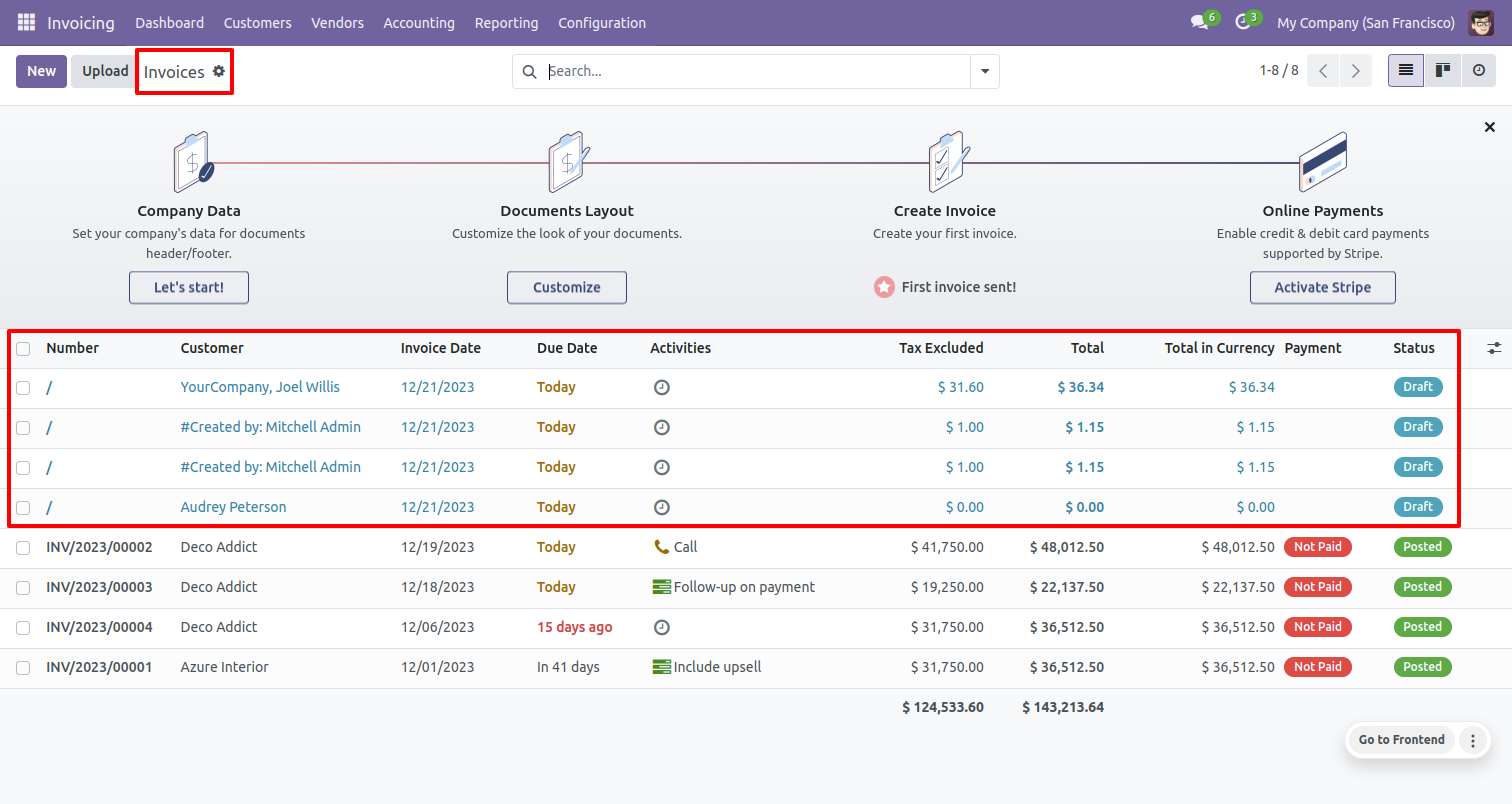
As you can see the invoice will be created.
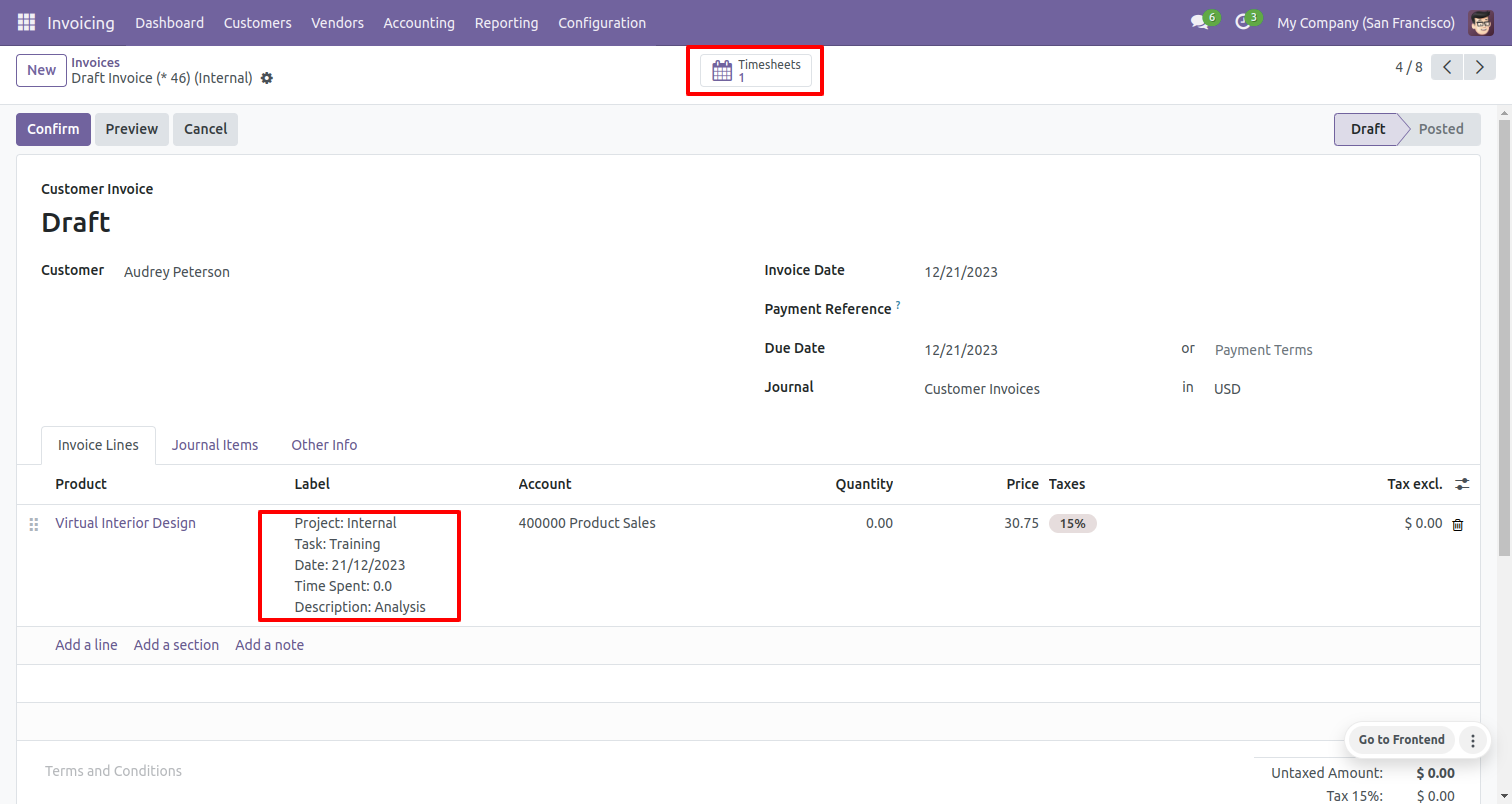
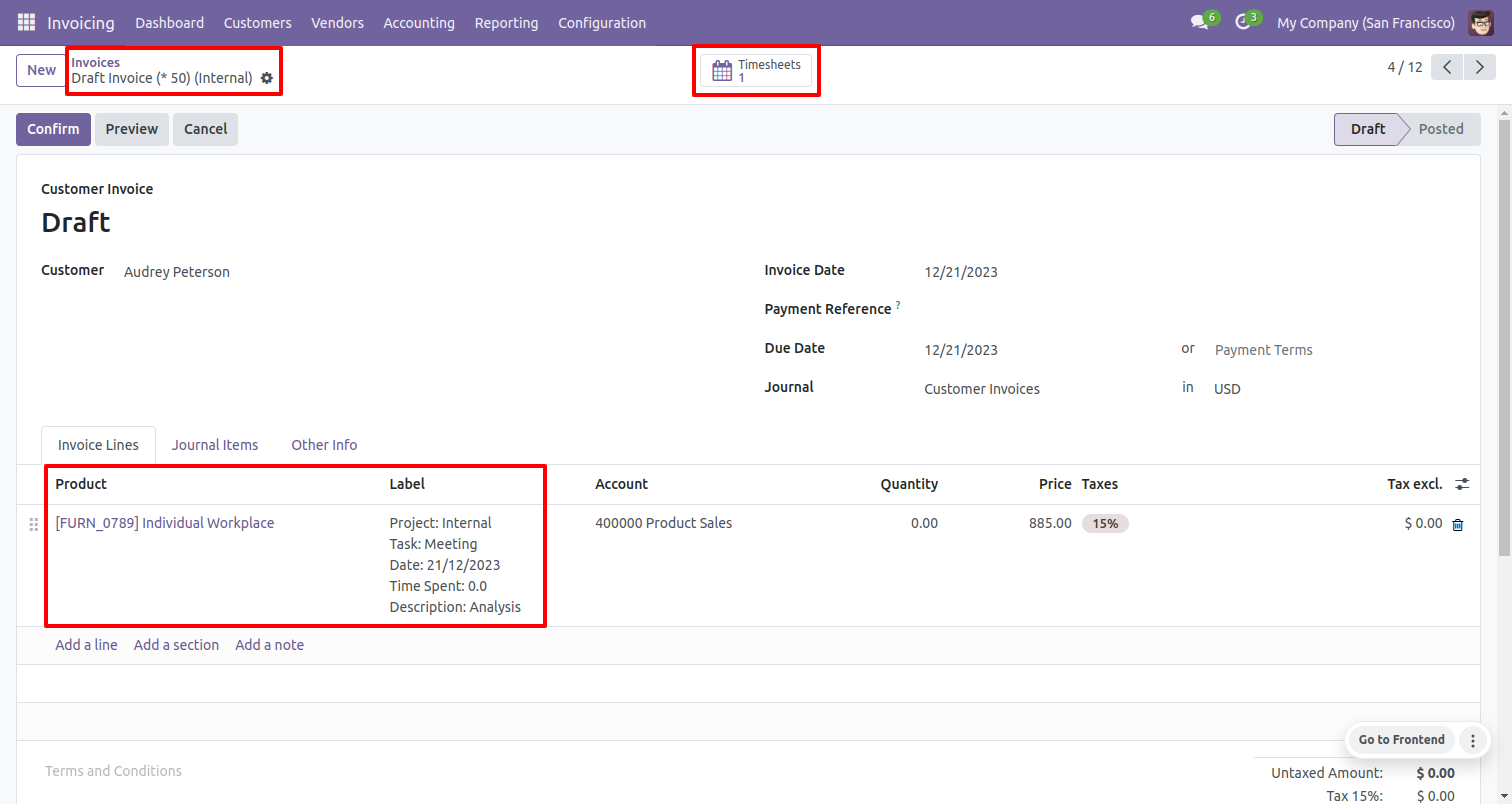
In invoice form view where you can see the one smart button 'Timesheet', in invoice lines as
you can see in
1) Product: 'Invoice Product' from the project. 2) Description: 'Display Timesheet Details on
Invoice'. 3) Quantity: Duration (*Total Spent Hours).
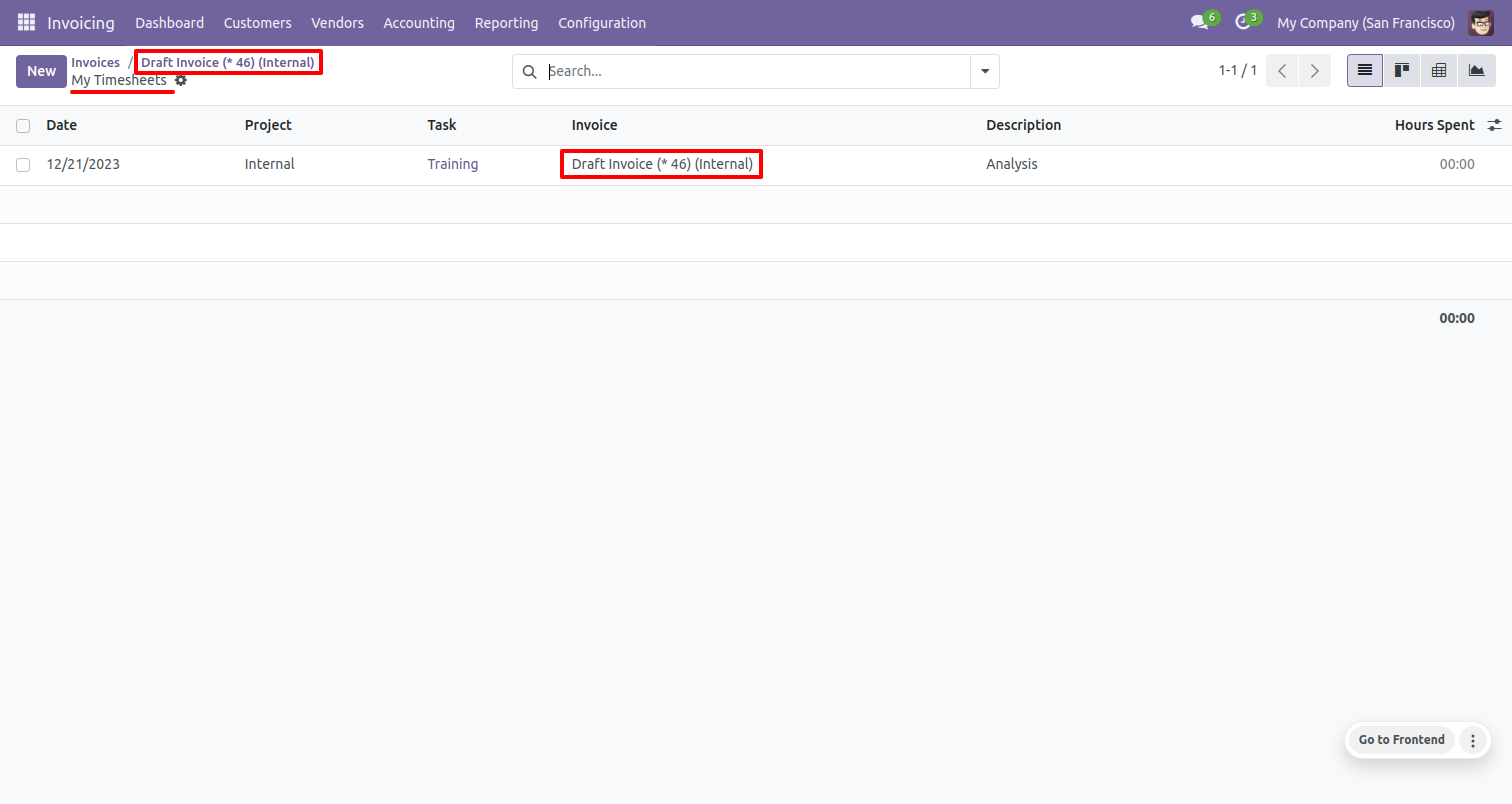
After click on the 'Timesheet' smart button, you will redirect in a timesheet tree view, you can also track created invoice in timesheet tree view 'Invoice'.
Select timesheets form action.
Now select 'Invoice Individual Product' so it will be set in all selected timesheet invoices.
As you can see that product set as an invoice product.
Select timesheets form action.
Now enable 'Group By Customer' so It will merge projects in invoice whose customers are the
same.
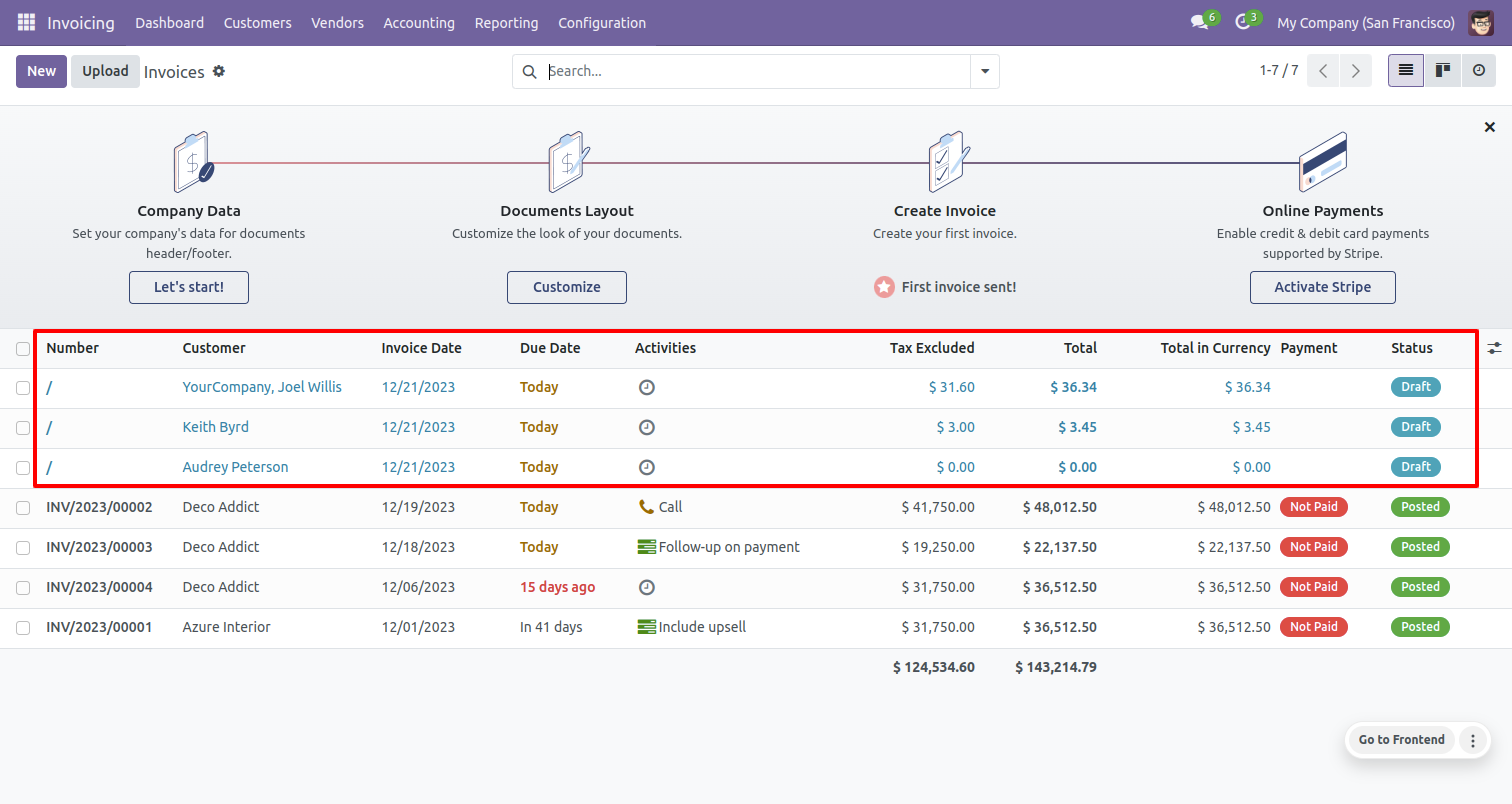
As you can see the only two invoices will create.
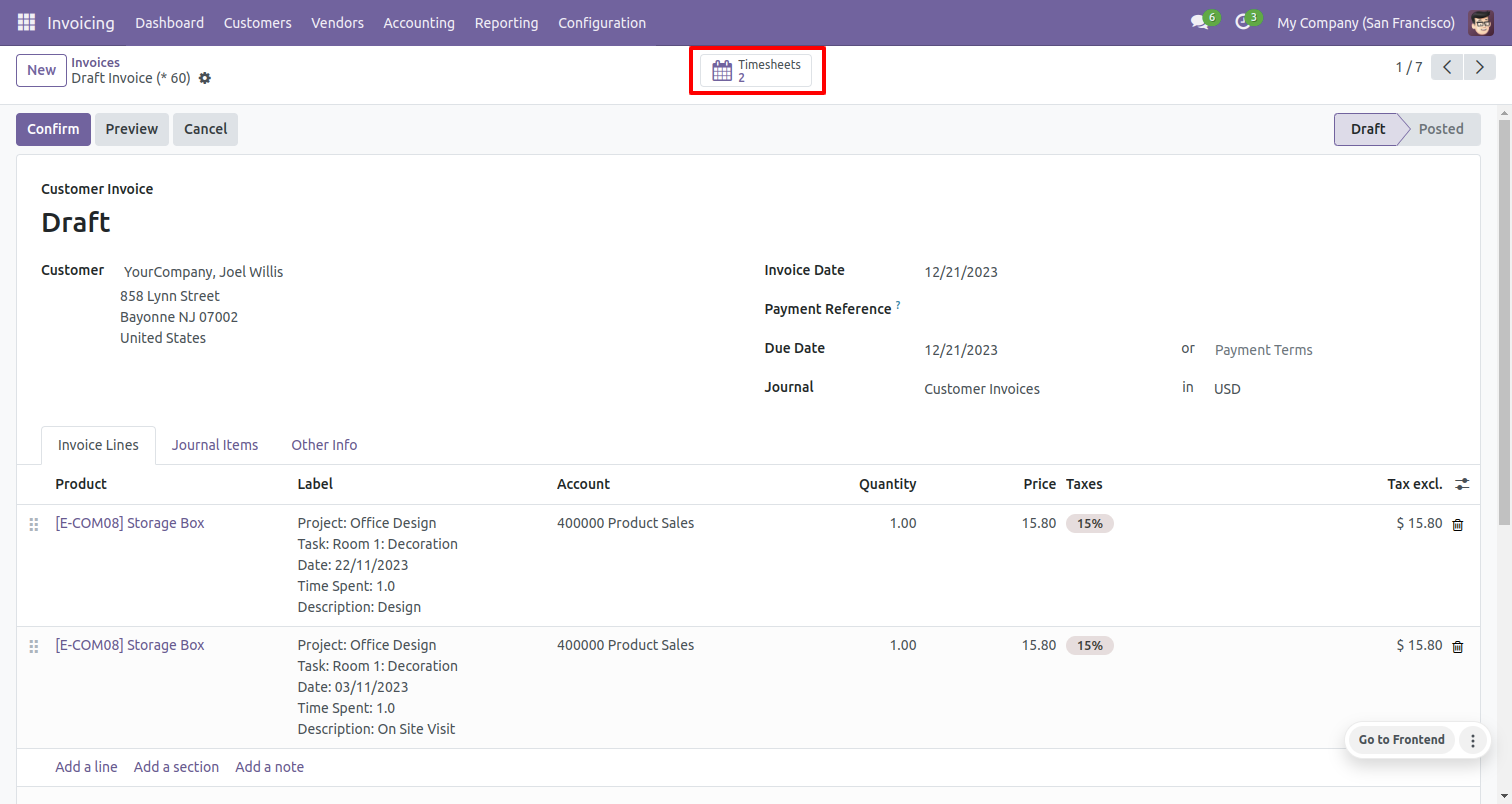
As you can see the project of that customer will be merged in a single invoice.
Version 19.0.1 | Released on : 8th October 2025
- Yes, this app works perfectly with Odoo Enterprise (Odoo.sh & Premise) as well as Community.
- No, this application is not compatible with odoo.com(odoo saas/Odoo Online)
- Yes, to test this module, please contact us at sales@softhealer.com.
- Please contact us at sales@softhealer.com to request customization.
- Yes, we provide free support for 365 days from the date of purchase.
- Yes, you will receive lifetime free updates for the version of the module you purchased.
- No, there is no need to install any additional libraries.
- Yes, for version 12 and above, you need to purchase the module separately for each version you intend to use.
- No, exchanges or refunds are not allowed. Please make sure to select the correct version before purchasing.
- You can contact us at support@softhealer.com for language translation support. We use Google Translator tools to provide translations in multiple languages, so the accuracy may vary. We welcome your suggestions to help improve translations.
Discover Our Latest Apps