


 Easy to Manage
 Dedicated Support















 Scan to email sales



Contact Approval

The contact approval module will allow you to approve or reject contacts, partners, vendors, customers, clients only by-Contact manager, Only approved contacts, partners, vendors, customers, clients can be used in Sale, Purchase, Invoices, CRM & Inventory, etc. When Contact create that will put it in the 'Under Approval' state by default and then after contact manager can move in approve or not approve state. The approved contact will appear in the whole odoo. This module gives the facility to the contact manager to select multiple contacts means mass approval or mass reject contacts.

Hot Features

Features
- This module will allow you to approve or reject contacts only by the contact manager.
-
Easily search
or filter contact by state: Draft, Under Approval, Approved or Not Approved.
Draft: When a normal contact makes it shows in the draft after creating a contact it moves in 'Under Approval' state by default.
Under Approval: That means the contact still not approved by the contact manager, the contact can move in approve state means that contact can use in the whole odoo or can move in not approved state means that contact can not use in the whole odoo.
Approved: Approved means the contact is approved by the contact manager.
Not Approved: Not approved means the contact is not approved by the contact manager. - The contact created it will show in the under approval state by default.
-
The contact
manager has multiple contact access in a single click.
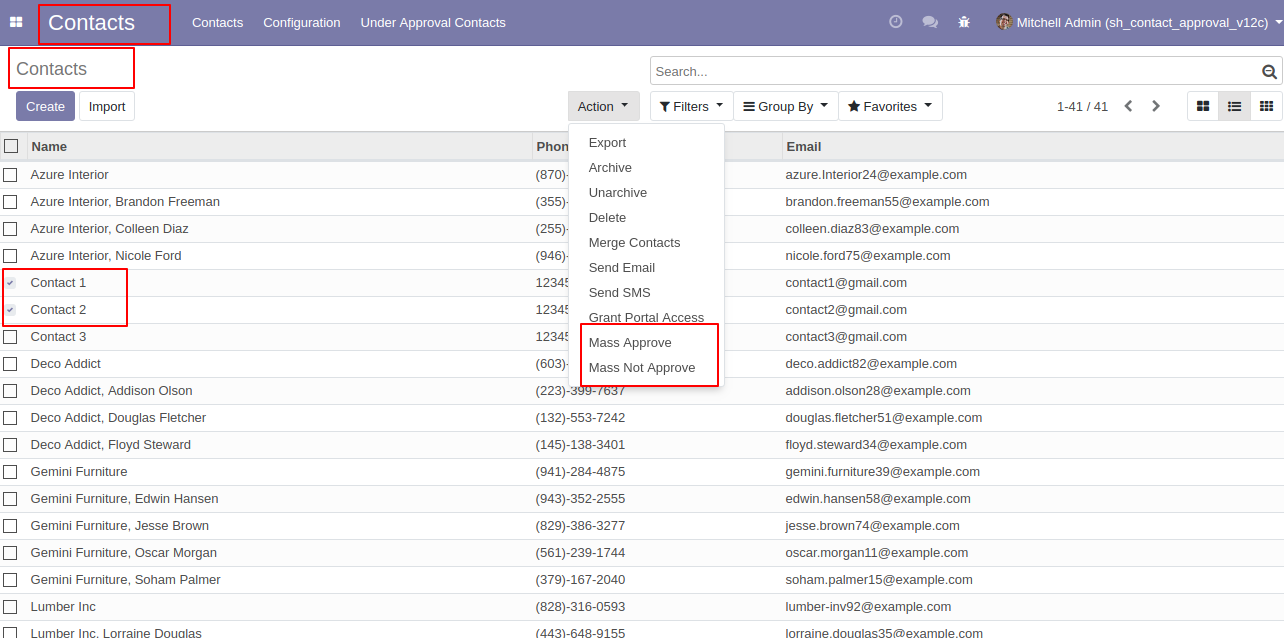
Mass Approve: This feature is useful for the contact manager to mass approve the contact.
Mass Not Approve: This feature is useful for the contact manager to mass reject the contact. - The contact manager can review and confirm the contact.
- No special configuration required, install it, use it.
- It reduces human efforts. and saves your important time.
-
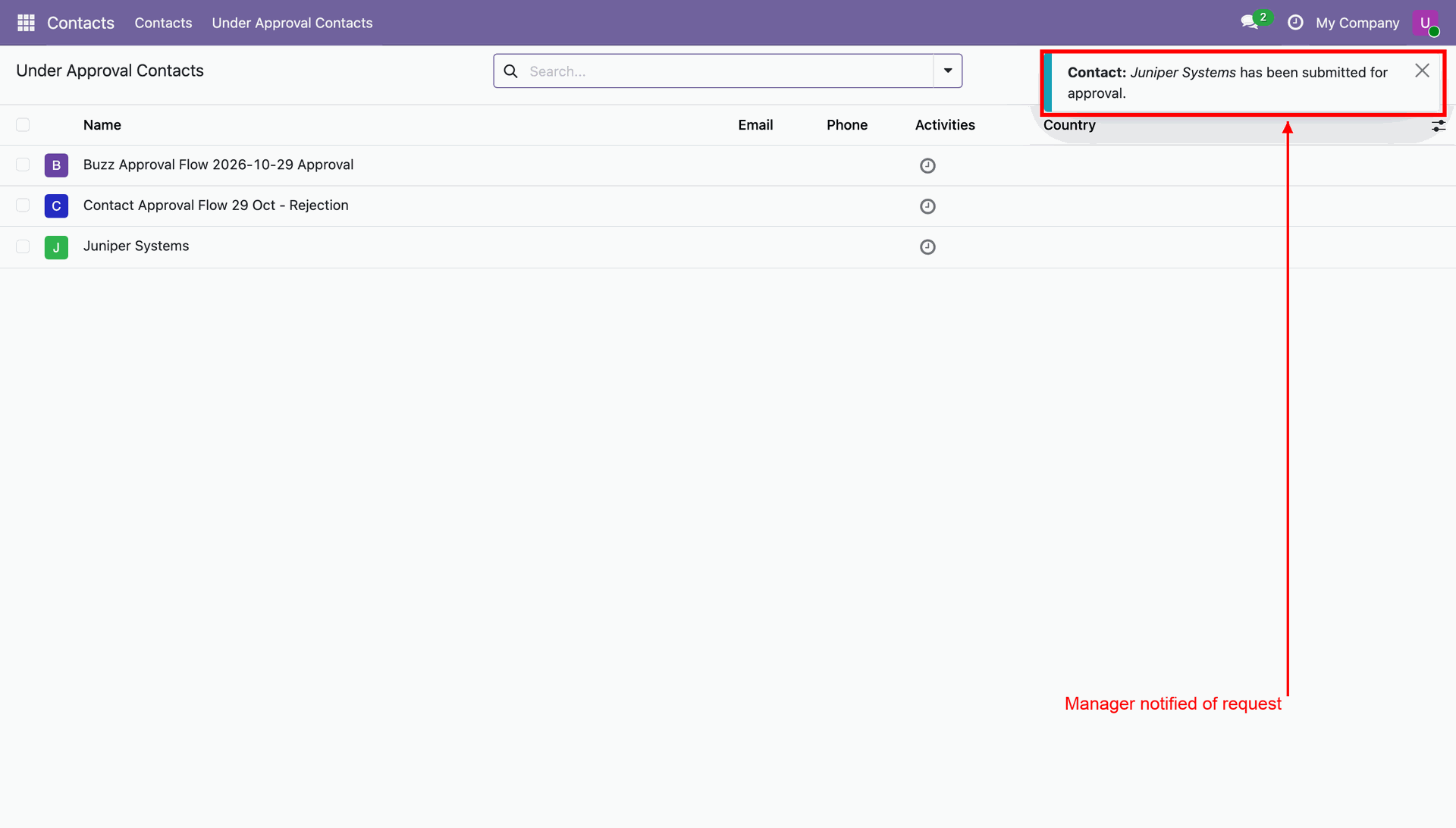
Send Buzz and email notifications for approval requests, approvals, and rejections, with direct links to the related contact.


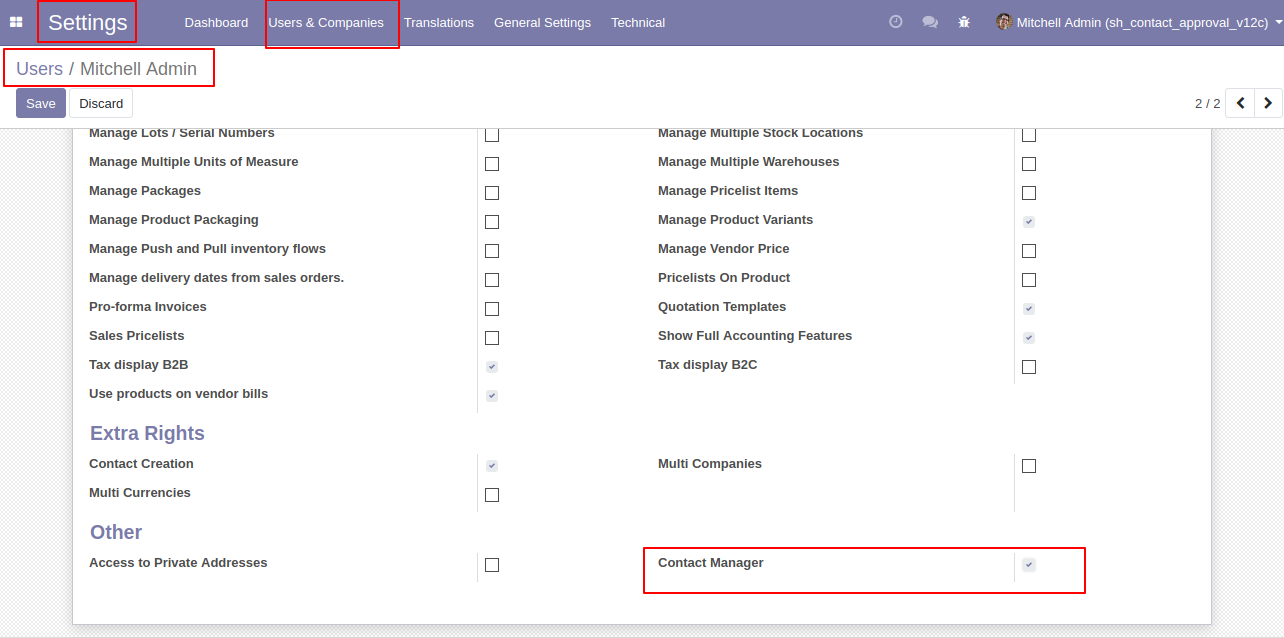
User Setting: Tick the "Contact Manager" group. if the checkbox is unticked then normal user cant perform 'Mass Approve' or 'Mass Not Approve'.
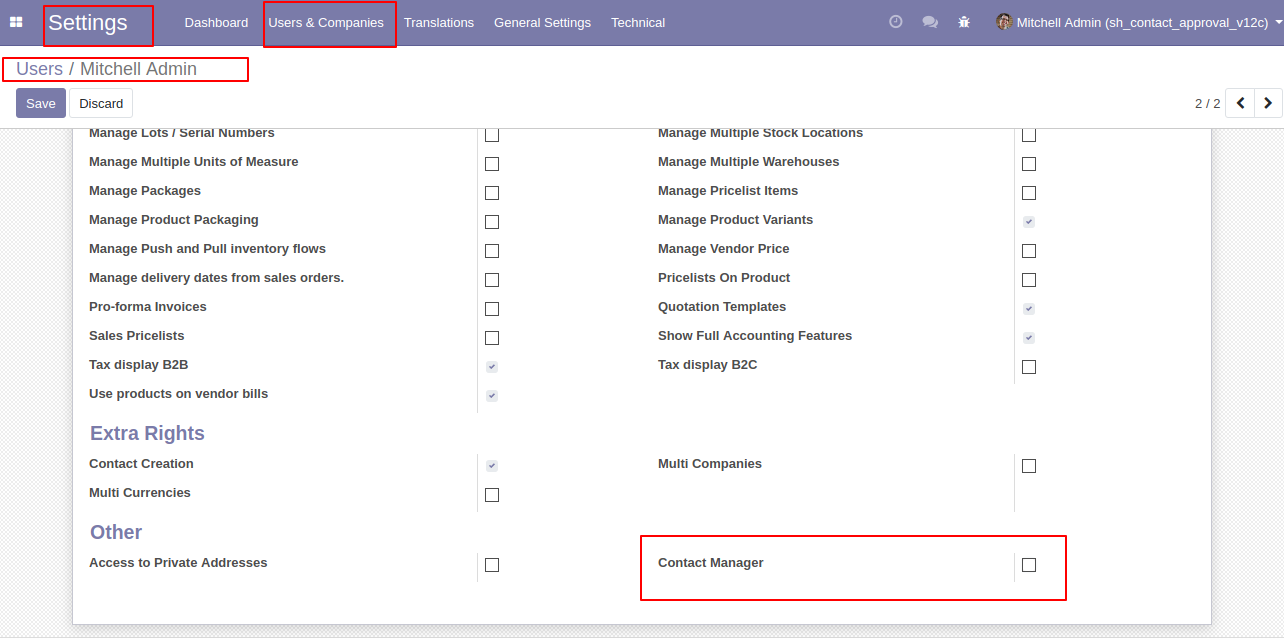
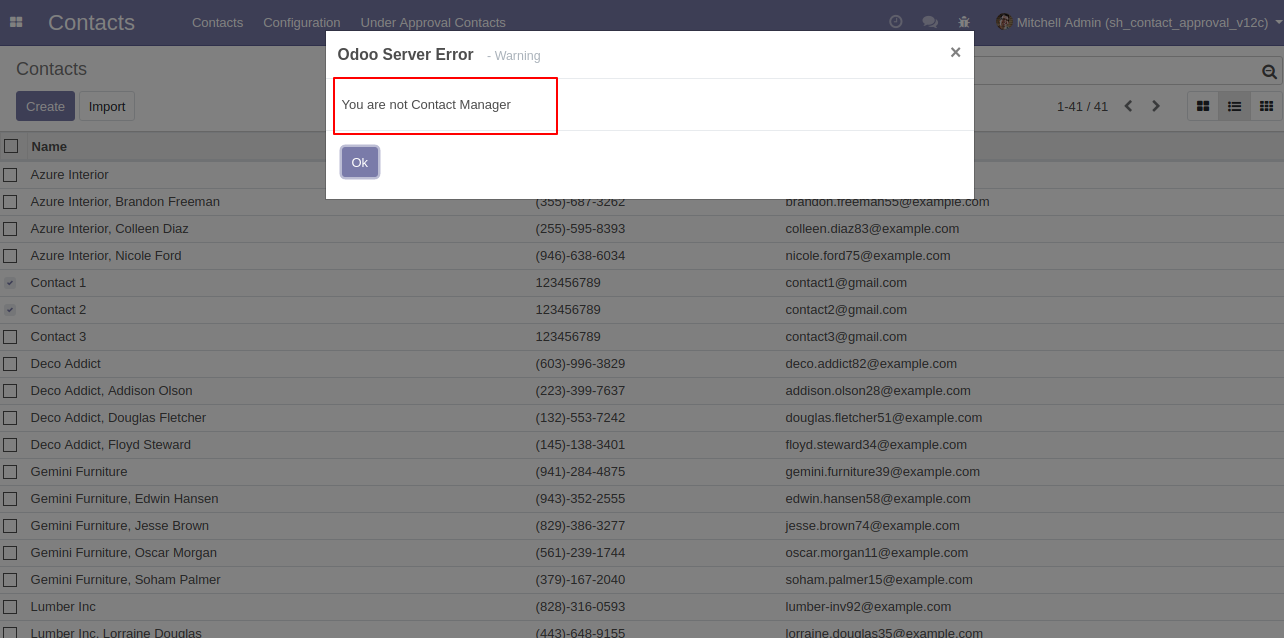
In contacts, if the normal user selects any contacts and tries to perform 'Mass Approve' or 'Mass Not Approve' than it shows error.
The error looks like below.
User Setting: Tick the "Contact Manager" group.
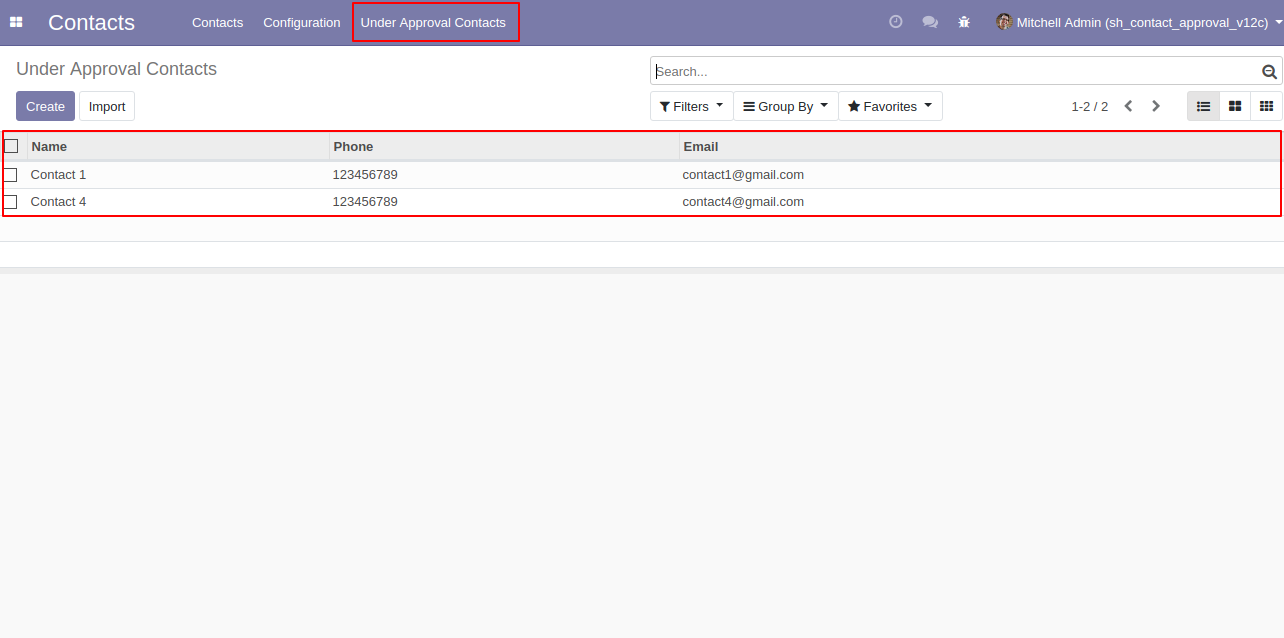
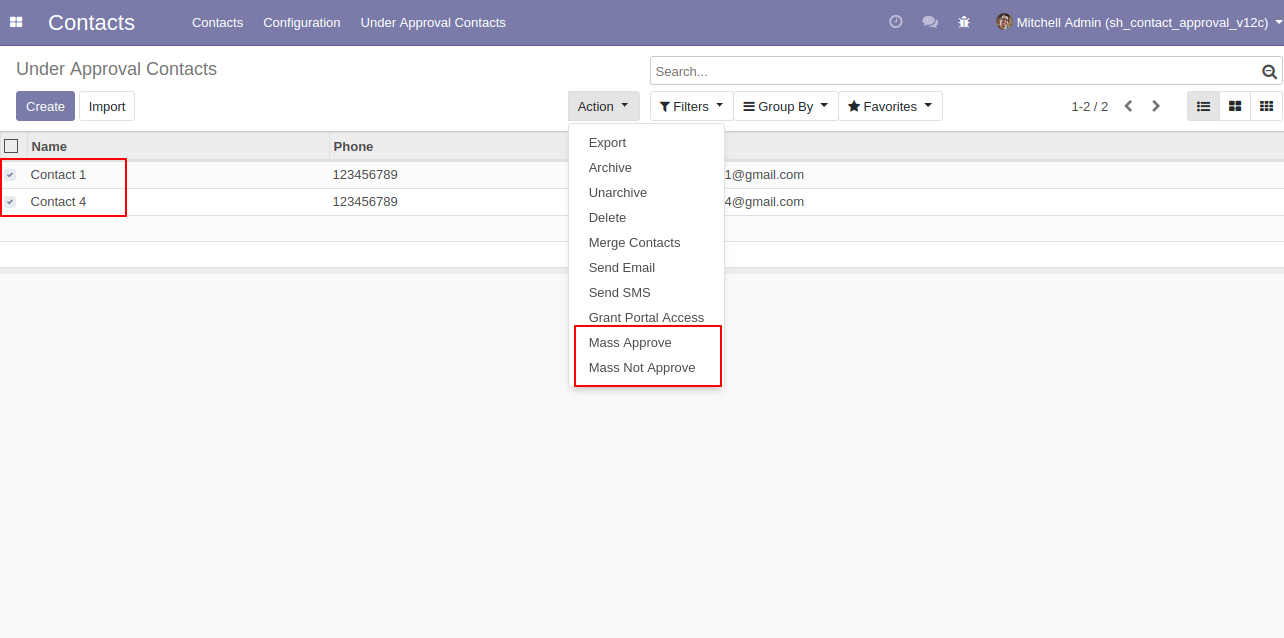
In contacts, you can see the under approval contact list.
After clicking that contact manager can perform two actions,
1) Mass Approve: The contact manager can select multiple contacts and do Mass Approve
so that contacts can use in the whole odoo.
2) Mass Not Approve: The contact manager can select multiple contacts and do Mass Not
Approve so that contacts can not use in the whole odoo.
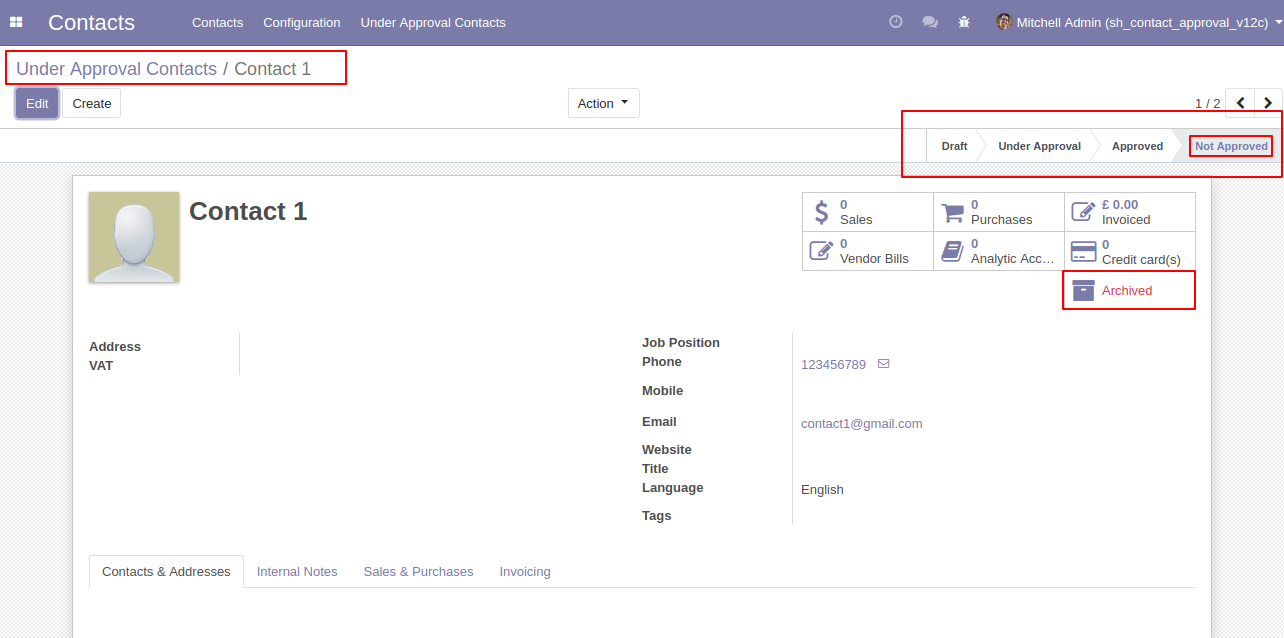
Contact 1 is in the under approval state. You can see all states of the contact (Draft, Under
Approval, Approved or Not Approved),
1) Draft: When a normal user makes a contact it shows in the draft after creating a
contact it moves in 'Under Approval' state by default.
2) Under Approval: That means the contact still not approved by the contact manager,
the contact can move in approve state means that contact can use in the whole odoo or can
move in not approved state means that contact can not use in the whole odoo.
3) Approved: Approved means the contact is approved by the contact manager.
4) Not Approved: Not approved means the contact is not approved by the contact
manager.
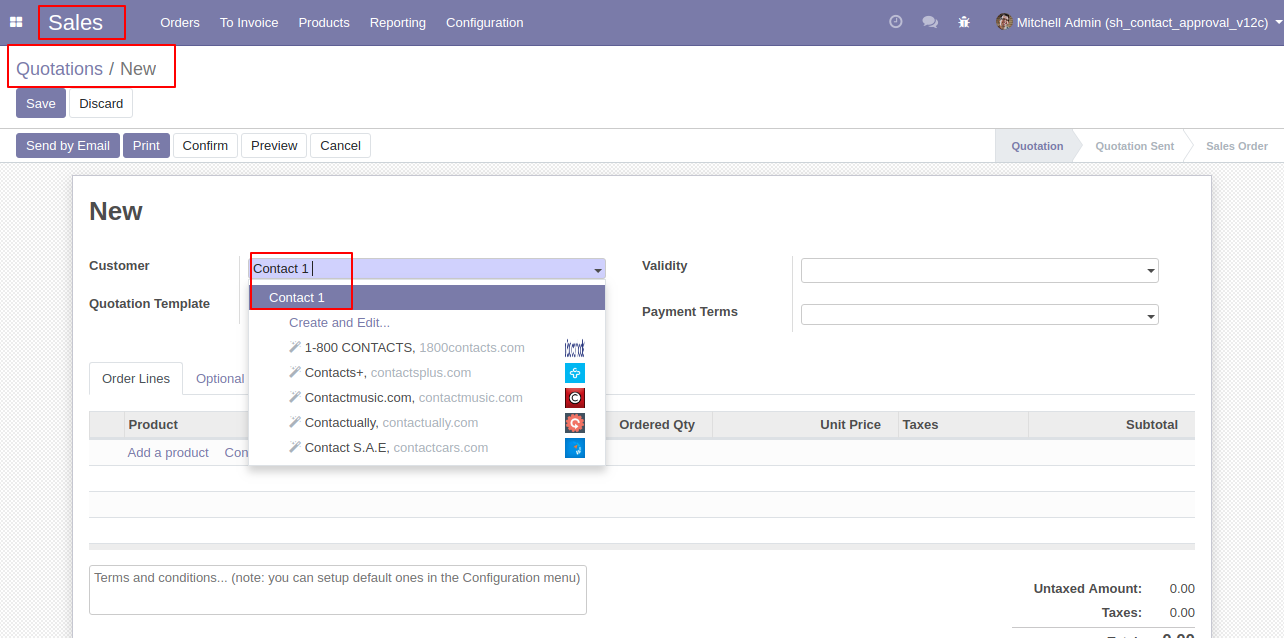
After approved contact by contact manager that can use in sales order or quotations.
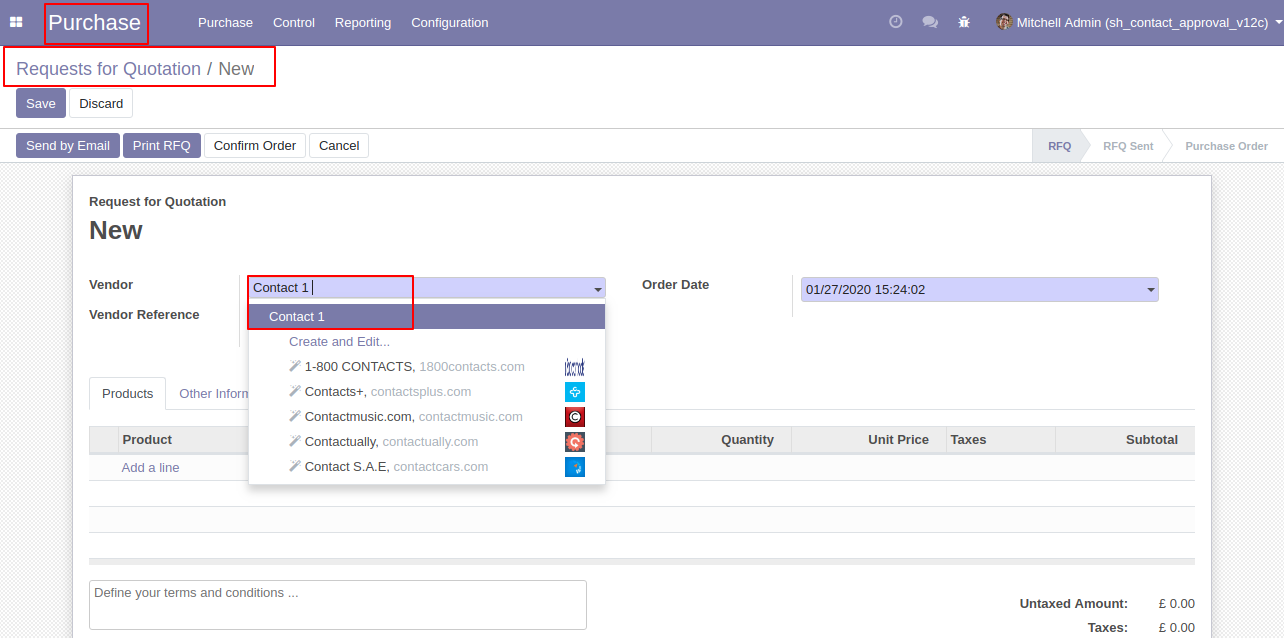
The approved contact can be used in the purchase order or request for a quotation.
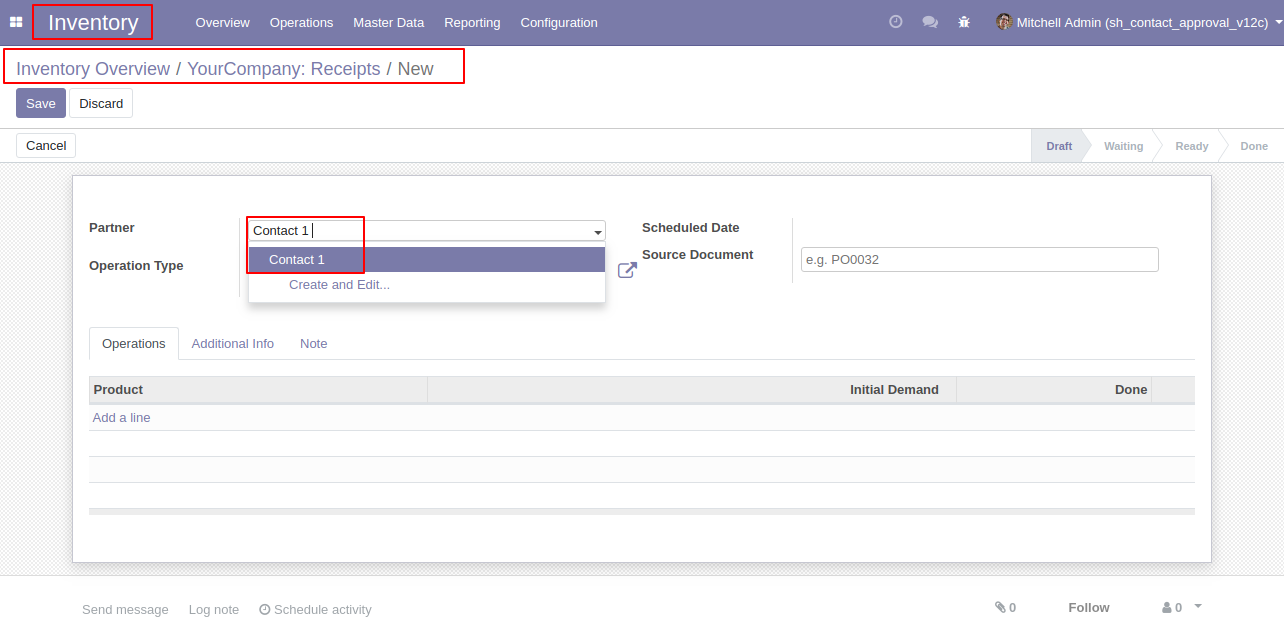
Users can only use the approved contact in inventory, stock or warehouse.
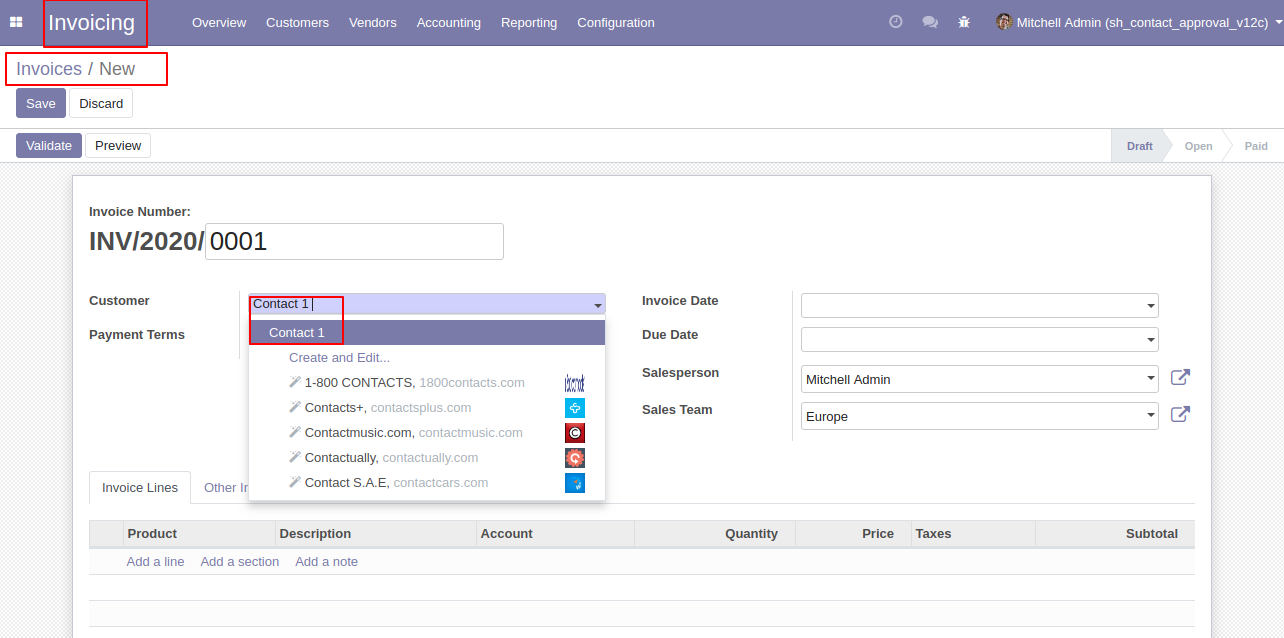
Only approved contacts will be shown in the invoice or credit note.
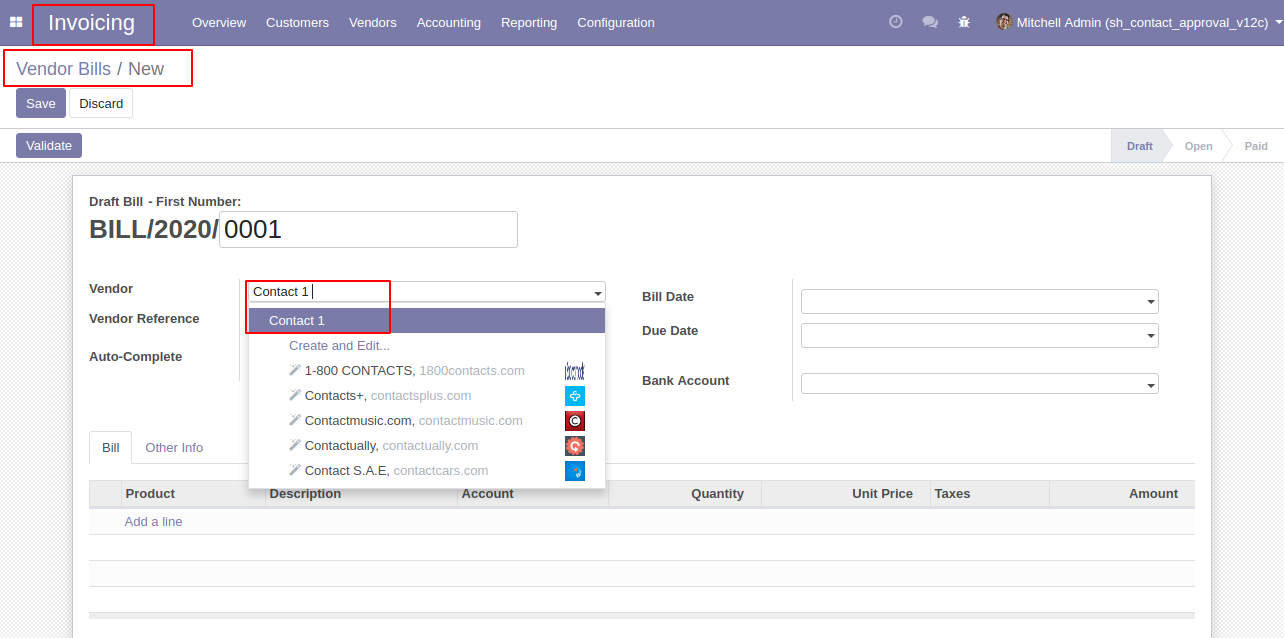
In vendor bills or debit notes, the user gets only approved contact.
Real-Time Approval Request Notification: When a contact is submitted for approval, Contact Managers receive a real-time toast (Buzz) notification with the contact name and direct link.
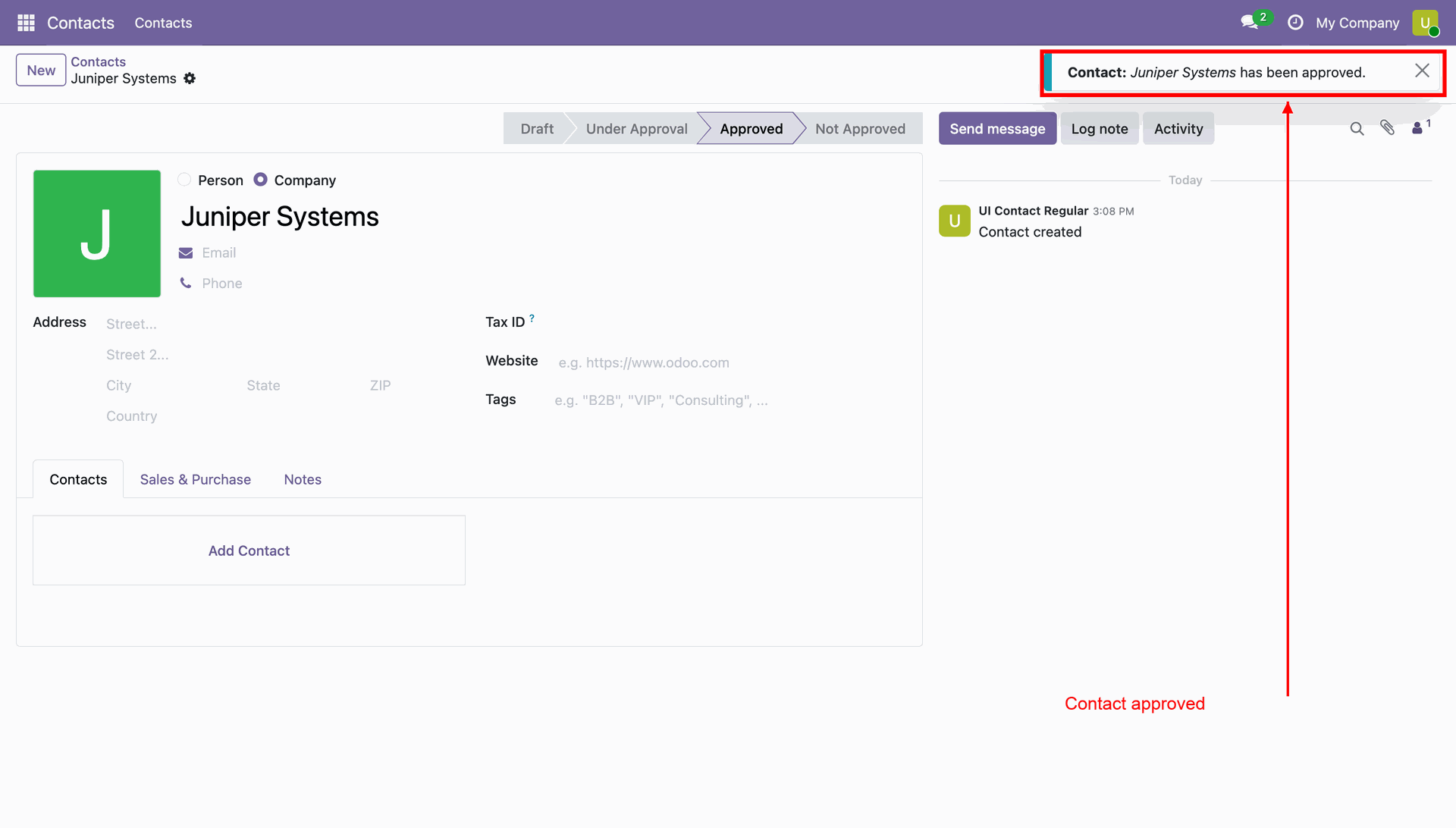
Approval Notification: When a contact is approved by the Contact Manager, the user receives an instant real-time notification confirming the approval.
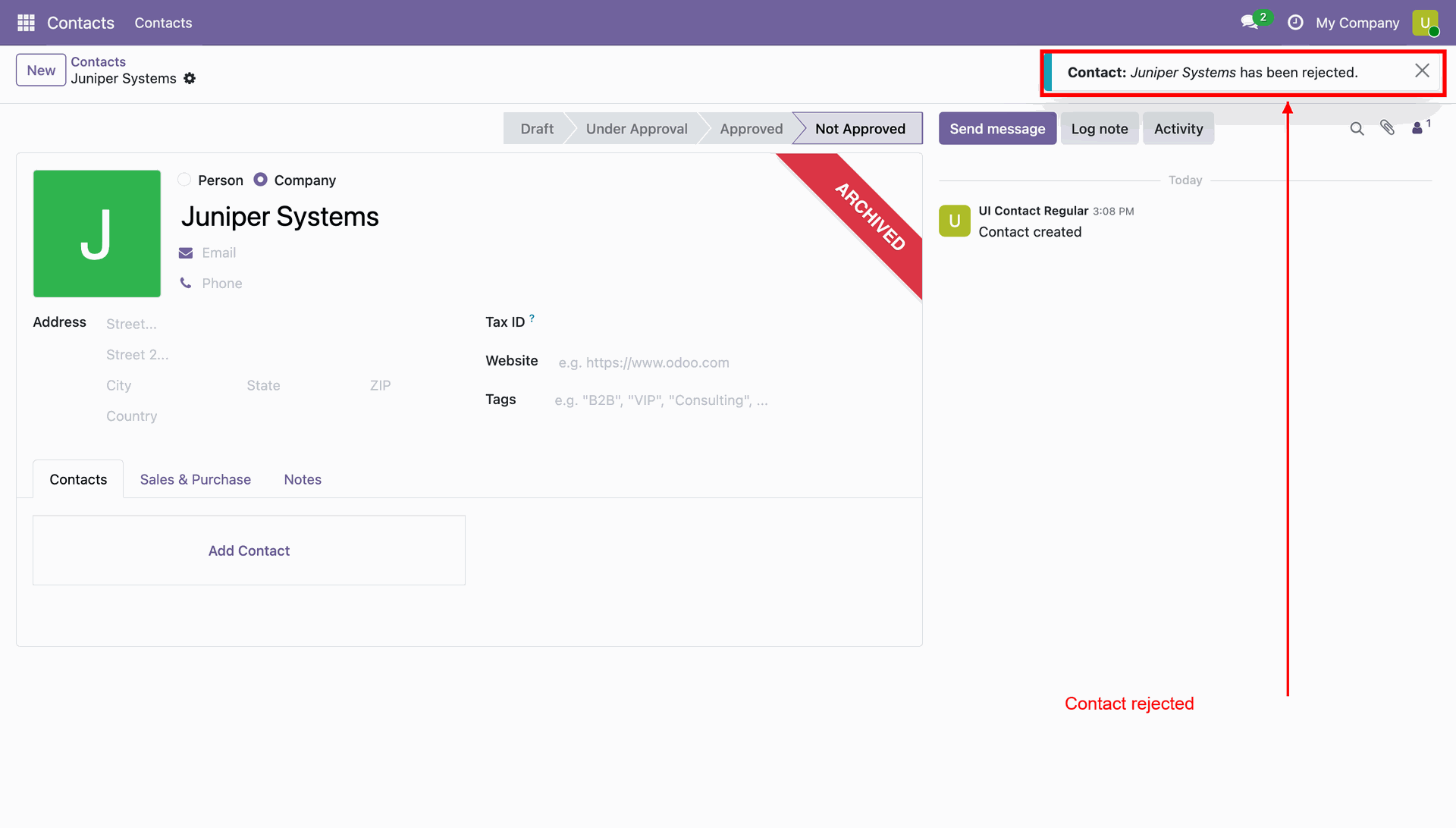
Rejection Notification: When a contact is rejected, the user receives an immediate real-time notification informing them that the contact has been rejected.
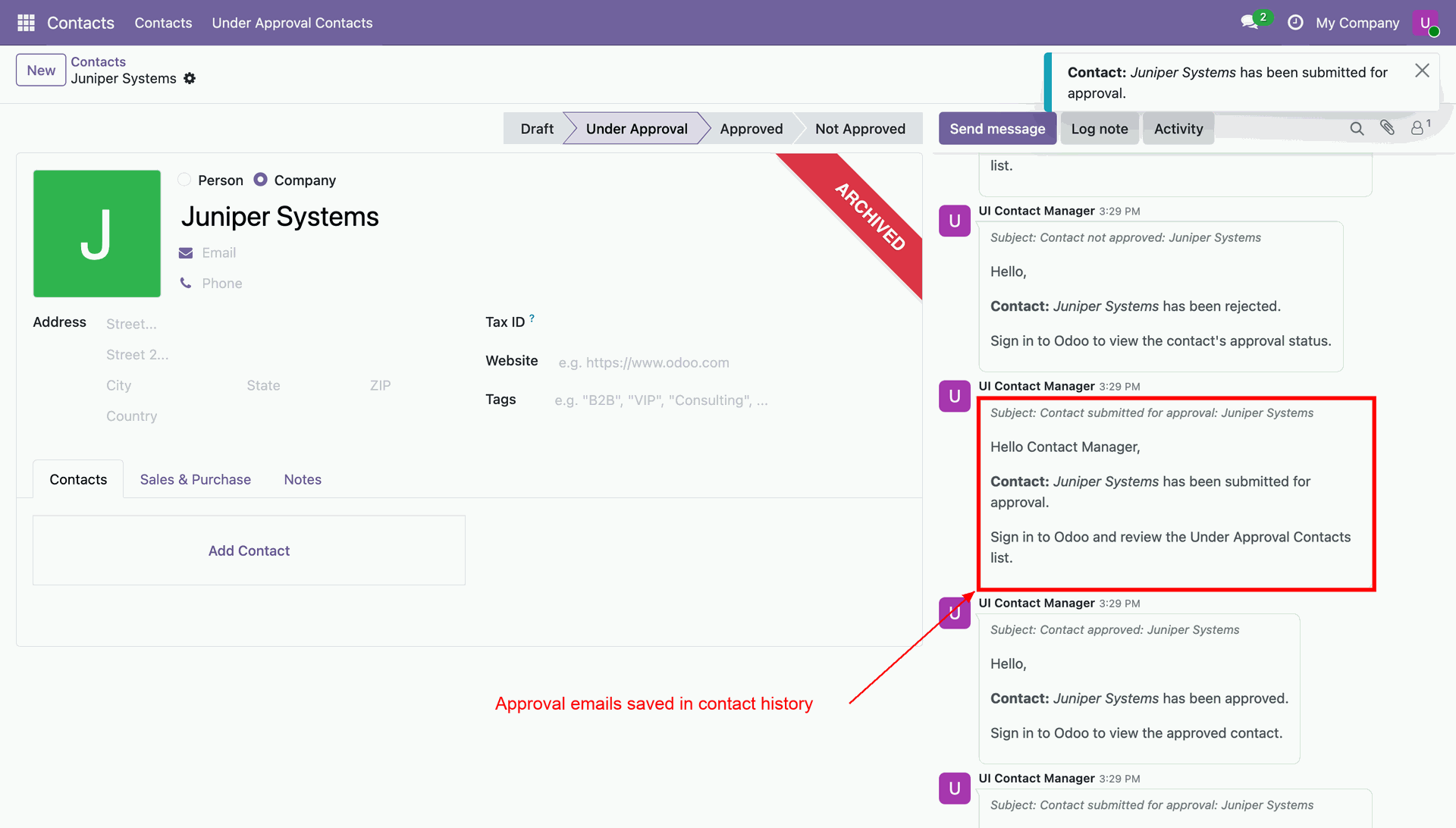
Email Notification & Chatter History: Automated email notifications are sent for approval requests, approvals, and rejections, and logged in the chatter for complete audit tracking.
Version 19.0.2.0.0 | Released: 29th October 2026
Version 19.0.1.0.0 | Released on : 28th January 2026
- Yes, this app works perfectly with Odoo Enterprise (Odoo.sh & Premise) as well as Community.
- No, this application is not compatible with odoo.com(odoo saas/Odoo Online)
- Yes, to test this module, please contact us at sales@softhealer.com.
- Please contact us at sales@softhealer.comto request customization.
- Yes, we provide free support for 365 days from the date of purchase.
- Yes, you will receive lifetime free updates for the version of the module you purchased.
- No, there is no need to install any additional libraries.
- Yes, for version 12 and above, you need to purchase the module separately for each version you intend to use.
