











Competitor Price Monitoring

Competitor Price Monitoring is an essential Odoo tool for businesses to track competitor pricing strategies across multiple websites. It features automated price fetching via schedulers, real-time change notifications, and comprehensive history logs. By linking Odoo products to external URLs, you can monitor market trends and adjust your prices dynamically to stay competitive in any industry.

Related Modules
Features

Competitor Website Management
Easily configure and manage multiple competitor websites for price monitoring.
Product Feed Mapping
Link your Odoo products directly to competitor product URLs for precise tracking.

Price Notification Rules
Configure smart price notification rules to compare your product with competitor prices.
Automated Price Fetching
Use built-in schedulers (Crons) to fetch the latest prices automatically at set intervals.

Price Change Notifications
Get instant email alerts when a competitor changes their product prices.

Price History Logging
Maintain a detailed record of price changes over time to analyze trends.
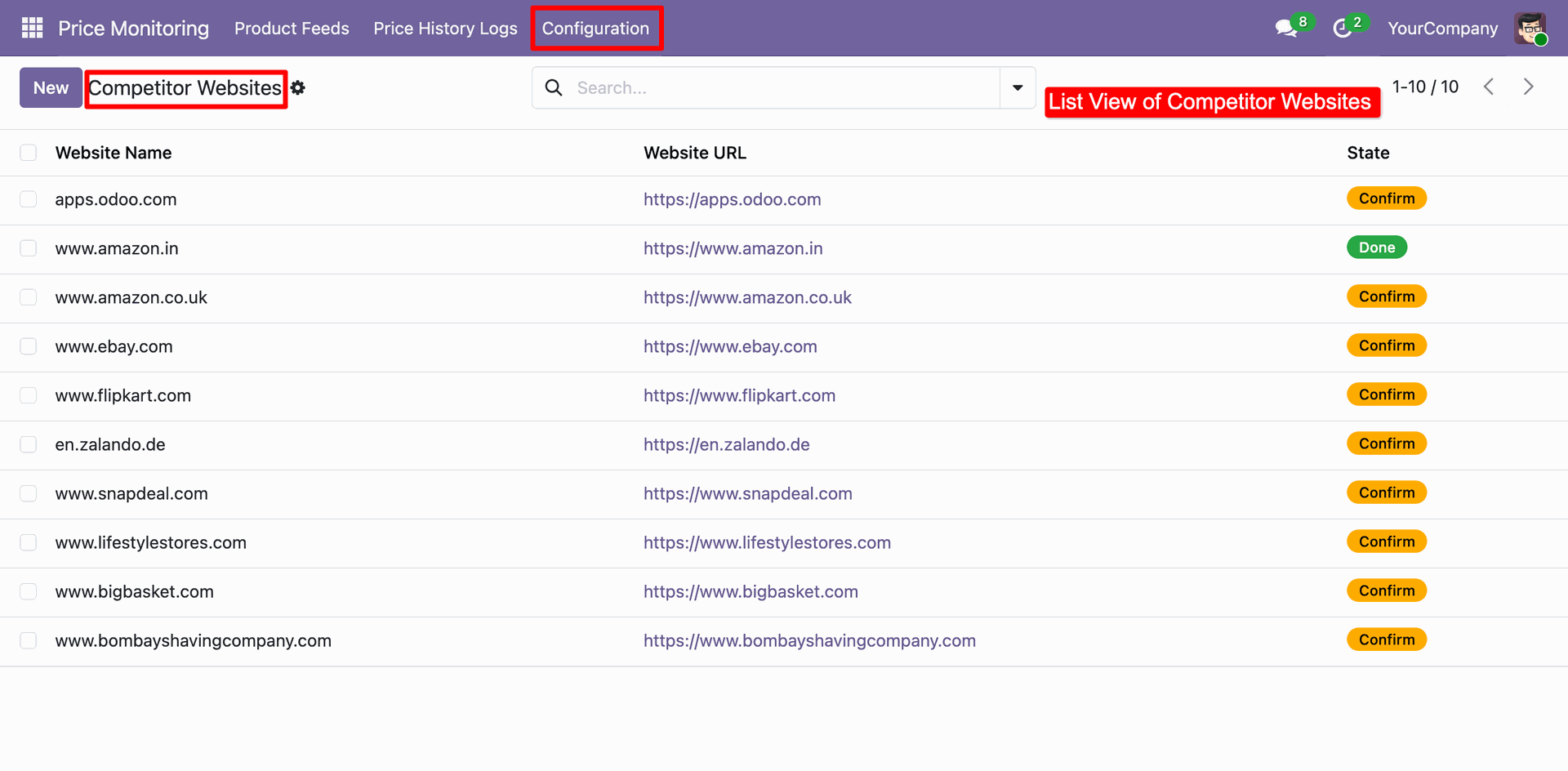
Accessing the Competitor Websites list under Configuration to manage and verify external URLs for price monitoring.
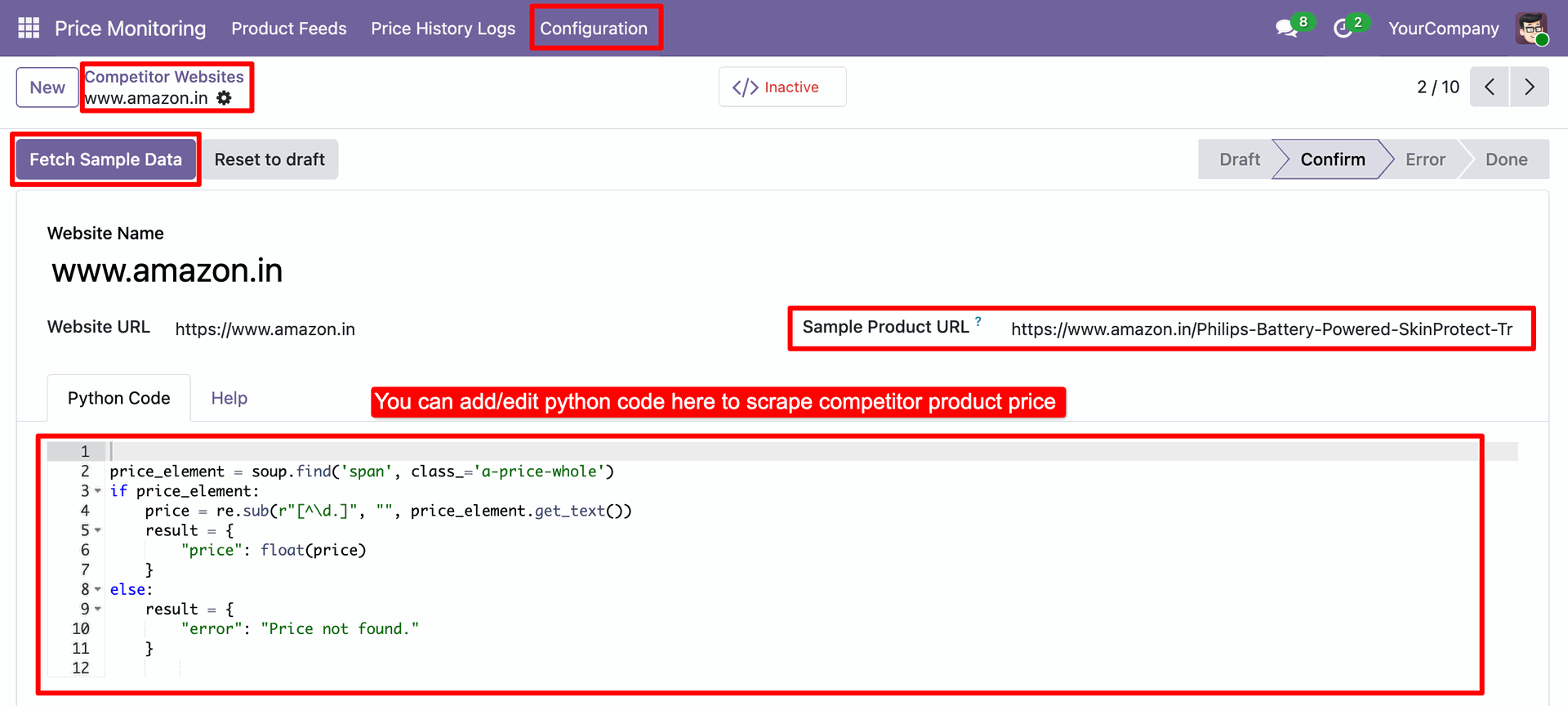
Using the Python Code editor to define custom scraping logic for Amazon.in and clicking Fetch Sample Data to test the price extraction.
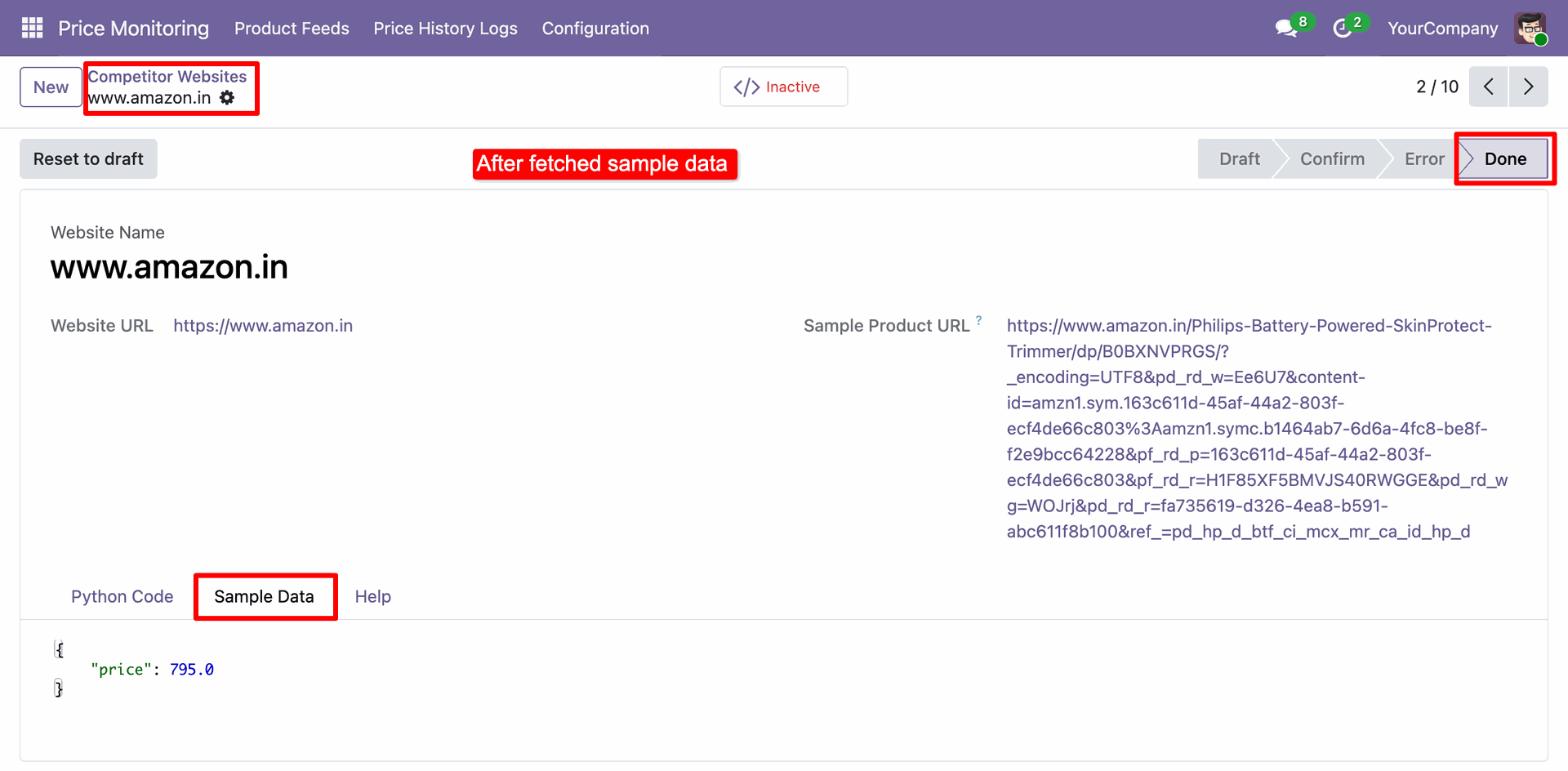
Reviewing the successfully fetched sample data for Amazon.in, confirming the Python scraper correctly returned the product price.
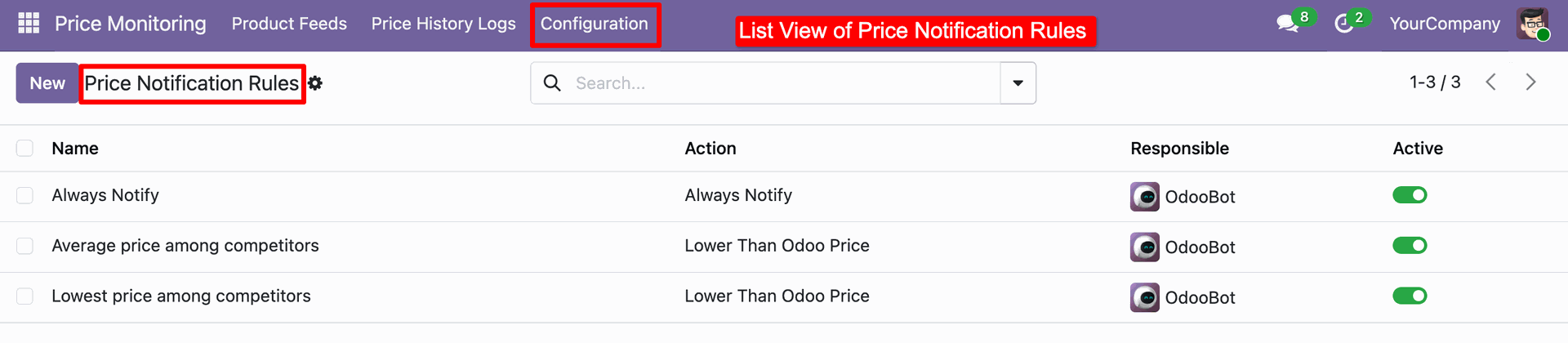
Accessing the Price Notification Rules under Configuration to manage automated alerts based on competitor price movements.
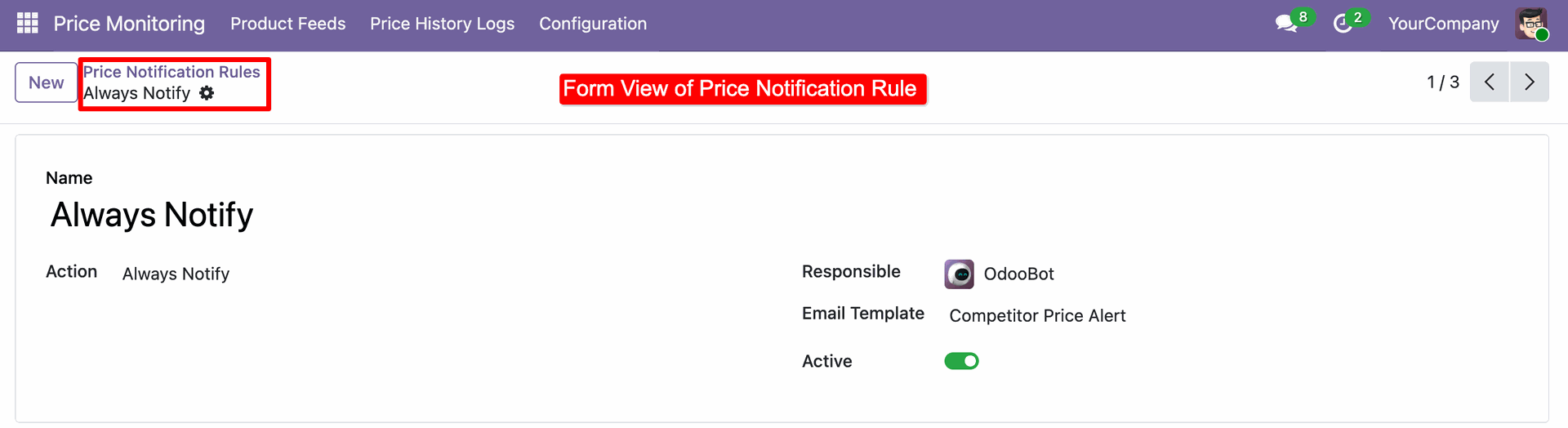
Configuring the Always Notify rule within the Price Monitoring module to trigger a "Competitor Price Alert" email via OdooBot.
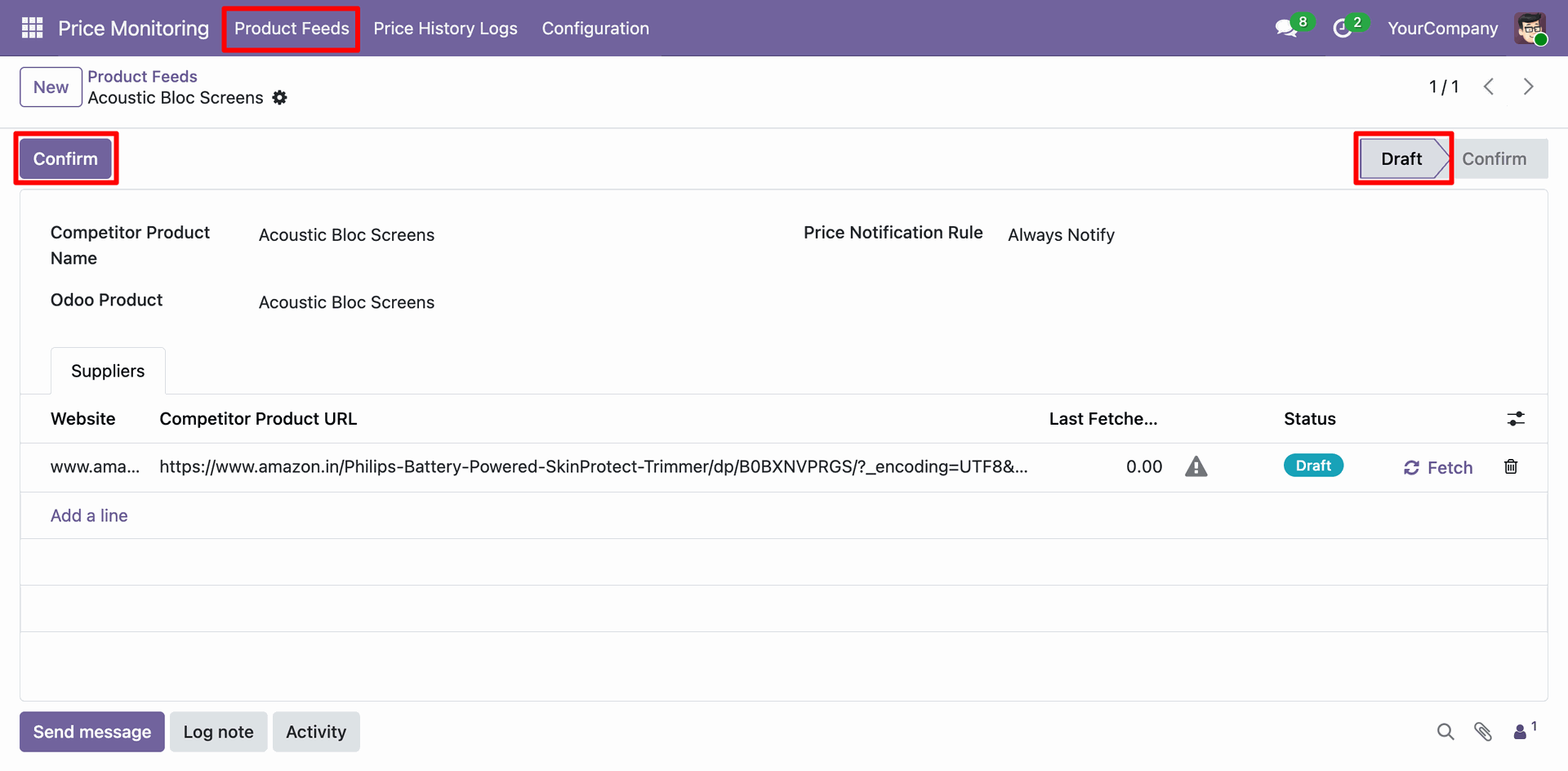
Accessing the Product Feeds menu to link internal "Acoustic Bloc Screens" with competitor listings and clicking Confirm to move the feed from Draft to active status.
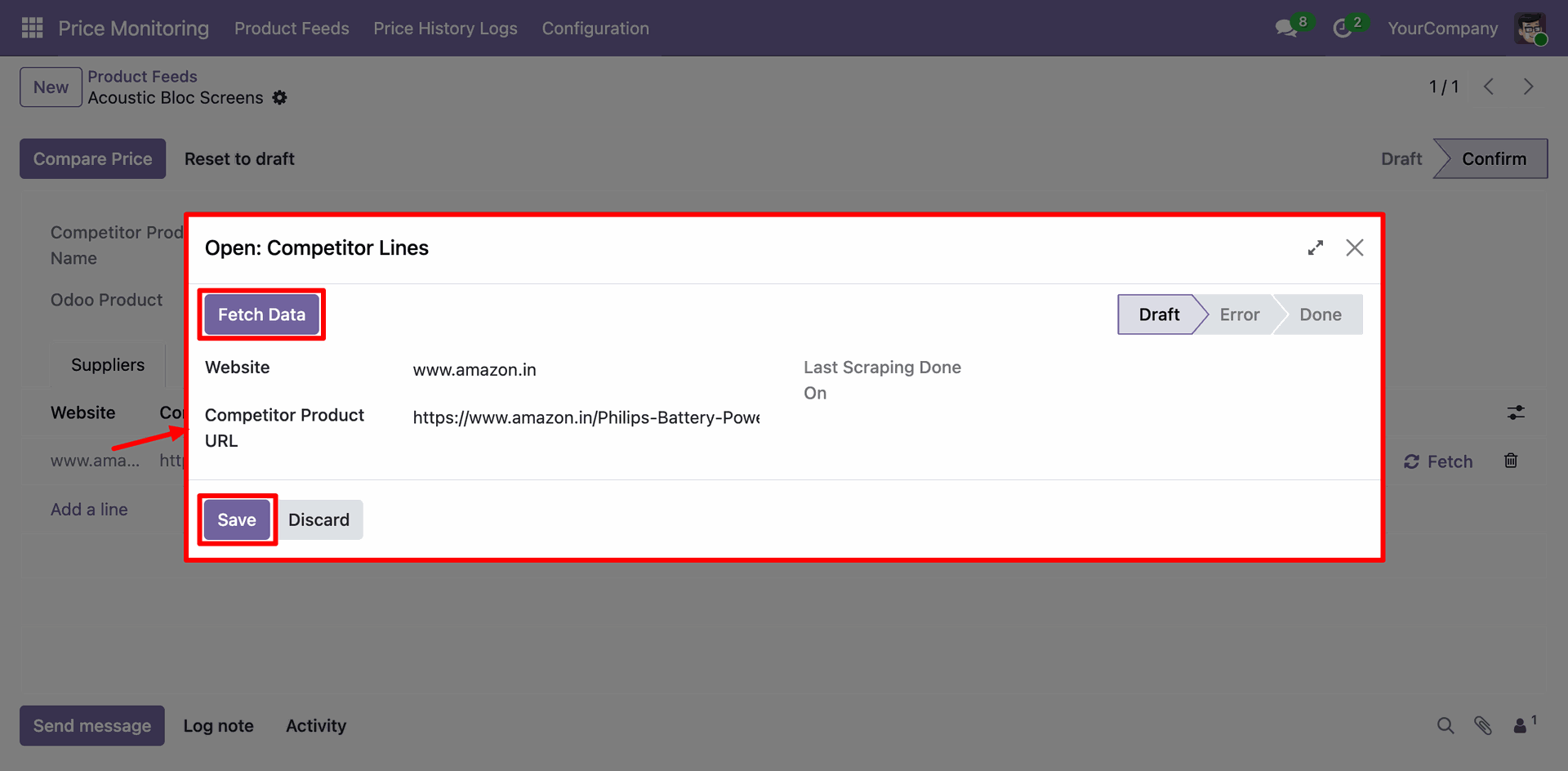
Opening the Competitor Lines wizard for a specific Amazon product and clicking Fetch Data to trigger an immediate price scrape.
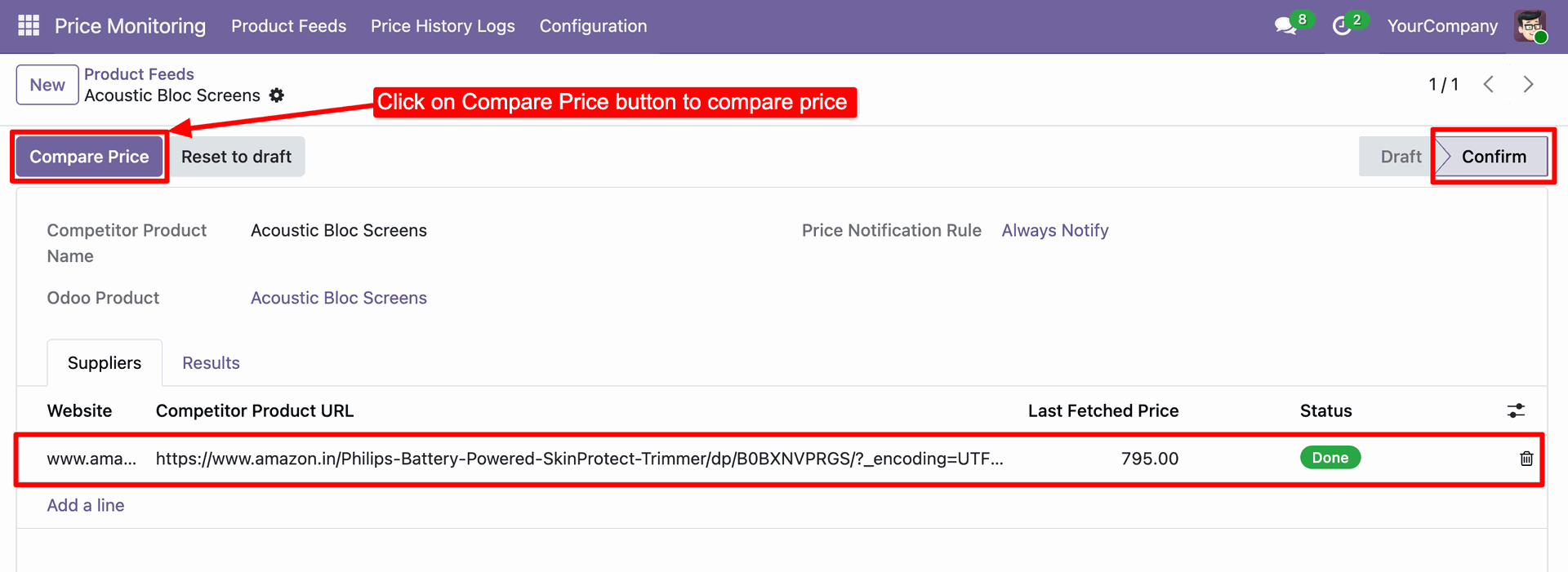
Selecting the Compare Price button on a confirmed Product Feed to analyze the latest fetched competitor data against internal Odoo pricing.
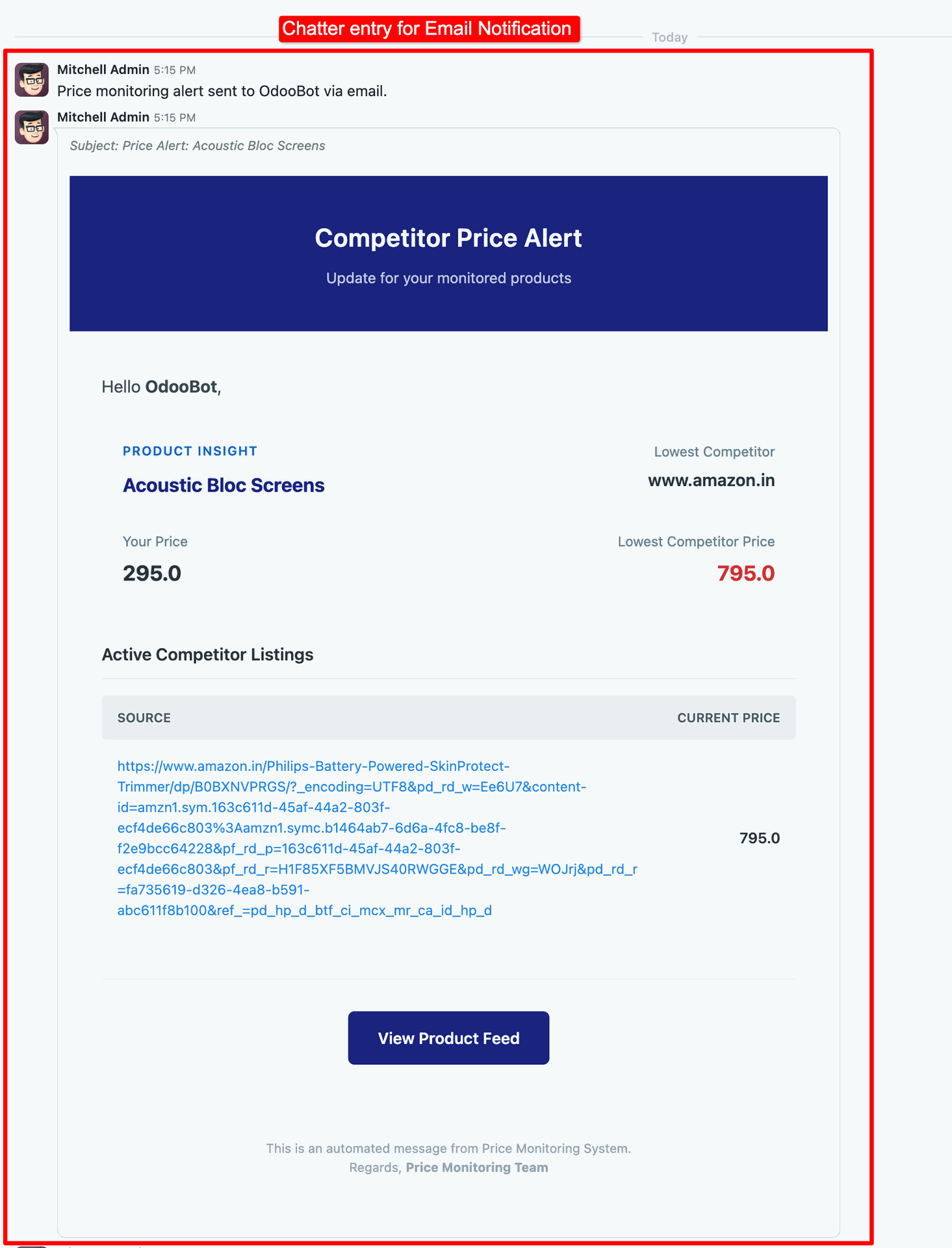
Reviewing the automated Competitor Price Alert email logged in the chatter, which provides a side-by-side comparison of internal prices versus Amazon listings.
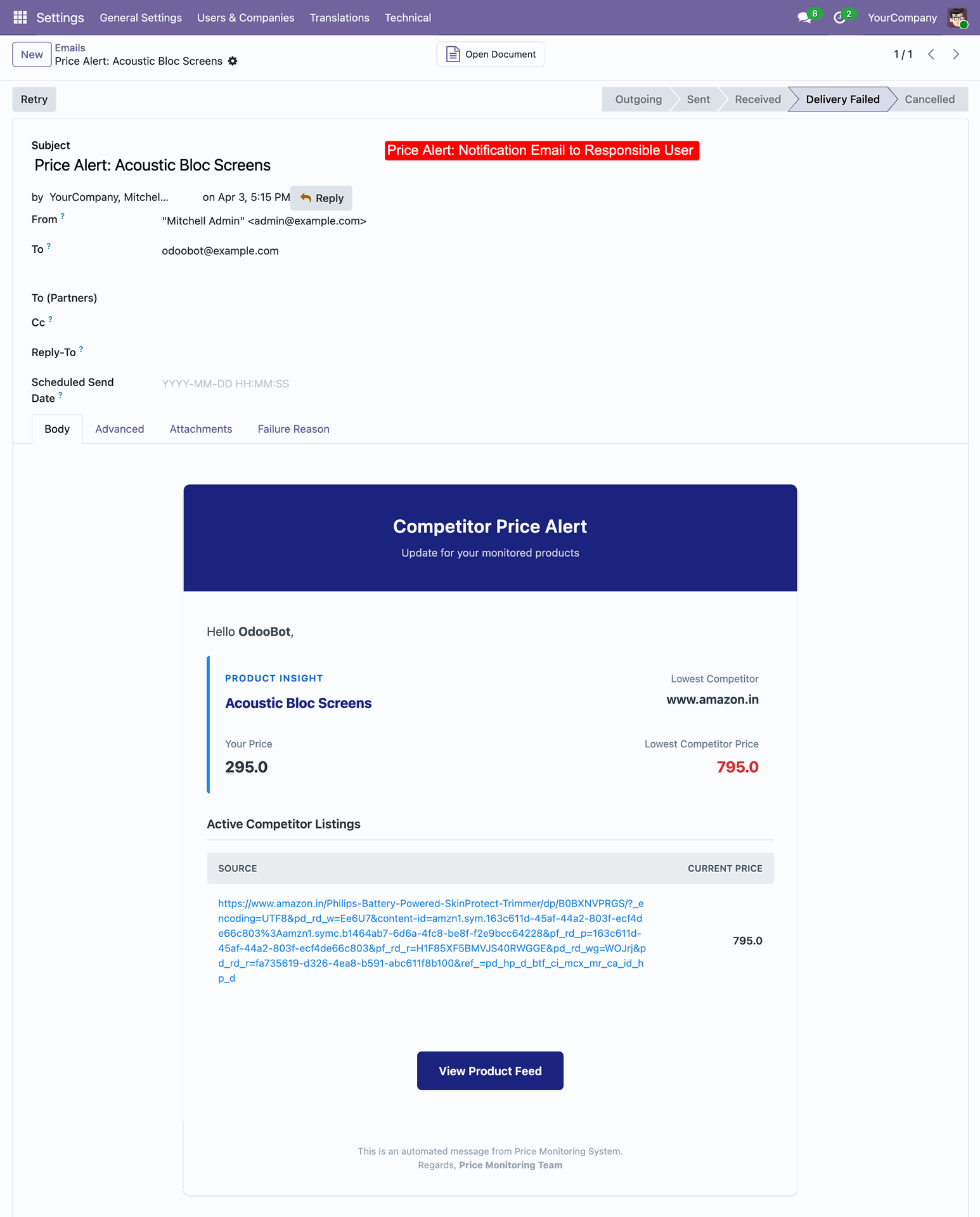
Monitoring the delivery status of a Competitor Price Alert email and using the Retry option after a detected delivery failure.
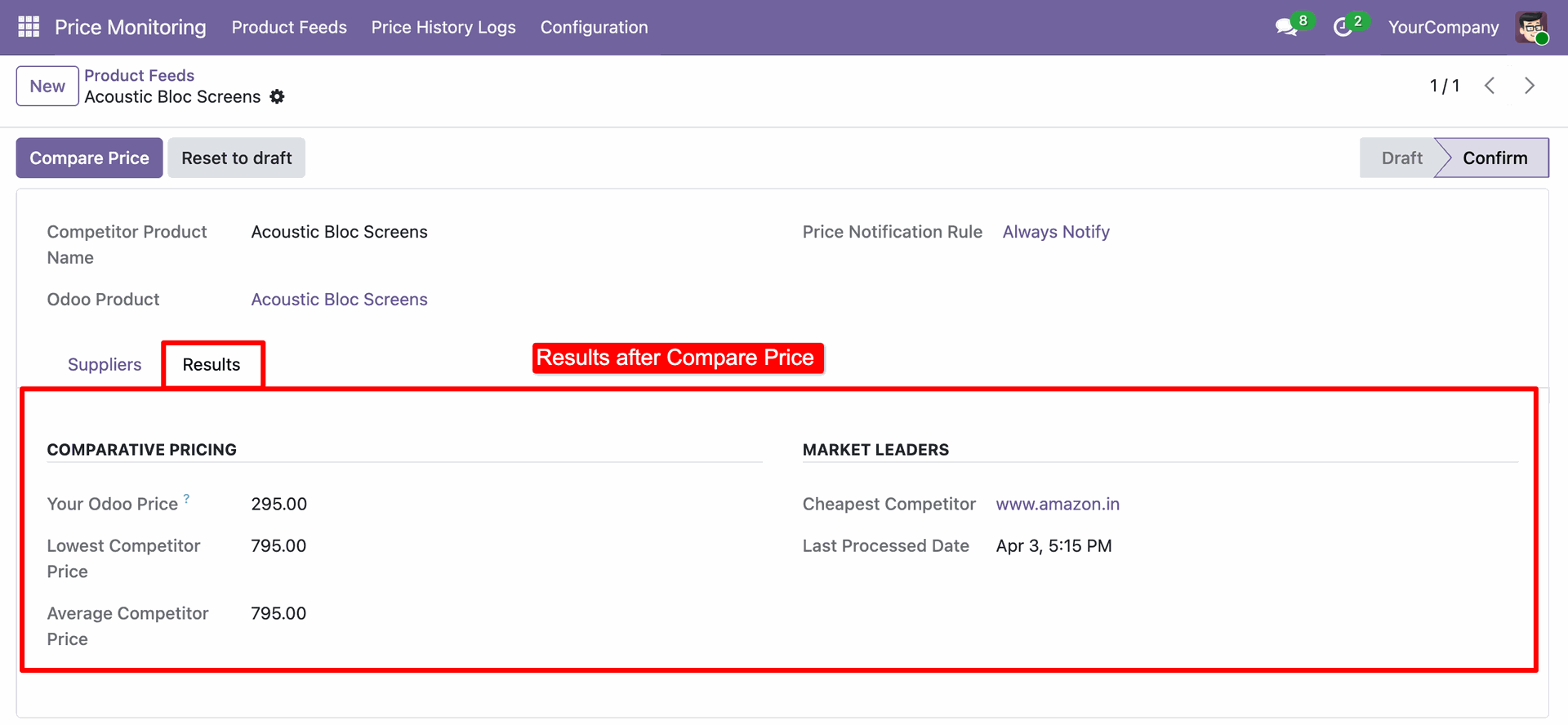
Reviewing the Results tab after price comparison to analyze internal Odoo pricing against the lowest and average competitor rates.
Accessing the Price History Logs to track historical competitor price changes for the "Acoustic Bloc Screens" over time.

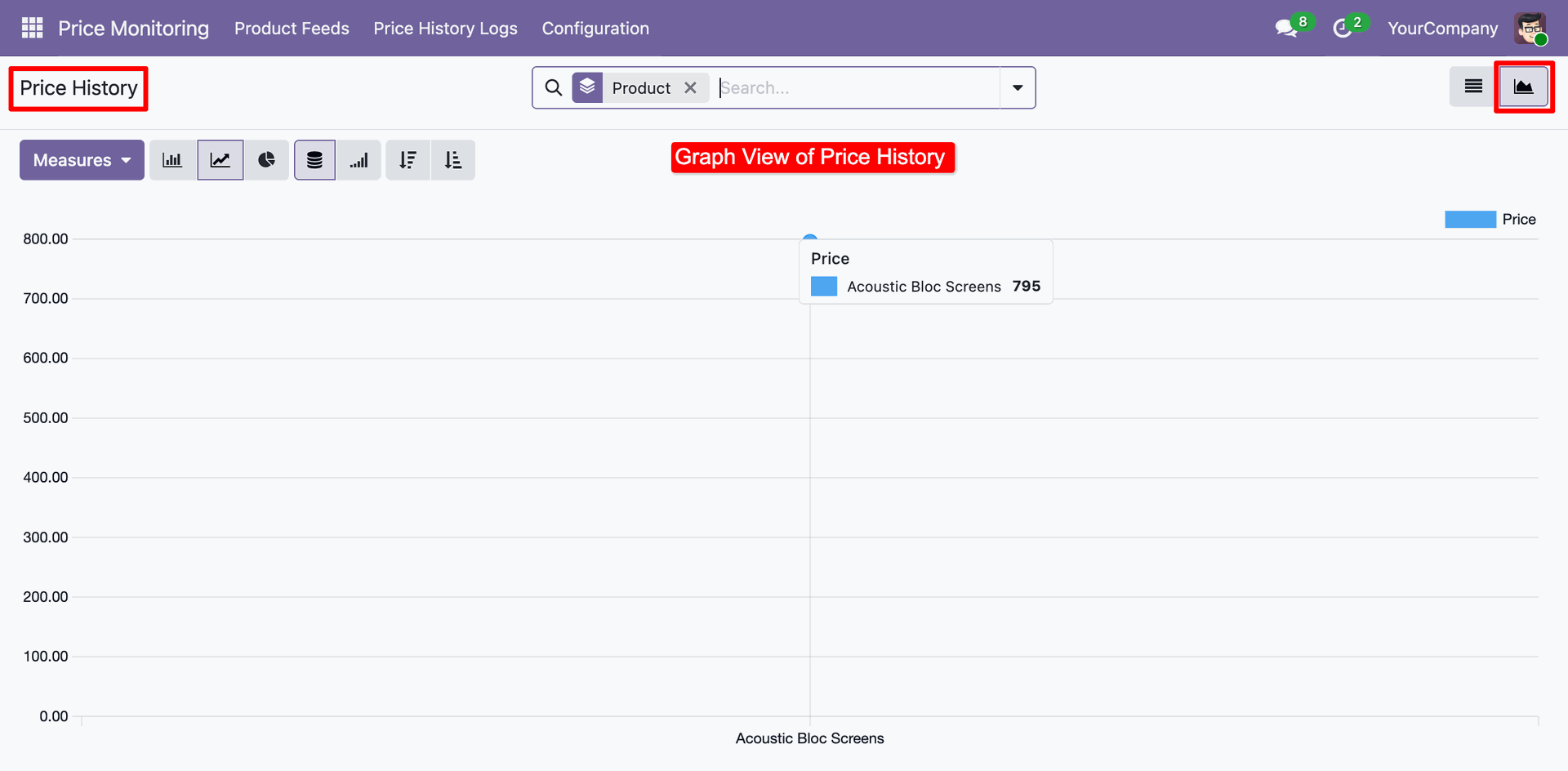
Switching to the Graph View in the Price History Logs to visually analyze price trends and fluctuations for the "Acoustic Bloc Screens."
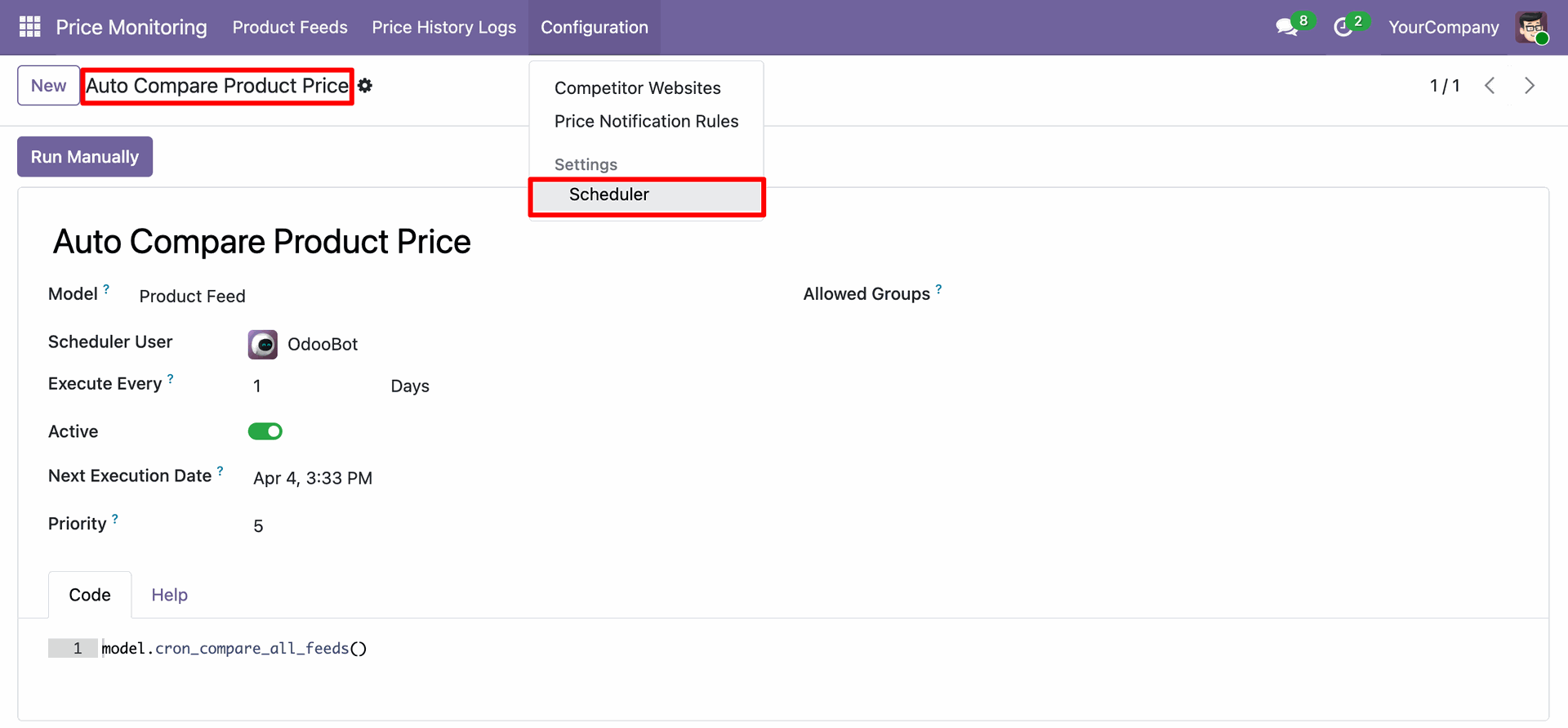
Accessing the Scheduler settings under Configuration to automate the "Auto Compare Product Price" cron job for daily execution.
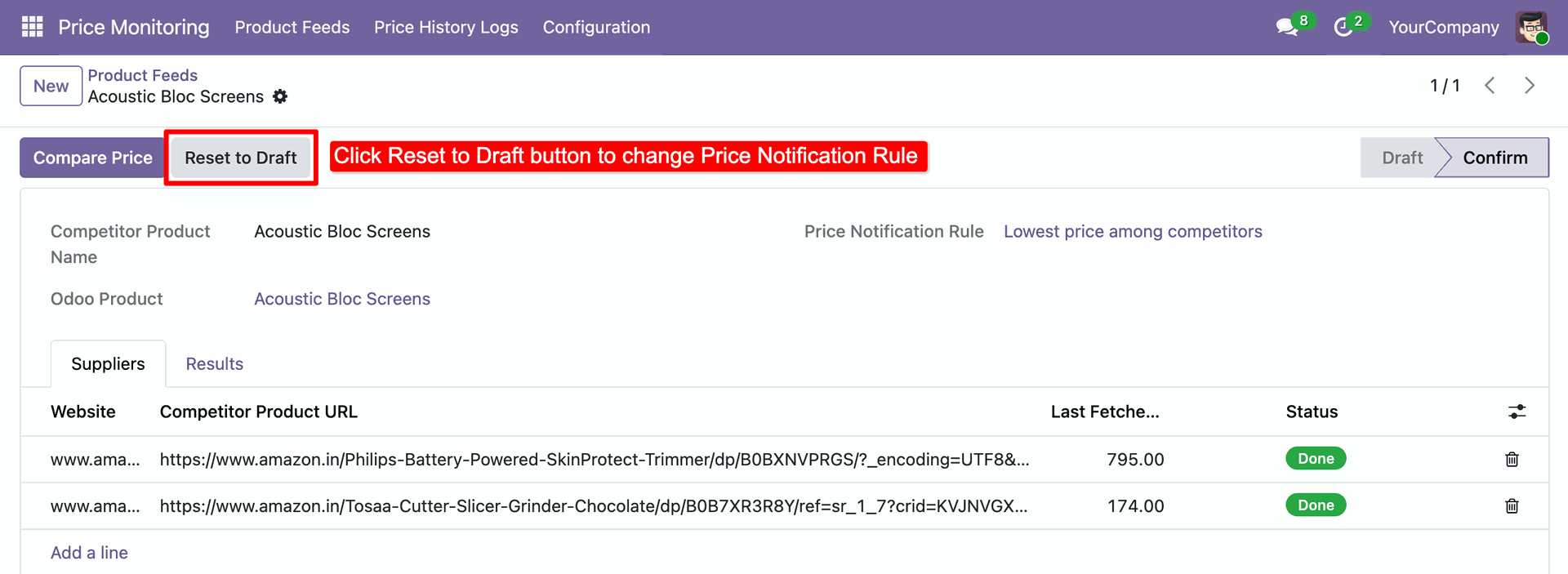
Clicking the Reset to Draft button on an active Product Feed to modify configuration details or update the assigned Price Notification Rule.
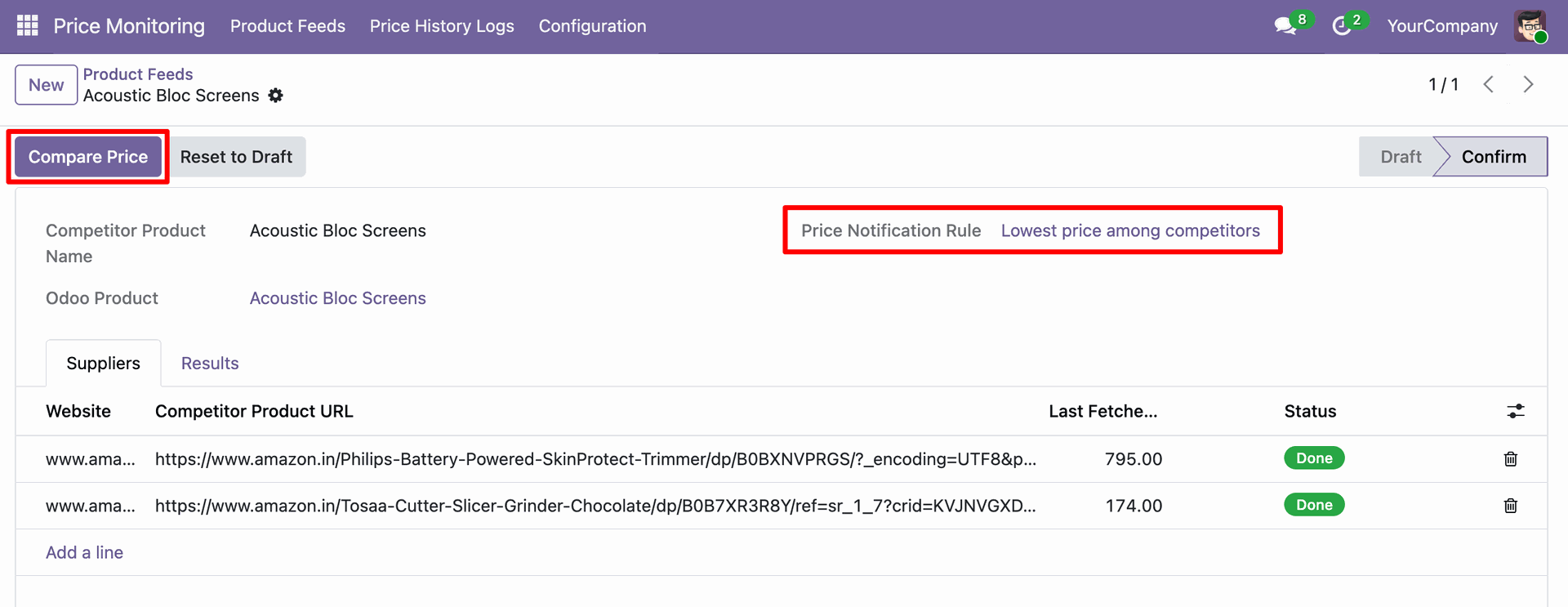
Ready to click Compare Price on a confirmed Product Feed that is now configured with the Lowest price among competitors notification rule.
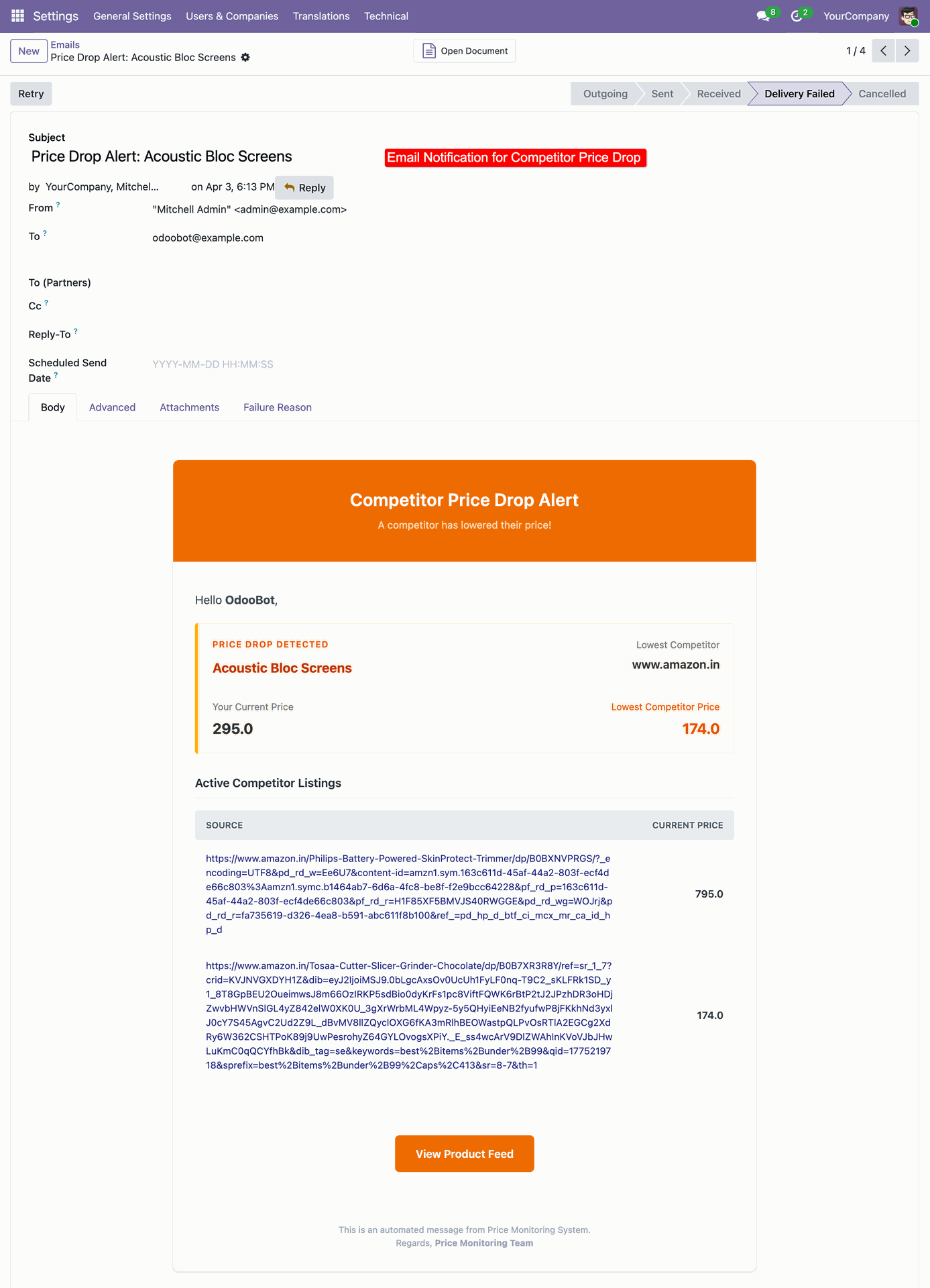
Reviewing the Competitor Price Drop Alert email, which notifies OdooBot that a competitor has lowered their price to 174.0, significantly below the current internal price.
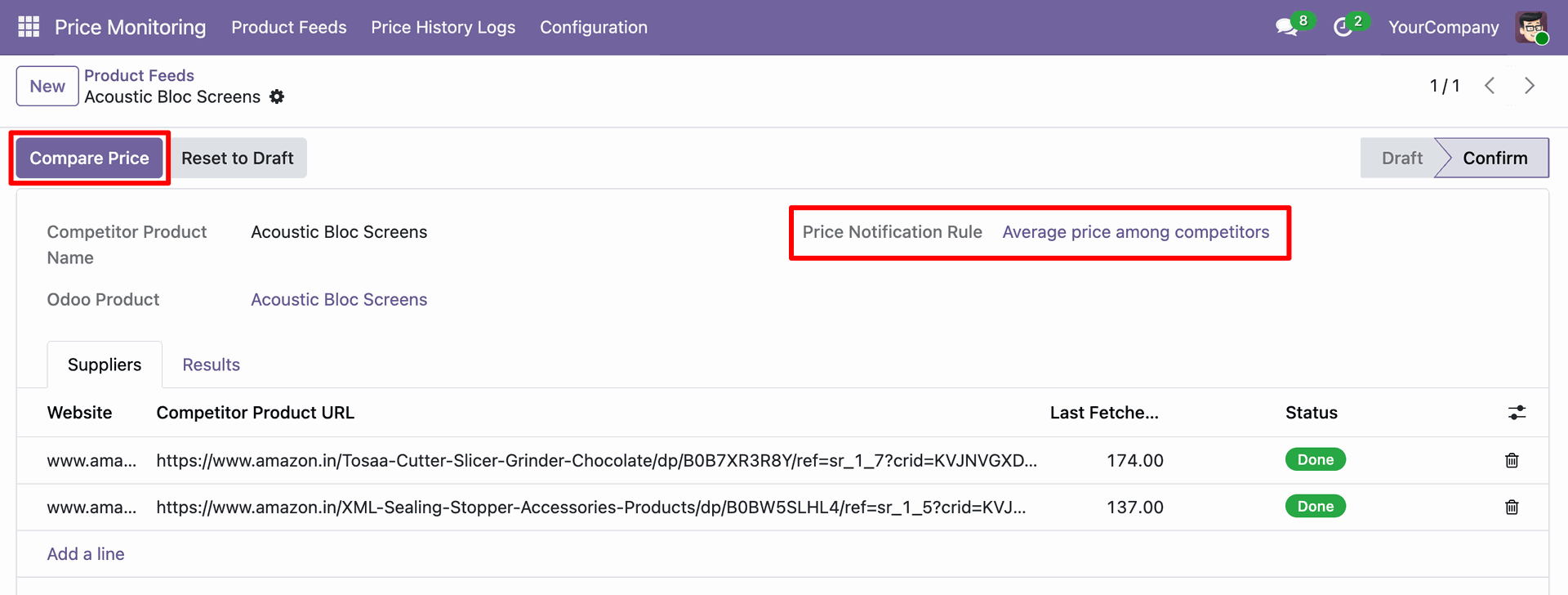
Selecting the Compare Price button for a product feed currently set to the Average price among competitors notification rule.
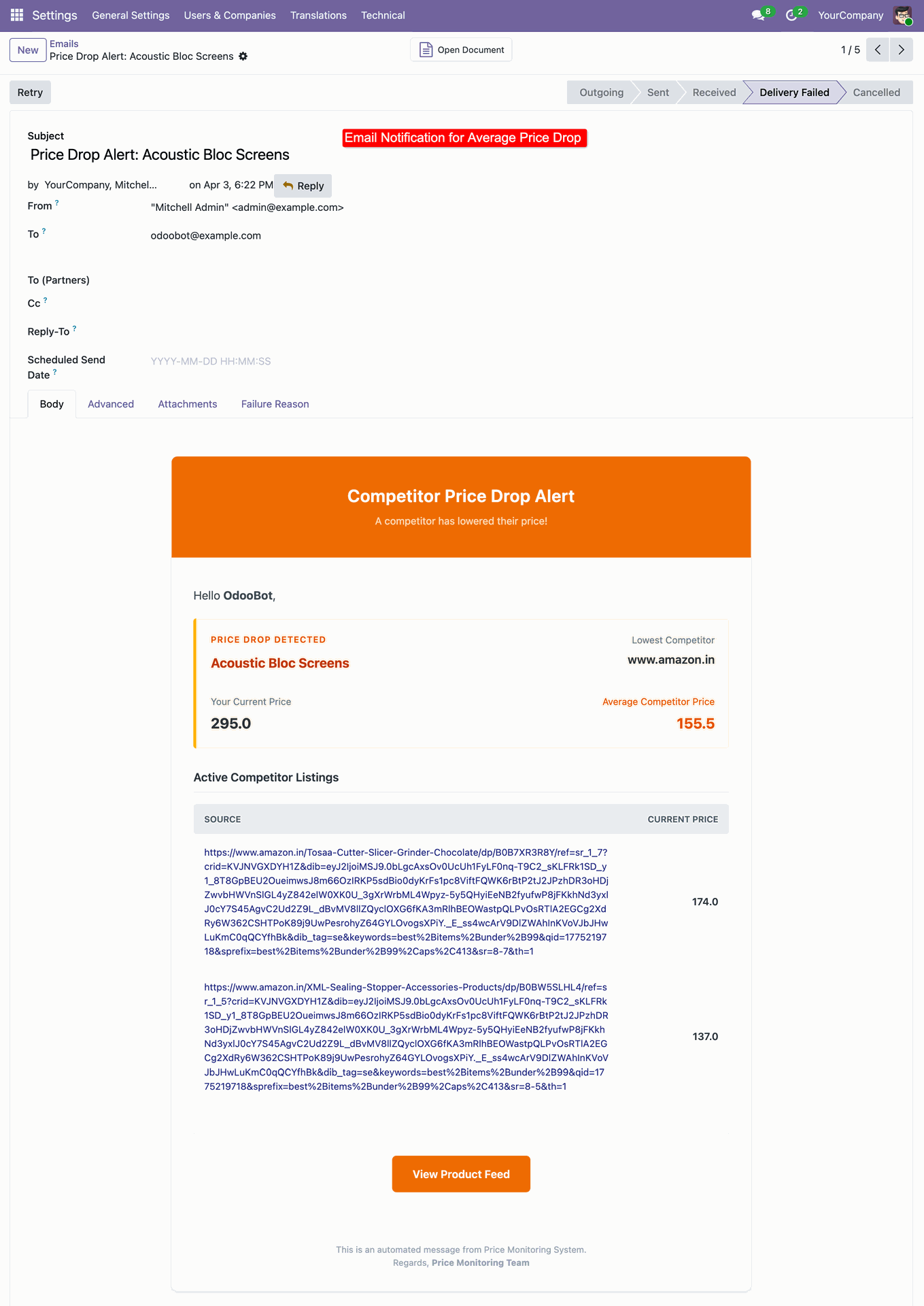
Reviewing the Competitor Price Drop Alert notification, which calculates an average competitor price of 155.5 and flags the discrepancy against the current Odoo price.
Version 18.0.1.0.0 | Released on : 16th July 2026
- Yes, this app works perfectly with Odoo Enterprise (Odoo.sh & Premise) as well as Community.
- No, this application is not compatible with odoo.com(odoo saas/Odoo Online)
- Yes, to test this module, please contact us at sales@softhealer.com.
- Please contact us at sales@softhealer.comto request customization.
- Yes, we provide free support for 365 days from the date of purchase.
- Yes, you will receive lifetime free updates for the version of the module you purchased.
- No, there is no need to install any additional libraries.
- Yes, for version 12 and above, you need to purchase the module separately for each version you intend to use.
- No, exchanges or refunds are not allowed. Please make sure to select the correct version before purchasing.
- You can contact us at support@softhealer.com for language translation support. We use Google Translator tools to provide translations in multiple languages, so the accuracy may vary. We welcome your suggestions to help improve translations.
Discover Our Latest Apps