












Company & Branch Dropdown - Multi-Company Switcher

Company & Branch Dropdown is a powerful enhancement to Odoo standard multi-company functionality. It introduces a clean and convenient dropdown menu in the Odoo header bar, allowing users to quickly switch between companies and branches without navigating through multiple menus or settings.

Features
- Quickly view, search, and switch between multiple companies and their related branches directly from the Odoo top bar.
- Displays companies and their branches in a clear, nested structure, making it easier to understand organizational relationships.
- Activate multiple companies or branches at once using simple checkboxes, and confirm selections instantly for smoother multi-company operations.
- Mark frequently used companies or branches as favorites, then easily access them via the Favorites tab in the dropdown.
- Instantly find any company or branch by name using the built-in search bar - perfect for users managing a large list of companies.
- Switch between All, Selected, or Favorites view modes to manage your company list efficiently and focus only on what you need.
- When you select a company from the dropdown, your Odoo interface automatically updates - showing data, settings, and users specific to that active company.
-
When you
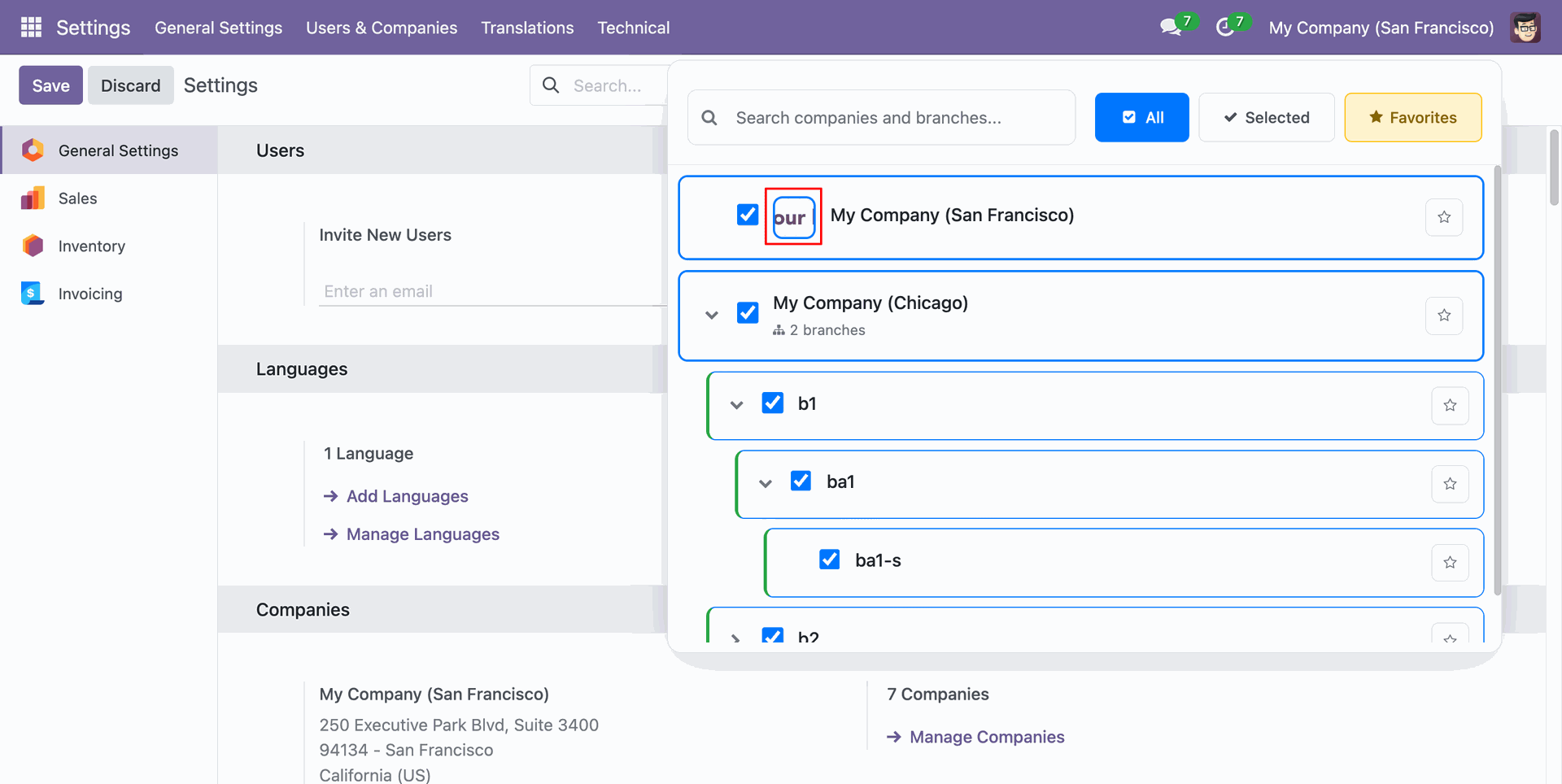
Display the company logo of the assigned company when the Show Company Logo option is enabled.


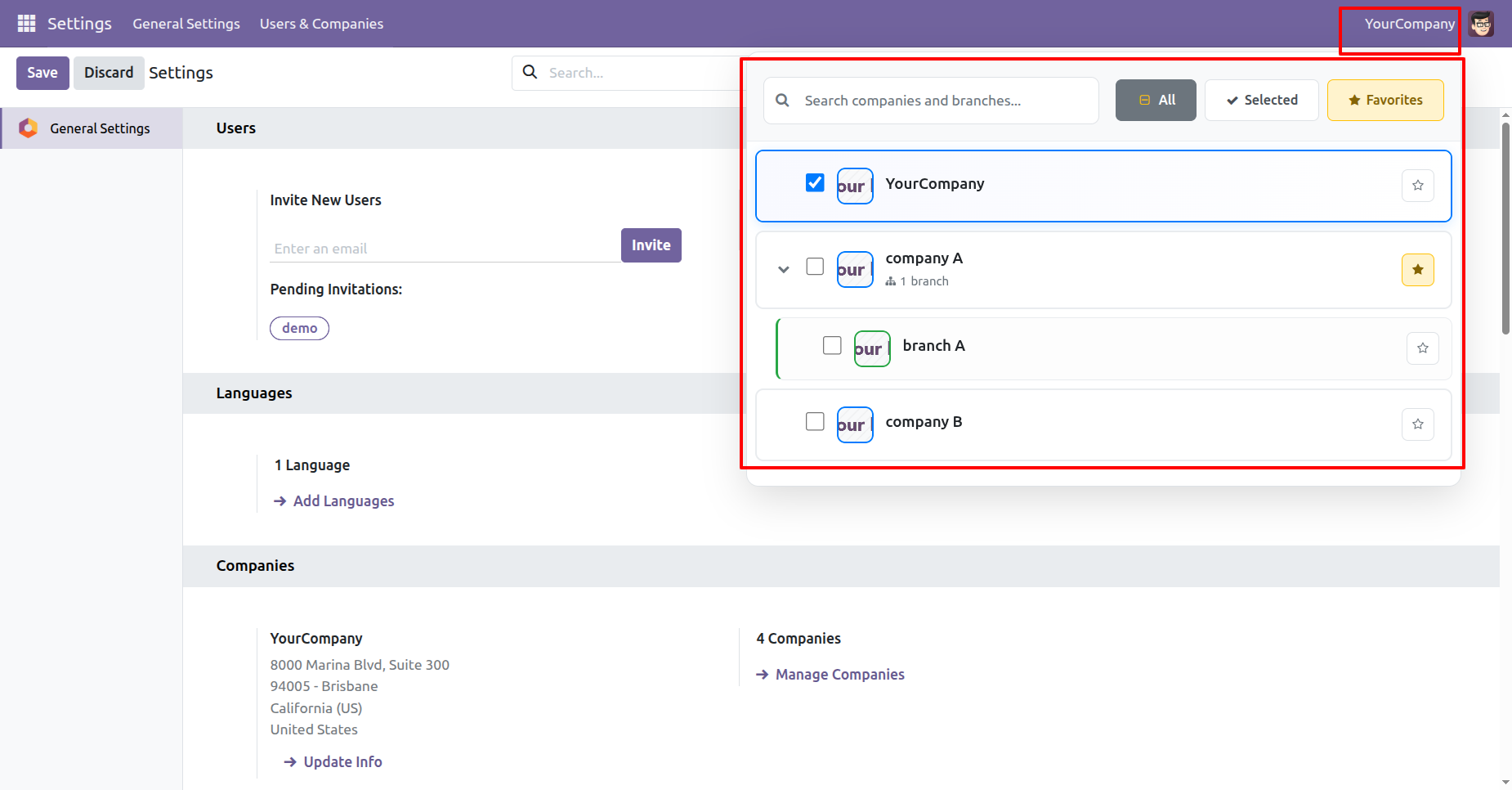
This view shows the Company & Branch Dropdown, allowing users to easily switch between multiple companies and their branches. Here, Company A includes Branch A, and users can select any company directly from the top bar.
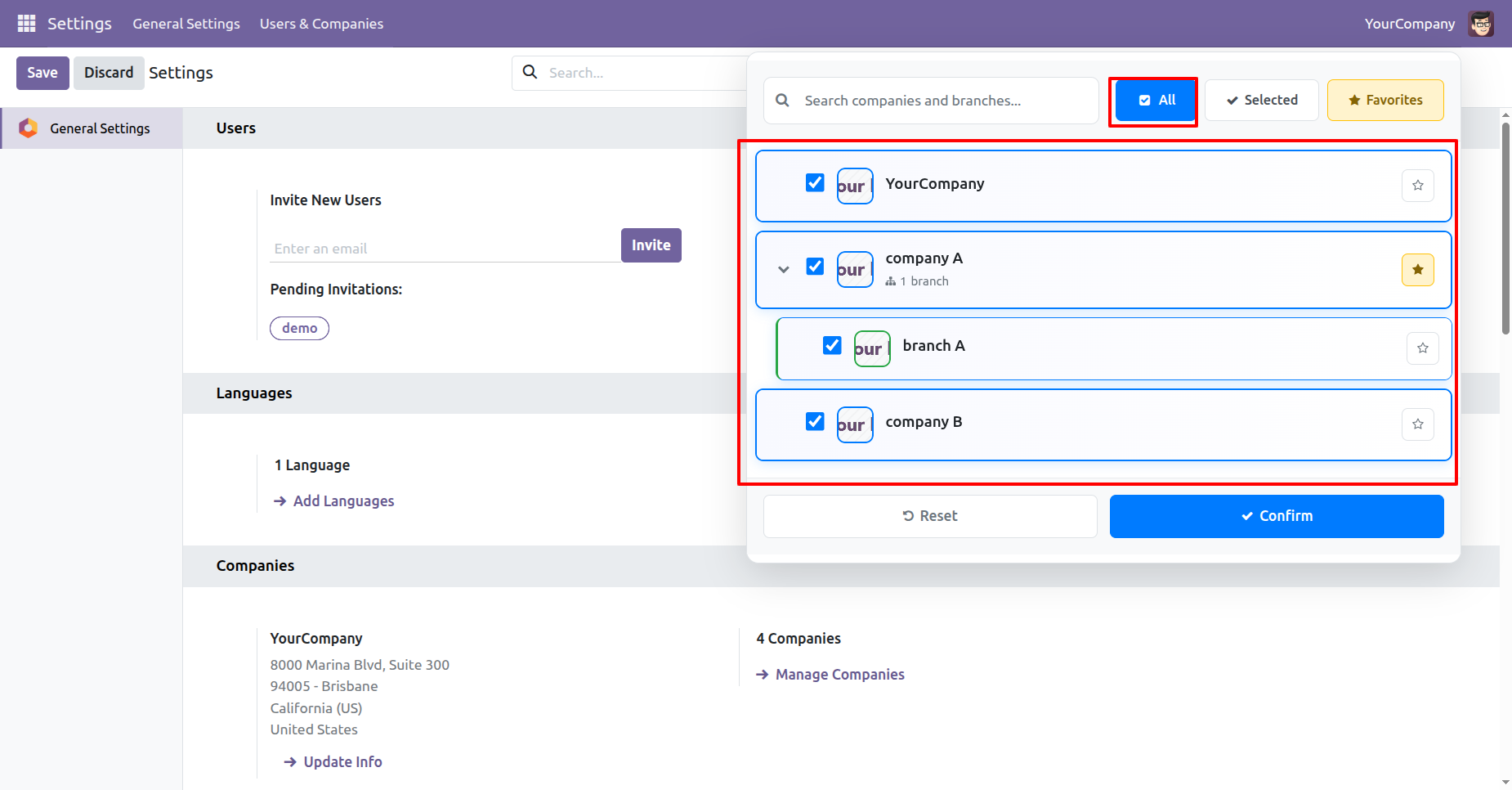
This screenshot shows the Company & Branch Dropdown with the “All” option selected, displaying every available company and branch in the system. Users can quickly select multiple companies, like YourCompany, Company A (with Branch A), and Company B, and confirm their selection in one click.
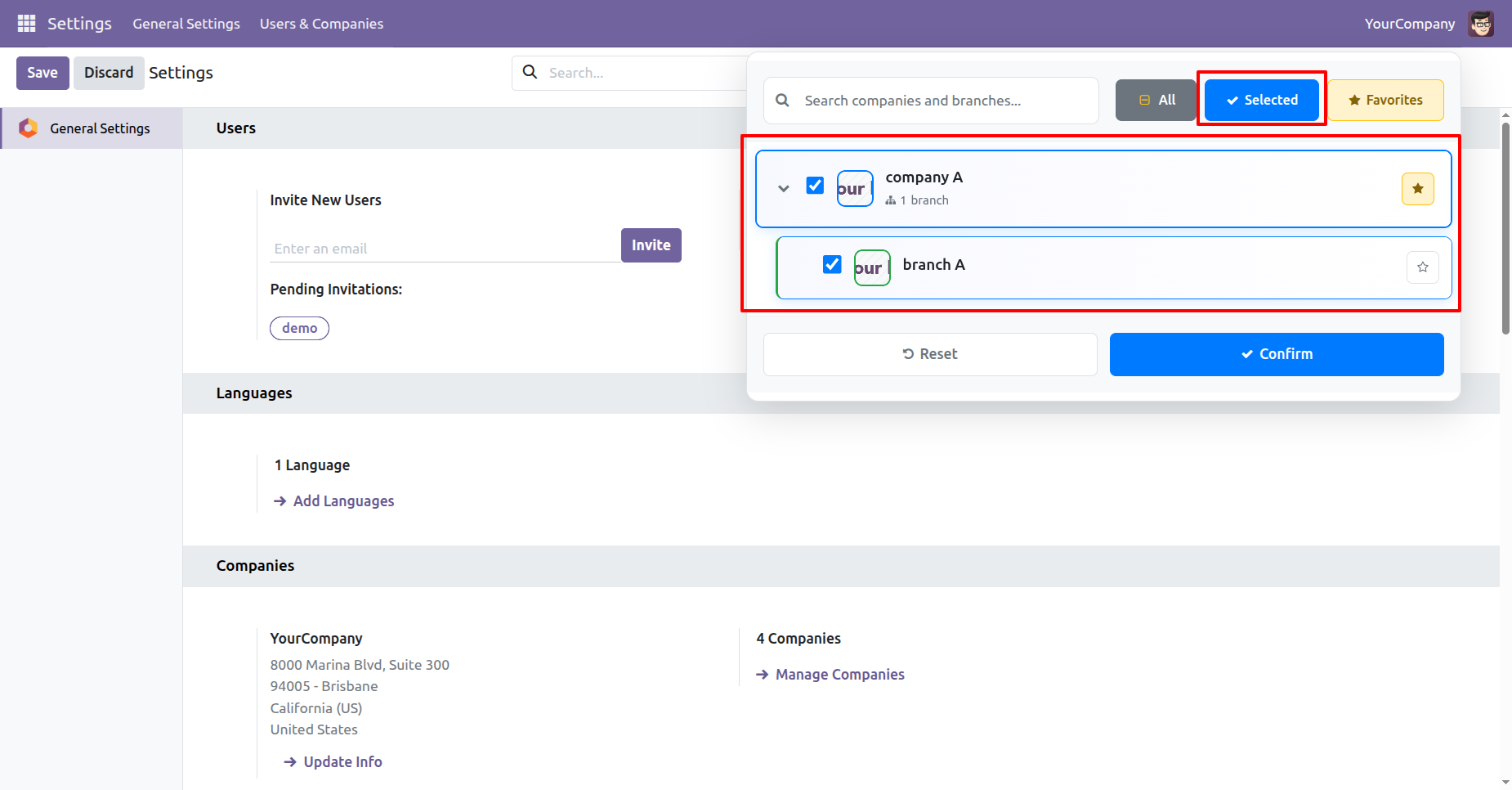
Selected view in the Company & Branch Dropdown, where Company A and its Branch A are both active.
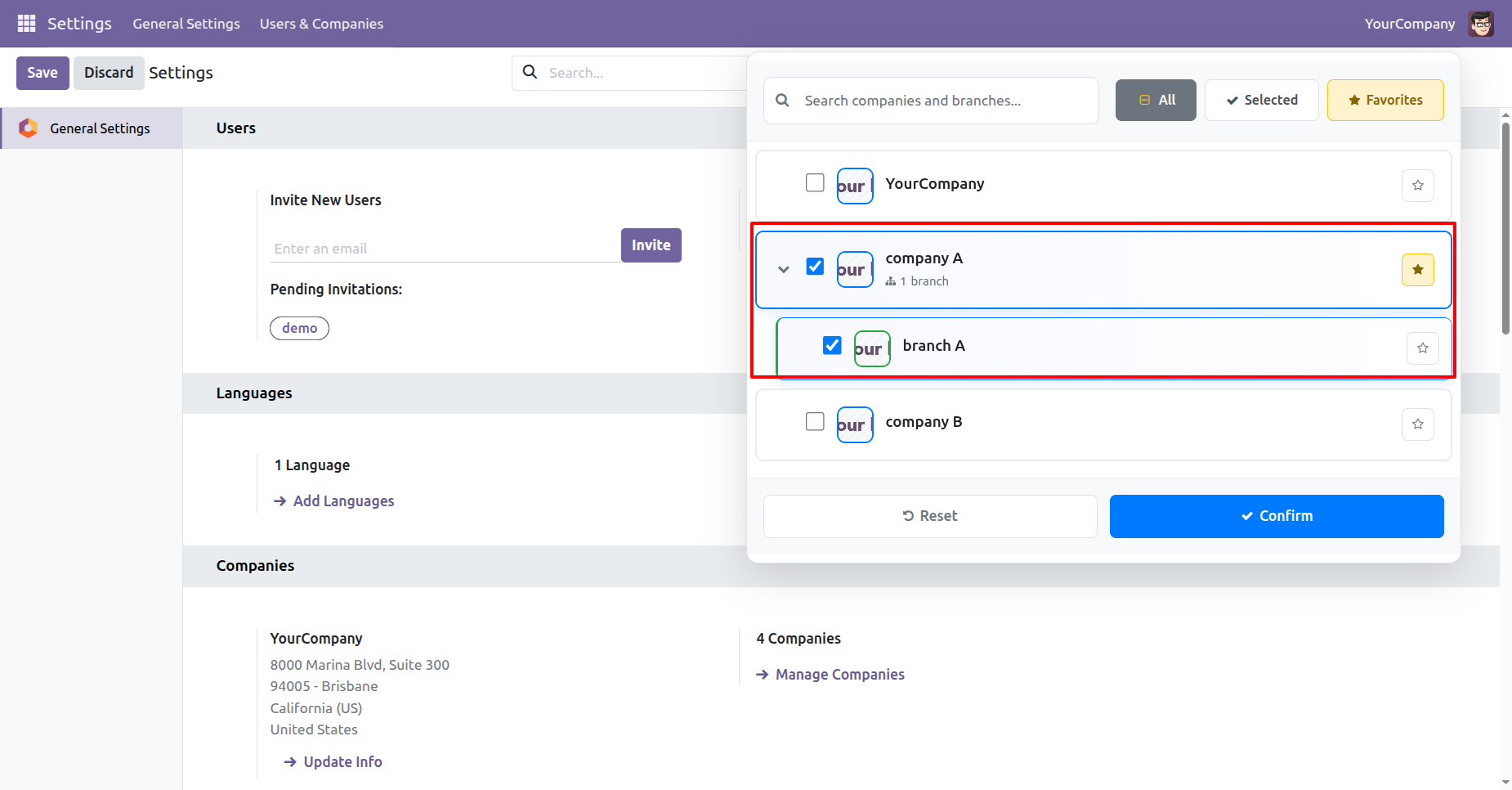
Selected filter in the Company & Branch Dropdown, showing only the active selections - Company A and its Branch A.
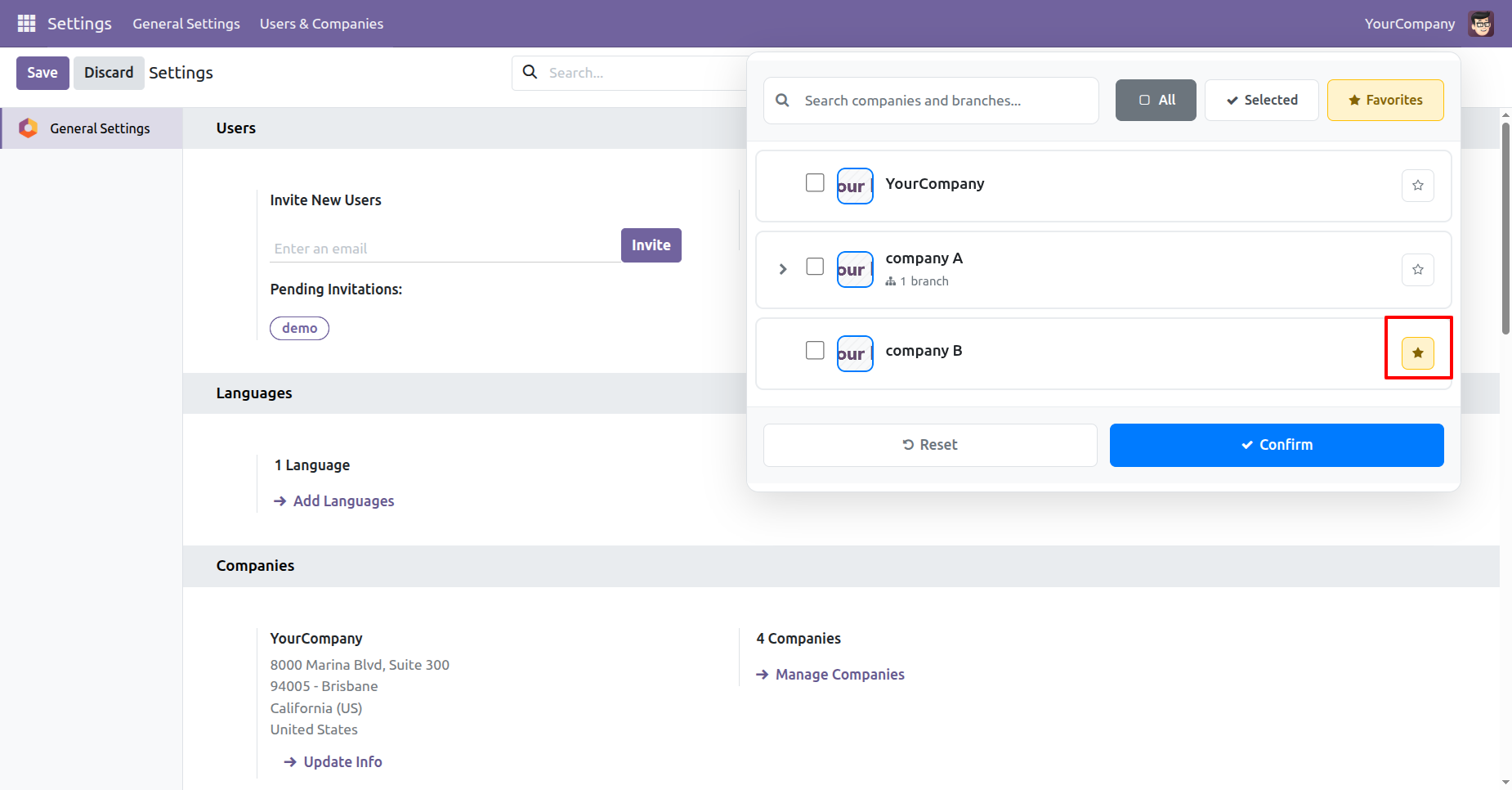
Favorites option in the Company & Branch Dropdown, showing companies marked for quick access. Here, Company B is set as a favorite, allowing users to switch to it instantly from the top bar without searching.
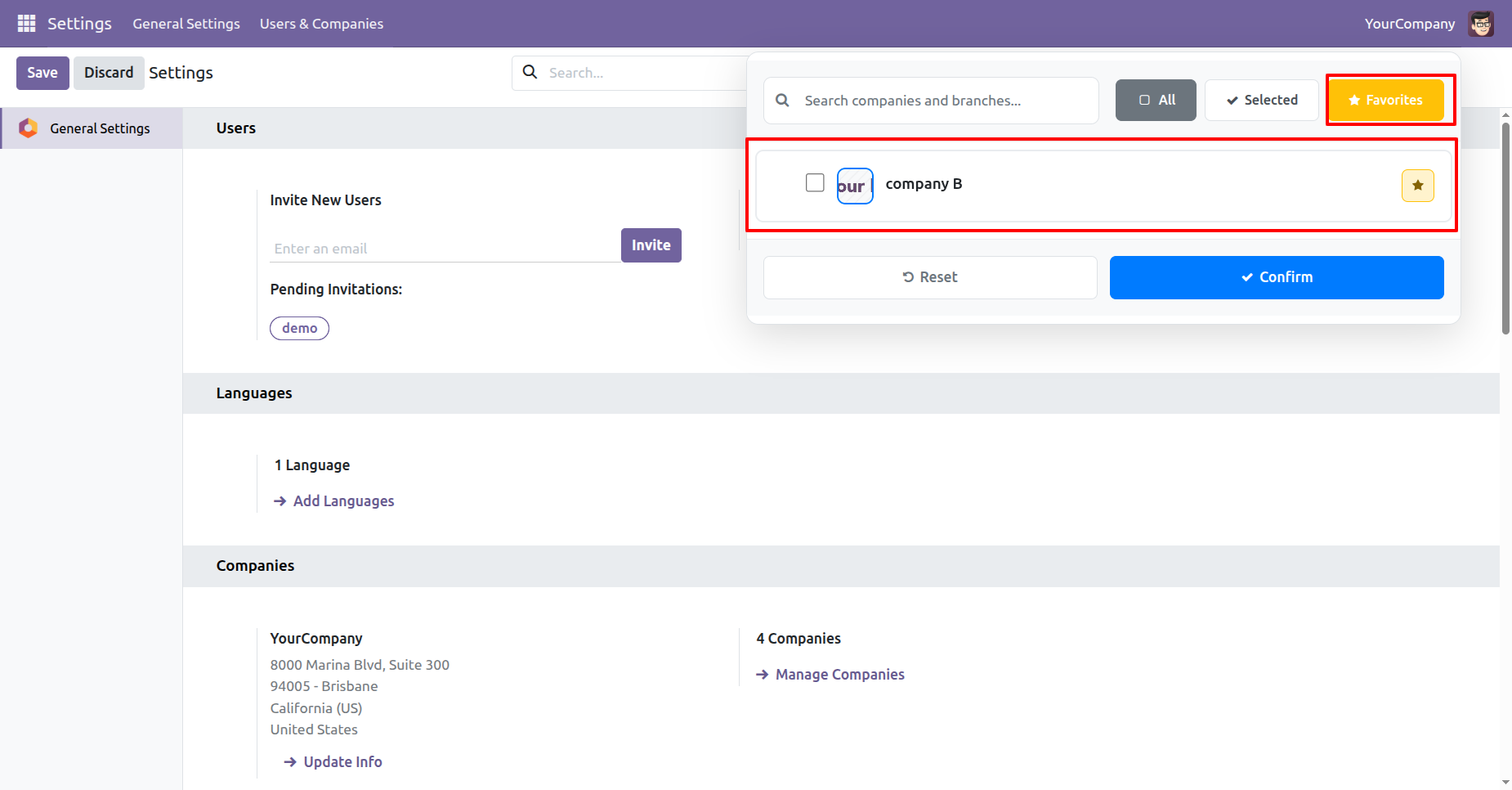
Favorites filter in the Company & Branch Dropdown, displaying only the favorited company - Company B.
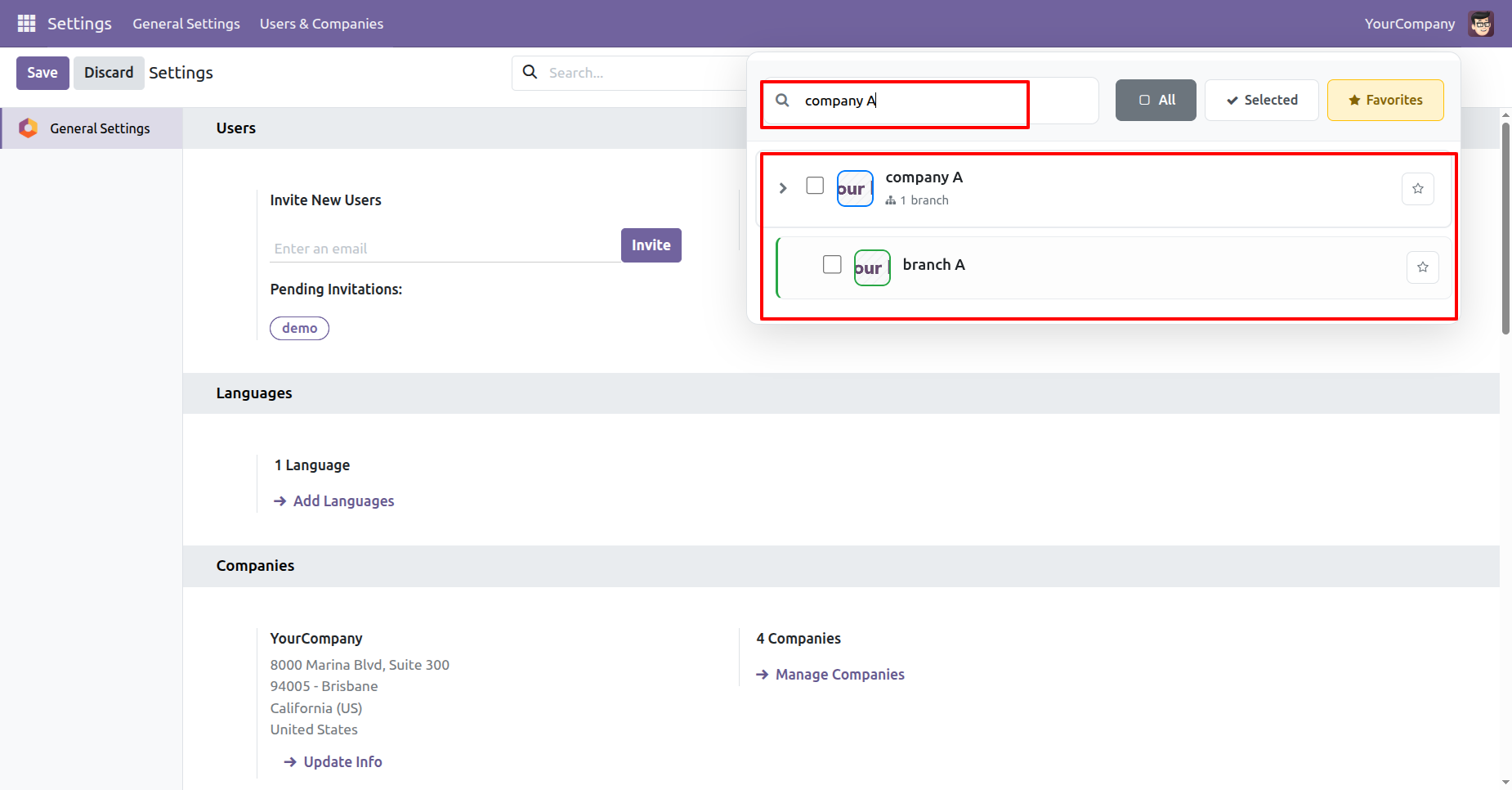
Search functionality in the Company & Branch Dropdown, where typing “Company A” instantly filters results. Users can quickly find Company A and its Branch A without scrolling through the entire company list.
This screenshot shows the active company context after switching - the top bar now displays Company A. All settings, data, and operations are now filtered to Company A, ensuring users work in the correct company environment.
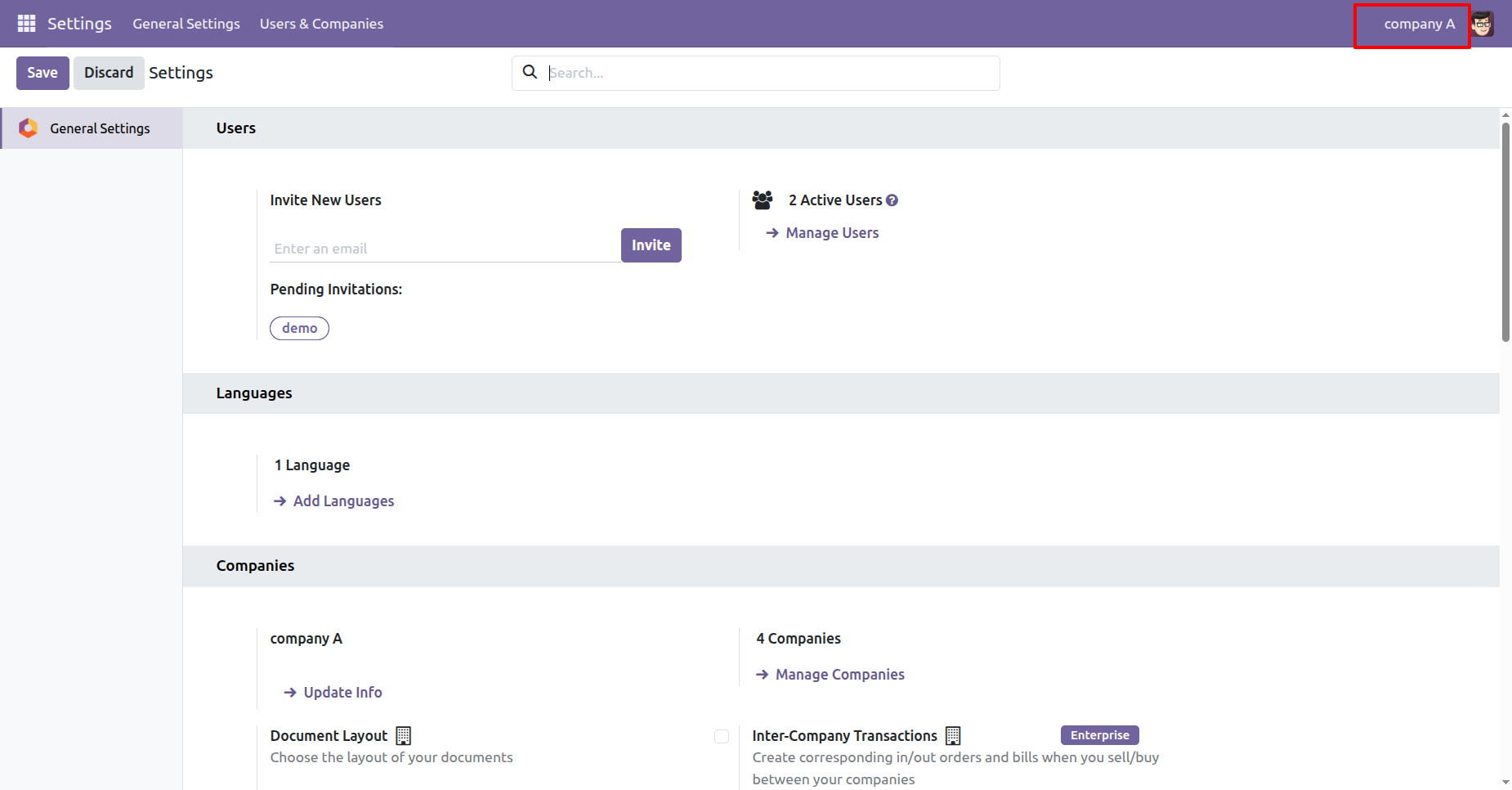
Go to the general settings and disable the Show Company Logo boolean for the company.
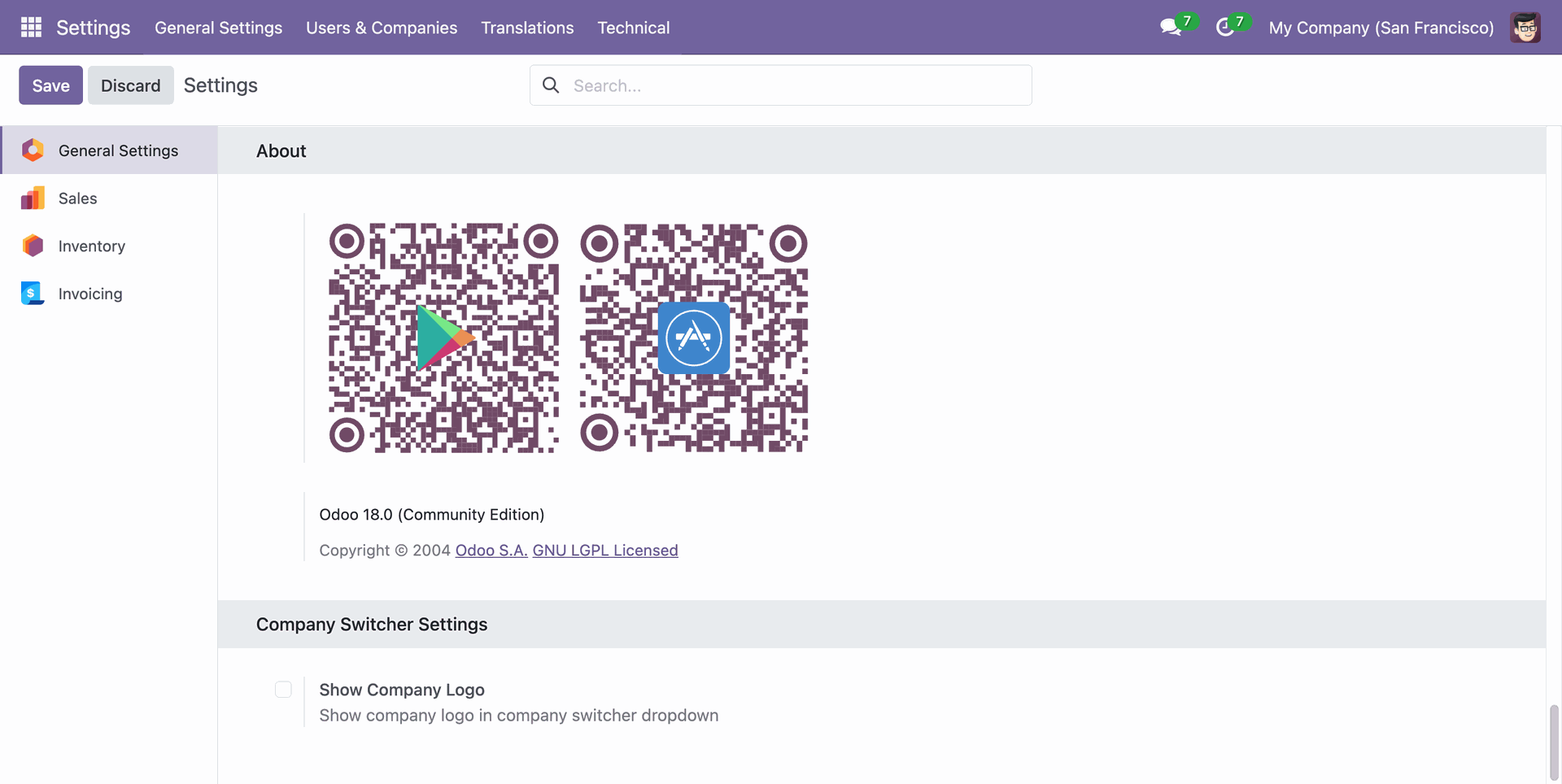
The user will not be able to see the company logo when switching between companies.
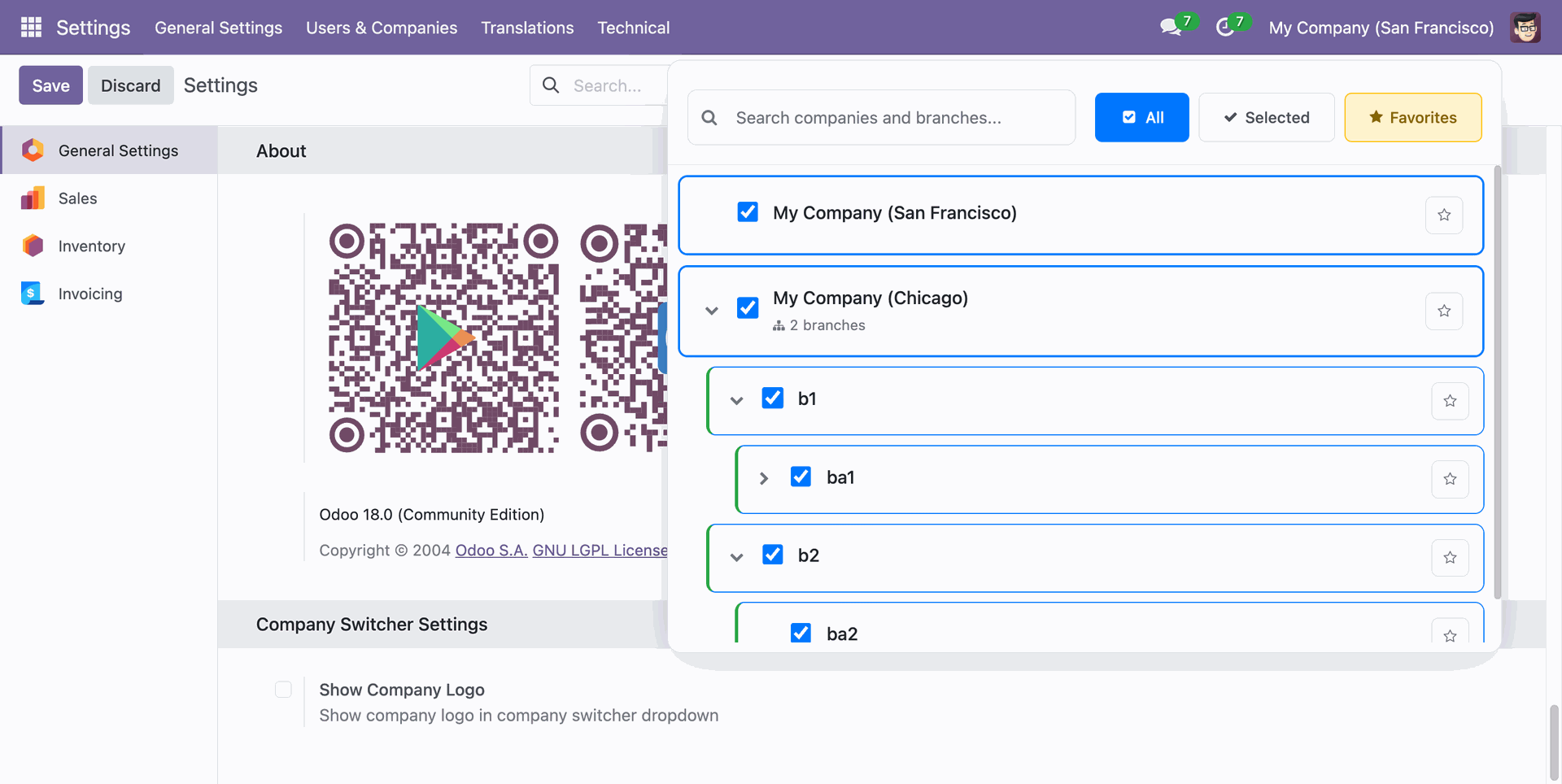
Go to the general settings and enable the Show Company Logo boolean for the specific company. Apply settings popup will apear, click on the current company to apply the settings for active company.
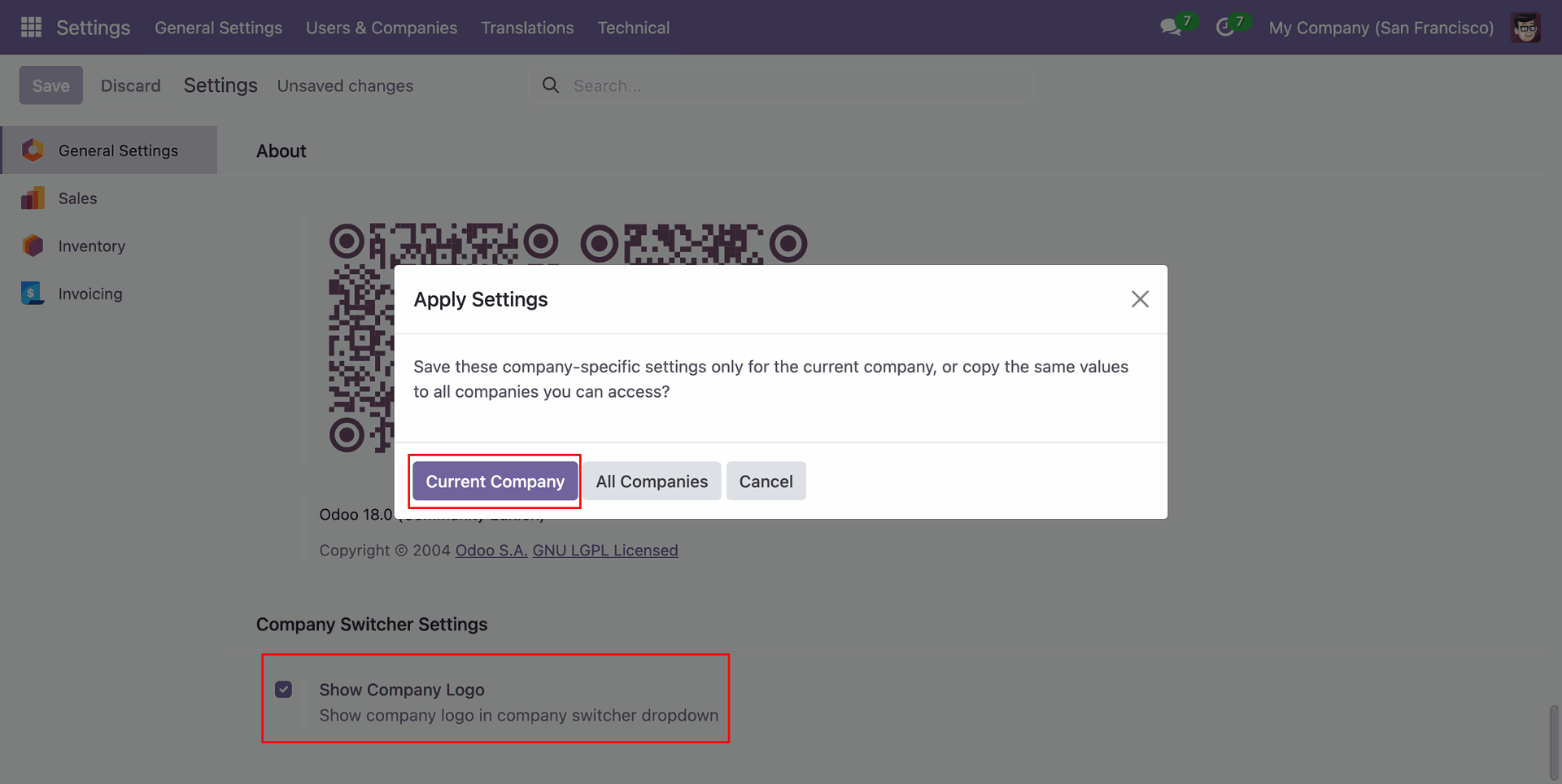
The user will be able to see the company logo for active company.
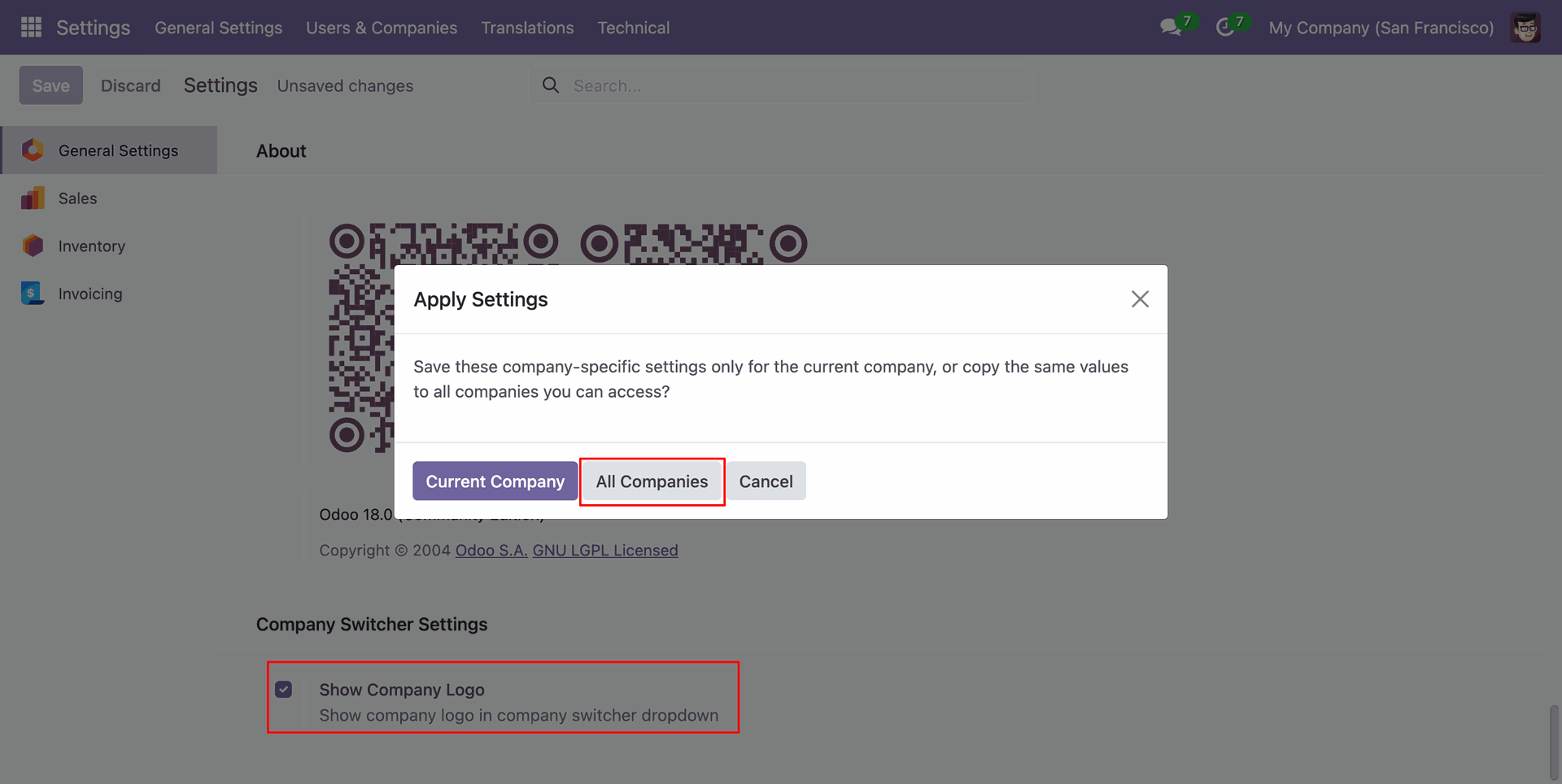
Go to the general settings and enable the Show Company Logo boolean for the specific company. Apply settings popup will apear, click on the All companies to apply the settings for that company.
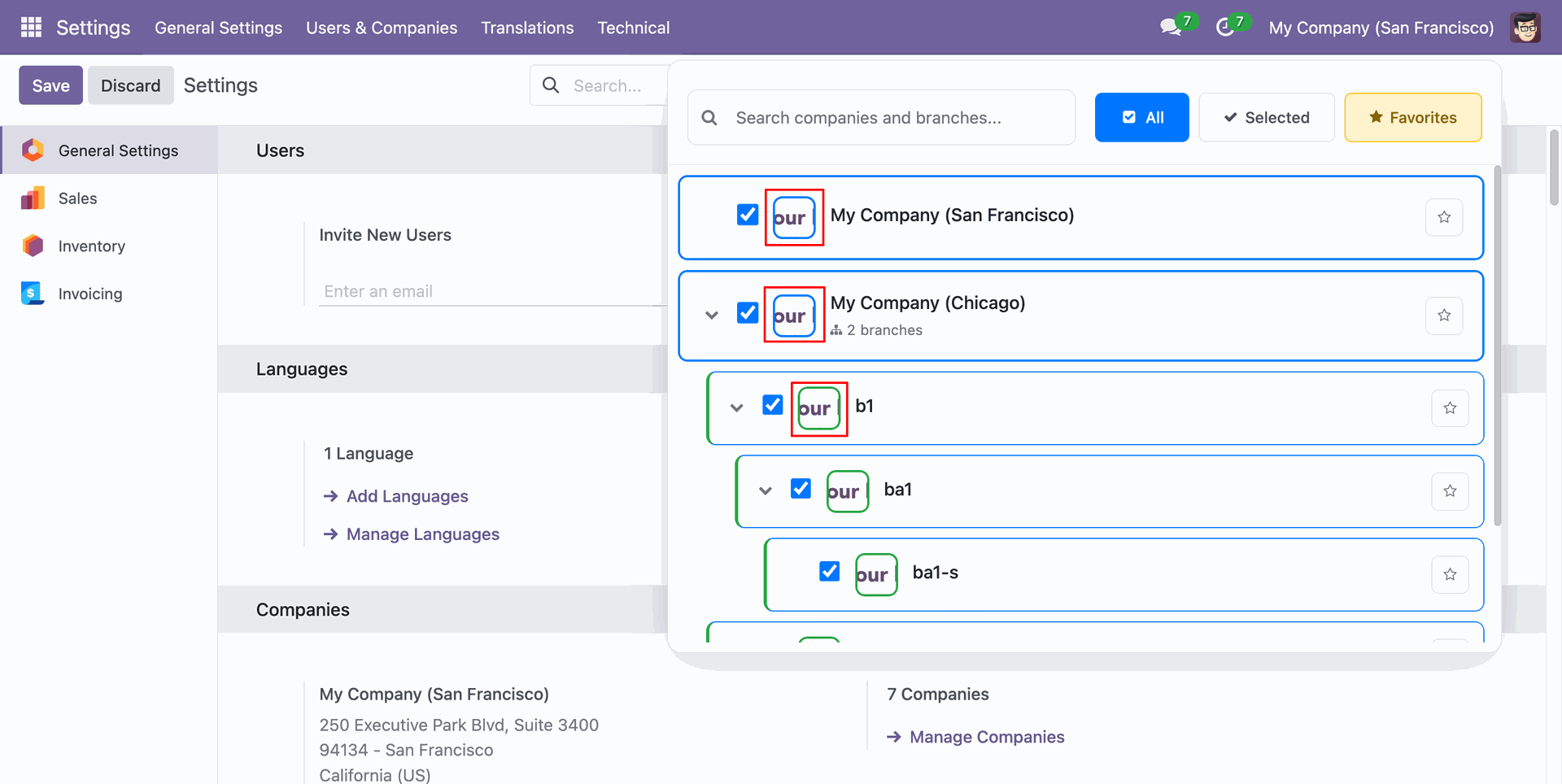
The user will be able to see the company logo for all companies.
Version 19.0.2.0.0 | Released on : 04th June 2026
Version 19.0.1 | Released on : 03rd November 2025
- Yes, this app works perfectly with Odoo Enterprise (Odoo.sh & Premise) as well as Community.
- No, this application is not compatible with odoo.com(odoo saas/Odoo Online)
- Yes, to test this module, please contact us at sales@softhealer.com.
- Please contact us at sales@softhealer.comto request customization.
- Yes, we provide free support for 365 days from the date of purchase.
- Yes, you will receive lifetime free updates for the version of the module you purchased.
- No, there is no need to install any additional libraries.
- Yes, for version 12 and above, you need to purchase the module separately for each version you intend to use.
- No, exchanges or refunds are not allowed. Please make sure to select the correct version before purchasing.
- You can contact us at support@softhealer.com for language translation support. We use Google Translator tools to provide translations in multiple languages, so the accuracy may vary. We welcome your suggestions to help improve translations.
Discover Our Latest Apps