









Blog Post

logo
Free Support
Life Time
Counter box img
Custom Apps
1500+
counter box img
top seller of odoo marketplace
counter box img
Happy Customer
10K+
counter box img
Year Of Experience
11+
counter box img
countries
100+
counter box img
Talented healers
150+
counter box img
Industries Served
45+
counter box img
Odoo Community Implementation
350+
counter box img
Odoo Enterprise Implementation
150+
counter box img
Best partner Nominee
2024
counter box img
Global Presence
counter box img

Free Demo
Email: sales@softhealer.com
Lifetime Free Support
Contact: support@softhealer.com
Customization
Sales: sales@softhealer.com
logo
Free Support
Life Time
Counter box img
Custom Apps
1500+
counter box img
top seller of odoo marketplace
counter box img
Happy Customer
10K+
counter box img
Year Of Experience
11+
counter box img
countries
100+
counter box img
Talented healers
150+
counter box img
Industries Served
45+
counter box img
Odoo Community Implementation
350+
counter box img
Odoo Enterprise Implementation
150+
counter box img
Best partner Nominee
2024
counter box img
Global Presence
counter box img

Free Demo
Email: sales@softhealer.com
Lifetime Free Support
Contact: support@softhealer.com
Customization
Sales: sales@softhealer.com

Add Cheque Number and Image On Payment

heading

This module allows users to add cheque number and cheque image on payment. You have to insert the cheque number and cheque image on "Register Payment". Users can search payments using cheque numbers. We provide mass action for add cheque details on payment. Users can print the cheque number in the receipt. Hurray!

Features

heading
  • You can add cheque number and cheque image on payment.
  • You can add a cheque image & cheque number while registering payment and validated payment.
  • You can print the cheque number on the payment receipt.
  • Easy to search payments using cheque numbers.
  • You can add cheque details on payment for multiple invoices.
  • Easy to install and use it, no more configuration required.

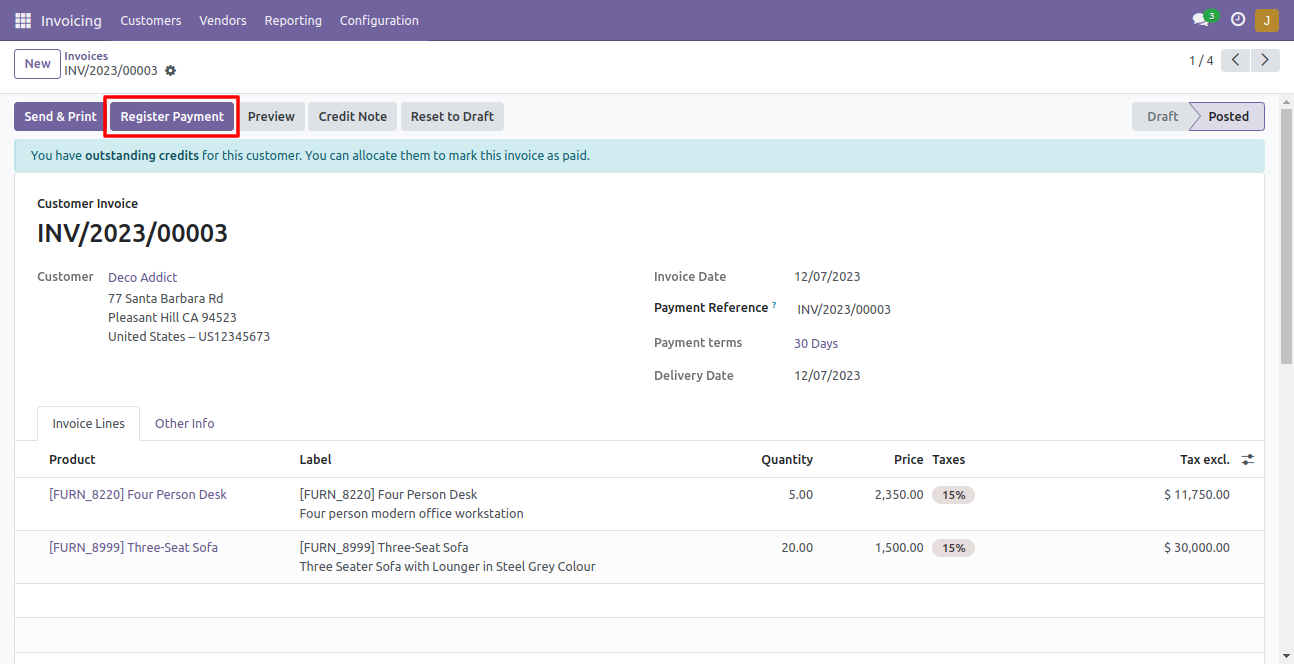
Open invoice and press "Register Payment".

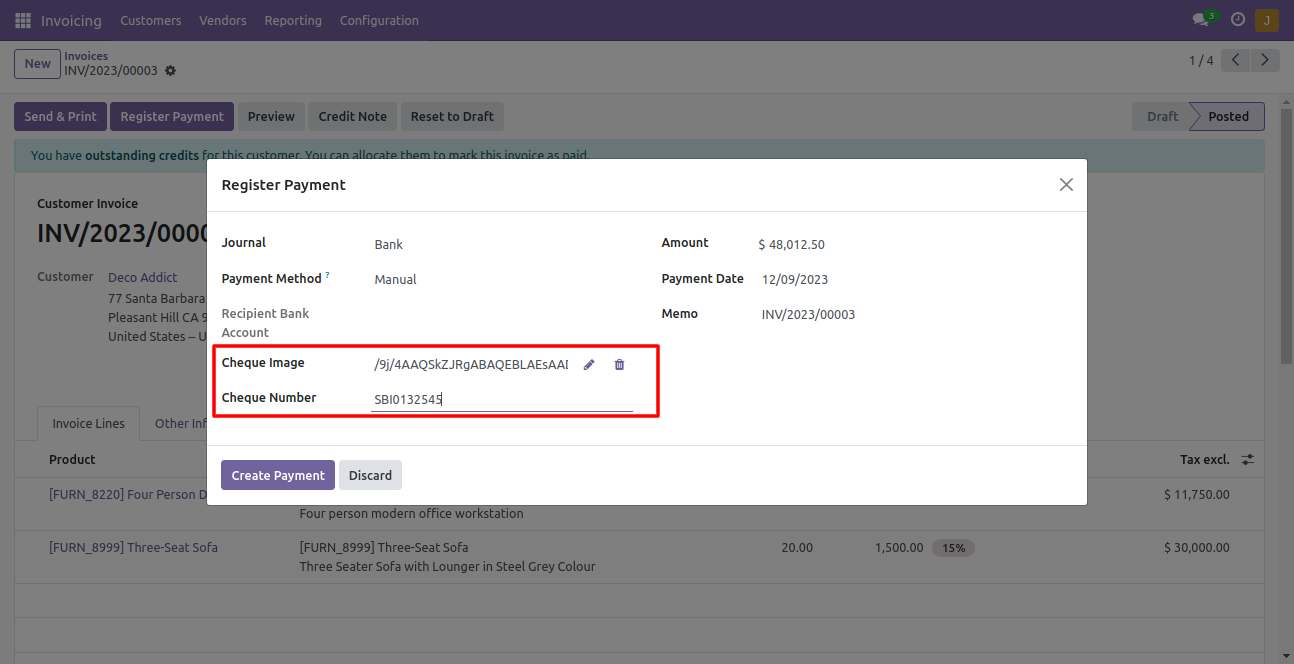
After that in this wizard, you can add the cheque number and cheque image.

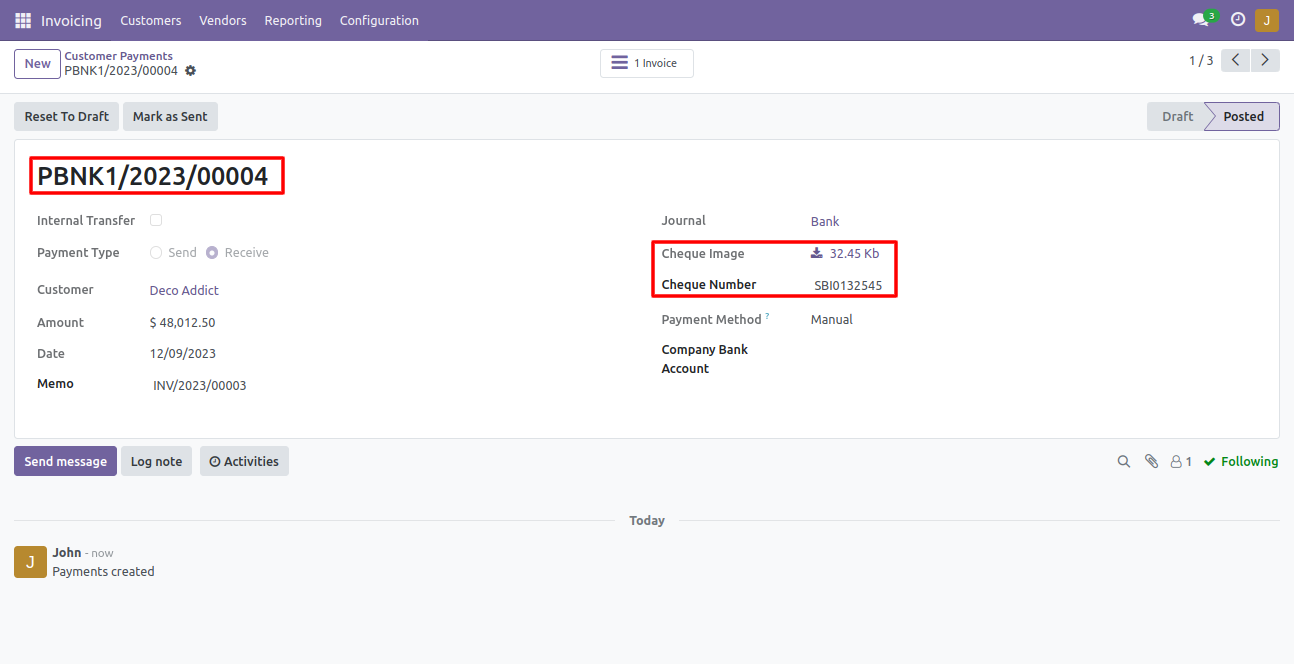
You can add a cheque image & cheque number while registering payment and validated payment.

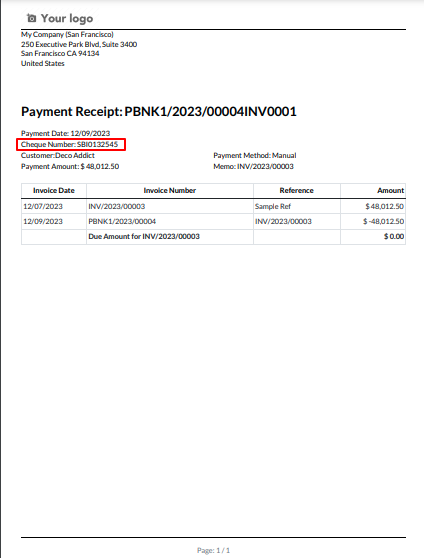
You can print the cheque number on the payment receipt.

Version 18.0.1 | Released on : 4th September 2024

Initial Initial Release.
  • Yes, this app works perfectly with Odoo Enterprise (Odoo.sh & Premise) as well as Community.
  • No, this application is not compatible with odoo.com(odoo saas).
  • Yes, we provide free support for 100 days.
  • Yes, you will get free update for lifetime.
  • No, you don't need to install addition libraries.
  • Yes, You have to download module for each version (13,14,15) except in version 12 or lower.
Product Attribute Wise Sales Report v18

Transforming Businesses with Next-Gen Solutions

Our next-generation solutions are built to transform businesses and drive growth in the digital era.

Find Us

530, West Gate 2,
Ayodhya Chowk, 150 Feet Ring Road Rajkot, Gujarat 360006.

Find Us

131 South End, Croydon England CRO 1BJ,
United Kingdom

Contact No.

HR : +91 90232 46069
Sales : +91 93288 25451

Contact No.

Sales : +44 07562 893296

Reach Us Read Blog Contact Us Submit Support Ticket Watch Video Tutorial
whatsapp-support-store whatsapp-support-store
Click to Chat