












Sort Chatter History By Date

The Sort Chatter History By Date module simplifies navigating your chatter history. By adding a simple "Sort By Date" button directly into the chatter history section, users can quickly reverse the order of messages and easily locate older or newer records as needed. This simple yet highly effective feature enhances productivity, saving time when skimming through lengthy discussion threads.

Features

Sort By Date Button
Easily sort chatter messages by oldest or newest first with a single click.

Improved Navigation
Quickly locate older or newer records as needed without scrolling endlessly.

Enhanced Productivity
It saves valuable time by allowing quick scanning of lengthy discussion threads.

Seamless Integration
Integrates flawlessly directly into the existing Odoo chatter communication history.

Simple Toggle Design
An easy-to-use toggle button placed right where you need it for immediate action.
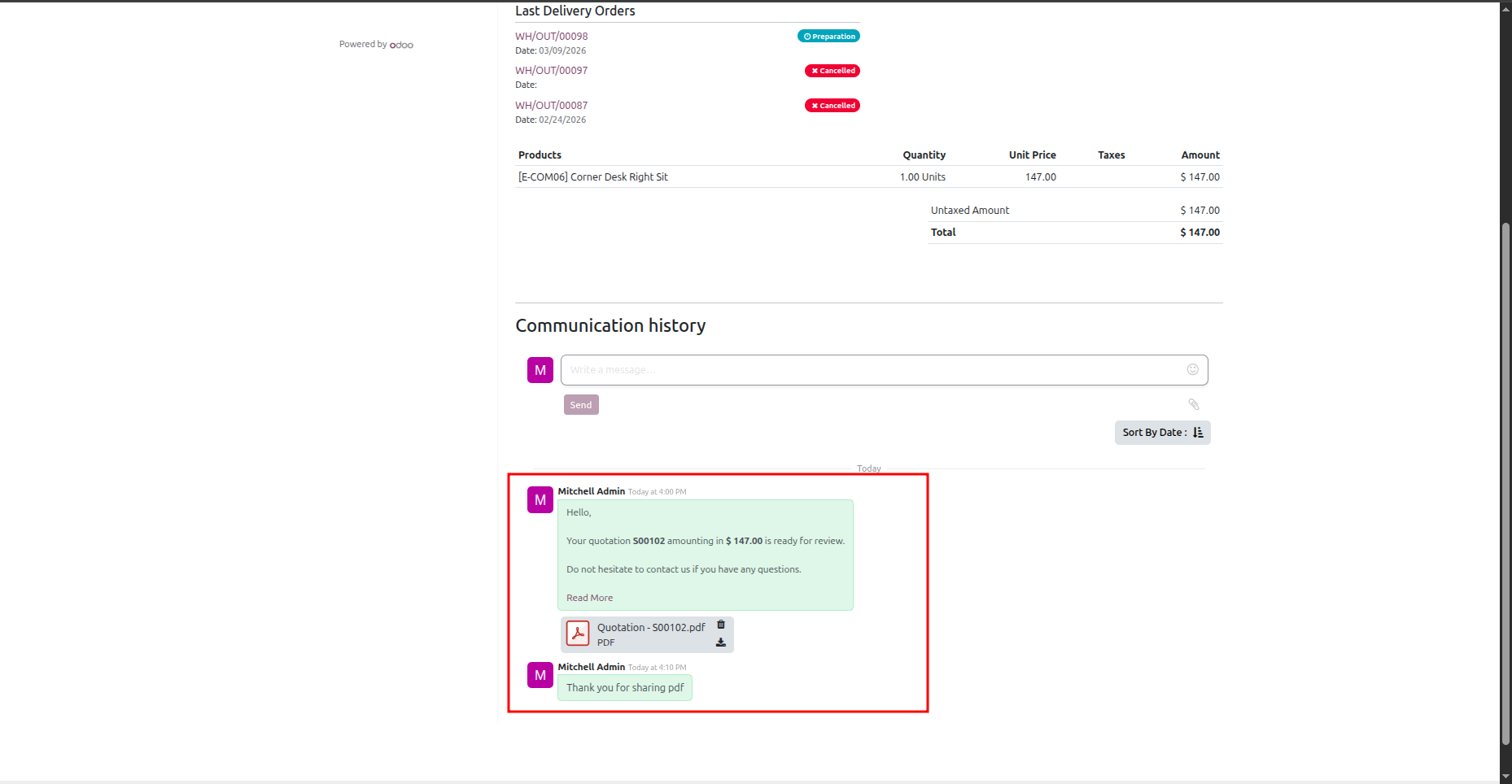
Chatter communication history showing initial loaded messages.
Click the "Sort By Date" upward arrow button.
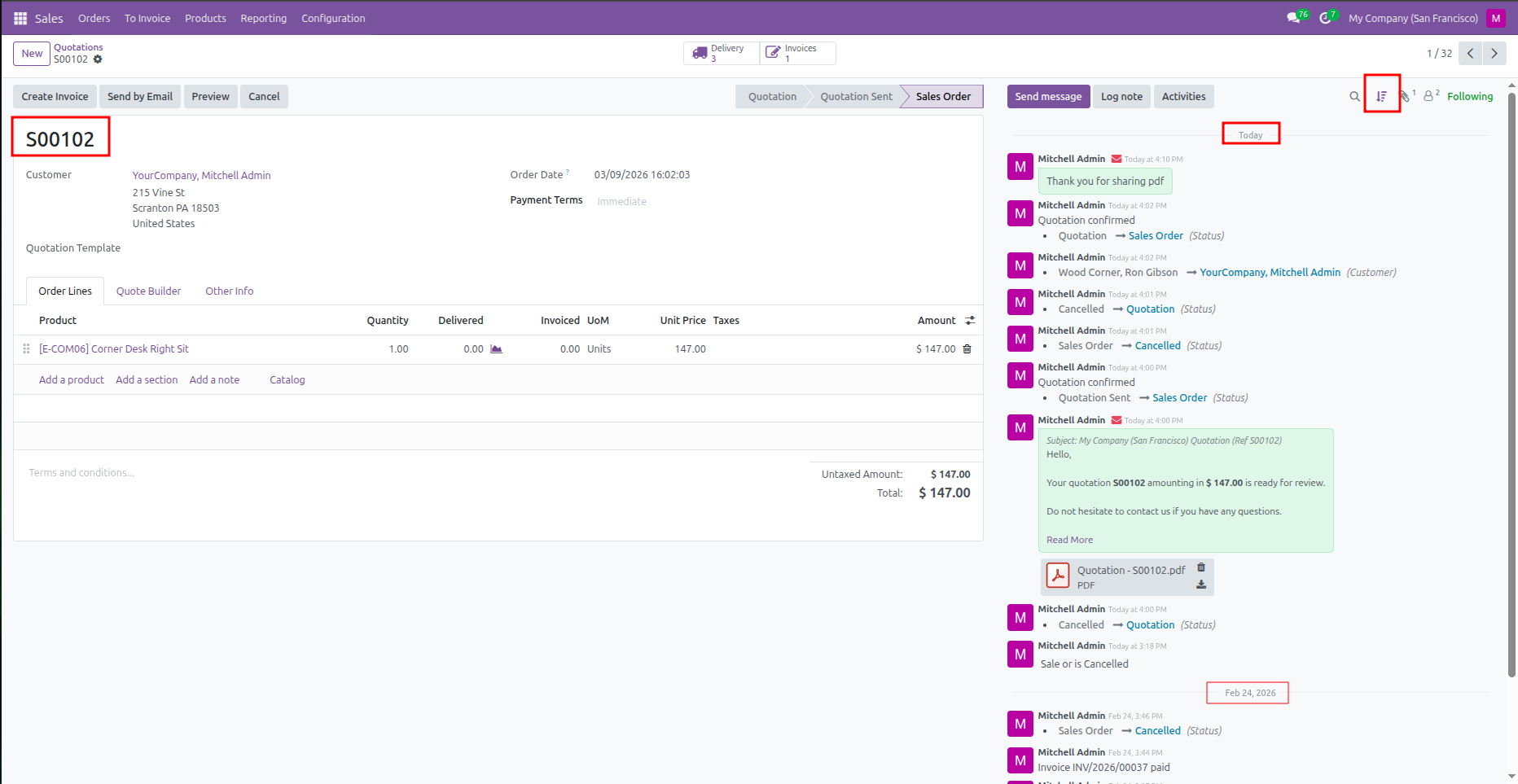
Here, the chatter history is shown following the direction of the arrow.
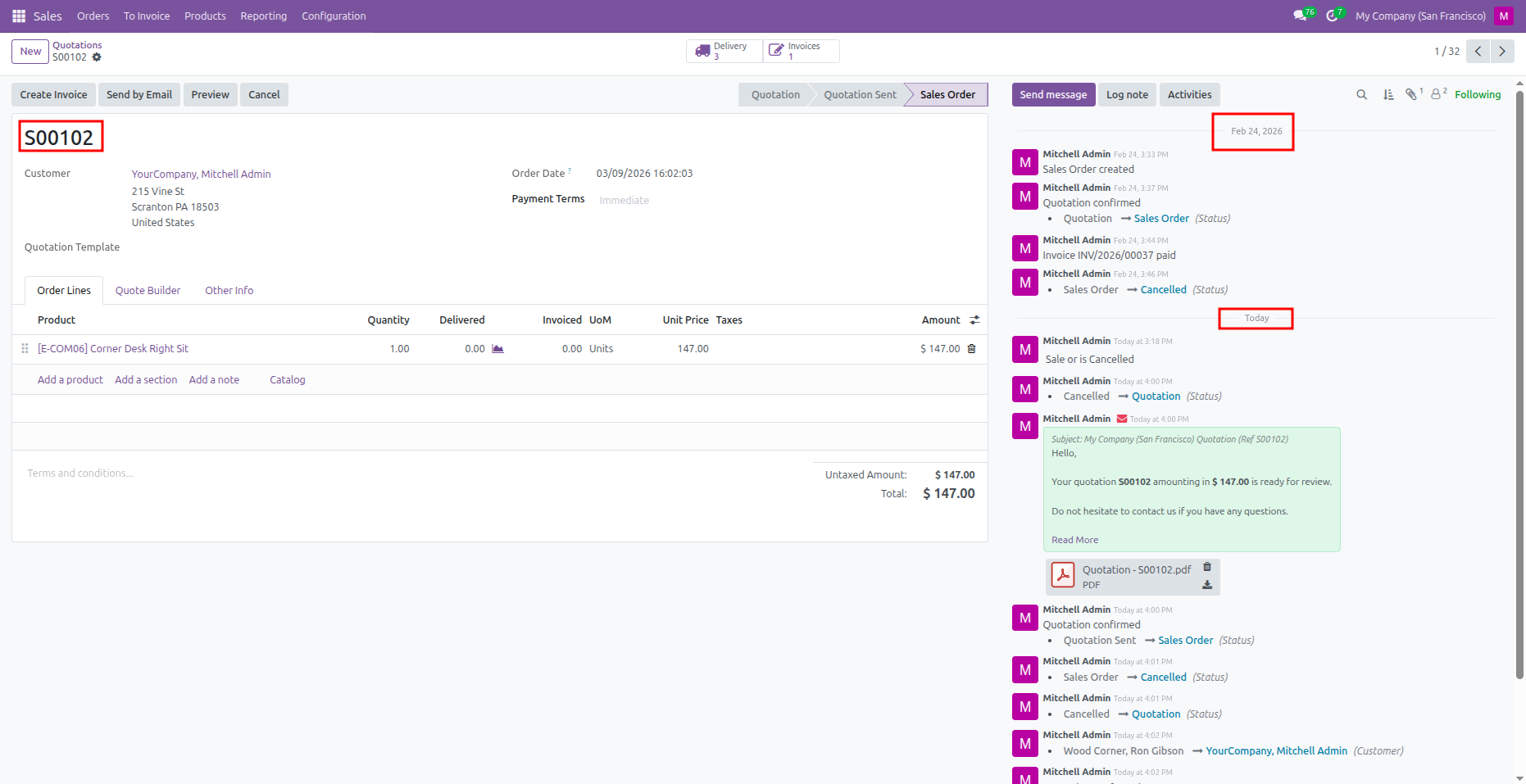
The thread reverses order, bringing older/newer records to the front based on the toggle.
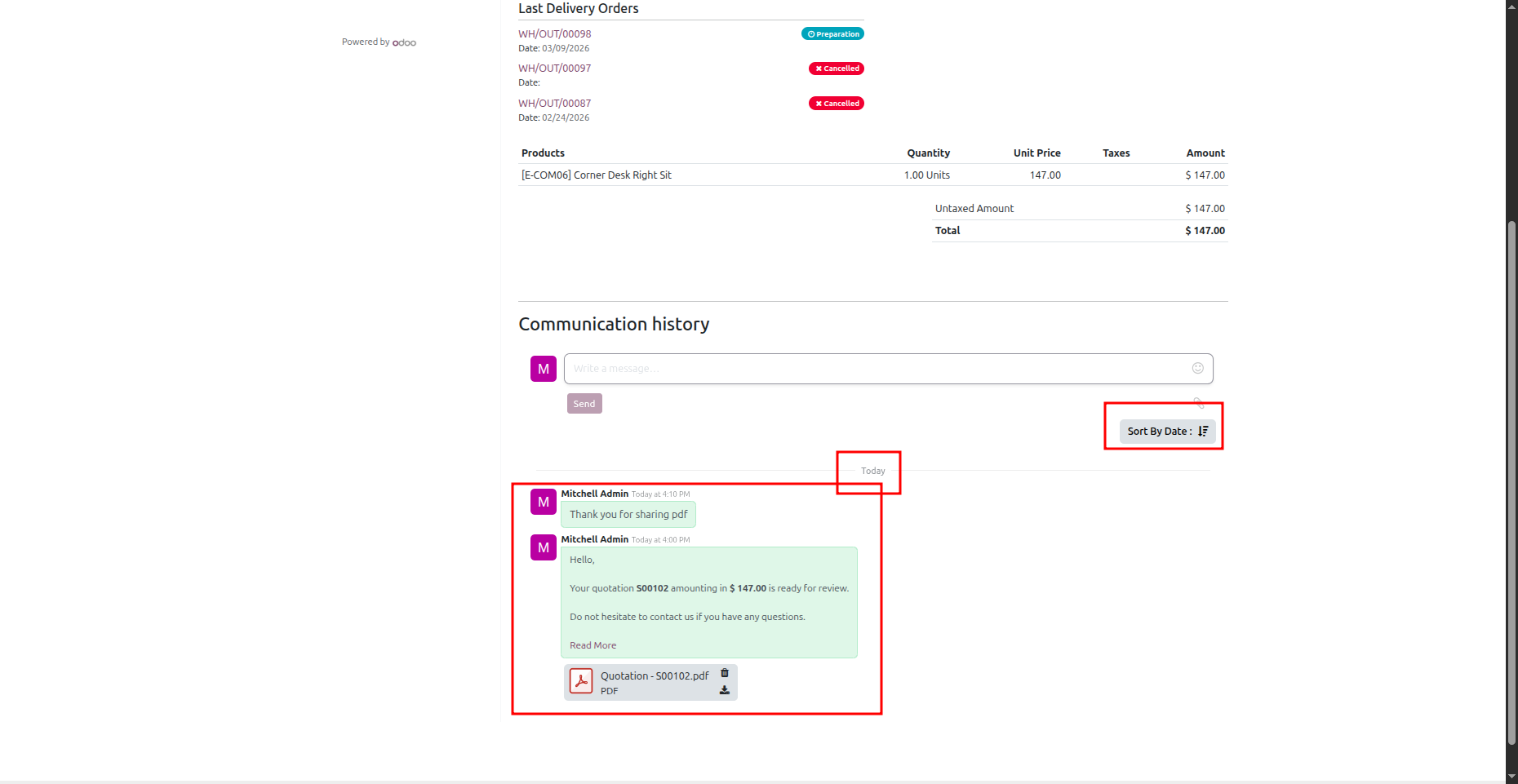
Clicking the "Sort By Date" downward arrow button reverts the sort order.
Version 18.0.1.0.0 | Released on : 3rd April 2026
- Yes, this app works perfectly with Odoo Enterprise (Odoo.sh & Premise) as well as Community.
- No, this application is not compatible with odoo.com(odoo saas/Odoo Online)
- Yes, to test this module, please contact us at sales@softhealer.com.
- Please contact us at sales@softhealer.comto request customization.
- Yes, we provide free support for 365 days from the date of purchase.
- Yes, you will receive lifetime free updates for the version of the module you purchased.
- No, there is no need to install any additional libraries.
- Yes, for version 12 and above, you need to purchase the module separately for each version you intend to use.
- No, exchanges or refunds are not allowed. Please make sure to select the correct version before purchasing.
- You can contact us at support@softhealer.com for language translation support. We use Google Translator tools to provide translations in multiple languages, so the accuracy may vary. We welcome your suggestions to help improve translations.
Discover Our Latest Apps