

 Easy to Manage
 Dedicated Support











 Scan to email sales



Chatter Message History Management

Manage and track Chatter messages with dedicated history controls. Edit existing chatter messages, review message changes, and maintain a clear history of message updates directly from the Odoo interface.

Features

Message History
Enable message history management from settings to control and review changes made to Chatter messages.

Message Editing
Edit existing Chatter messages directly from the chatter interface with ease.

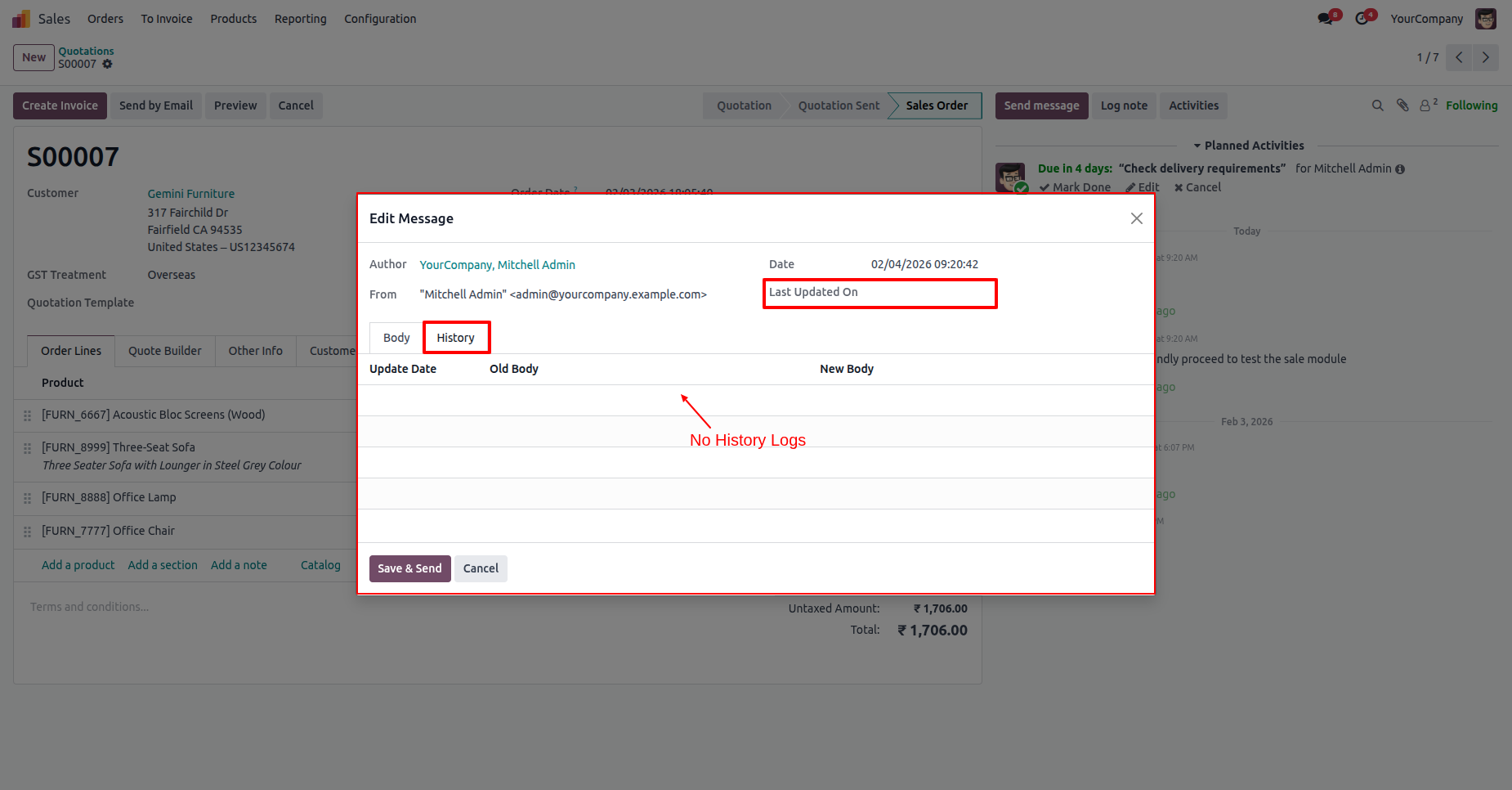
Edit History
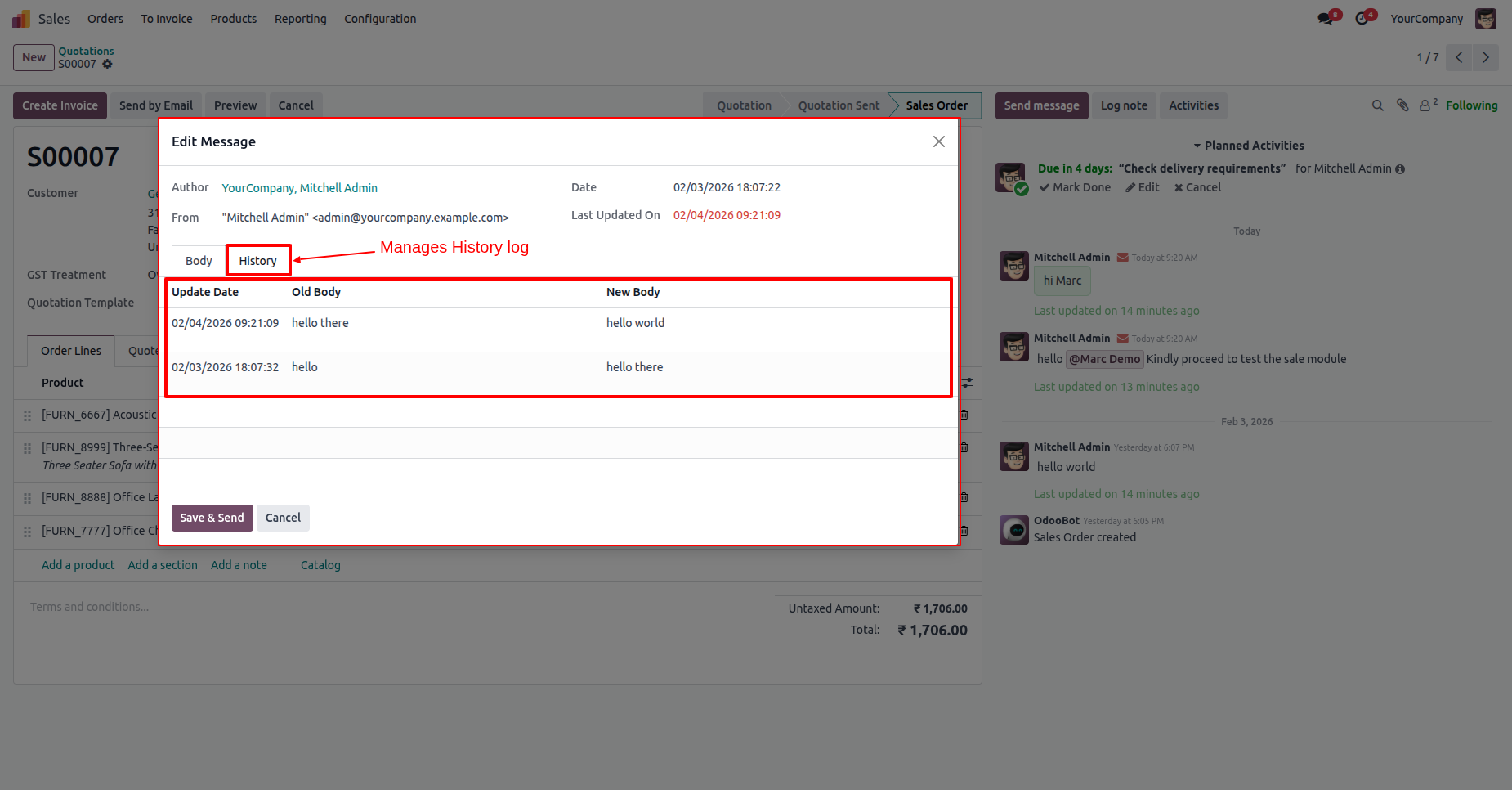
View previous message content and update details, including the original and newly updated message information.

Update Tracking
Track when a Chatter message was updated and review the latest update information directly from the message history.
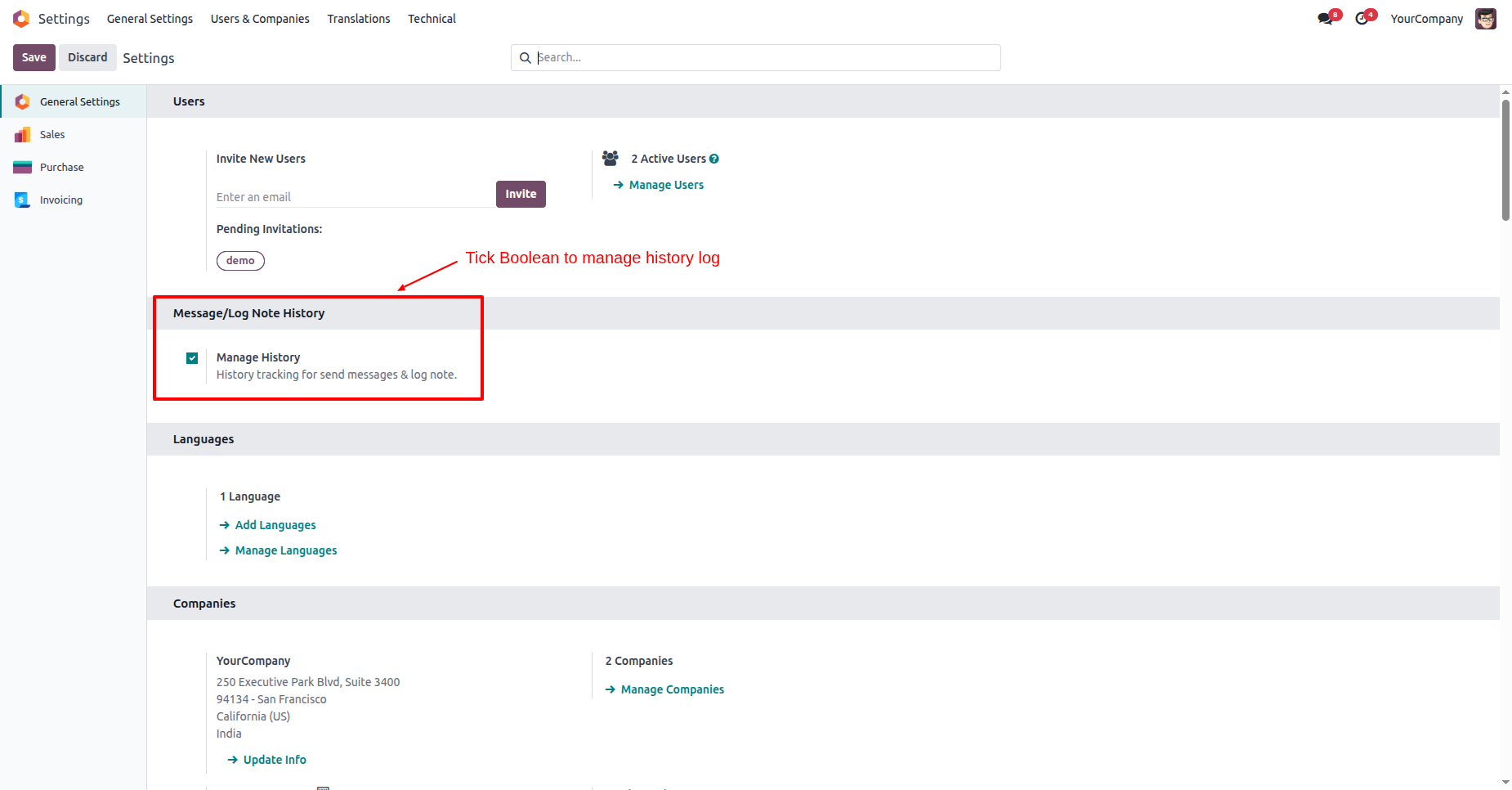
Tick the 'Manage History' option in General Settings to start tracking chatter changes.
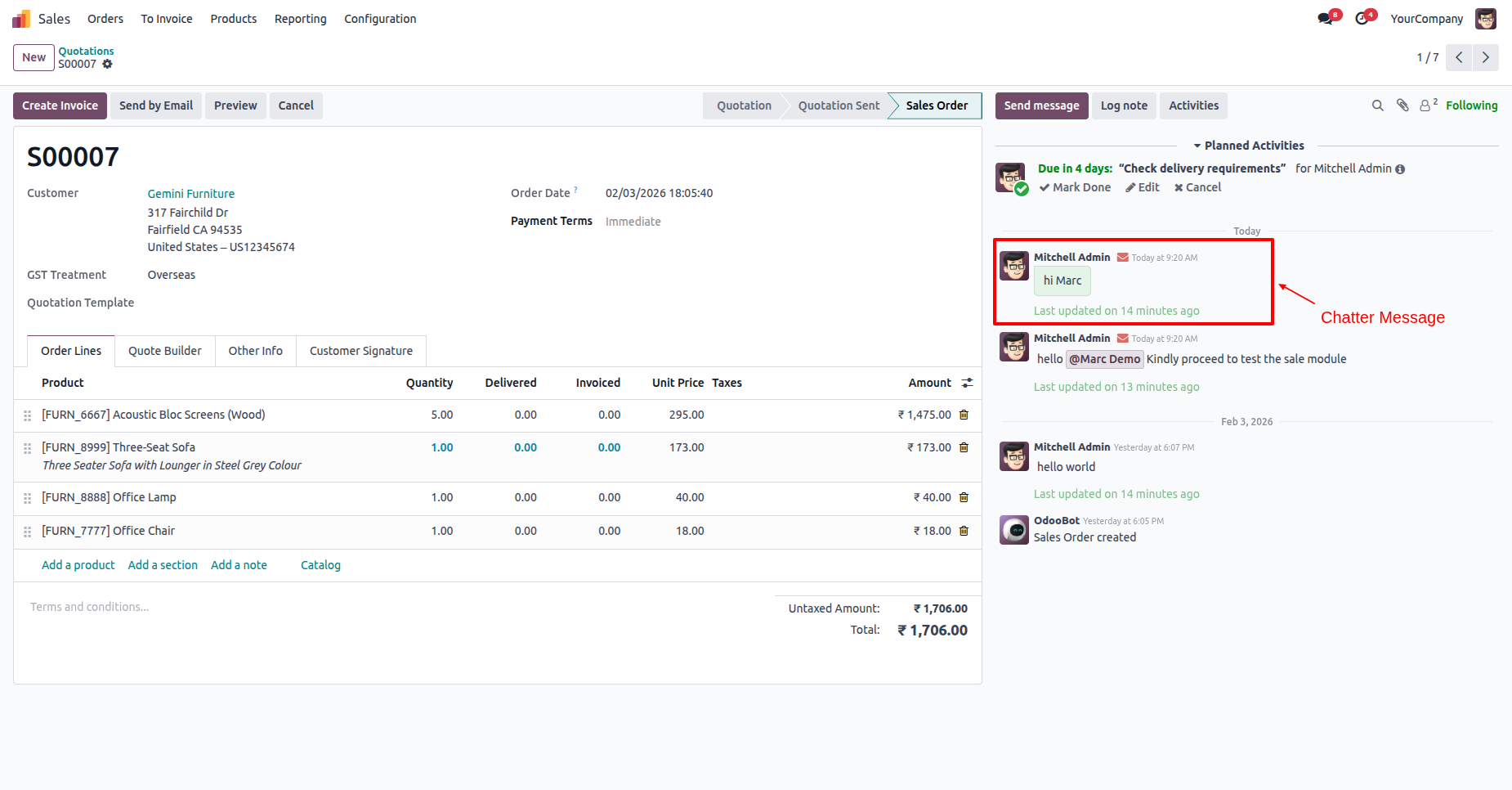
Your normal chatter messages and log notes, ready to be edited.
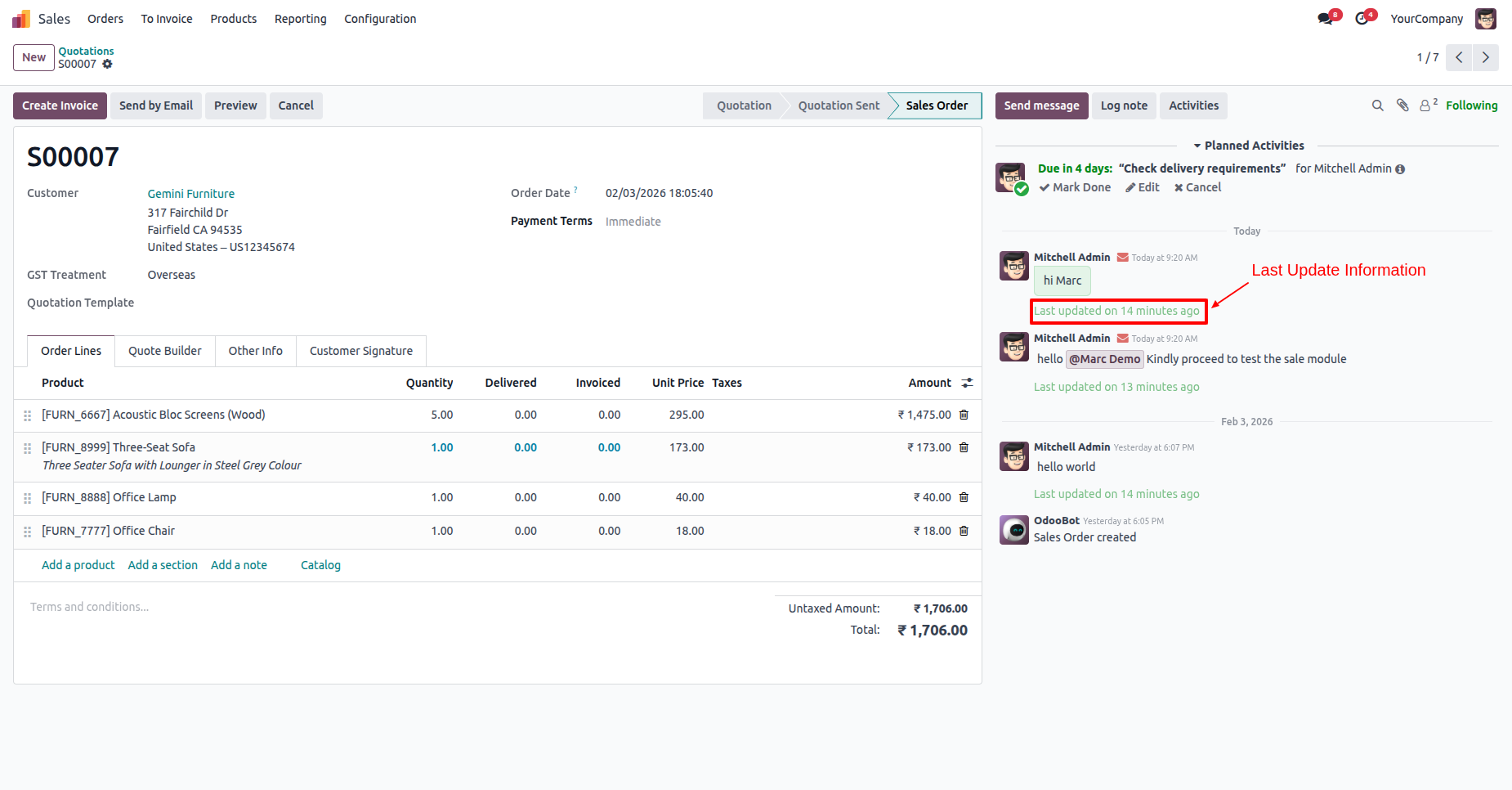
Quickly see exactly when a message was last updated with a clear time.
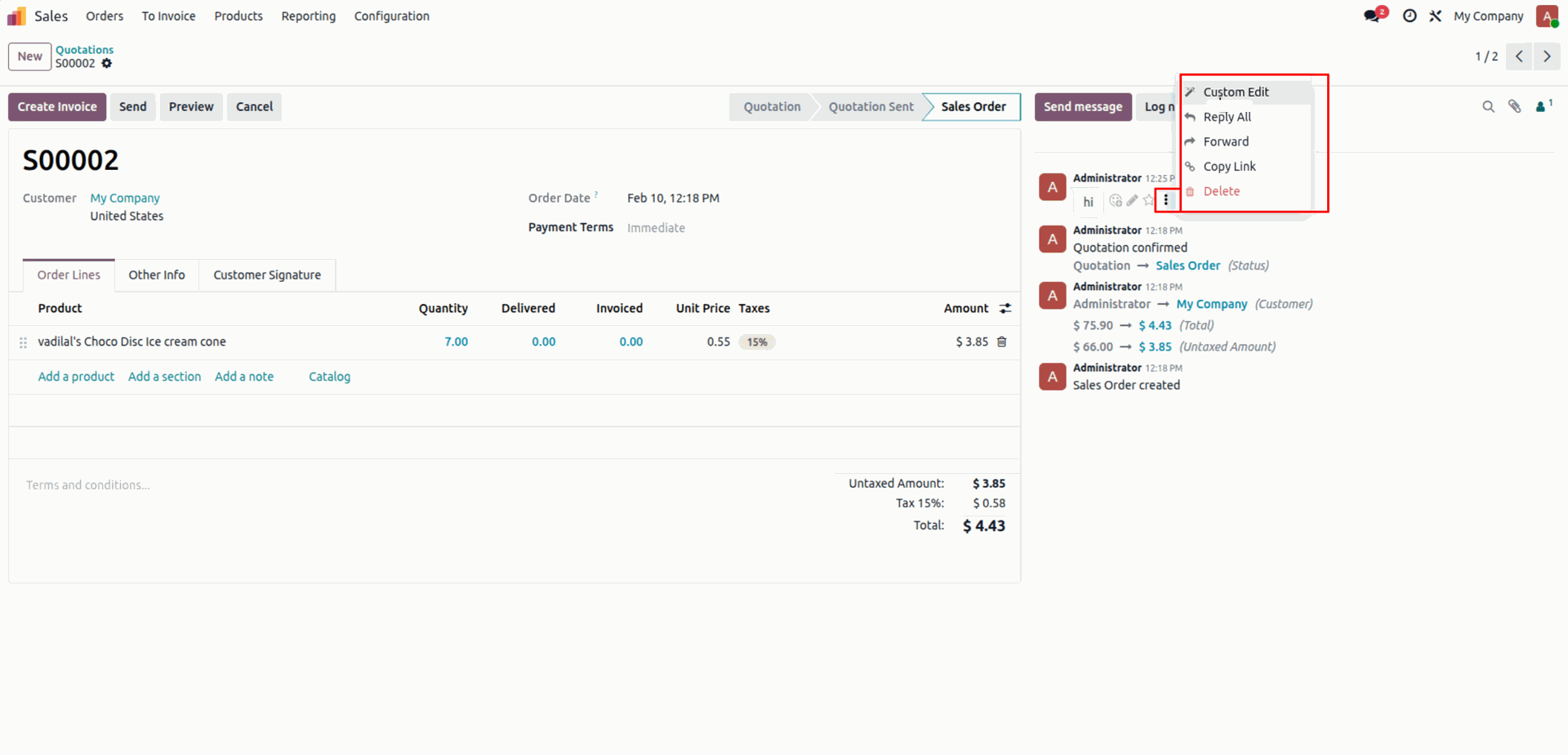
Click on the 'Custom edit' to change the text of any message.
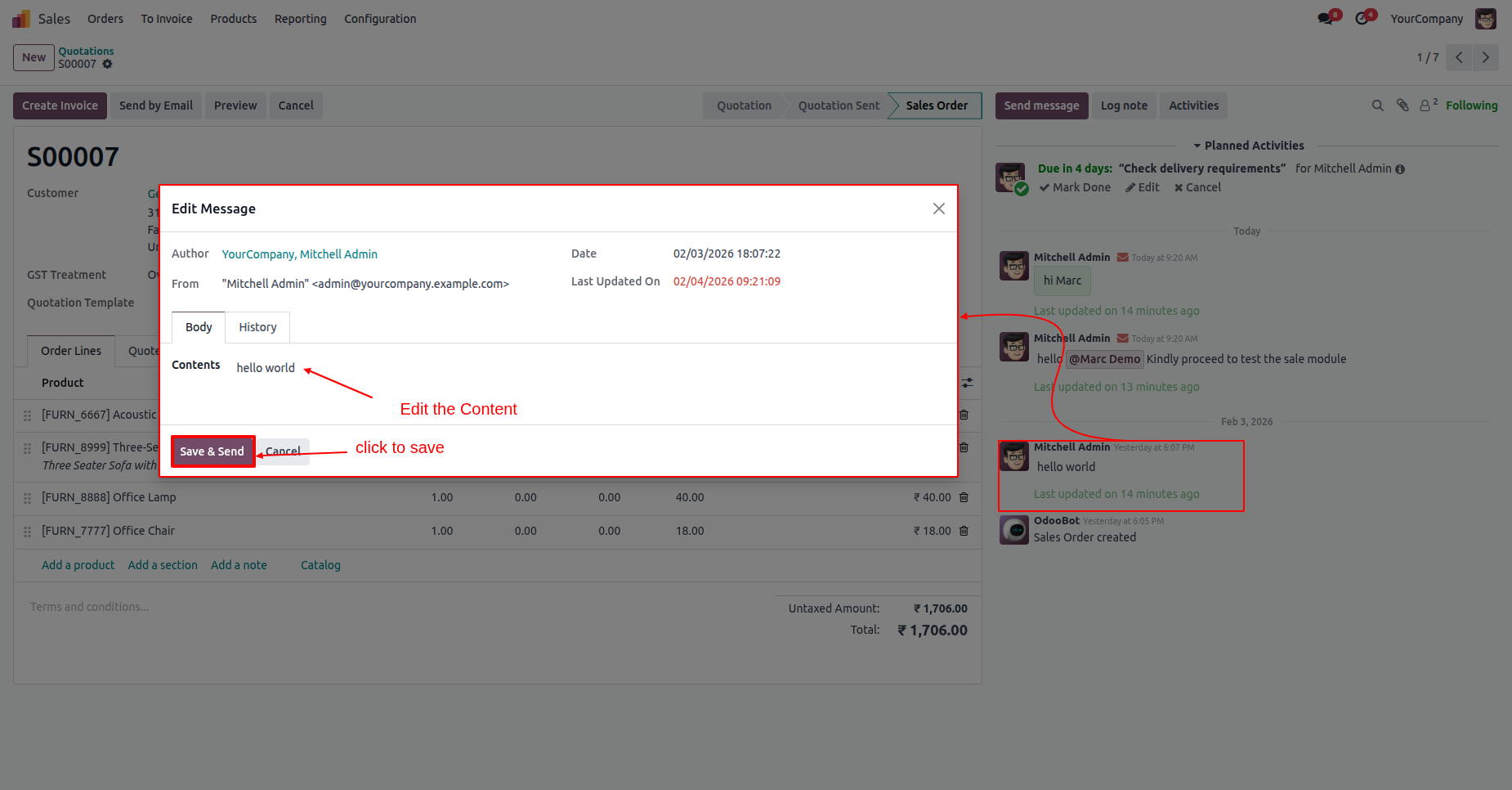
Update content and click on the 'Save & Send' button.
Check the 'History' tab to see all past changes made to a message.
Untick the 'Manage History' option in General Settings.
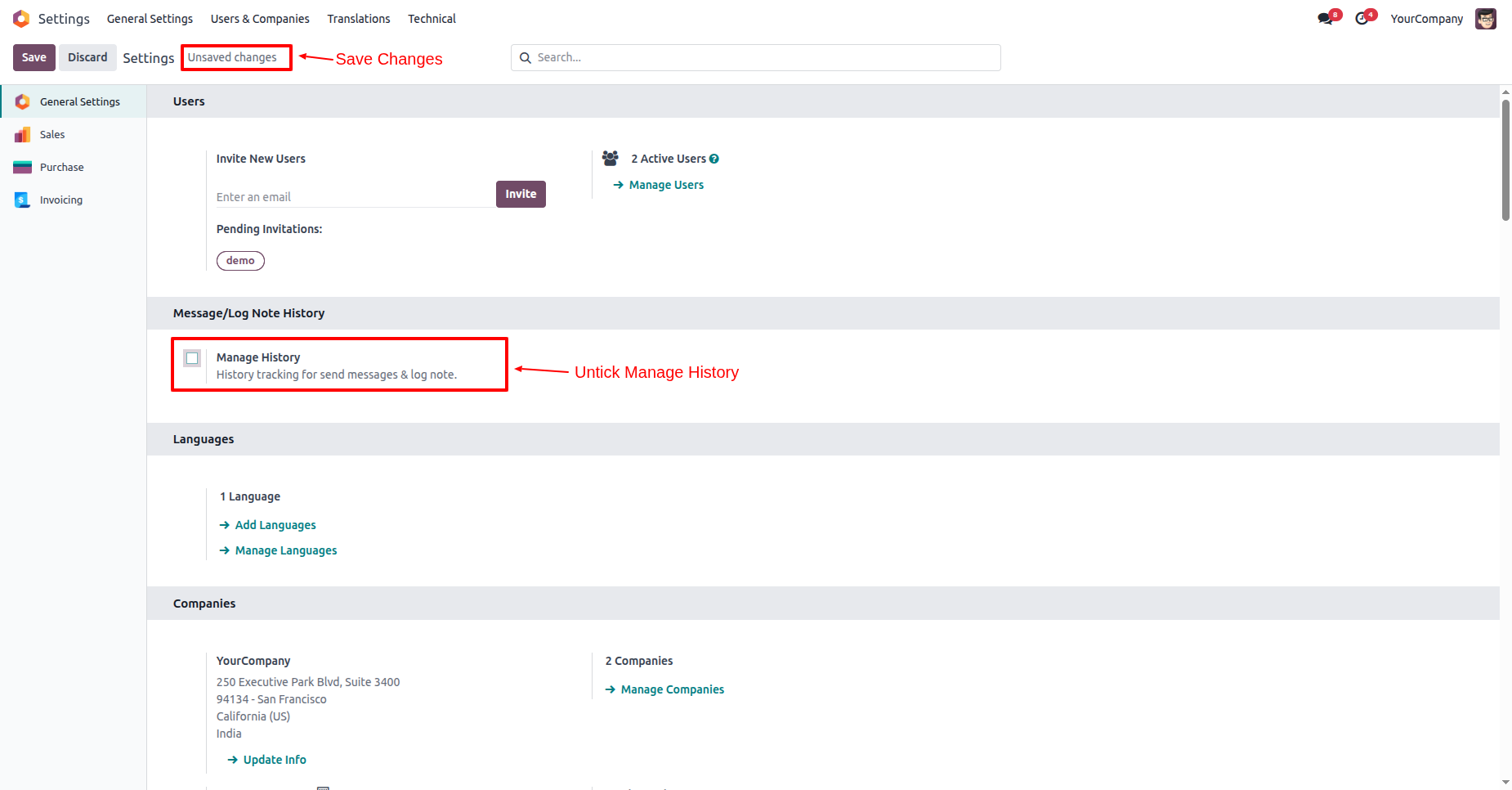
When tracking is off, the 'History' tab stays hidden and no more changes are logged.
Version 18.0.1.0.0 | Released on : 18th August 2026
- Yes, this app works perfectly with Odoo Enterprise (Odoo.sh & Premise) as well as Community.
- No, this application is not compatible with odoo.com(odoo saas/Odoo Online)
- Yes, to test this module, please contact us at sales@softhealer.com.
- Please contact us at sales@softhealer.comto request customization.
- Yes, we provide free support for 365 days from the date of purchase.
- Yes, you will receive lifetime free updates for the version of the module you purchased.
- No, there is no need to install any additional libraries.
- Yes, for version 12 and above, you need to purchase the module separately for each version you intend to use.
- No, exchanges or refunds are not allowed. Please make sure to select the correct version before purchasing.
- You can contact us at support@softhealer.com for language translation support. We use Google Translator tools to provide translations in multiple languages, so the accuracy may vary. We welcome your suggestions to help improve translations.
Discover Our Latest Apps