












 Added sh_ai_base module.
Added ChatGPT Configuration.
Added sh_ai_base module.
Added ChatGPT Configuration.
ChatGPT Integration With Odoo

This is a powerful tool that easily integrates ChatGPT into the Odoo platform. By setting up the API key and configuring preferences, users can generate intelligent responses from ChatGPT directly. By using the response button, users can generate any content and generate responses. It also offers summary viewing feature through the ChatGPT. Users can also enhance communication and the capabilities of ChatGPT for improved productivity and efficiency.

Features
- You can enable/disable ChatGPT configuration. New
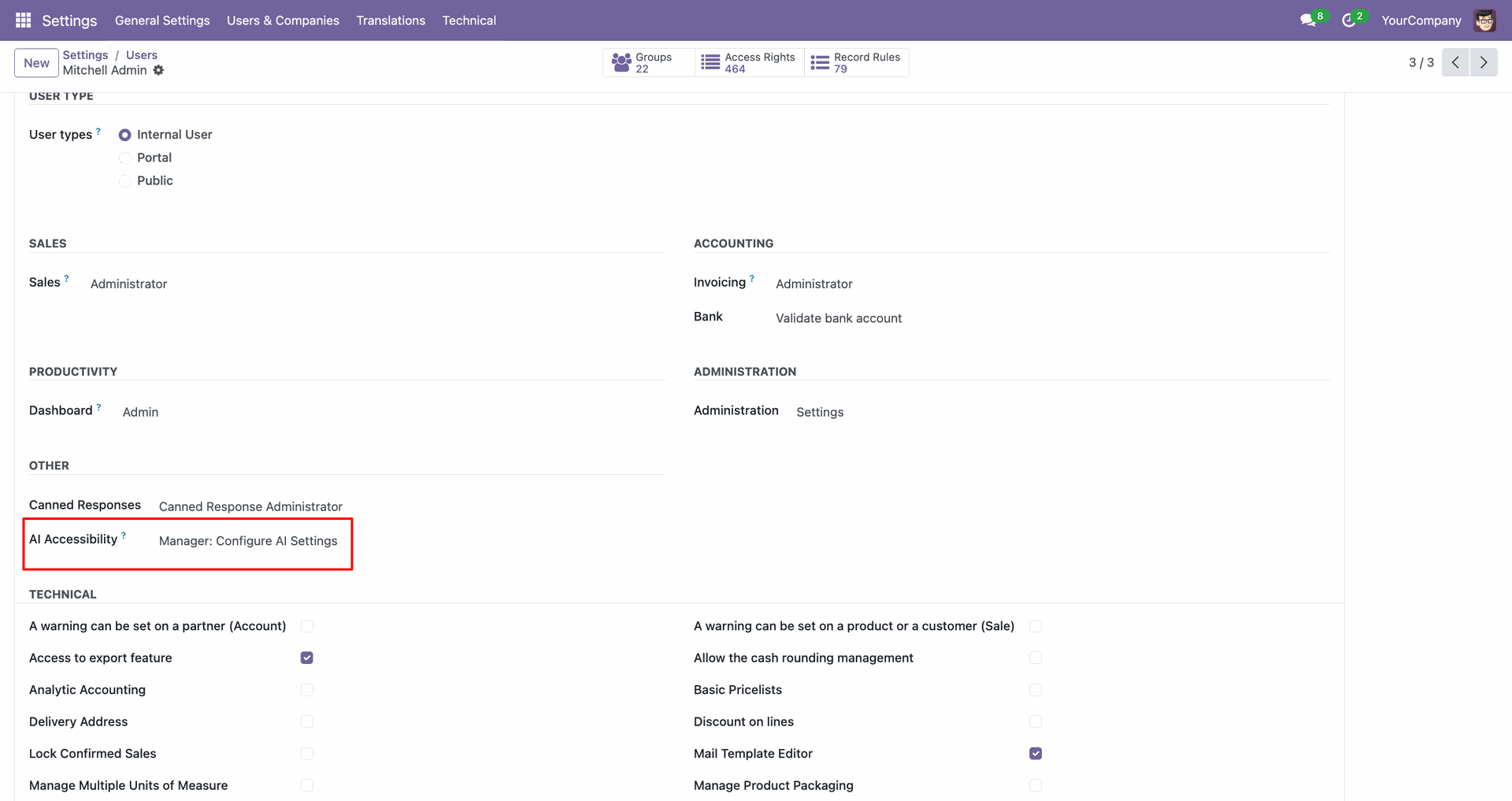
- You can set roles for users and managers in ChatGPT configuration. New
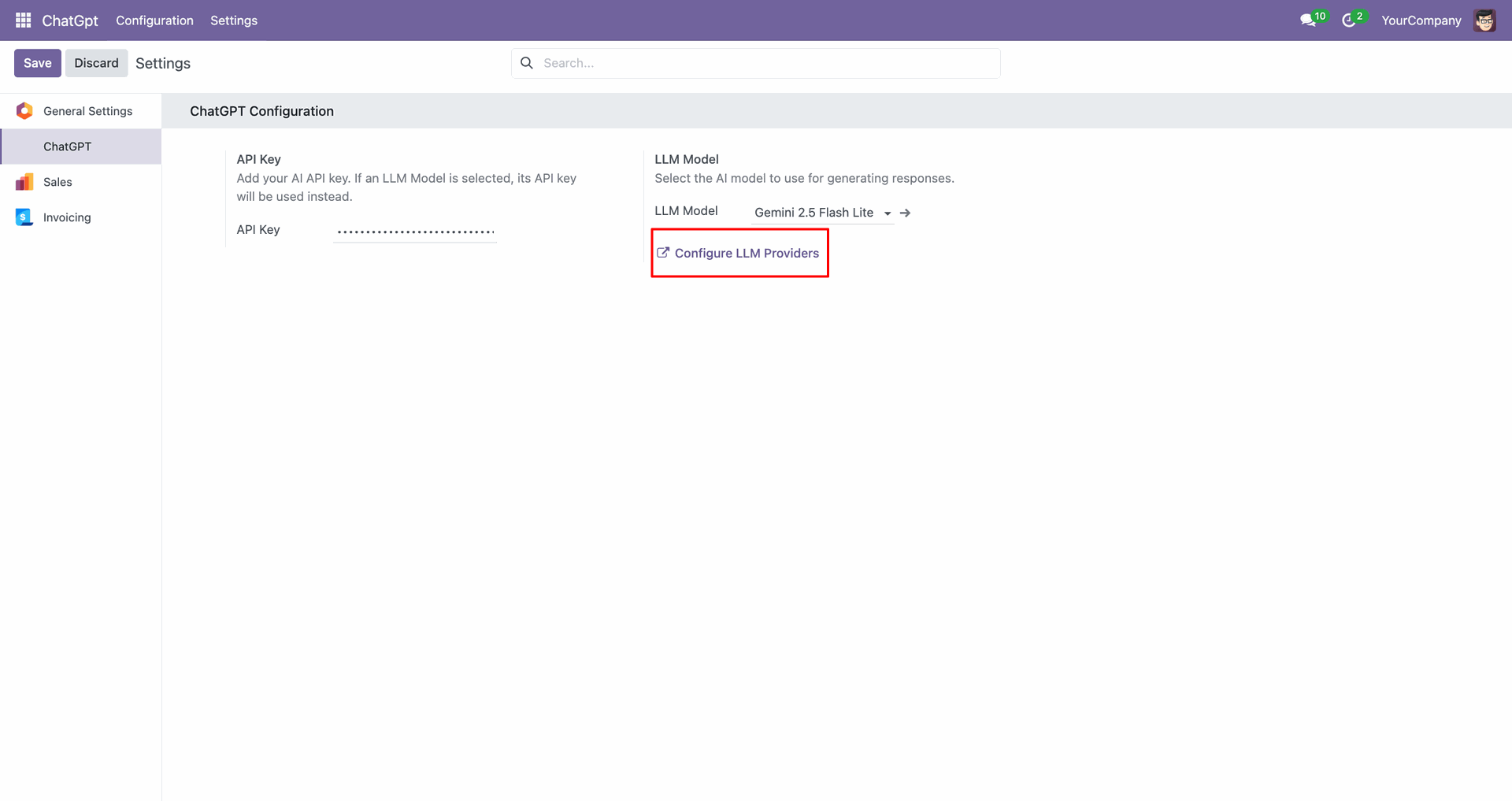
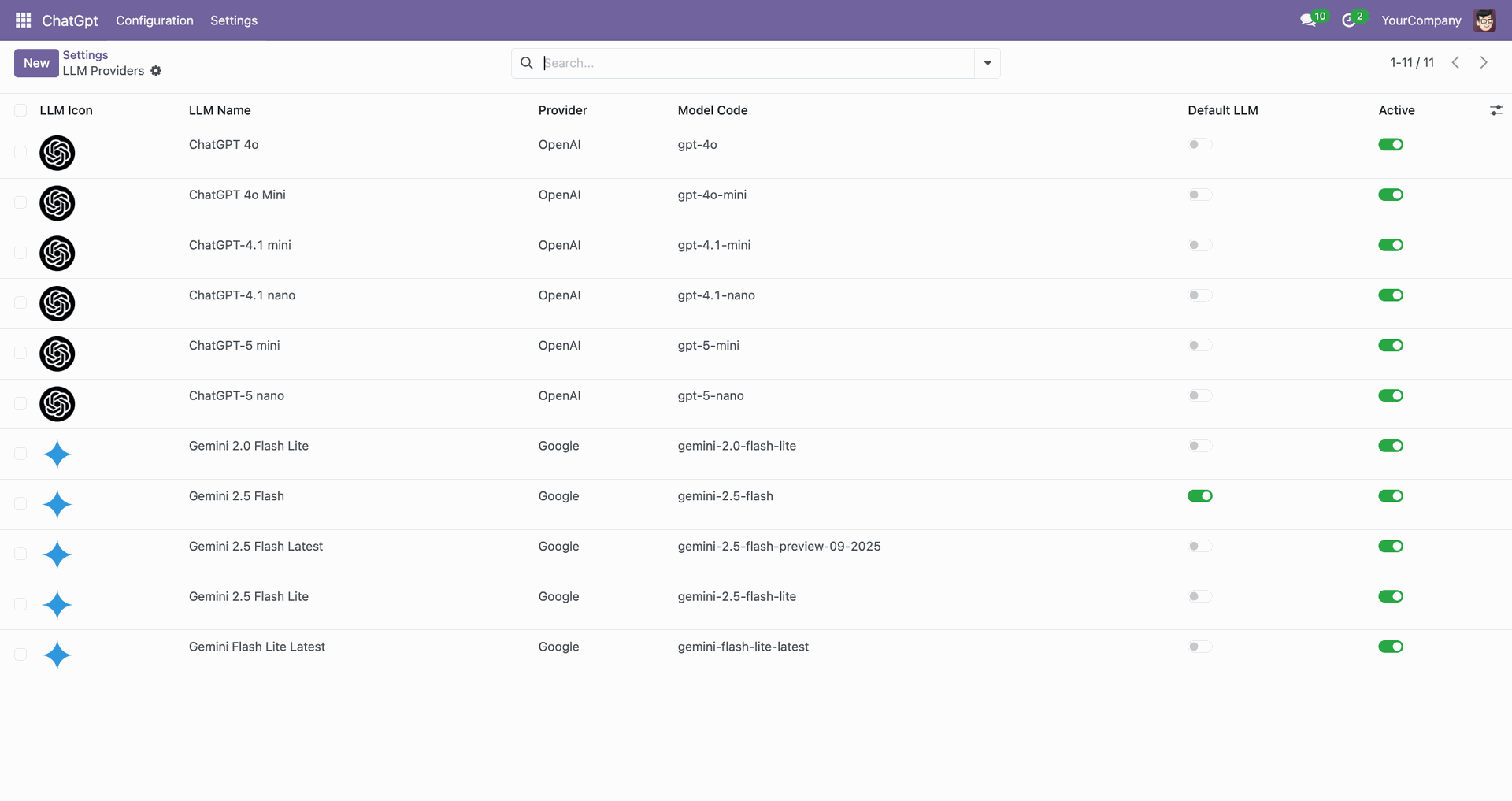
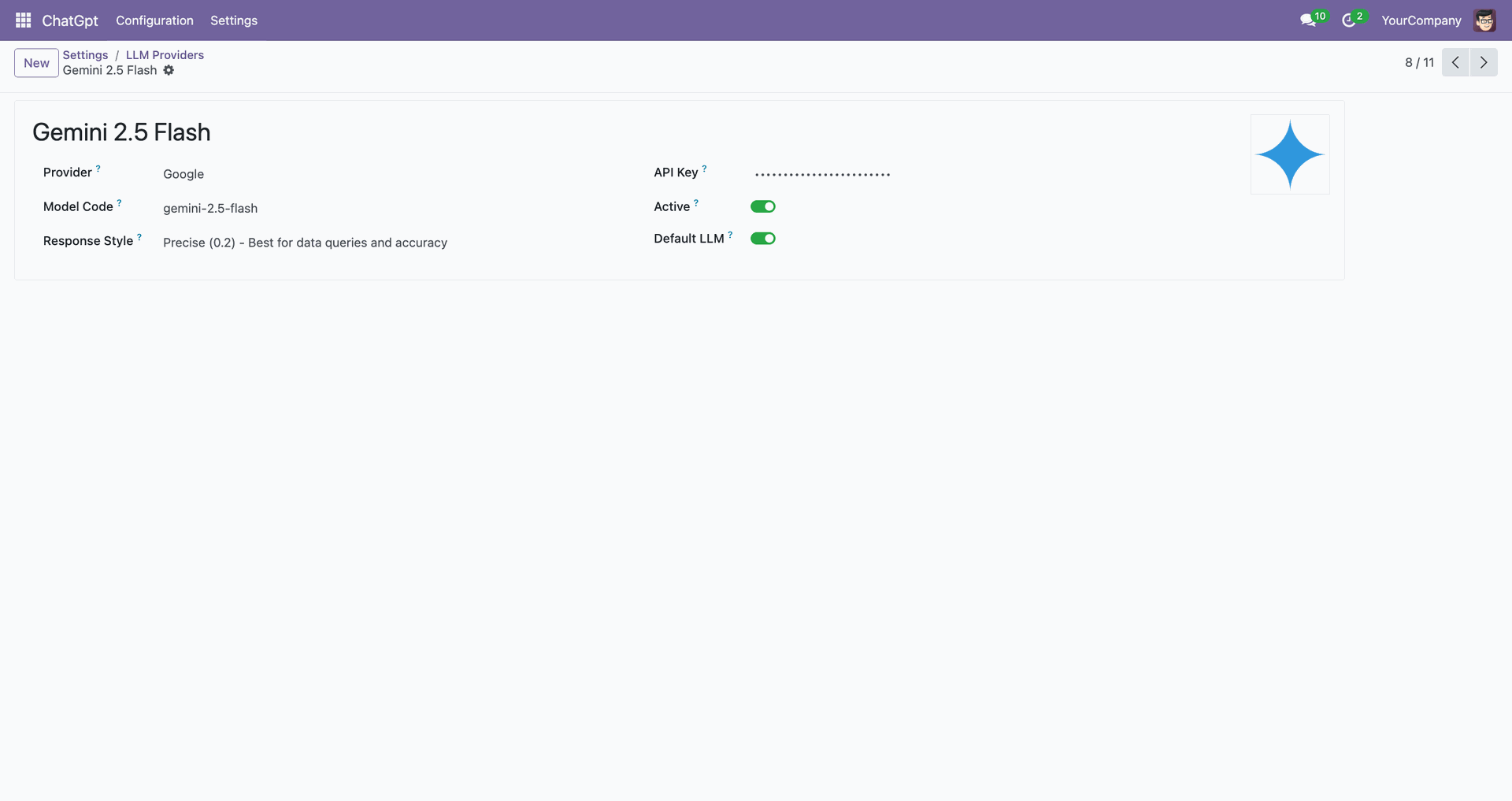
- You can configure LLM Providers. New
- Easy to integrate ChatGPT with odoo.
- Create commands, styles, and lengths as per your choice.
- You have the feature to observe the summary of the chatter.
- You can easily review and confirm the generated output.
- You also have the option to translate a response in a different specified language.
- You can also add keywords in response.

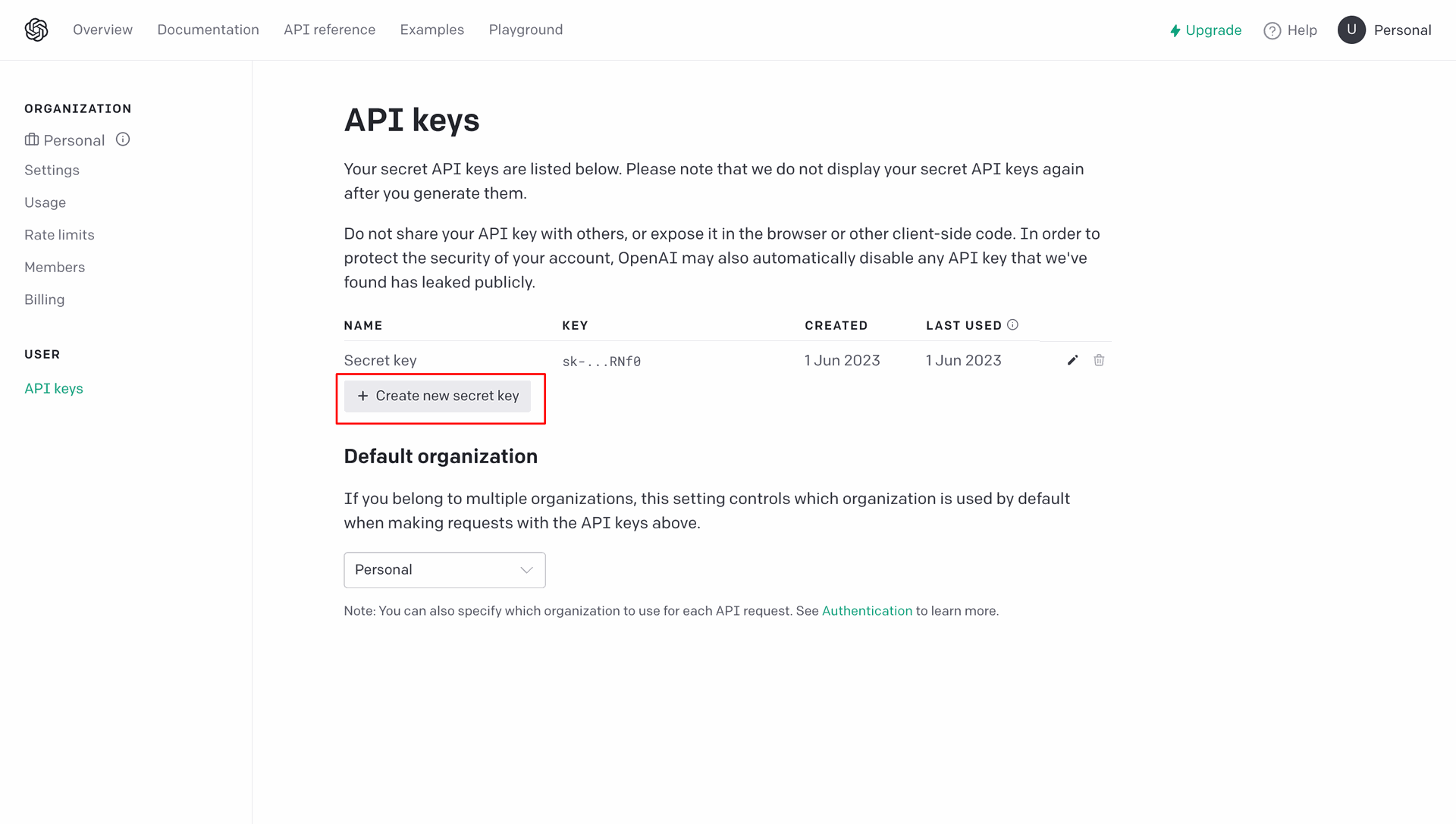
Click on the "Create New Secret Key".
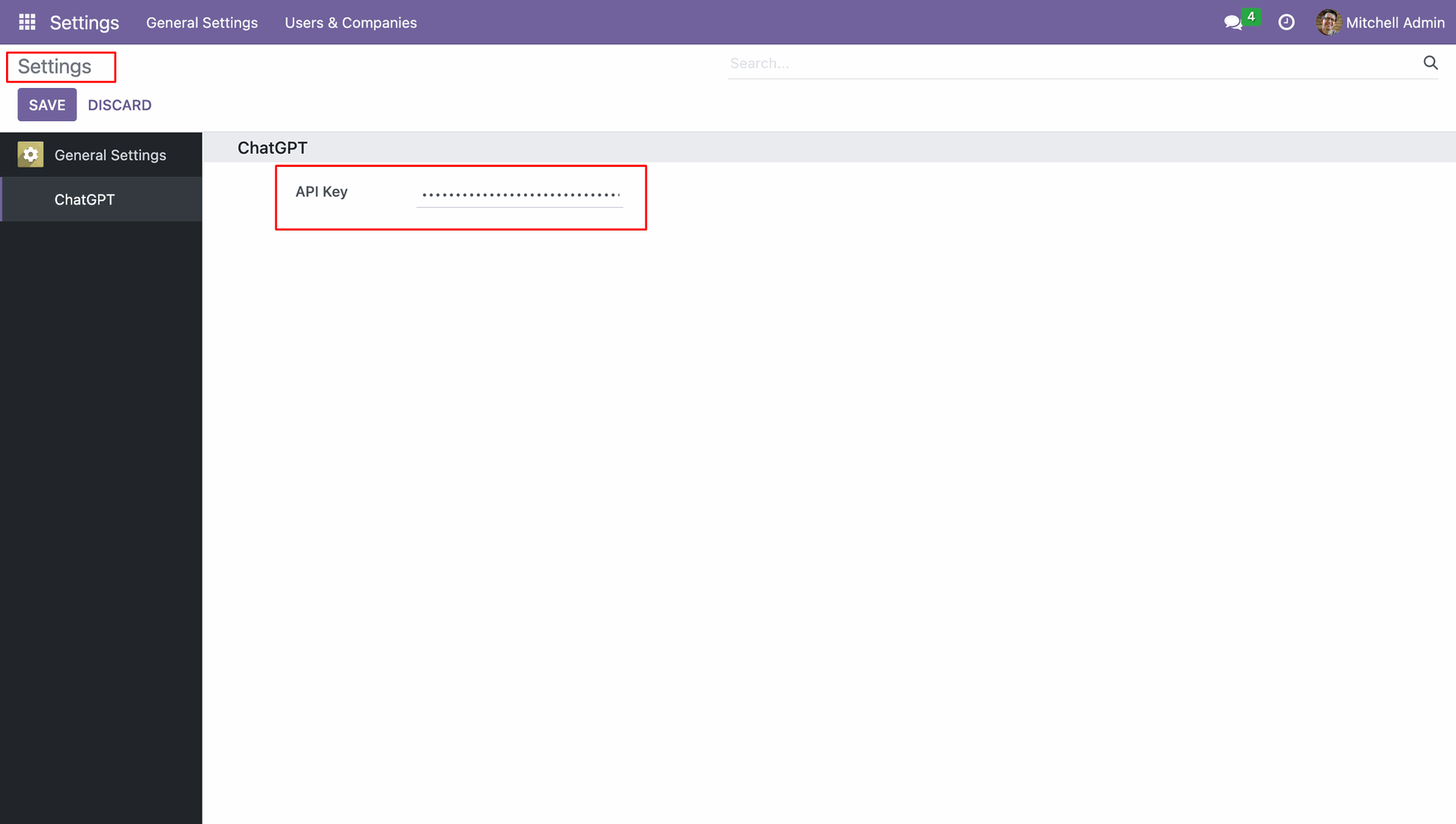
Go to ChatGPT settings and configure the API key.
Access the preferences section and fill up the necessary information.
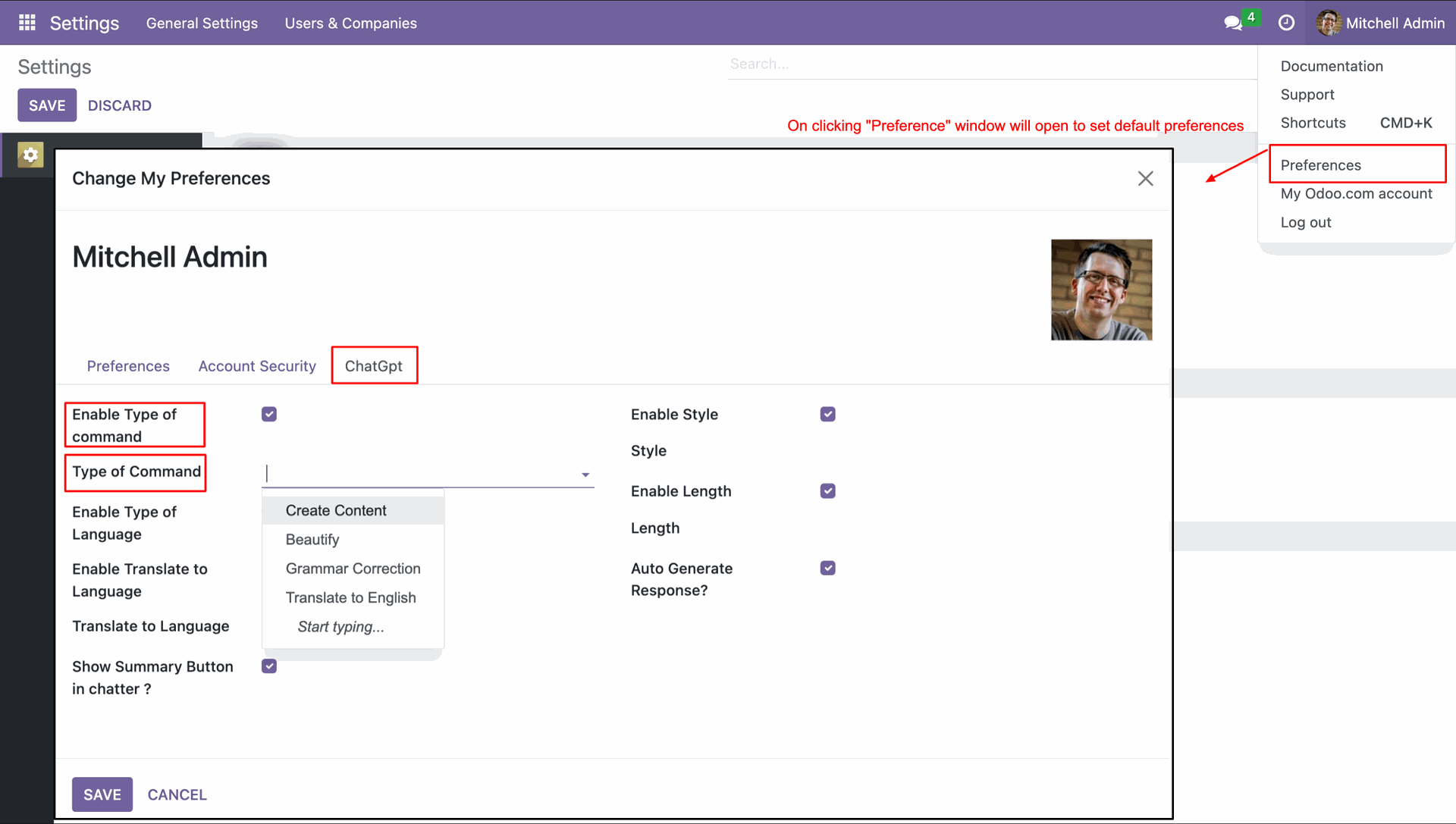
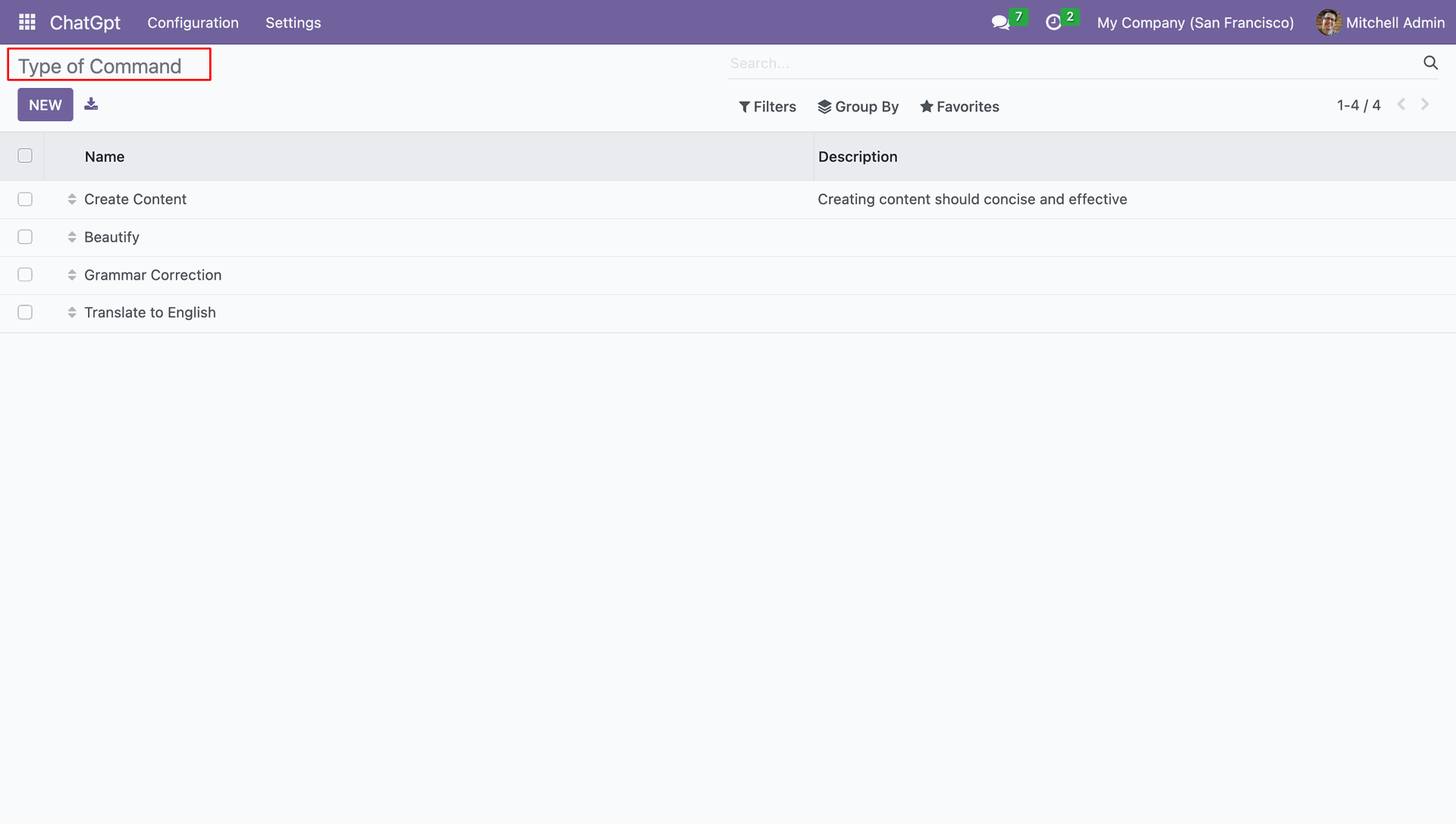
List of the commands. Additionally, you have the option to generate a new command using the 'new' button.
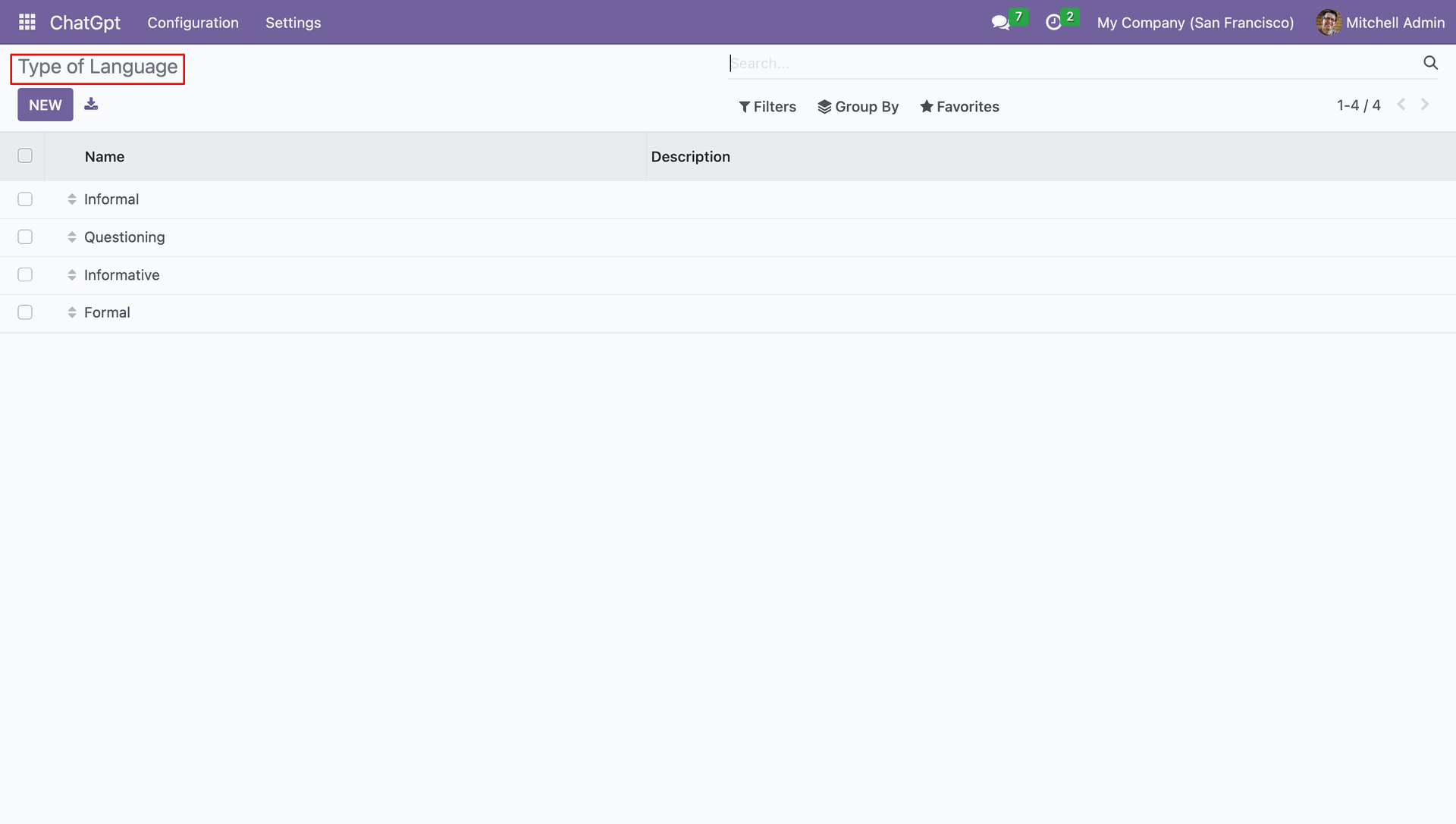
List of the language types.
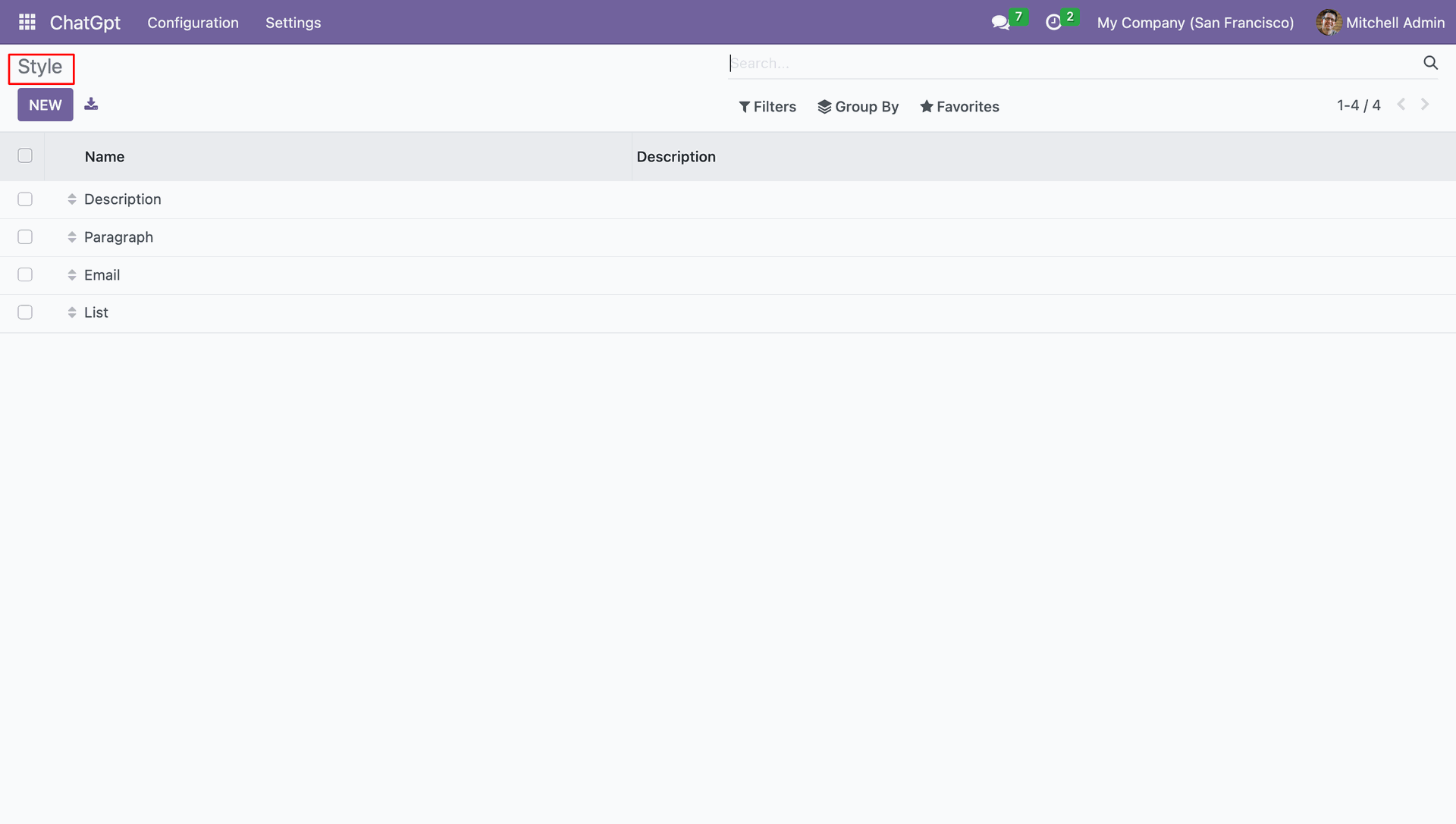
List of styles.
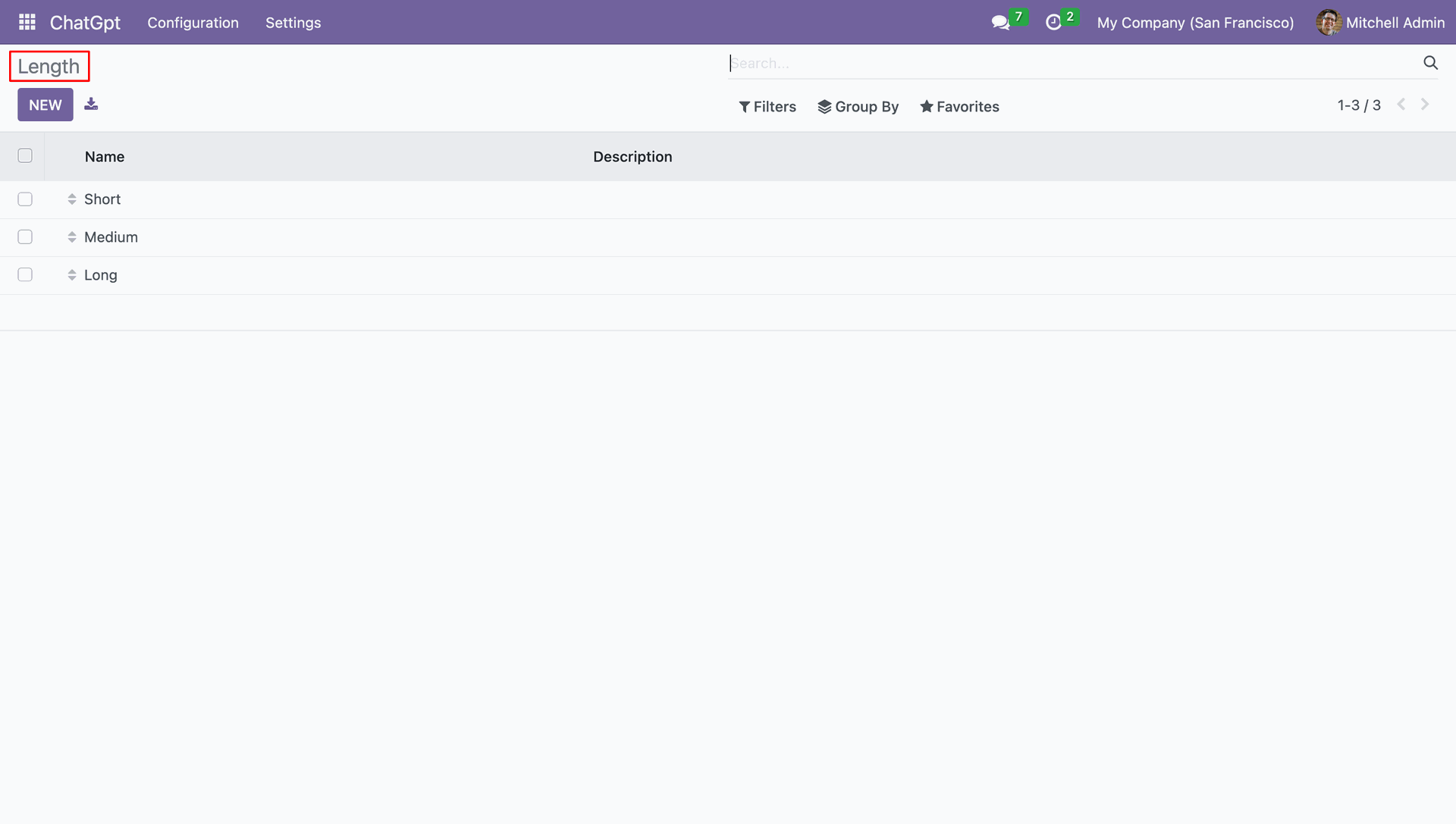
List of Length.
Now we generate response for the "Terms and Conditions For Sales".
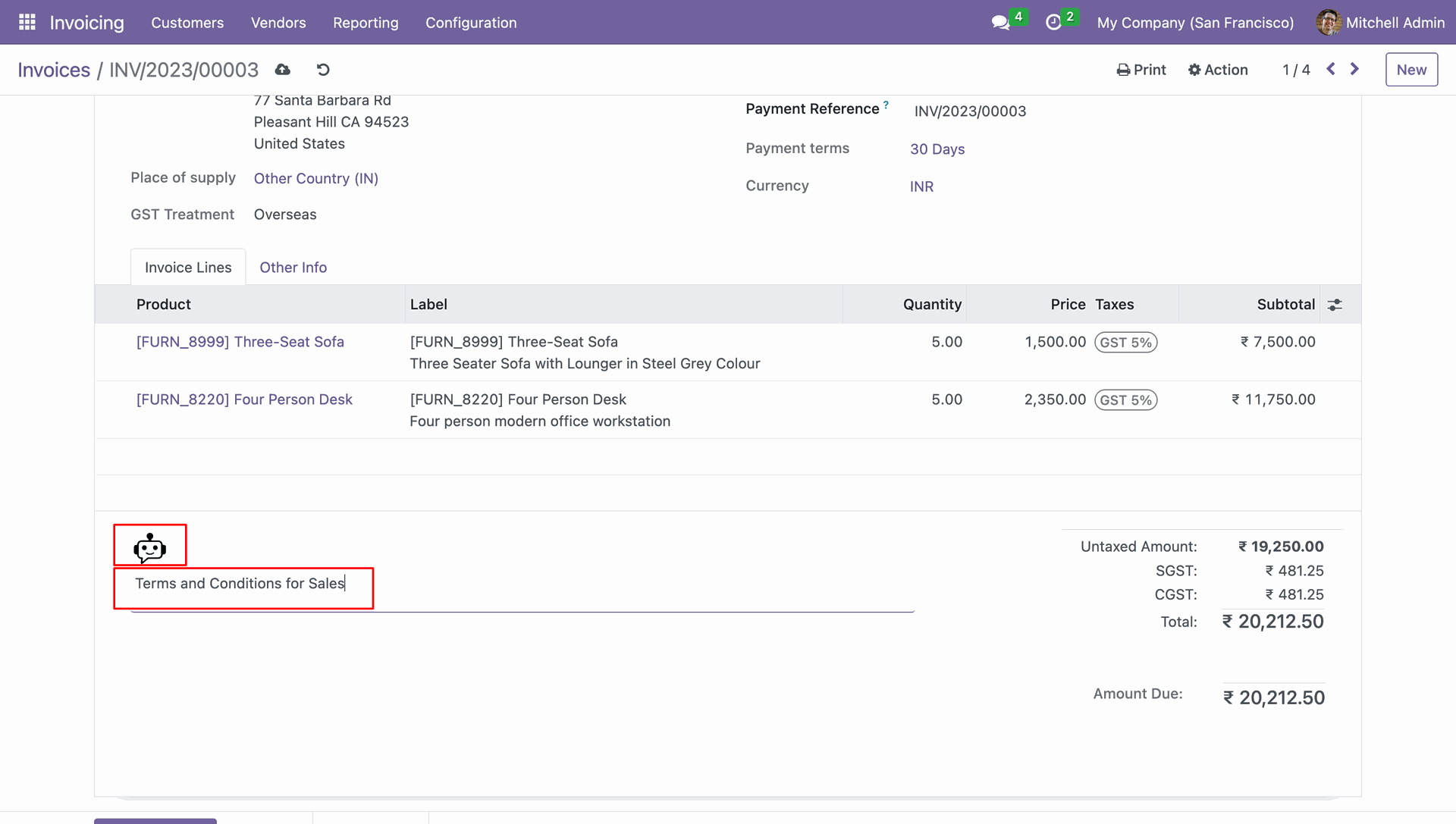
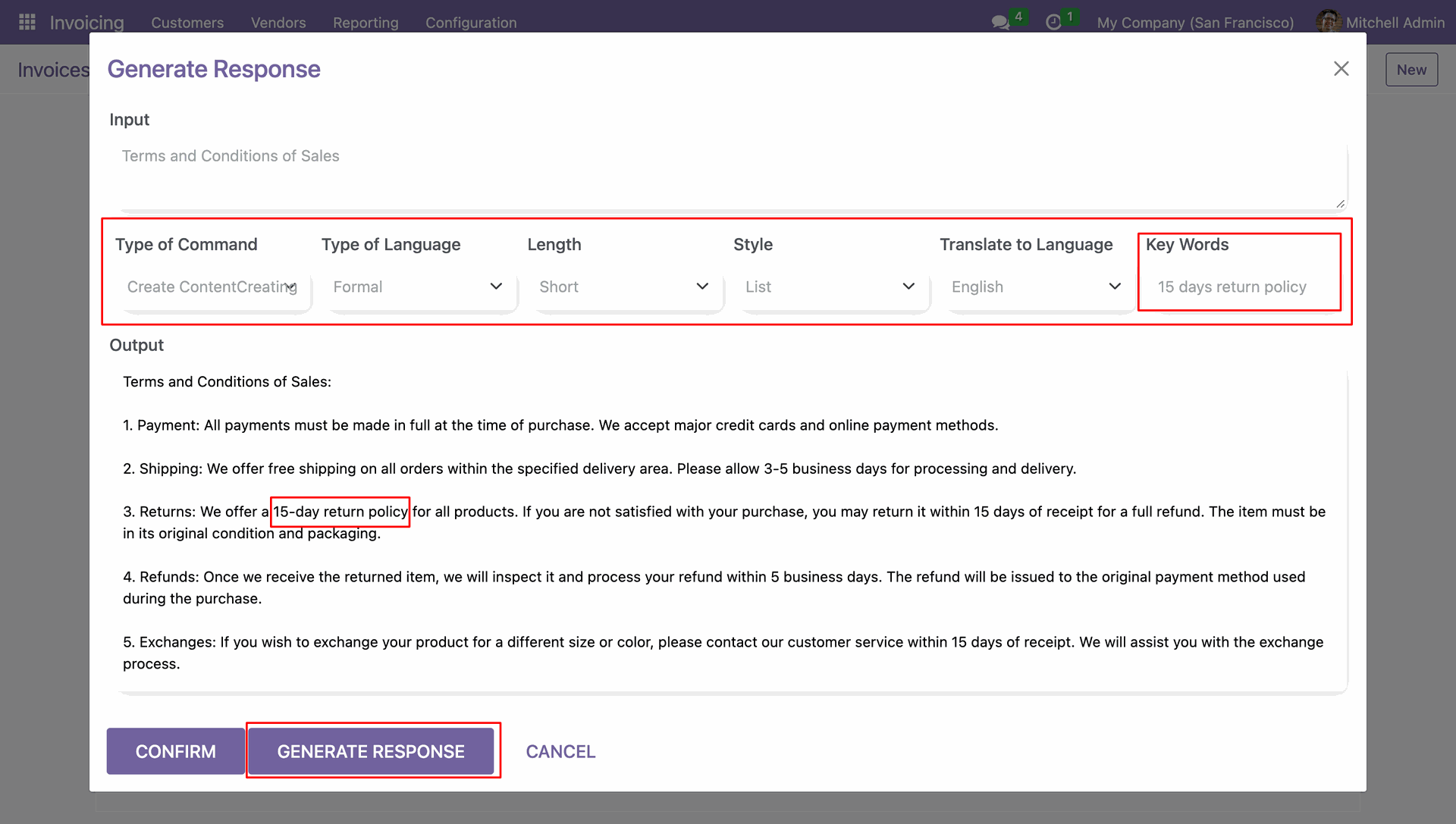
After that, a response wizard will be generated. Kindly review the result,
and if it aligns with your needs, please proceed to confirm it.
Note: Additionally, you can preview the content and generate any content/Output by
writing the desired input.
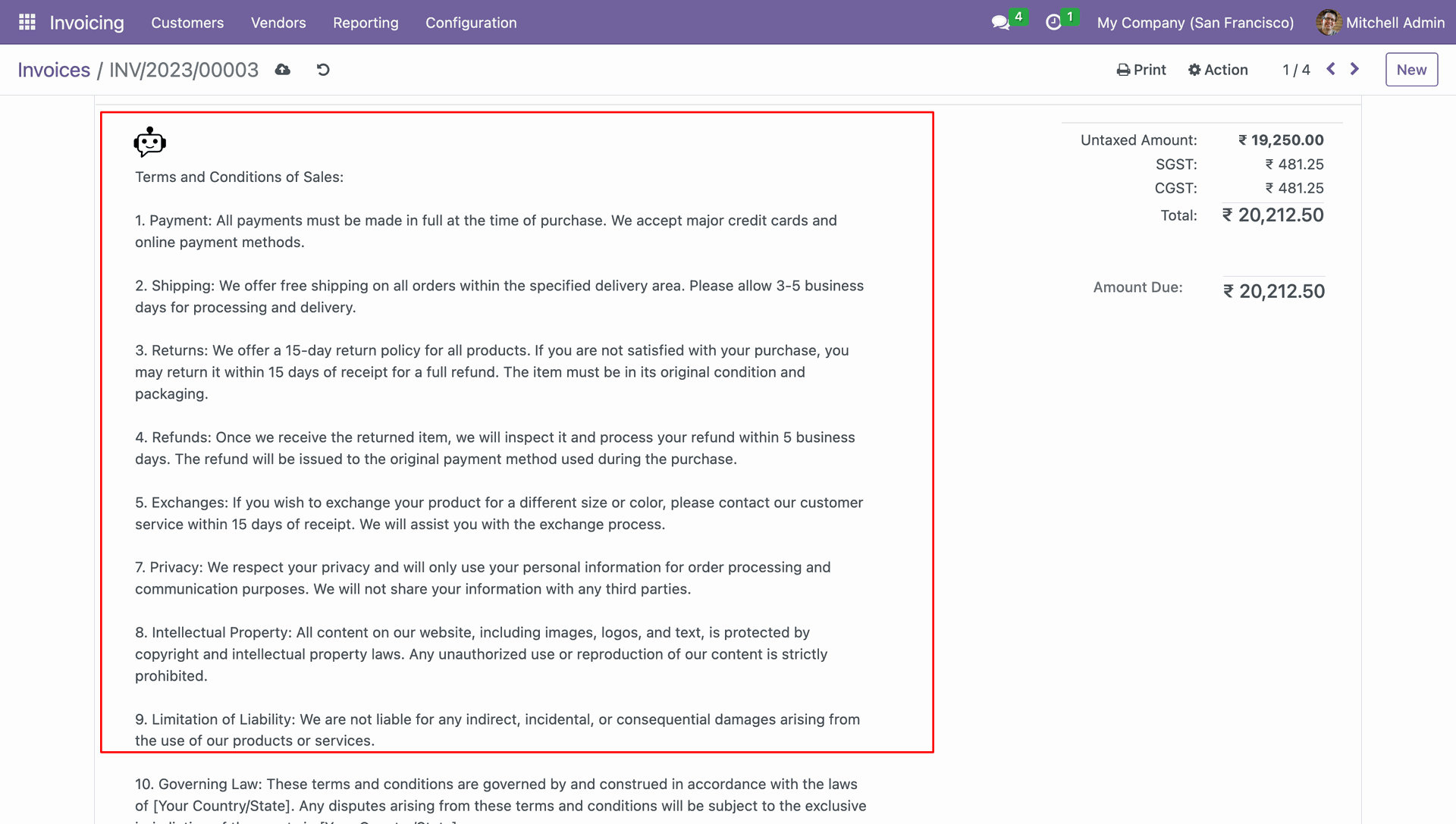
Once the output is confirmed, the data will be written to the field from where the pop-up window opens. The updated information or configuration will be saved accordingly.
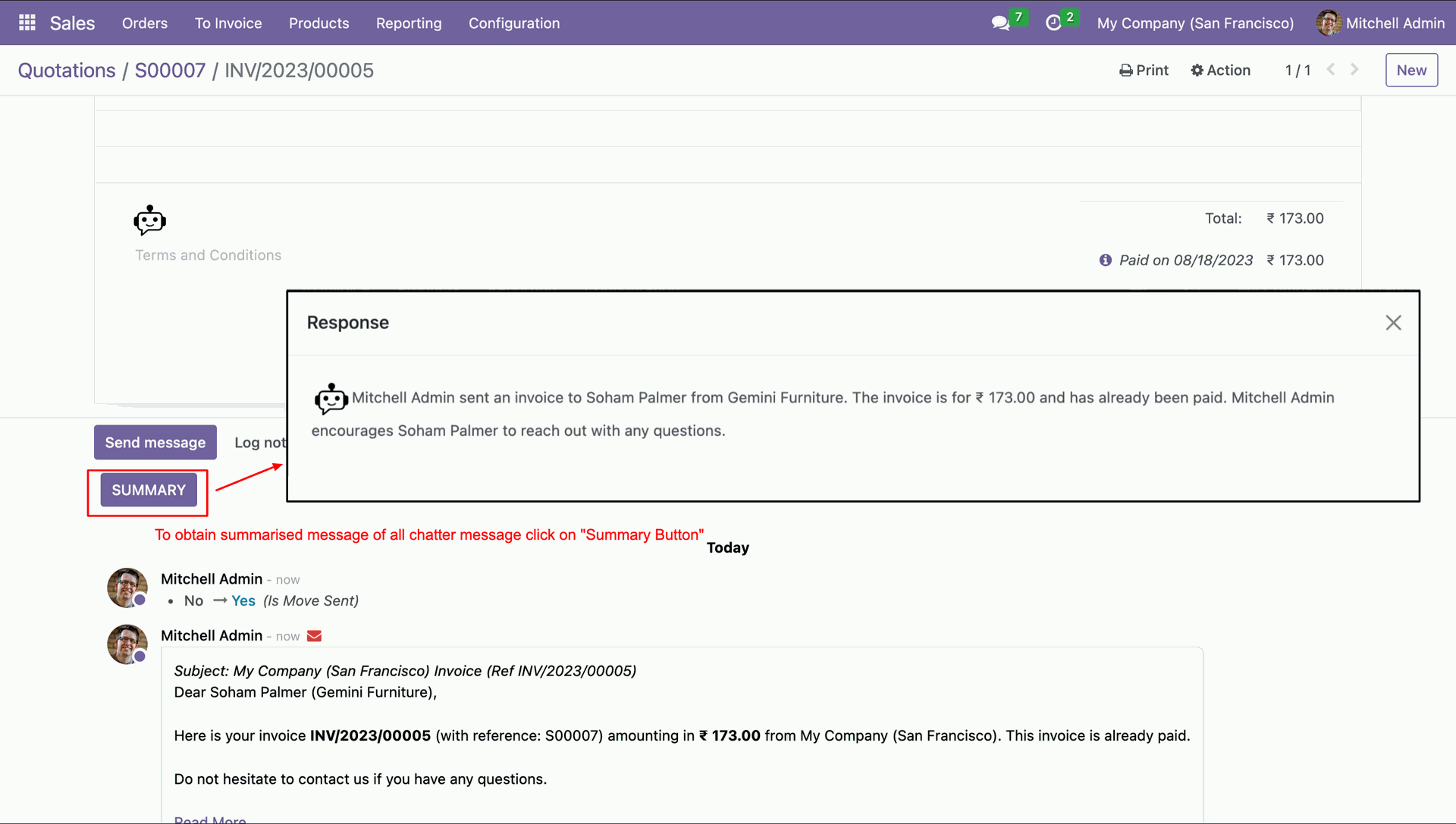
To access the summary of the chatter, select the summary button. You can view the chatter summary within the response popup.
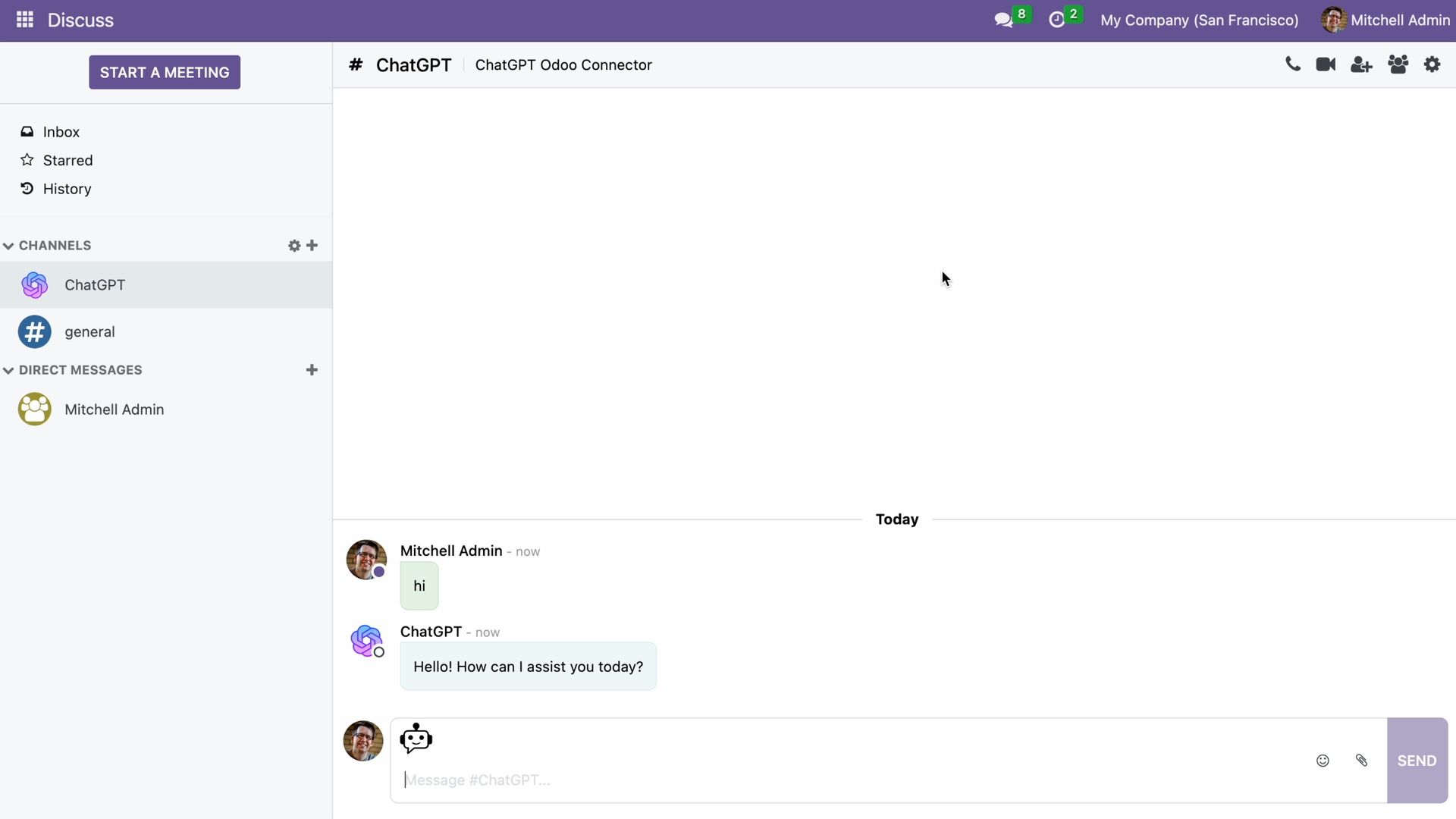
Go to the Discuss section and open the ChatGPT channel. You can also generate responses from there.
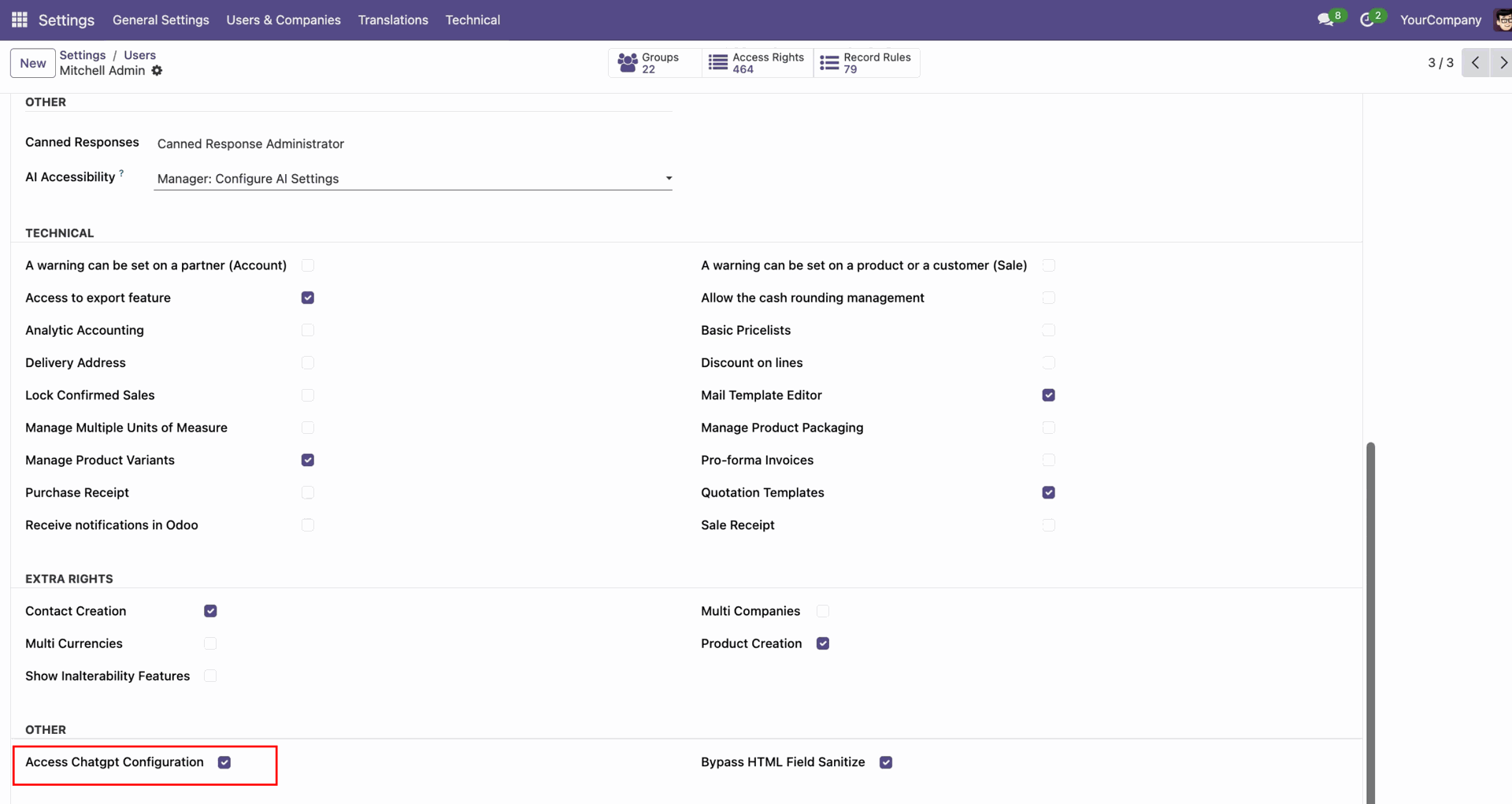
Enable "Access ChatGPT Configuration".
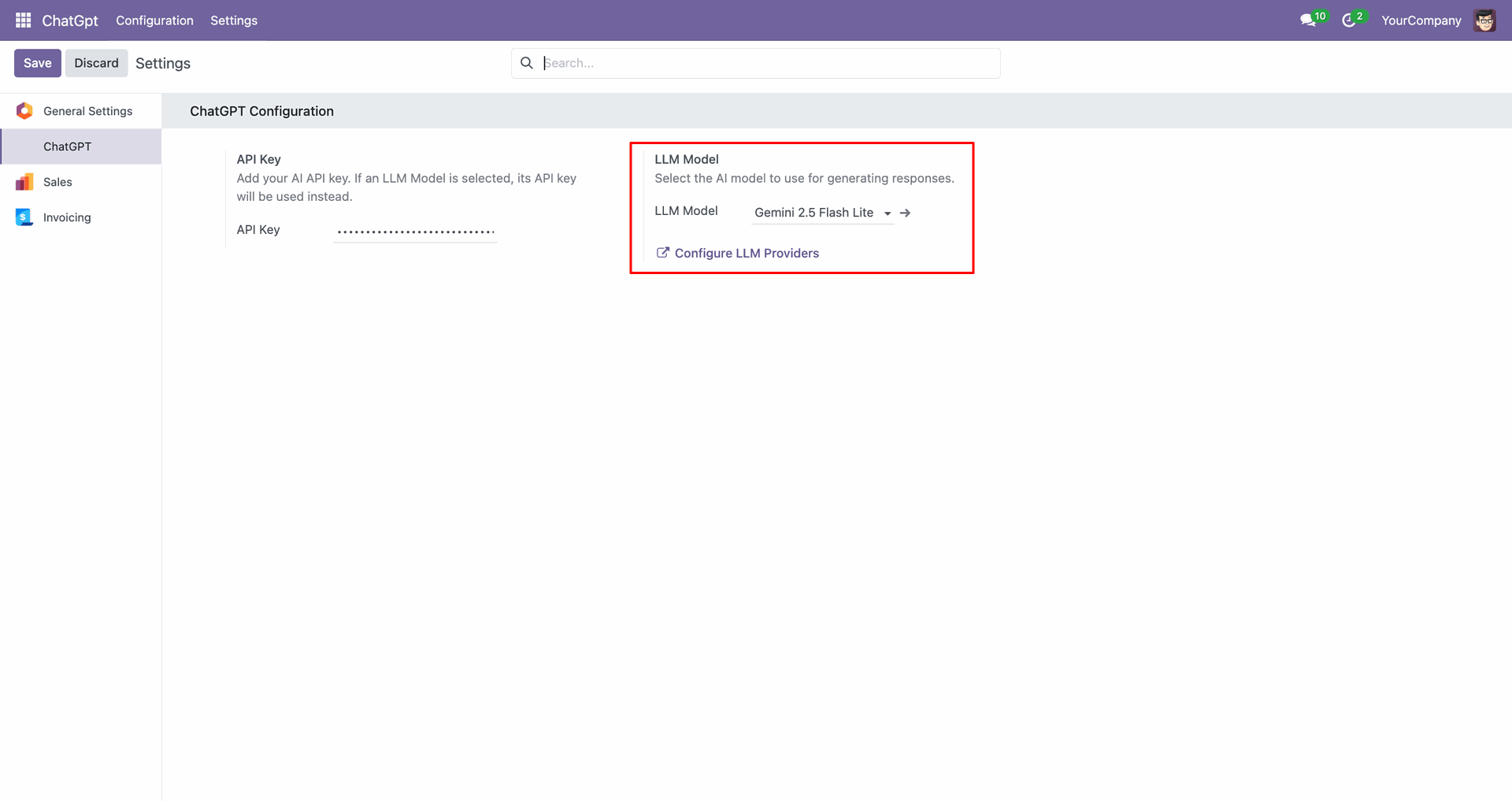
You can configure the LLM model from that.
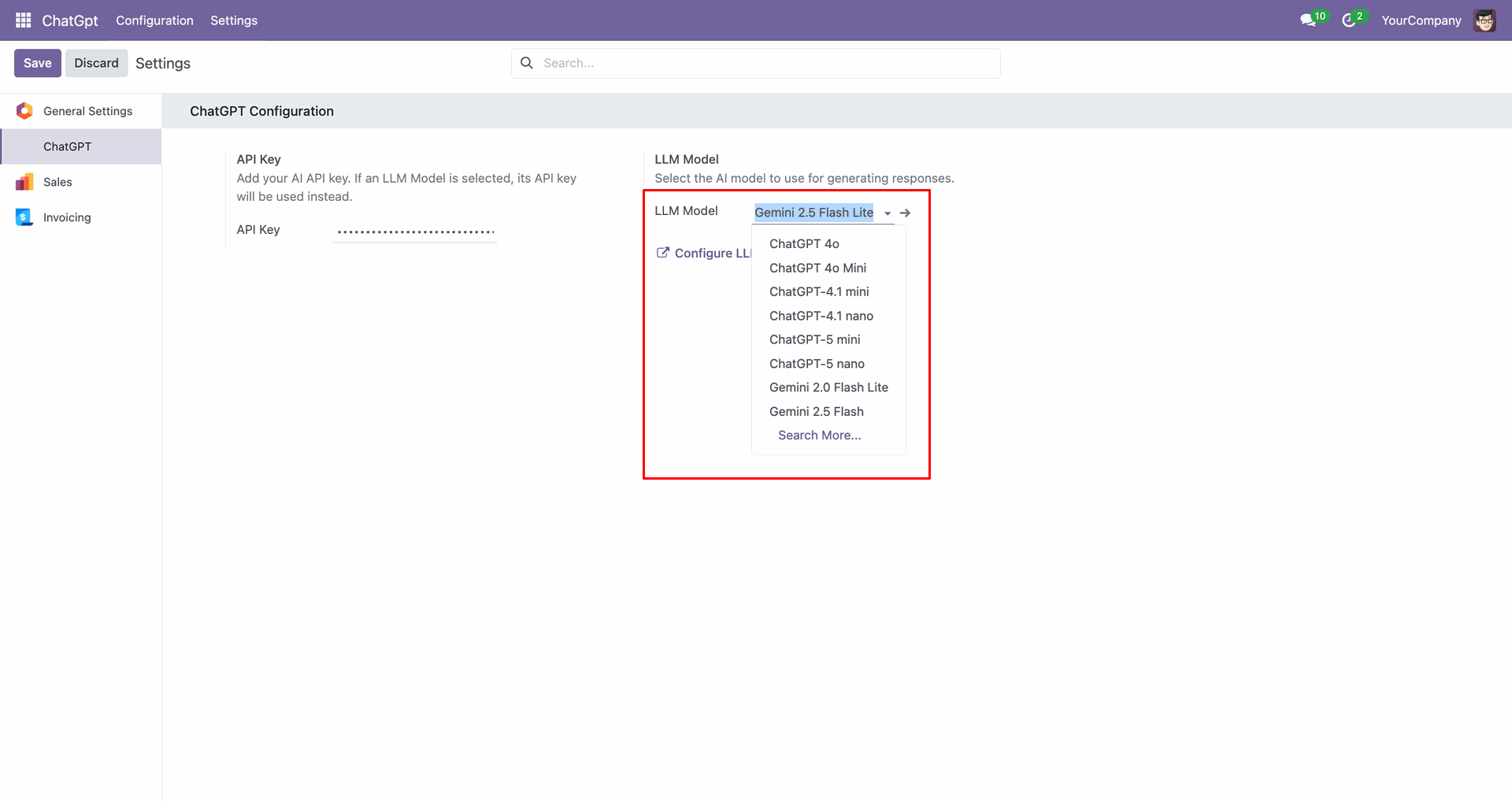
List of the LLM models.
Click "Configure LLM Providers" to configure them.
List view of the LLM Providers.
Form view of the LLM Providers.
You can set access rights for AI Accessibility under user settings.
Version 18.0.2.0.0 | Released on : 6th January 2026
Version 18.0.1.0.0 | Released on : 6th February 2025
- Yes, this app works perfectly with Odoo Enterprise (Odoo.sh & Premise) as well as Community.
- No, this application is not compatible with odoo.com(odoo saas/Odoo Online)
- Yes, to test this module, please contact us at sales@softhealer.com.
- Please contact us at sales@softhealer.comto request customization.
- Yes, we provide free support for 365 days from the date of purchase.
- Yes, you will receive lifetime free updates for the version of the module you purchased.
- No, there is no need to install any additional libraries.
- Yes, for version 12 and above, you need to purchase the module separately for each version you intend to use.
- No, exchanges or refunds are not allowed. Please make sure to select the correct version before purchasing.
- You can contact us at support@softhealer.com for language translation support. We use Google Translator tools to provide translations in multiple languages, so the accuracy may vary. We welcome your suggestions to help improve translations.
Discover Our Latest Apps


