













Chart of account Dynamic Approval

Need to control changes in your Chart of Accounts? With this module, you can manage and monitor all changes, including the creation of new Chart of Accounts, through multi-level approvals. Every update or new account creation generates a change request that approvers can review, approve, or reject, with all approval details recorded to ensure transparency and security.

Related Modules
Features

COA Creation Approval
The newly created Chart of Accounts are reviewed and approved before use.

Change Request Approval
Controls and tracks all record changes through a structured approval workflow, ensuring transparency and accuracy.

Change Request Tracking
Tracks all updates and changes with detailed approval information.
Approve/Reject Notifications
Sends real-time notifications to approvers for action.

Multi-Level Approval
Allows changes to the Chart of Accounts to go through multiple levels of approval.

Re-Approval on Updates
Any changes to an already approved record trigger the approval workflow again.
Notes
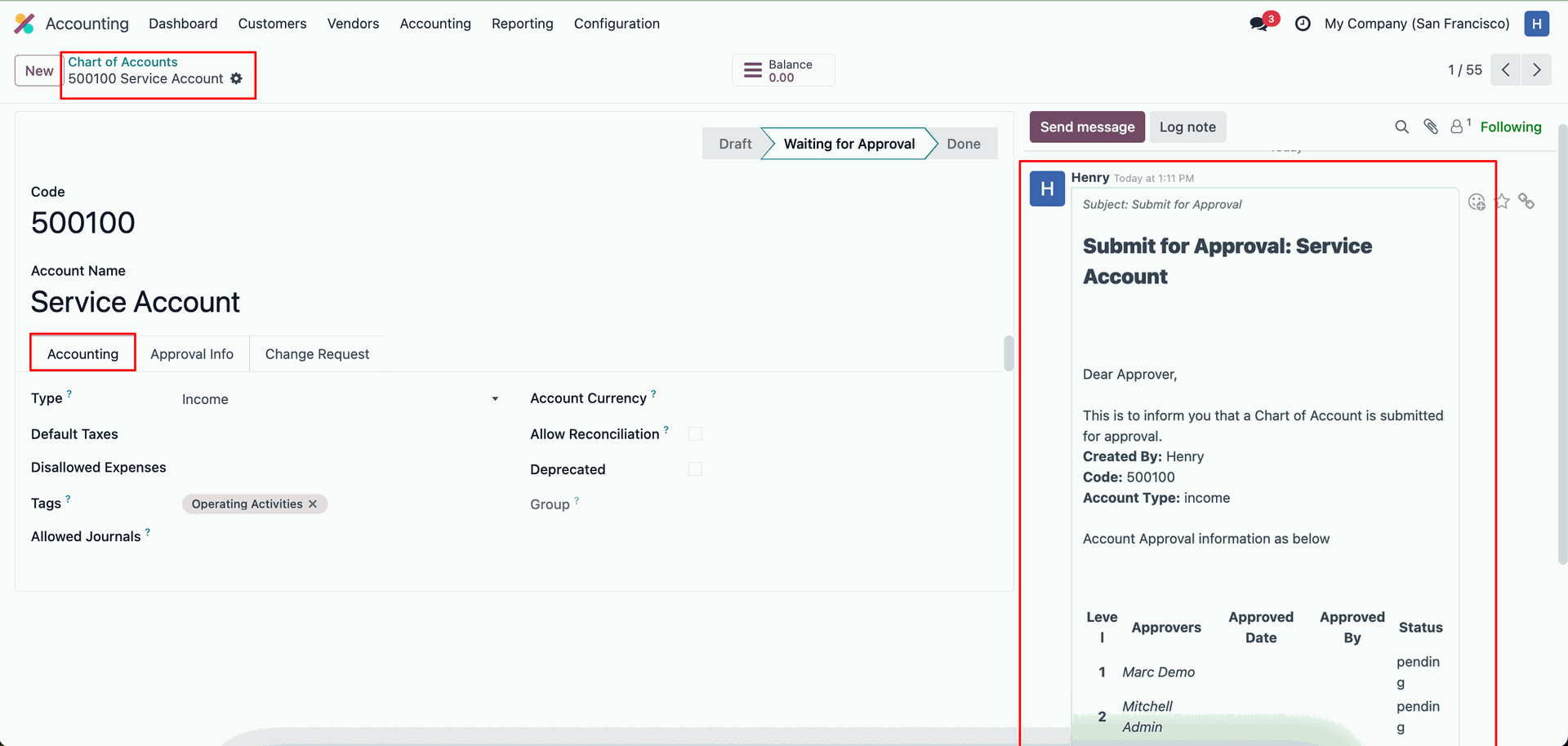
The Chart of Account approval flow operates in a sequential, step-by-step manner, ensuring that no single approver can complete all approval stages alone.
A change request can be approved by a single approver and does not require multiple approval levels, like the Chart of Account creation process.
Go to the Configuration ==> Approval Configuration
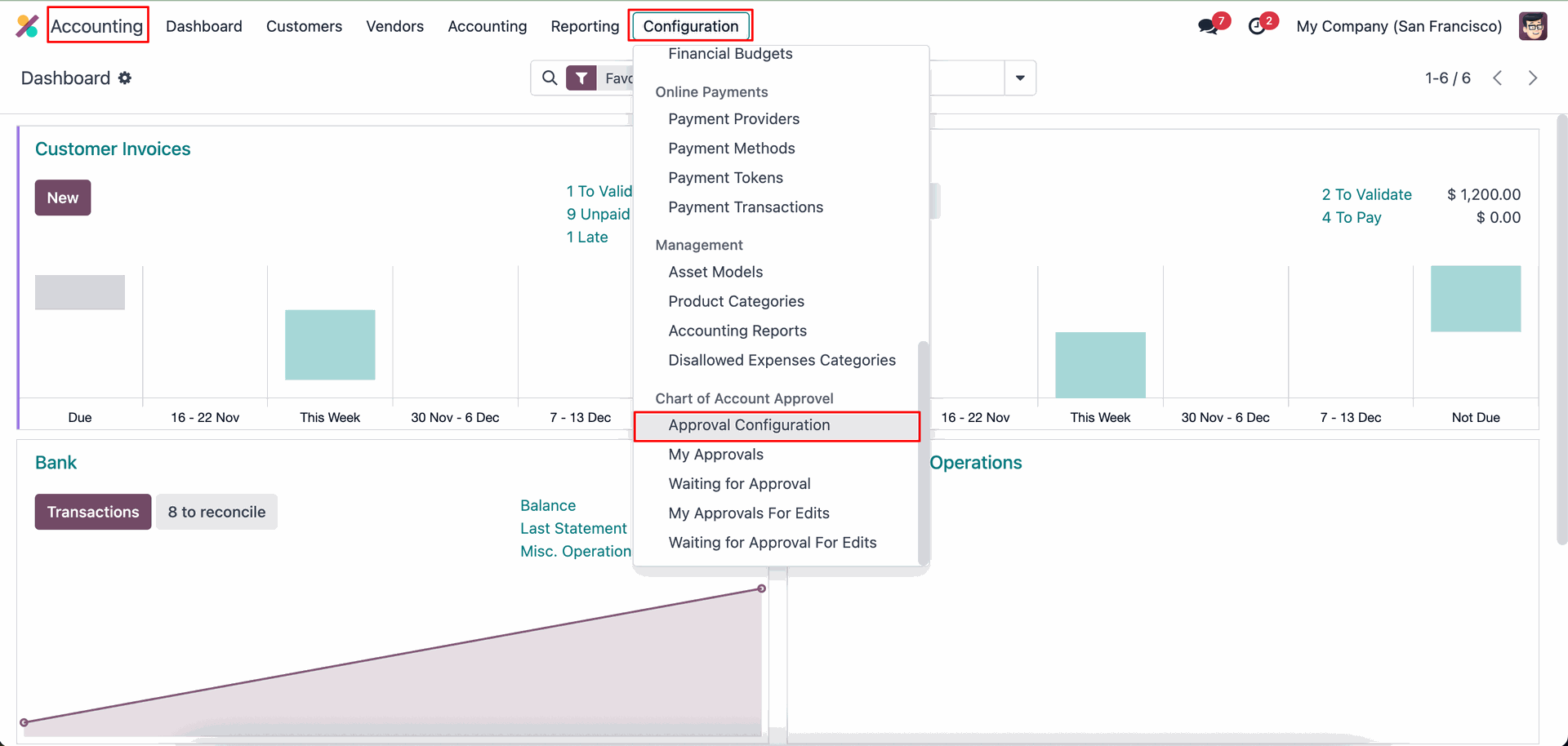
Set approval flow.
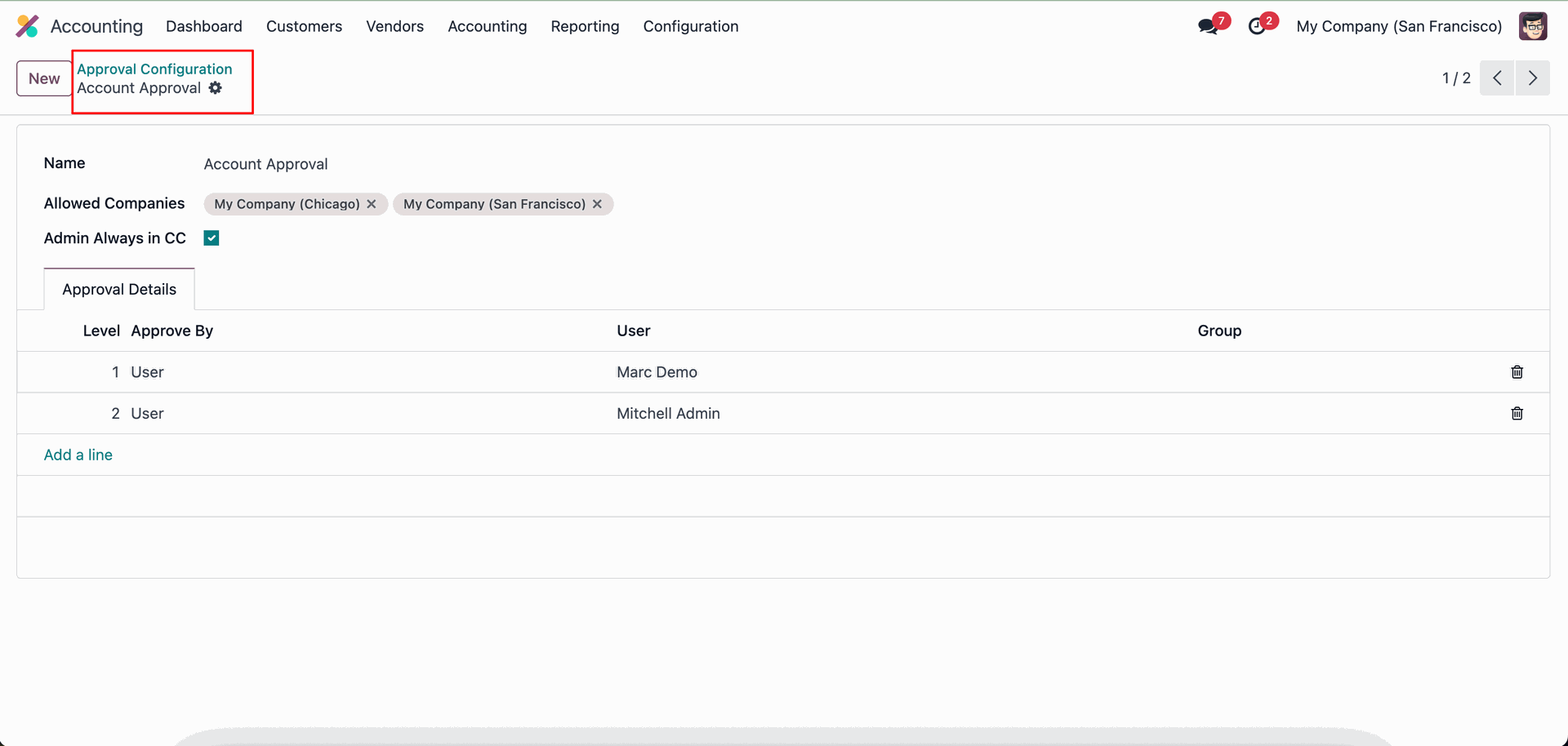
Login as a another user.
Go to the Configuration ==> Chart Of Accounts
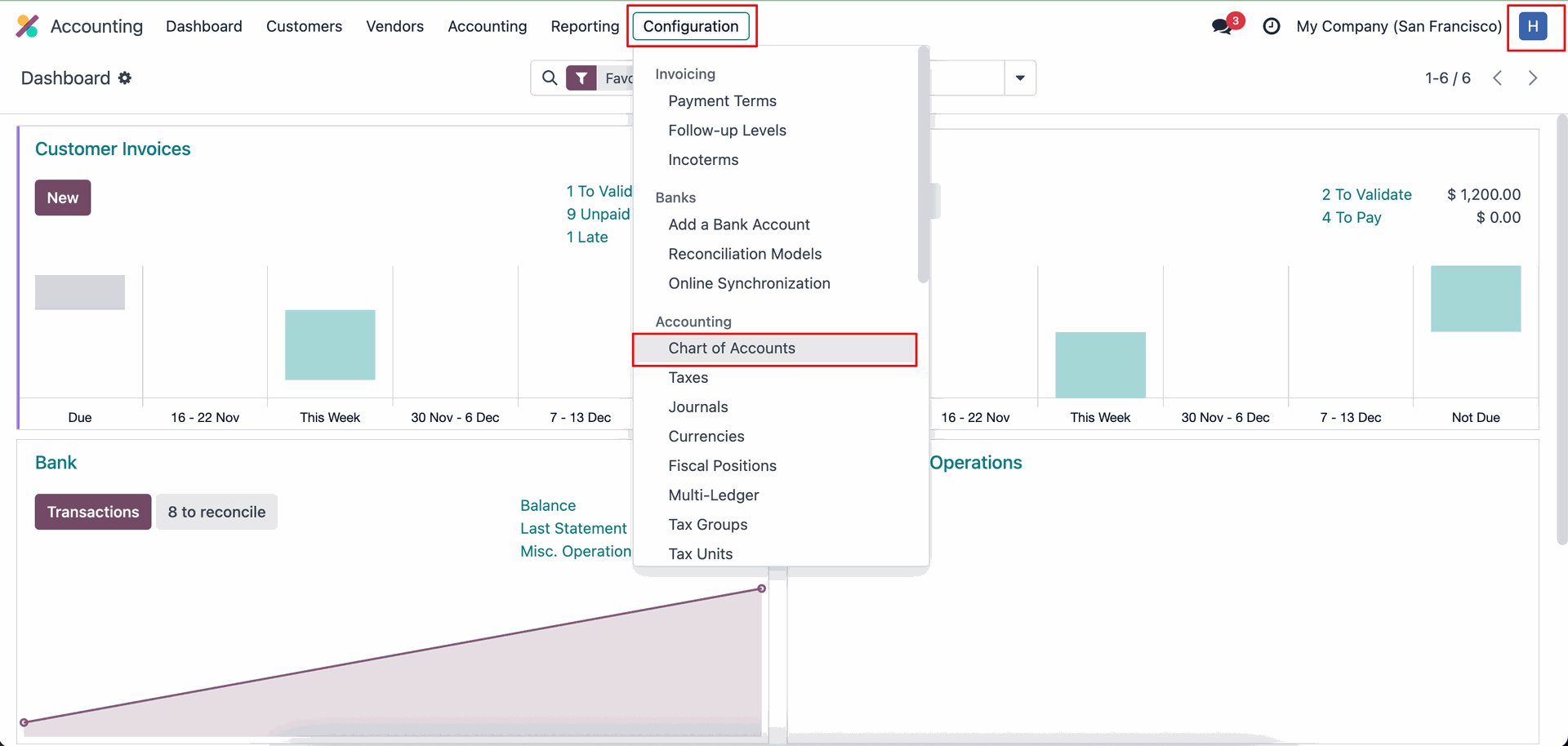
Create a new chat of account.
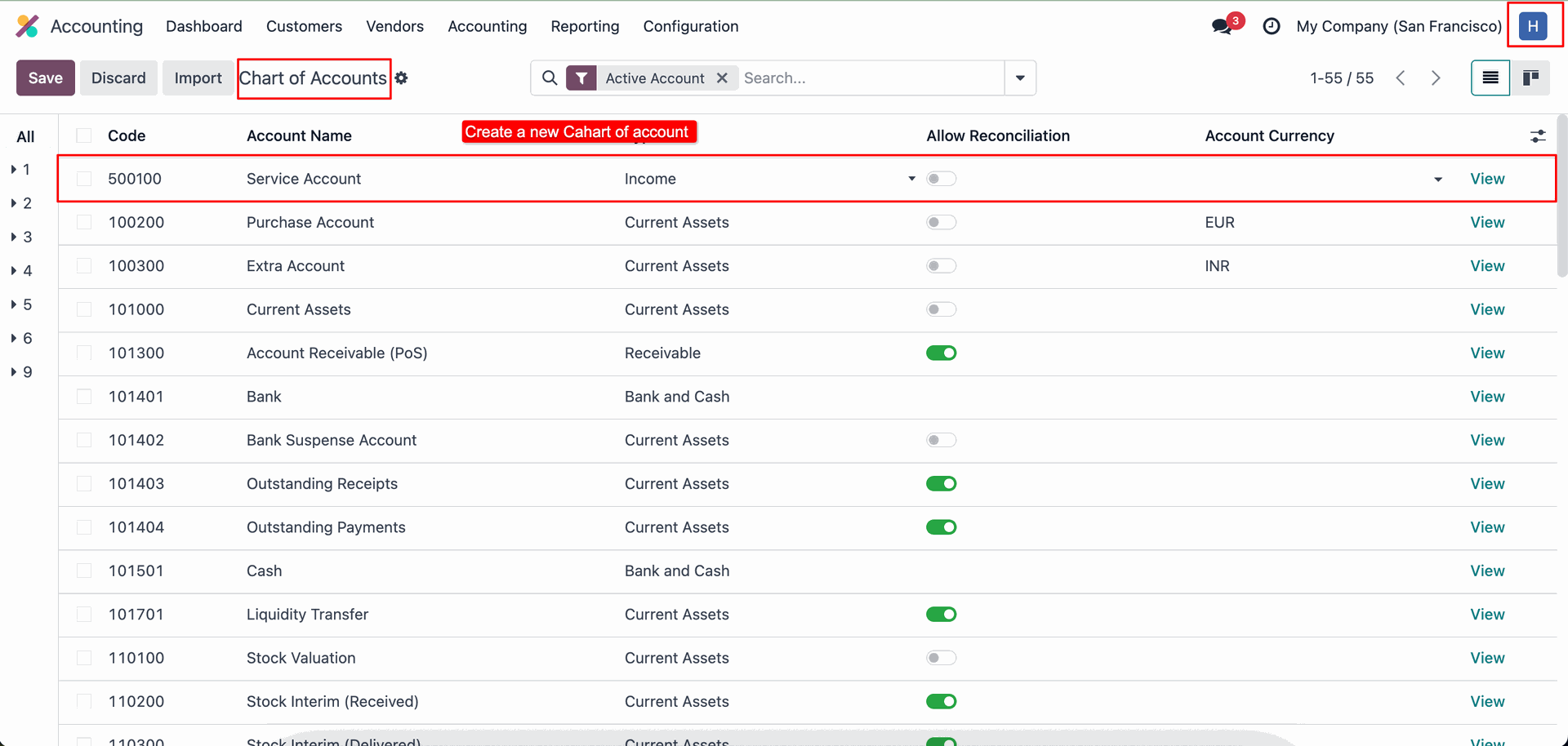
Form view of the 'Chat of Account'.
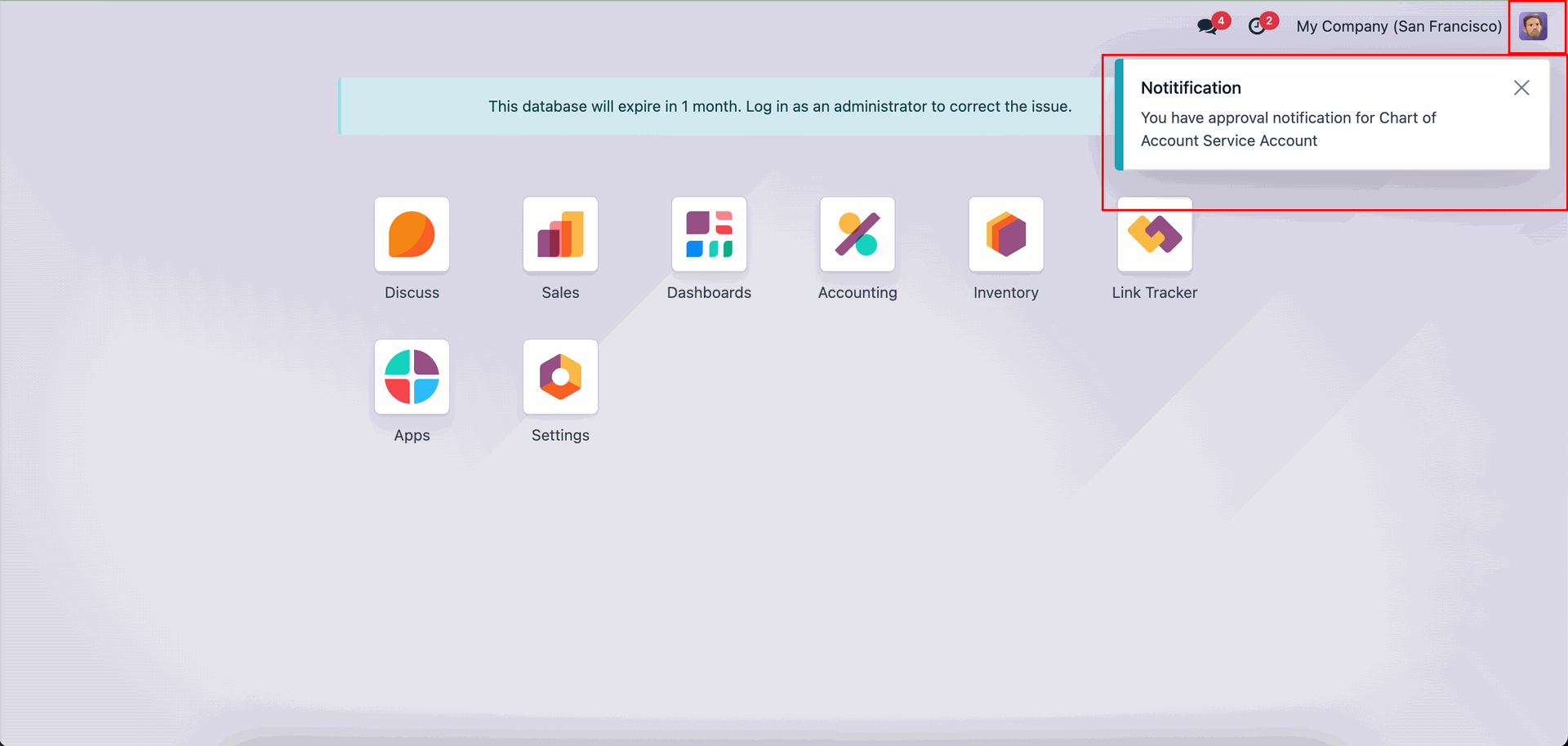
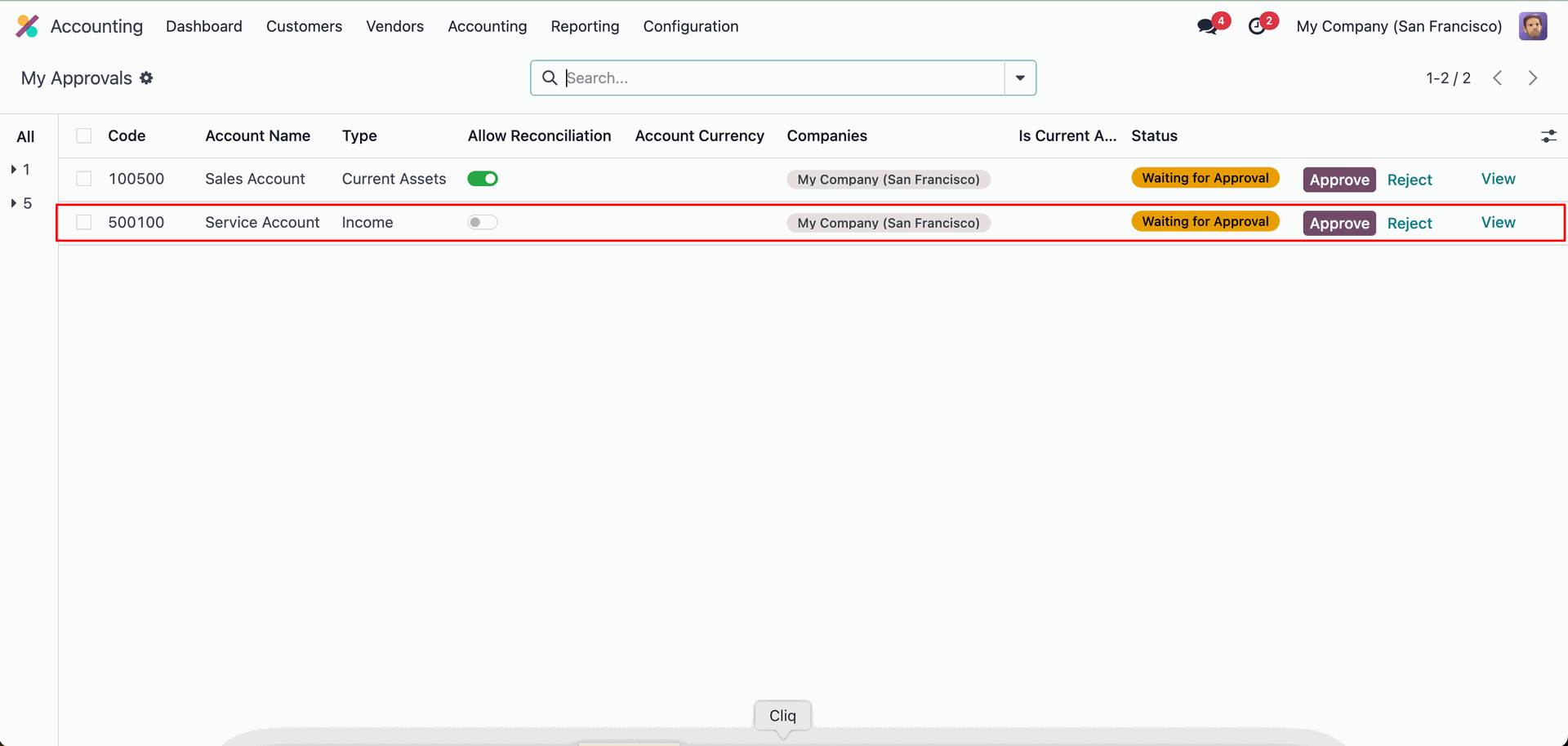
The first approver will receive an approval notification popup.
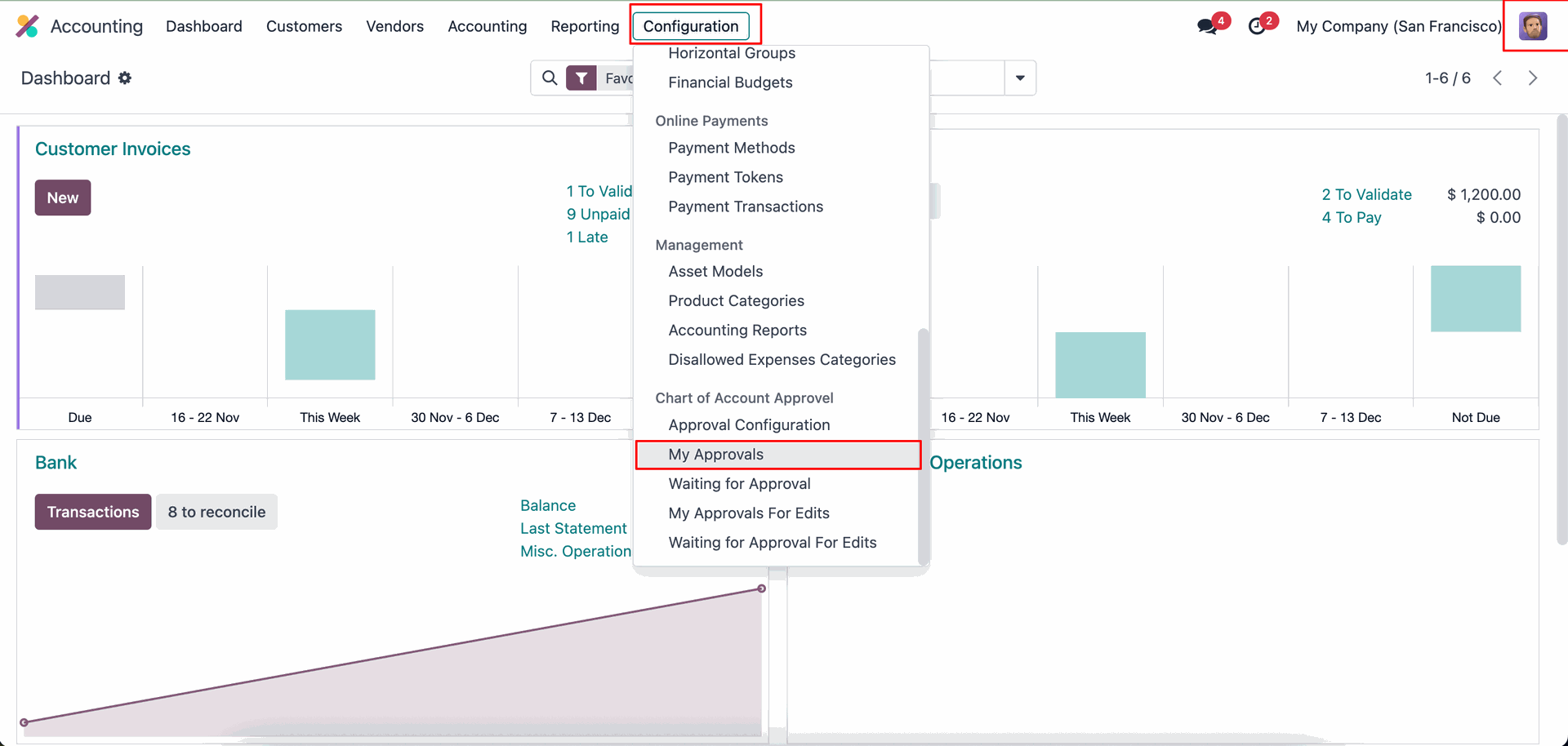
Go to the Configuration ==> My Approvals.
Click on the 'Approve' button to approve the COA.
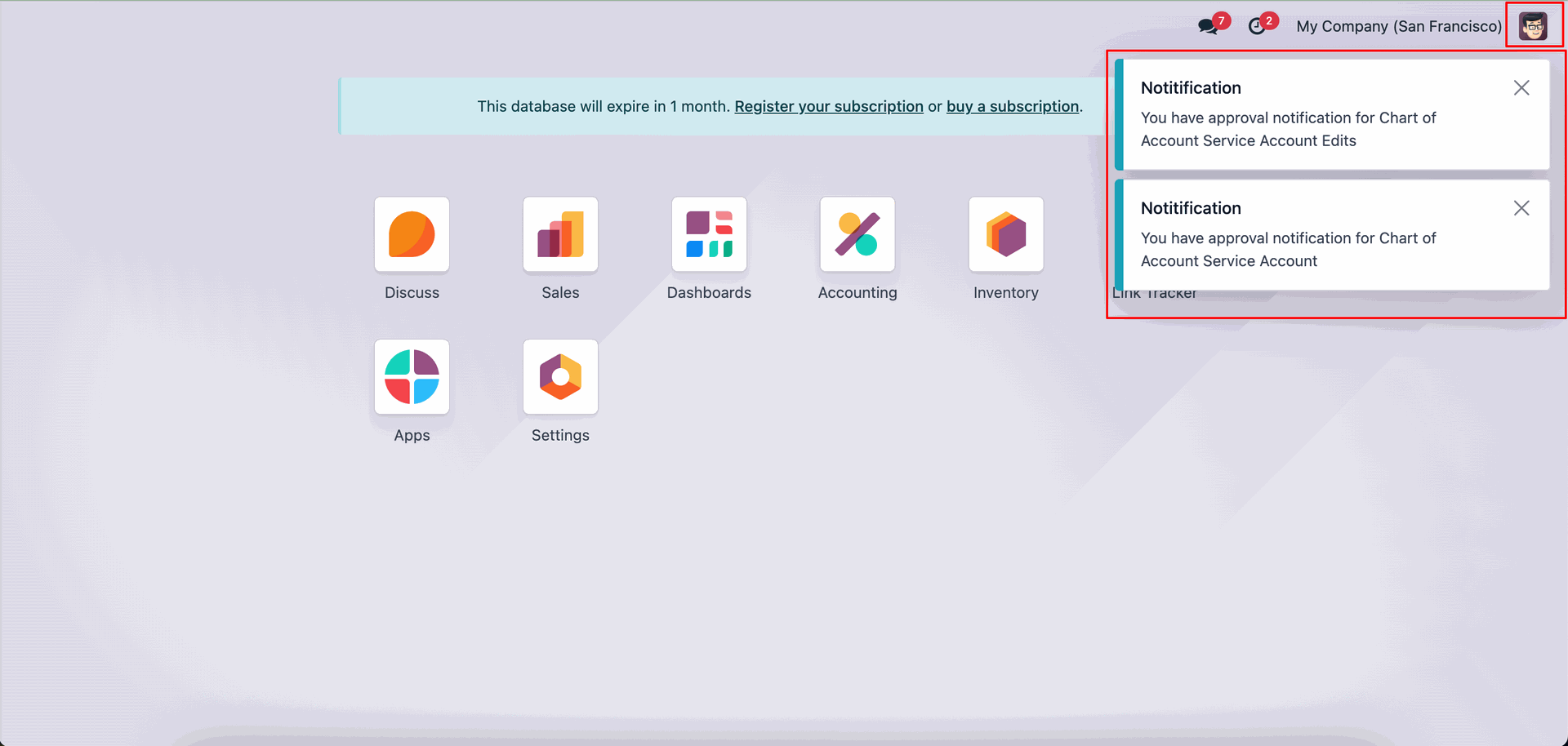
The Second approver will receive an approval notification popup.
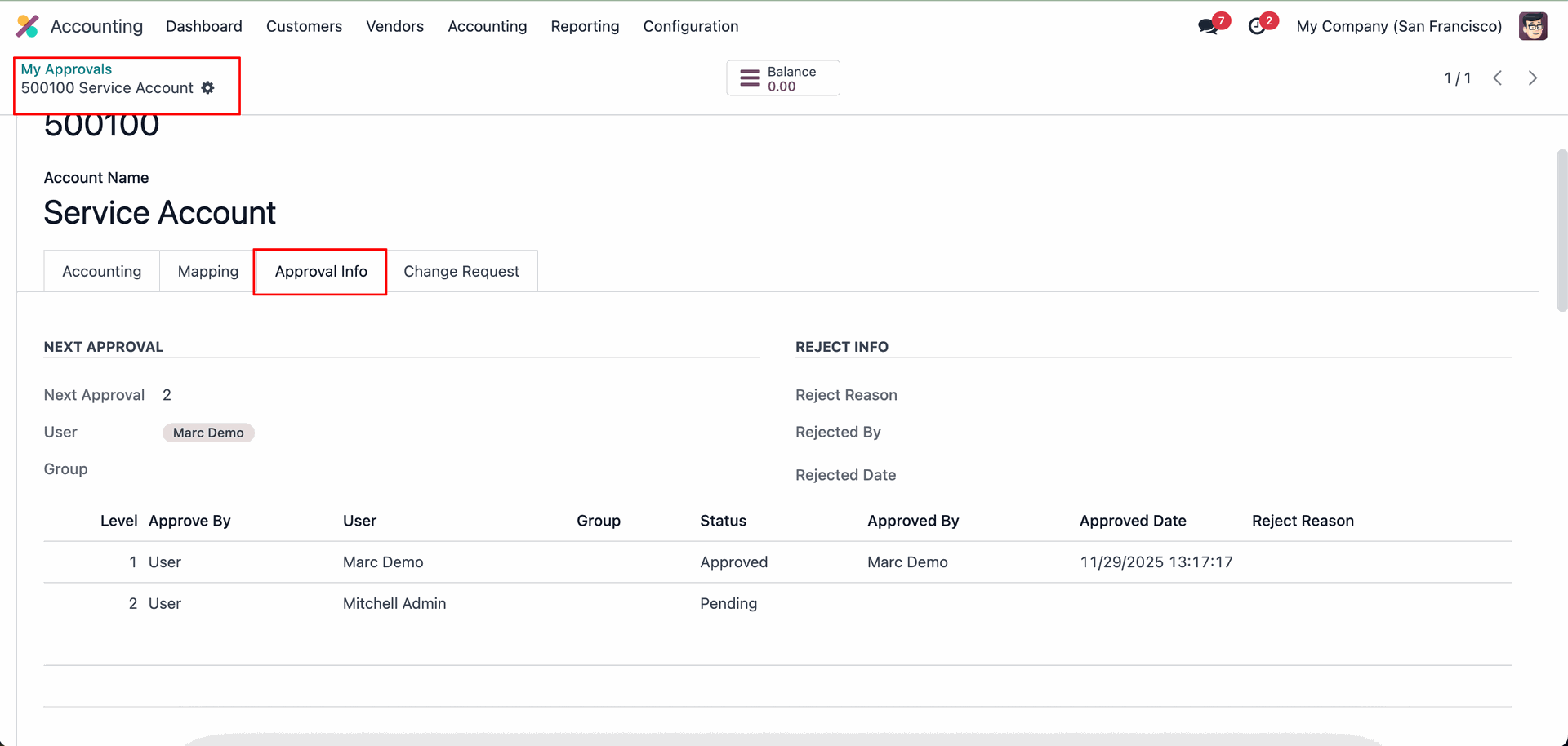
You can view all approval-related details in the 'Approval Info' tab.
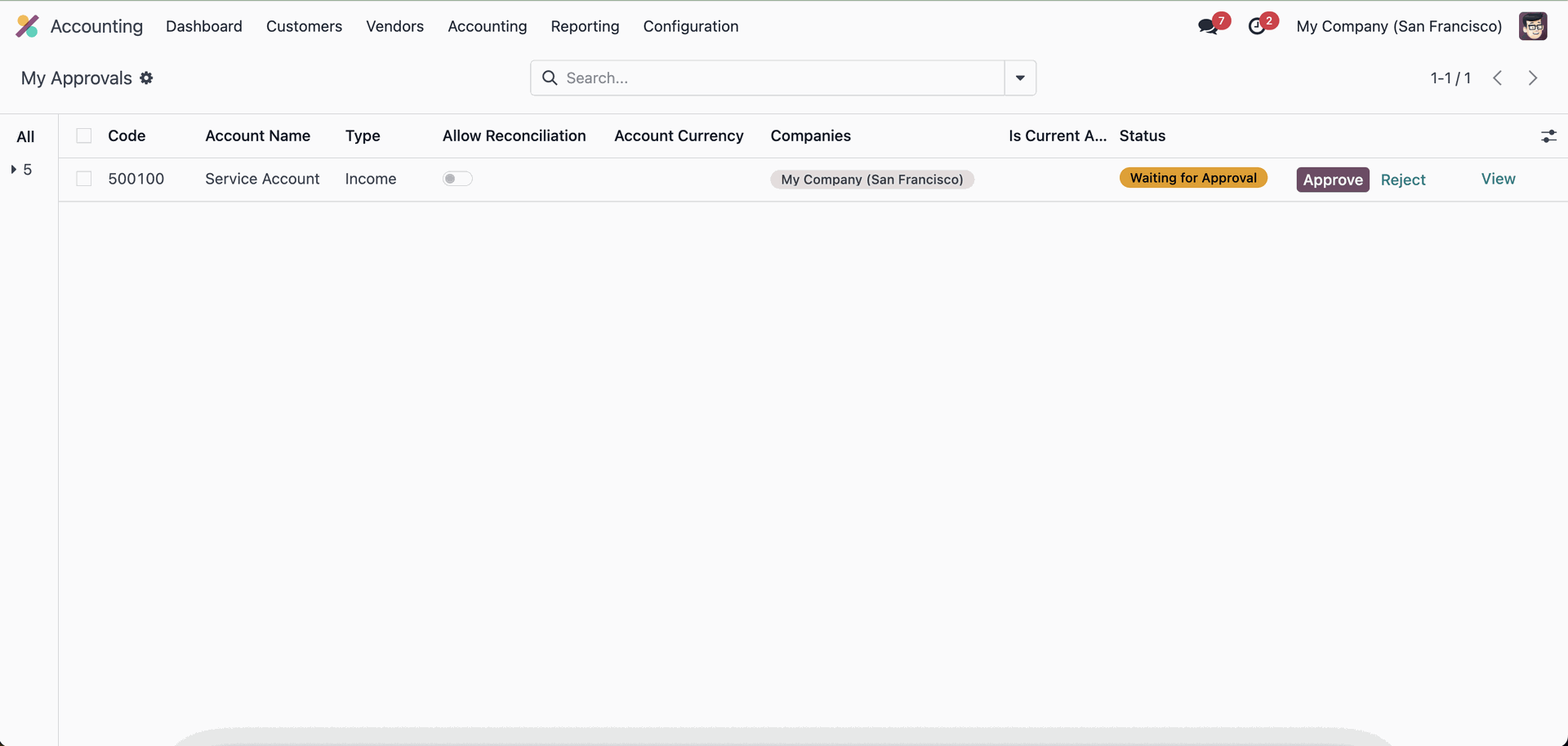
Click on the 'Approve' button to approve the COA.
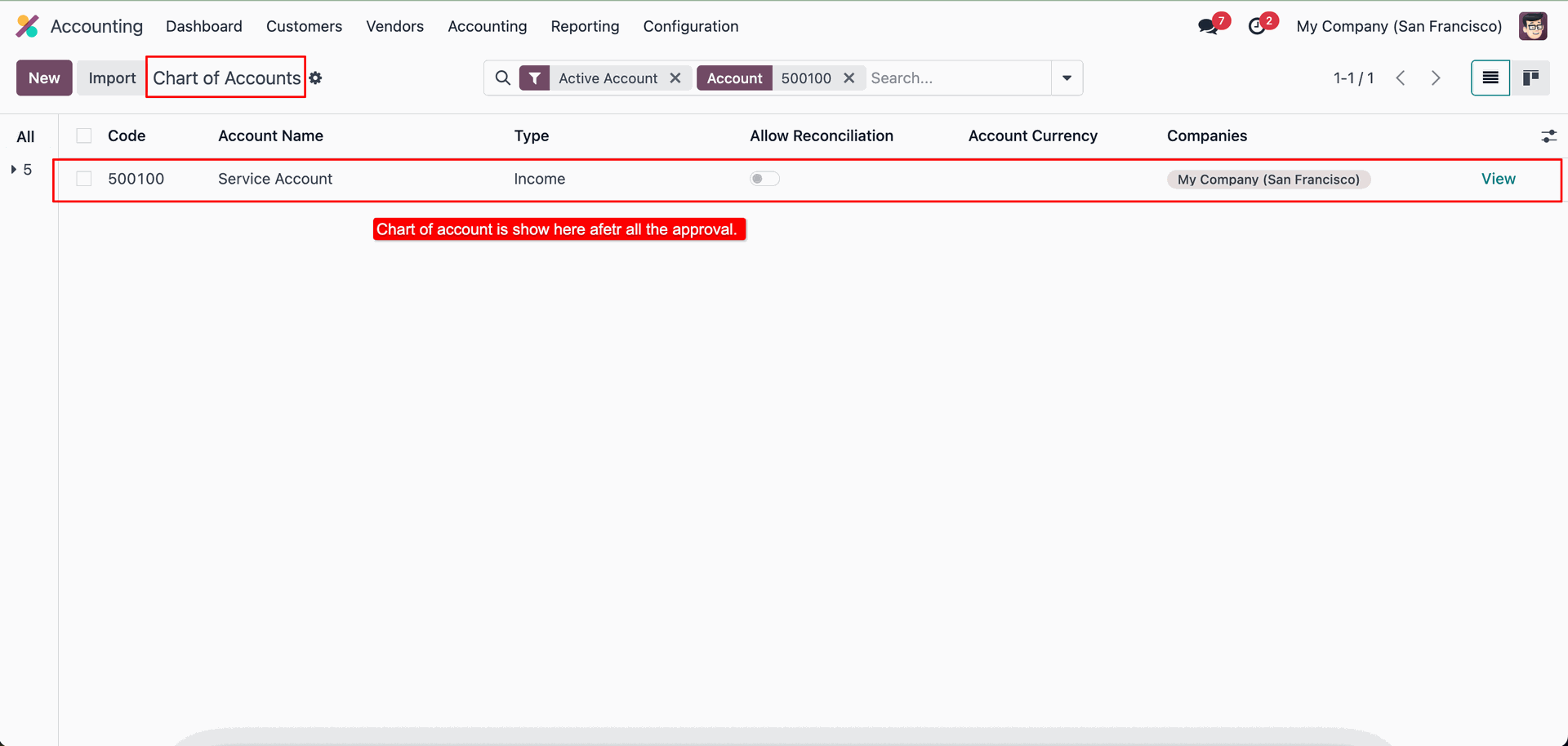
Now the created chart of account is displayed.
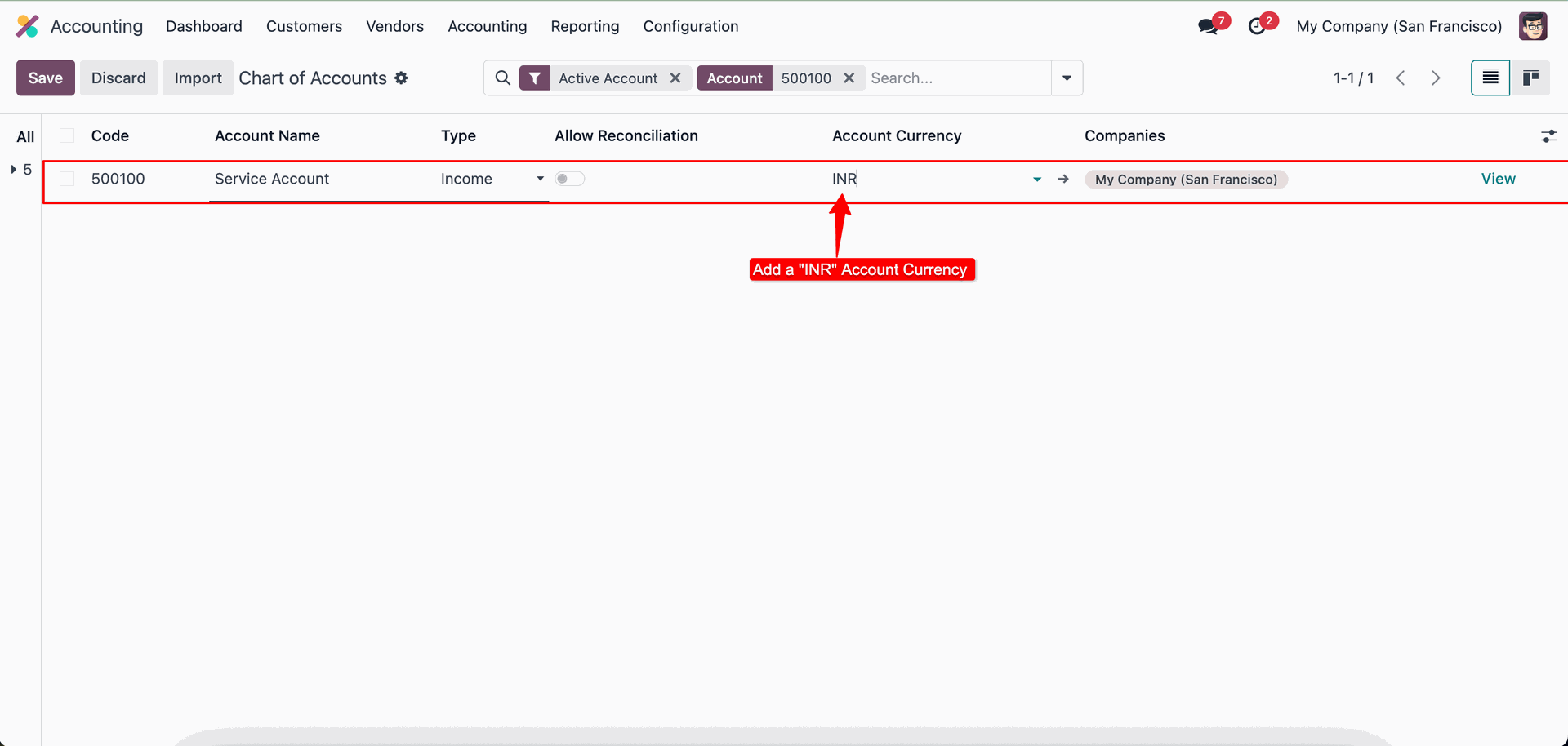
Add currency (INR).
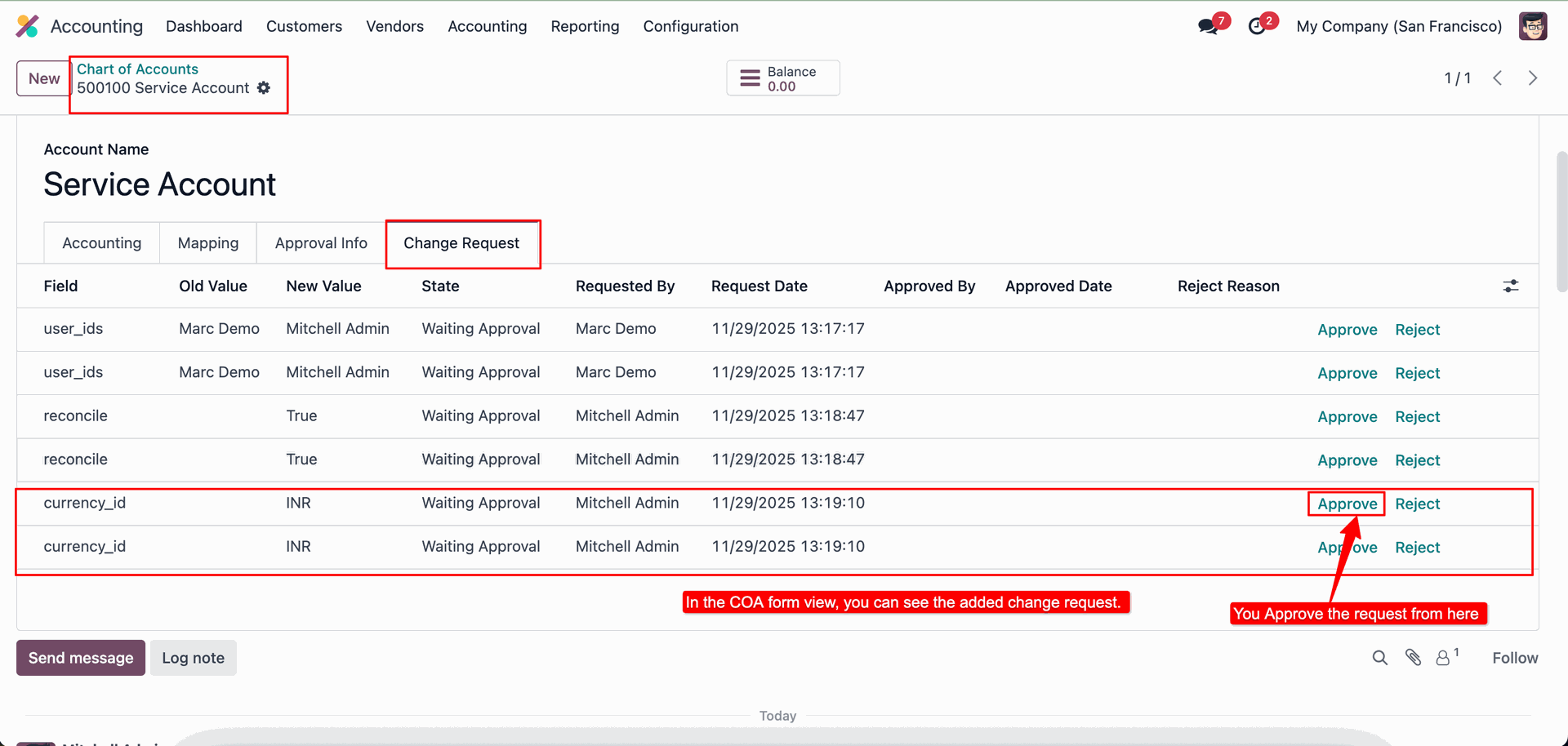
In the COA form view, you can see all the change requests related to that account.
Clickon the "Approve" to approve the change request (currency: INR).
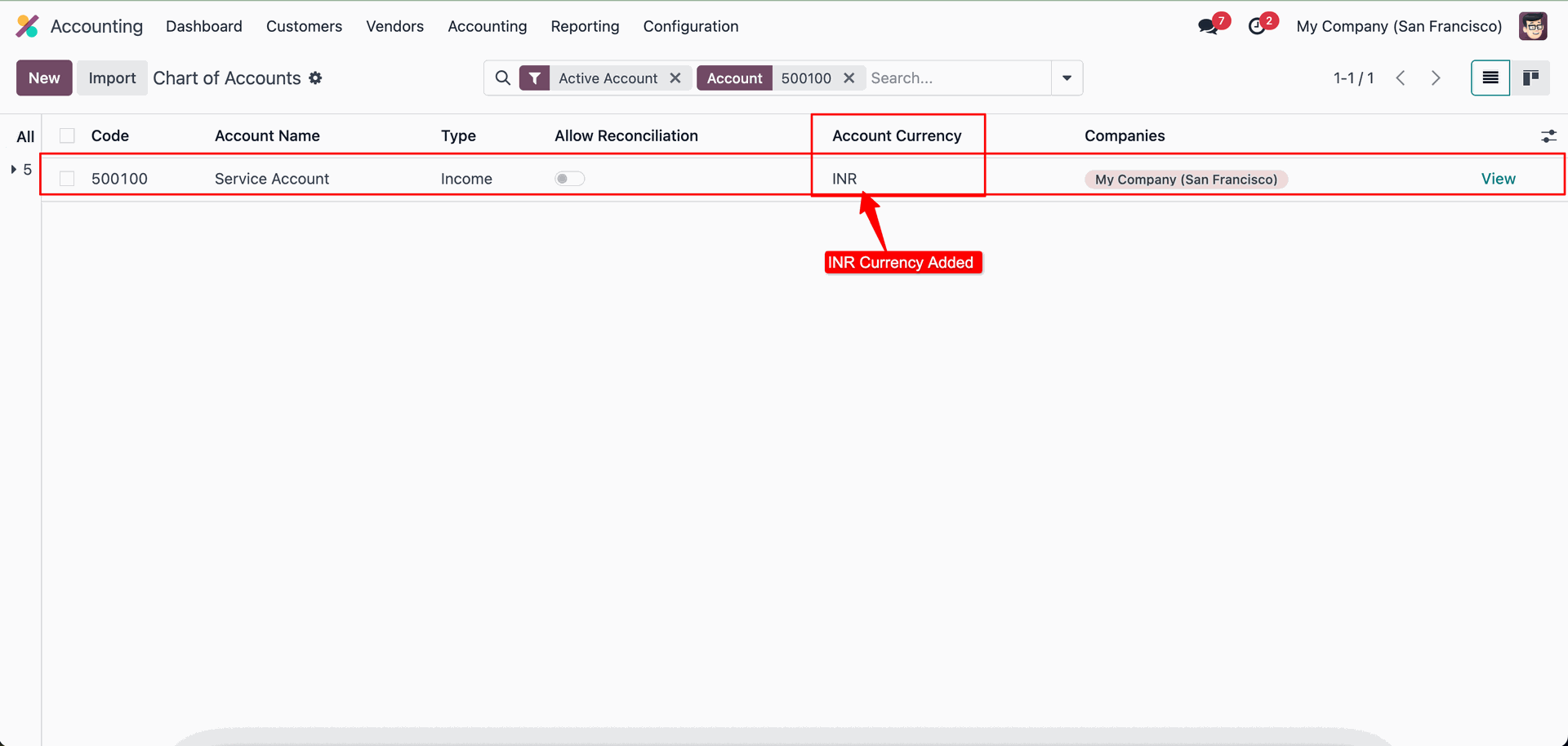
Here, you can see that the (INR) currency has been added.
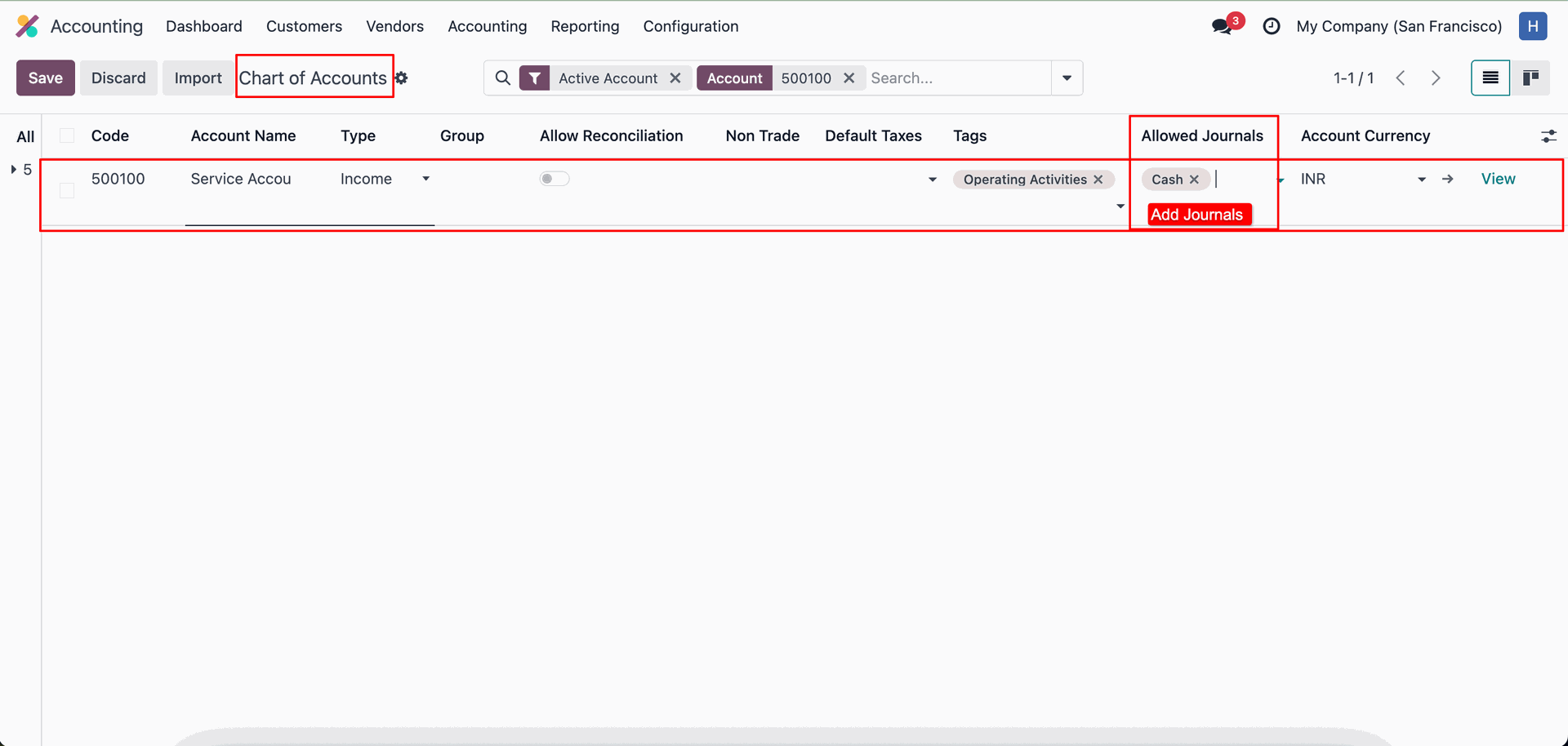
Add Journals (Cash).
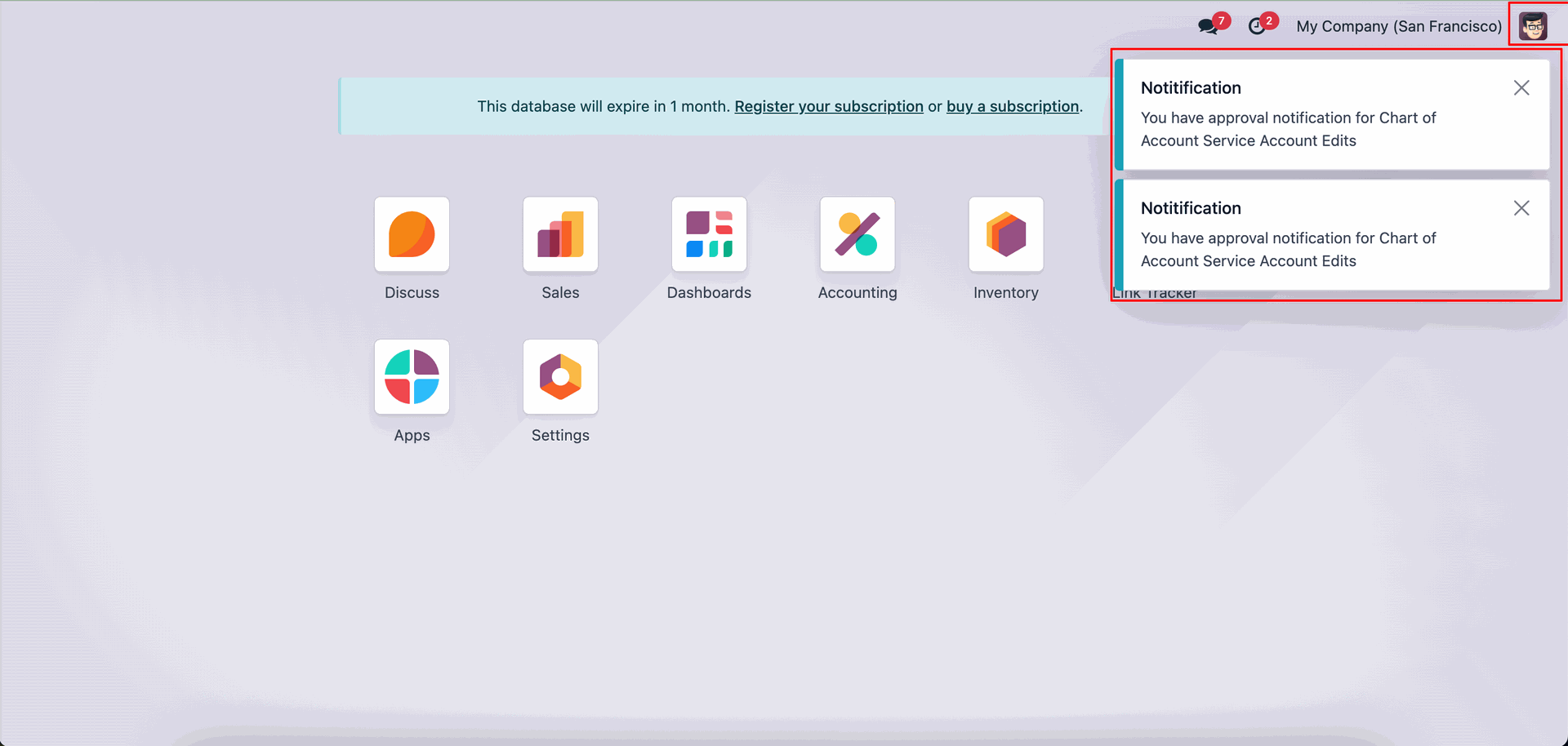
The approver will receive an approval notification popup.
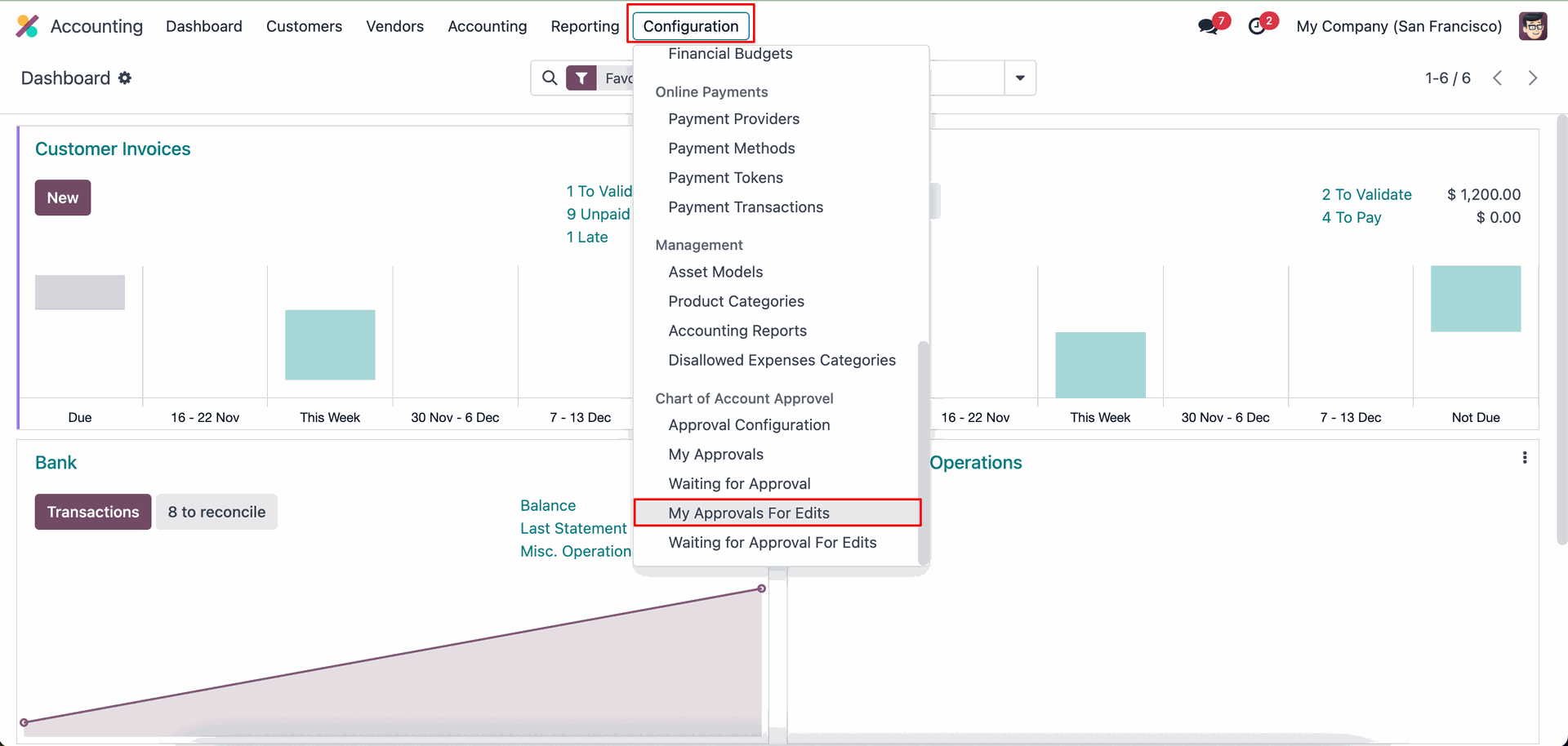
Go to the Configuration ==> My Approvals For Edits.
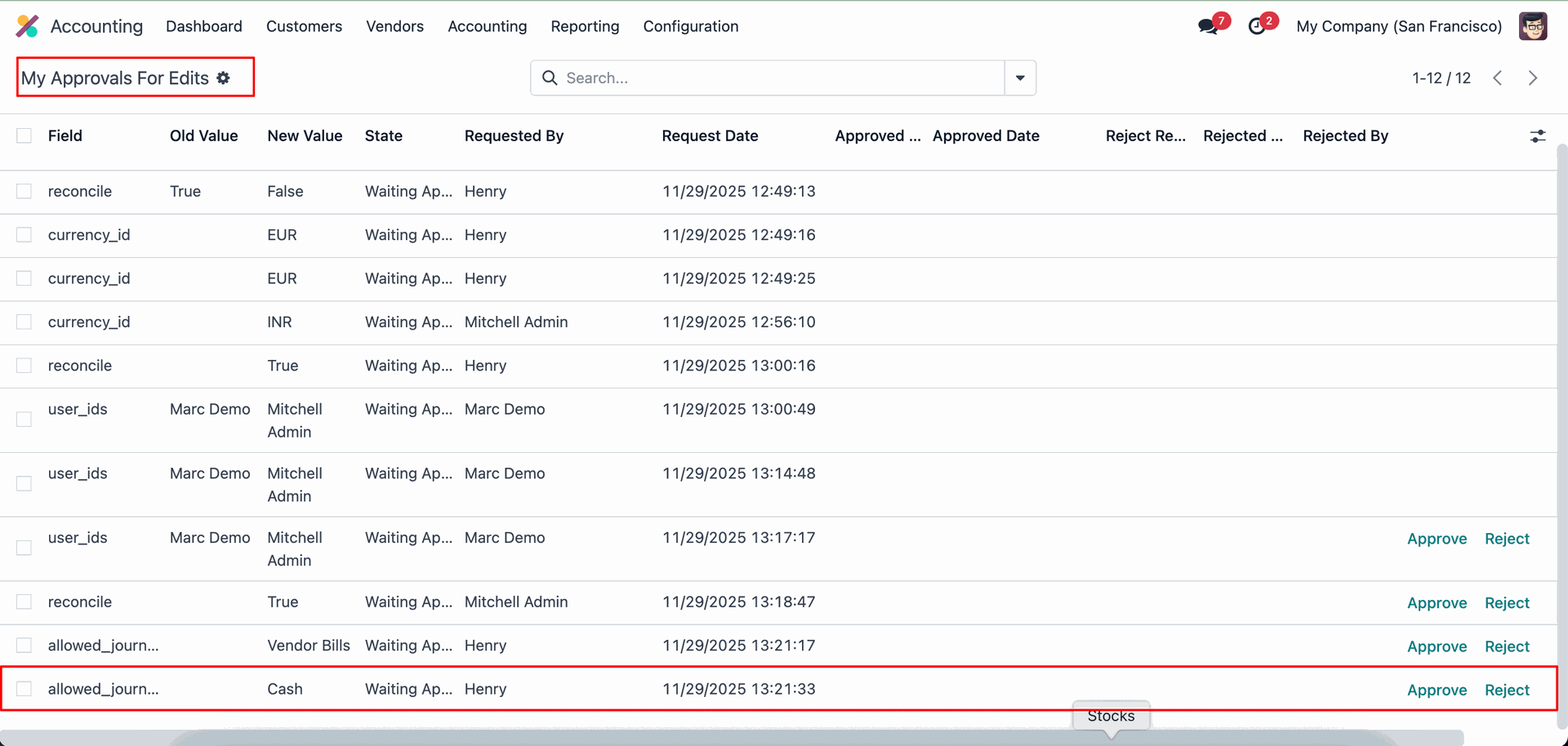
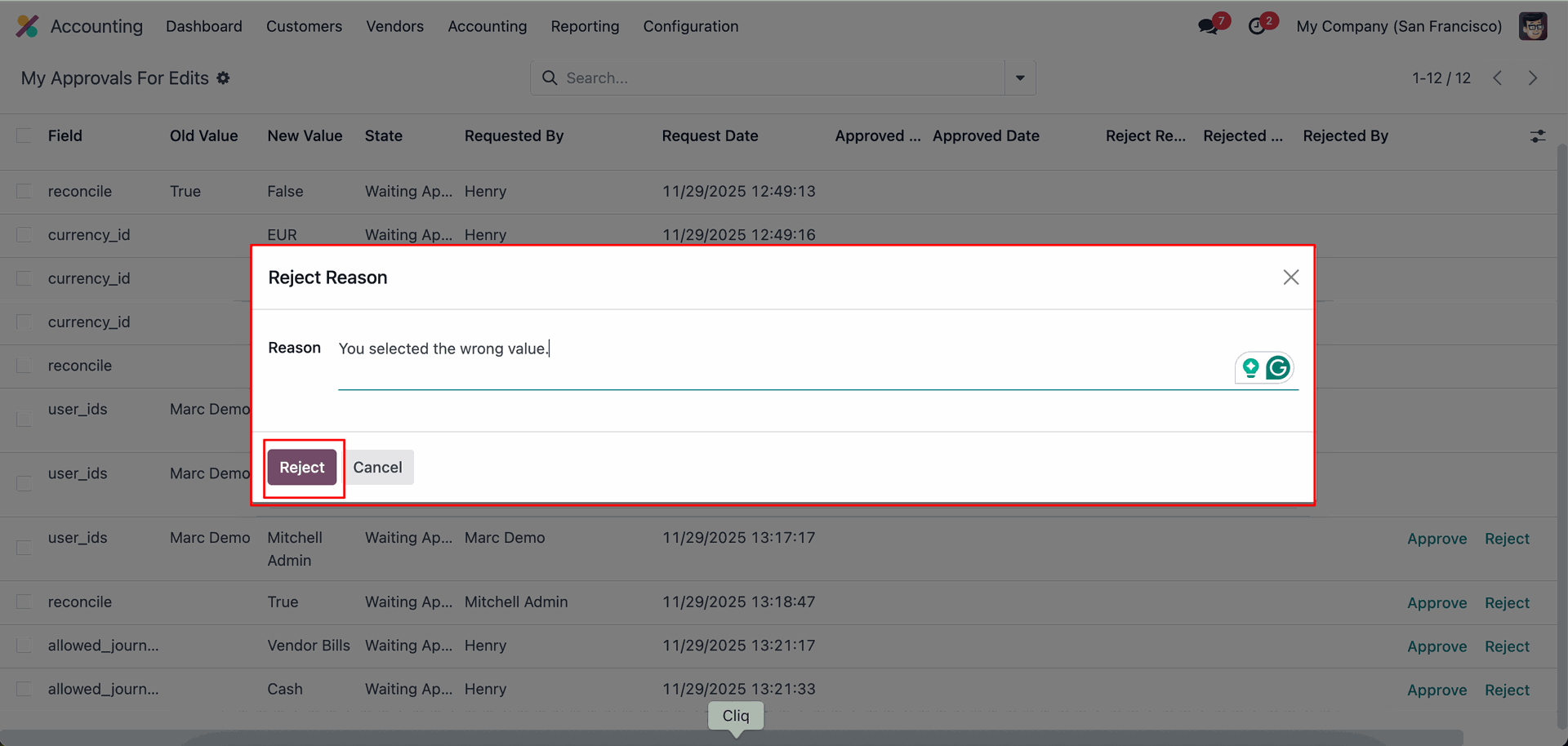
Click on the 'Reject' to reject the change request.
Add reject reason and click on the 'Reject' button.
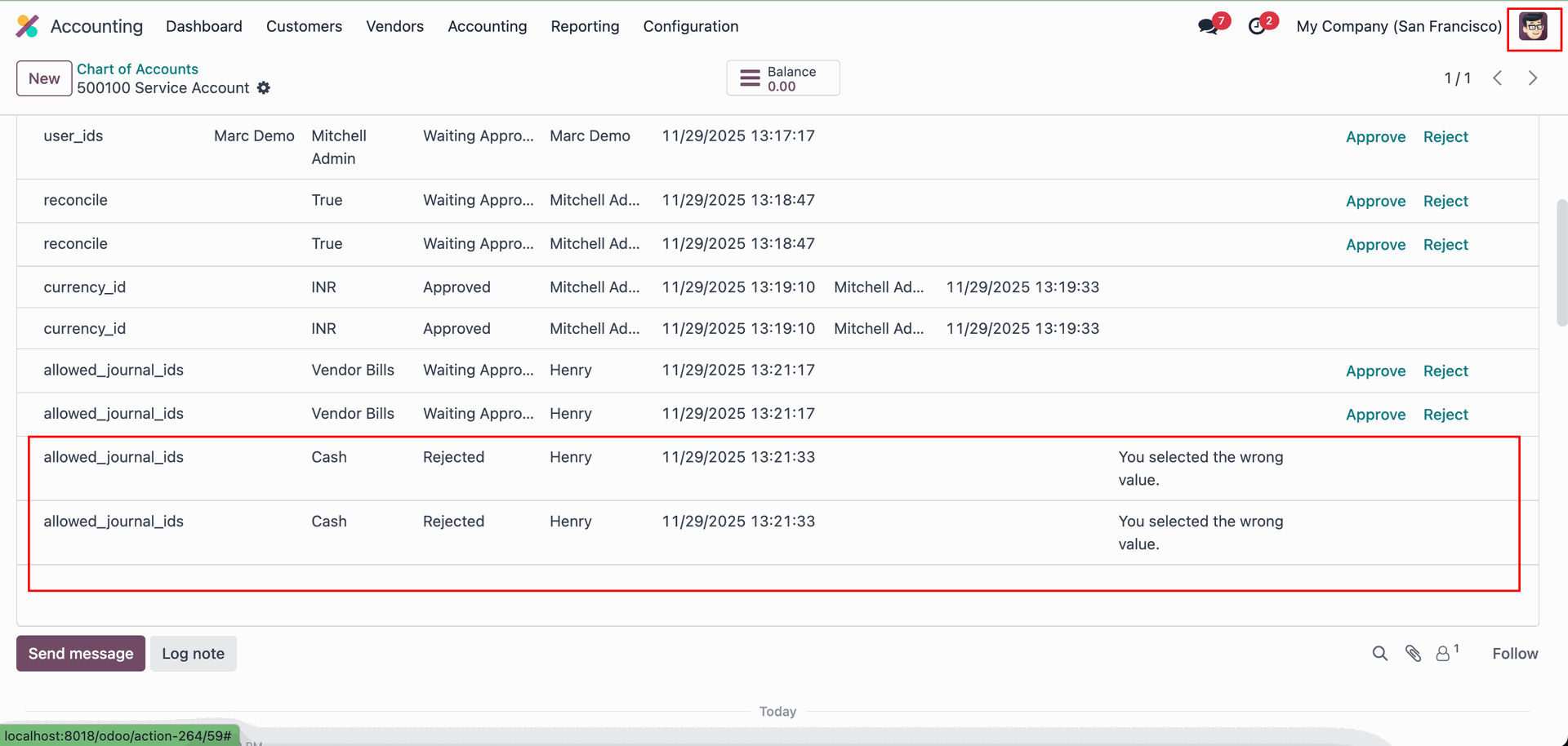
Here, you can see the rejection reason.
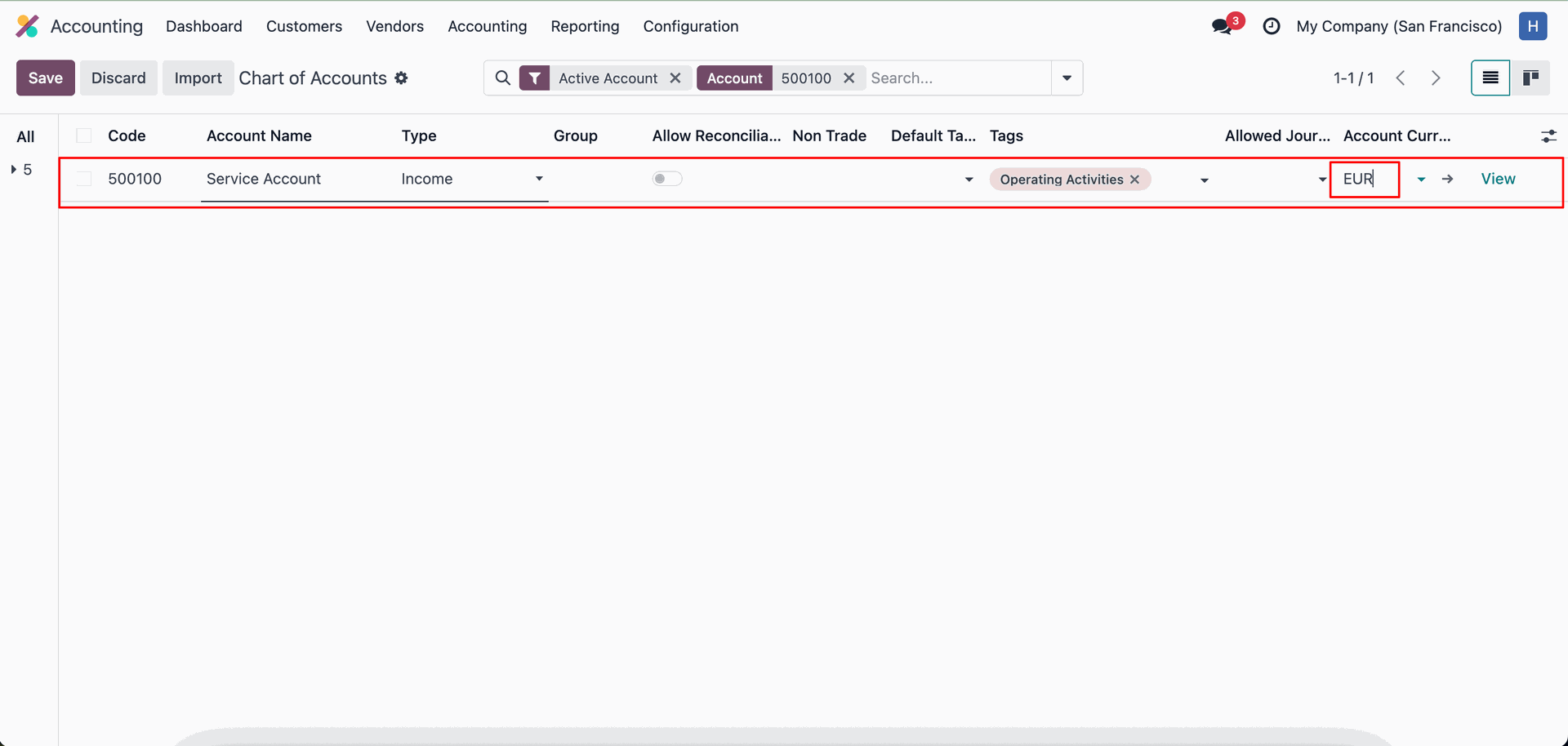
Change the currency from INR to EUR.
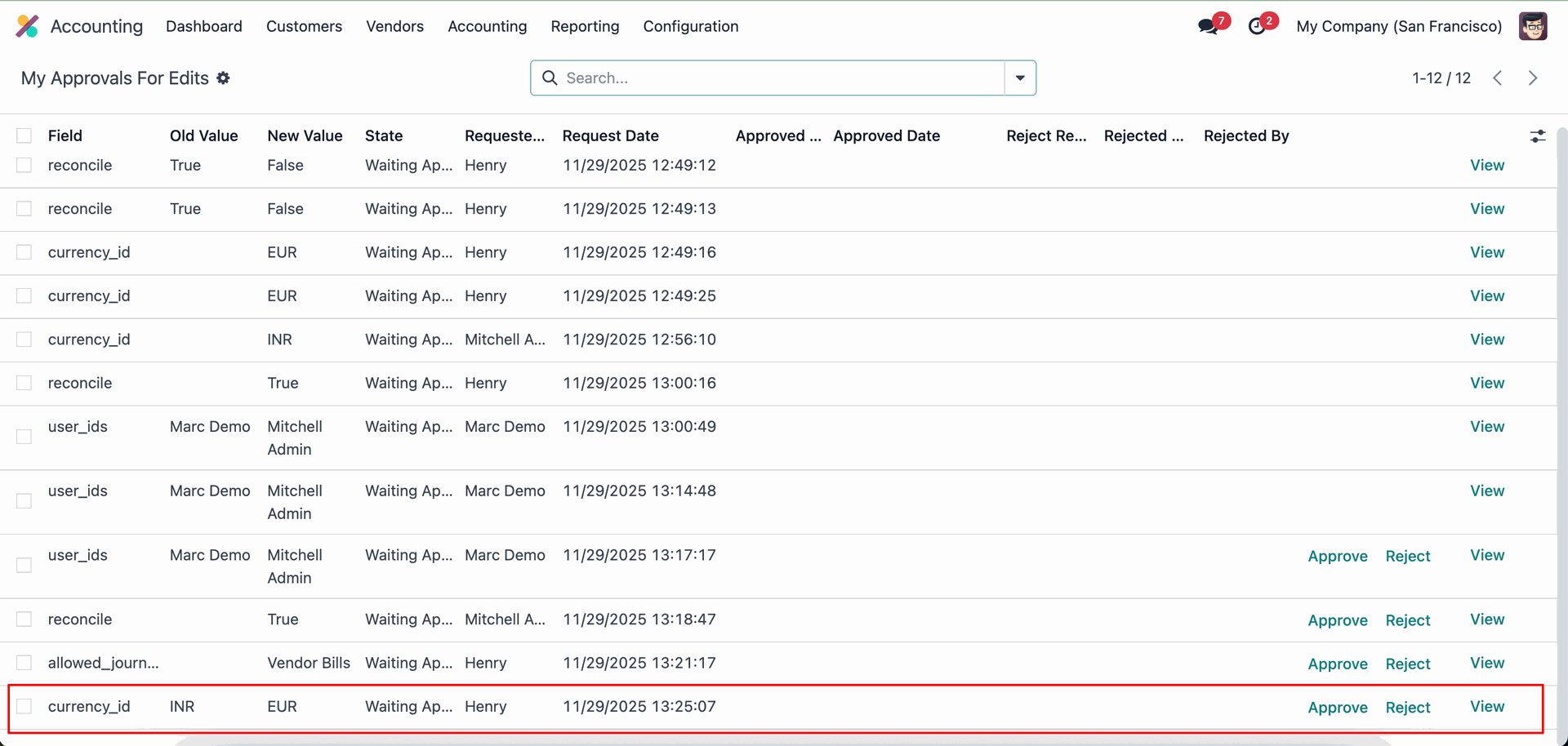
Click on the 'Approve' button to approve the change request.
Here, you can see that the currency has been updated from INR to EUR.
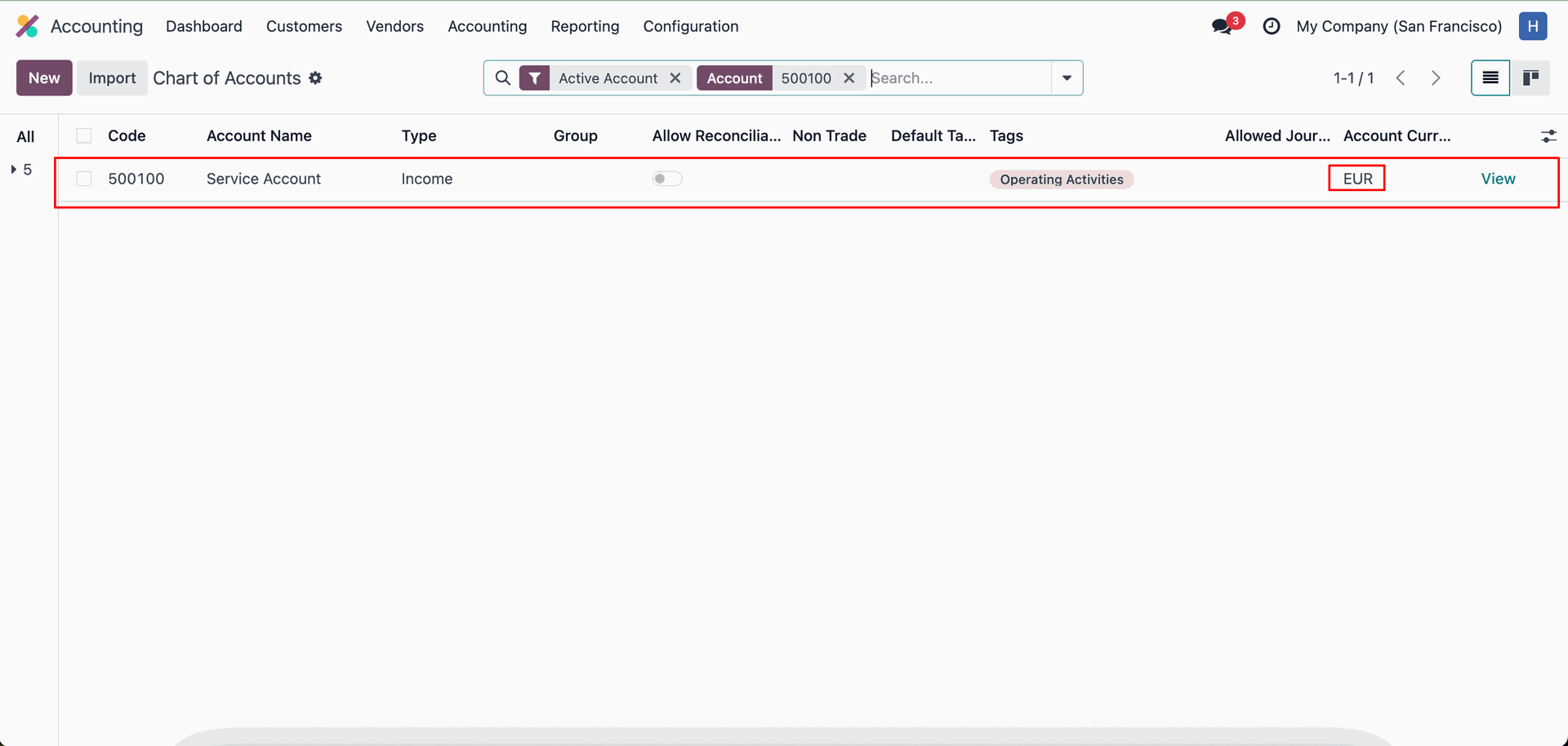
Create a new COA.
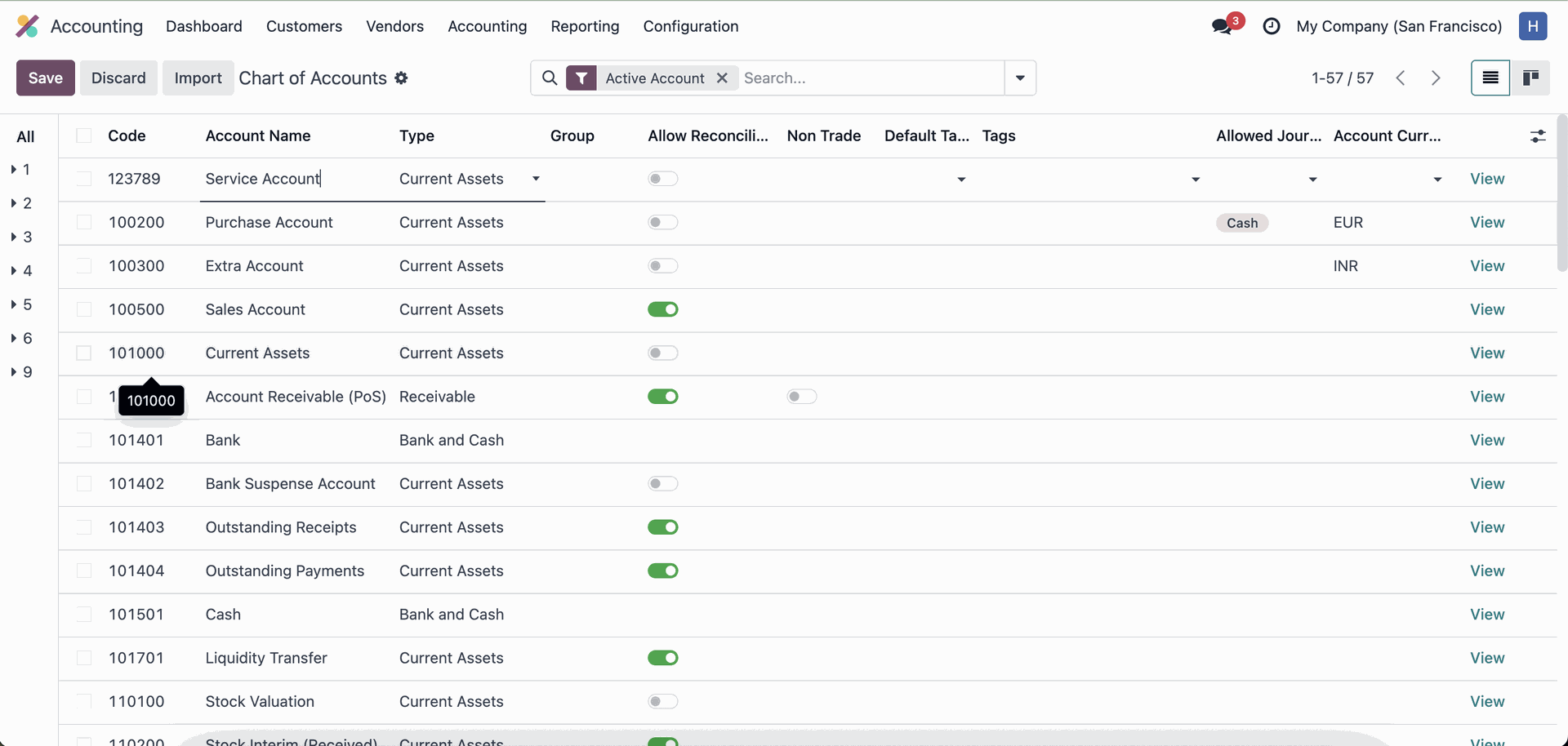
If the first approver tries to approve the request a second time, this warning will appear.
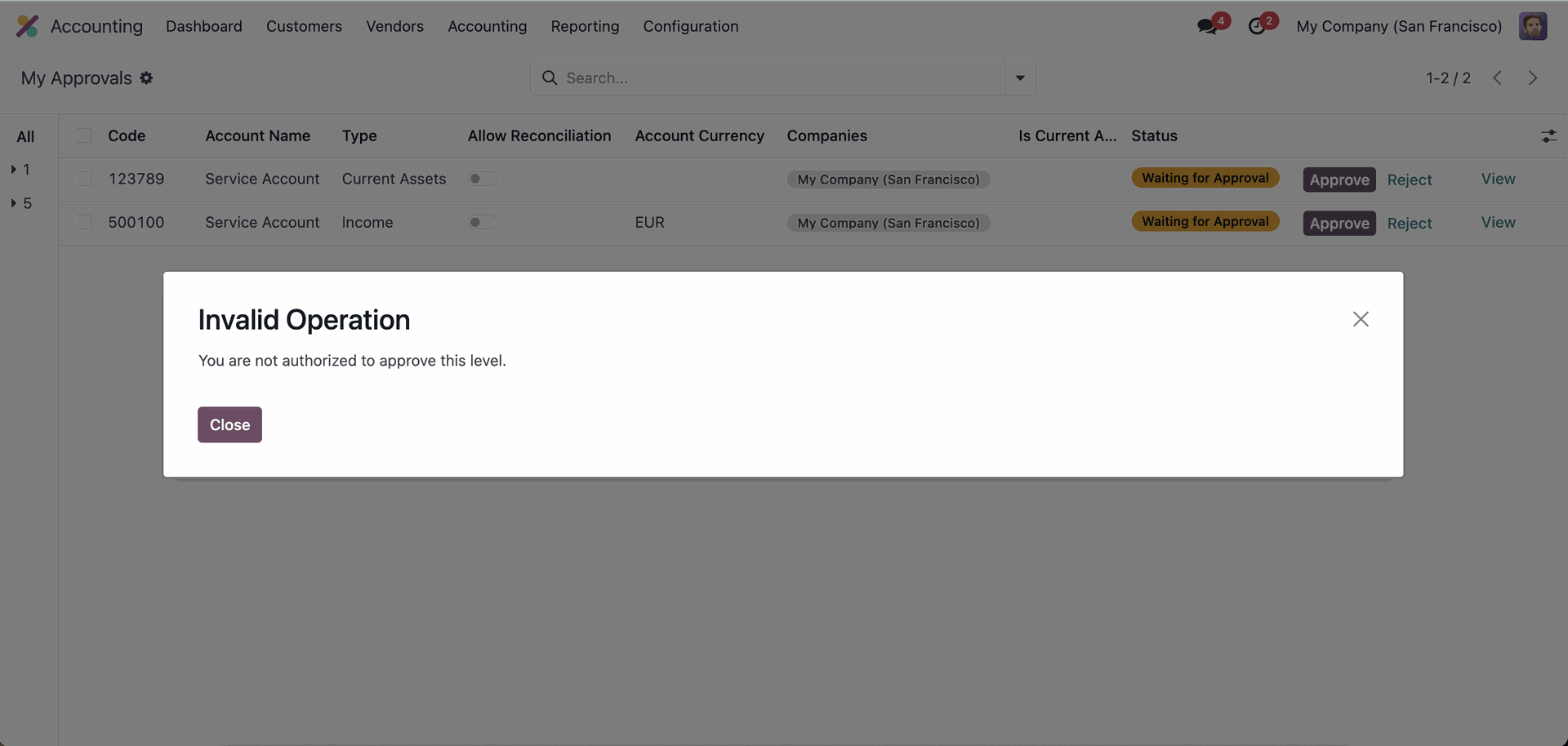
Custom Fields / Non Existing Standard Fields
Do you want to import fields which is created by any custom modules, odoo studio, or standard odoo fields which are not present inside the sample sheet provided in the module? You can add all those kinds of fields in the sheet at the end after the sample sheet fields it means from column "I".
Videos
Version 18.0.1.0.0 | Released on : 5th January 2026
- Yes, this app works perfectly with Odoo Enterprise (Odoo.sh & Premise) as well as Community.
- No, this application is not compatible with odoo.com(odoo saas/Odoo Online).
- Please Contact Us at sales@softhealer.com to request customization.
- Yes, you will get free update for lifetime.
- No, you don't need to install addition libraries.
- For version 12 or upper, you will need to purchase the module for each version that you want to use.
- Yes, we provide free support for 100 days.
- No, We do not provide any kind of exchange.
