
Cancel Purchase Orders | Delete Purchase Orders

This module helps to cancel created purchase orders. You can also cancel multiple purchase orders from the tree view. You can cancel the purchase order in 3 ways,
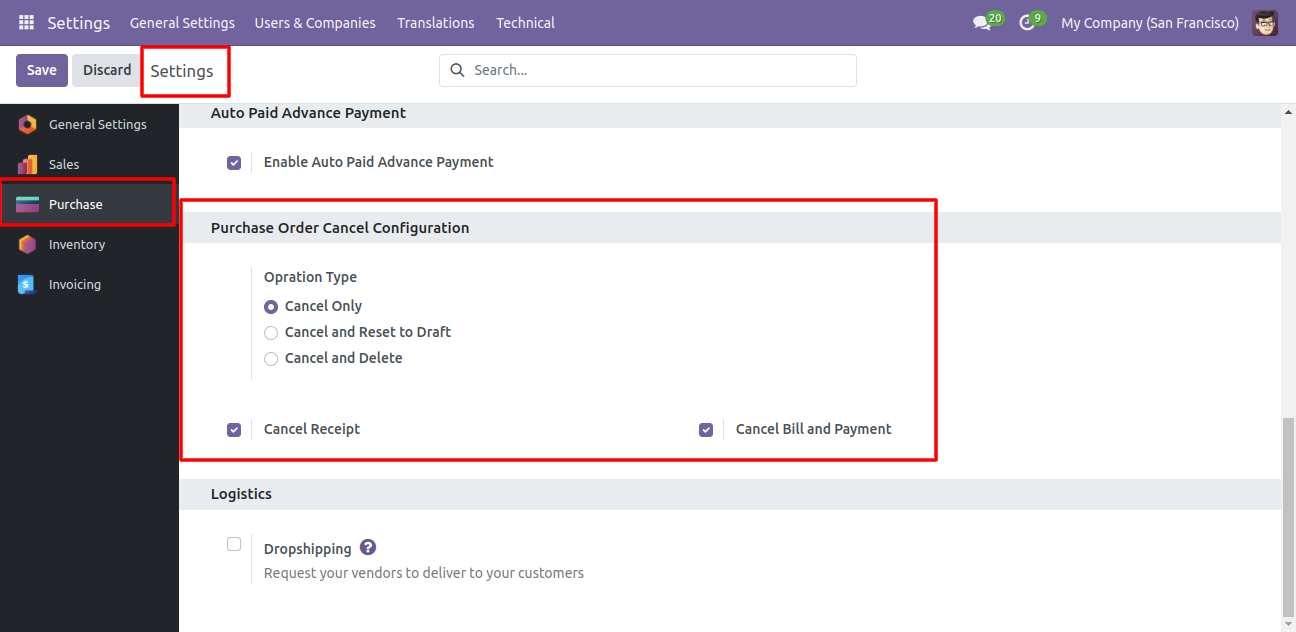
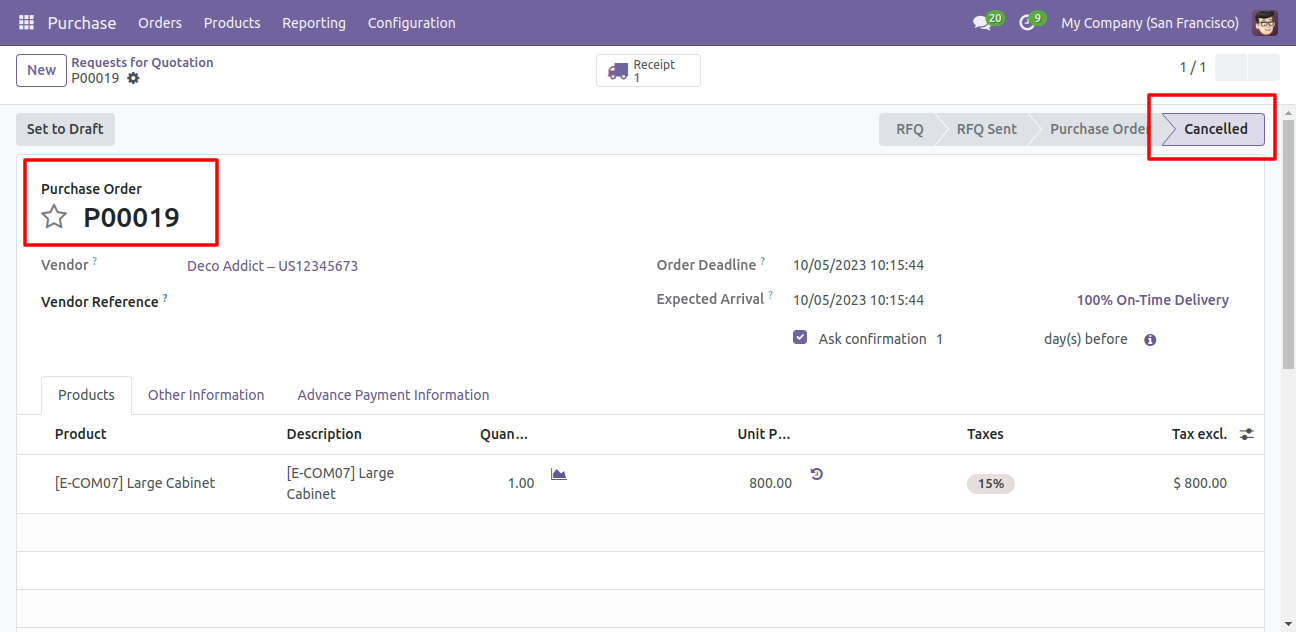
1) Cancel Only: When you cancel a purchase order then the purchase order is cancelled and the state is changed to 'cancelled'.
2) Cancel and Reset to Draft: When you cancel purchase order, first purchase order is cancelled and then reset to the draft state.
3) Cancel and Delete: When you cancel a purchase order then first purchase order is cancelled and then purchase order will be deleted.
We provide 2 options in the cancel purchase orders,
1) Cancel Receipt: When you want to cancel purchase orders and receipt then you can choose this option.
2) Cancel Bill and Payment: When you want to cancel purchase orders and bill then you can choose this option.
If you want to cancel purchase orders, receipts & bill then you can choose both options 'Cancel Receipt' & 'Cancel Bill and Payment'.

Features
Cancel Purchase Order
Quickly cancel purchase orders with a single action.
Reset to Draft Purchase Order
Revert a purchase order back to draft status.

Delete Purchase Order
Permanently remove cancelled purchase orders.
Cancel Bill and Payment
Cancel vendor bills along with their payments for the corresponding cancelled purchase order.
Cancel Receipt
Cancel related receipt of cancelled purchase order

Mass Cancellation
Perform bulk cancellation of multiple purchase documents in one go to save time.
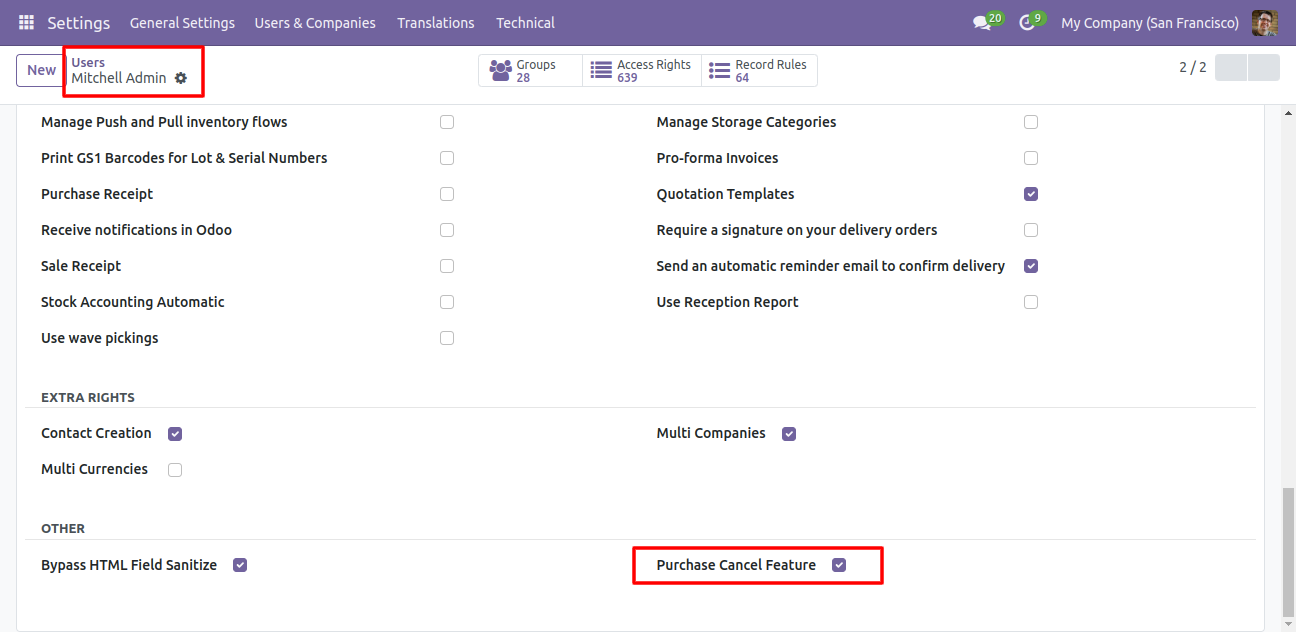
Tick the 'Purchase Cancel Feature' to cancel created purchase orders.
Flow-1
When you want to cancel a purchase order only then choose the 'Cancel Only' option.
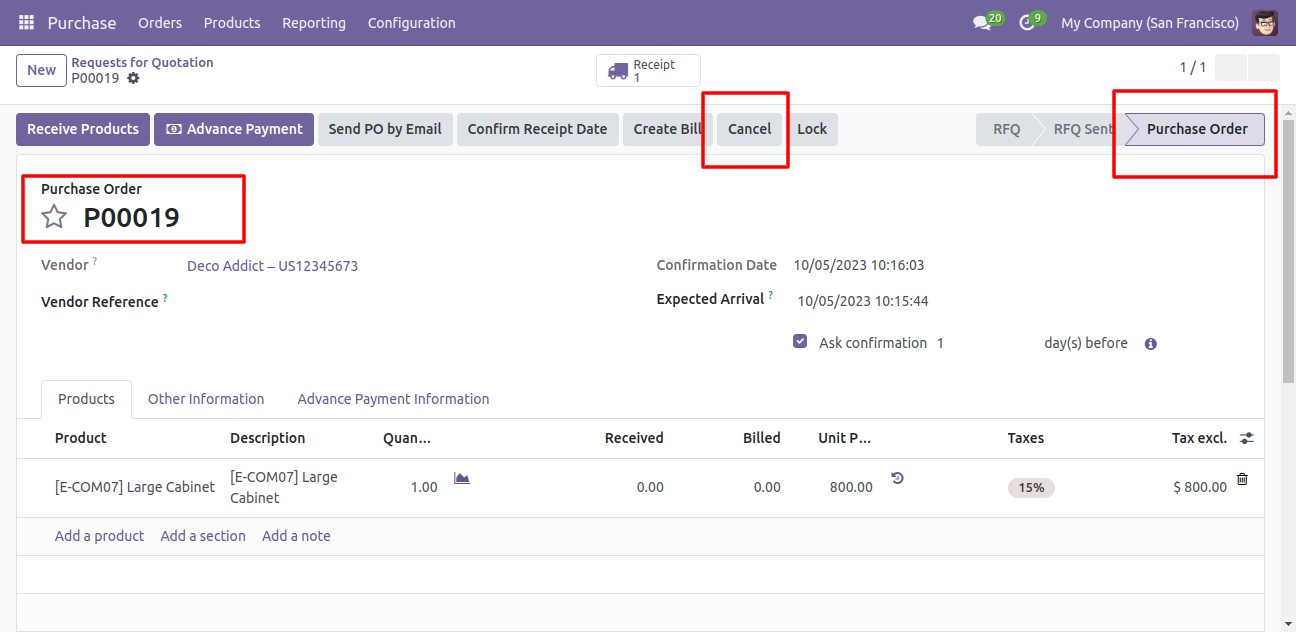
We create a purchase order and then cancel created purchase order.
When you cancel a purchase order then the purchase order is cancelled and the state is changed to 'cancelled'.
Flow-2
When you want to cancel a purchase order and reset to the draft state tick 'Cancel and Reset to Draft'.
If you want to cancel purchase orders, receipt & bill then you can choose both options 'Cancel Receipt' & 'Cancel Bill and Payment'.
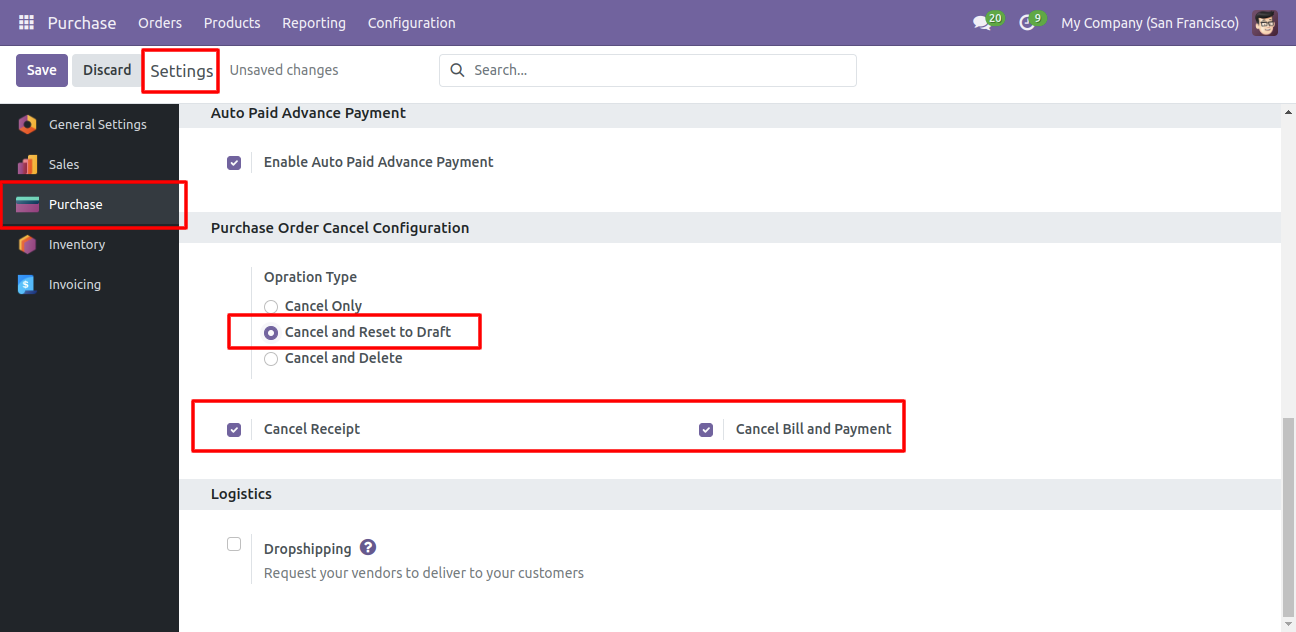
Now we create purchase order, receipt & bill.
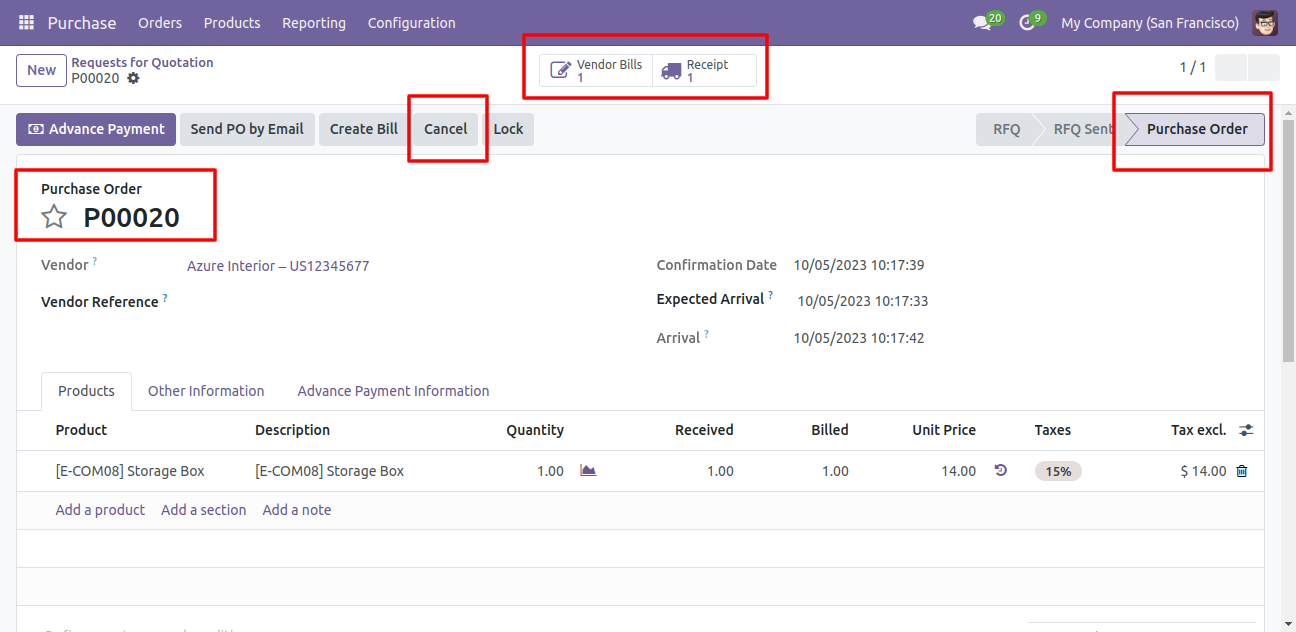
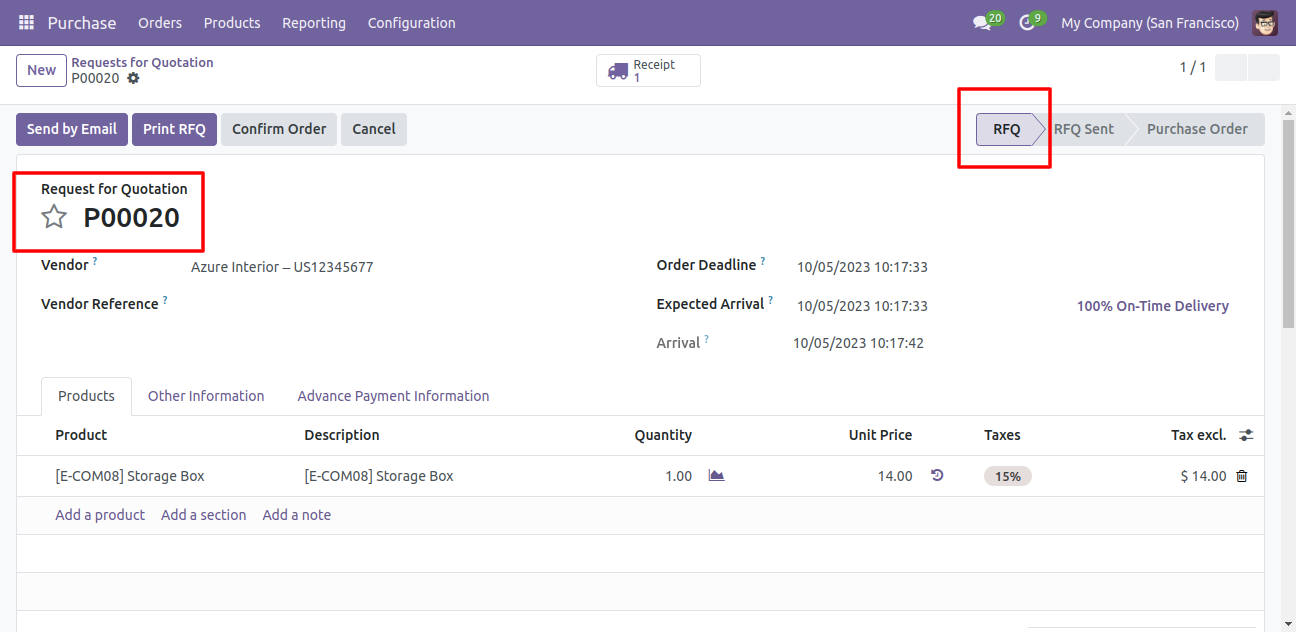
Now we cancel purchase order so After canceling the purchase order it reset to the draft.
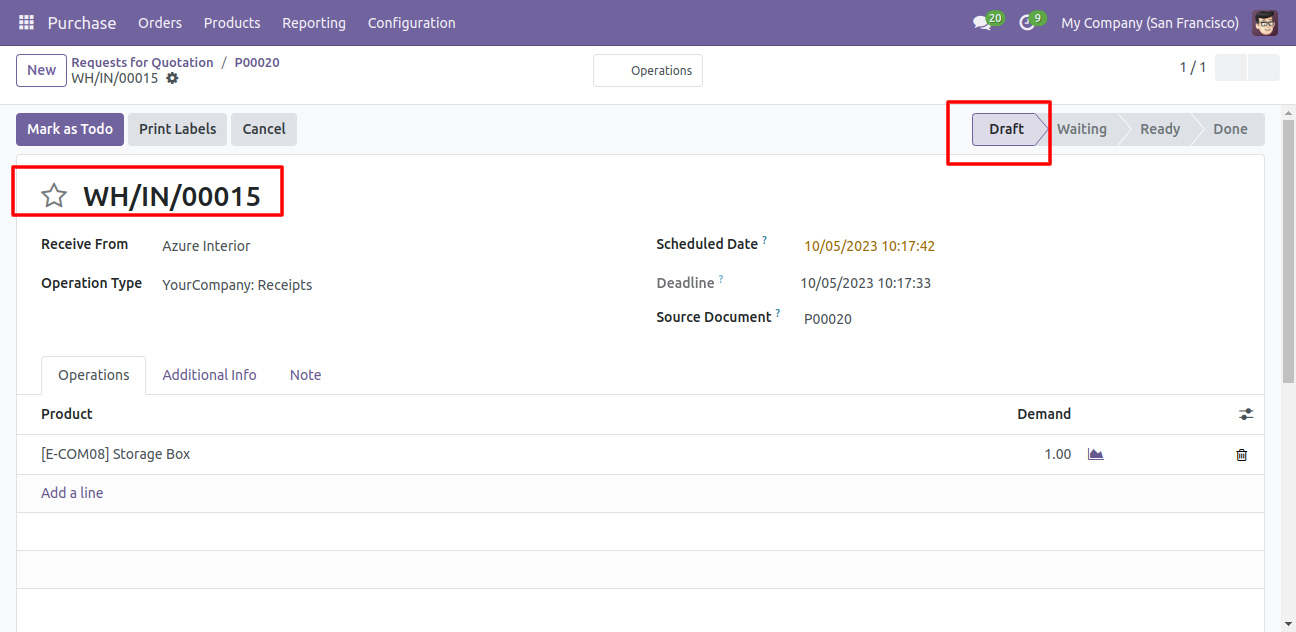
Our receipt is also reset to the draft.
Flow-3
When you want to cancel & delete a purchase order then choose the 'Cancel and Delete' option.
If you want to cancel purchase orders, receipts & bill then you can choose both options 'Cancel Receipt' & 'Cancel Bill and Payment'.
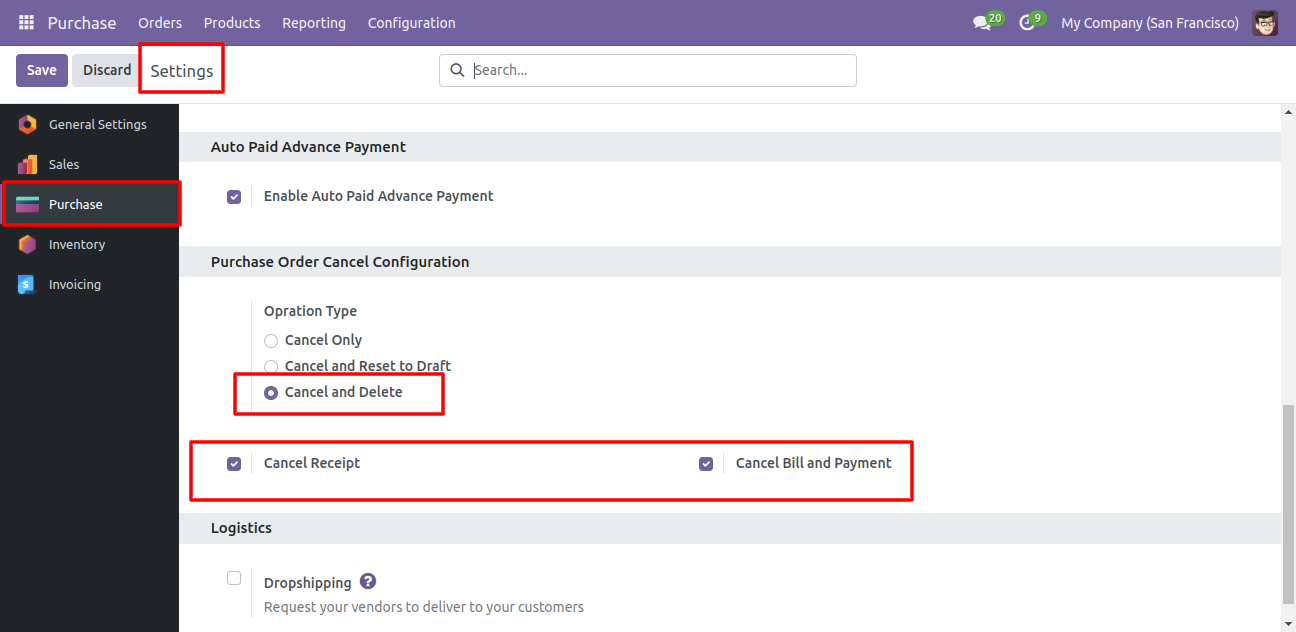
Now we create purchase order and then we cancel created purchase order.
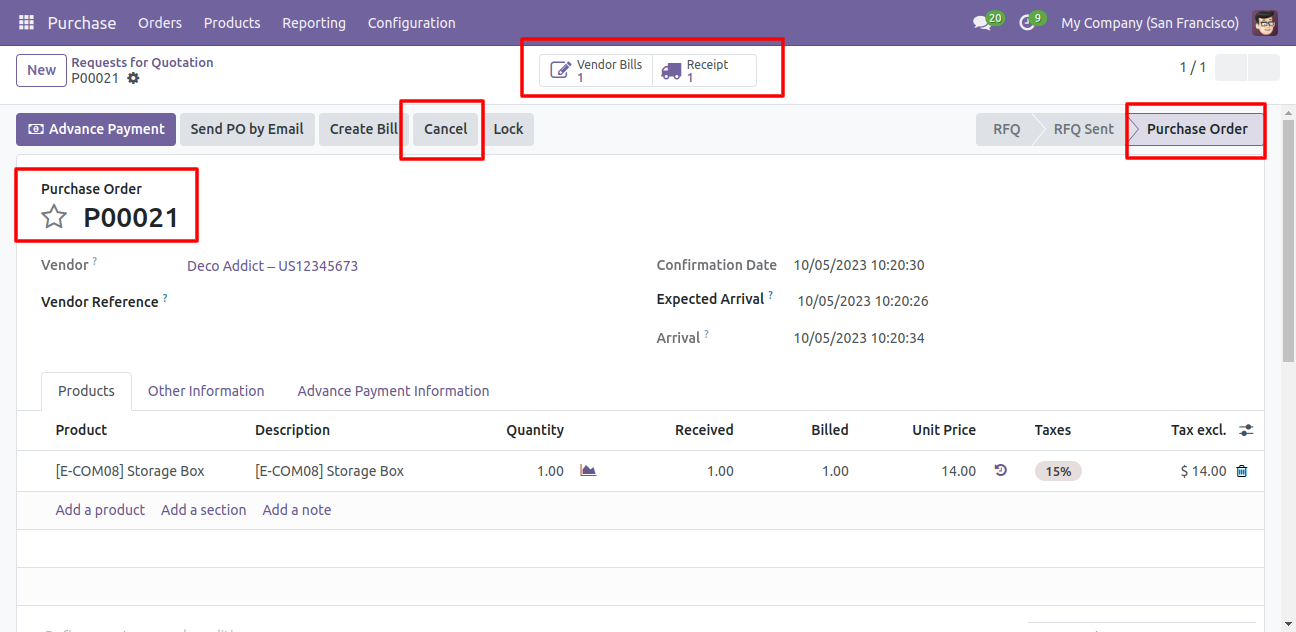
After the "Cancel" the purchase order our purchase order will be deleted.
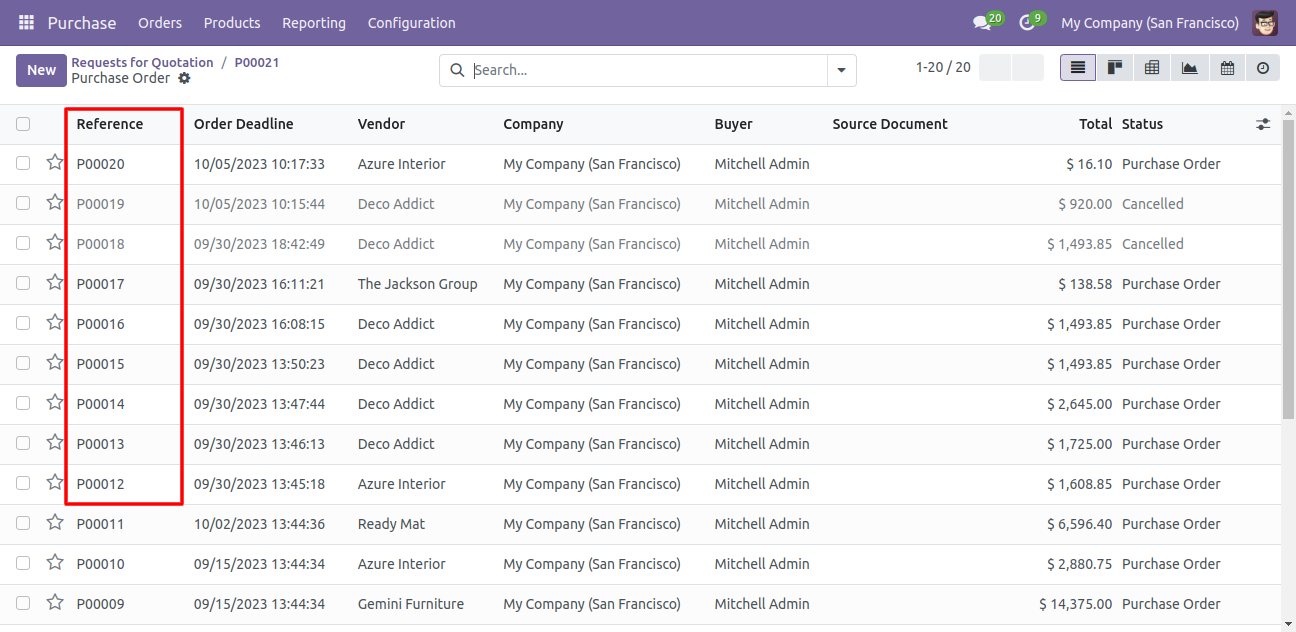
Flow-4
Now we cancel multiple purchase orders from the tree view.
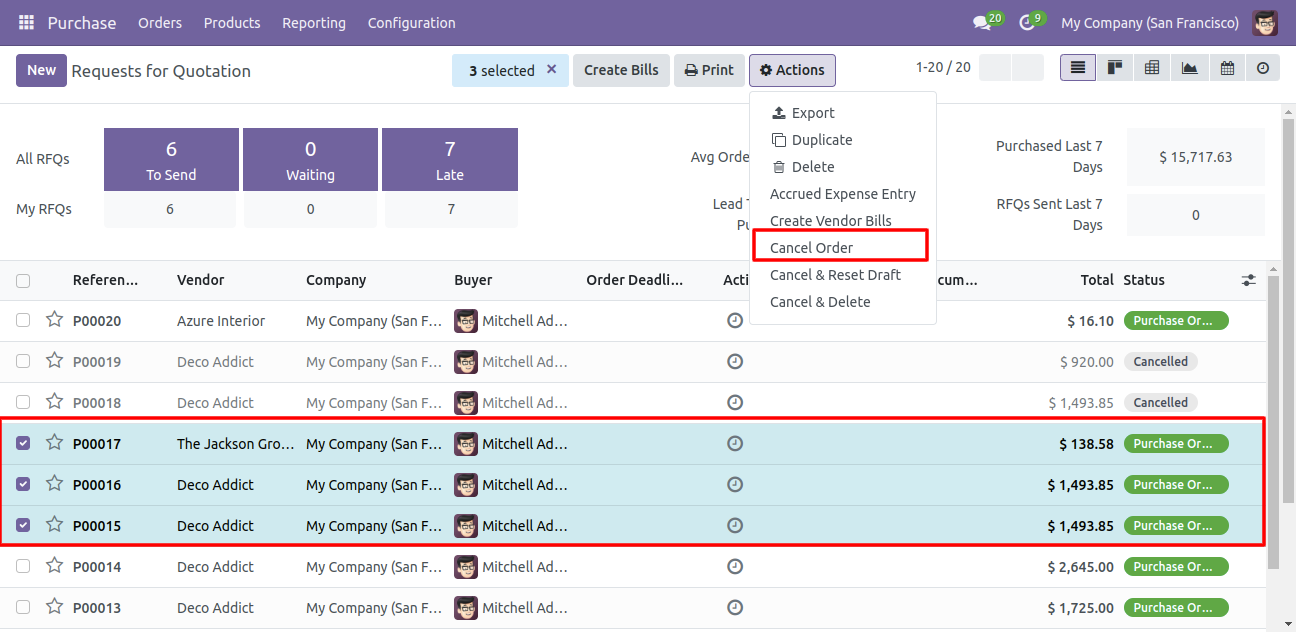
All selected purchase orders are cancelled.

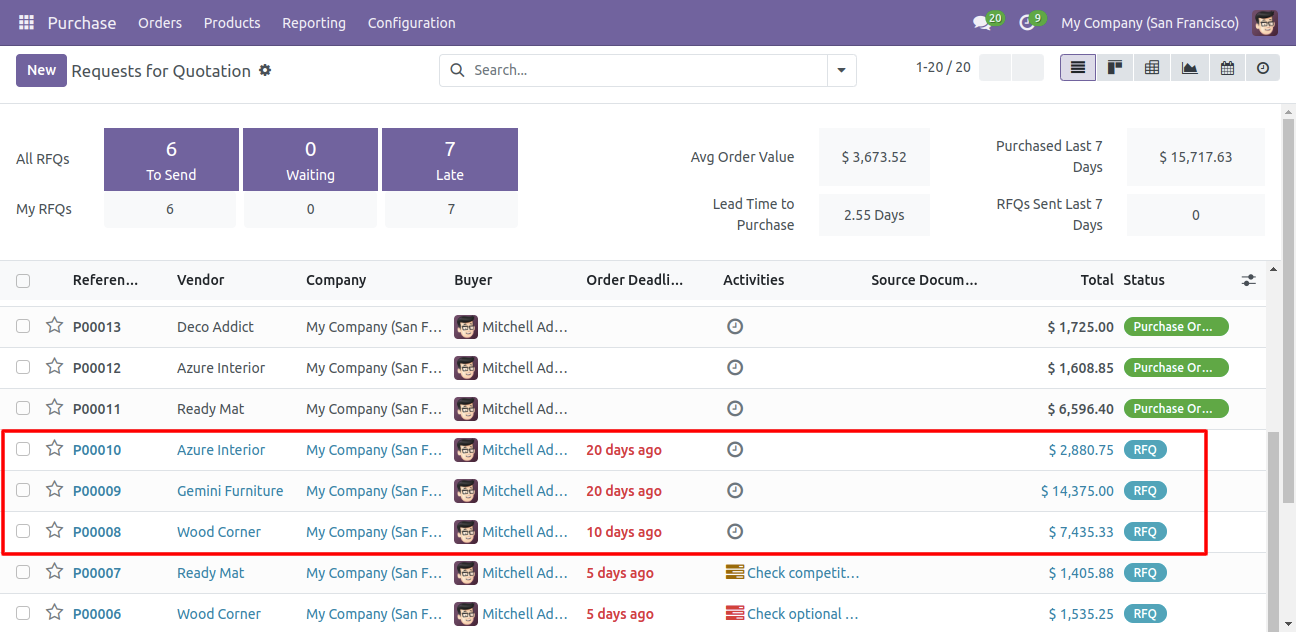
Now we 'cancel & reset draft' multiple purchase orders from the tree view.
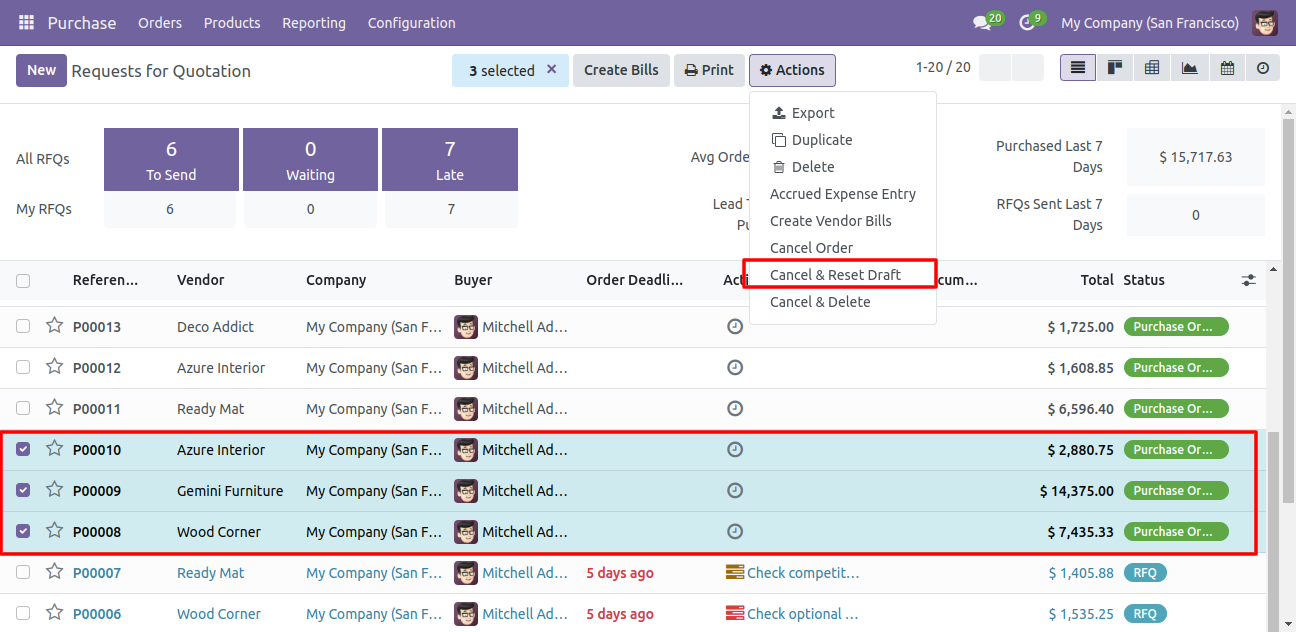
All selected purchase orders are cancelled and reset to the draft.
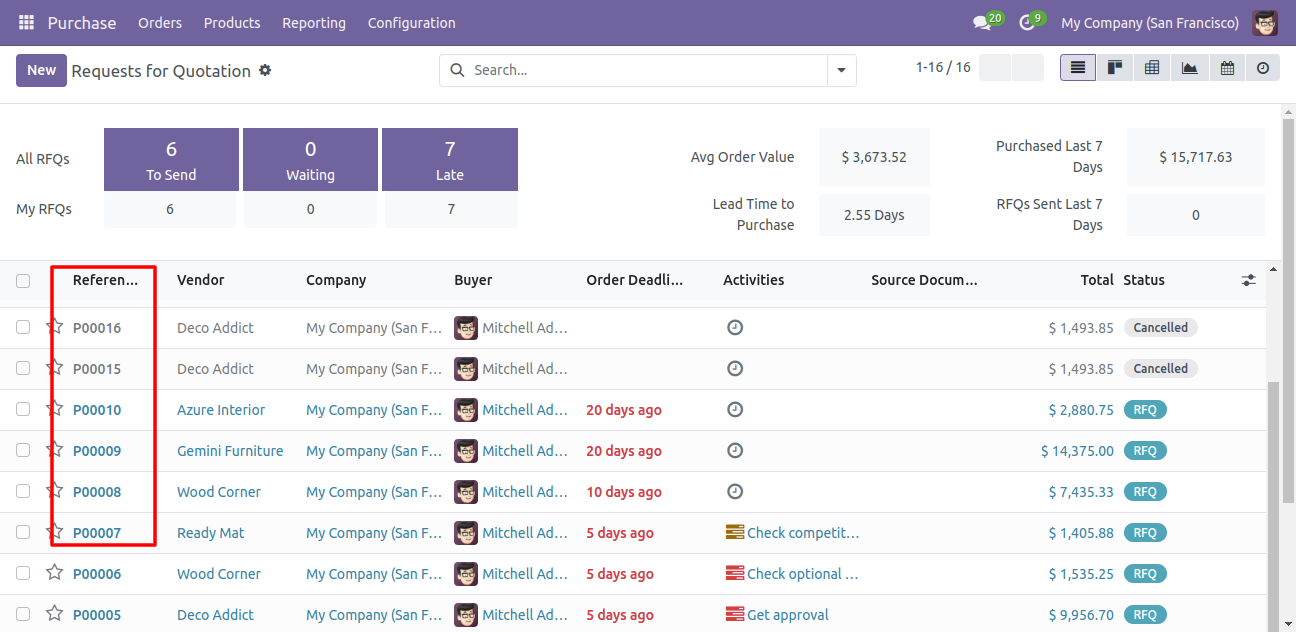
Now we 'cancel & delete' multiple purchase orders from the tree view.
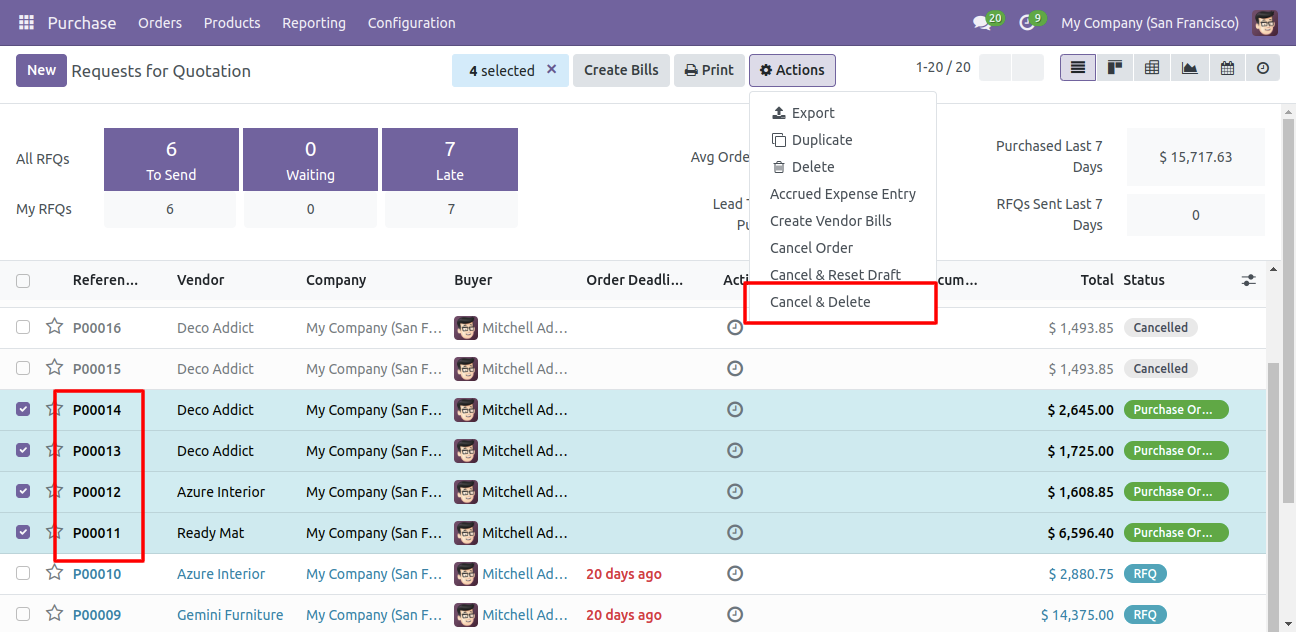
All purchase orders will be deleted after cancelled.
Version 17.0.2 | Released on : 23thAugust 2024
Version 17.0.1 | Released on : 3rd November 2023
- Yes, this app works perfectly with Odoo Enterprise (Odoo.sh & On-Premise) as well as Community.
- No, this application is not compatible with odoo.com(odoo saas/Odoo Online).
- Please Contact Us at sales@softhealer.com to request customization.
- Yes, you will get free update for lifetime.
- No, you don't need to install addition libraries.
- For version 12 or upper, you will need to purchase the module for each version that you want to use.
- Yes, we provide free support for 100 days.
- No, We do not provide any kind of exchange.
