






CalDAV Calendar Odoo Integration

Connect Odoo with CalDAV to seamlessly synchronize your Odoo Calendar with external CalDAV servers. Features two-way event synchronization, automatic attendee contact creation, background scheduled cron sync, and a real-time dashboard.

Features

CalDAV Configuration
Configure the CalDAV server URL, calendar ID, username, and password to establish the external calendar connection.

Calendar Event Import
Import calendar events from the connected CalDAV account using the dedicated import option.

Calendar Event Export
Export Odoo calendar events to the connected CalDAV account using the configured synchronization settings.
Automatic Synchronization
Configure automatic import and export of calendar events through scheduled synchronization settings.

Contact Creation
Automatically create Odoo contacts from attendees when importing calendar events from the connected CalDAV account.
Event Deletion Sync
Keep Odoo and the connected CalDAV account aligned by synchronizing deleted calendar events between both systems.
Synchronization Controls
Control synchronization behavior with options to restrict attendee sync and ignore meeting invitations.
Sync History
Track the latest import and export dates and review synchronization logs from the CalDAV configuration.
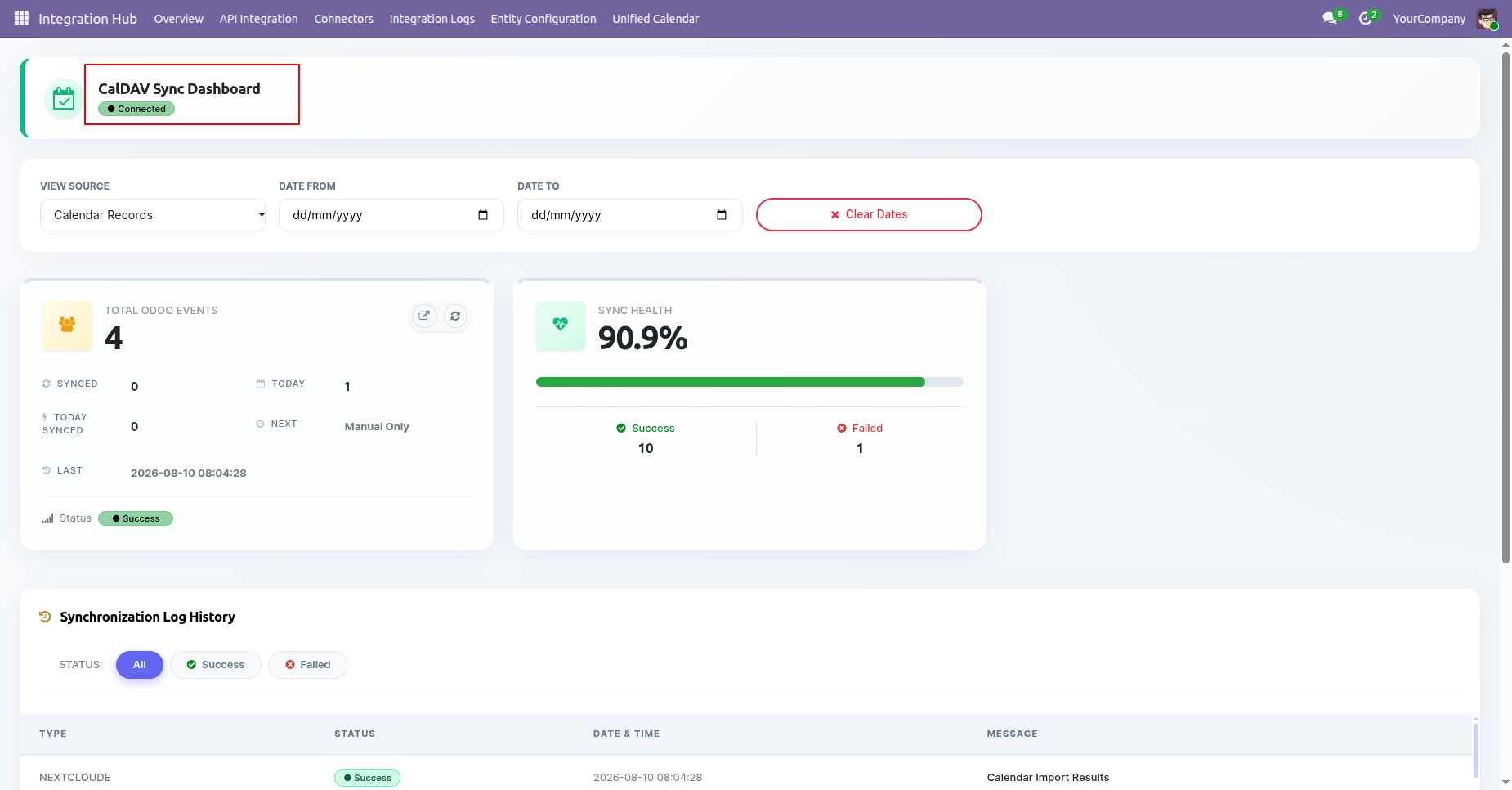
Calendar Dashboard
Monitor calendar synchronization activities and log history information from a centralized dashboard.
Monitor your CalDAV integration at a glance with real-time sync health percentages, event metrics, and quick log history.
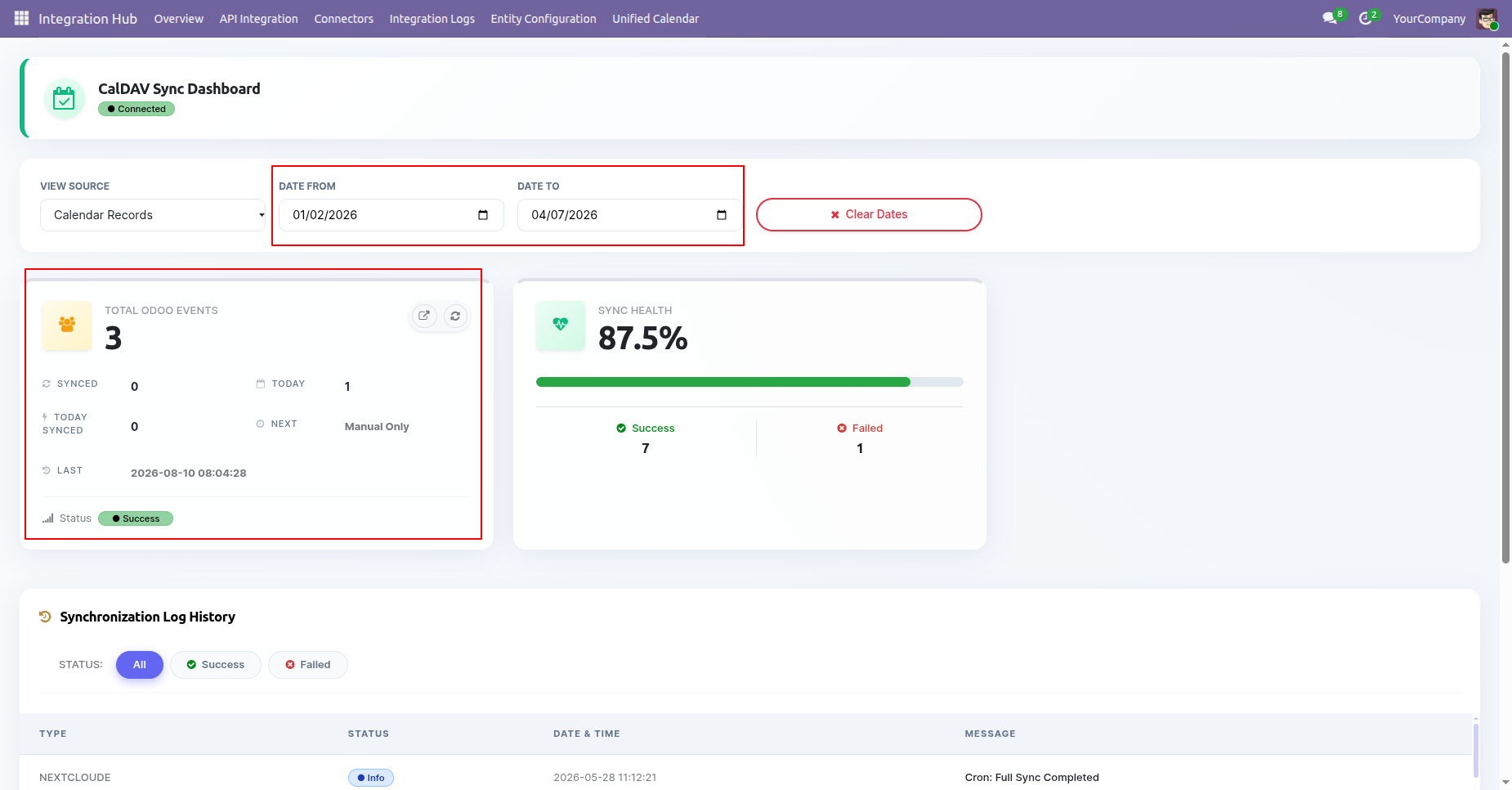
Filter dashboard metrics and synchronization log history by custom date ranges for precise monitoring.
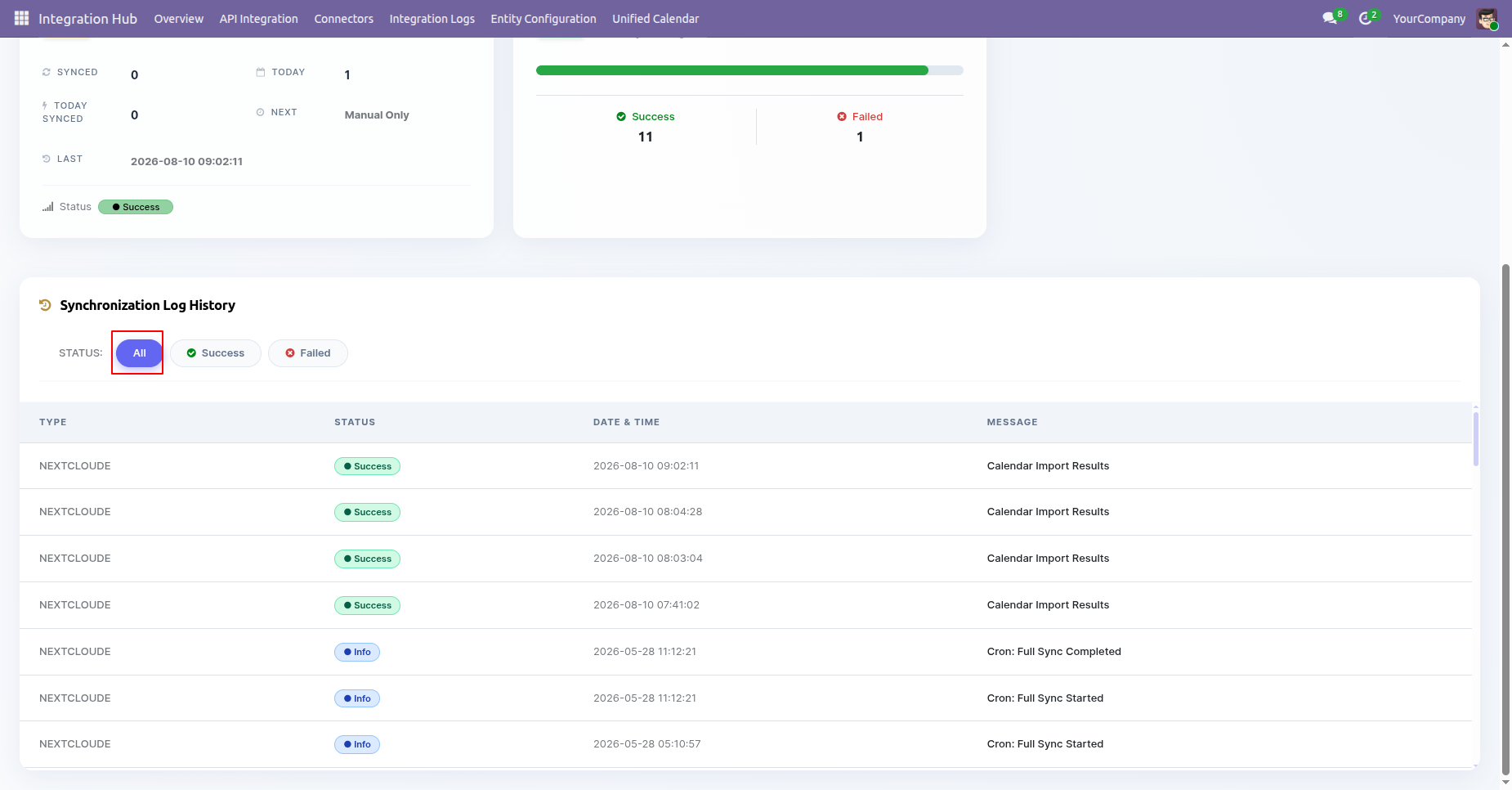
Filter synchronization log history by status to quickly inspect failed or successful sync activities.
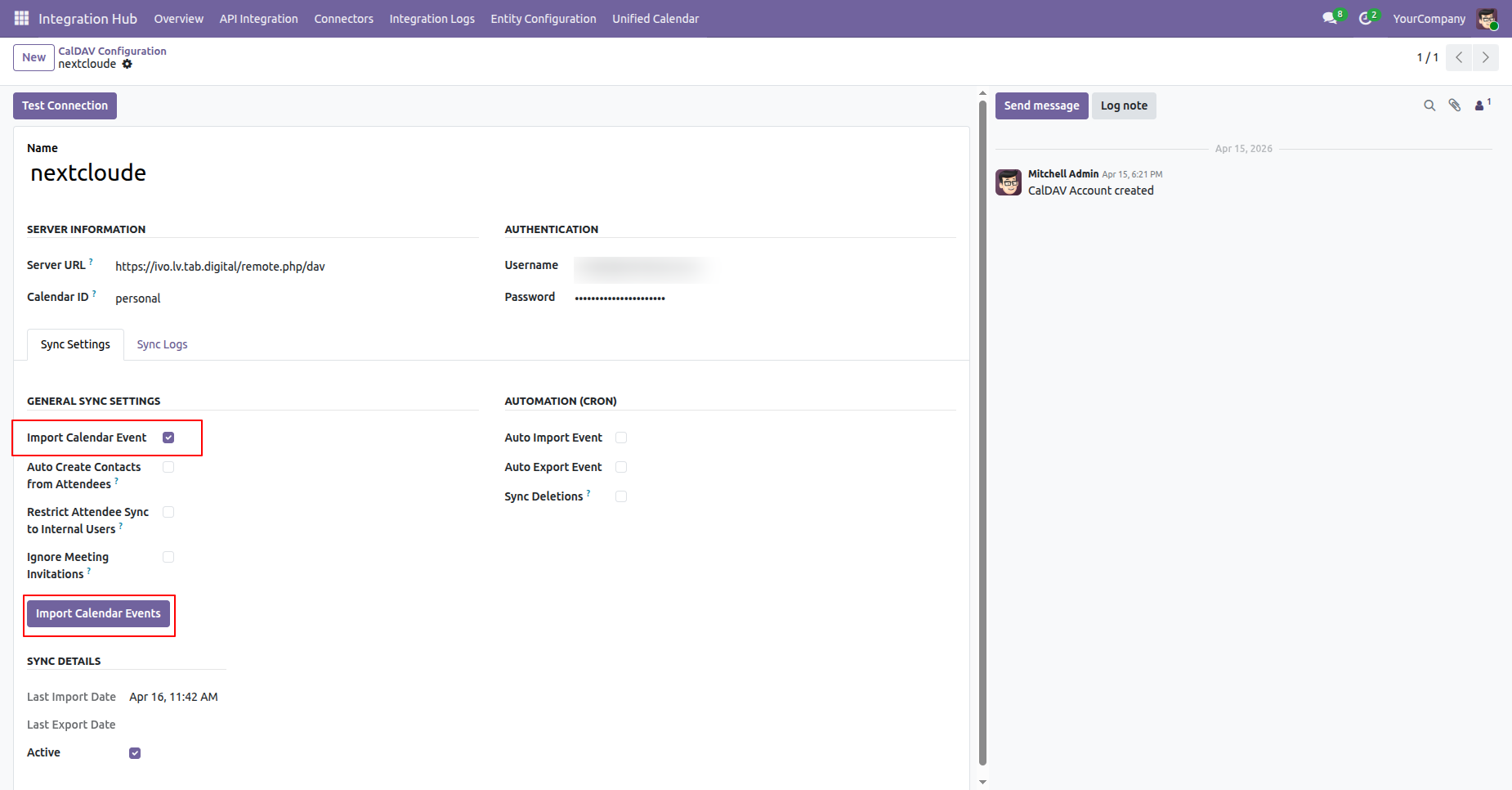
Configure CalDAV account details including Server URL, credentials, Calendar ID, and initiate manual calendar imports.
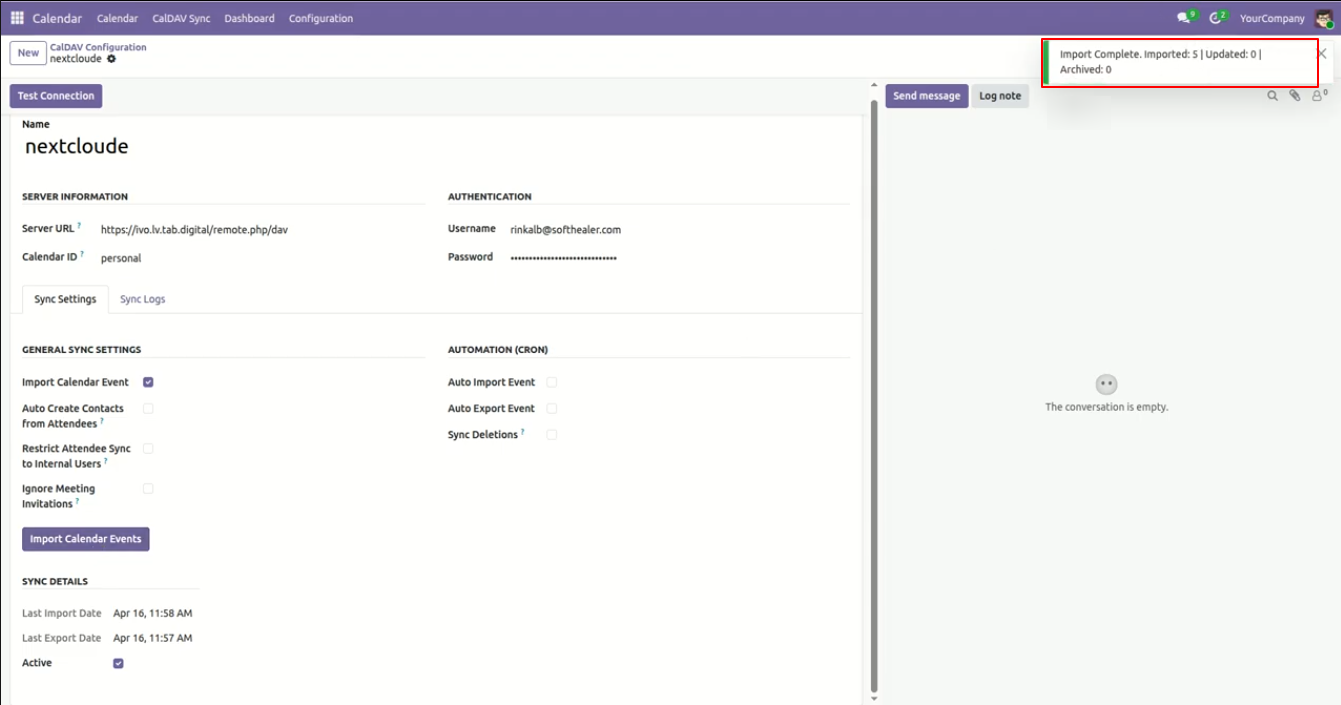
View instant notification status popups confirming the count of imported, updated, and archived events upon synchronization.
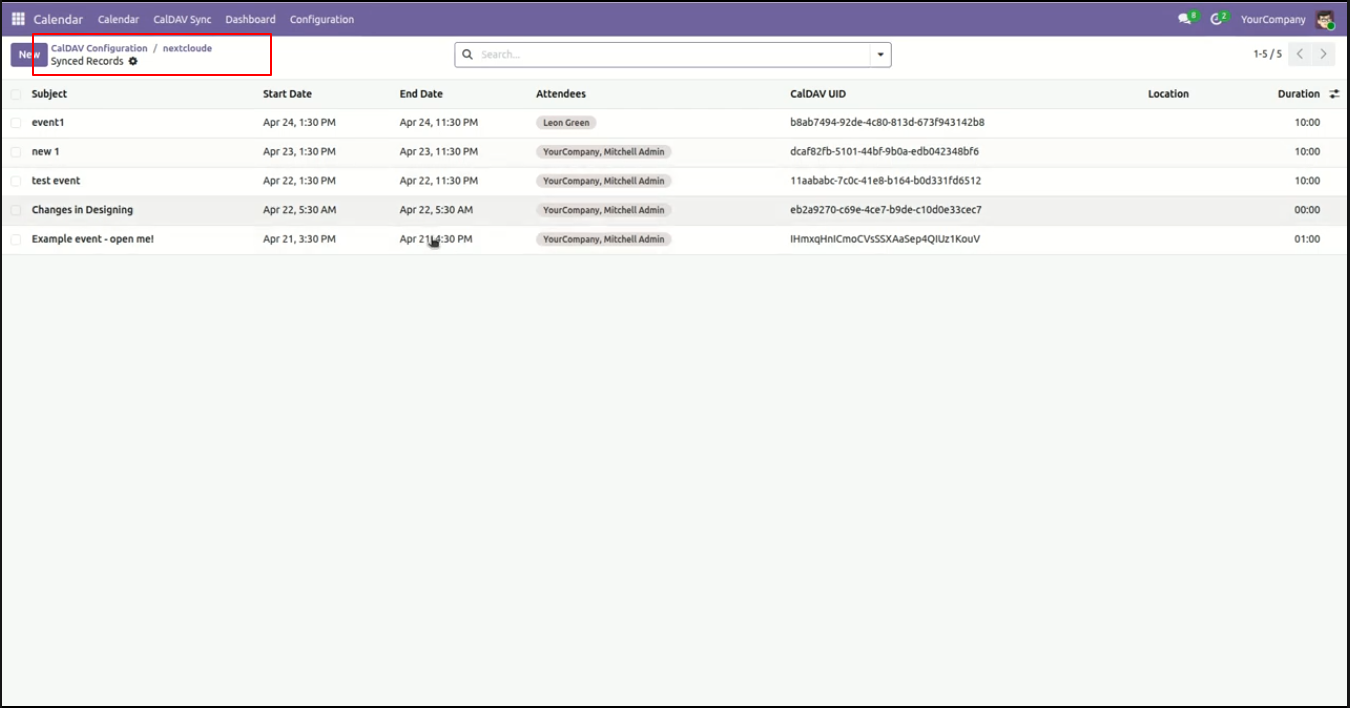
Review all synchronized calendar event records with complete details including start/end dates, attendees, and unique CalDAV UIDs.
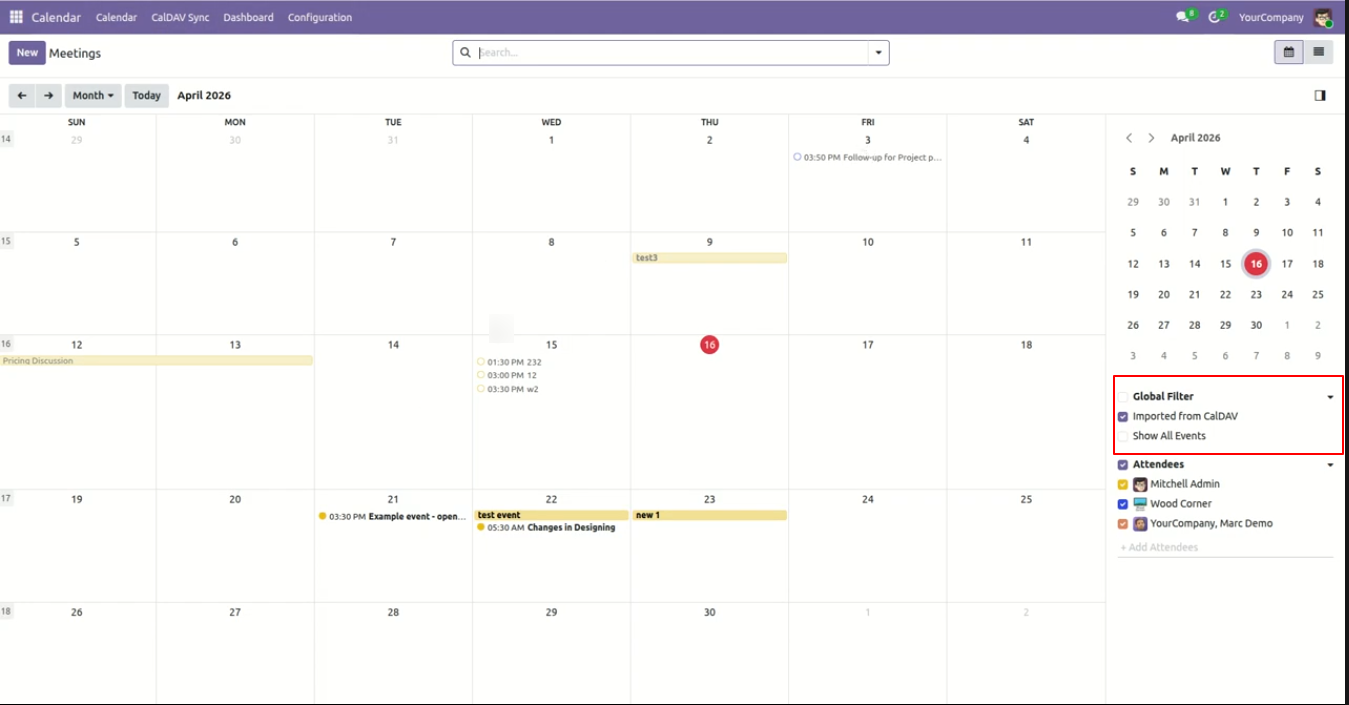
Filter your calendar view easily to display only events imported from CalDAV or all calendar events.
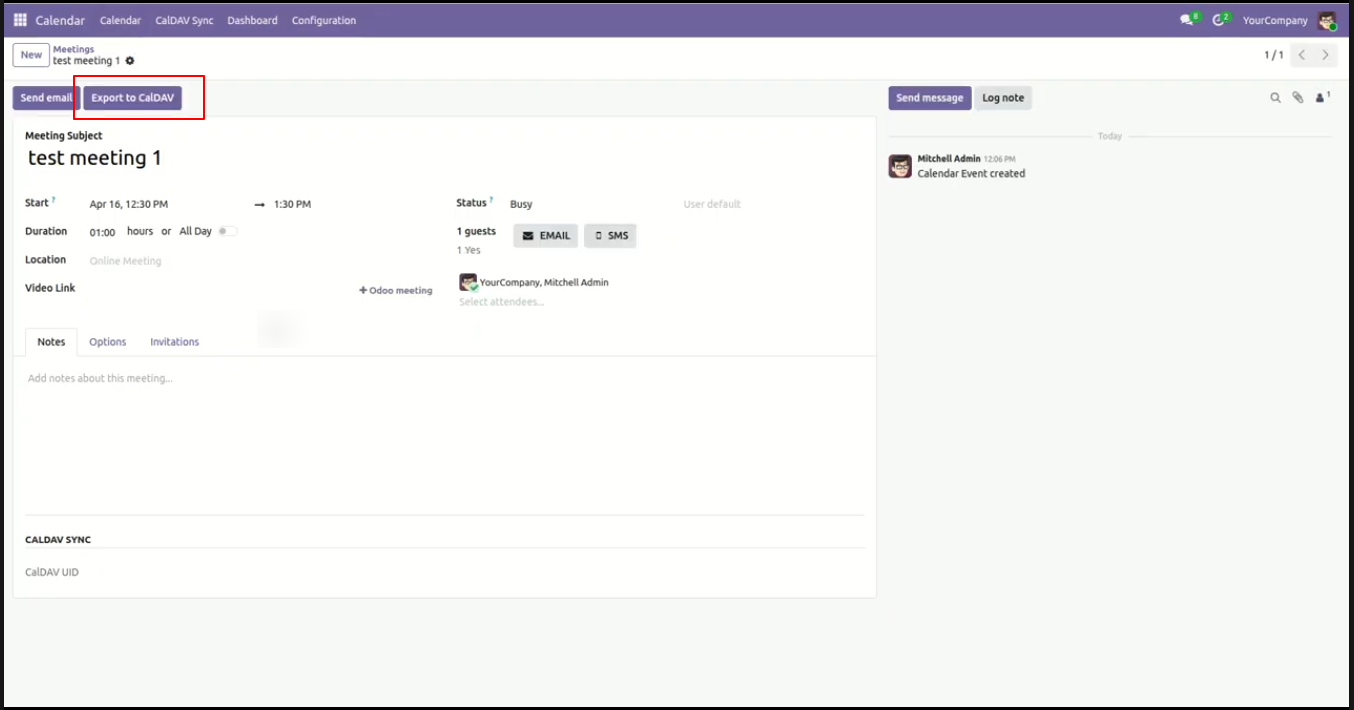
Export individual meetings directly from the Odoo event form view using the 'Export to CalDAV' action button.
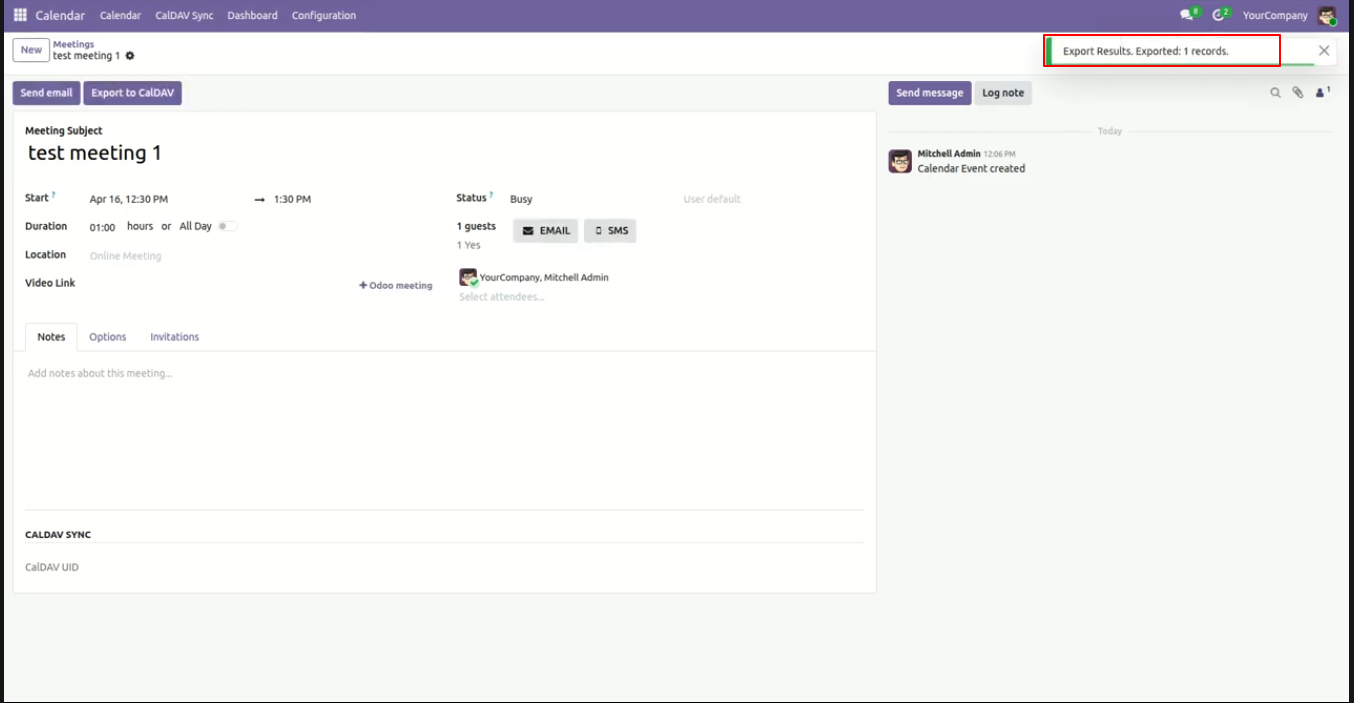
Receive real-time confirmation toasts when calendar events are successfully exported to your CalDAV server.
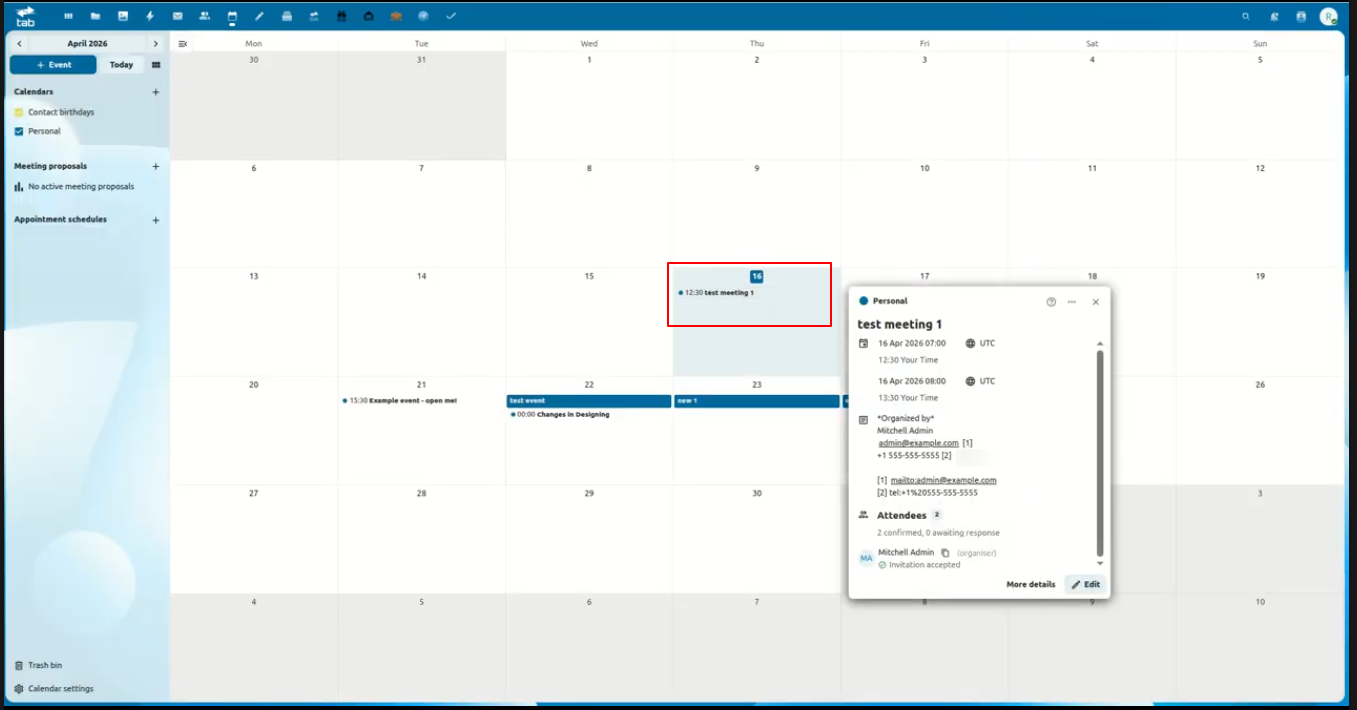
View exported Odoo meeting events seamlessly reflected in your external CalDAV web/mobile calendar interface.
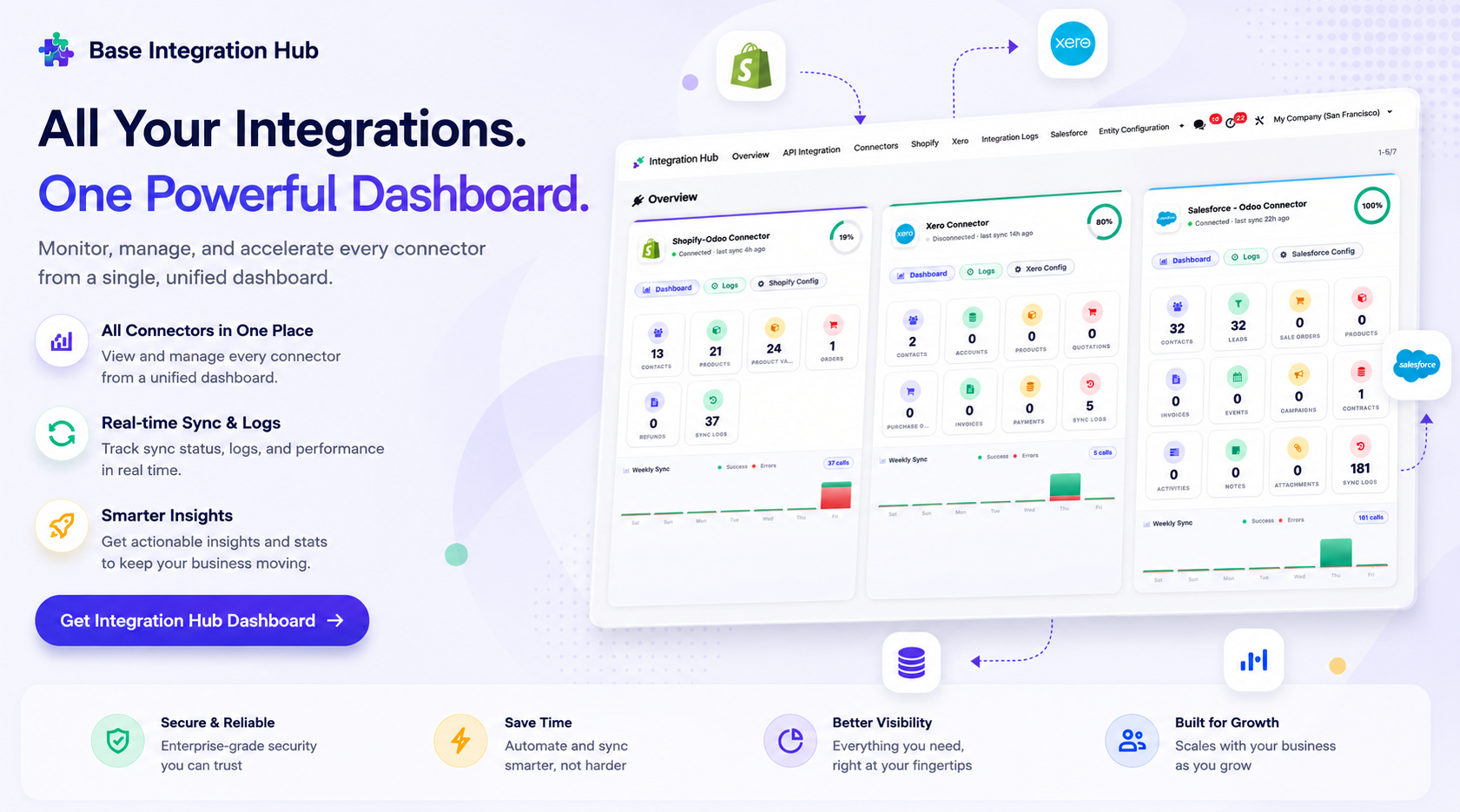
Centralized dashboard to manage and monitor all connectors from one place. Quickly access sync summary, activity logs, and configuration controls with improved visibility.
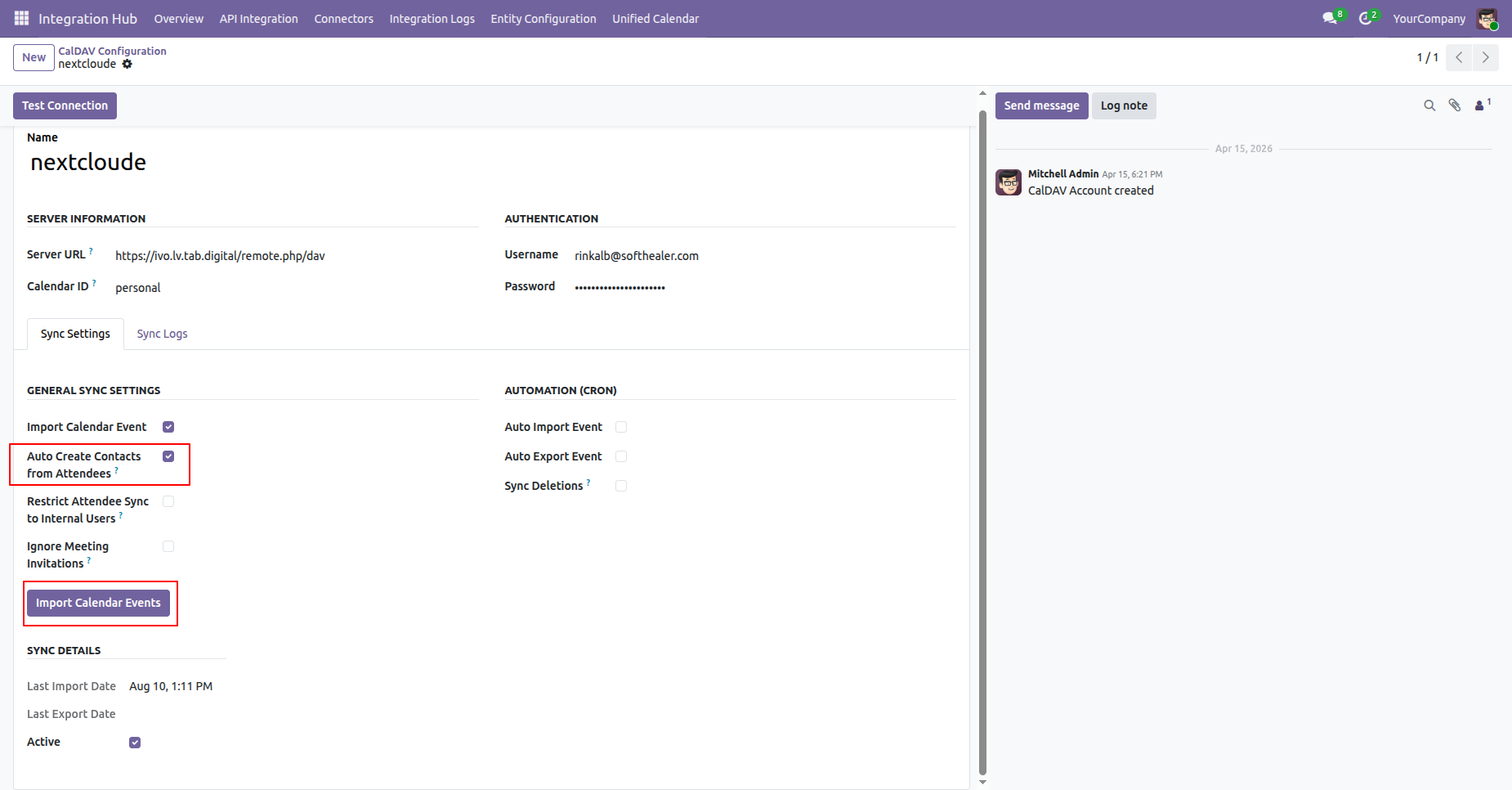
Enable 'Auto Create Contacts from Attendees' to automatically generate Odoo contacts for unknown event attendees.
Log entries capture details when new attendees are automatically converted into Odoo contact records during sync.
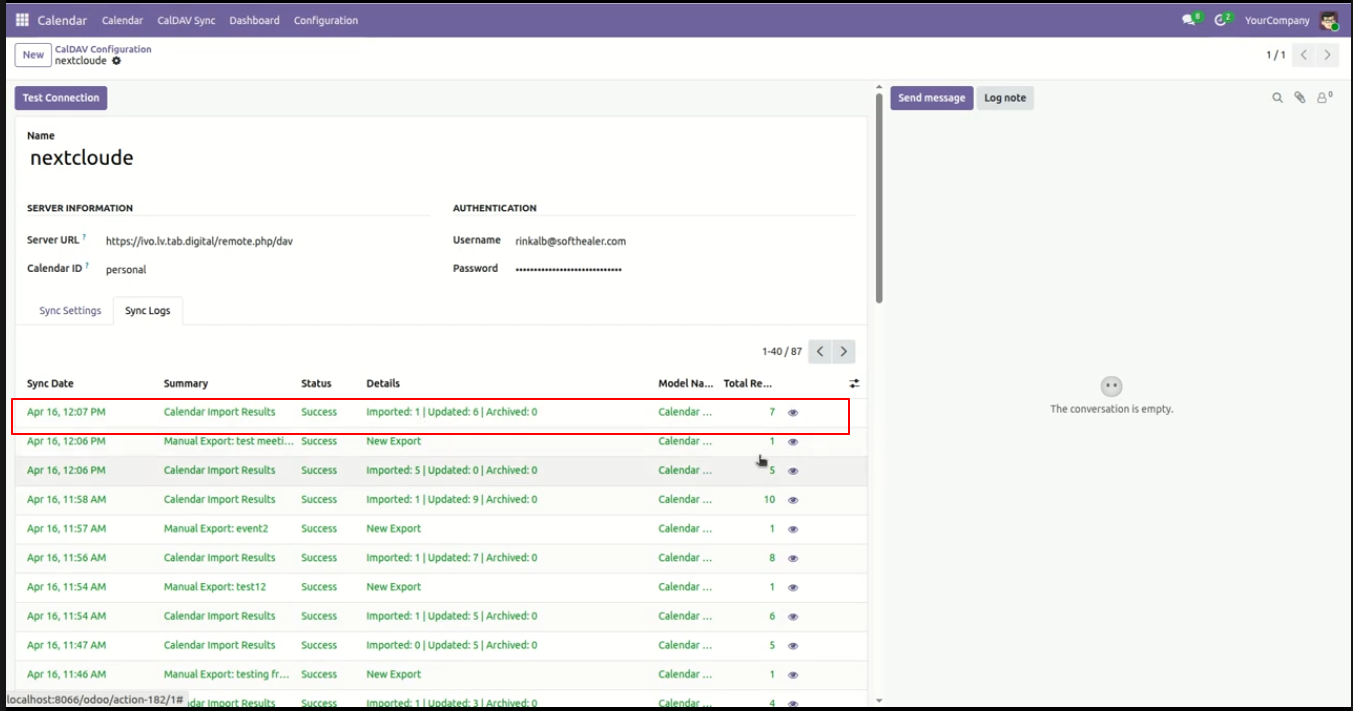
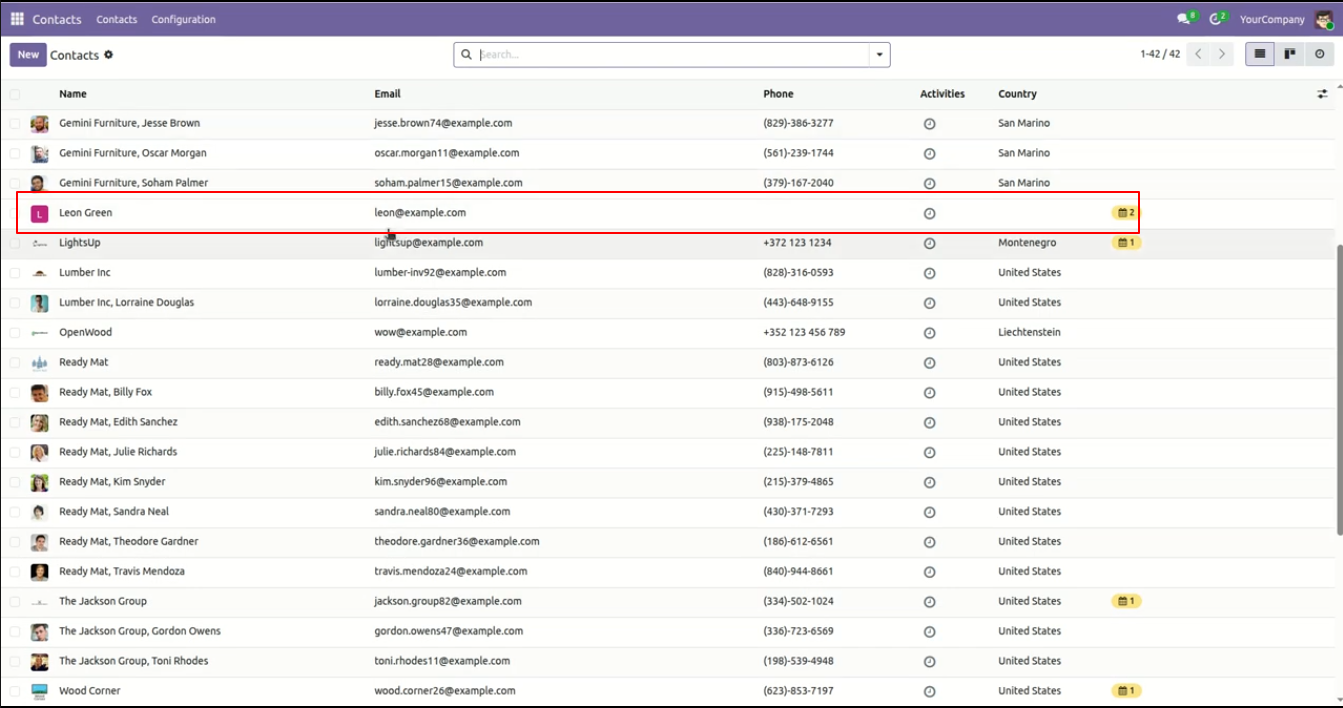
Auto-created contacts appear immediately in Odoo Contacts list with automatically assigned email and details.
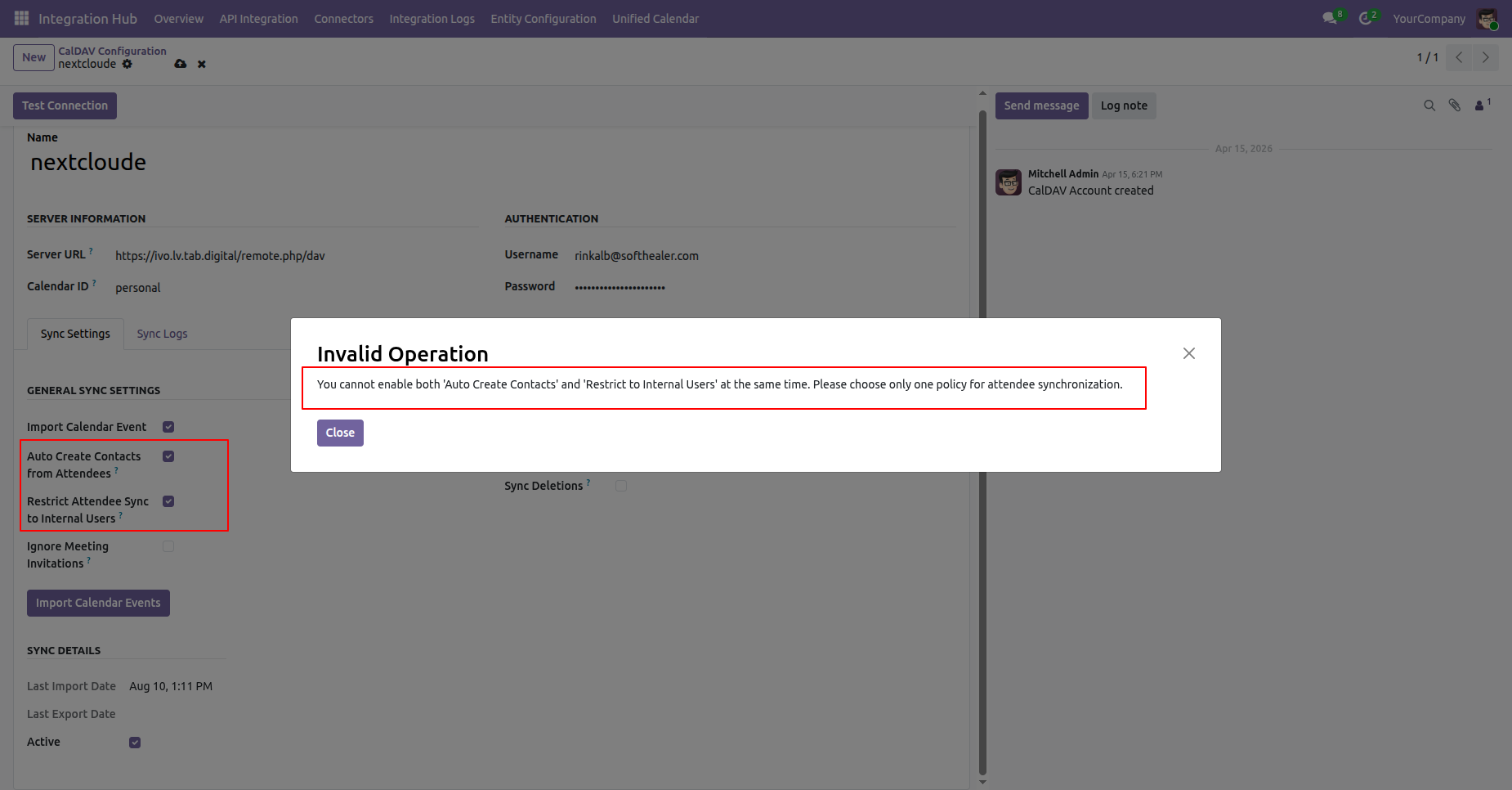
Built-in validation prevents conflicting attendee policies by ensuring only one policy is selected at a time.
Enable 'Ignore Meeting Invitations' to prevent automated meeting invitation emails during event imports.
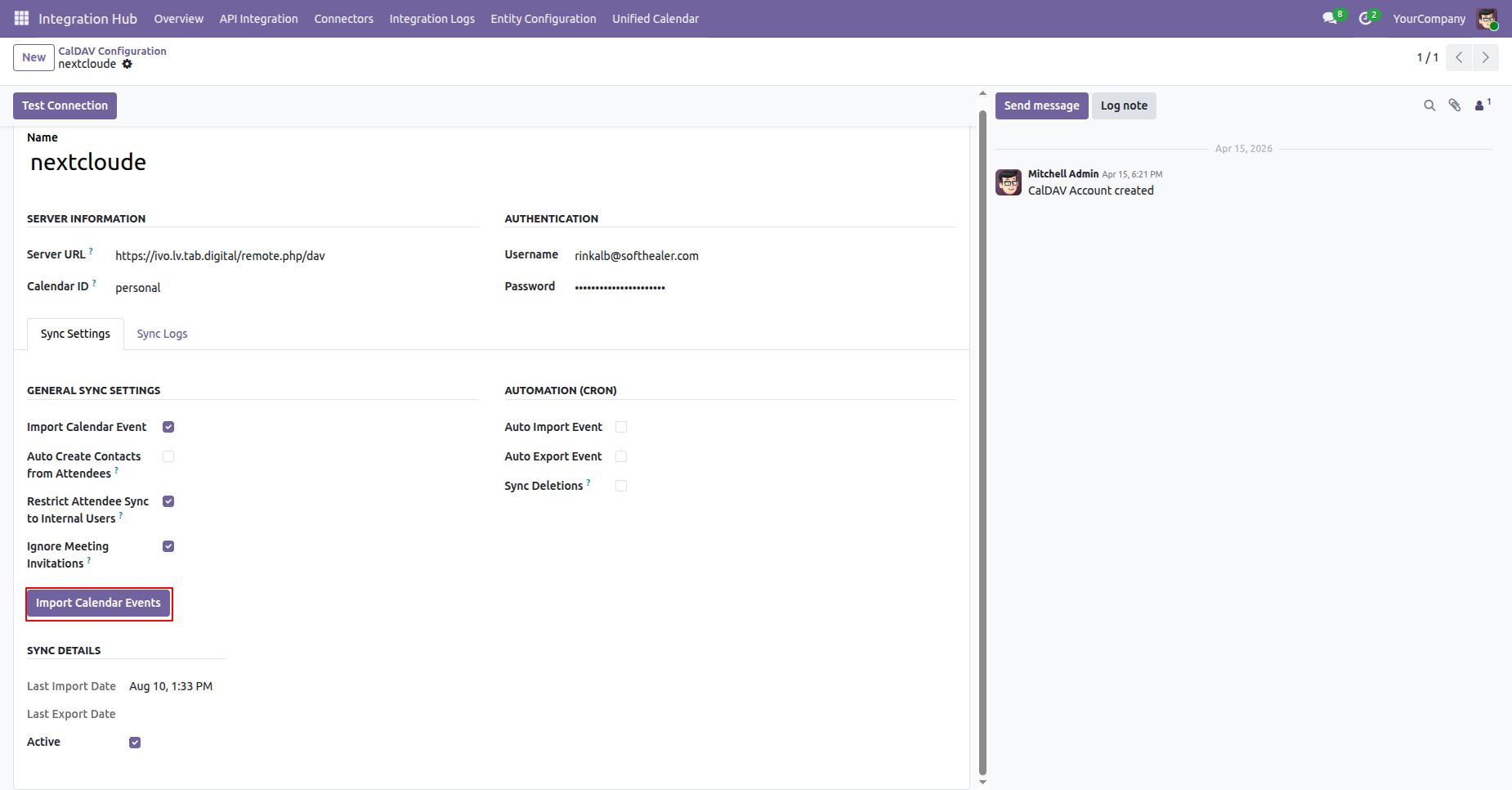
Manage meeting invitations and attendee participation without triggering unintended notification emails.
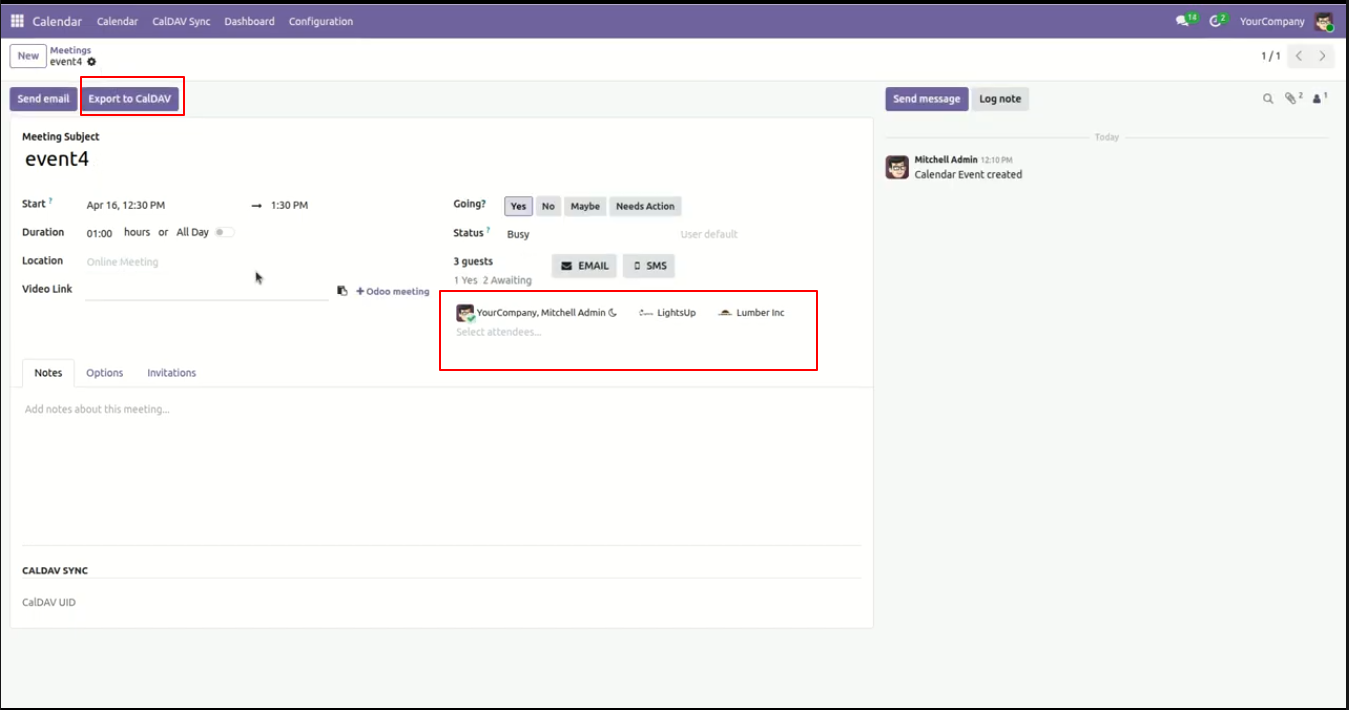
Configure the 'Restrict Attendee Sync to Internal Users' option to synchronize only internal team member attendees.
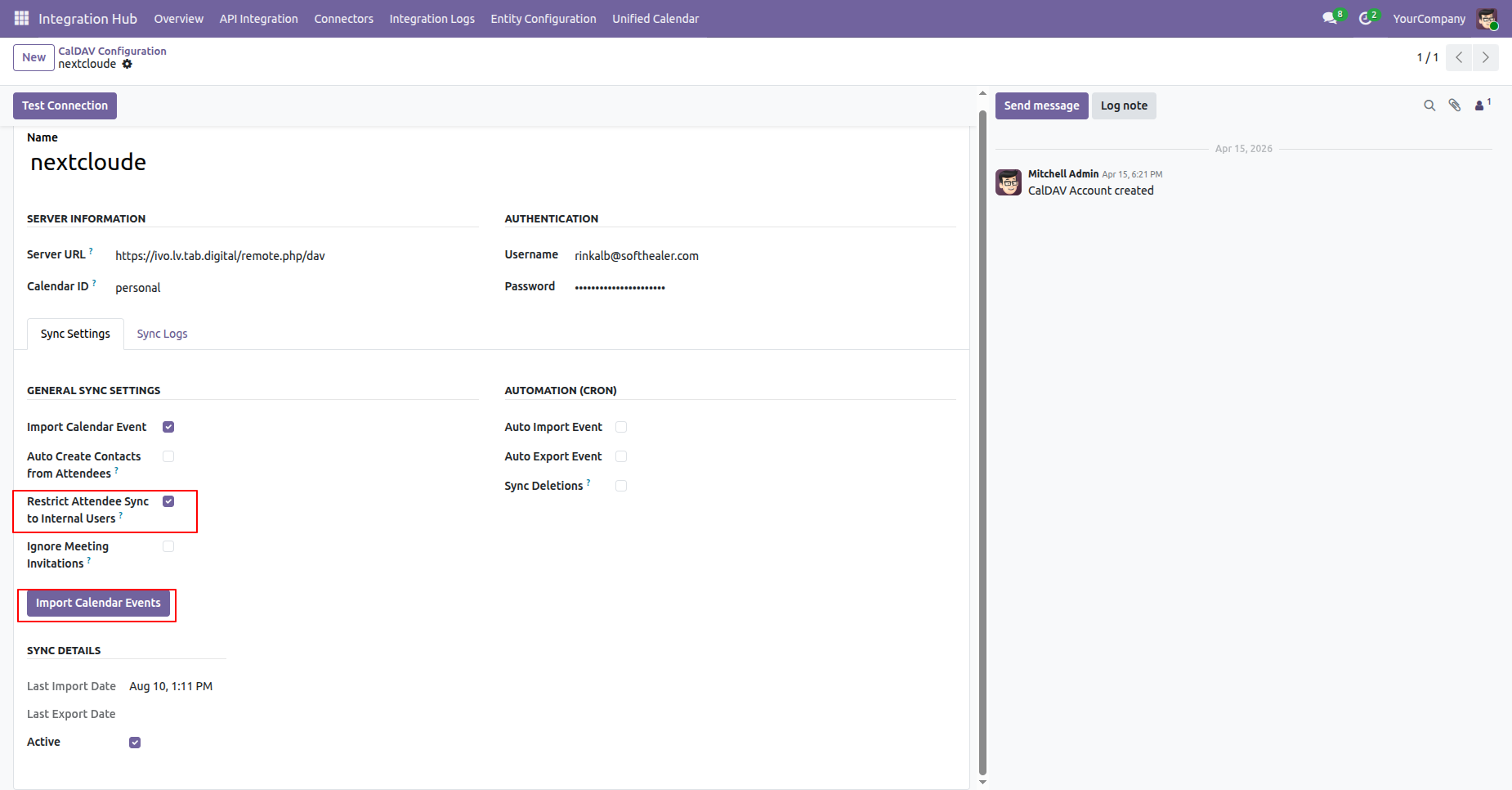
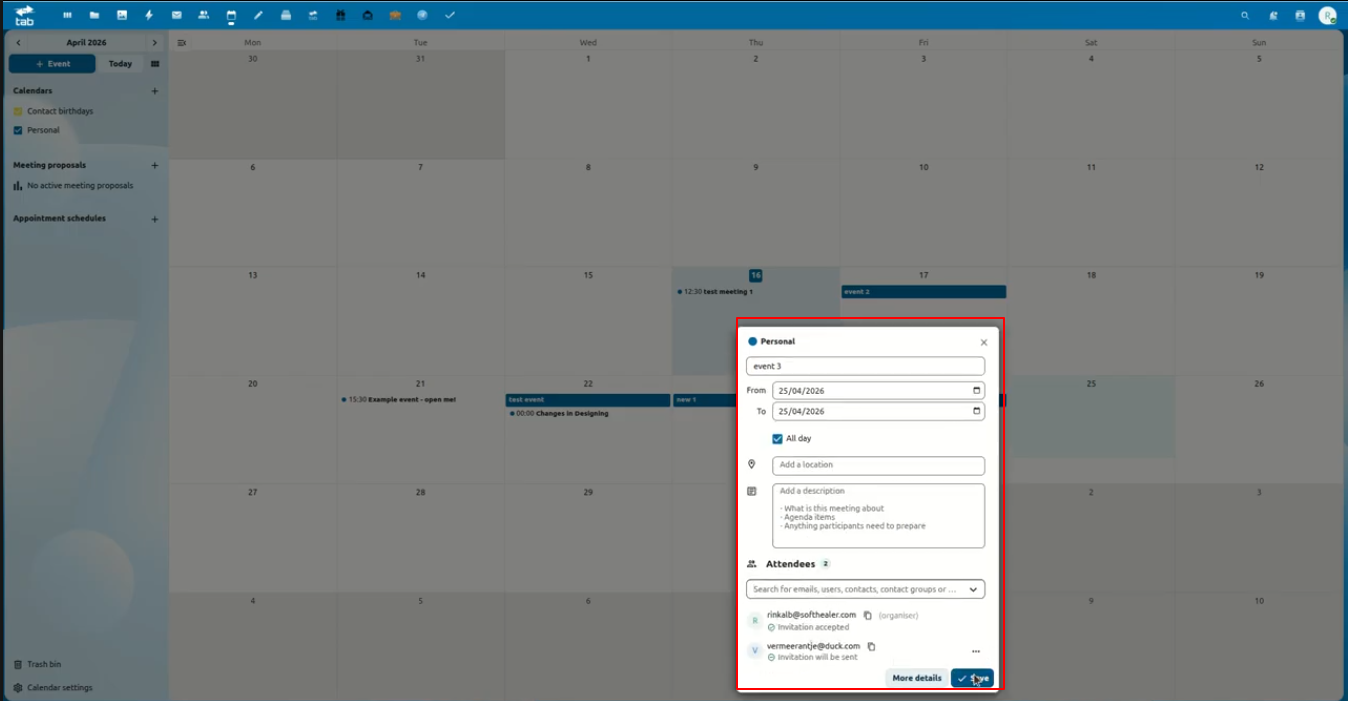
Create events with external attendees on your CalDAV server to test internal user restriction rules.
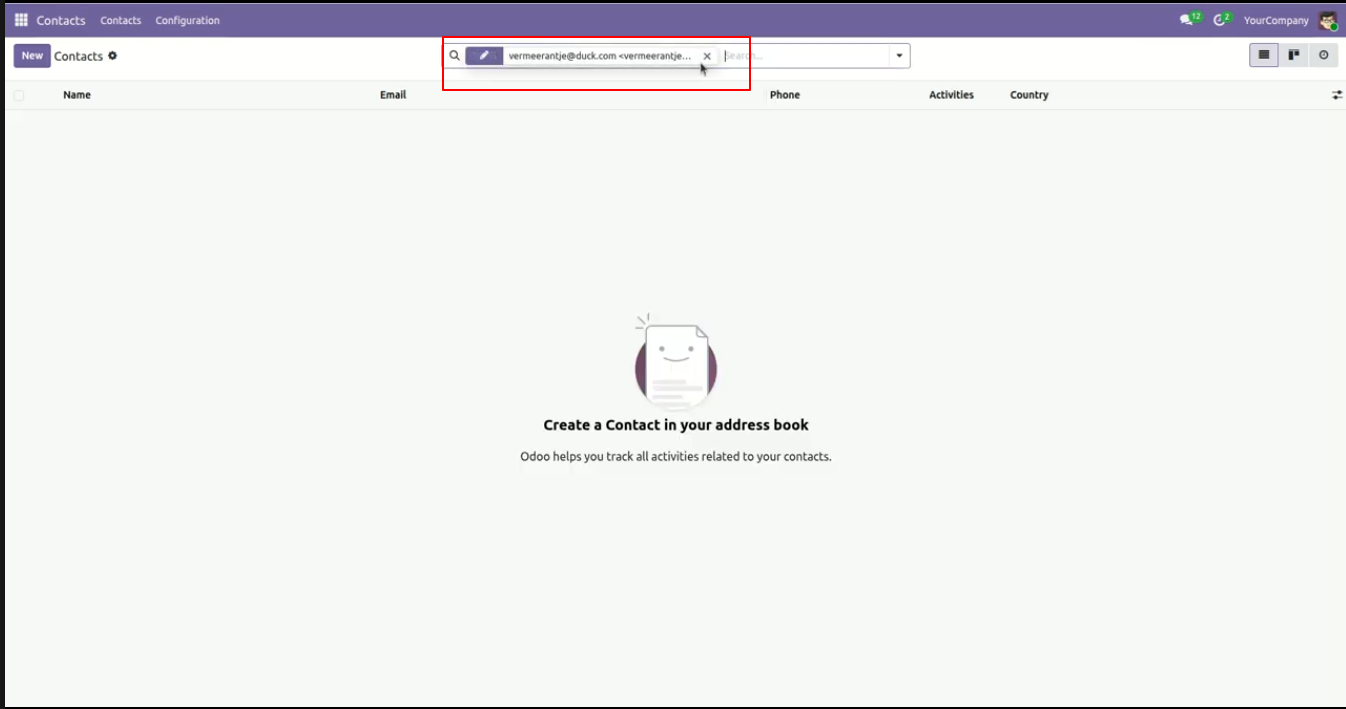
With internal restriction enabled, external attendees are filtered out, preserving a clean contact database.
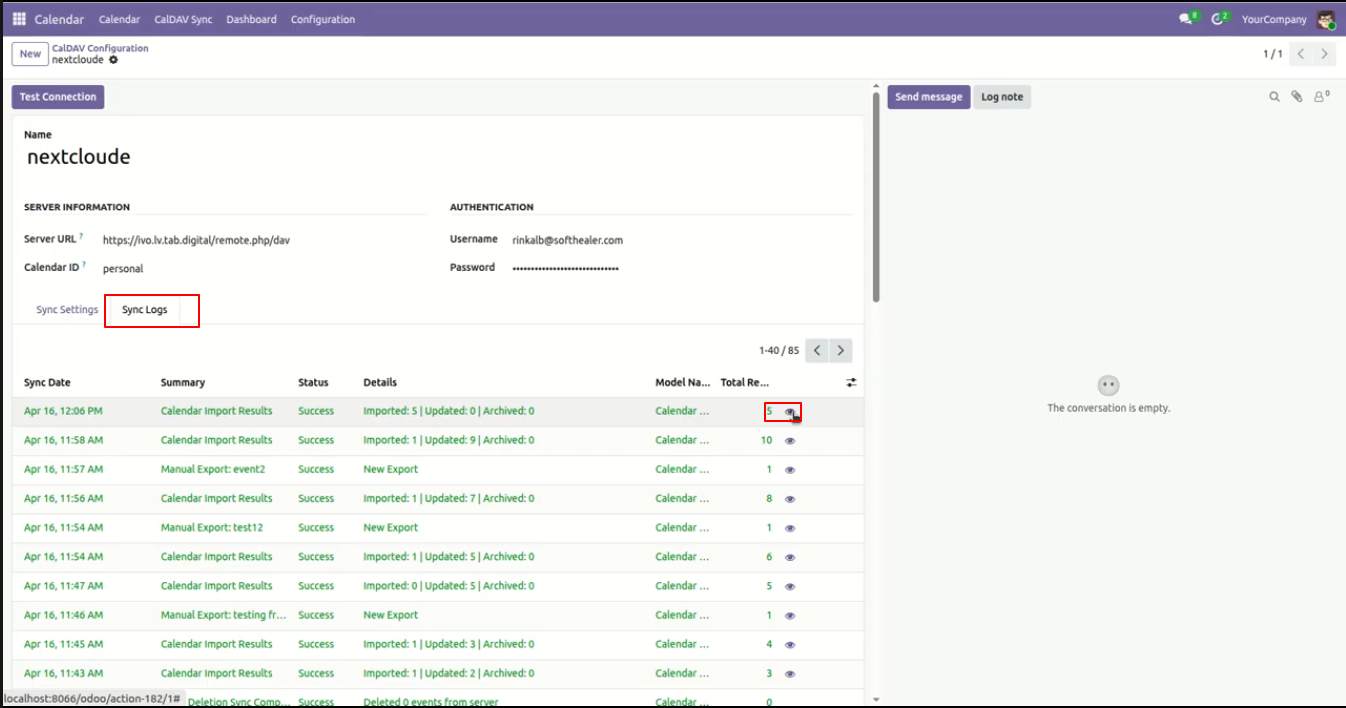
Track full synchronization history logs with detailed execution status, timestamps, and direct links to affected records.
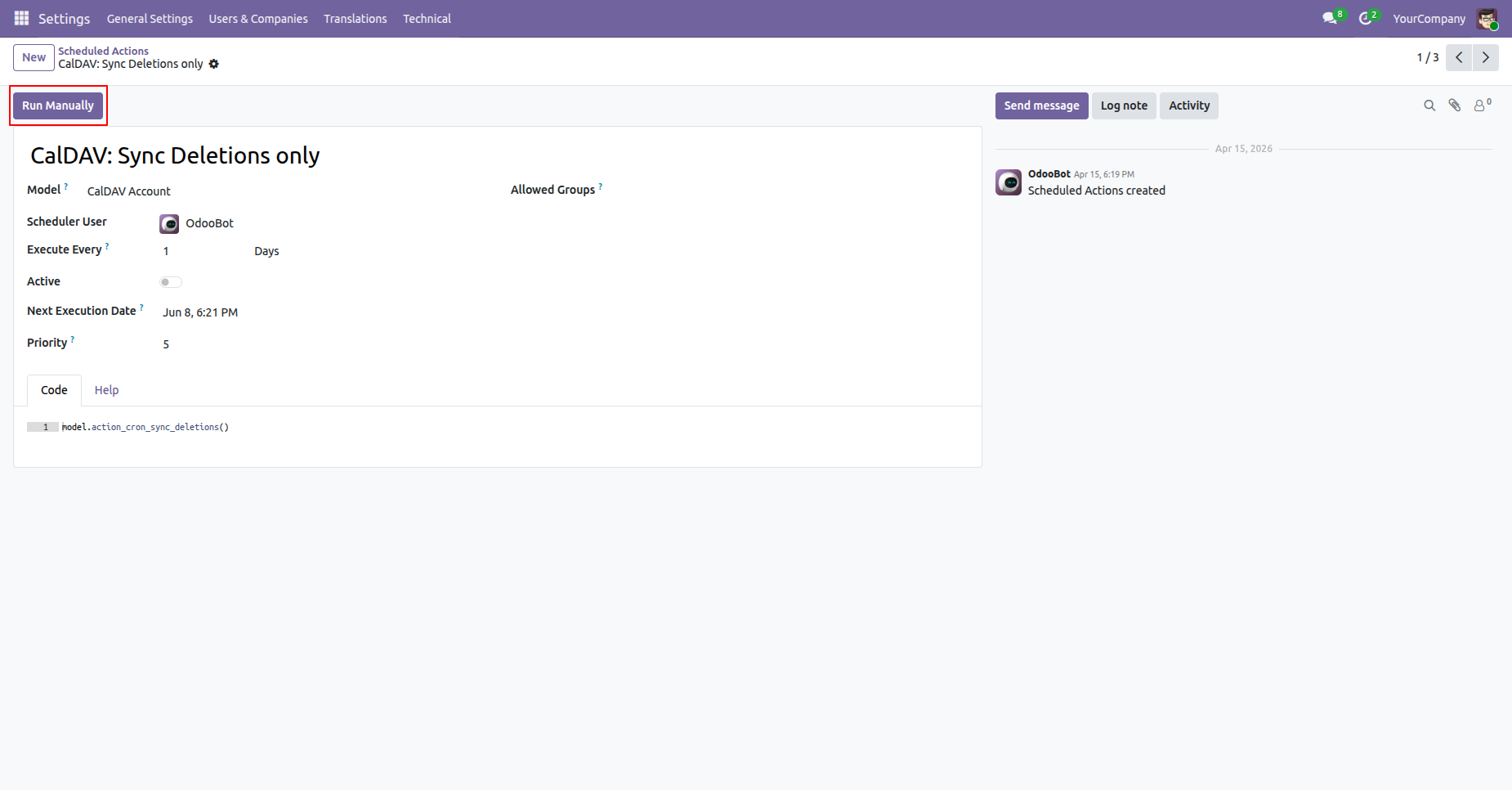
Automate event deletion sync with dedicated background scheduled actions to keep calendars clean.
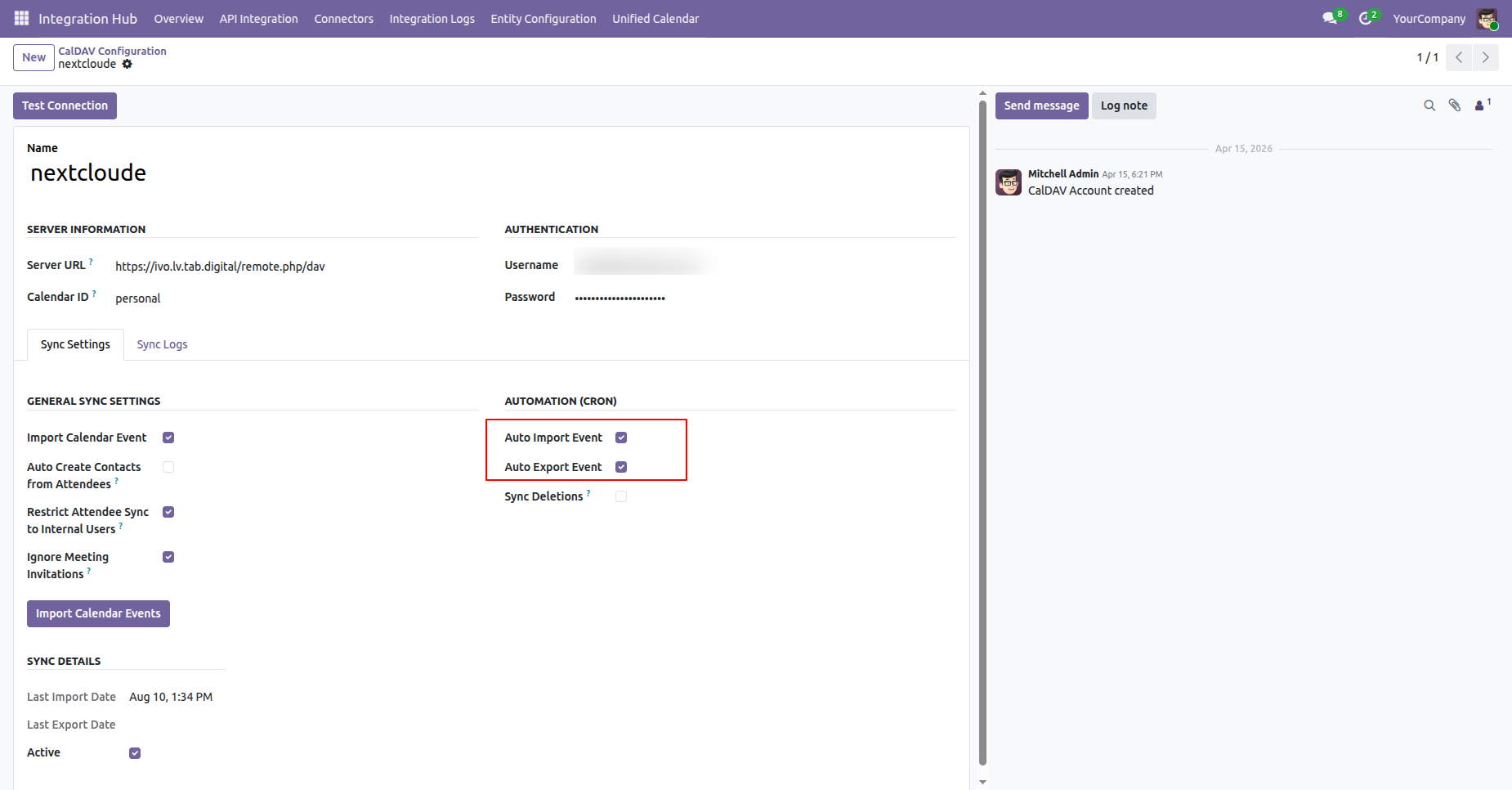
Enable background automated synchronization using scheduled actions for hands-free auto import and export.
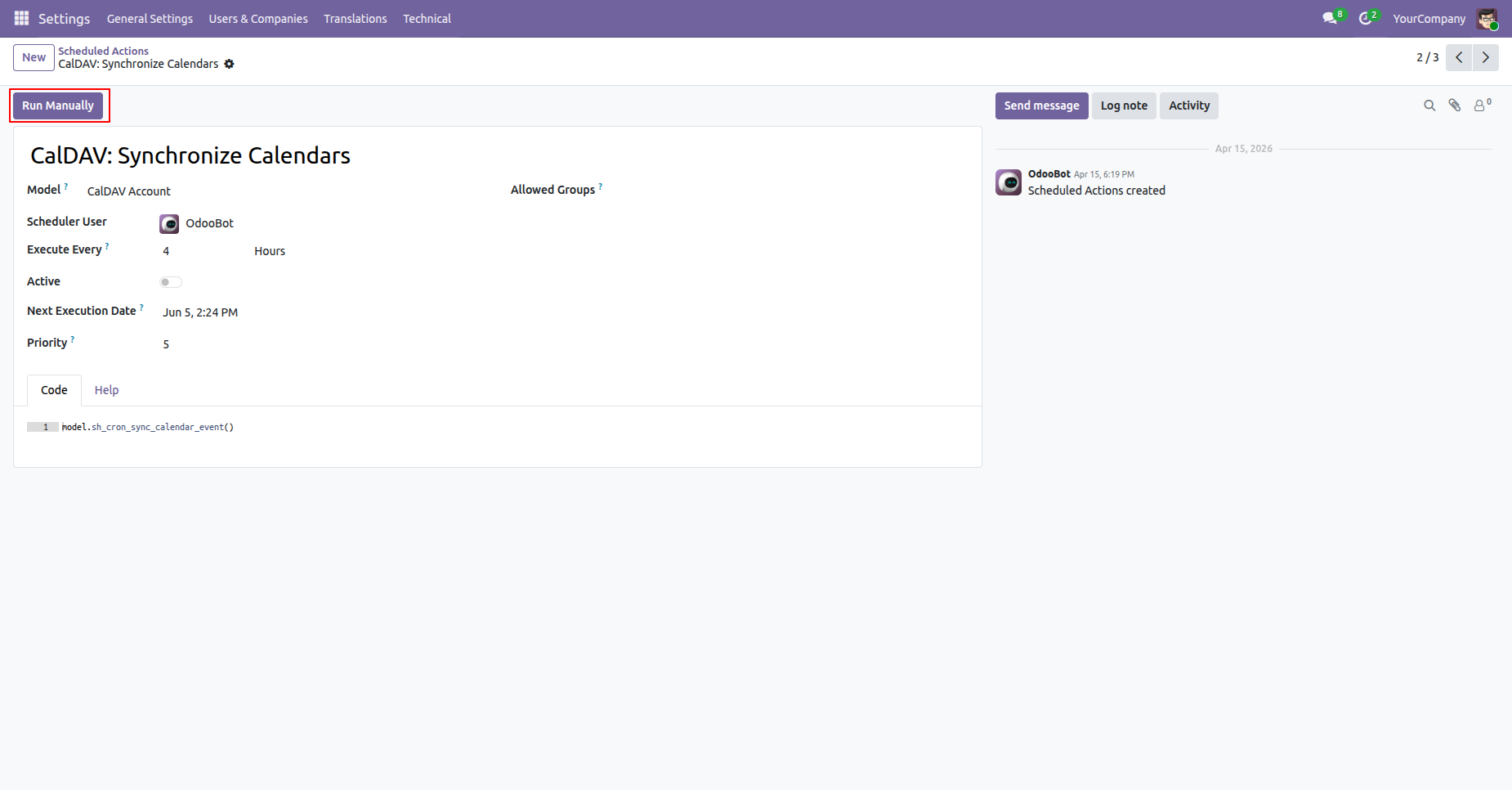
Manage background scheduled actions to periodically synchronize calendar events between Odoo and CalDAV.
Version 18.0.1.0.0 | Released on : 14th August 2026
- Yes, this app works perfectly with Odoo Enterprise (Odoo.sh & Premise) as well as Community.
- No, this application is not compatible with odoo.com(odoo saas/Odoo Online)
- Yes, to test this module, please contact us at sales@softhealer.com.
- Please contact us at sales@softhealer.com to request customization.
- Yes, we provide free support for 365 days from the date of purchase.
- Yes, you will receive lifetime free updates for the version of the module you purchased.
- No, there is no need to install any additional libraries.
- Yes, for version 12 and above, you need to purchase the module separately for each version you intend to use.
- No, exchanges or refunds are not allowed. Please make sure to select the correct version before purchasing.
- You can contact us at support@softhealer.com for language translation support. We use Google Translator tools to provide translations in multiple languages, so the accuracy may vary. We welcome your suggestions to help improve translations.
Discover Our Latest Apps