








Brevo Odoo Connector

Brevo is an all-in-one marketing platform. Using this application, you can import and export your Brevo contacts and data with Odoo. This app enables synchronisation of contacts, mailing lists, campaigns, orders, products, webhook activities, and issue tracking between both systems. Sync your marketing automation easily with Odoo.
Related Modules
Key Features
Features

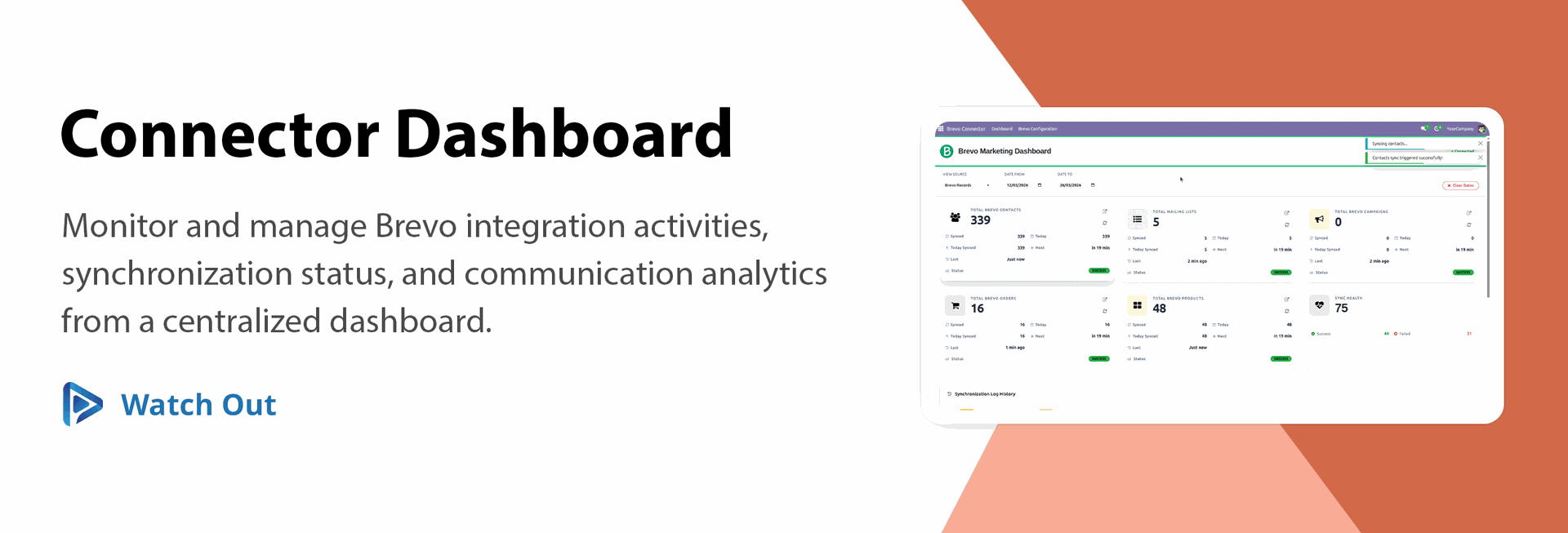
Brevo Connector Dashboard
Monitor and manage Brevo integration activities, synchronization status, and communication analytics from a centralized dashboard.
Bi-Directional Data Sync with Logs
Easily sync data between Odoo and Brevo in both directions based on your configuration with detailed logs for full tracking.
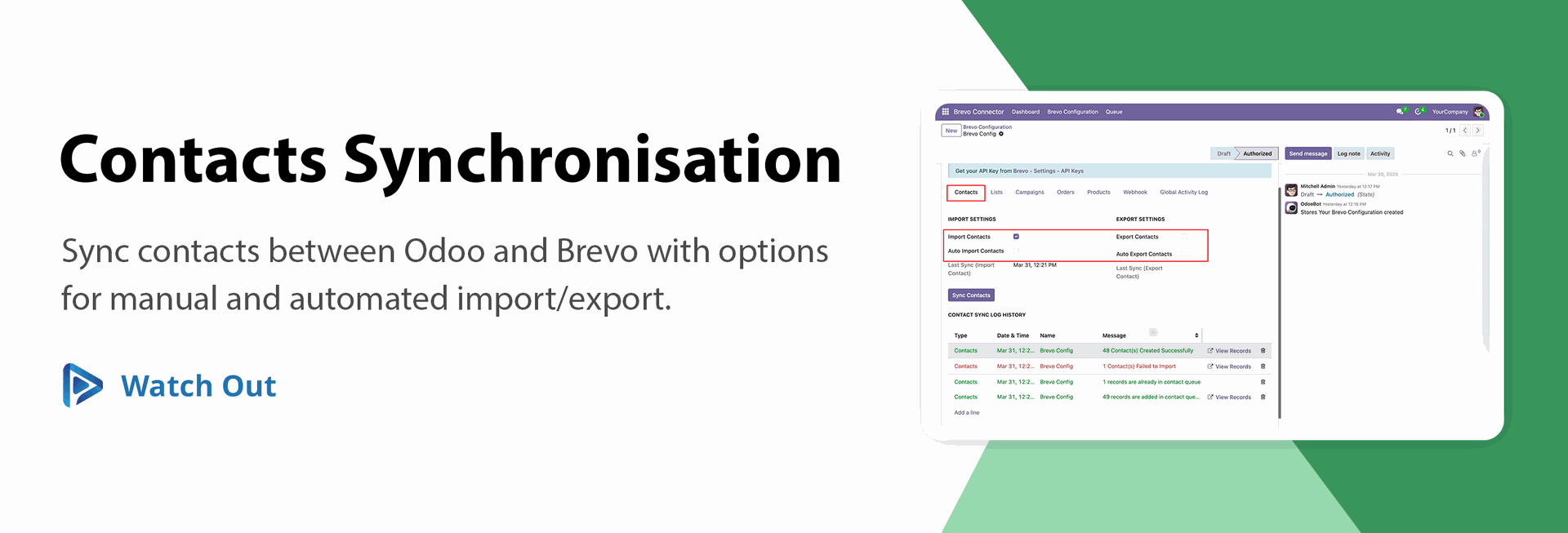
Contact Sync with Import & Export
Easily sync, import, and export your Odoo contacts with Brevo in real-time or through scheduled automation.
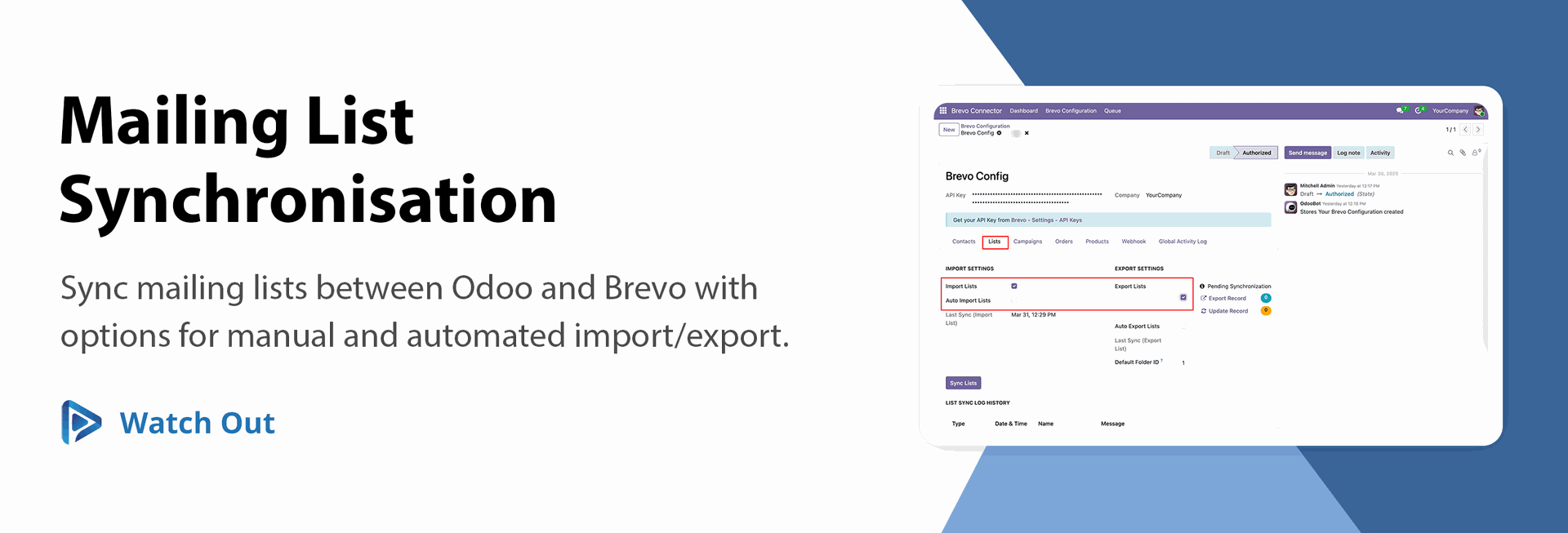
Mailing List Sync with Import & Export
Easily sync, import, and export mailing lists between Odoo and Brevo through manual or automated processes.

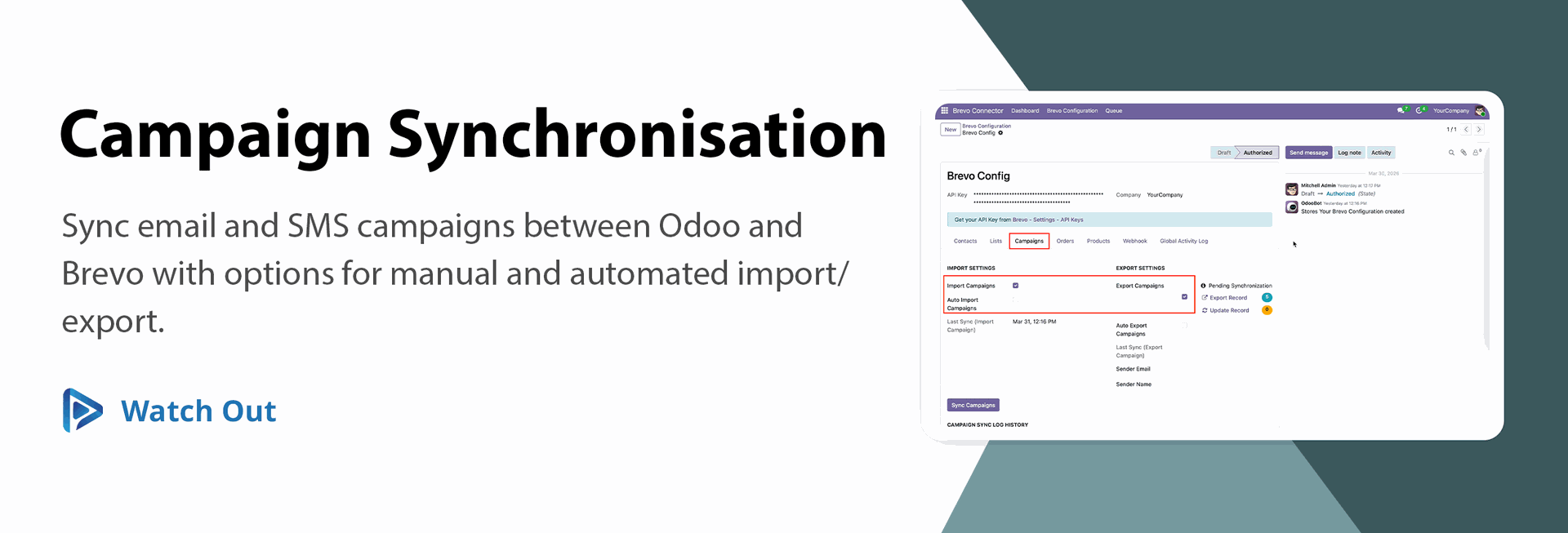
Campaign Sync with Import & Export
Sync, import, and export Brevo email and SMS campaigns to Odoo for improved reporting via manual or automated processes.
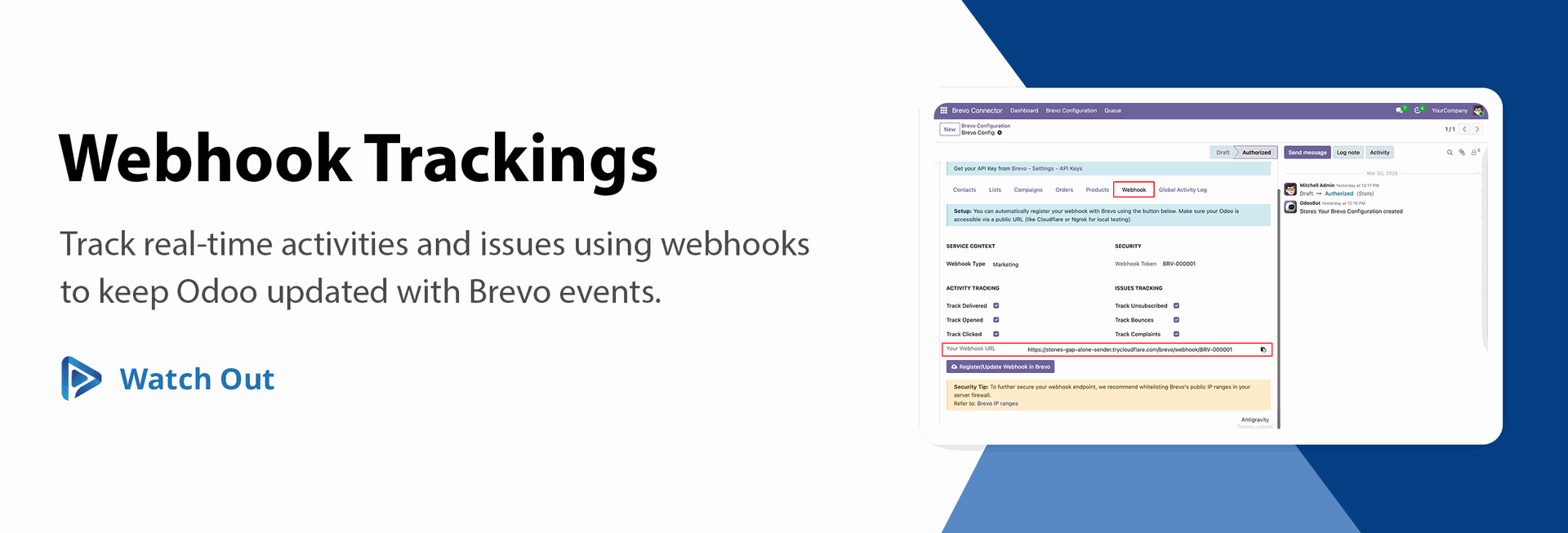
Webhook Support for Activity & Issue Tracking
Use webhooks to automatically sync and track activities and issues between Brevo and Odoo in real time.
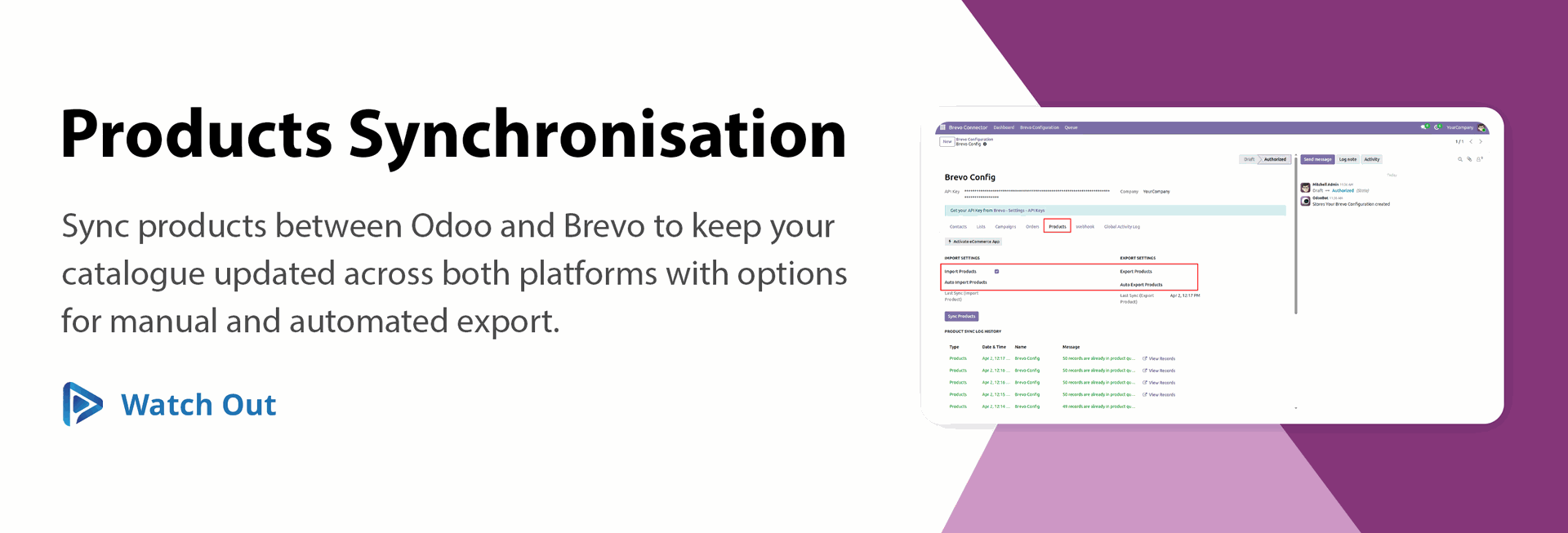
Product Sync with Import & Export
Easily sync, import, and export products between Odoo and Brevo to keep your catalog updated.
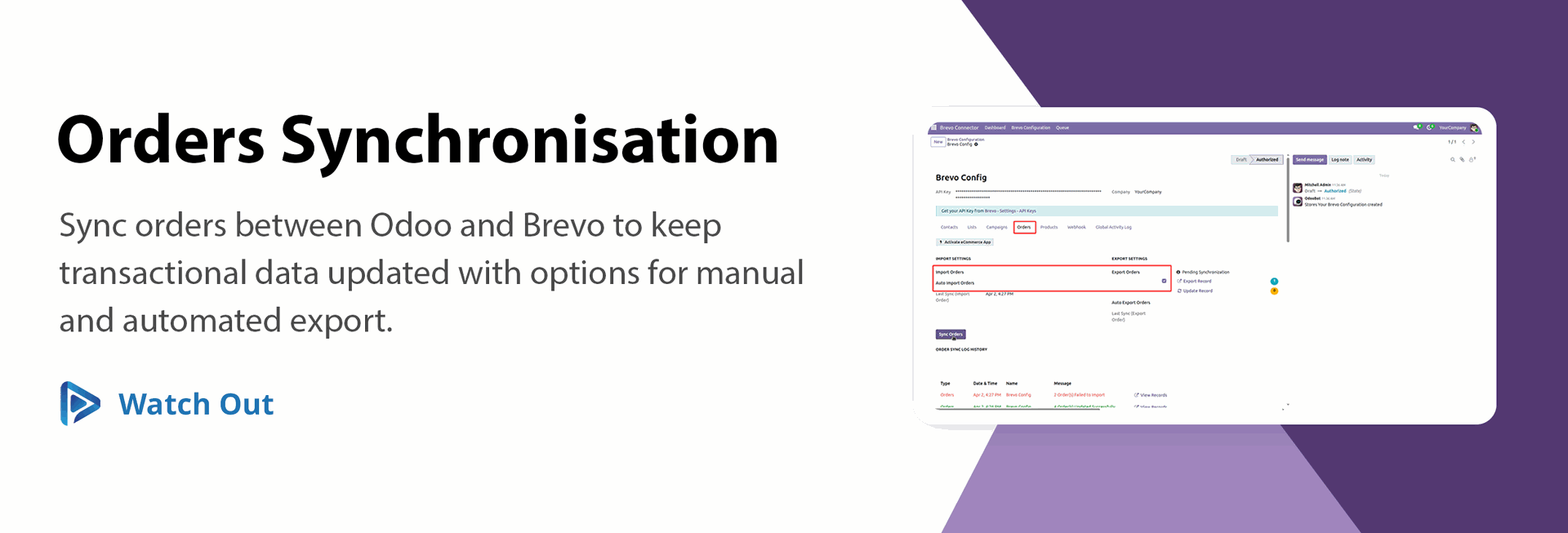
Order Sync with Import & Export
Sync, import, and export orders between Odoo and Brevo to trigger and manage transactional communications.

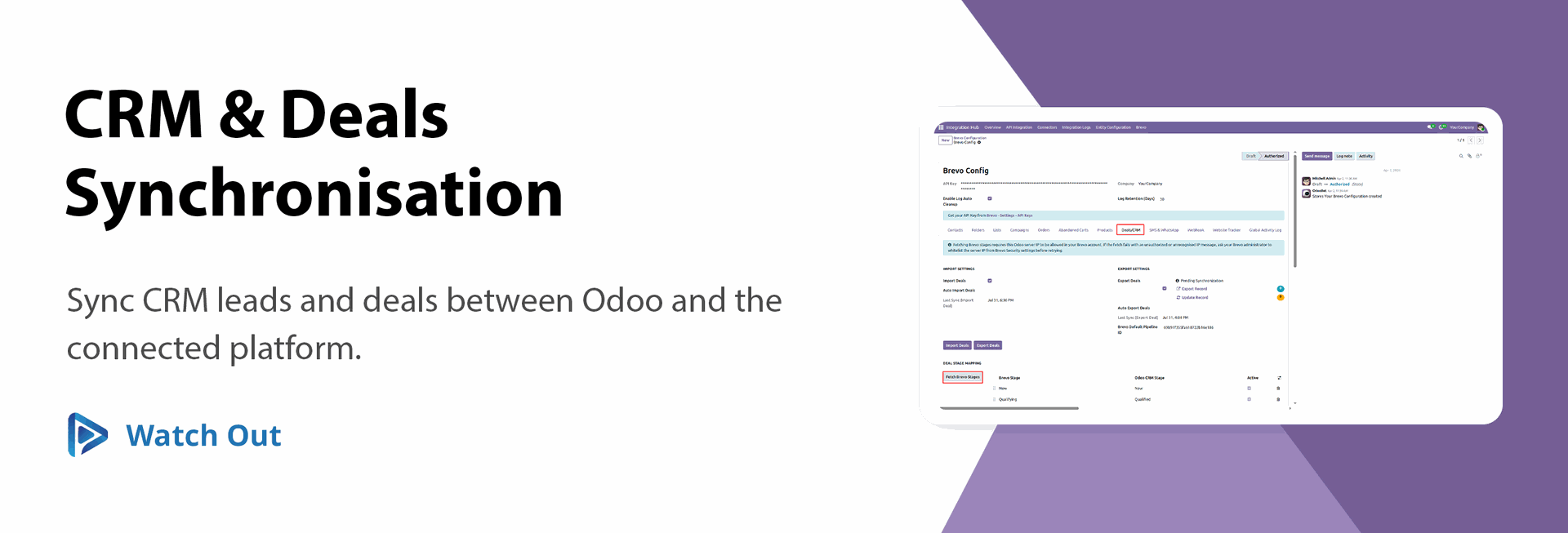
CRM & Deals
Synchronisation 
Sync CRM leads and deals between Odoo and the connected platform.

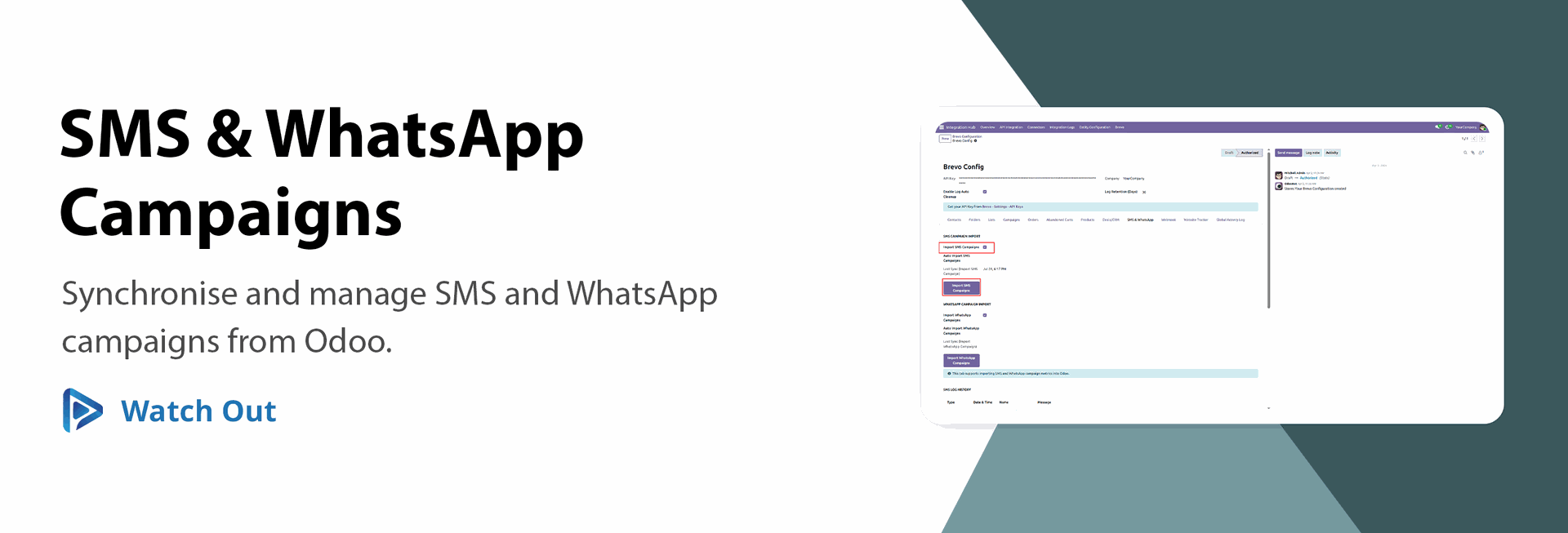
SMS & WhatsApp Campaigns
Synchronize and manage SMS and WhatsApp campaigns from Odoo.
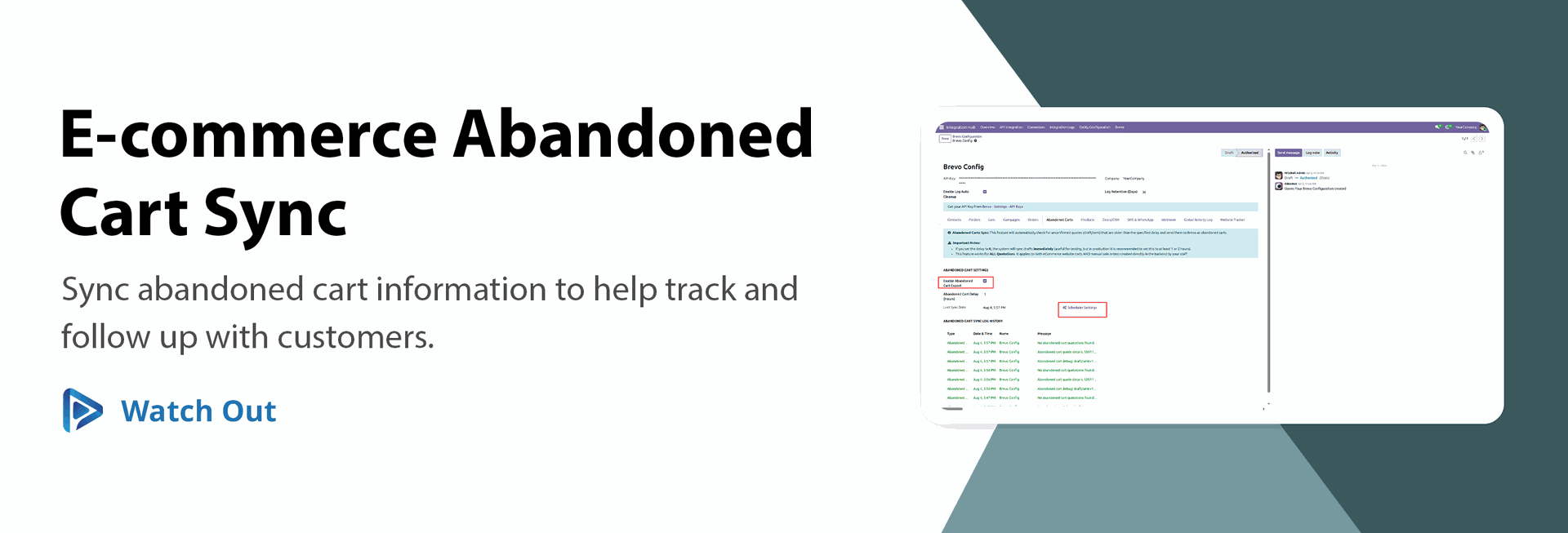
E-commerce Abandoned Cart Sync
Sync abandoned cart information to help track and follow up with customers.

Chat Synchronization
Sync customer chat conversations between Odoo and the connected platform.
Queue Management
Manage synchronization records through a queue for reliable background processing.
Queue Reset & Retry
Reset failed queue records to draft or retry synchronization directly from the queue.

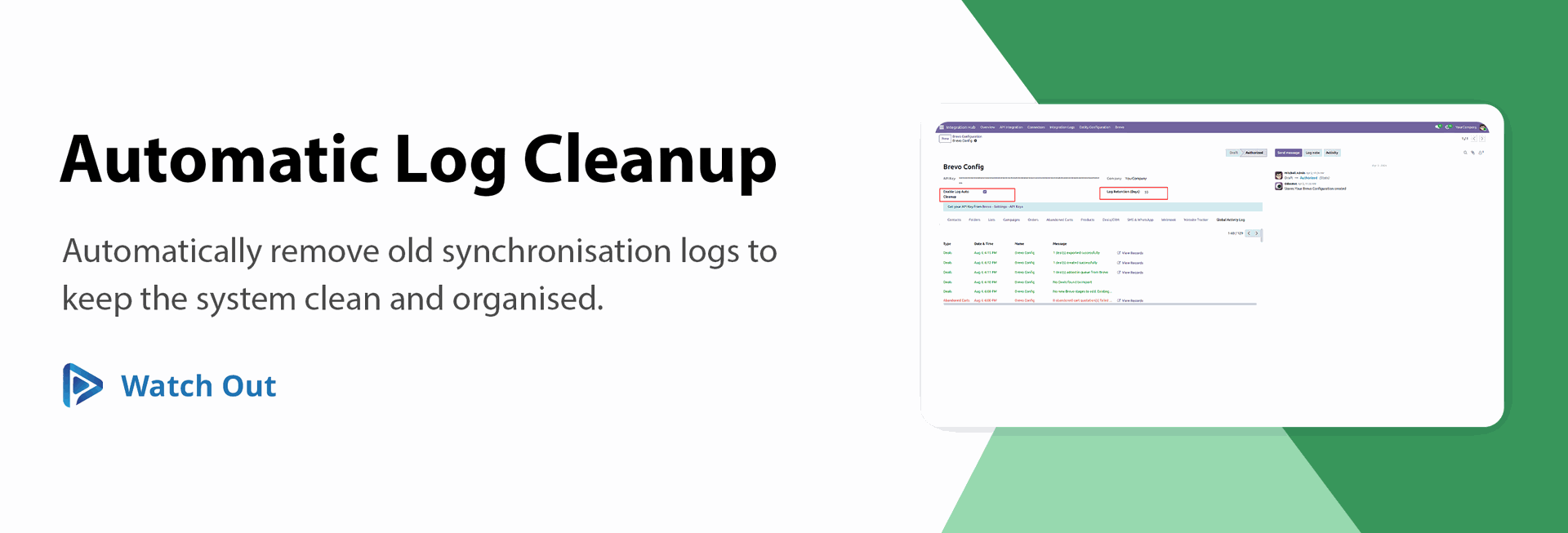
Automatic Log Cleanup
Automatically remove old synchronization logs to keep the system clean and organized.
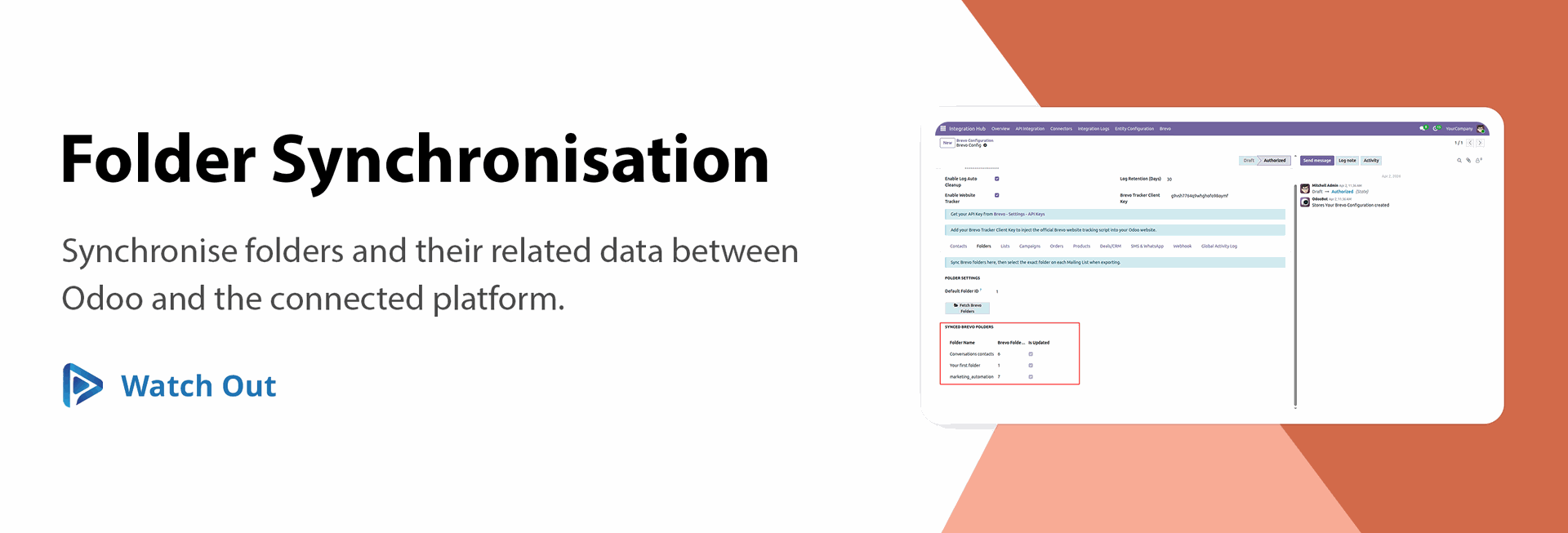
Folder Synchronization
Synchronize folders and their related data between Odoo and the connected platform.

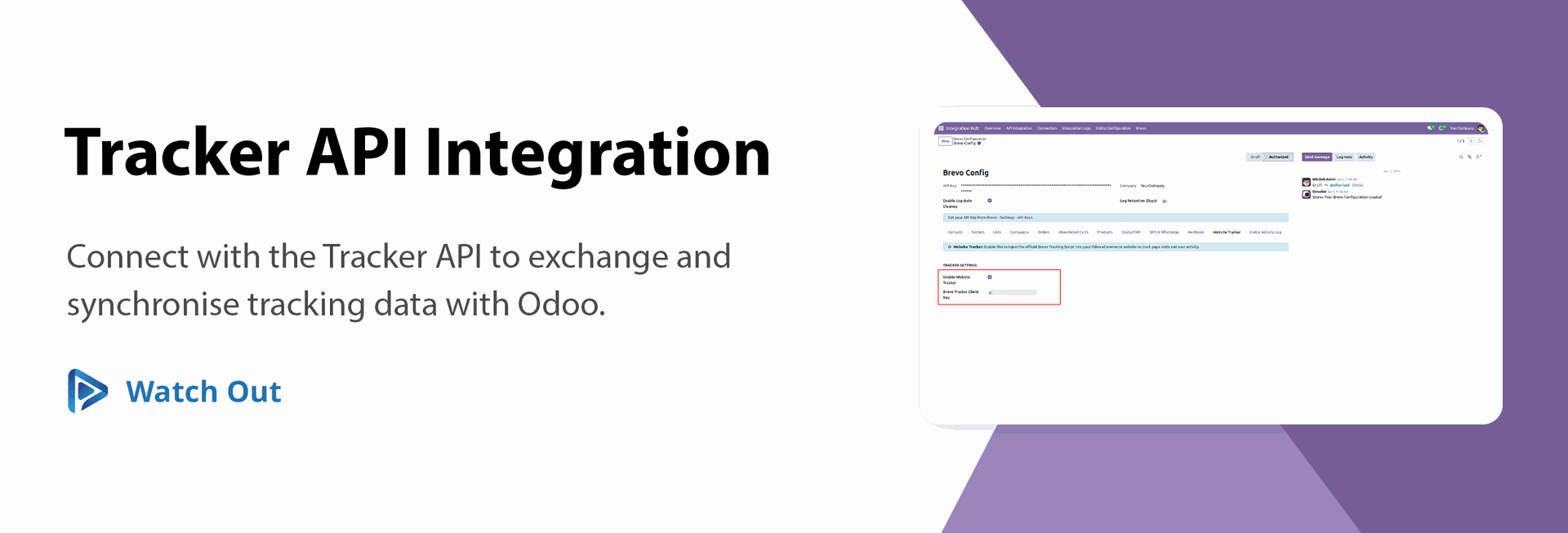
Tracker API Integration
Connect with the Tracker API to exchange and synchronize tracking data with Odoo.
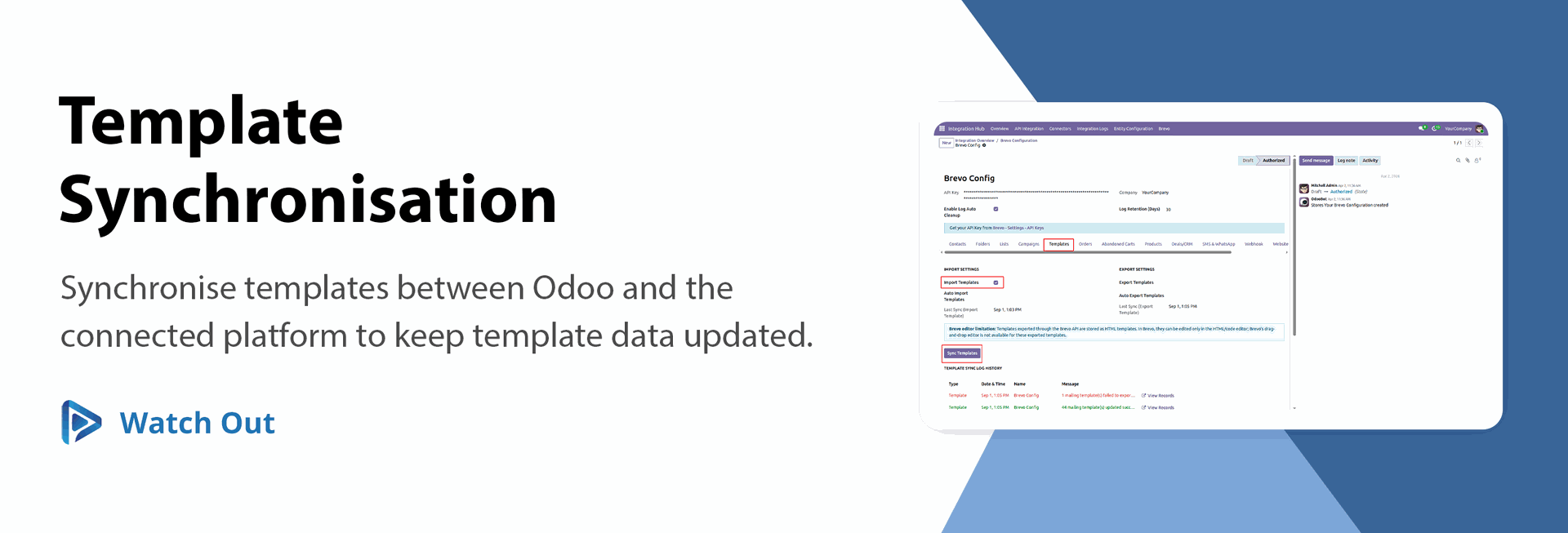
Template Synchronization (Import/Export)
Synchronize templates between Odoo and the connected platform to keep template data updated.

Access the Brevo Dashboard to view real-time marketing statistics and sync metrics.
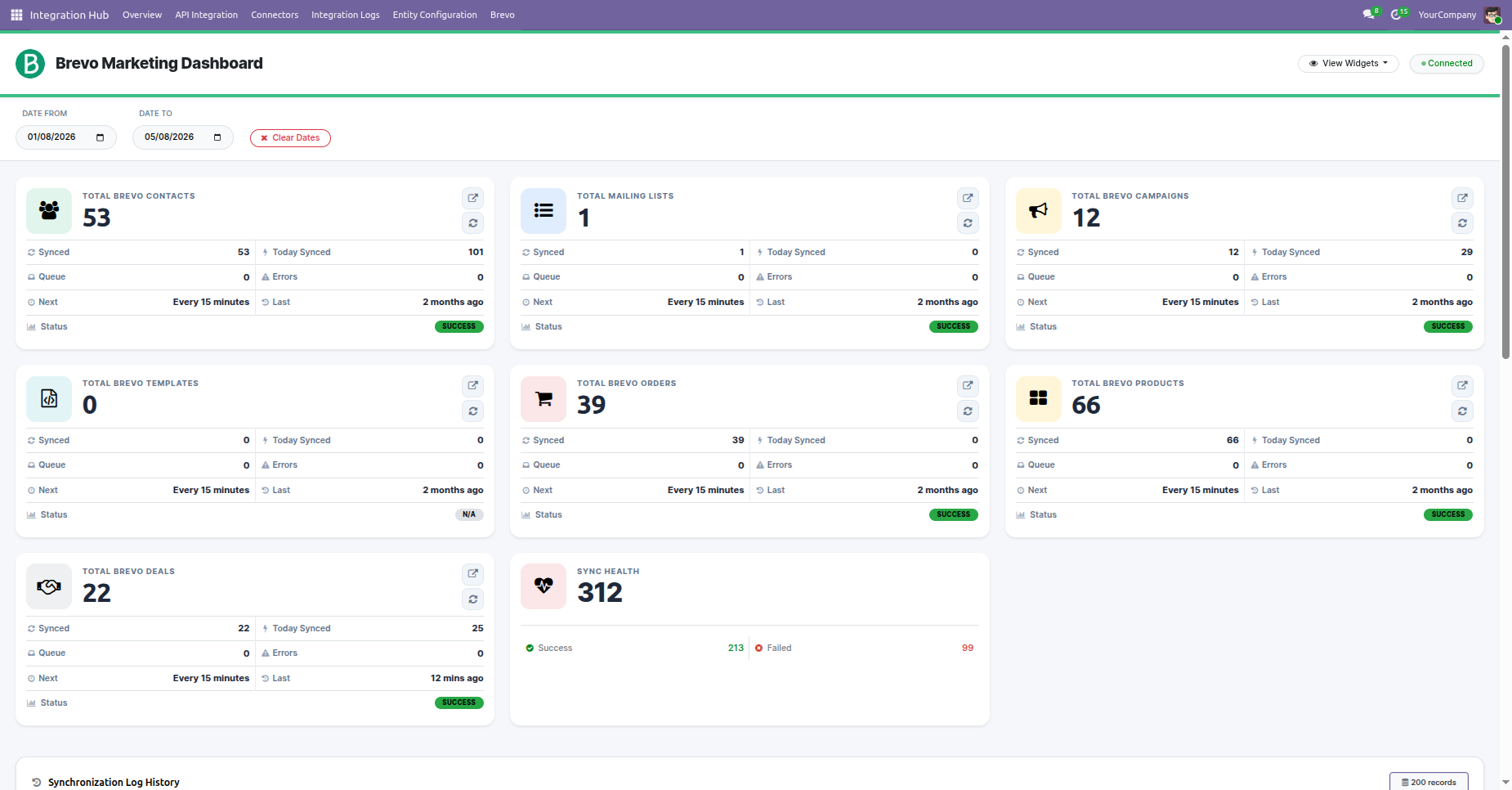
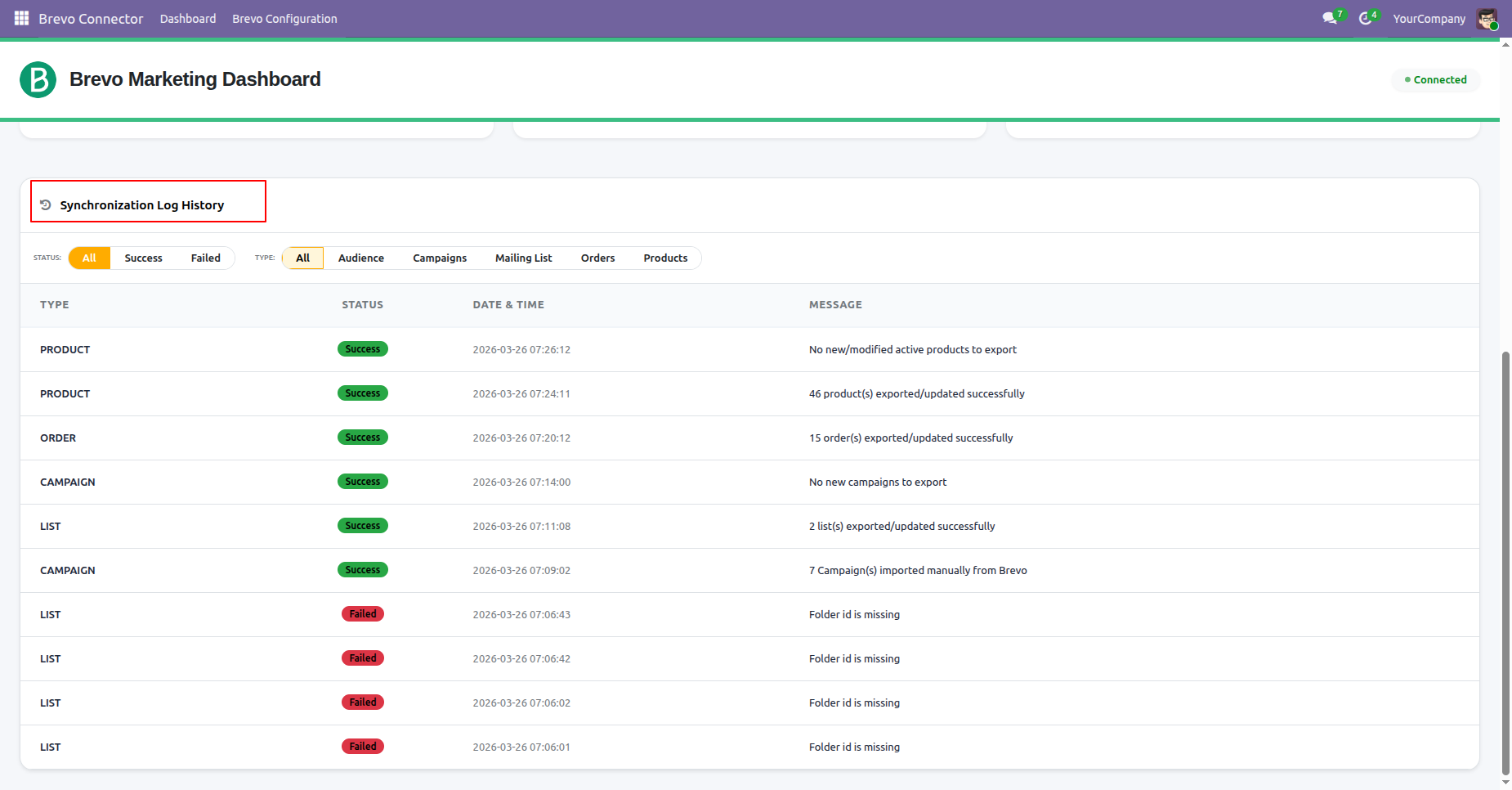
View and track all synchronization activities with detailed logs, including status, timestamps, and messages, directly from the dashboard.
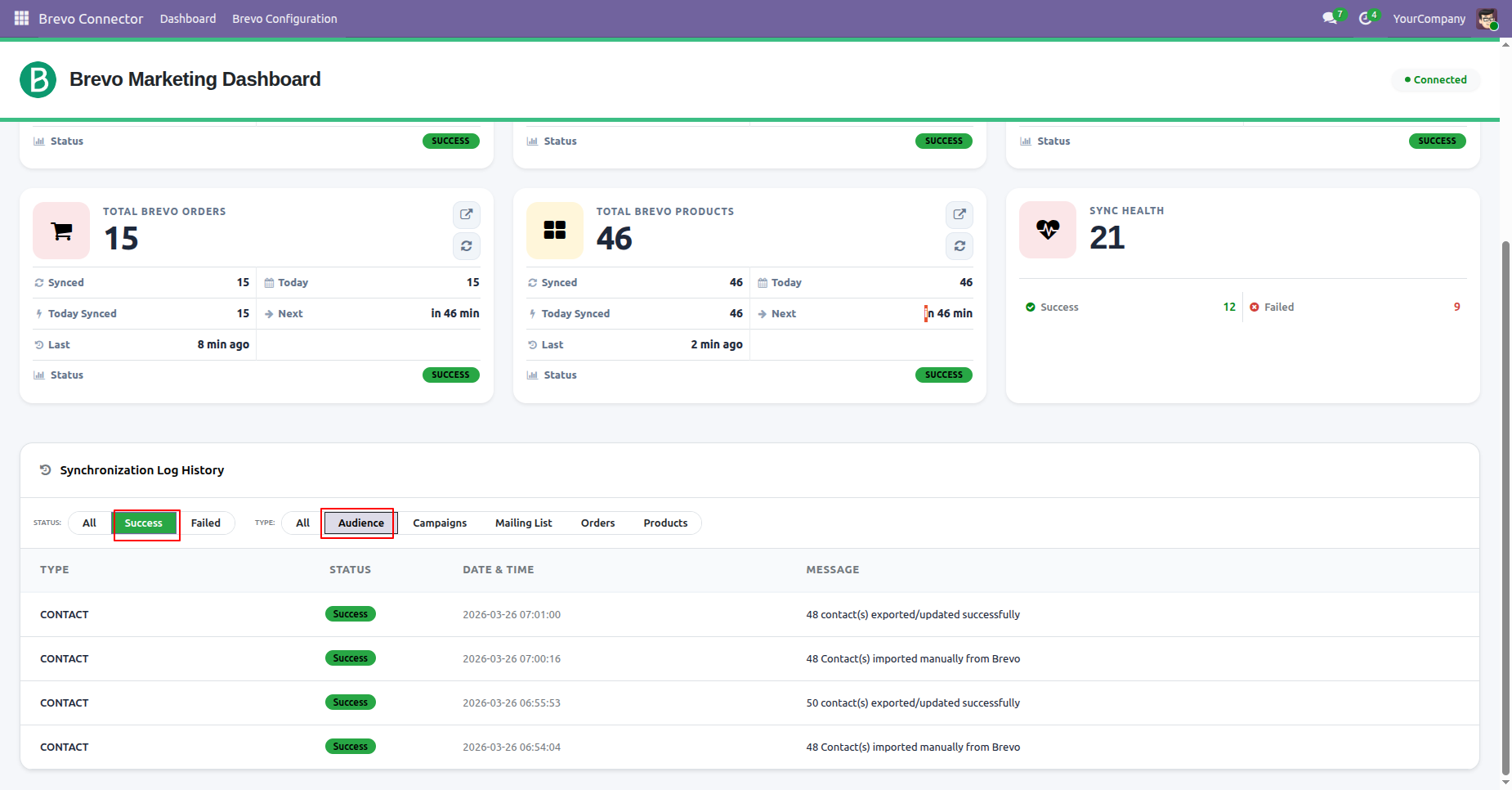
View detailed synchronization success logs with advanced filters for status and data type to easily track and analyze sync activities.
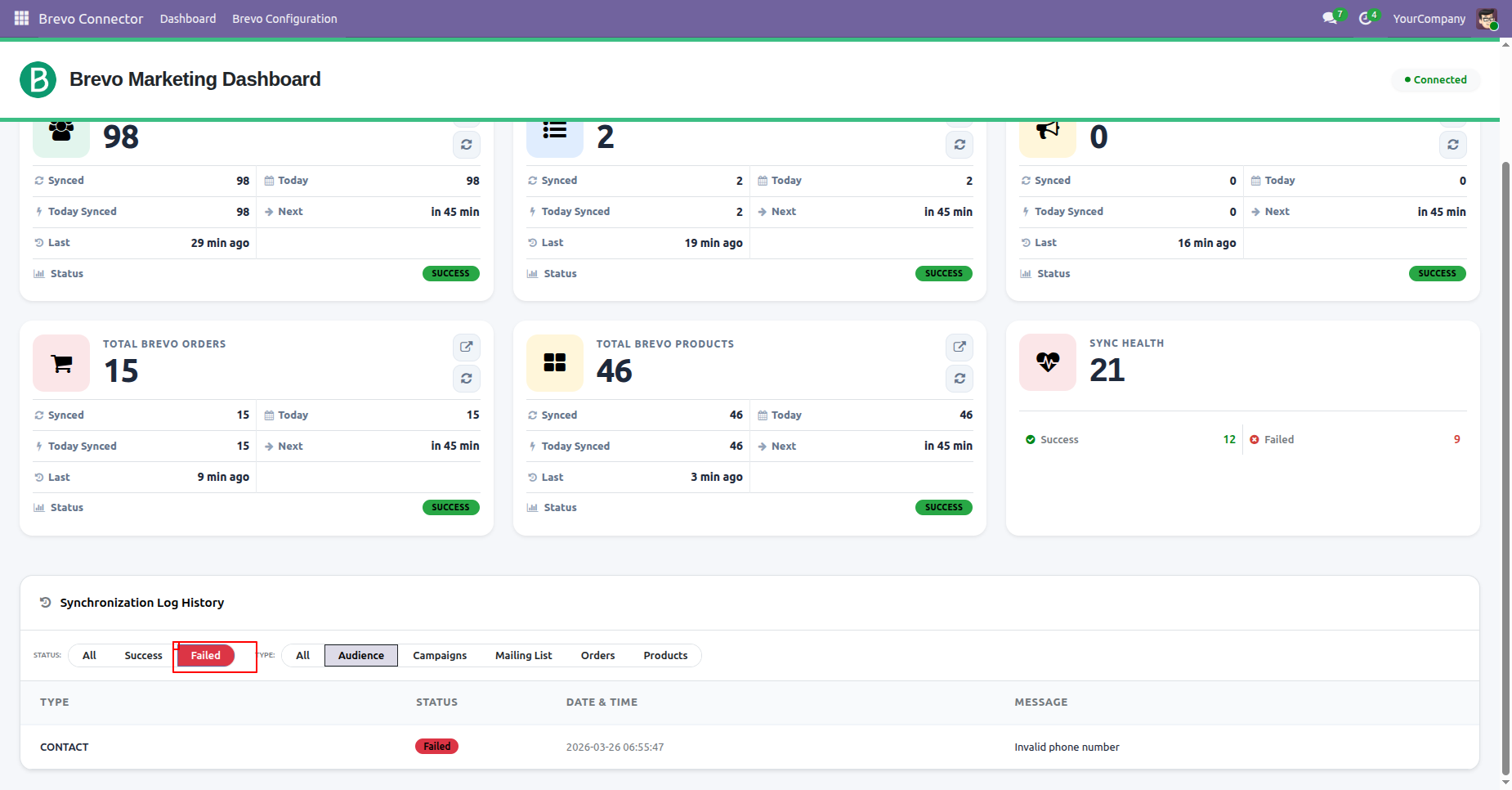
View detailed synchronization failed logs with advanced filters for status and data type to easily track and analyze sync activities.
View Campaign Logs directly from the dashboard, including the Type, Status, Timestamp, and Message details for each campaign activity.
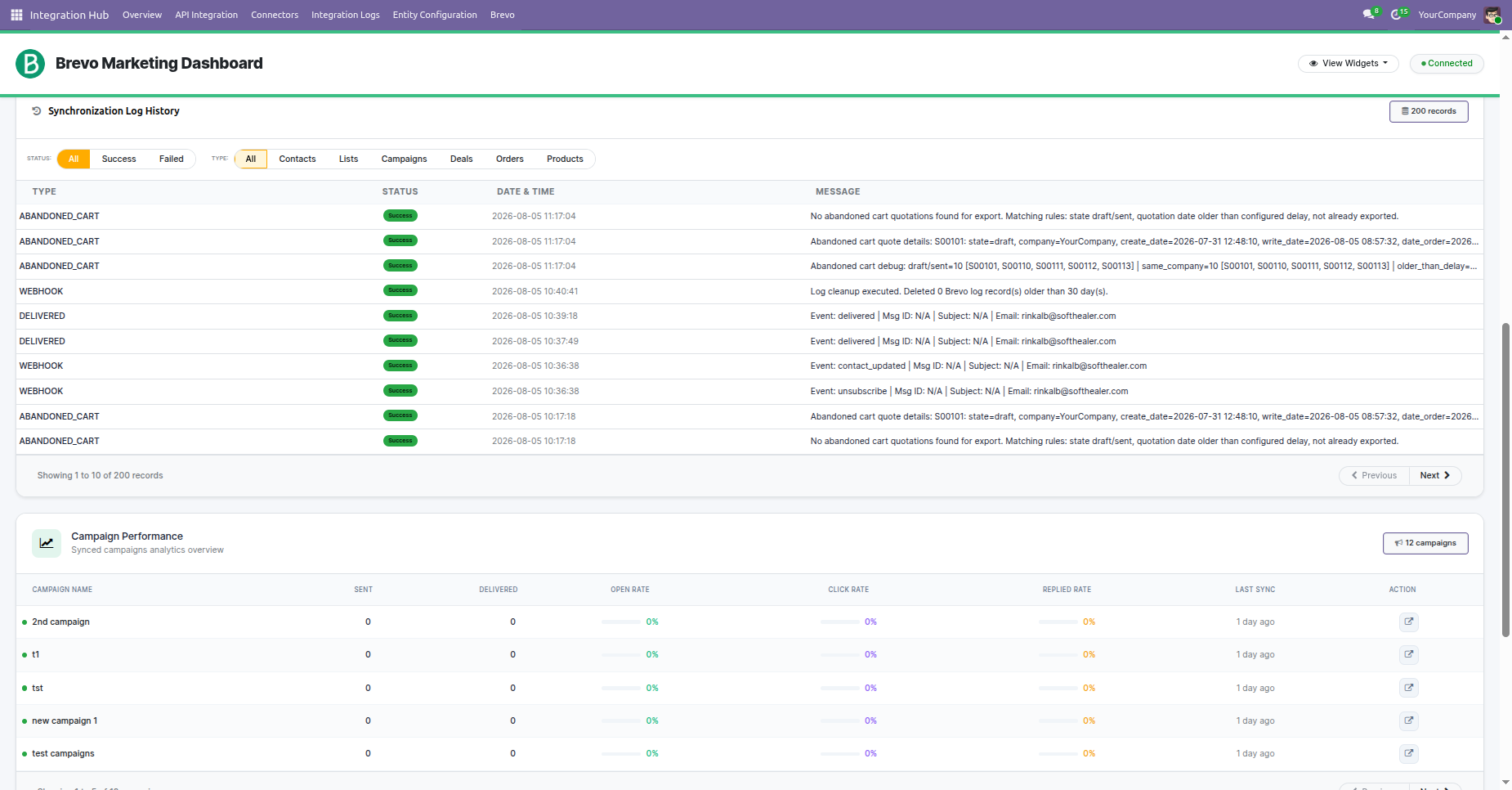
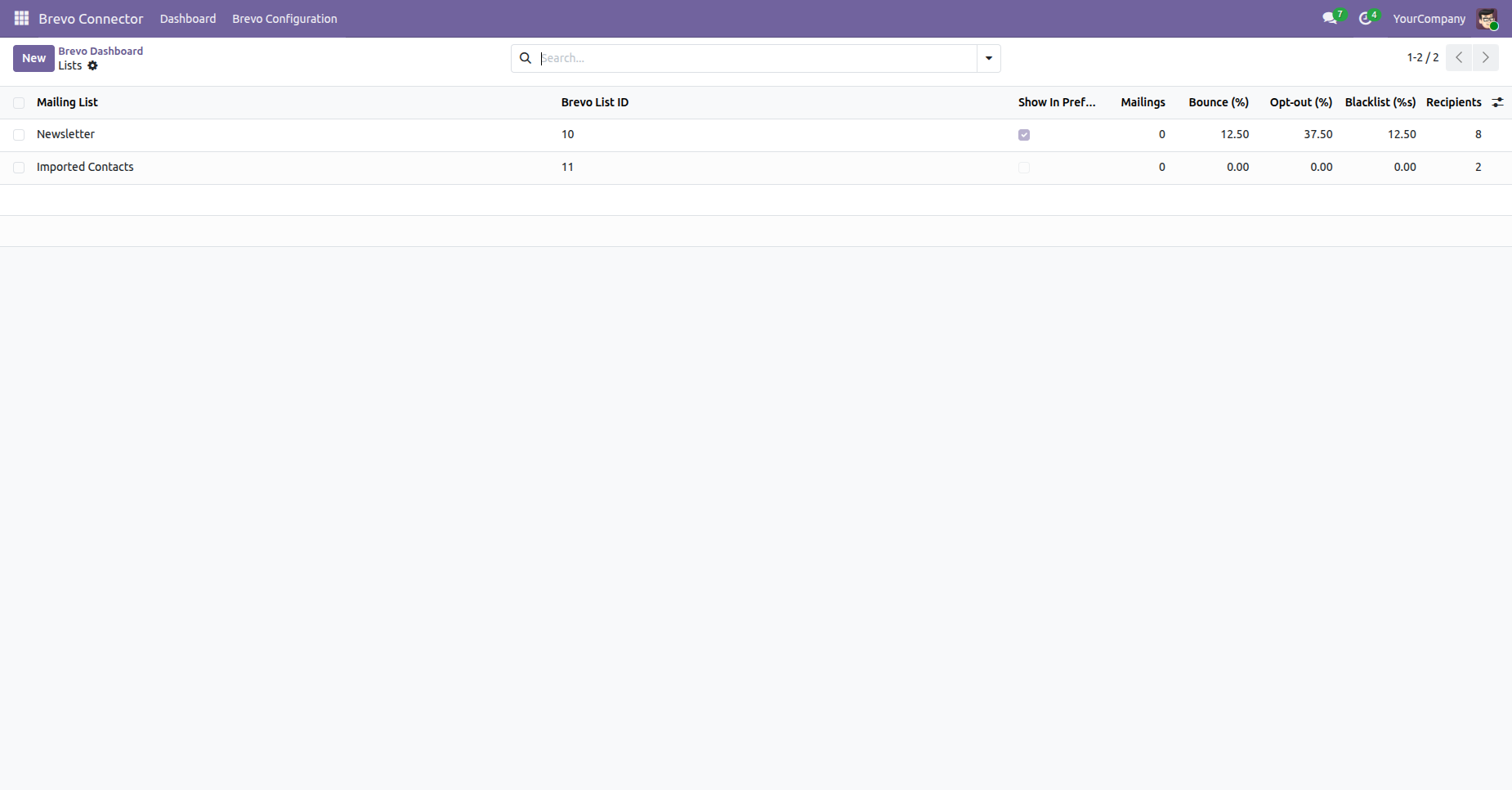
Check synchronized mailing list records by clicking the link in the dashboard, which redirects you to the detailed record list.
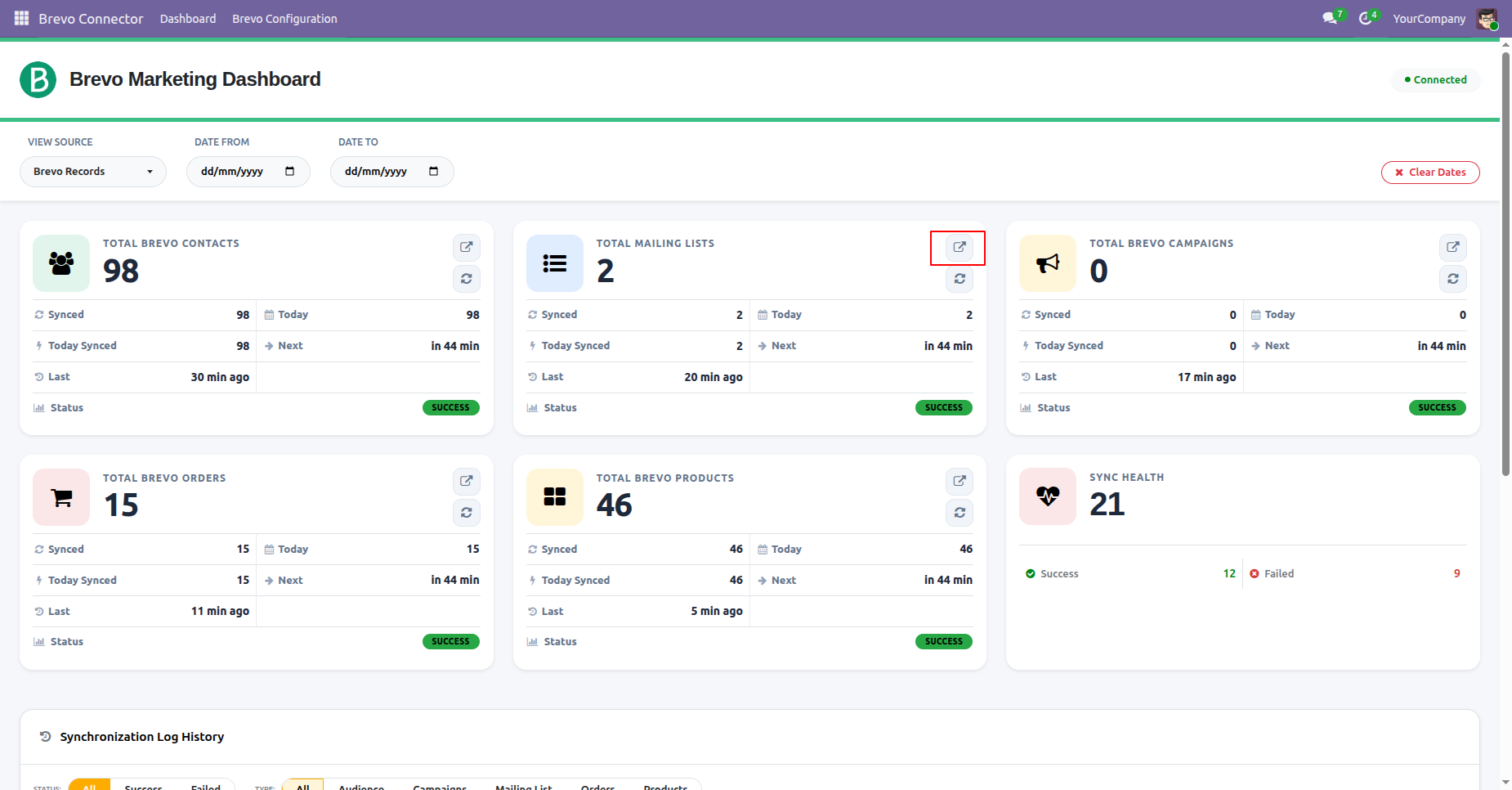
By clicking the link in the dashboard, which redirects you to the detailed record list.
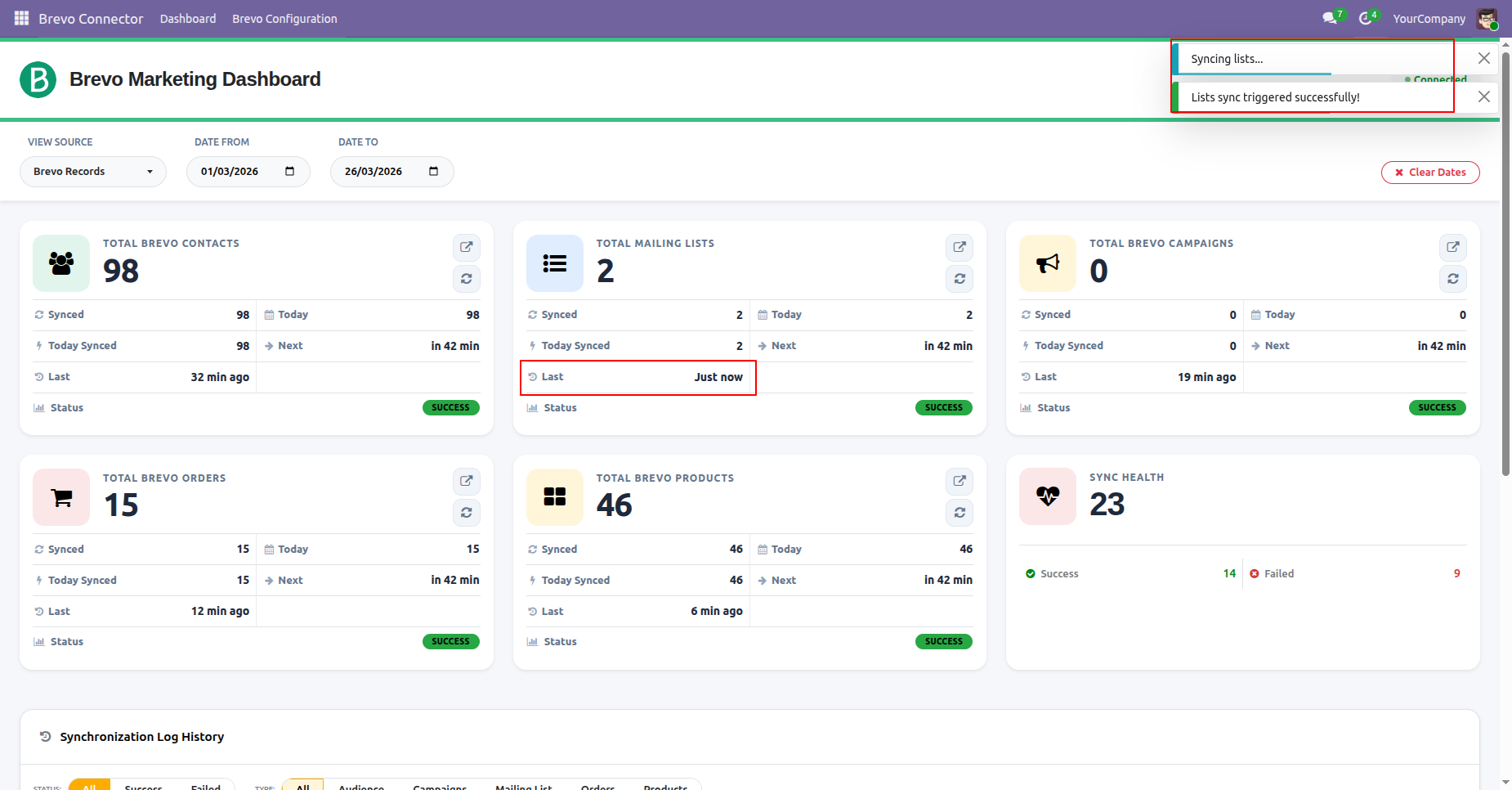
Sync the data from the dashboard by clicking the sync button.
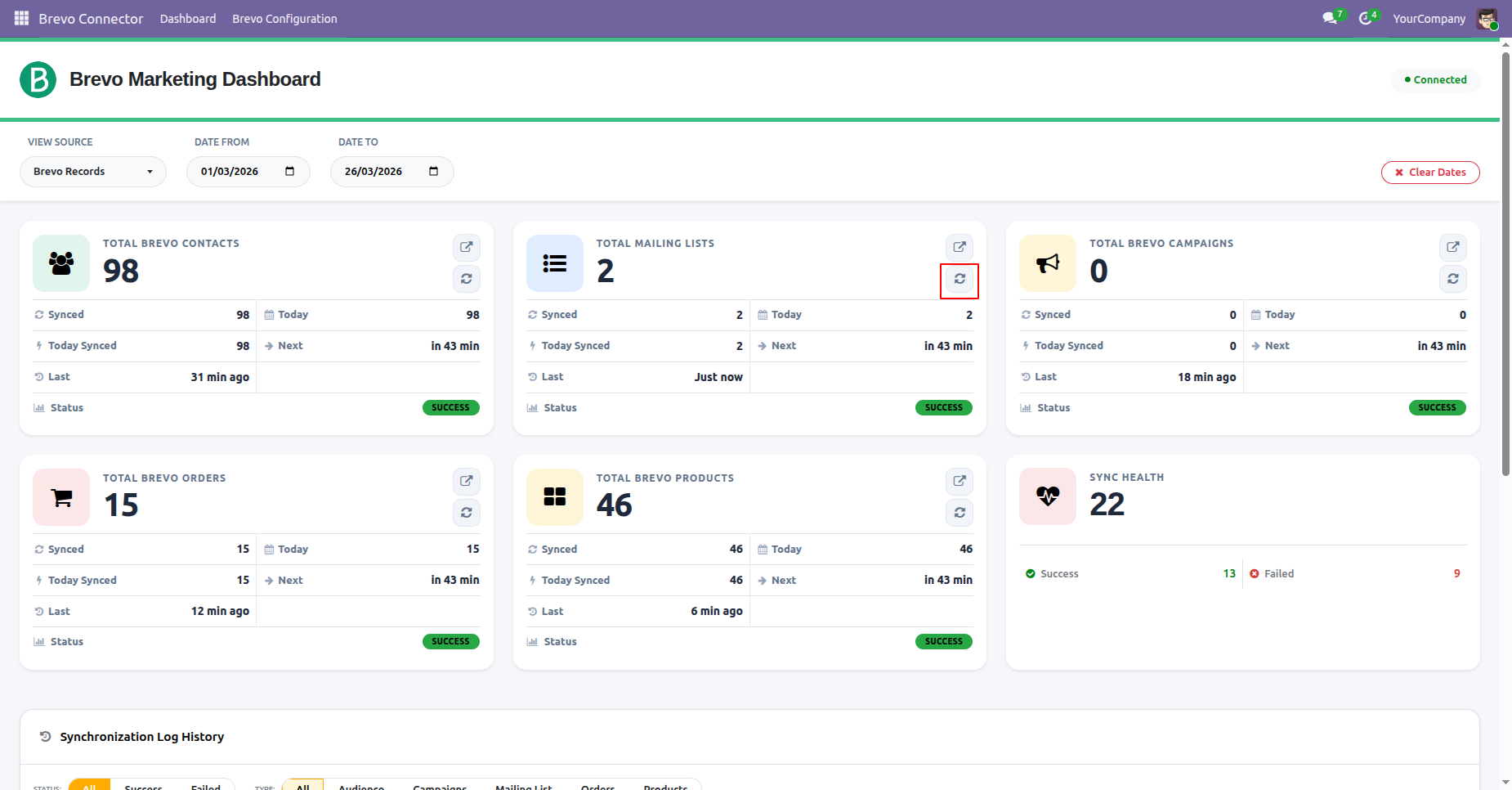
You can view the synchronization status from the dashboard and also see the last sync duration.
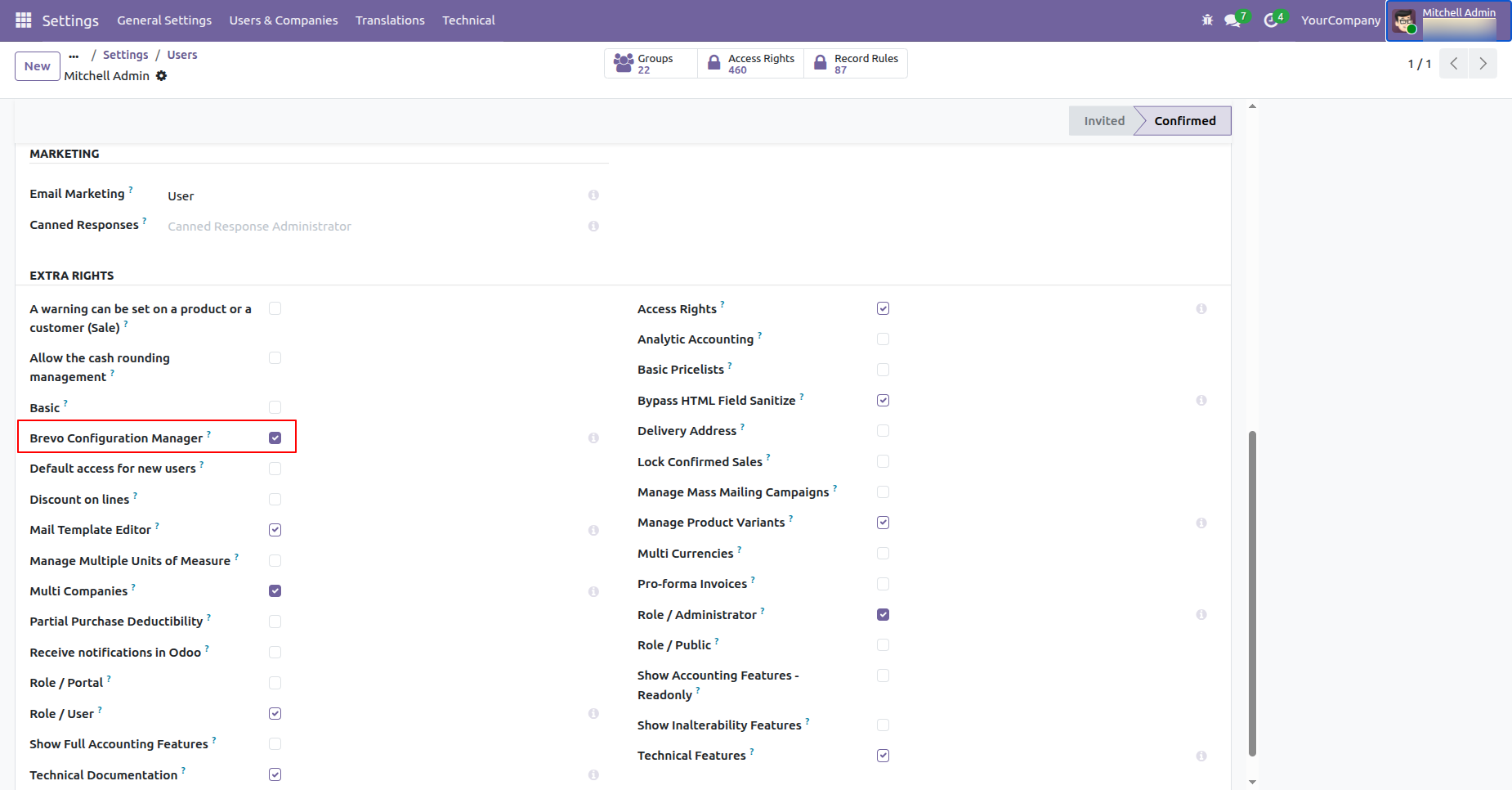
Go to user settings and enable Brevo configuration manager access for the desired user groups to manage syncronisation settings and permissions.
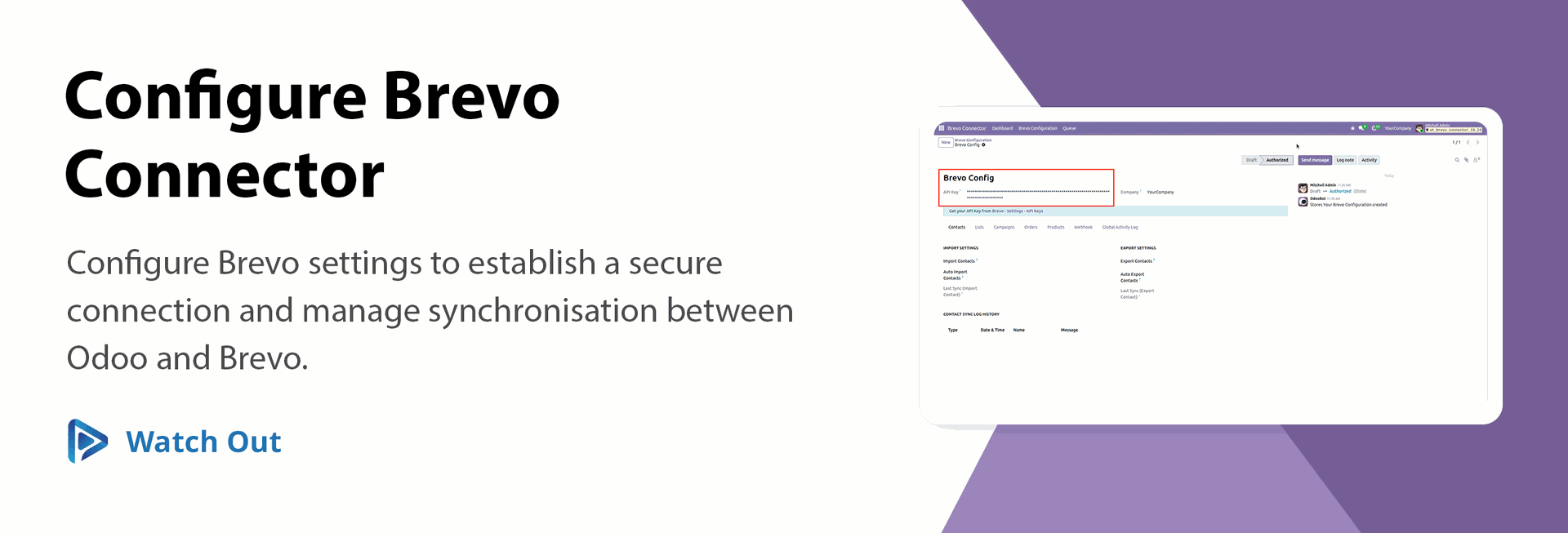
Configure brevo API credentials and synchronization preferences in odoo to establish a connection between both platforms for seamless data exchange.
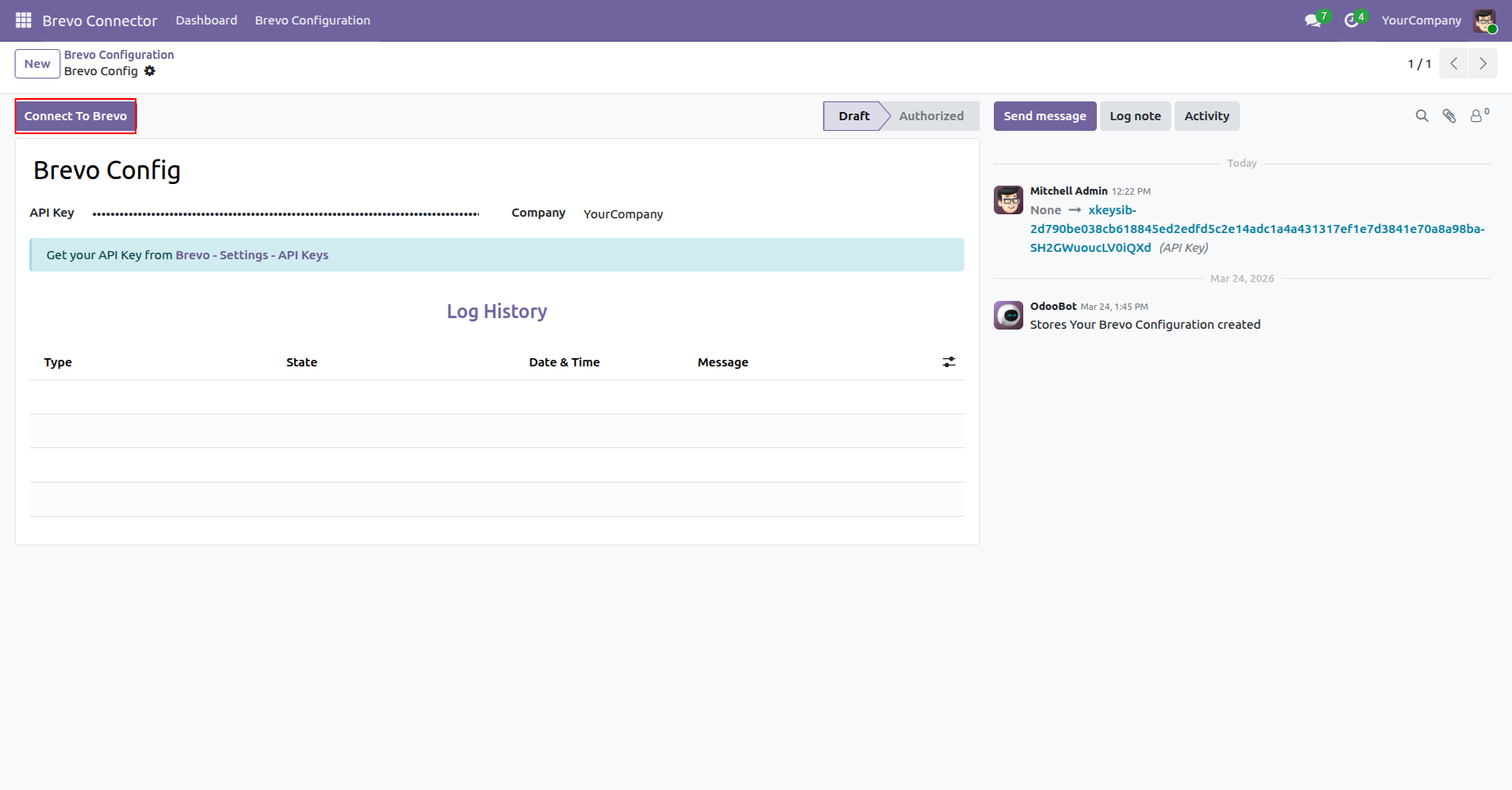
Connect to the Brevo account and monitor the connection status and API activity logs directly from the Brevo dashboard.
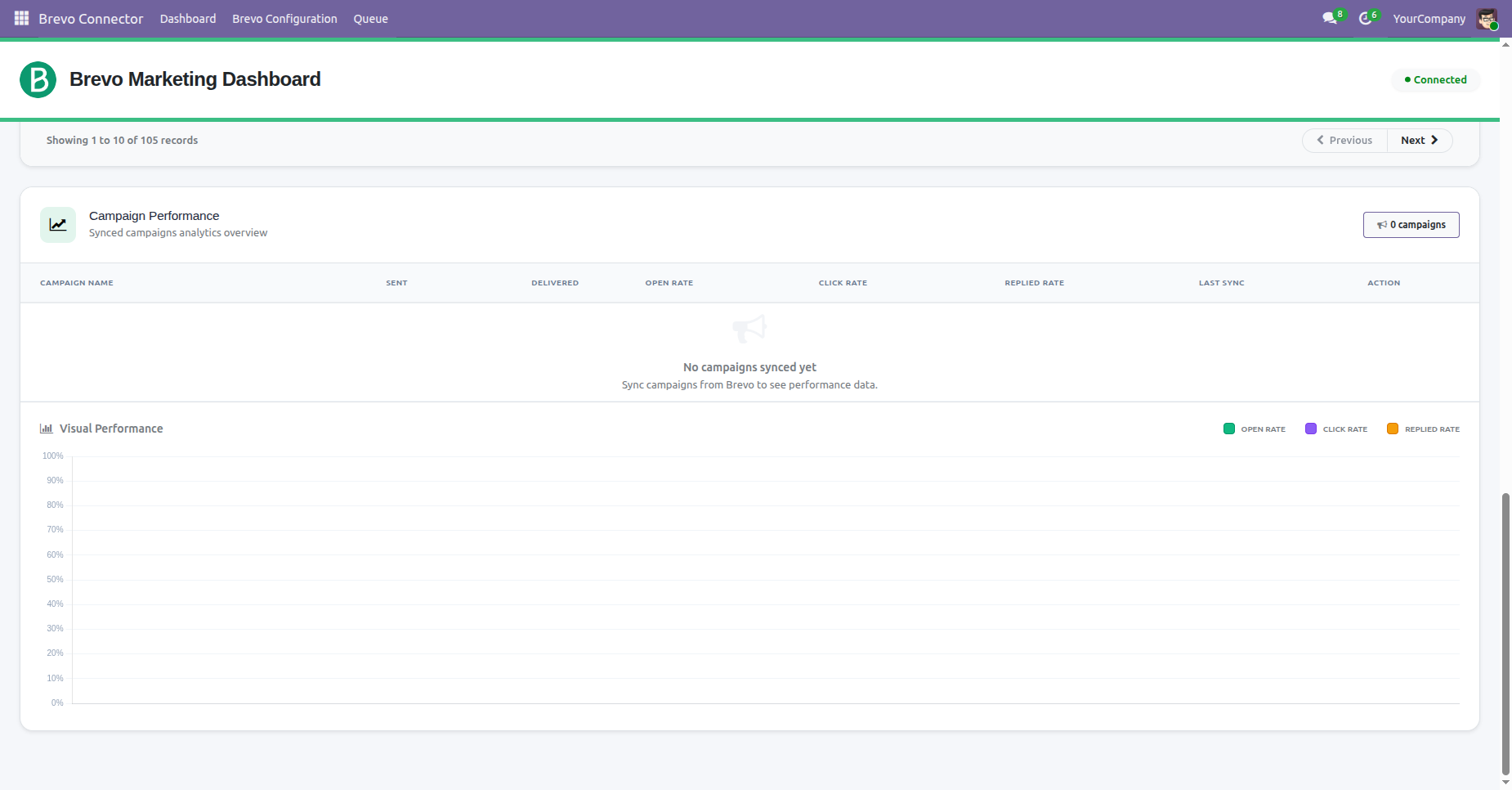
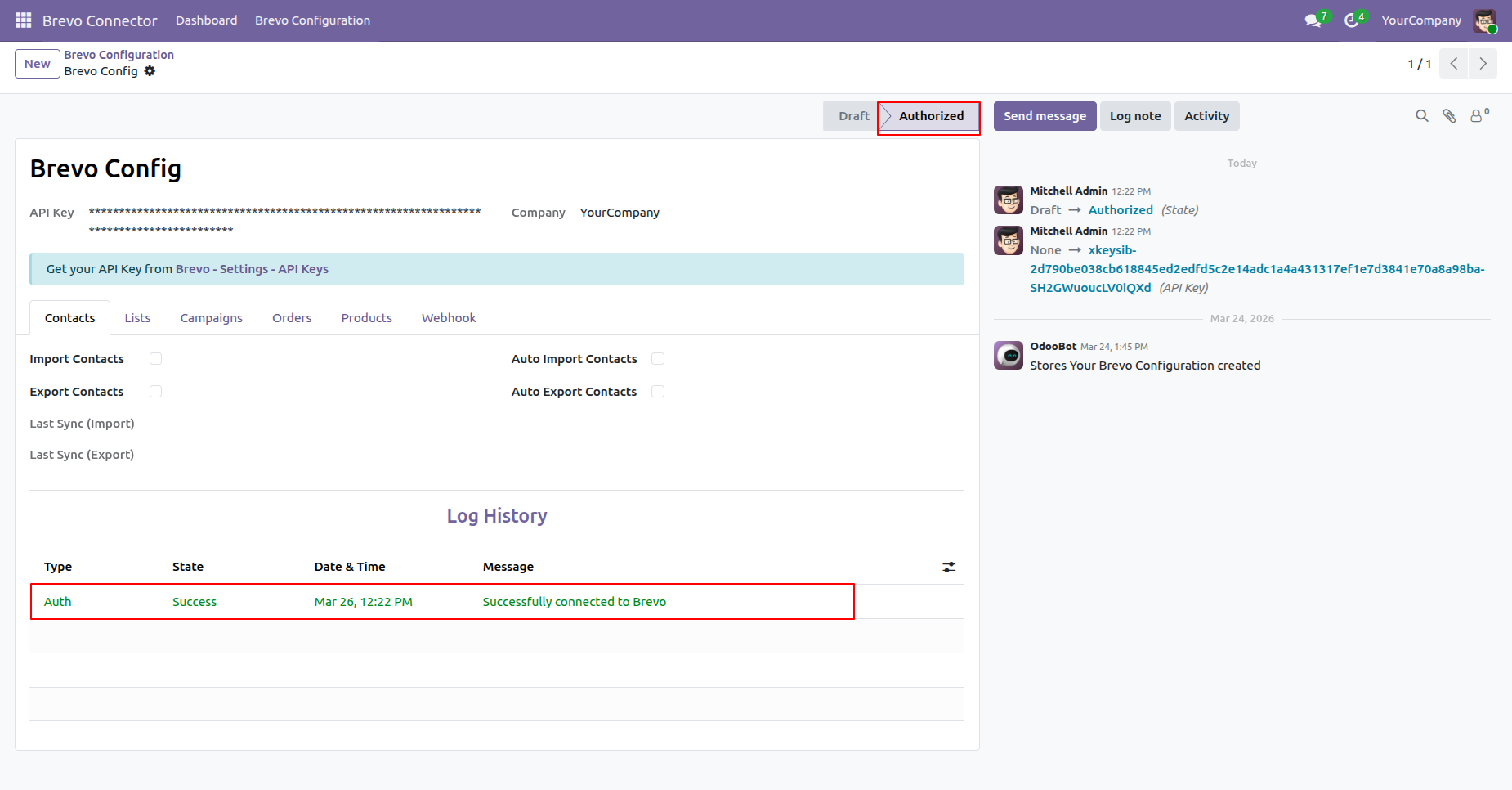
You can view the successful Brevo connection log history from the Brevo configuration.
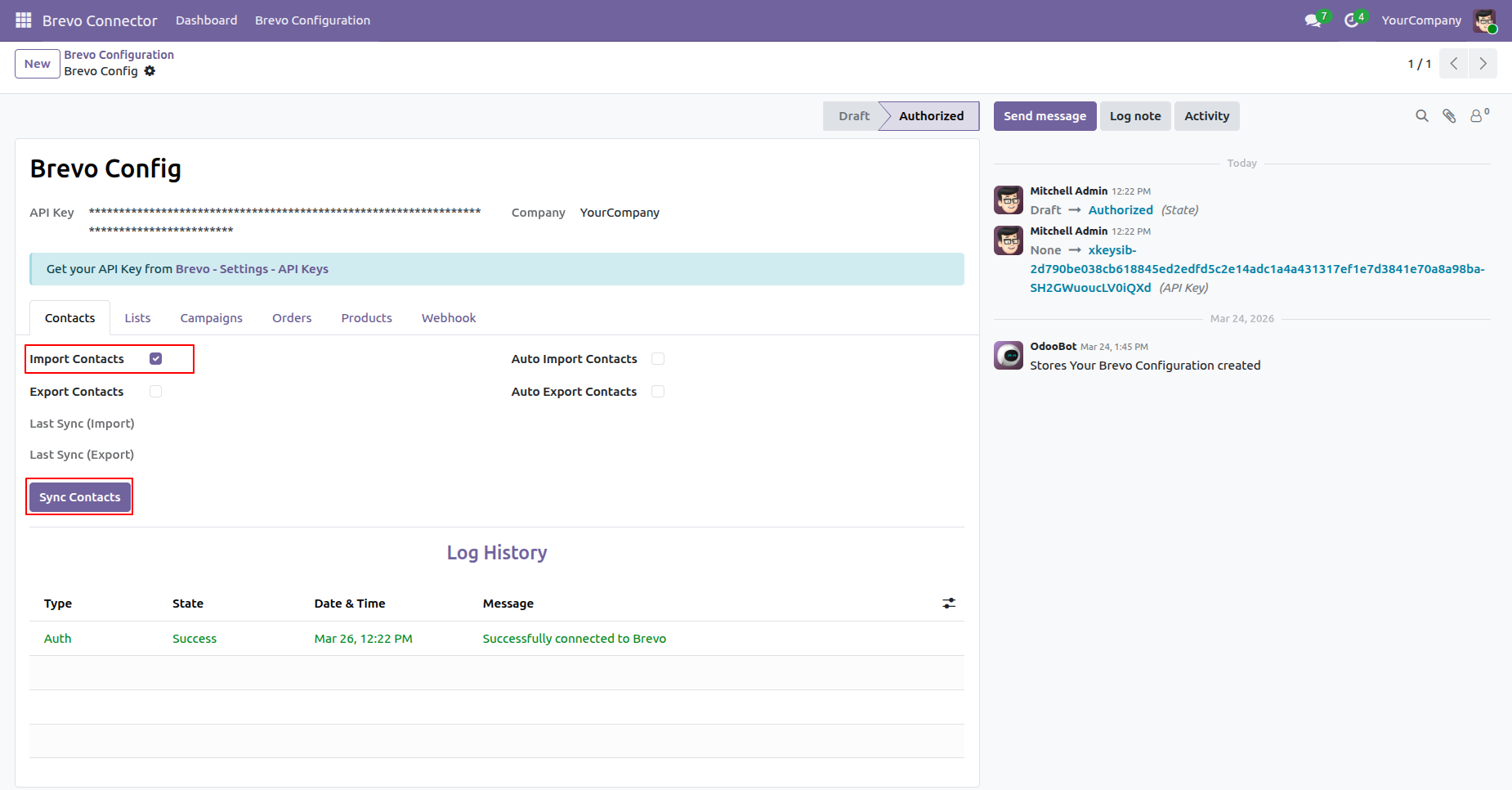
Enable Import Contacts and click on the Sync Contacts button to import the contacts.
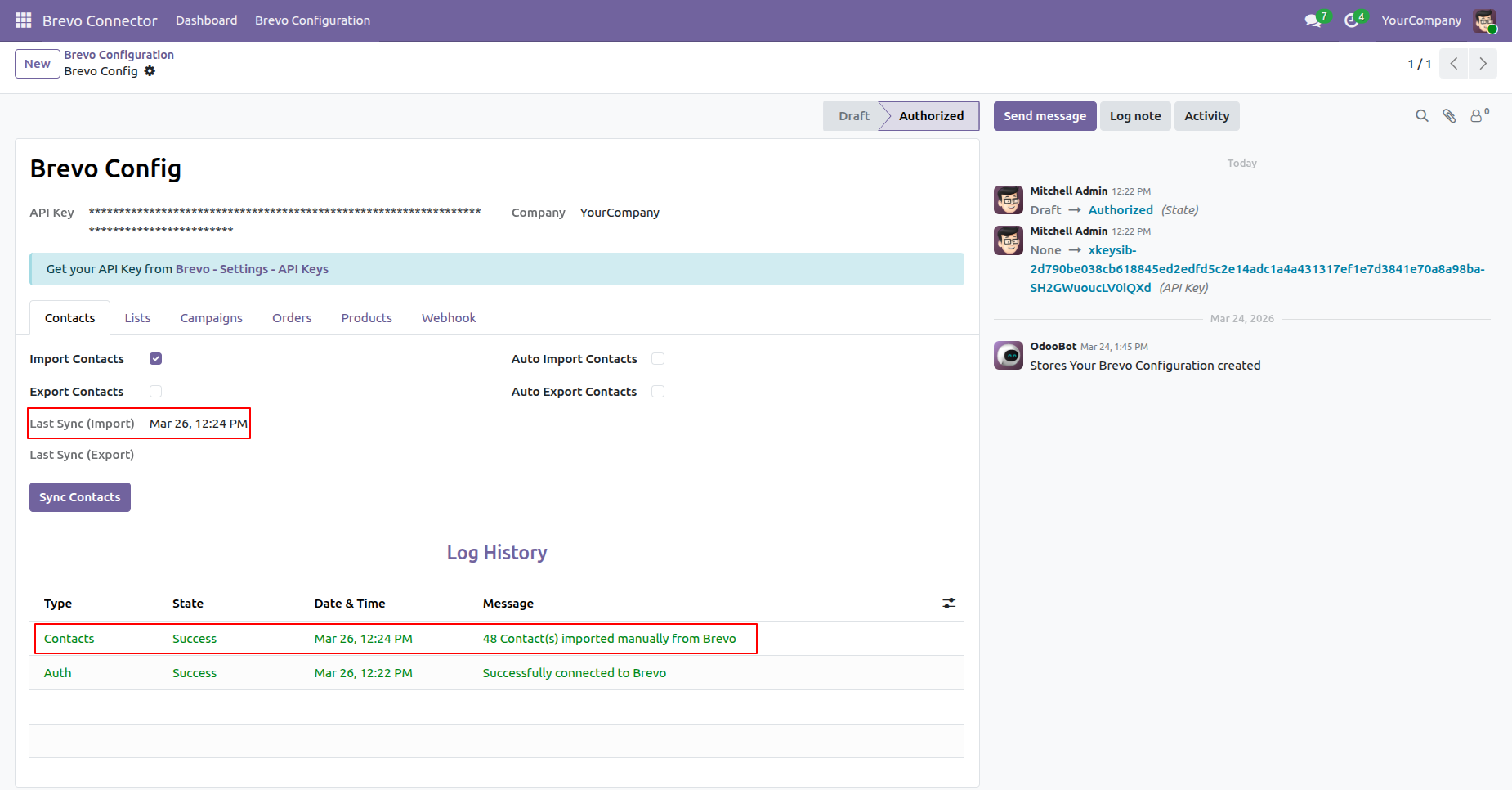
You can view the last sync date and time for imports, along with the log history for tracking synchronization details.
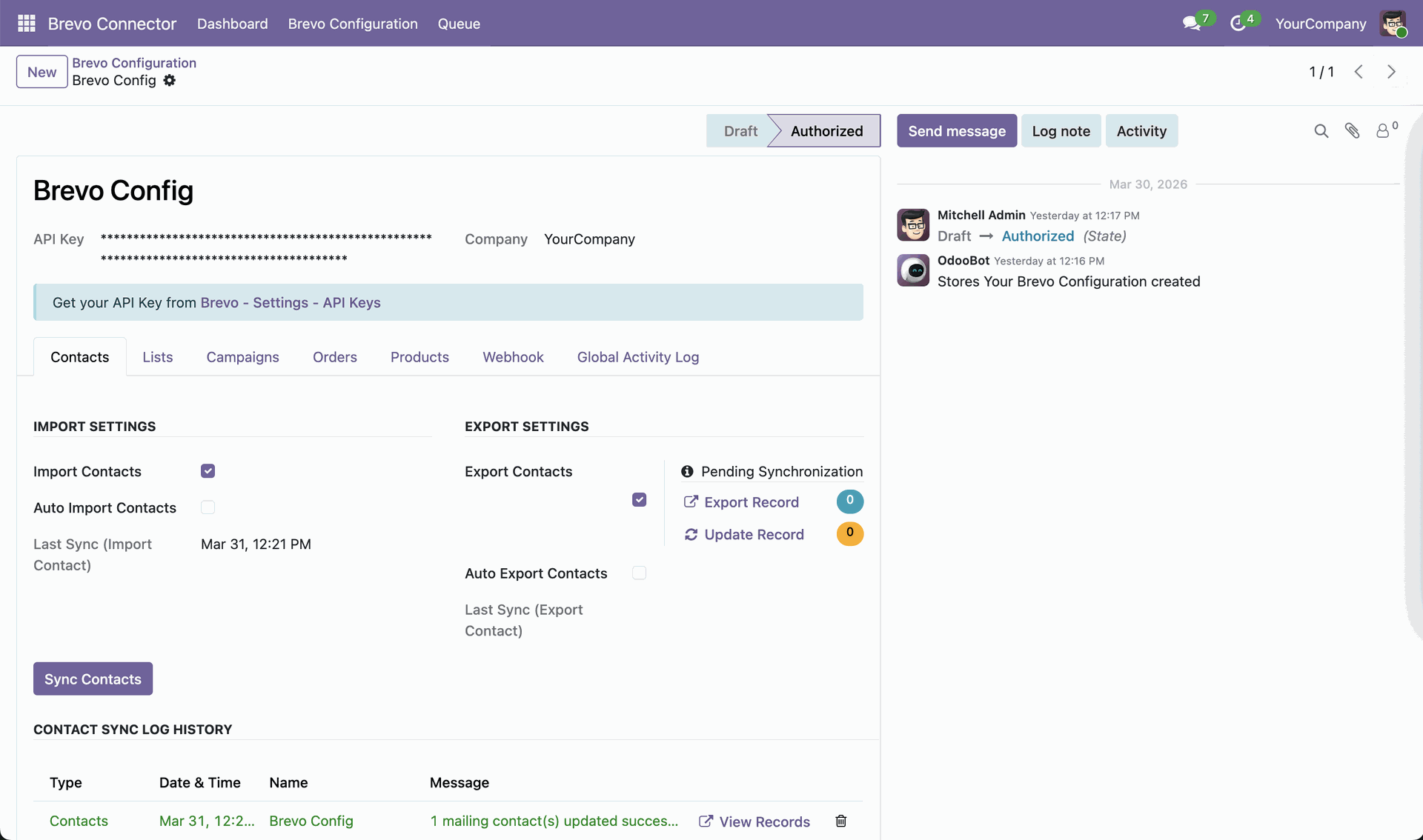
Bi-directional synchronization allows you to import new contacts from Brevo or
export Odoo contacts to Brevo.
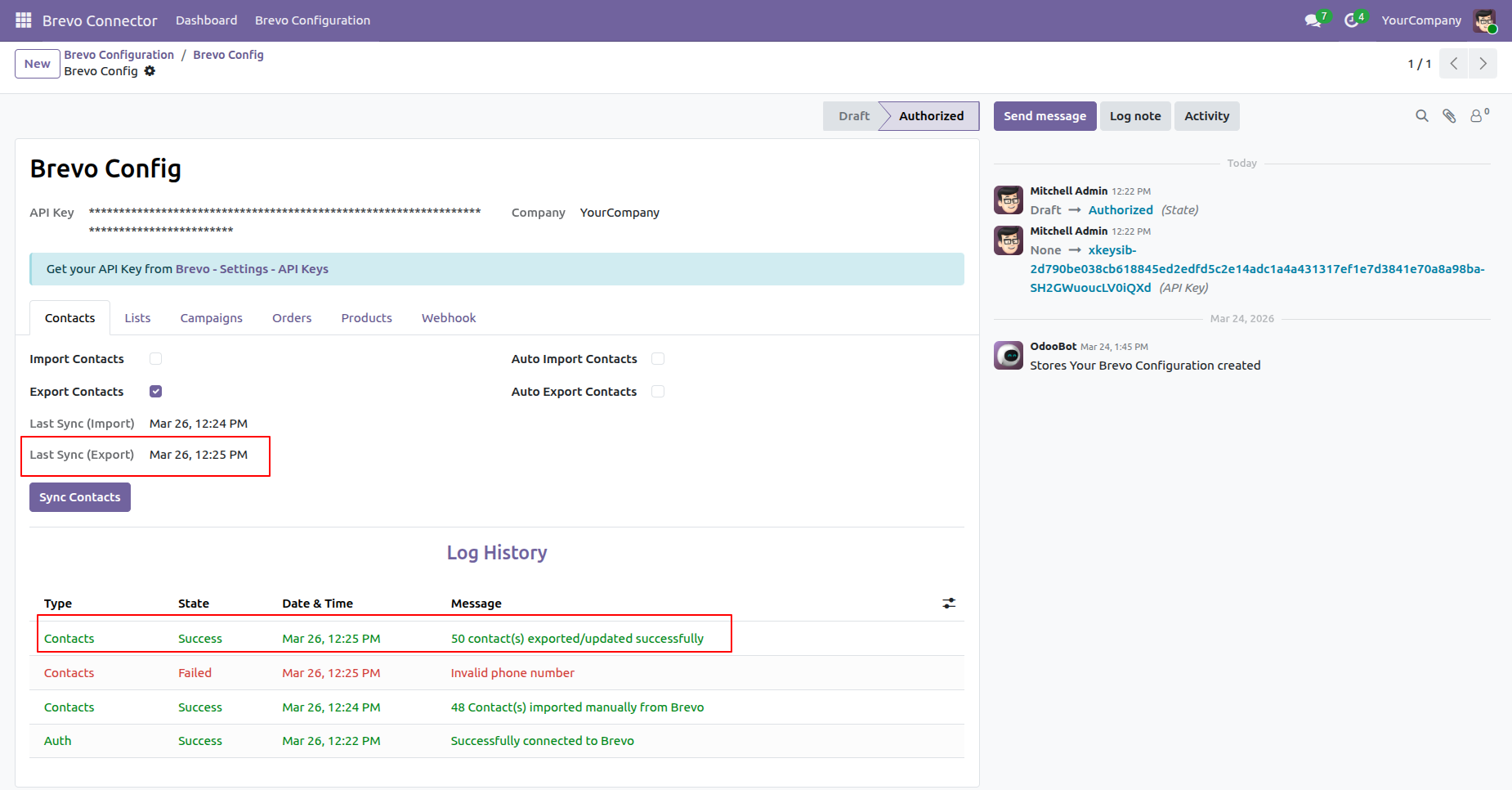
Enable Export Contacts and click on the Sync Contacts button to export the
contacts. You can also view the count of pending and update export records.
You can view the last sync date and time for export, along with the log history for tracking synchronization details.
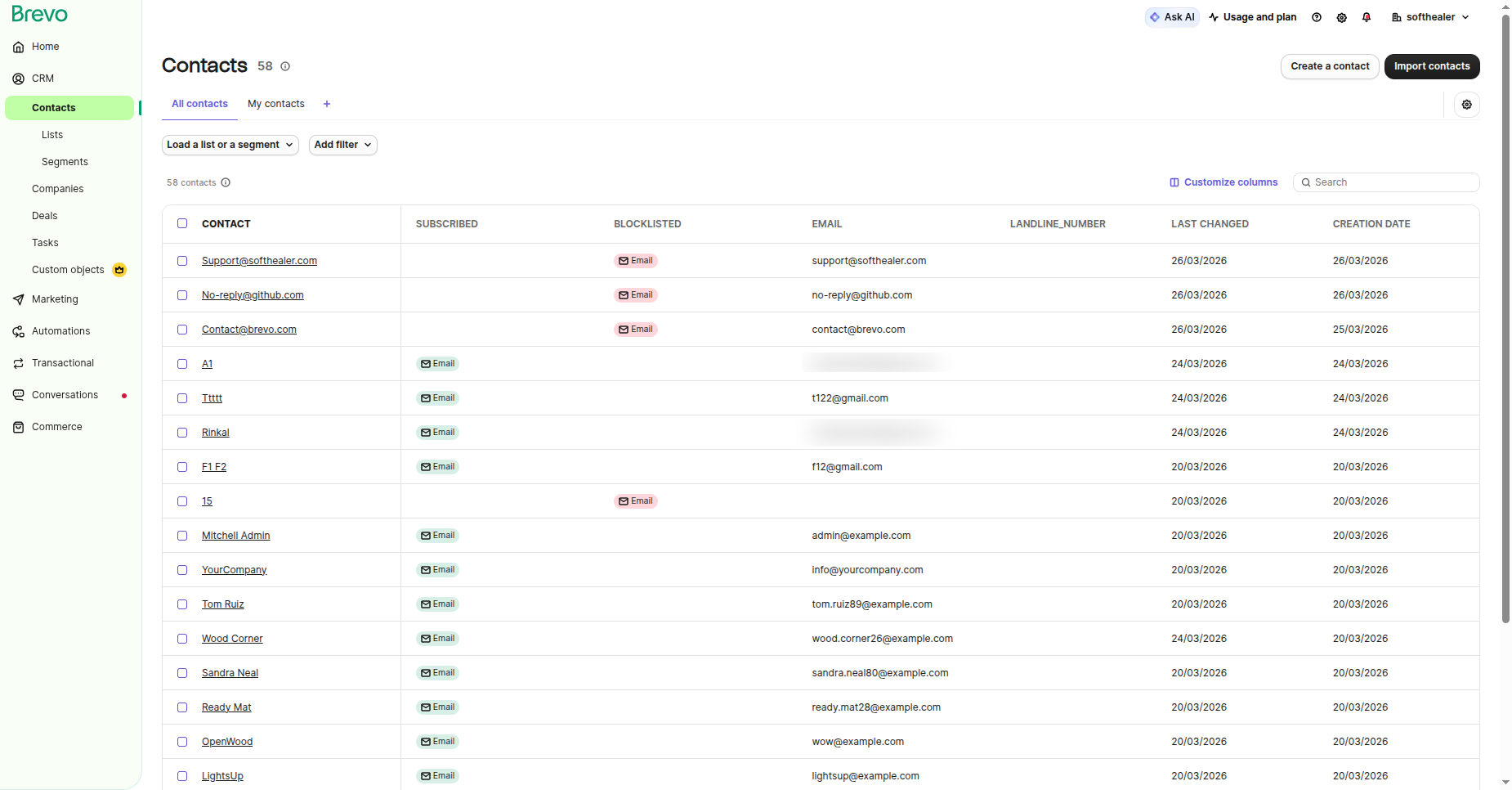
You can view the exported contact list directly in Brevo.
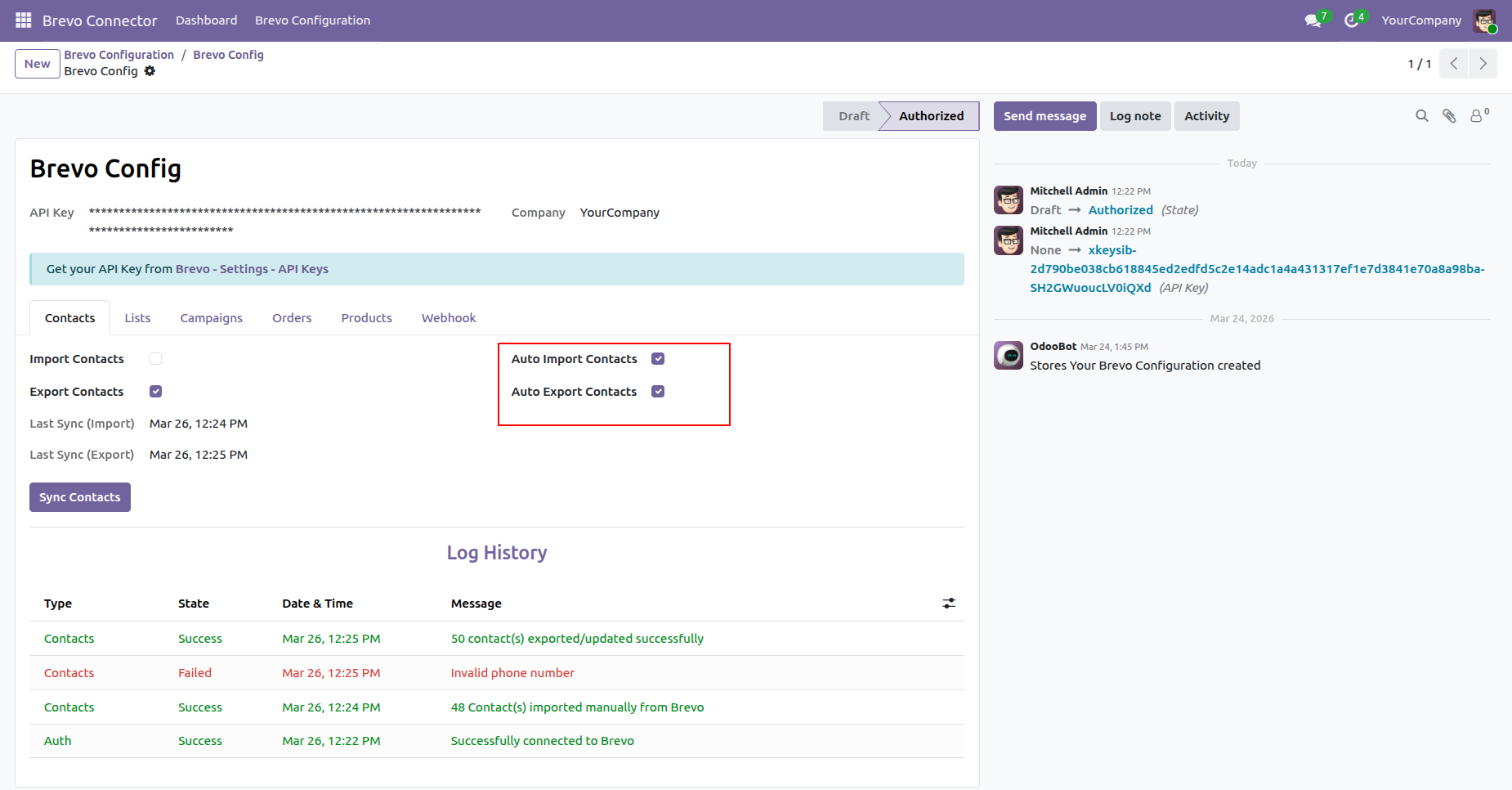
Enable automatic import and export of contacts through scheduled actions.
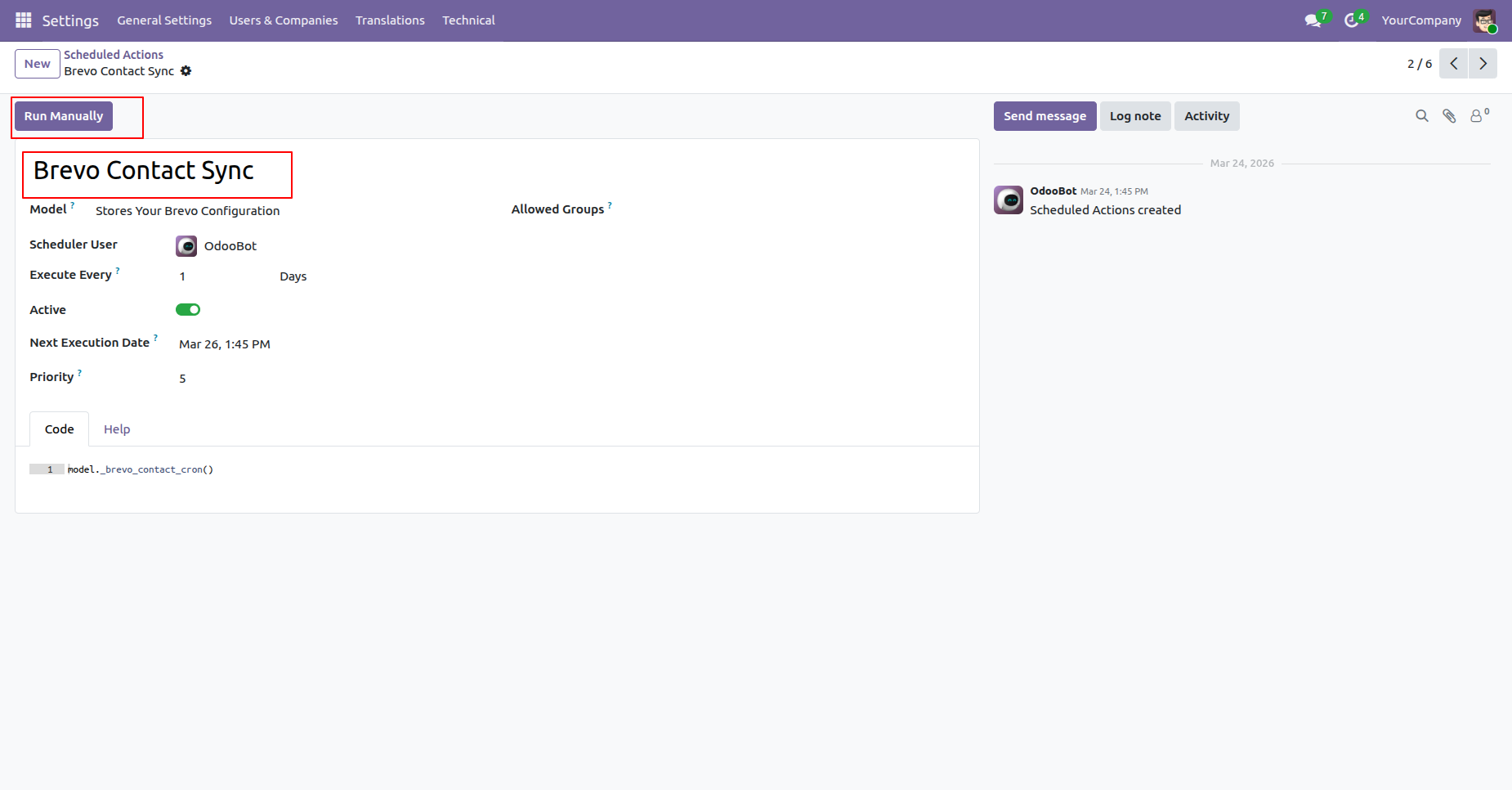
Automate contact synchronization using scheduled actions.
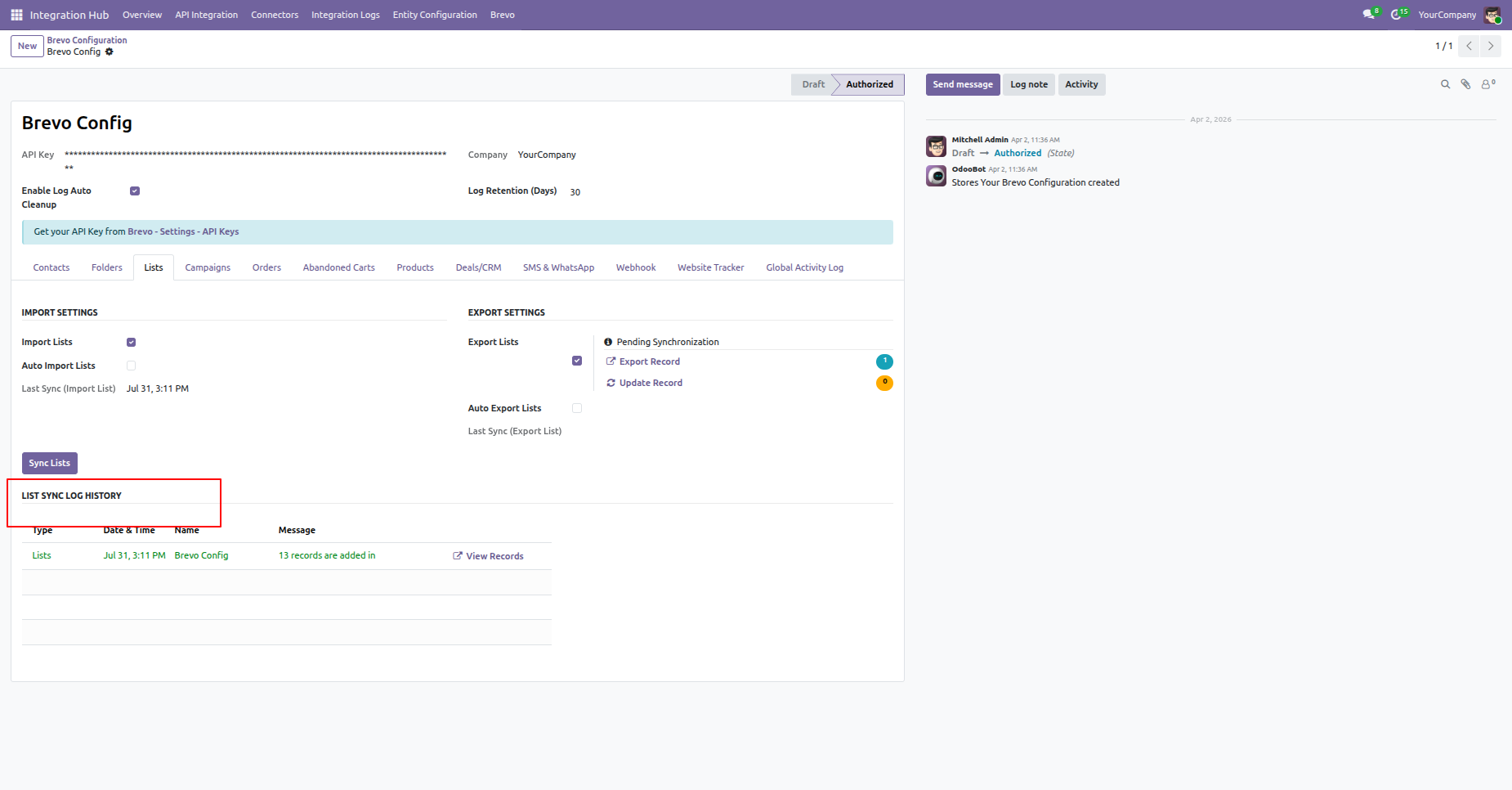
Enable Import Lists and click on the Sync Lists button to import the mailing lists.
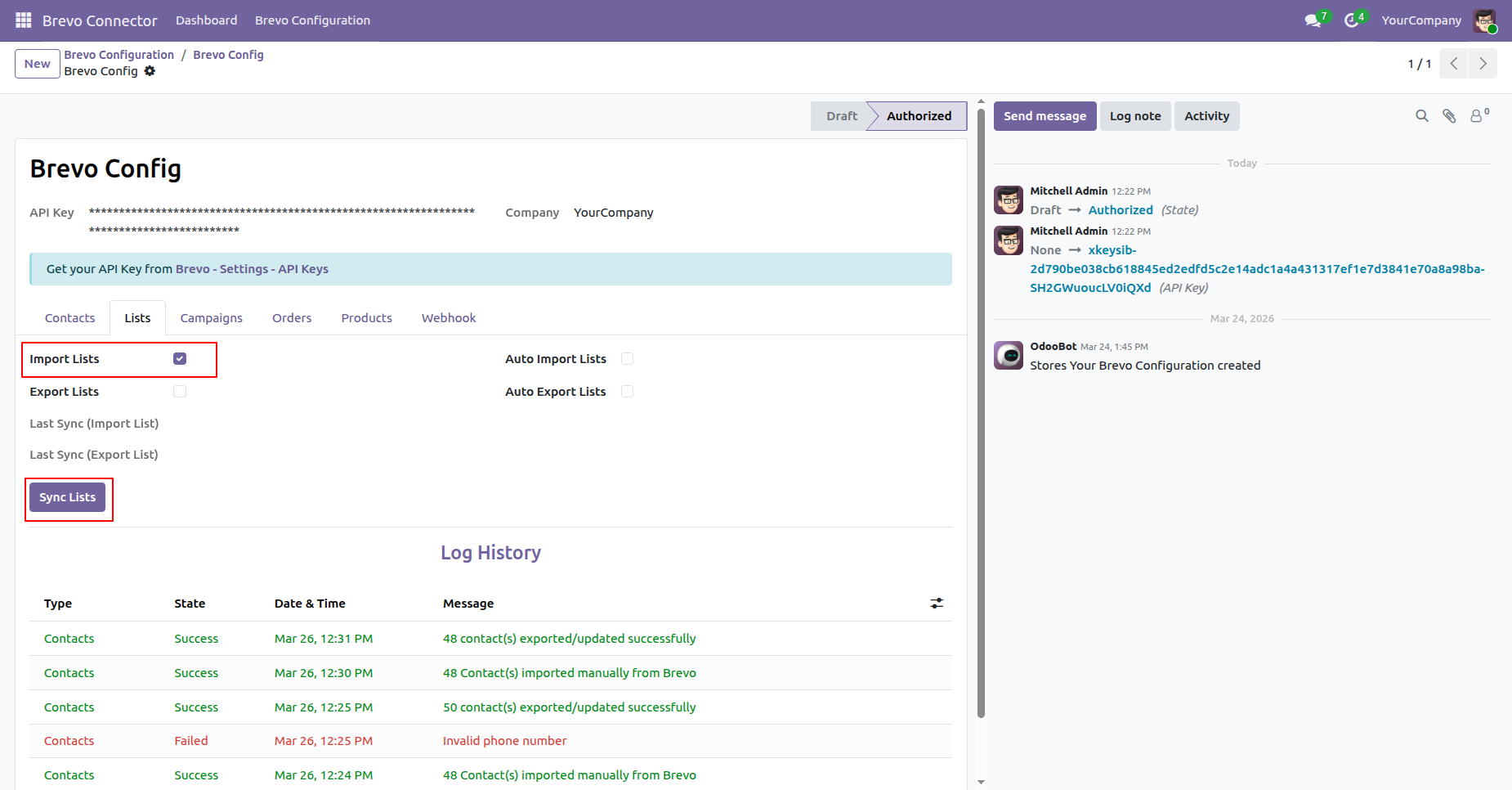
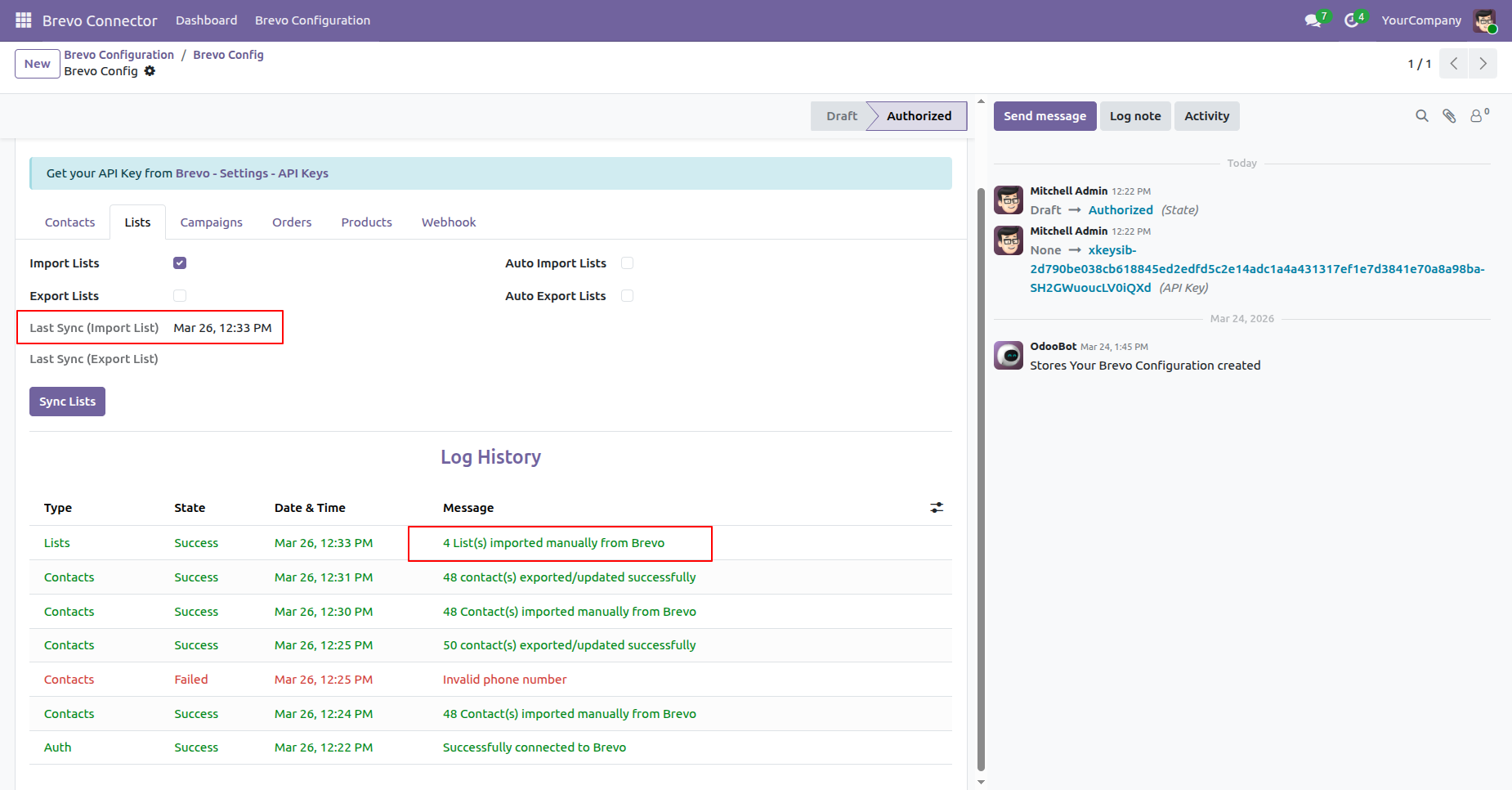
You can view the last sync date and time for imports, along with the log history for tracking synchronization details.
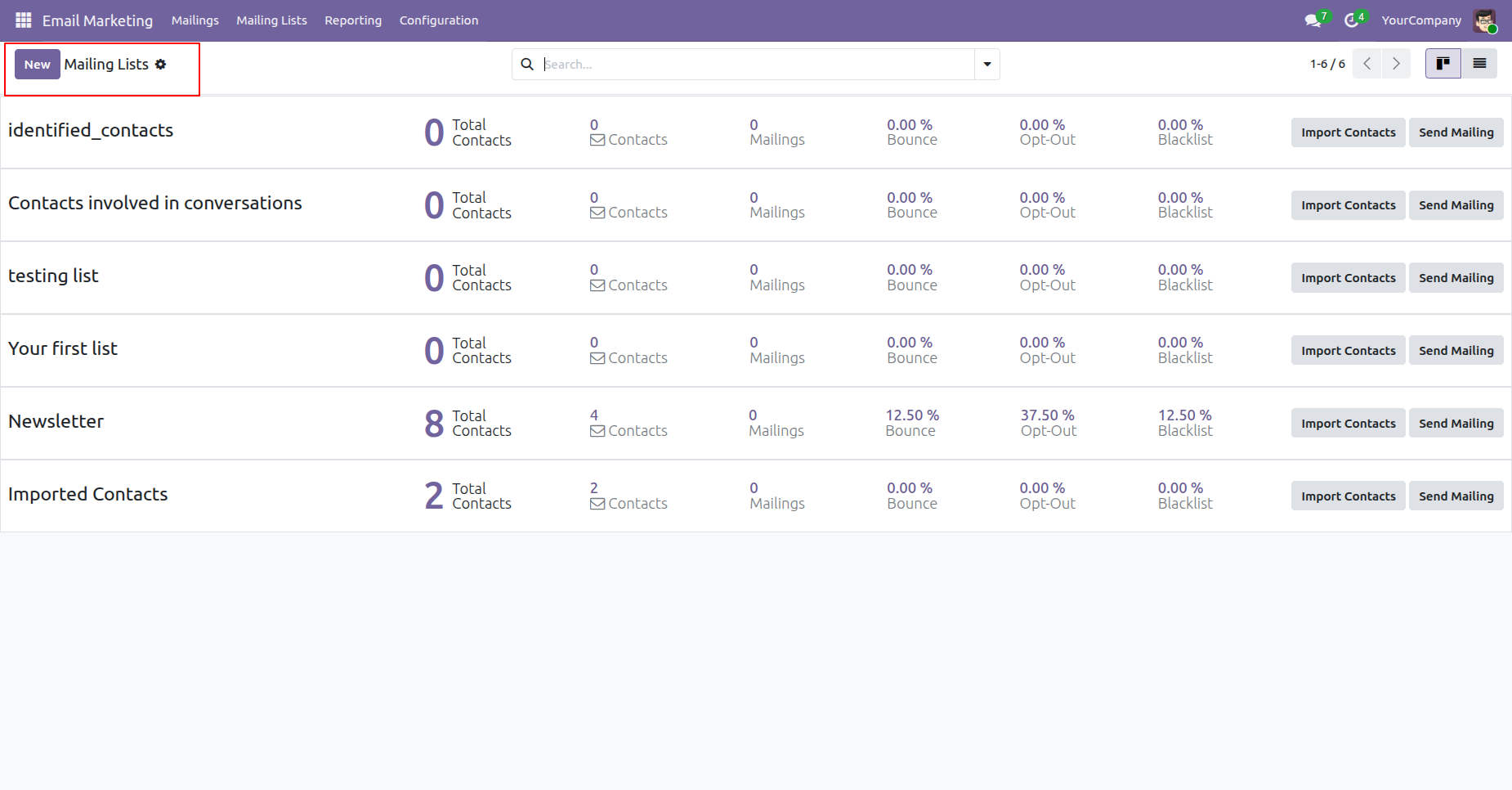
View imported mailing lists directly within Odoo.
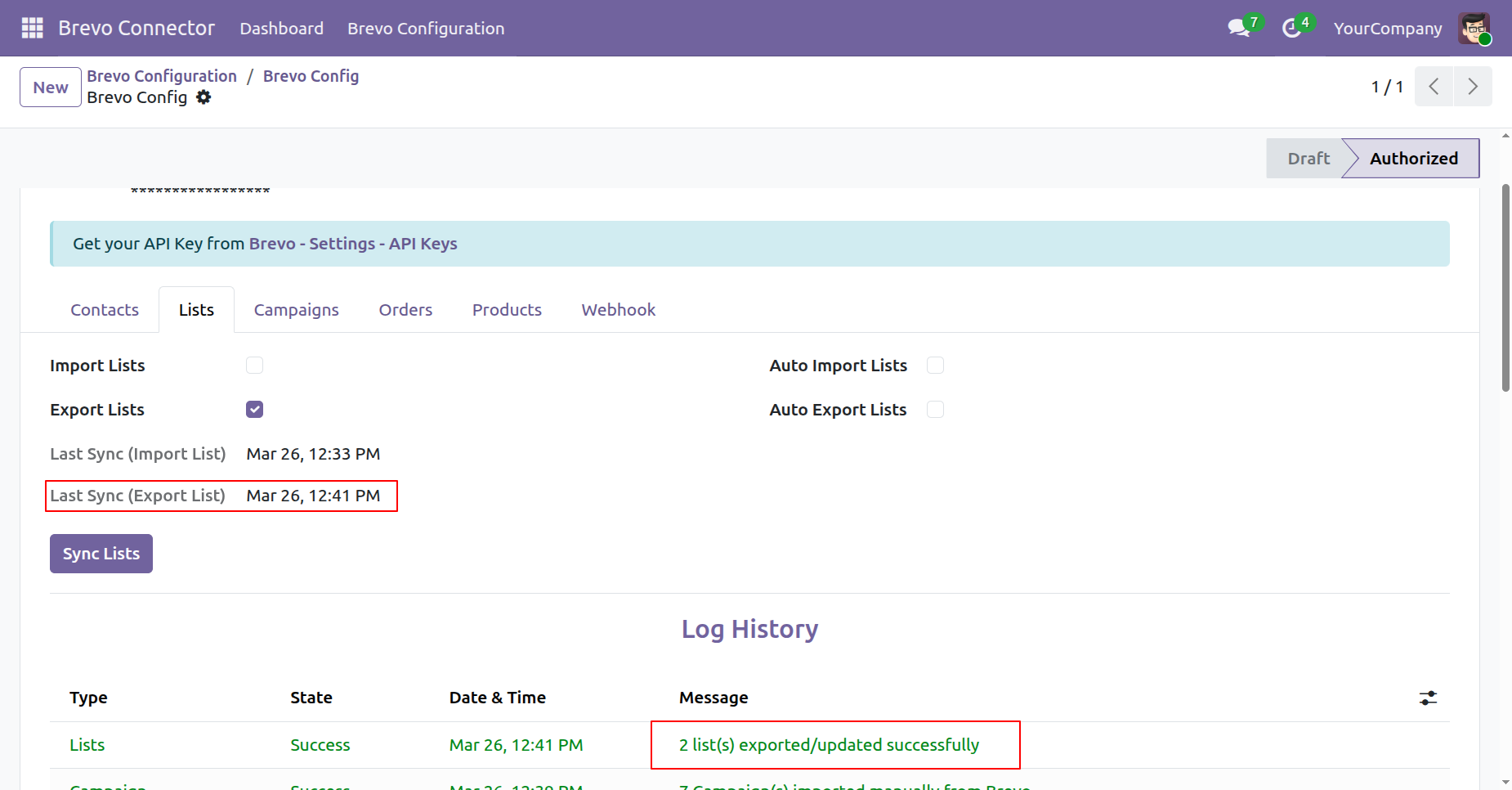
Enable Export Lists and click on the Sync Lists button to export the mailing lists.
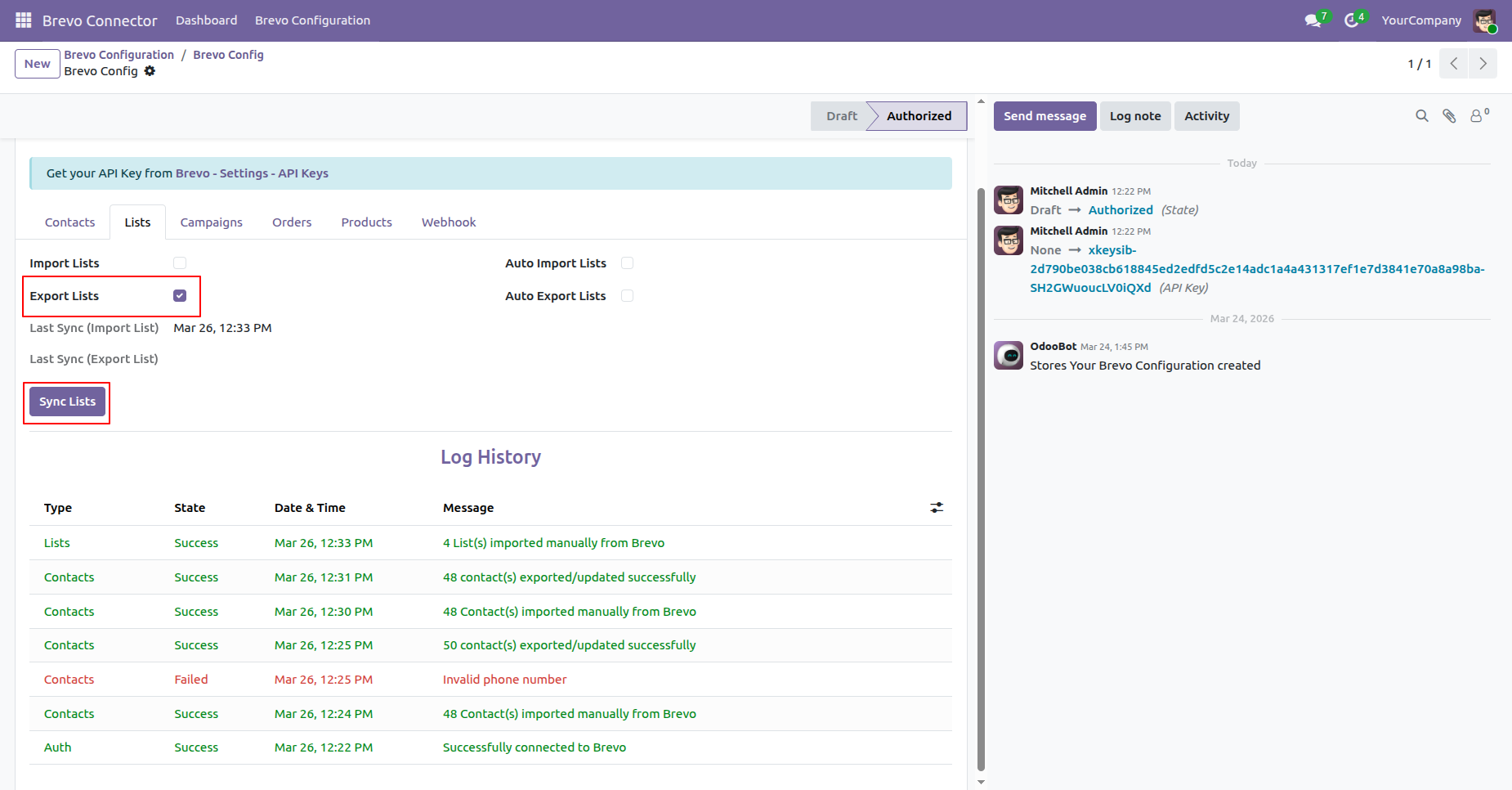
You can view the last sync date and time for export, along with the log history for tracking synchronization details.
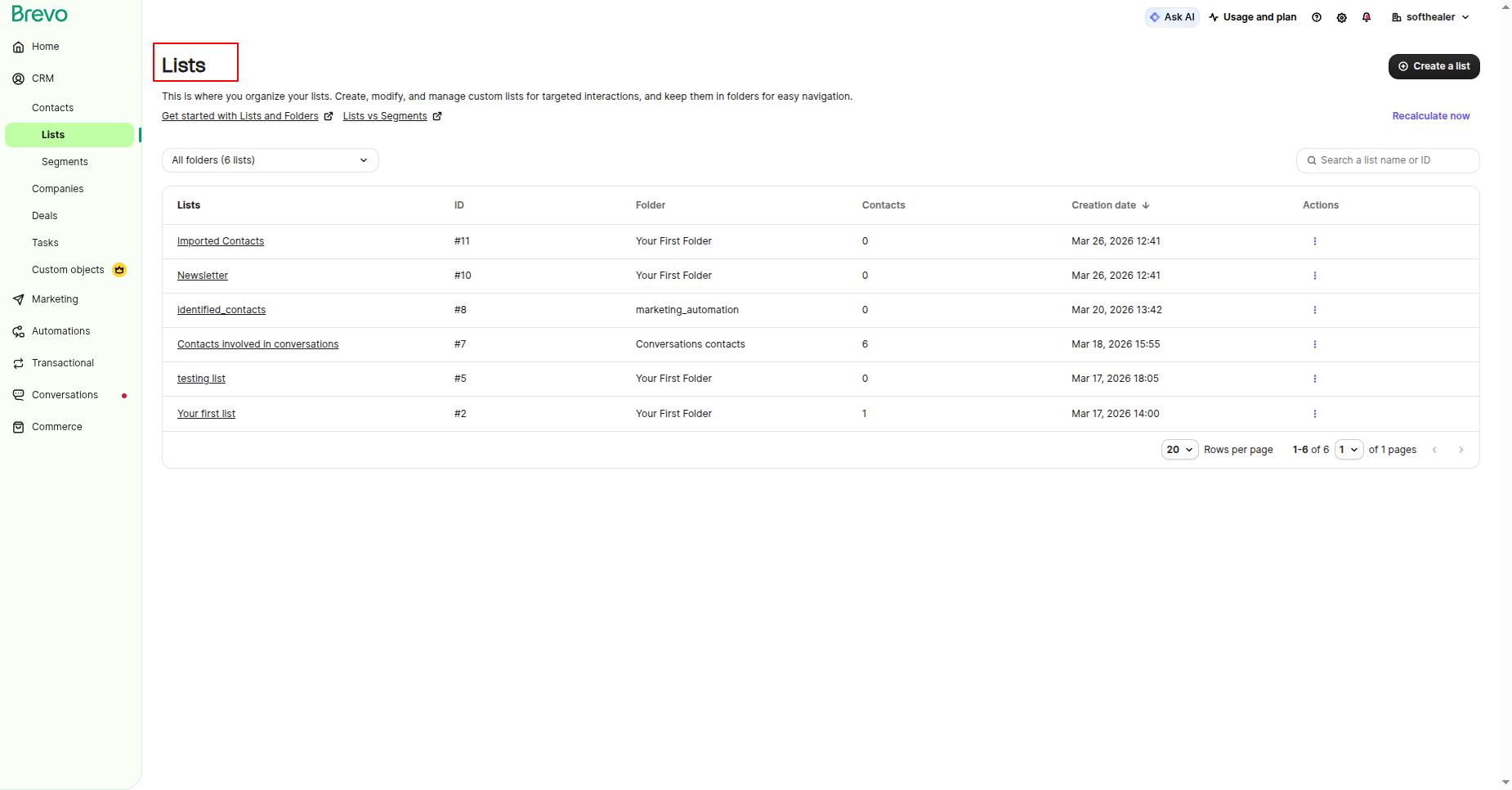
View exported mailing lists directly within brevo.
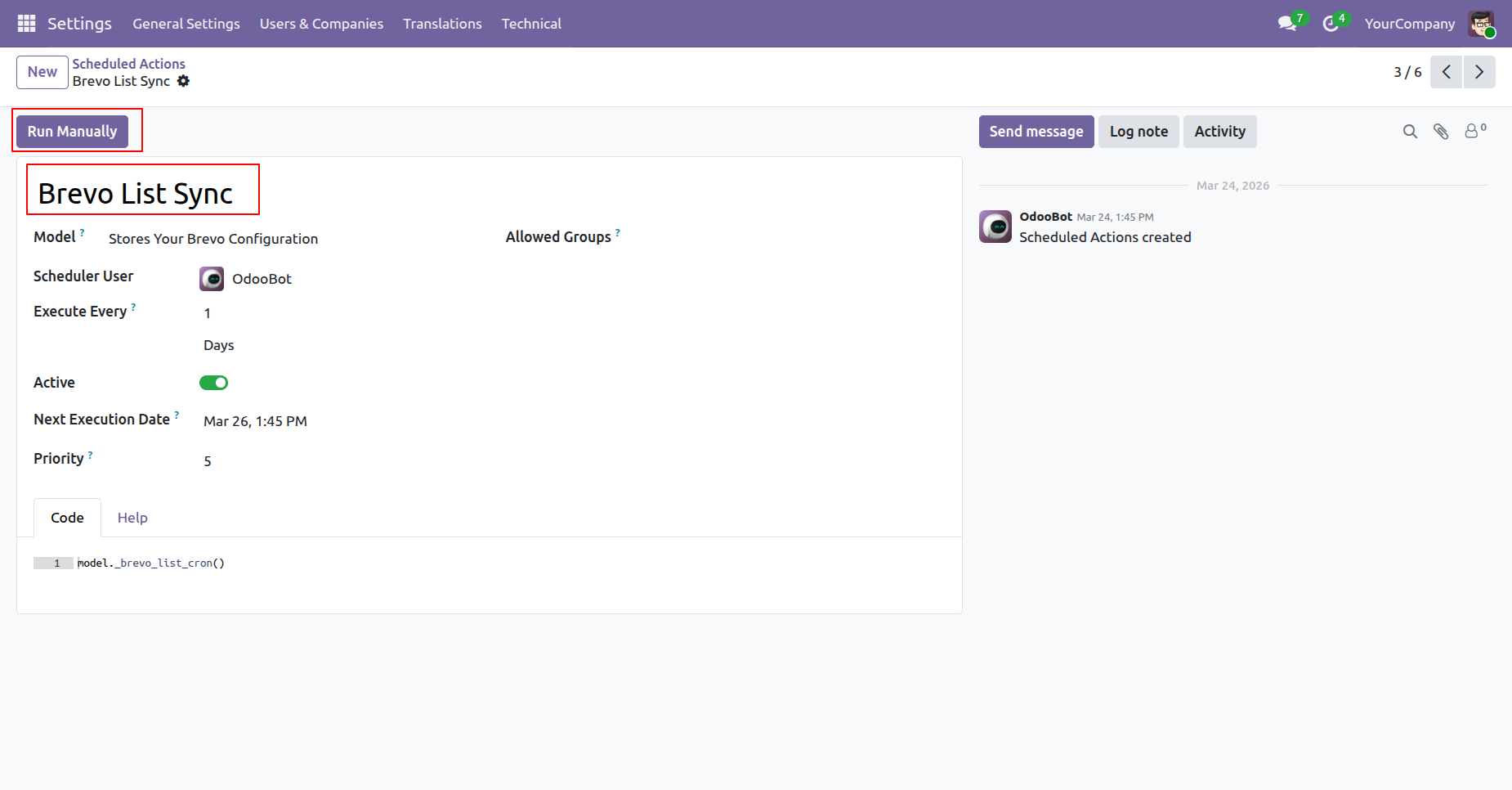
Automate list synchronization through scheduled actions by enabling the automatic list import and export options.
Enable Import Campaigns and click on the Sync Campaigns button to import the Campaigns.
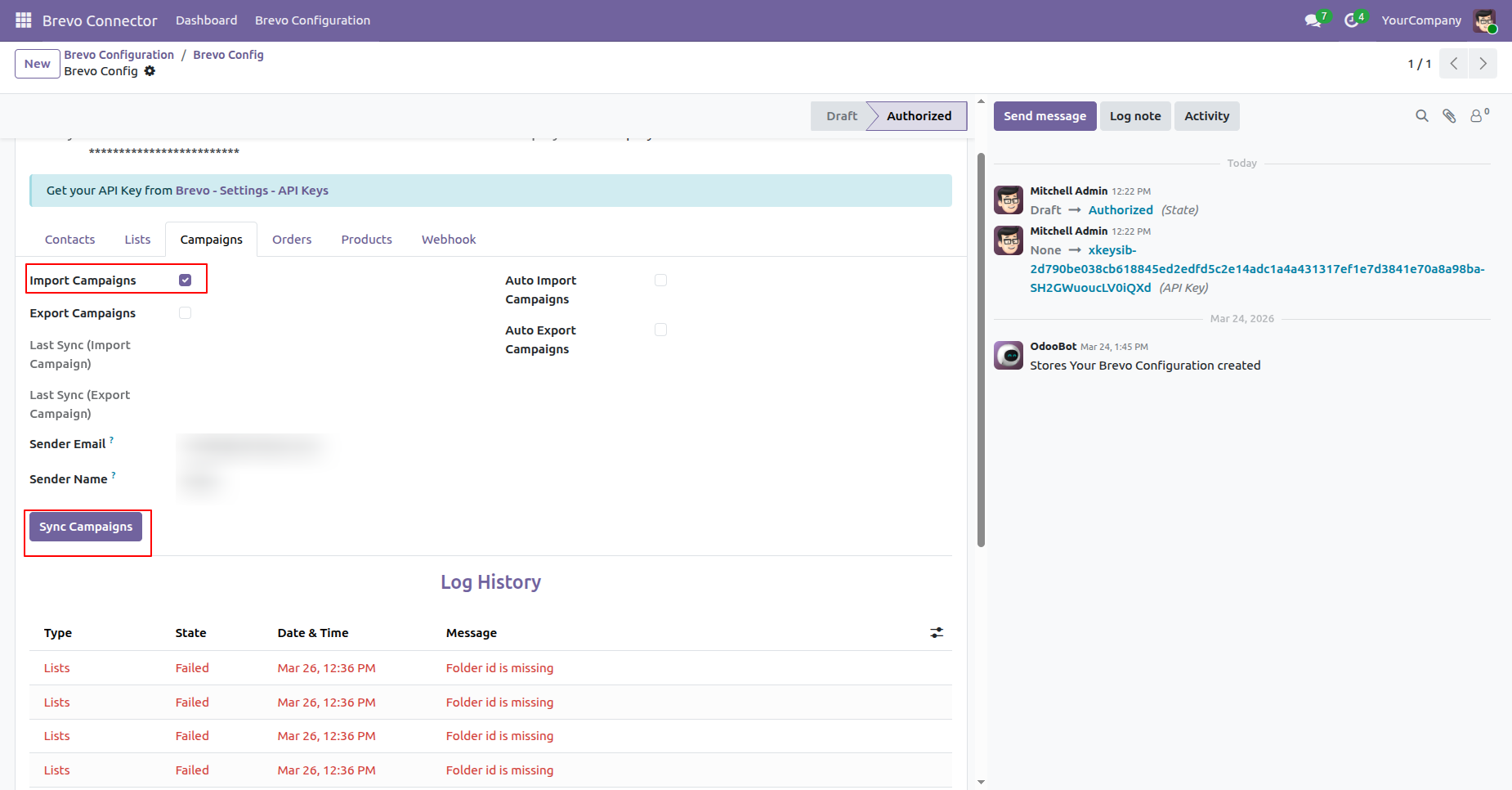
You can view the last sync date and time for imports, along with the log history for tracking synchronisation details.
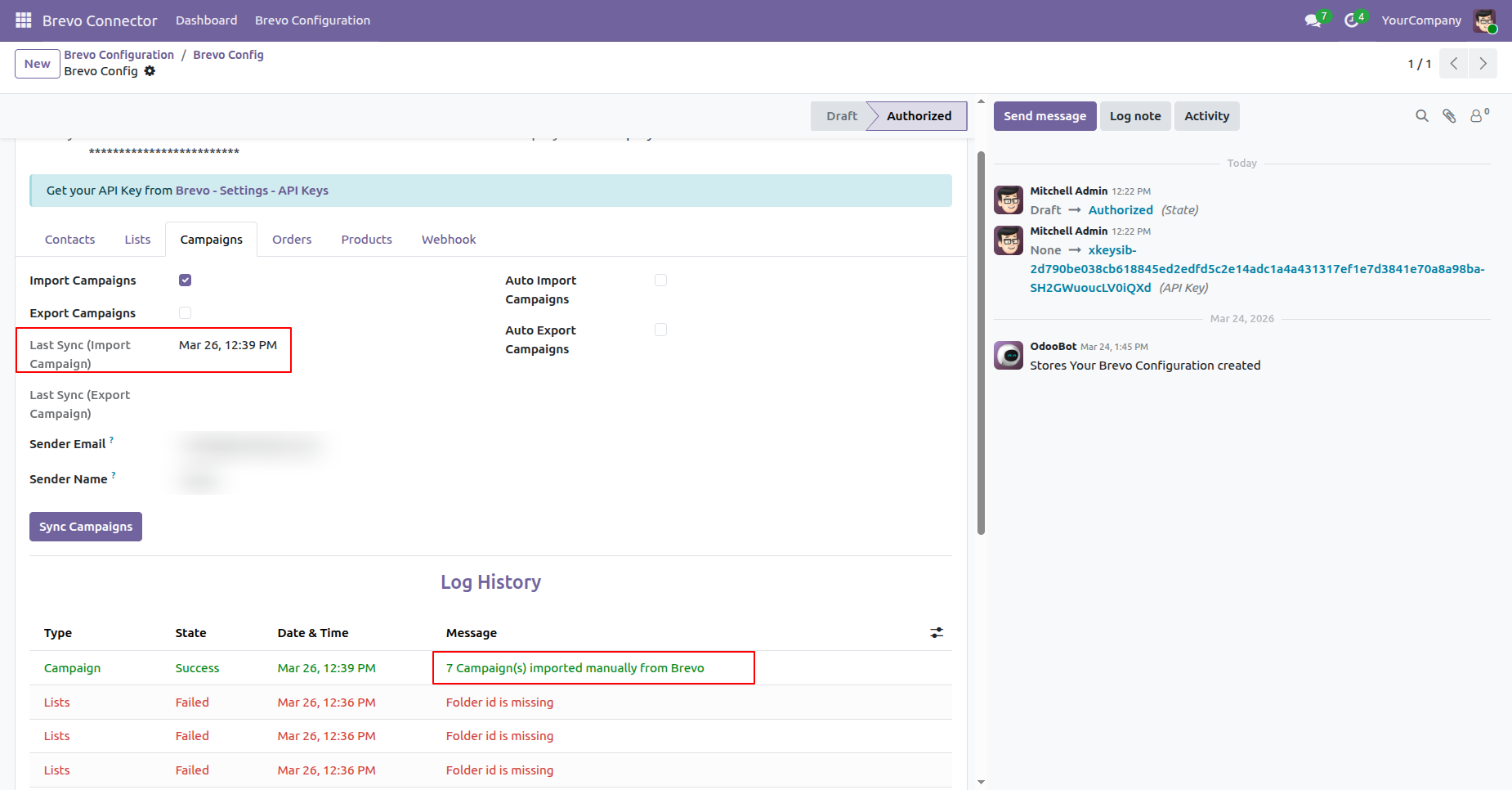
Enable Export Campaigns and click on the Sync Campaigns button to export the Campaigns.
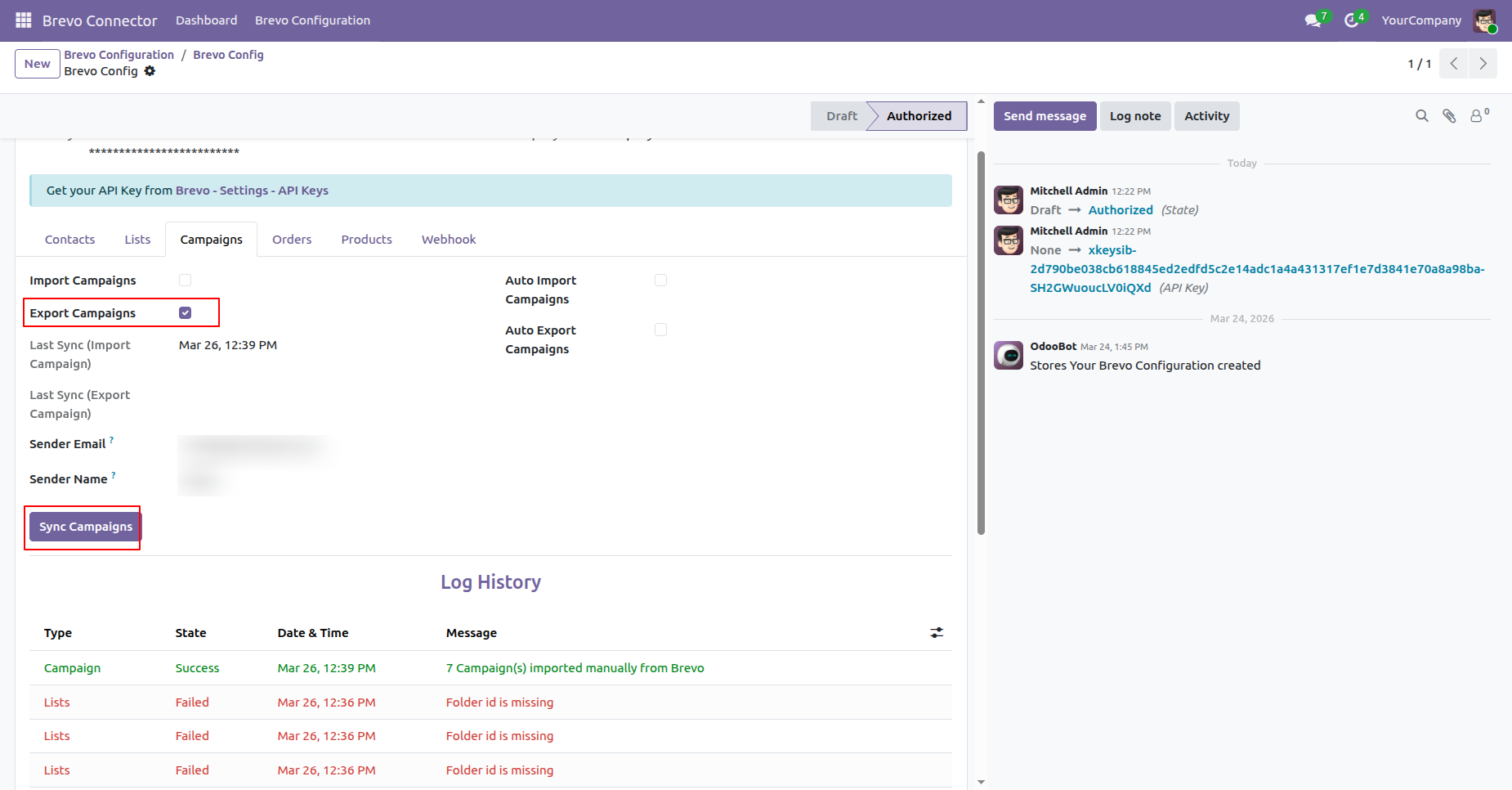
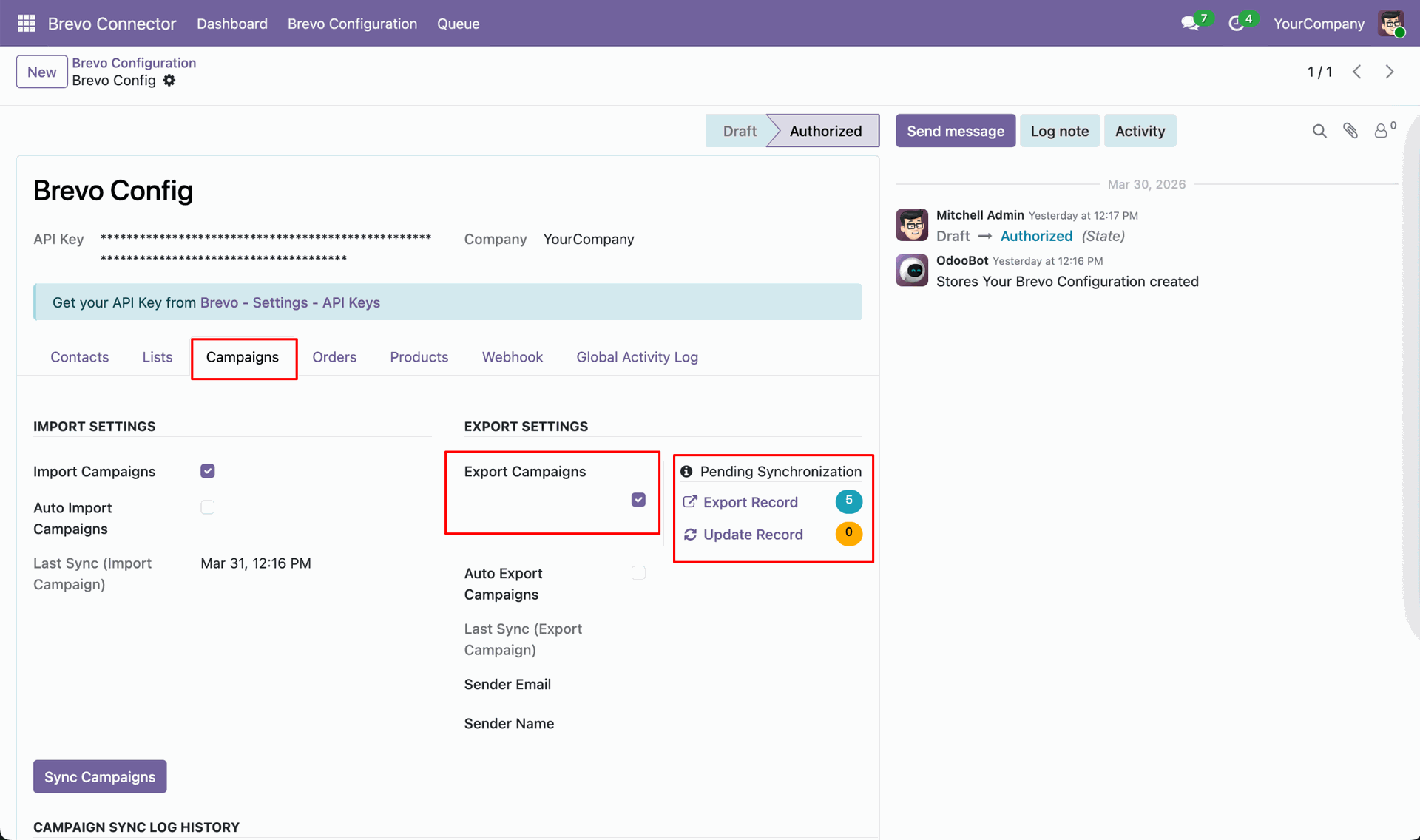
You can also view the count of pending synchronisation of update and export records.
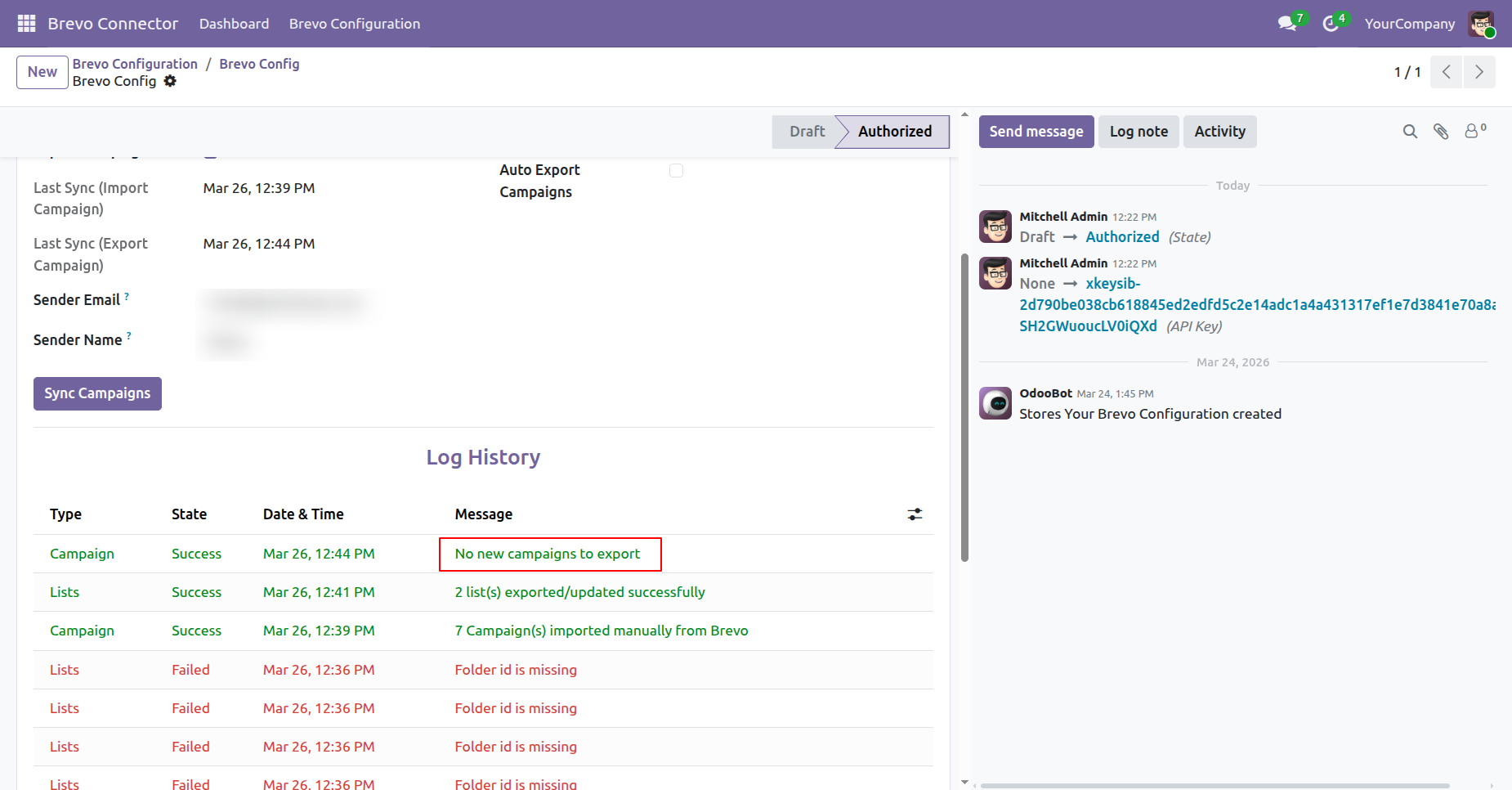
You can view the last sync date and time for export, along with the log history for tracking synchronisation details.
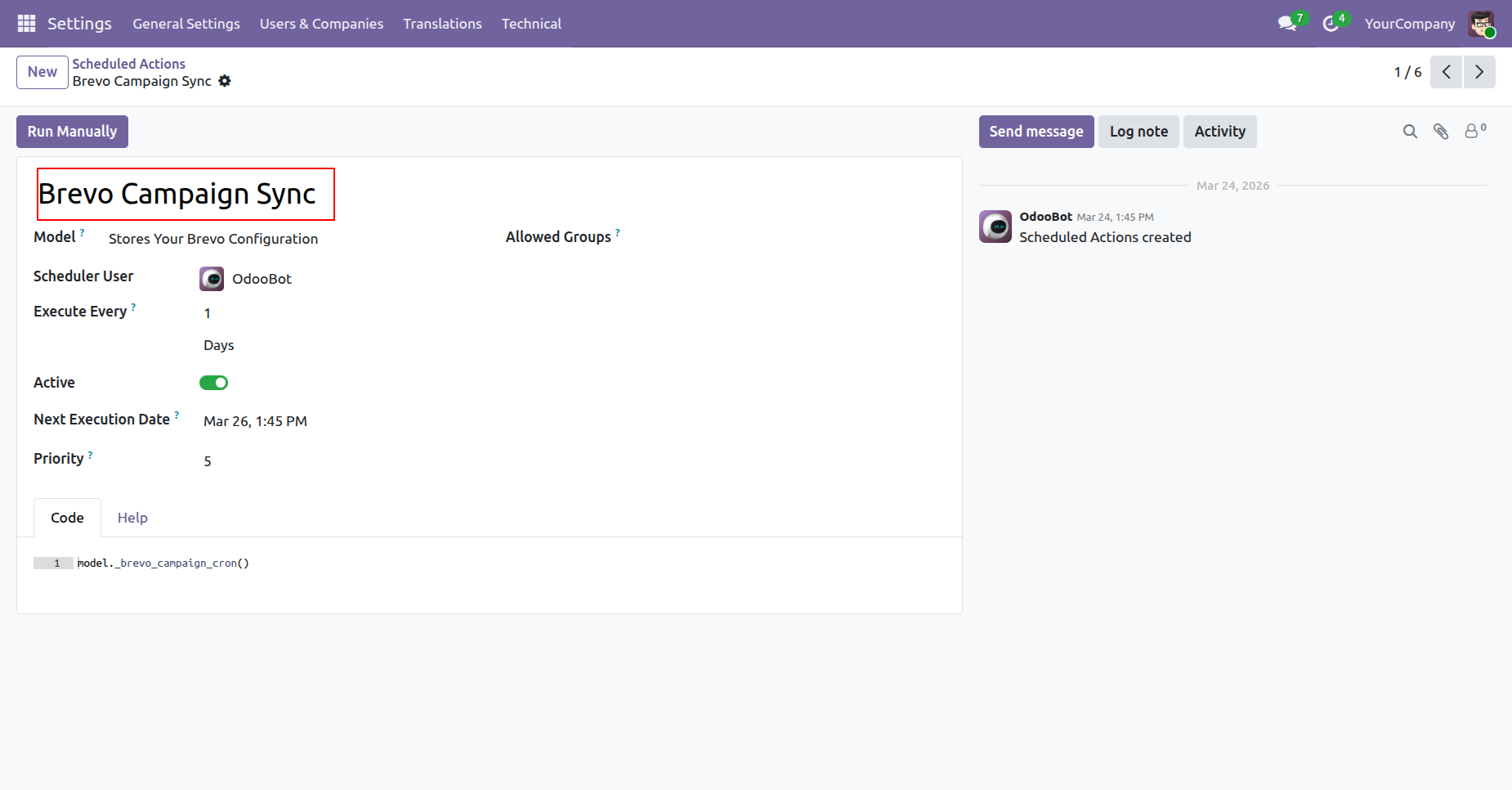
Enable auto import and export of Campaigns through scheduled actions.
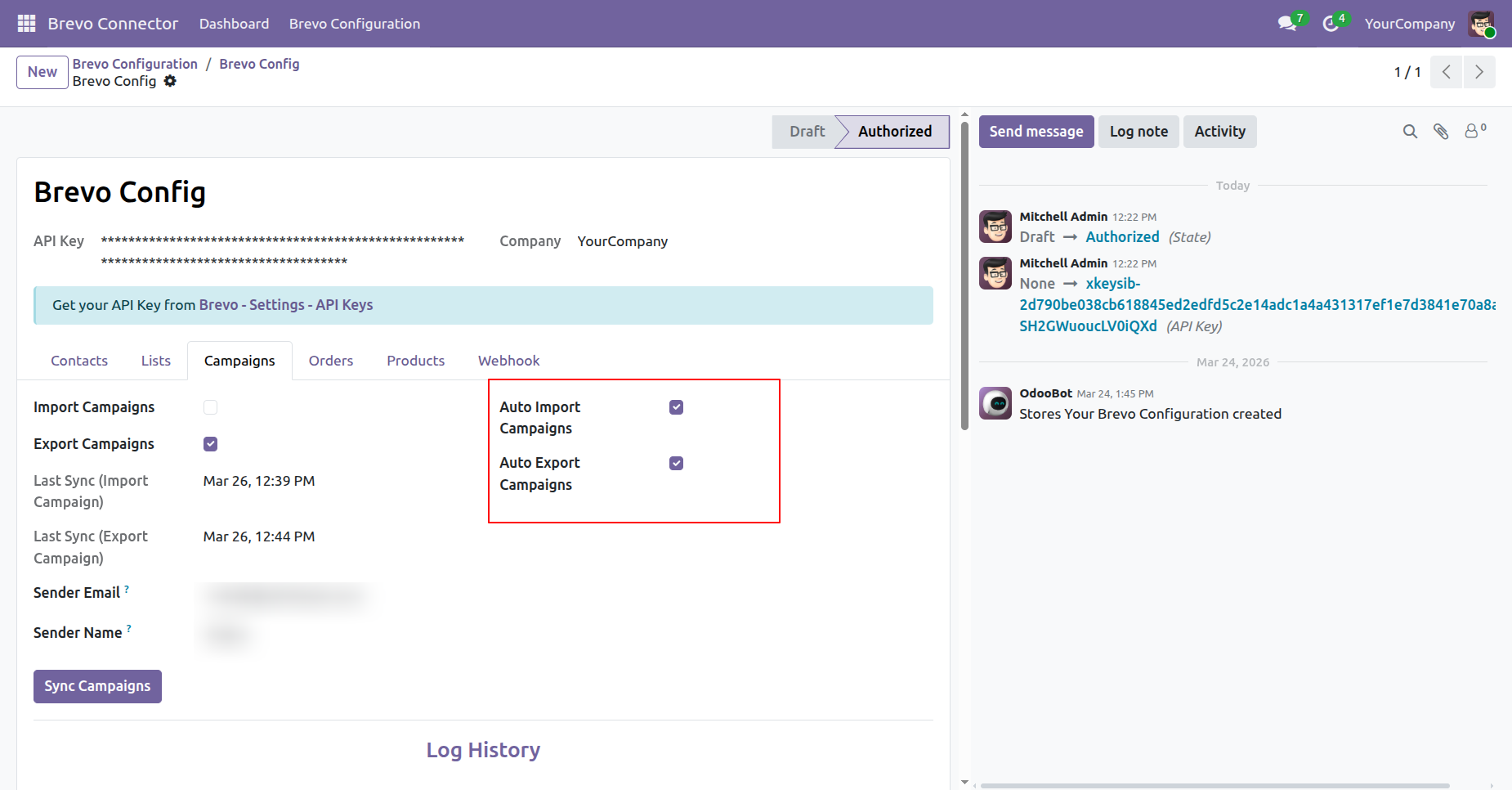
Automate Campaigns synchronisation using scheduled actions.
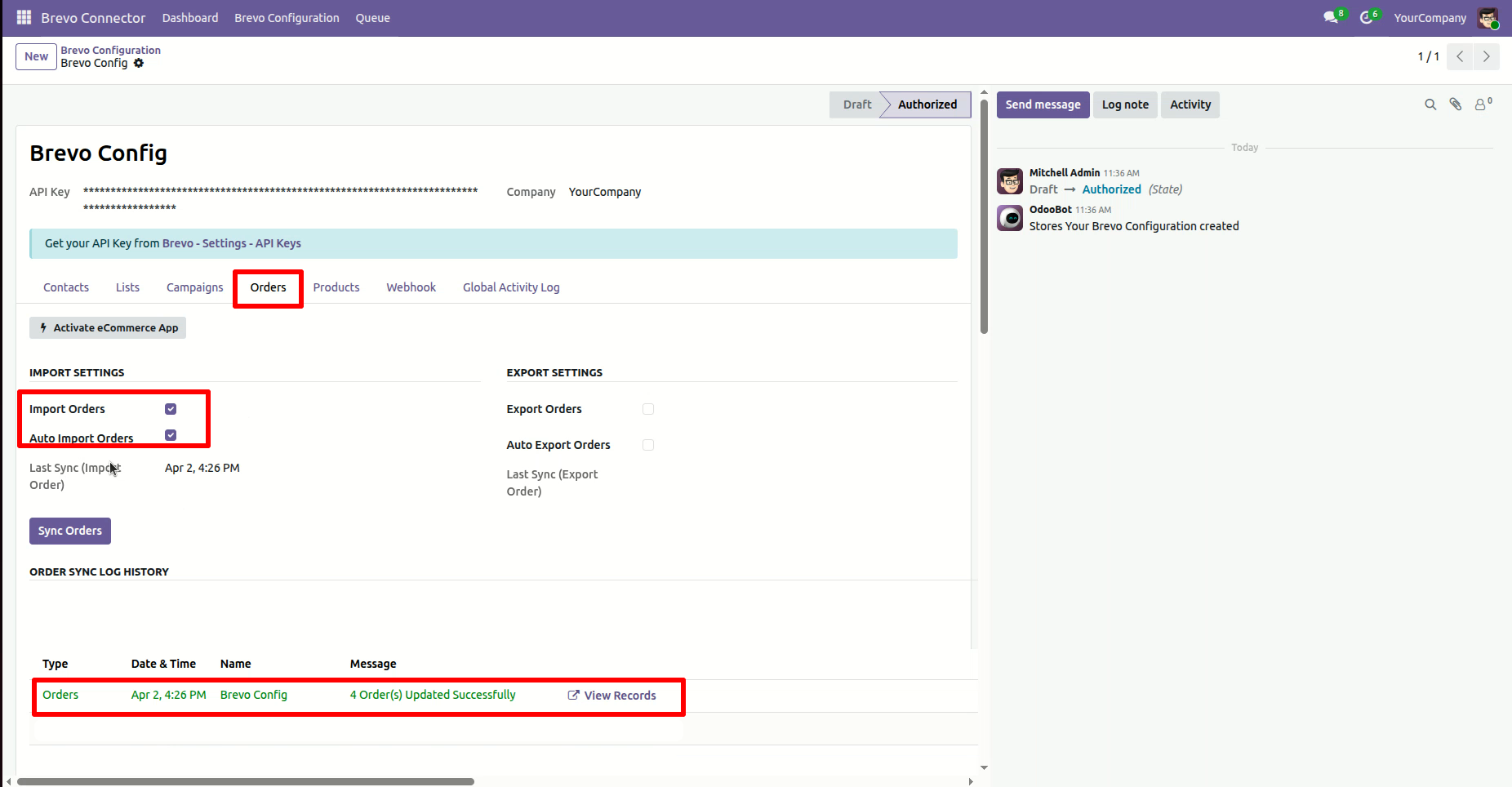
Enable Import Orders and click on the Sync Orders button to Import the Orders
from brevo.
You can view the last sync date and time for import, along with the log history
for tracking synchronisation details.
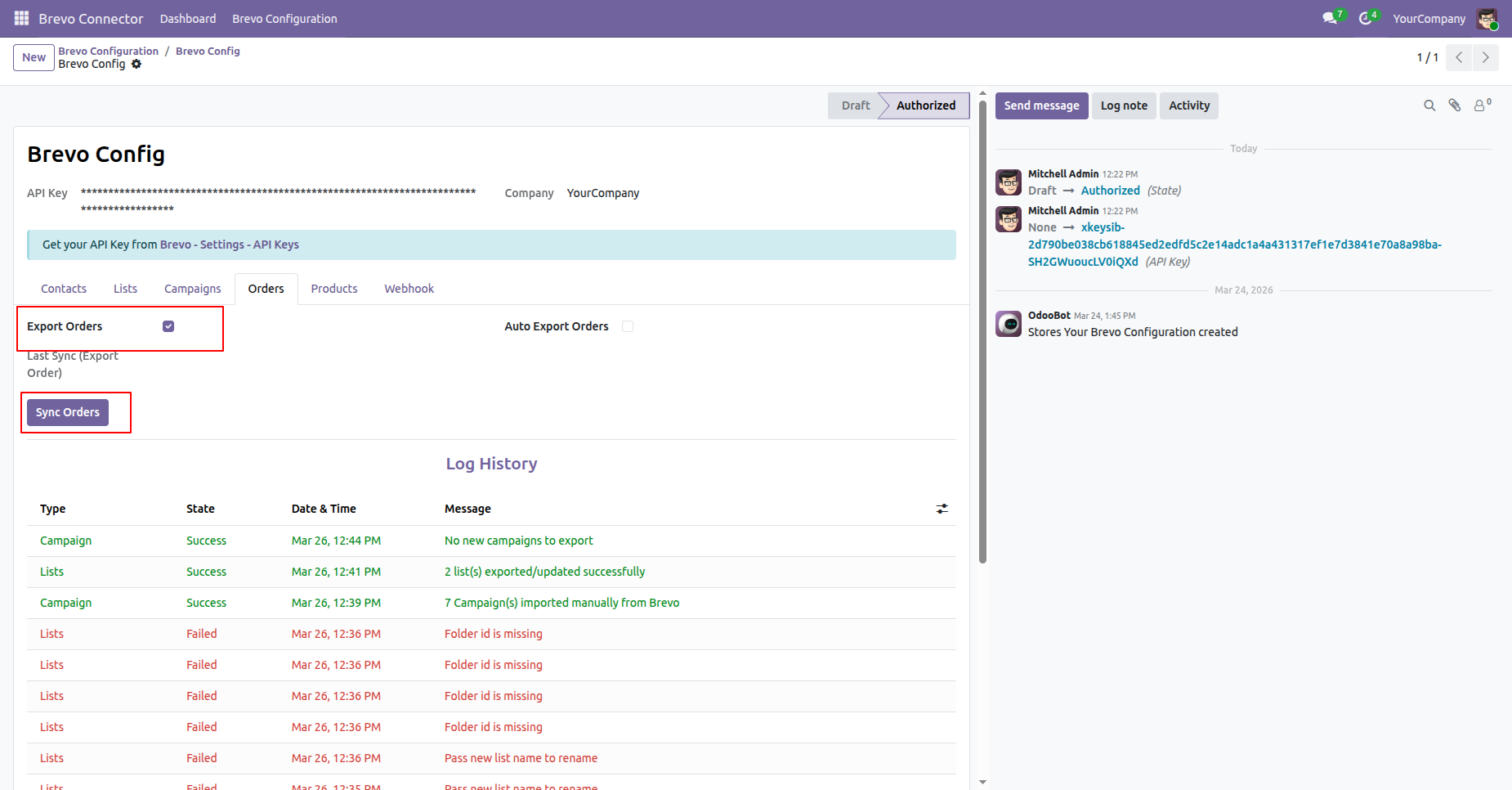
Enable Export Orders and click on the Sync Orders button to export the Orders from odoo.
You can view the last sync date and time for export, along with the log history for tracking synchronisation details.
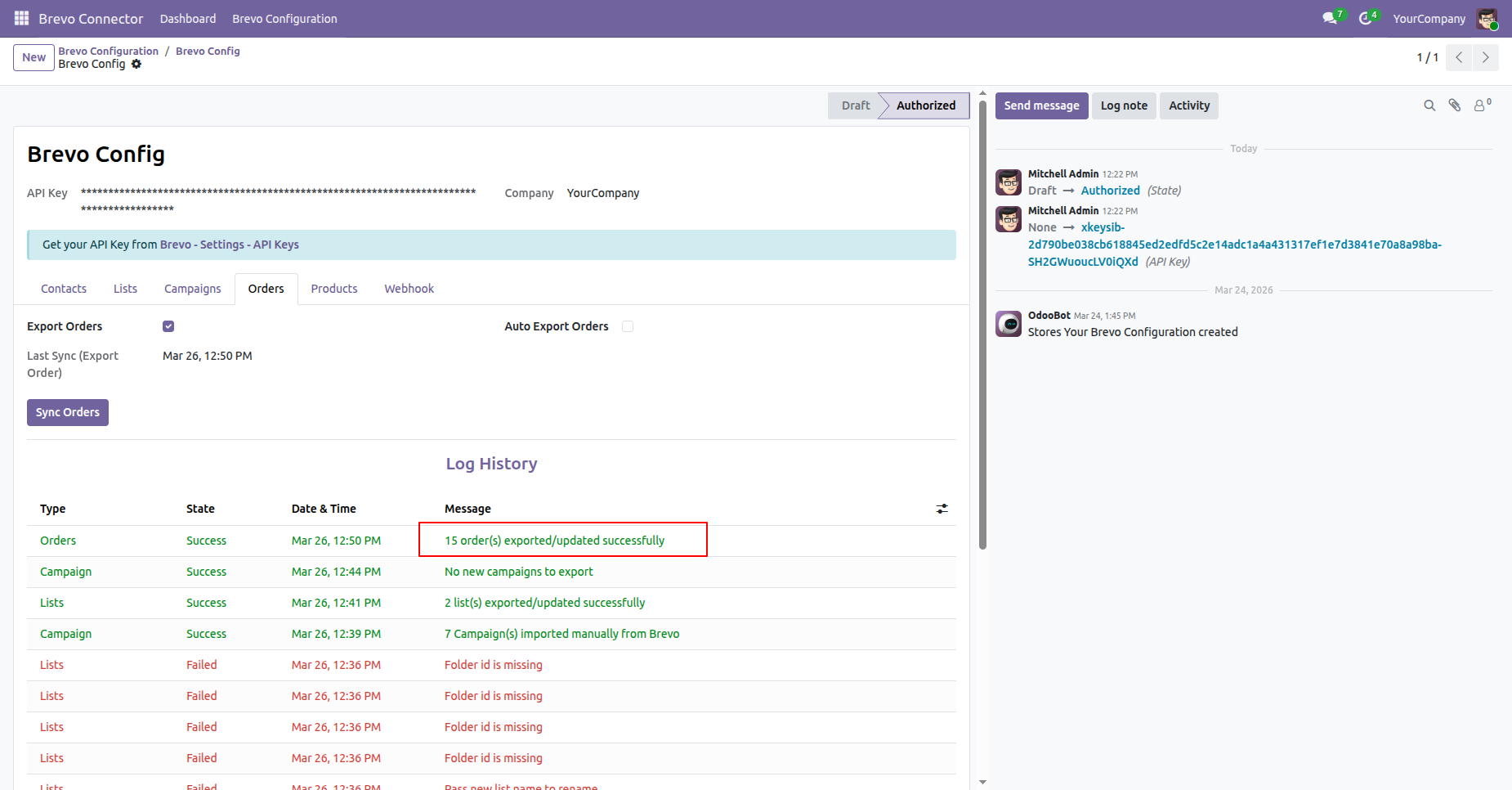
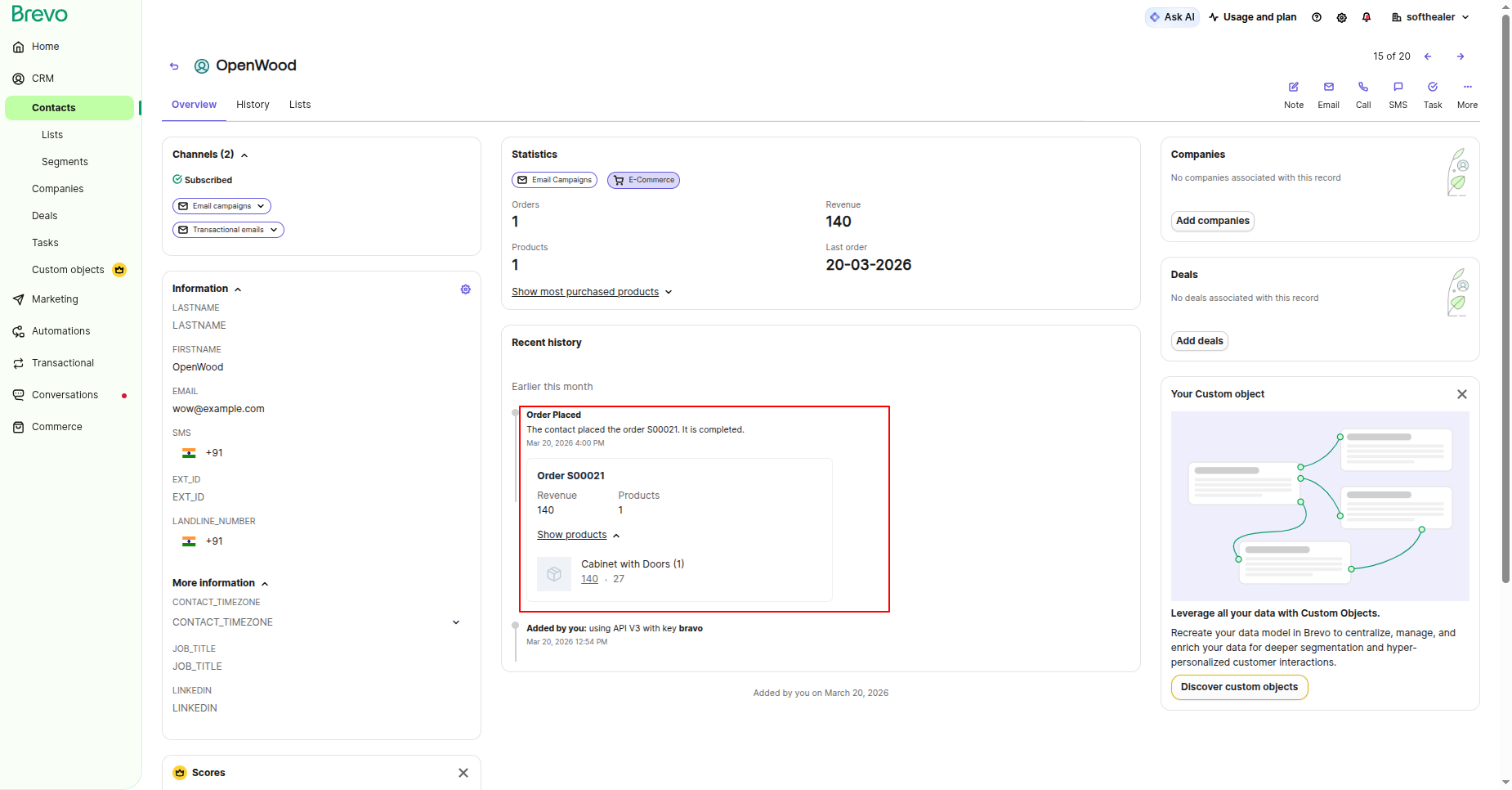
You can view the exported Orders directly in Brevo.
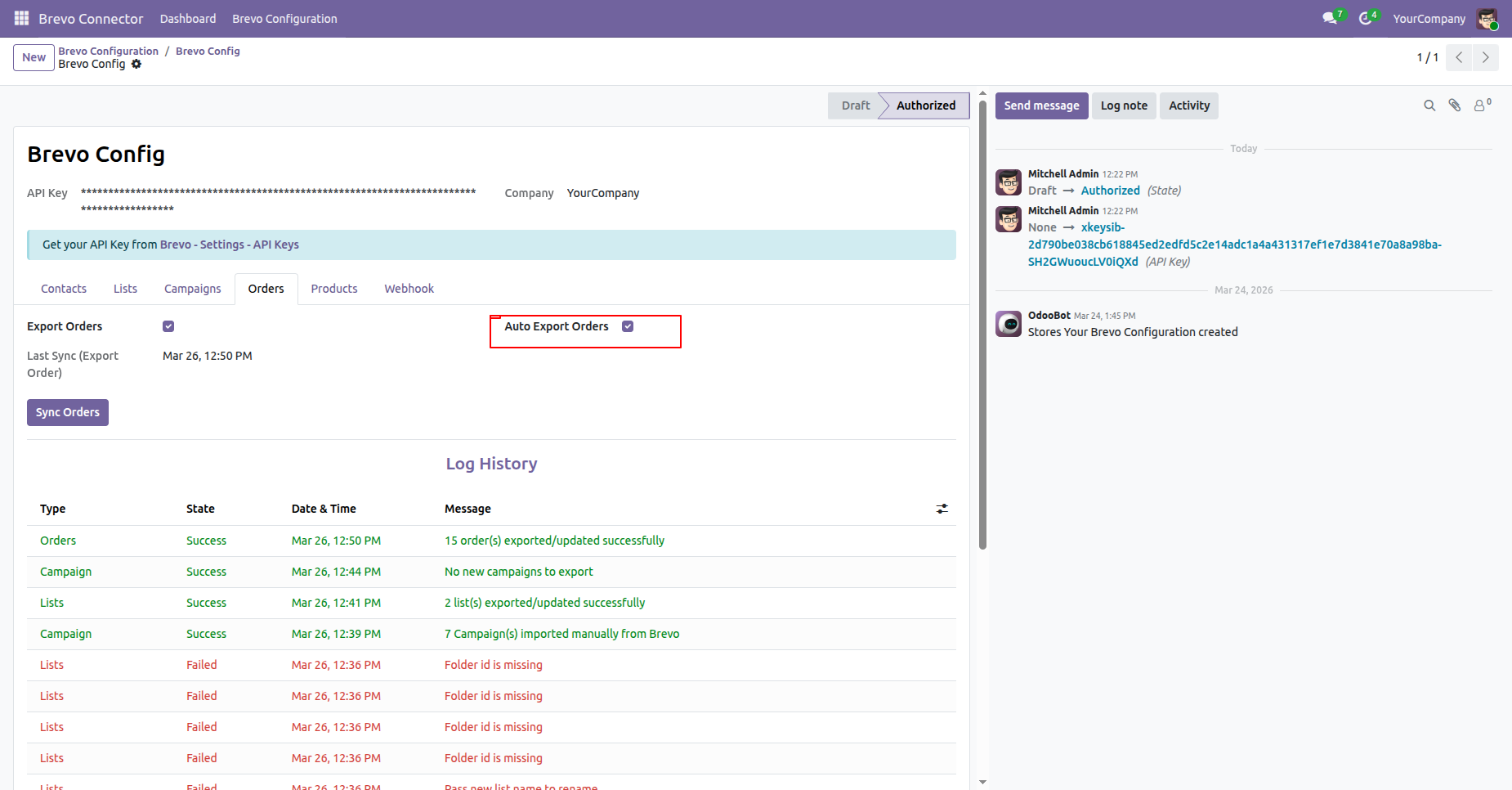
Enable auto import/export of Orders through scheduled actions.
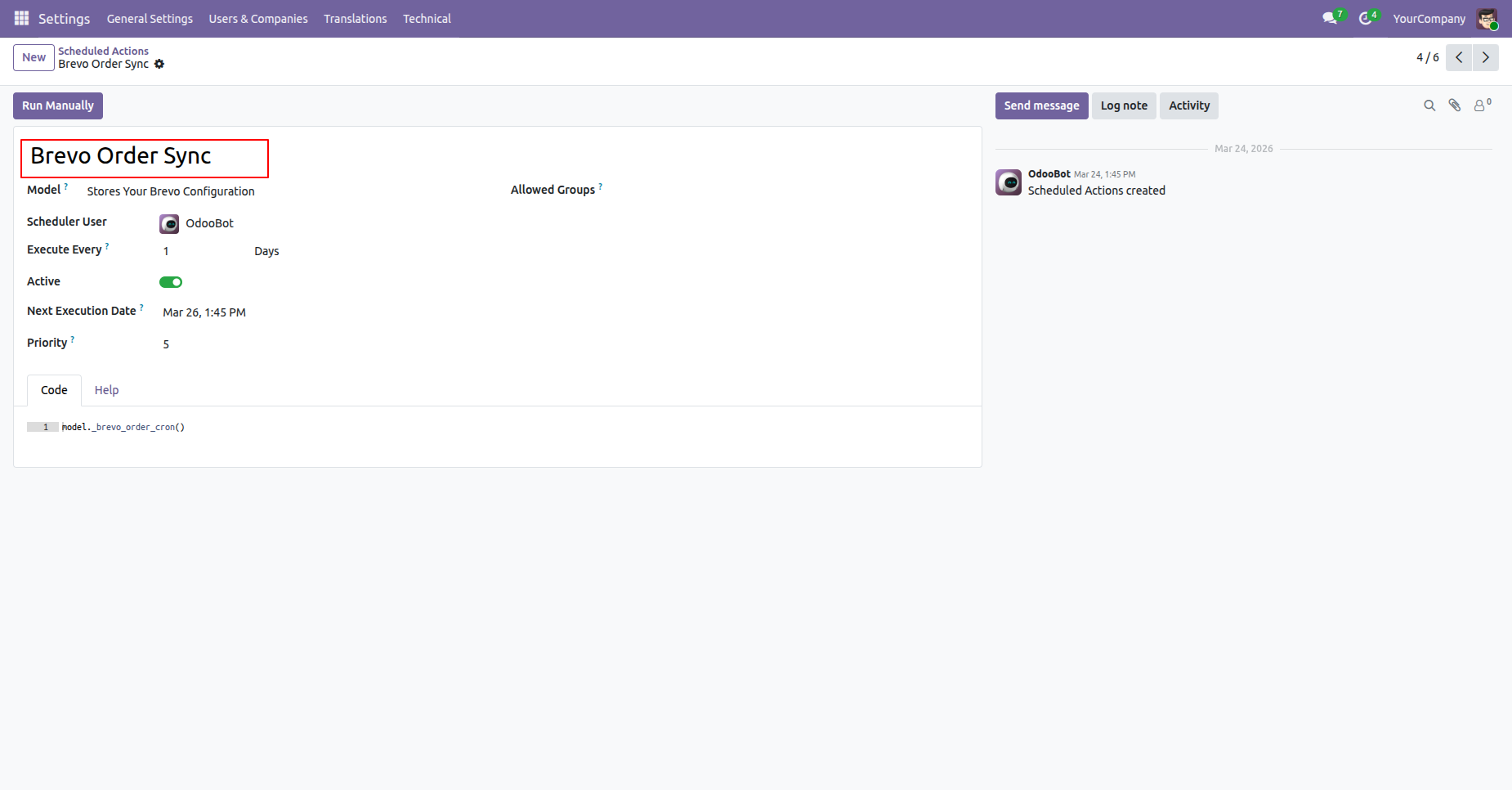
Automate Orders synchronisation using scheduled actions.
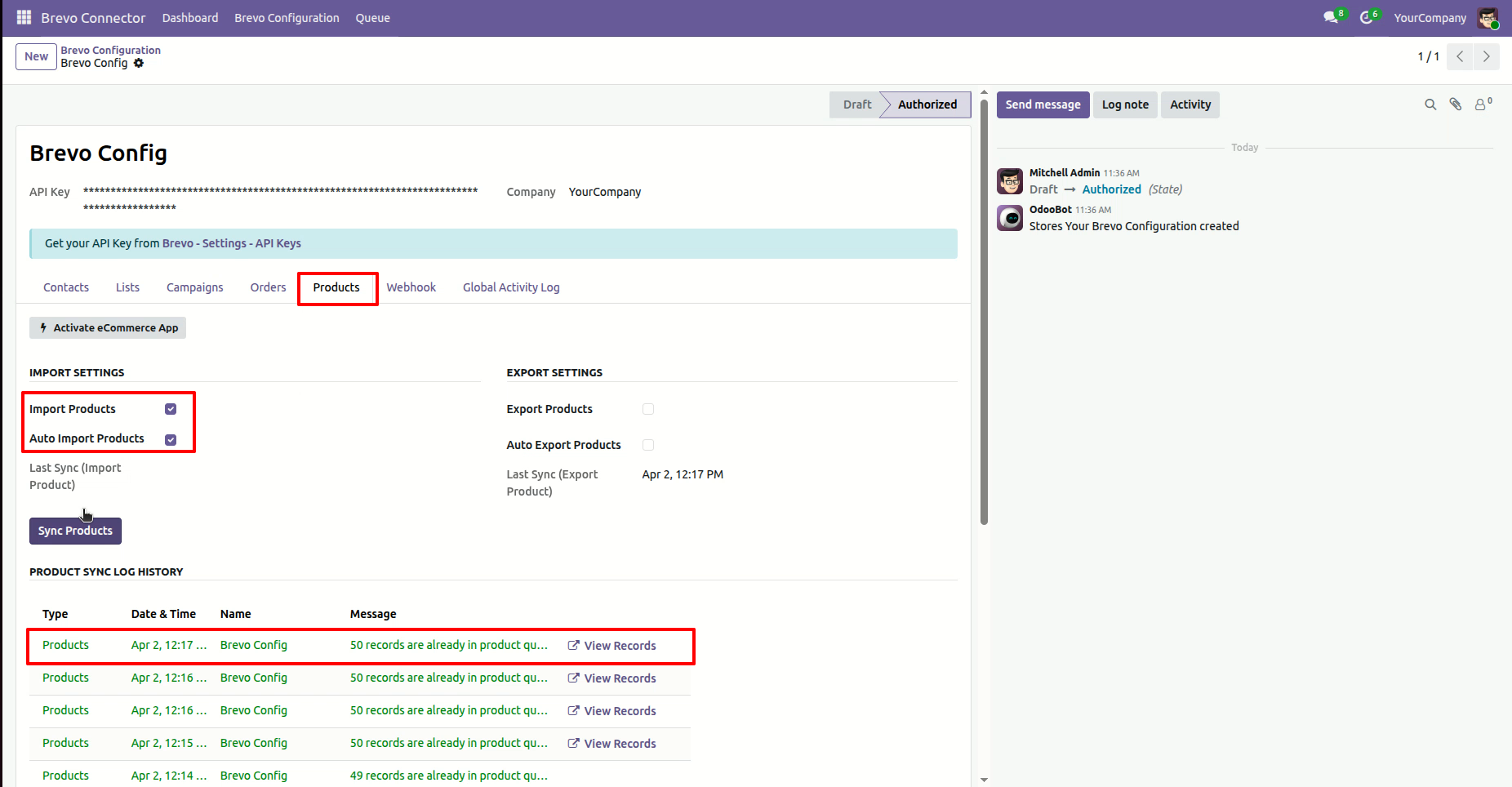
Enable Import Products and click on the Sync Products button to Import the
Products from brevo.
You can view the last sync date and time for import, along with the log history
for tracking synchronisation details.
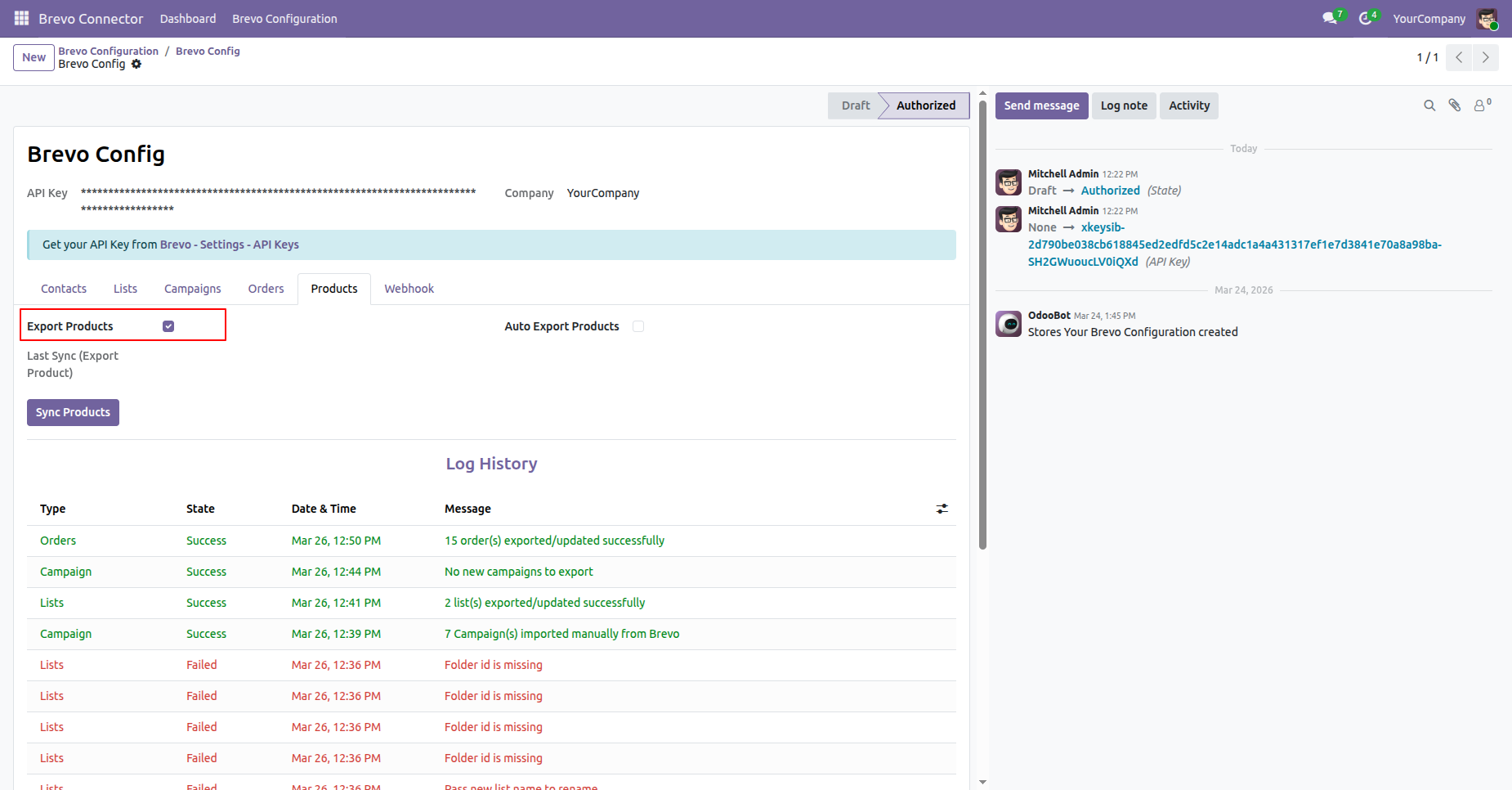
Enable Export Products and click on the Sync Products button to export the Products from odoo.
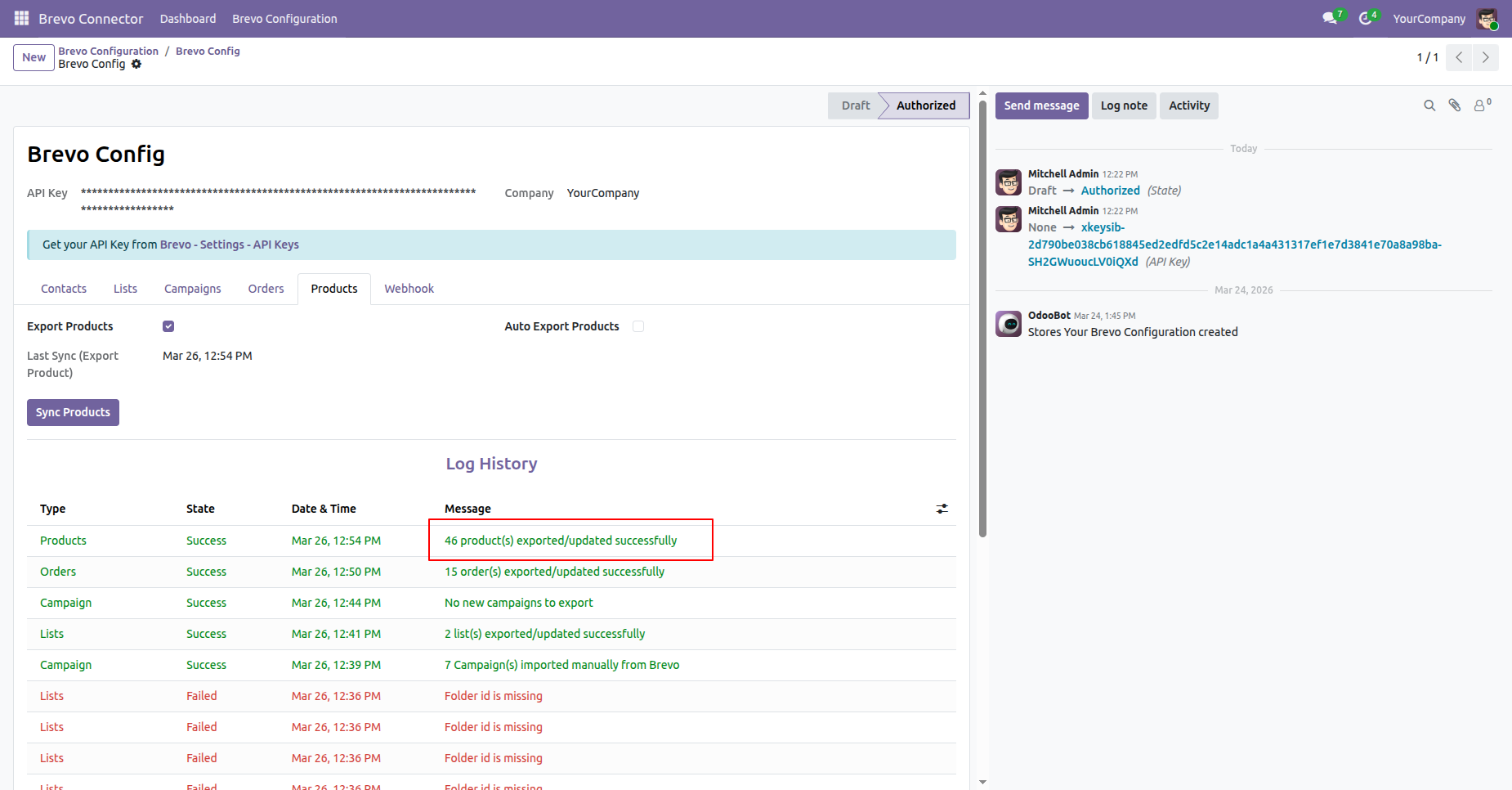
You can view the last sync date and time for export, along with the log history for tracking synchronisation details.
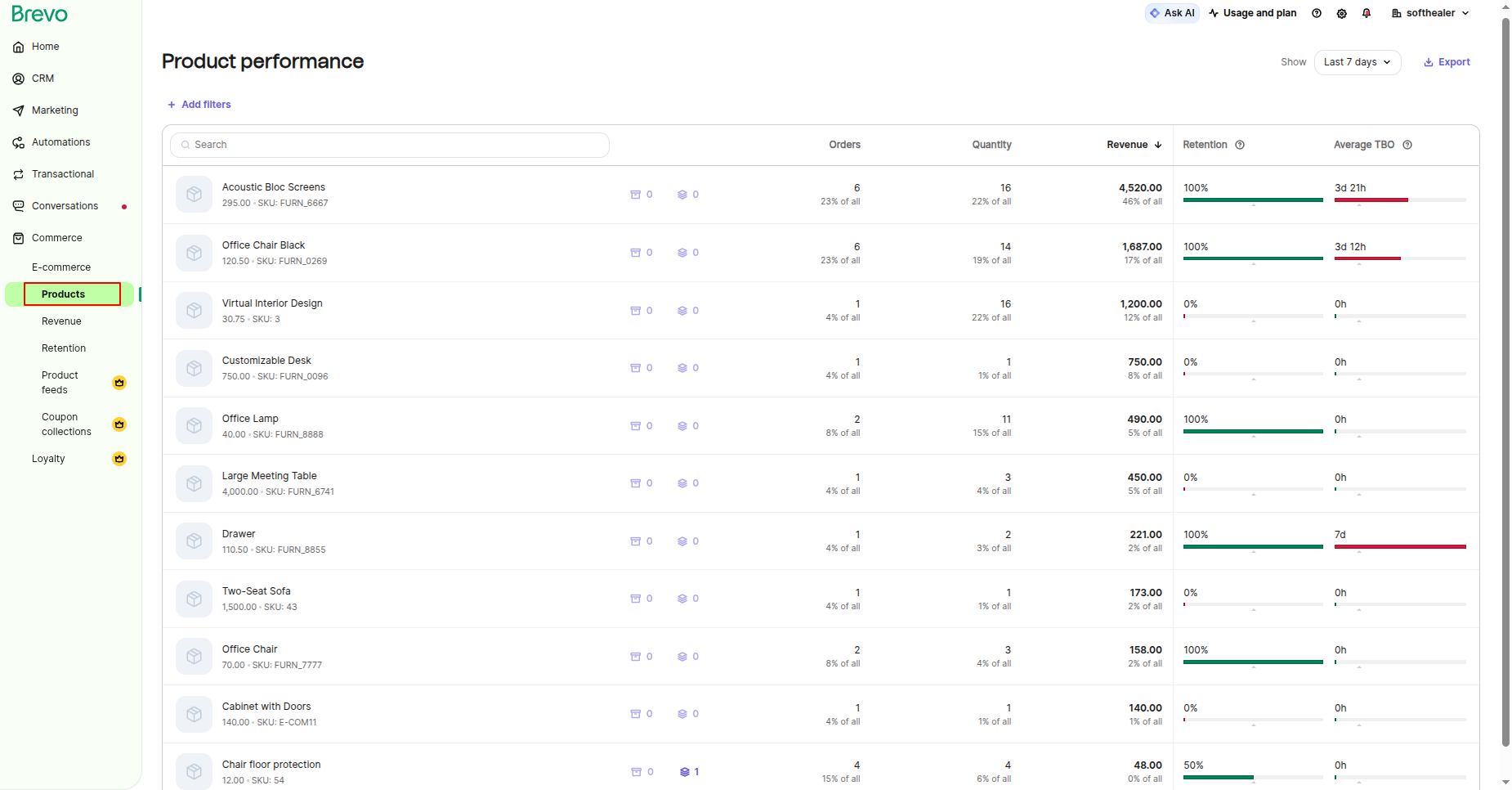
You can view the exported Products directly in Brevo.
Enable auto import/export of Products through scheduled actions.
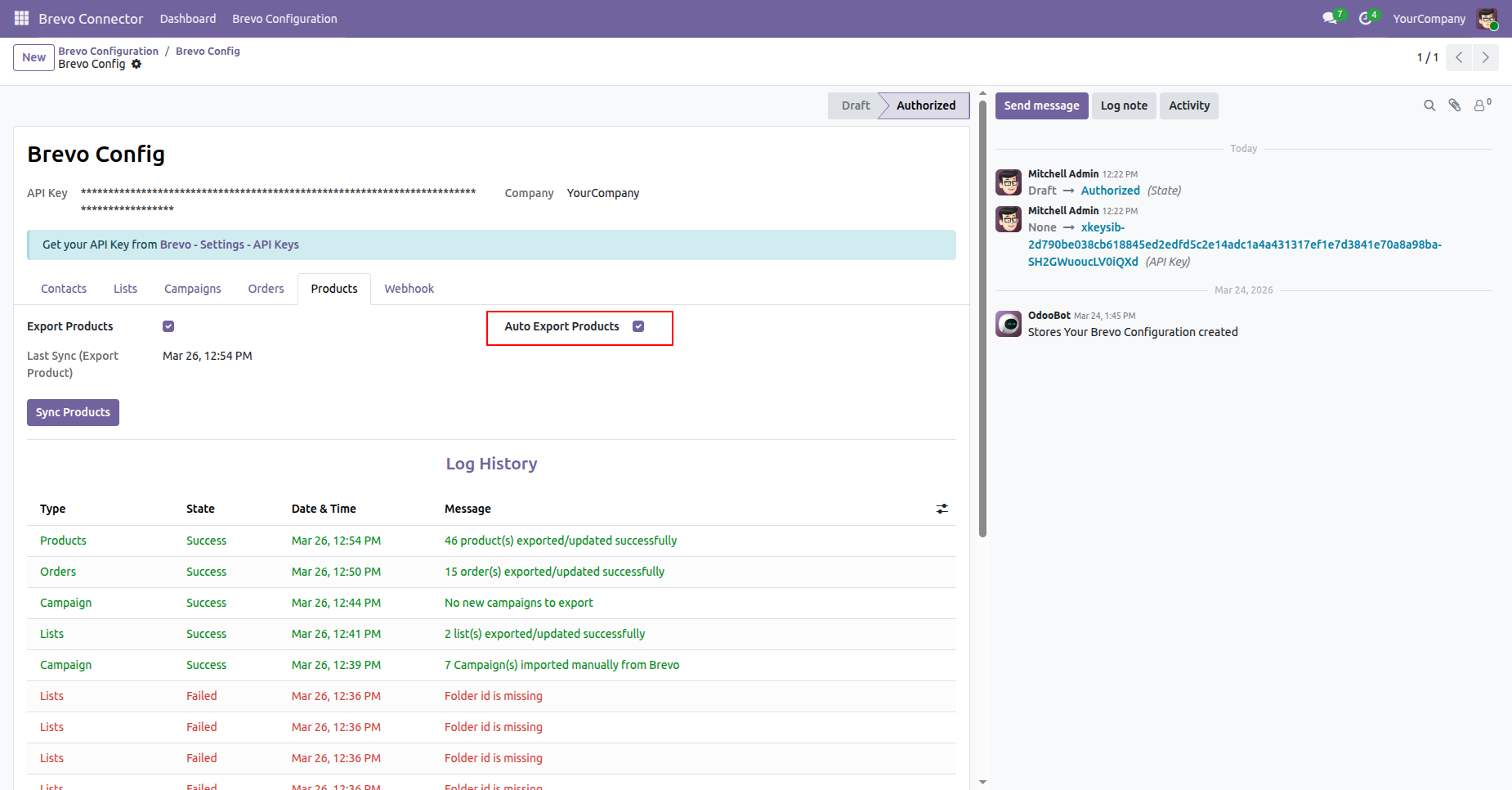
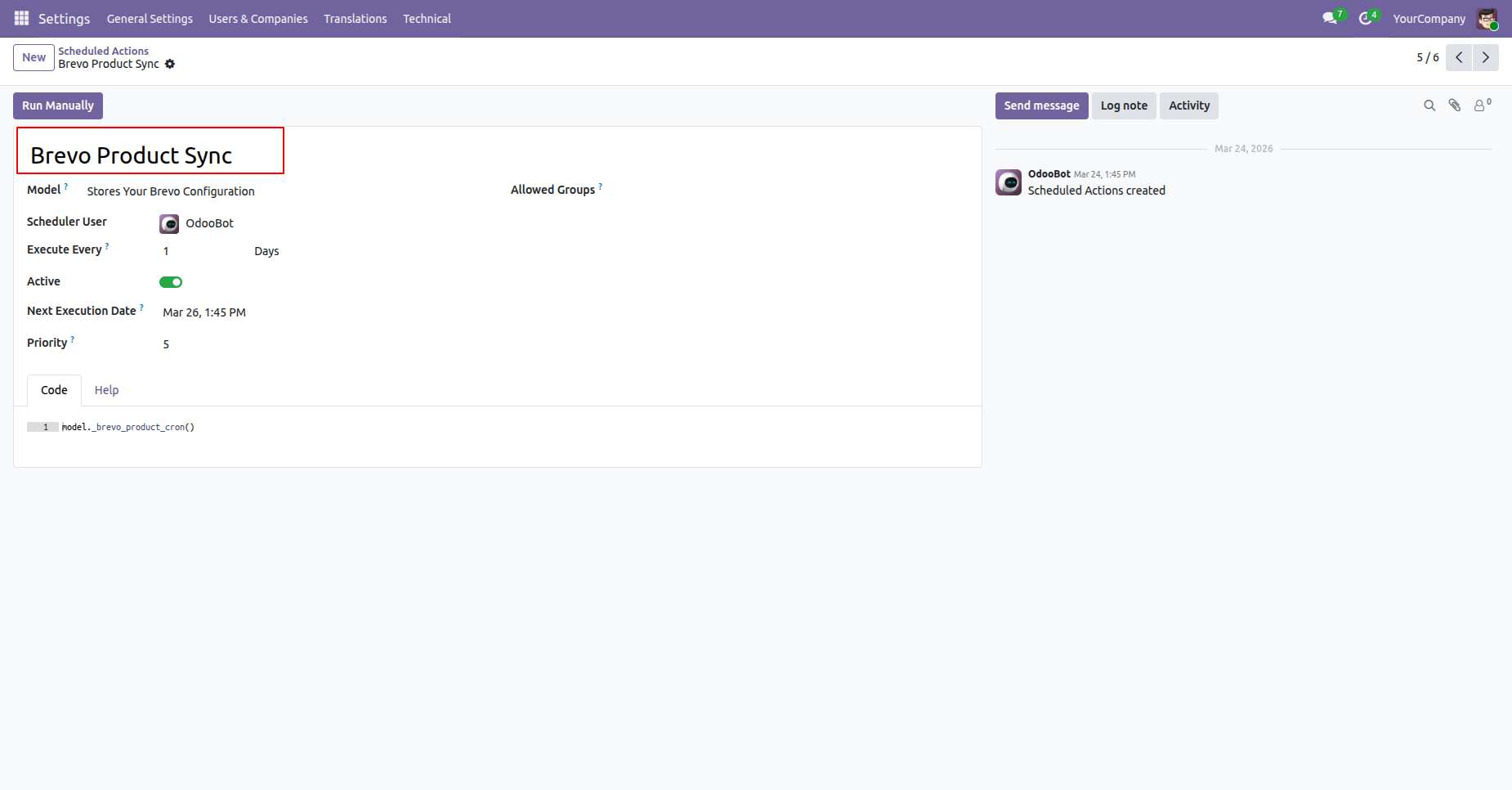
Automate product synchronisation using scheduled actions.
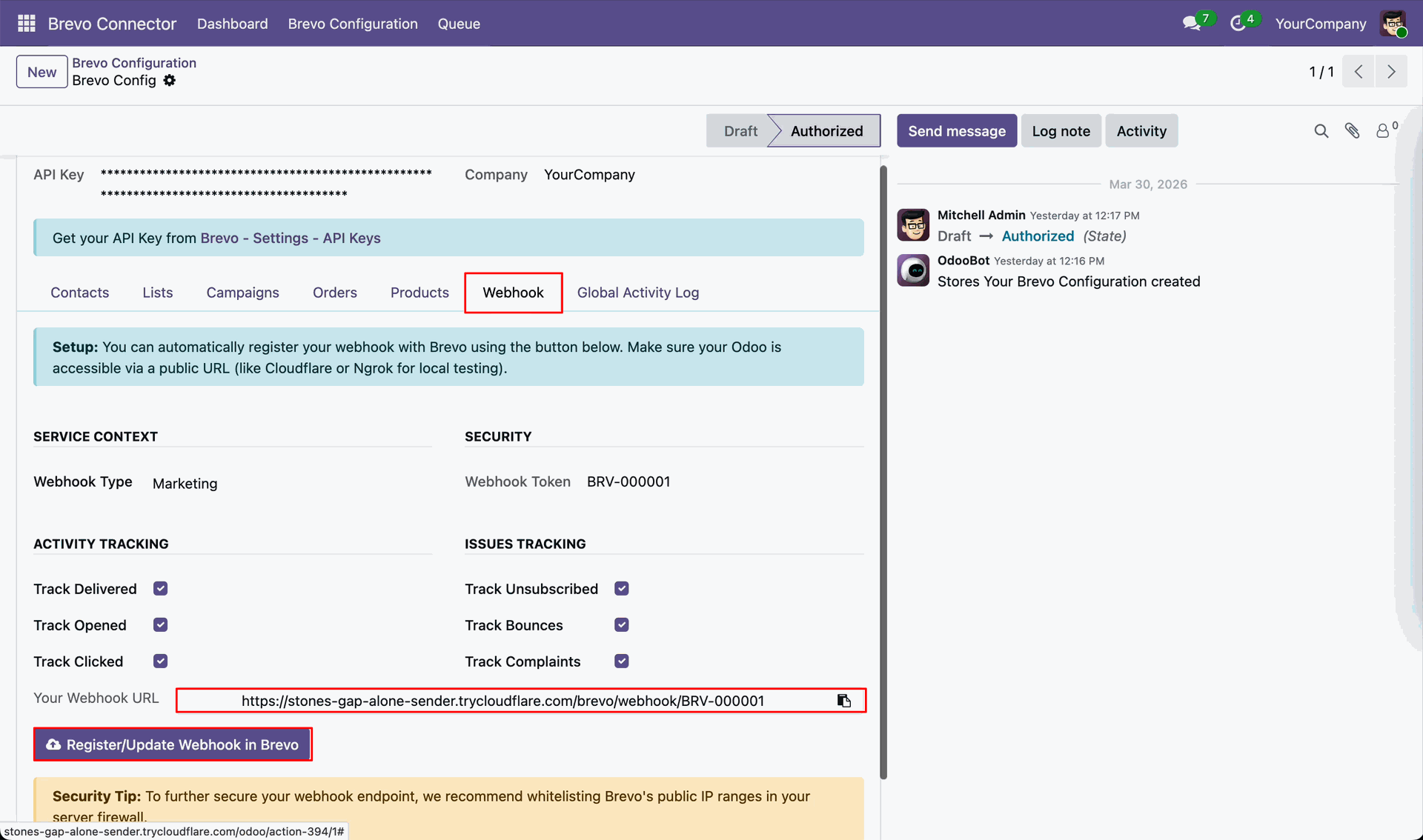
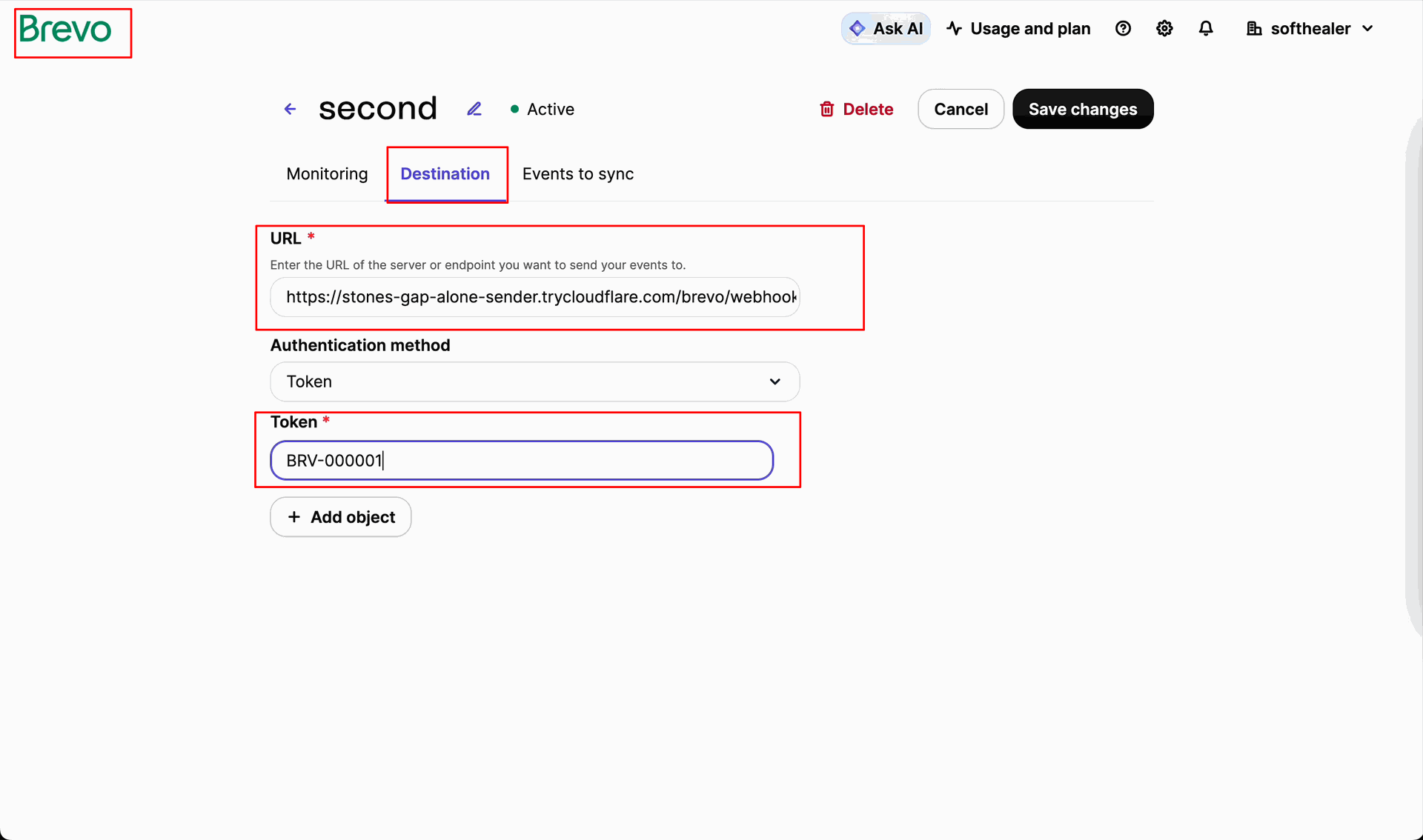
Add the webhook URL in Brevo configuration and click the Register/Update button to register the webhook.
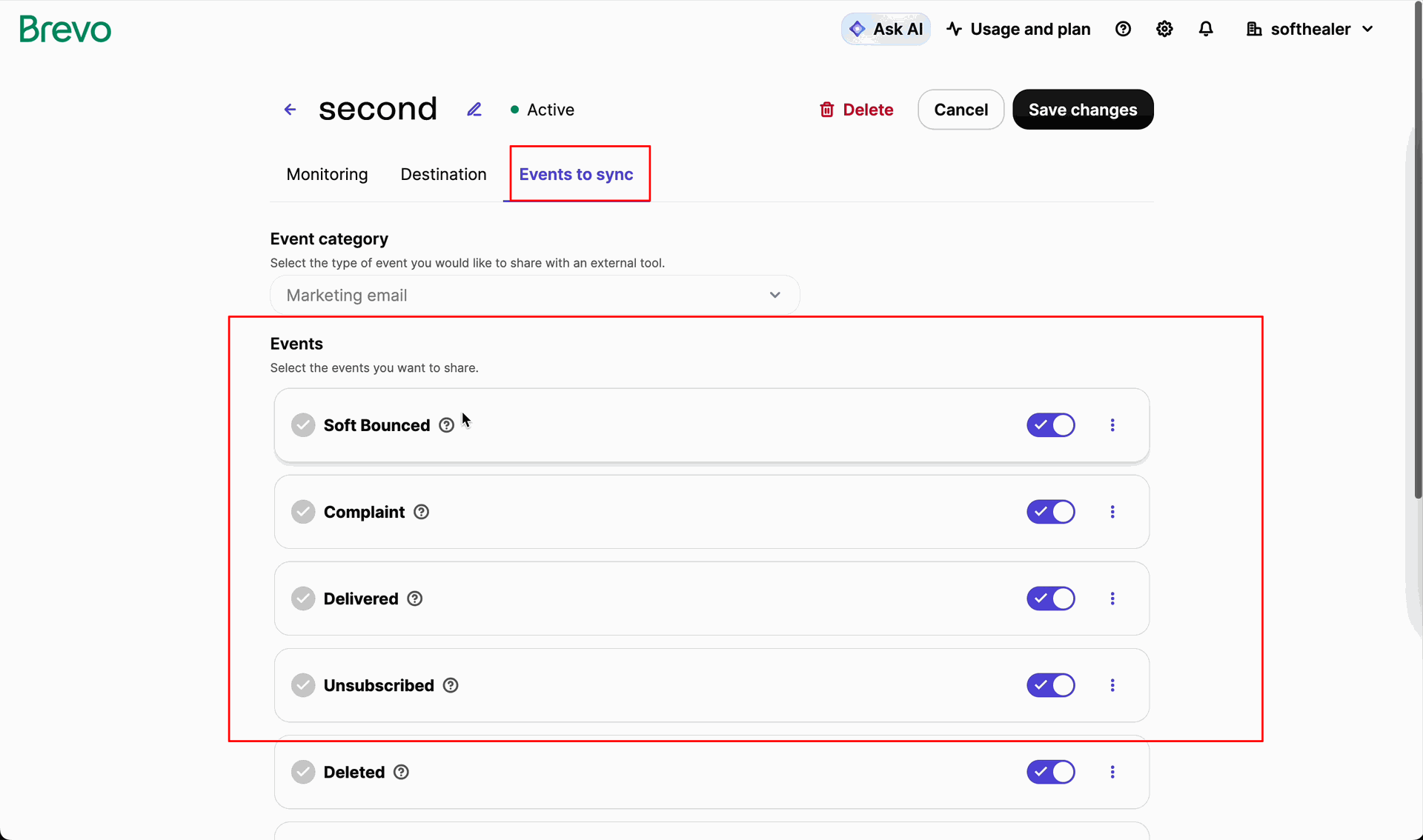
Select the webhook type and enable Delivered, Opened, and Clicked to track activities, and Unsubscribed, Bounced, and Complained to track issues.
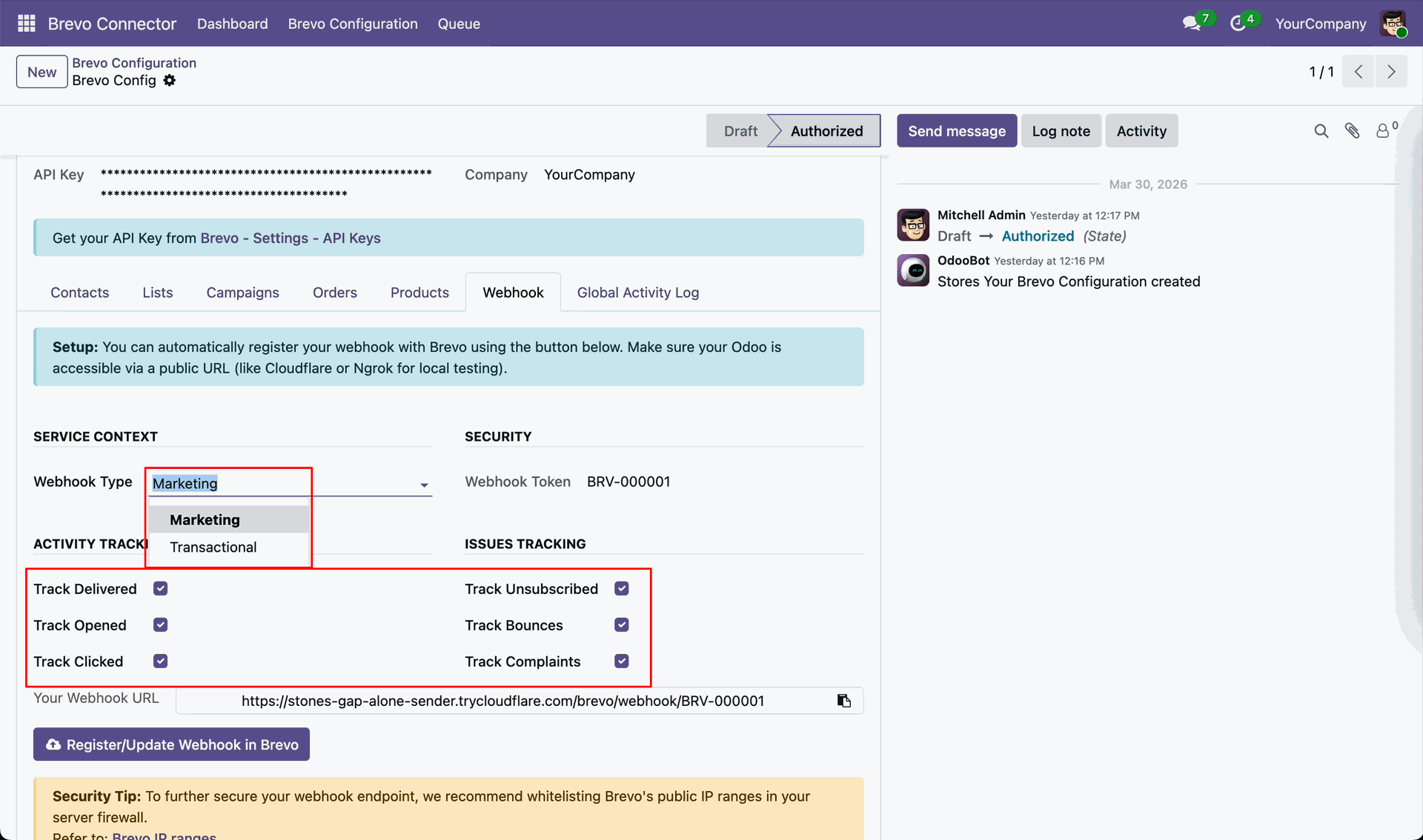
Configure webhook settings in Brevo by adding the endpoint URL and token to enable real-time data synchronization.
Set up webhook events in Brevo to automatically trigger and sync selected activities with Odoo in real time.
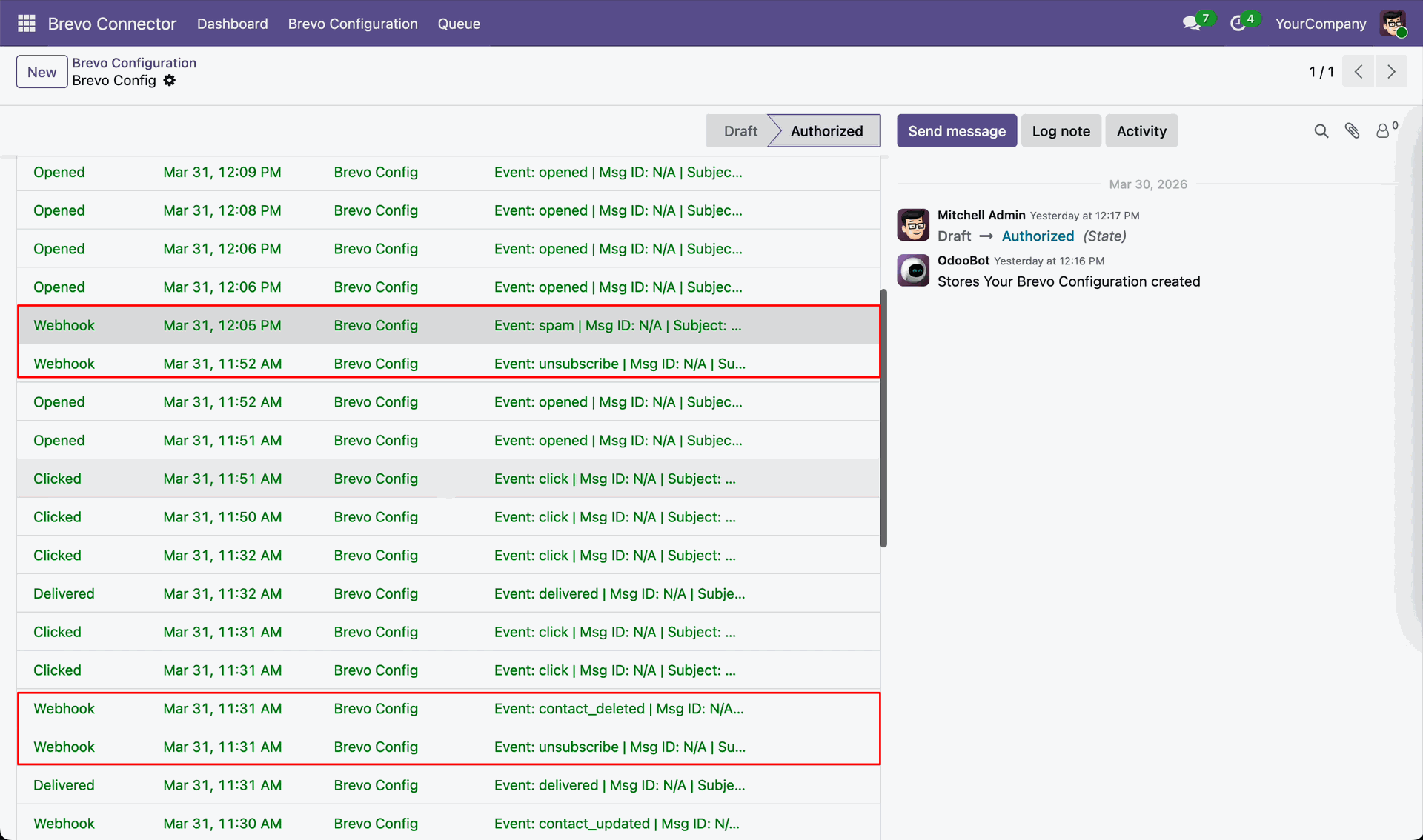
You can view unsubscribed, opened, and clicked webhook logs with date and time, along with detailed log history for tracking synchronisation.
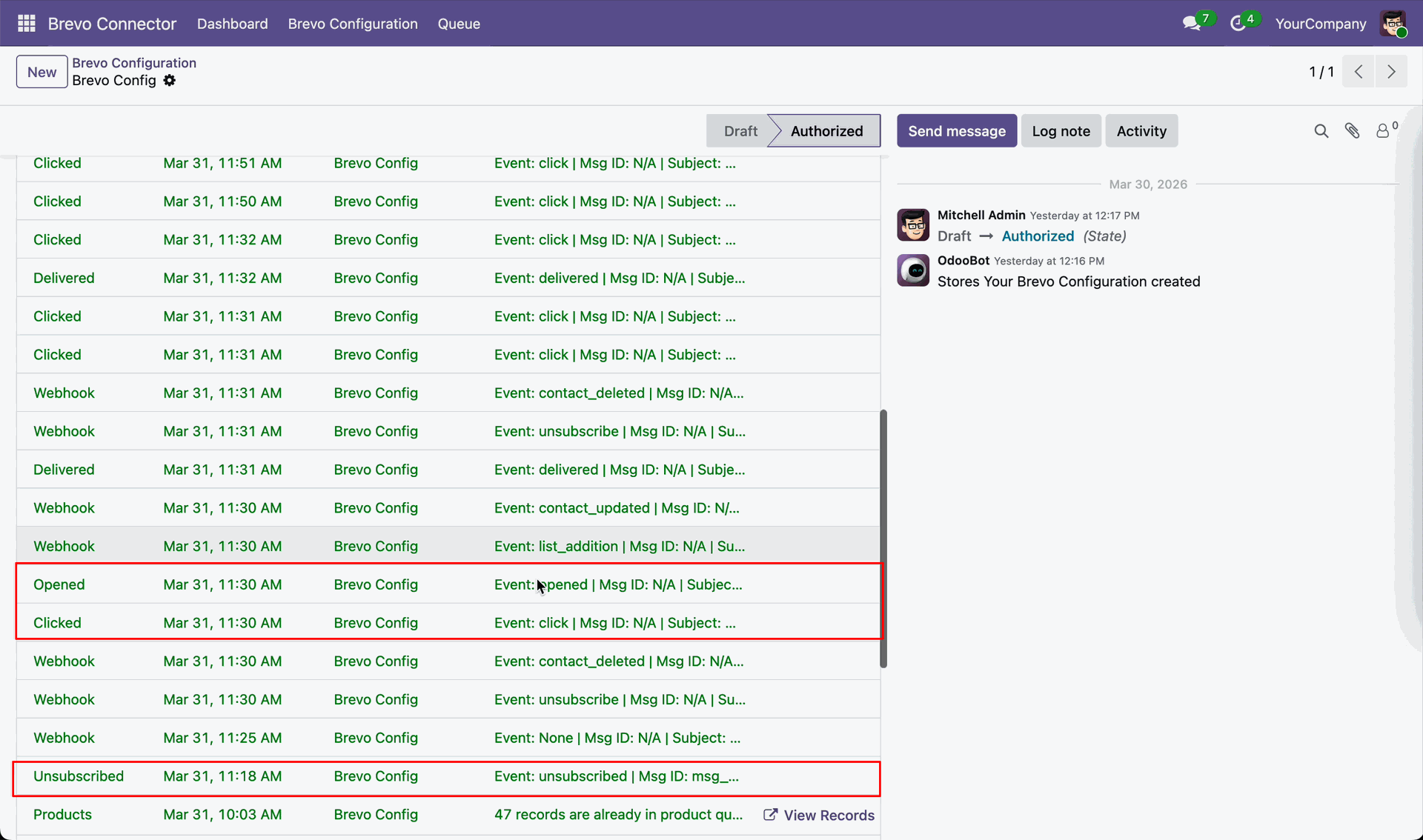
You can view unsubscribed, opened, and clicked event logs with date and time, along with detailed log history for tracking synchronisation.
The Global Activity view provides a comprehensive log of all synchronization tasks across your Odoo-Brevo integration.
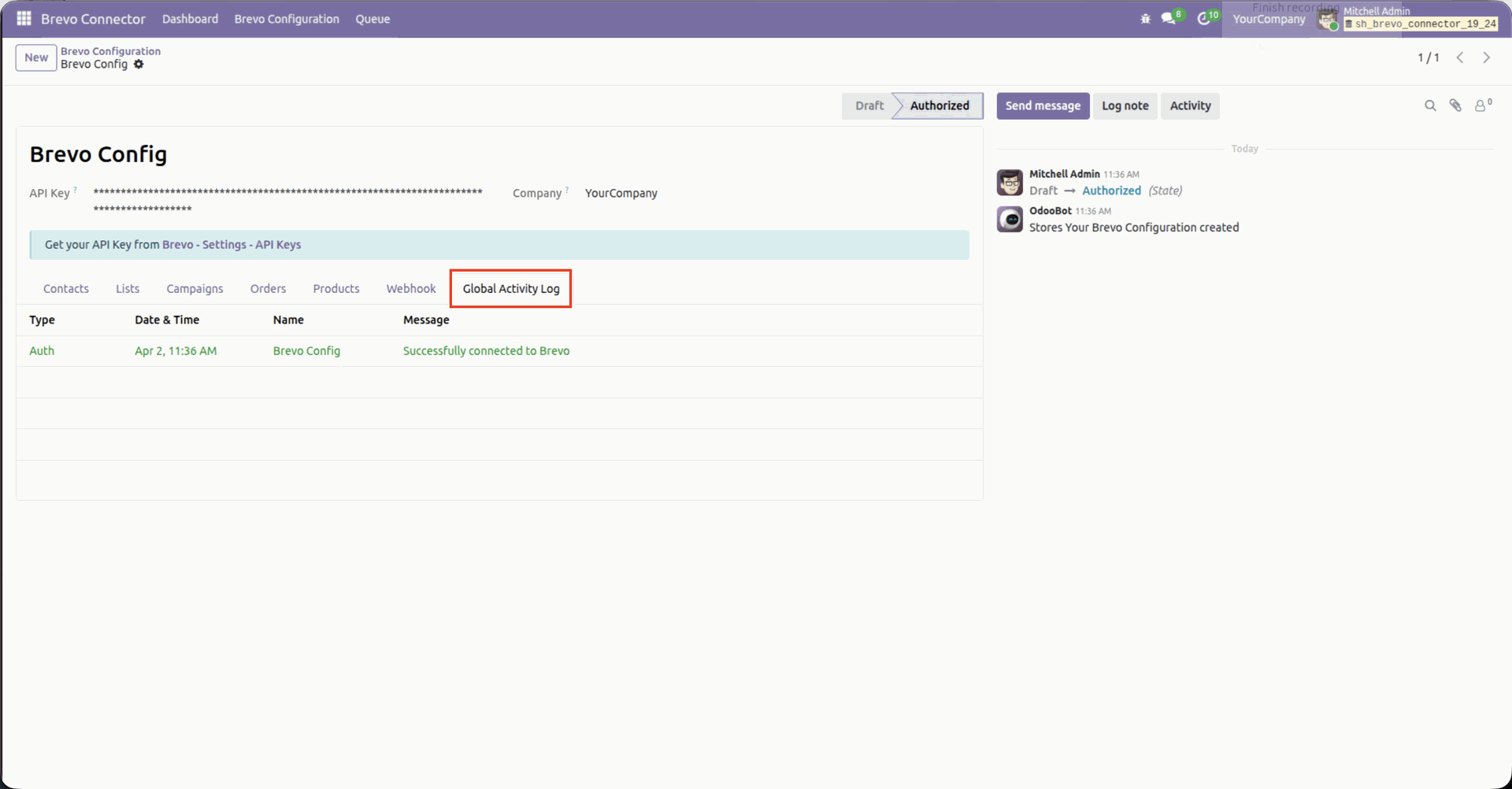
Centralized dashboard to manage and monitor all connectors from one place. Quickly access sync summary, activity logs, and configuration controls with improved visibility.
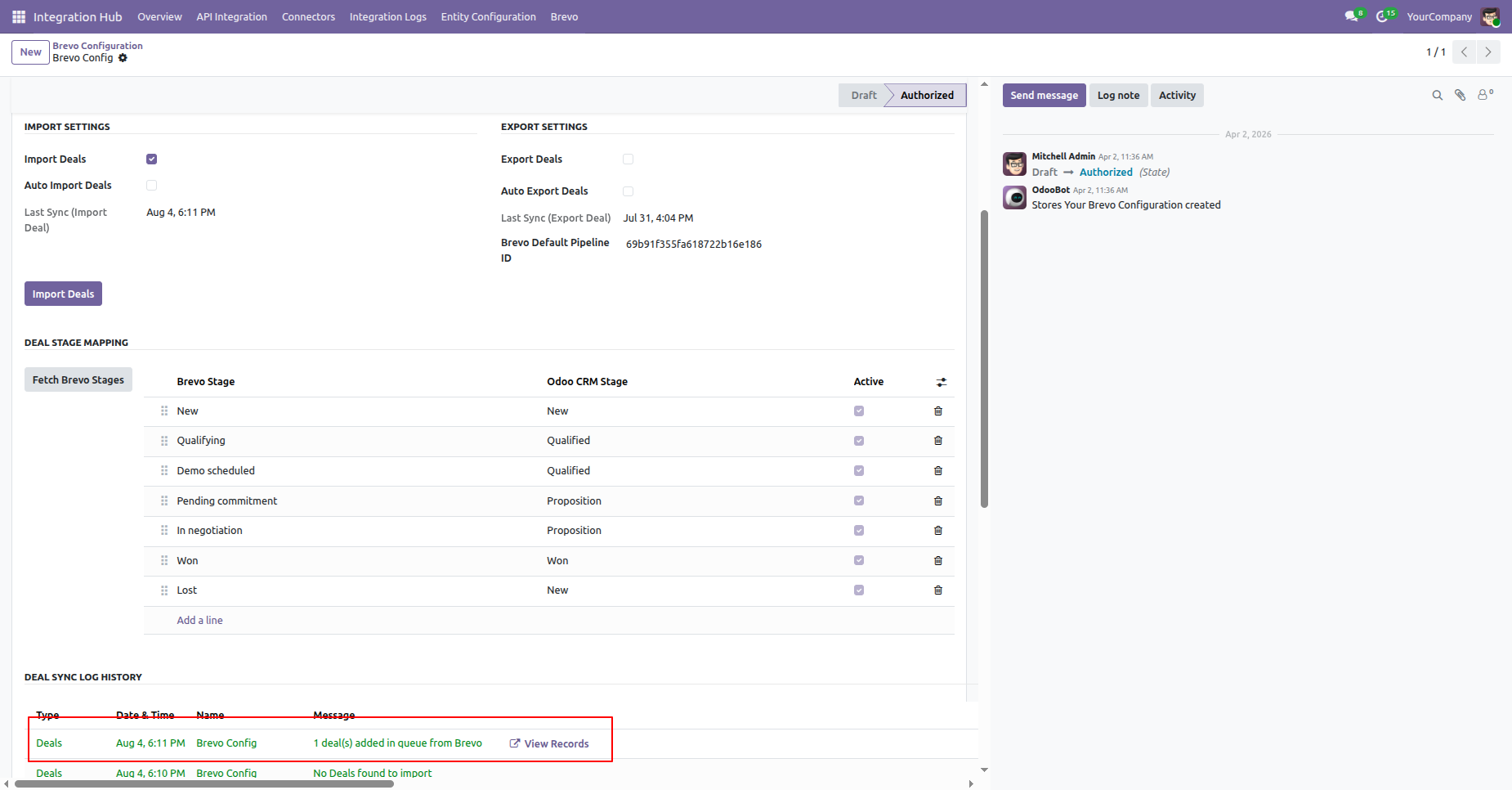
Go to Brevo Configuration -> Deals/CRM and click Fetch Brevo Stages.
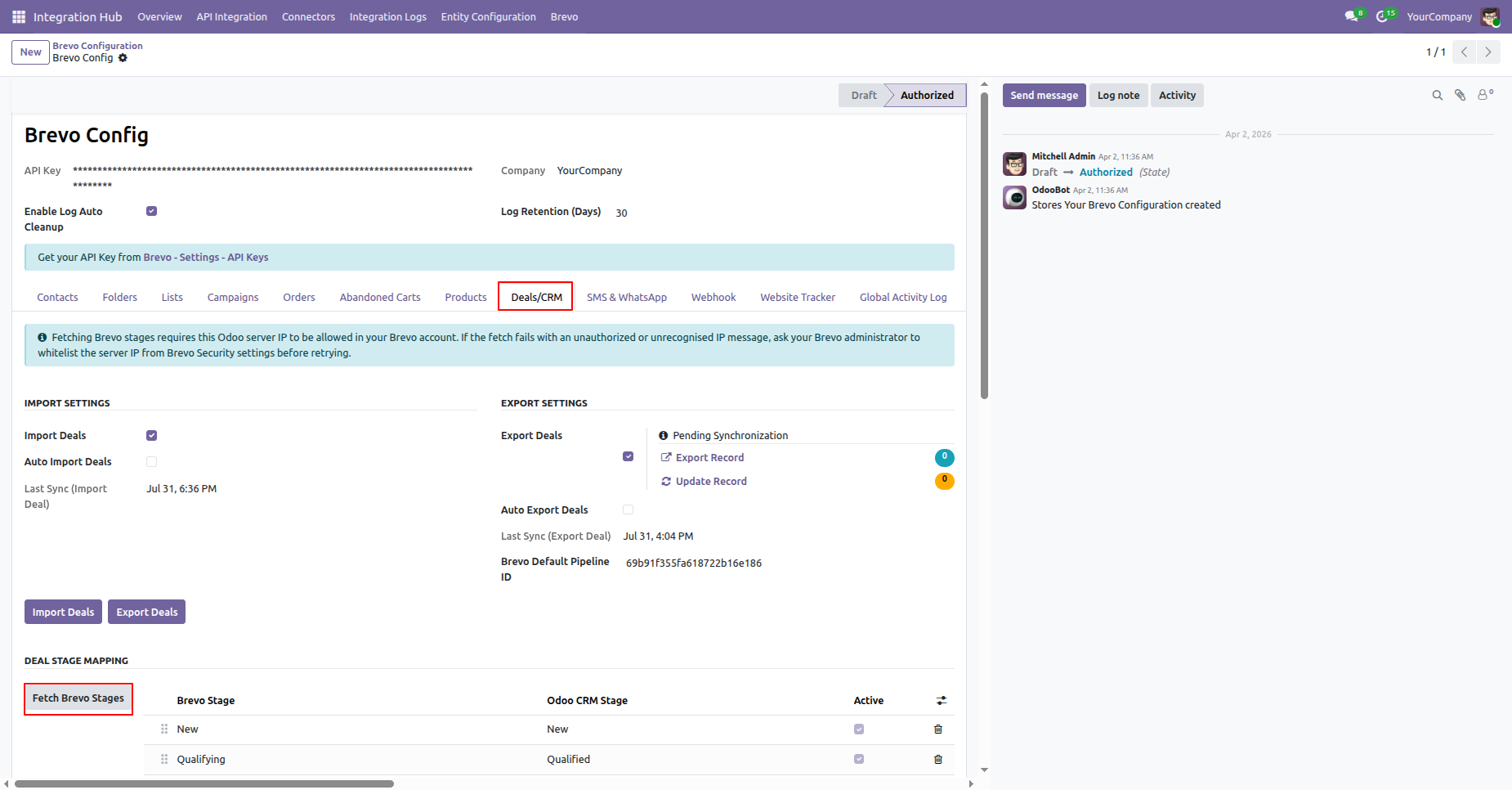
Users can view the Brevo Stage, CRM Stage, and Active Status from the Brevo Configuration.
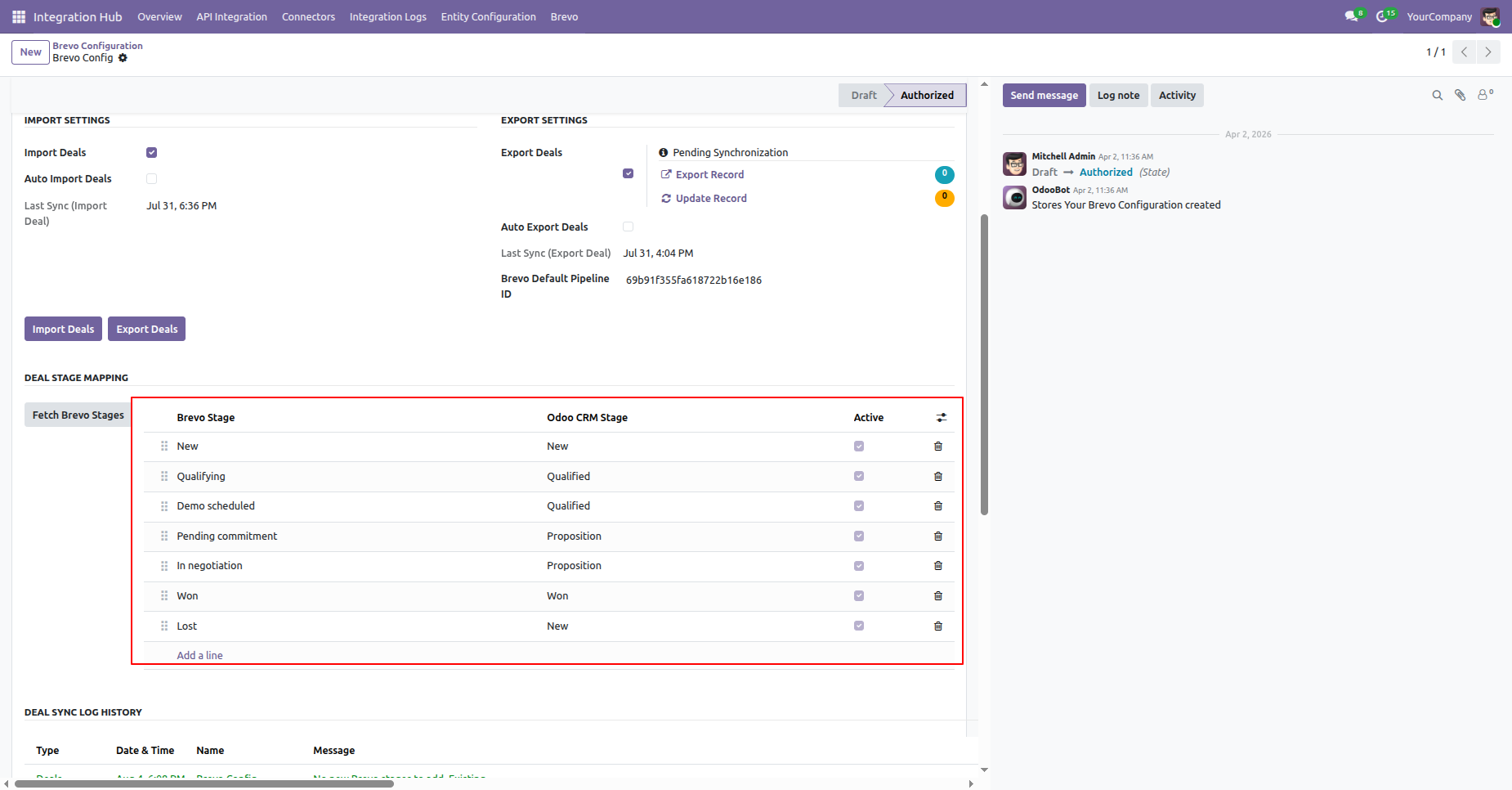
Enable Import Deals Option and click the Import Deals button to import deals from Brevo into Odoo.
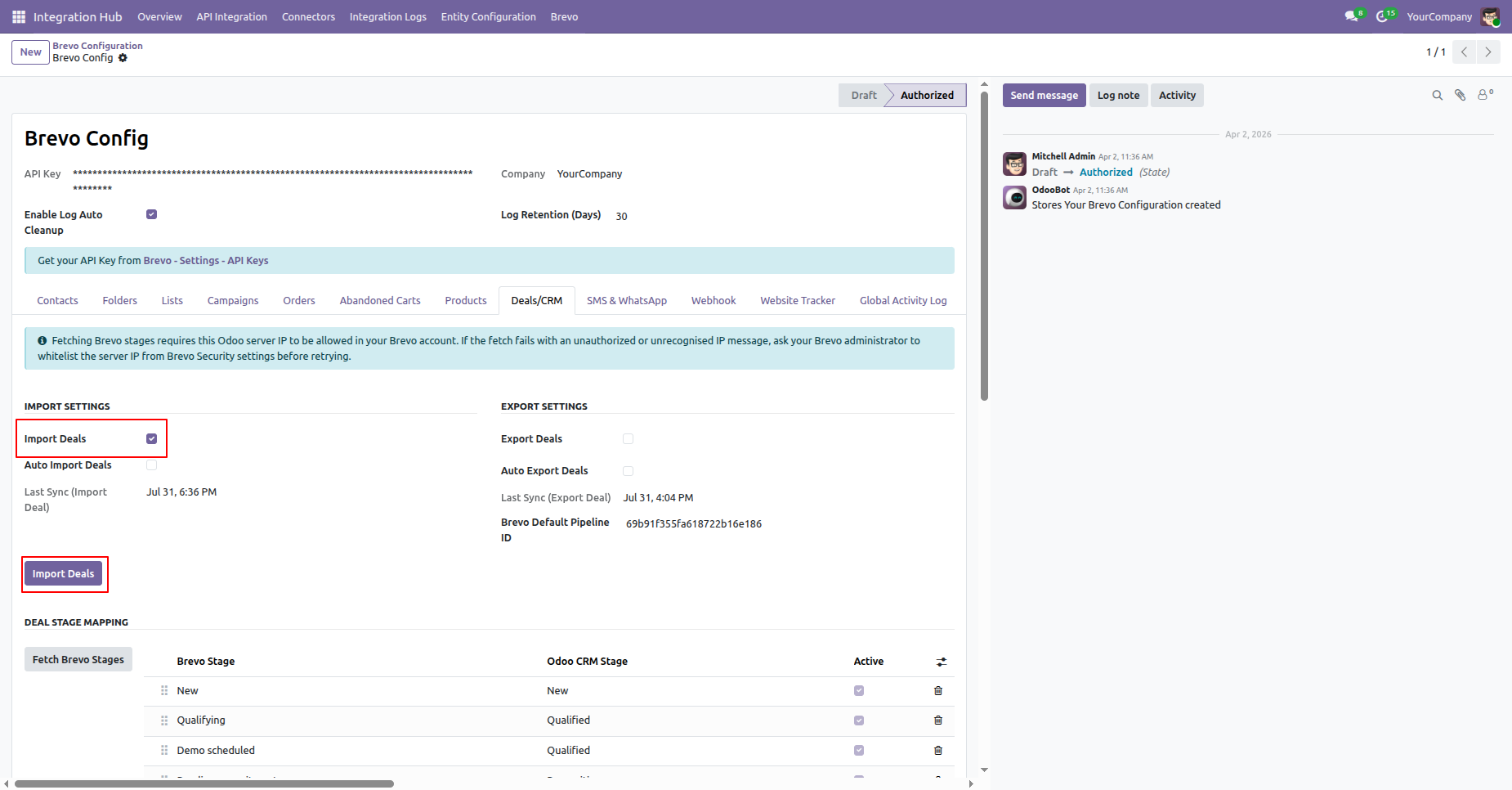
The Deals will be imported and added to the Queue. The import logs will be visible under the Log History section.
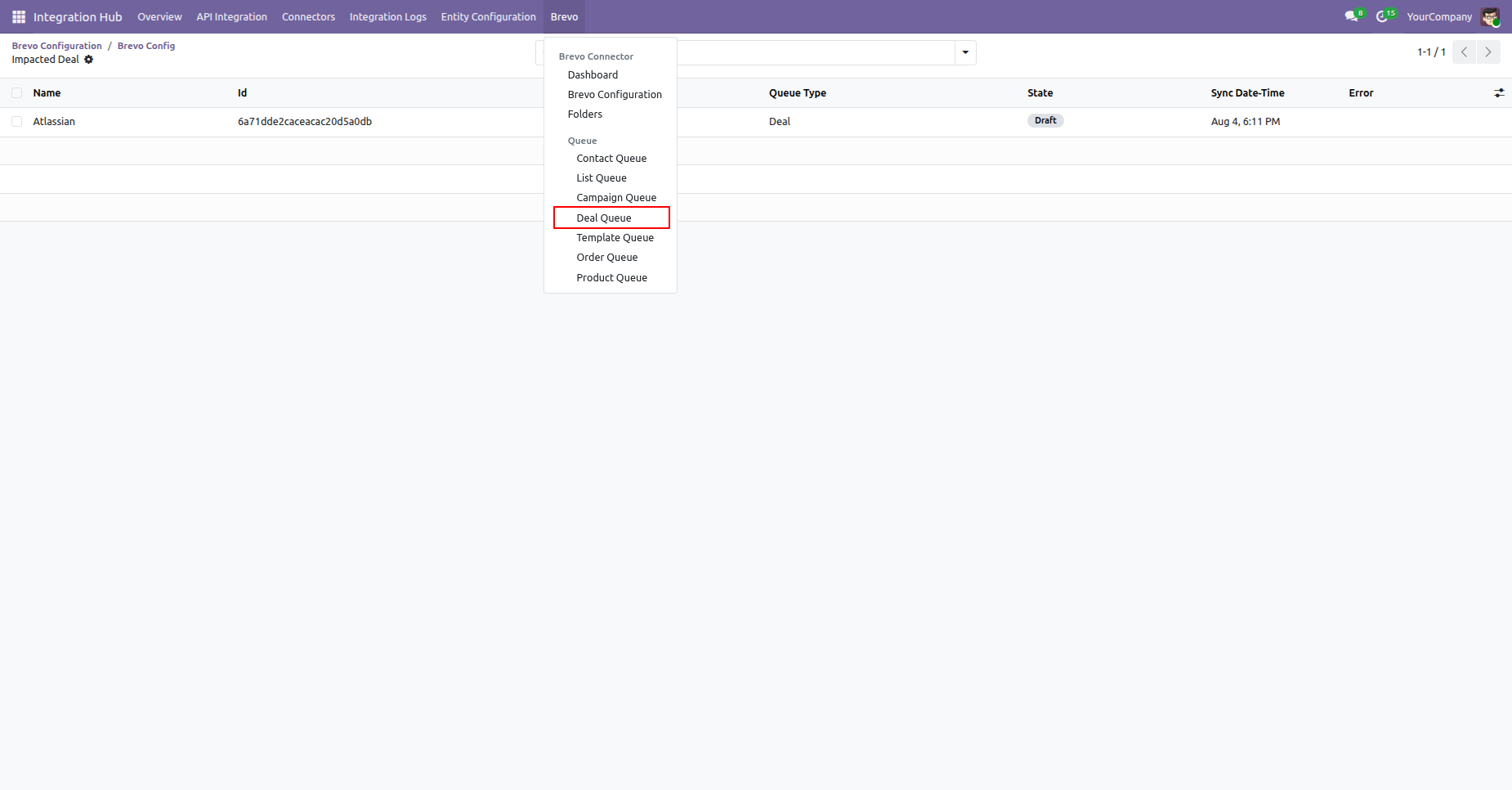
Go to the Deal Queue menu to view the queued deal records.
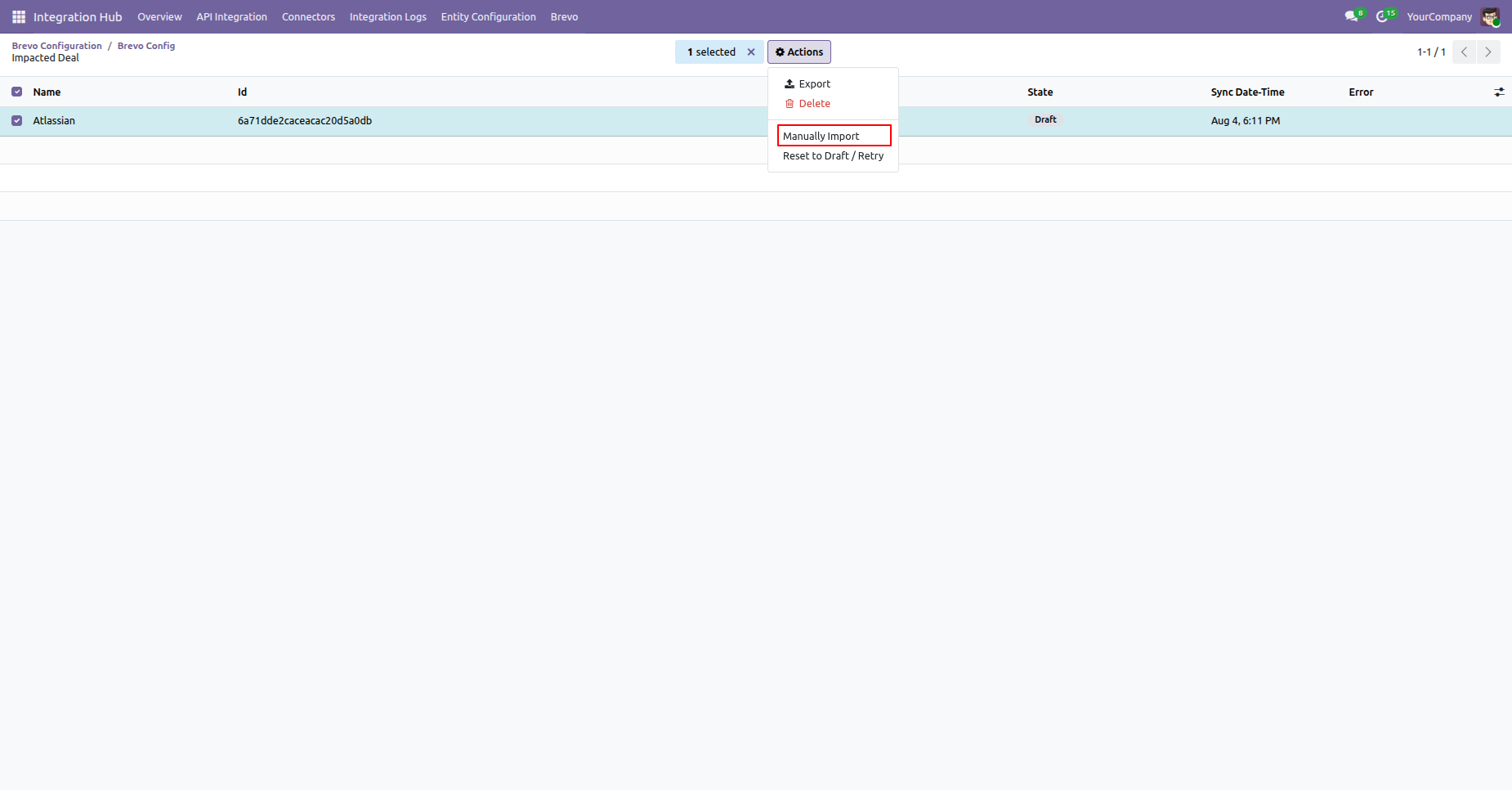
Open the Deal Queue list view, select the desired deal, and click Manually Import from the Action menu.
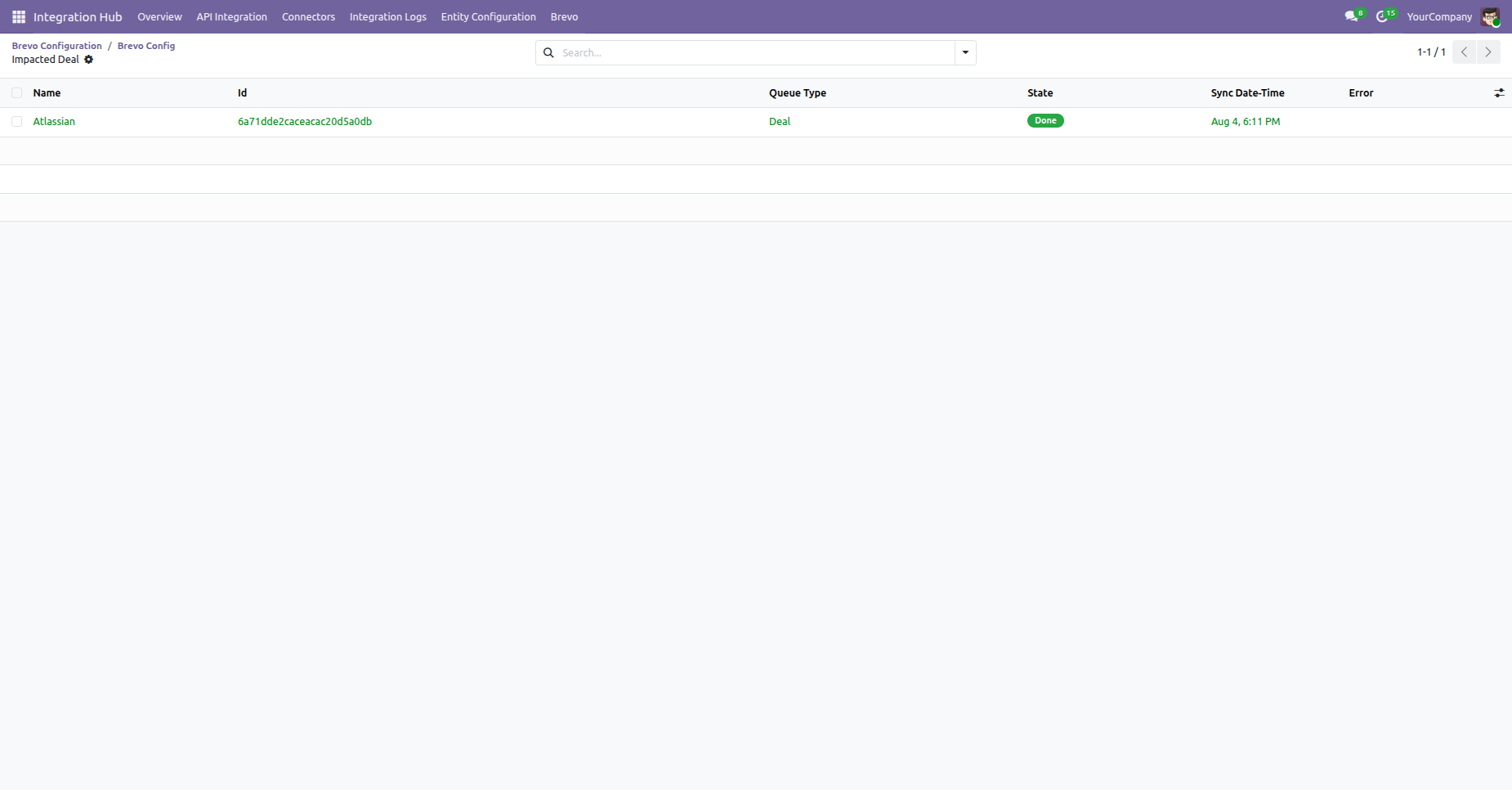
The deal has been manually imported successfully.
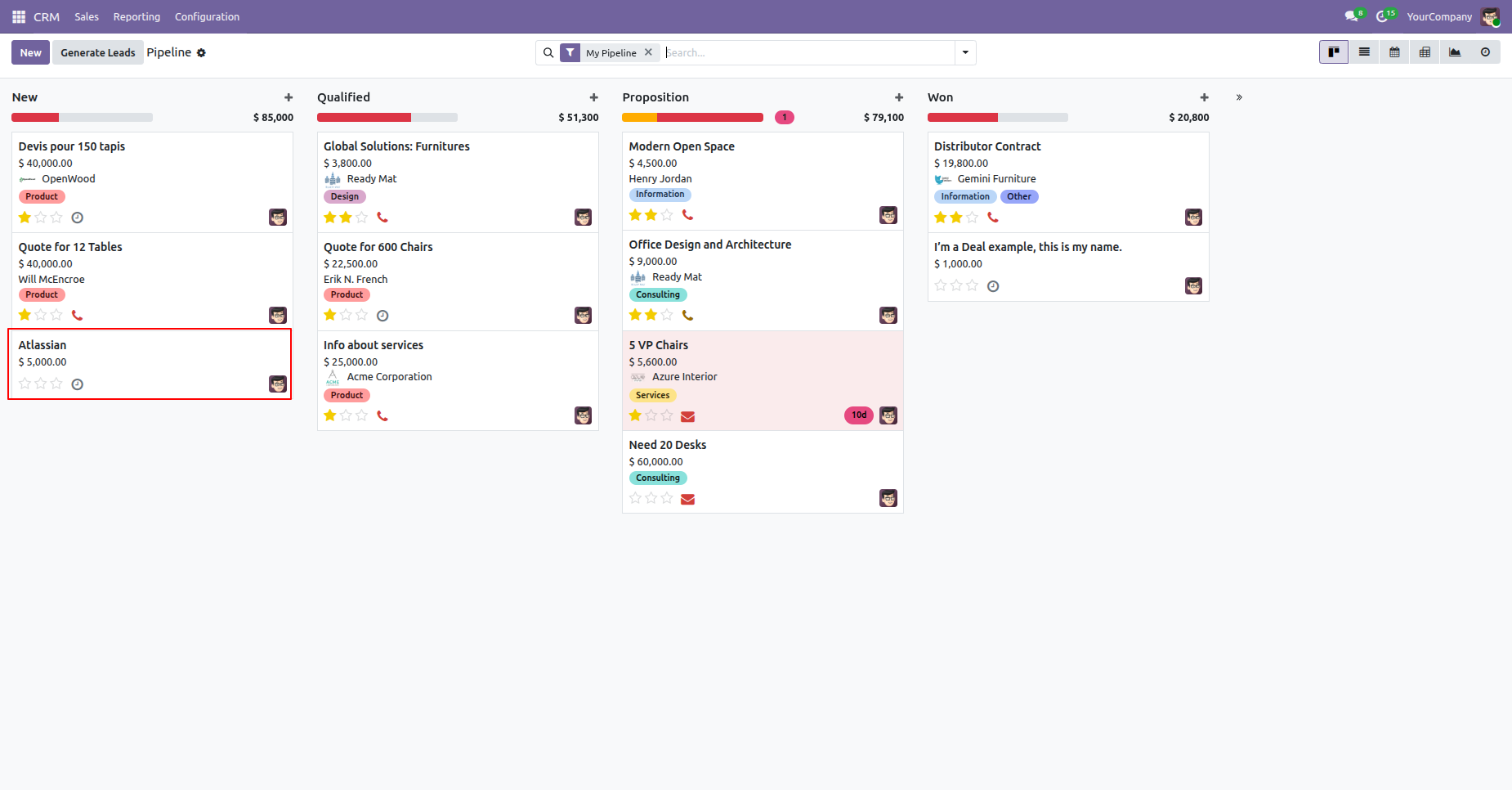
Go to the Pipeline menu, where the user can view the imported deal.
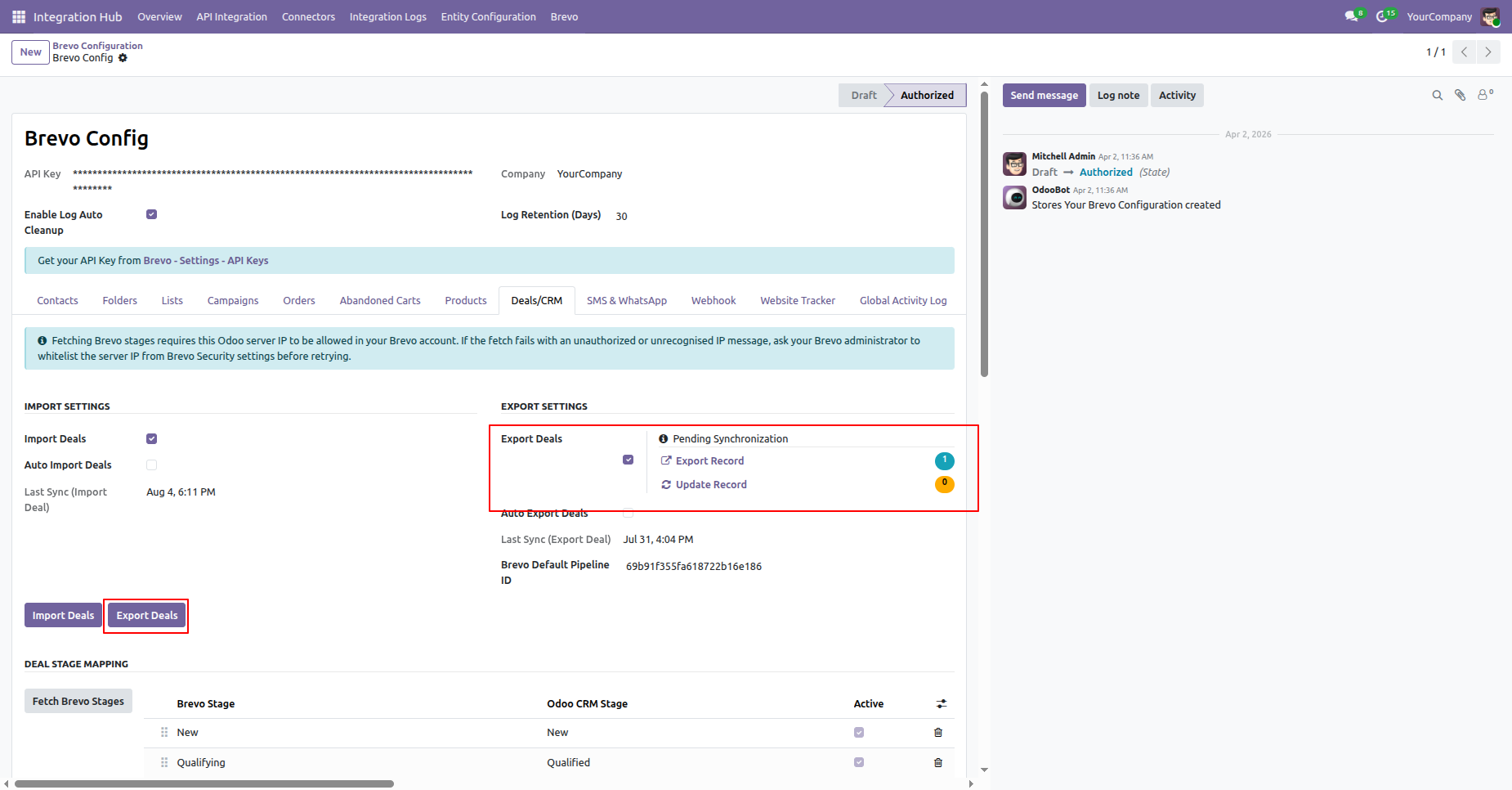
Export Odoo Deals to Brevo CRM.
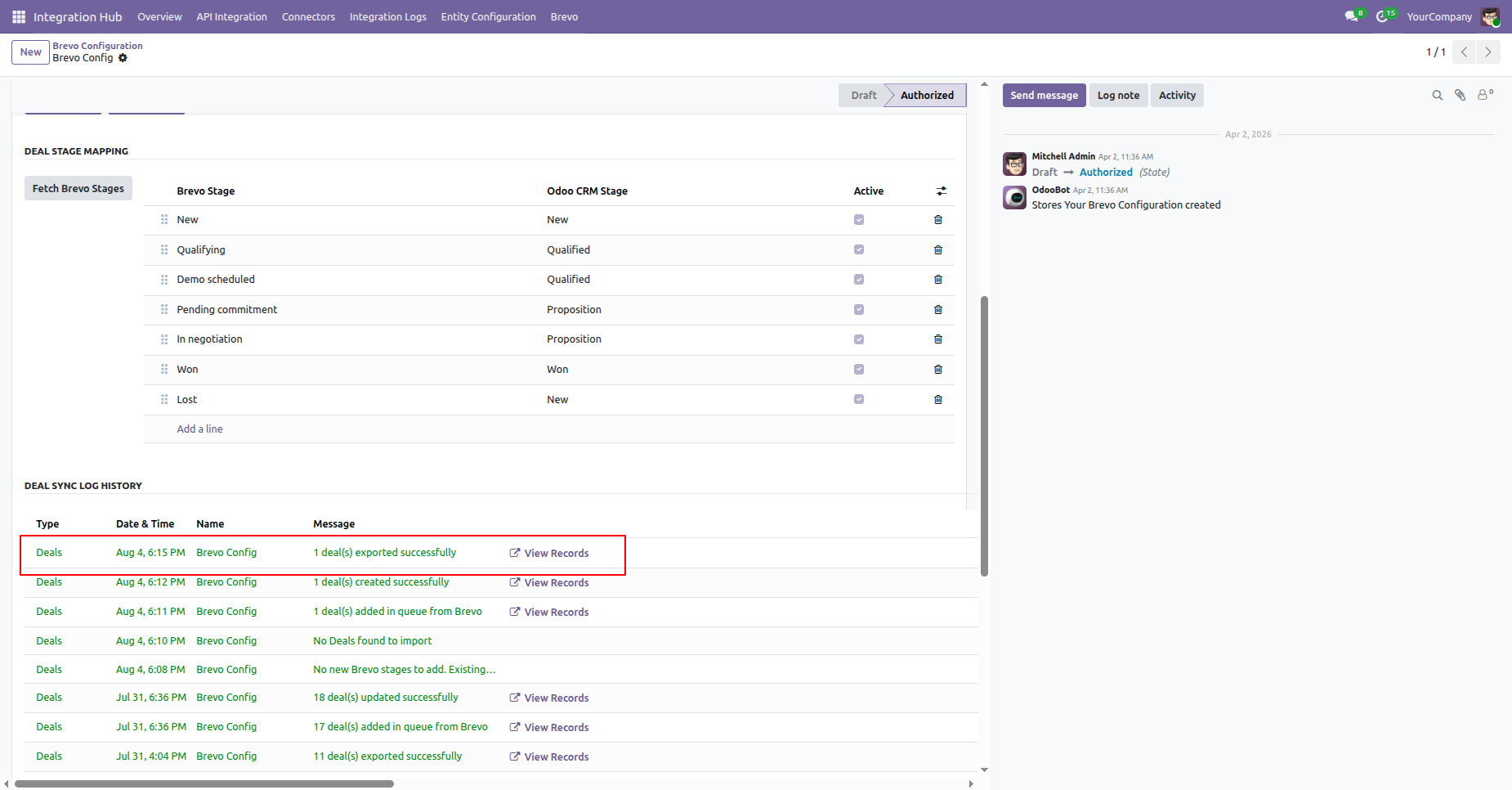
The Deals will be Exported. The export logs will be visible under the Log History section.
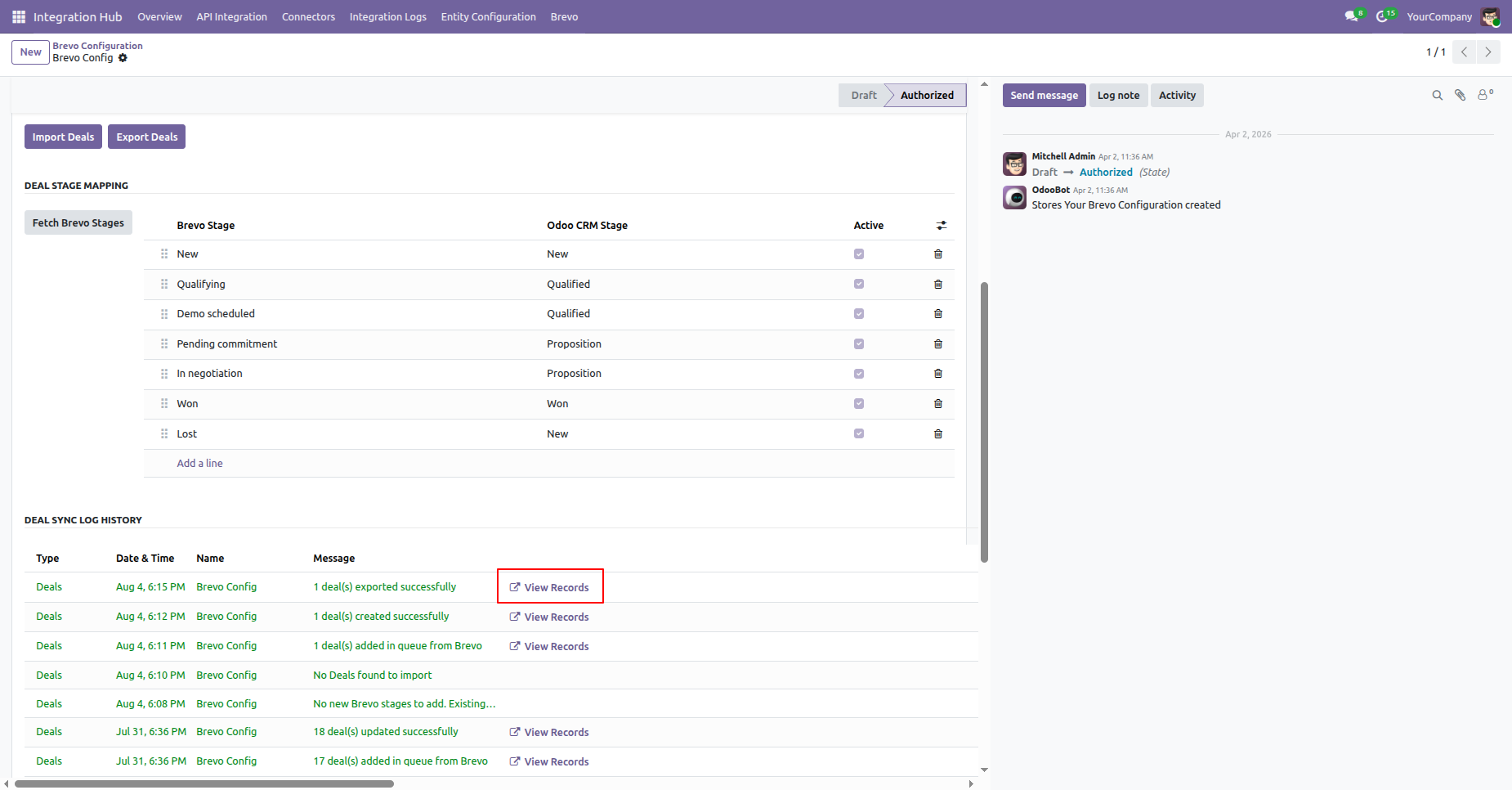
Click View Record from the log to open the related deal record.
It will open the log record for the impected deal.
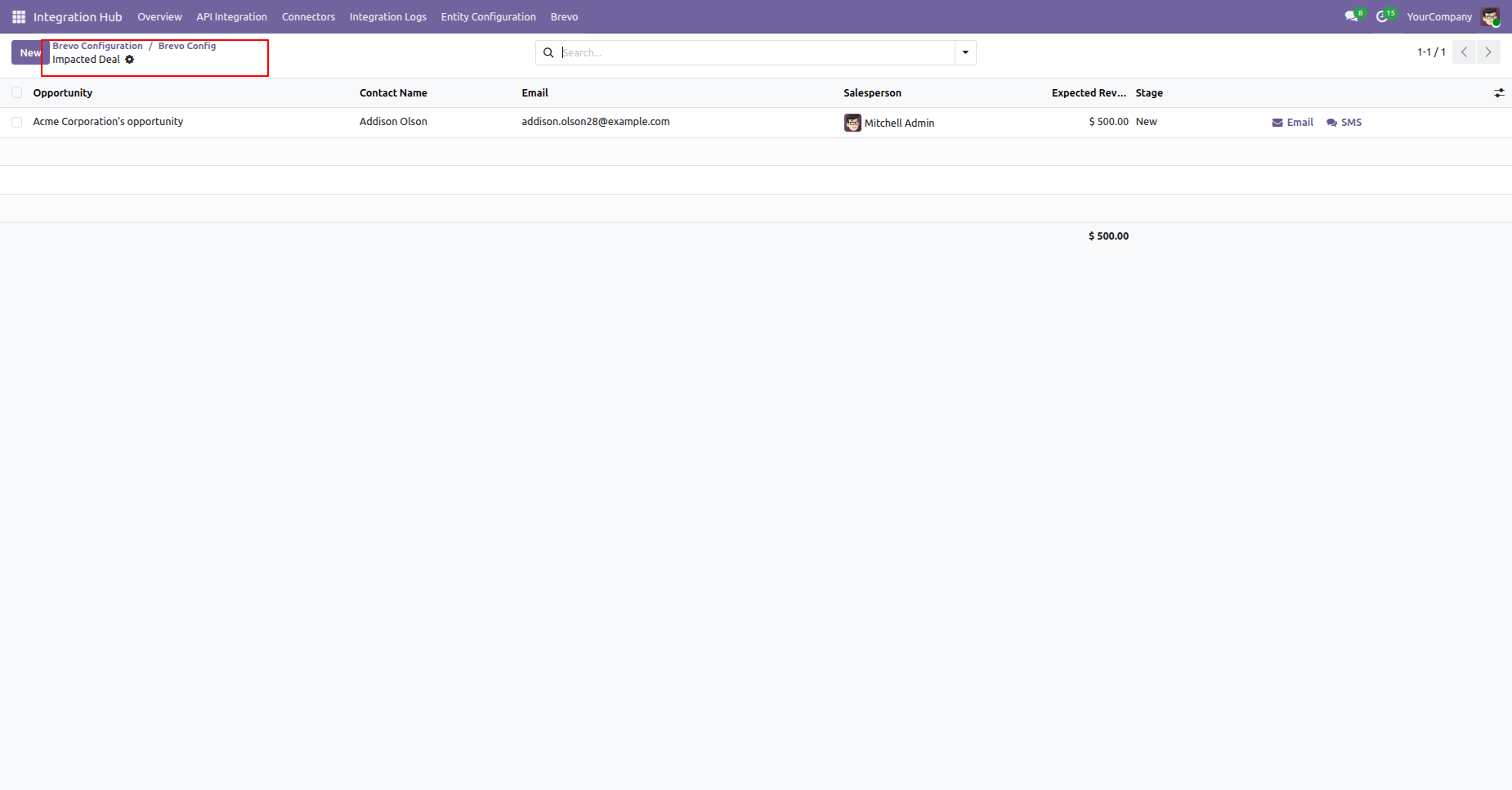
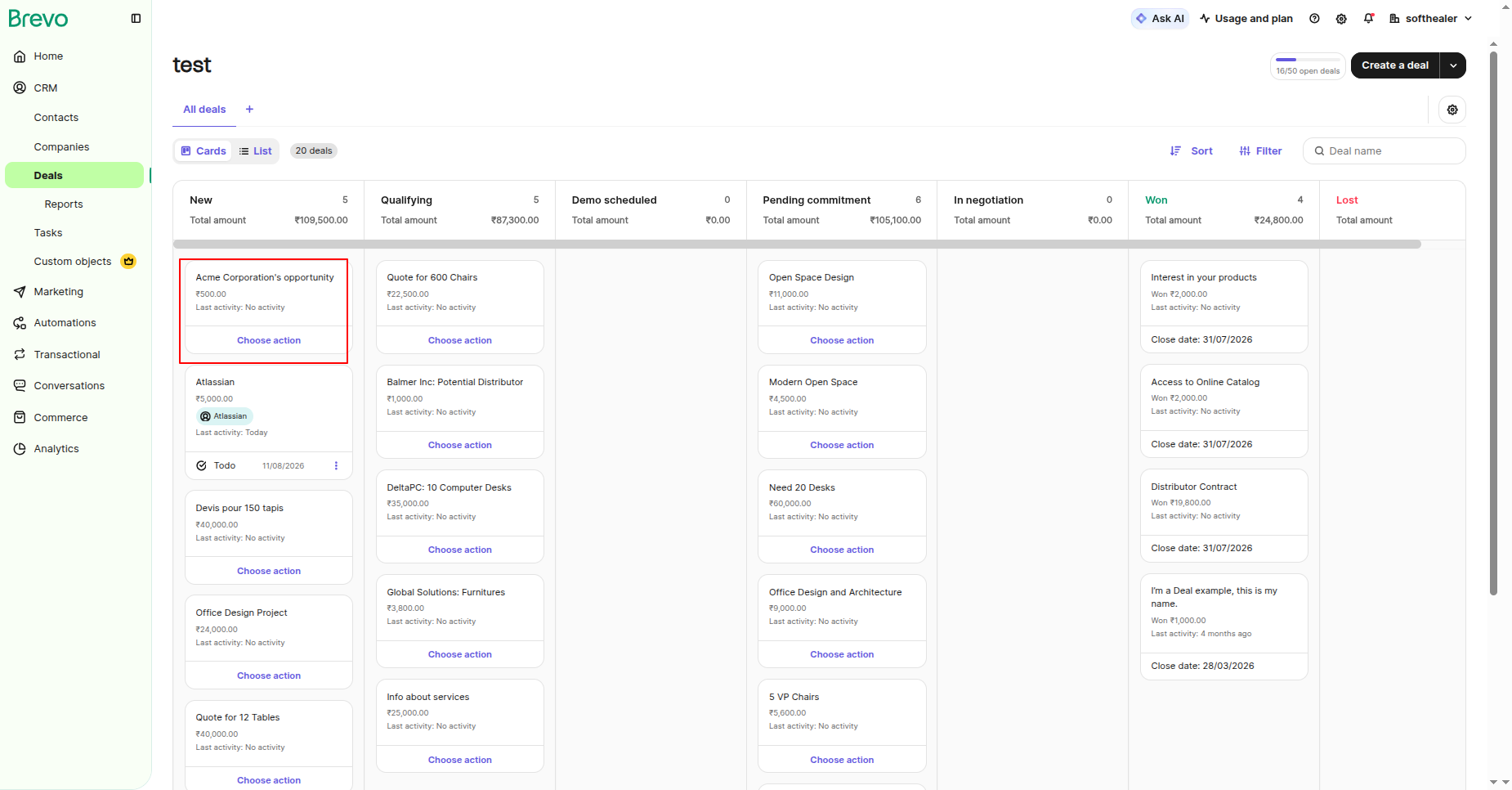
The exported deal will be visible in Brevo Deals.
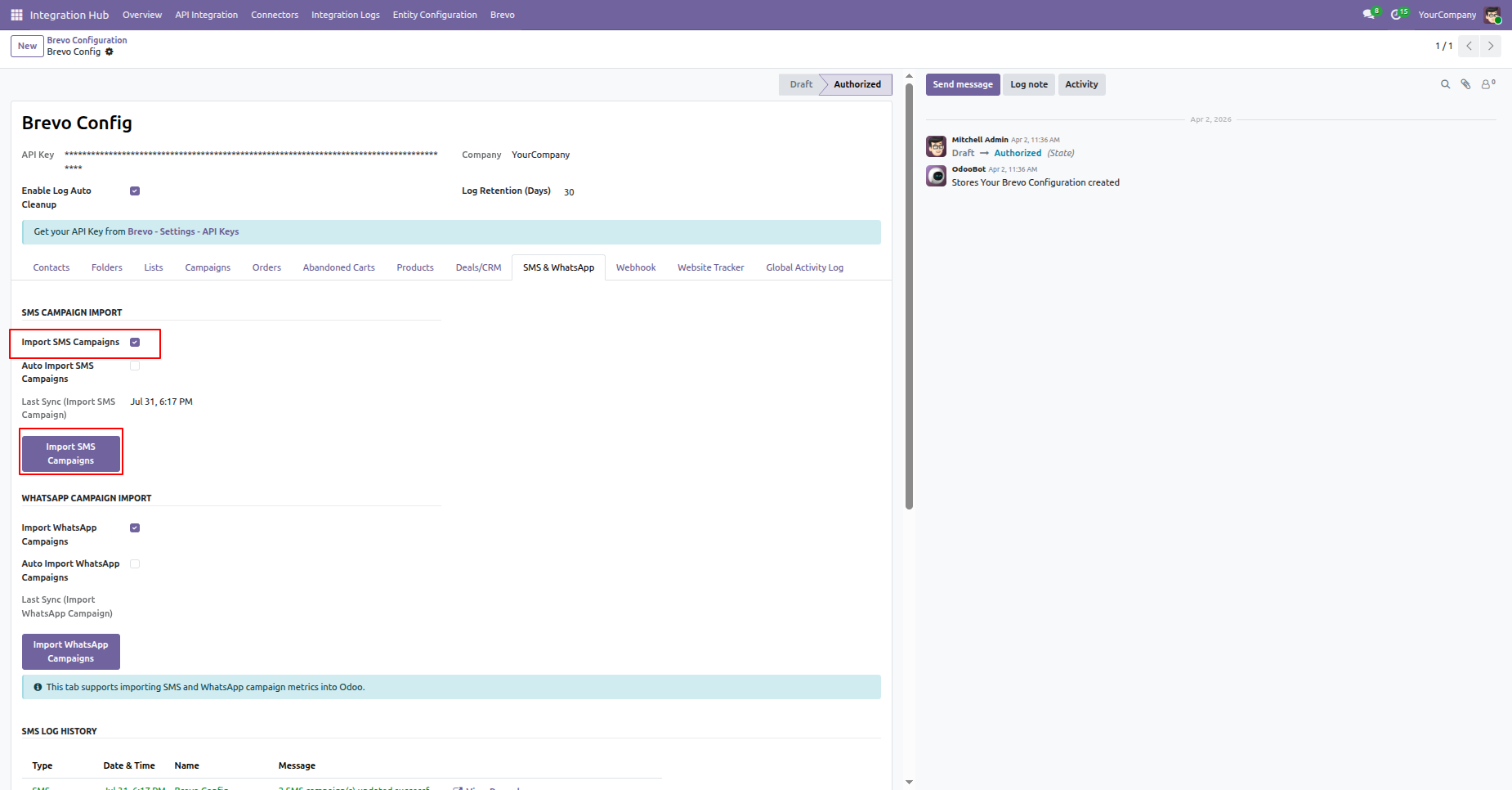
Go to Brevo Configuration -> Import & WhatsApp and enbale Import SMS Campaign option and click Import SMS Campaigns button.
The SMS will be imported successfully. The import logs will be visible under the Log History section.
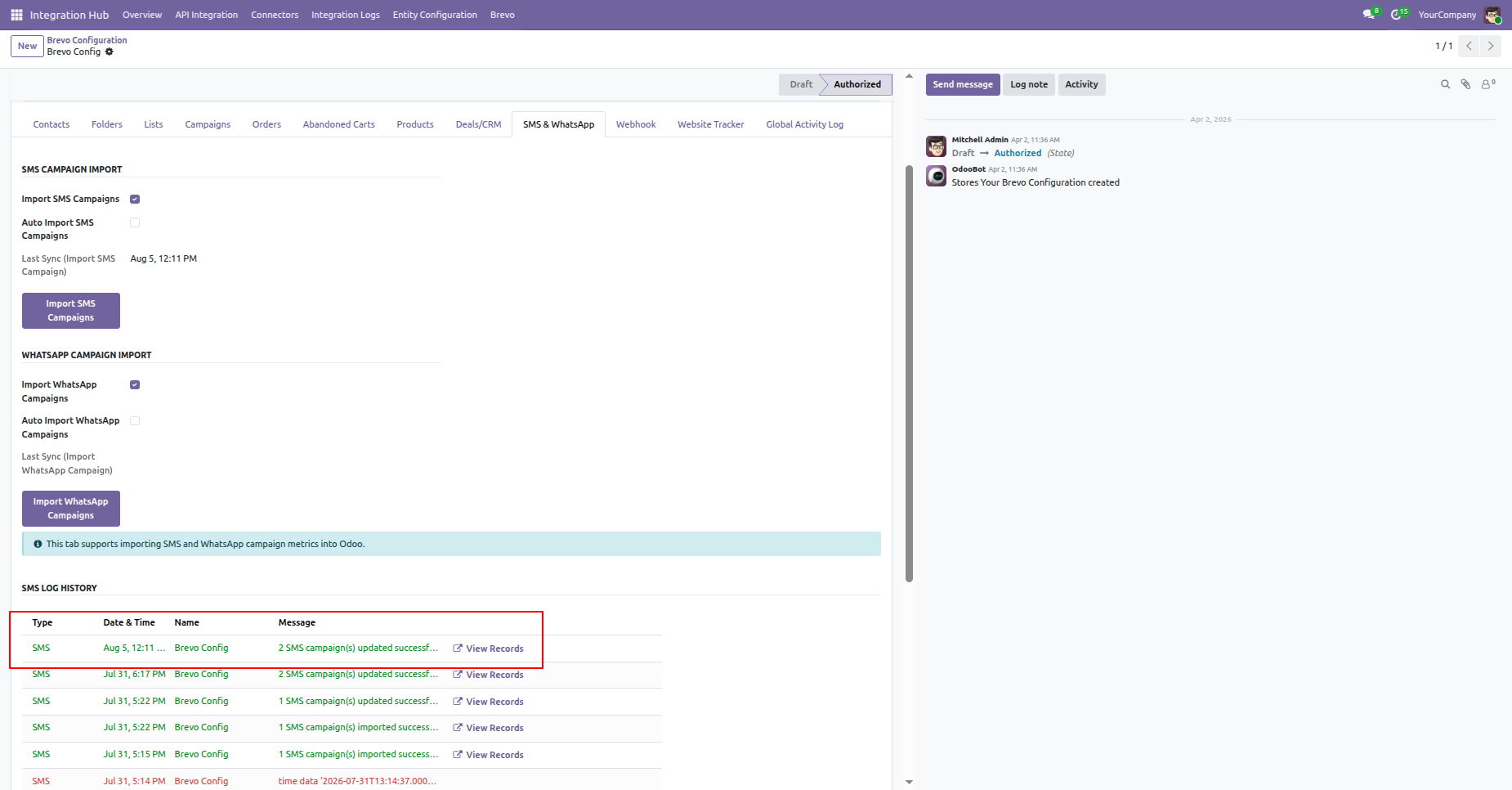
Click View Record from the log to open the related SMS record.
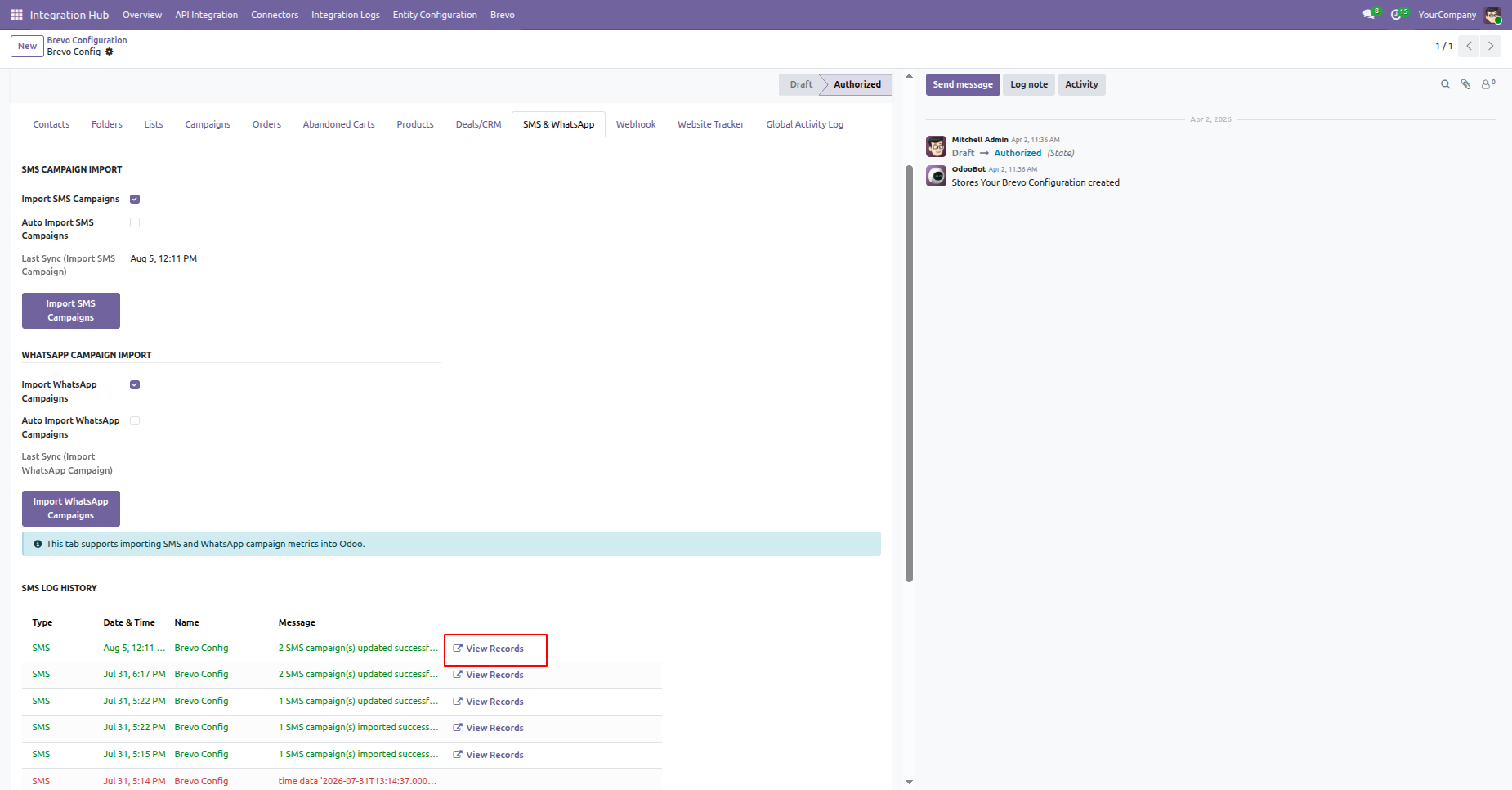
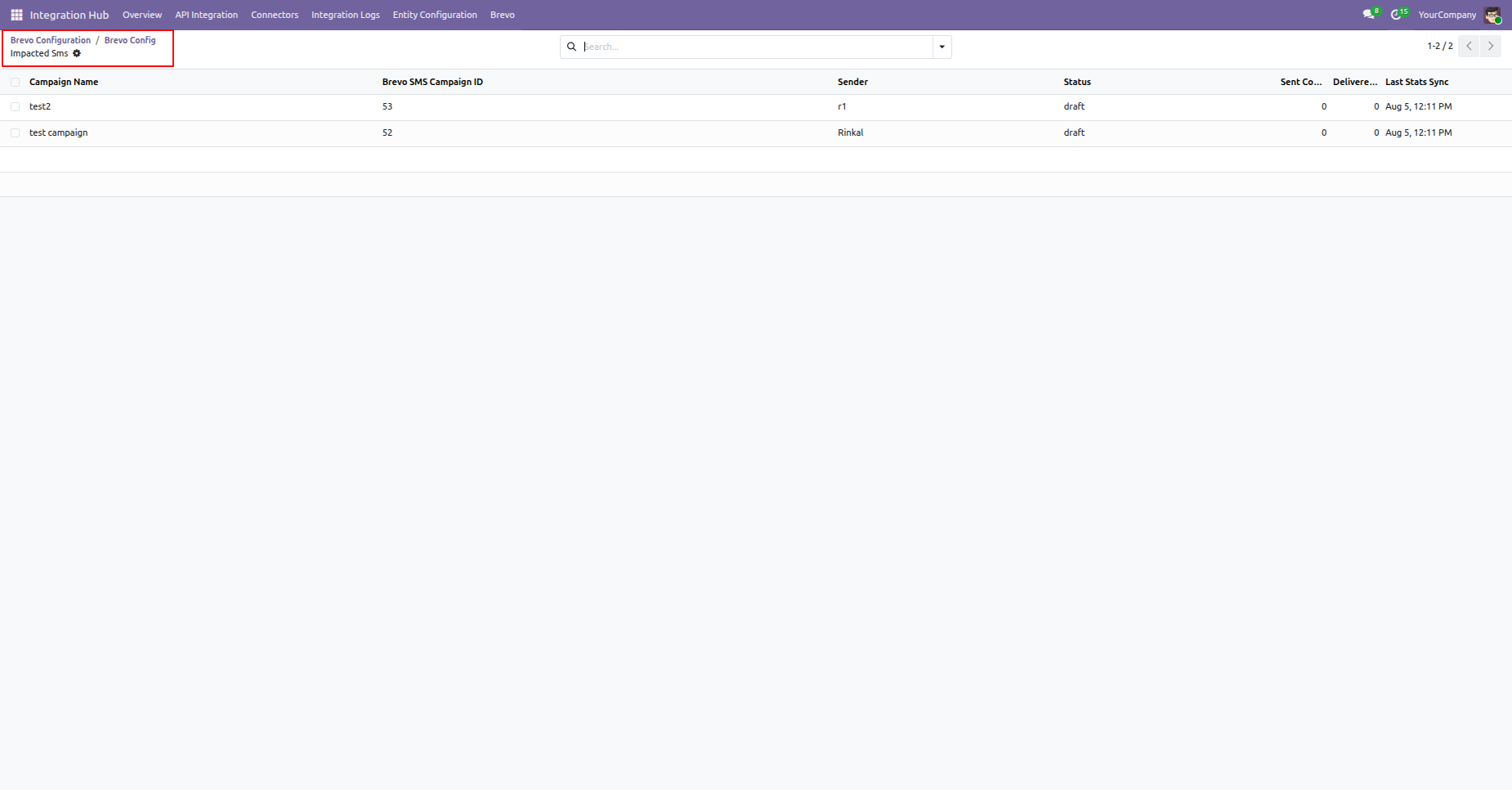
It will open the log record for the imported SMS Campaign.
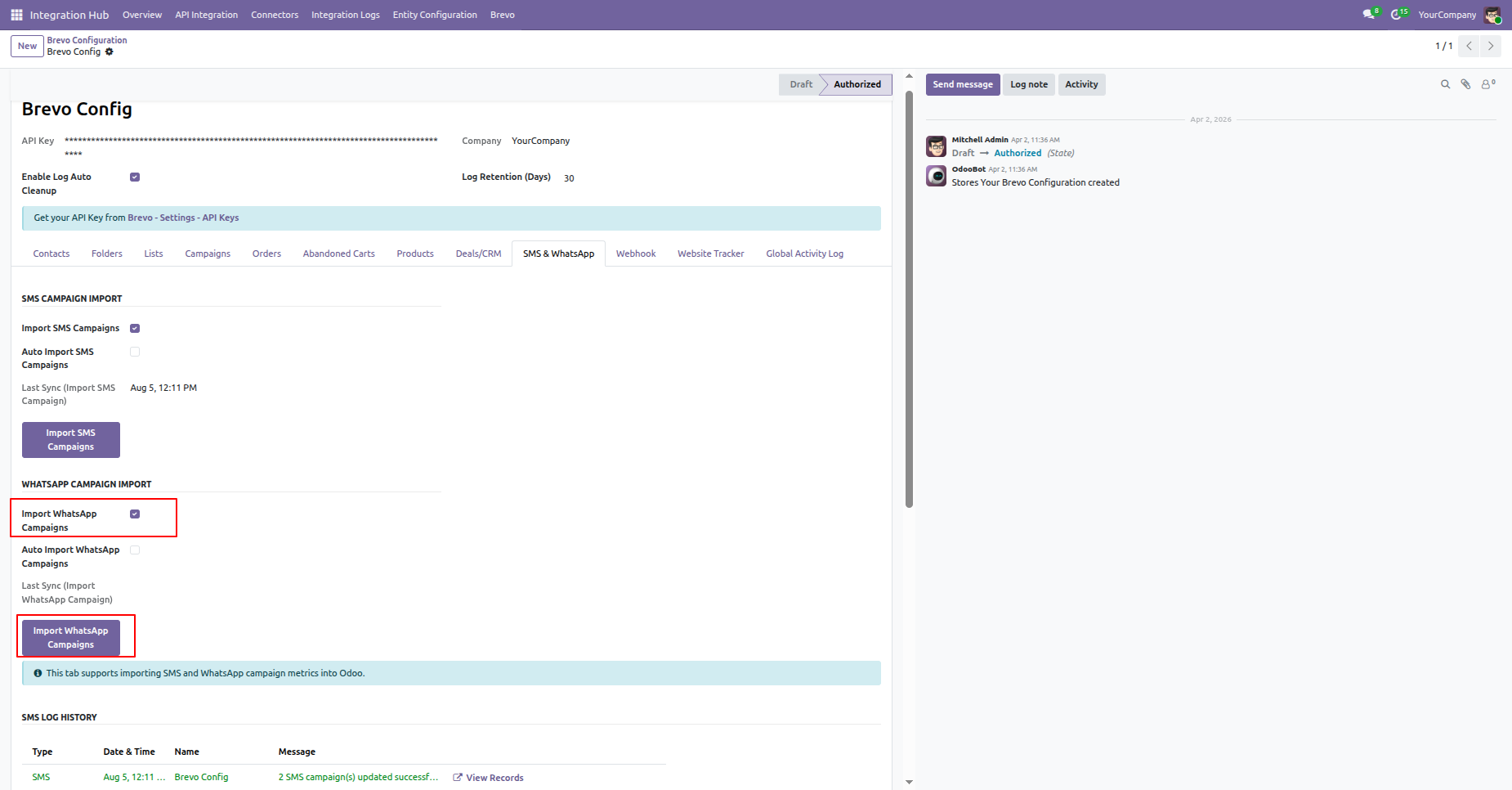
Go to Brevo Configuration -> Import & WhatsApp and enbale Import WhatsApp Campaign option and click Import WhatsApp Campaigns button.
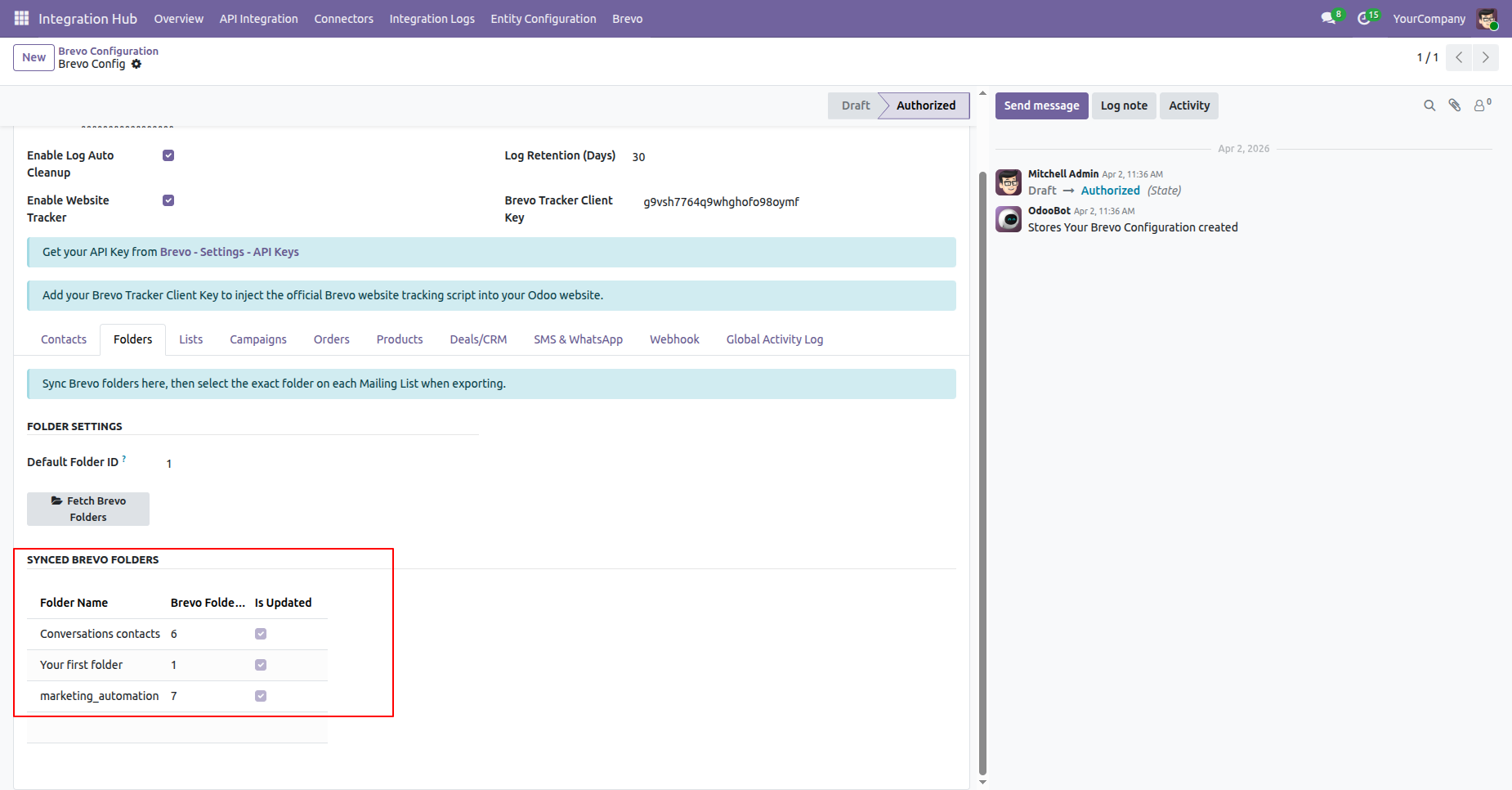
Go to Brevo Configuration -> Folders and click Fetch Brevo Folders button.
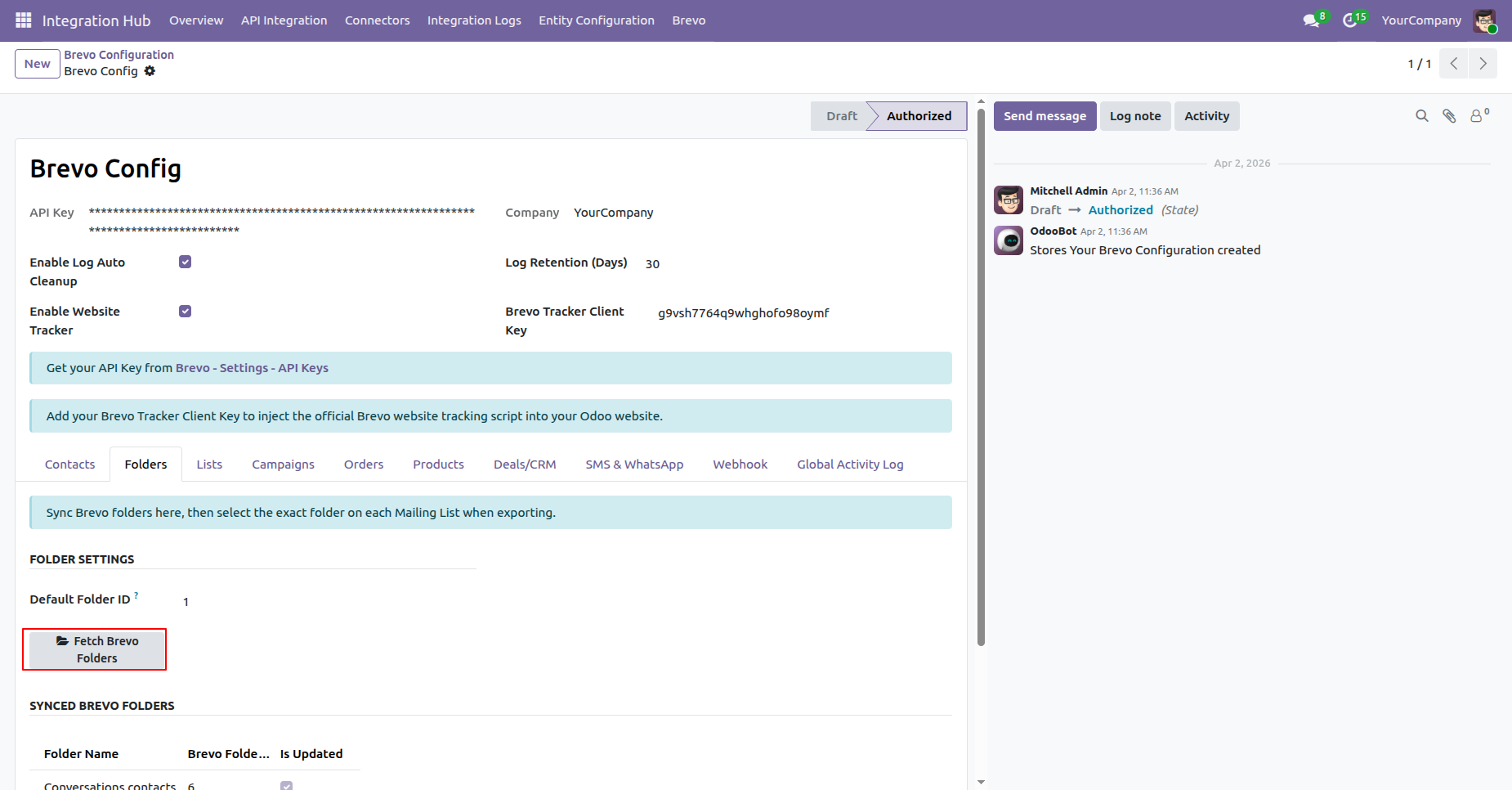
Synced Brevo folders are displayed with the Folder Name, Brevo Folder Count, and Updated Status checkbox.
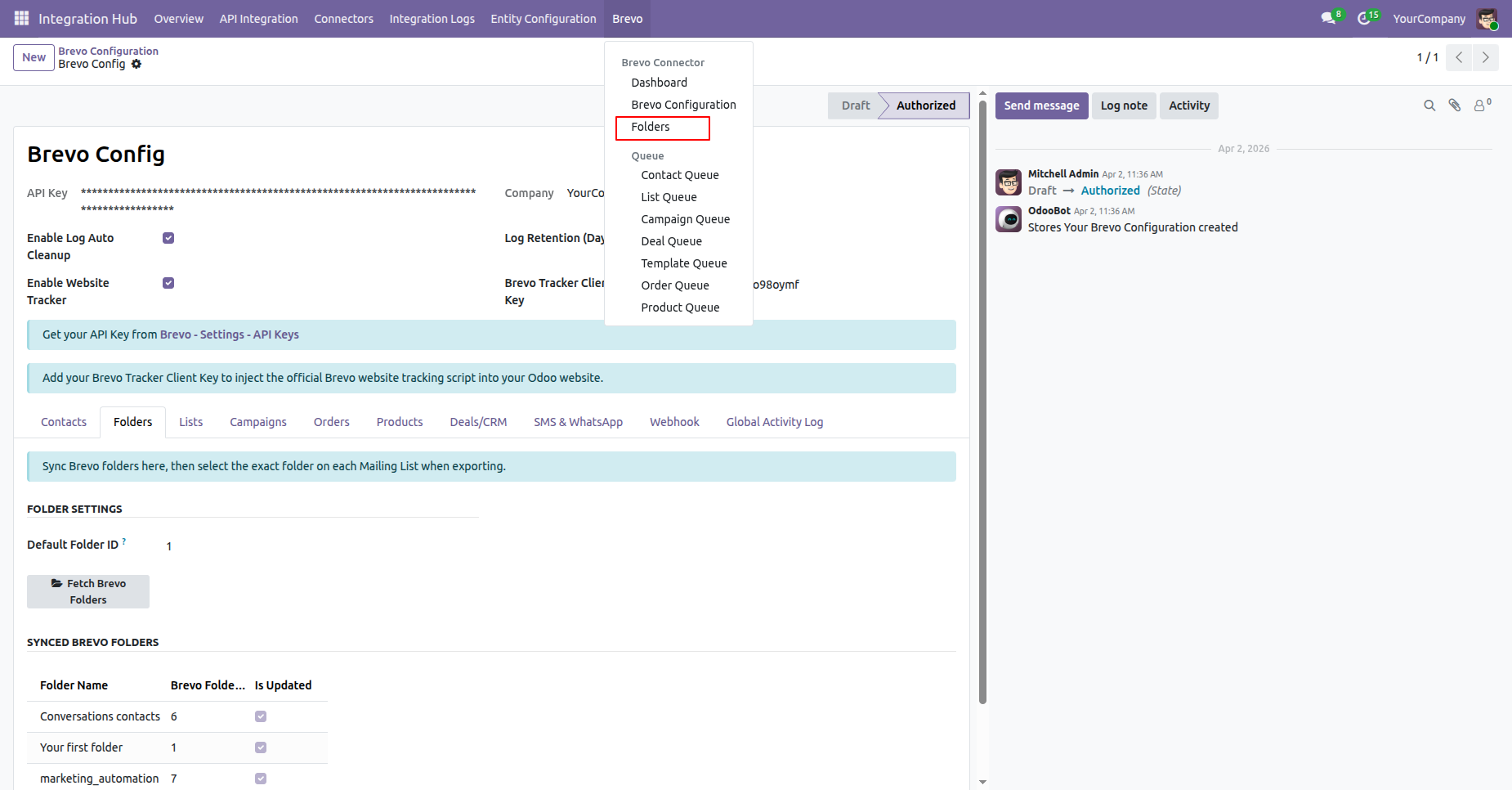
Click the Folders menu from the Brevo main menu.
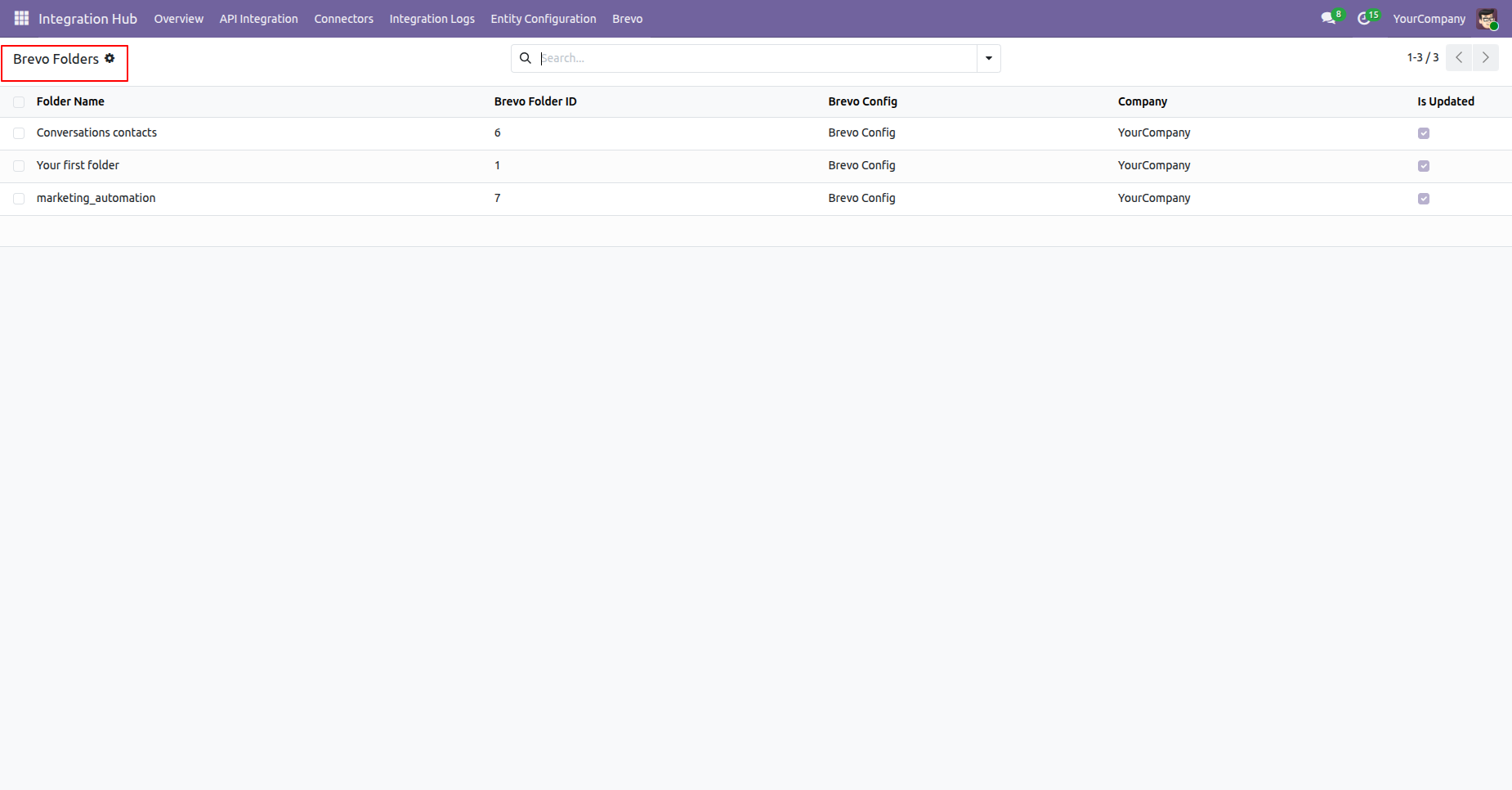
The fetched Brevo folders are displayed in the Odoo list view.
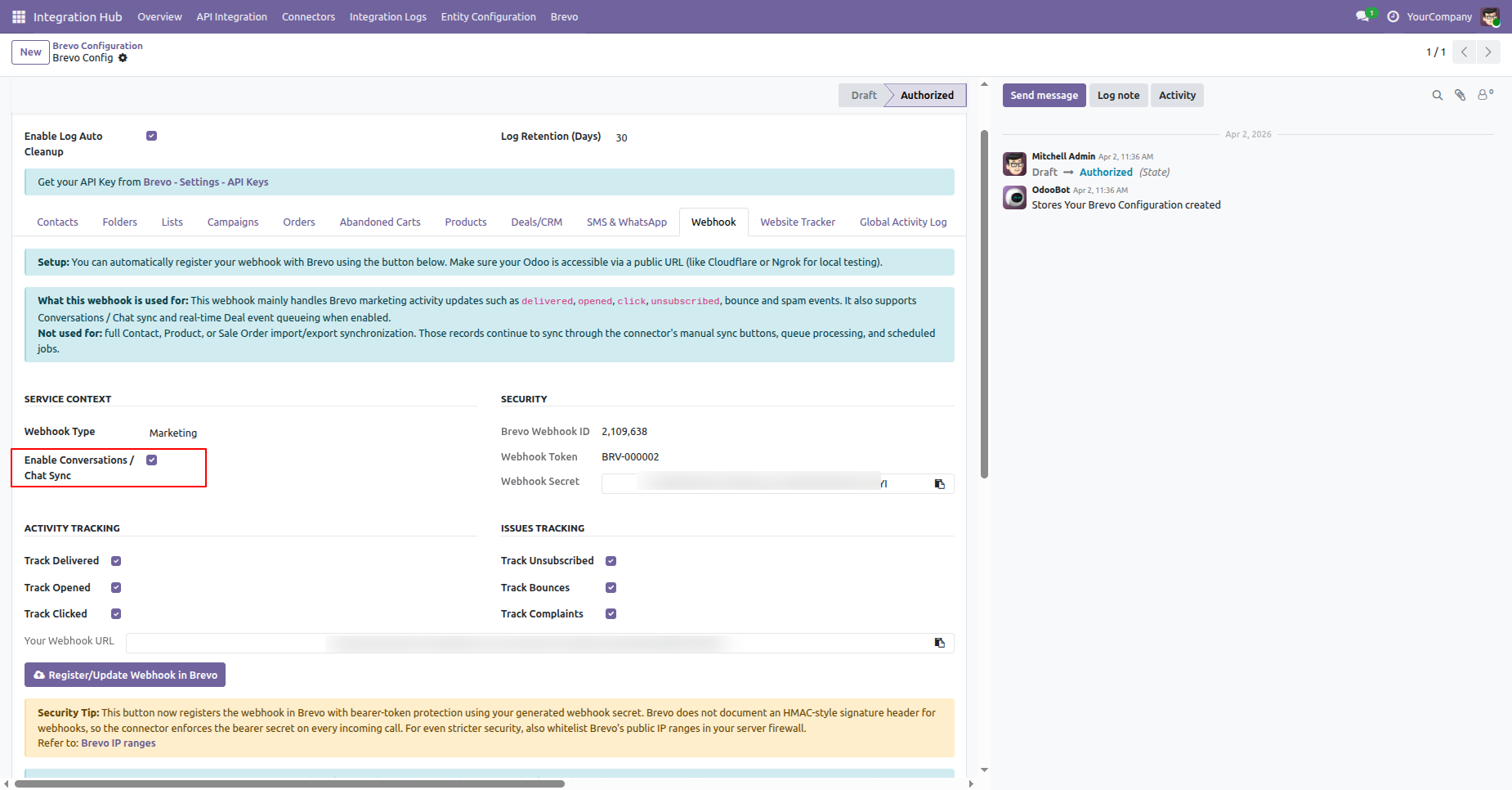
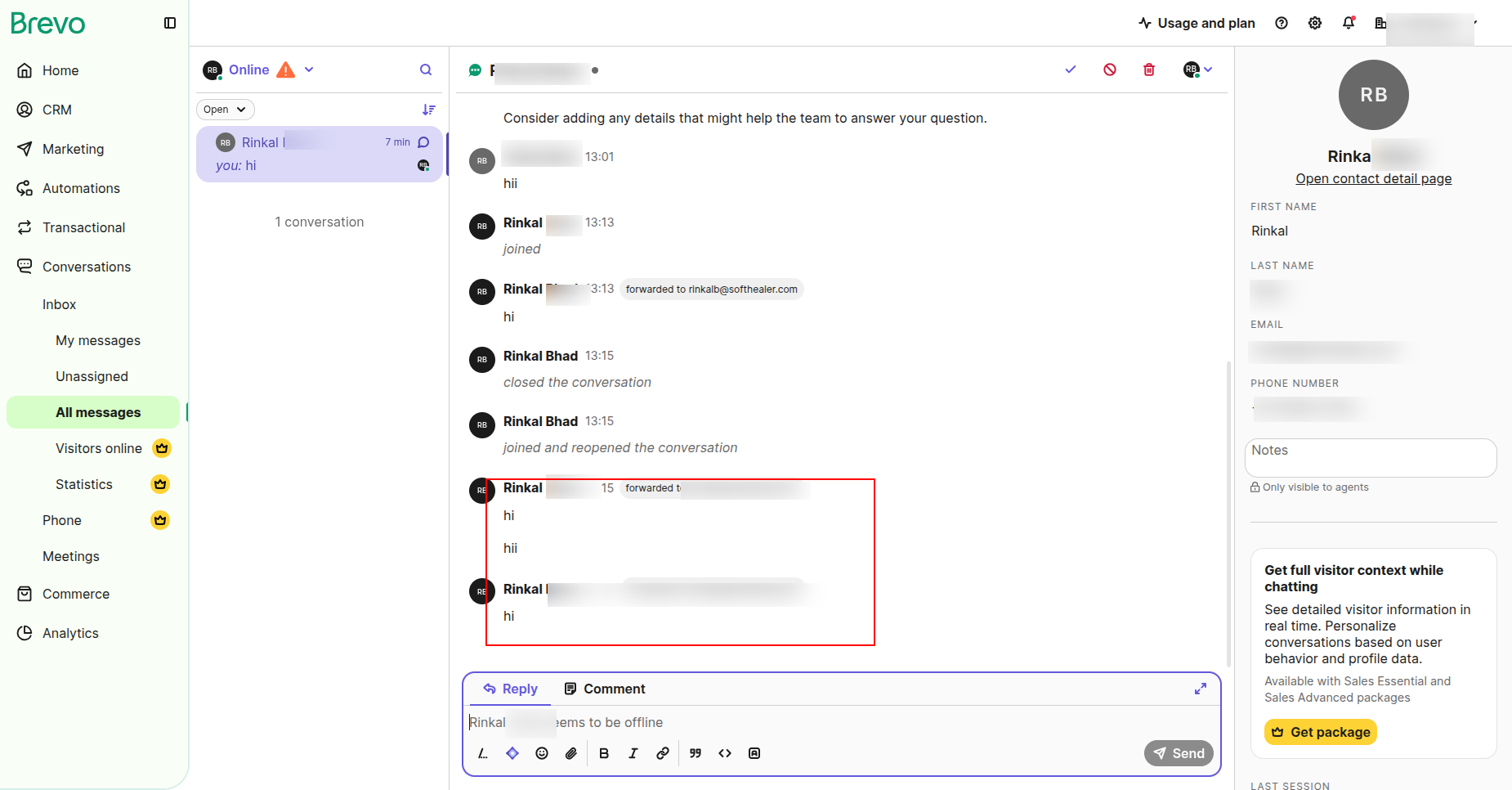
Go to Brevo Configuration -> Webhook and enable Coversation/Chat Sync option.
The chat will be synchronized with Brevo.
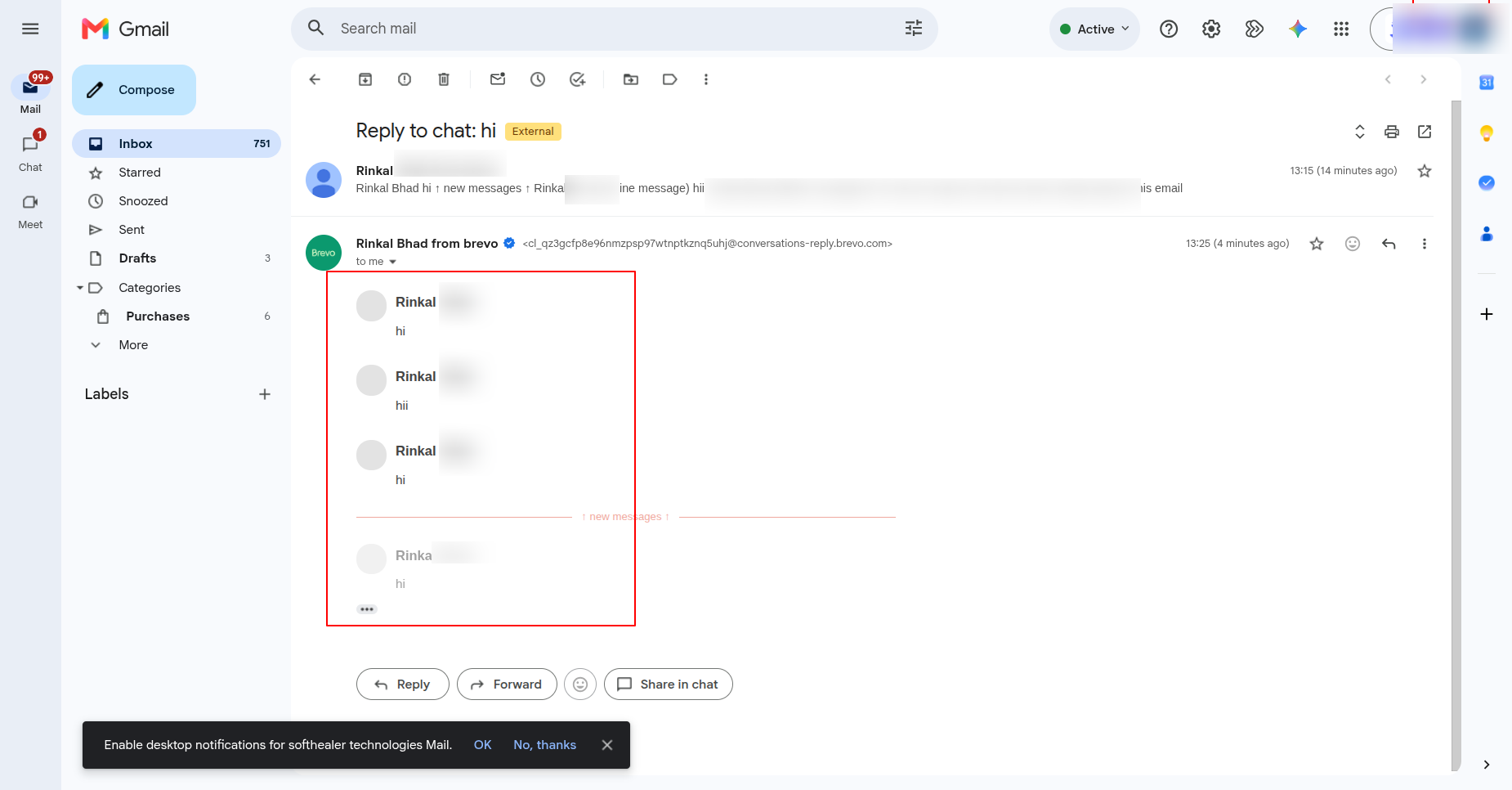
The chat will also be visible in Gmail.
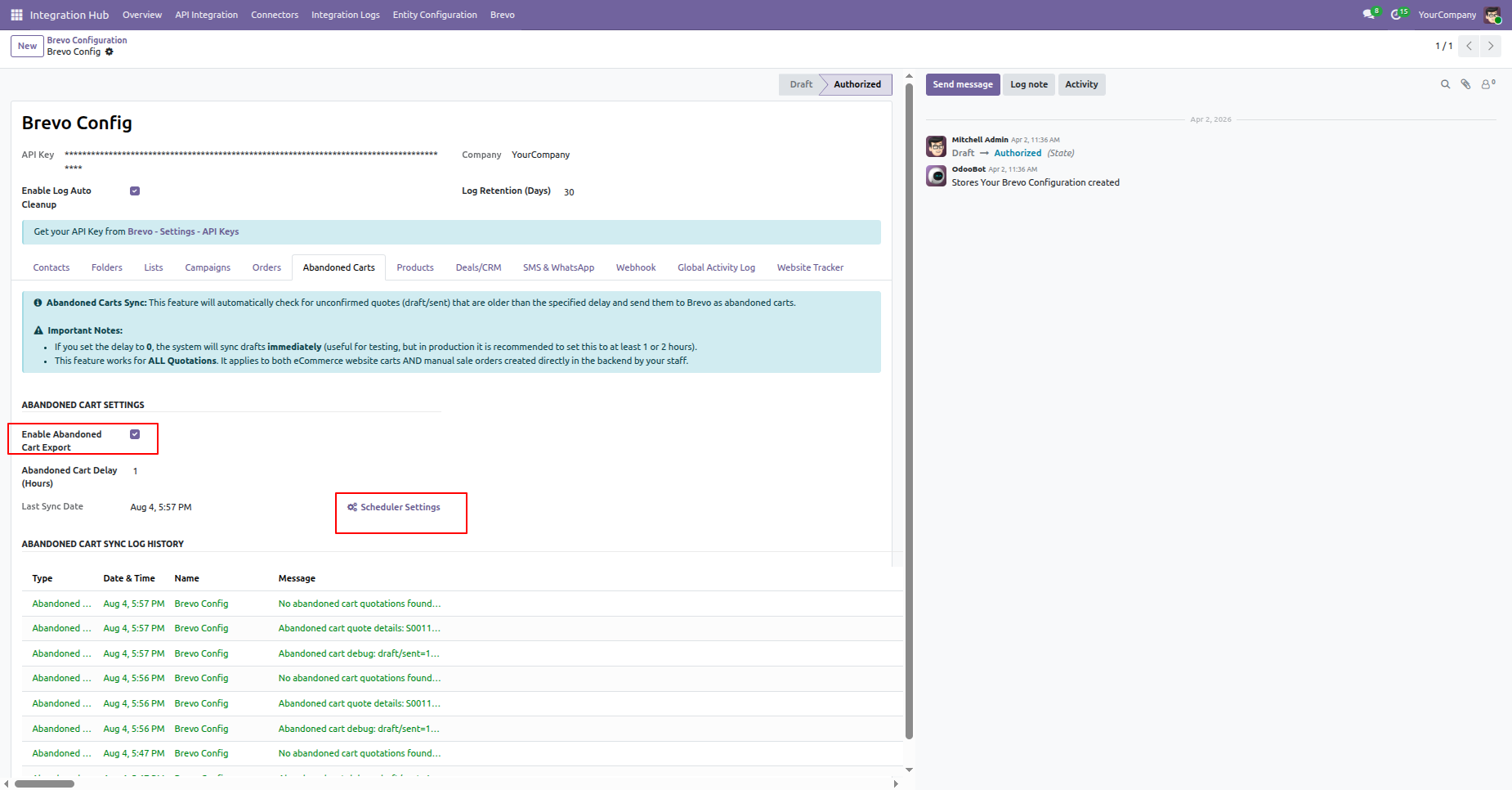
Enable abandoned cart export for your e-commerce store and click on scheduler settings.
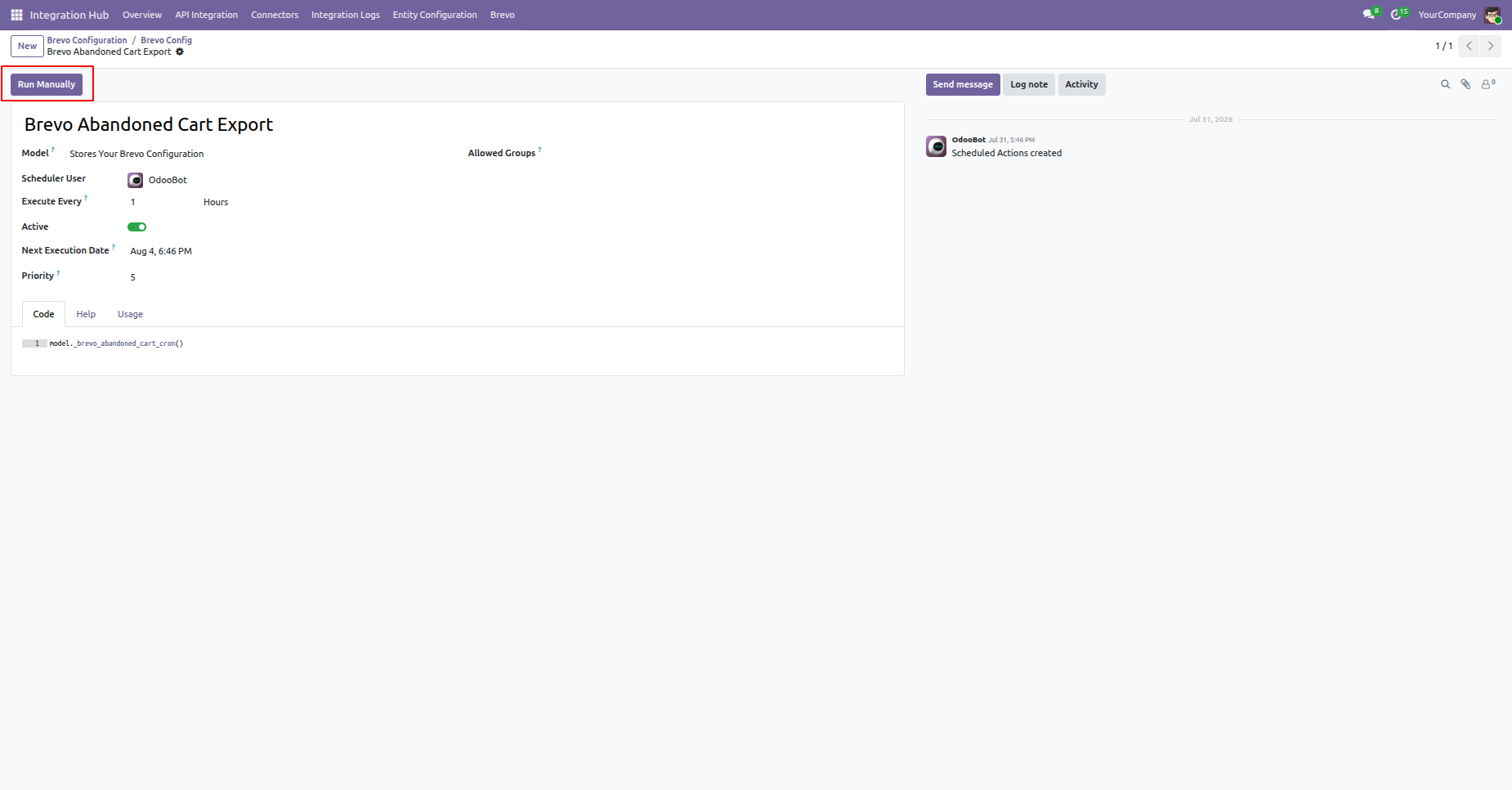
Brevo abandoned cart export schedule action will open click on run manually button.
The abandoned cart exported successfully. The export logs will be visible under the Log History section.
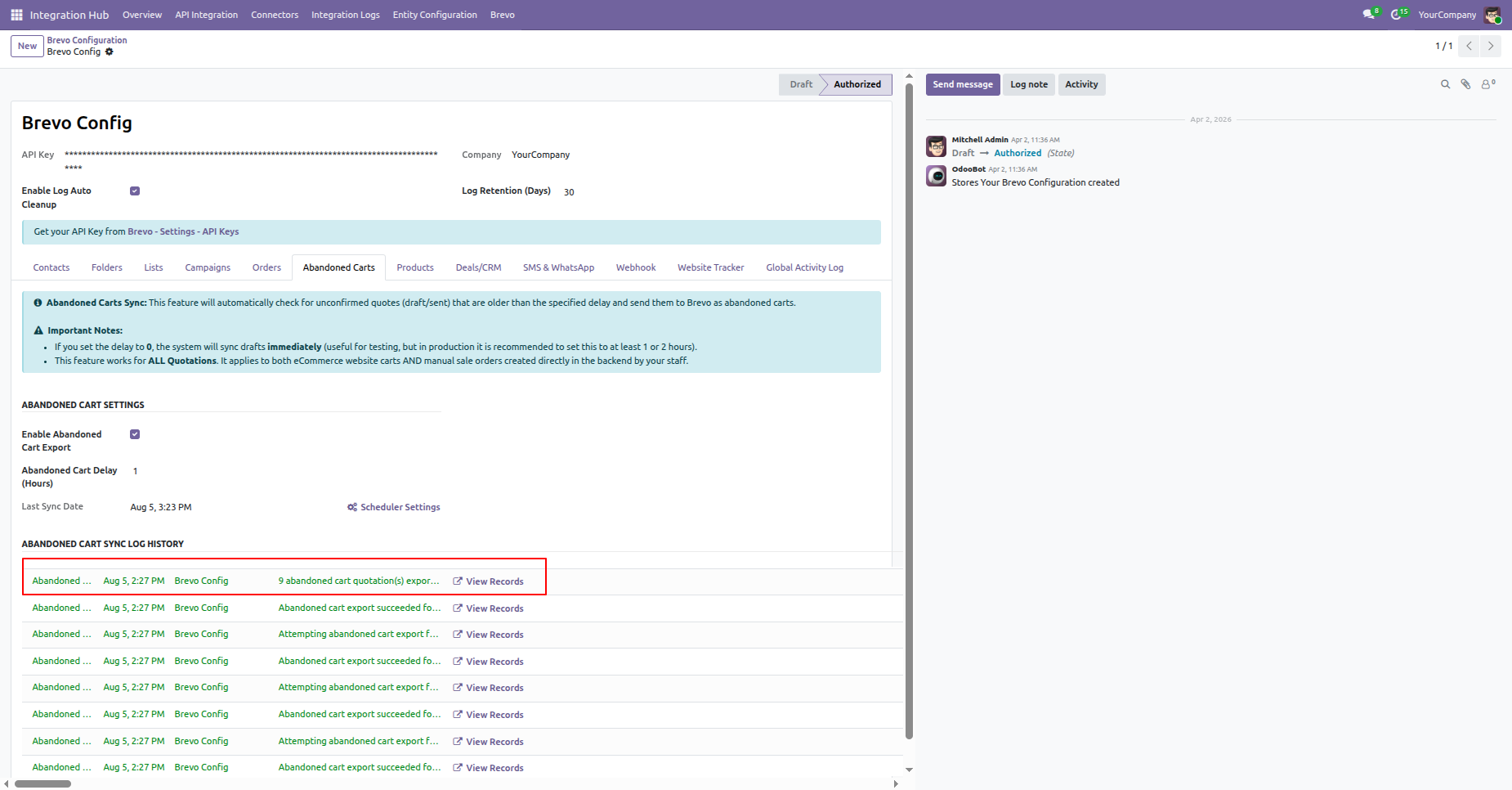
Click View Record from the log to open the related abandoned cart record.
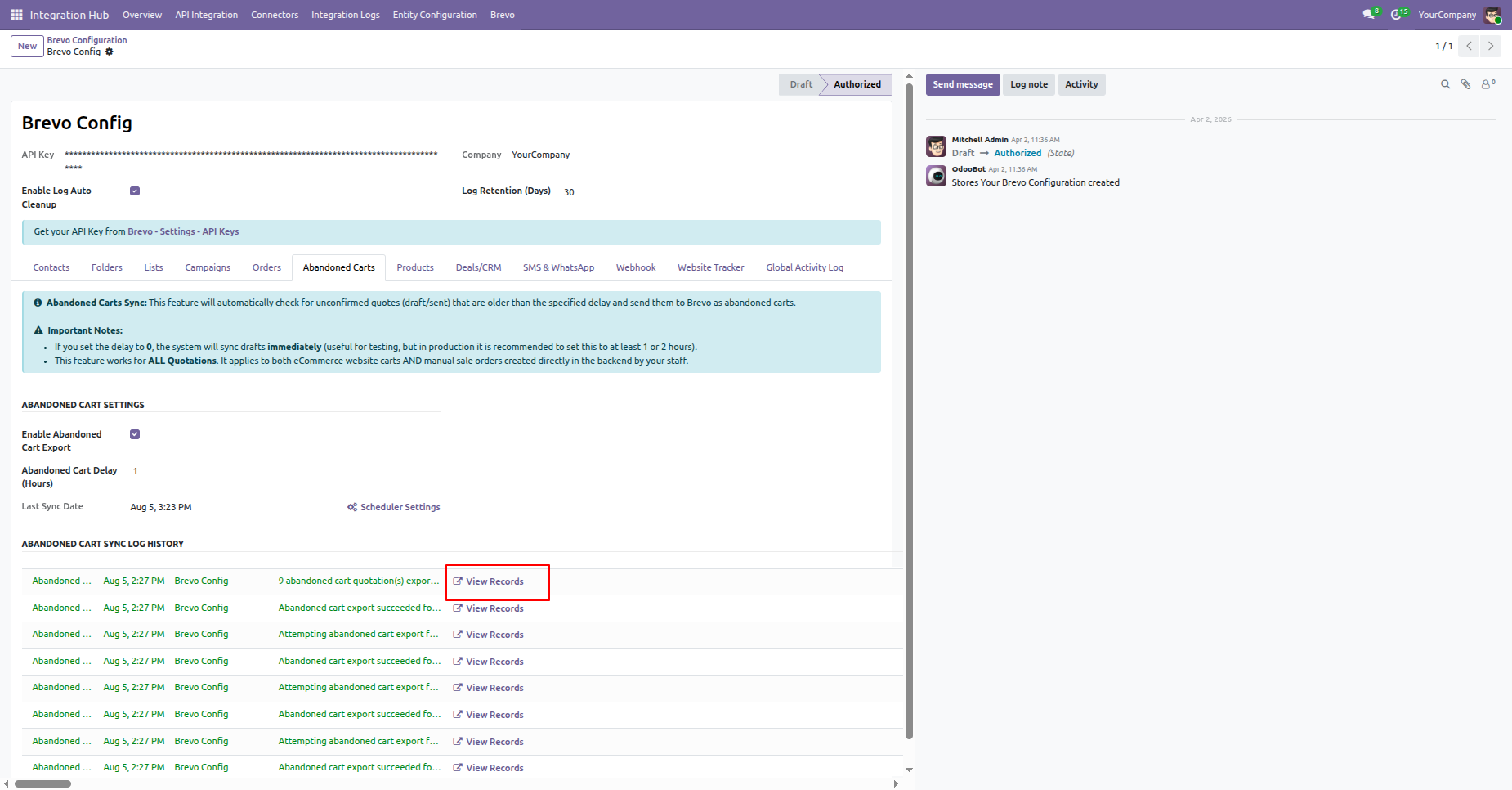
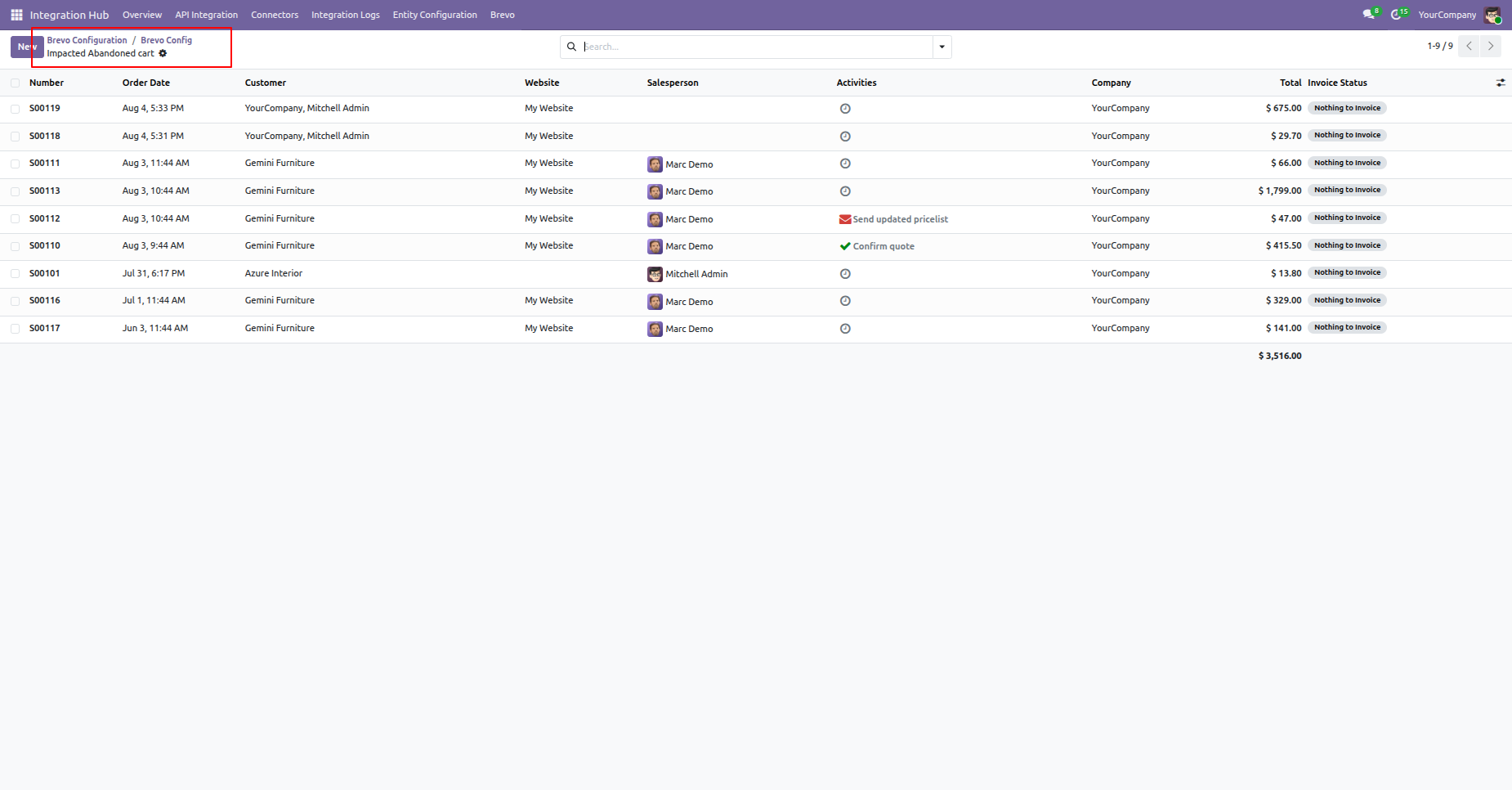
It will open the log record for the exported abandoned cart.
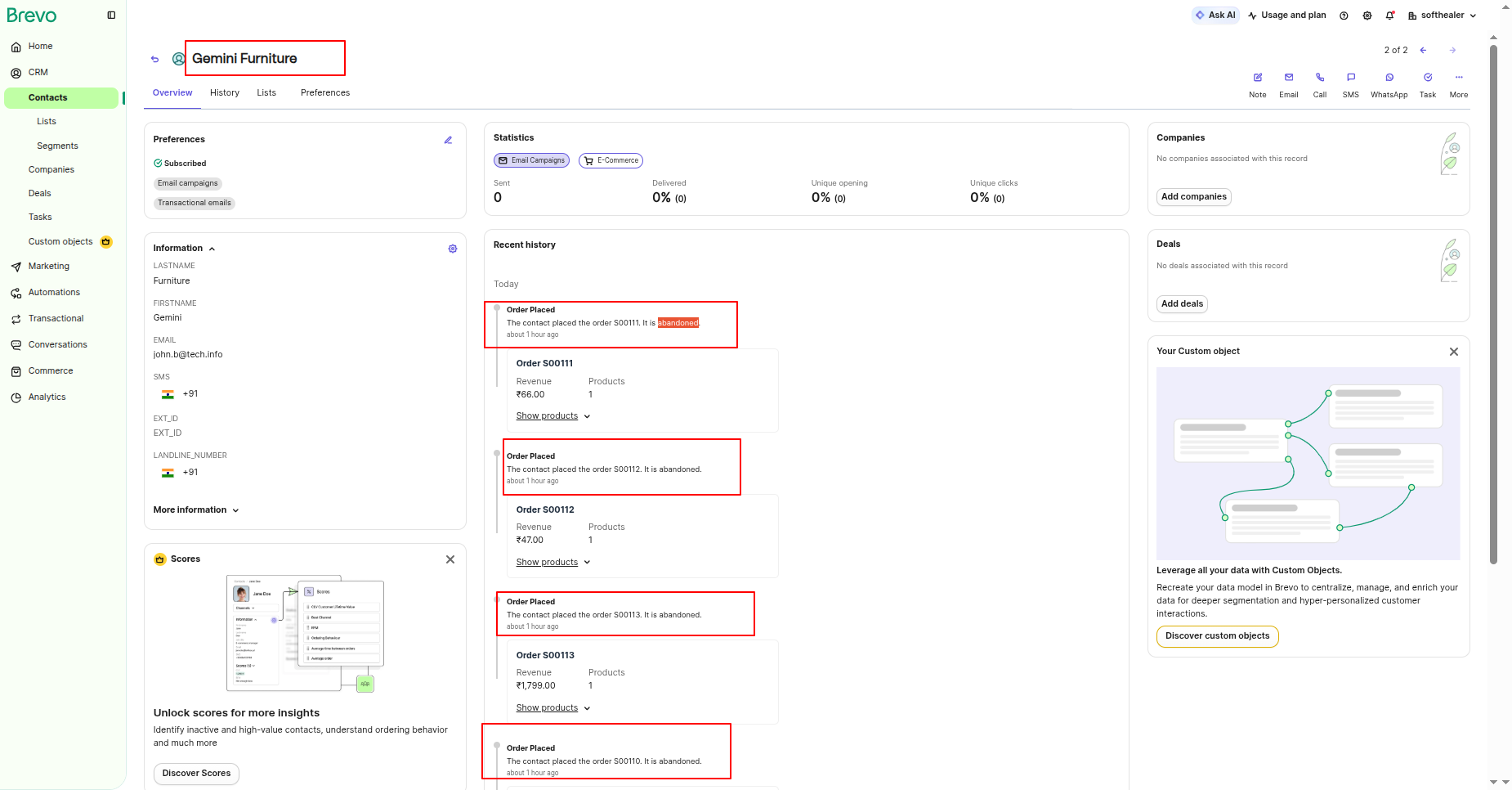
The exported cart will be visible in Brevo Contacts.
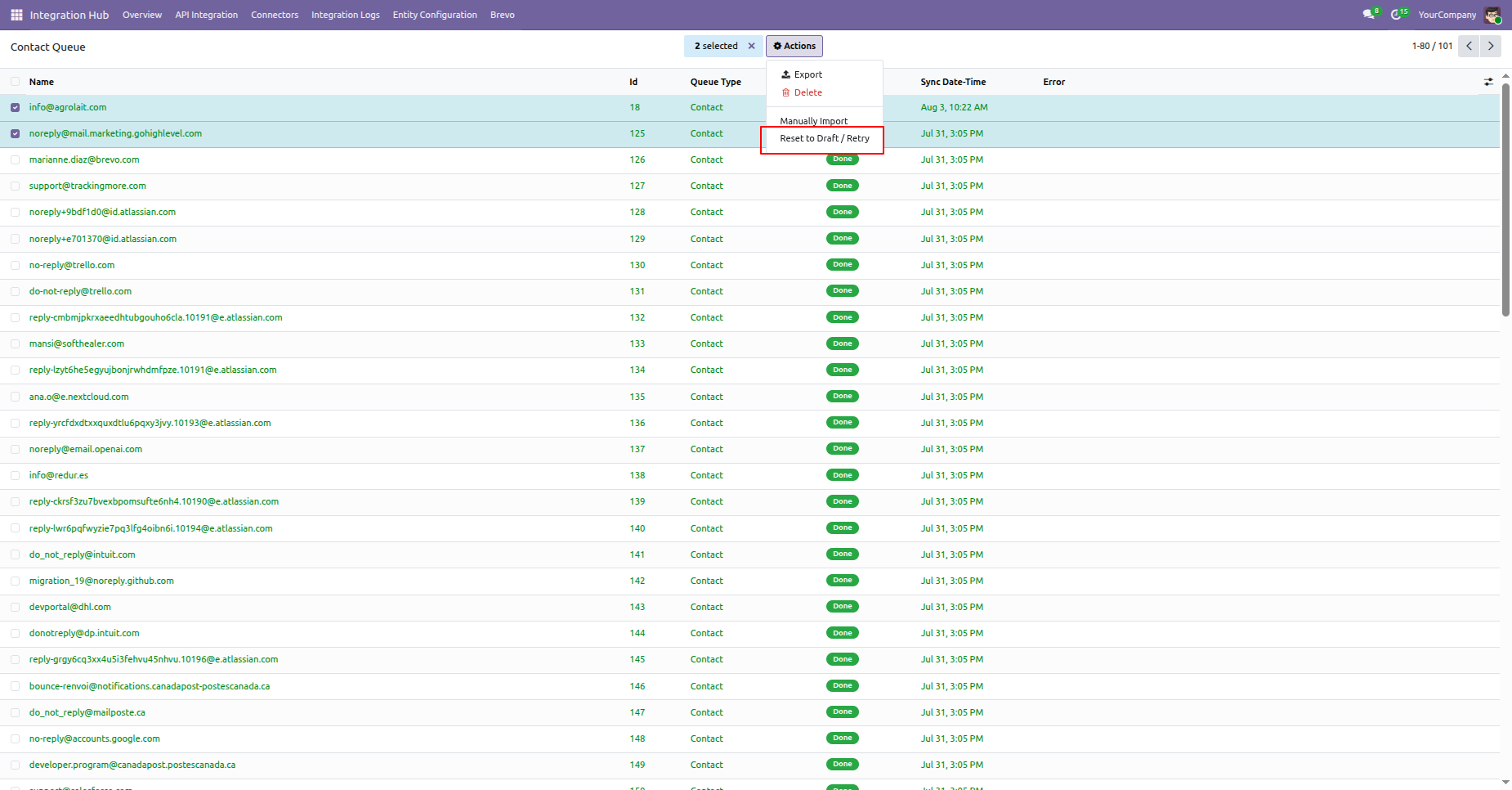
Go to the Contact Queue menu, select a contact from the list view, and click Reset to Draft / Retry from the Actions menu.
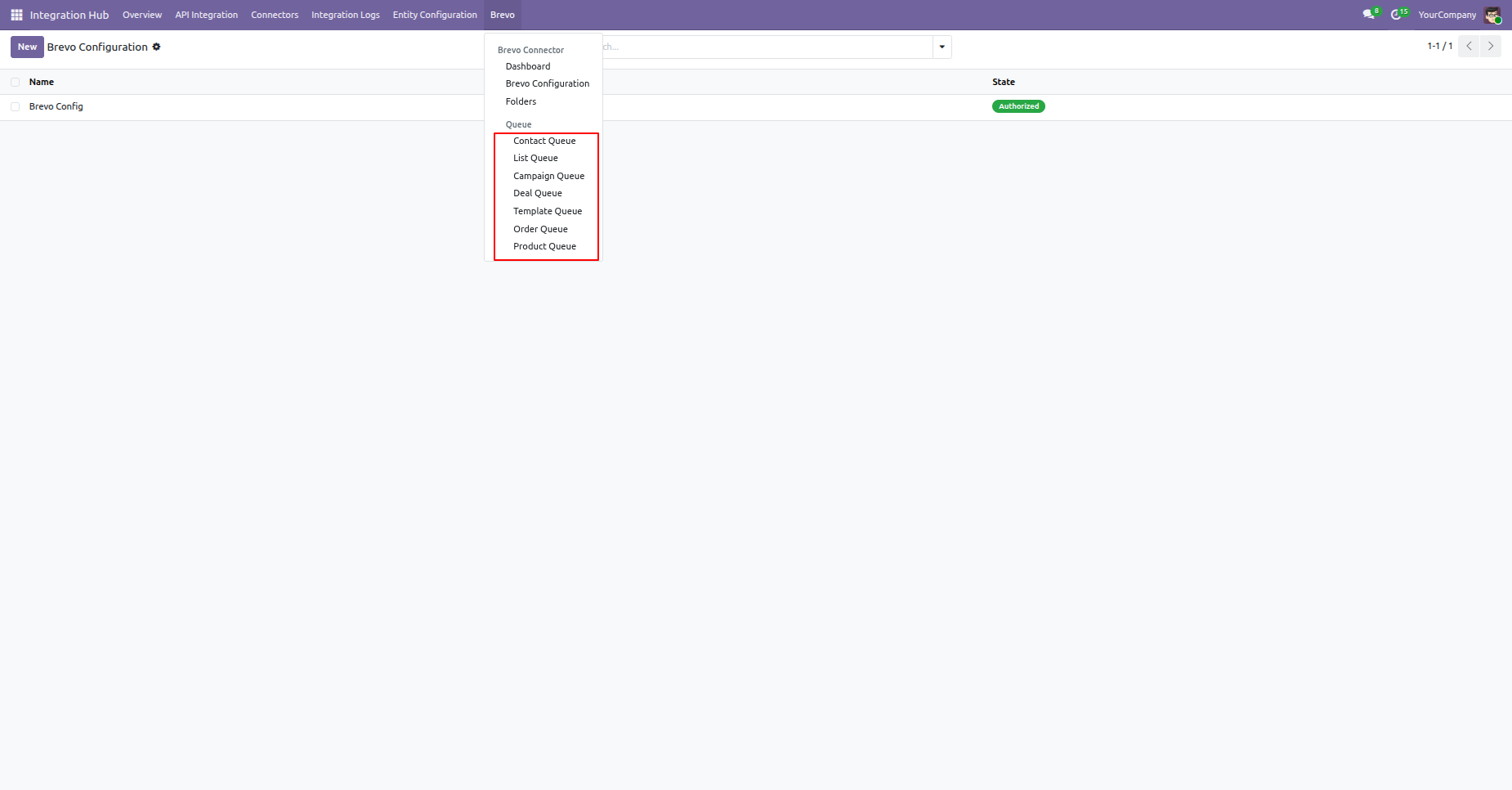
The queue can be viewed for Contacts, Lists, Campaigns, Deals, Products, Orders, and Templates.
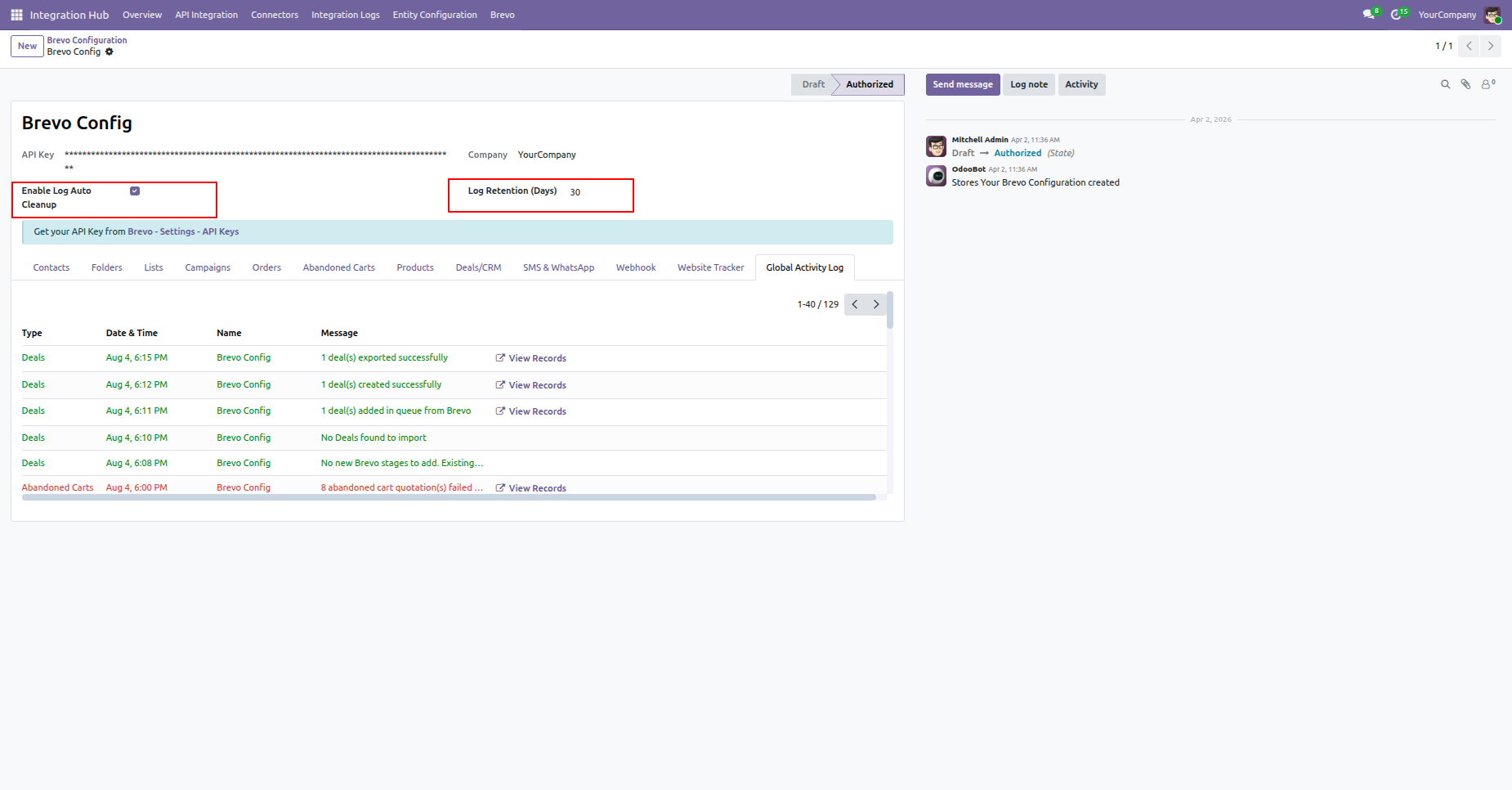
Configure automatic log cleanup to maintain system performance and set log retention days.
Brevo log history auto cleanup schedule action.
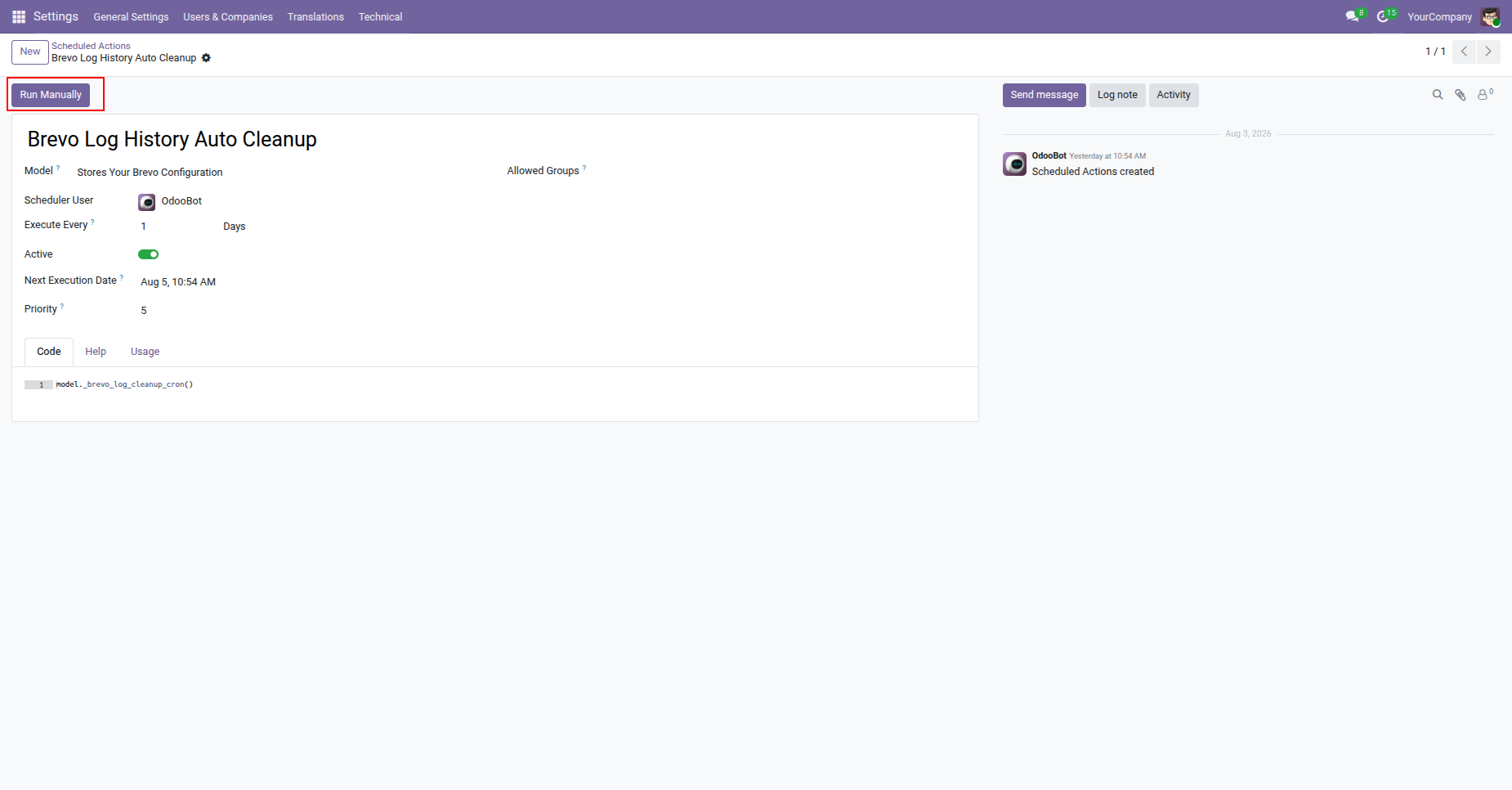
Logs will be automatically deleted once the configured retention period is reached.
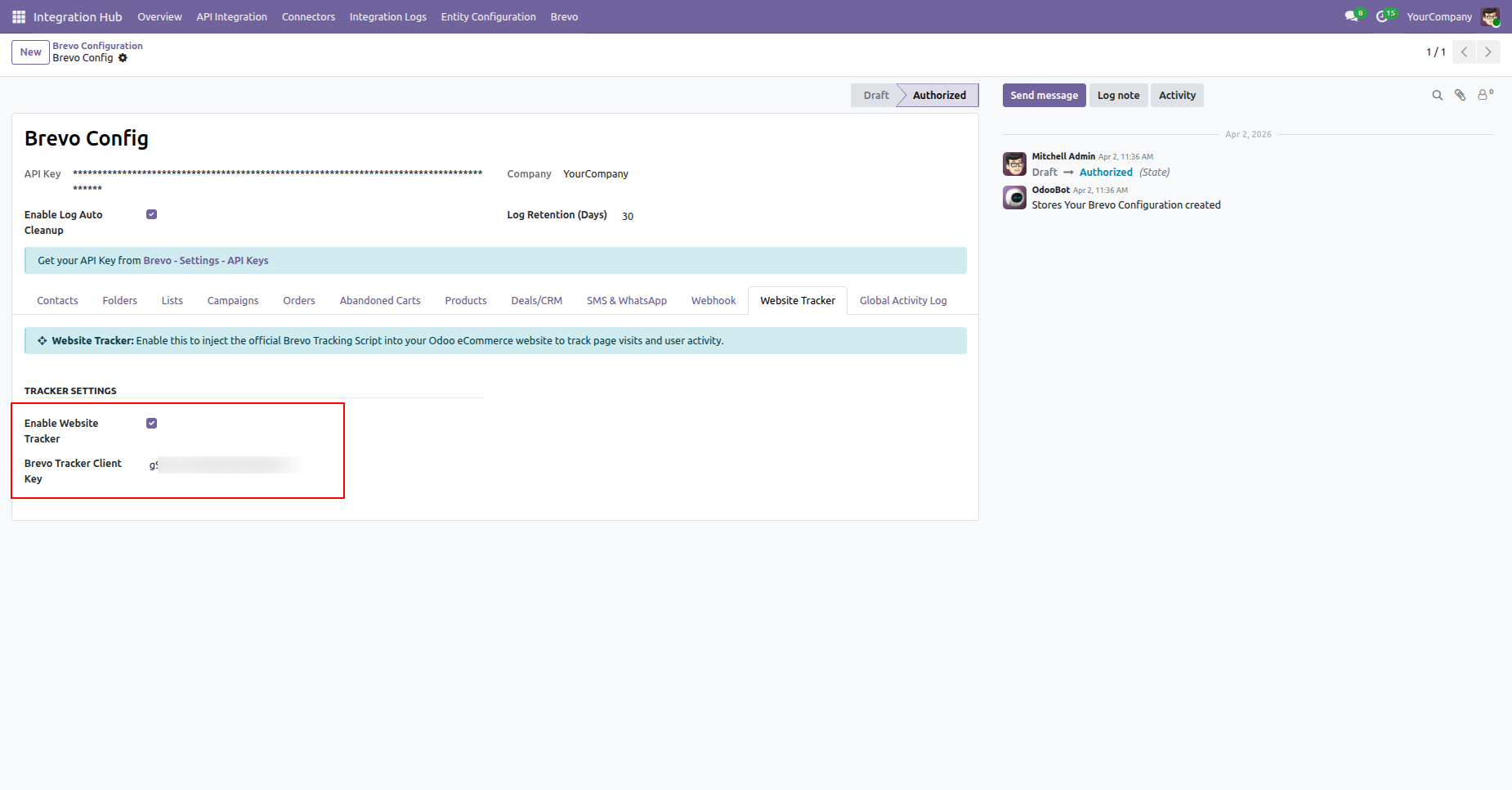
Configure tracker API integration for advanced event tracking.
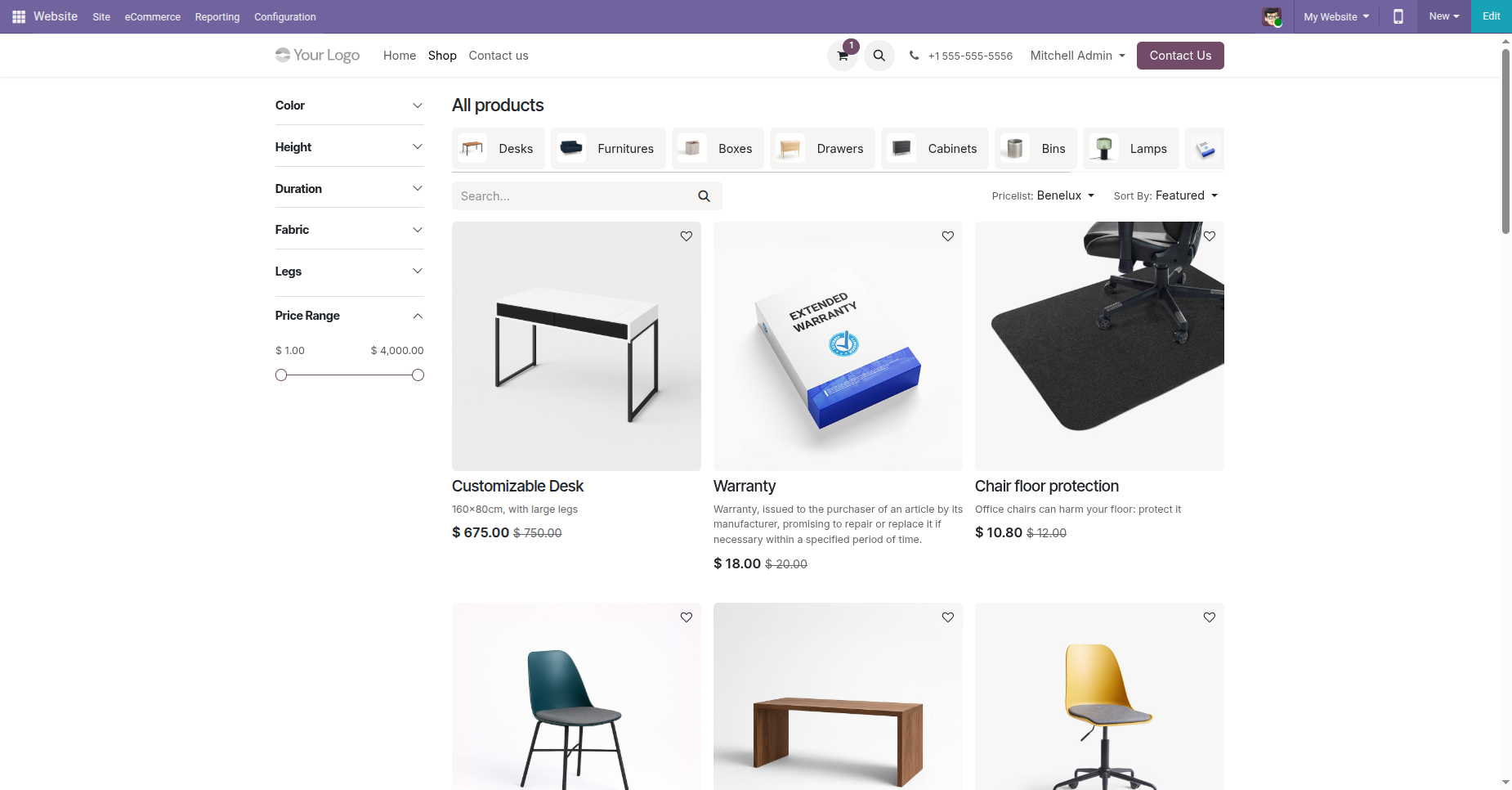
Map custom events and user actions to Brevo tracker.
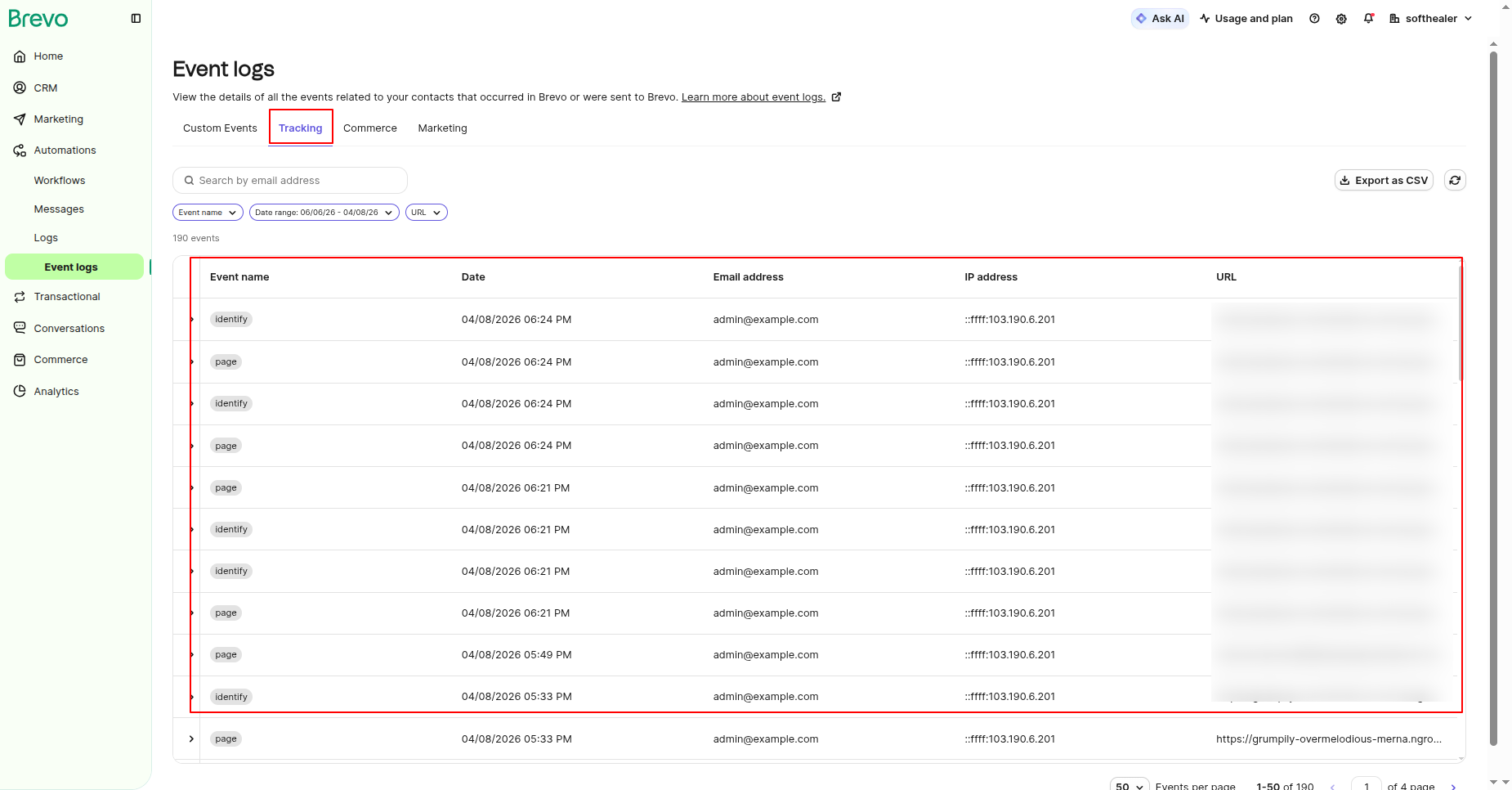
Monitor API tracking logs and event synchronization.
Enable the Import Templates option from the Templates tab in the Brevo Configuration and click on Sync templates button.
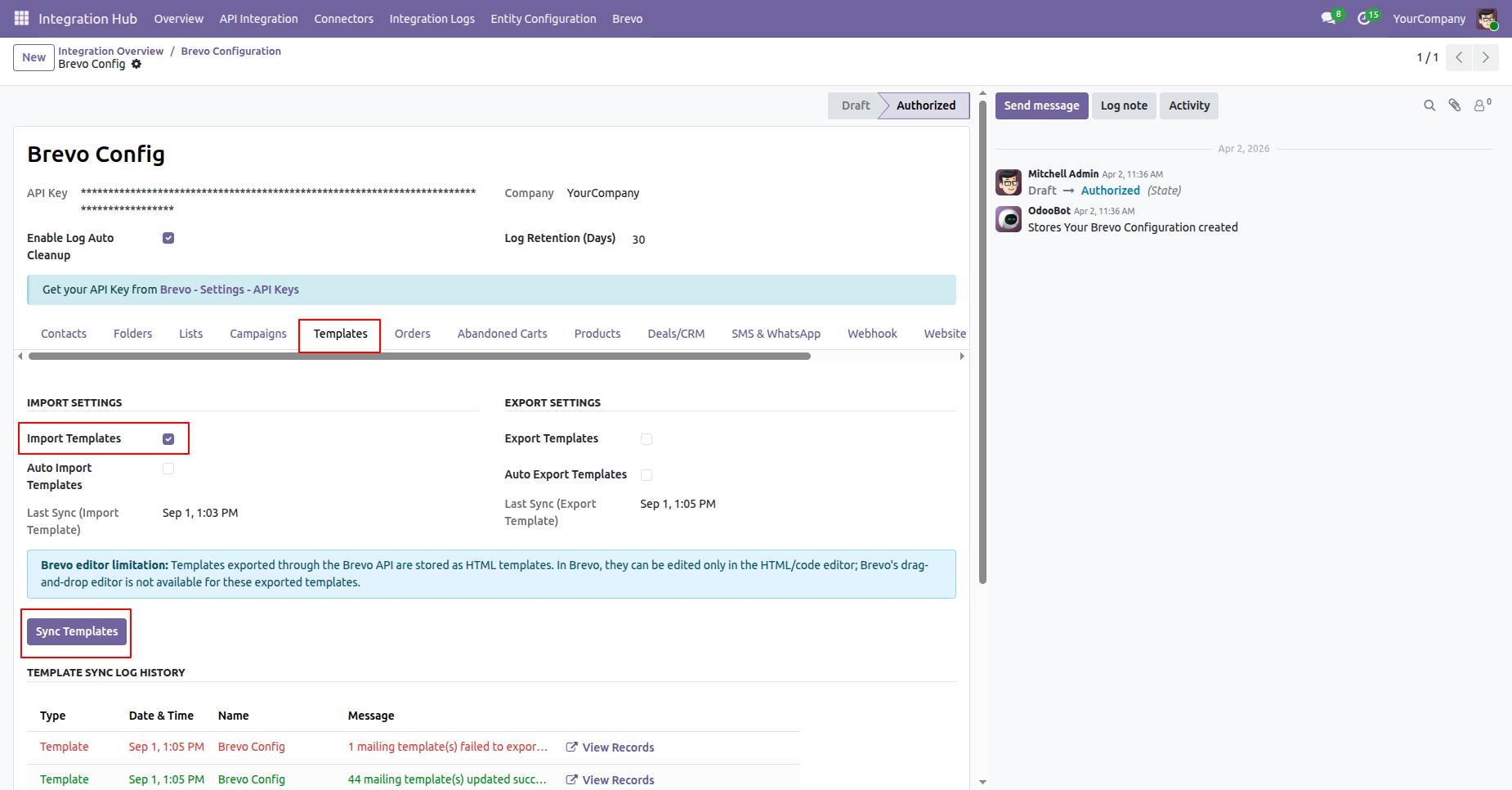
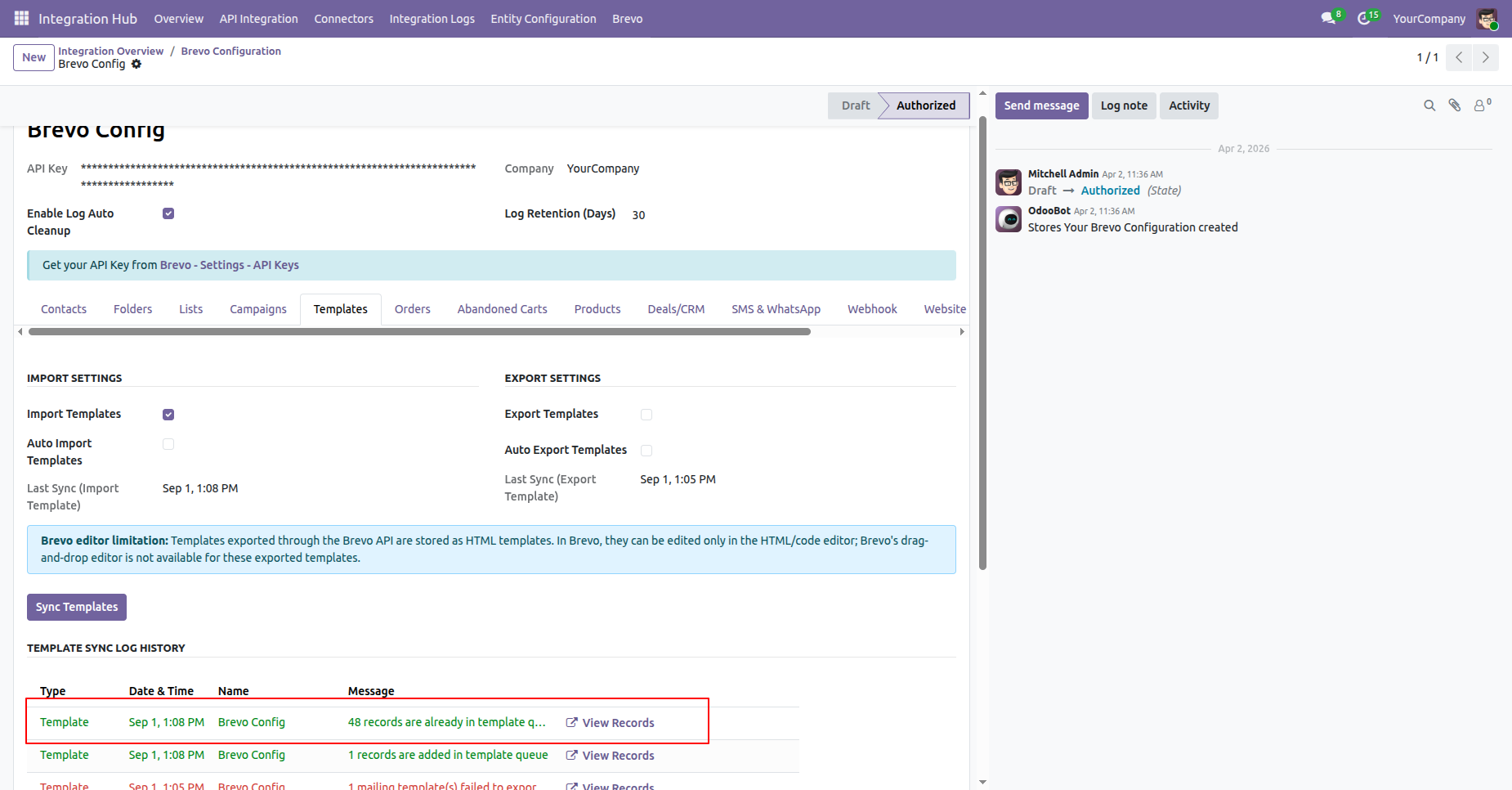
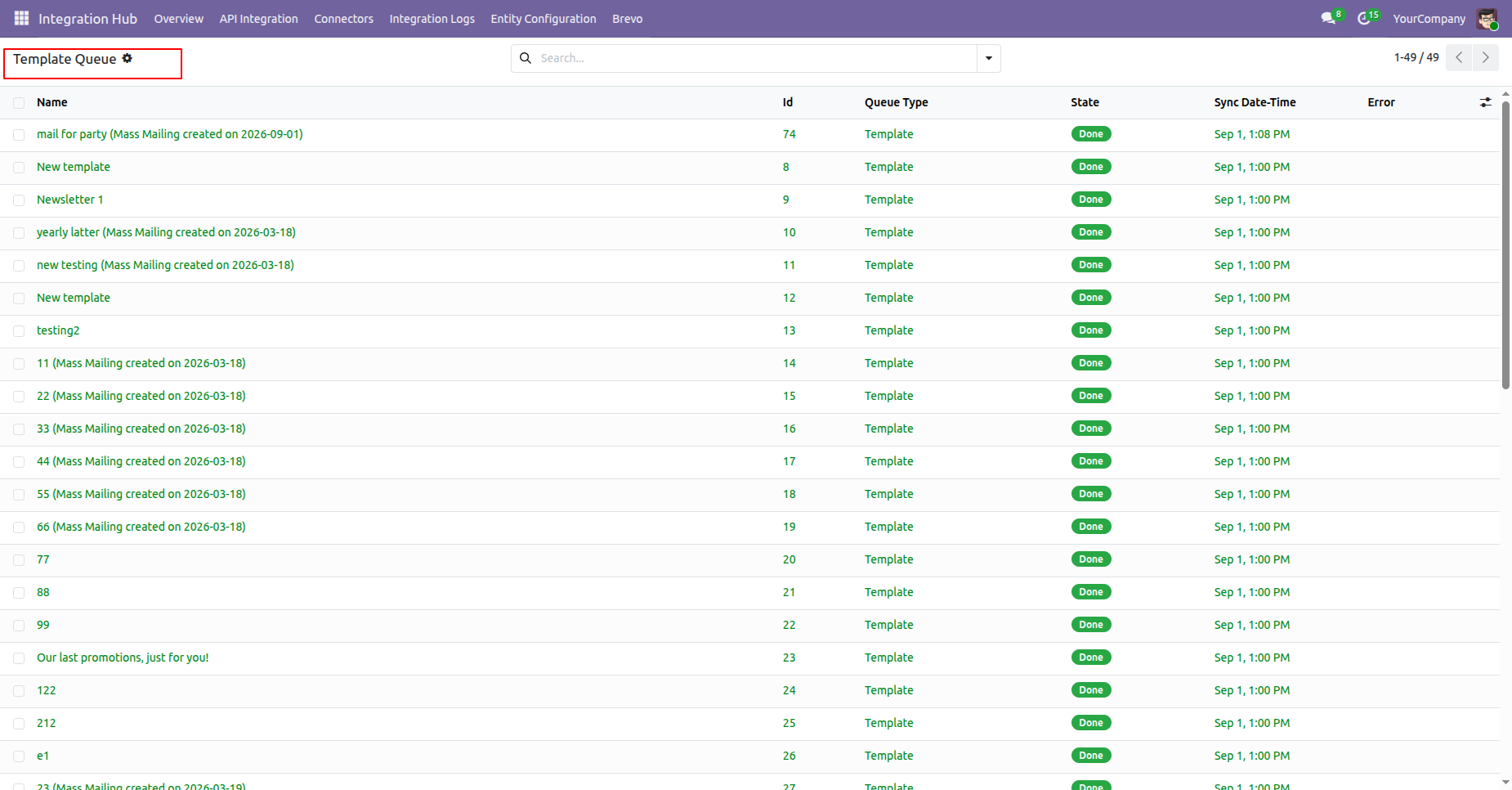
The Templates will be imported and added to the Queue. The import logs will be visible under the Log History section.
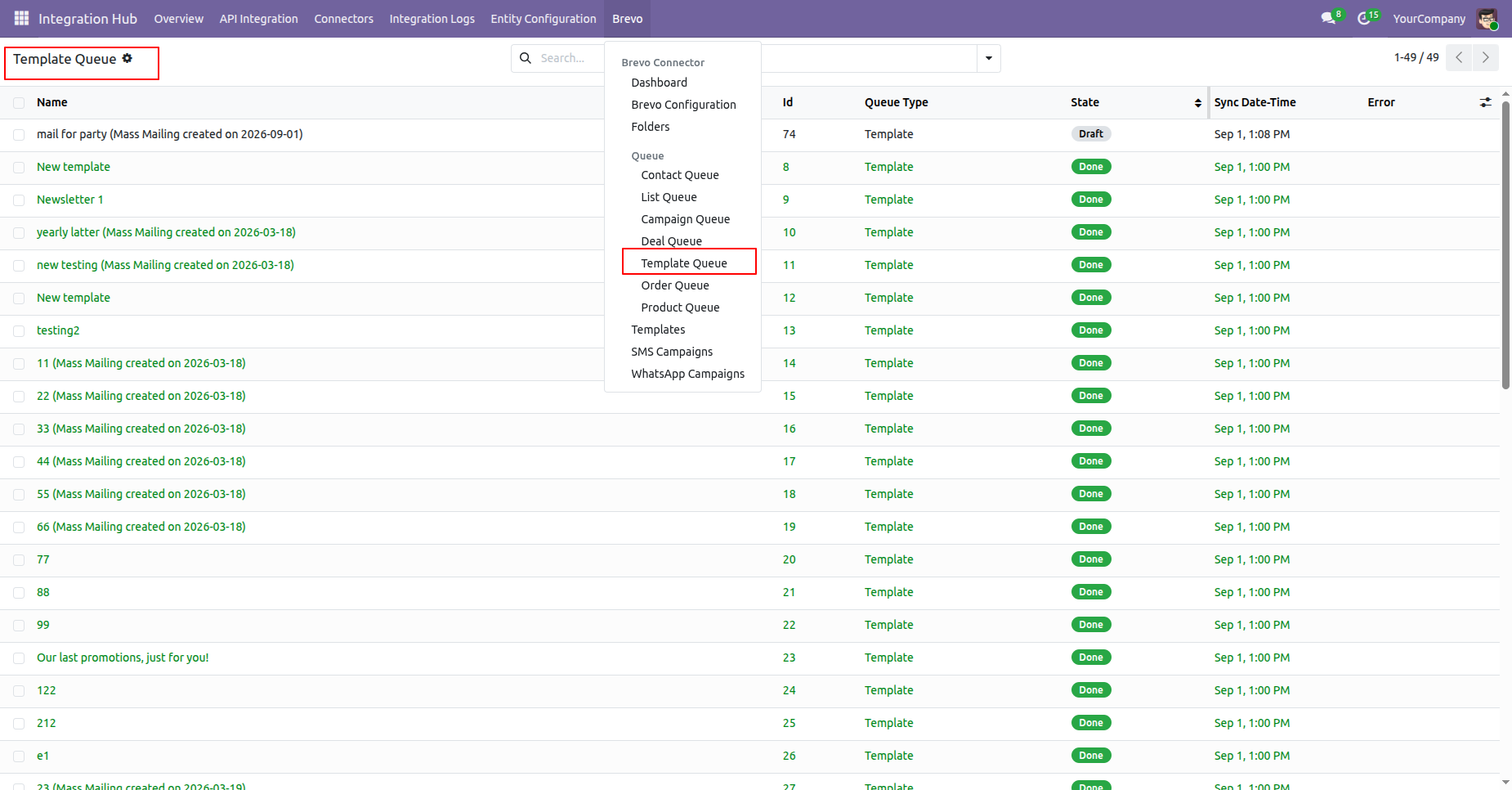
Go to the Templates Queue menu to view the queued Templates records.
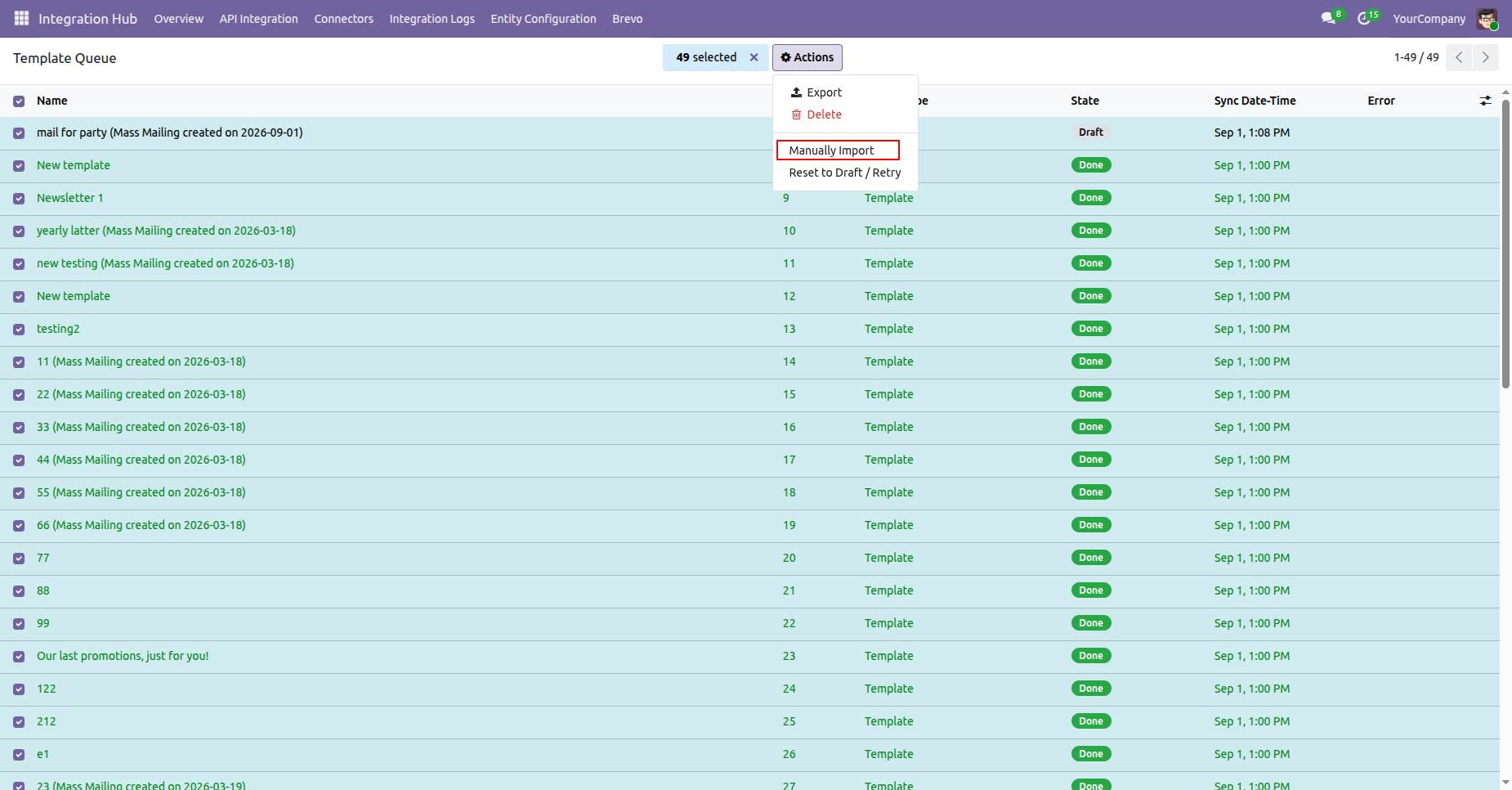
Open the Templates Queue list view, select the desired Templates, and click Manually Import from the Action menu.
The Templates has been manually imported successfully.
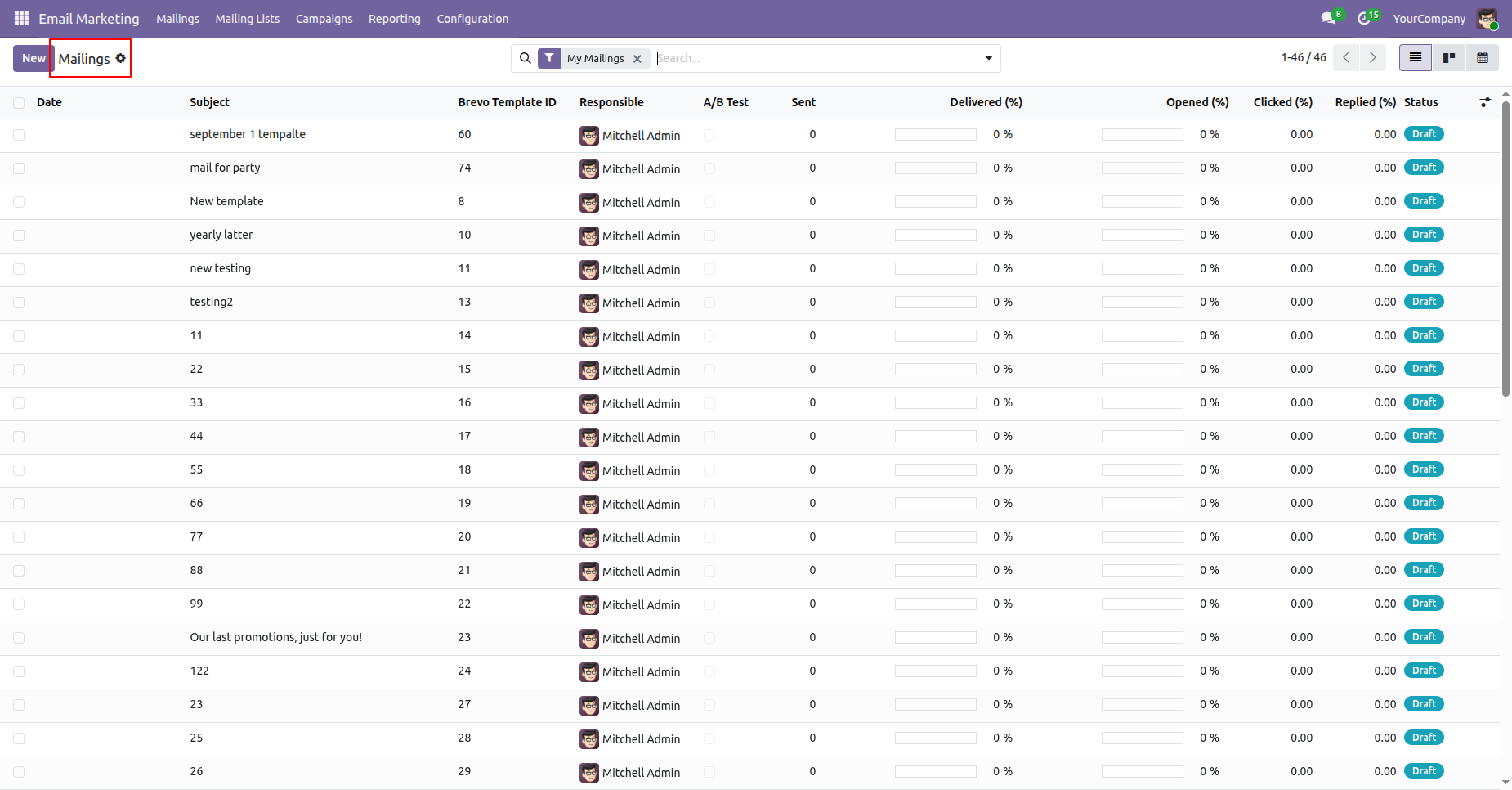
Go to the Mailings menu under Email Marketing in Odoo.
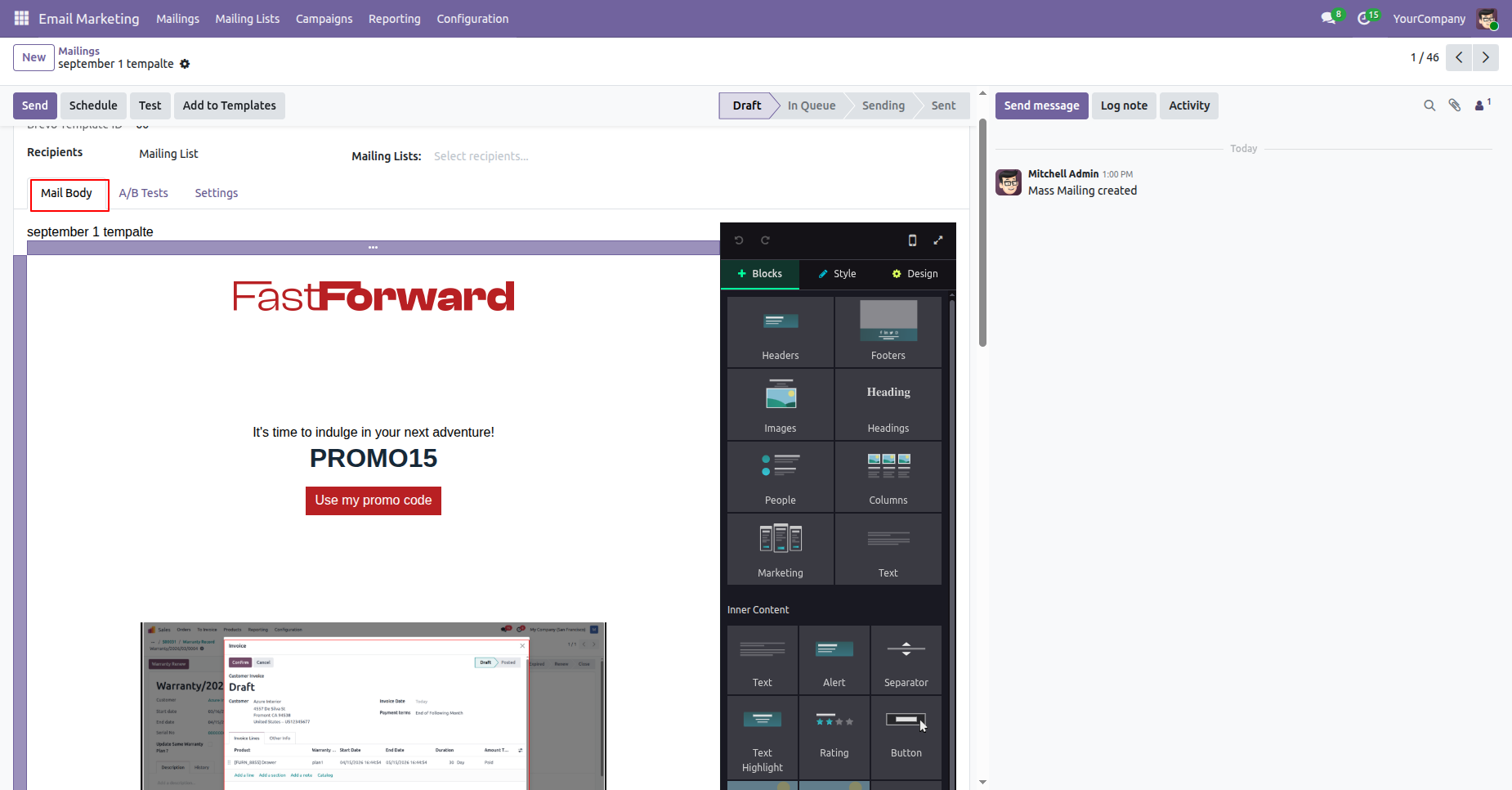
Open the Mailing form view and navigate to the Mail Body section. The imported templates will be visible there.
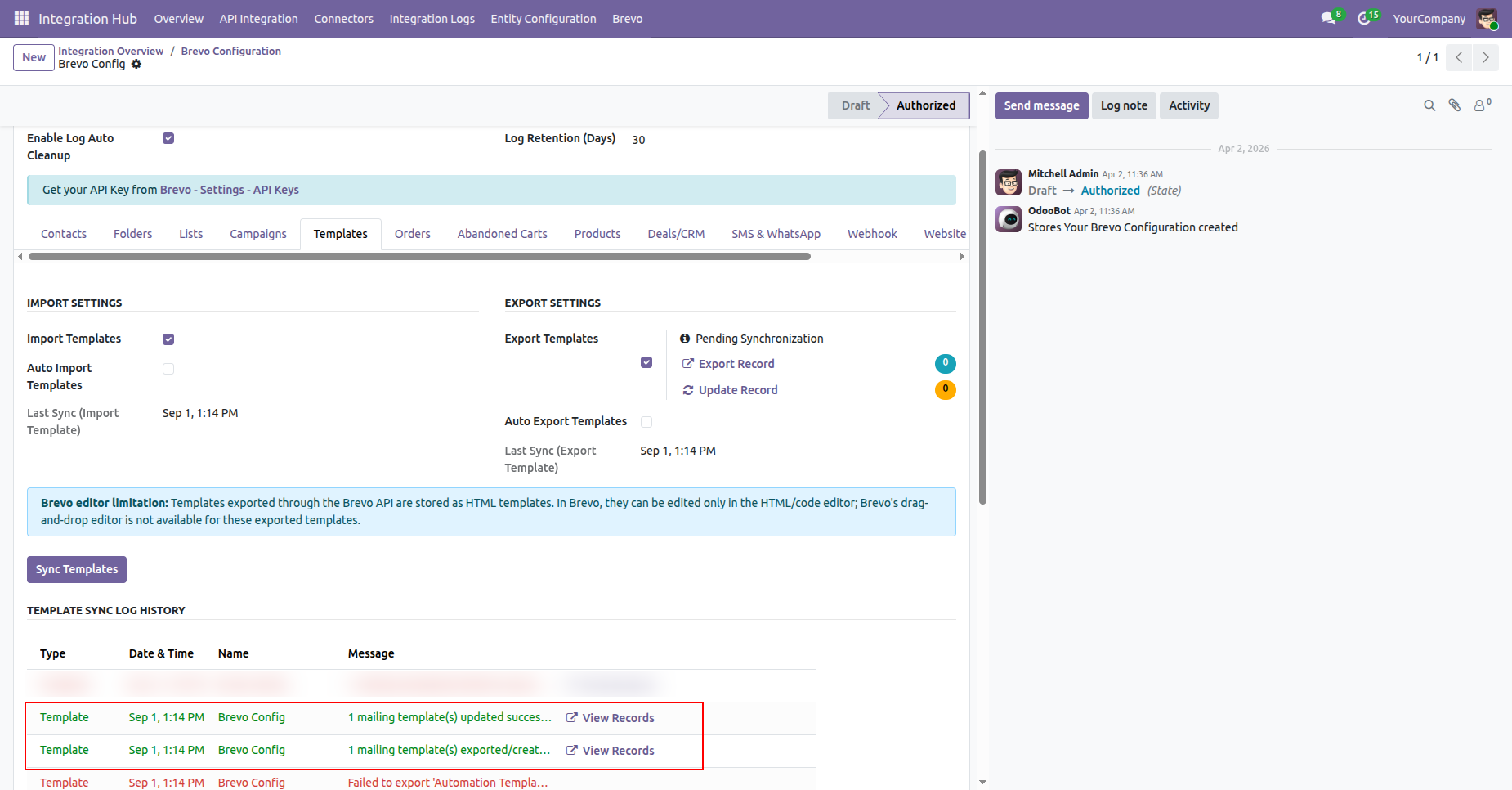
Configure the Export Templates option from the Templates tab in the Brevo Configuration and click on Sync templates button.
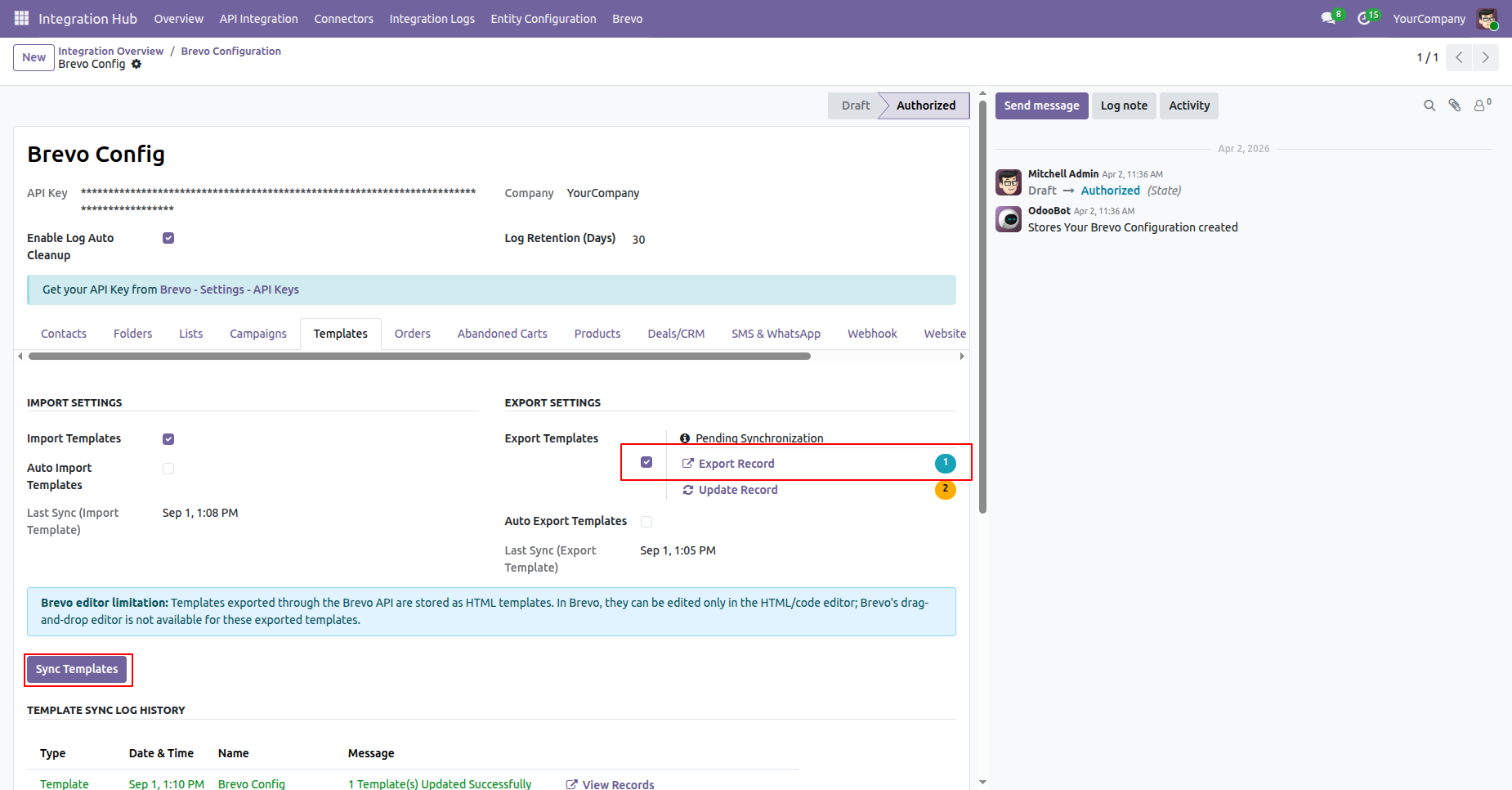
The Templates will be exported successfully. The export logs will be visible under the Log History section.
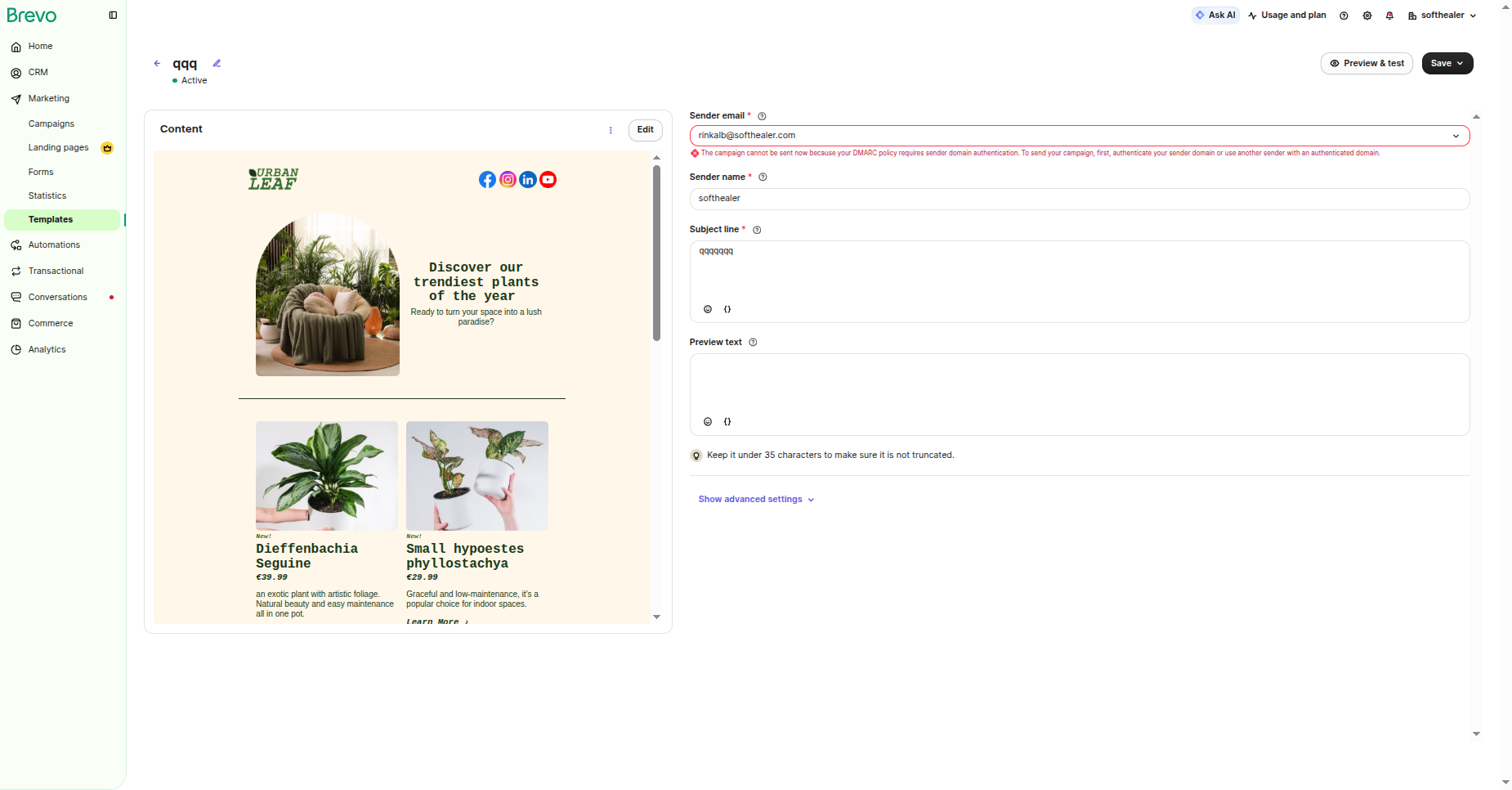
The exported Templates will be visible in Brevo Templates.
Version 19.0.2.0.0 | Released on : 01st September 2026
Version 19.0.1.0.0 | Released on : 23rd May 2026
- Yes, this app works perfectly with Odoo Enterprise (Odoo.sh & Premise) as well as Community.
- No, this application is not compatible with odoo.com(odoo saas/Odoo Online)
- Yes, to test this module, please contact us at sales@softhealer.com.
- Please contact us at sales@softhealer.com to request customization.
- Yes, we provide free lifetime support for the version you purchased.
- Yes, you will receive lifetime free updates for the version of the module you purchased.
- No, there is no need to install any additional libraries.
- Yes, for version 12 and above, you need to purchase the module separately for each version you intend to use.
- No, exchanges or refunds are not allowed. Please make sure to select the correct version before purchasing.
- You can contact us at support@softhealer.com for language translation support. We use Google Translator tools to provide translations in multiple languages, so the accuracy may vary. We welcome your suggestions to help improve translations.
Discover Our Latest Apps