











Bank Statement Reconciliation

This module helps you manage customer and vendor payments easily. You can register payments and reconcile them. In bank reconciliation, you can choose a payment which is in the ‘In Payment. stage. Plus, you can also check the remaining credit or debit amount for paid invoices.

Features
- Easily match bank statements with accounting records.
- Easy to reconcile the bank statement.
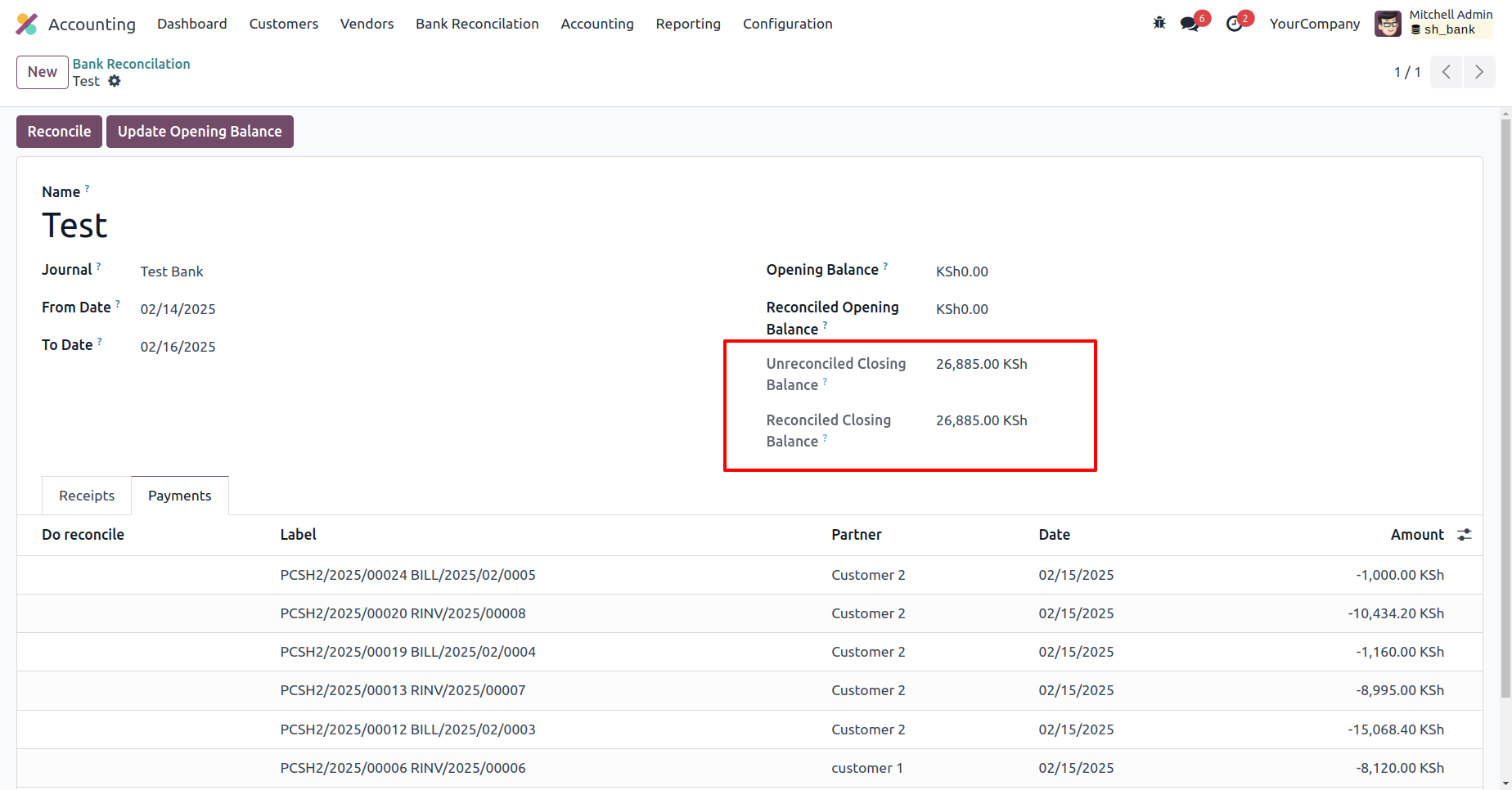
- Unreconciled & Reconciled closing balances update automatically when you reconciled the payment.
- Add and manage payment lines directly in the reconciliation form.
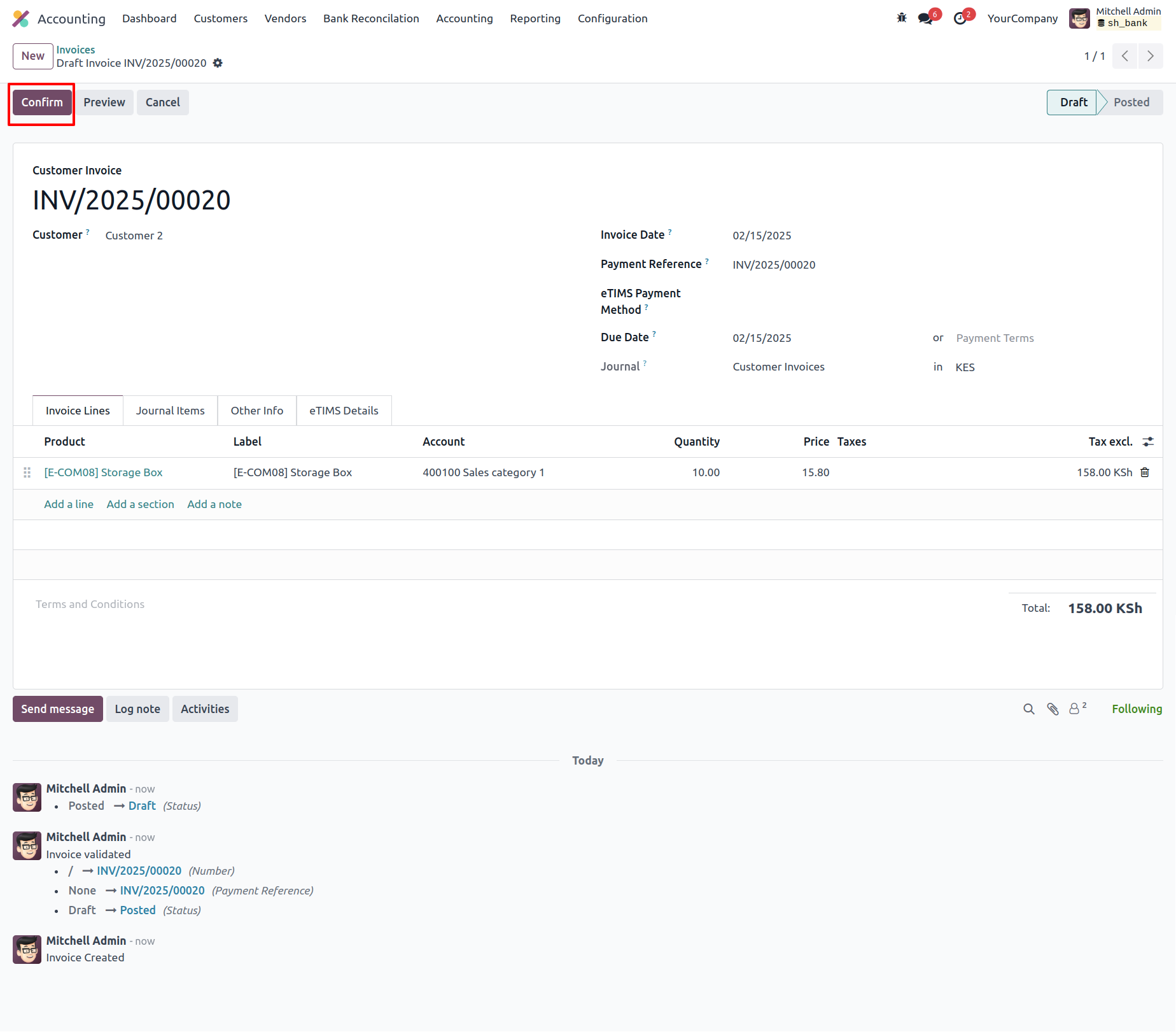
Generate an invoice and confirm it by clicking on the 'Confirm' button.
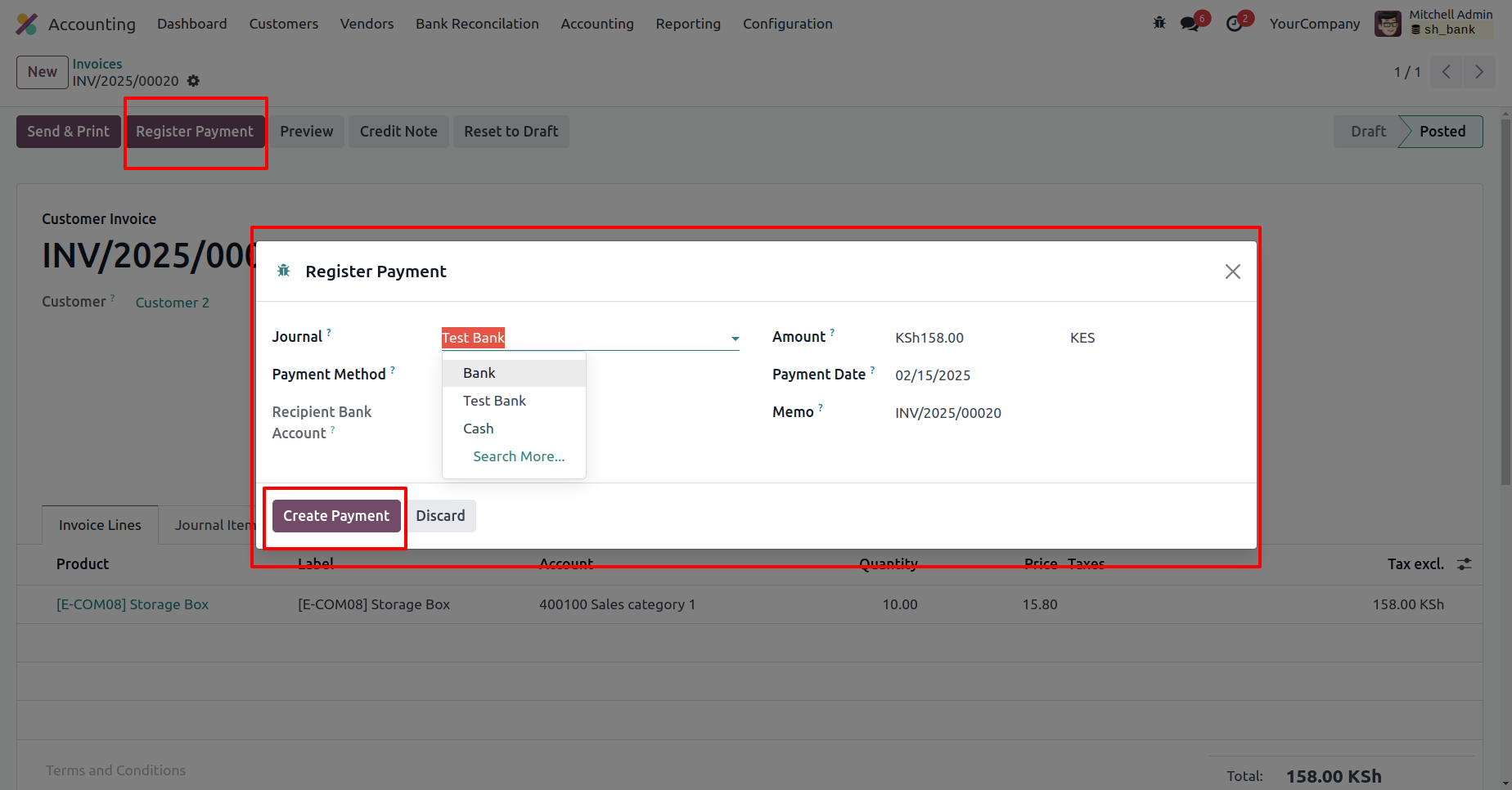
Click the 'Register Payment' button, enter the required details in the Register Payment wizard, and then click on 'Create Payment'.
The invoice is currently in the 'In Payment' stage.
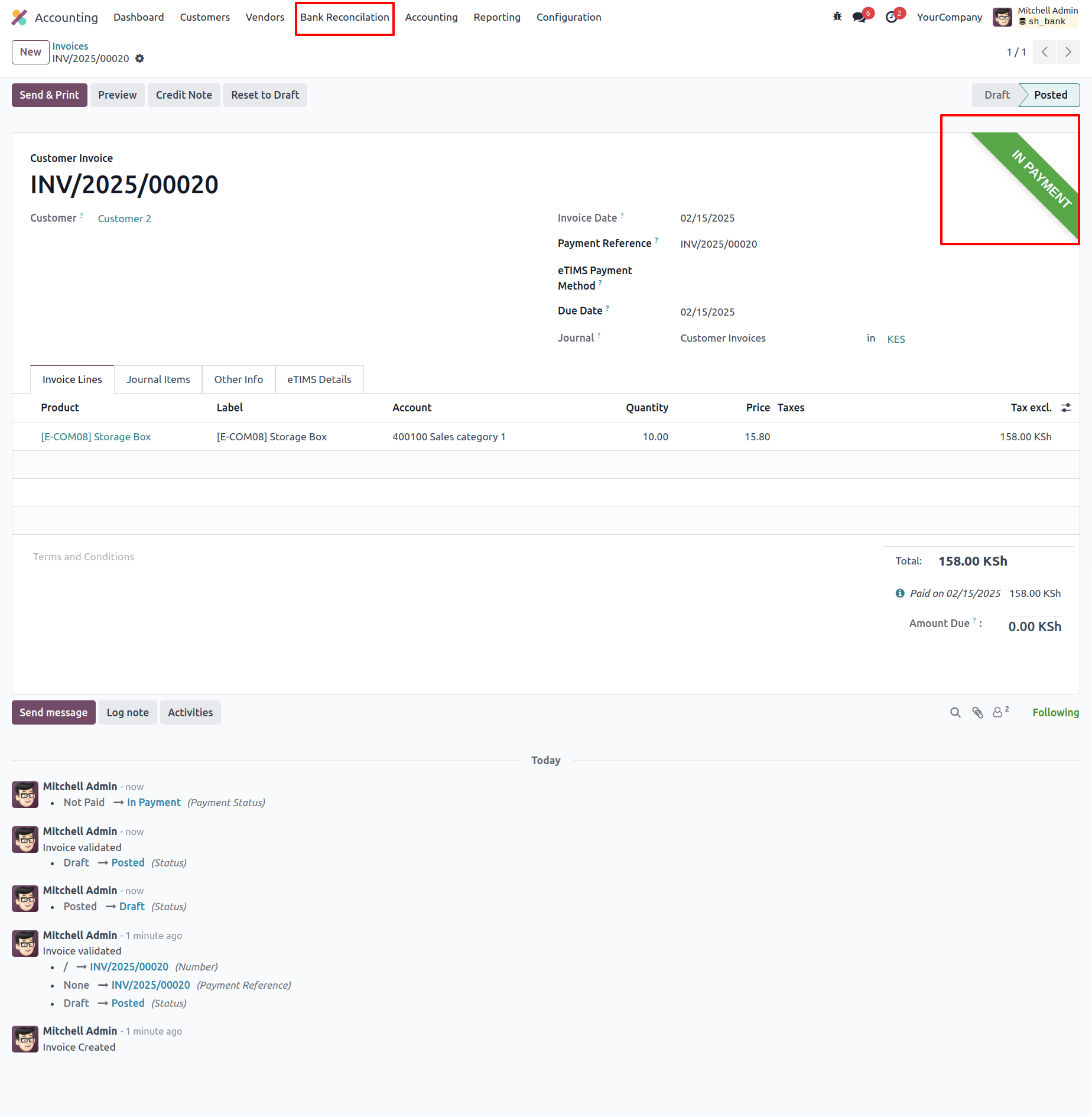
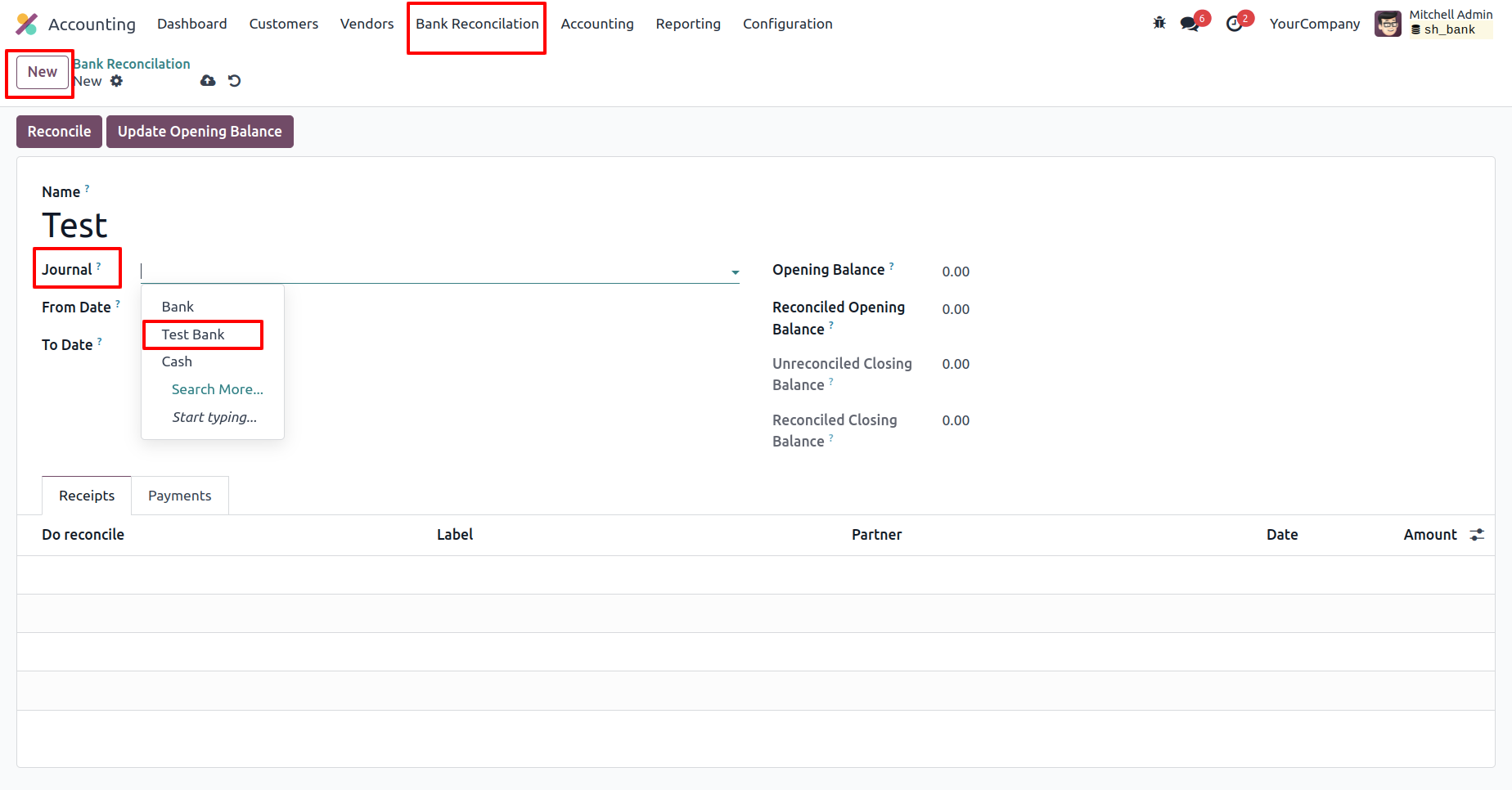
Go to the Bank Reconciliation menu, create a new Bank Reconciliation, and select the journal.
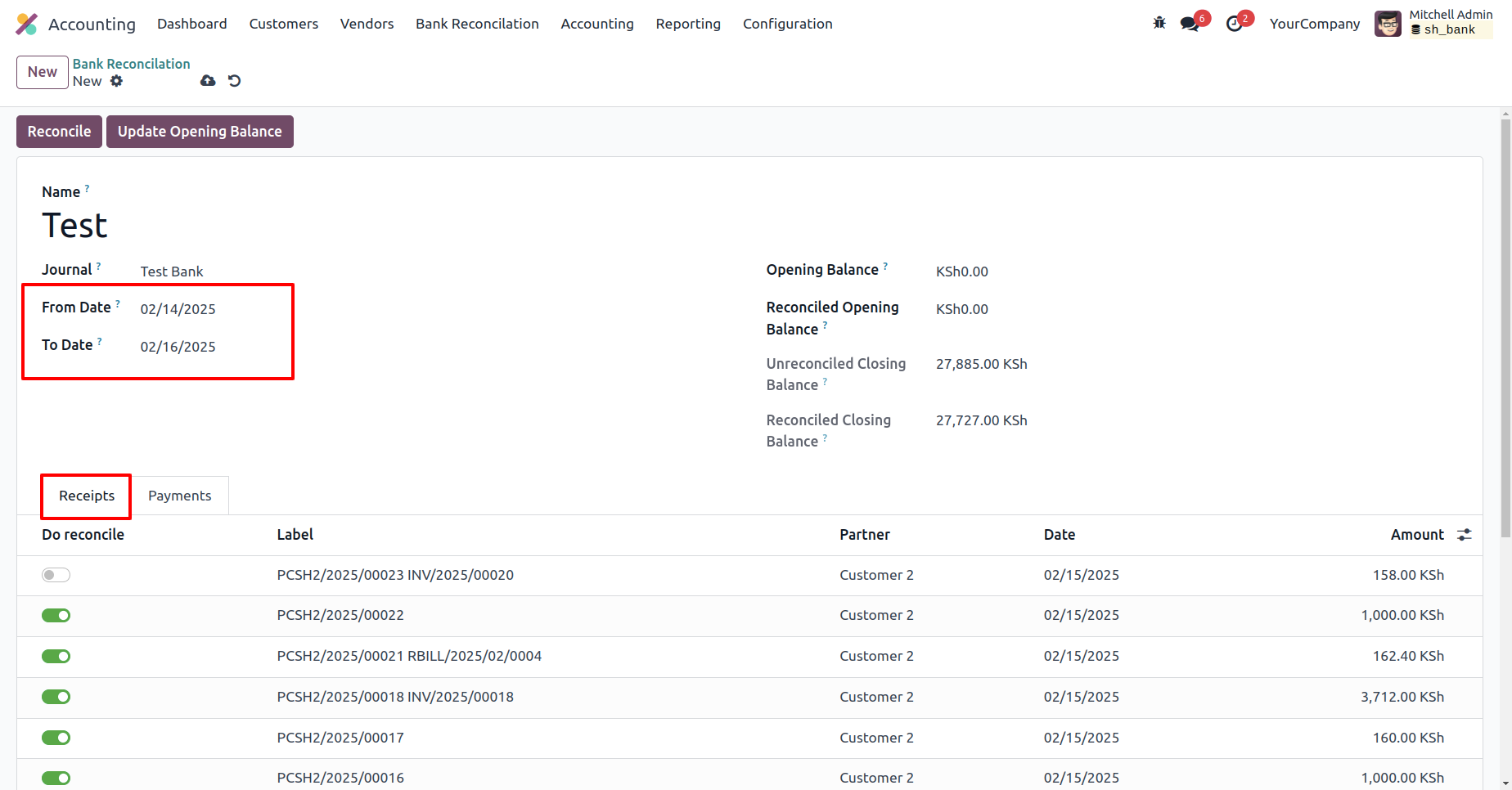
Enter the 'From' and 'To' dates and add receipts in the 'Receipts' tab.
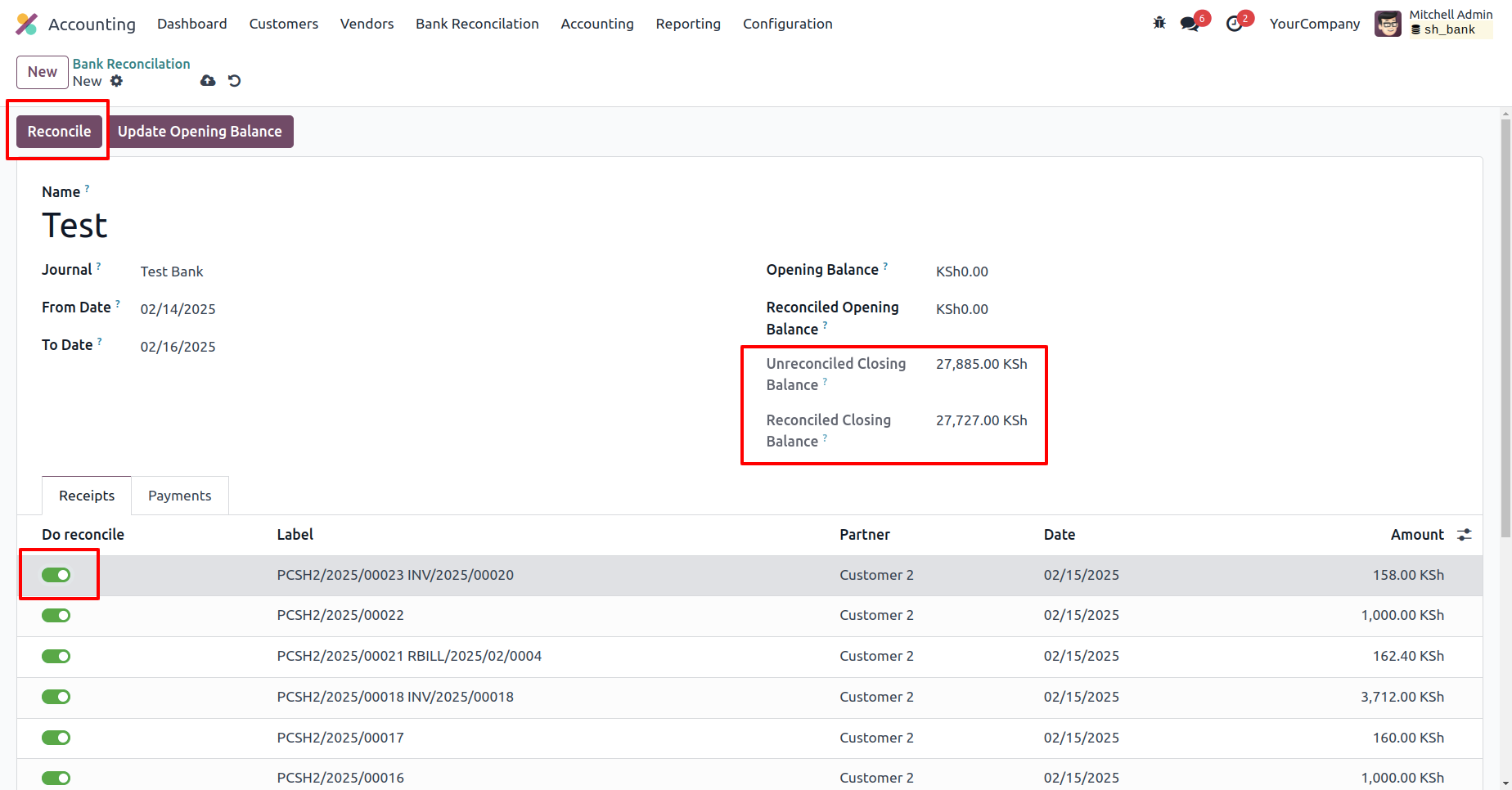
Enable the 'Do Reconciliation' boolean and click the 'Reconciliation' button.
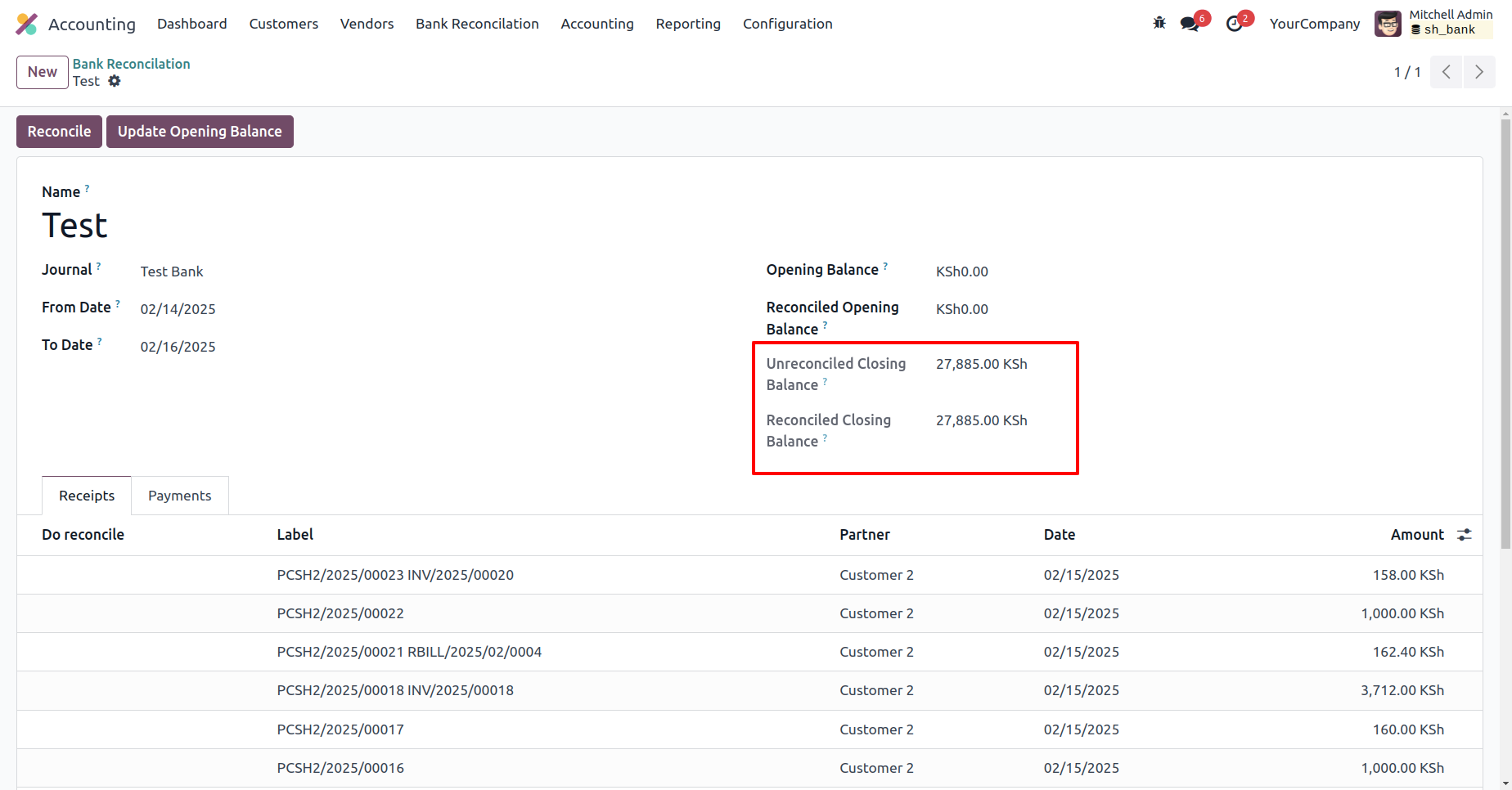
The reconciled closing balance has been updated.
The invoice is now 'Paid'.
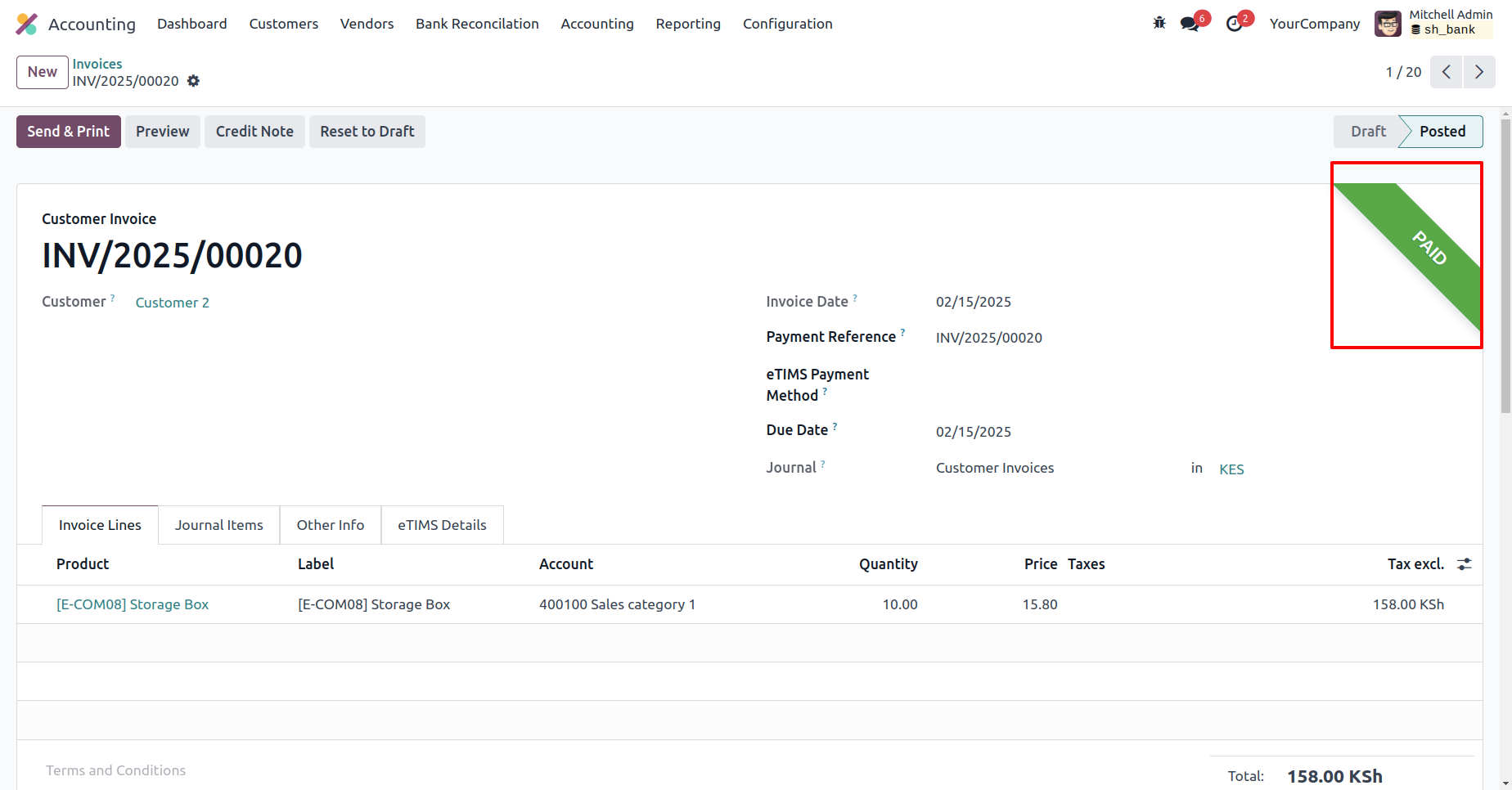
In the vendor bill form view, click the 'Confirm' button.
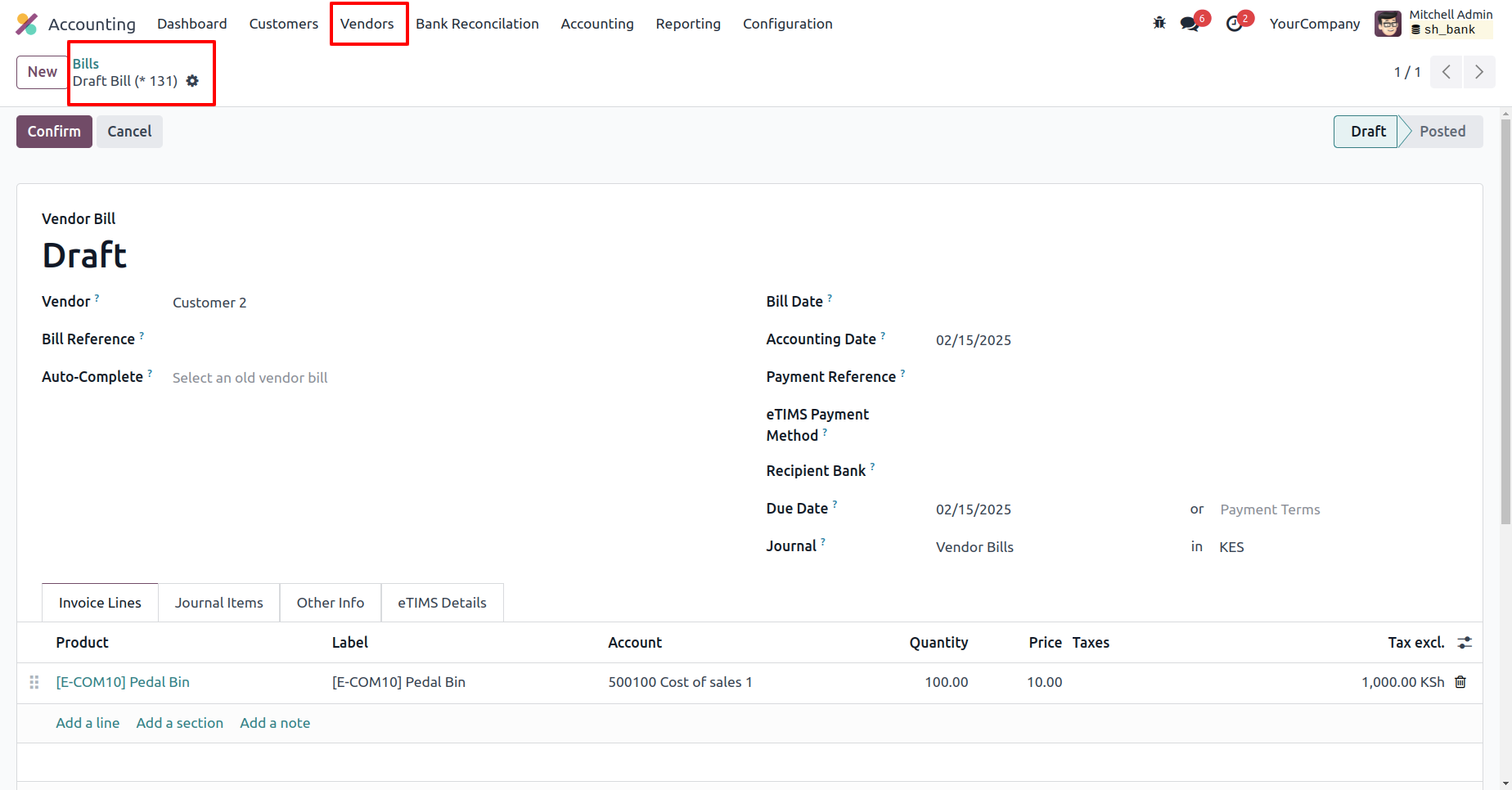
Click the 'Register Payment' button, enter the required details in the Register Payment wizard, and then click the 'Create Payment' button.
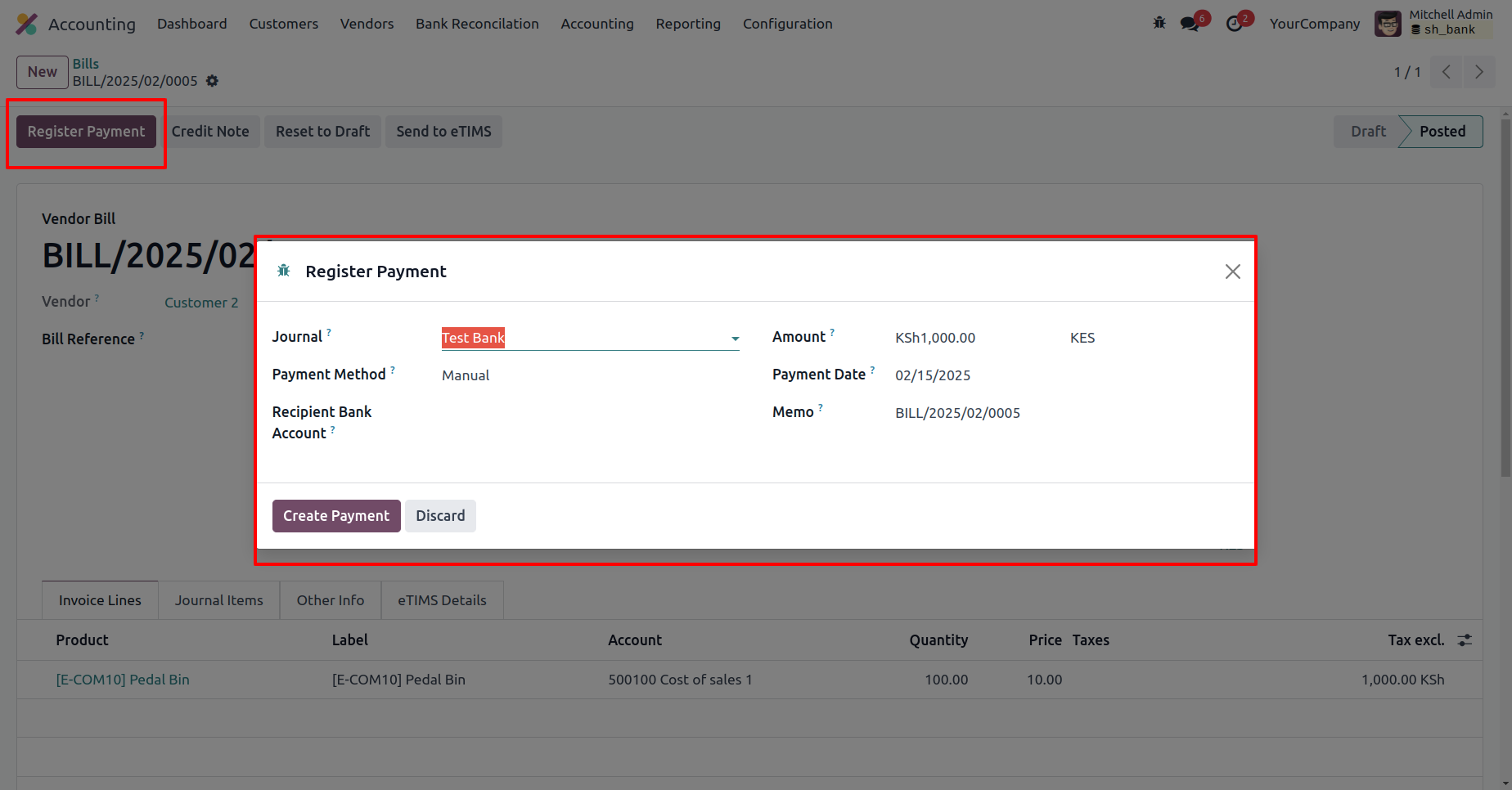
The bill is now in the 'In Payment' stage.
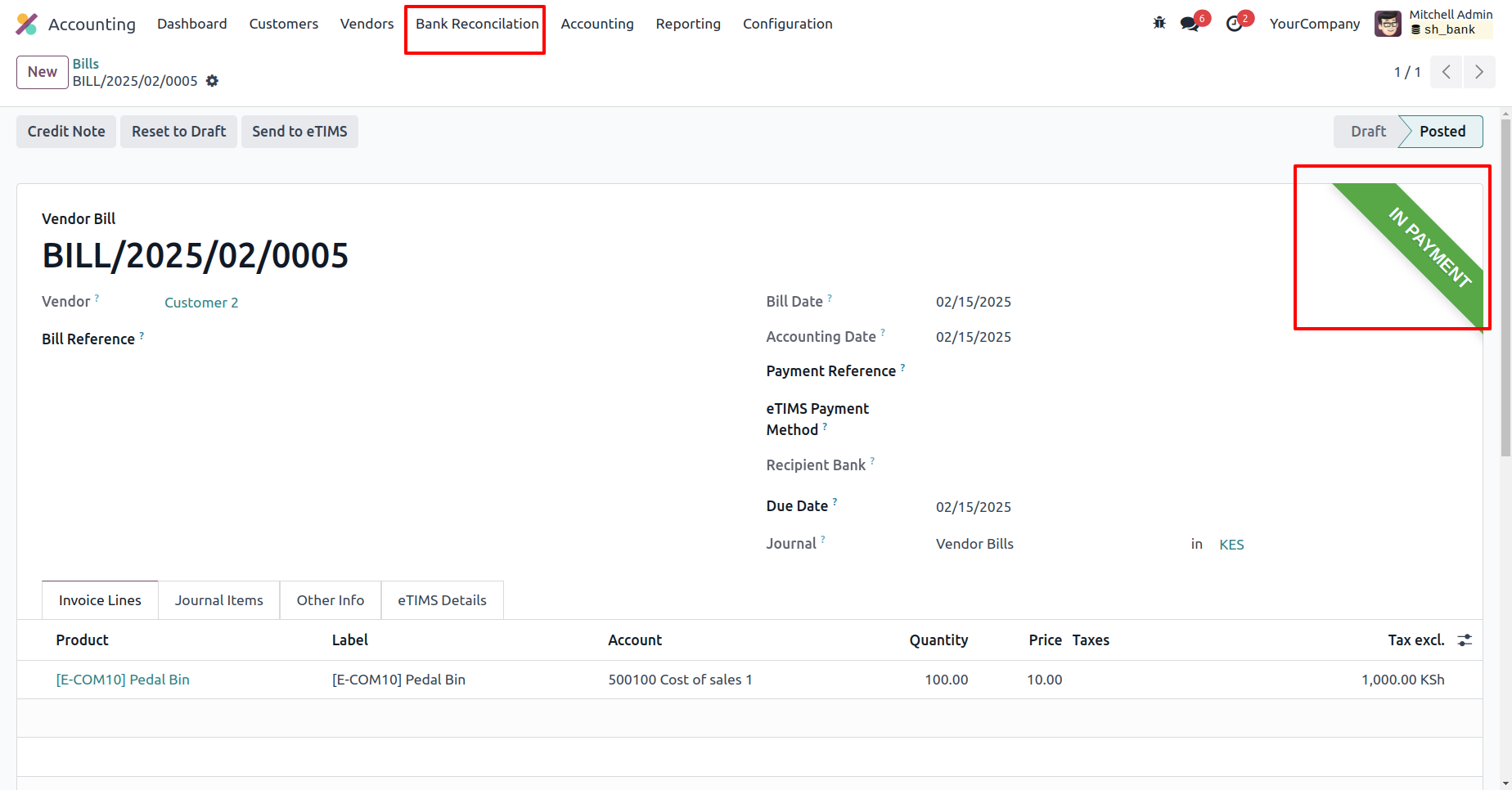
In the Bank Reconciliation form view, add lines in the 'Payments' tab.
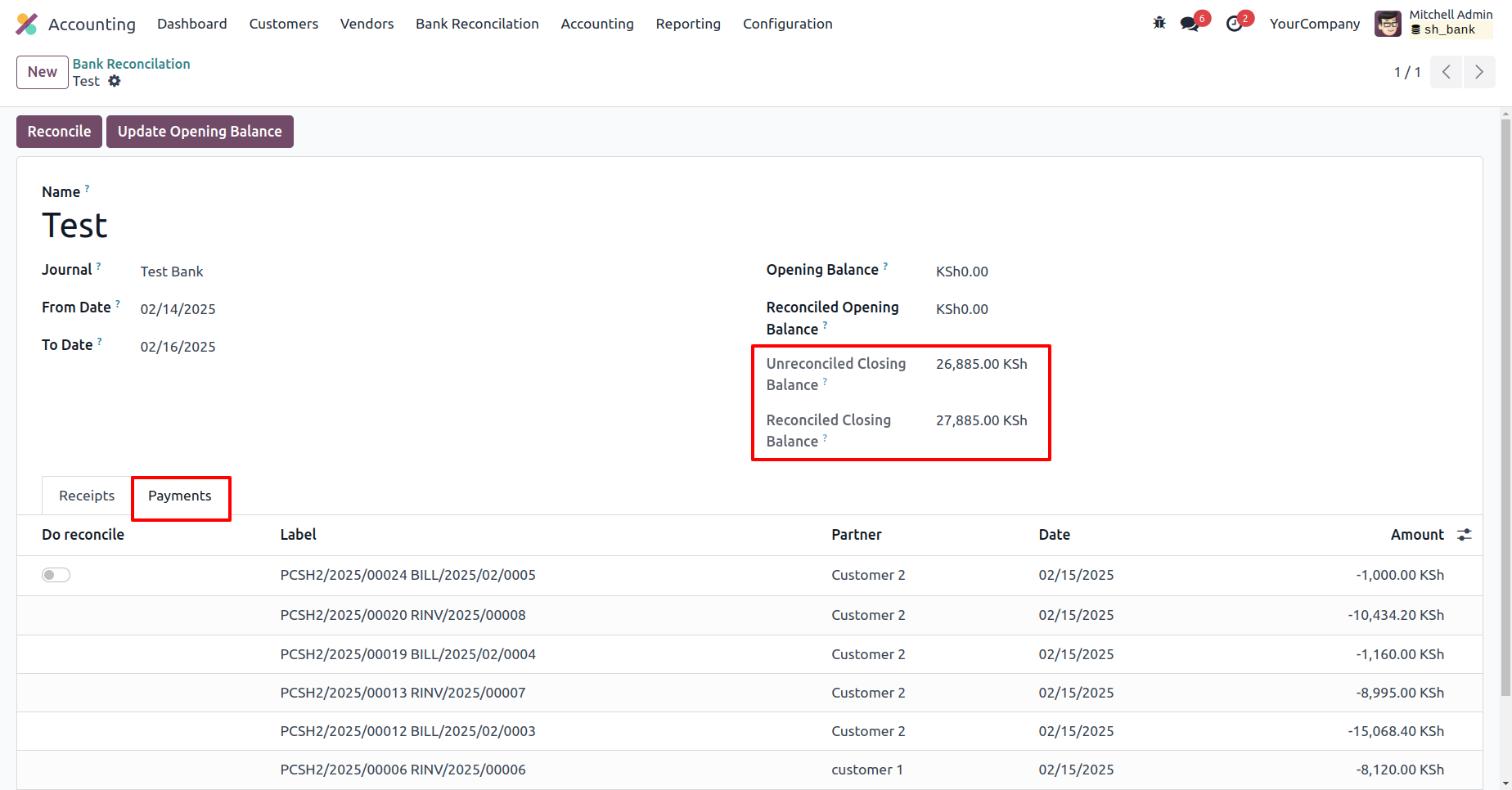
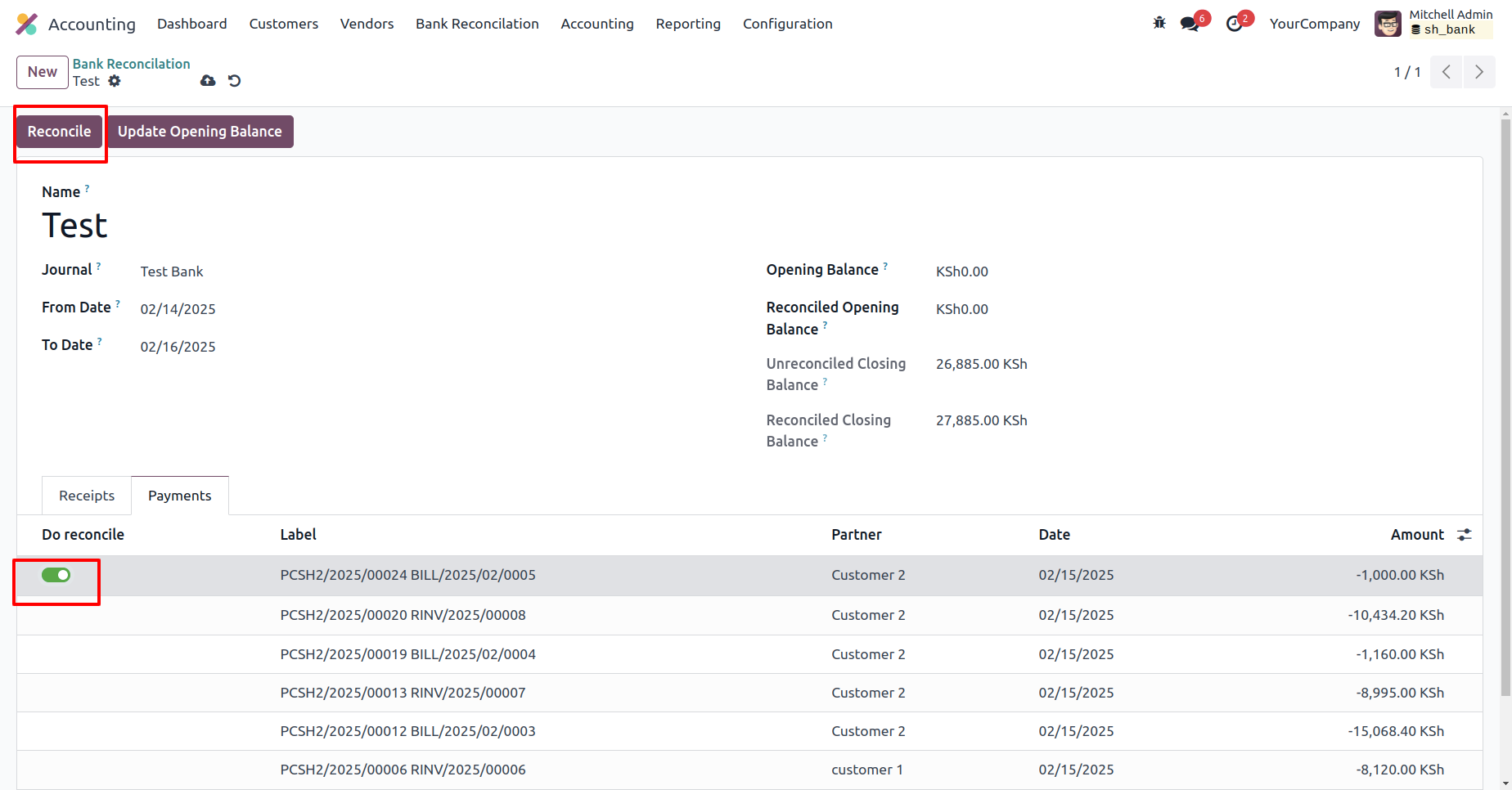
Enable the reconciliation label and click the 'Reconciliation' button.
The reconciled closing balance has been successfully updated.
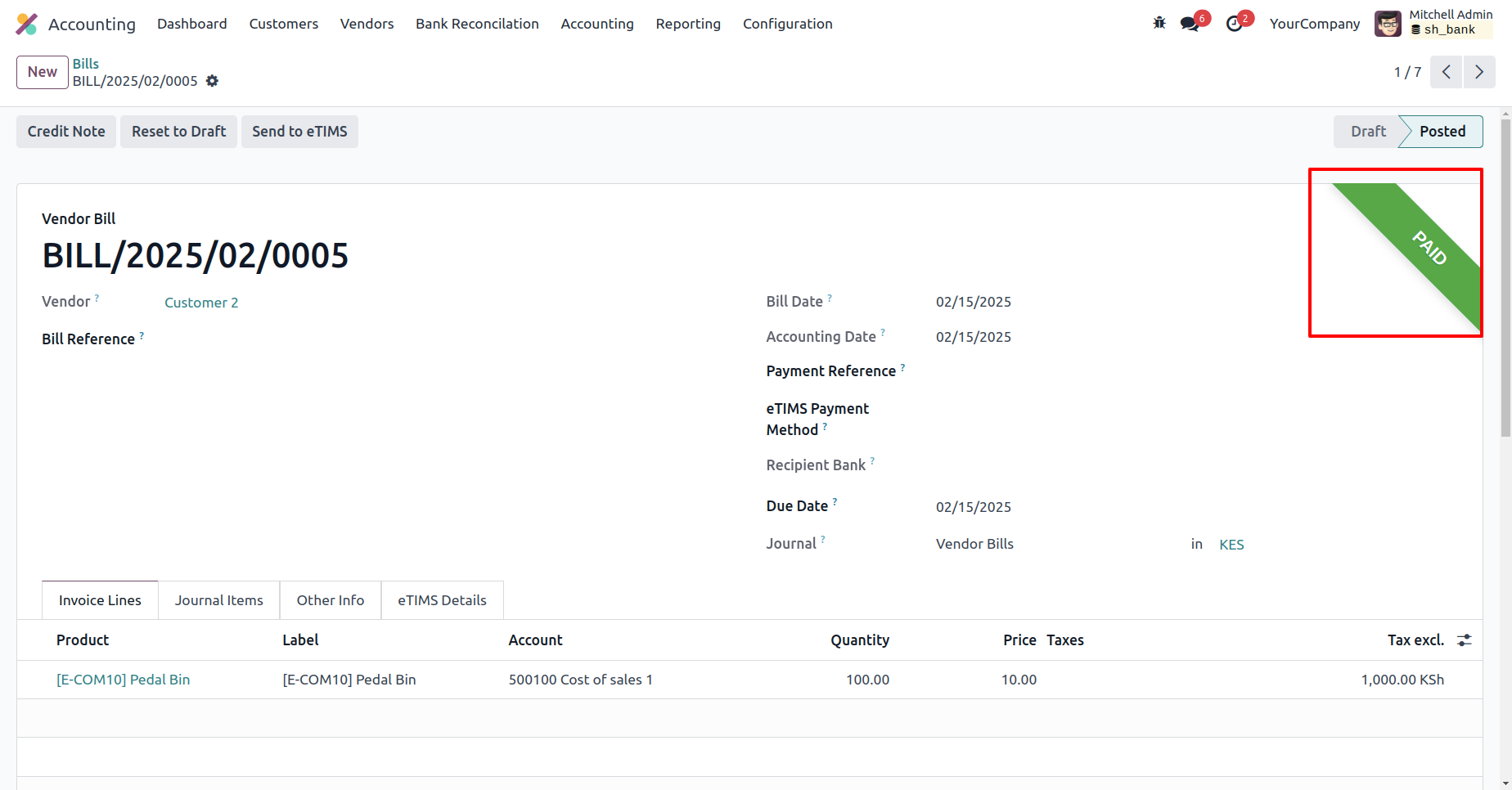
The bill status is now marked as 'Paid.'
Version 19.0.1.0.0 | Released on : 18th November 2025
- This app works perfectly with Odoo Enterprise (Odoo.sh & On-Premise) only.
- In this module we have not consider cost method & cost price.
- No, this application is not compatible with odoo.com(odoo saas/Odoo Online)
- Yes, to test this module, please contact us at sales@softhealer.com.
- Please contact us at sales@softhealer.com to request customization.
- Yes, we provide free support for 365 days from the date of purchase.
- Yes, you will receive lifetime free updates for the version of the module you purchased.
- No, there is no need to install any additional libraries.
- Yes, for version 12 and above, you need to purchase the module separately for each version you intend to use.
- No, exchanges or refunds are not allowed. Please make sure to select the correct version before purchasing.
- You can contact us at support@softhealer.com for language translation support. We use Google Translator tools to provide translations in multiple languages, so the accuracy may vary. We welcome your suggestions to help improve translations.
Discover Our Latest Apps