












Auto Timesheet Create

This module useful to create Timesheet automatically based on attendance. Sometimes in some cases, we need to create Timesheet automatically when an employee can not able to fill timesheet like workers, out office staff. Our module has a feature to enable an employee so that the employee's timesheet will be auto-filled for him based on attendance. You need to defined project and task in timesheet configuration for common, you can also be assigned a project or task inside the employee if you want to create Timesheet for an employee on other projects that also possible with this option. When timesheet will be created by automation schedule it will take project or task from configuration or employee.

Related Modules
Workflow
- 1) Enable auto timesheet option inside the employee.
- 2) Project and task need to configure in employee or configuration.
- 3) You can customize automatically scheduler as you want. You can easily execute in a day, weekly, monthly, yearly, etc.
- 4) Scheduler execution will start, it will check attendance and create Timesheet based on that. It will save the reference of attendance so next time that attendance will not be calculated.
Features
- Auto timesheet creates based on attendance.
- Useful in payslip (payroll).
- Useful when an employee doesn't have time to fill the timesheet.
- Useful for workers who do work but don't have way to input timesheet.
- No special configuration required, install it, use it.
Configure project and task in employee or configuration.
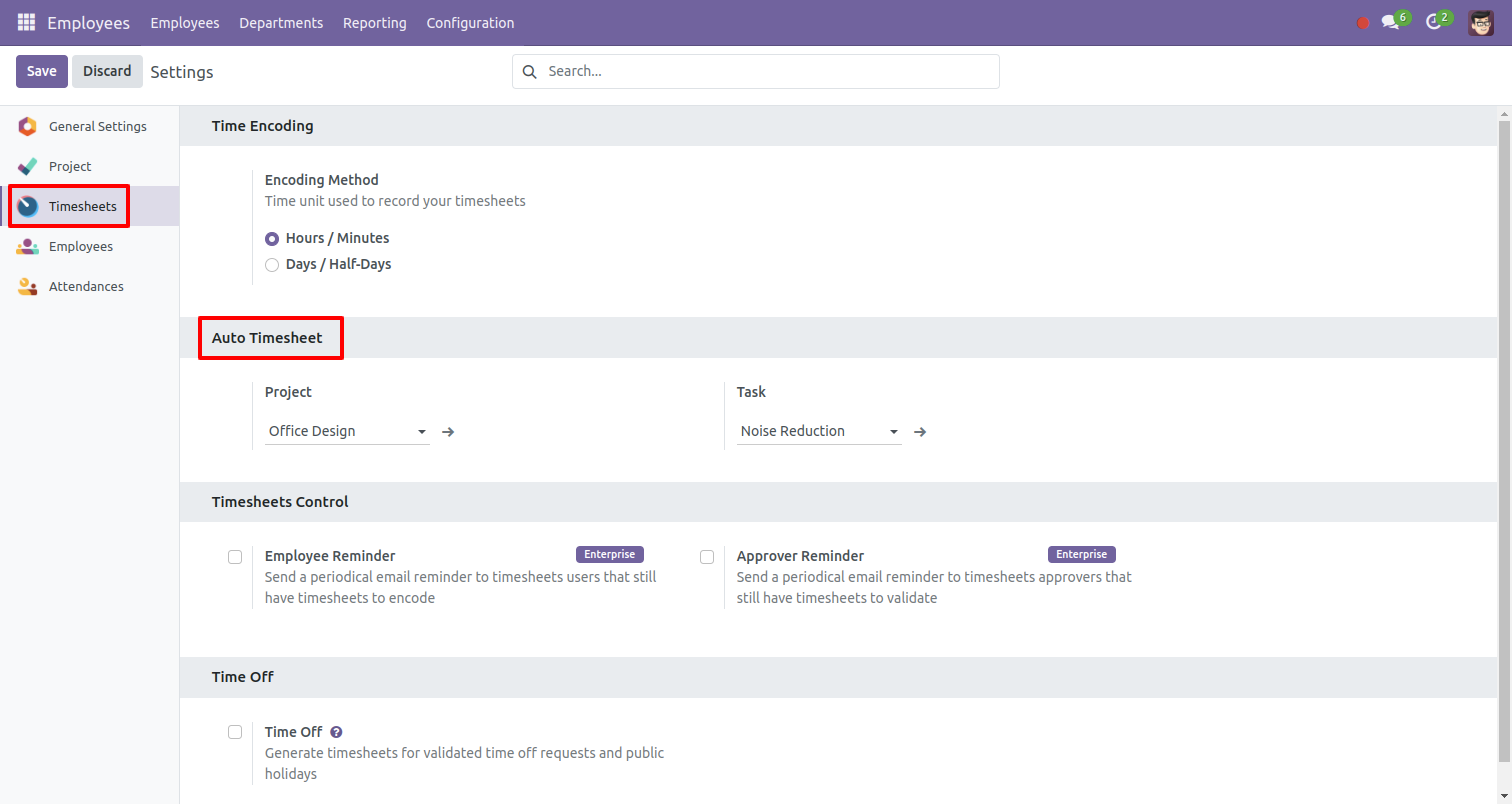
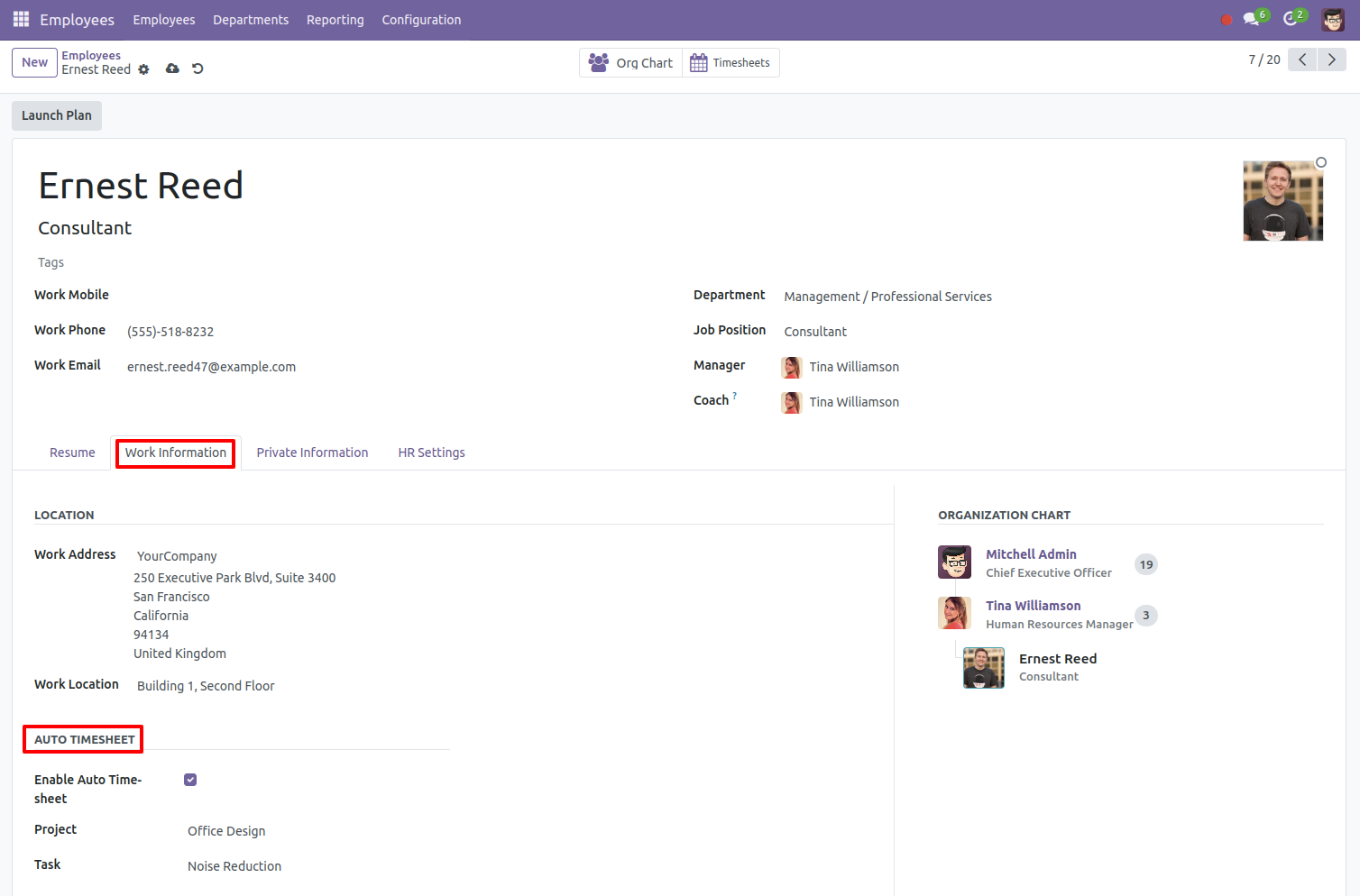
Enable auto timesheet option inside the employee.
You can customize automatically scheduler and execute as you want in a day, weekly, monthly,
yearly, etc.
You can also execute manually.
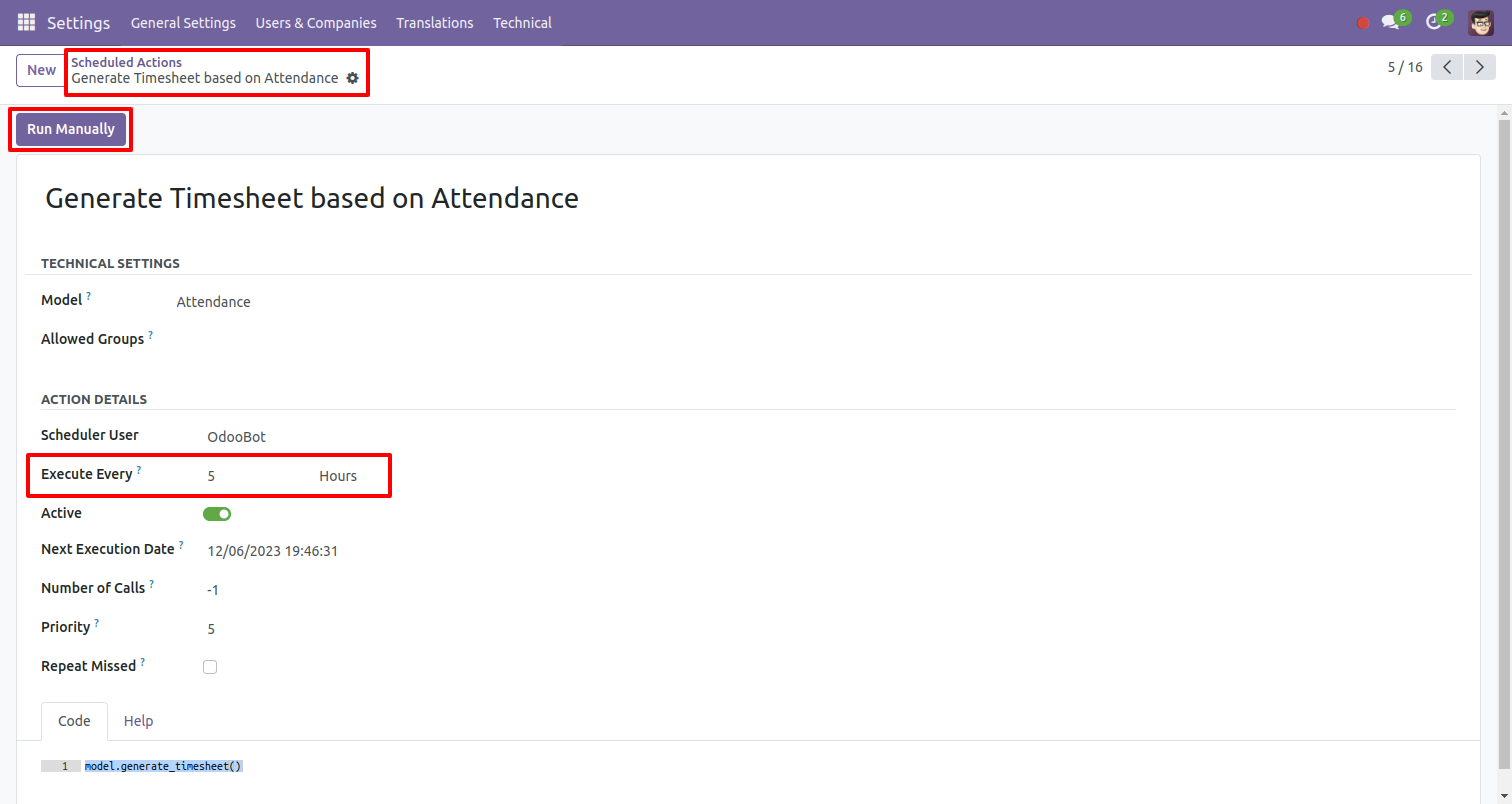
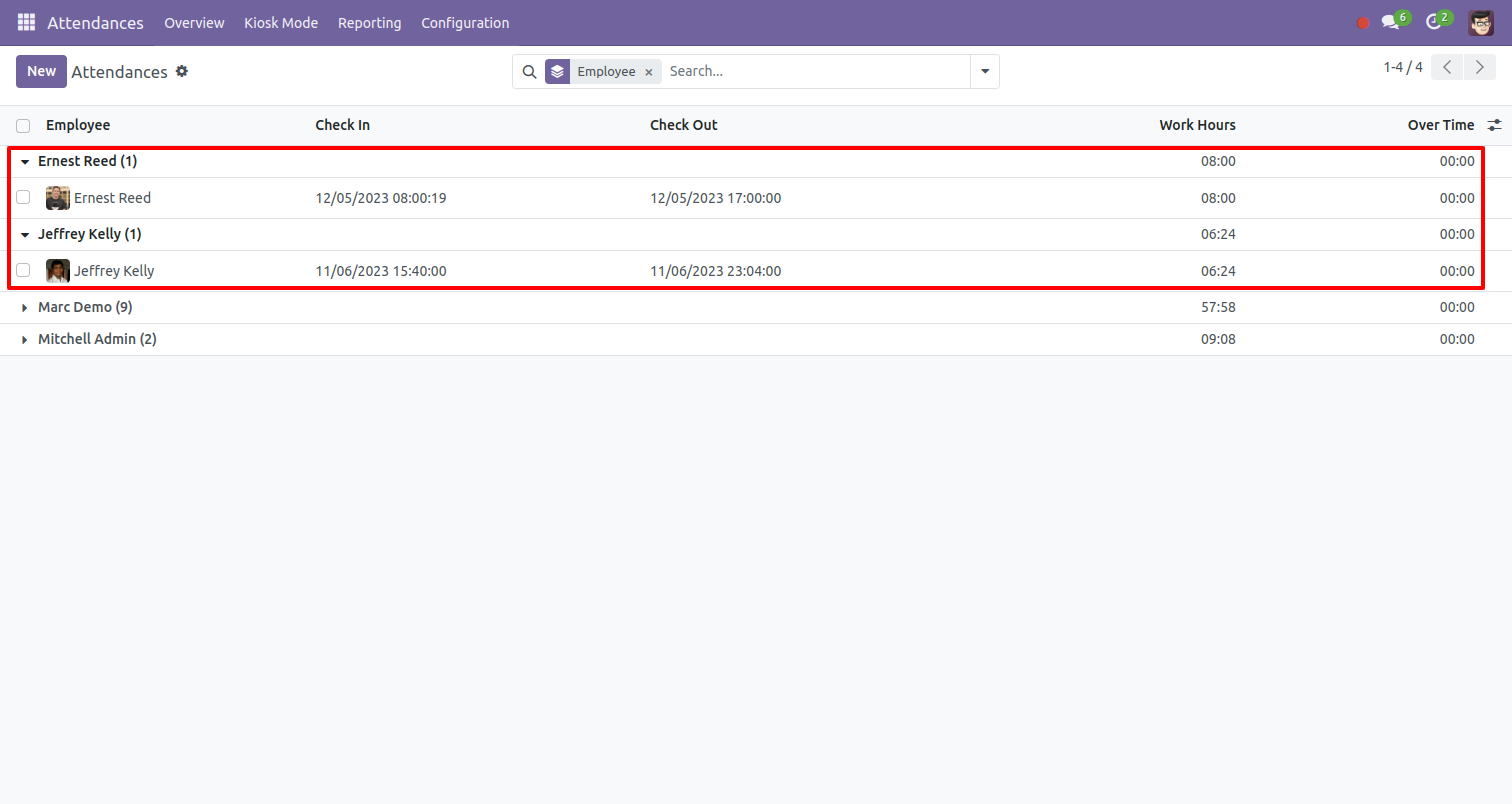
After scheduler execution, it will check attendance and create timesheet based on that. It will save the reference of attendance so next time that attendance will not be calculated.
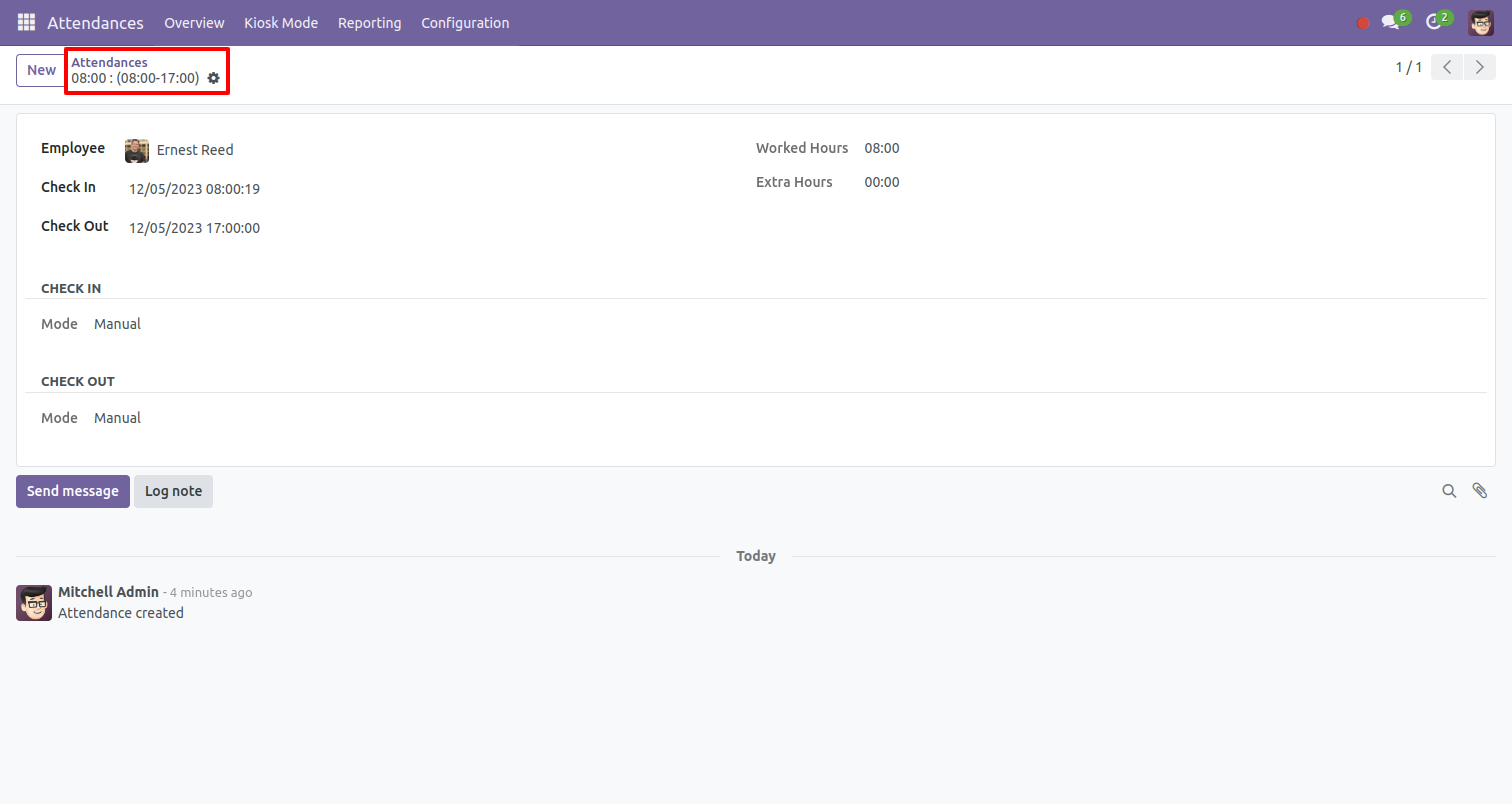
Enabled auto timesheet employee attendance.
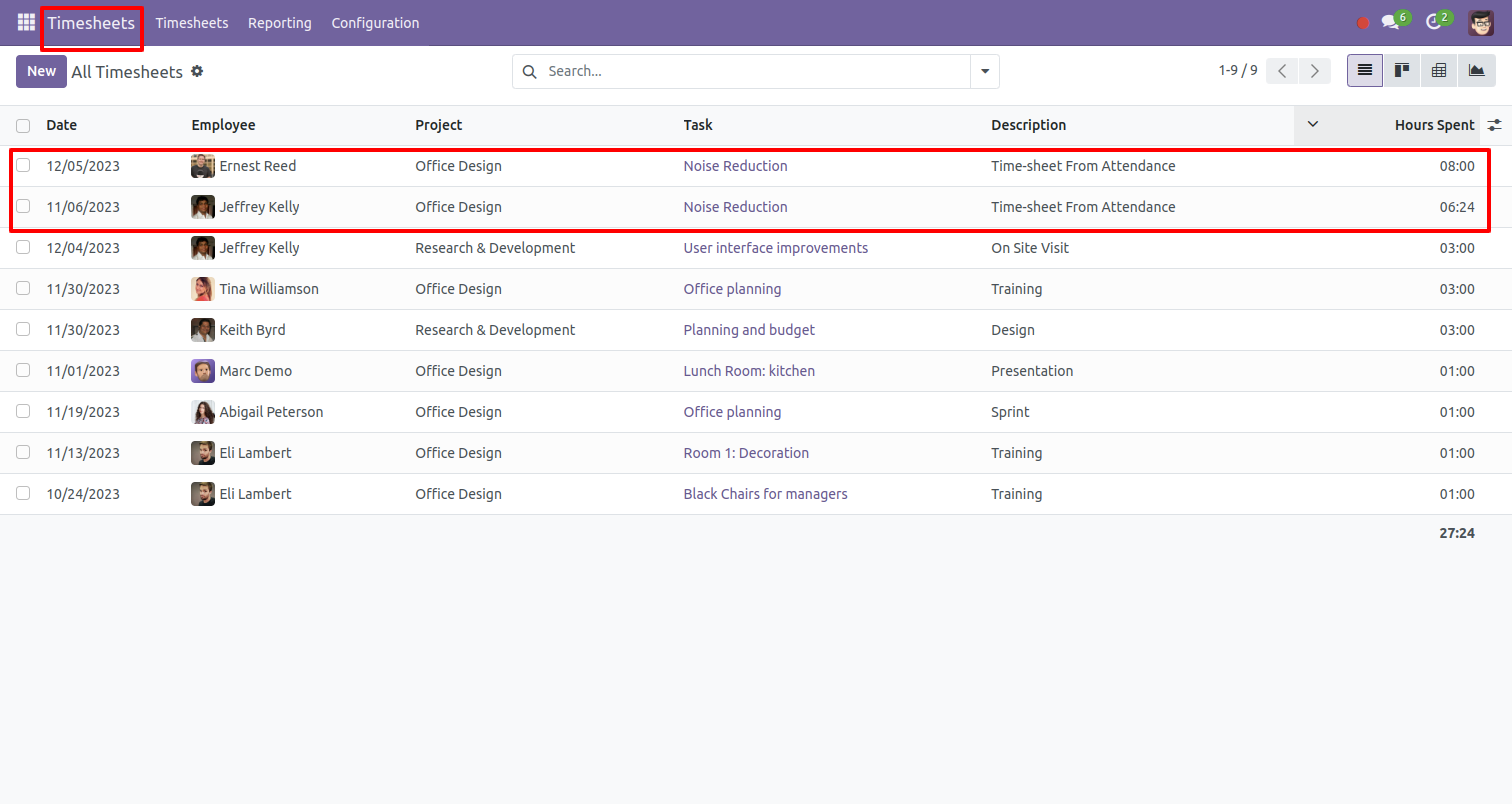
Timesheet created from attendance, you can see the list view of that.
Version 19.0.1 | Released on : 8th October 2025
- Yes, this app works perfectly with Odoo Enterprise (Odoo.sh & Premise) as well as Community.
- No, this application is not compatible with odoo.com(odoo saas/Odoo Online)
- Yes, to test this module, please contact us at sales@softhealer.com.
- Please contact us at sales@softhealer.com to request customization.
- Yes, we provide free support for 365 days from the date of purchase.
- Yes, you will receive lifetime free updates for the version of the module you purchased.
- No, there is no need to install any additional libraries.
- Yes, for version 12 and above, you need to purchase the module separately for each version you intend to use.
- No, exchanges or refunds are not allowed. Please make sure to select the correct version before purchasing.
- You can contact us at support@softhealer.com for language translation support. We use Google Translator tools to provide translations in multiple languages, so the accuracy may vary. We welcome your suggestions to help improve translations.
Discover Our Latest Apps