

1800+
Custom Apps
One place for all your Odoo solutions
 Easy to Manage
 Dedicated Support
Free Support
Life Time

Top Seller Of Odoo
Marketplace

Year Of Experience
11+

Talented Healers
150+

Industries Served
45+

Best Partner Nominee
2024










 Scan to email sales




Auto Load Customer's All Contacts As Default Recipients

This module helps to send sale order by email to all contacts of the customer. Ths module auto loads all the contacts of the company as default recipients when you send a quotation or sale order by email.

Features
- It default set all contacts of the company as recipients in invoice.
- It default set all contacts of the company as recipients.
- Send sale order quickly to all of the company's contacts.
These screenshots are taken in Odoo old version. We will be updating new screenshots in the
near future. If you have any queries, please feel free to reach out to us at support
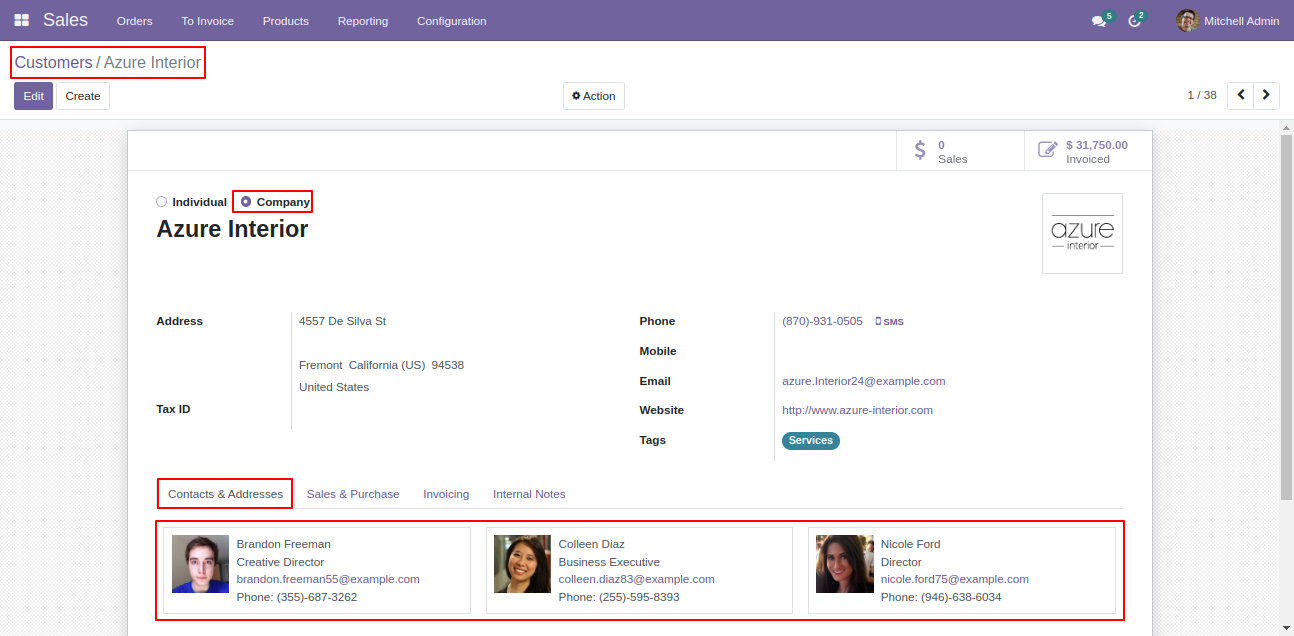
Customer with contacts.
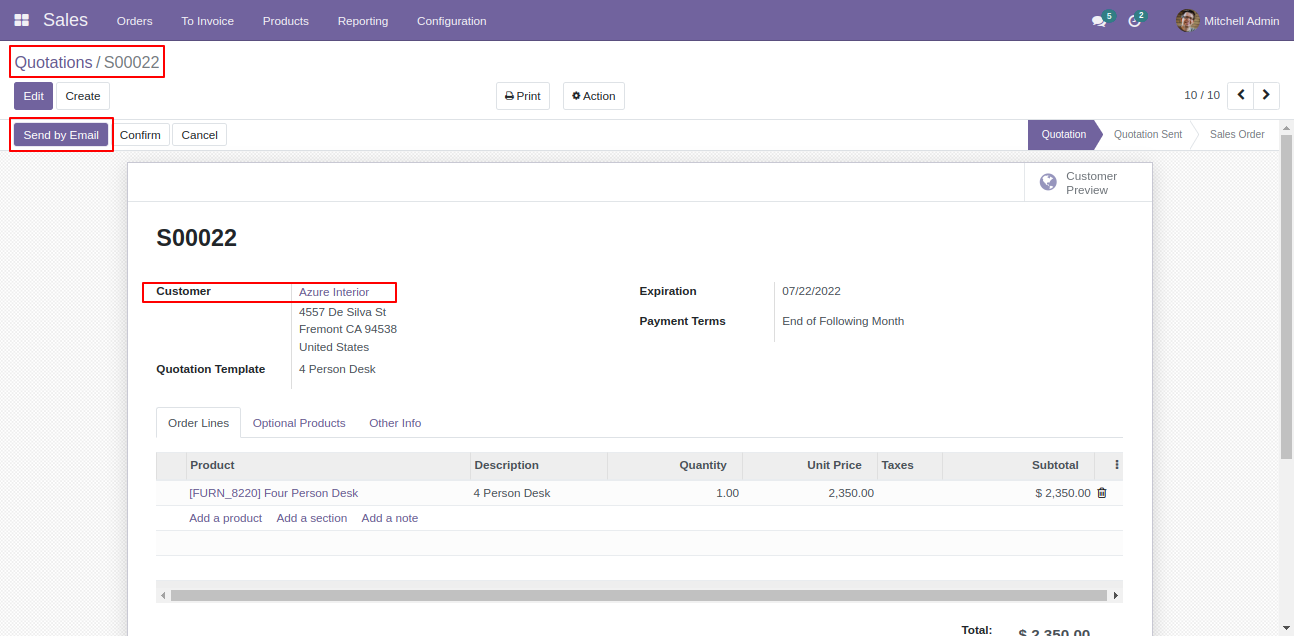
Now we make quotation and send by email.
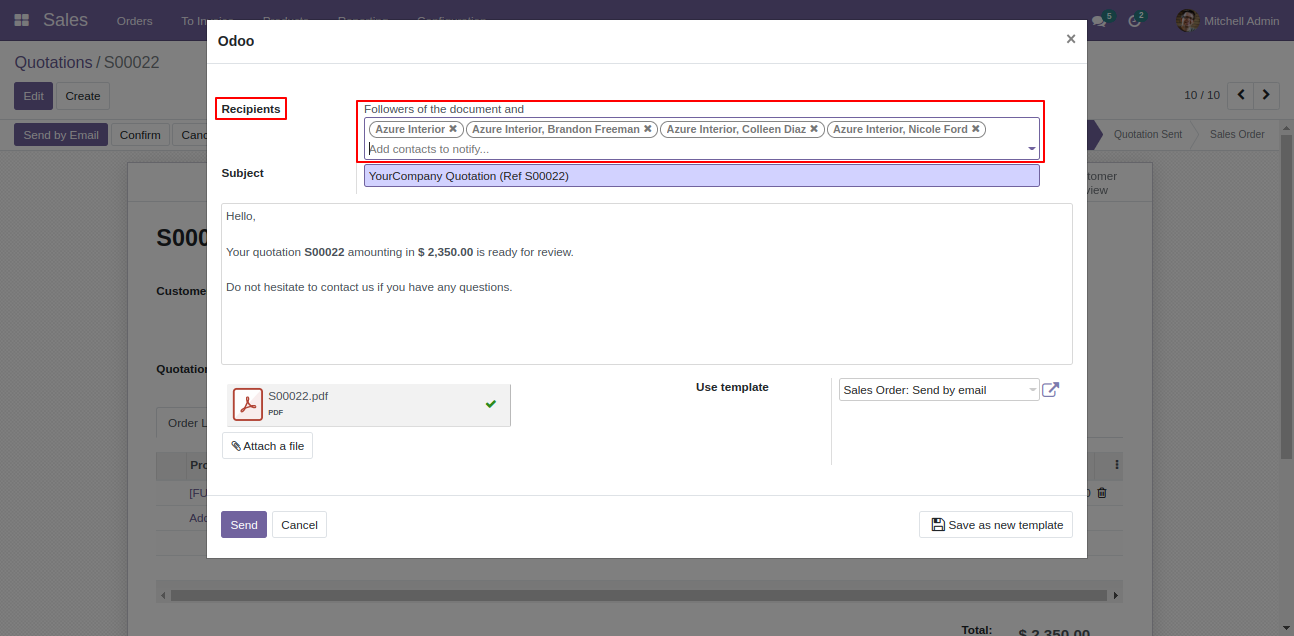
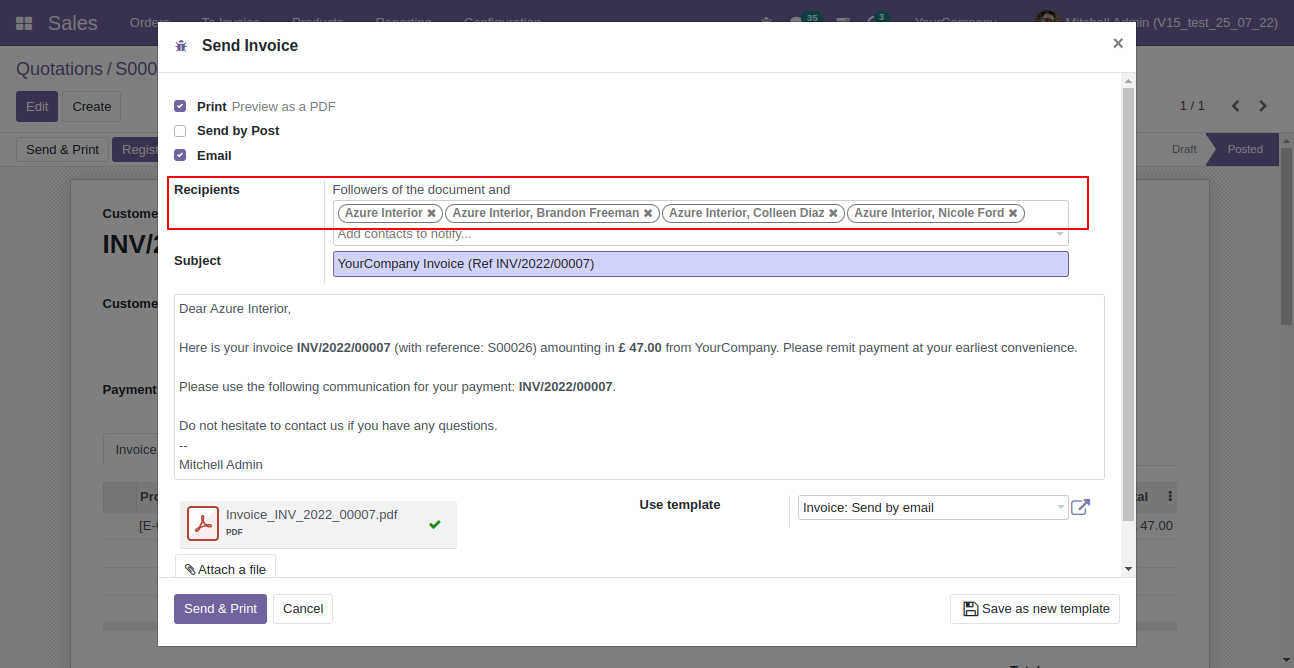
So all the contacts of the company set as default recipients.
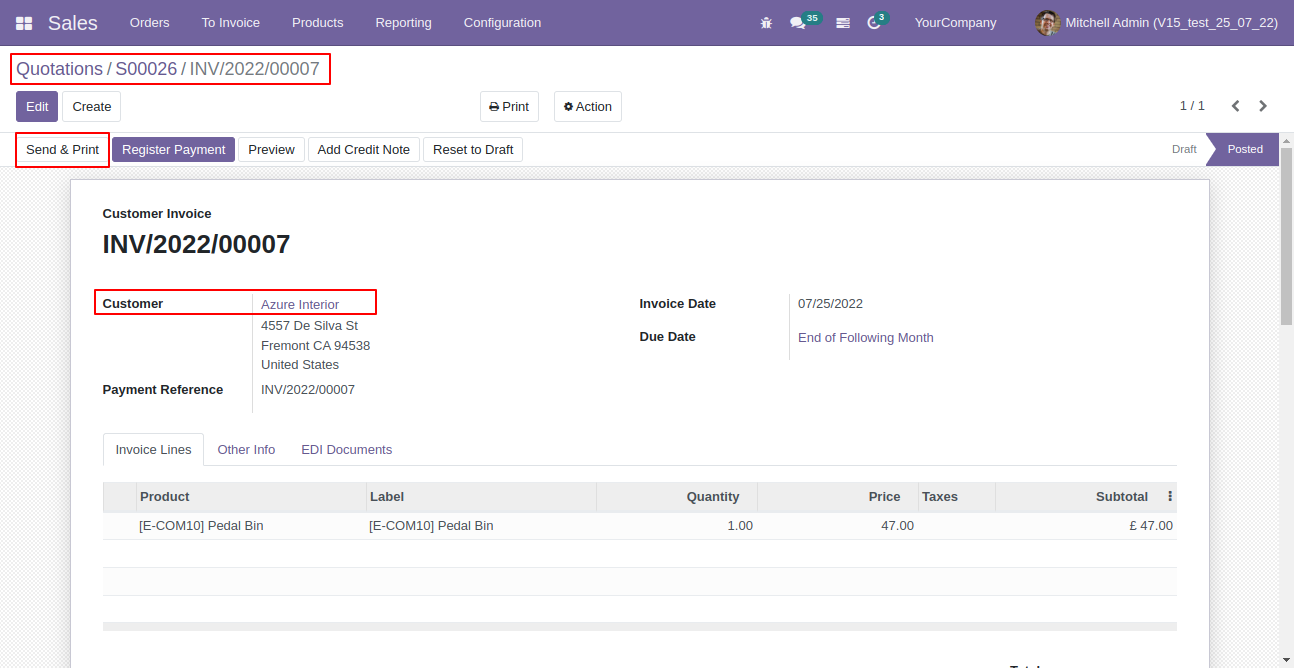
Press "Send & Print" in the invoice.
So all the contacts of the company set as default recipients.
Version 20.0.1.0.0 | Released on : 15th September 2026
Initial
Initial Release.
- Yes, this app works perfectly with Odoo Enterprise (Odoo.sh & Premise) as well as Community.
- No, this application is not compatible with odoo.com(odoo saas).
- Please Contact Us at sales@softhealer.comto request customization.
- Yes, we provide free support for 365 days.
- Yes, you will get free update for lifetime.
- No, you don't need to install addition libraries.
- Yes, You have to download module for each version (13,14,15) except in version 12 or lower.
- No, We do not provide any kind of exchange.
