












Auto Backup Odoo

Auto Backup Odoo provides automated Odoo database and filestore backups. This module supports multiple storage targets like Google Drive, Dropbox, and Amazon S3. With features such as scheduled backups, retention count, and email notifications, it ensures your business data is always safe, secure, and easily recoverable at any time.

Features

Database & Filestore Backup
Complete automation for backing up your Odoo databases and entire filestore directories.

Dashboard
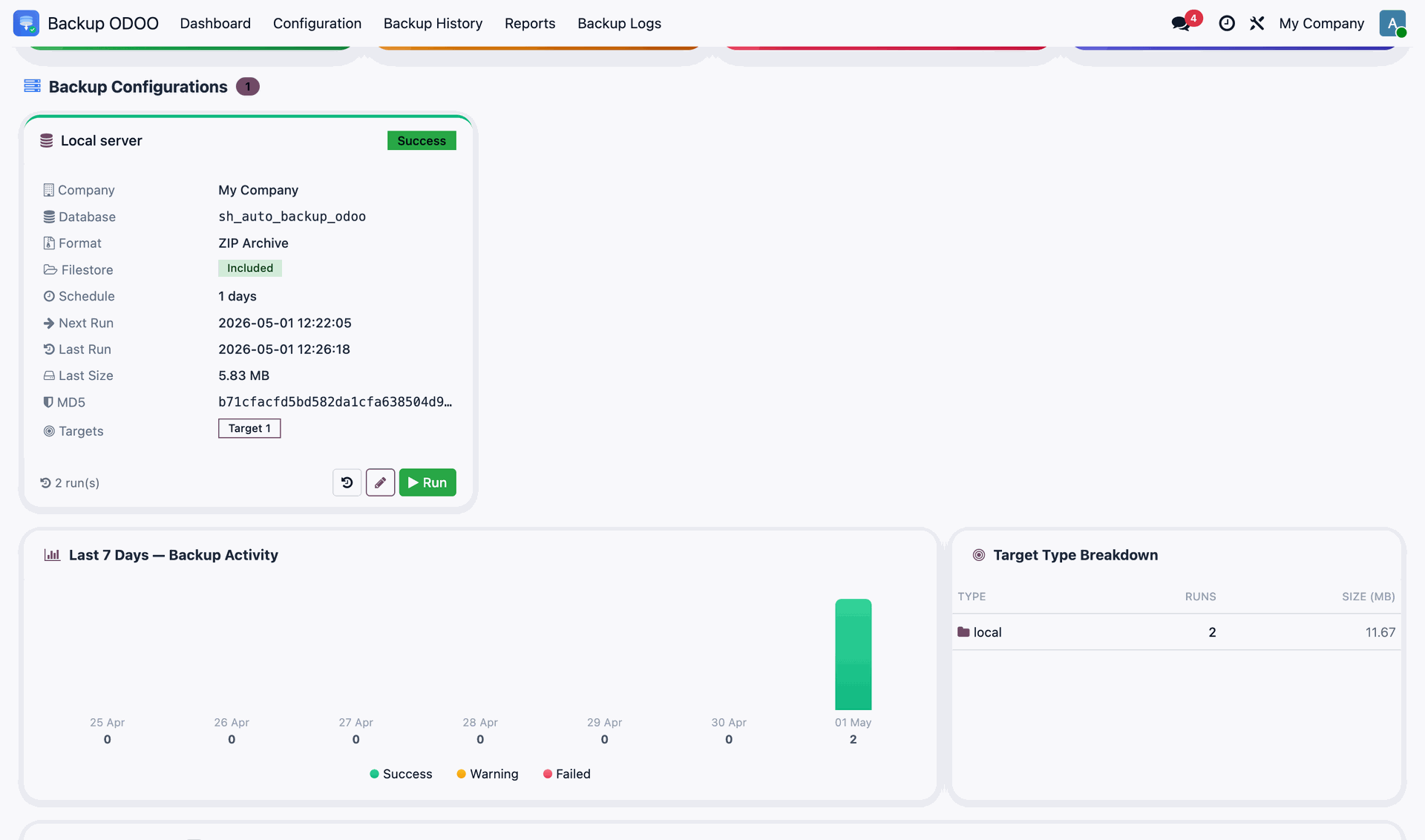
A modern dashboard provides a quick visual status of all your backup configurations and history.

Automated Scheduling
Configure flexible backup intervals, including a new minutes-based frequency for high-criticality data.
Multiple Storage Targets
Support for Local storage, Remote servers, Google Drive, Dropbox, and Amazon S3.

Flexible Archive Formats
Choose between ZIP, DUMP, or combined DUMP+ZIP formats for your backup archives.

Detailed Monitoring
Access comprehensive history, execution logs, and real-time progress information for all backup tasks.

Email Alerts
Stay informed with automatic email notifications upon successful completion or failure of backup processes.

Report Generation
Generate reports like execution reports, storage analytics reports, and target reports quickly.
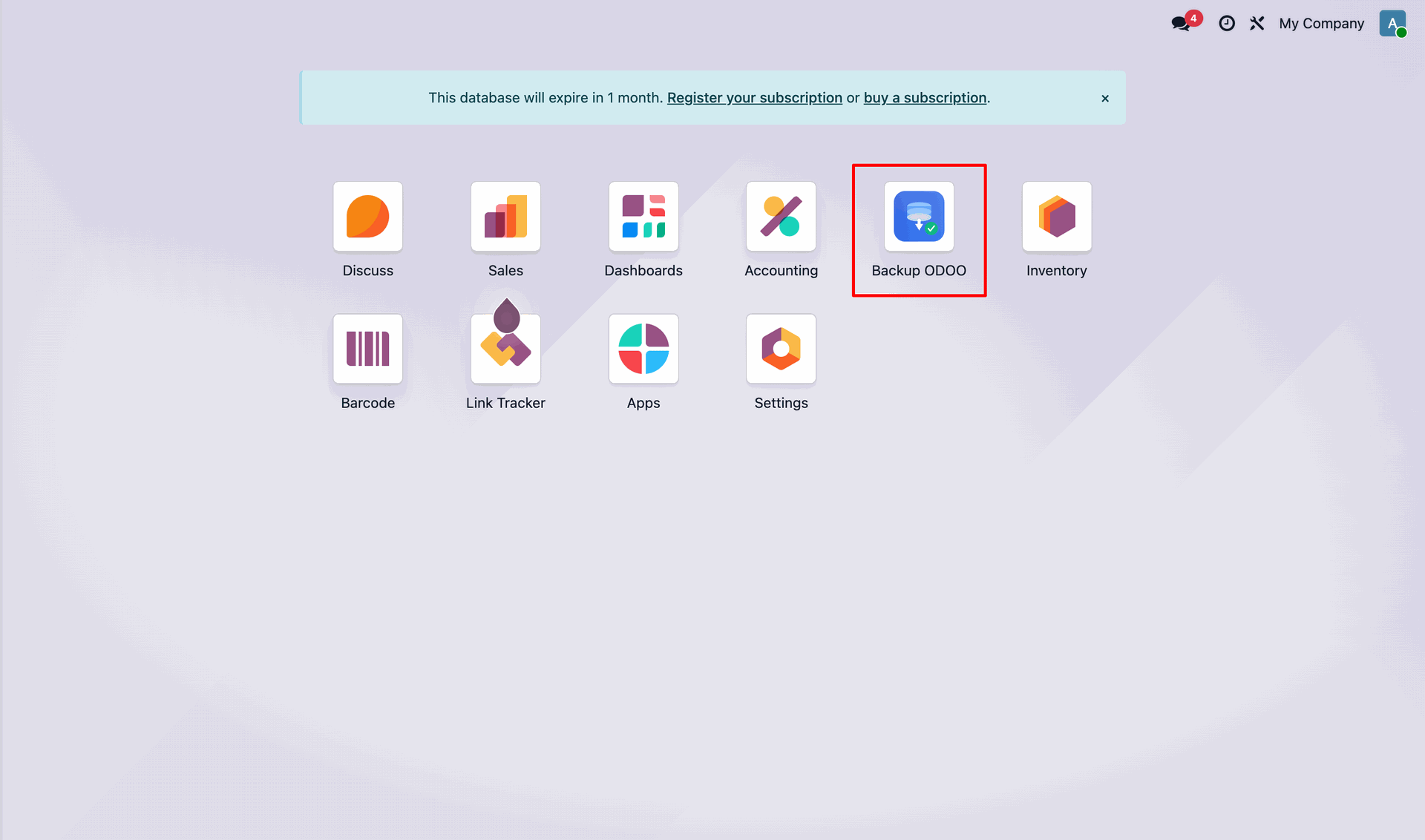
Navigate to the Backup Odoo app.
Backup Odoo Dashboard.
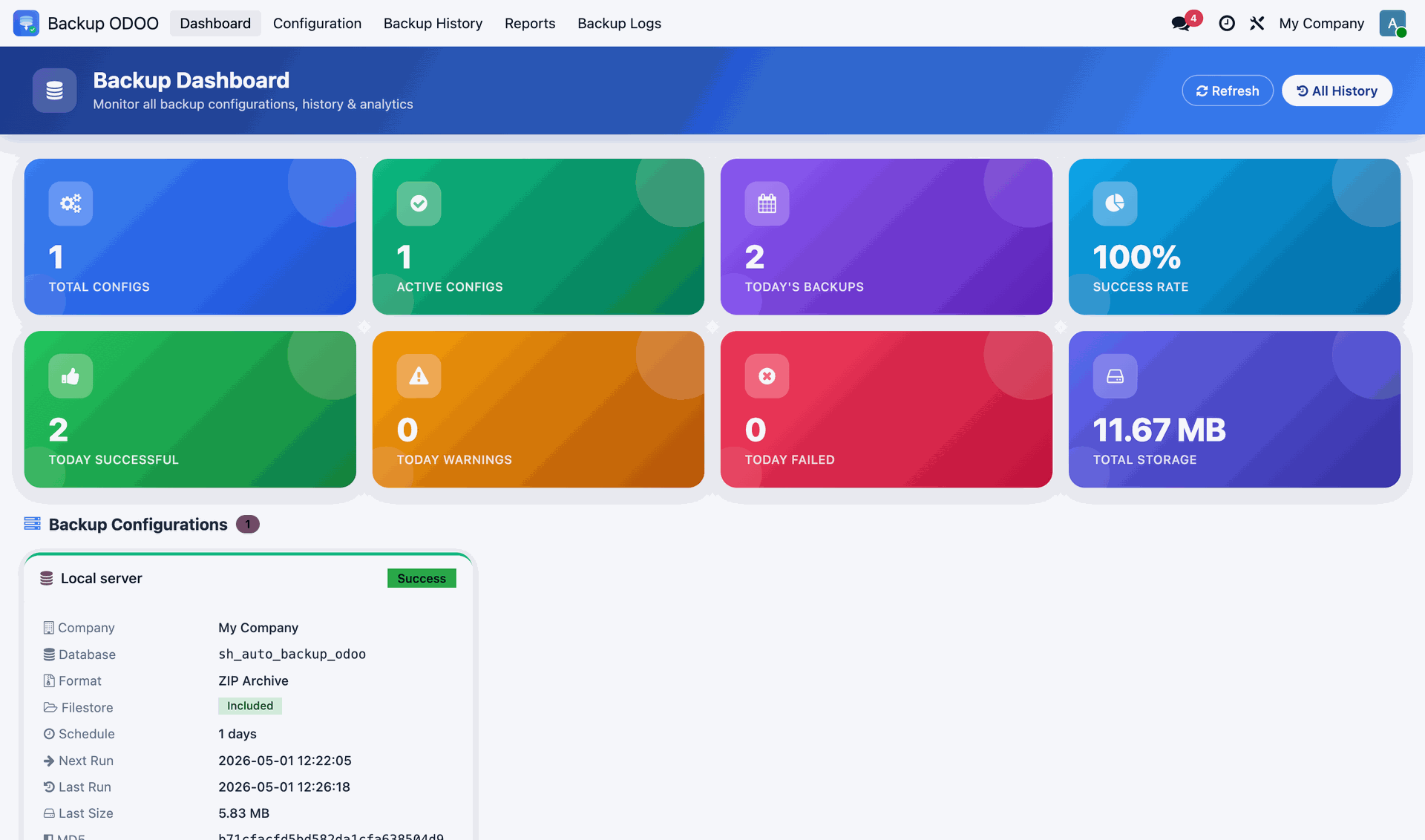
Odoo Backup Configurations for a local server setup below the dashboard. It also shows the graphs for the Backup Activity of last 7 days and Target Type Breakdown.
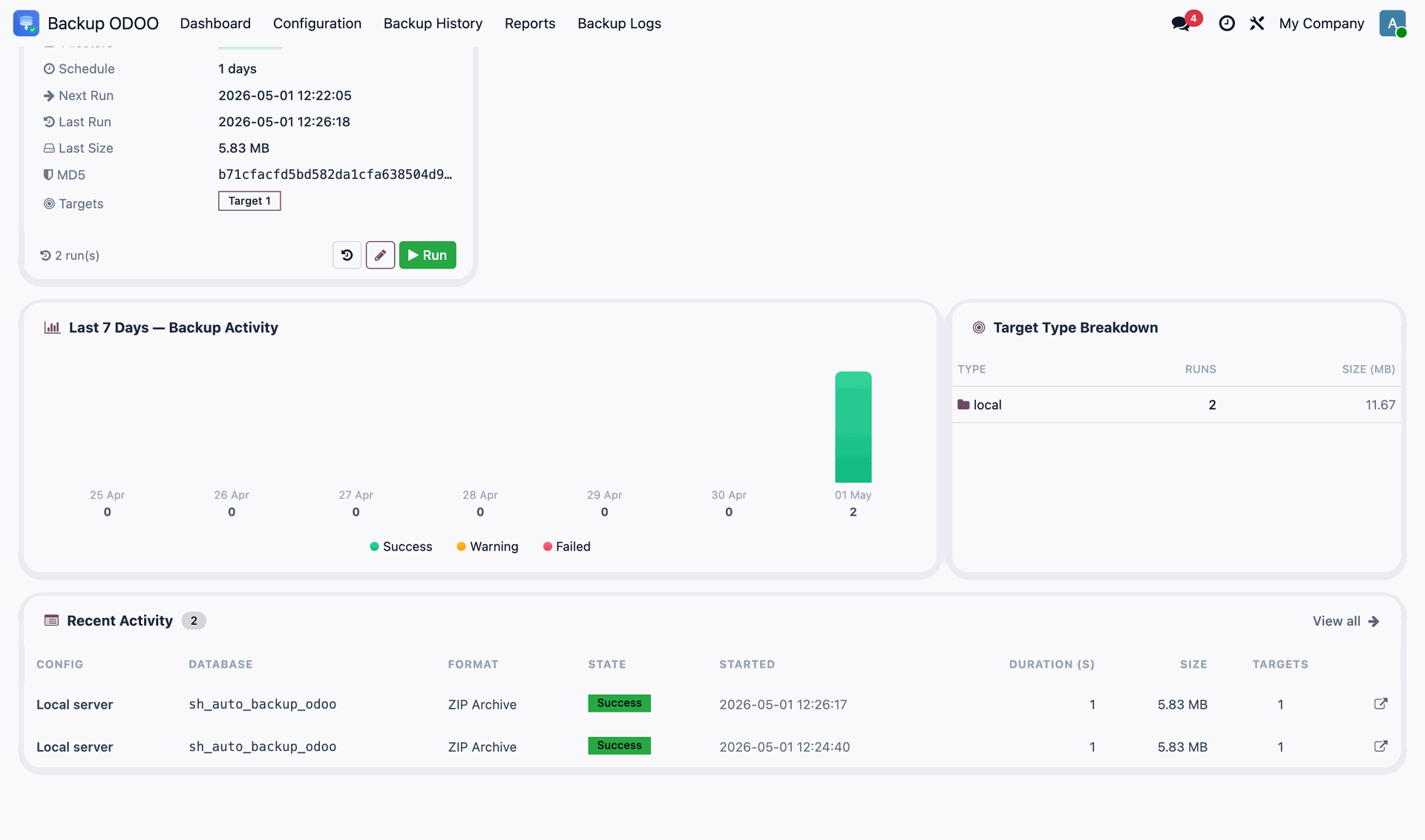
Recent Activity tab below the dashboard.
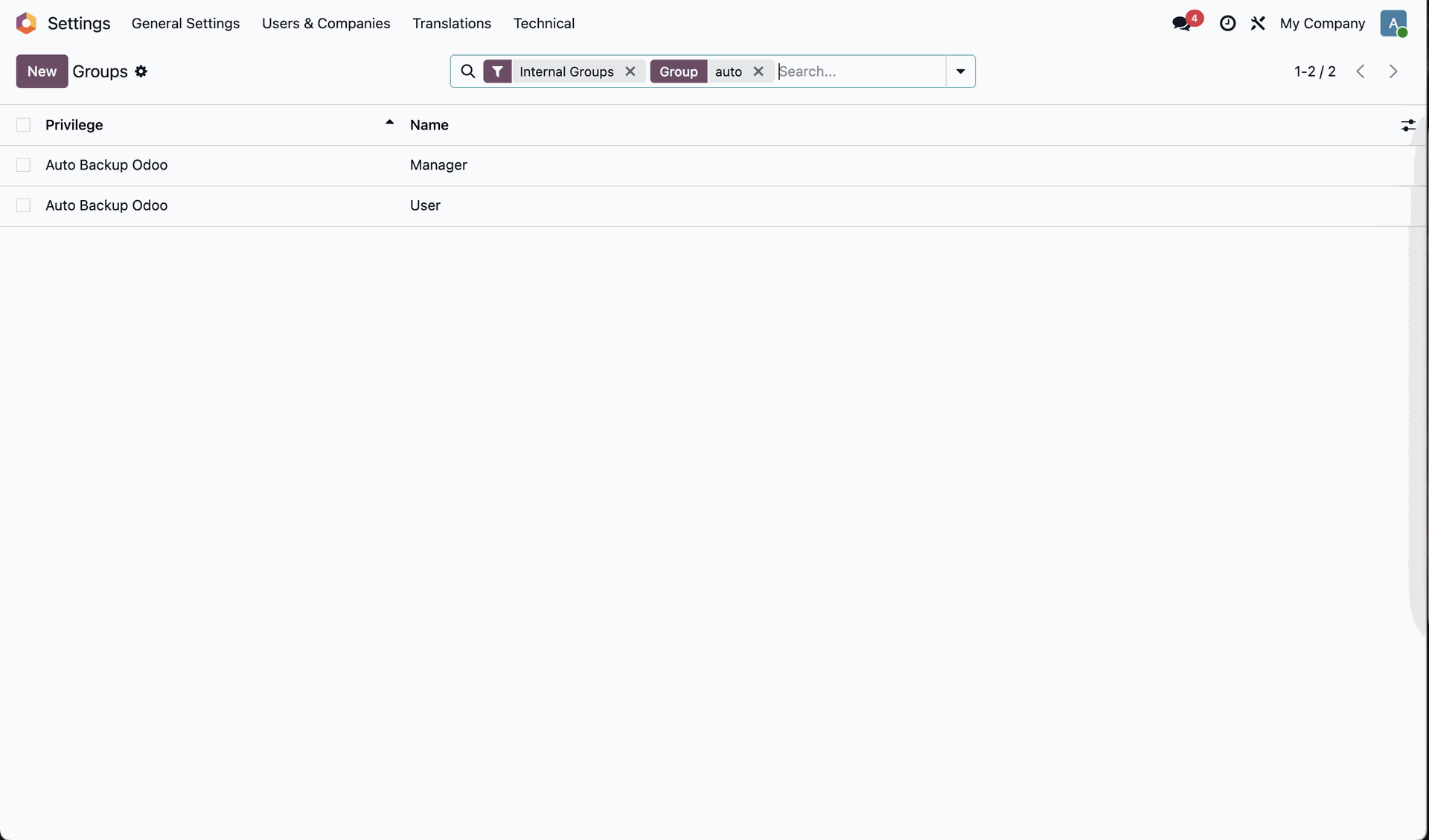
Auto Backup Groups in the settings.
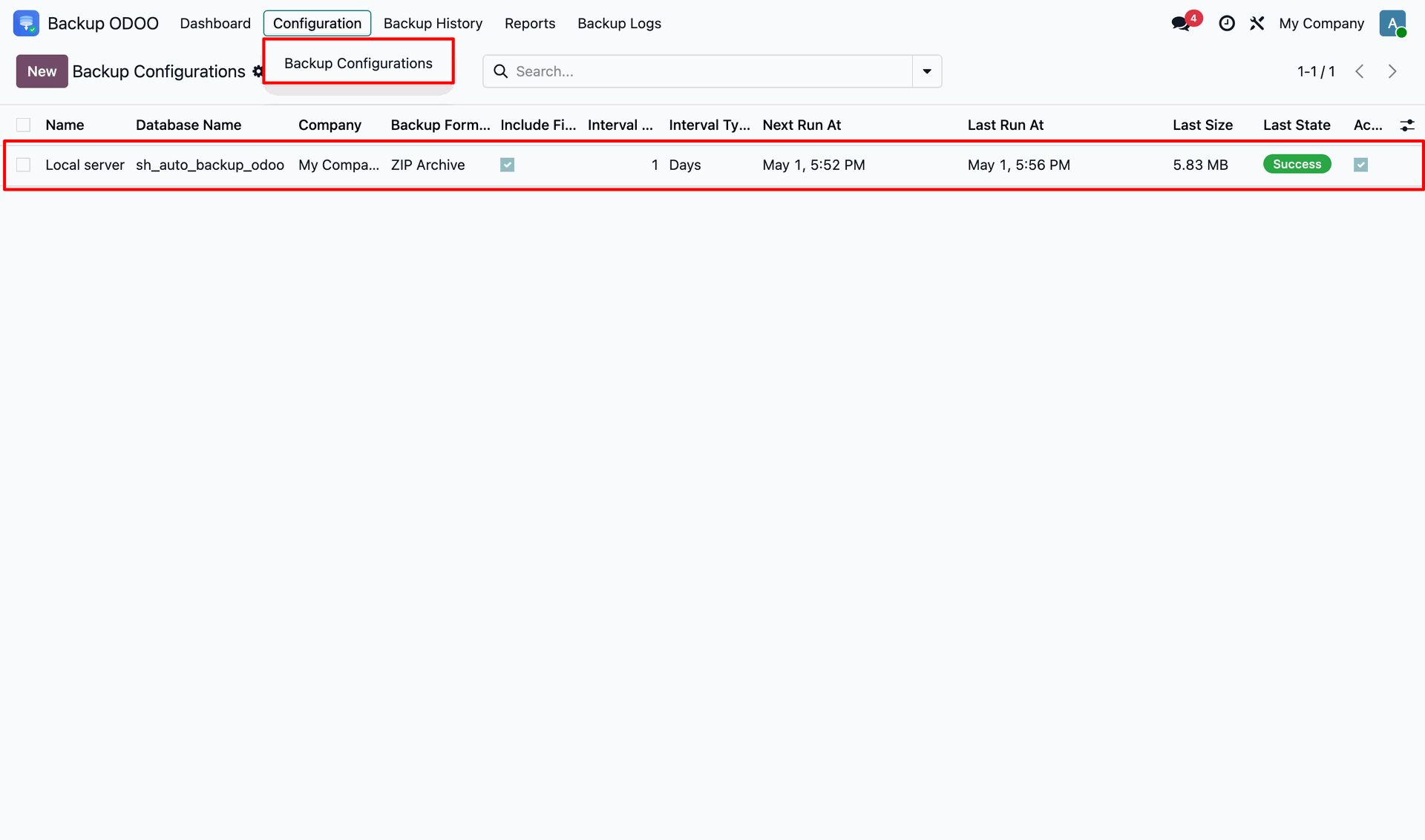
Navigate to the Backup Configurations.
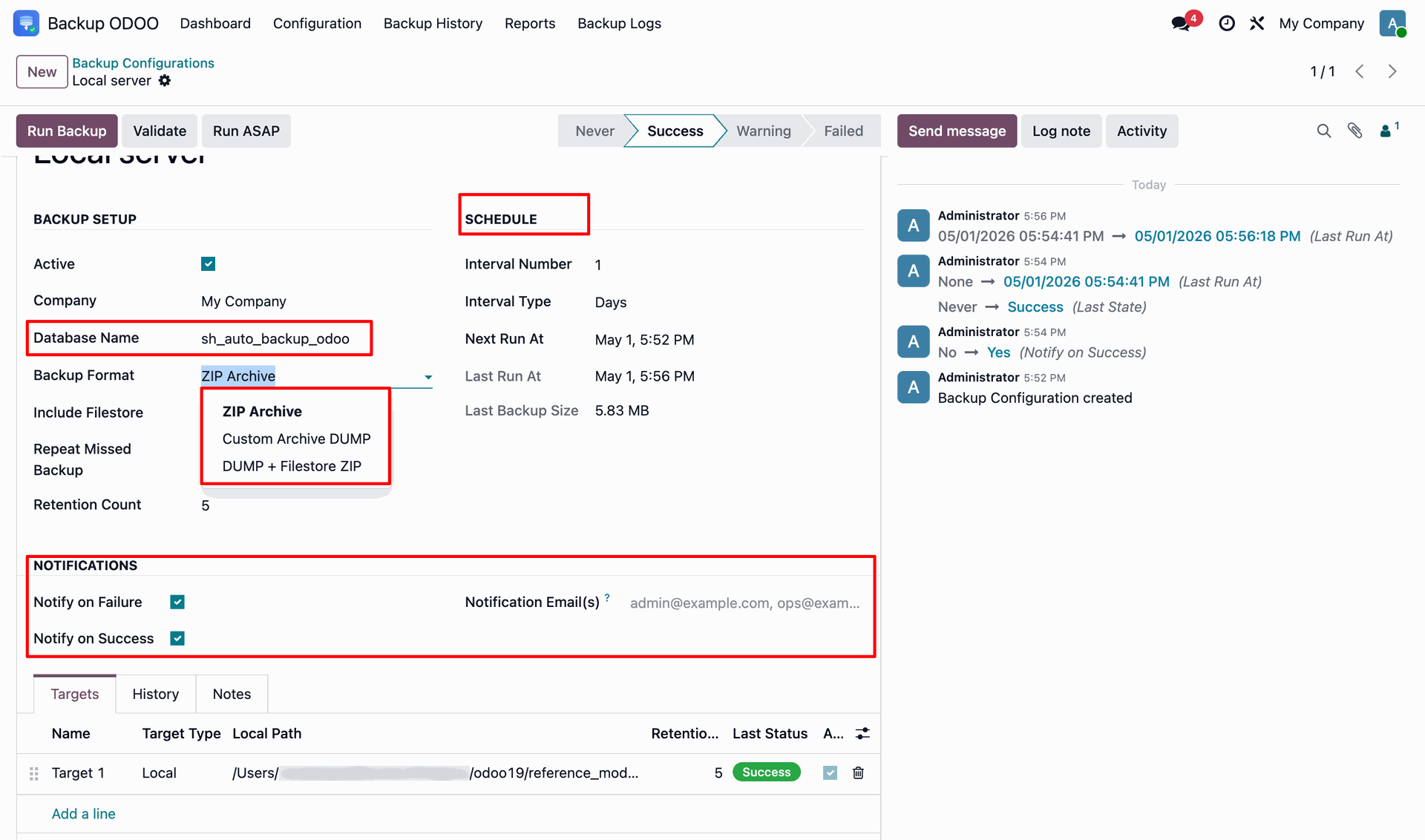
In the backup you can set the database, backup format, filestore inclusion, notifications, etc as per your required configurations.
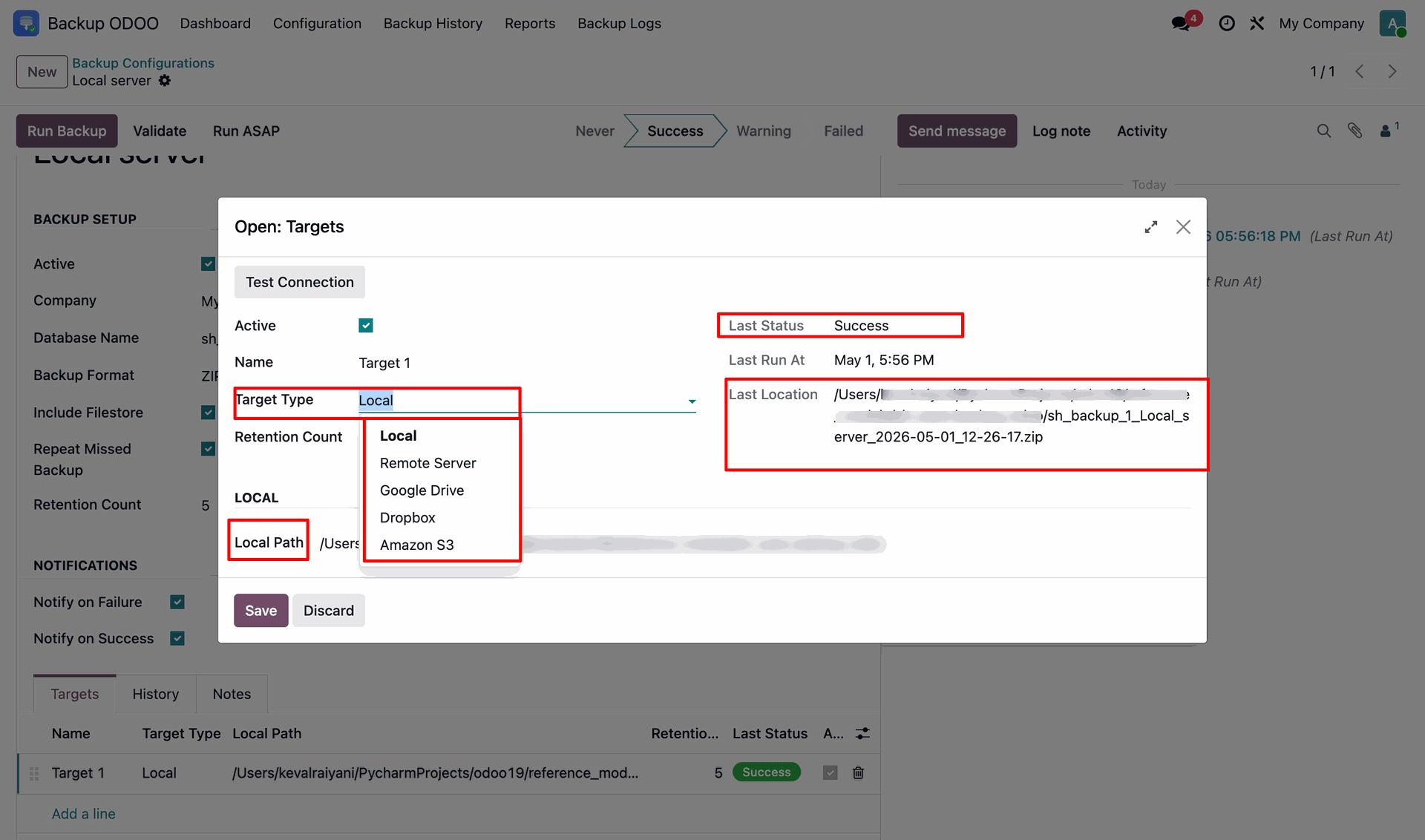
Selecting the Target Type as Local and entering the preferred Local Path.
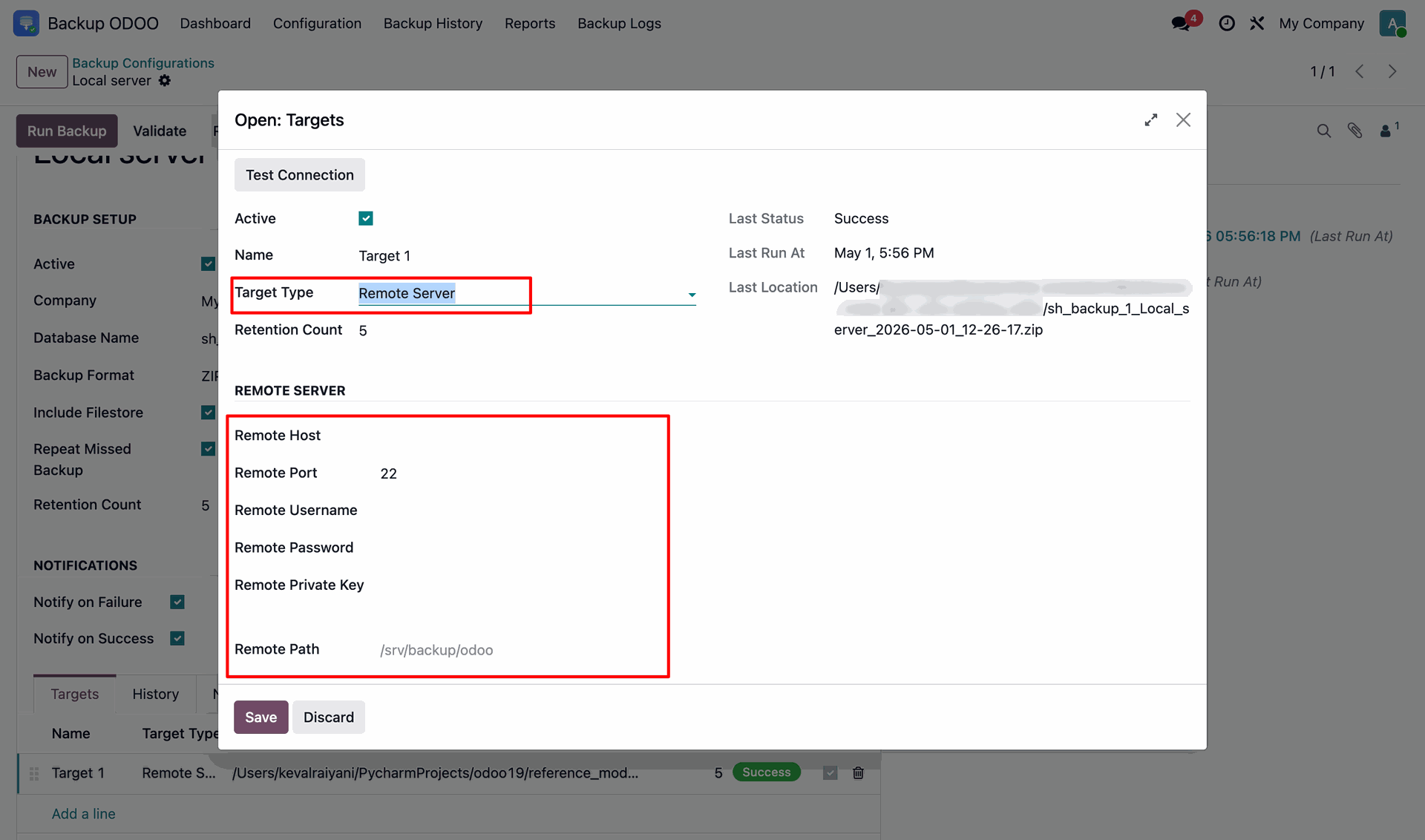
Selecting the Target Type as Remote and entering the Remote Server credentials preferred Remote Path.
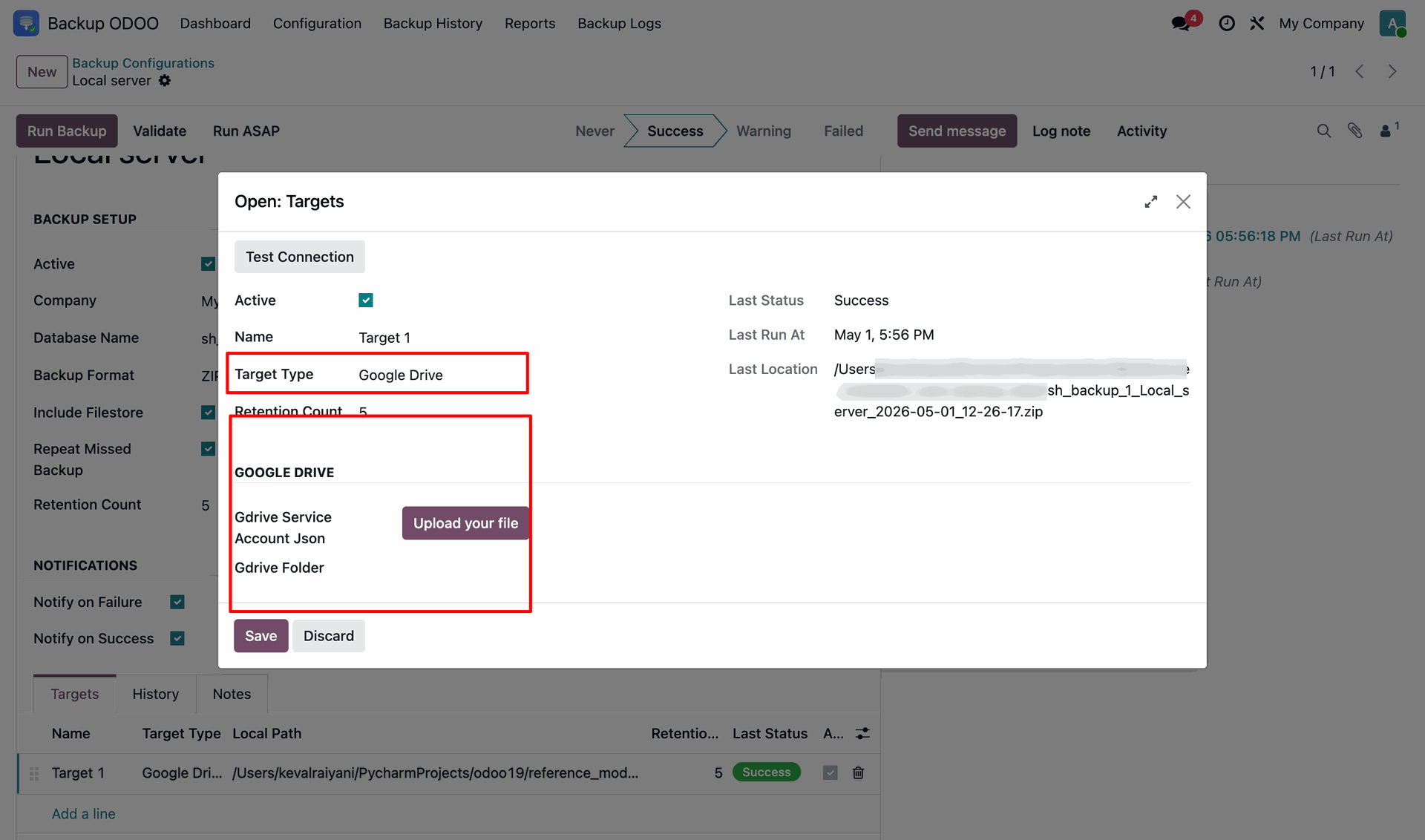
Selecting the Target Type as Google Drive and uploadring the Gdrive Service Account JSON.
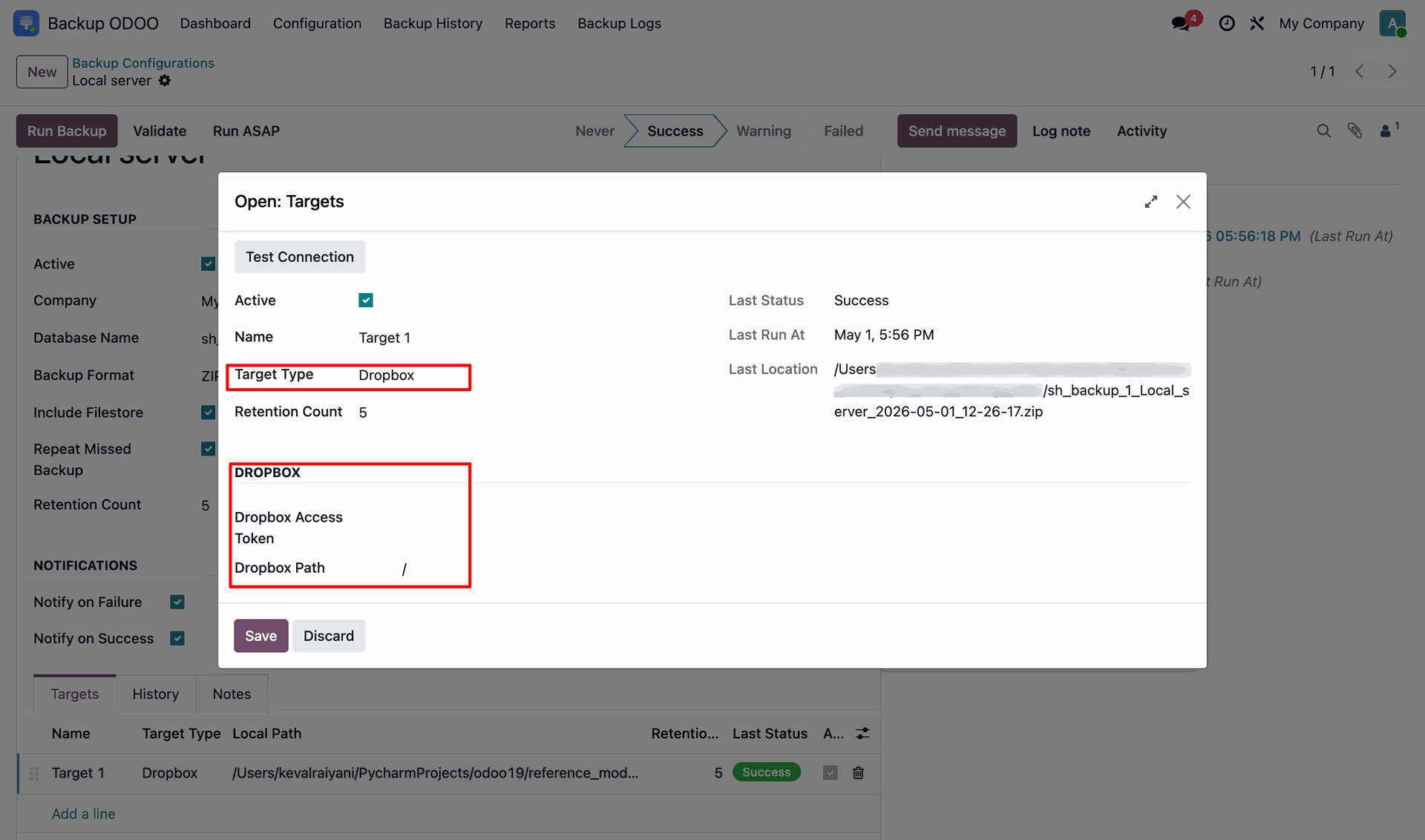
Selecting the Target Type as Dropbox and entering the Dropbox Access Token and Path.
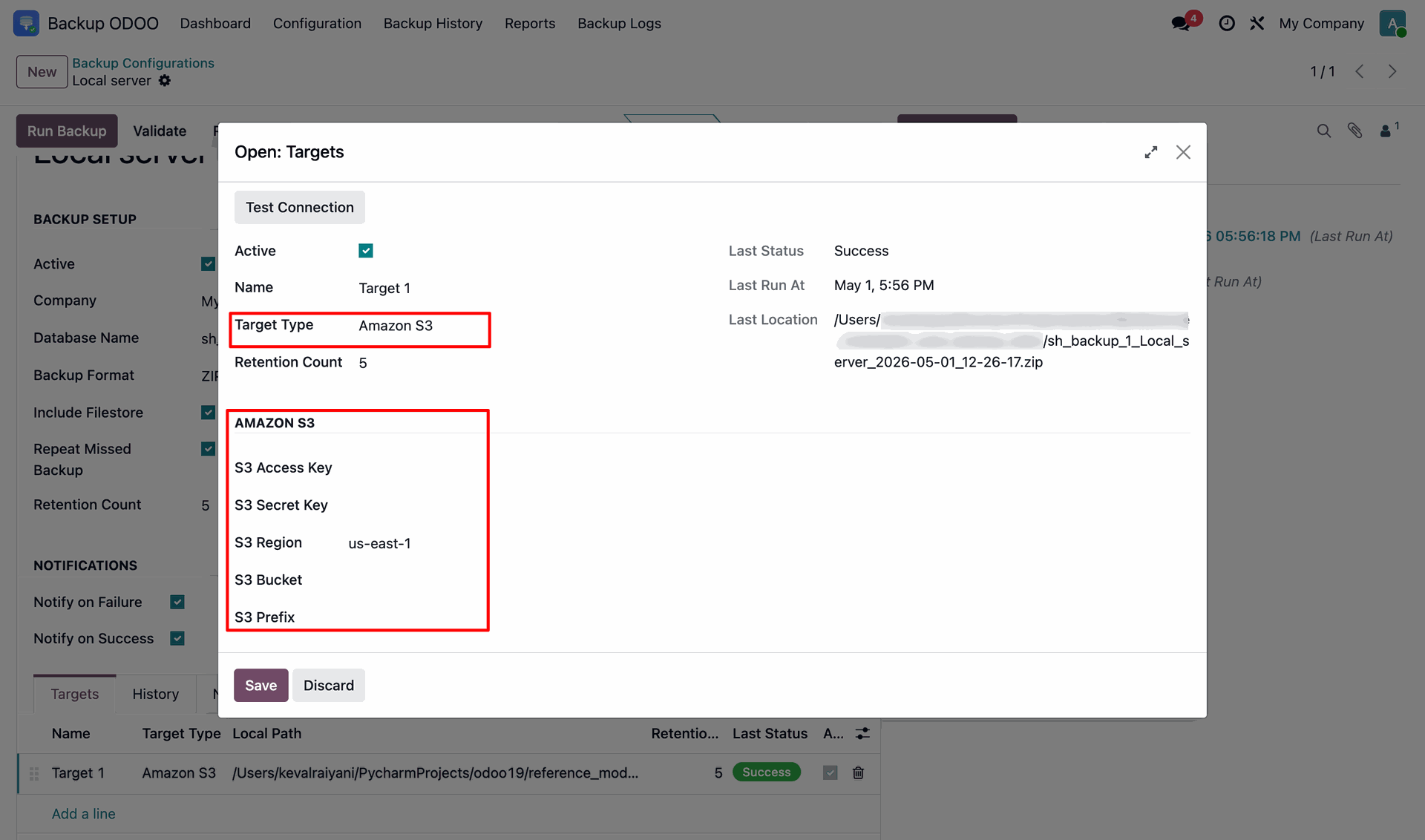
Selecting the Target Type as Amazon S3 and entering the Amazon S3 credentials.
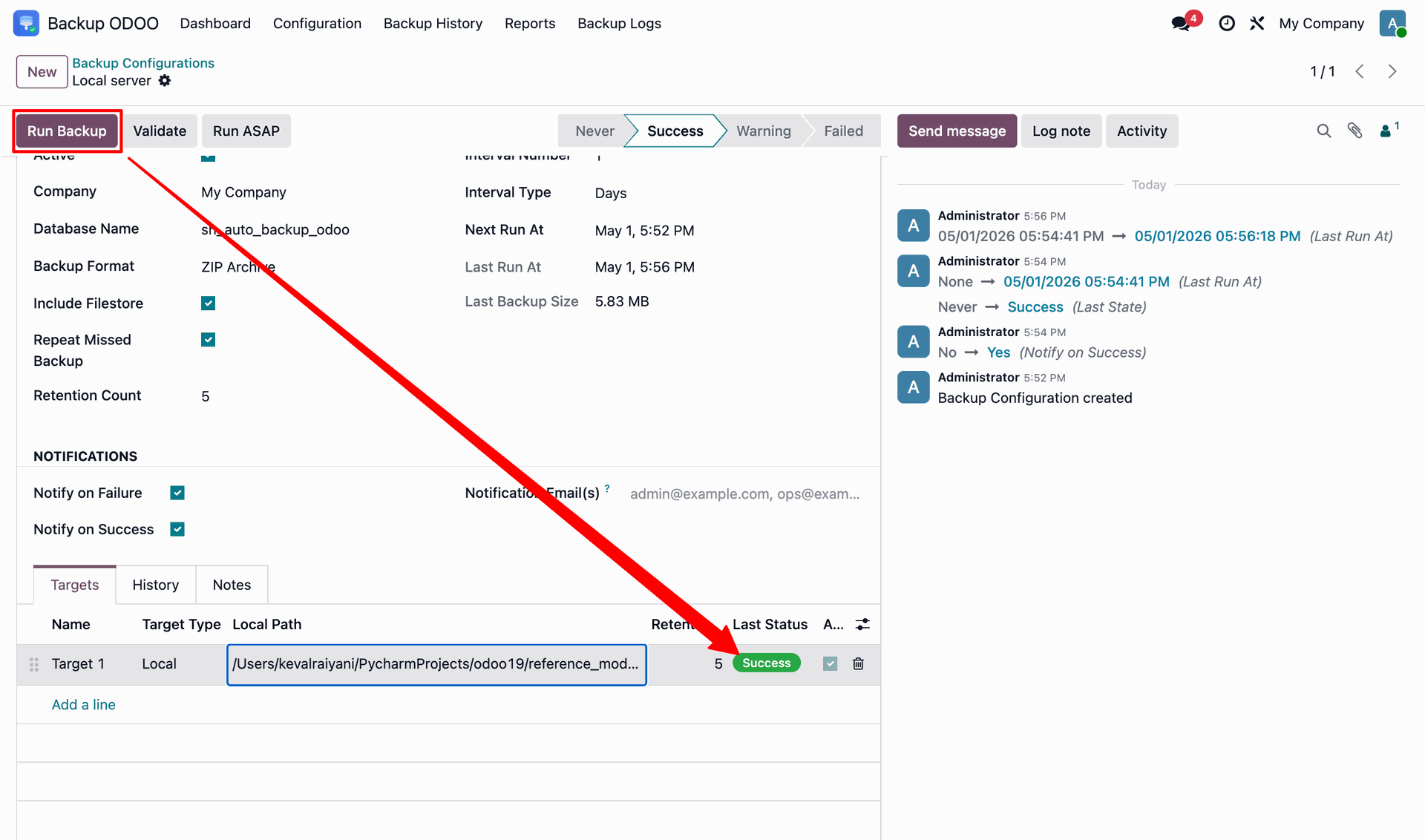
Click the Run Backup button to create the backup for the required target.
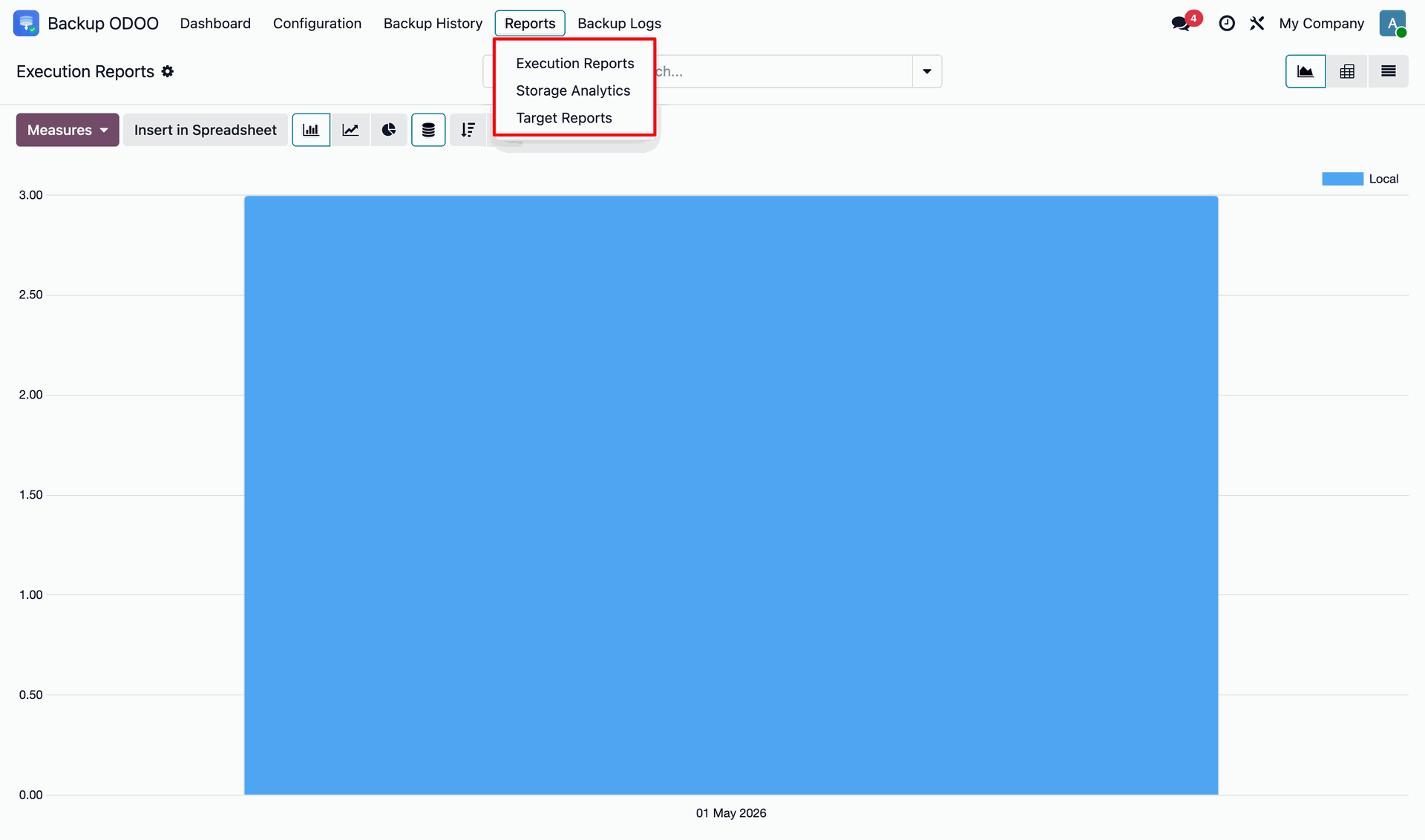
Here you can also generate the Execution Reports, Storage Analytics and Target Reports.
You can check the backup history of the records.
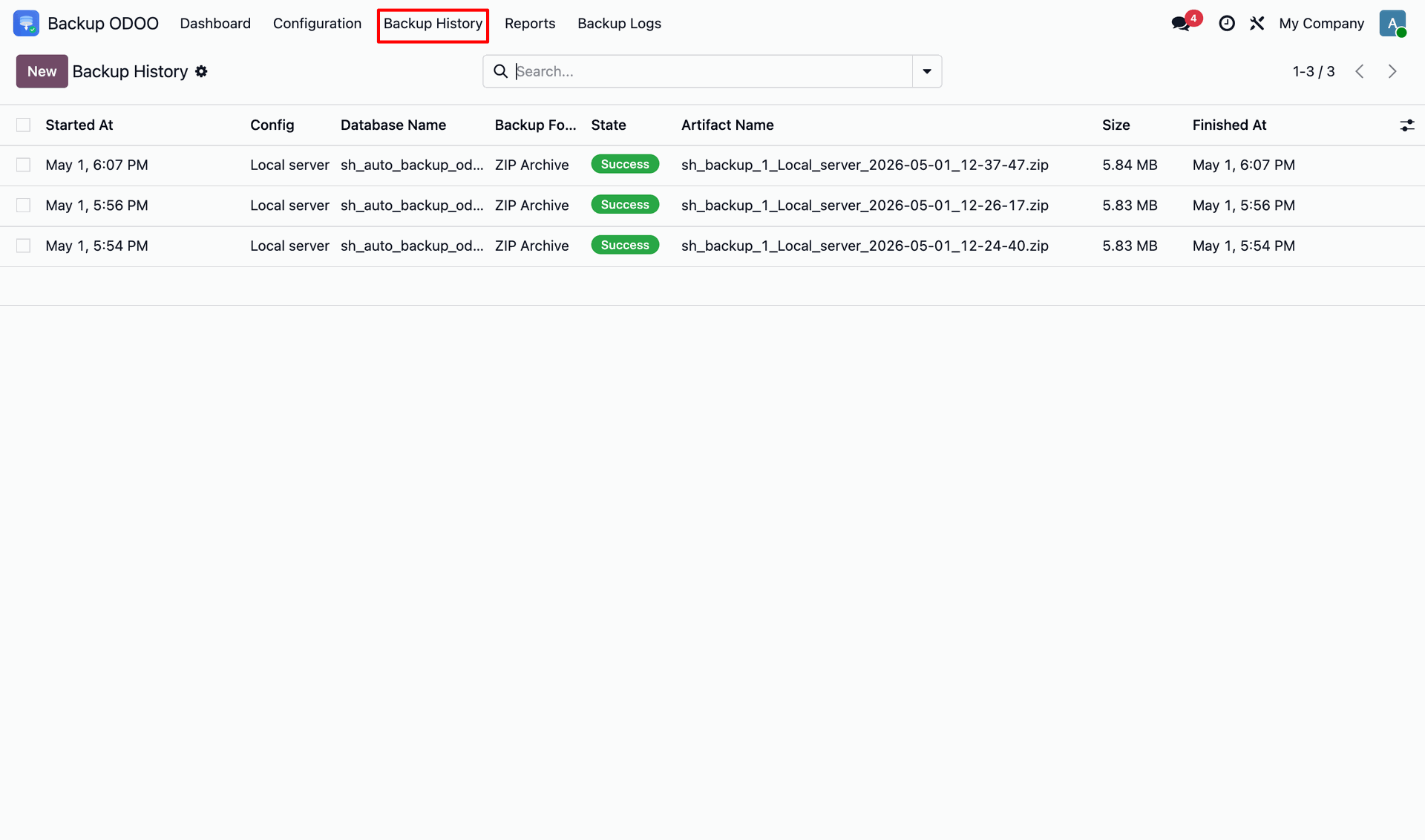
You can also check the backup logs generated.
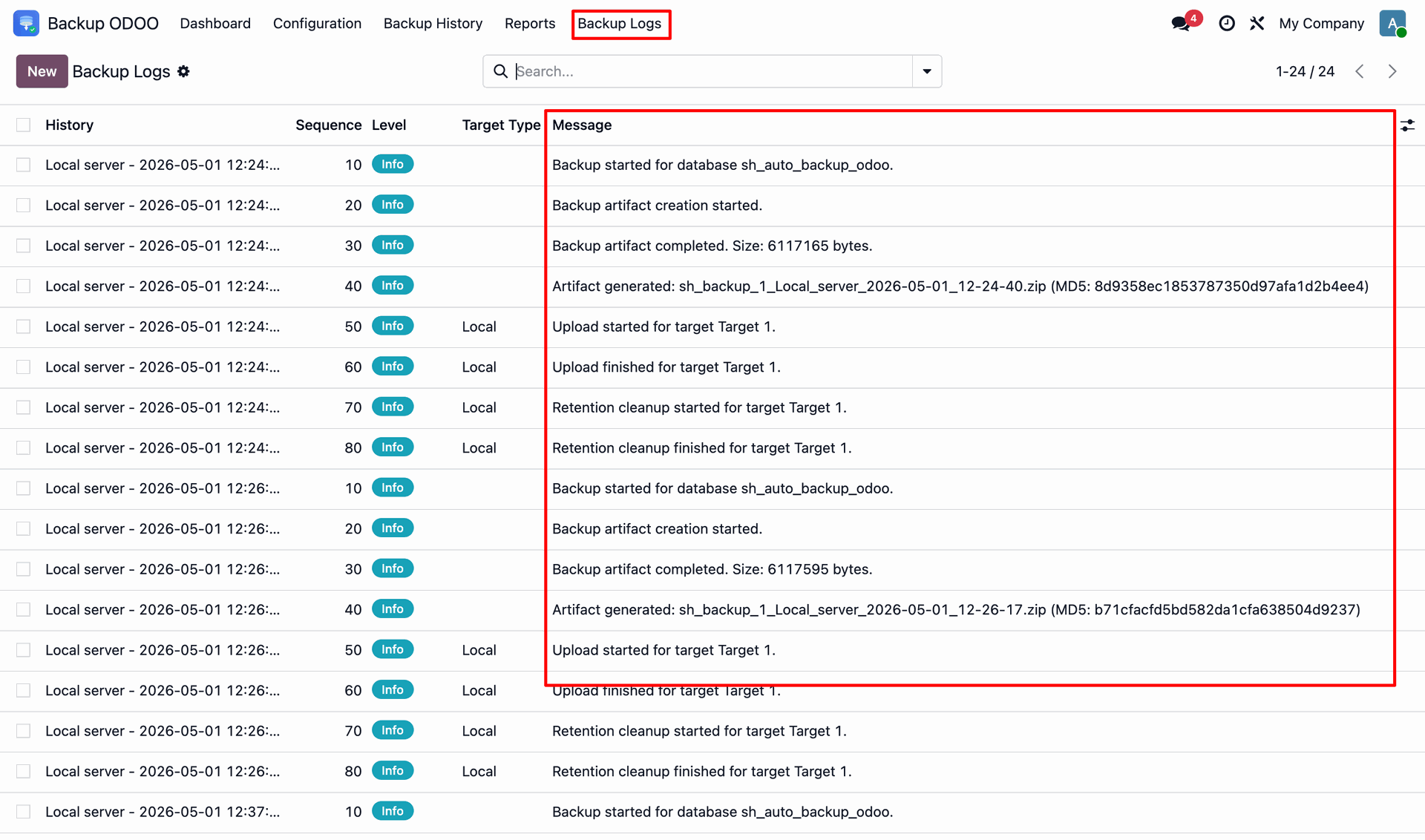
Version 18.0.1.0.0 | Released on : 04th June 2026
- Yes, this app works perfectly with Odoo Enterprise (Odoo.sh & Premise) as well as Community.
- No, this application is not compatible with odoo.com(odoo saas/Odoo Online)
- Yes, to test this module, please contact us at sales@softhealer.com.
- Please contact us at sales@softhealer.com to request customization.
- Yes, we provide free support for 365 days from the date of purchase.
- Yes, you will receive lifetime free updates for the version of the module you purchased.
- Yes, you need to install 'boto3', 'dropbox', 'google-api-python-client', 'google-auth', and 'paramiko' libraries.
- Yes, for version 12 and above, you need to purchase the module separately for each version you intend to use.
- No, exchanges or refunds are not allowed. Please make sure to select the correct version before purchasing.
- You can contact us at support@softhealer.com for language translation support. We use Google Translator tools to provide translations in multiple languages, so the accuracy may vary. We welcome your suggestions to help improve translations.
Discover Our Latest Apps