












Audio Note In Chatter

The Audio Note Chatter app empowers you to seamlessly record and share voice notes directly within the Odoo chatter. It enhances communication by allowing quick audio messages across all models supporting chatter. Key features include previewing audio before sending, appending text captions, downloading recordings, and managing access permissions effectively by user groups.

Features

Record Voice Note
Effortlessly record audio voice notes directly inside any Odoo chatter, boosting communication speed without leaving the record view.

Preview Before Send
Built-in audio player allows you to listen to your voice recording before finalizing and sending it.

Optional Captions
Capability to append a meaningful text caption alongside the audio recording for additional context.

Limit Audio Duration
Admin can define the maximum length allowed for audio recordings to prevent excessively large files.

Group Based Access
Secure functionality by managing user access rights, ensuring only authorized personnel can record voice notes.

Available Everywhere
Fully integrated capability accessible across all standard and custom models that support Odoo chatter.

Download Capabilities
Logged voice note attachments can be easily downloaded locally for offline access or archiving.
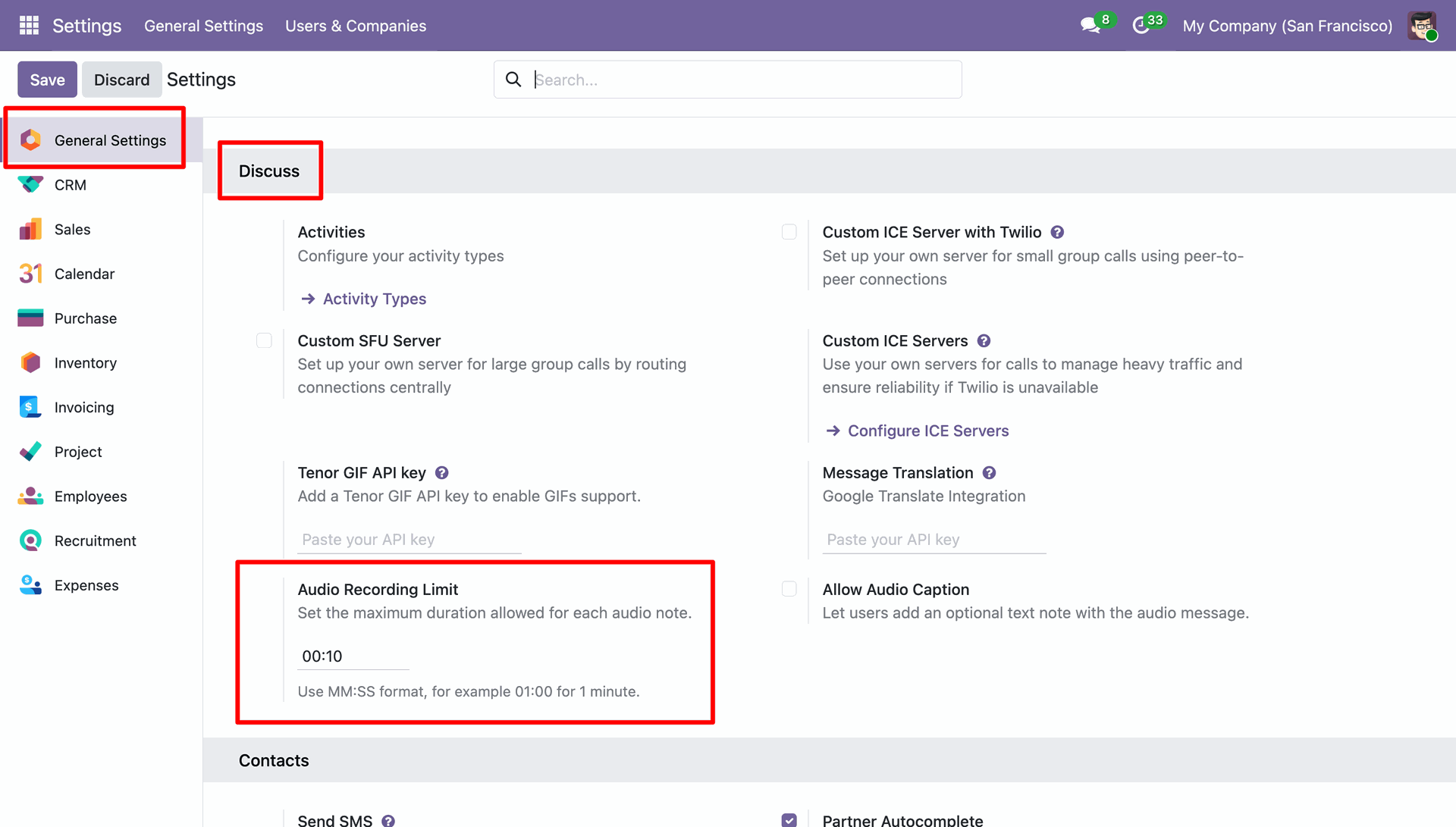
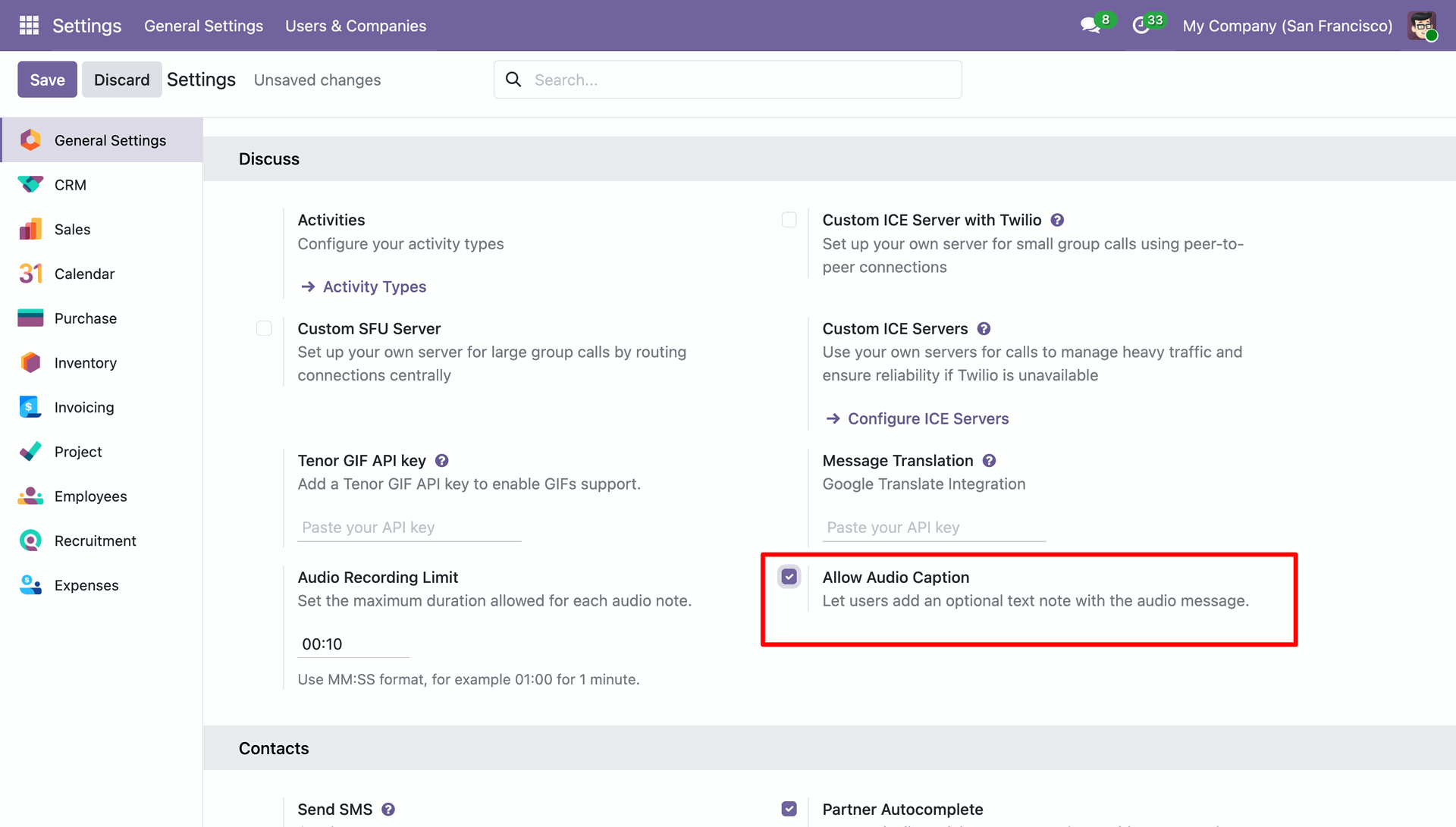
Configuring the Audio Recording Limit within the General Settings to restrict the maximum duration of voice notes in the Discuss module.
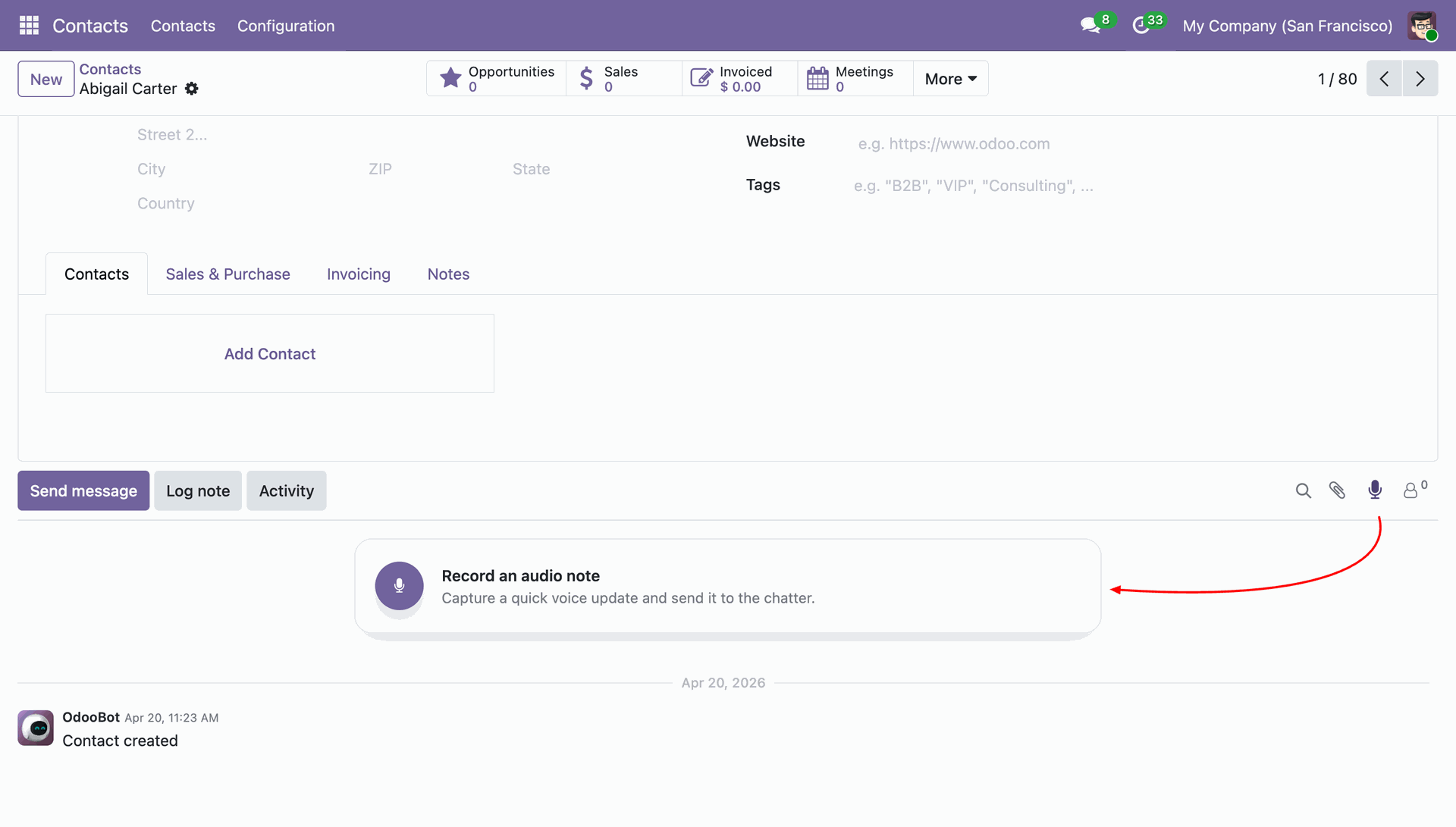
Accessing the microphone icon in the chatter to Record an audio note, allowing for quick voice updates on contact records like Abigail Carter.
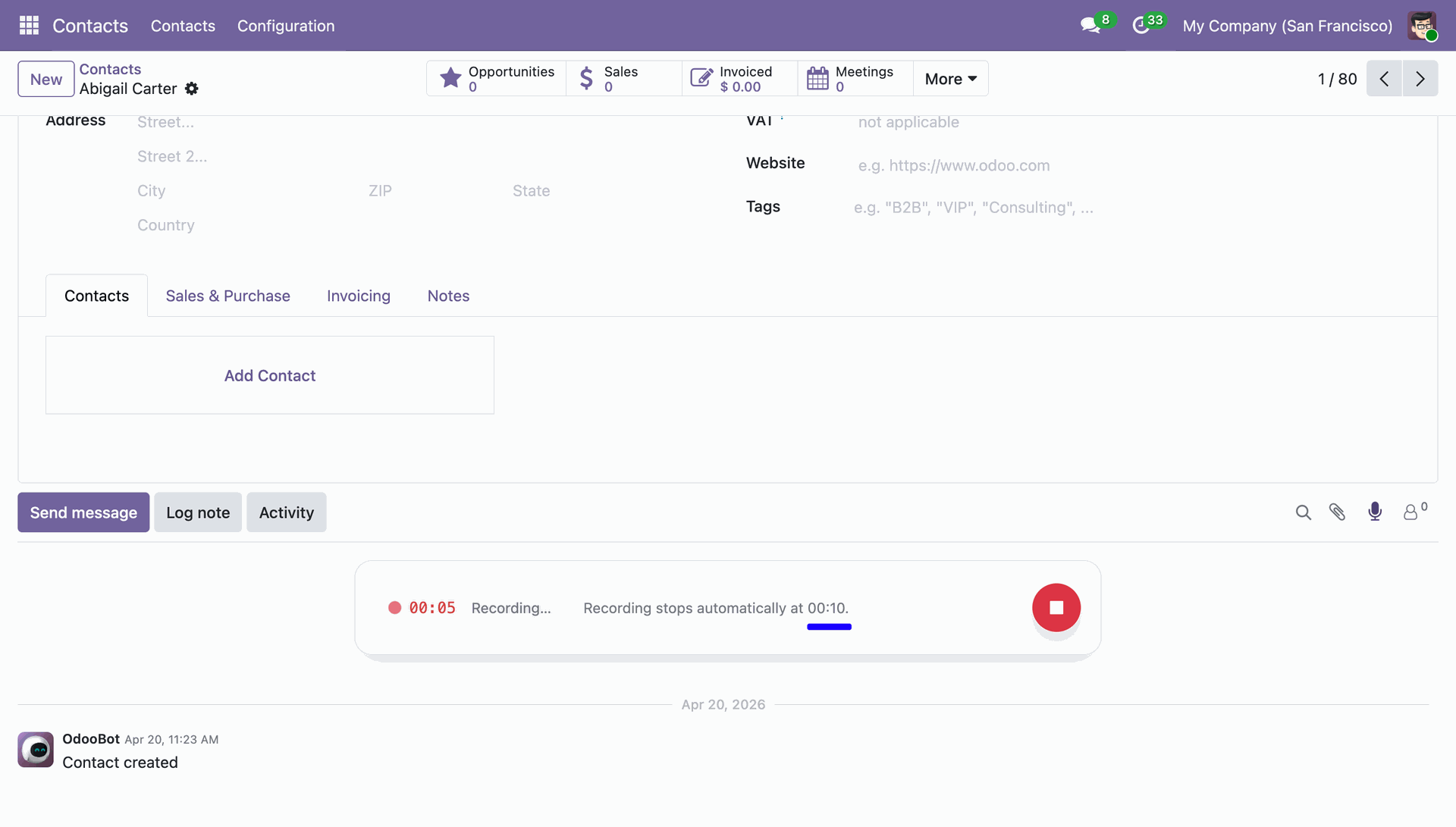
Monitoring an active voice recording in the chatter, which displays a real-time countdown and will stop automatically upon reaching the defined 10-second limit.
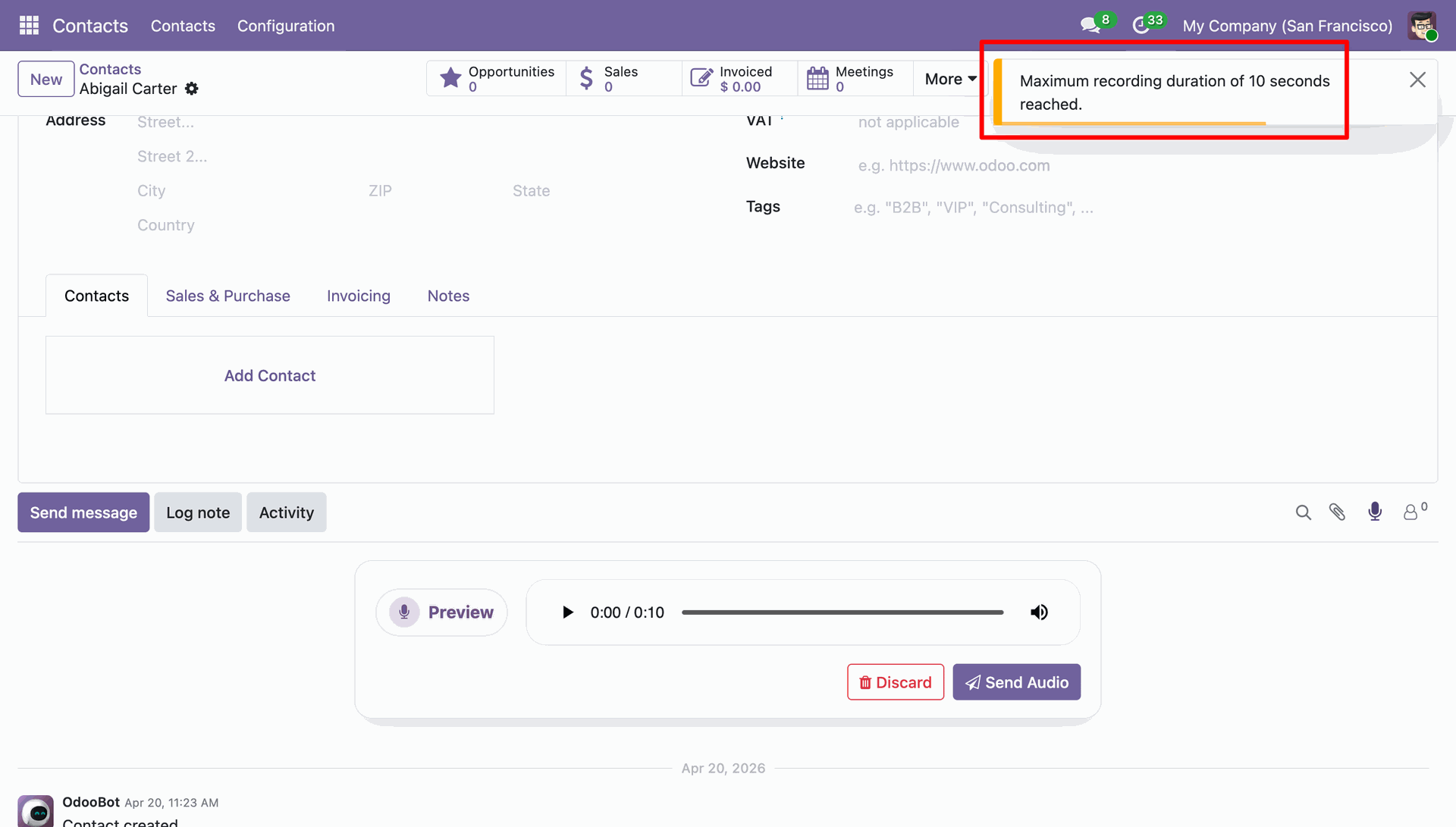
Reviewing the audio before clicking Send Audio or Discard, following the notification that the maximum recording duration was reached.
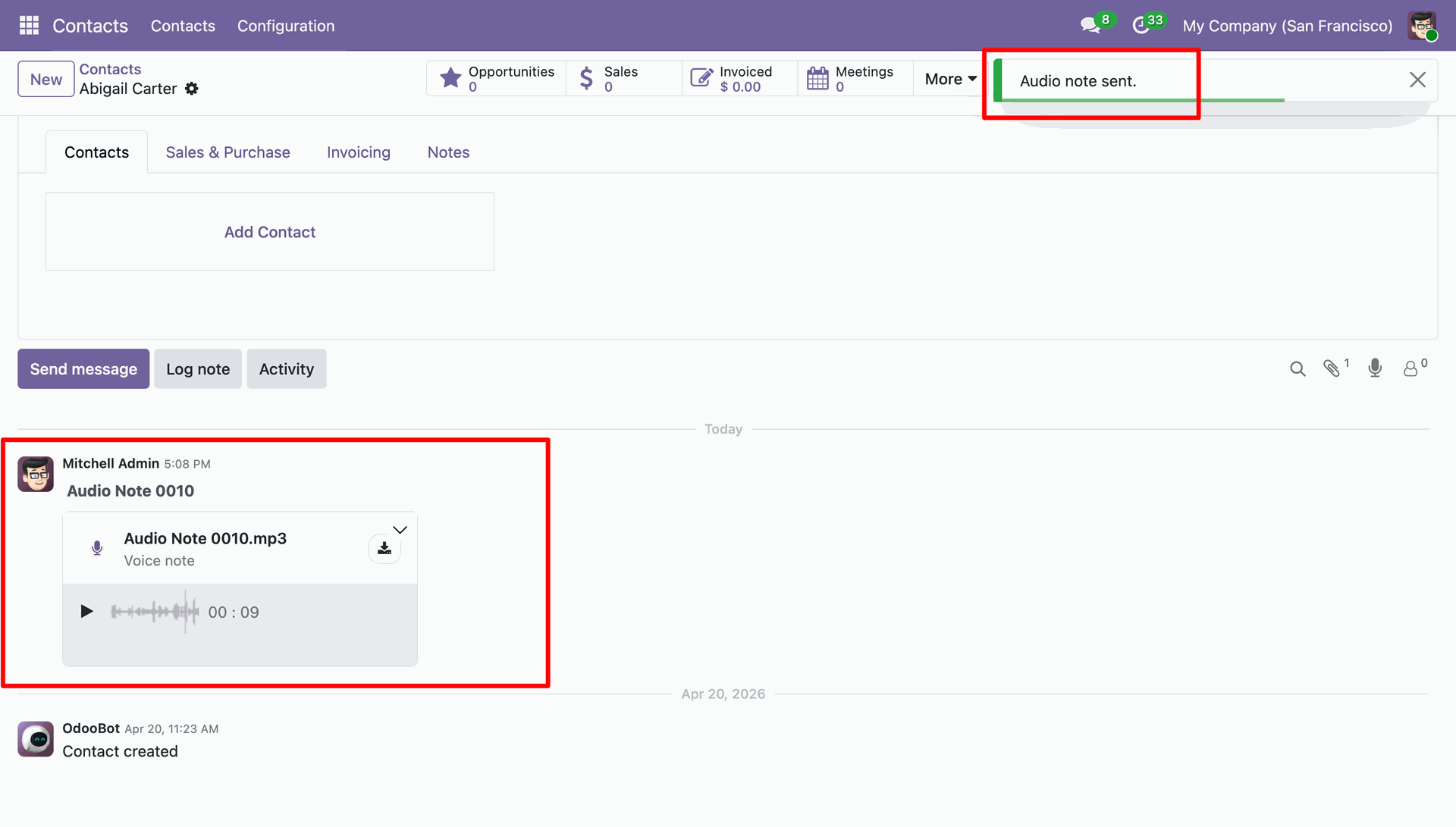
Successfully posting a voice update to the contact chatter, confirmed by the "Audio note sent" notification and the playable .mp3 file in the activity log.
Enabling the Allow Audio Caption setting to permit users to include optional text descriptions alongside their voice messages in the chatter.
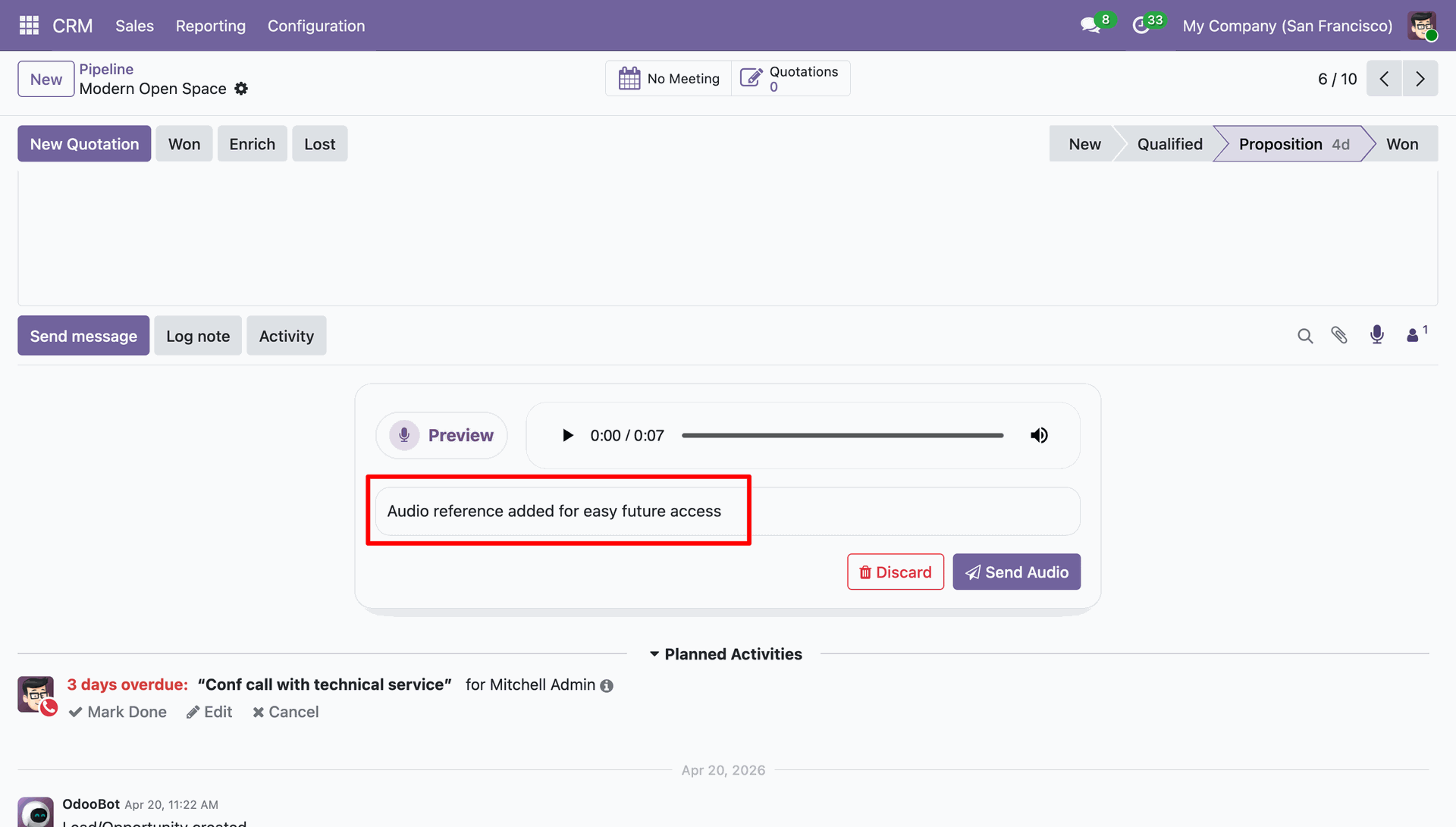
Adding a custom text description to an audio note before sending, providing immediate context for the "Modern Open Space" opportunity in the CRM.
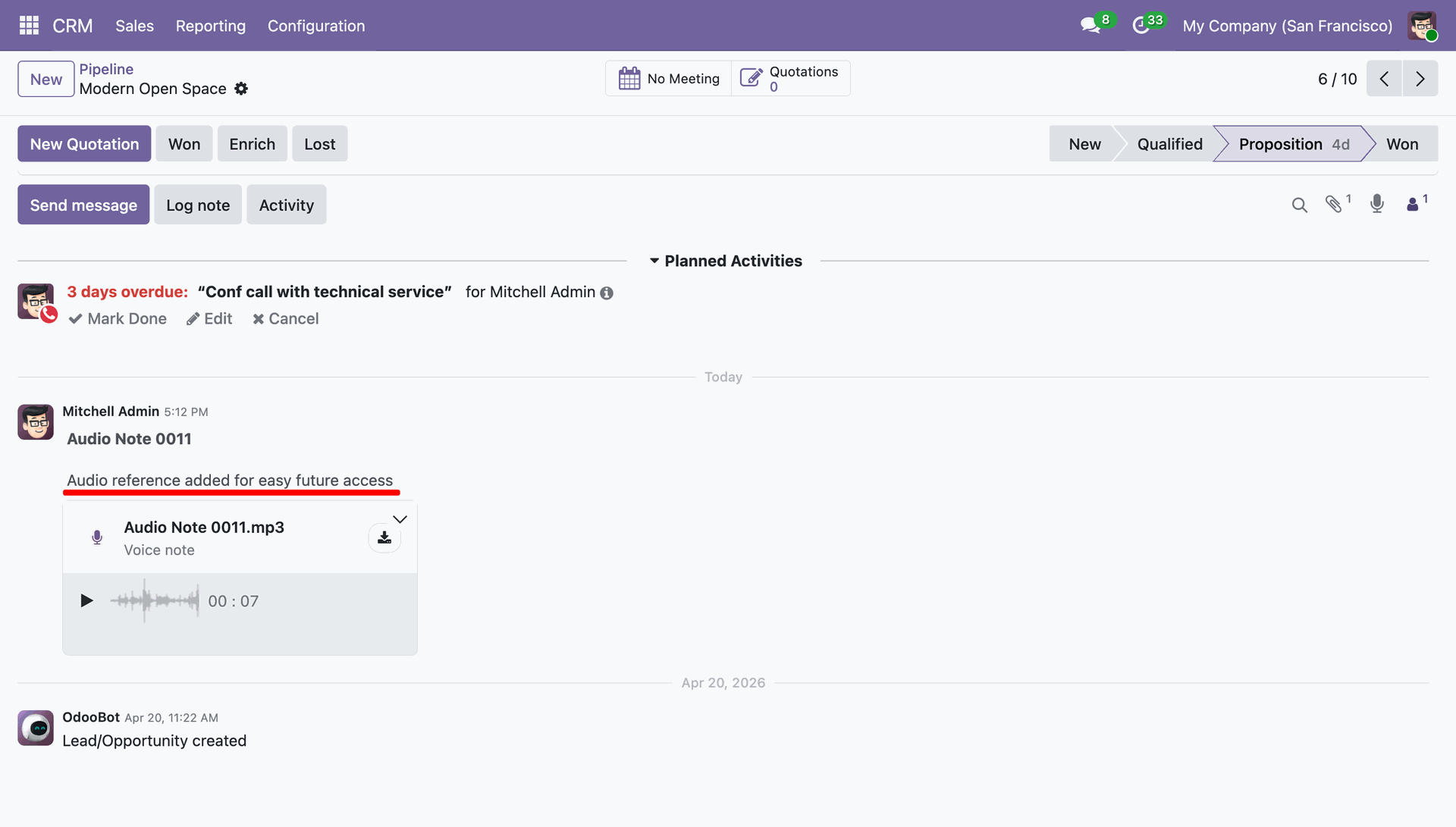
Successfully posting a captioned voice update to the CRM pipeline, allowing team members to read the "Audio reference" summary before playing the file.
Version 18.0.1.0.0 | Released on : 09th June 2026
- Yes, this app works perfectly with Odoo Enterprise (Odoo.sh & Premise) as well as Community.
- No, this application is not compatible with odoo.com(odoo saas/Odoo Online)
- Yes, to test this module, please contact us at sales@softhealer.com.
- Please contact us at sales@softhealer.com to request customization.
- Yes, we provide free support for 365 days from the date of purchase.
- Yes, you will receive lifetime free updates for the version of the module you purchased.
- No, there is no need to install any additional libraries.
- Yes, for version 12 and above, you need to purchase the module separately for each version you intend to use.
- No, exchanges or refunds are not allowed. Please make sure to select the correct version before purchasing.
- You can contact us at support@softhealer.com for language translation support. We use Google Translator tools to provide translations in multiple languages, so the accuracy may vary. We welcome your suggestions to help improve translations.
Discover Our Latest Apps