












Attendance Late/Undertime Information

Do you want to manage the attendance of employees? Late & Undertime feature used to calculate the total working hours of an employee. This module helps to calculate working hours where check-in and check-out have done only one time in the day.

Features
-
We have added
3 fields,
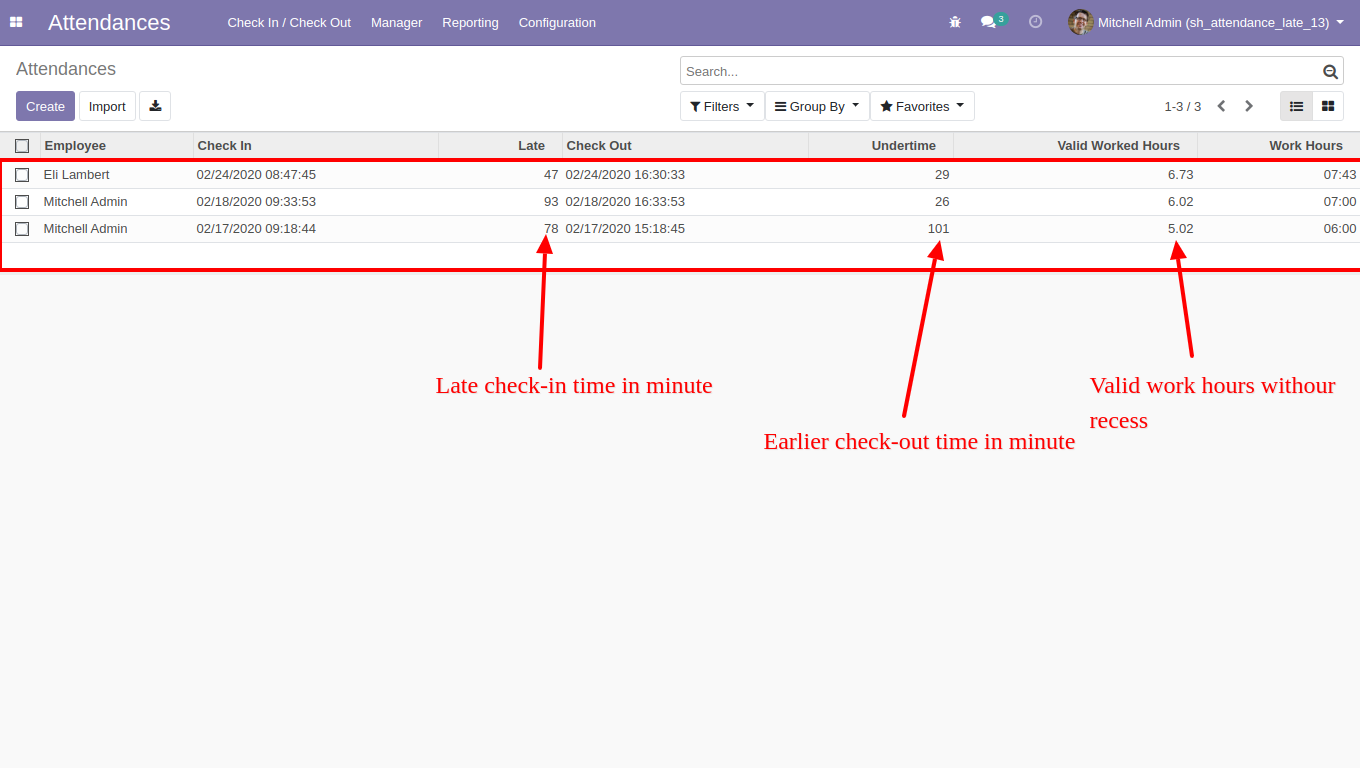
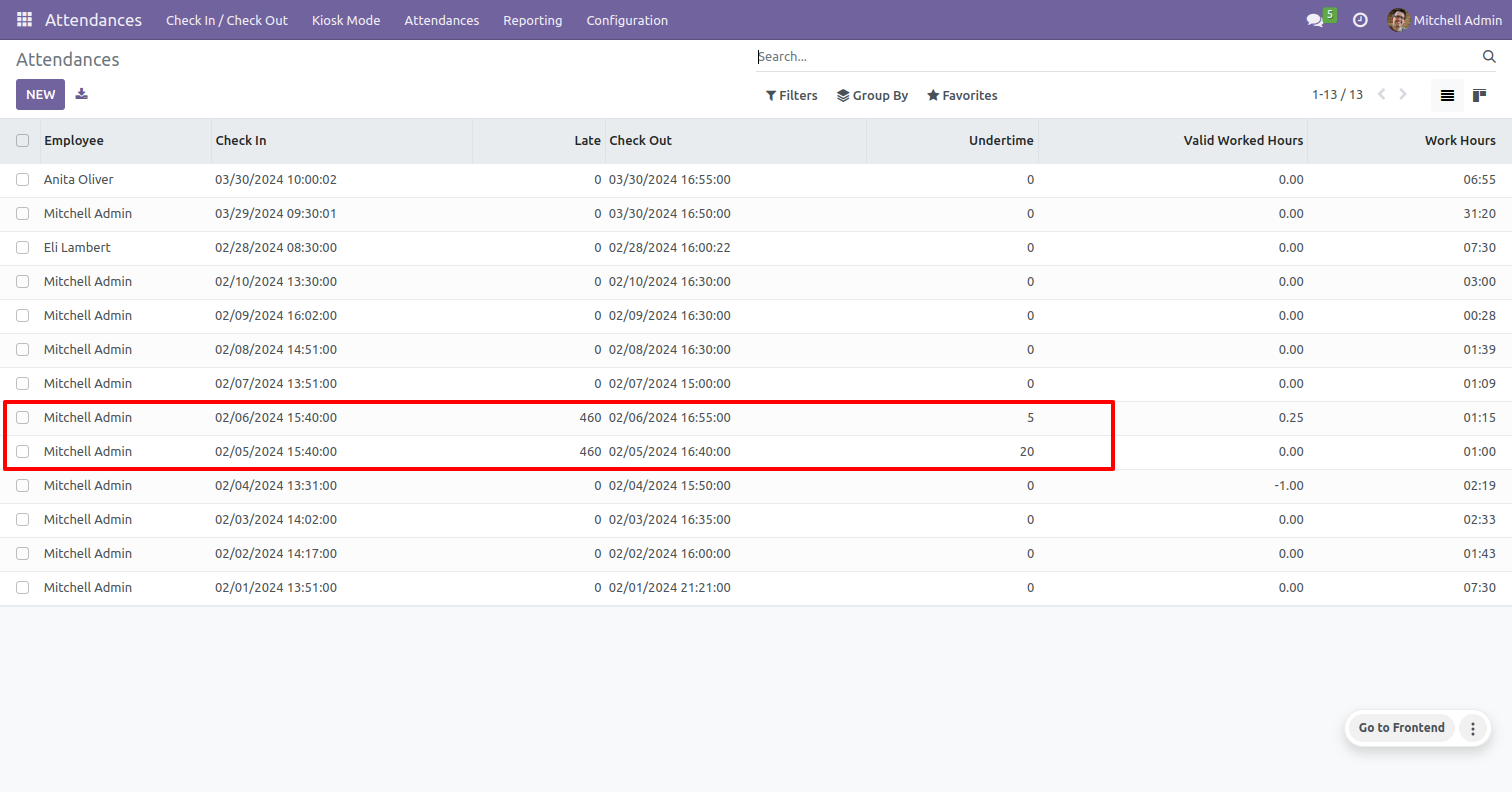
Late: If an employee comes after scheduled time then that count in late.
Undertime field: If an employee leaves before the scheduled time then that count in undertime.
Valid working hours: "working hours-1(break time)" is your valid work hours, you can calculate the total working hours of an employee. - Easy to track total working hours of employees by standard working schedule.
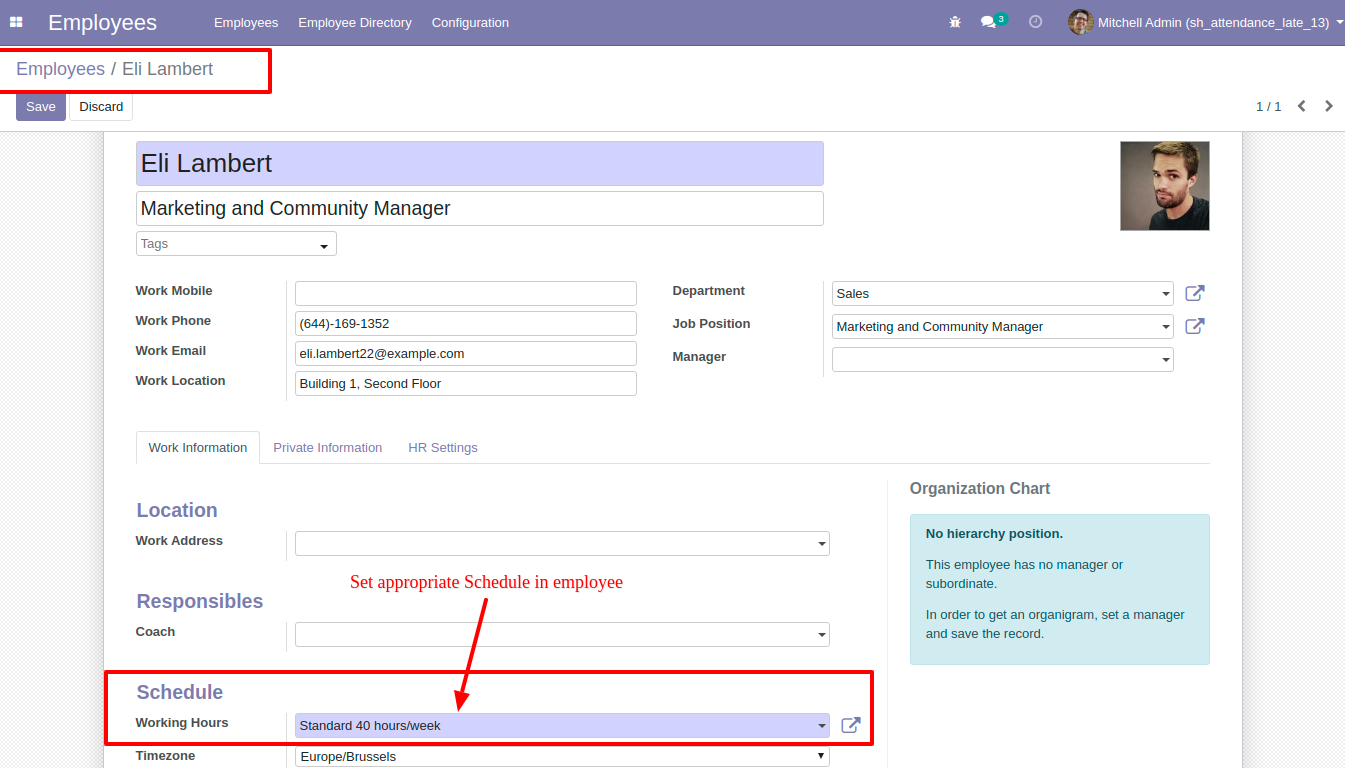
- You can create a working hour schedule based on the timezone.
You can create an employee working hour schedule based on the timezone.
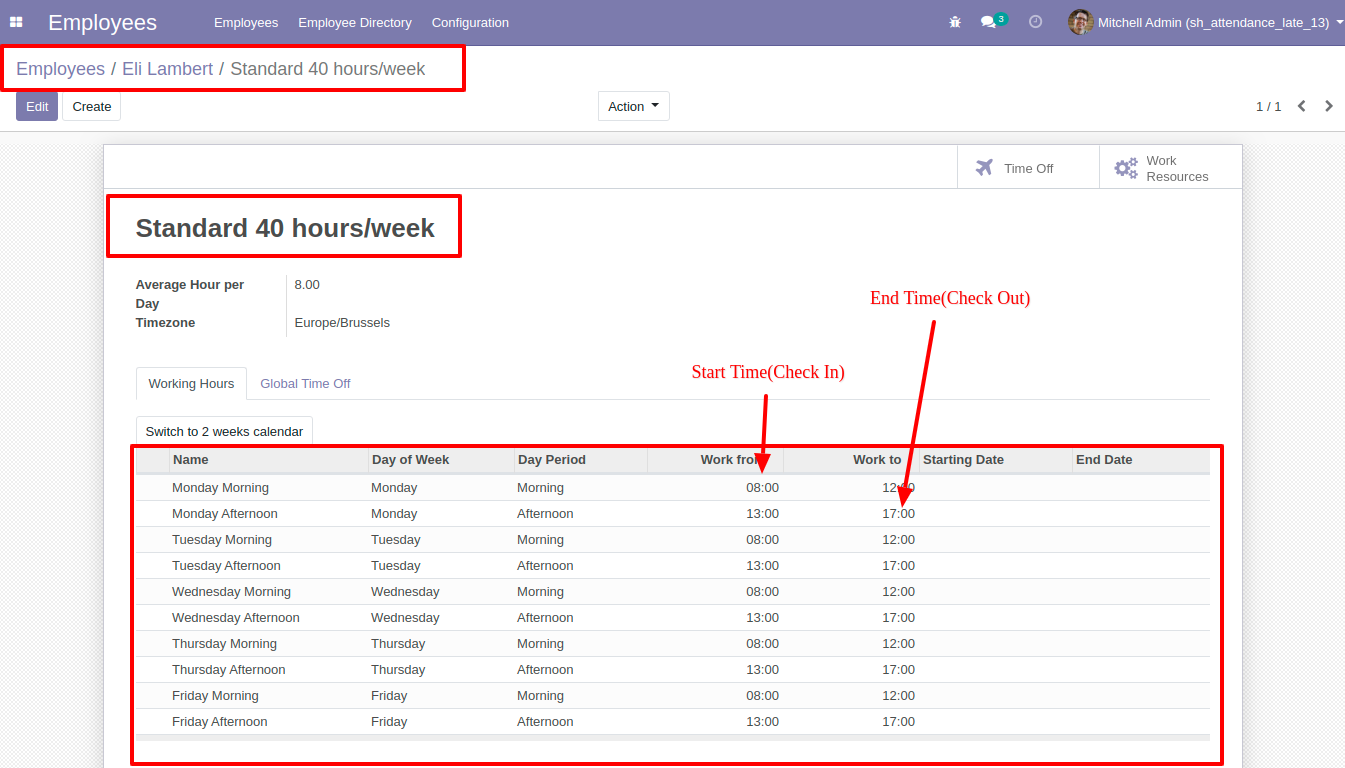
In the form view, you can see the time of check-in & check-out.
Easy to calculate late check-in and earlier check-out time and total working hours of
employees using late & Undertime features.
Note: If employee check-in and check-out perform only one time in the day then this
module useful for you.
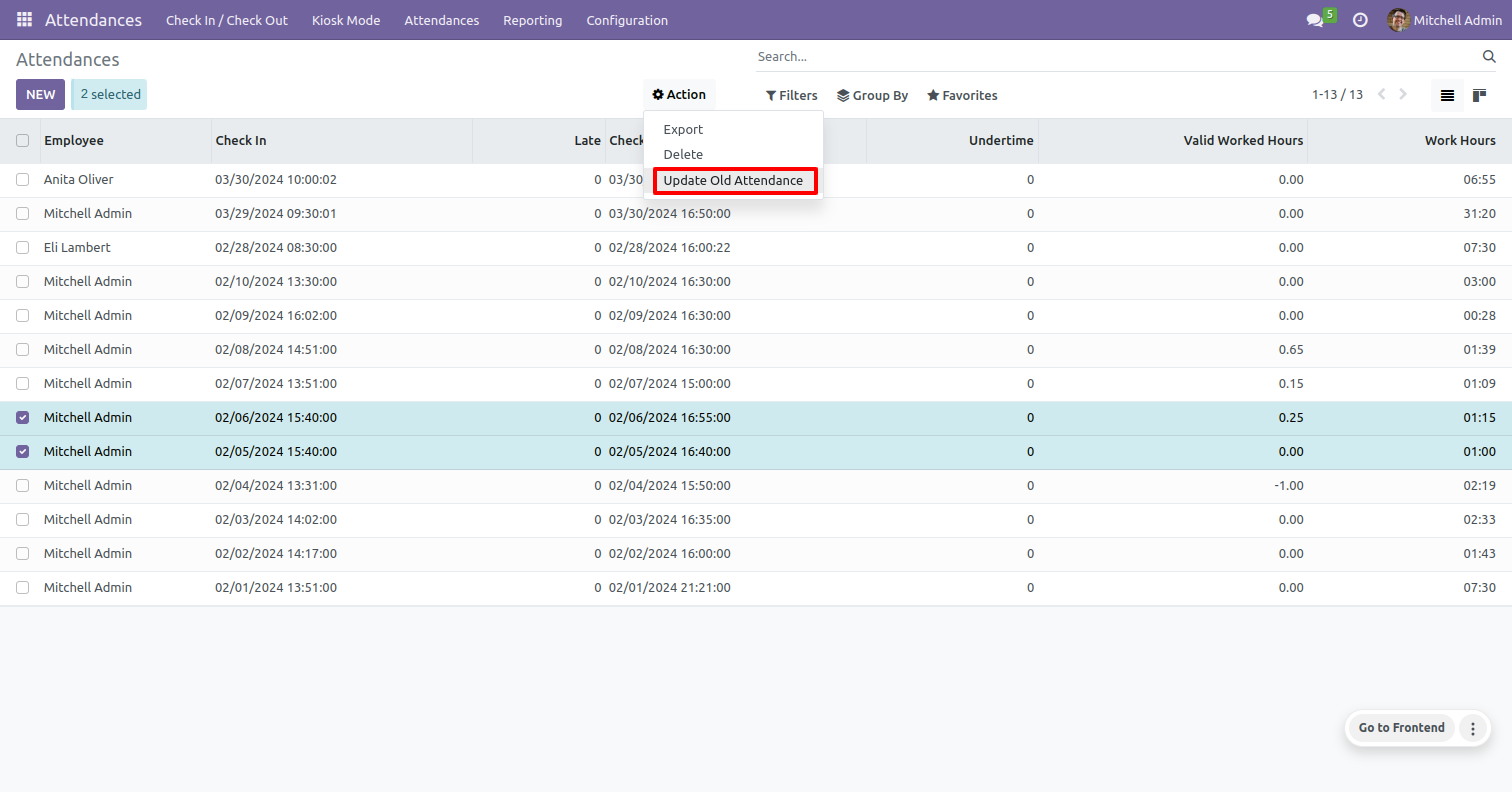
Select the old attendance which you want to update, then click on 'Update Old Attendance' from the action menu.
You can view the updated attendance in the tree view.
Version 19.0.1.0.0 | Released on : 14th February 2026
- Yes, this app works perfectly with Odoo Enterprise (Odoo.sh & Premise) as well as Community.
- No, this application is not compatible with odoo.com(odoo saas/Odoo Online)
- Yes, to test this module, please contact us at sales@softhealer.com.
- Please contact us at sales@softhealer.com to request customization.
- Yes, we provide free support for 365 days from the date of purchase.
- Yes, you will receive lifetime free updates for the version of the module you purchased.
- No, there is no need to install any additional libraries.
- Yes, for version 12 and above, you need to purchase the module separately for each version you intend to use.
- No, exchanges or refunds are not allowed. Please make sure to select the correct version before purchasing.
- You can contact us at support@softhealer.com for language translation support. We use Google Translator tools to provide translations in multiple languages, so the accuracy may vary. We welcome your suggestions to help improve translations.
