












Alternative Component for Manufacturing Order

This module empowers manufacturing teams to define alternative components on Bills of Materials (BOM) and seamlessly swap out-of-stock materials directly within Manufacturing Orders (MO). Easily evaluate extra cost impacts and validate quantity limits. Easily evaluate extra cost impacts and quantity from the manufacturing order overview.

Features

Alternate Selection in BoM
Toggle an option on Bill of Materials to enable alternative component selection and management on component lines.

Configure Alternative Components
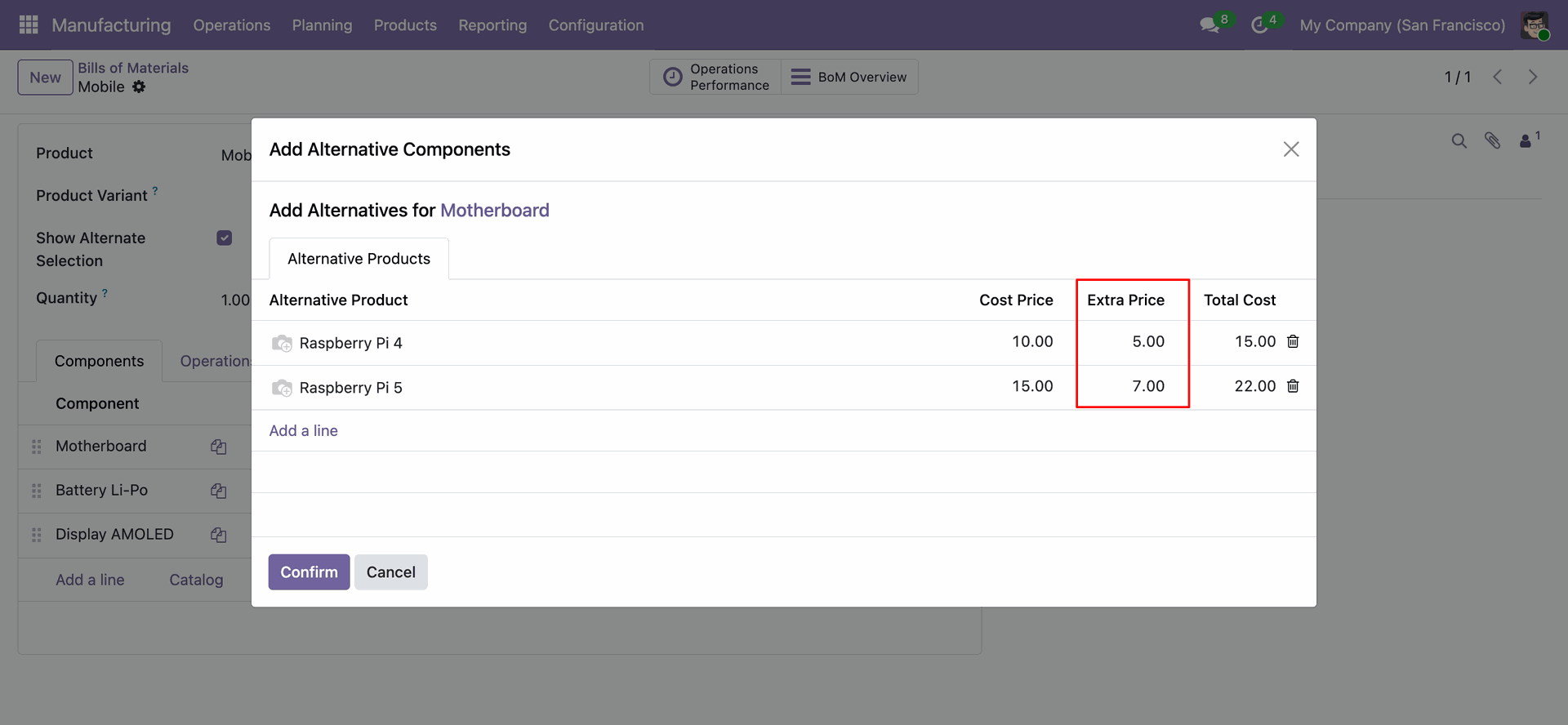
Define alternative products for original BoM materials along with extra price adjustments.

Replace Unavailable MO Components
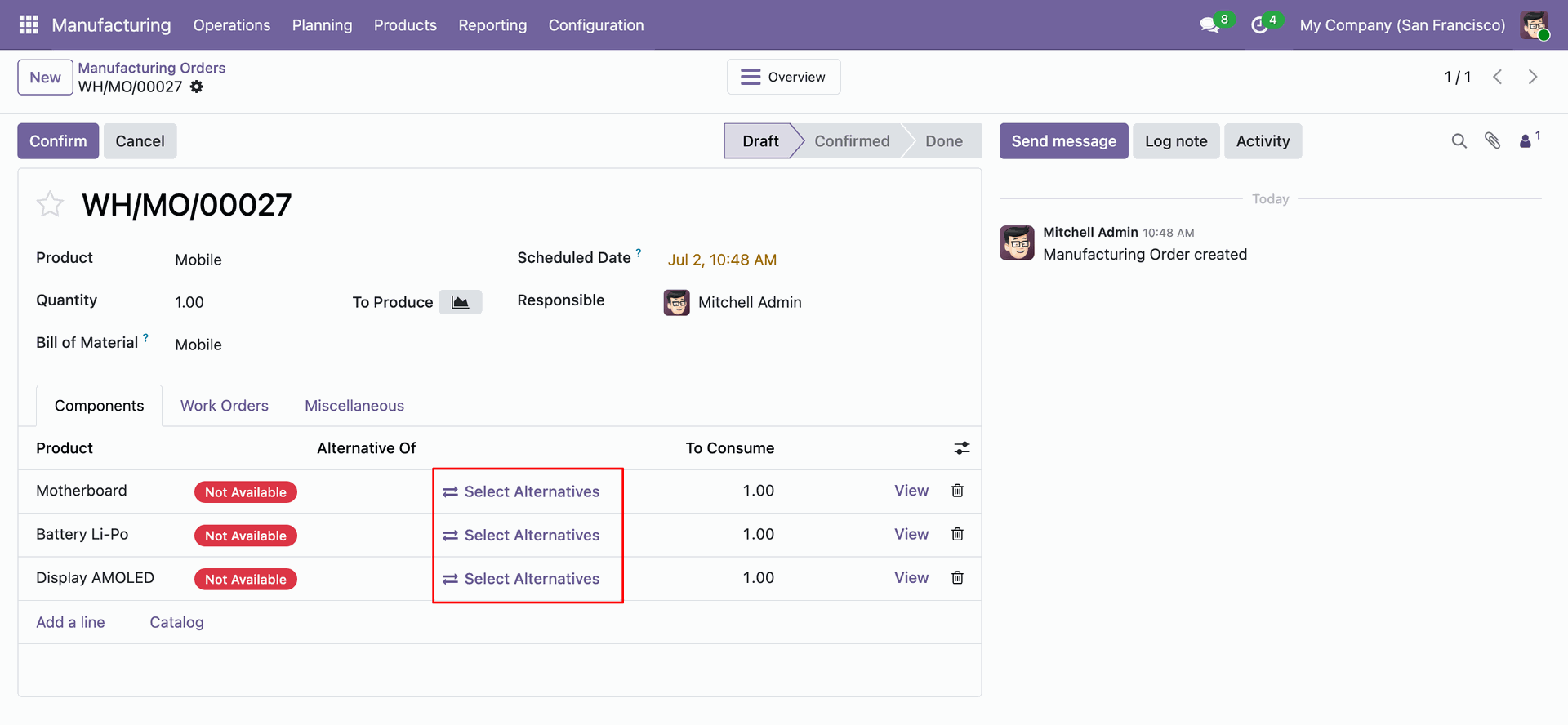
Swap out of stock or unavailable components in draft Manufacturing Orders with alternatives.

Quantity Limit Warning
Get instant warning alerts when selected alternative quantities exceed original component requirements.

Real-time BoM Overview Impact
Reflect extra costs and alternative component updates dynamically on BoM Overview.
Enable "Show Alternate Selection" option on Bill of Materials (BoM) to display the "Add Alternatives" button on component lines.
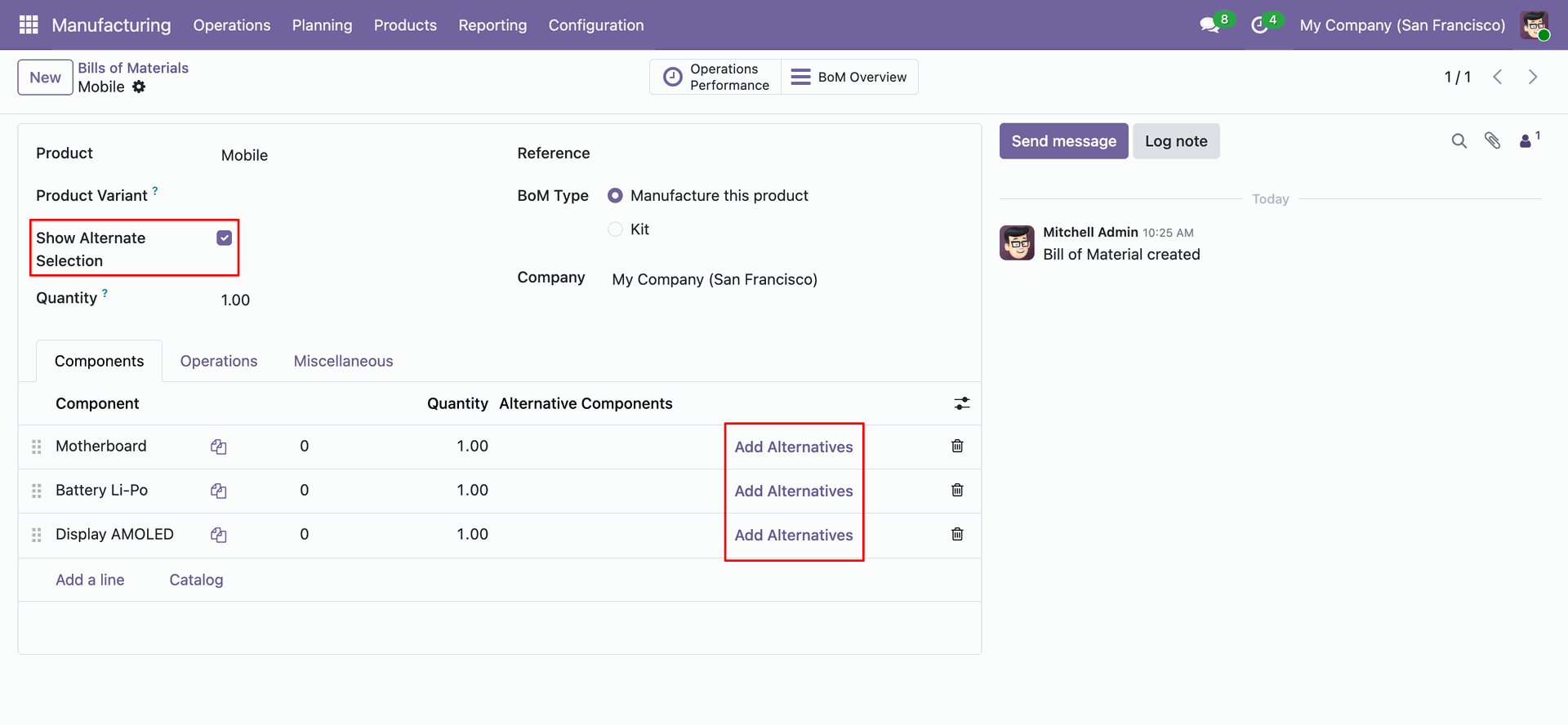
Click "Add Alternatives" on a BoM line to open the wizard and define alternative products along with cost price and extra price.
In the Manufacturing Order, view component availability status and click "Select Alternatives" to swap unavailable components.
Open the "Replace Component" interactive popup wizard showing the main component and all configured alternative choices.
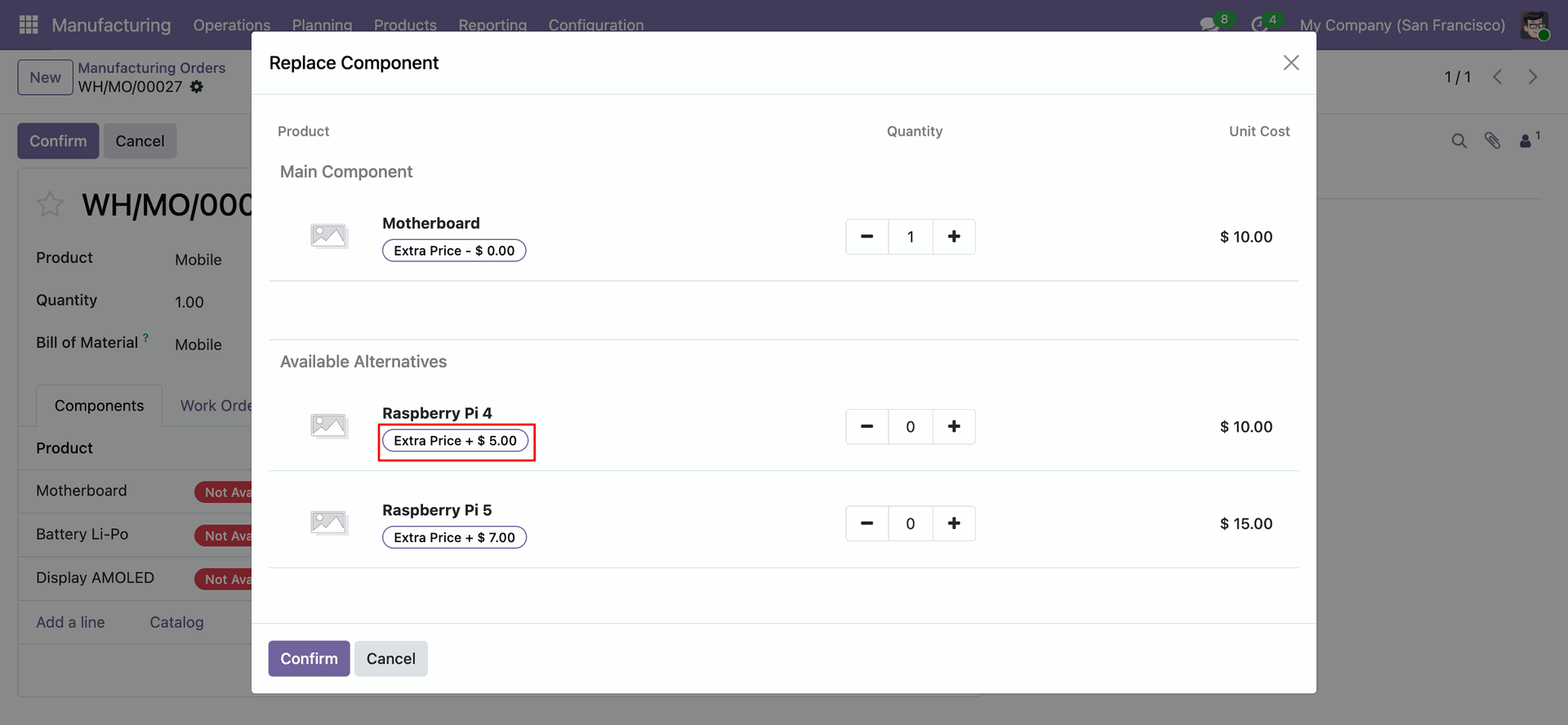
Adjust alternative component quantities using interactive + / - buttons with dynamic total cost computation and quantity warning alert.
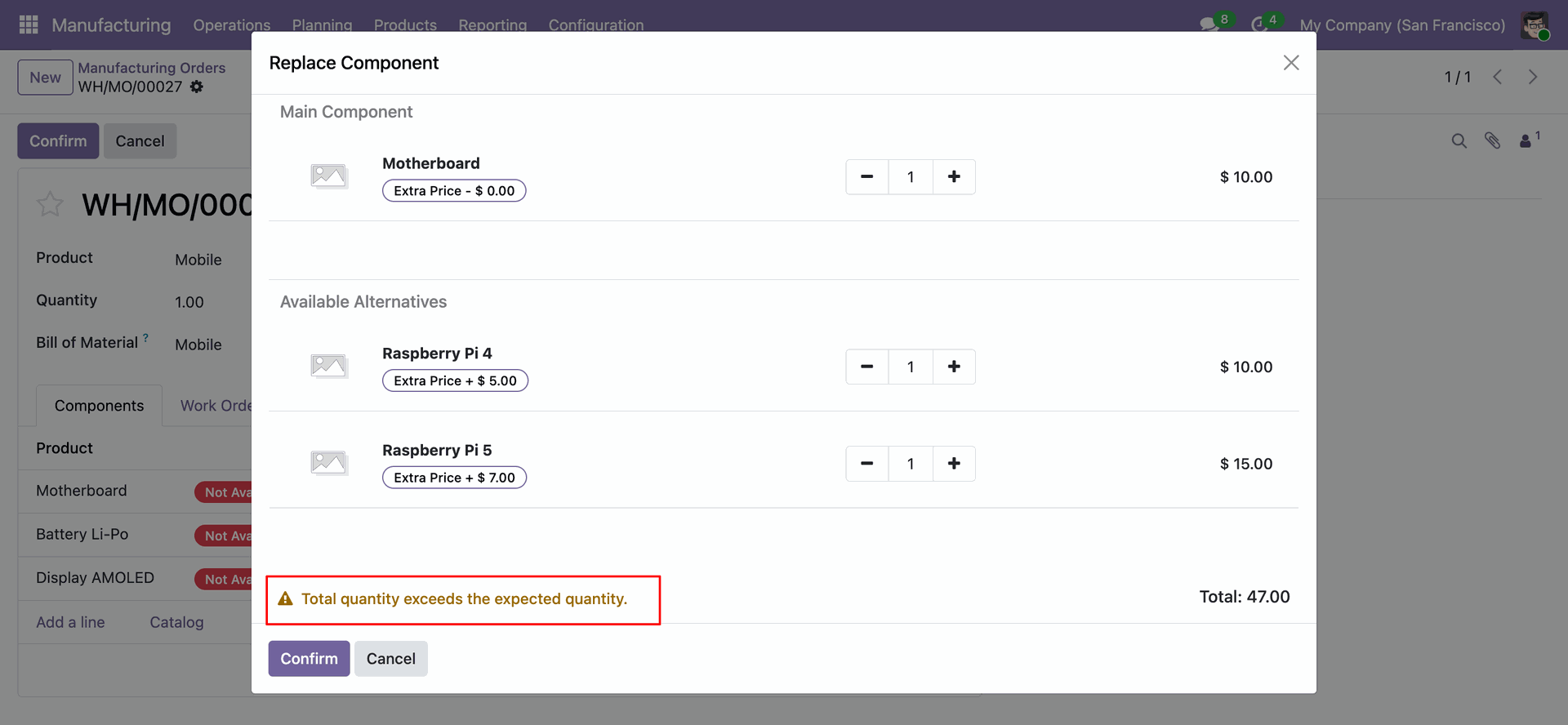
Confirmation popup modal requesting user verification when the selected alternative quantity exceeds original expected quantity.
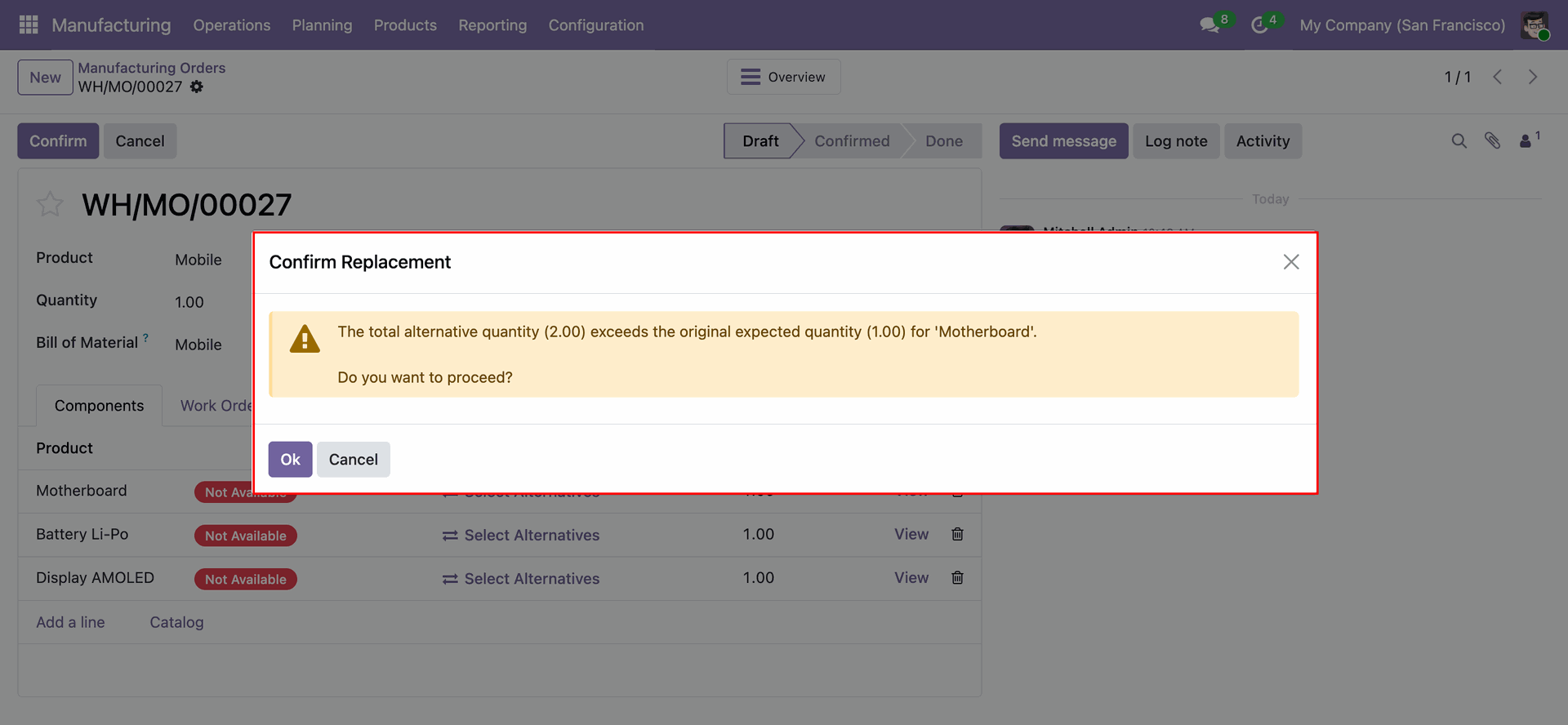
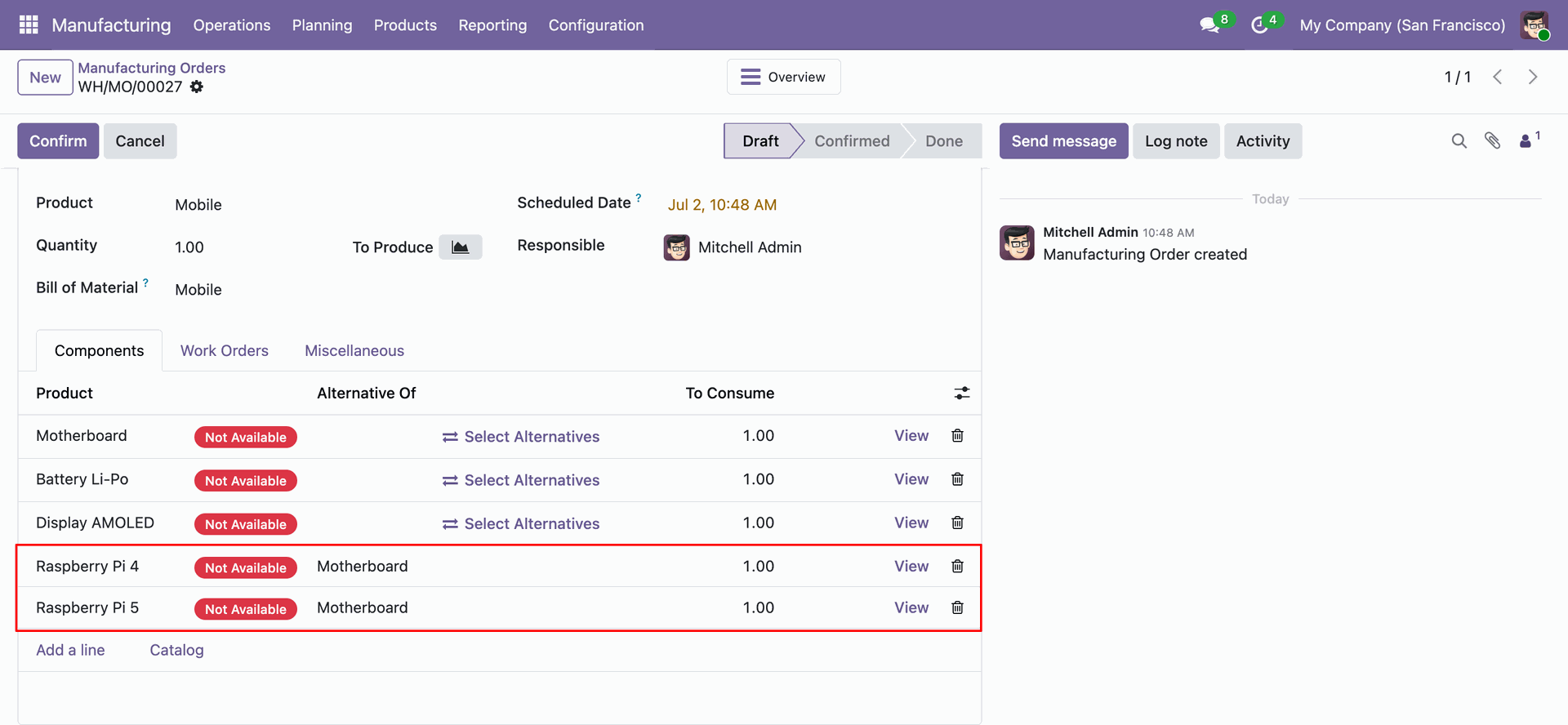
Manufacturing Order components list updated with replaced alternative components showing original component reference details.
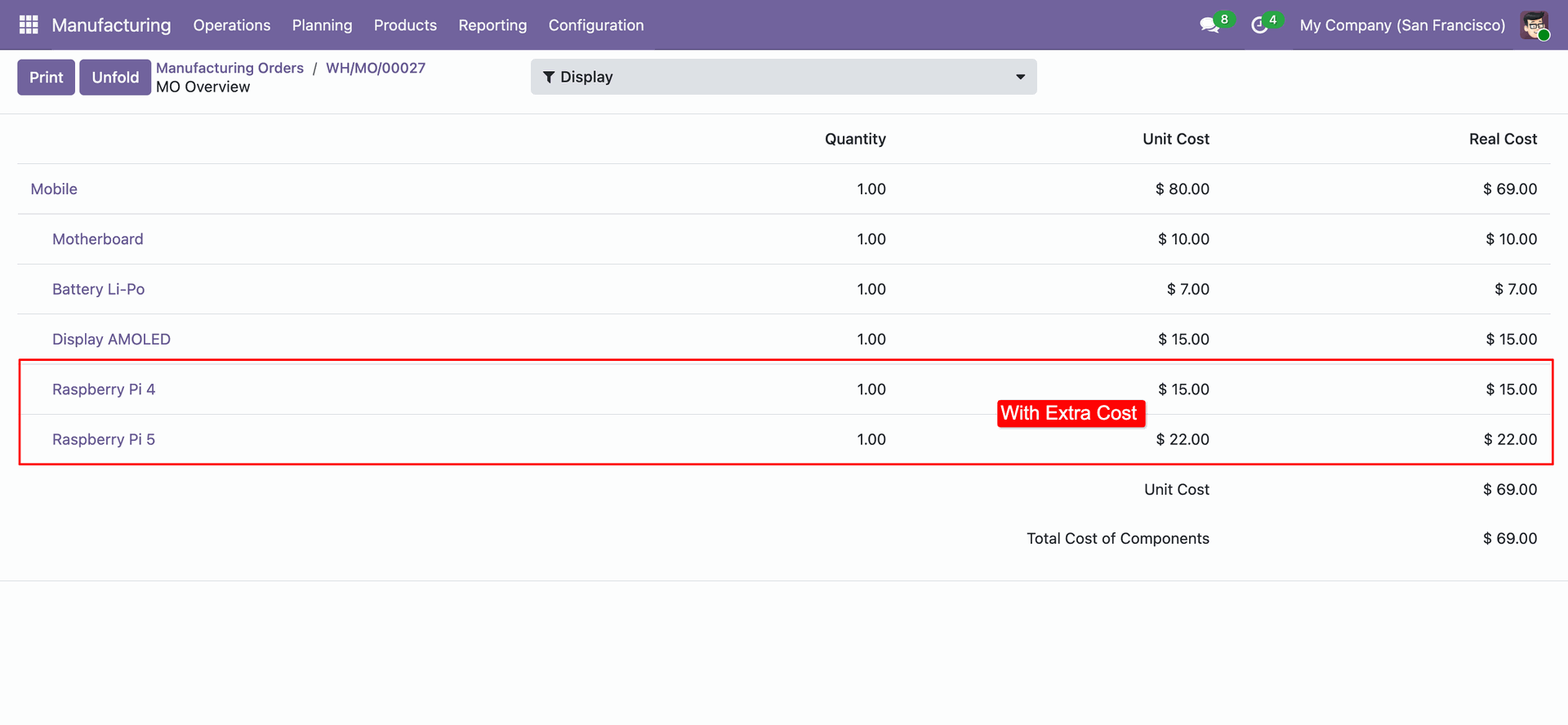
View unit costs, extra cost impacts, and overall manufacturing cost updates in the BoM Overview.
Version 18.0.1.0.0 | Released on : 30th August 2026
- Yes, this app works perfectly with Odoo Enterprise (Odoo.sh & Premise) as well as Community.
- No, this application is not compatible with odoo.com(odoo saas/Odoo Online)
- Yes, to test this module, please contact us at sales@softhealer.com.
- Please contact us at sales@softhealer.com to request customization.
- Yes, we provide free support for 365 days from the date of purchase.
- Yes, you will receive lifetime free updates for the version of the module you purchased.
- No, there is no need to install any additional libraries.
- Yes, for version 12 and above, you need to purchase the module separately for each version you intend to use.
- No, exchanges or refunds are not allowed. Please make sure to select the correct version before purchasing.
- You can contact us at support@softhealer.com for language translation support. We use Google Translator tools to provide translations in multiple languages, so the accuracy may vary. We welcome your suggestions to help improve translations.
Discover Our Latest Apps