












All in One Webhooks

Empower your Odoo system with complete inbound and outbound webhook capabilities. Seamlessly automate external API integrations with customizable HTTP methods, dynamic headers, payload transformations using Python scripts, and strict authentication profiles. Monitor incoming and outgoing traffic with real-time analytics, logs, preview test wizards, and background retry queues for robust connectivity.
Features
Authentication Profiles
Manage basic authentication credentials in central security profiles for safe data communication.
Incoming Record Creation
Automatically create new records in Odoo whenever external systems send incoming data requests.
Incoming Record Update
Update existing Odoo records automatically when incoming data matches configured record identification criteria.
Incoming Record Deletion
Remove specified records in Odoo automatically when external systems trigger record deletion commands.
Outbound Event Triggers
Send outgoing data notifications to external web destinations automatically when Odoo events occur.
Outbound Field Selection
Select specific record fields to include in outgoing data transmissions for precise data control.
Custom Request Headers
Configure static HTTP headers to authenticate and authorize outgoing requests with external services.
Dynamic Header Customization
Transform outgoing HTTP request headers dynamically based on custom data logic before transmission.

Dynamic Payload Customization
Customize outgoing data structures dynamically to match exact data formatting required by receivers.
Automatic Response Processing
Process returning external service responses automatically to update relevant Odoo records immediately.

Contextual Action Menus
Trigger outgoing data actions manually from Odoo list views or record action menus.
Preview Testing Wizard
Test data transmission configurations using sample records before enabling live automated connections.
SSL Security Enforcement
Enforce secure SSL certificate verification on outgoing connections to ensure encrypted communication.

Restricted Field Access
Allow safe access to protected fields during data extraction for complete payload building.
Activity Logging
Track inbound and outbound data transmissions with full request details and response status.
Failed Request Retry
Retry failed data transmission requests directly from logs when earlier attempts do not complete.

Workflow
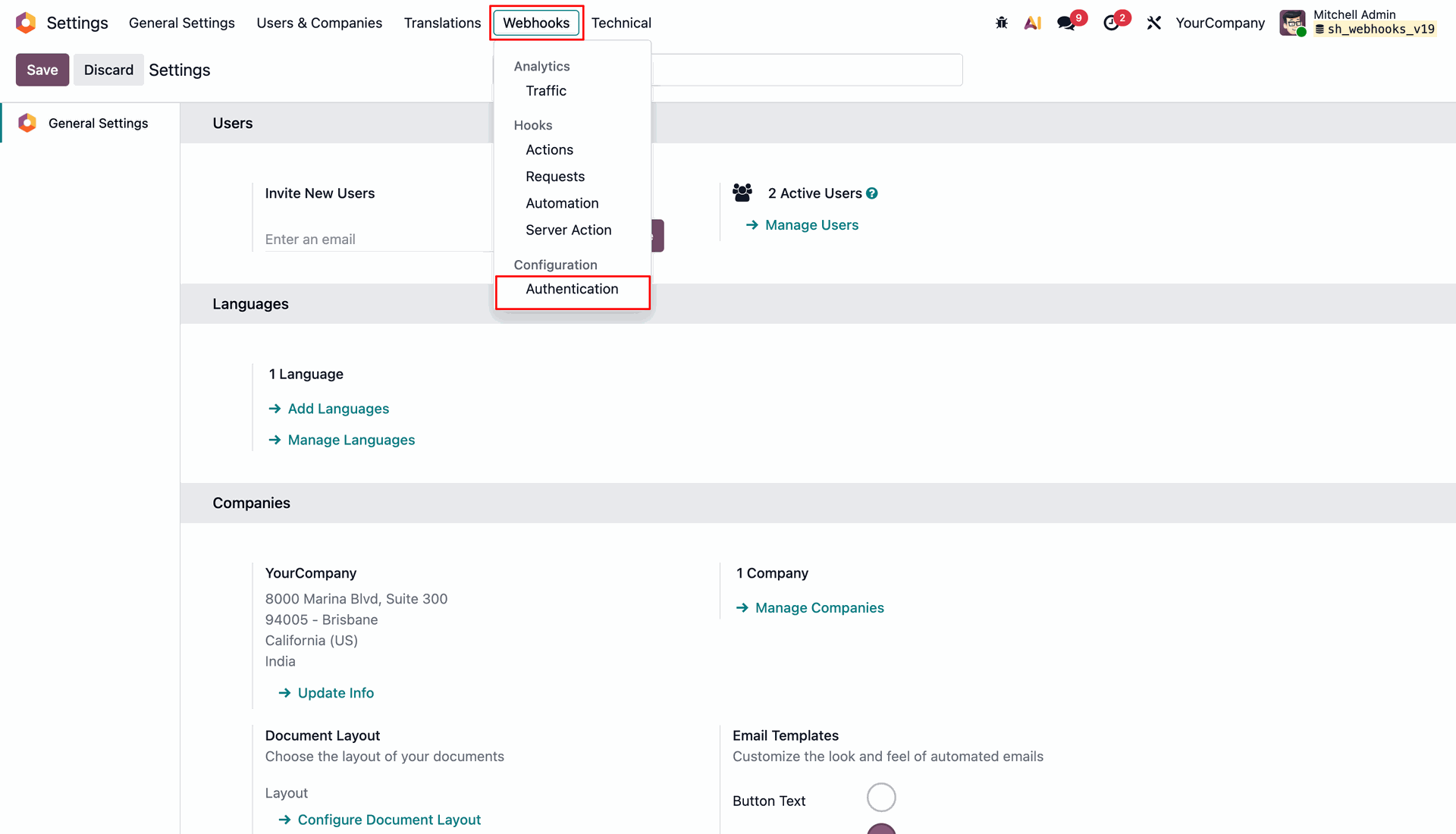
Open Webhooks menu and select Authentication under Configuration to manage API security profiles.
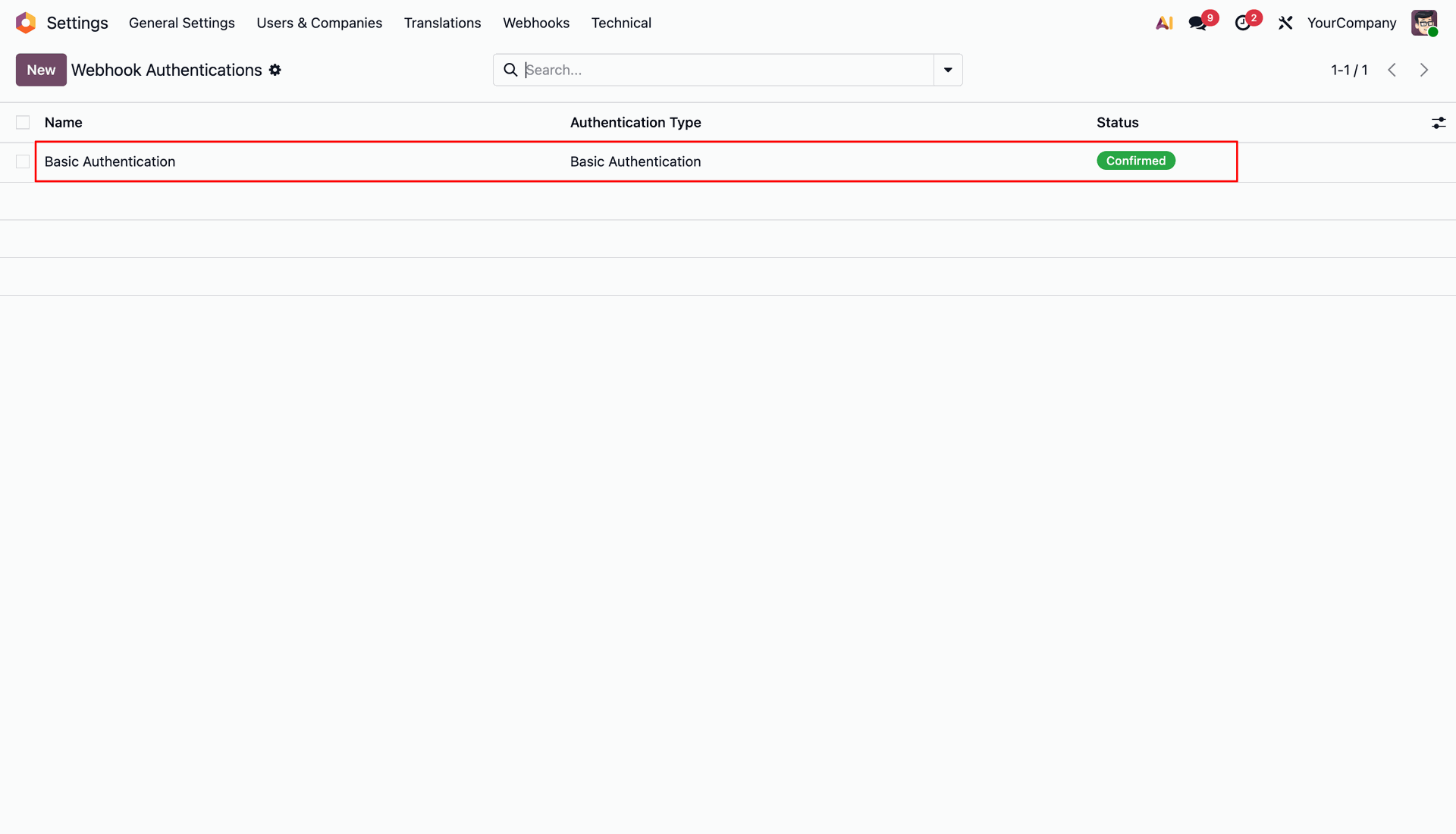
View created webhook authentication profiles list with confirmed status in Webhook Authentications view.
Copy unique endpoint URL from Webhook site to test outgoing webhook notifications in real time.
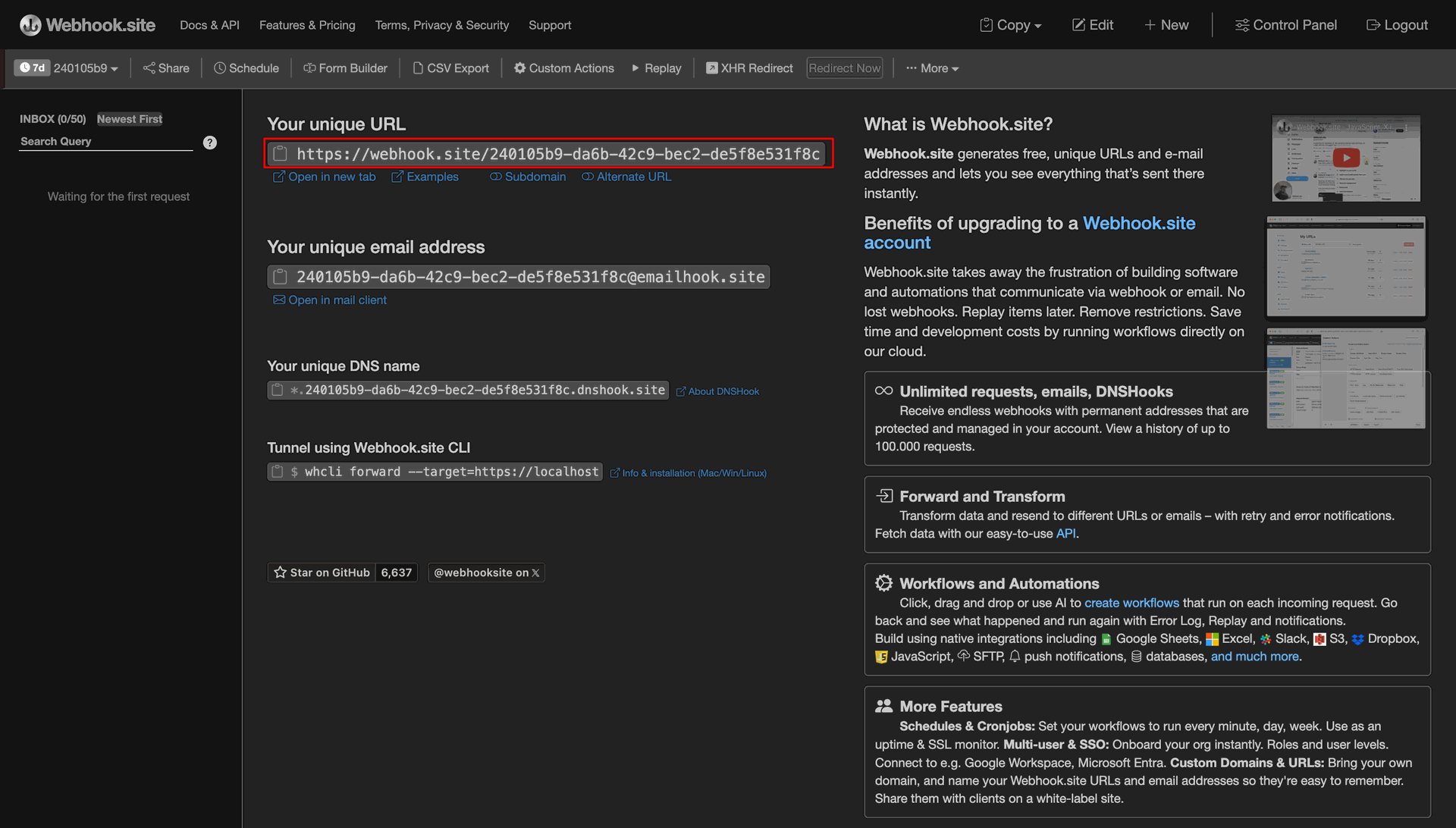
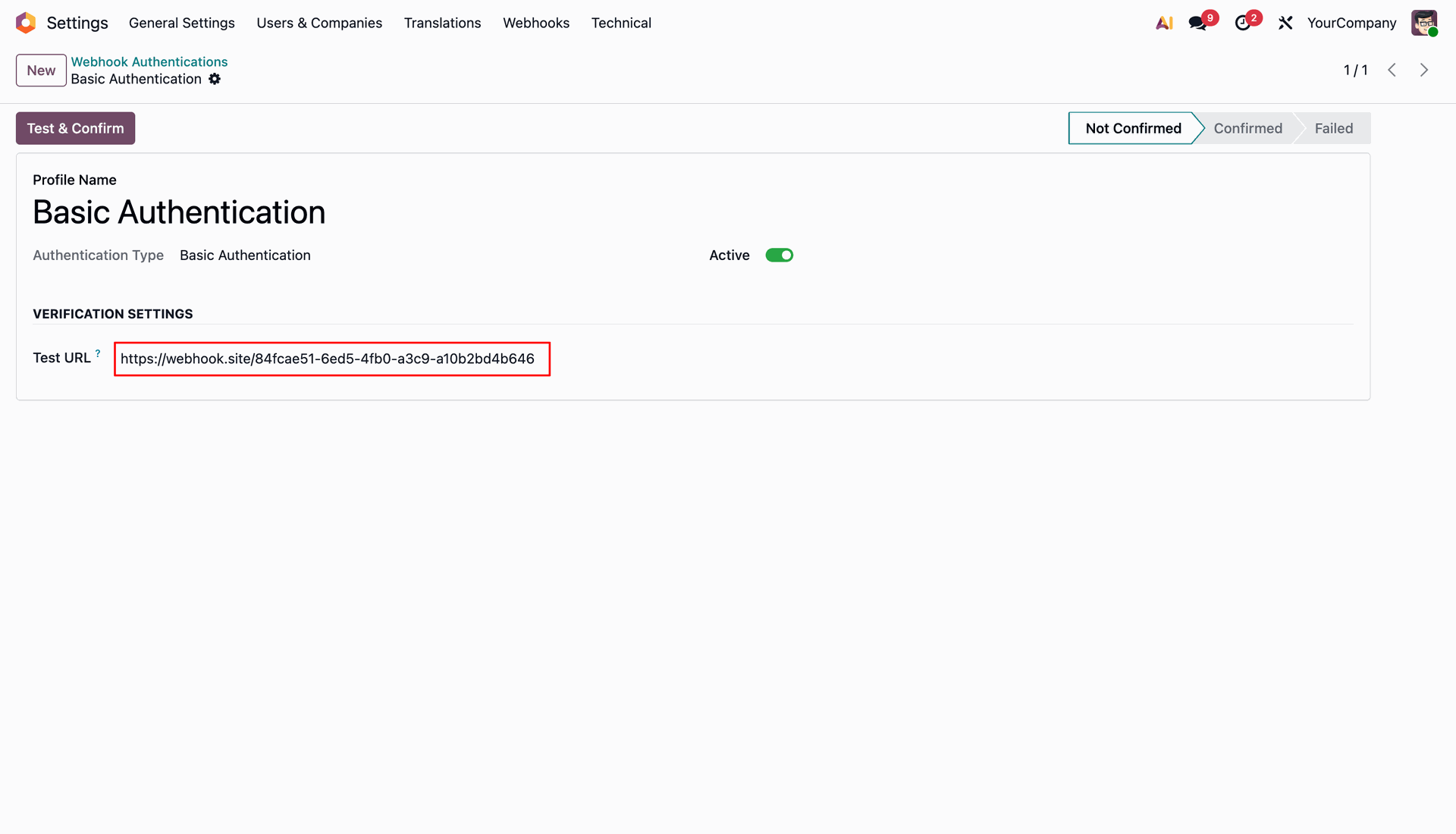
Enter target endpoint in Test URL field to verify authentication profile settings.
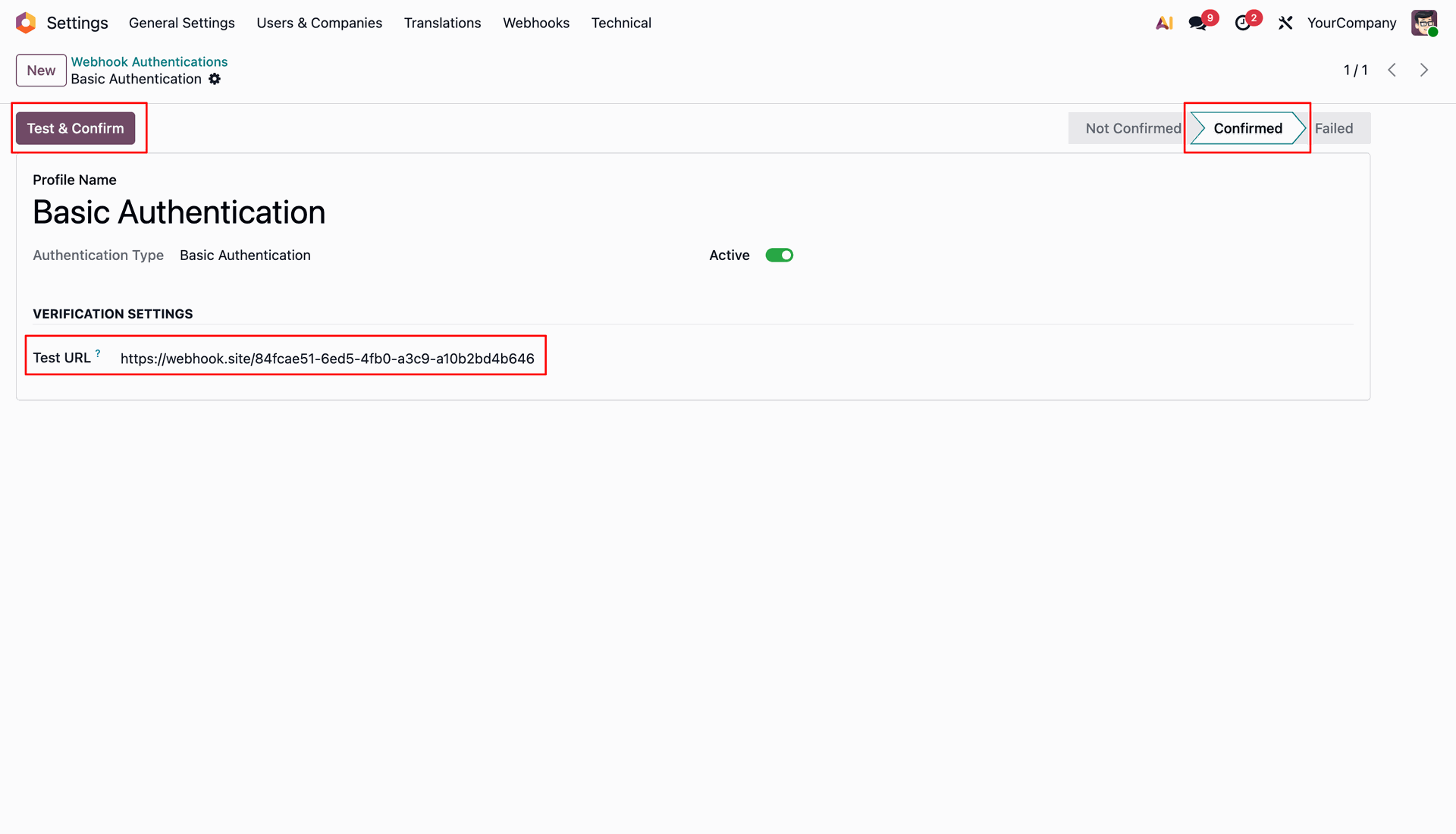
Click Test and Confirm button to validate endpoint URL and set profile status to Confirmed.
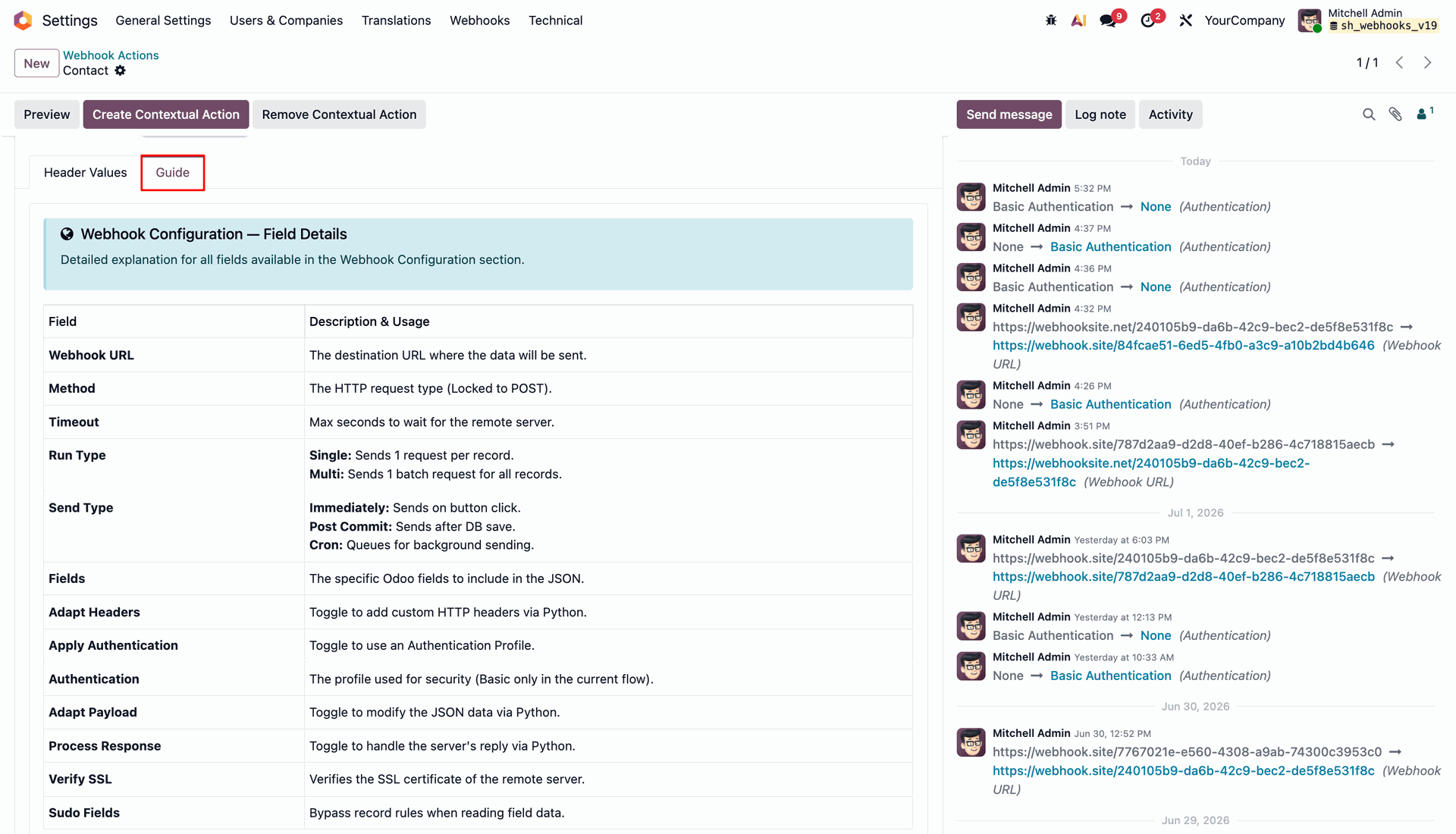
Switch to Guide tab to review field details and configuration instructions for webhook setup.
Workflow
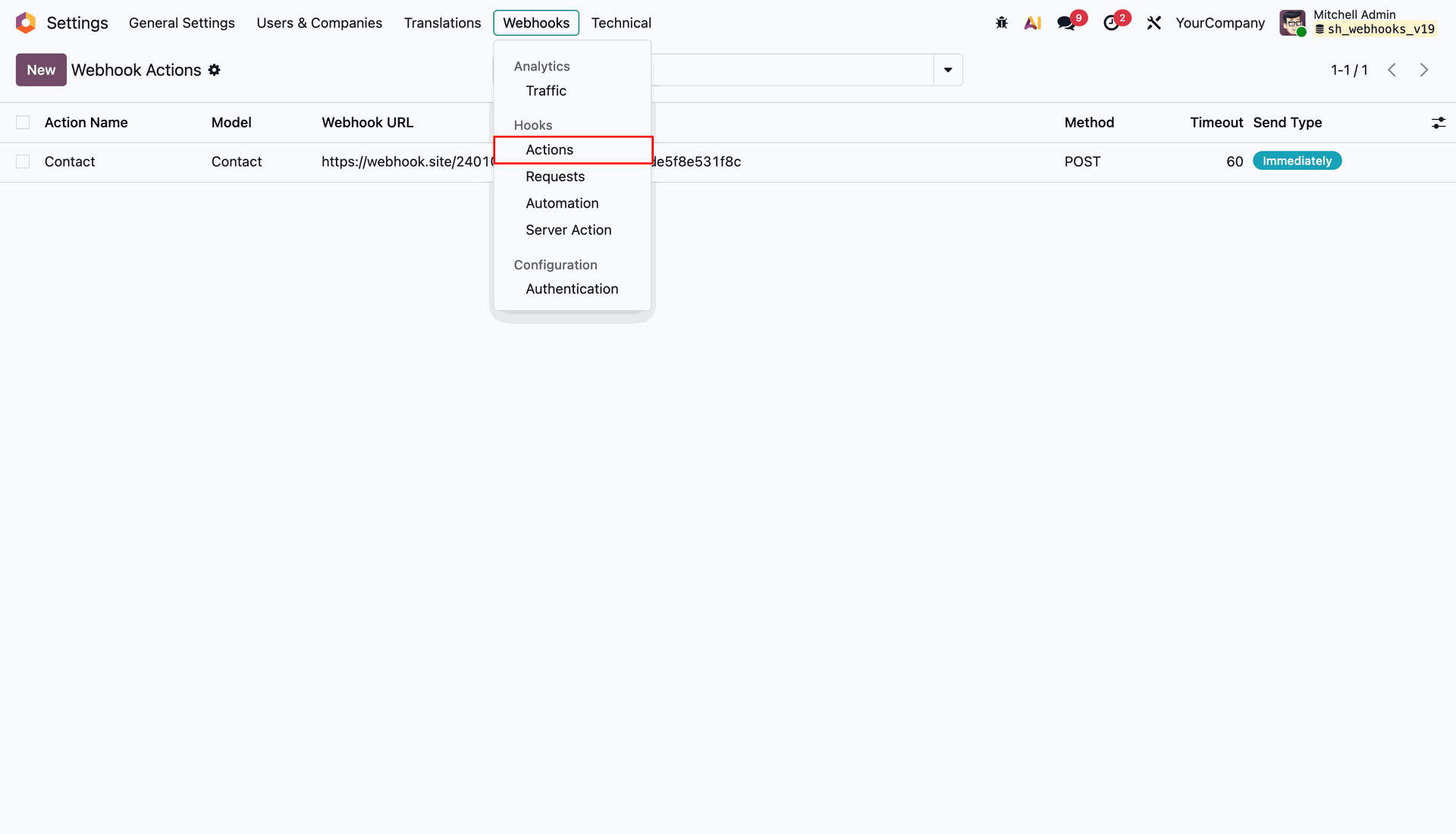
Open the Webhooks menu and select Actions under Hooks to manage outbound webhooks.
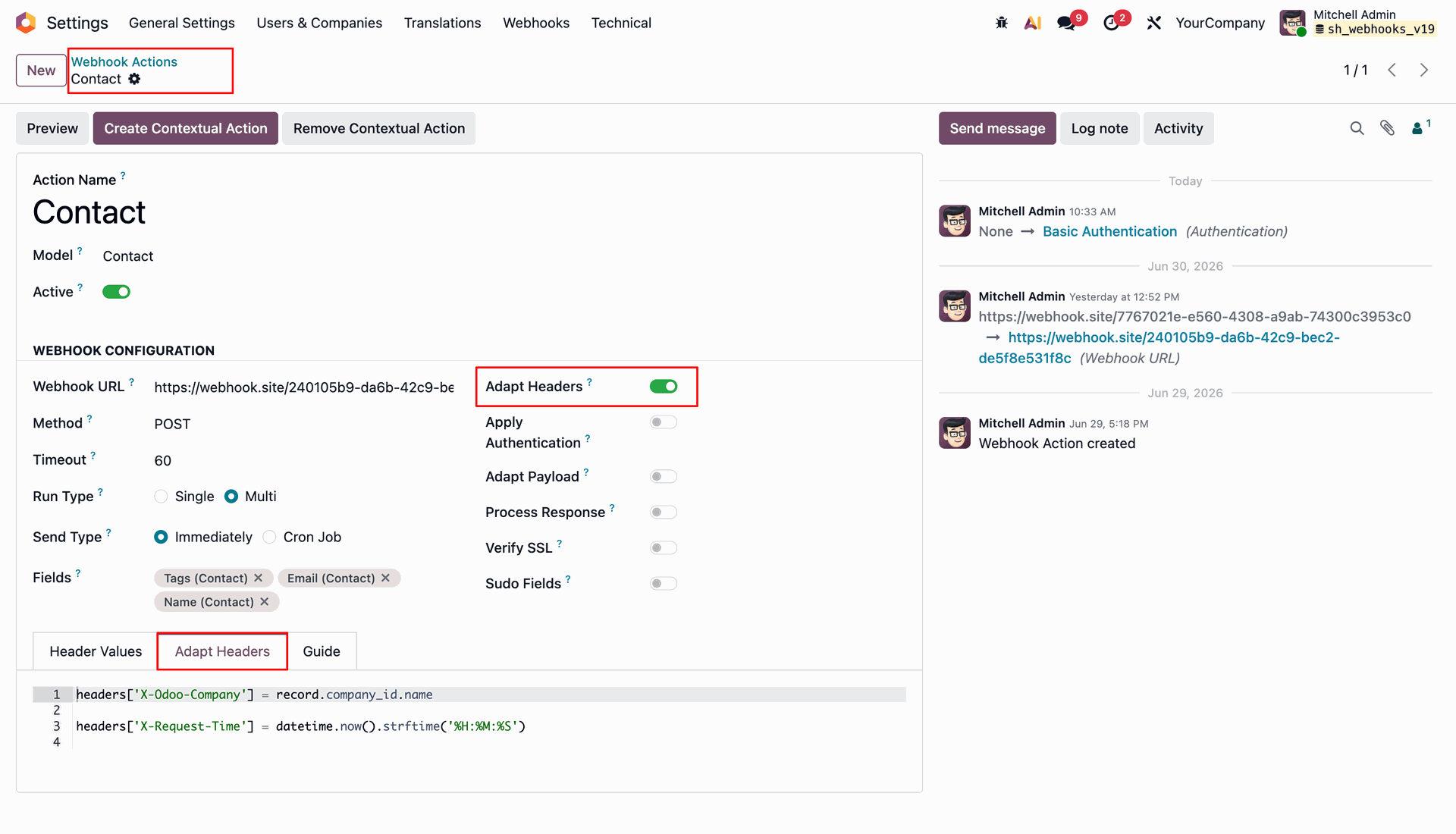
Configure the outbound webhook action for Contact model with POST method and target URL.
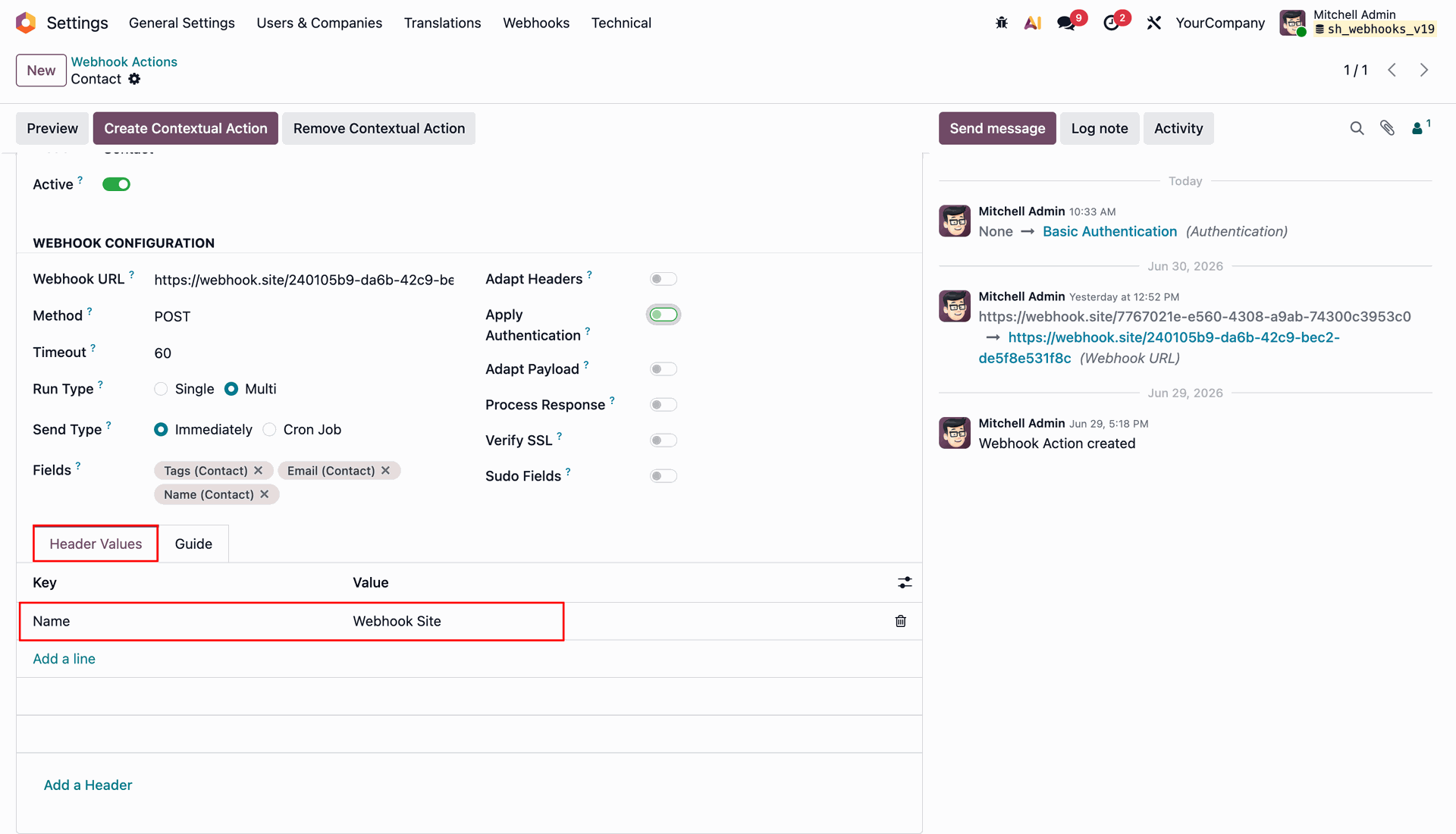
Add header values.
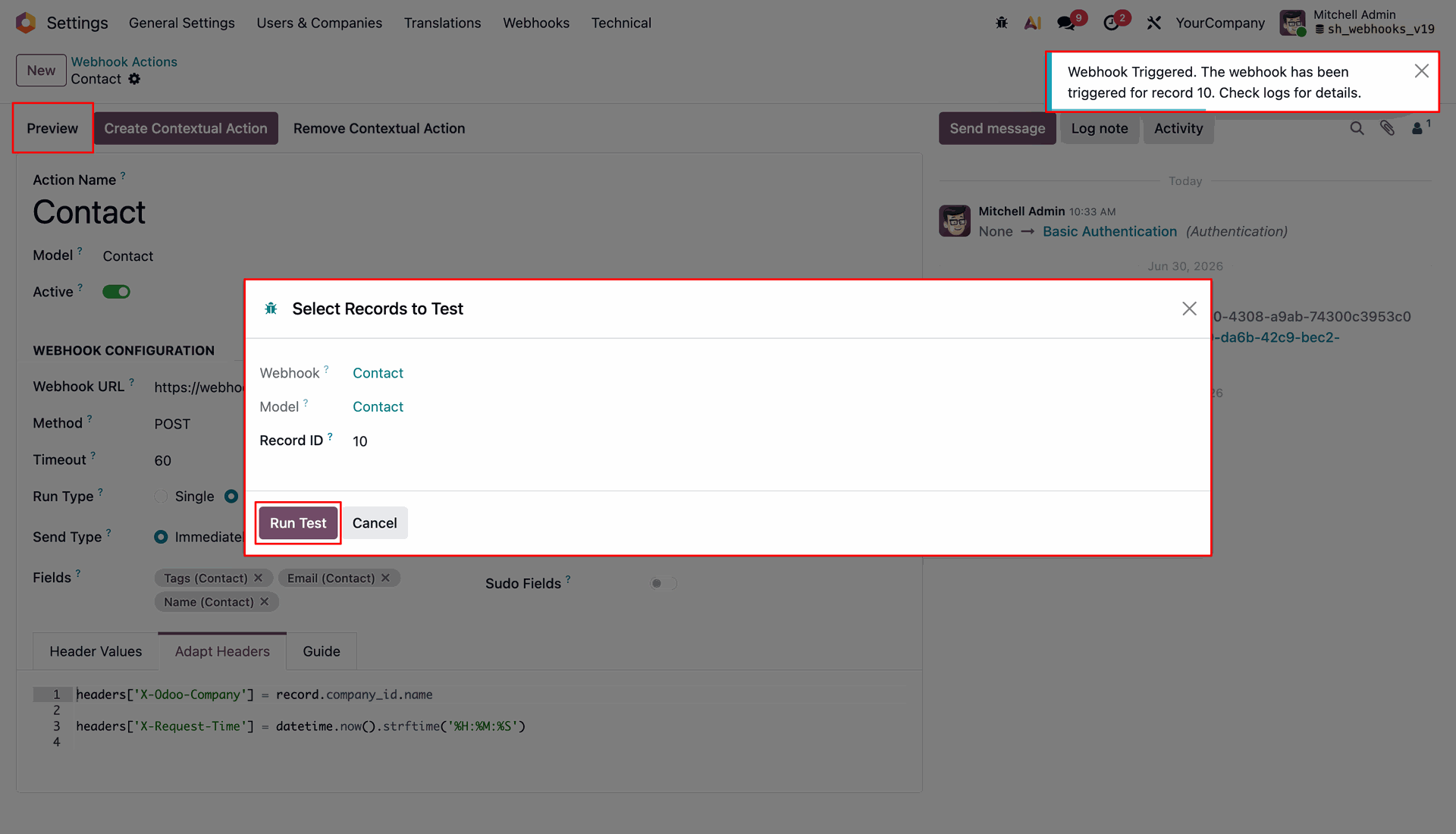
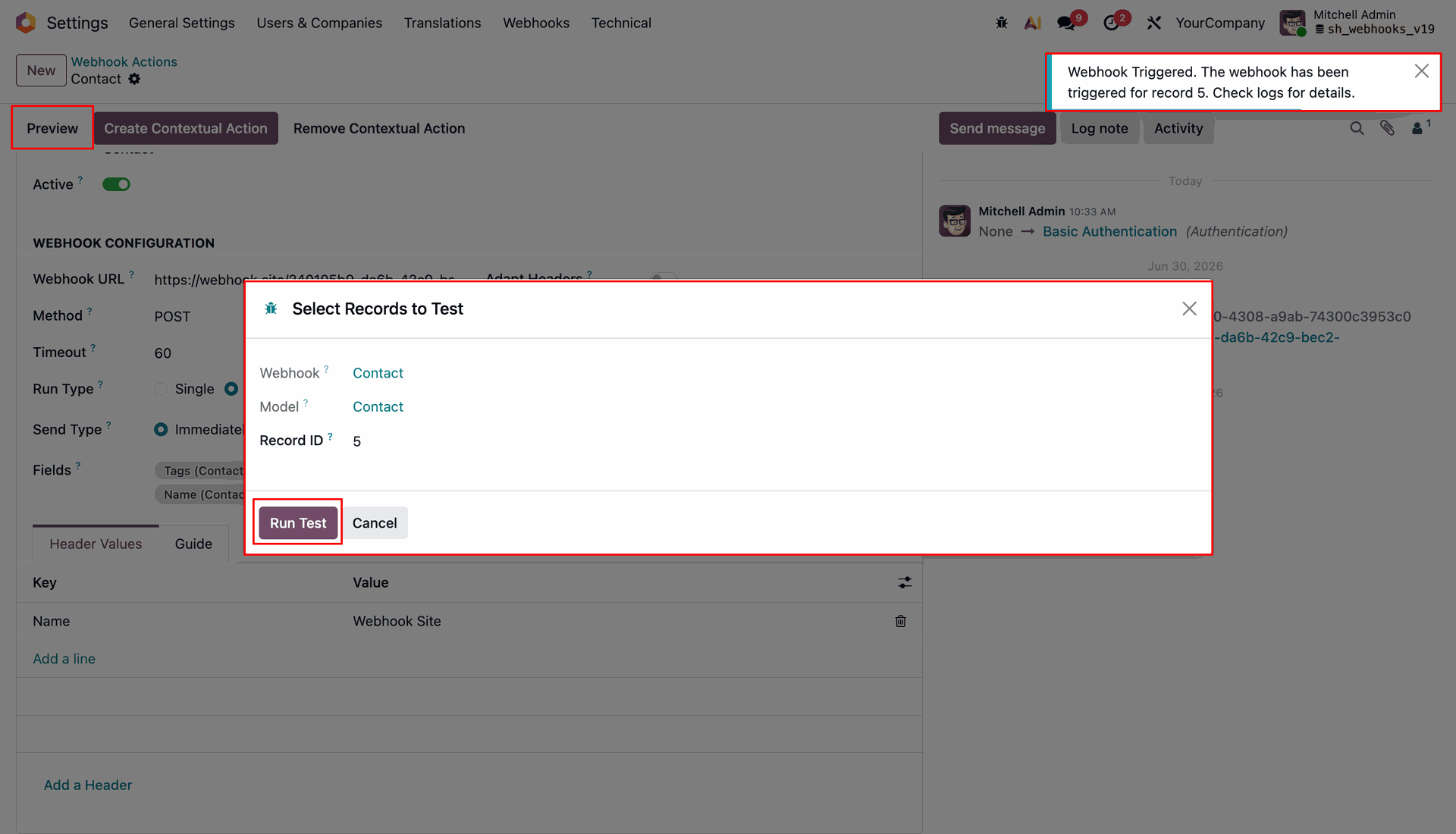
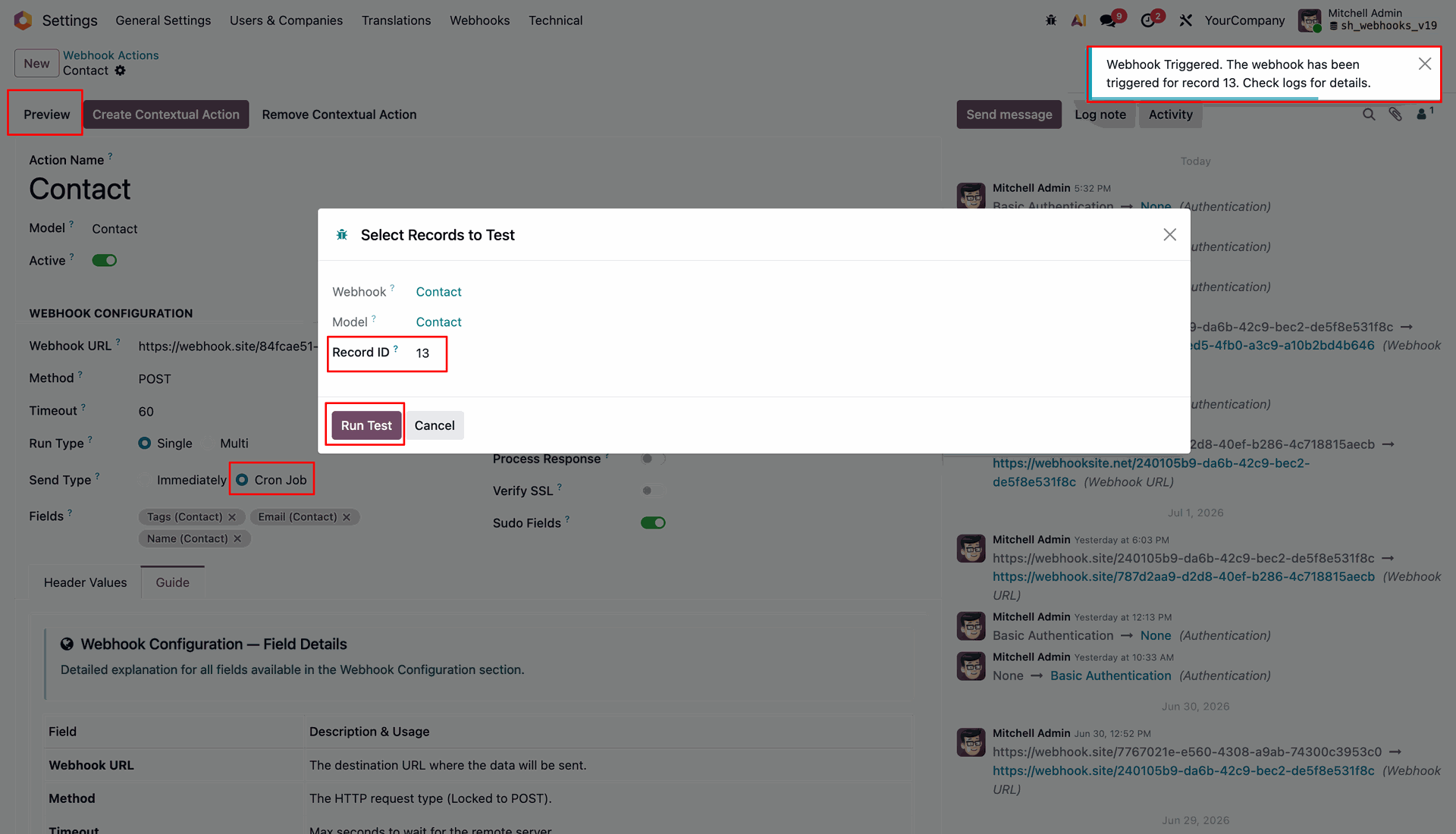
Click preview to open run test wizard and success notification.
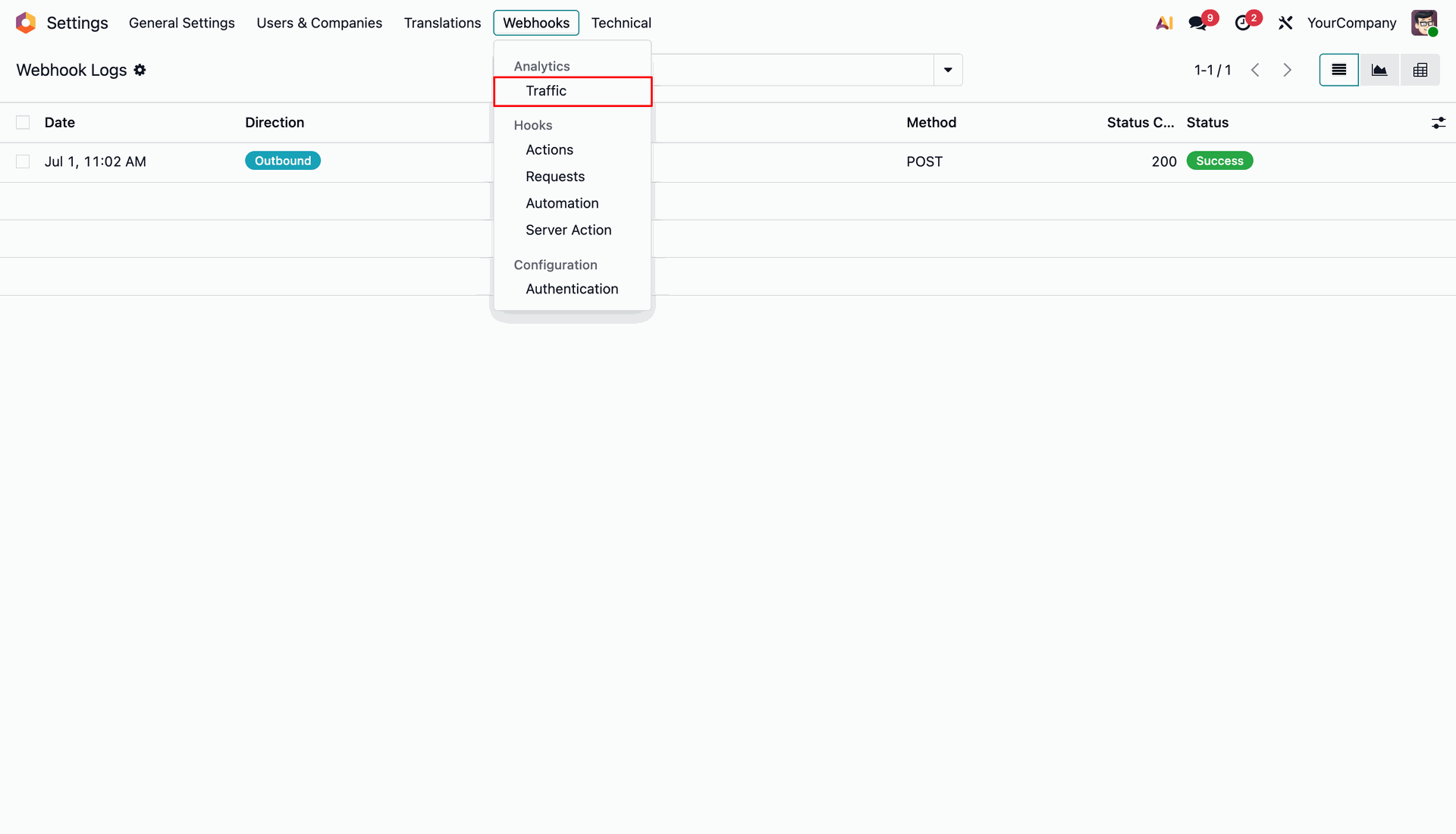
Traffic log menu and list view.
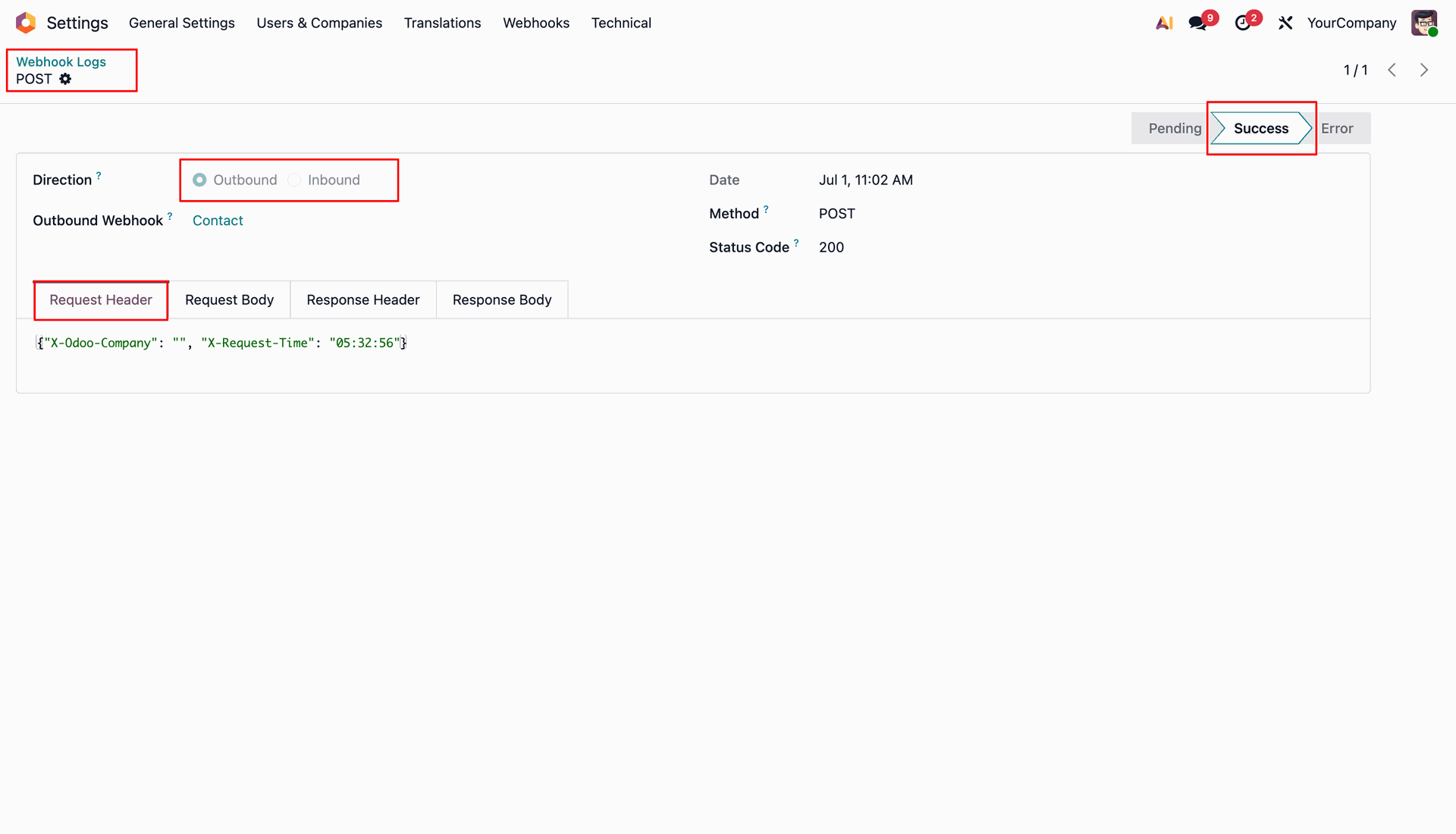
Log form view.
Run test wizard with another record ID.
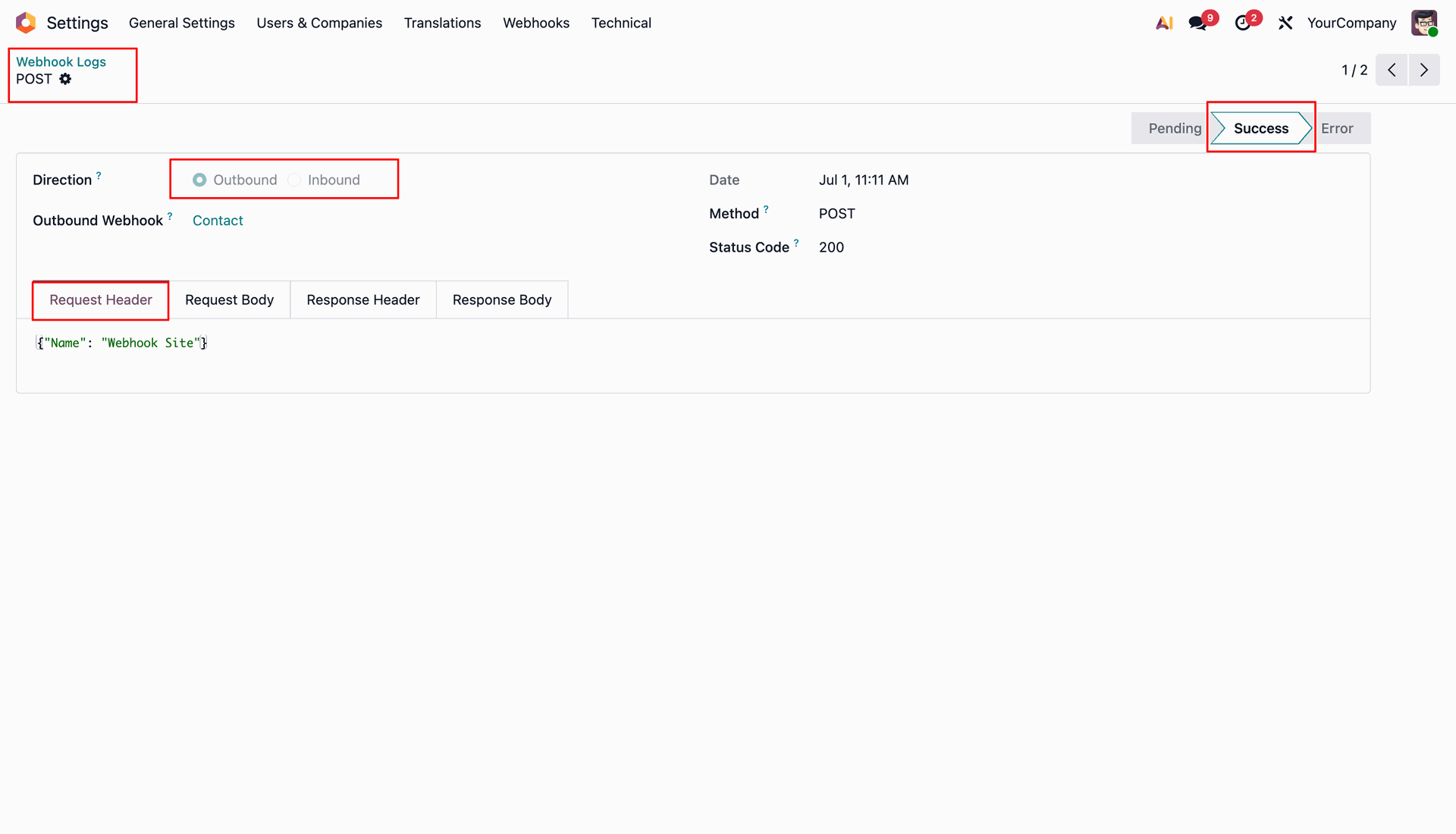
webhook logs.
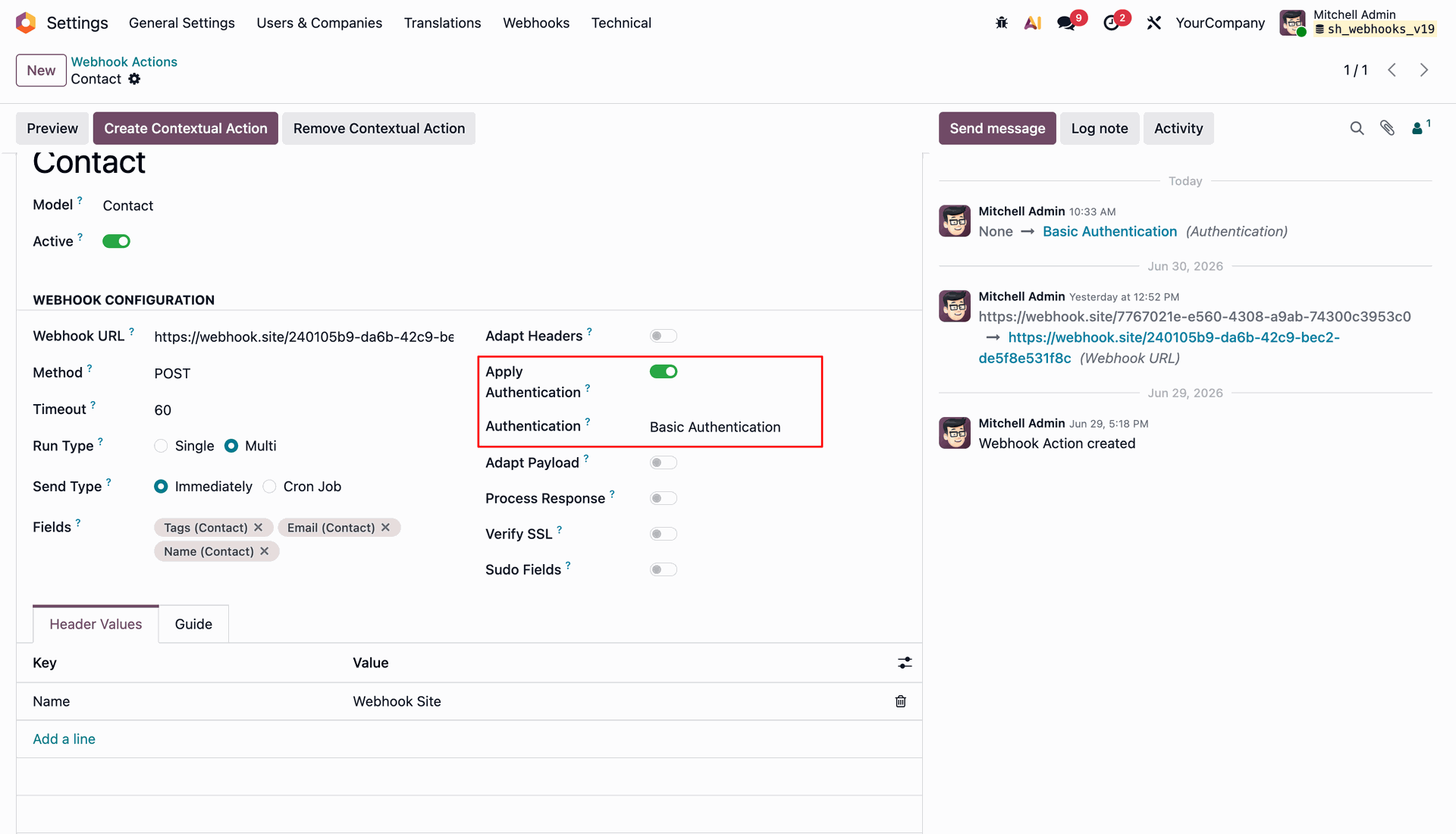
Enable Apply Authentication and select an authentication profile to secure outbound HTTP requests.
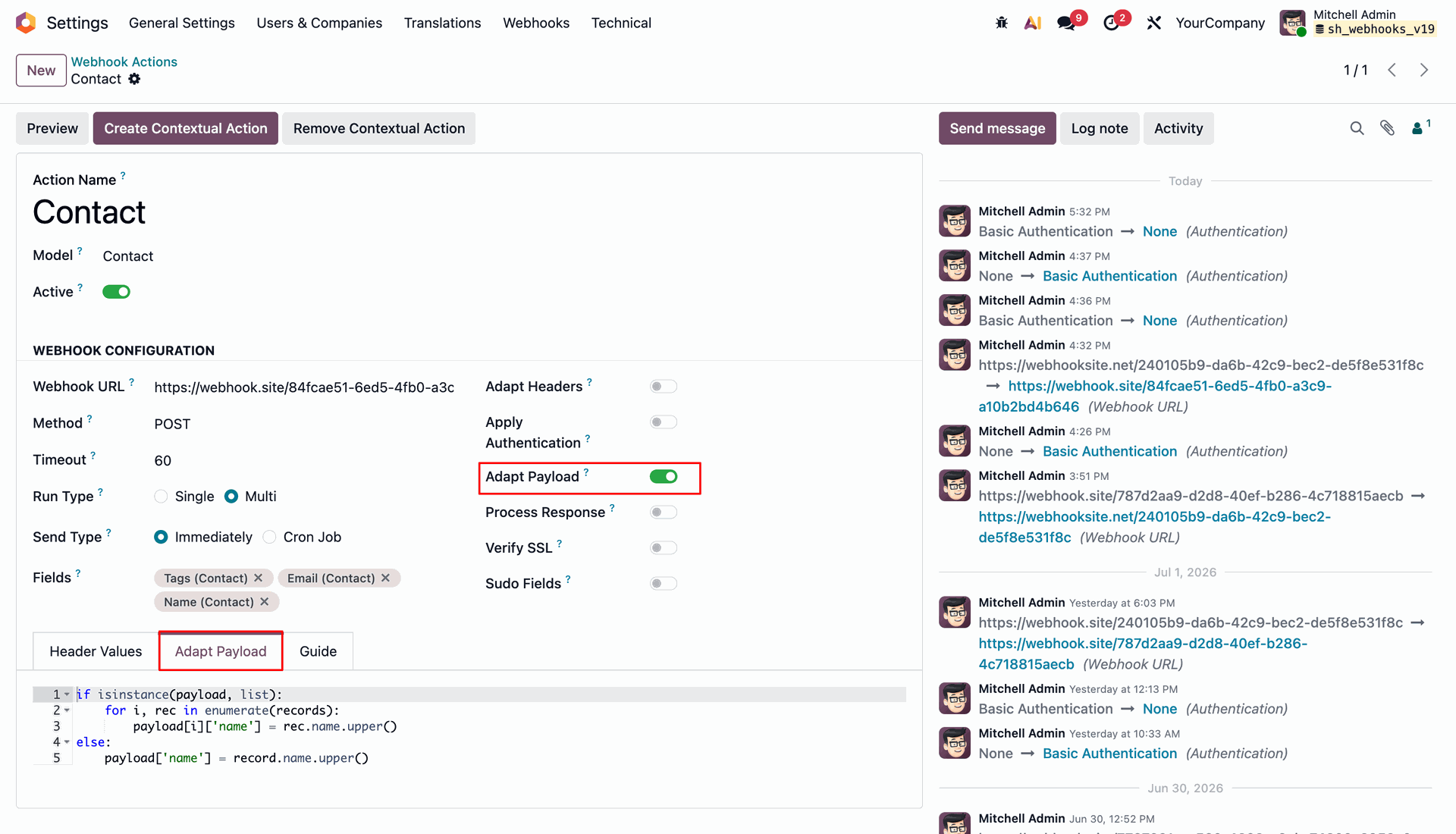
Enable Adapt Payload and write Python code to format outgoing JSON payload data dynamically.
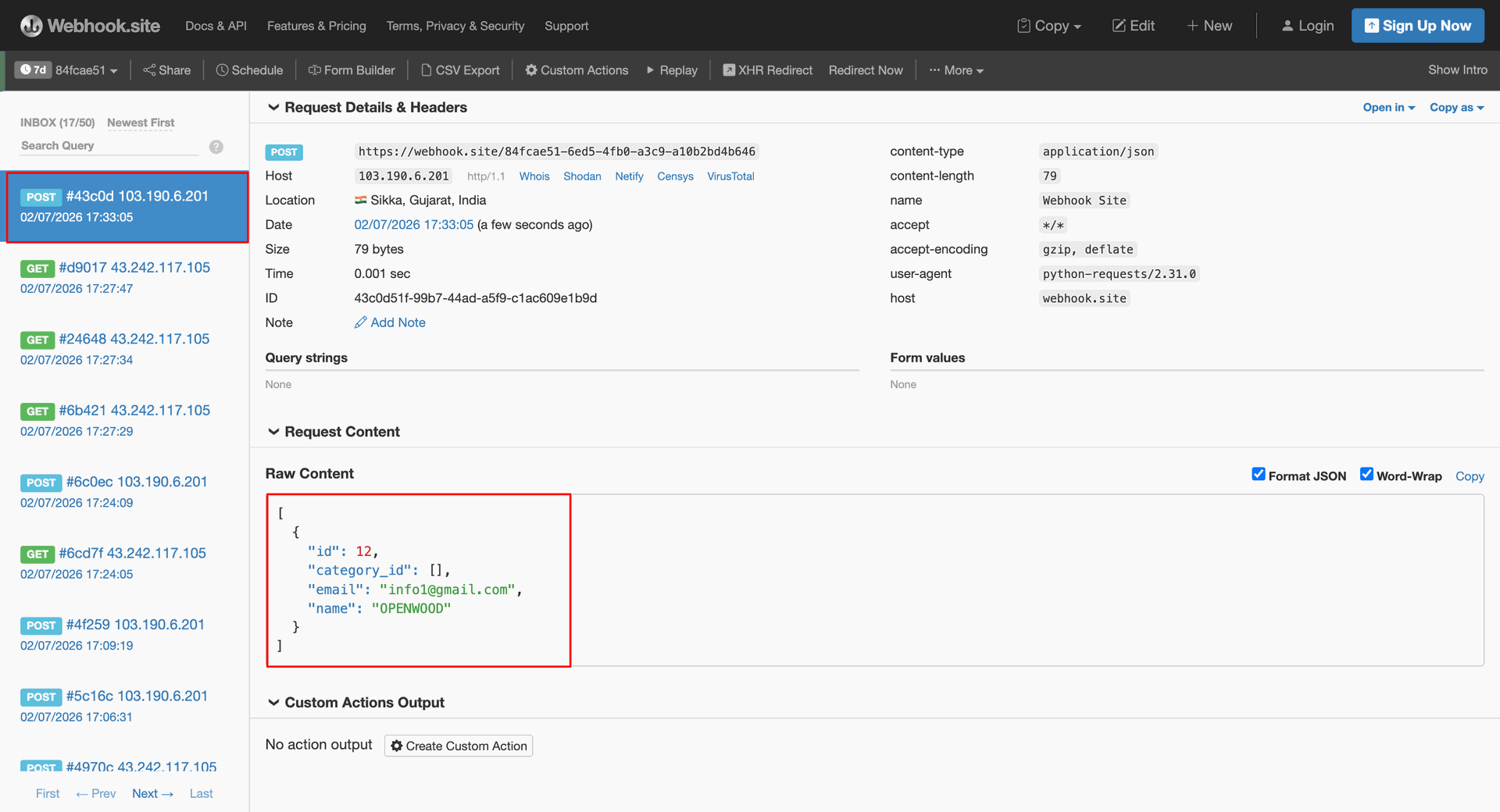
Inspect the external webhook endpoint to verify the received payload with transformed field values.
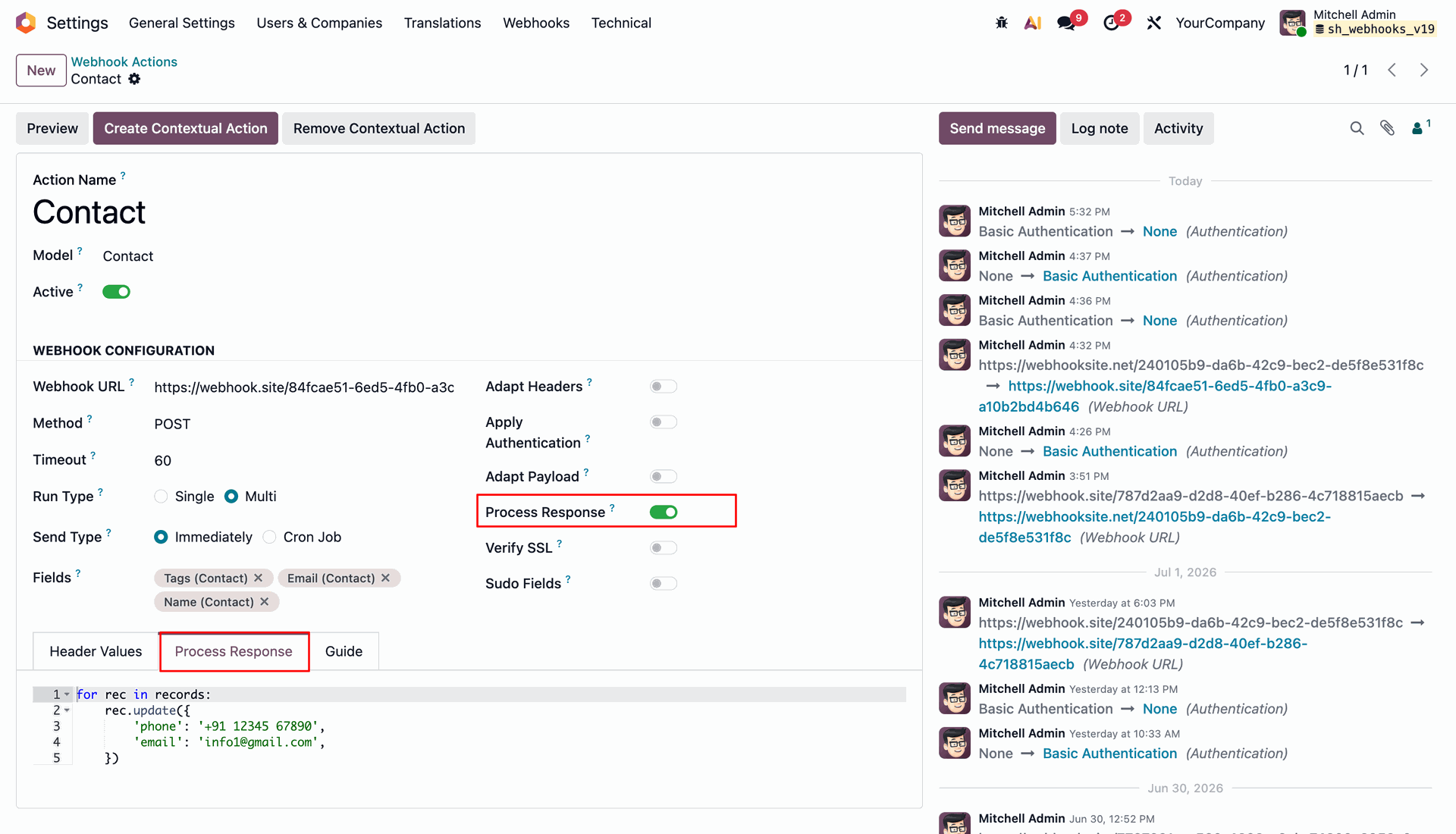
Enable Process Response and write Python script to update Odoo records from remote response.
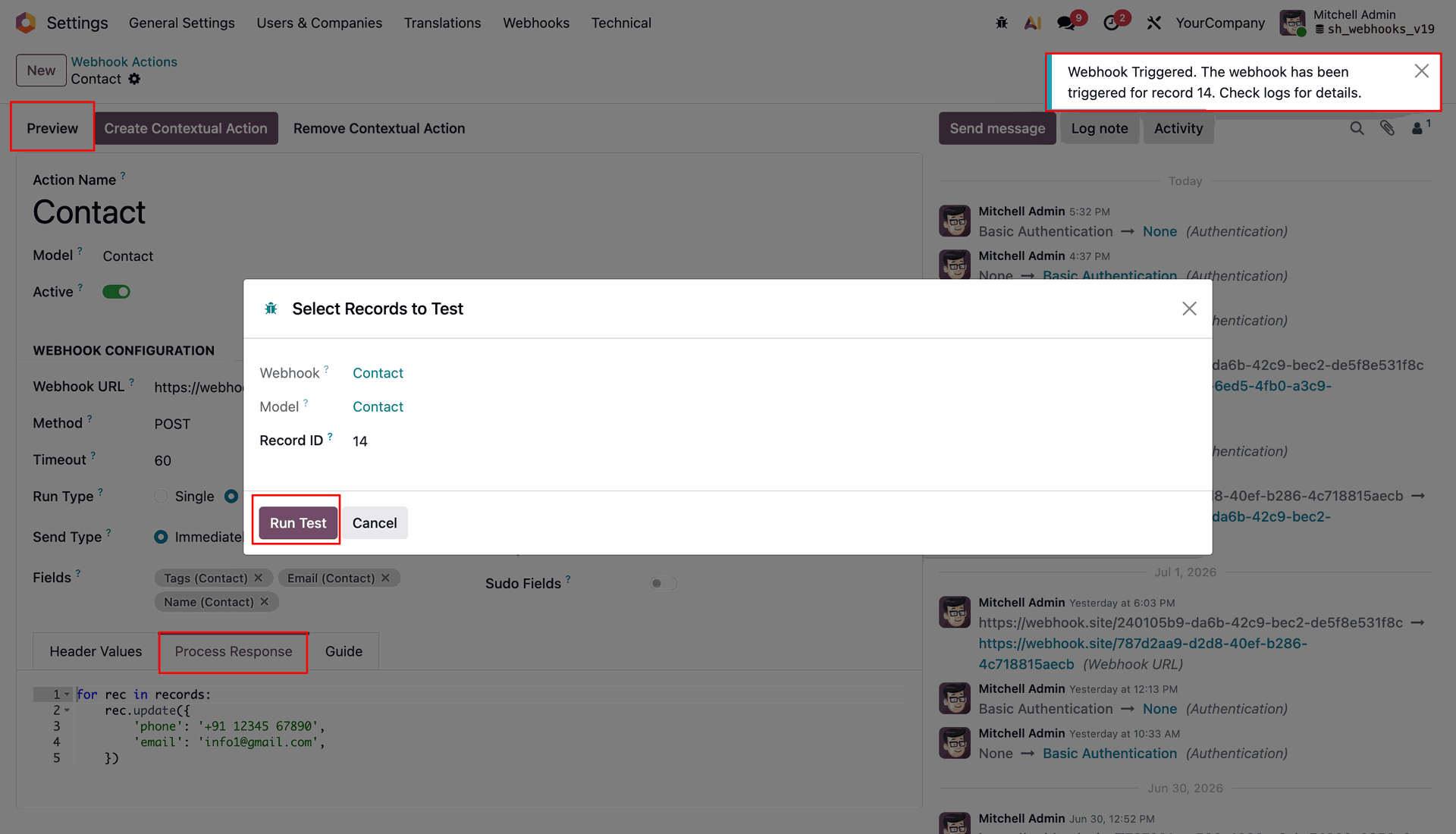
Select record ID 14 in preview wizard and click Run Test for response processing.
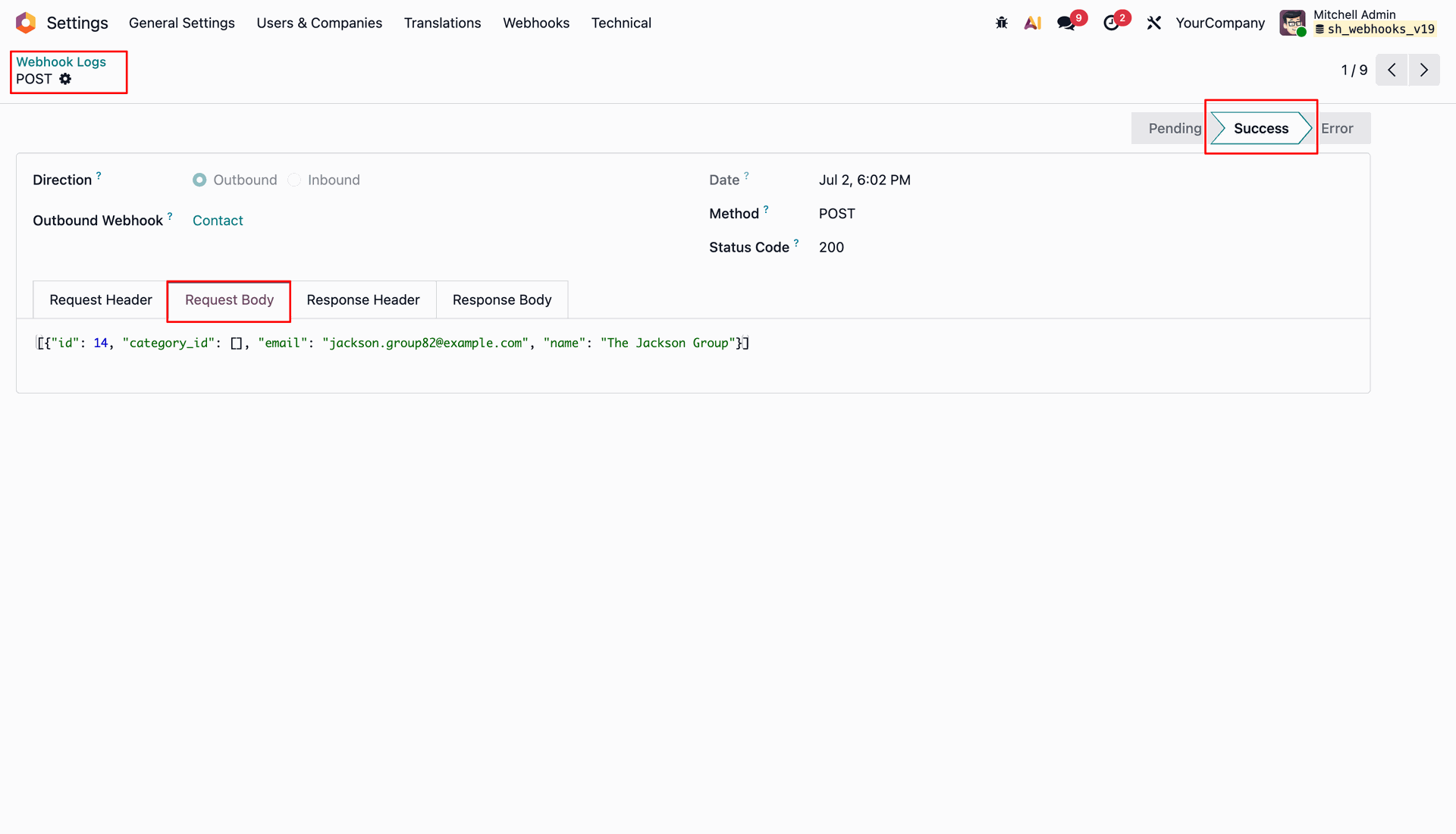
Inspect the Response Body tab in outbound log details to verify received server response.
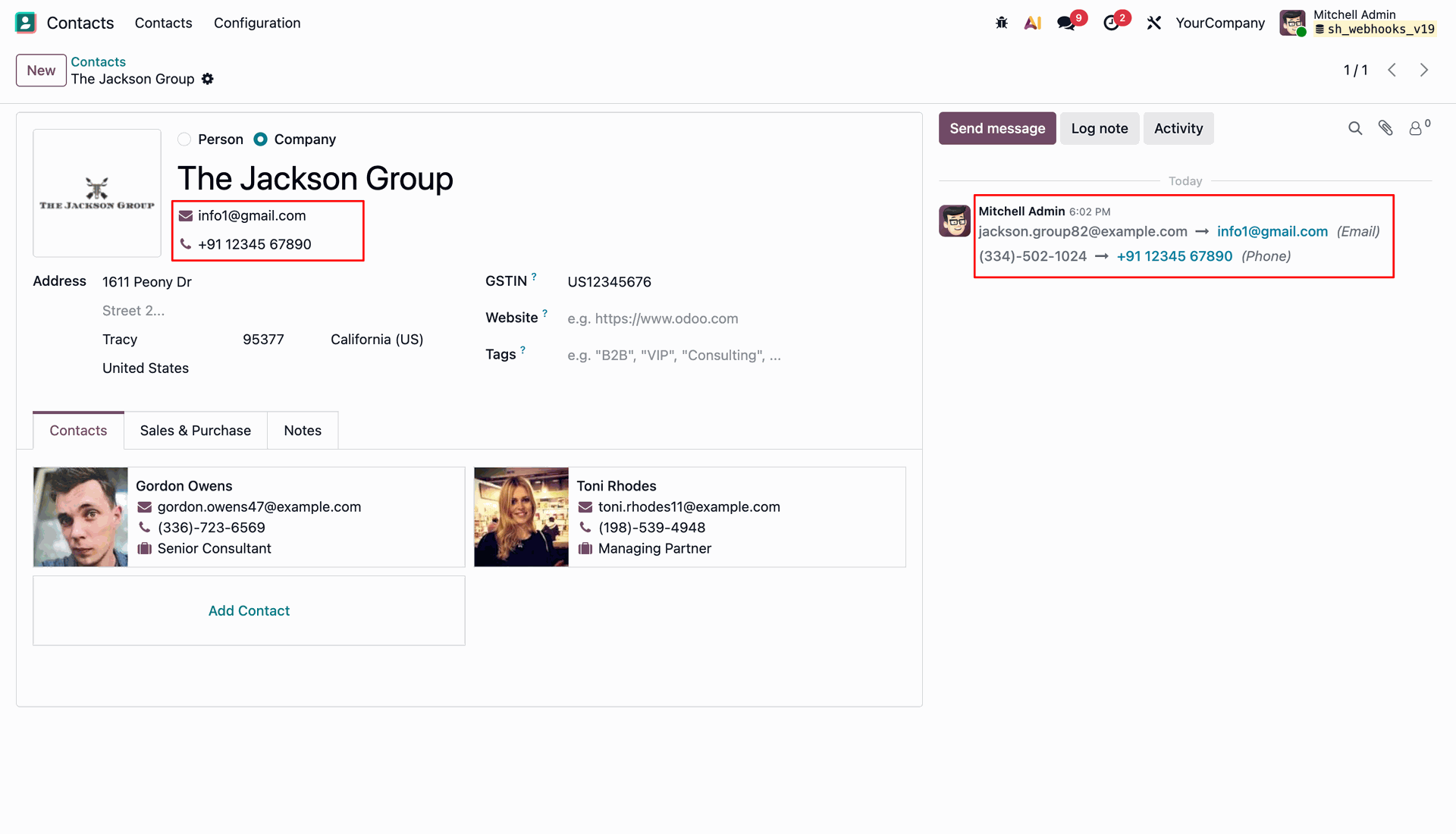
Check contact form fields and chatter history to confirm automatic updates from response processing.
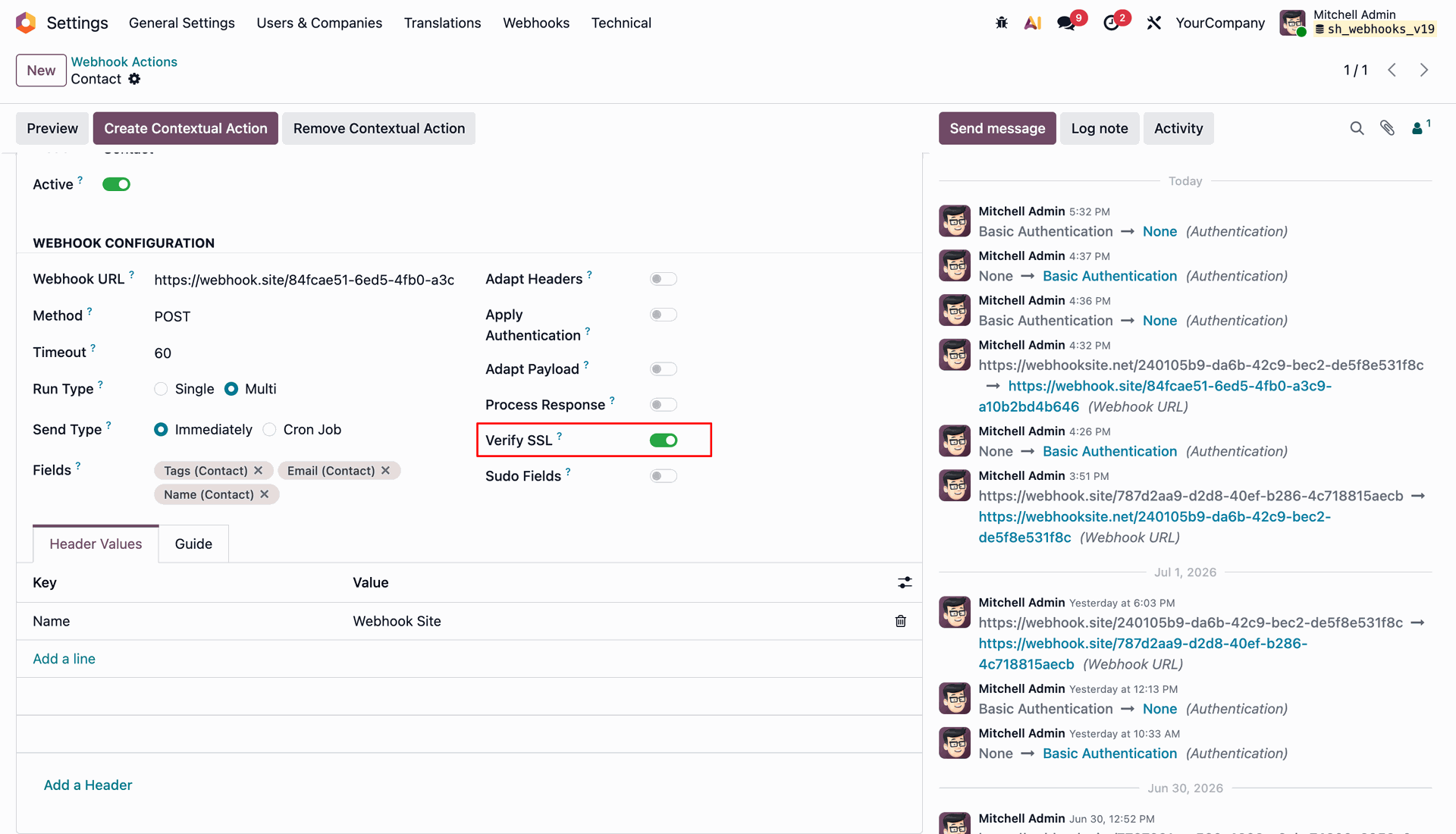
Toggle Verify SSL on to enforce valid SSL certificate verification for target webhook URLs.
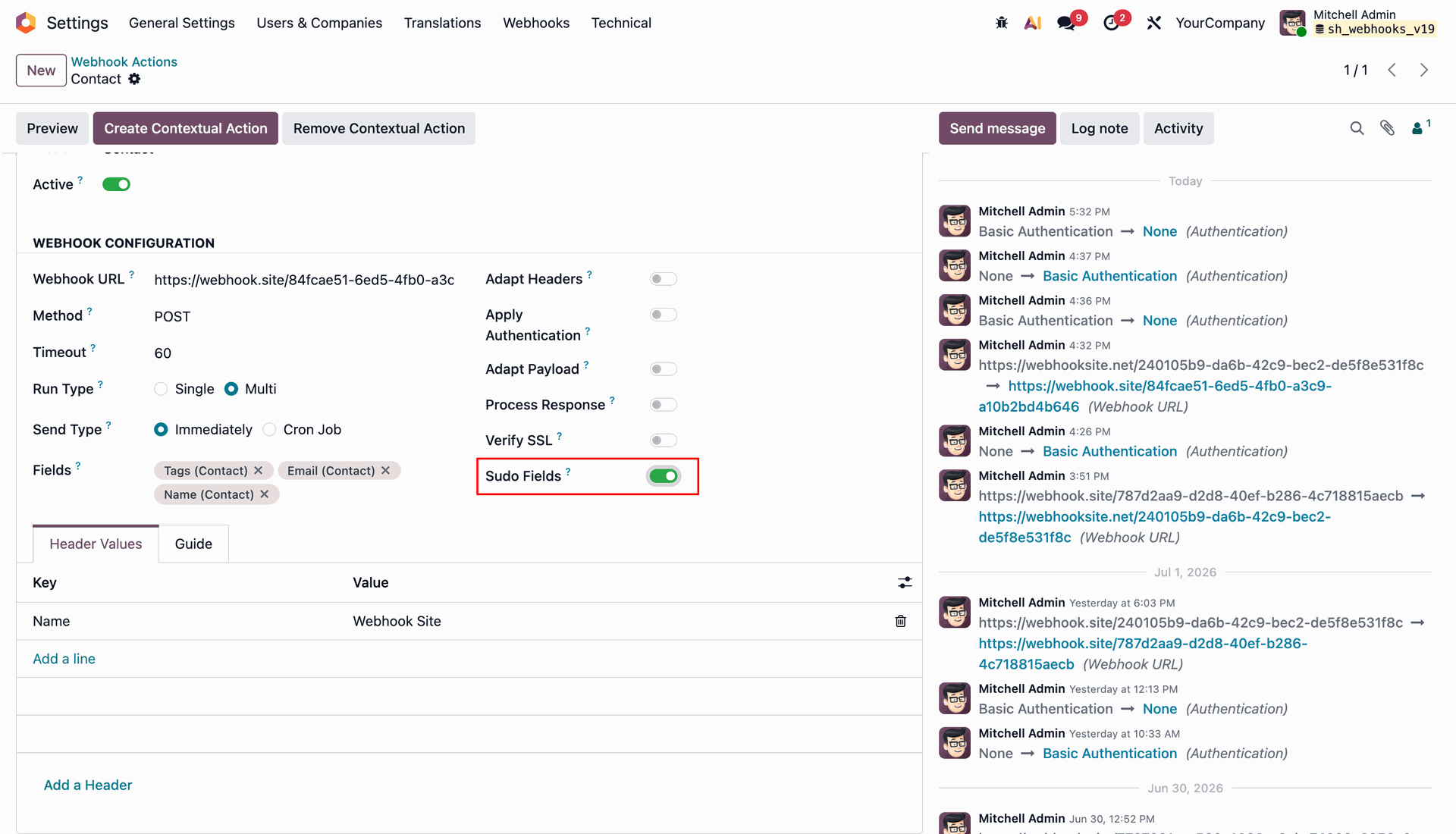
Enable Sudo Fields to allow access to restricted model fields during webhook execution.
Test scheduled webhooks by setting Send Type to Cron Job and running preview test.
Workflow
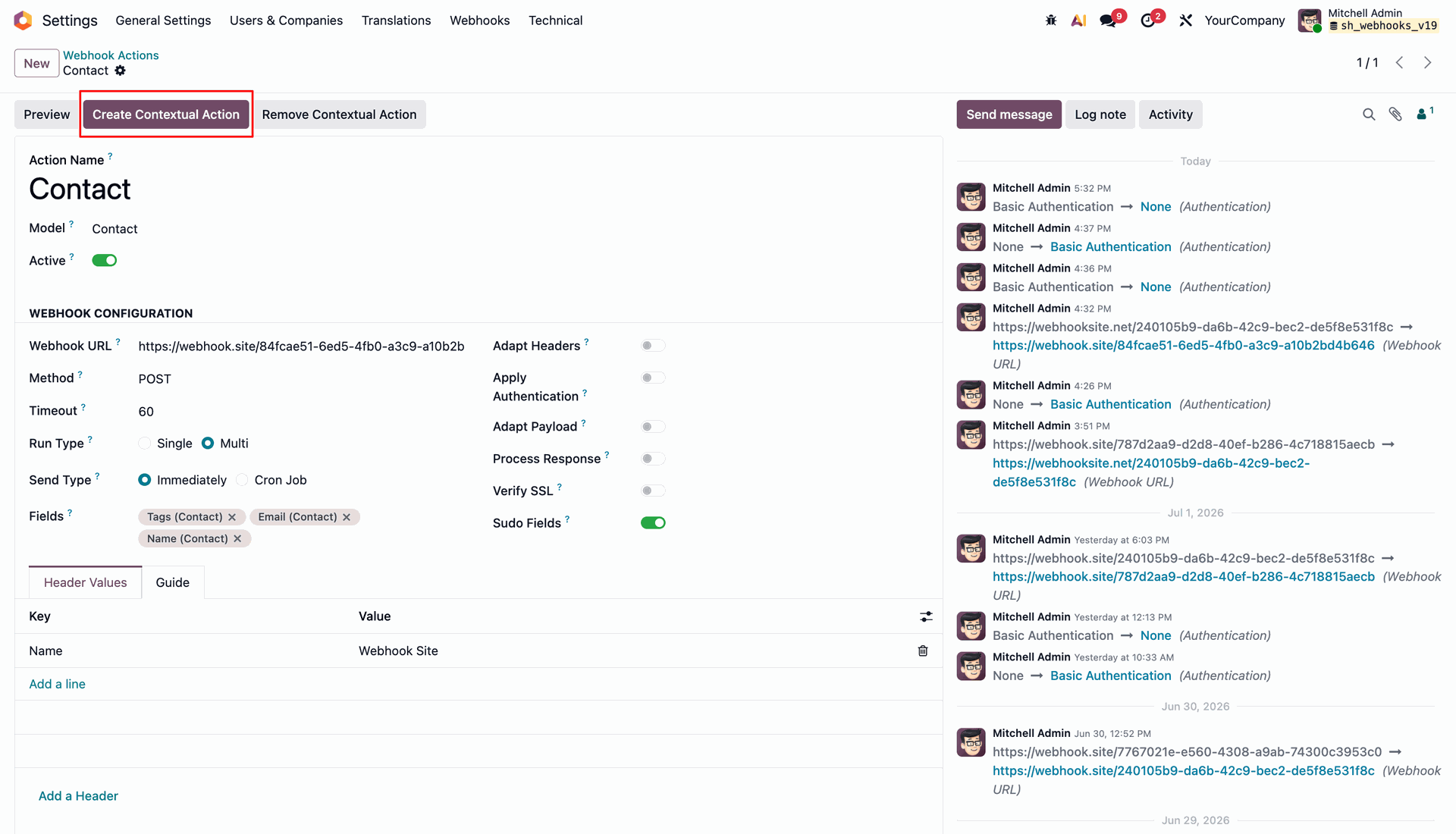
Press Create Contextual Action to add the webhook trigger to the model action menu.
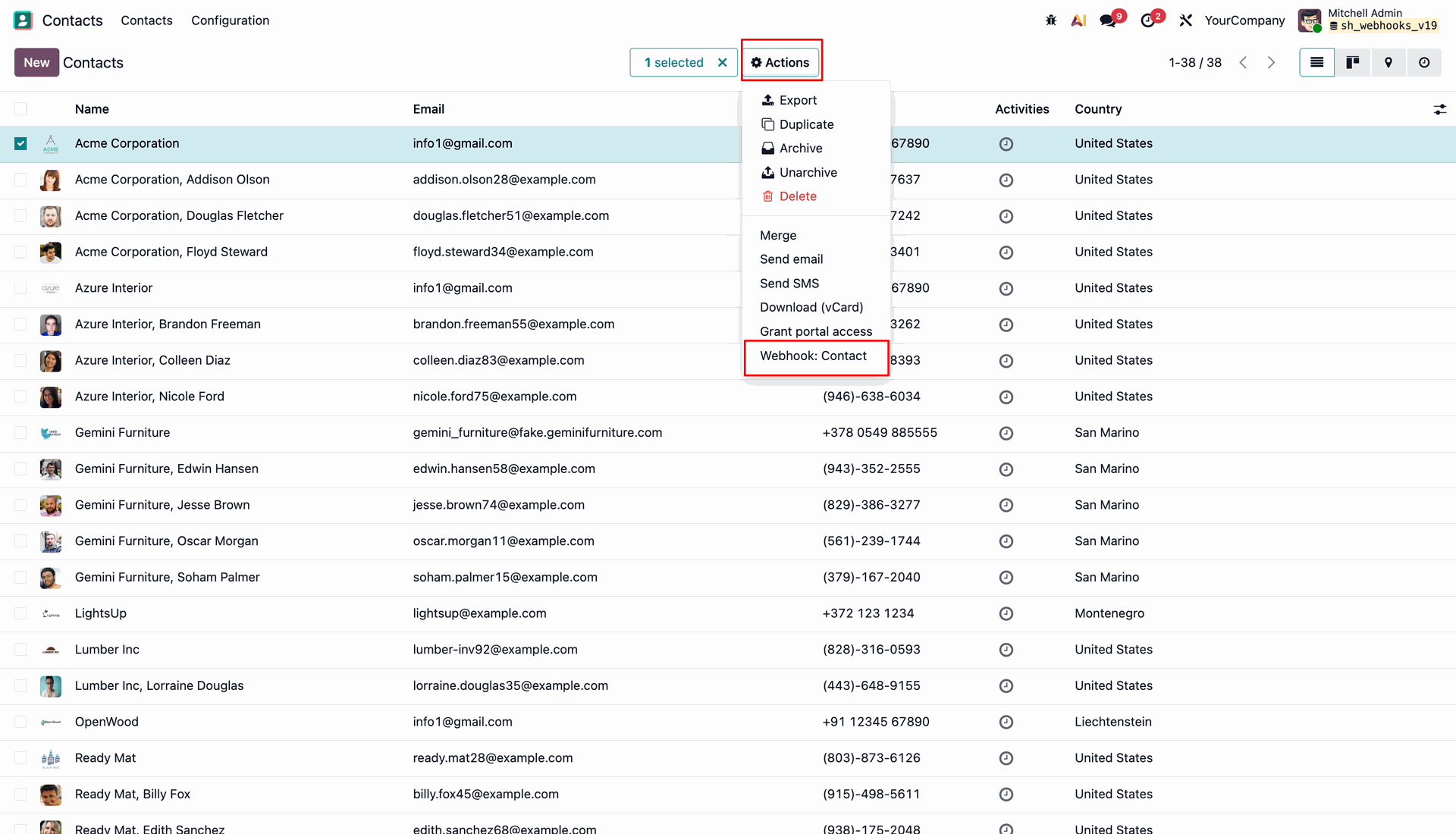
Select records in the list view and click Webhook: Contact under Actions menu.
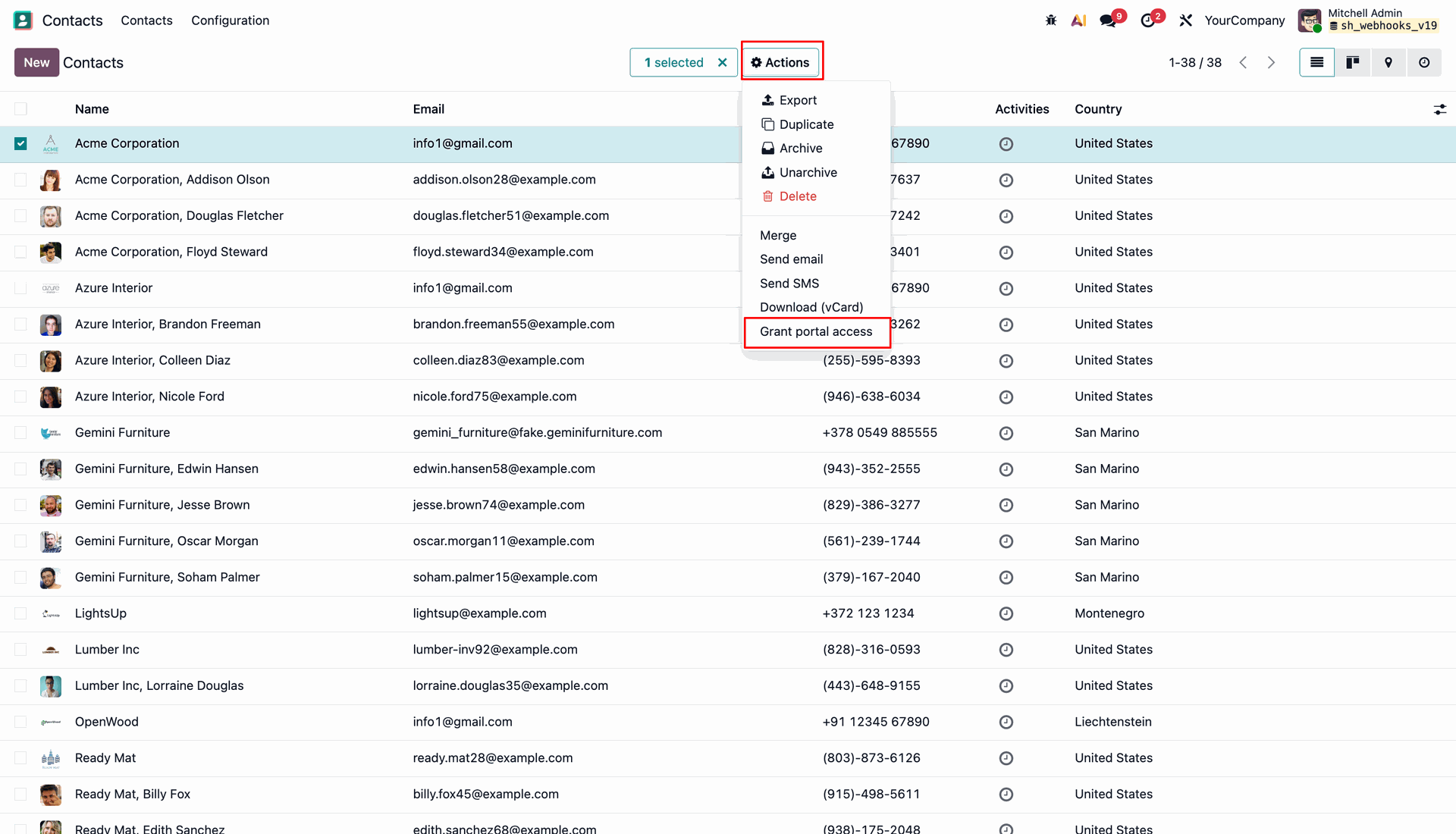
Review the external endpoint to verify the JSON payload received from contextual action execution.
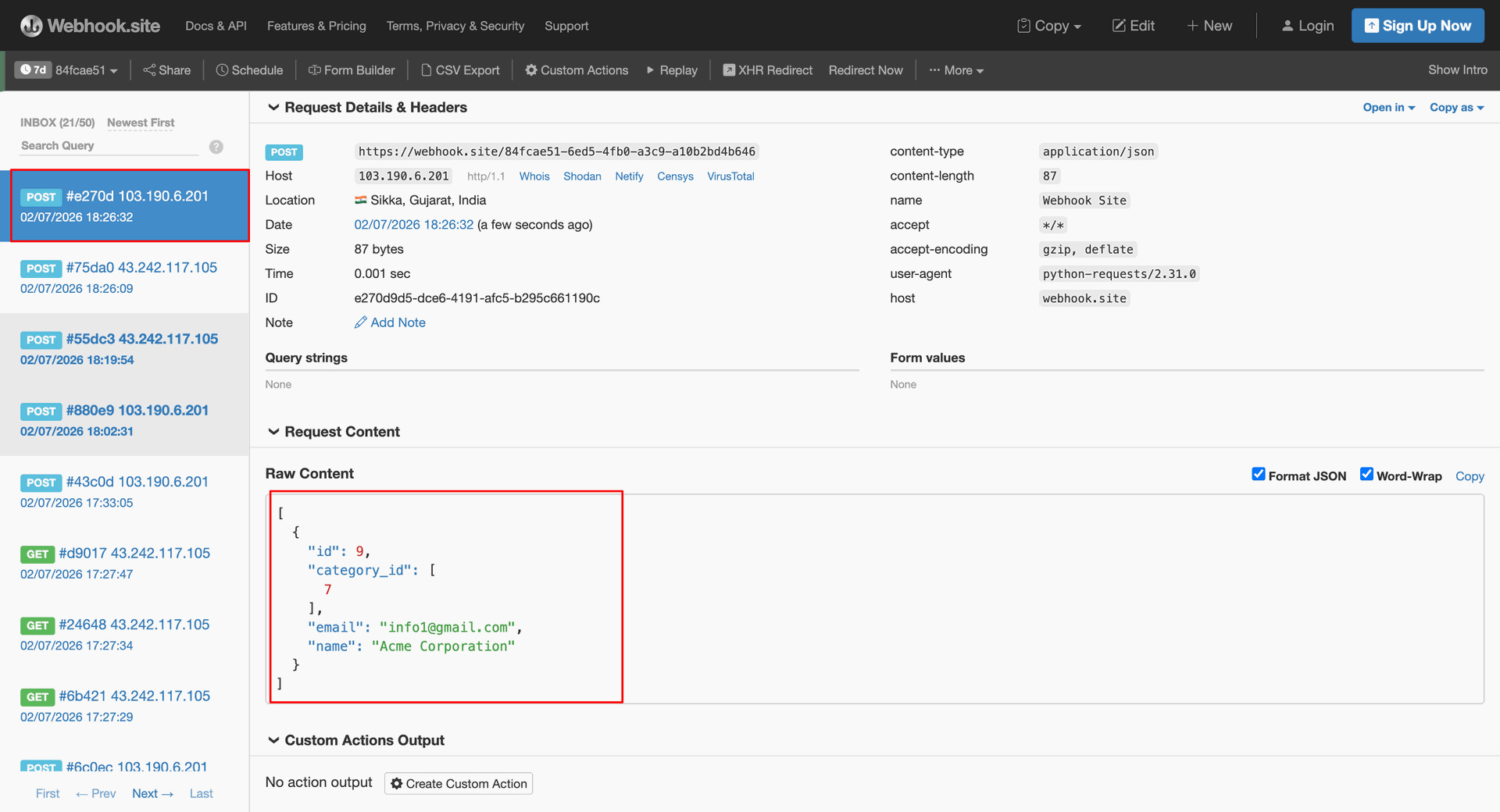
Press Remove Contextual Action to remove the webhook shortcut from the model action menu.
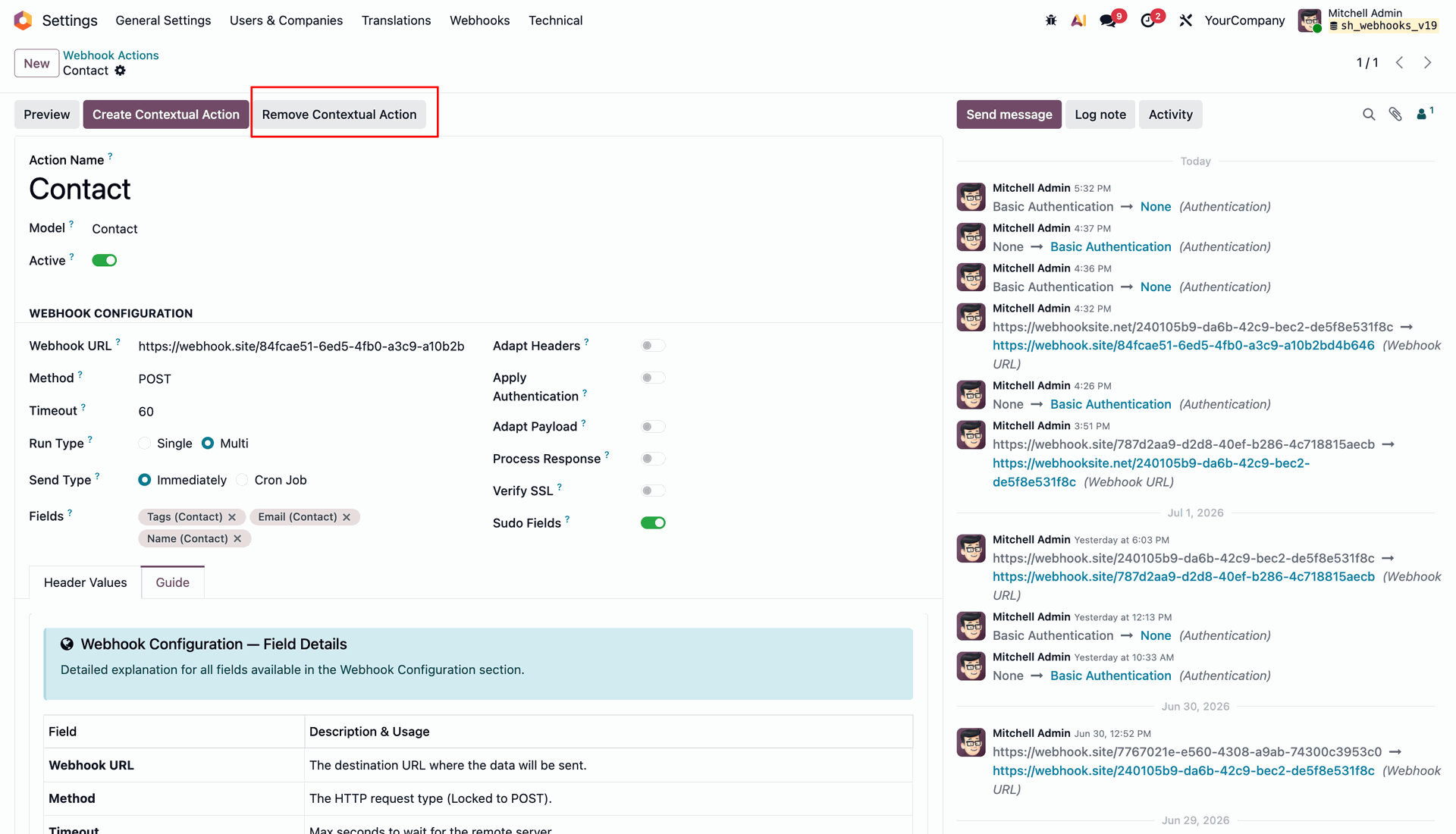
Open the Actions menu to verify that the contextual webhook option has been removed.
Workflow
Enter target endpoint in Post and click Send to transmit POST request with JSON payload.
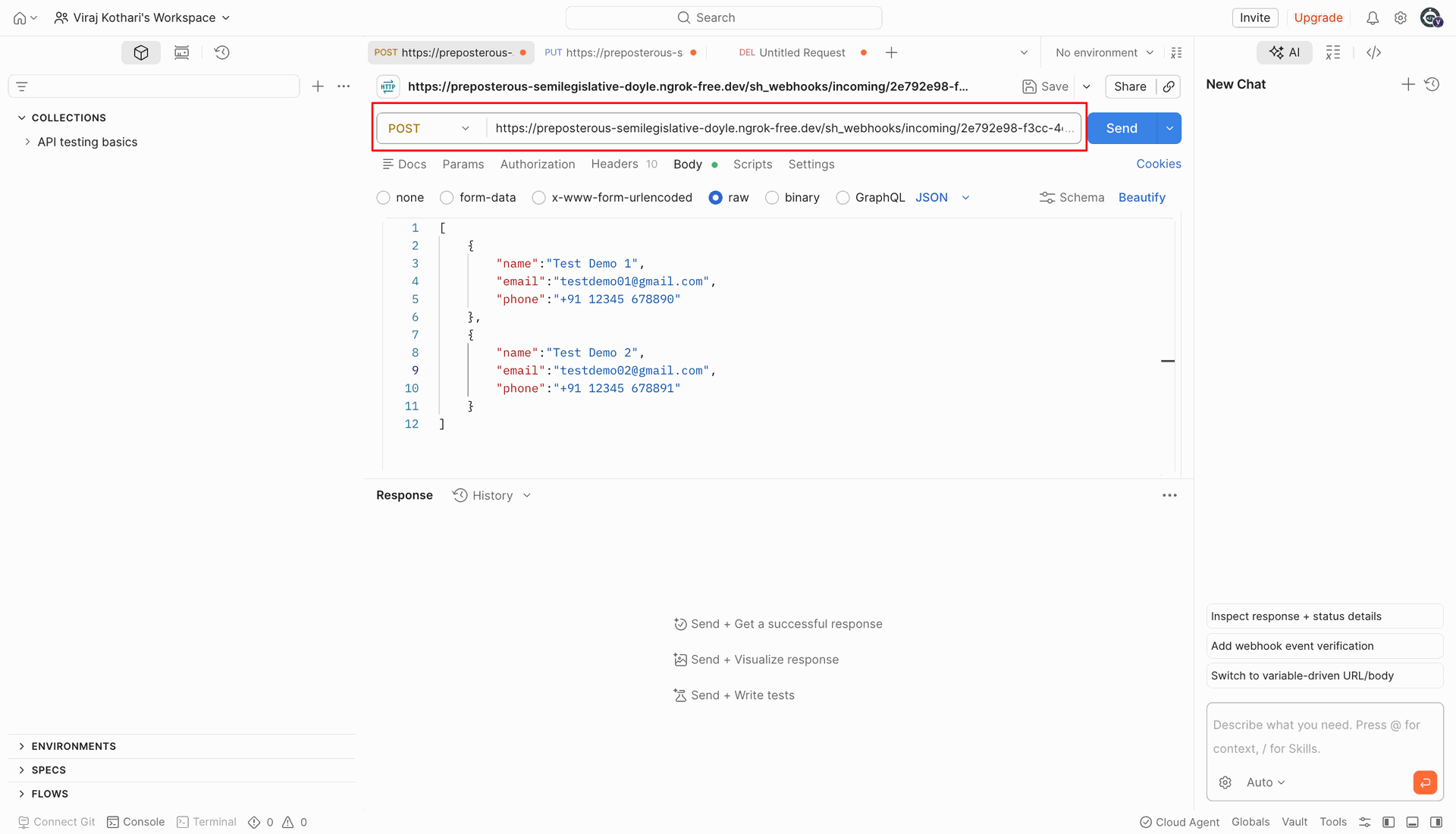
Configure incoming webhook route for Contact model with custom Python record creation script.
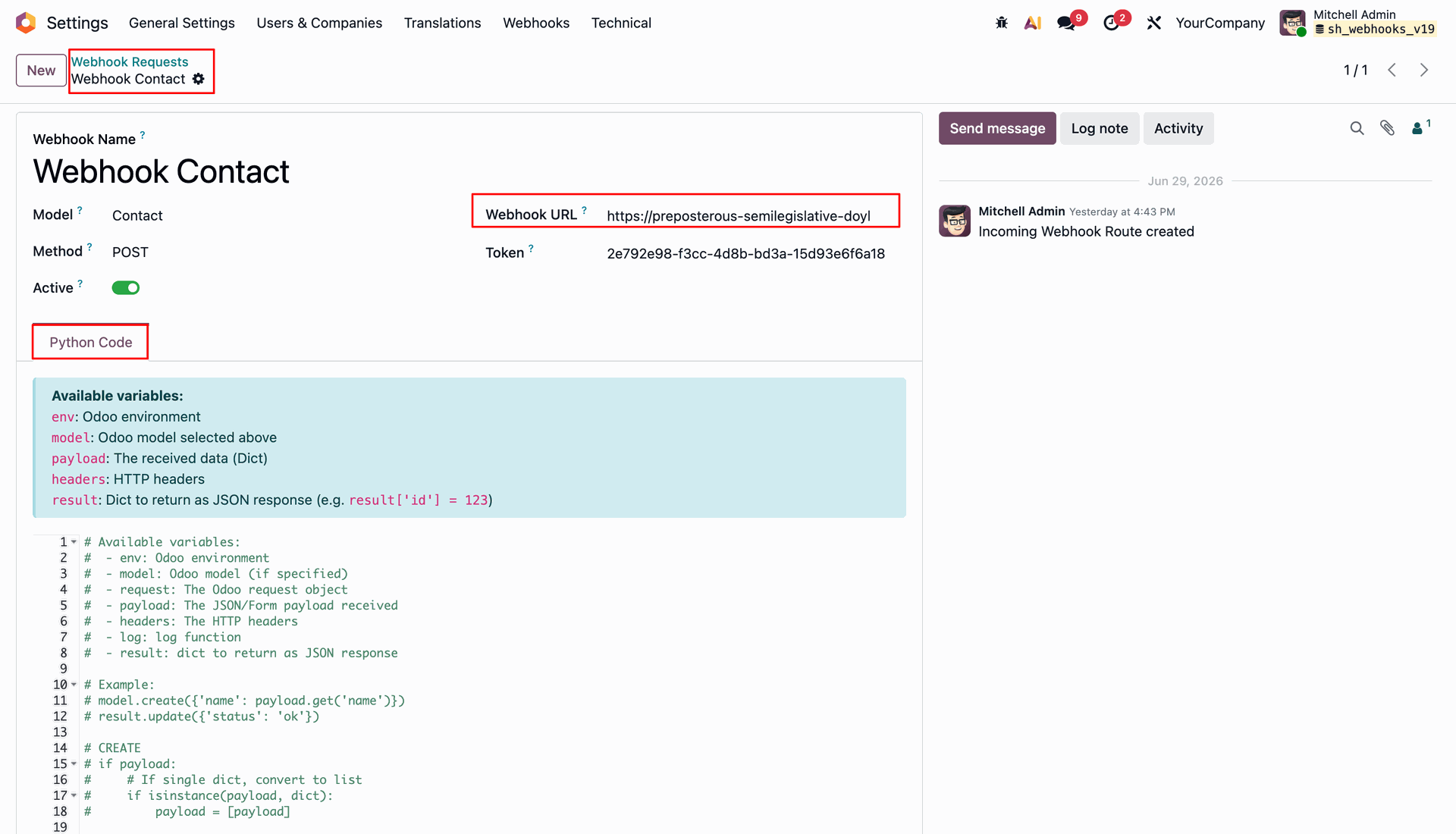
Open the Webhooks menu and select Traffic under Analytics to inspect incoming logs.
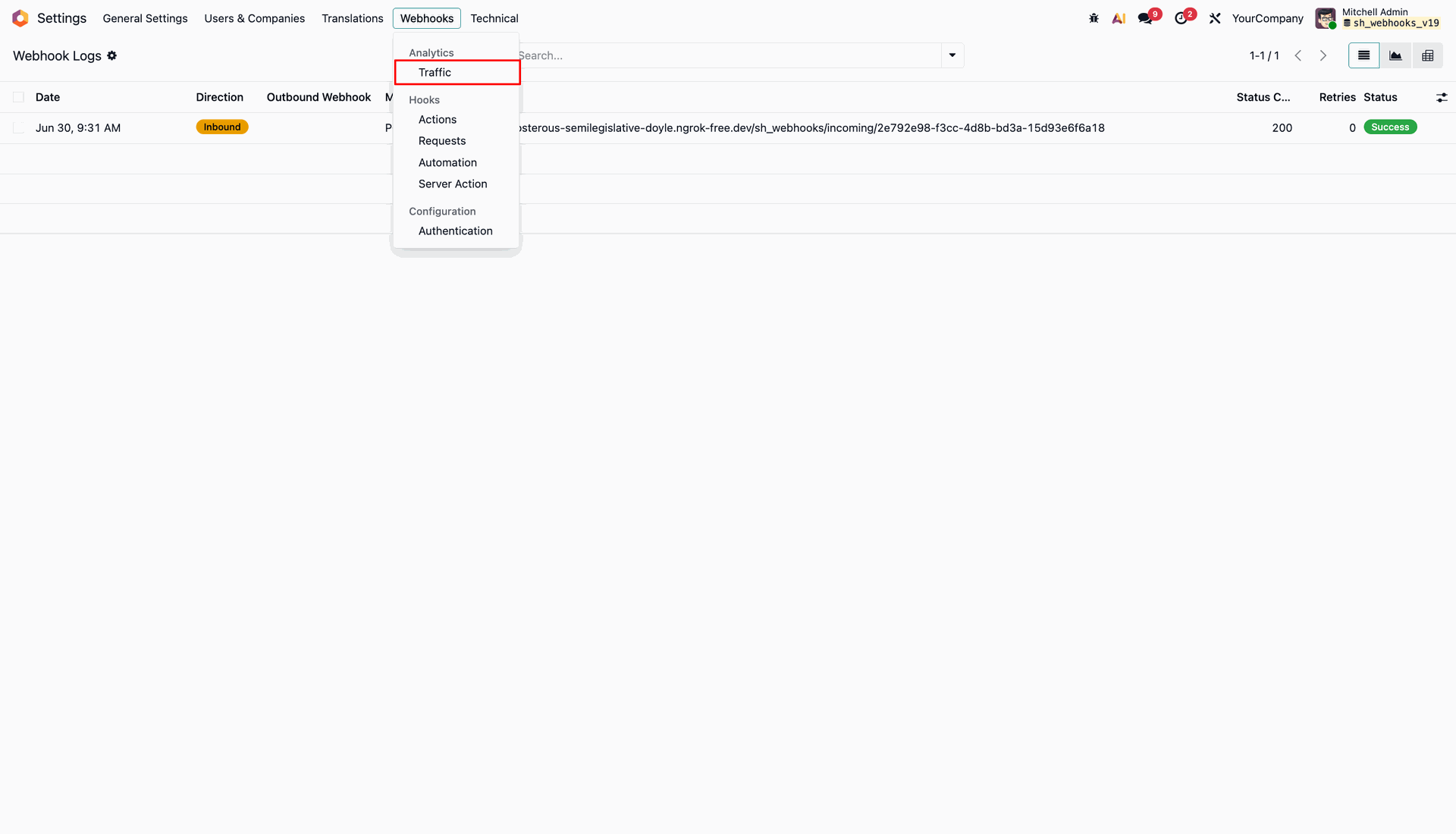
Inspect the inbound traffic log table showing successful HTTP 200 status for received POST request.
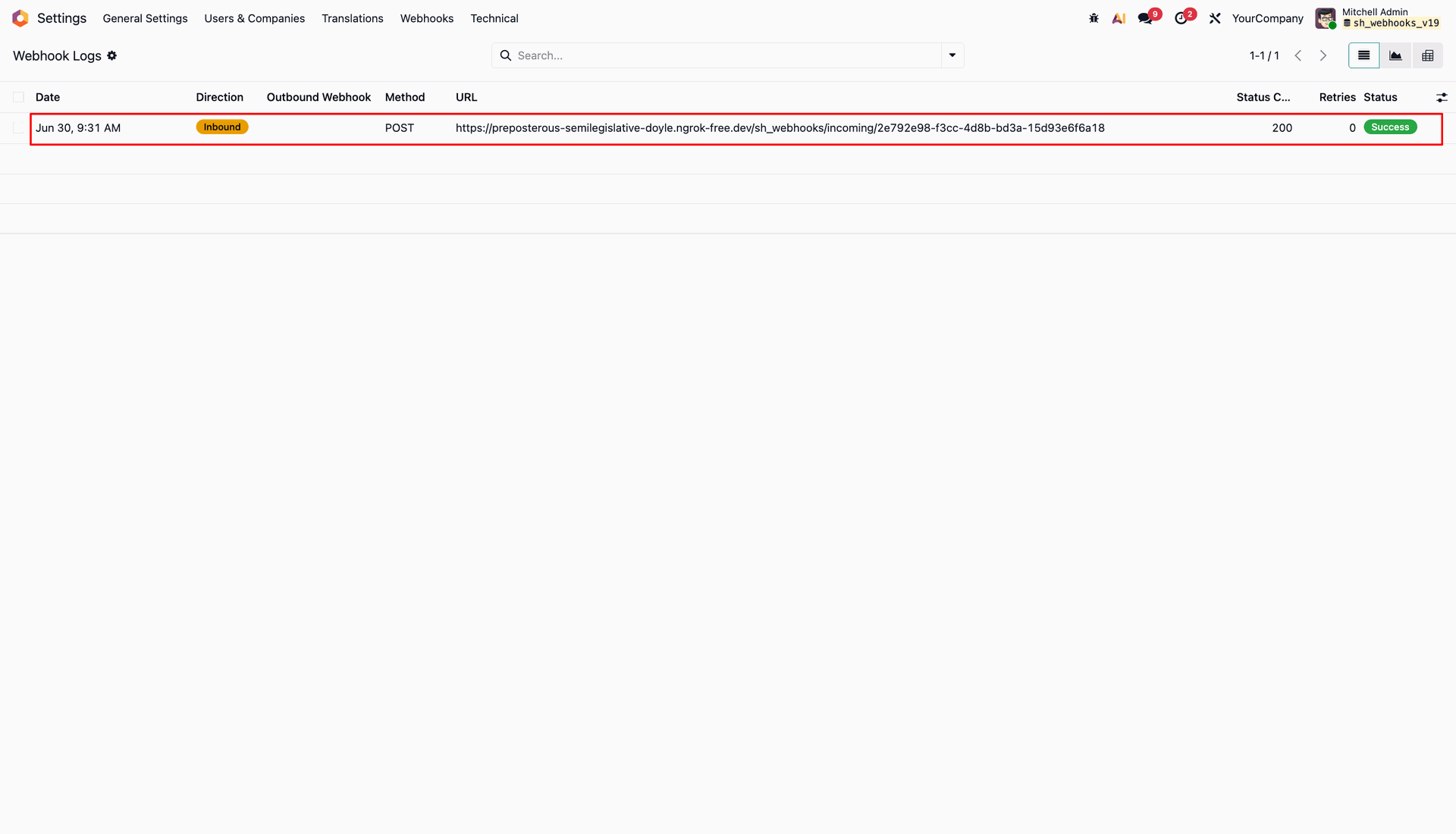
Open inbound log details and inspect Request Body tab showing received contact array payload.
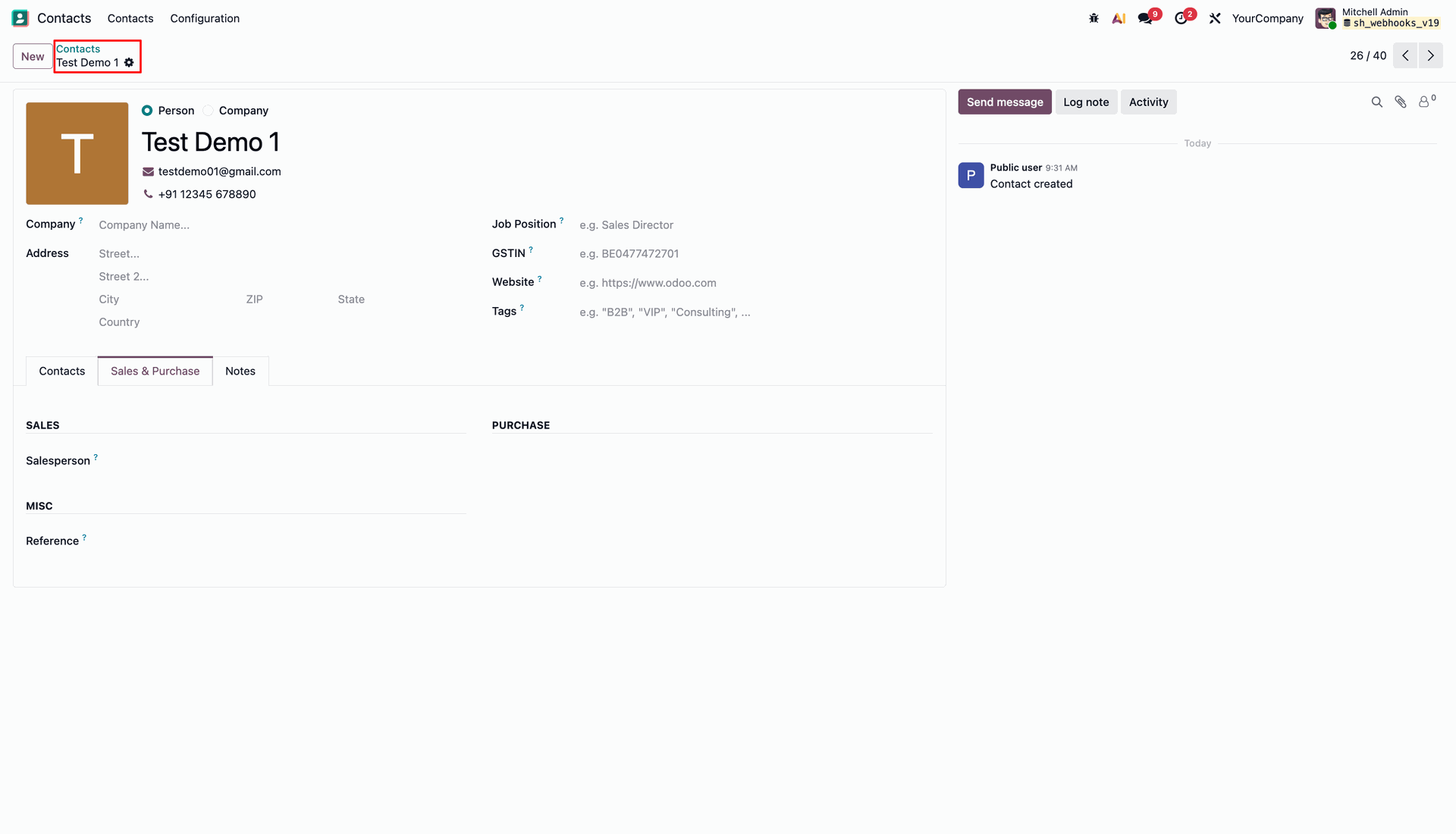
Verify the first contact record Test Demo 1 created automatically from incoming payload.
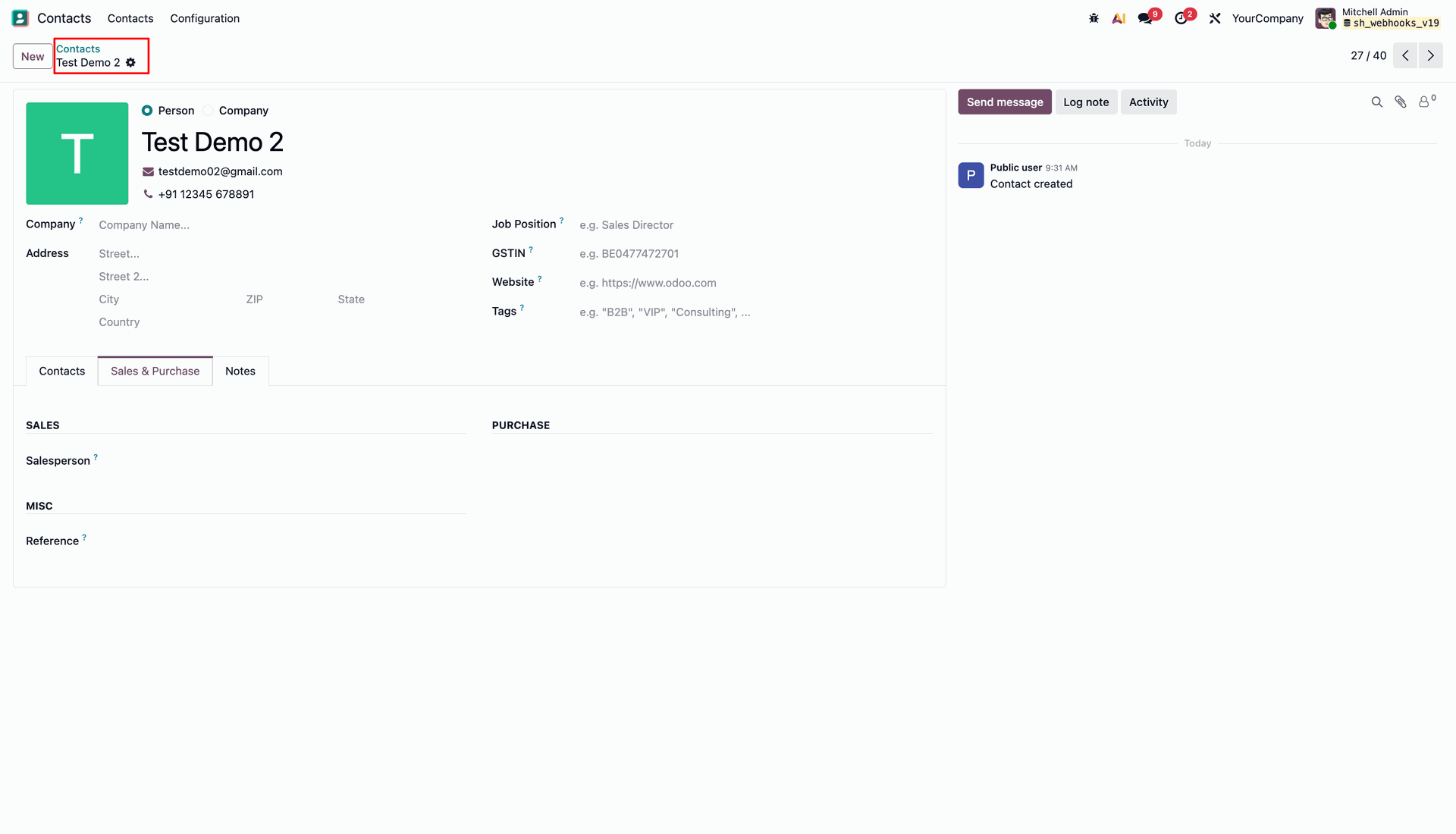
Verify the second contact record Test Demo 2 created automatically from batch array payload.
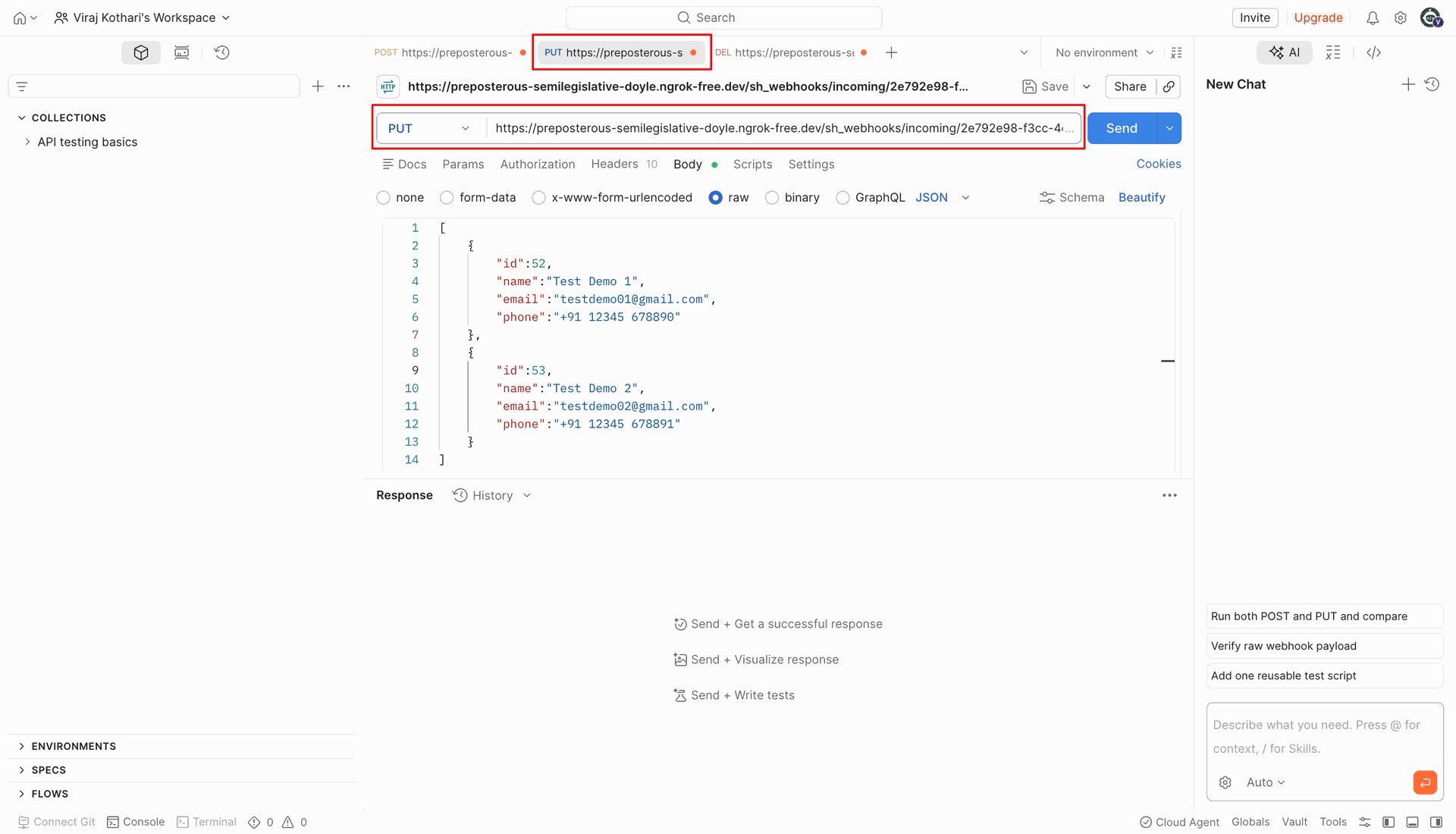
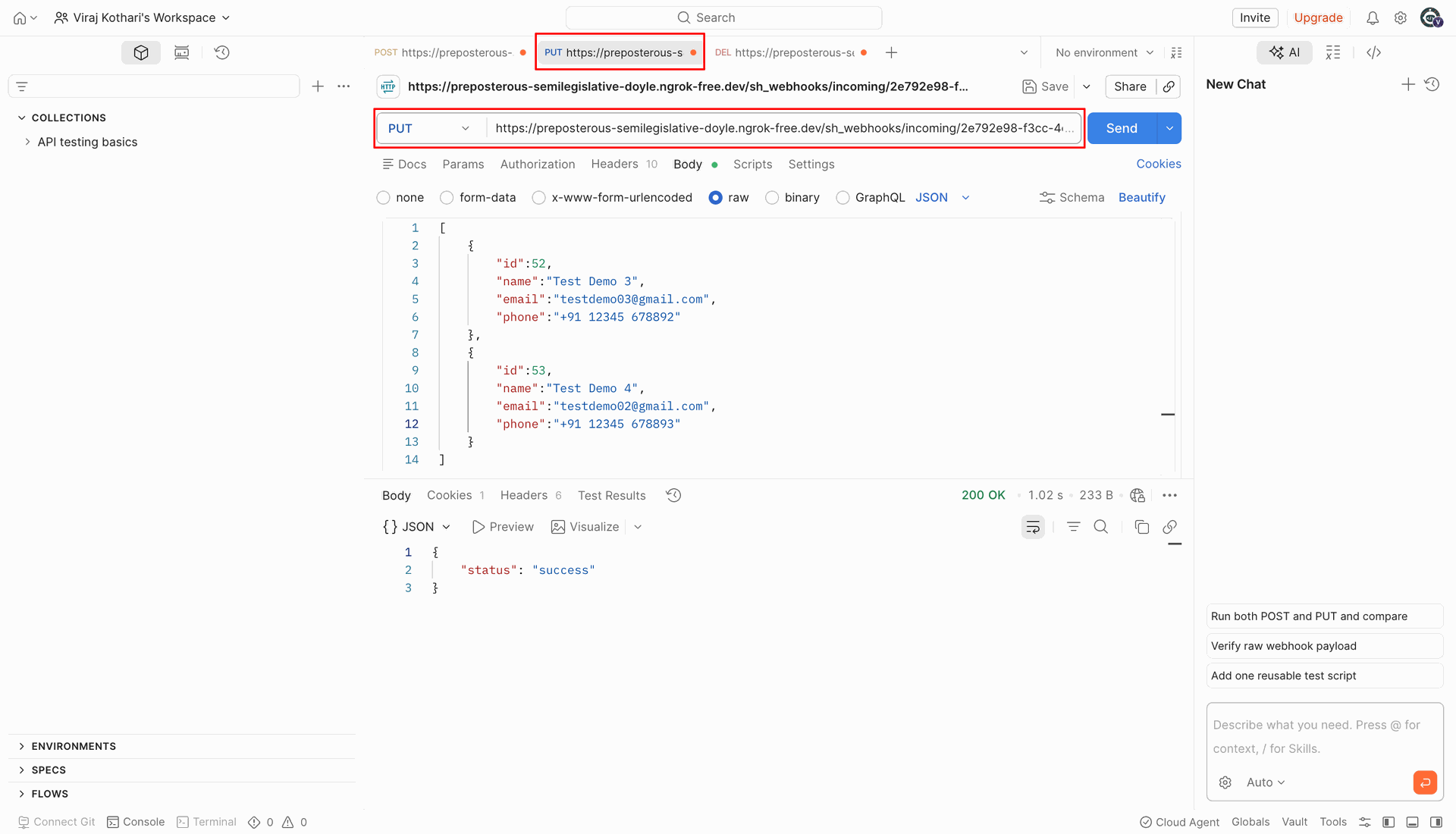
Select PUT method in Post and send JSON payload to update existing contact records.
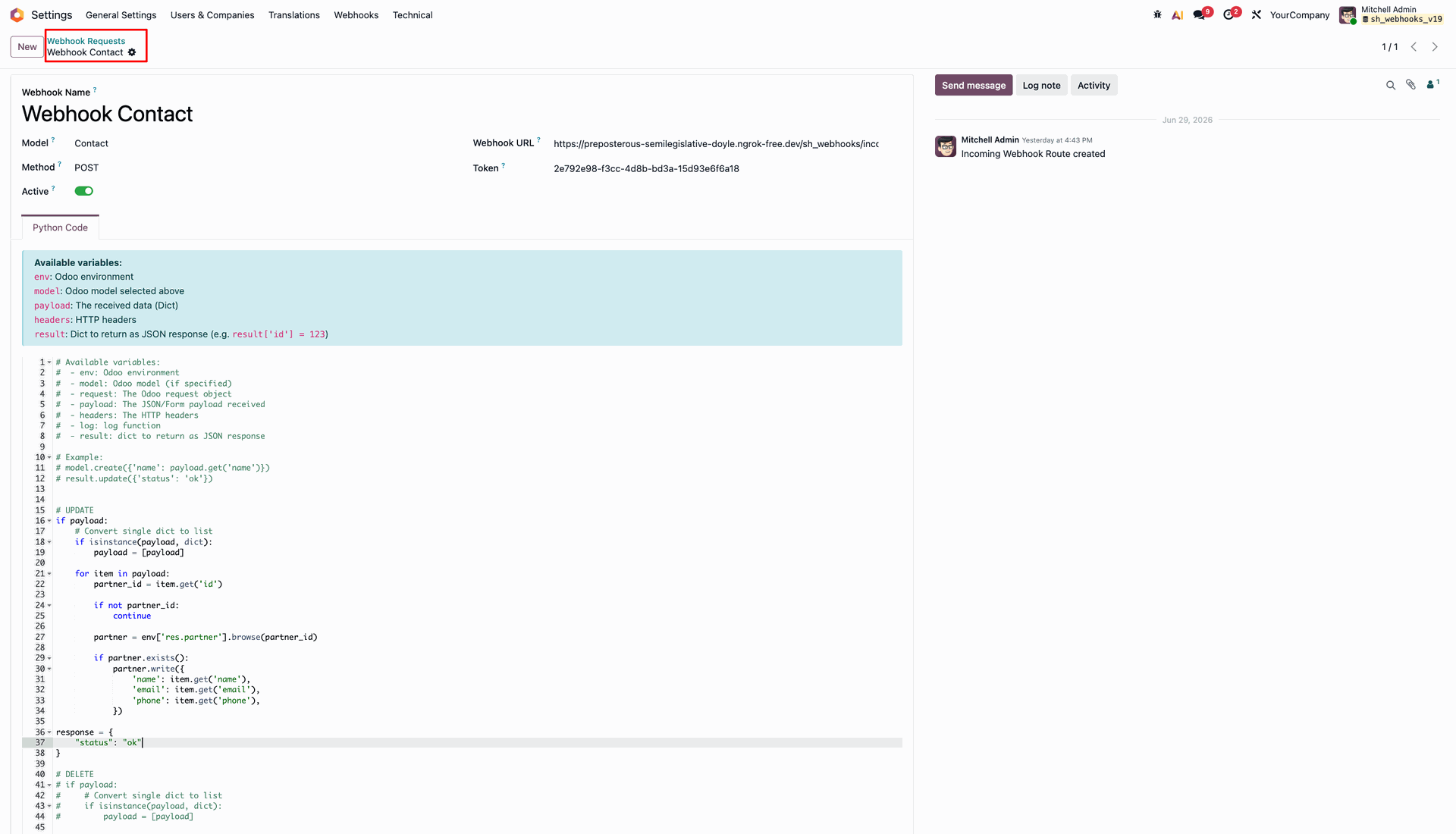
Configure incoming webhook Python script with write logic to update matching Odoo records.
Execute the PUT request in Post to confirm successful 200 OK update response.
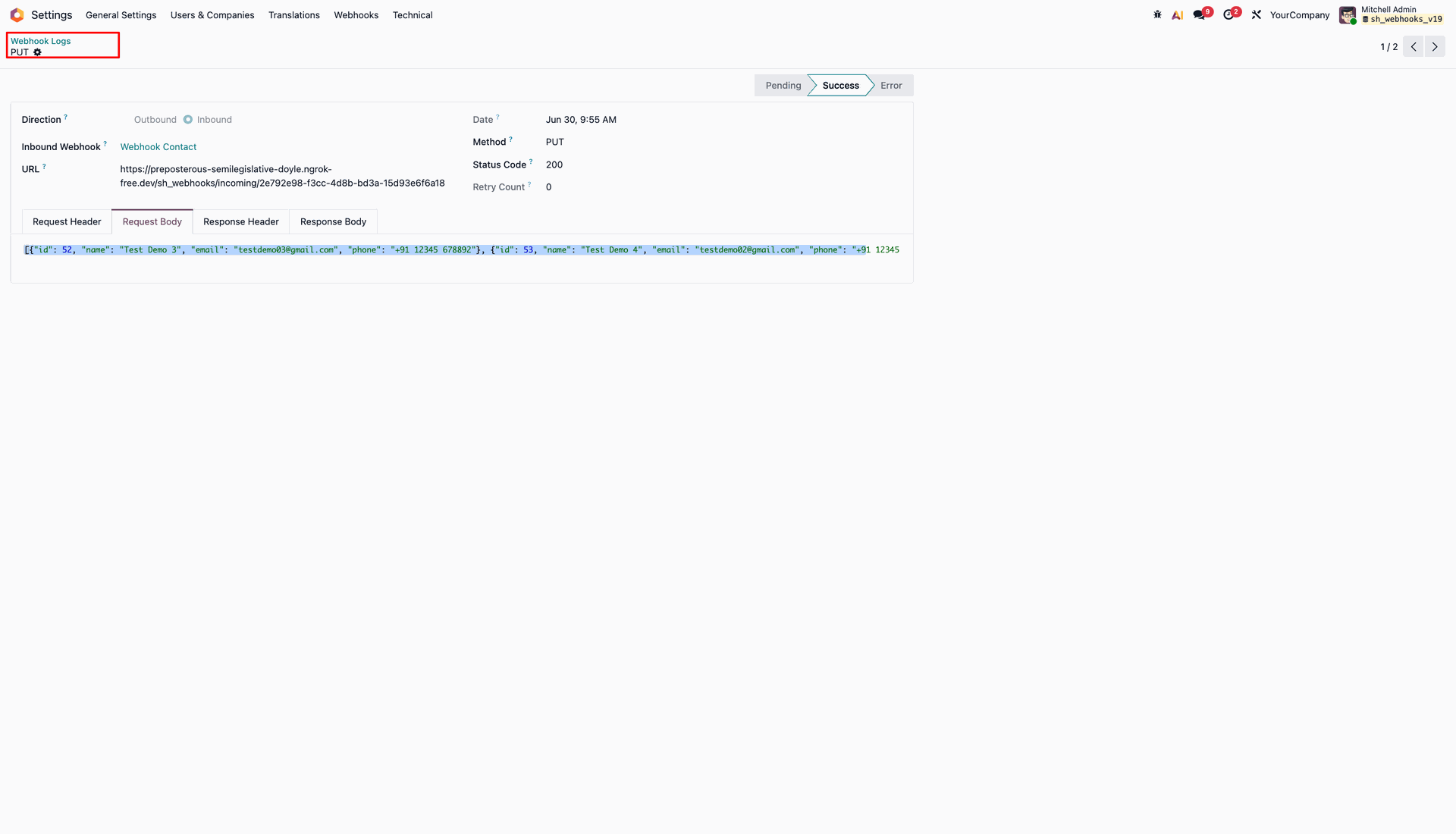
Open inbound log details to inspect PUT method execution and received update request body.
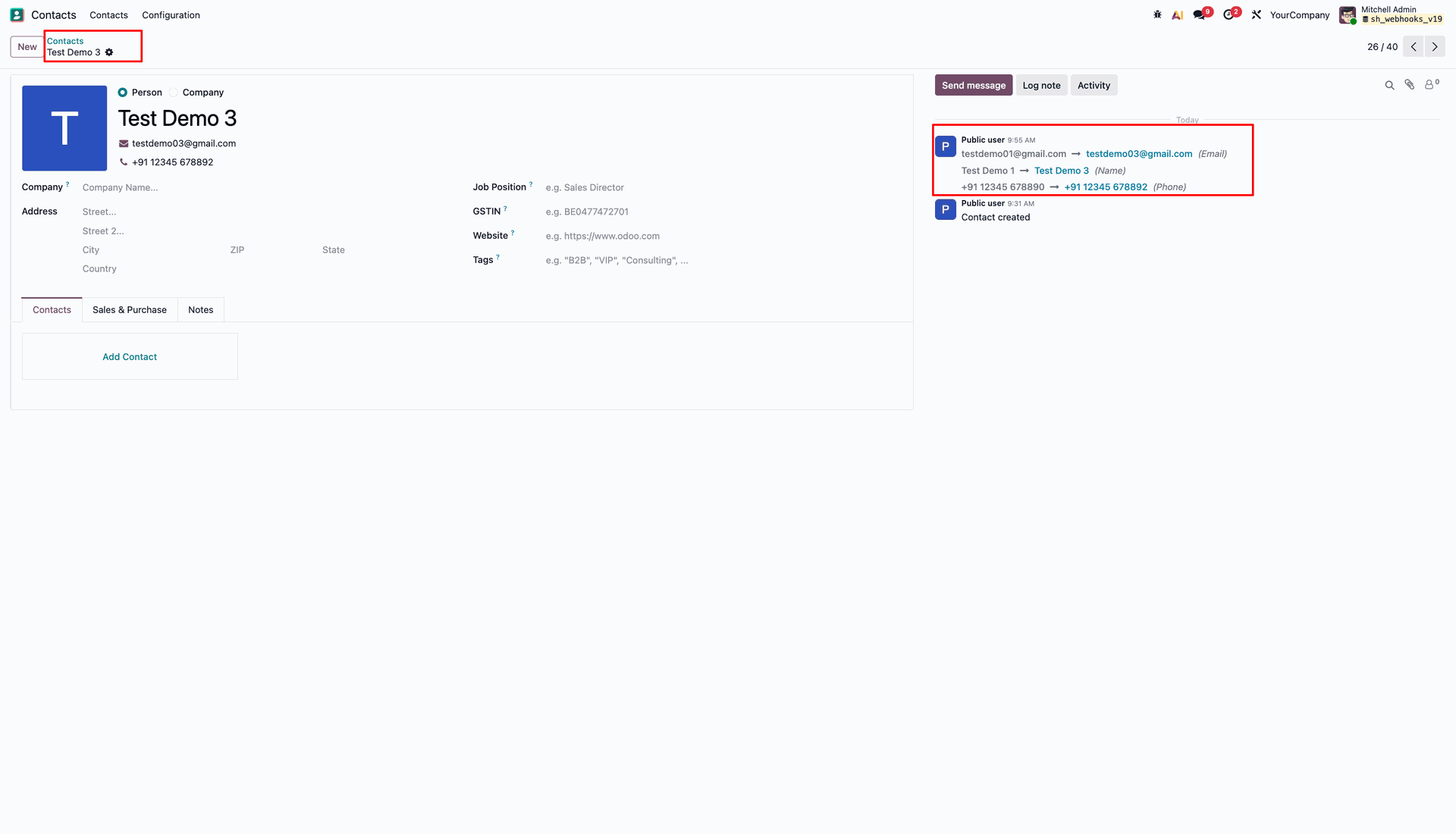
Review updated contact form Test Demo 3 and chatter history confirming updated field values.
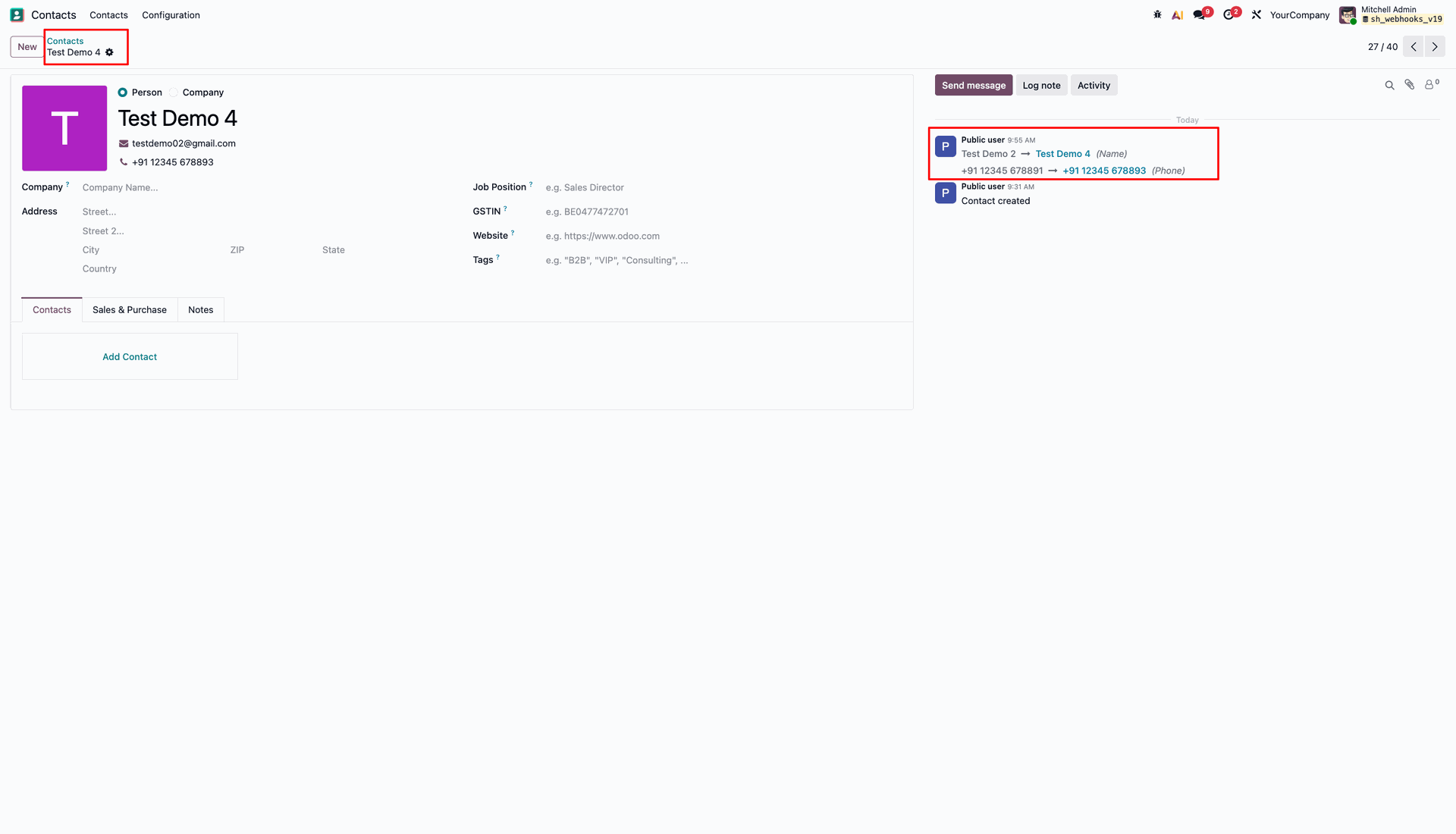
Review updated contact form Test Demo 4 and chatter history verifying field modification logs.
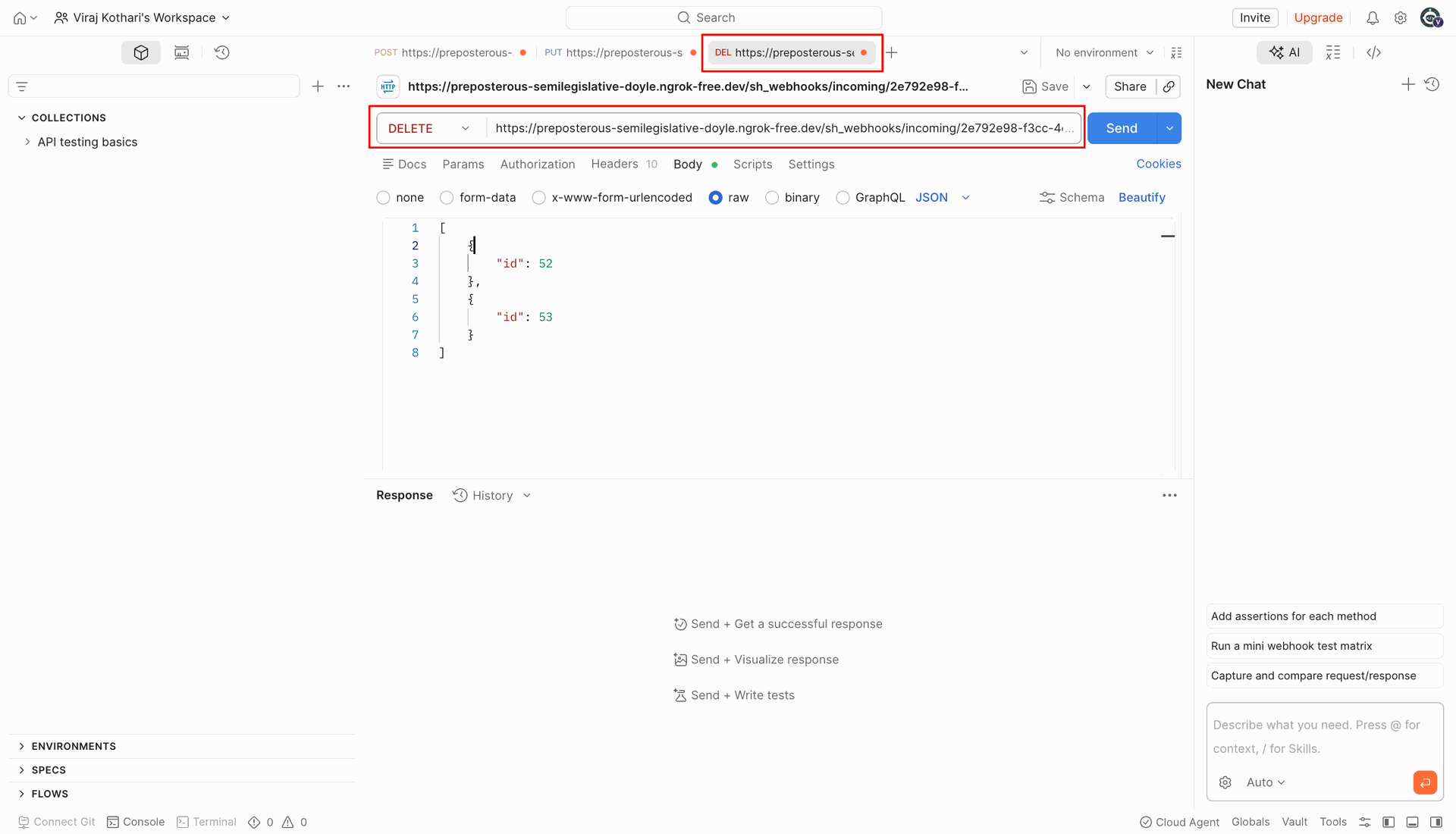
Select DELETE method in Post and send JSON payload to delete target contact IDs.
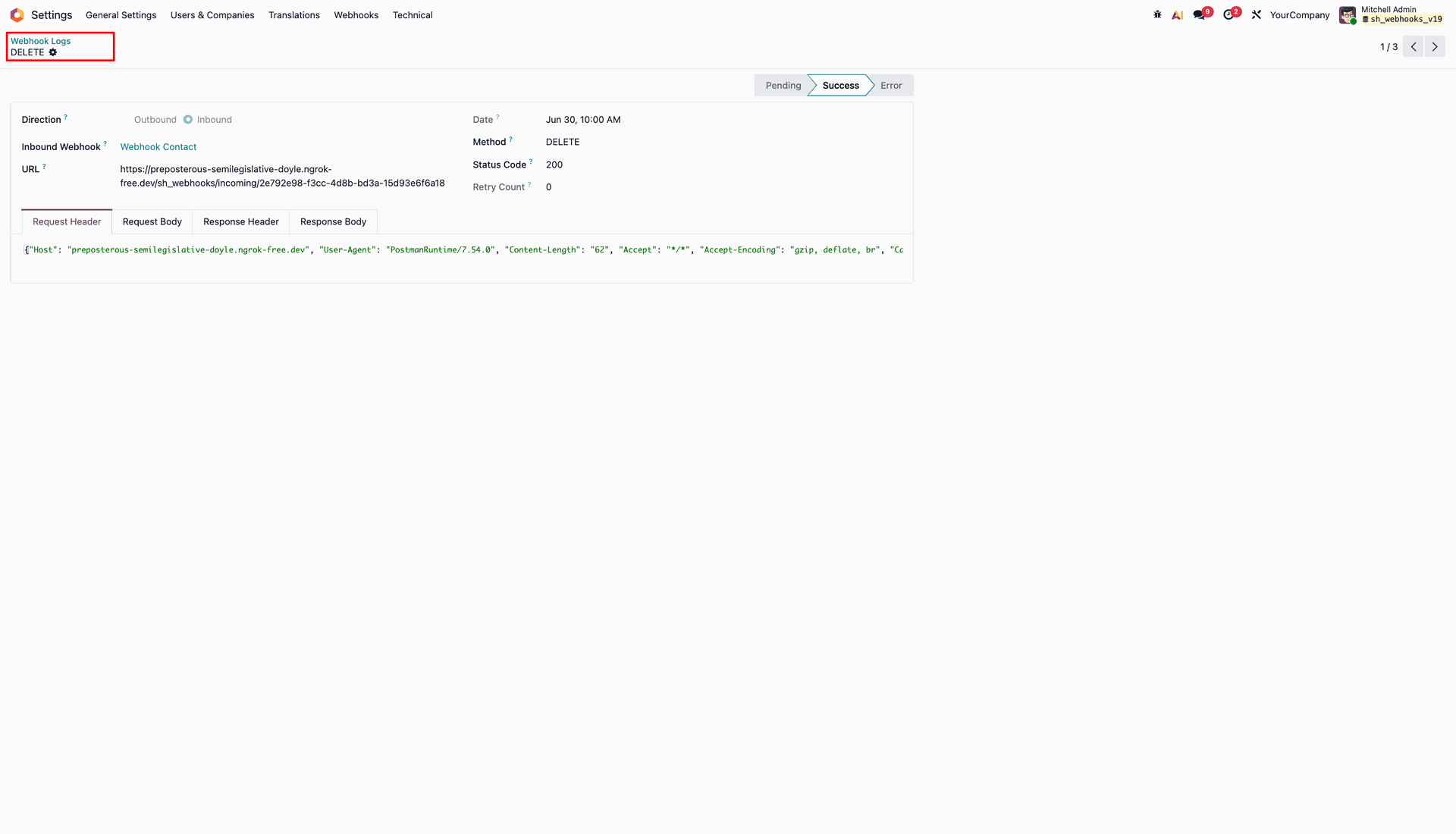
Inspect inbound log details showing successful DELETE execution with 200 status and headers.
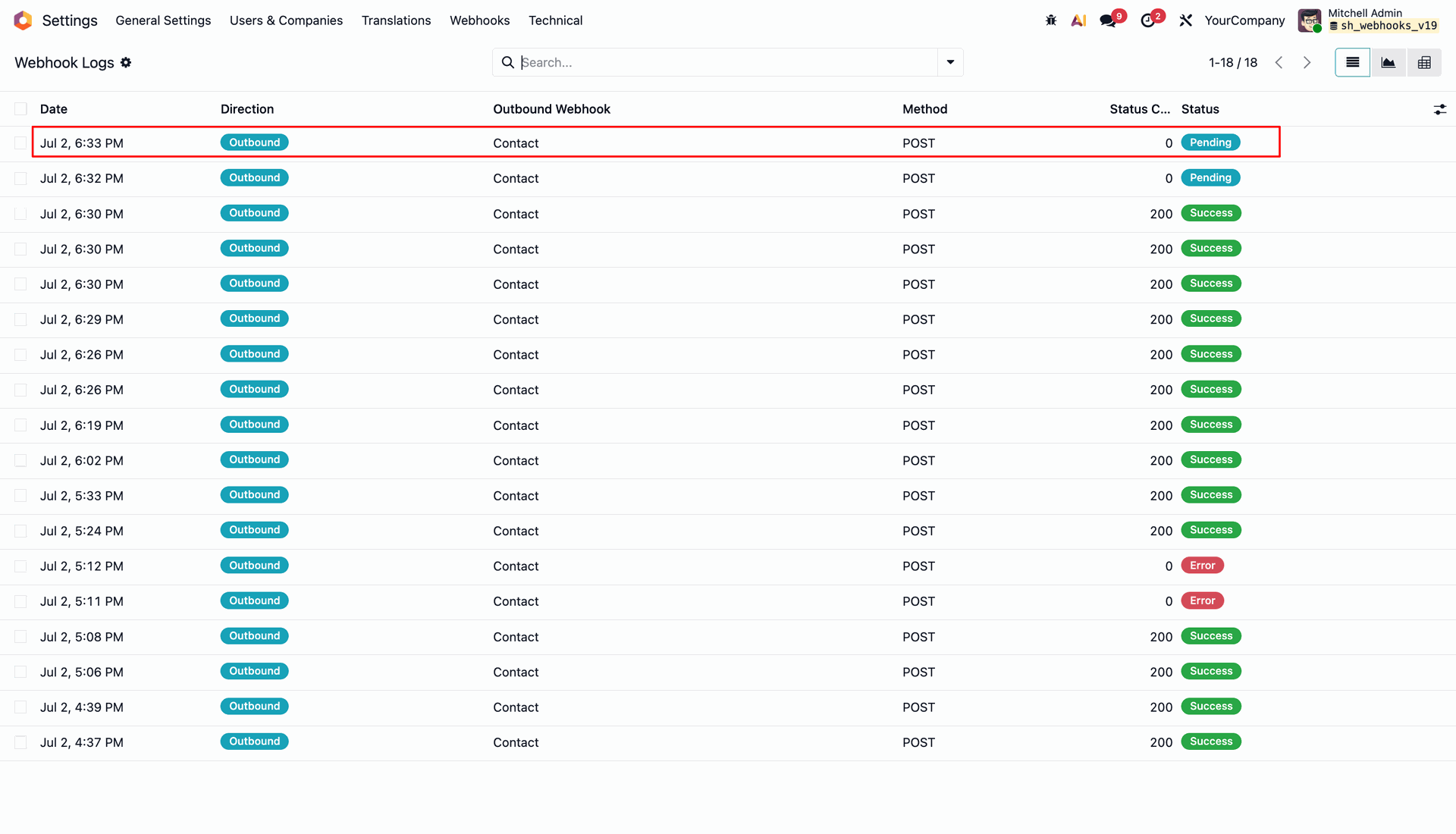
Review the Webhook Logs table highlighting the pending scheduled outbound webhook log entry.
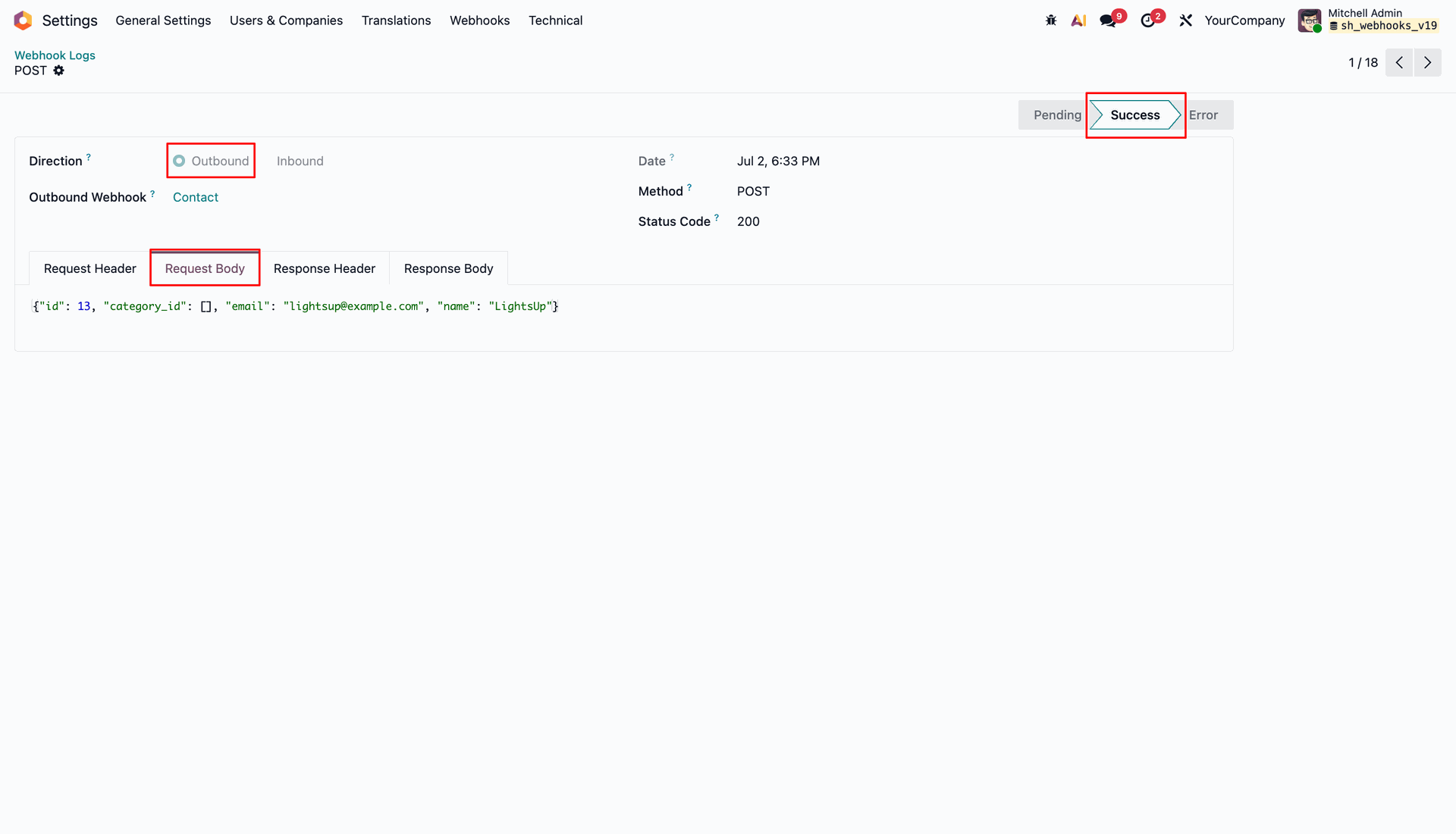
Inspect successful outbound log details showing status 200 and transmitted JSON request body.
Click the Retry Sync button on failed webhook log record with Error status.
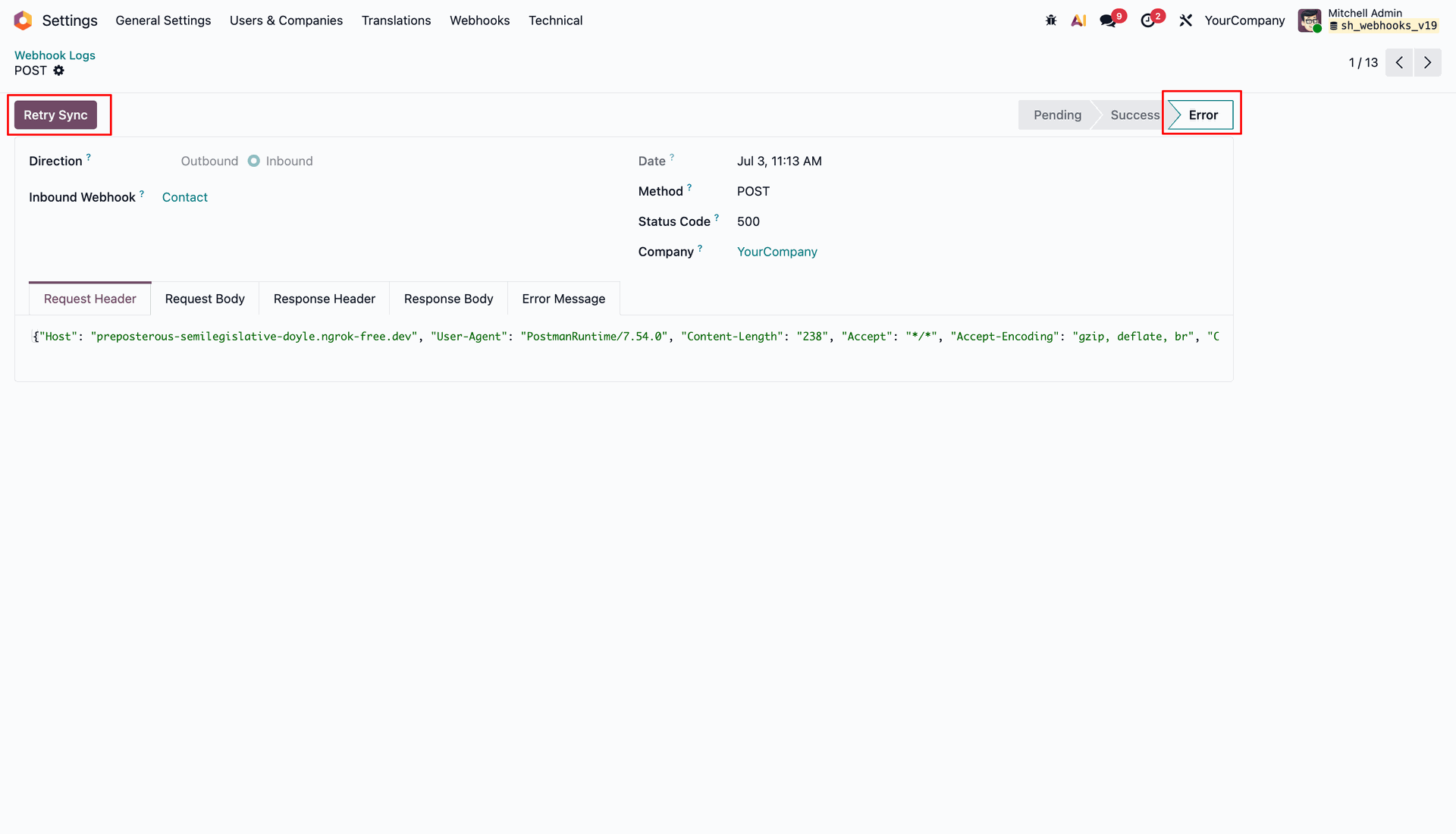
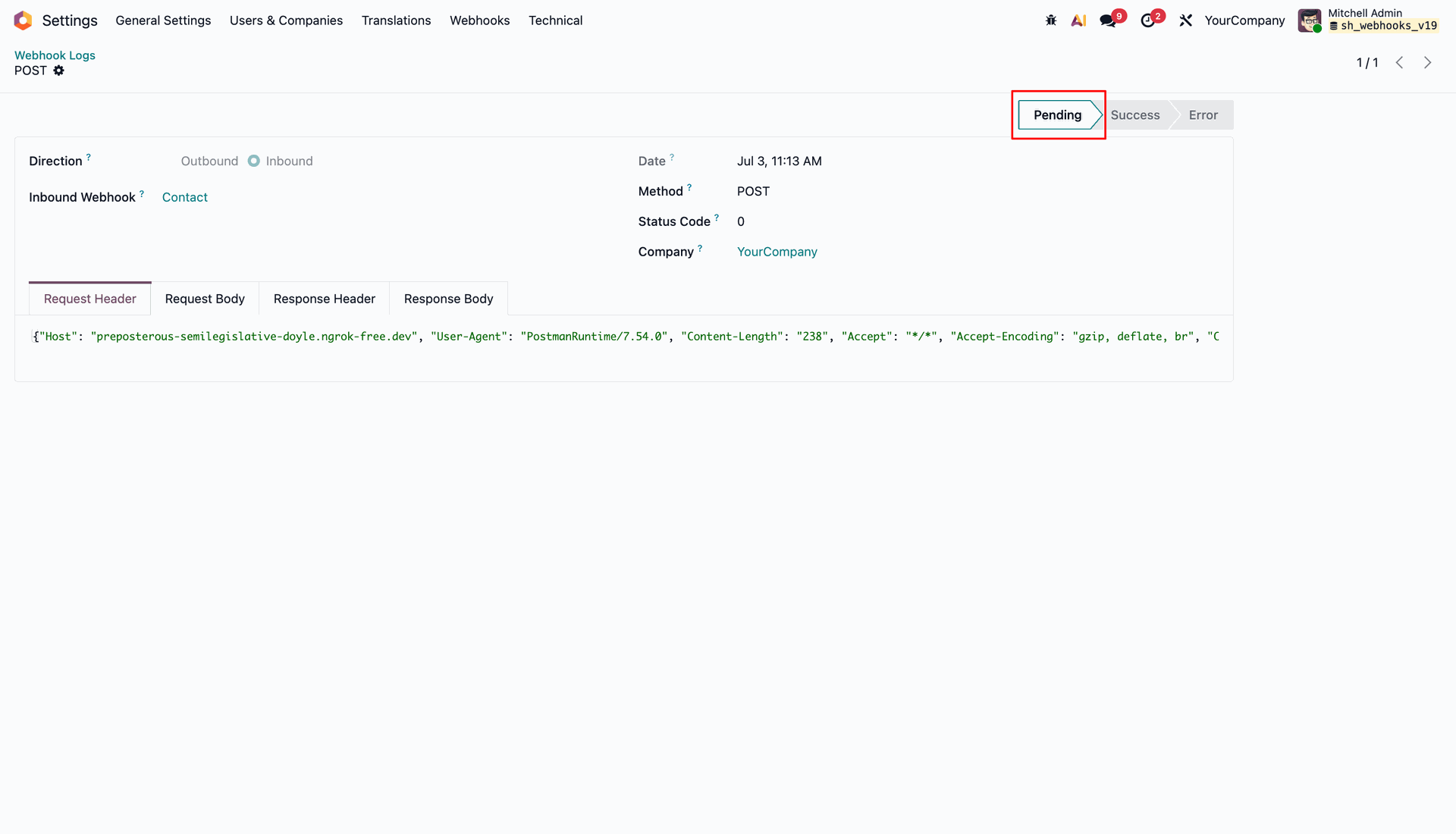
Verify that retried webhook log status resets to Pending for background retry execution.
Version 19.0.1.0.0 | Released on : 4th October 2026
- Yes, this app works perfectly with Odoo Enterprise (Odoo.sh & Premise) as well as Community.
- No, this application is not compatible with odoo.com(odoo saas/Odoo Online)
- Yes, to test this module, please contact us at sales@softhealer.com.
- Please contact us at sales@softhealer.com to request customization.
- Yes, we provide free support for 365 days from the date of purchase.
- Yes, you will receive lifetime free updates for the version of the module you purchased.
- No, there is no need to install any additional libraries.
- Yes, for version 12 and above, you need to purchase the module separately for each version you intend to use.
- No, exchanges or refunds are not allowed. Please make sure to select the correct version before purchasing.
- You can contact us at support@softhealer.com for language translation support. We use Google Translator tools to provide translations in multiple languages, so the accuracy may vary. We welcome your suggestions to help improve translations.
Discover Our Latest Apps