












All In One Margin

This module helps to calculate the margin on Products. Add margin field on sale order and invoice based on cost price and sales price. It shows the total margin amount and margin percentage also.

Related Modules
Hot Features
Product Margin Benefits
- Easy to count total margin in sales order and invoice, product wise.
- Product margin used to track a performance report of the company over some time.
- Margin is the most important tool for financial analysis of the firm.
- Easy to set an appropriate price strategy for a particular product.
- The product margin improves your profit & growth in business.
- Easy to measure your product sales/loss progress.
Features
- "Total Margin Amount" field added to count the total margin of all products in the sale order & invoice.
- Easy to calculate margin on products.
- Easy to see the total margin amount and margin percentage.
- Easy to get the margin of sales order and invoice.
- Easy to calculate margin in sales price and cost price.
- Easy to install and use it, No more configuration required.
-
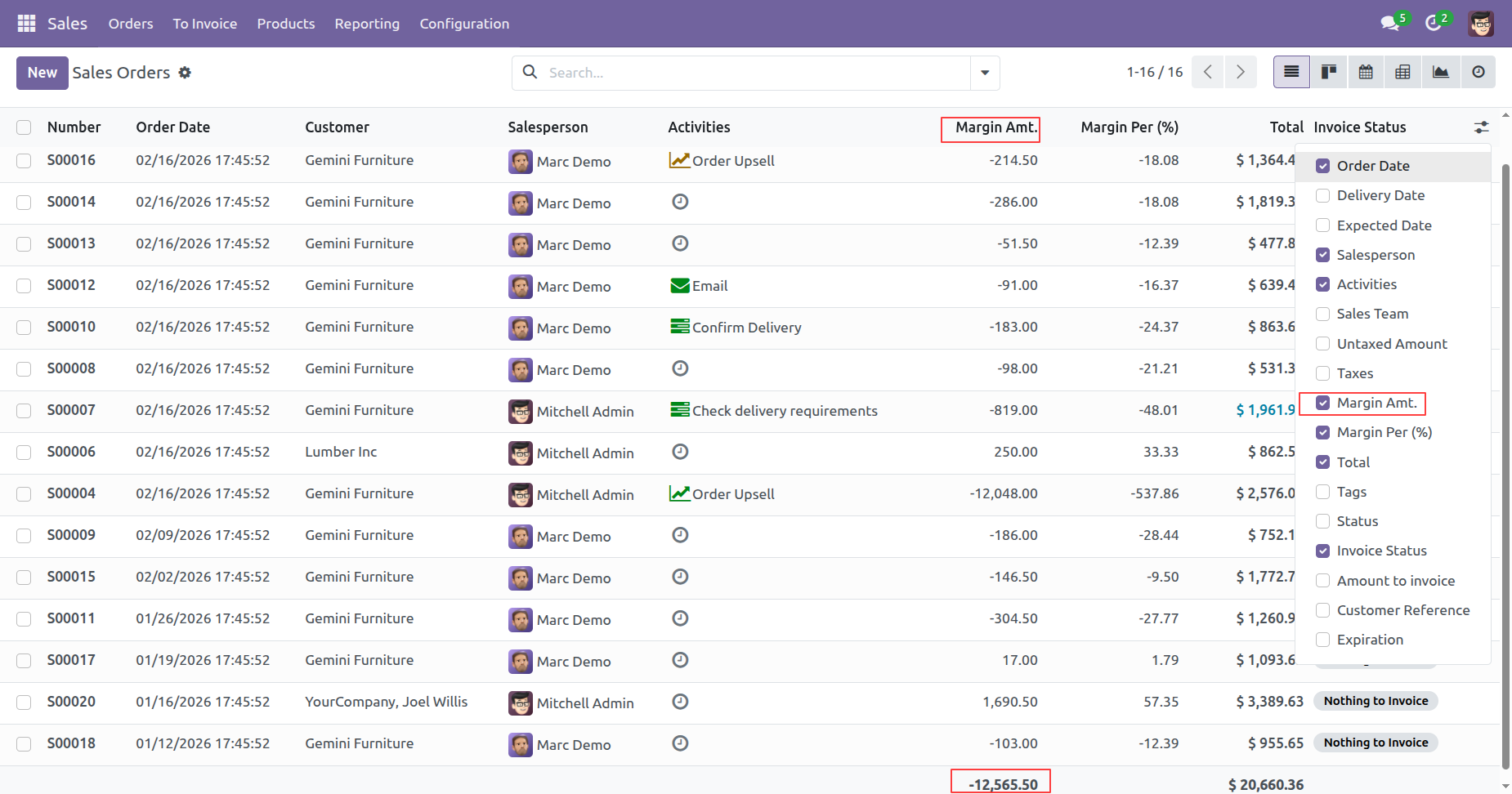
You can view the 'Margin Amt.' column directly in the Sales Order list view, with the total margin
amount calculated and displayed in the footer for quick analysis.

-
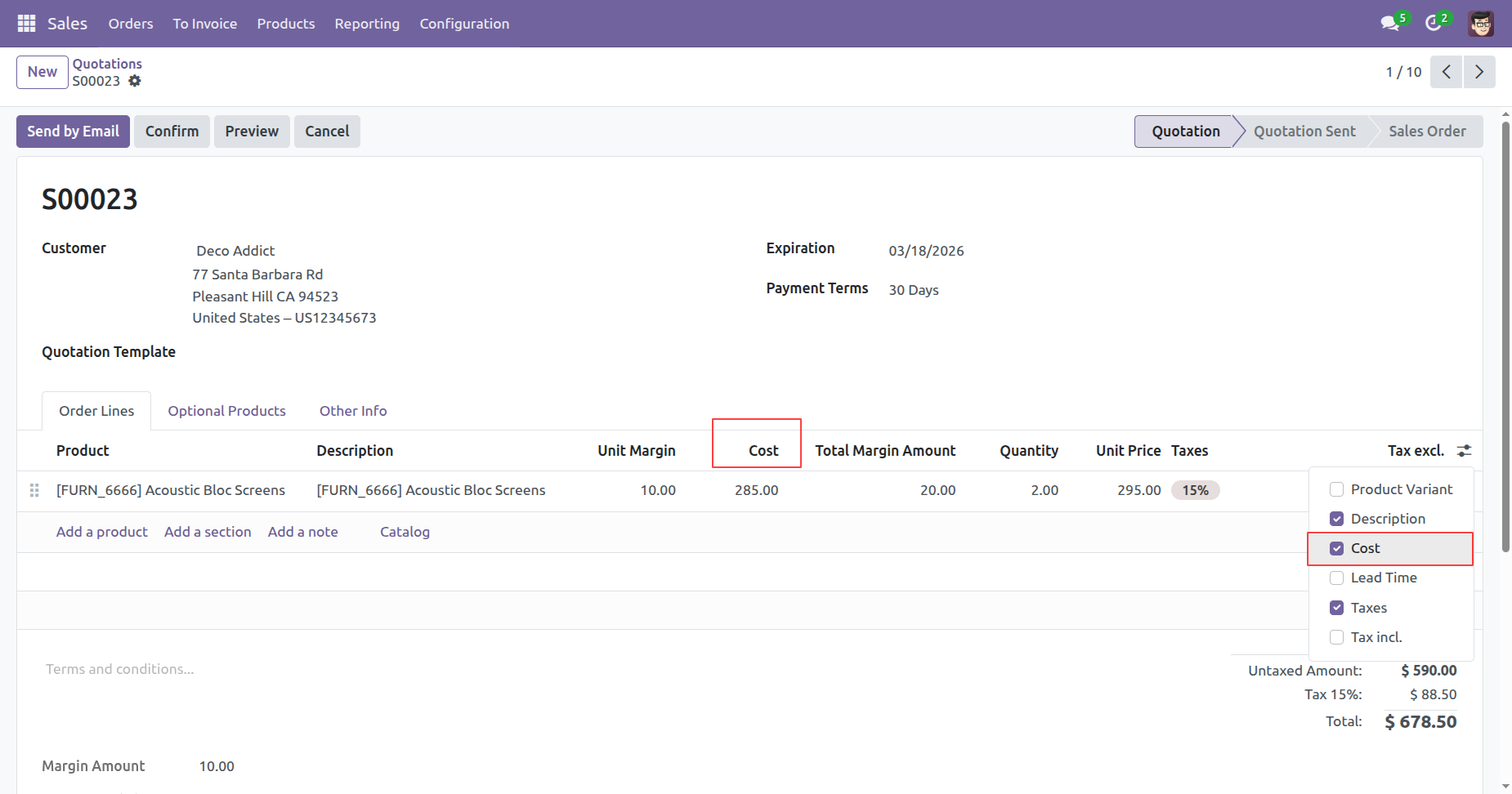
A 'Cost' column in Sales Order lines, which is visible only to users assigned to the Product Margin
access group.

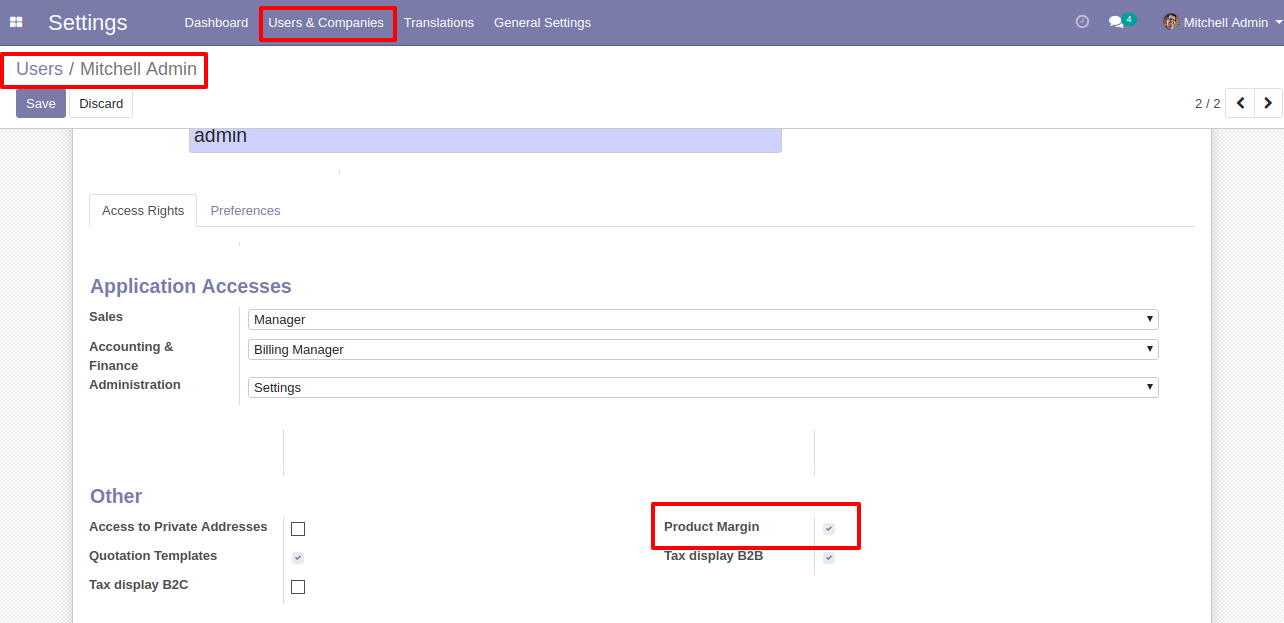
User Setting: Enable 'Product Margin'.
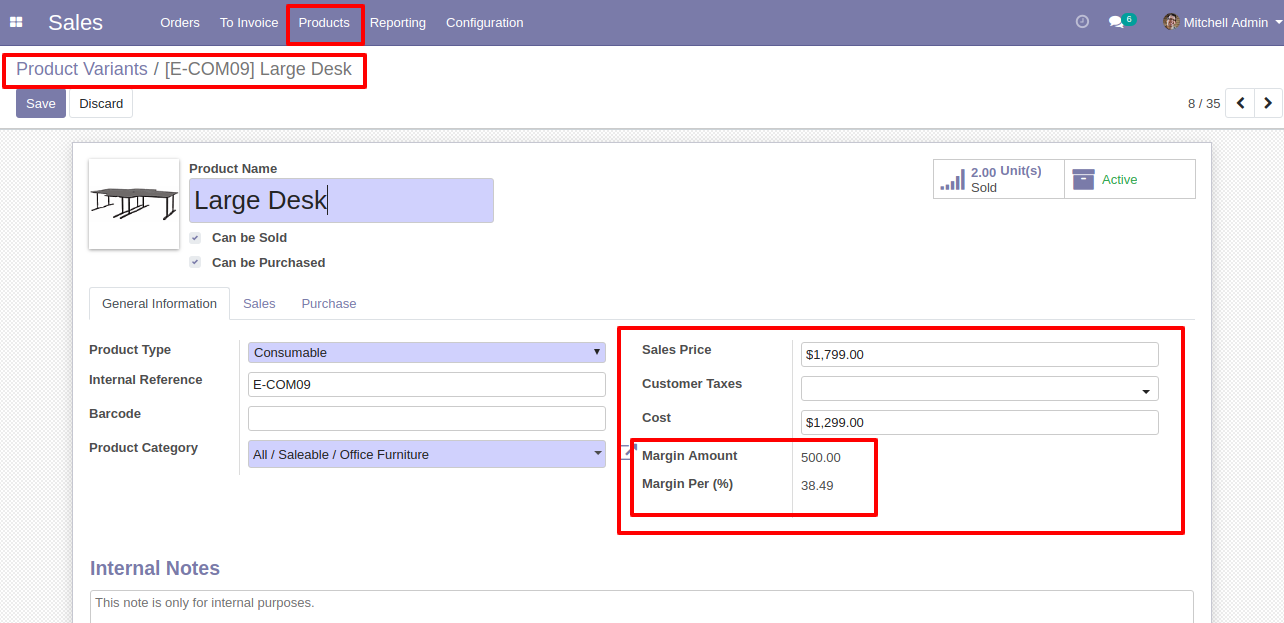
Inside product variant based on sales price and cost price "Margin Amount" and "Margin Percentage(%)" calculated.
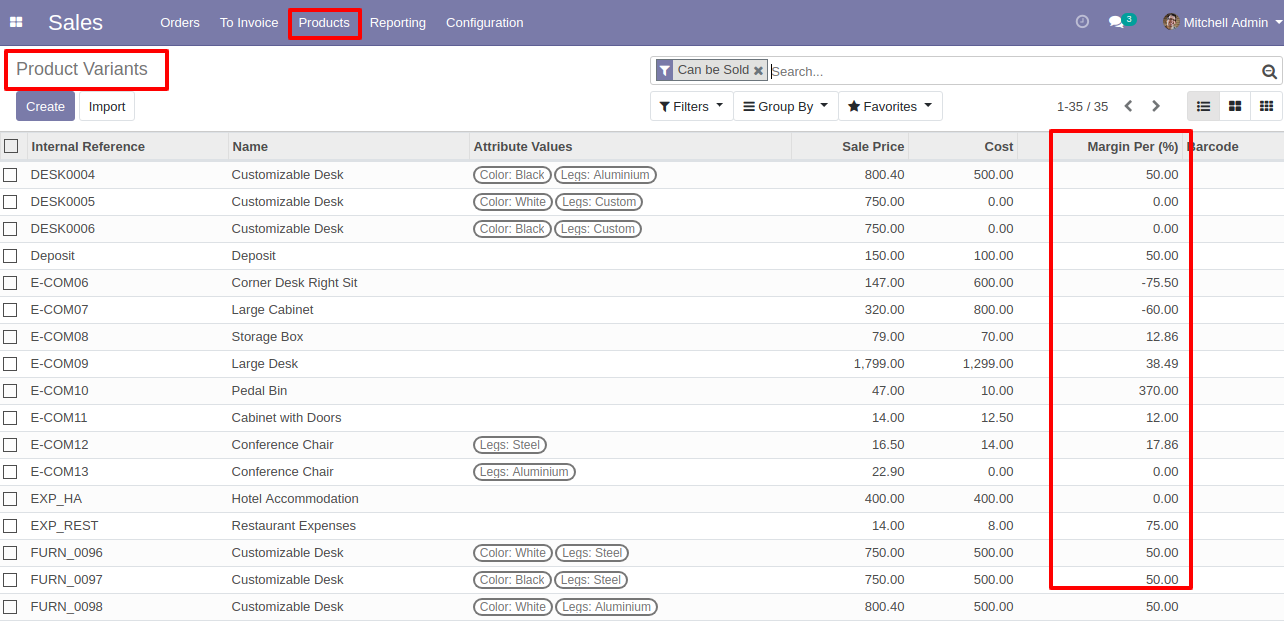
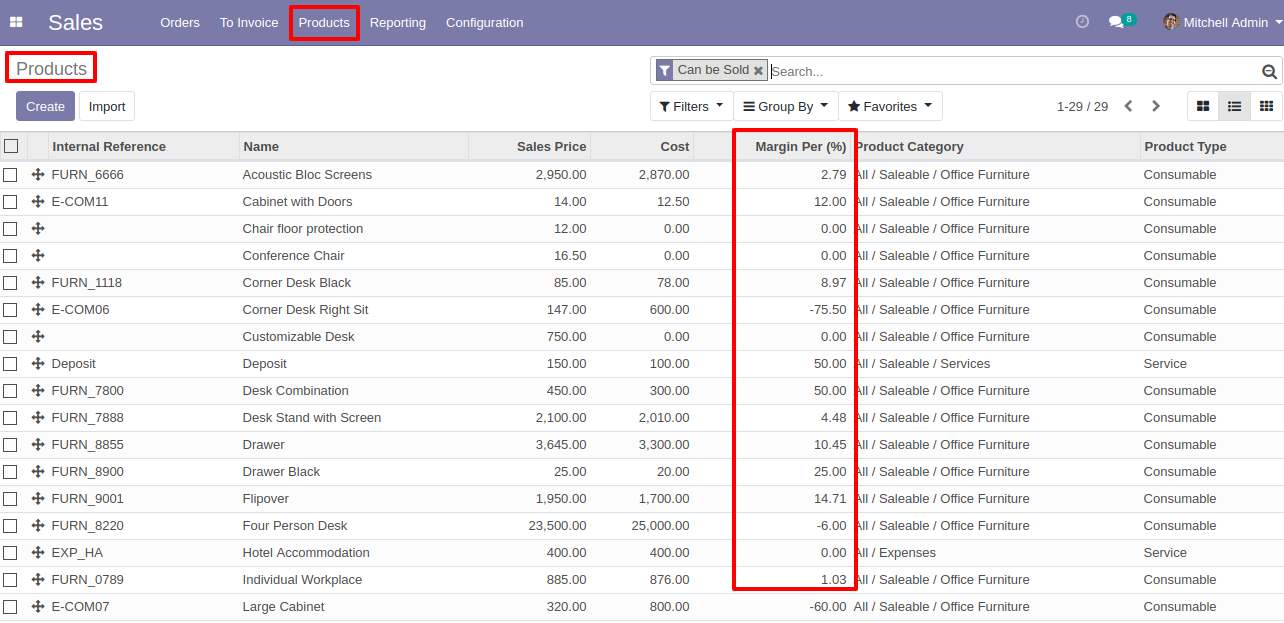
List view of the product variant template with "Margin Percentage(%)".
List view of the product template with "Margin Percentage(%)".
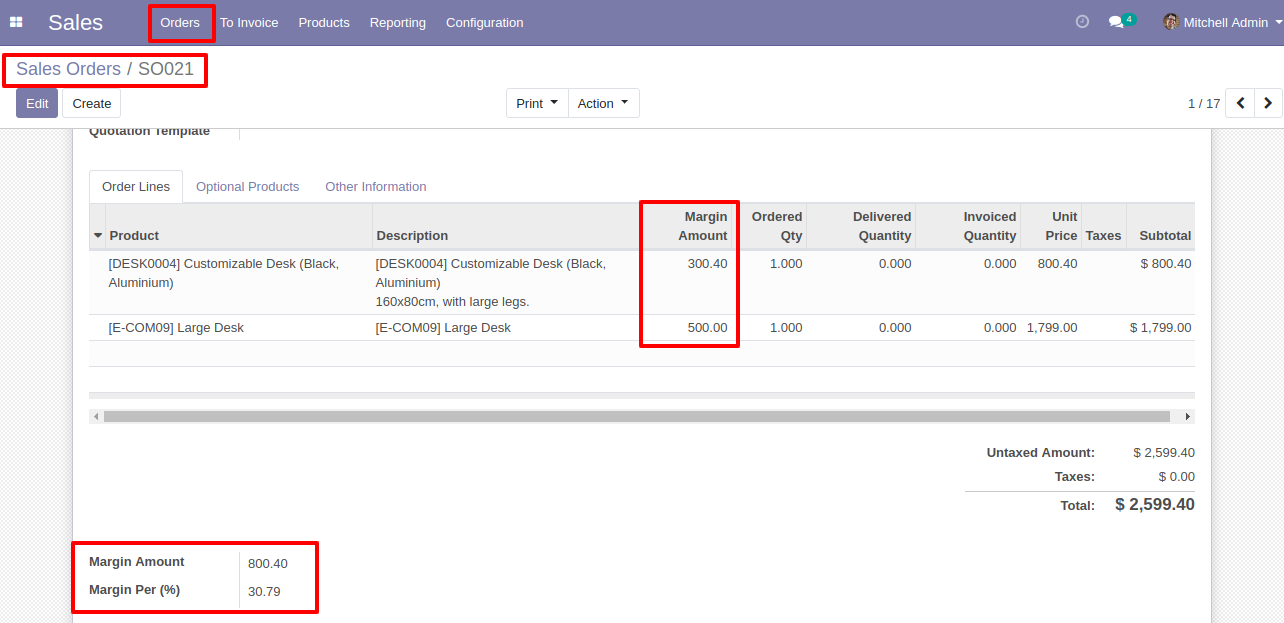
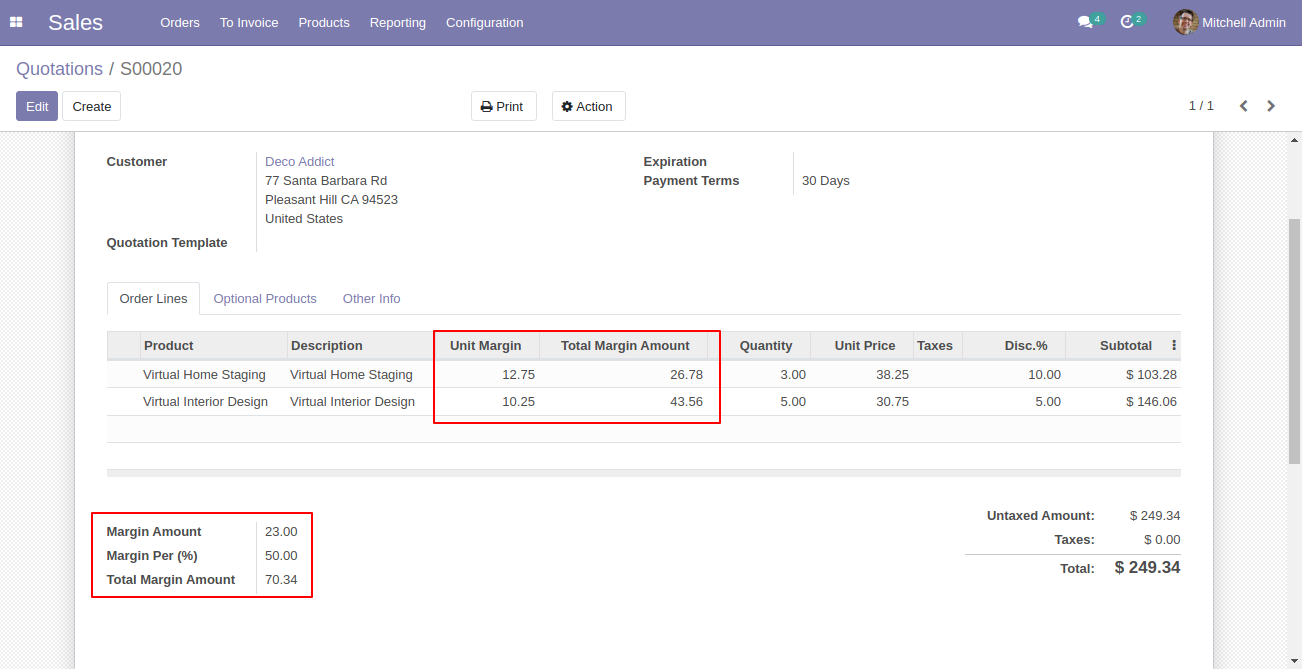
In Sales Order product-wise margin calculated & total margin amount and margin percentage(%) display below of the screen.
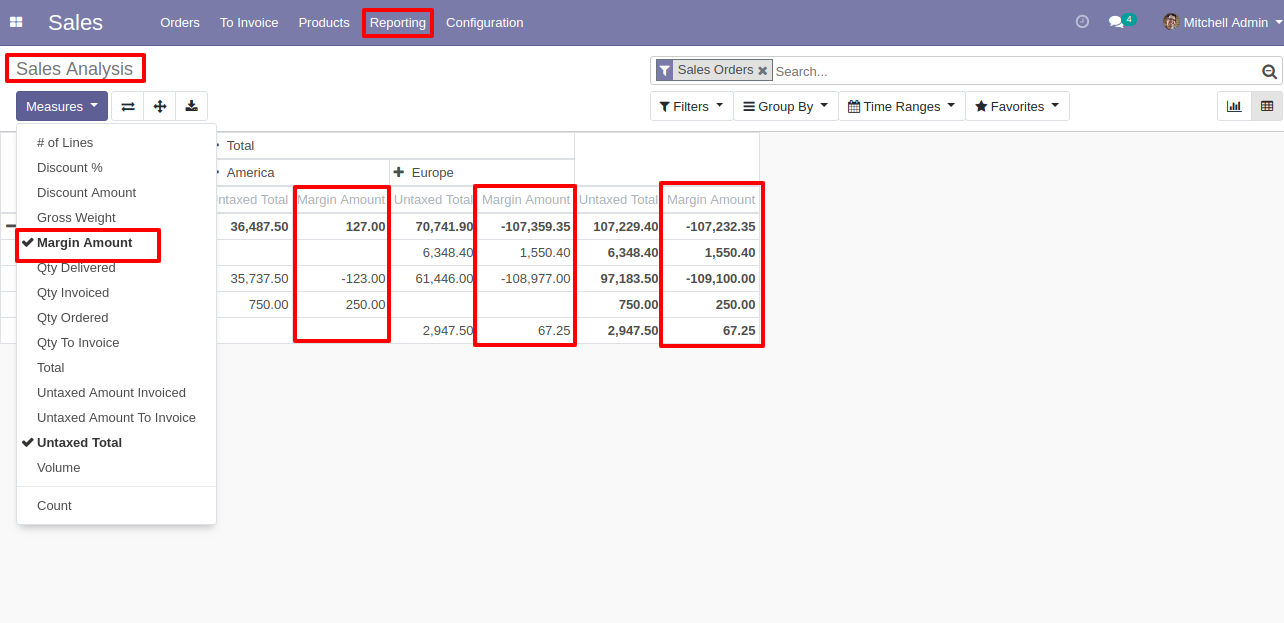
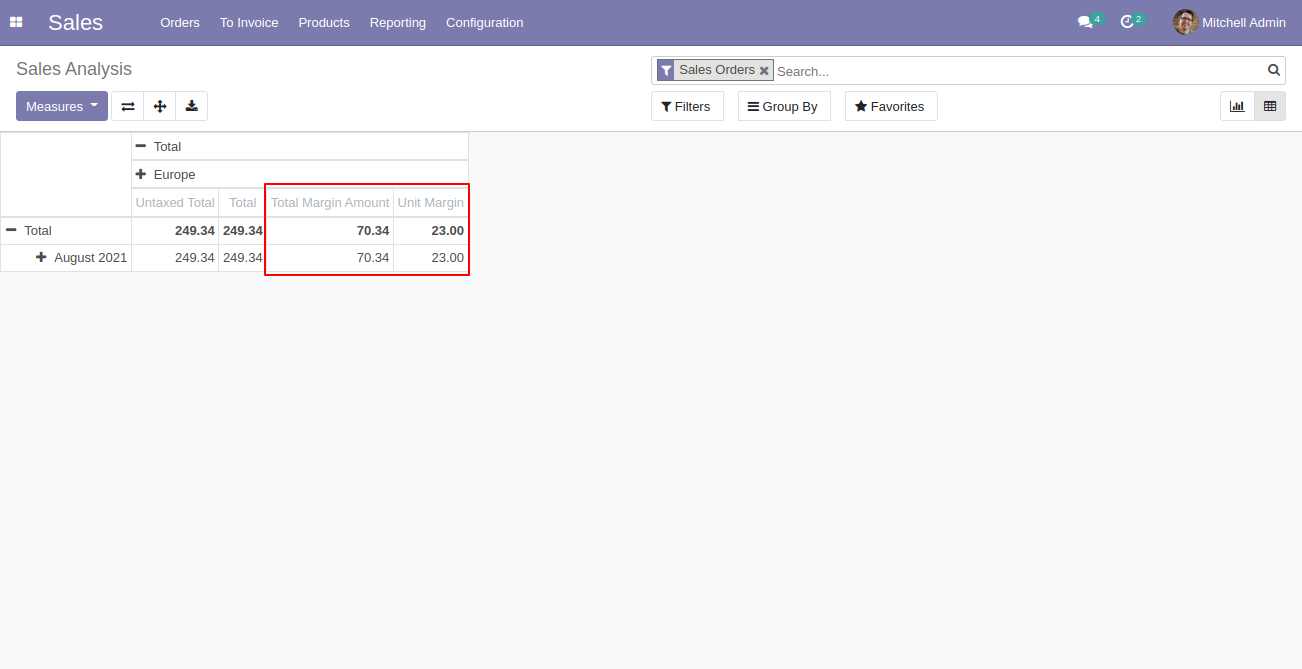
The margin amount field added inside sales analysis report.
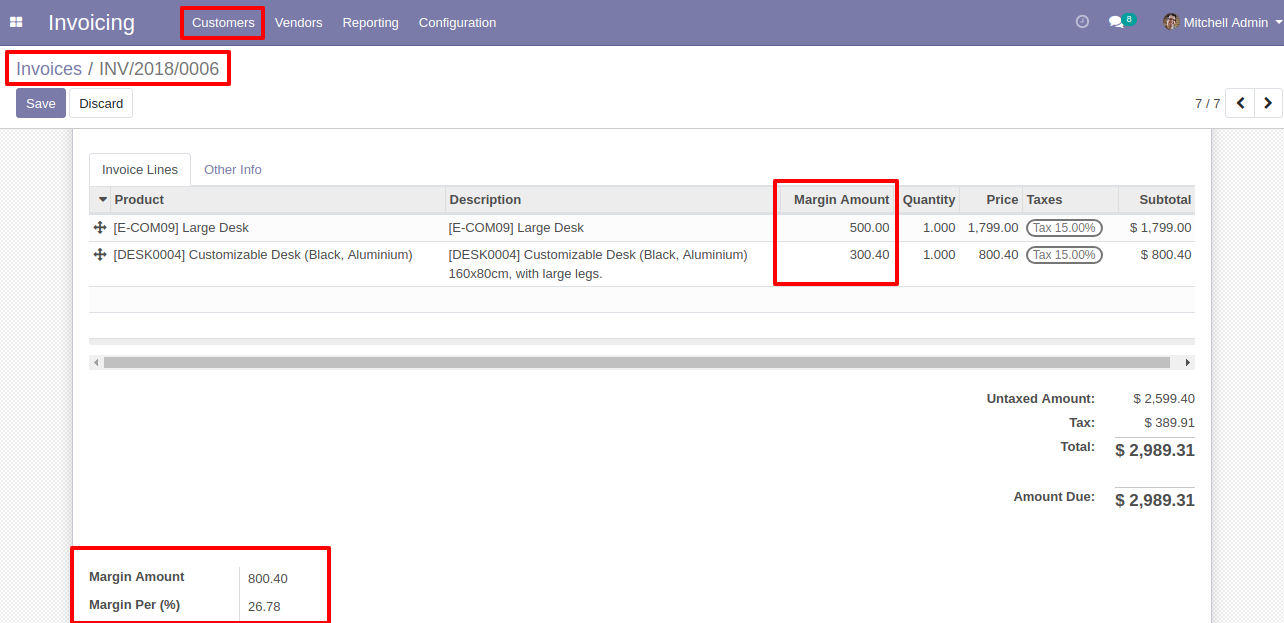
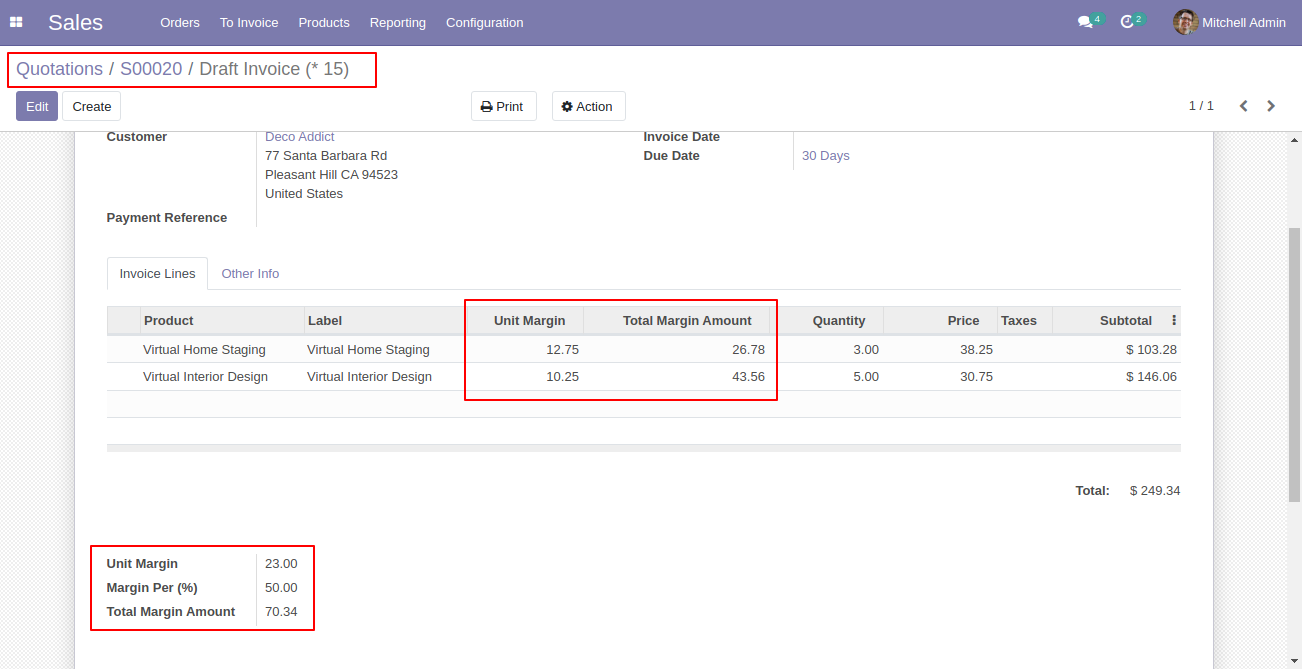
In Invoice product-wise margin calculated & total margin amount and margin percentage(%) display below of the screen.
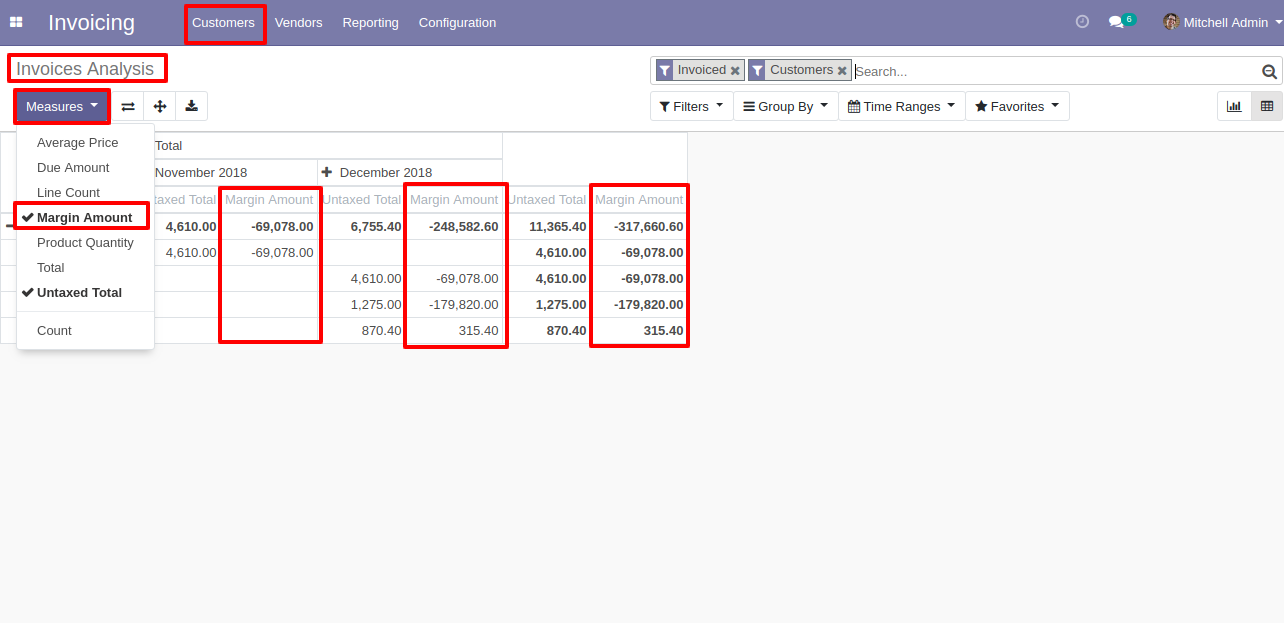
The margin amount field added inside the invoice analysis report.
Sale Order/Quotation with total margin amount.
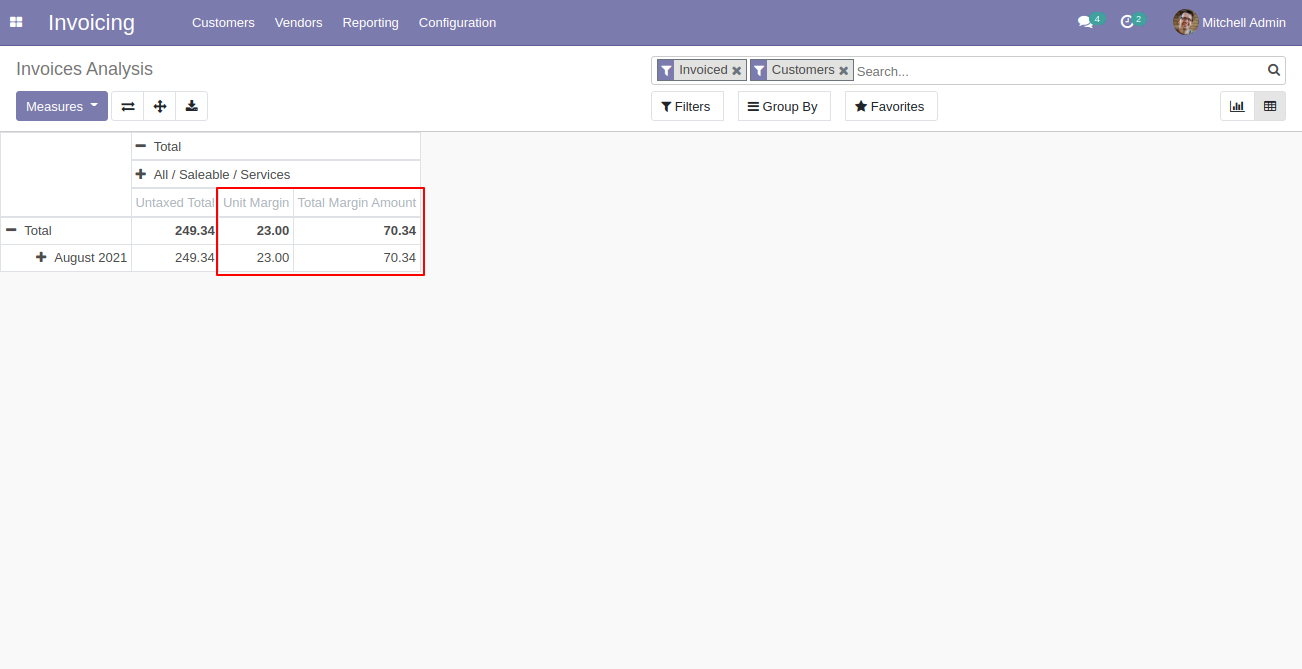
Pivot view with total margin & unit margin in sales.
Invoice with total margin amount.
Pivot view with total margin & unit margin in invoice.
You can see the 'Cost' column in SO lines.
Note: Visible only to 'Product Margin' group.
You can view the 'Margin Amt.'' column in the Sales Order list view, along with the total sum displayed in the footer.
Version 19.0.3.0.0 | Released on : 2nd April 2026
Version 19.0.2.0.0 | Released on : 20th November 2025
Version 19.0.1.0.0 | Released on : 28th August 2025
- Yes, this app works perfectly with Odoo Enterprise (Odoo.sh & Premise) as well as Community.
- No, this application is not compatible with odoo.com(odoo saas/Odoo Online)
- No, currently it does not work if the product type is selected as a combo product. For more details, please contact our support team at support@softhealer.com.
- Yes, to test this module, please contact us at sales@softhealer.com.
- Please contact us at sales@softhealer.comto request customization.
- Yes, we provide free support for 365 days from the date of purchase.
- Yes, you will receive lifetime free updates for the version of the module you purchased.
- No, there is no need to install any additional libraries.
- Yes, for version 12 and above, you need to purchase the module separately for each version you intend to use.
- No, exchanges or refunds are not allowed. Please make sure to select the correct version before purchasing.
- You can contact us at support@softhealer.com for language translation support. We use Google Translator tools to provide translations in multiple languages, so the accuracy may vary. We welcome your suggestions to help improve translations.
Discover Our Latest Apps