

 Easy to Manage
 Dedicated Support















 Scan to email sales



All in one Maintenance

The All-In-One Maintenance is designed to simplify and optimize your entire maintainance workflow. This
module lets you create structured inspection checklists, assign job orders to technicians, and manage
purchase requisitions. You can generate customer invoices directly from maintenance requests, eliminating
manual billing steps and saving valuable time. With a powerful dashboard offering clear insights into
equipment condition, maintenance requests, and repair progress, this solution helps you reduce downtime,
improve efficiency, and keep your operations running at peak performance.

Features

All-in-One Maintenance Dashboard
Offers a centralized overview of maintenance dashboard like requests, equipment, and job orders with advanced filtering options.

Smart Maintenance Request Management
Structured tracking with built-in checklists and customer linkage to improve service accuracy and accountability.

Accurate Invoicing & Cost Billing
Allows for the direct generation of customer invoices from maintenance requests based on calculated costs, ensuring accurate billing.

Efficient Job Order Handling
Enables the creation, assignment, and progress tracking of job orders for technicians directly from maintenance requests.

Professional Maintenance Reports
Provides detailed PDF summary reports of maintenance requests, filterable by date and customer for effective analysis.
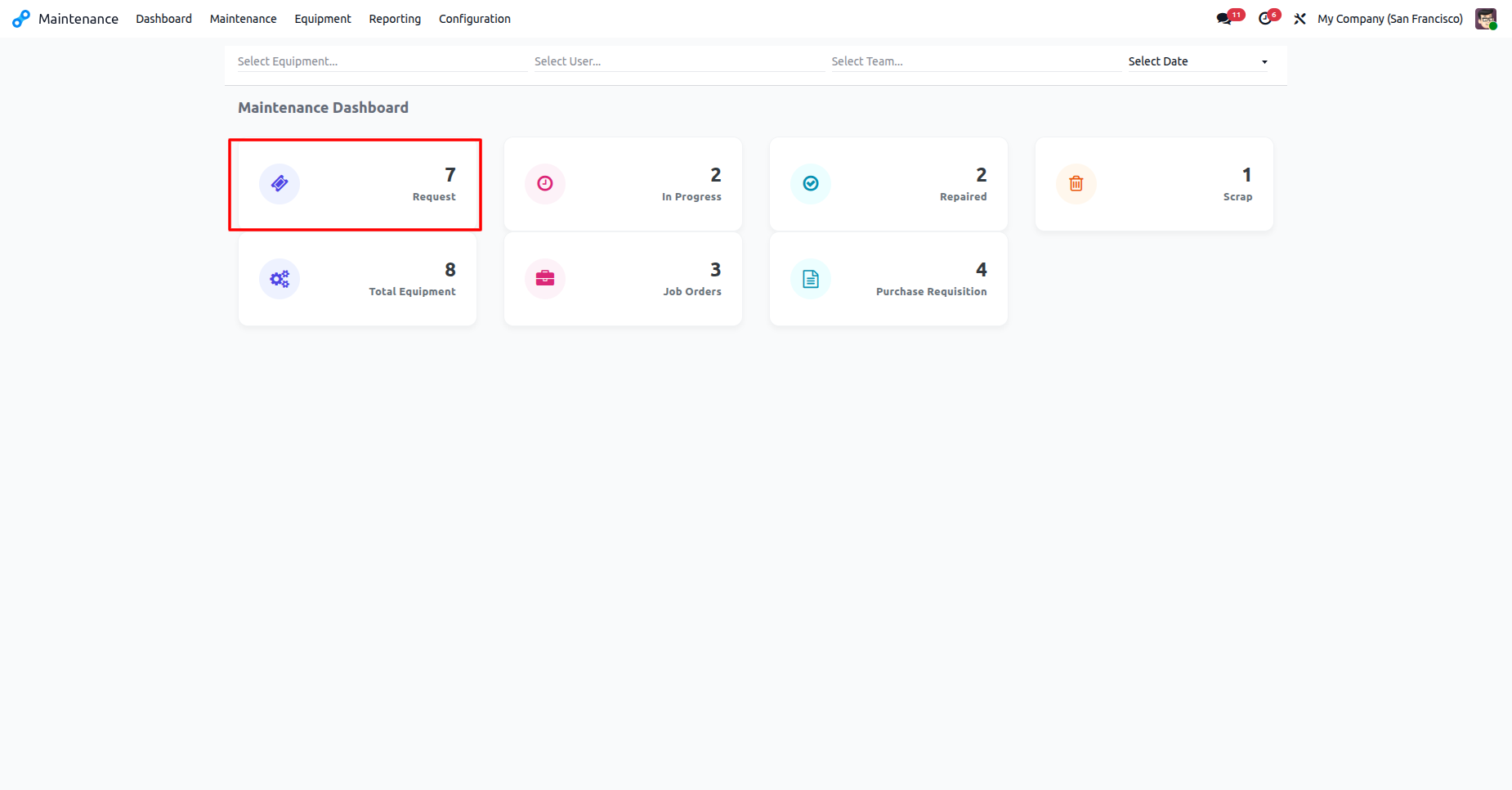
The Request tile on the Maintenance Dashboard displays the total volume of submitted service tickets, allowing for a quick assessment of incoming workload.
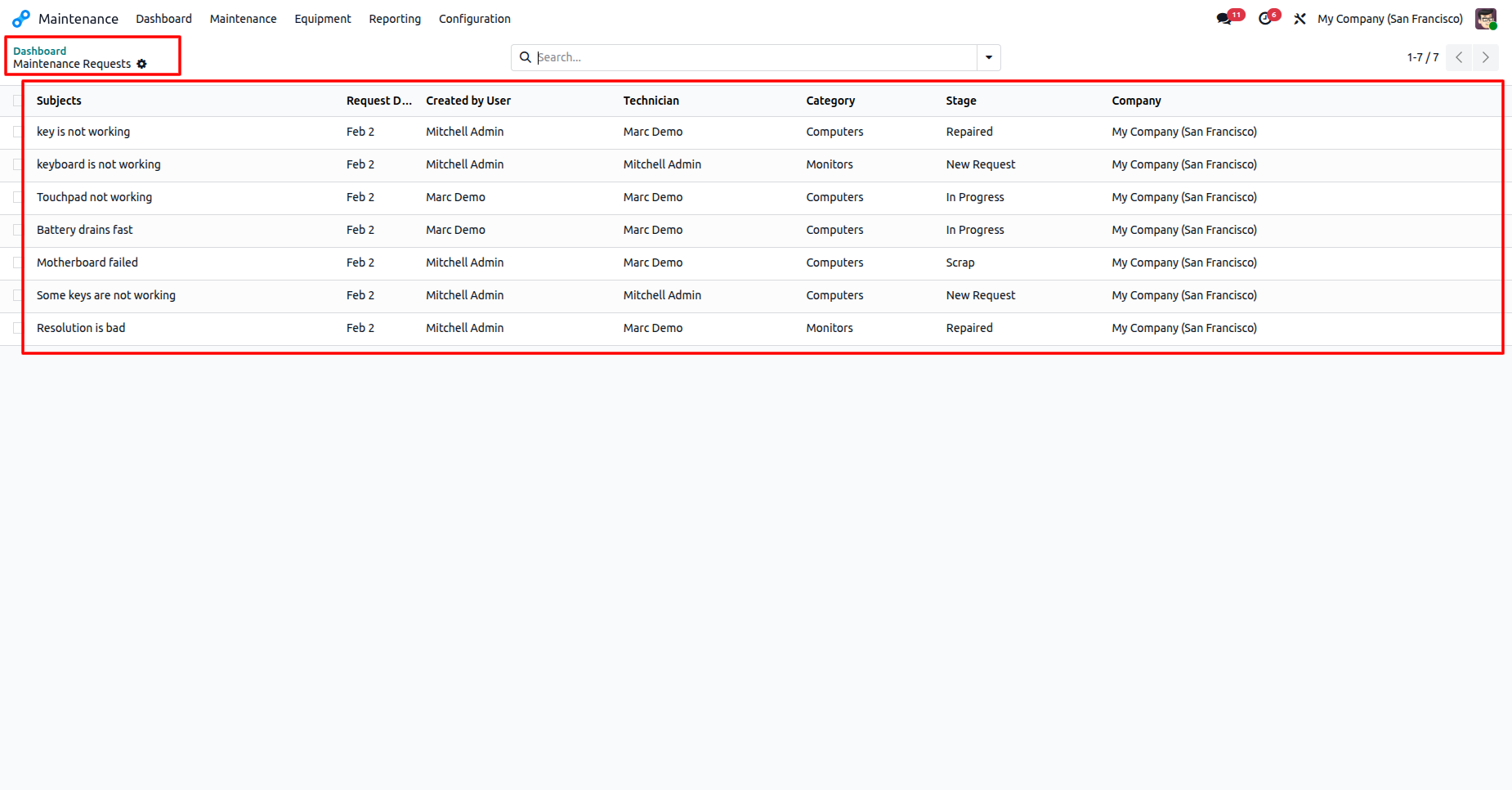
The detailed list view presents all maintenance requests, displaying their subject, technician, category, and current stage.
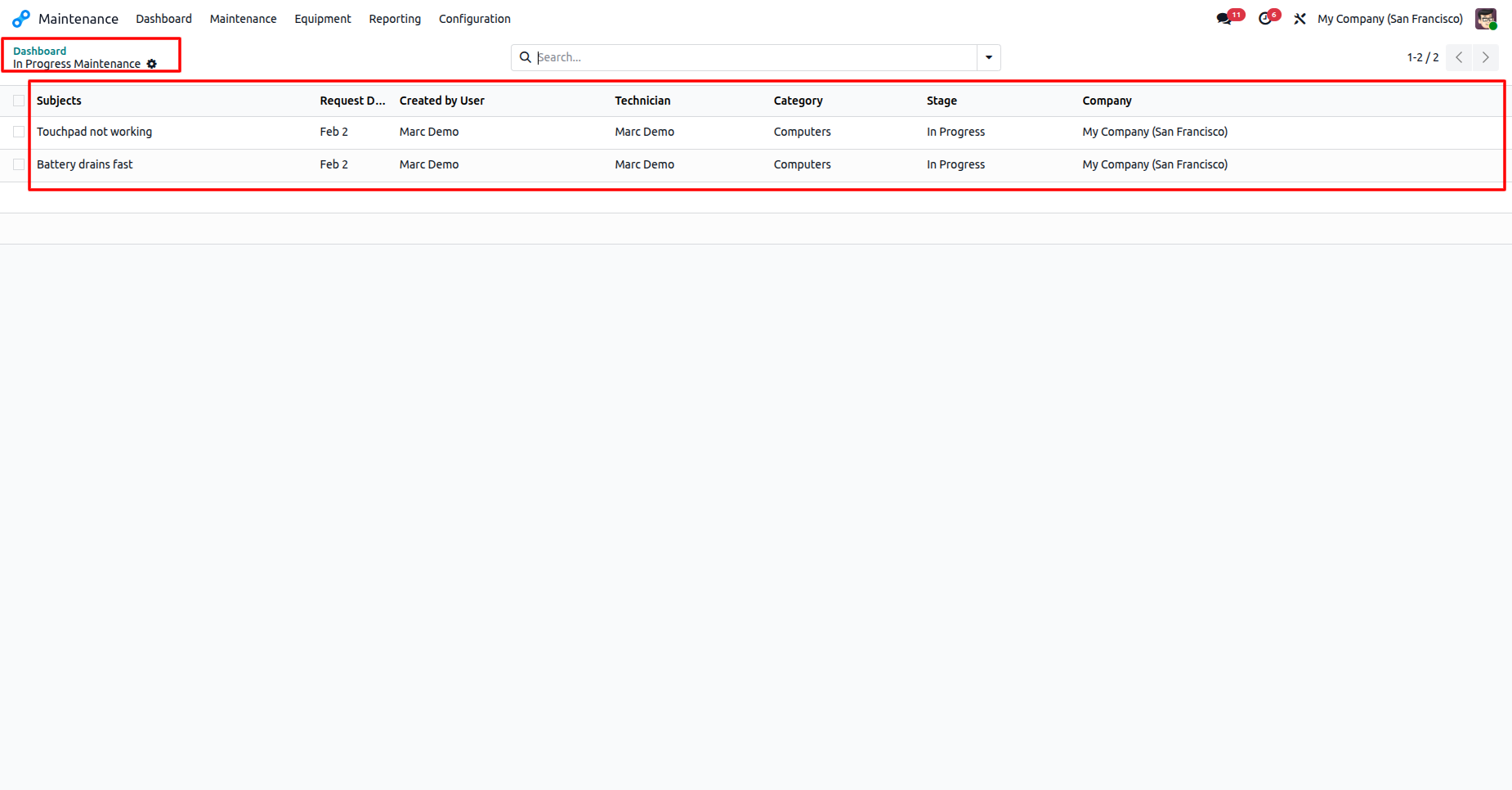
The In Progress Maintenance list view provides a filtered summary of all active repairs, detailing the specific issues, assigned personnel, and current stage of work.
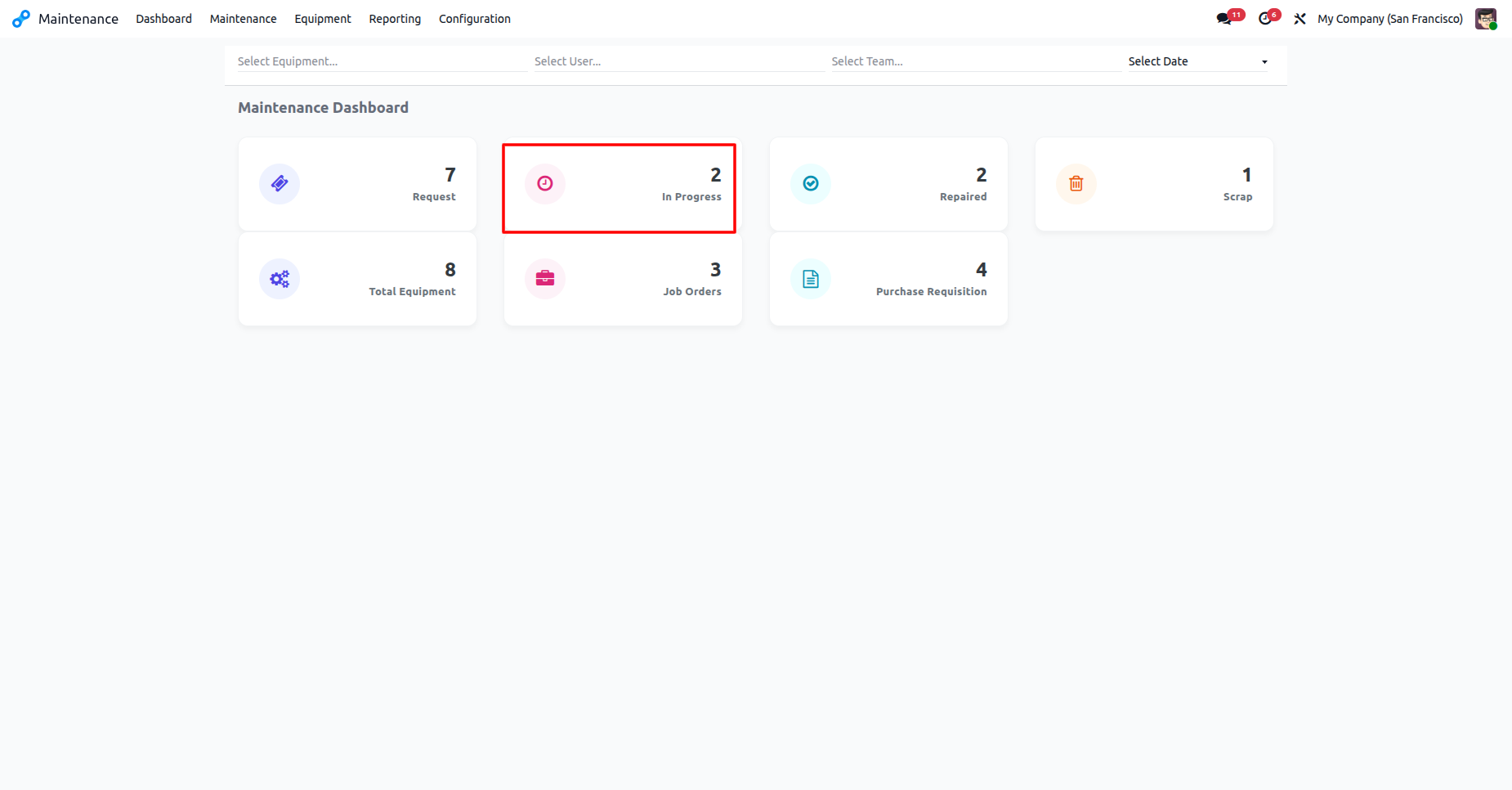
The In Progress Maintenance list view provides a filtered summary of all active repairs, detailing the specific issues, assigned personnel, and current stage of work.
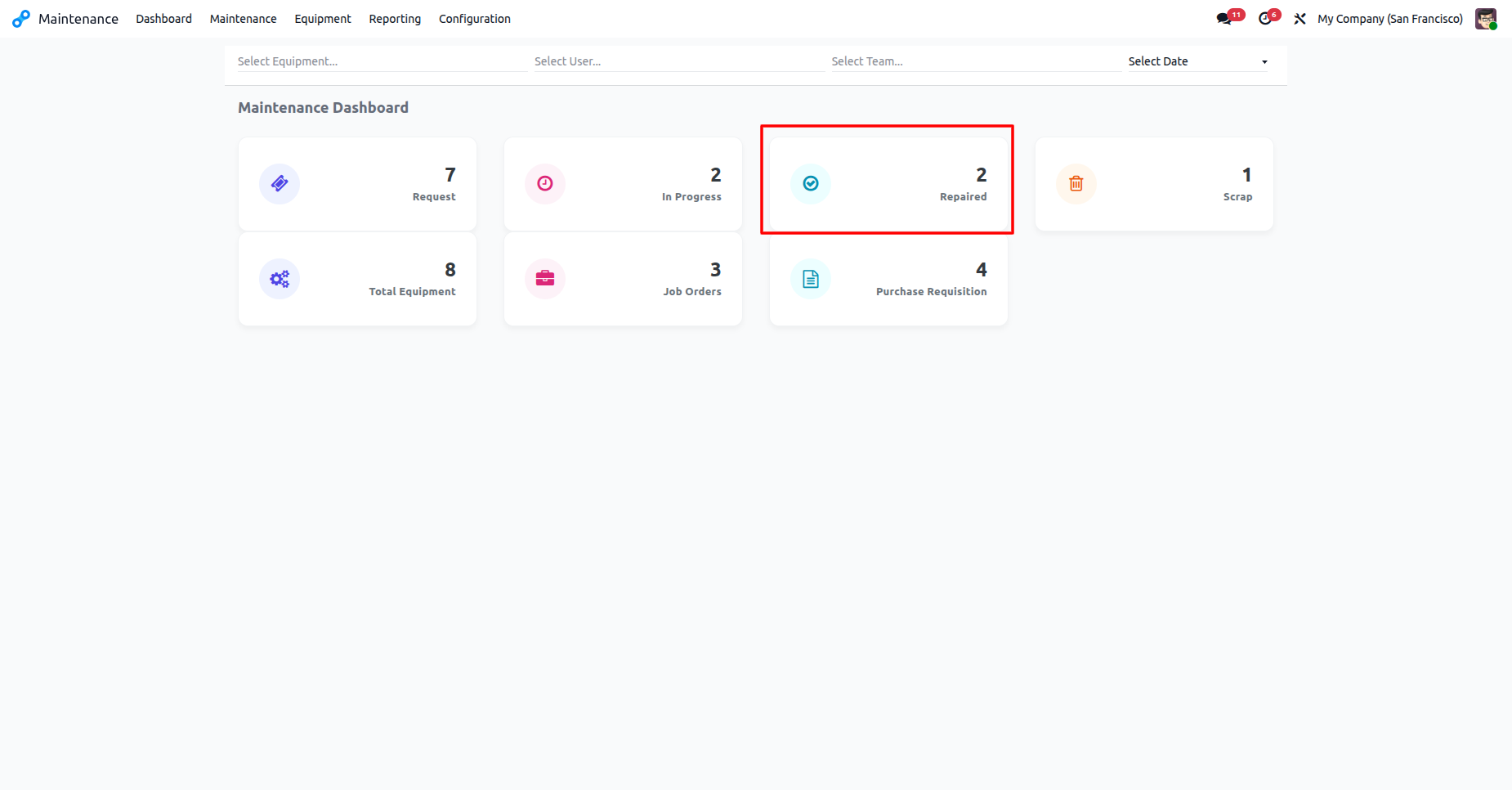
The Maintenance Dashboard highlights that two requests are currently in the Repaired stage.
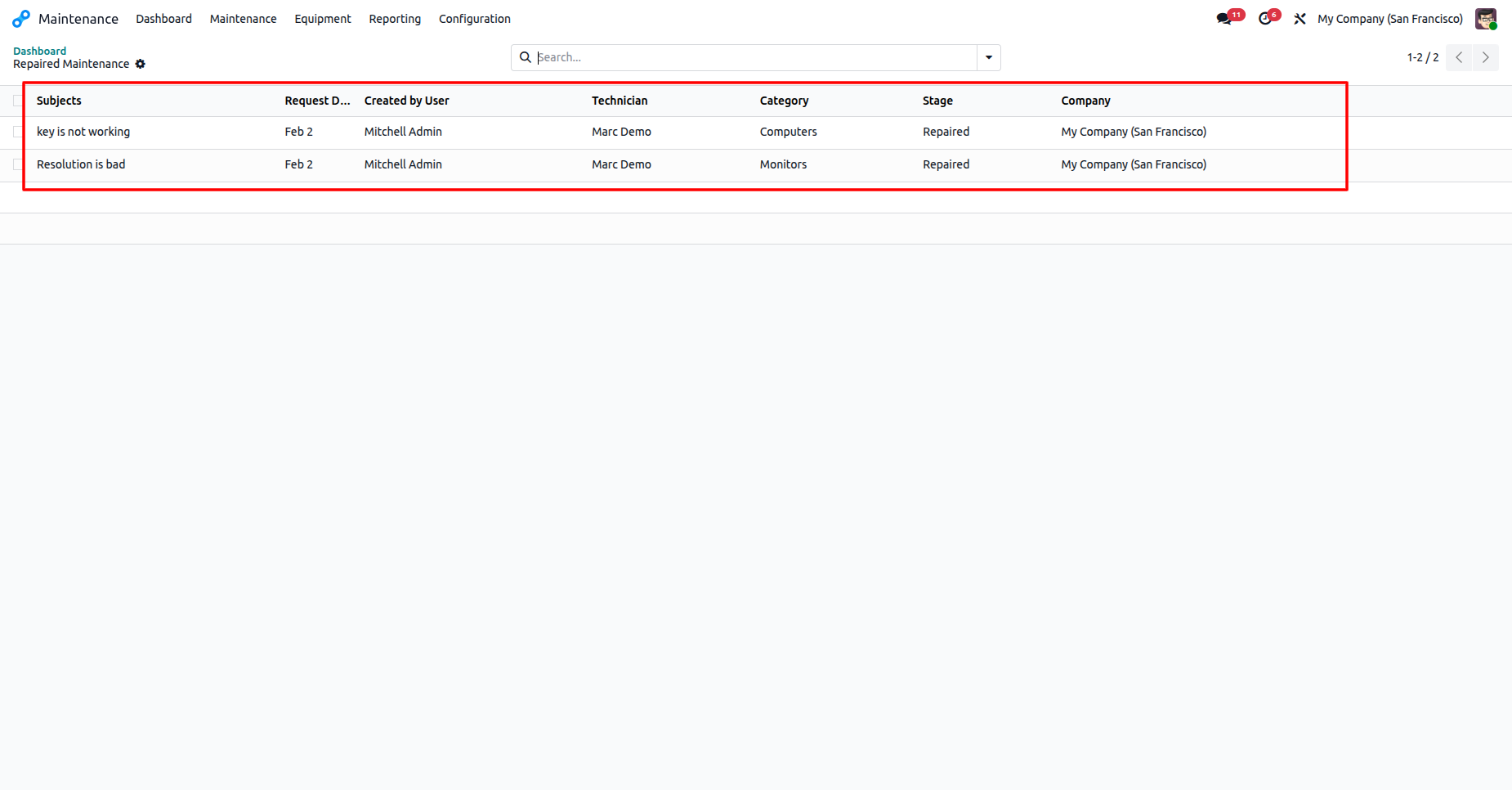
The Repaired Maintenance list view displays all successfully completed requests, detailing the subject, technician, and category for each entry.
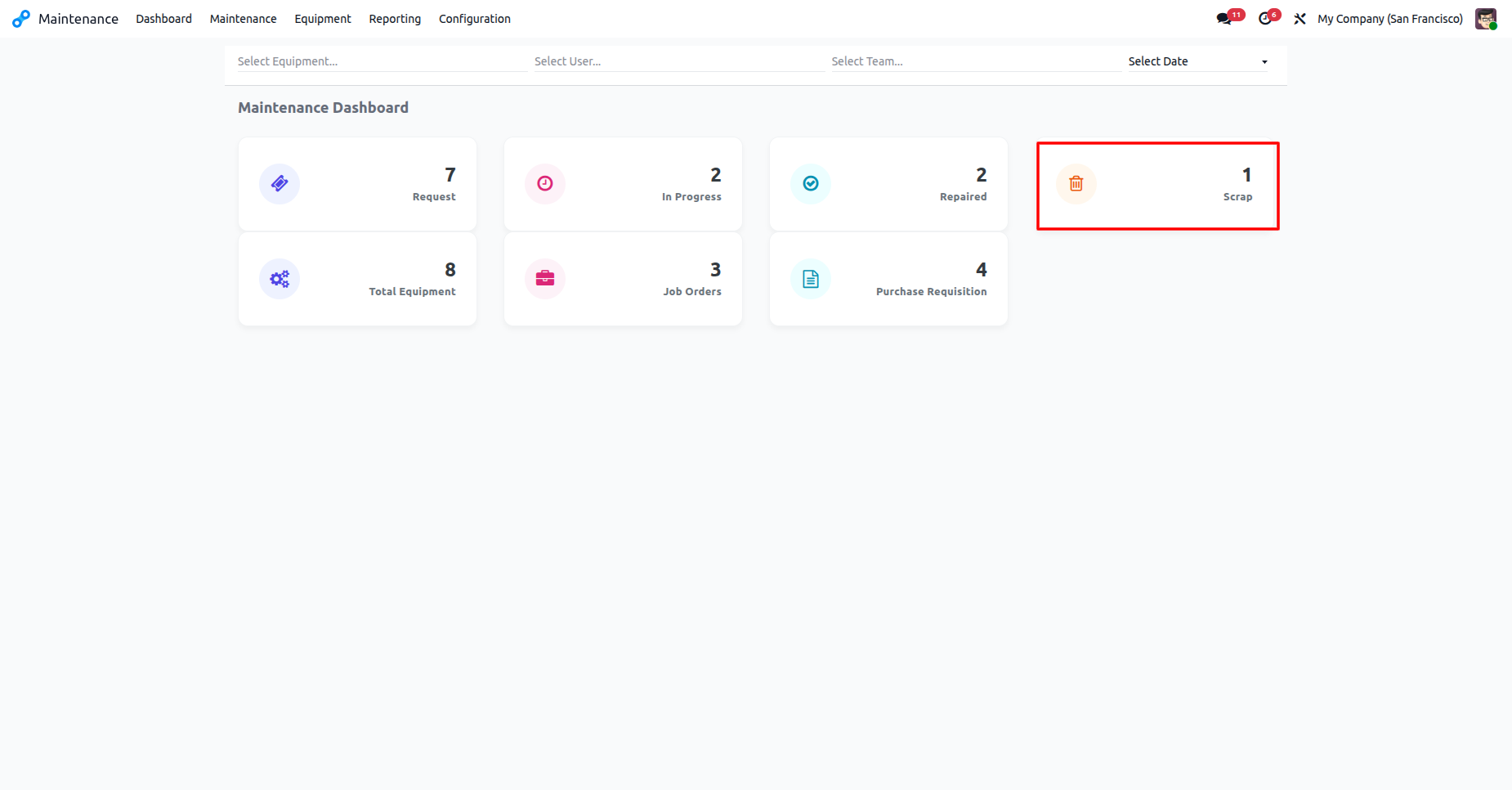
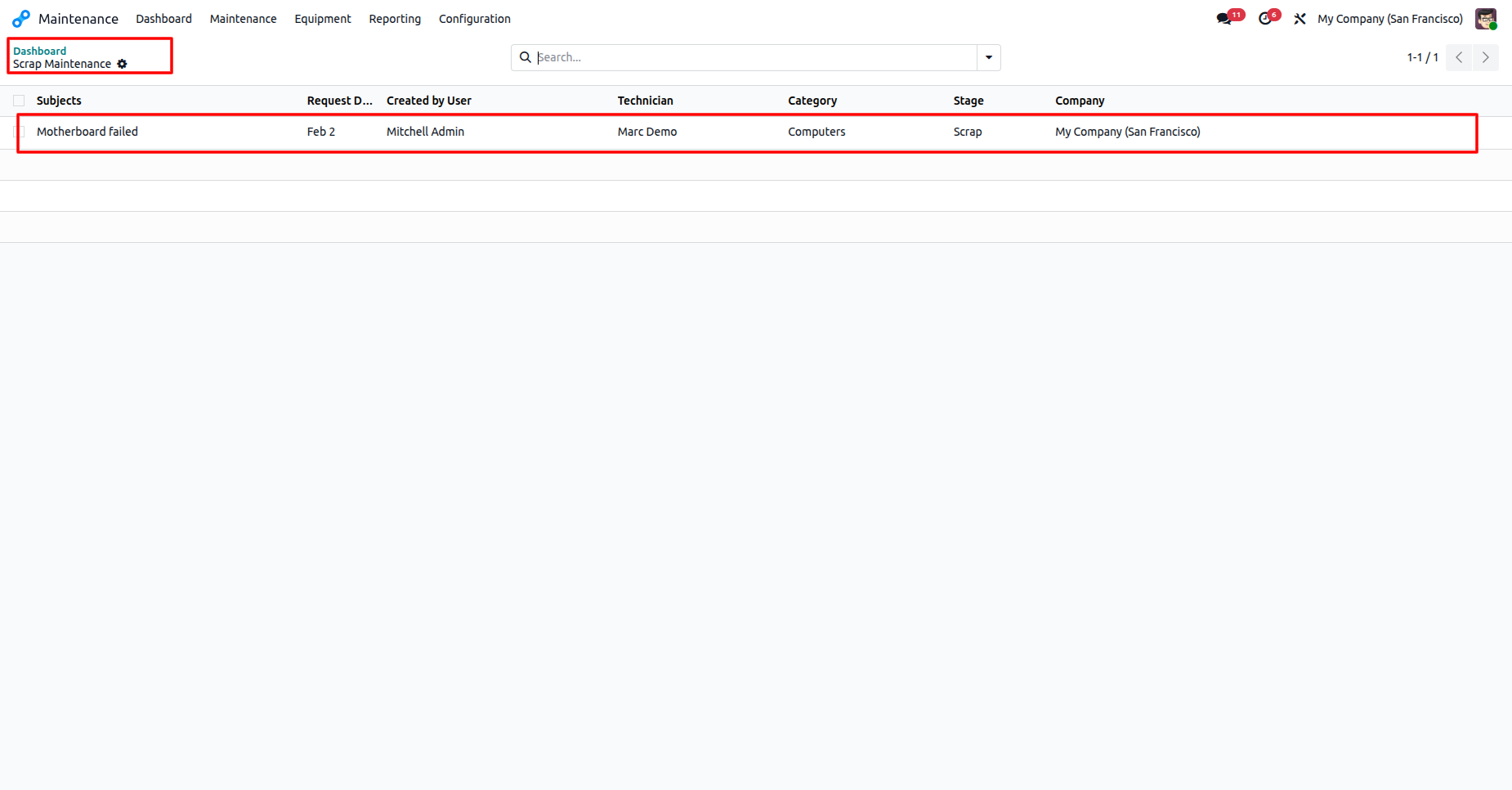
The Maintenance Dashboard with highlighting one item currently categorized as Scrap.
The Scrap Maintenance list view provides a detailed record of decommissioned assets, including the assigned technician.
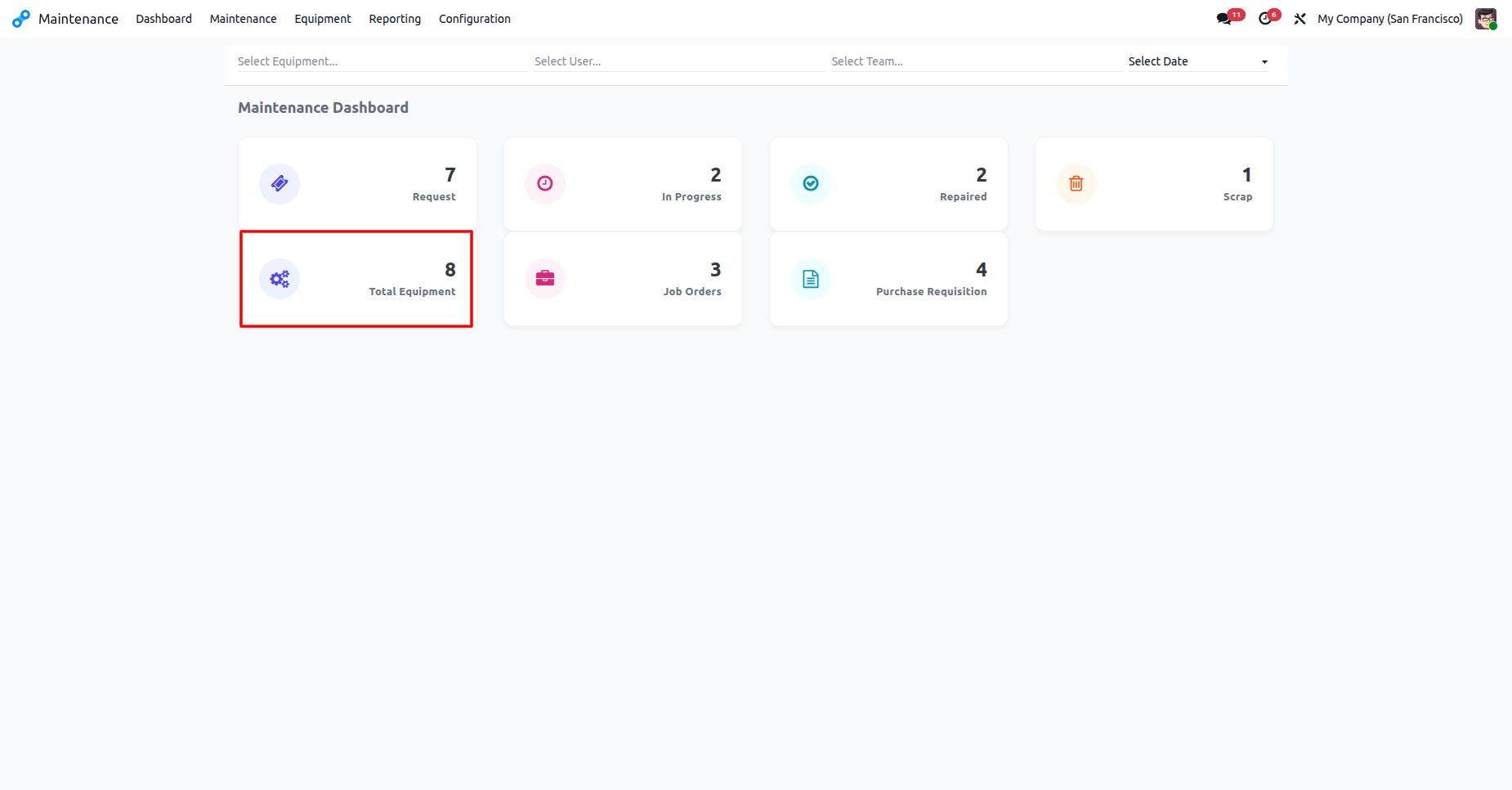
The Maintenance Dashboard shows the total asset count, currently indicating 8 pieces of equipment in the system.
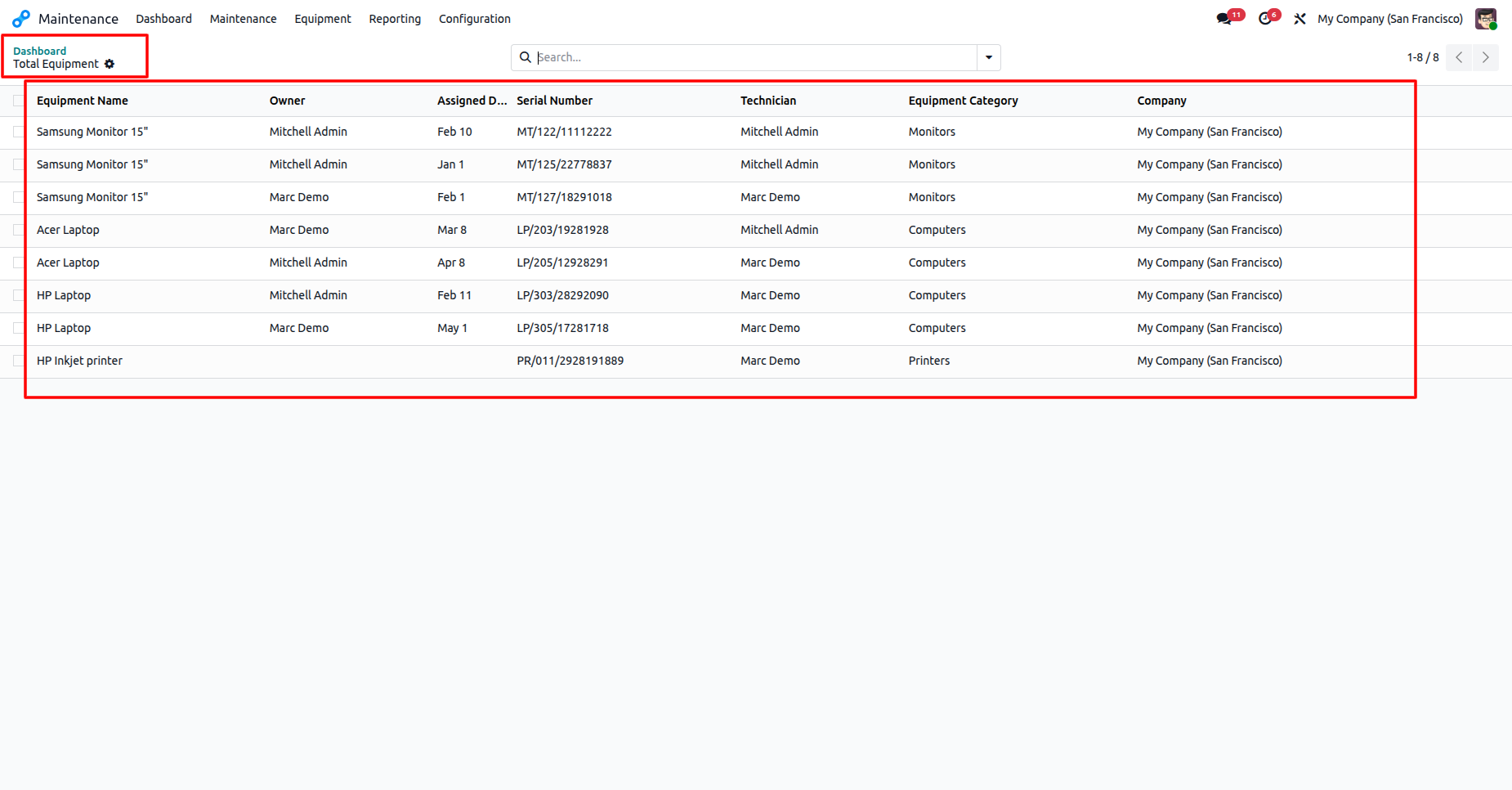
The Total Equipment list view provides a detailed inventory of all registered assets, showcasing serial numbers, owners, and equipment categories.
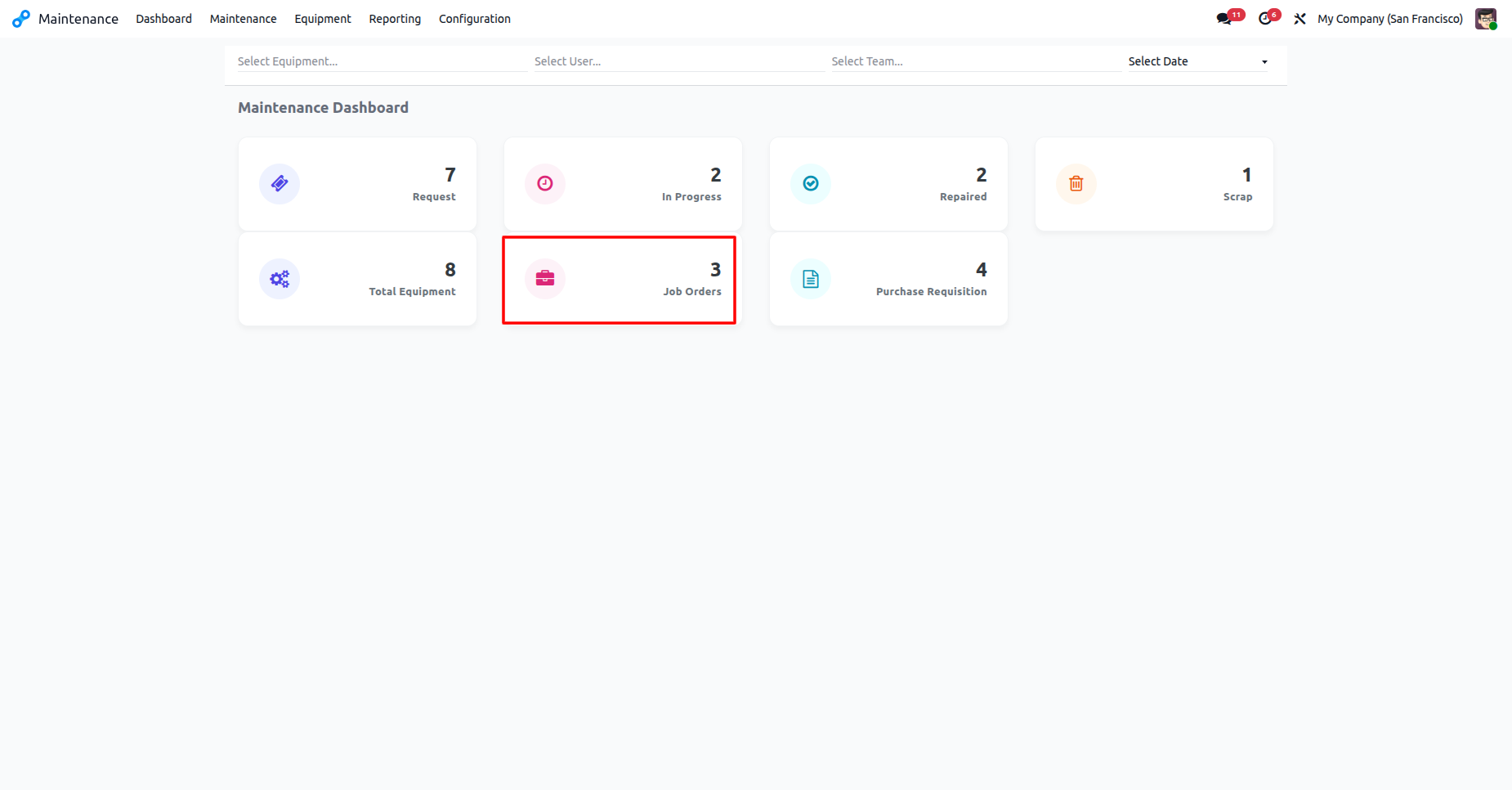
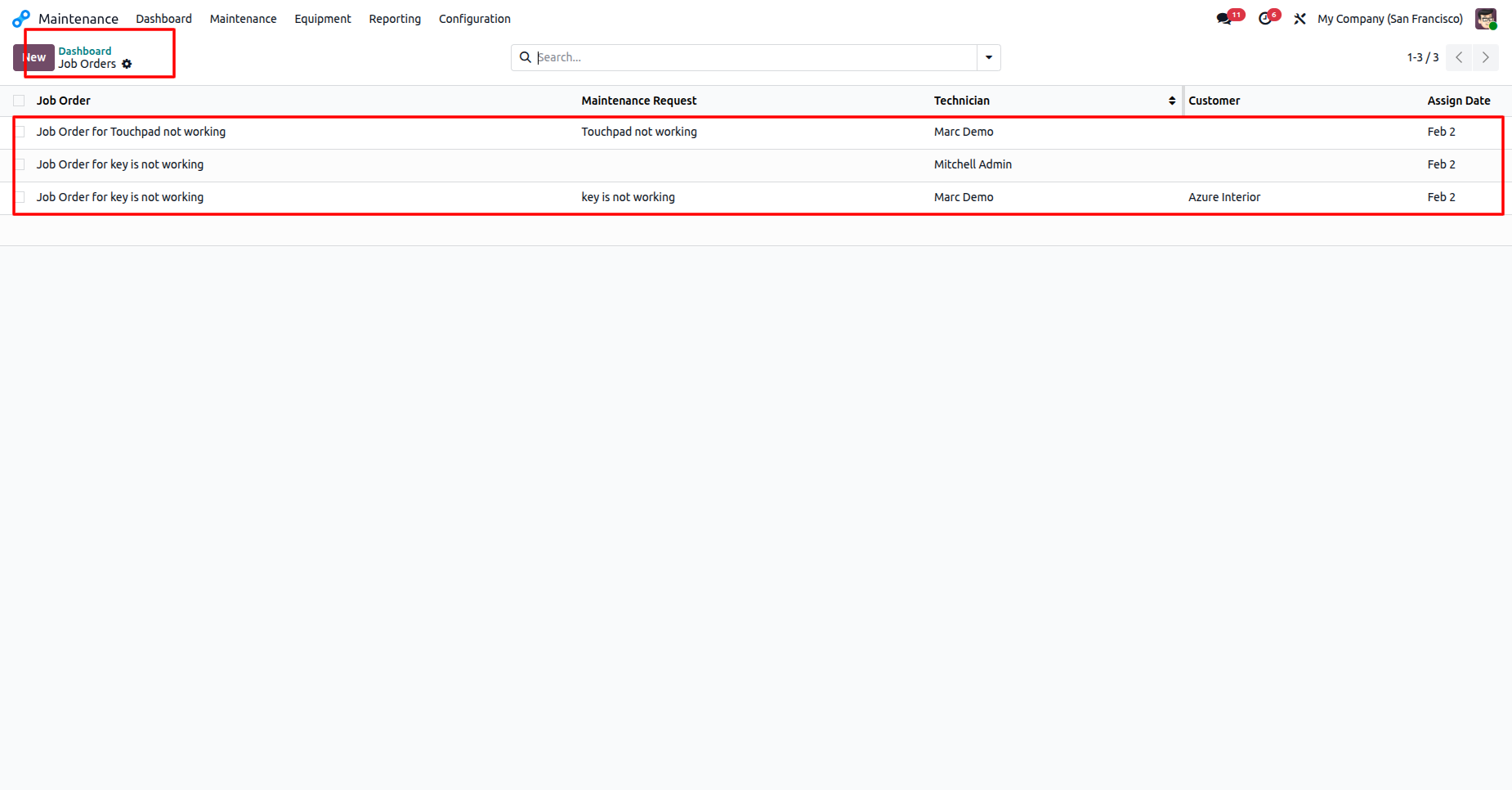
The Maintenance Dashboard highlights that there are three active Job Orders.
The Job Orders list view provides a detailed log of active maintenance assignments, showing task descriptions, assigned technicians, and Assign dates.
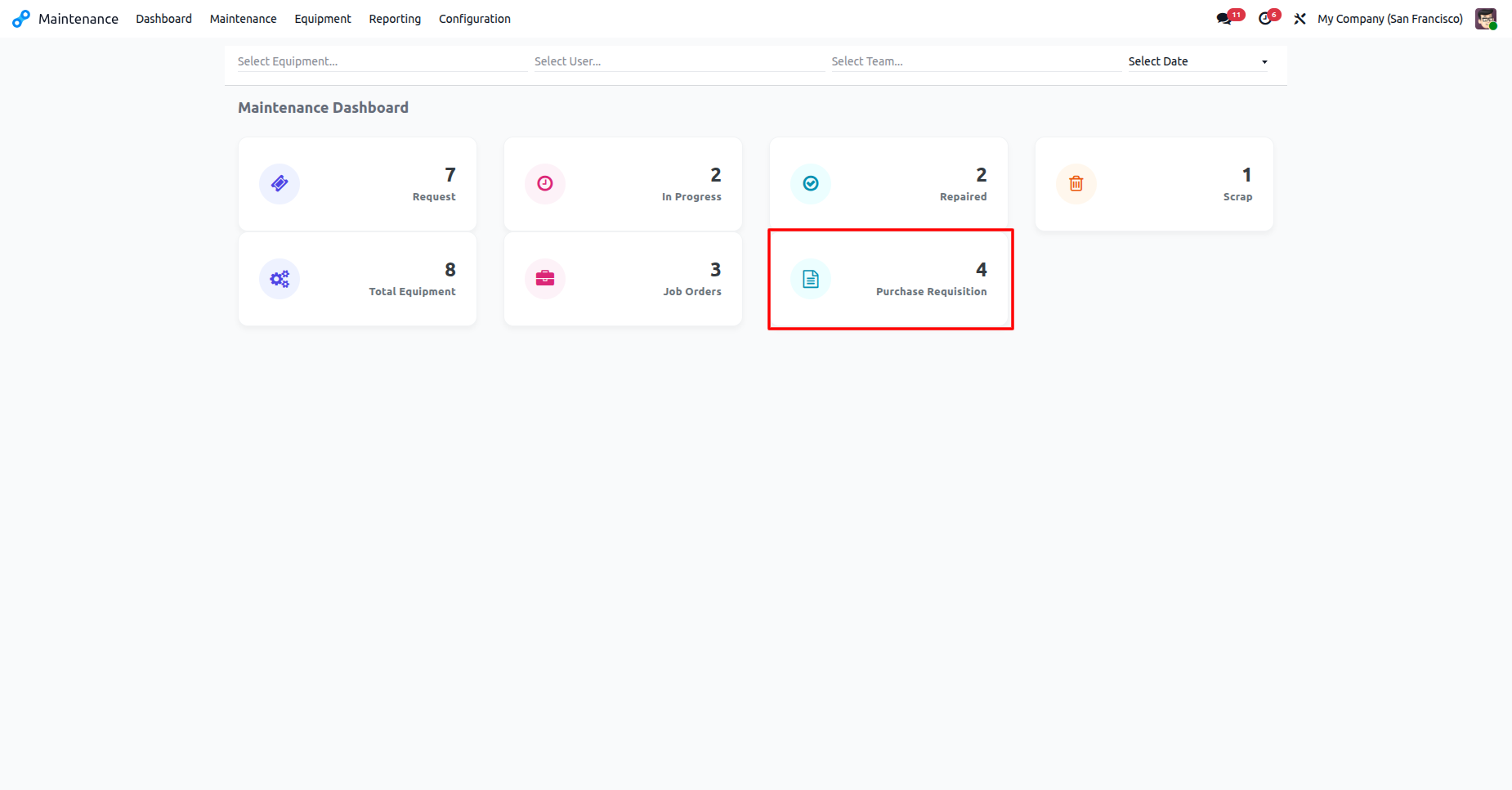
The Maintenance Dashboard highlights four active Purchase Requisitions.
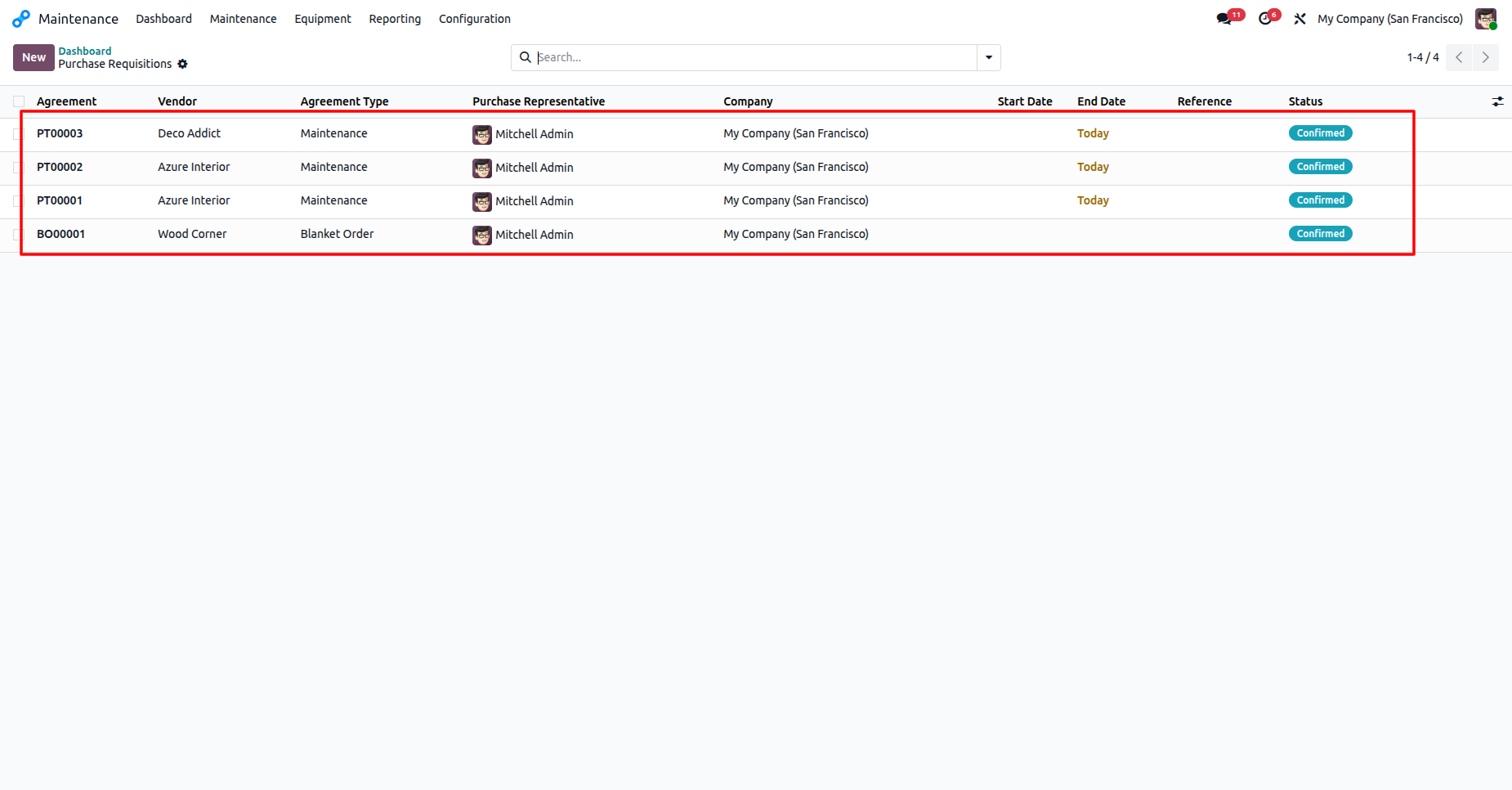
The Purchase Requisitions list view highlights vendor information, representatives, and confirmation status.
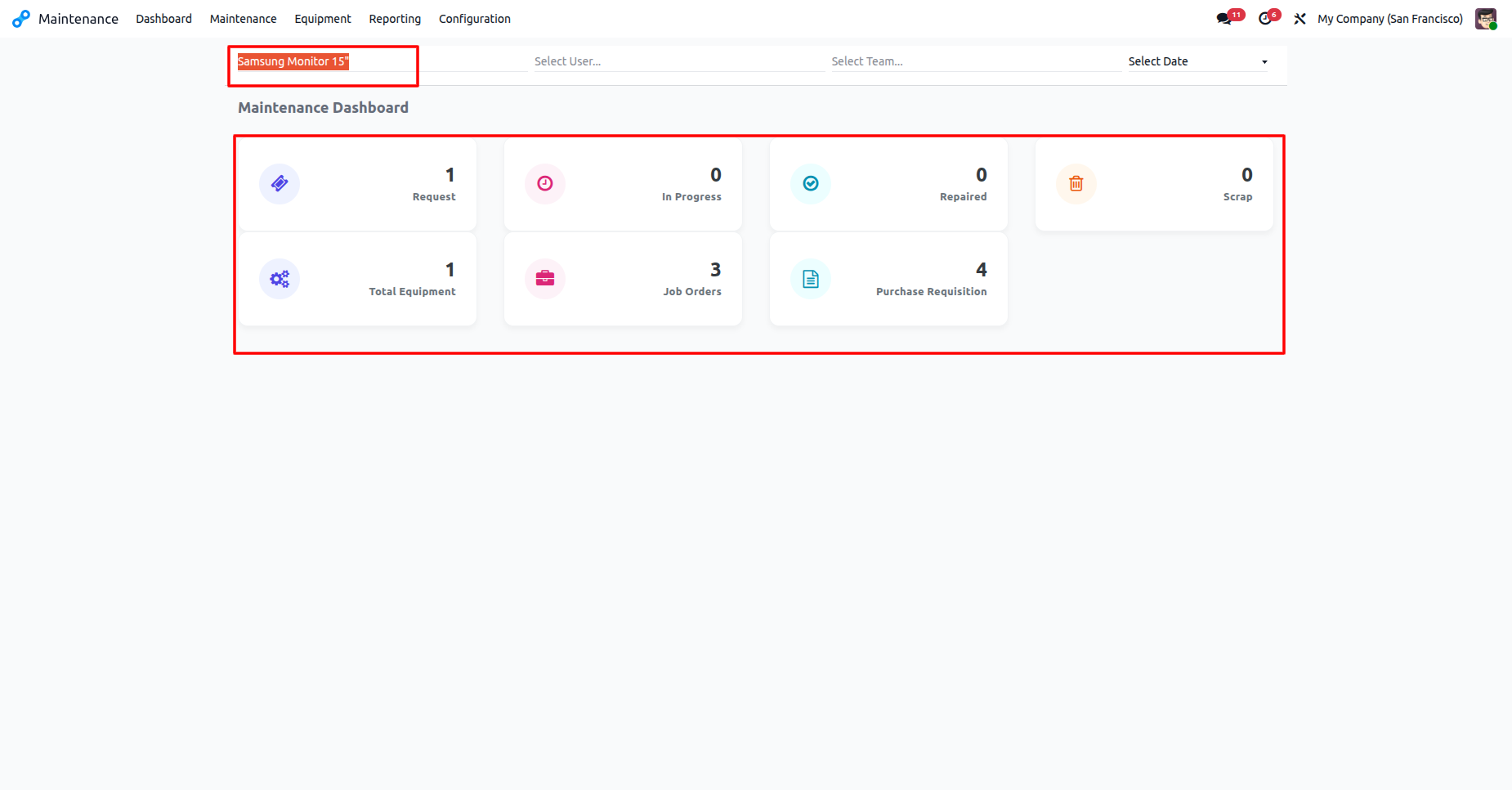
The Maintenance Dashboard filtered for 'Samsung Monitor 15"' displays specific status counts for that equipment category.
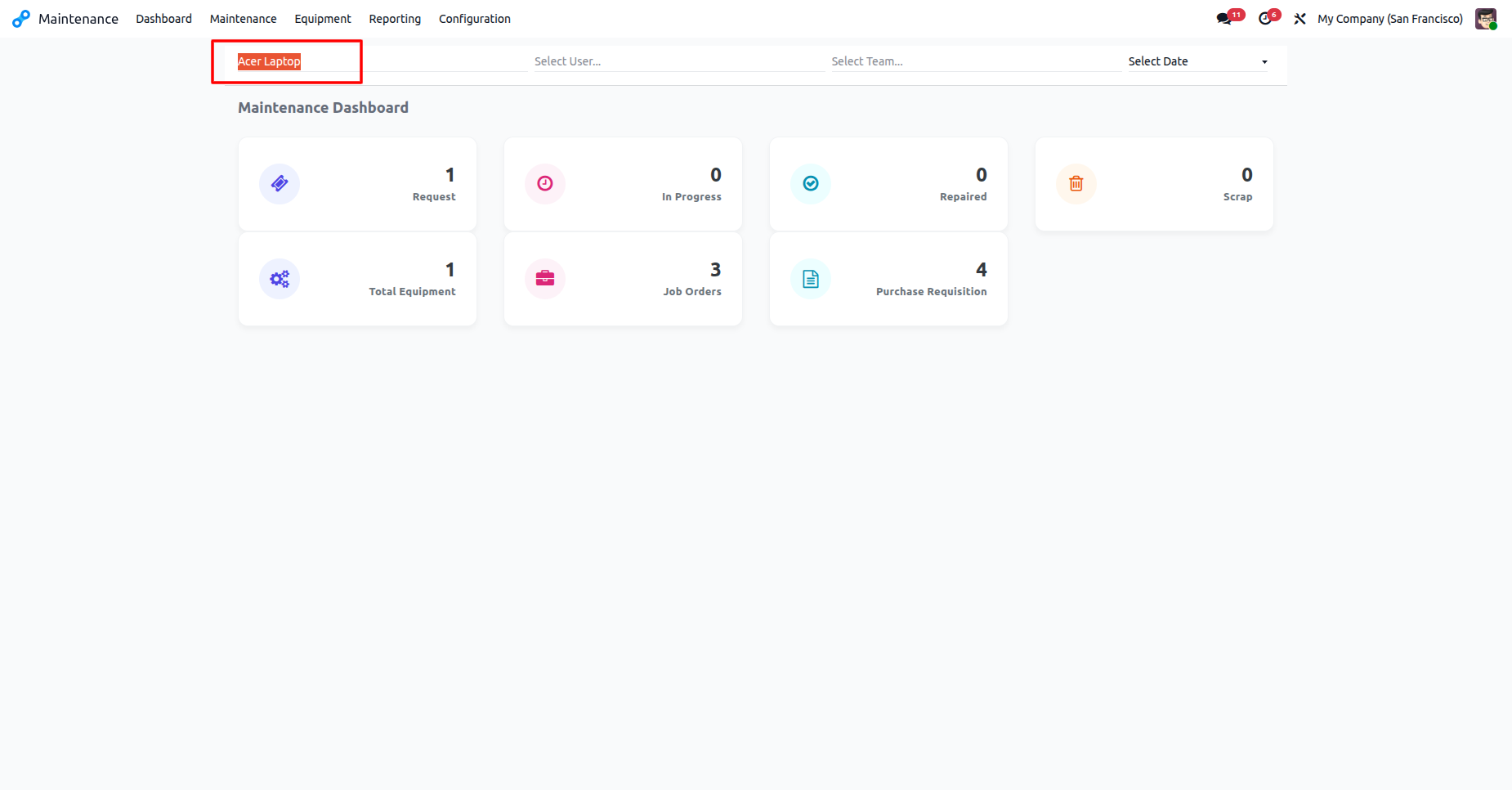
The Maintenance Dashboard filtered for 'Acer Laptop' displays for that equipment category.
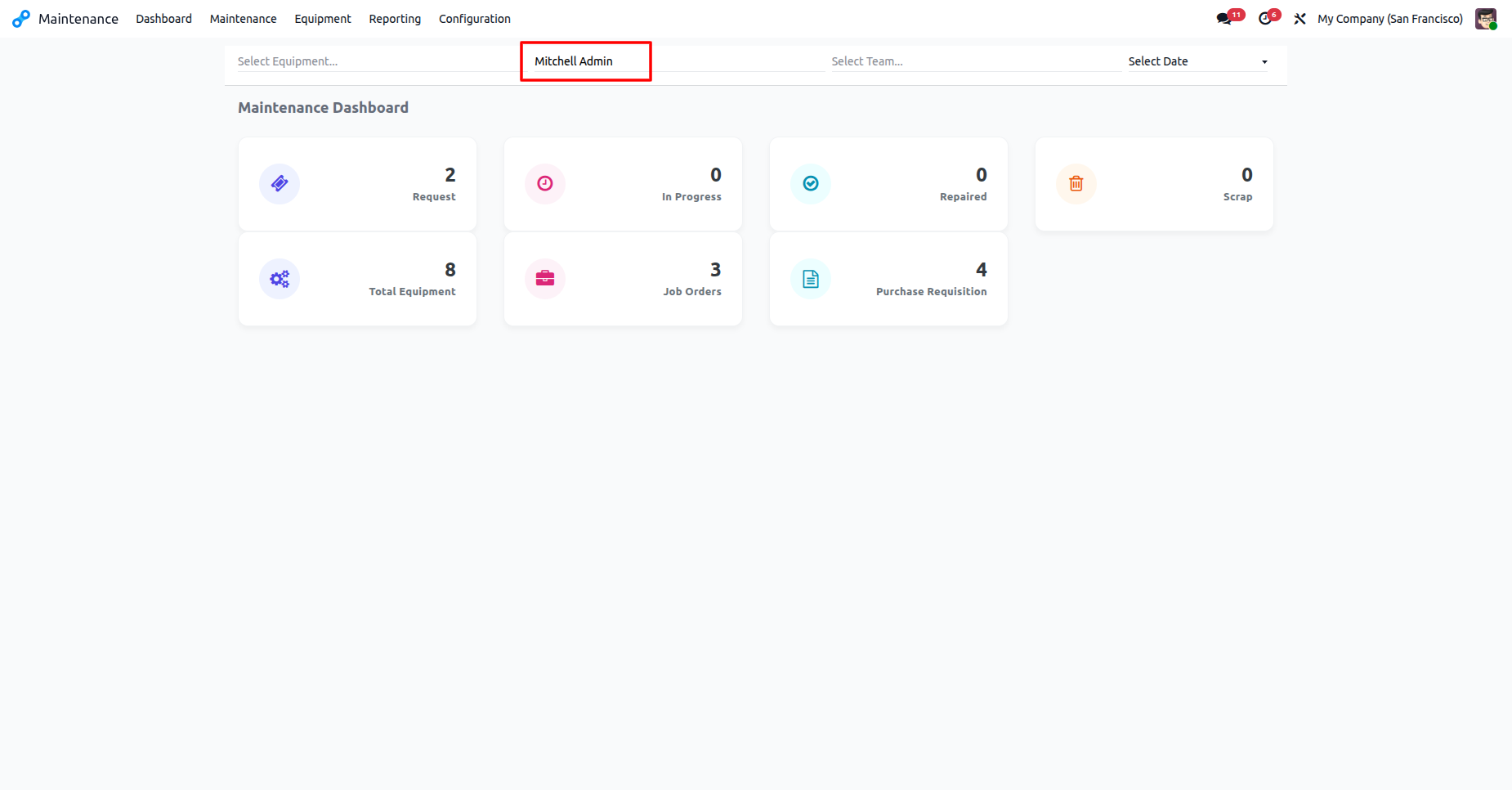
The Maintenance Dashboard filtered for 'Mitchell Admin' displays the specific workload and asset counts assigned to that user.
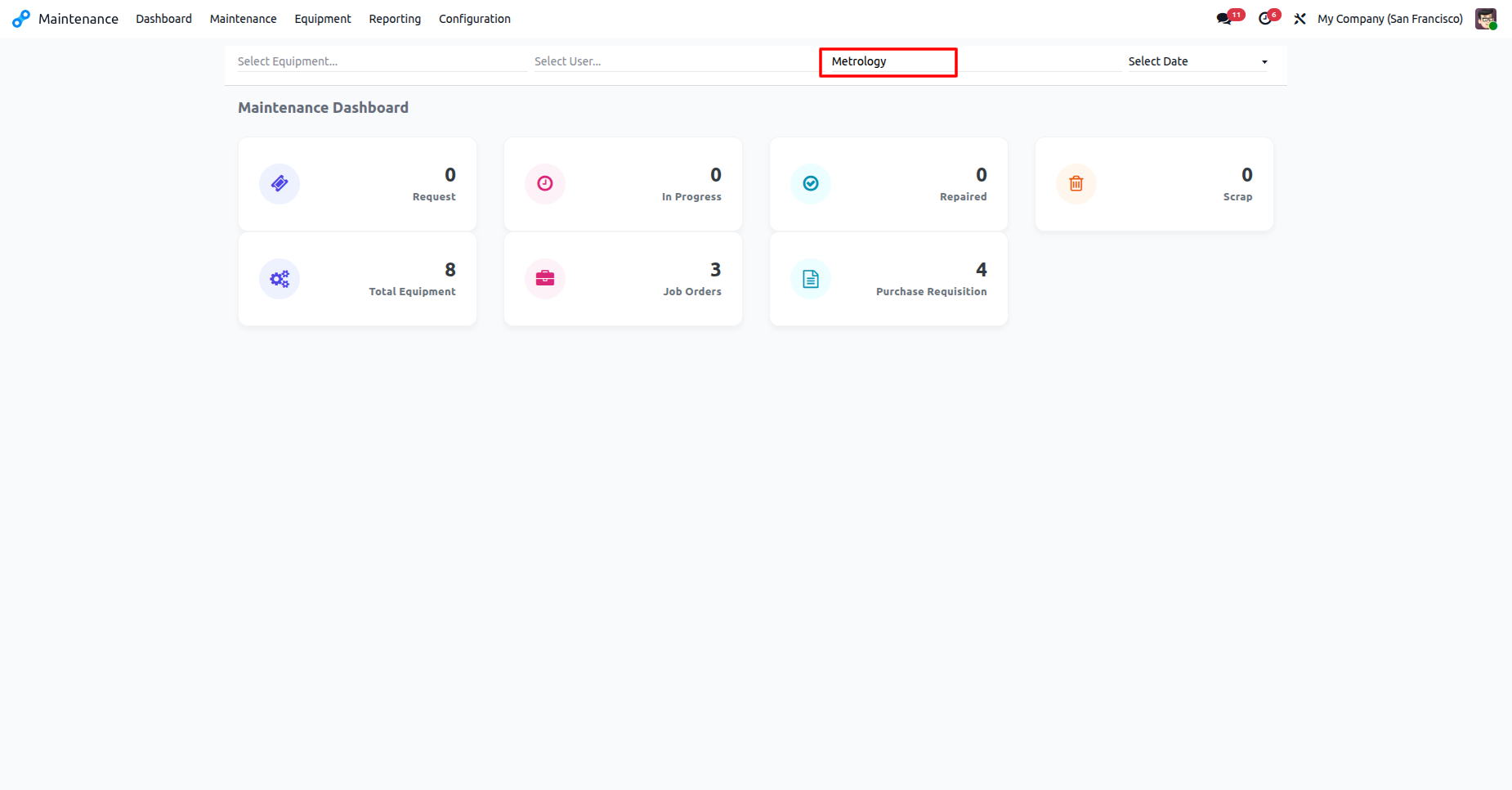
The Maintenance Dashboard filtered for the 'Metrology' team displays equipment counts and active job orders assigned to that department.
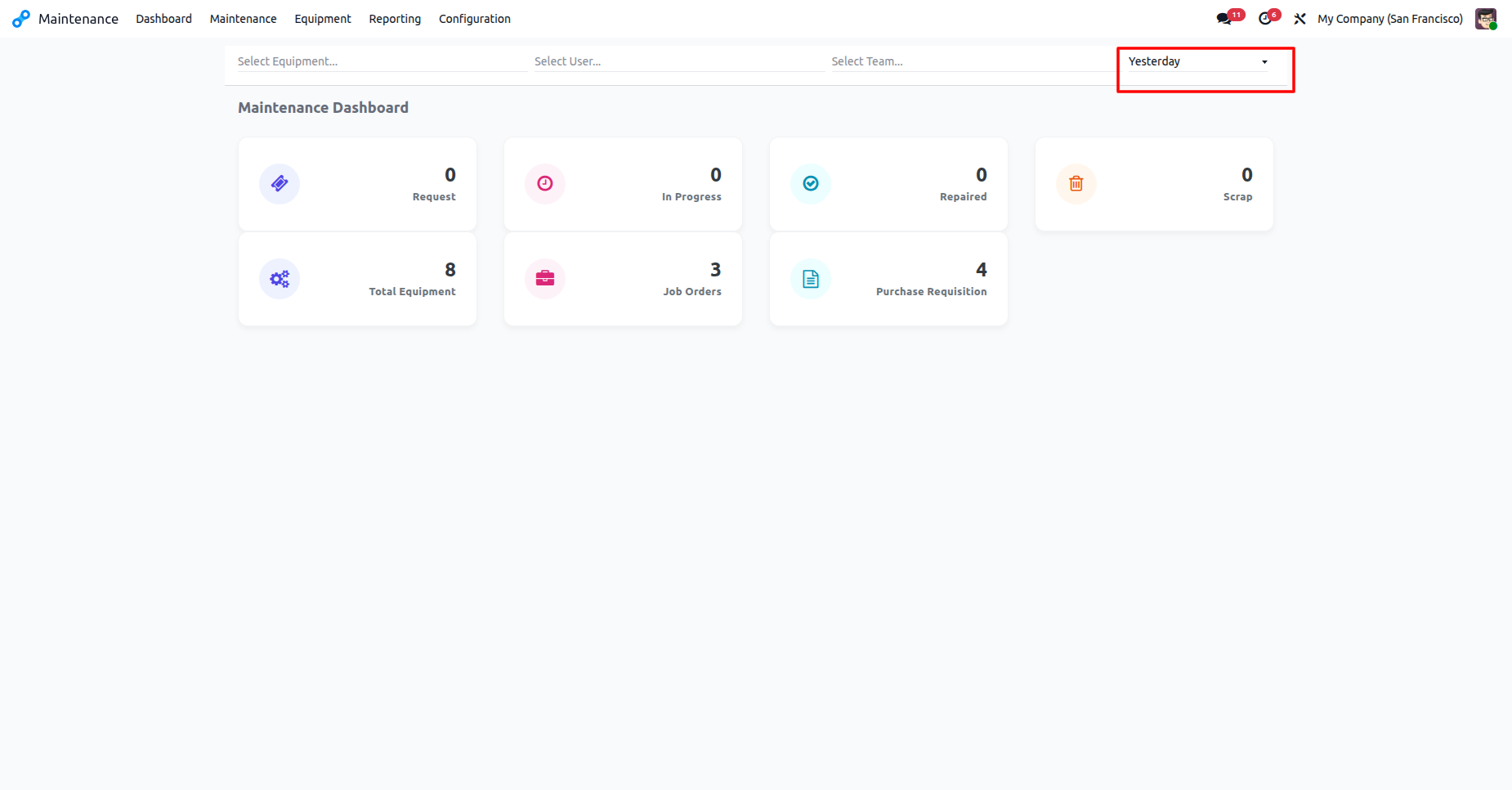
The Maintenance Dashboard filtered for 'Yesterday' displays the status of equipment, job orders, and requisitions specifically for that day.
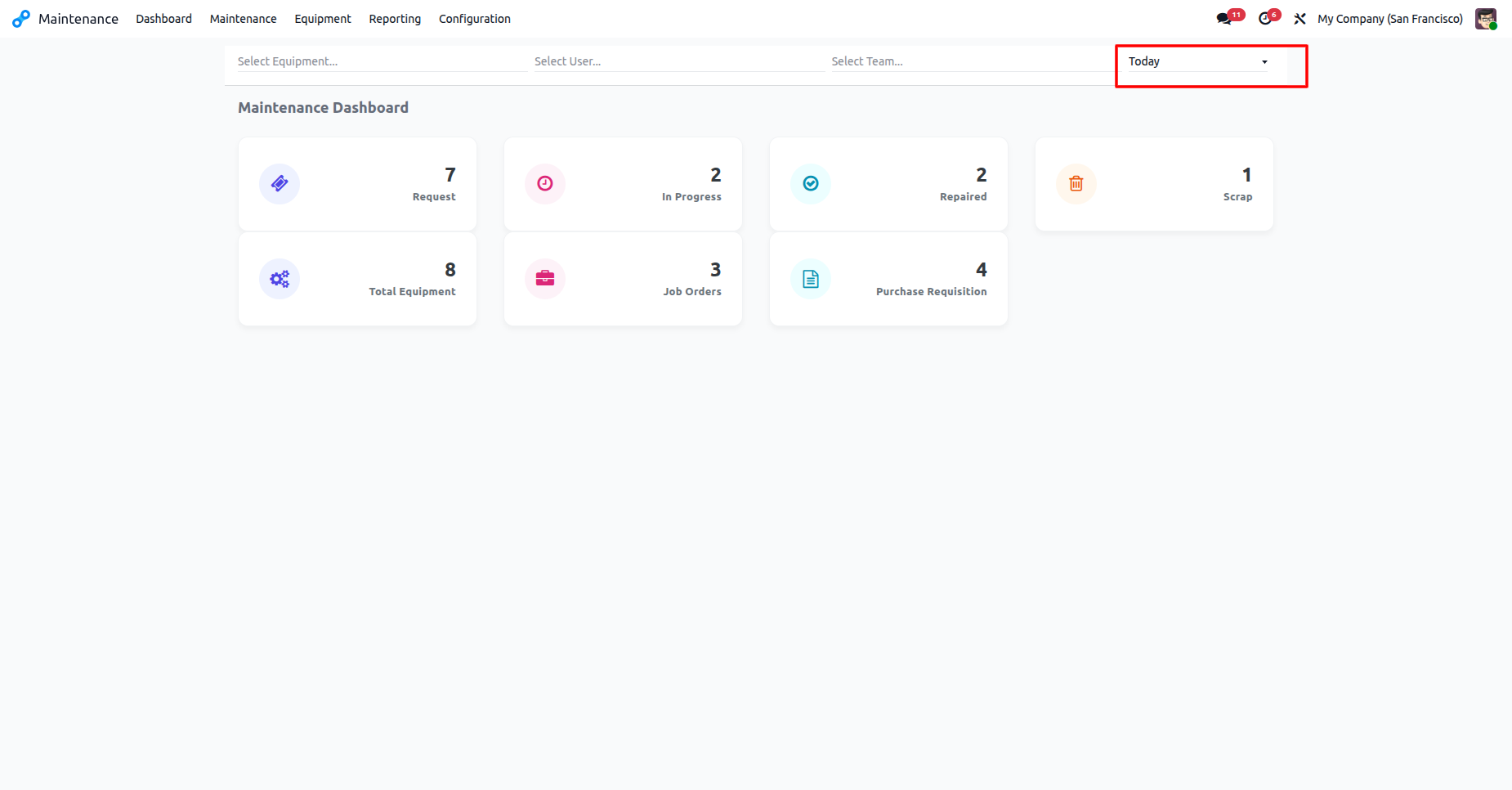
The Maintenance Dashboard filtered for 'Today' provides a real-time summary of active requests, job orders, and equipment status.
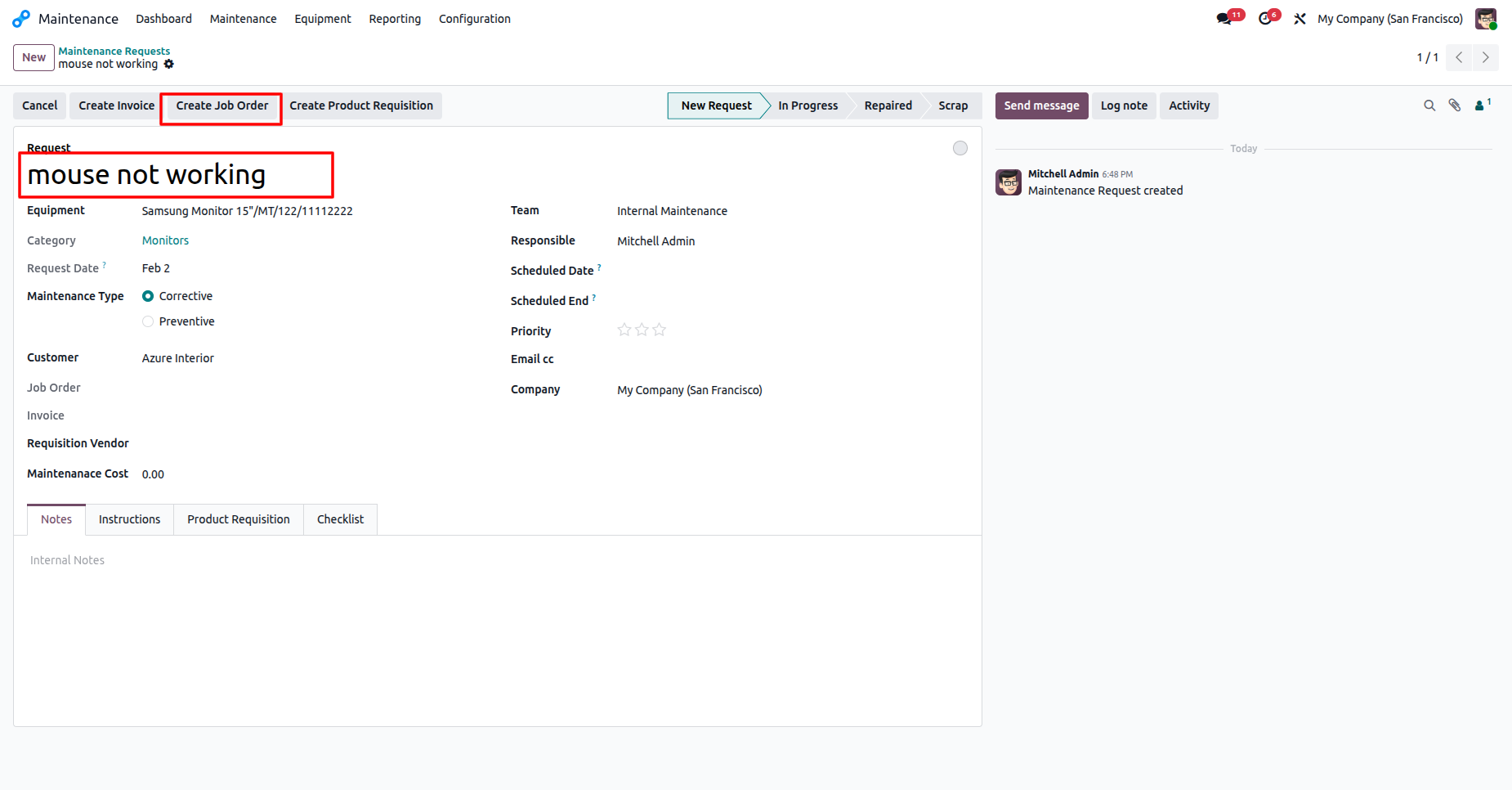
The Maintenance Request view for 'mouse not working' features a direct option to create a formal Job Order to begin repairs.
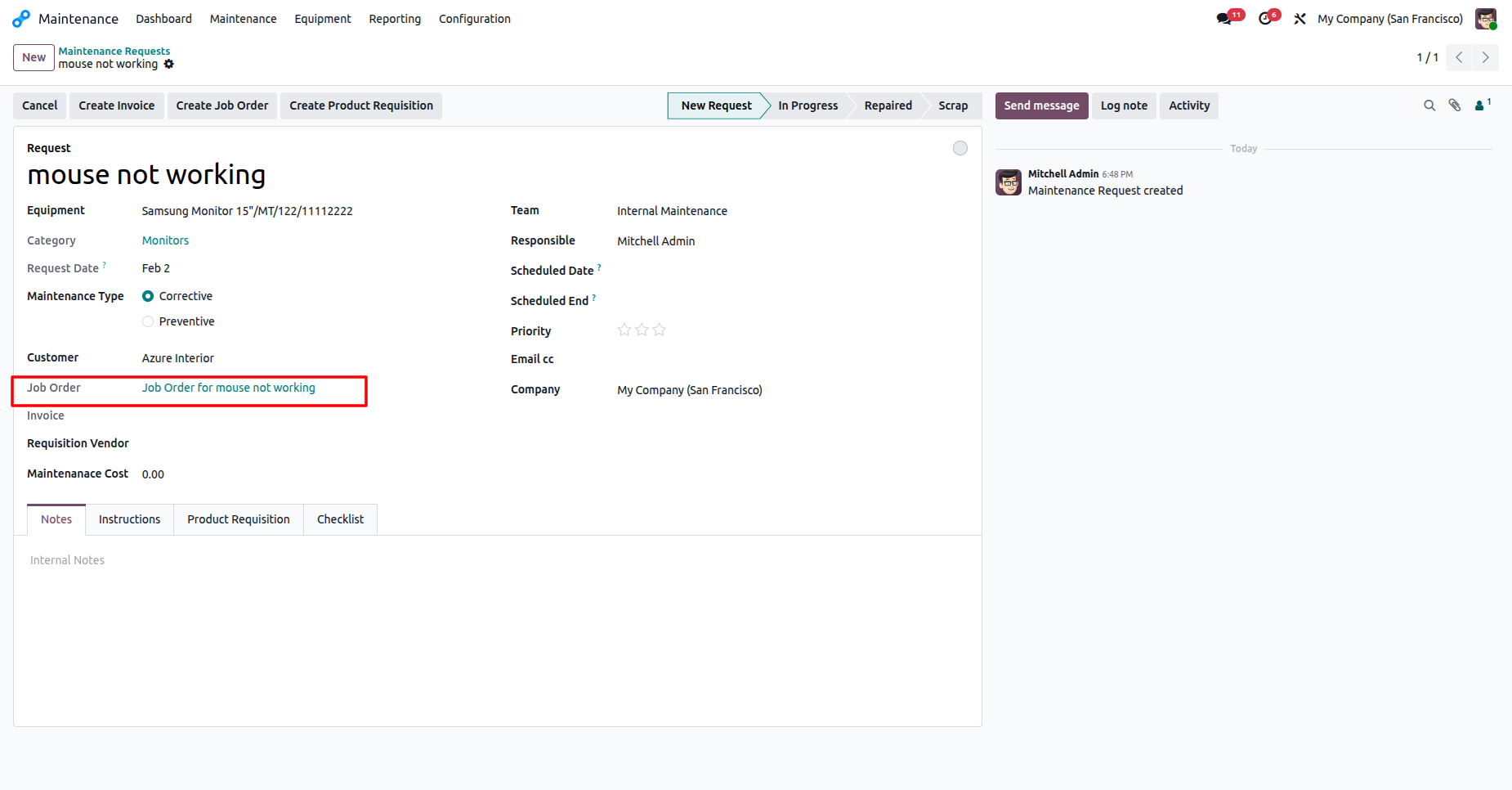
The Maintenance Request view displays the linked Job Order, providing a direct connection between the reported issue and the repair task.
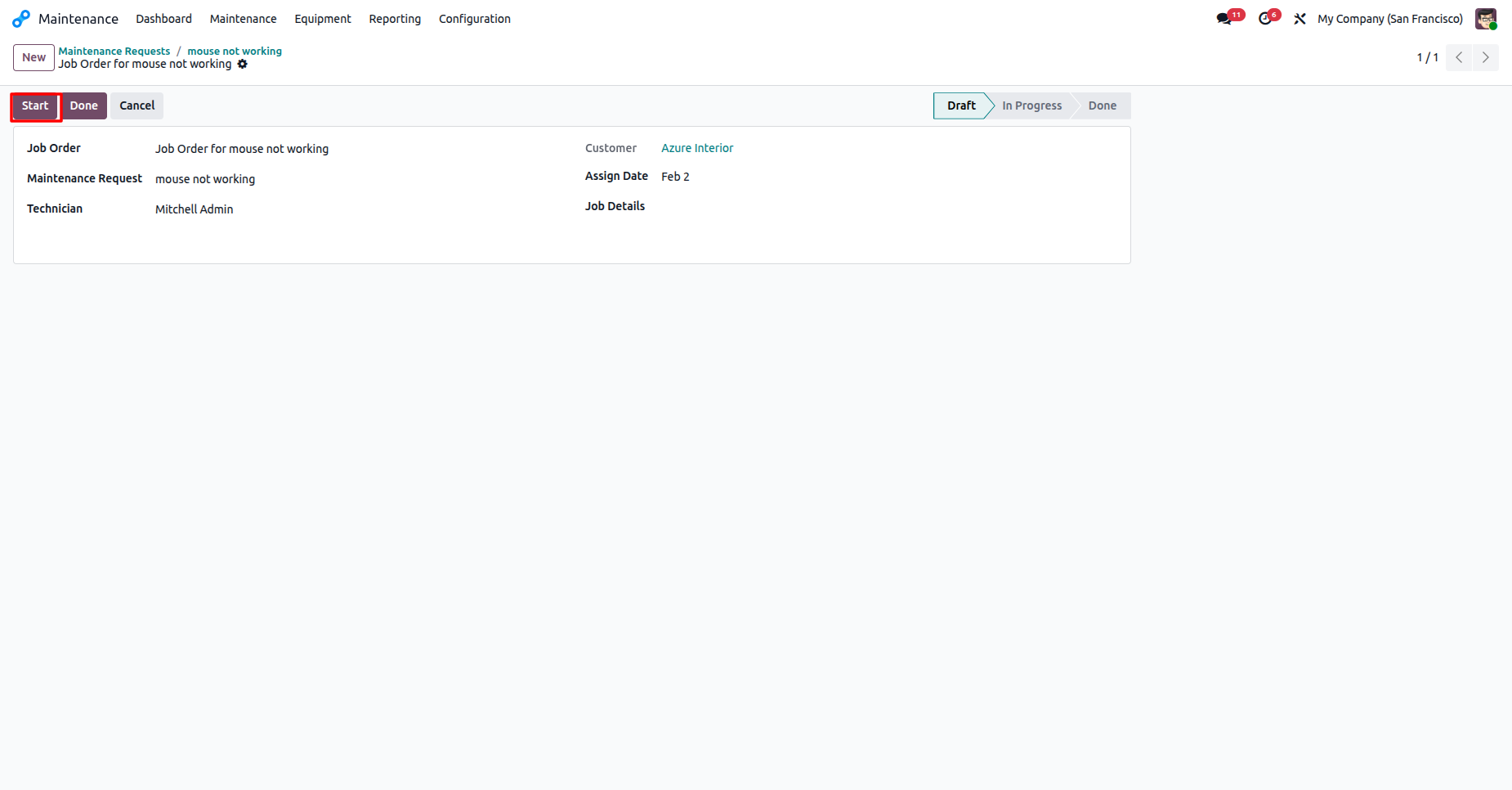
The Job Order interface features a 'Start' button to officially begin repair work and track task progression.
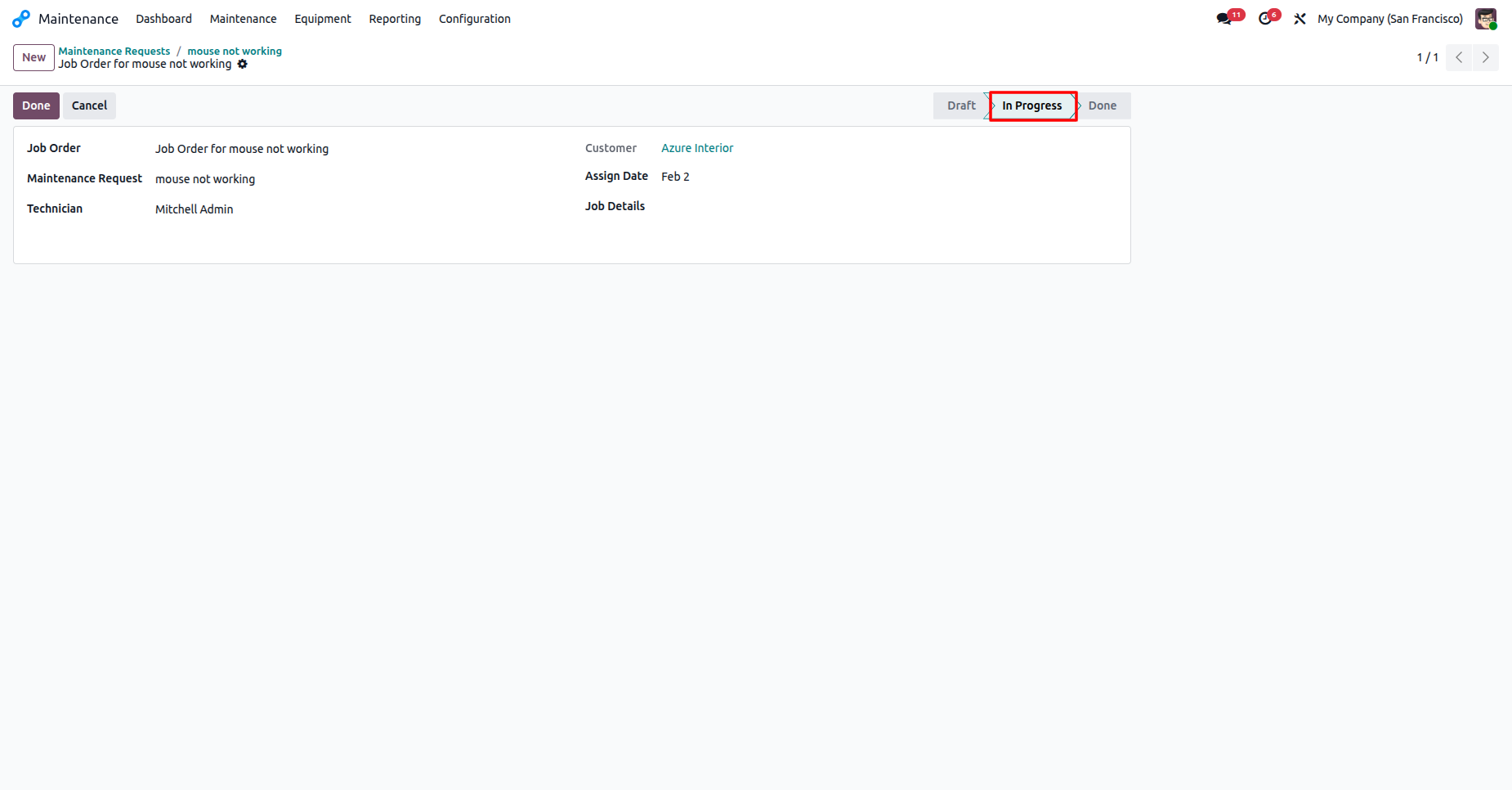
The Job Order interface displays the 'In Progress' status, indicating that maintenance work is currently underway for the assigned task.
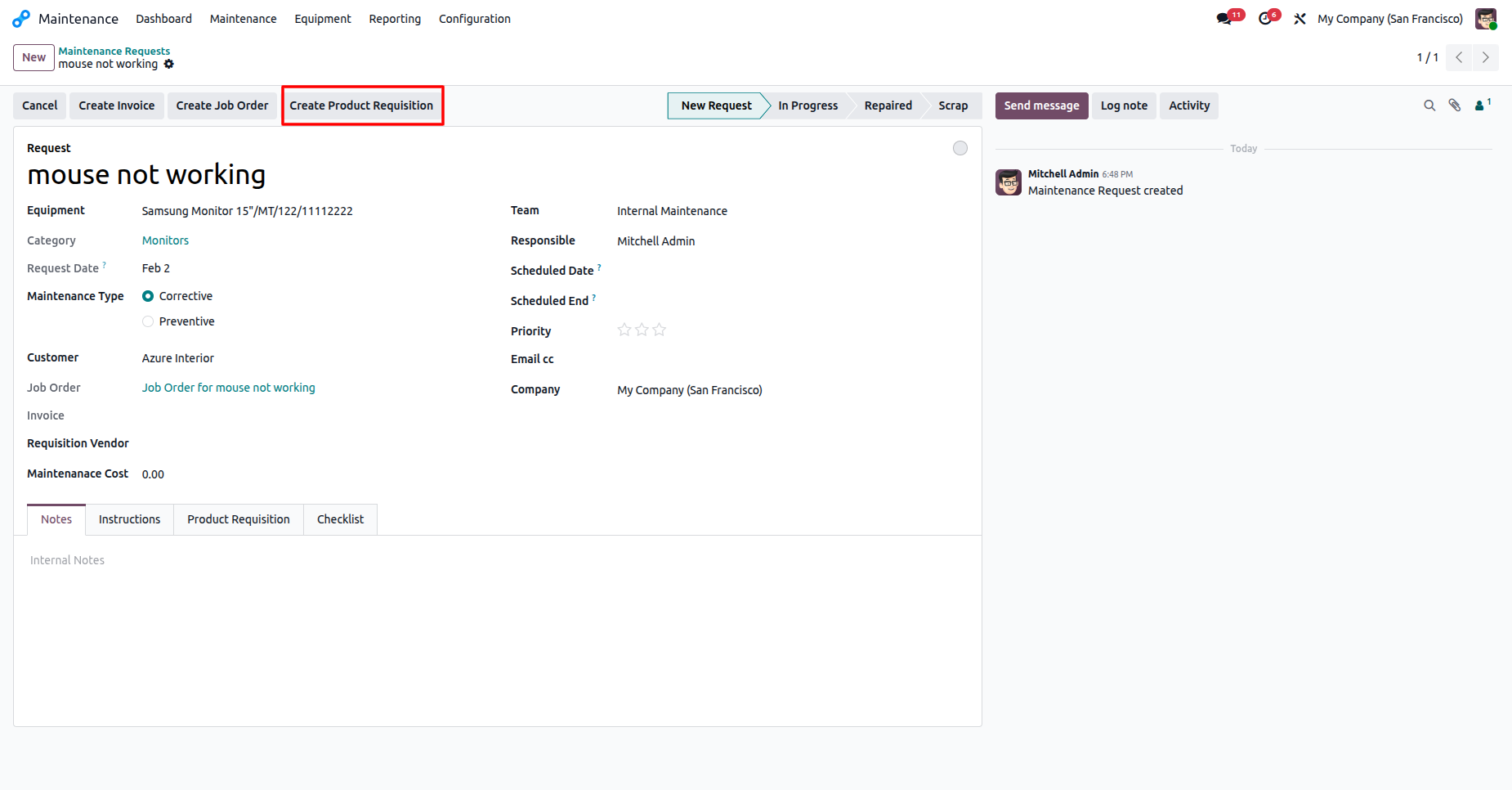
The Maintenance Request interface includes a dedicated option to create a Product Requisition for sourcing necessary repair materials.
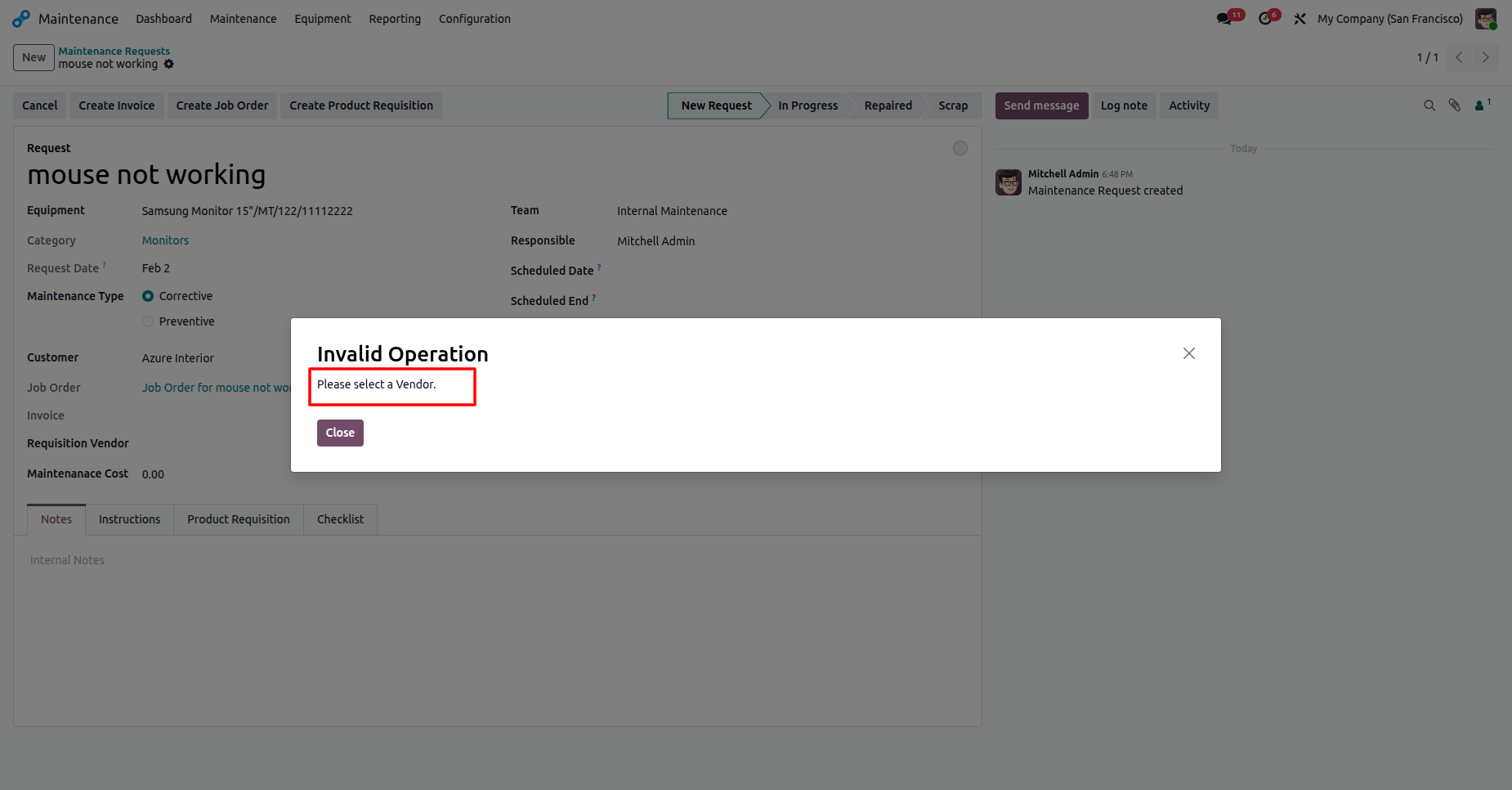
An error message appears during the requisition process, notifying the user that a vendor must be selected before proceeding.
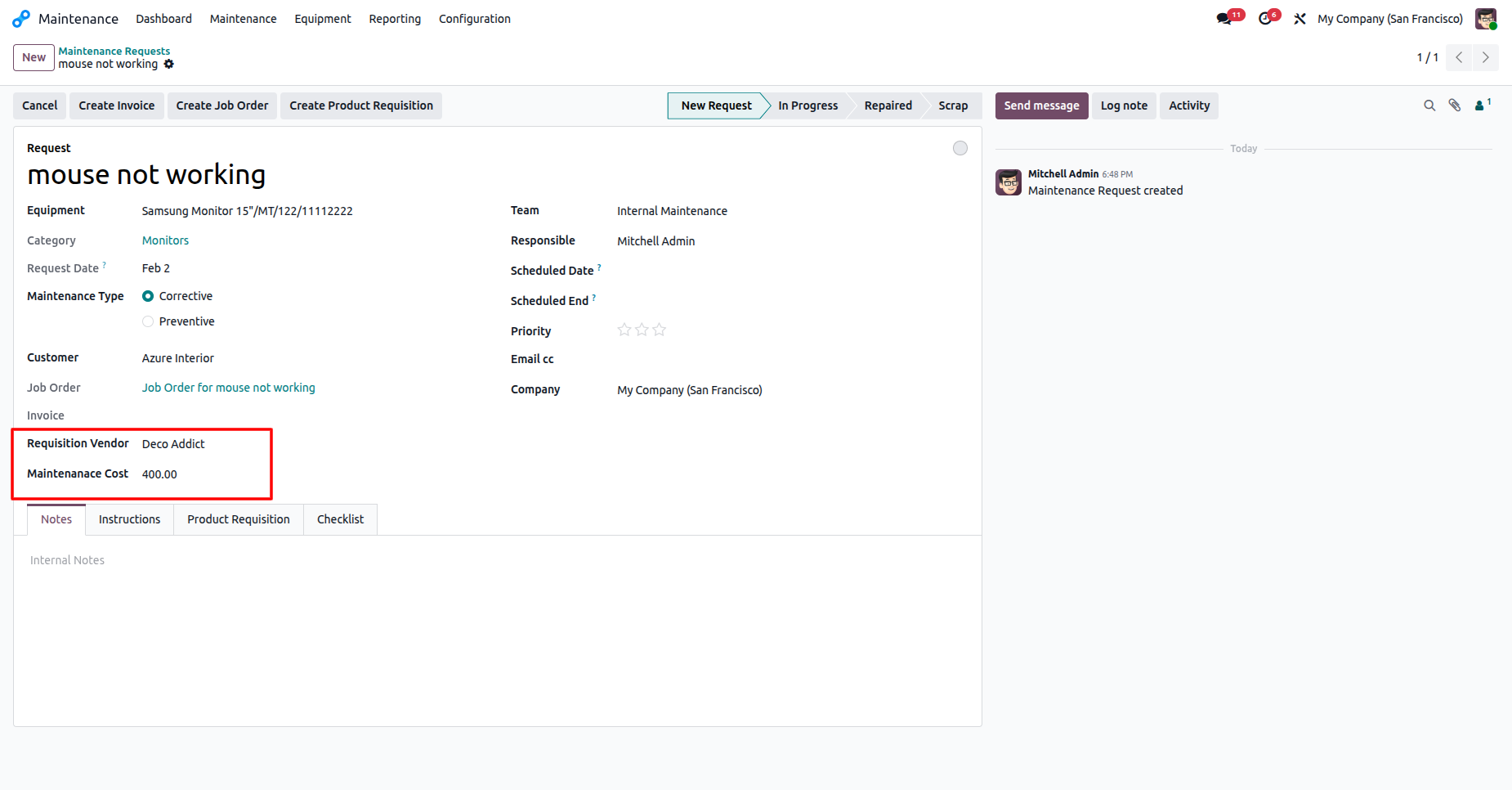
The Maintenance Request form was updated with a selected Requisition Vendor and associated maintenance cost.
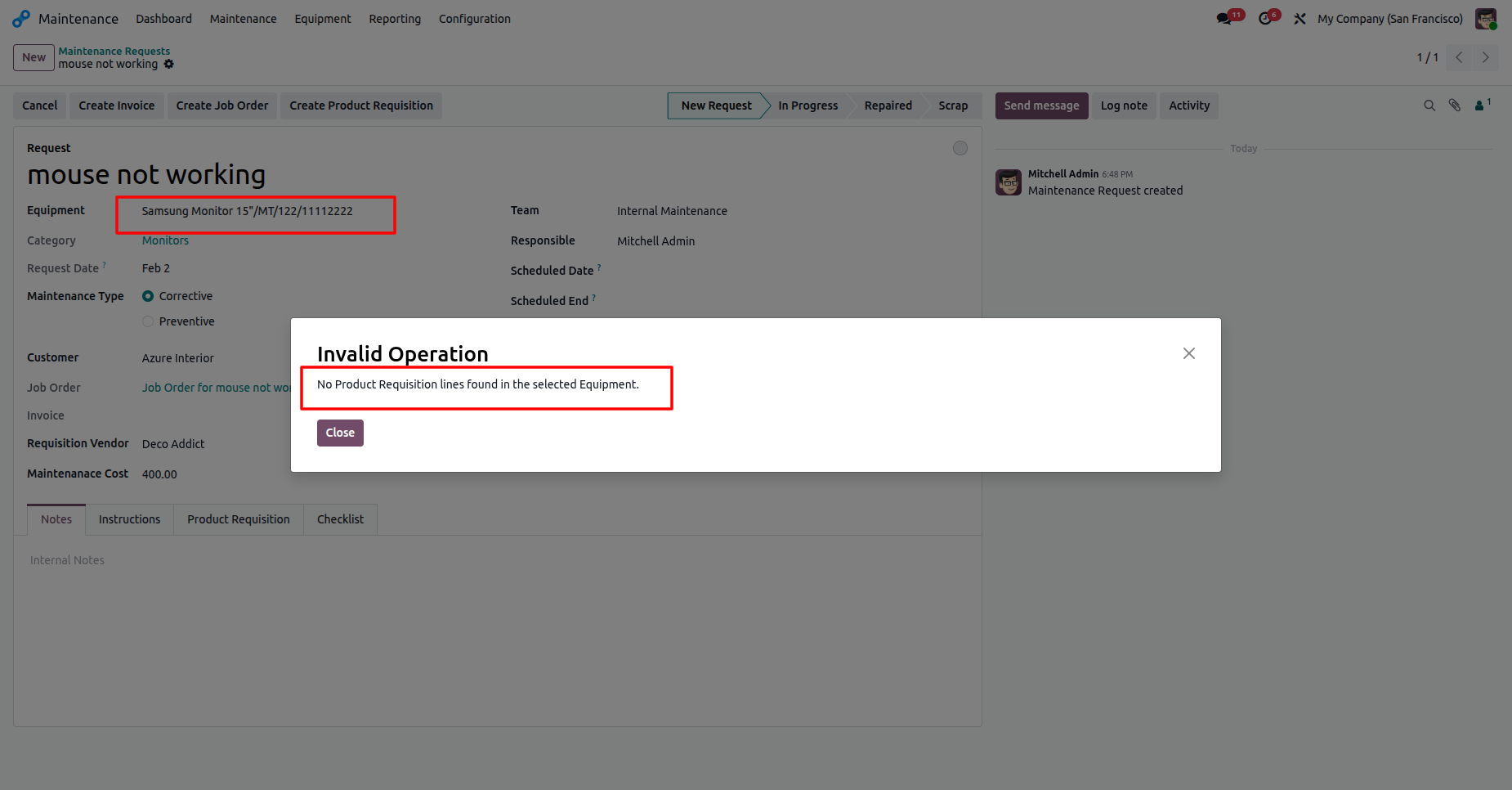
The system displays an 'Invalid Operation' error notifying the user that the selected equipment lacks defined product requisition lines.
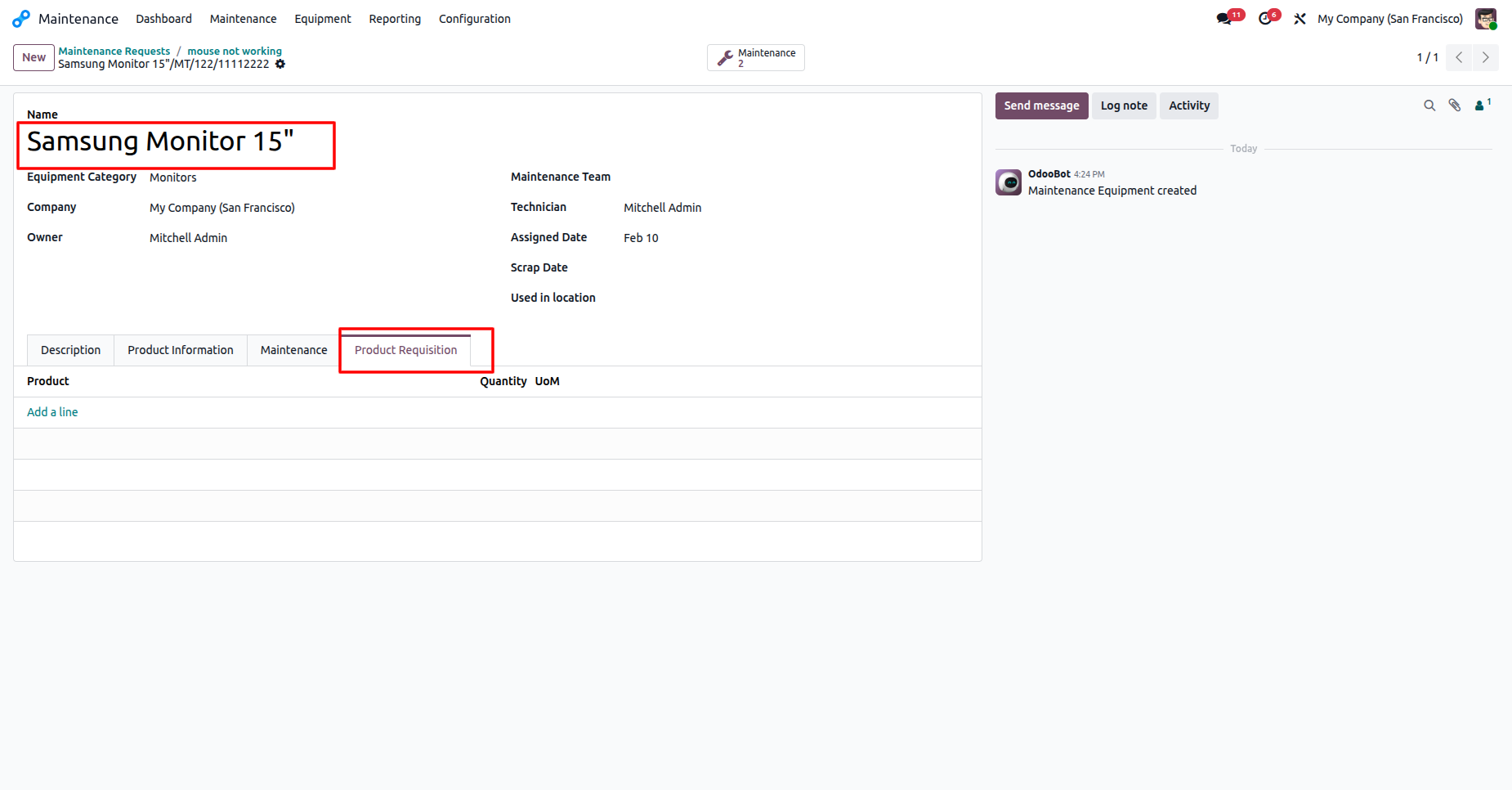
The Equipment configuration interface allows users to define standard Product Requisition lines for a Samsung Monitor.
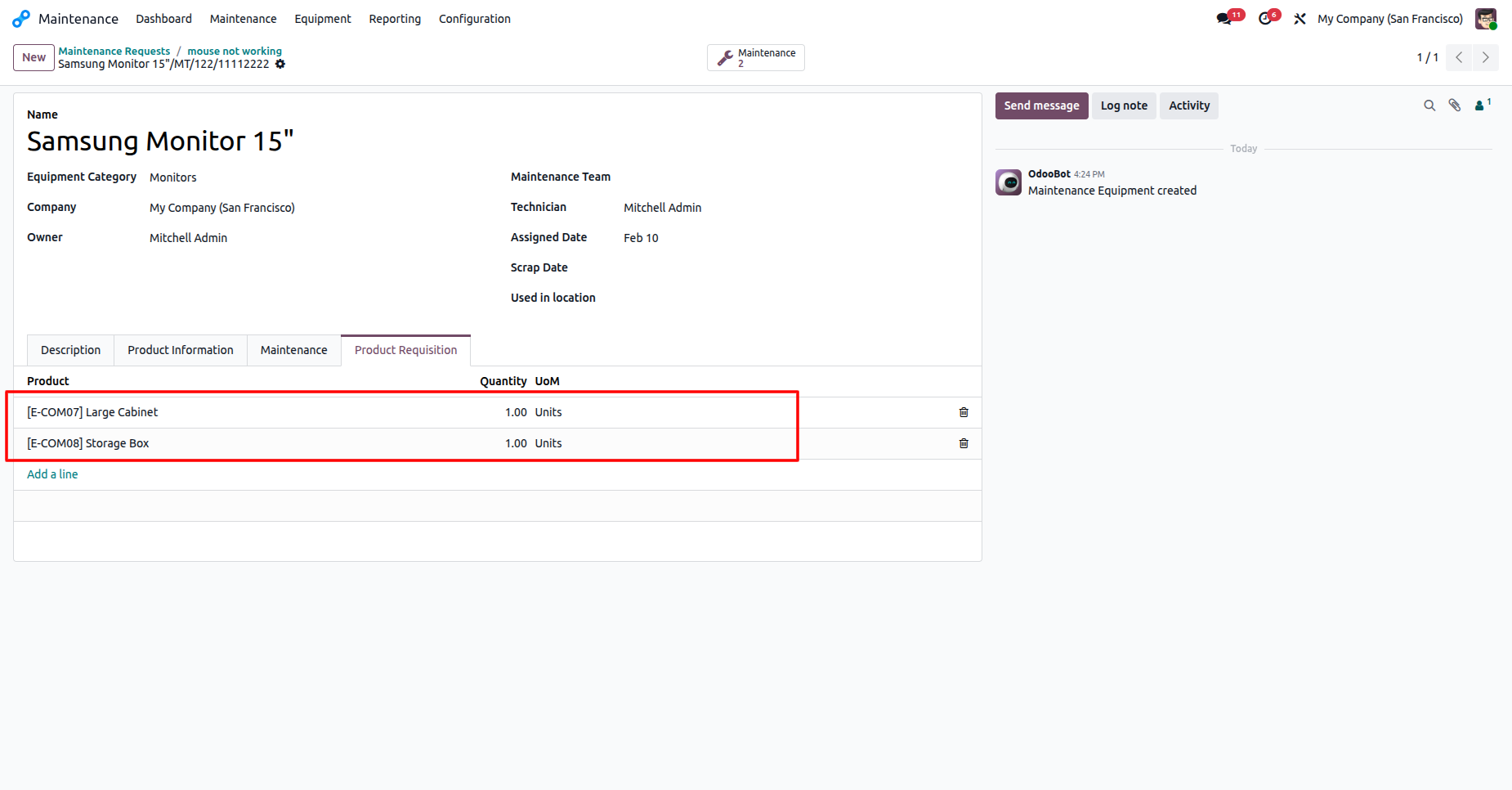
The Product Requisition tab for a Samsung Monitor now includes specific line items for a Large Cabinet and Storage Box.
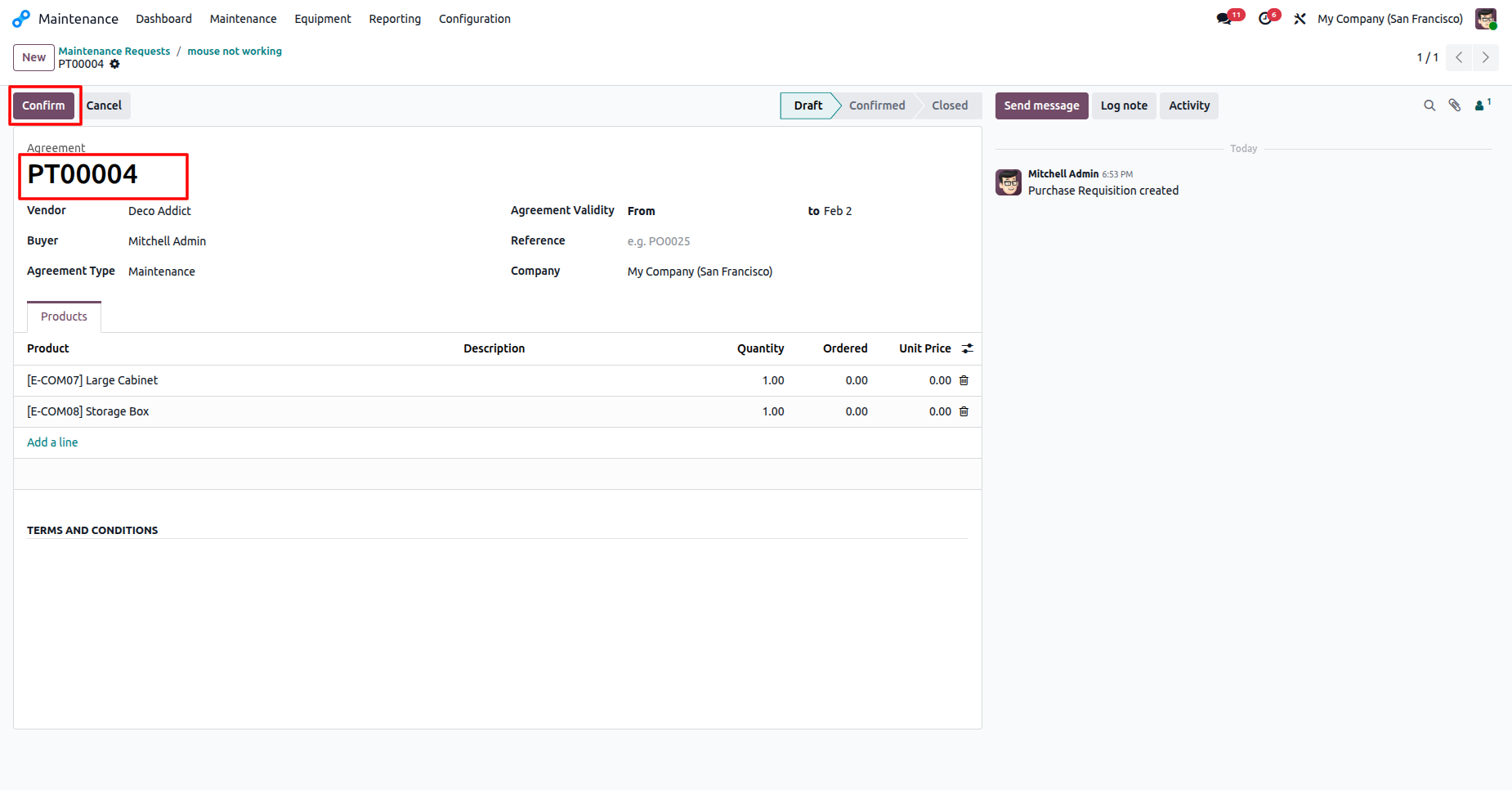
The Purchase Requisition interface displays the generated agreement PT00004, ready for confirmation with its pre-configured product lines.
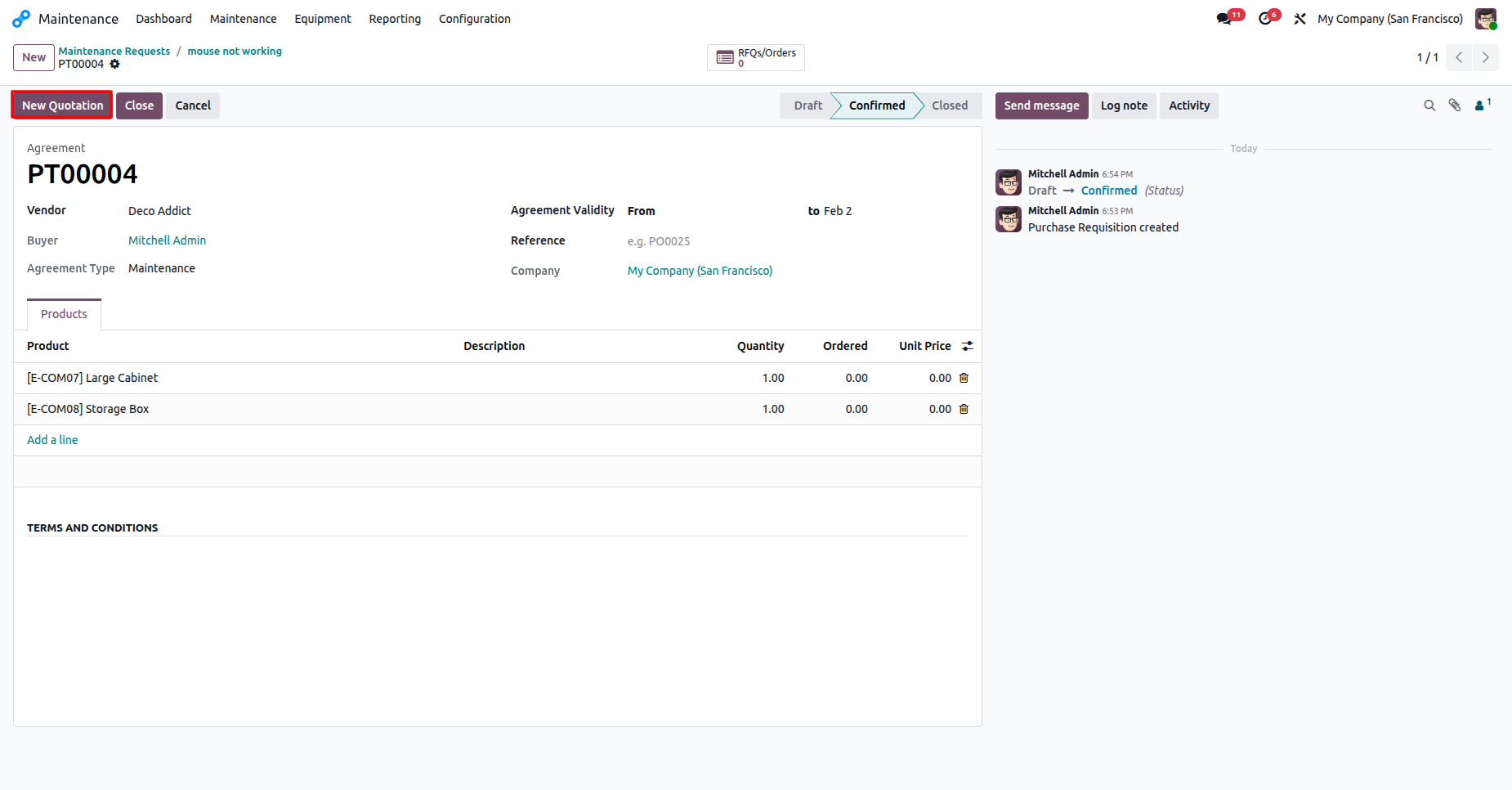
The confirmed Purchase Requisition interface provides a direct option to generate a New Quotation.
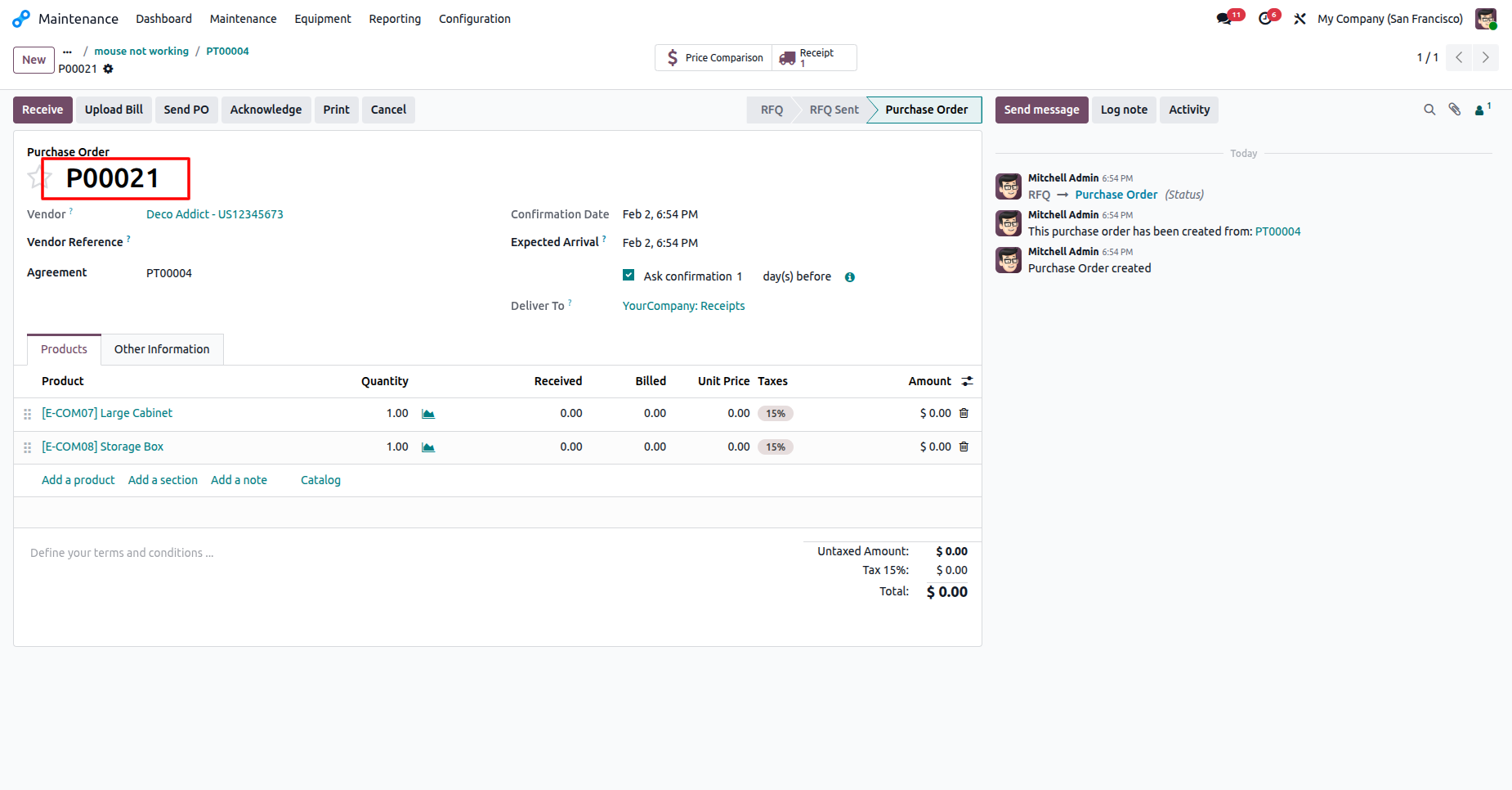
The Purchase Order interface displays the finalized record P00021, detailing the items, vendor, and total costs for the maintenance request.
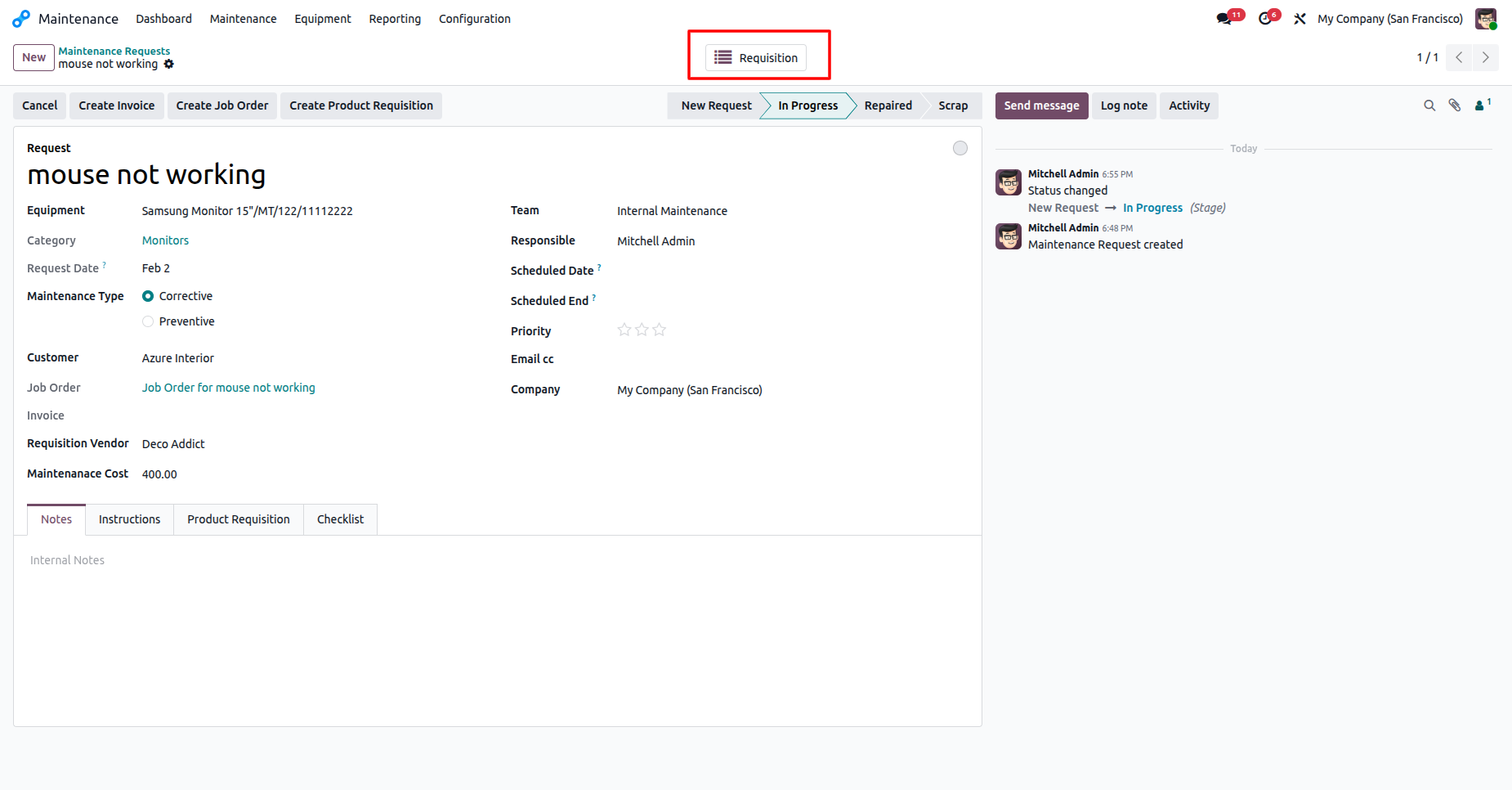
The maintenance request view features a 'Requisition' smart button, providing a direct link to all activities associated with the repair.
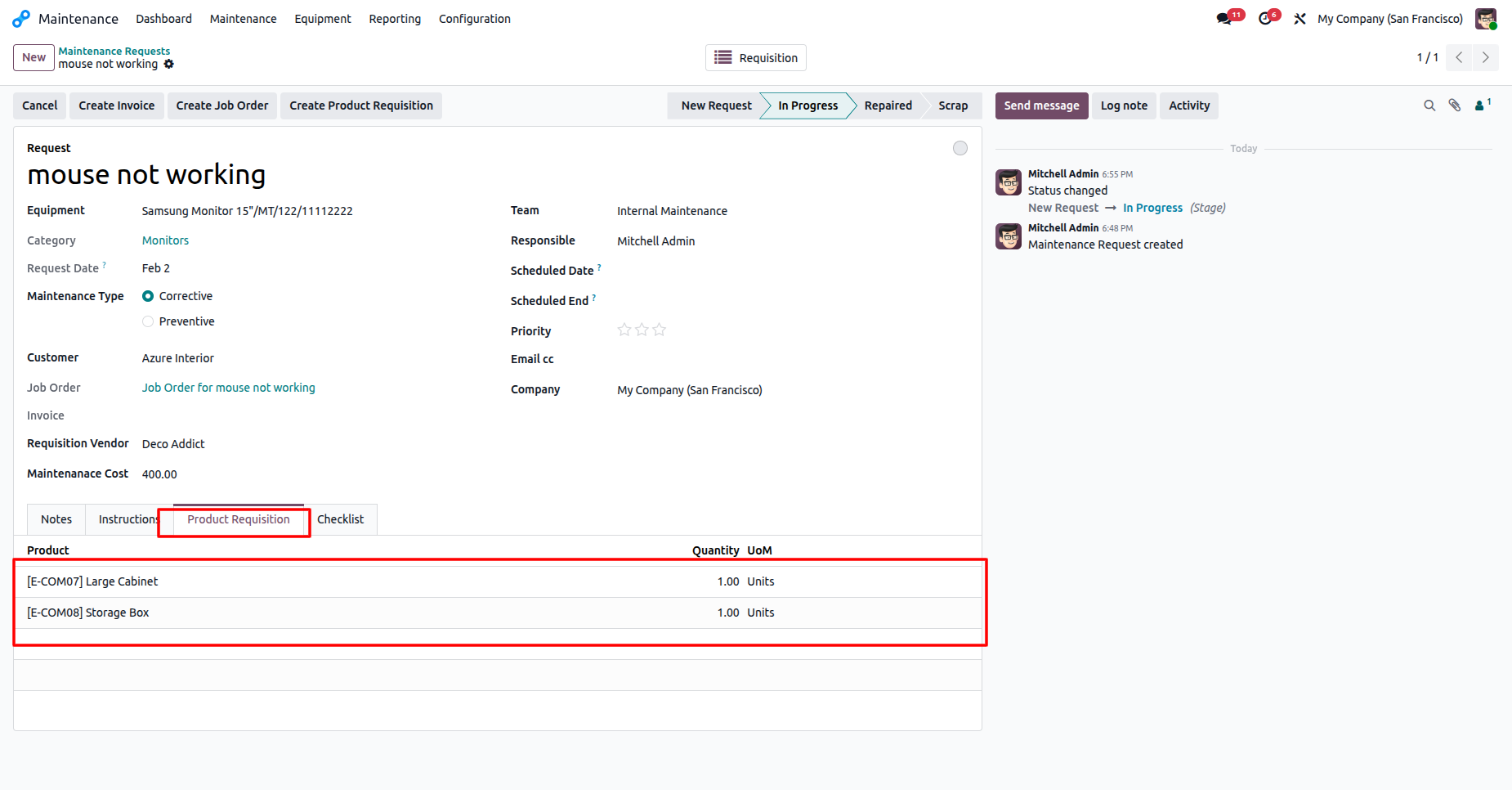
The Product Requisition tab within a maintenance request displays all linked materials, quantities, and units of measure required for the task.
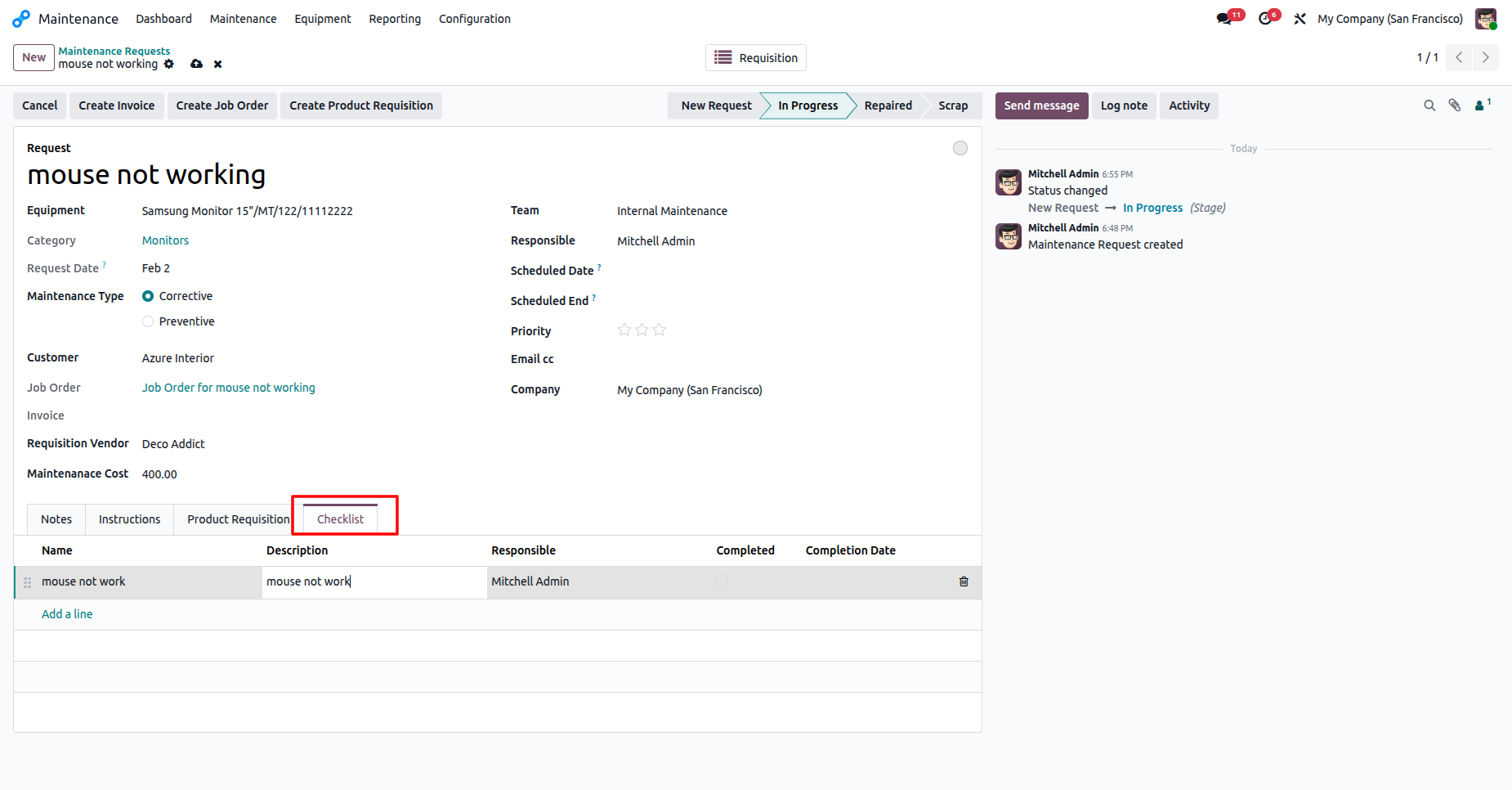
The Checklist tab within a maintenance request provides a structured list of tasks and assigned personnel for systematic repair tracking.
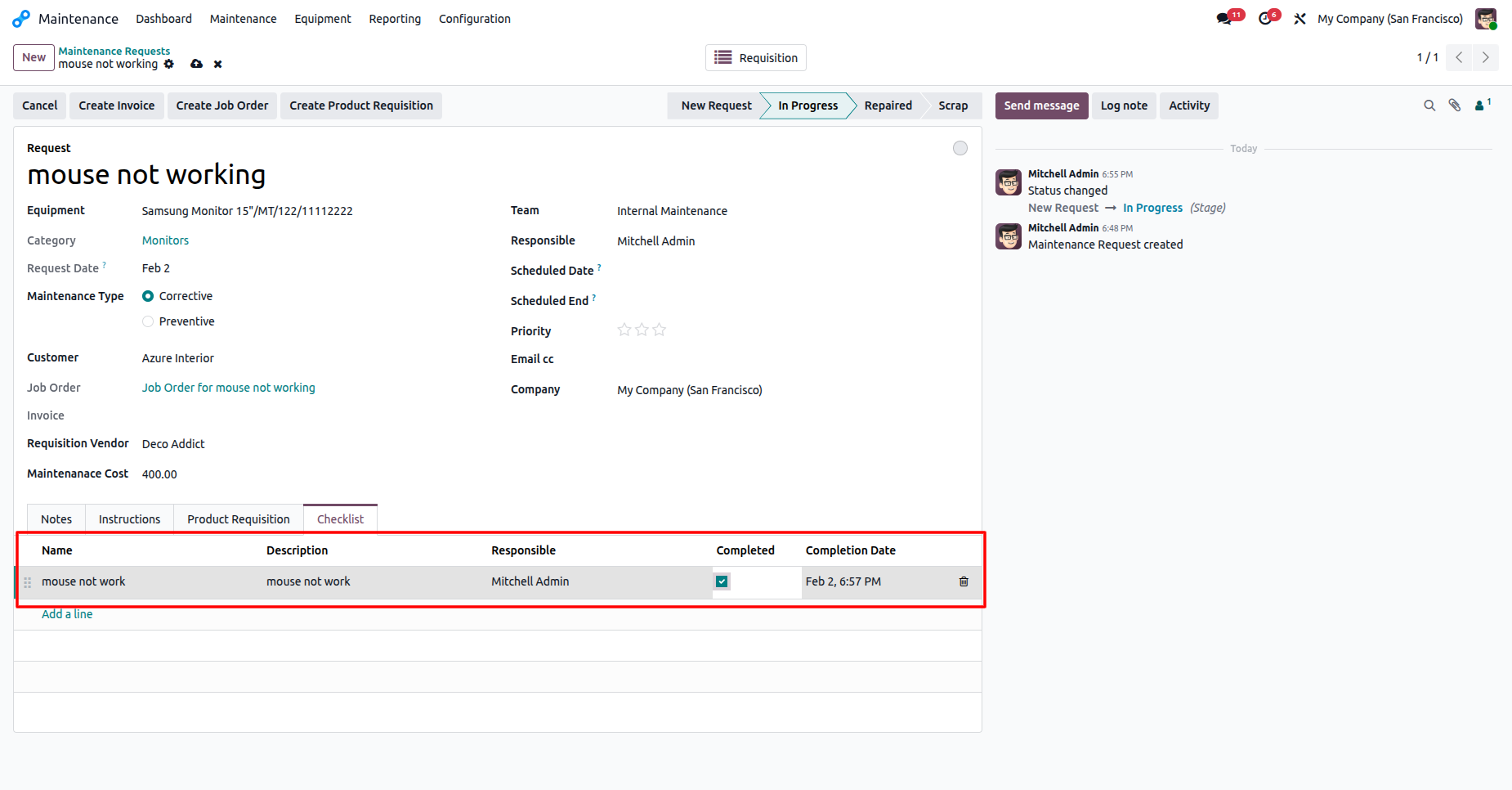
The Checklist tab within a maintenance request shows a task marked as completed by the responsible technician, including a timestamp for completion.
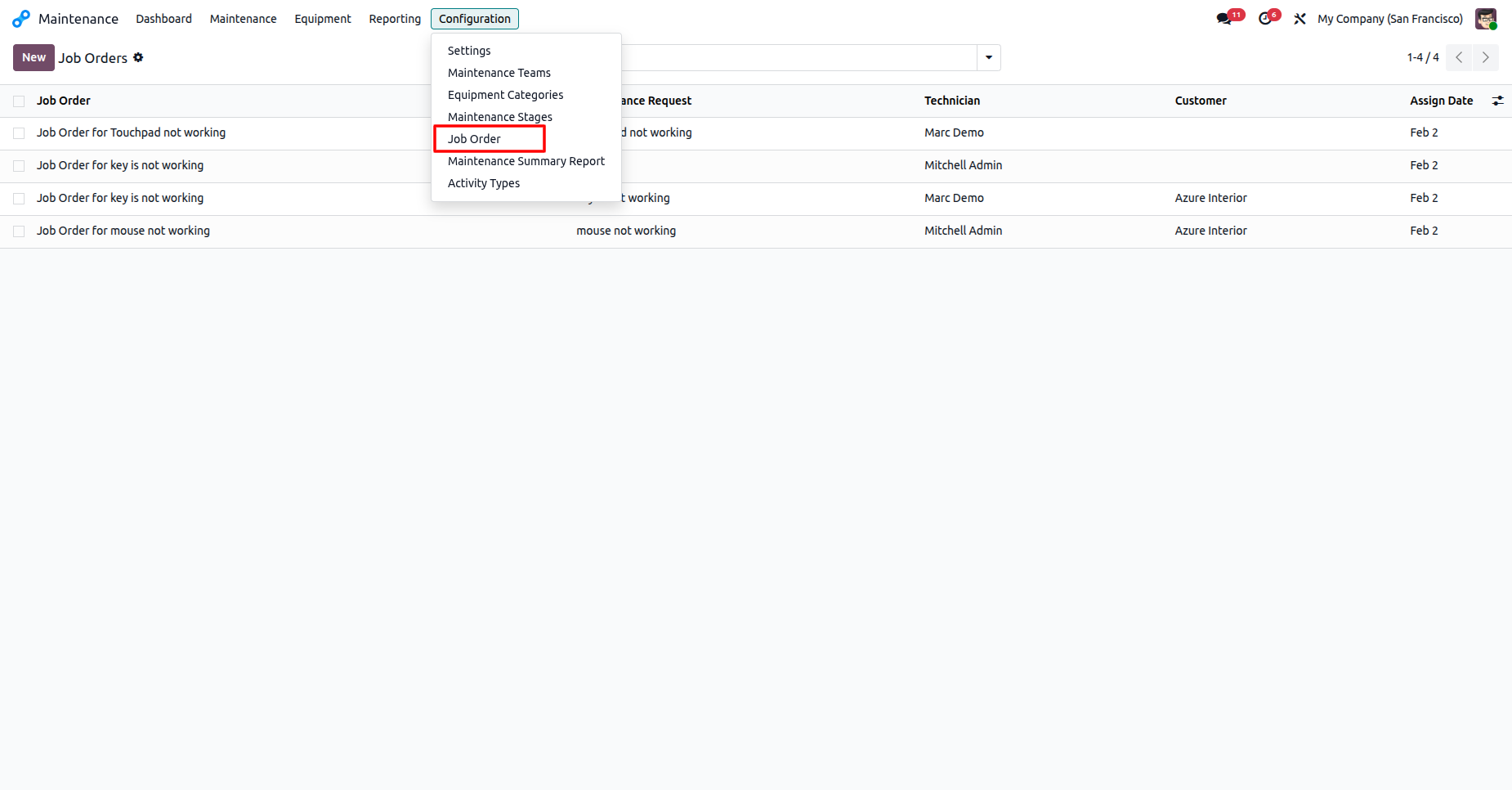
The Job Order configuration menu provides a detailed list of all active maintenance tasks, assigned technicians, and customer information.
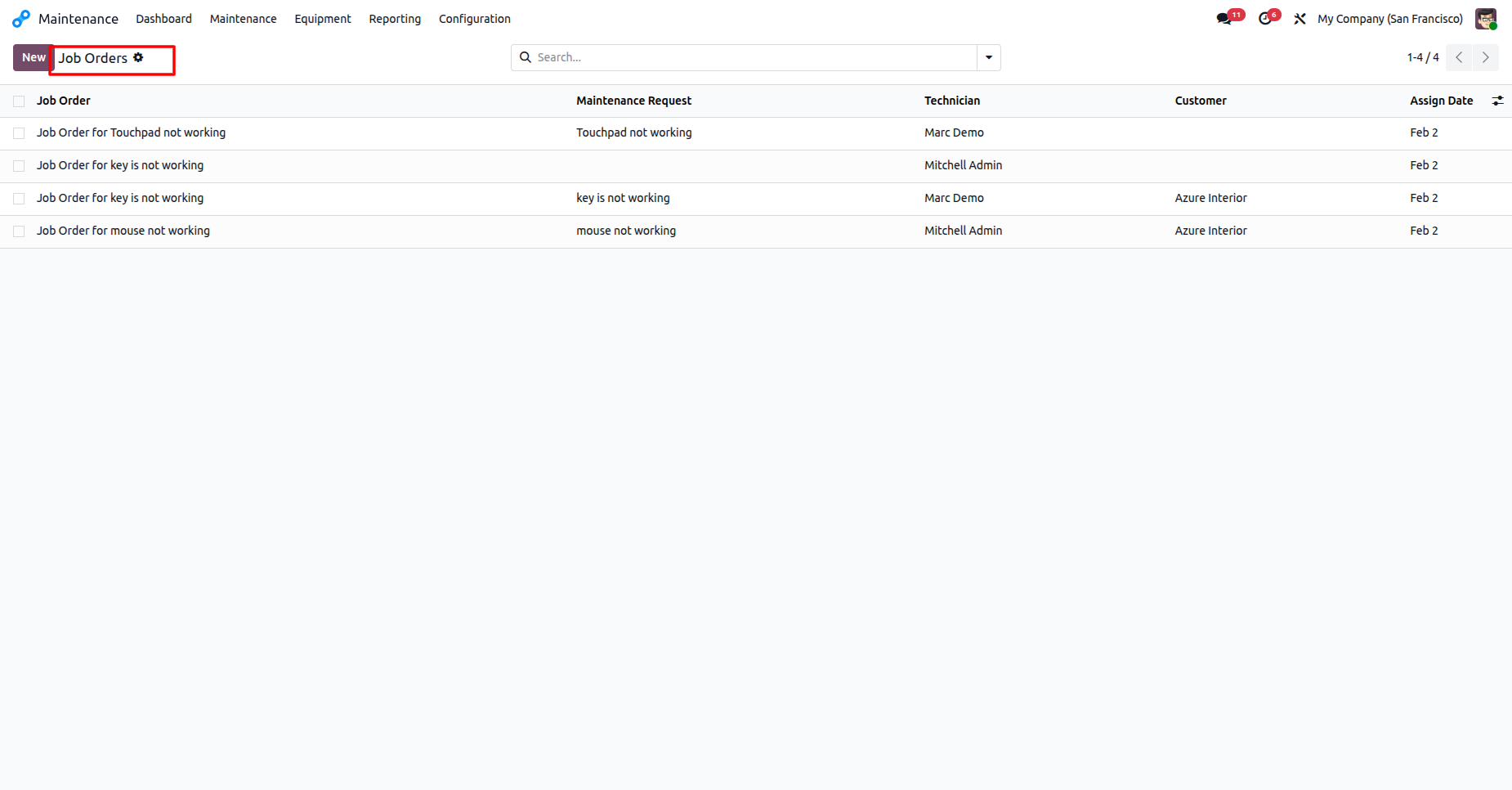
The detailed list view presents all job orders, displaying the task subject, assigned technician, associated maintenance request, and the assignment date.
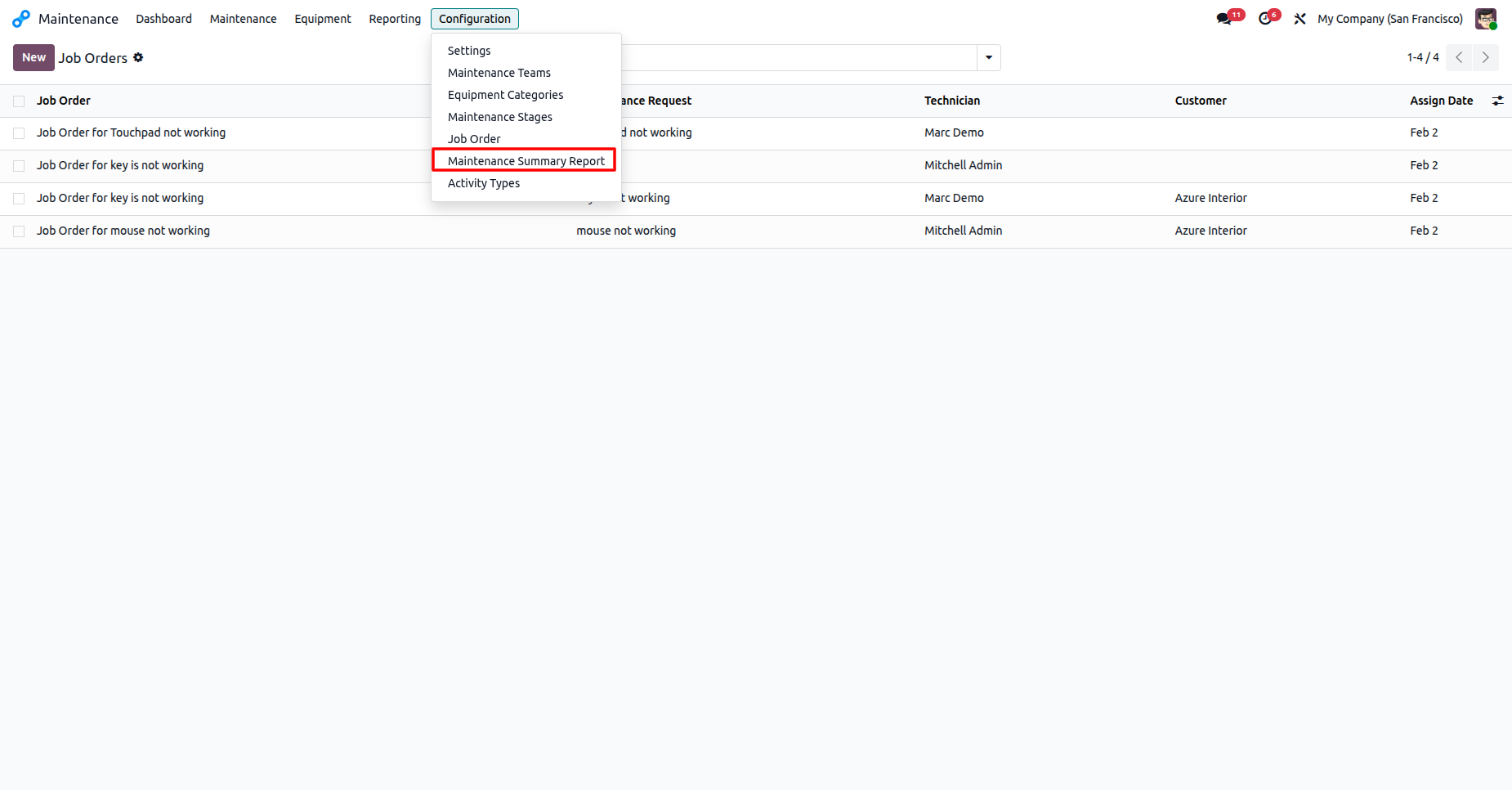
The Configuration dropdown menu allows users to navigate to the Maintenance Summary Report.
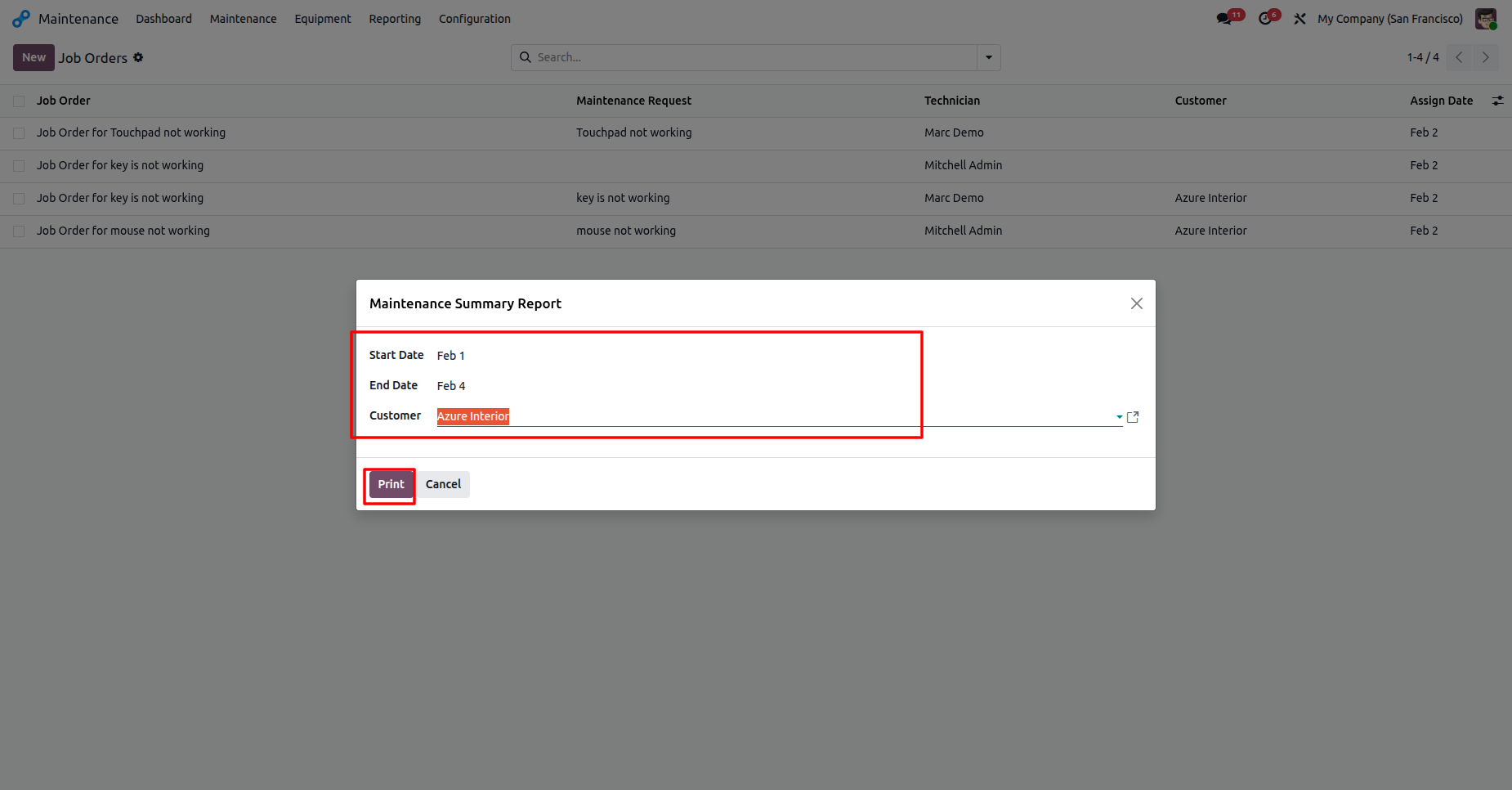
The Maintenance Summary Report pop-up allows users to filter maintenance data by date range and customer before printing a final report.
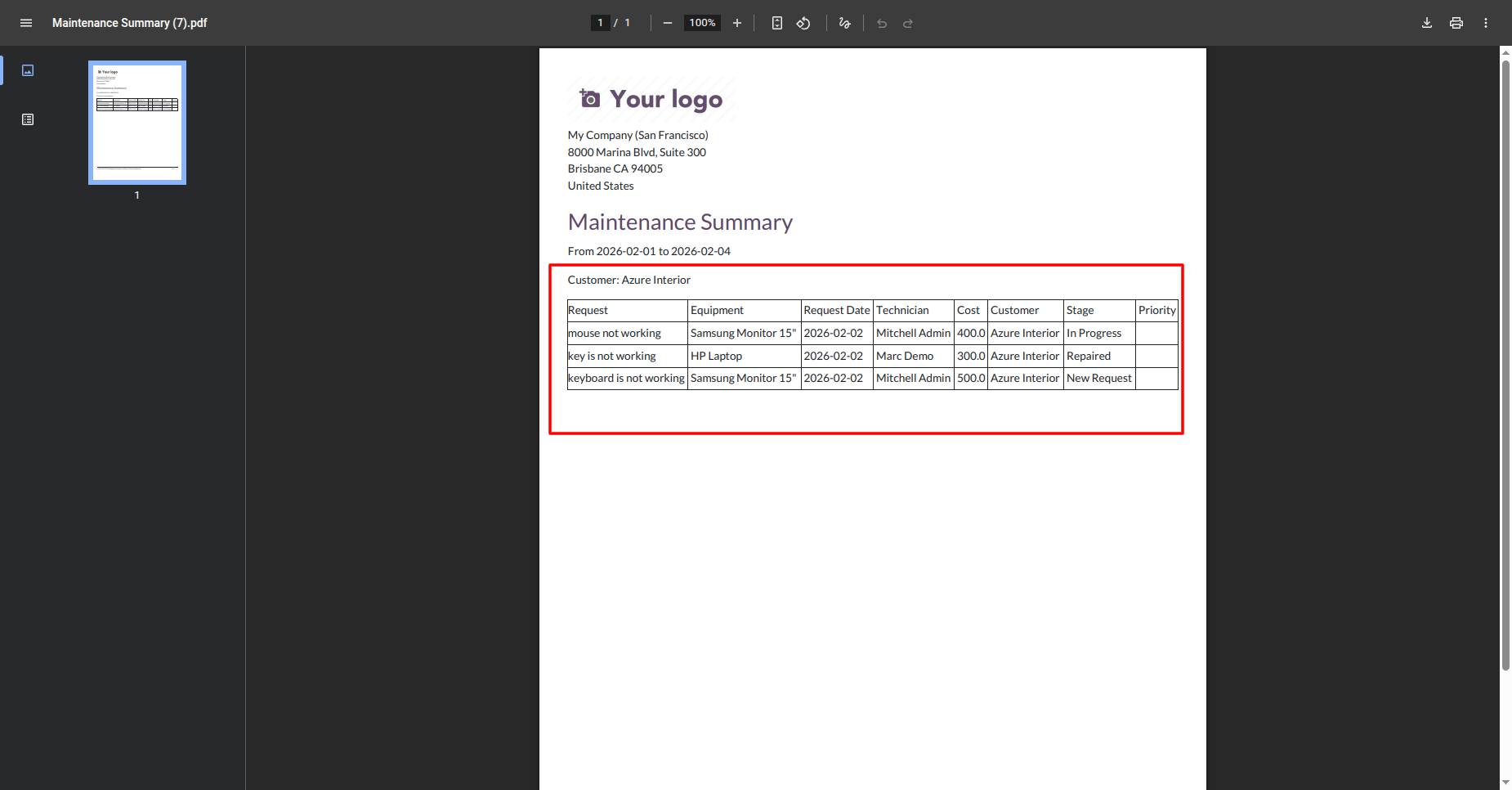
The generated Maintenance Summary PDF provides a professional overview of requests, costs, and repair stages for a specific customer and date range.
Version 19.0.1.0.0 | Released on : 14th August 2026
- Yes, this app works perfectly with Odoo Enterprise (Odoo.sh & Premise) as well as Community.
- No, this application is not compatible with odoo.com(odoo saas/Odoo Online)
- Yes, to test this module, please contact us at sales@softhealer.com.
- Please contact us at sales@softhealer.comto request customization.
- Yes, we provide free support for 365 days from the date of purchase.
- Yes, you will receive lifetime free updates for the version of the module you purchased.
- No, there is no need to install any additional libraries.
- Yes, for version 12 and above, you need to purchase the module separately for each version you intend to use.
- No, exchanges or refunds are not allowed. Please make sure to select the correct version before purchasing.
- You can contact us at support@softhealer.com for language translation support. We use Google Translator tools to provide translations in multiple languages, so the accuracy may vary. We welcome your suggestions to help improve translations.
Discover Our Latest Apps