










All in One AI OCR Bundle | Sale Order OCR | Purchase Order OCR | Invoice OCR | Delivery Order OCR

Streamline your business workflows with our configurable AI OCR module. Designed to automate data entry, it allows users to upload Images or PDF documents and extract structured data using advanced LLMs. You can seamlessly map extracted data to specific fields, enabling automatic creation of Odoo records. It supports customized models, and comprehensive logging, ensuring an efficient and smooth process.
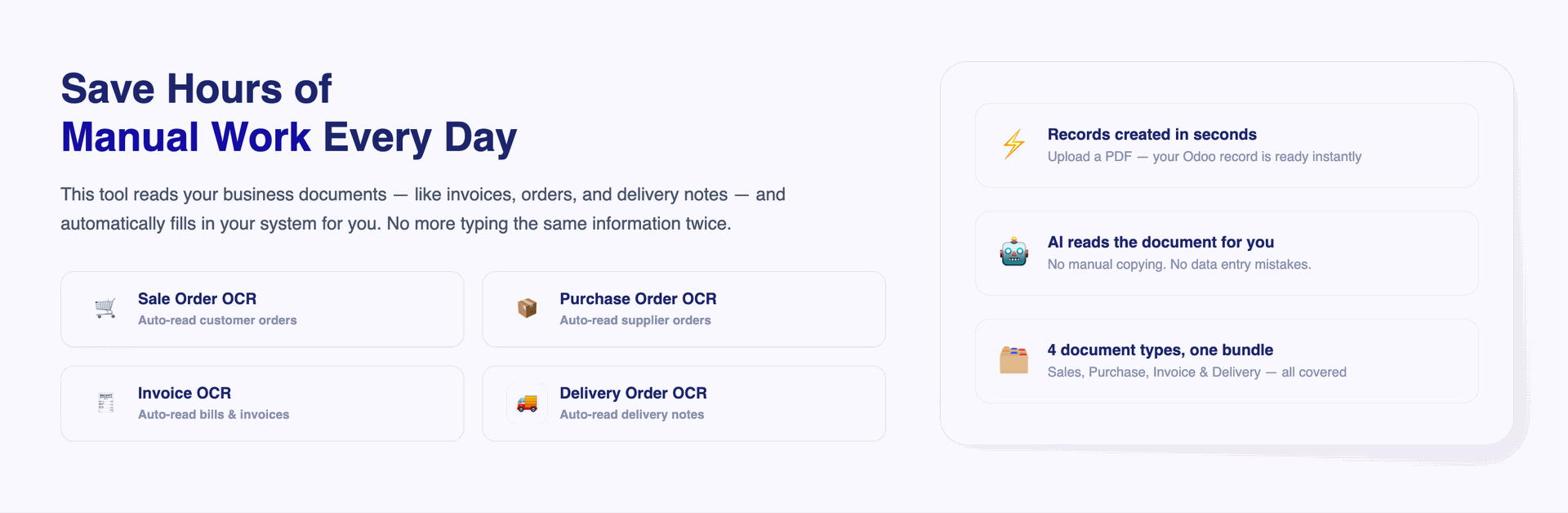
Upload a Document - Done!
Just upload your Image or PDF (invoice, purchase order, sales order, delivery note) and the system reads it automatically - no manual typing needed.
Works With All Your Document Types
Whether it's a Sales Order, Purchase Order, Invoice, or Delivery document - this tool handles all of them in one place.
Smart AI Reads Your Documents
Powered by advanced AI, the tool understands the content of your document and pulls out all the important details - automatically.
Records Created Instantly
Once the document is read, your Odoo records (like orders or invoices) are created automatically.
Original Document Always Attached
The original Image or PDF you uploaded stays linked to the record that was created - so you can always go back and check the source document easily.
Review Before It Saves
Not ready to go fully automatic? You can review the extracted information first and approve it before anything is saved - giving you full control.
Multi-Provider LLM Support
Process OCR documents using configurable AI providers and advanced LLM integrations.
Maintain Log History
Full activity logs show you exactly what was read, what was created, and if anything went wrong - no guessing, full transparency.
Set It Up Your Way
You can customise which fields get filled in and how the data maps to your specific Odoo setup.

Many2Many Line Fields Extraction 
Automatically extract and map complex Many2many line fields directly into target Odoo records.
Real-Time Bell Notifications
Stay informed with instant systray push notifications when AI OCR document processing and record creation are completed.
Auto Image or PDF Attachment to Chatter
Automatically post the original uploaded Image or PDF file and log status updates directly into the record's Chatter section.
Quick Access OCR Smart Buttons
Effortlessly navigate between target Odoo records and their corresponding AI OCR source documents using smart buttons.
OCR Text Extraction From Image
Extract text directly from image files using OCR, reducing manual data entry and making image-based content easier to use.


Workflow
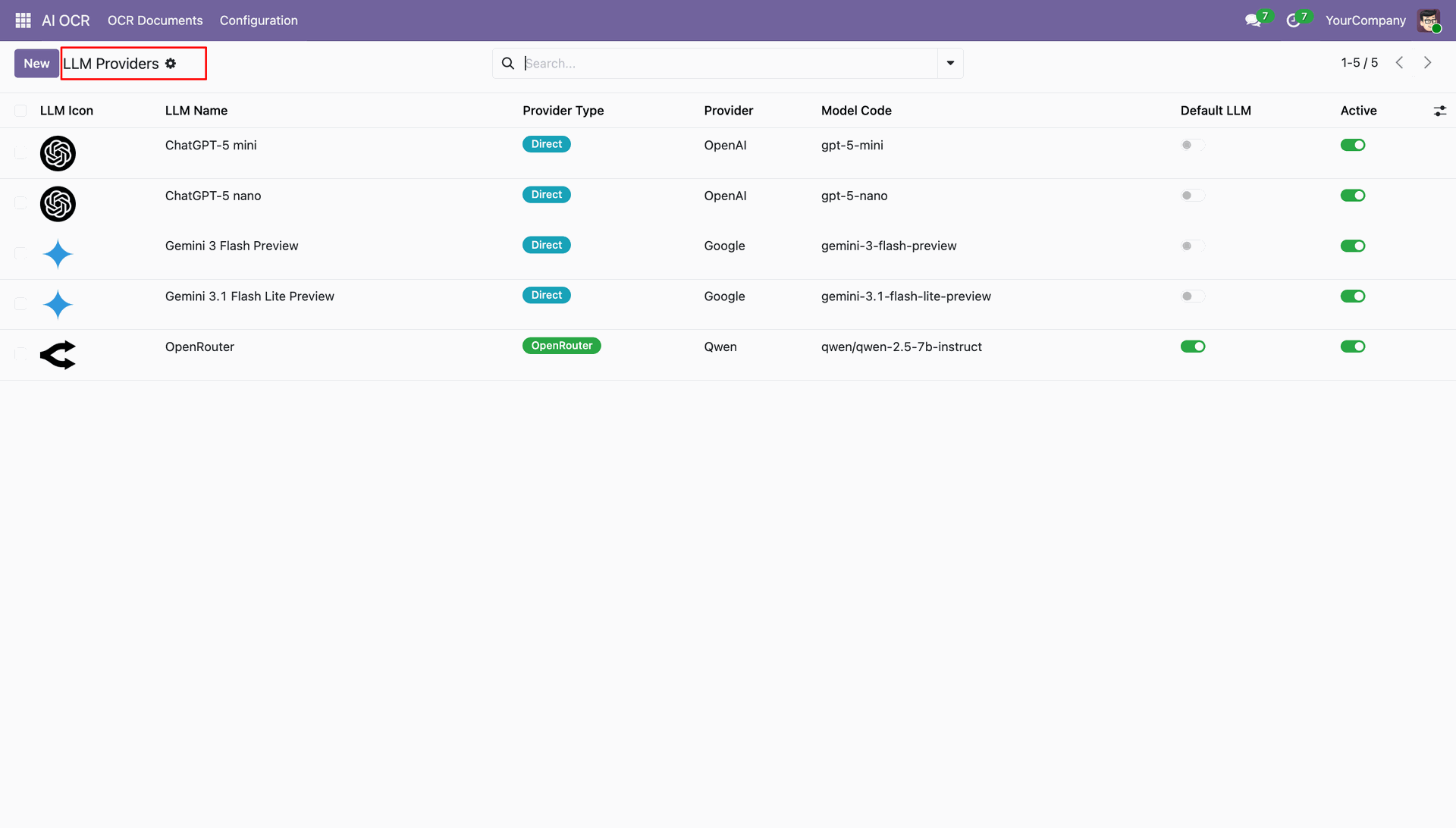
This list view displays all available LLM models configured in Odoo; it shows details like provider name, model code, default LLM status, and activation toggle for each AI model.
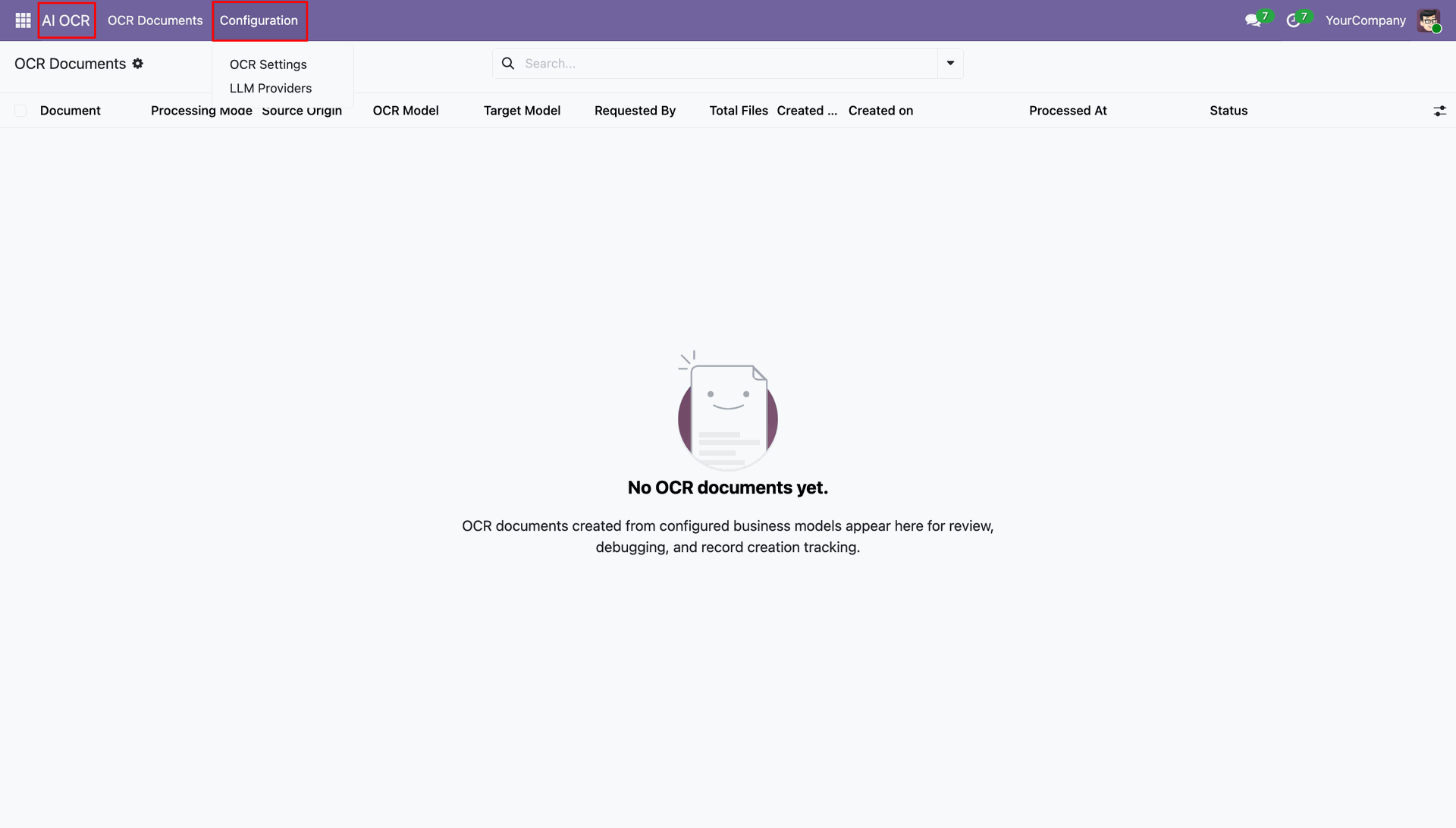
GO to the OCR -> Configuration.
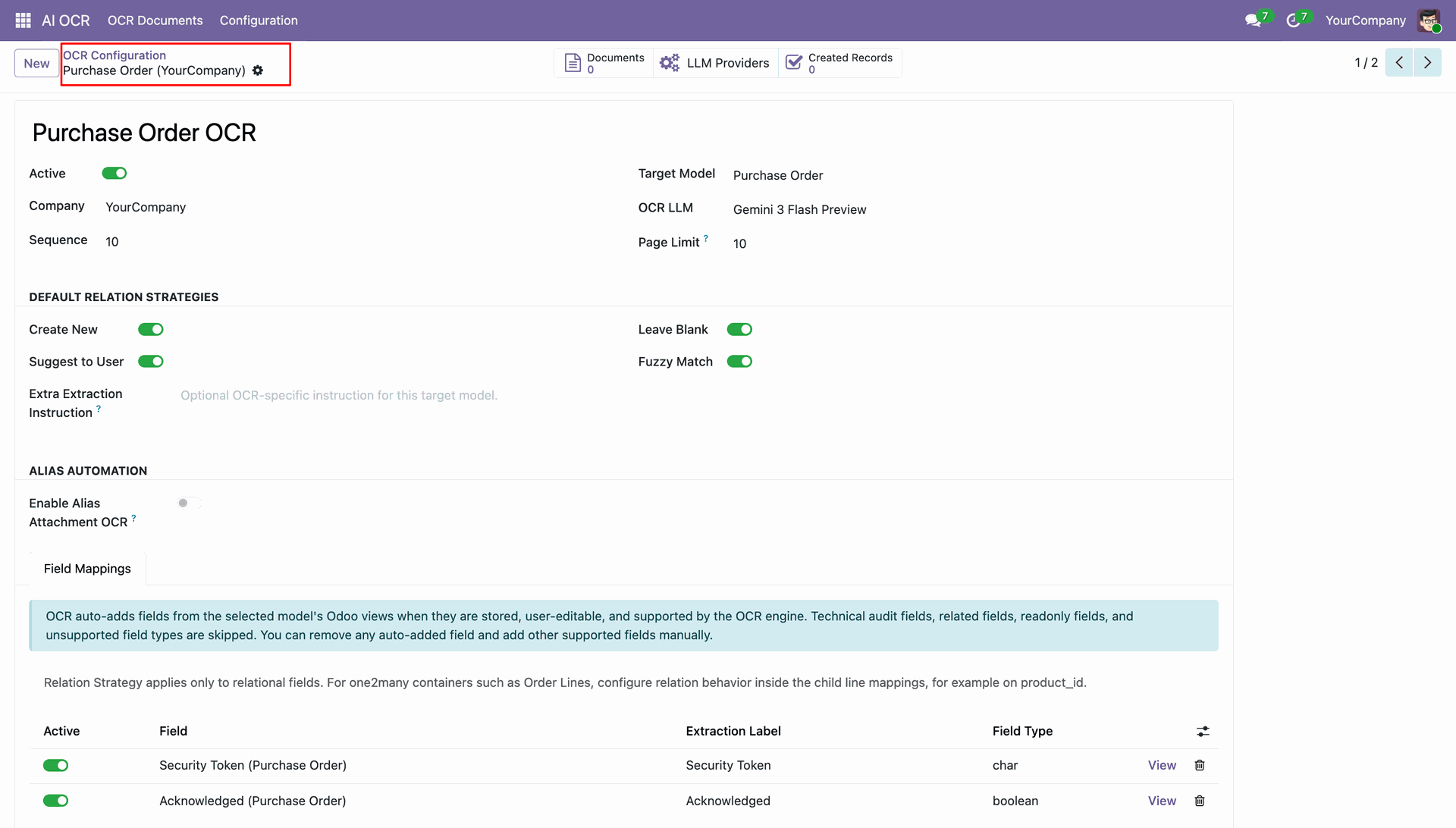
Purchase order OCR view with relational strategy and field mappings.
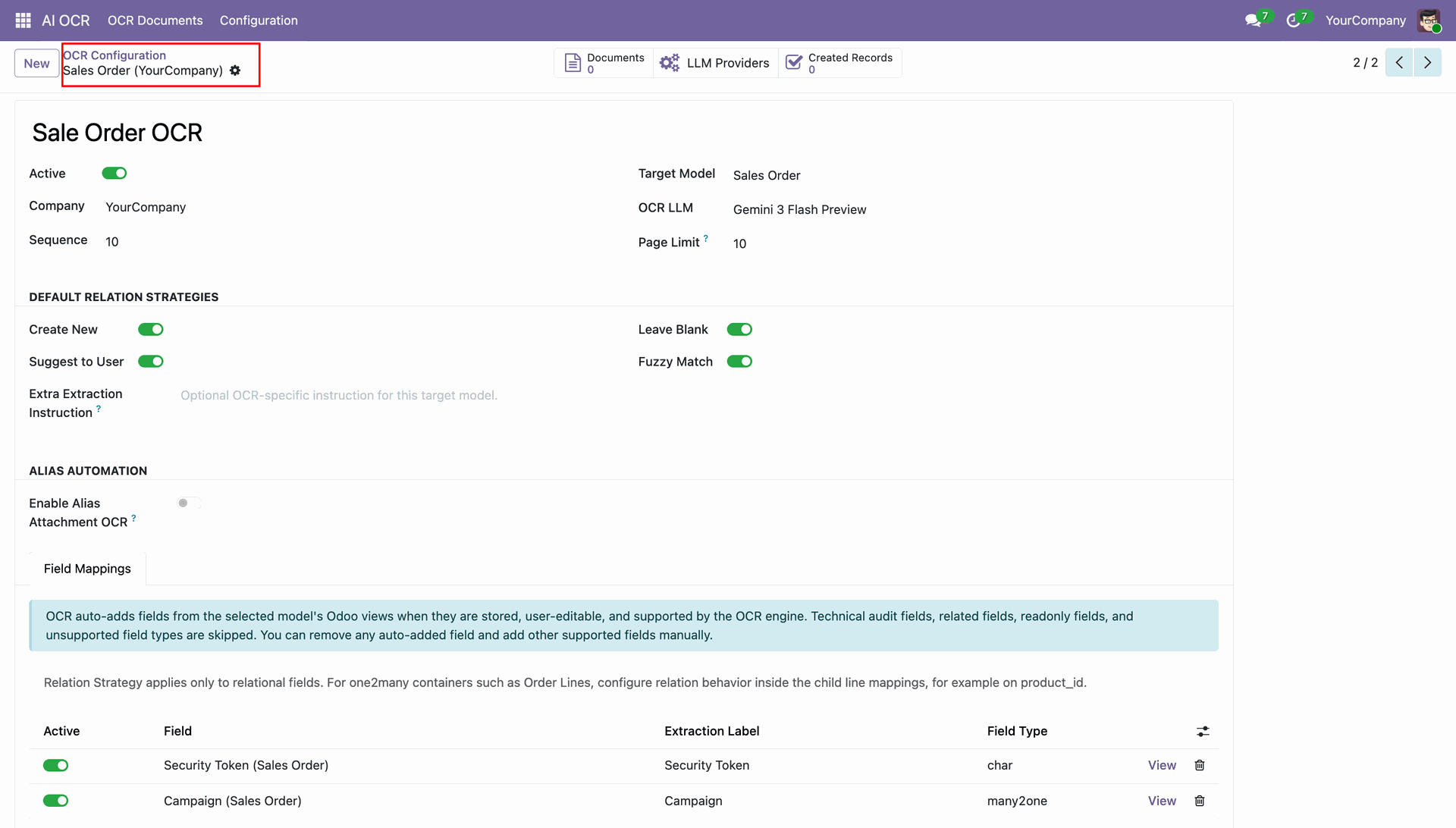
Sale order OCR view with relational strategy and field mappings.
Order lines field mapping view.
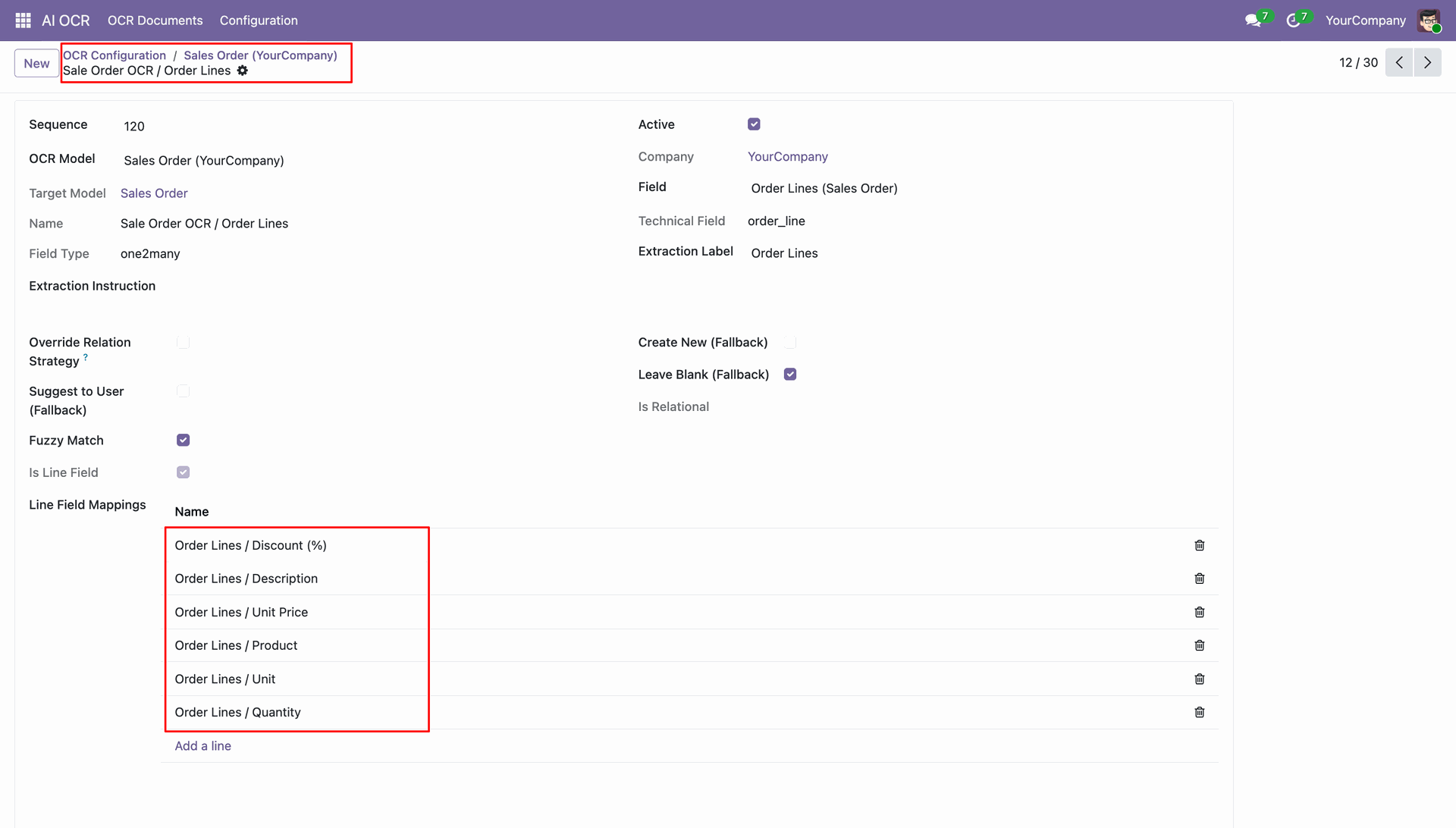
Line field mapping wizard: fill data as per requirement.
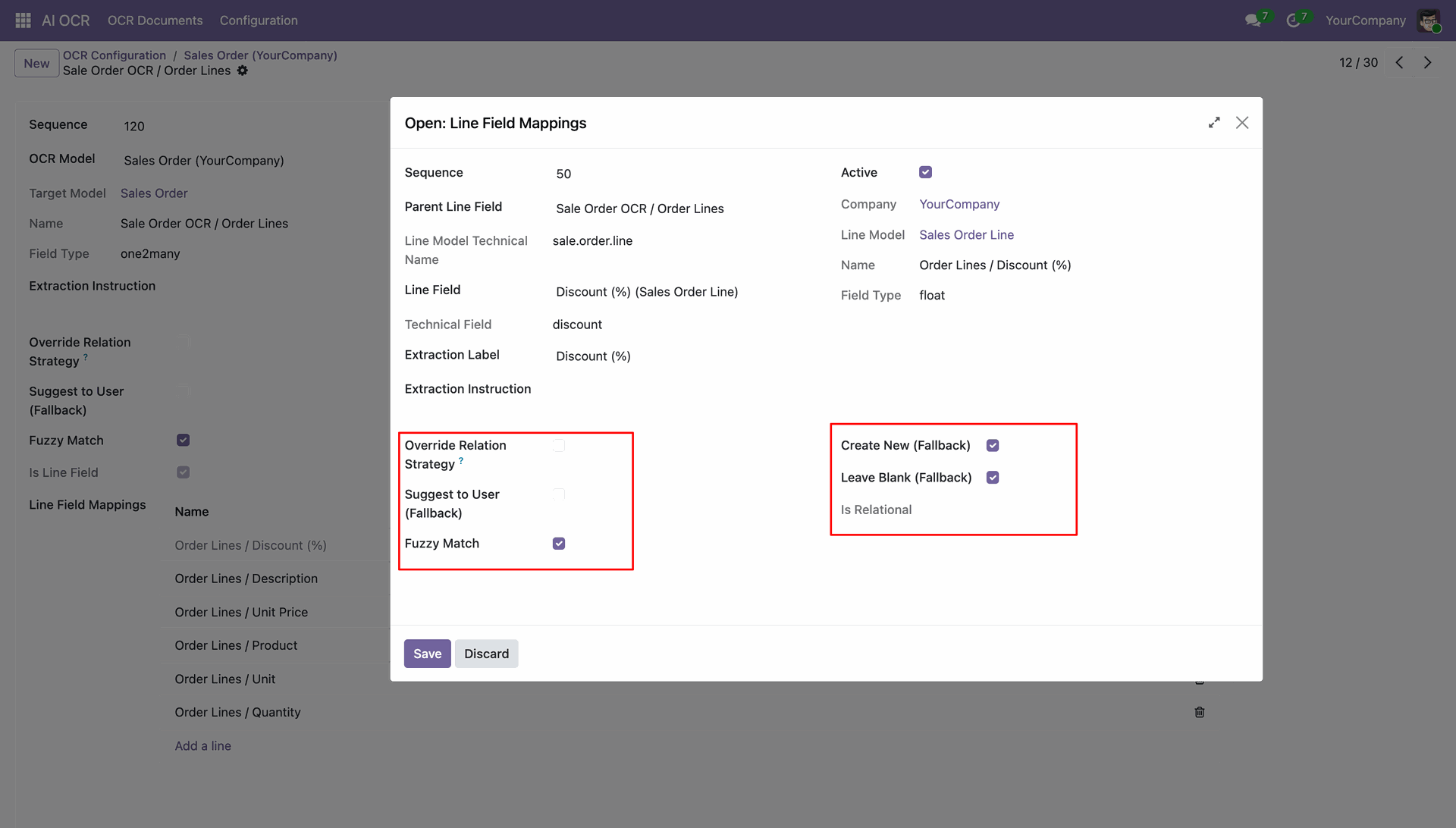
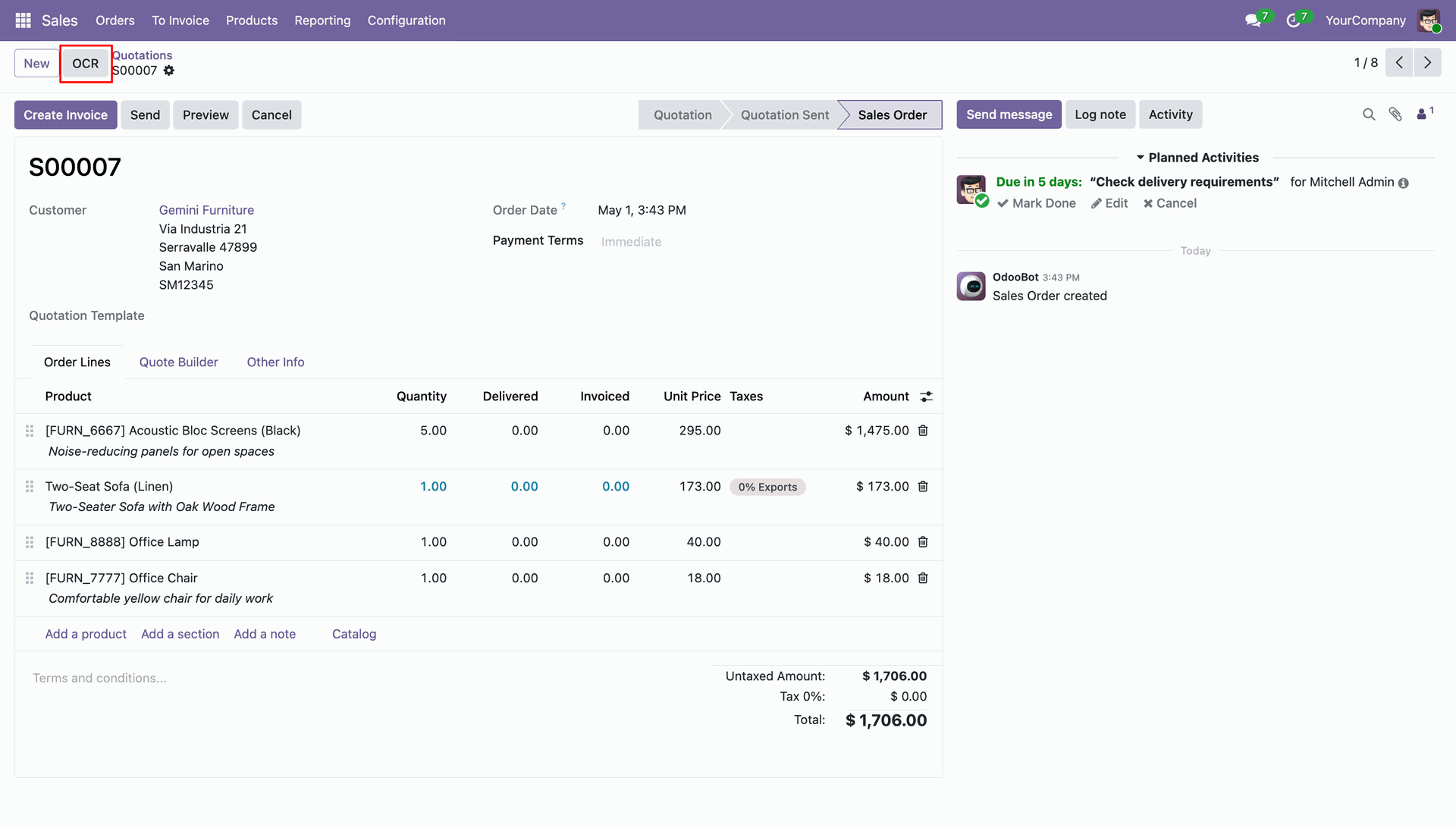
Go to the 'Sales' and click 'OCR'.
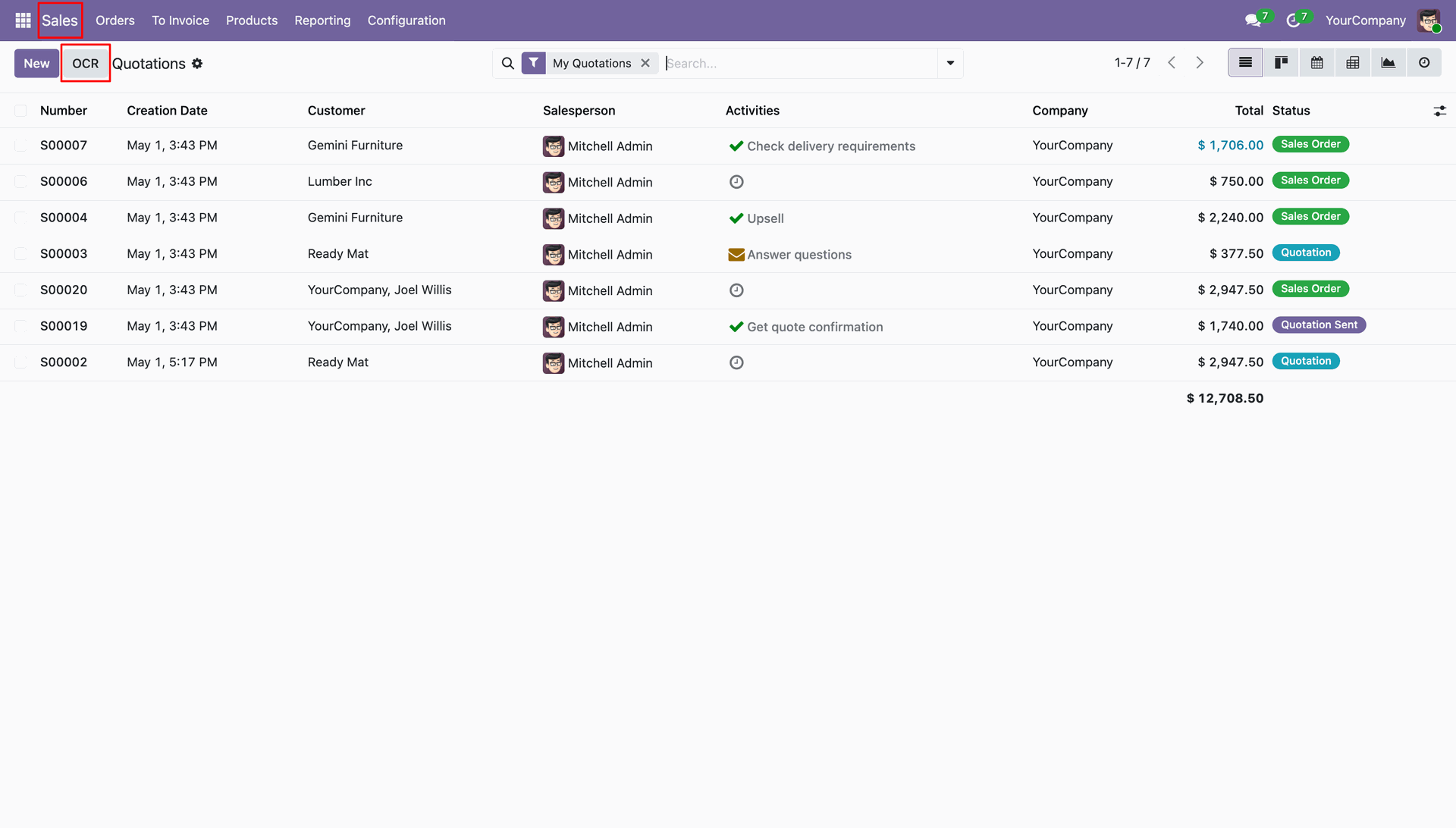
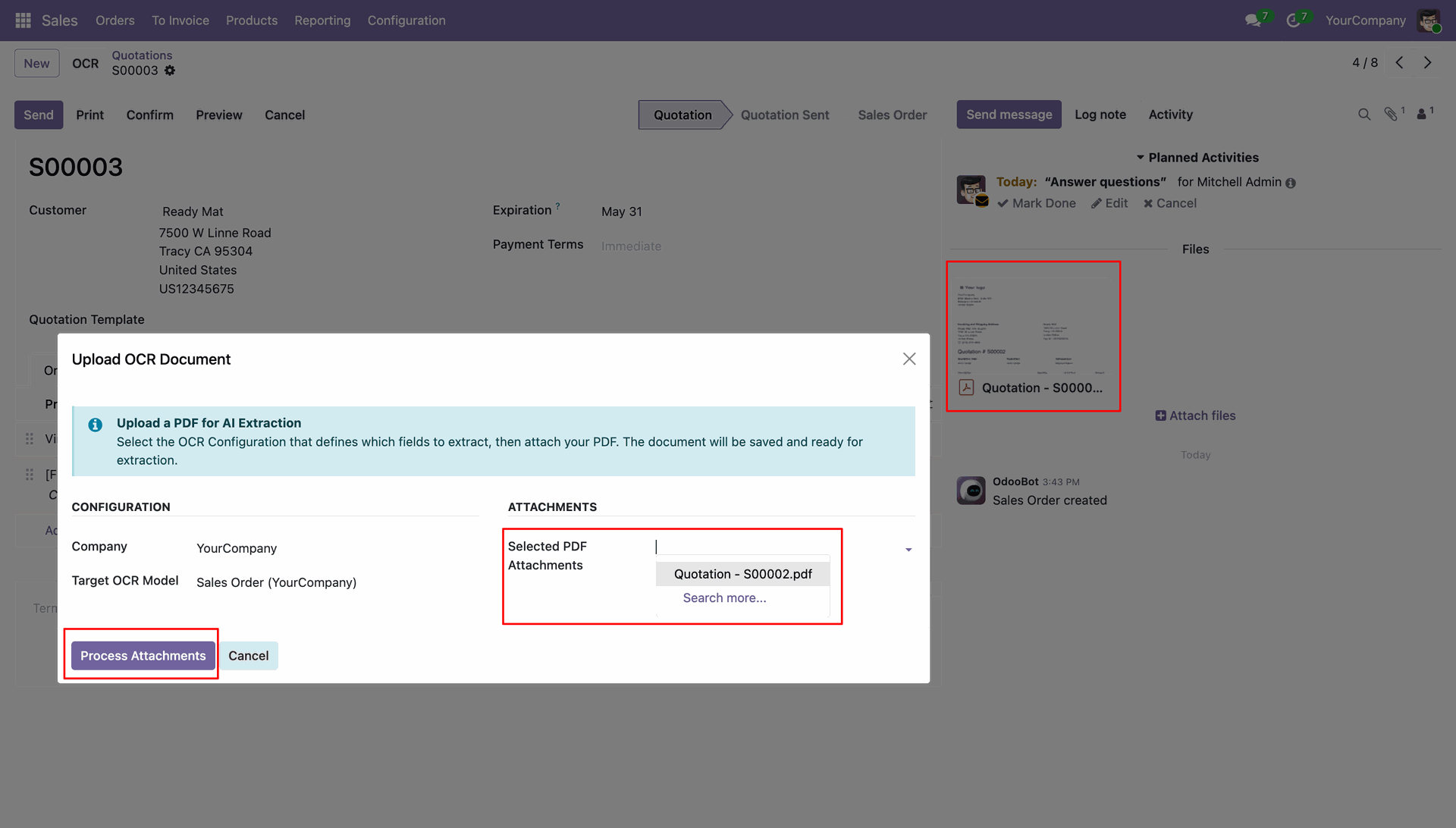
Upload the document and save it.
Analyze the detailed response extracted by the AI from the uploaded document.
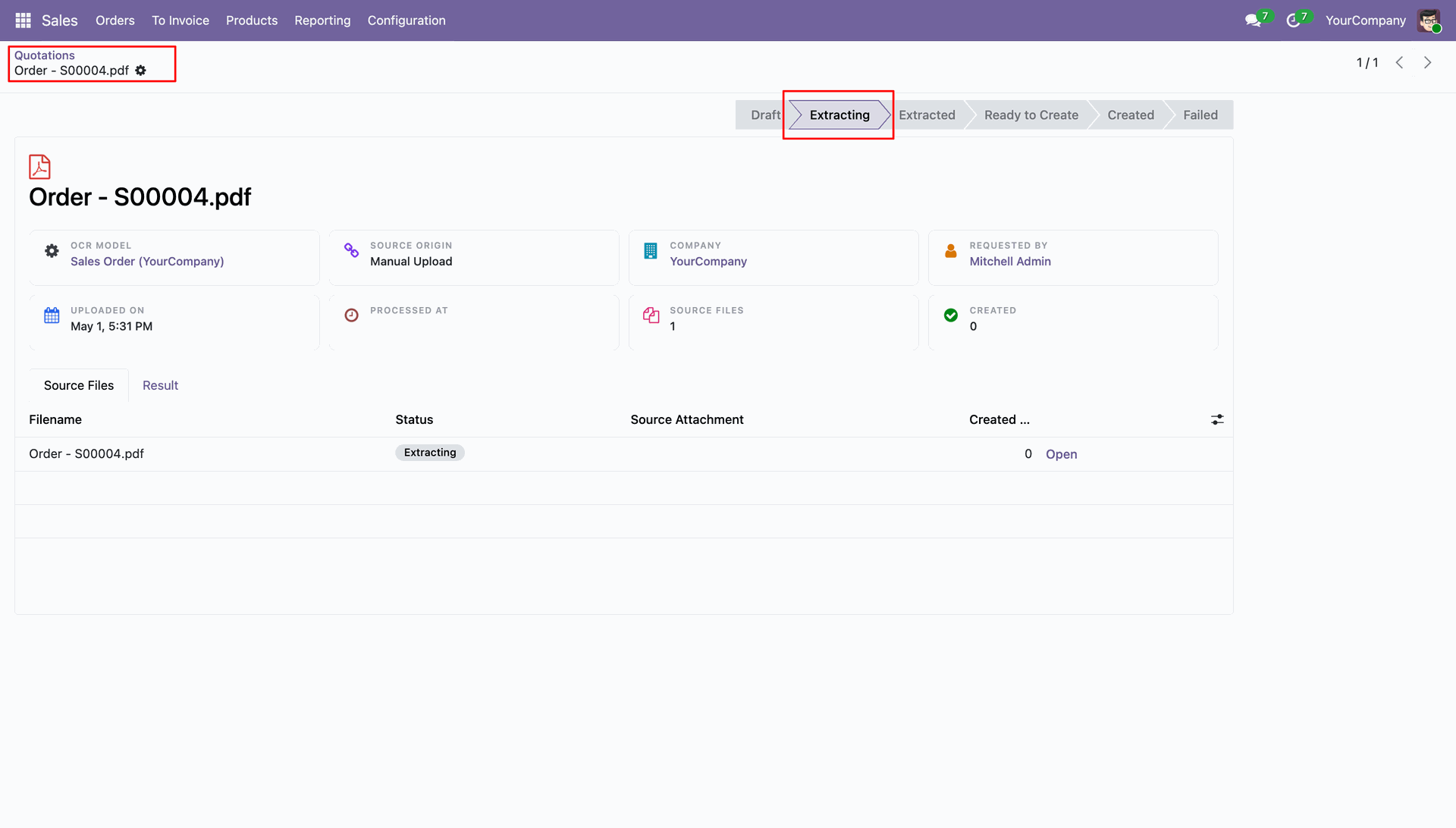
Extraction successful notification.
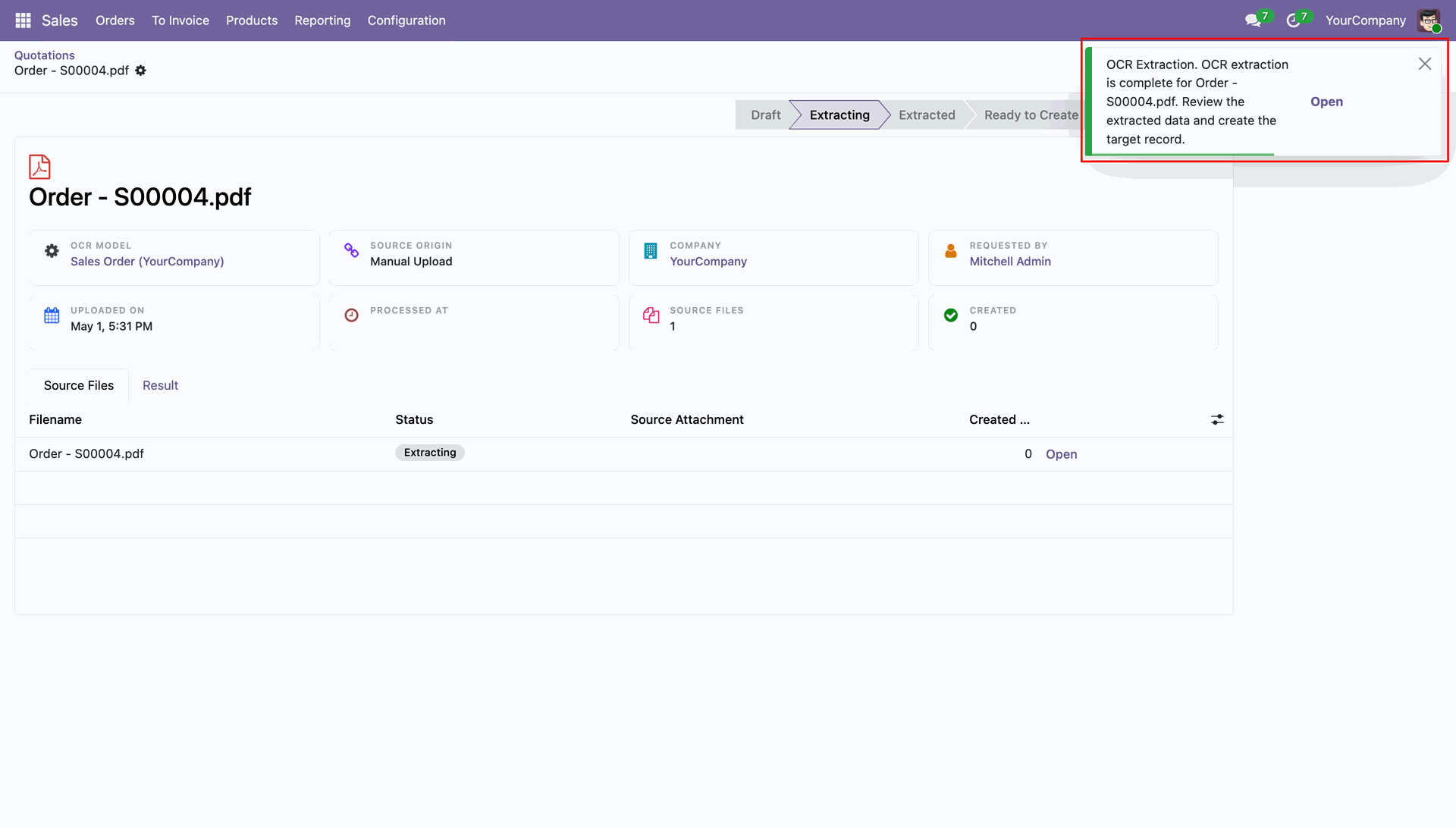
Review the newly created Odoo records generated directly from the AI OCR source document.
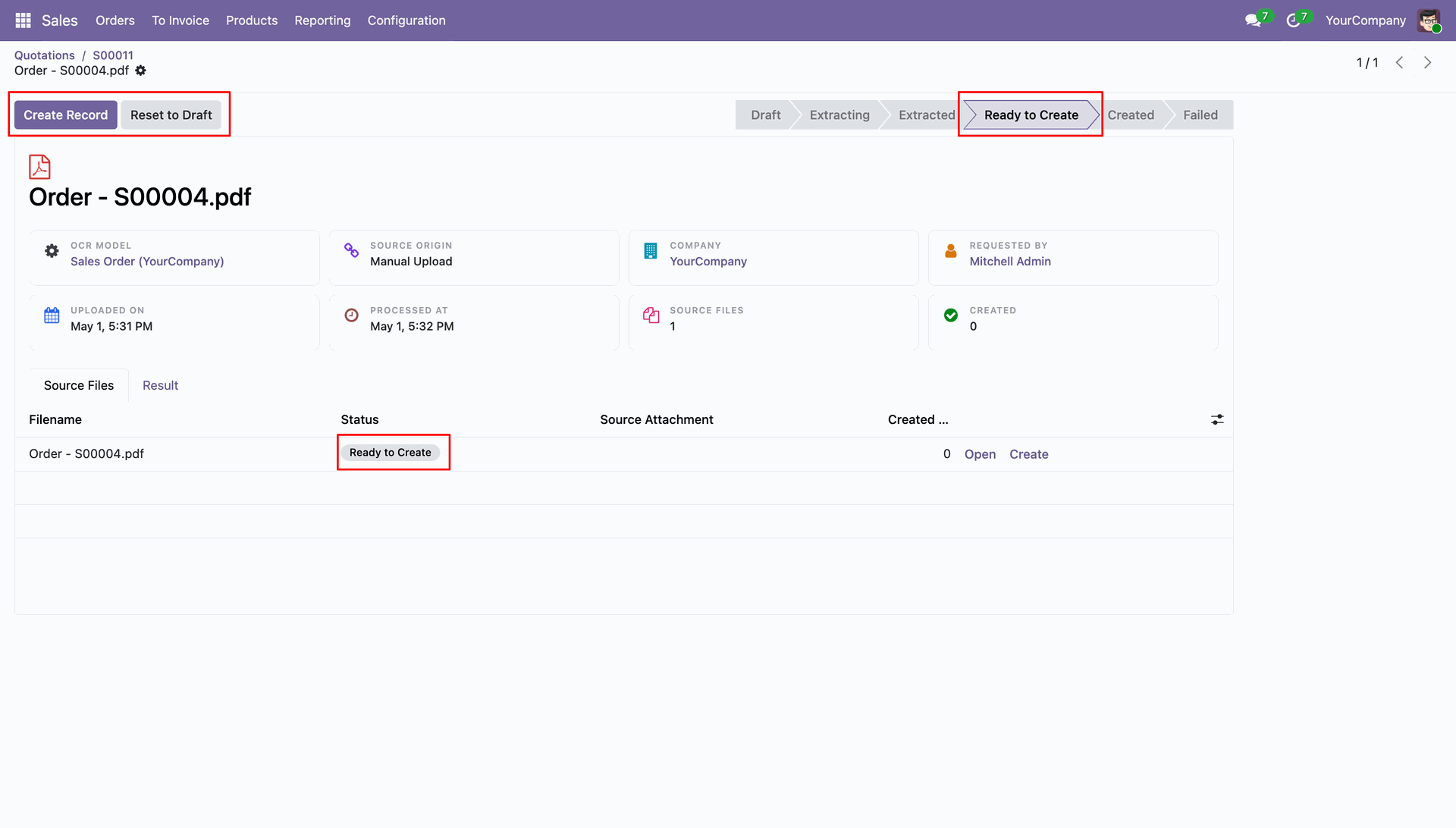
Confirm successful record creation through the automated green notification displayed on the document.
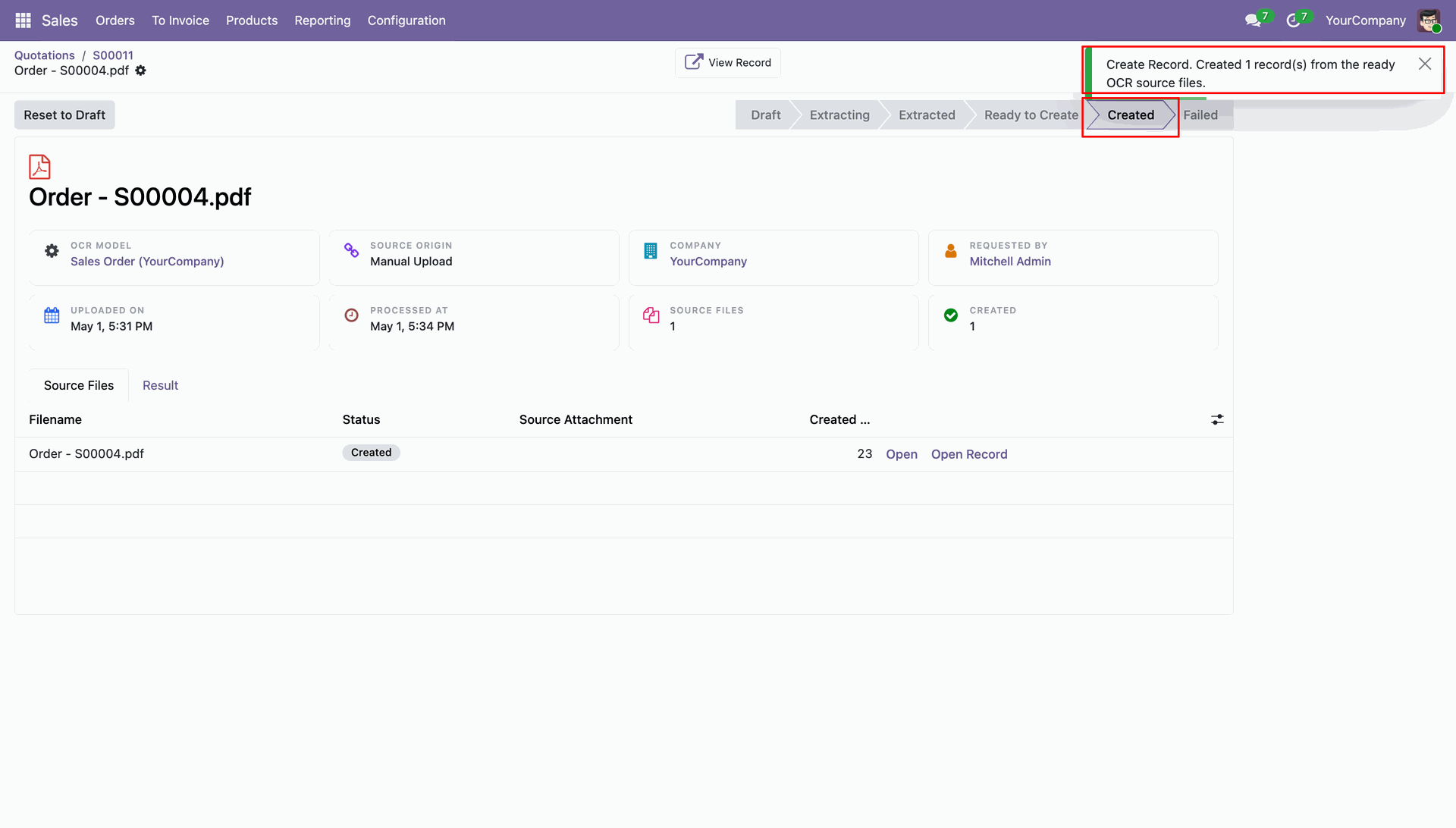
Navigate directly to the generated source files through the provided link in the document.
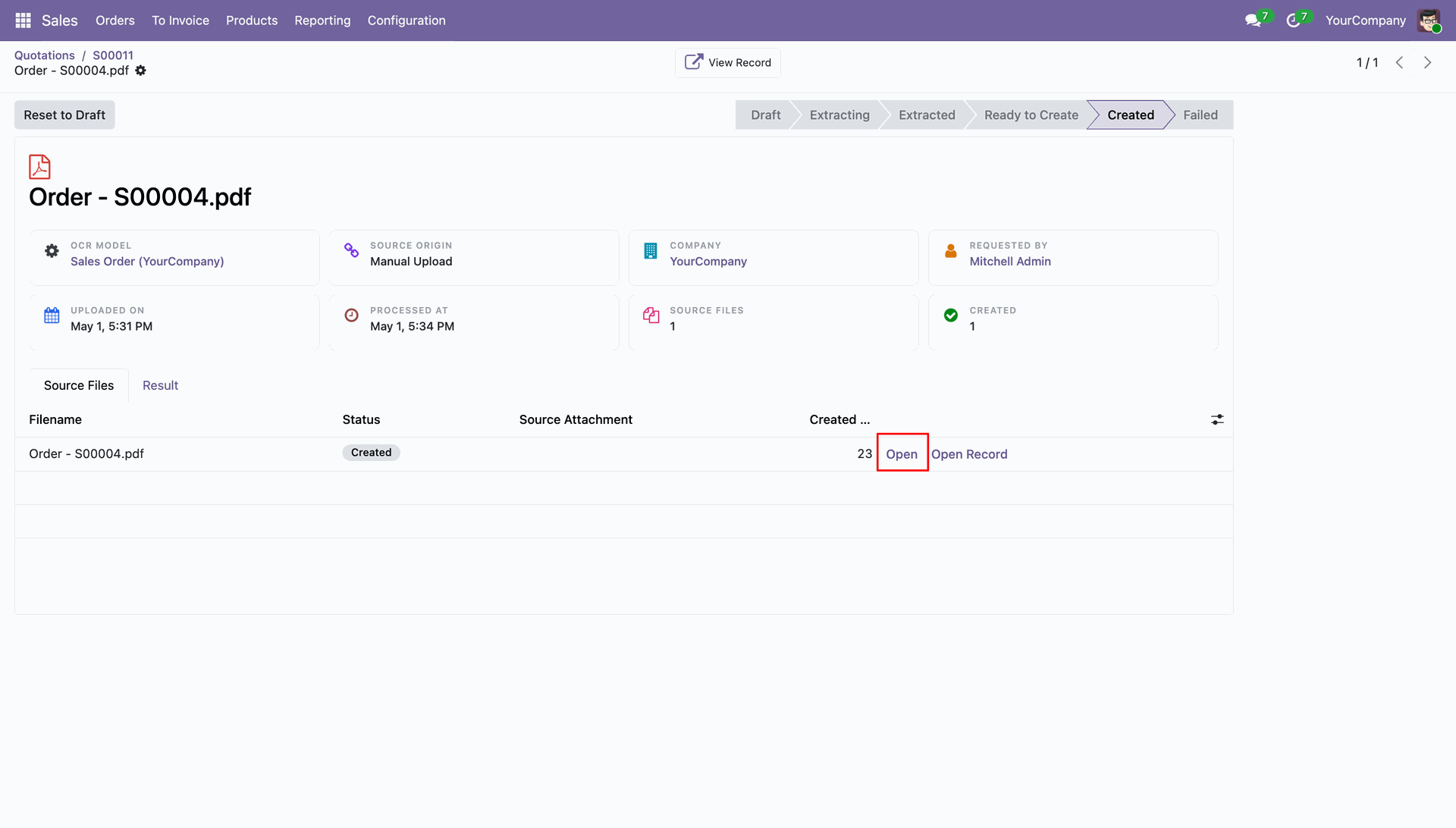
Preview the original Image or PDF file alongside the extracted data to verify OCR accuracy.
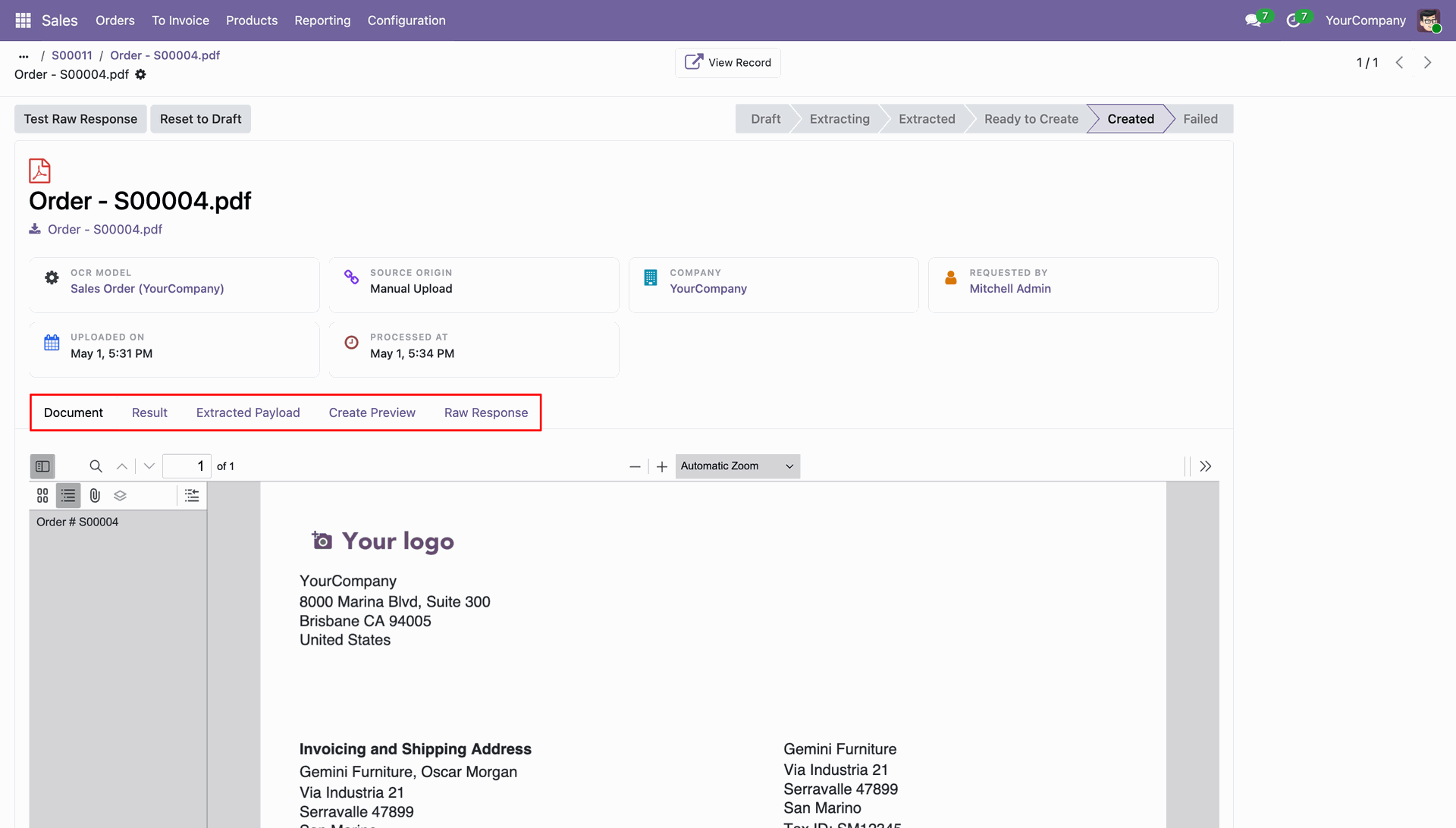
Monitor the total number of linked documents and created records from the OCR configuration.
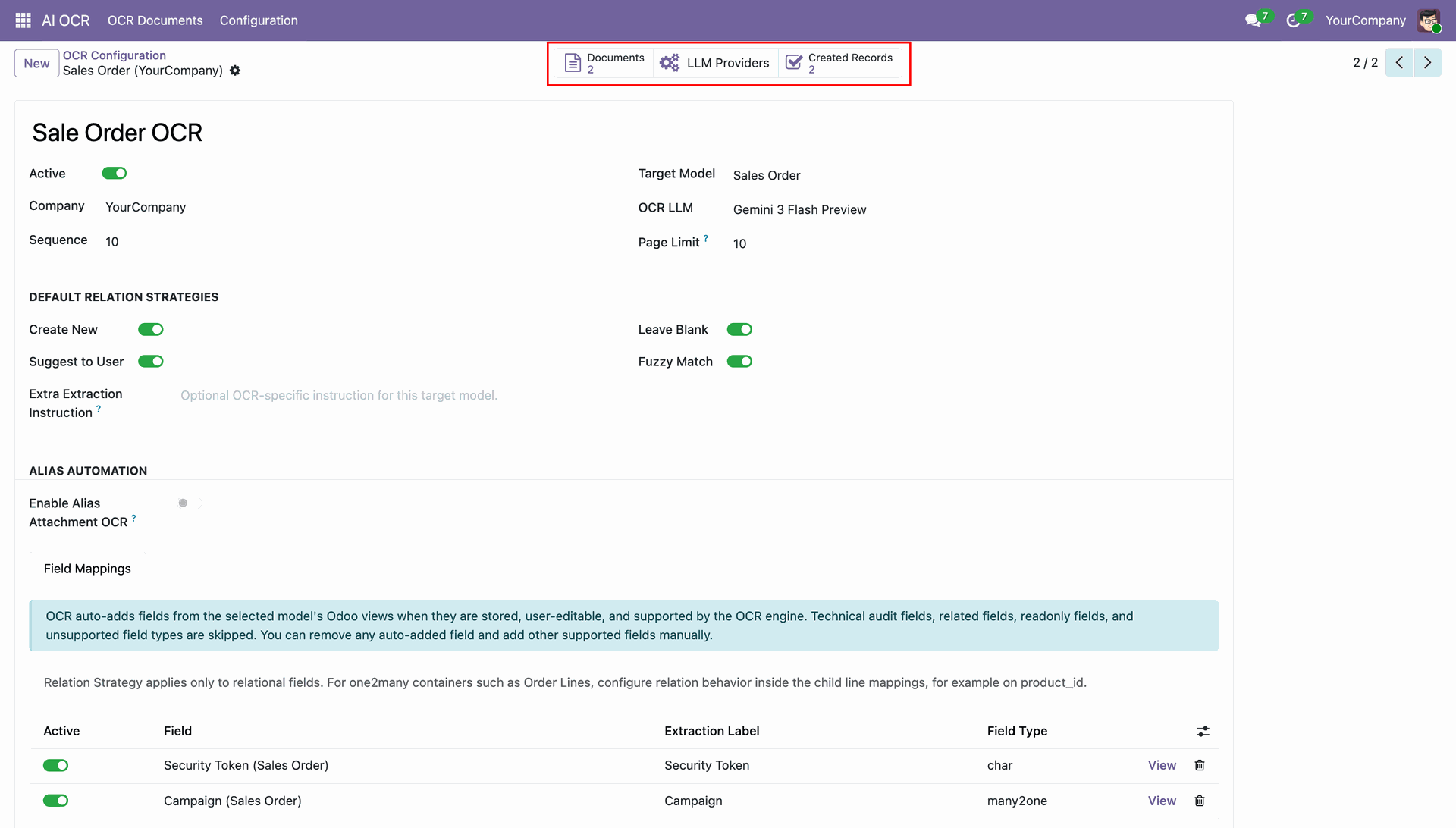
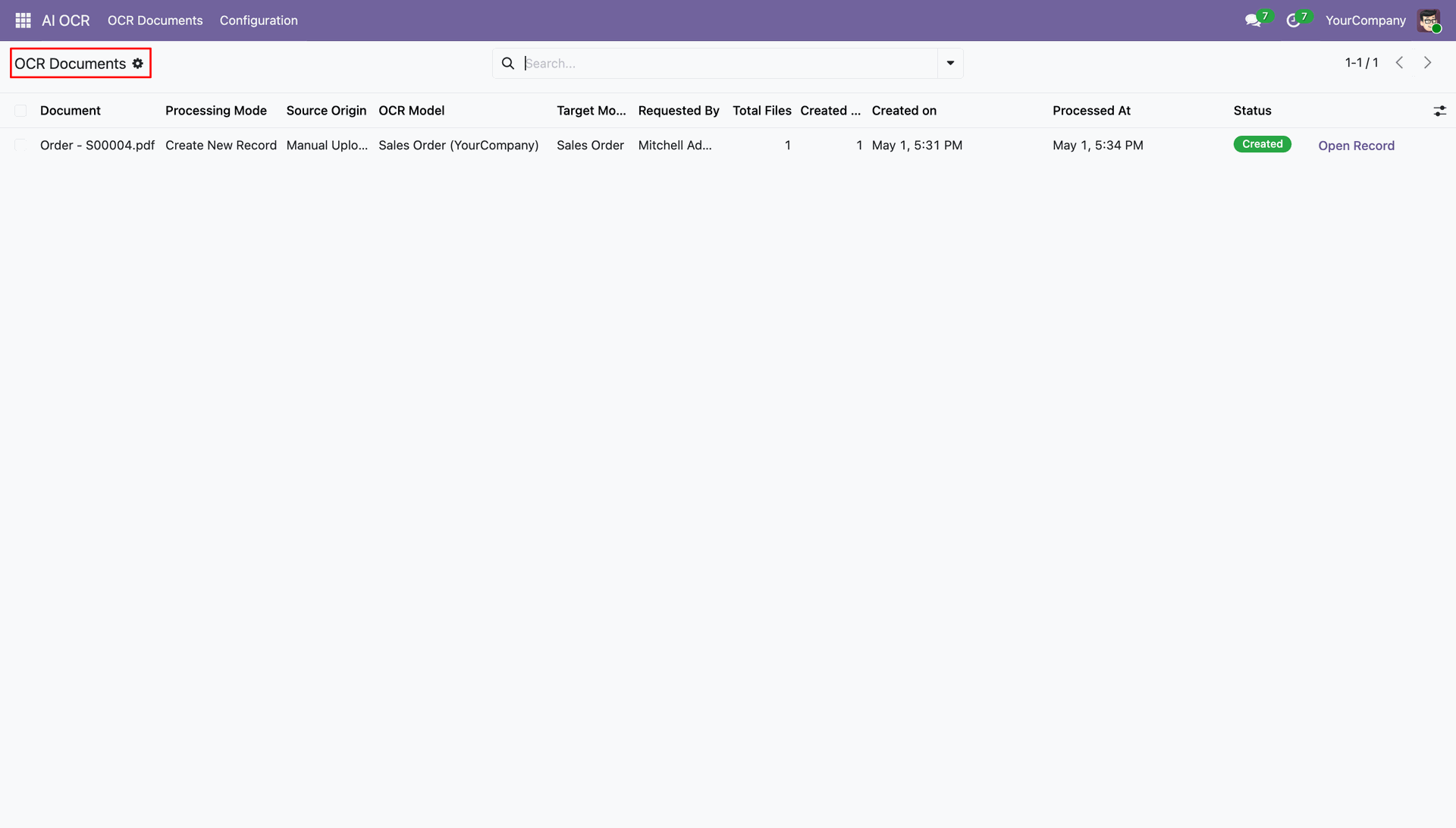
Quickly open the successfully generated Odoo record directly from the OCR Documents list view.
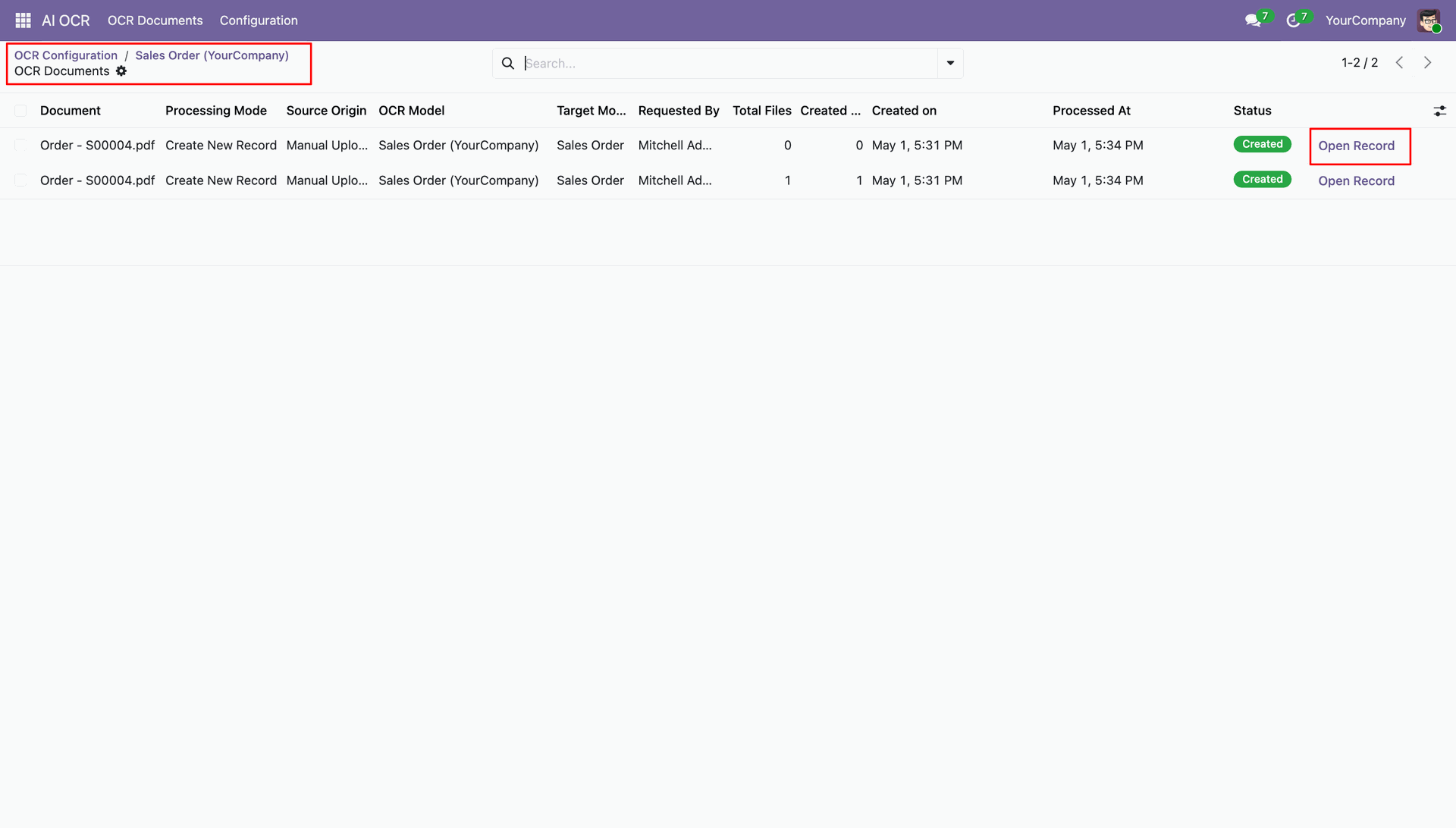
Access all related OCR documents quickly from the smart button within the generated record.
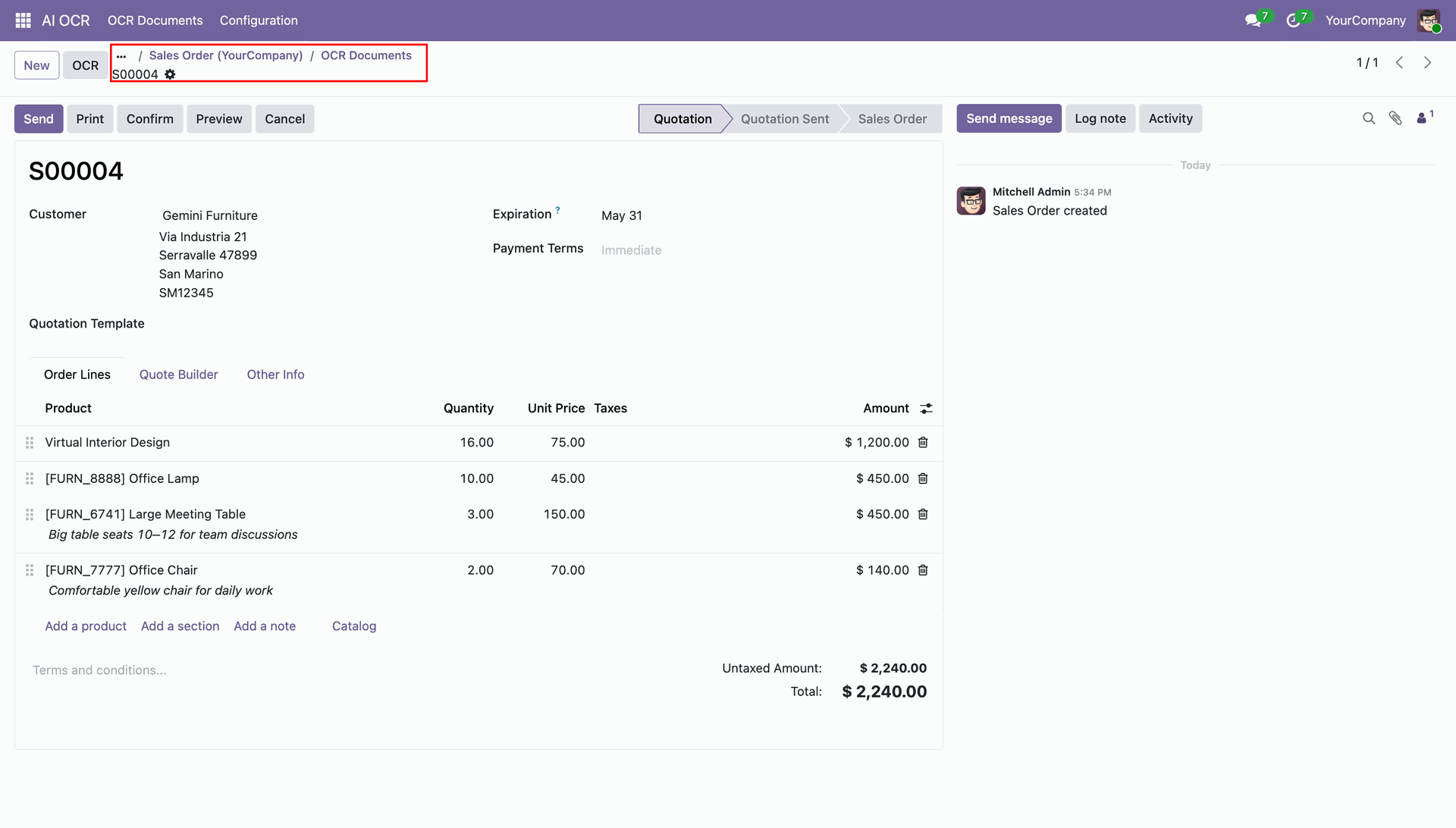
View the detailed status and processing history of documents related to a specific record.
Initiate new AI OCR processing tasks by clicking the dedicated "OCR" button on records.
Upload new Image or PDF documents directly and start the AI extraction process effortlessly.
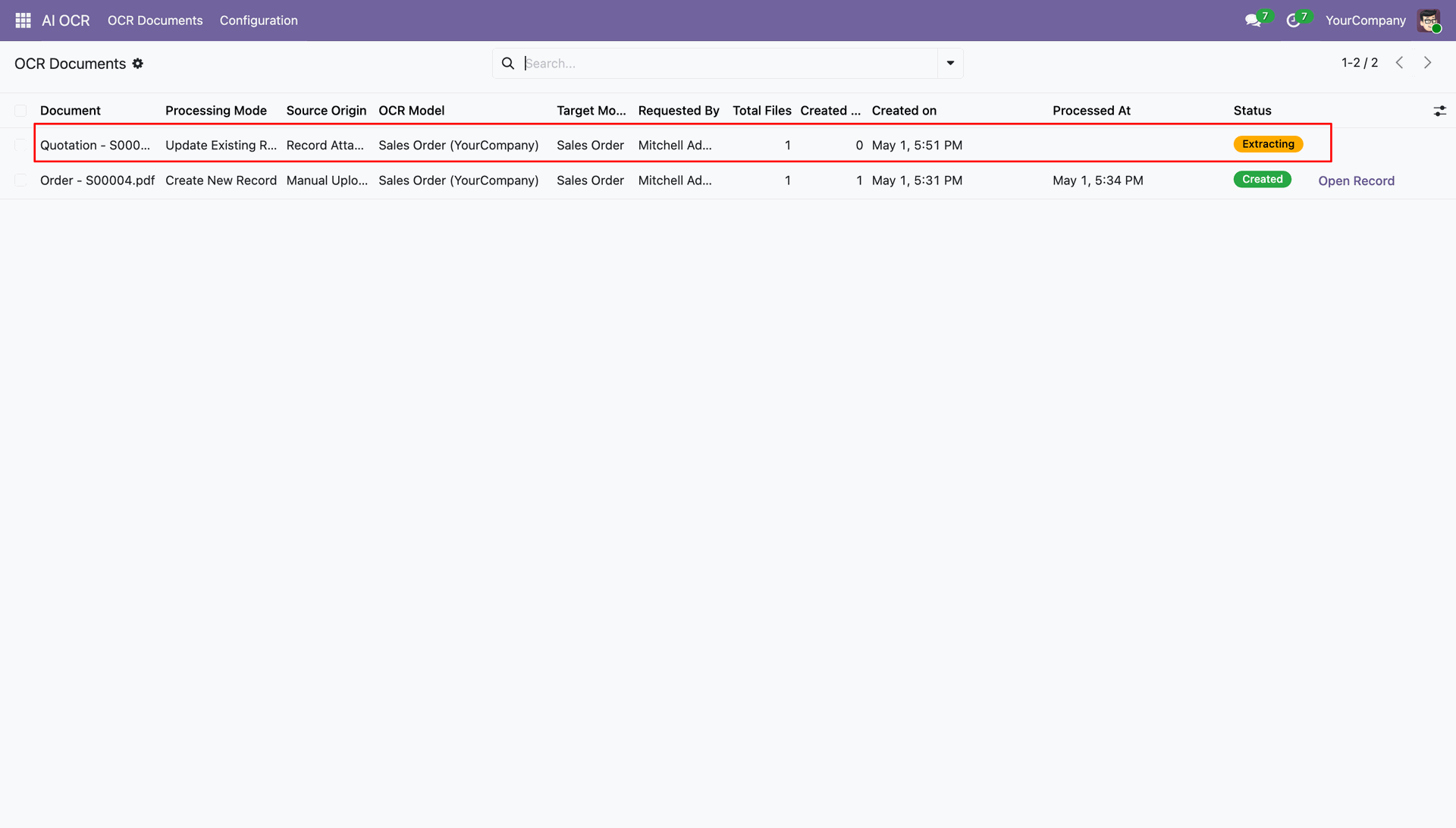
Monitor real-time extraction progress and status changes directly within the OCR Documents list.
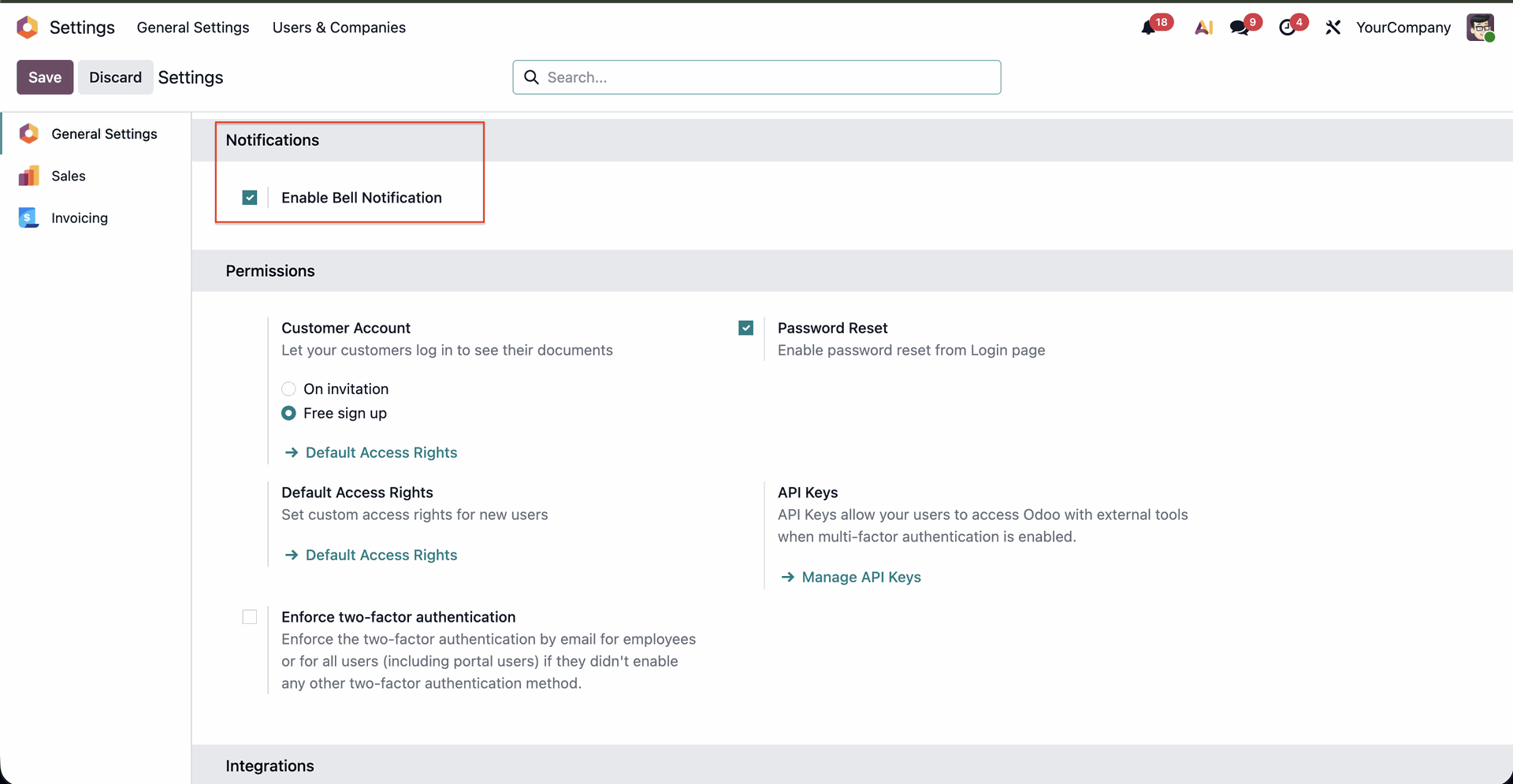
Enable "Enable Bell Notification" in General Settings under Res Config Settings.
Receive real-time push notifications on the systray bell icon with unread count badge.
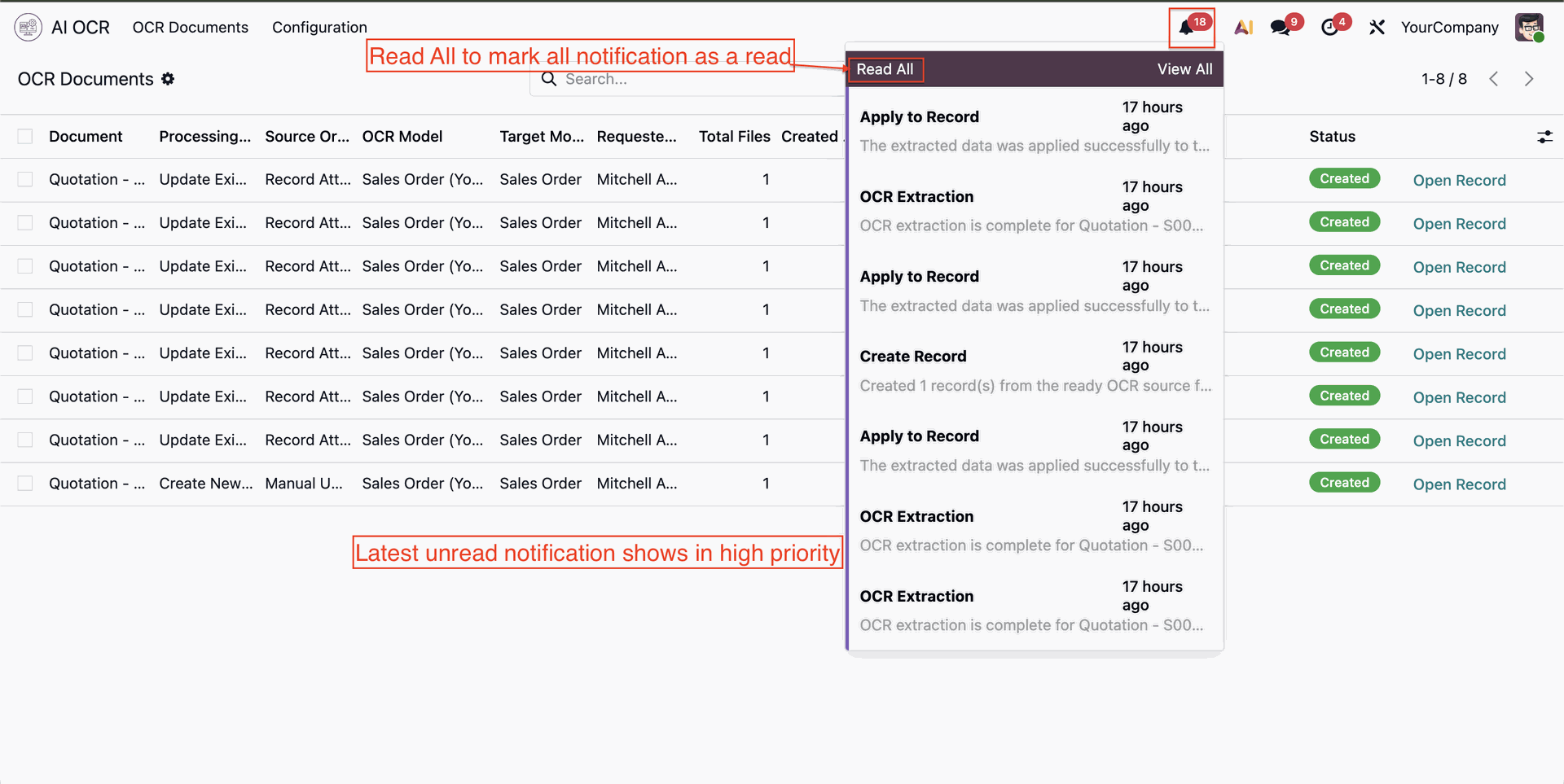
View instant notification list for completed AI OCR extractions and created records.
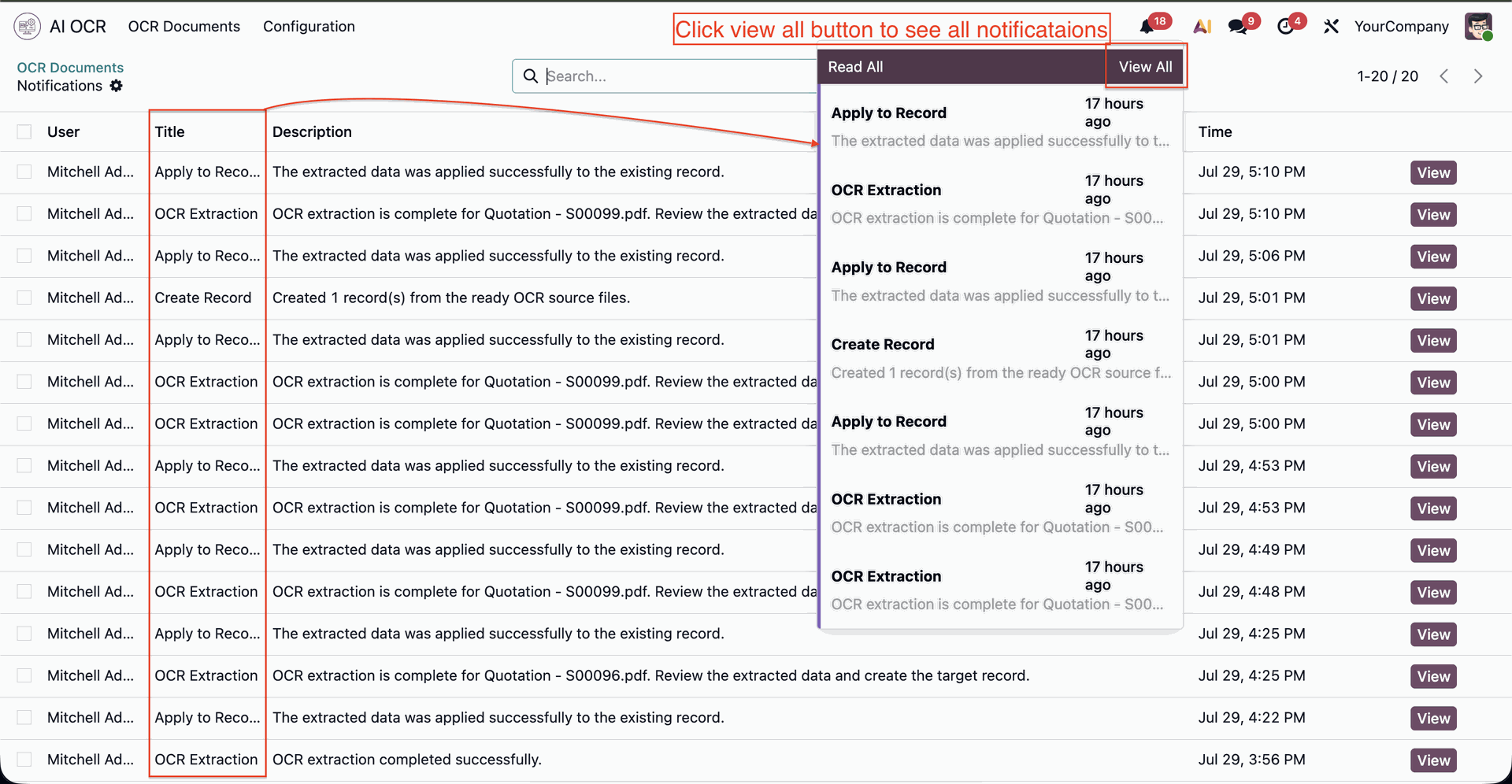
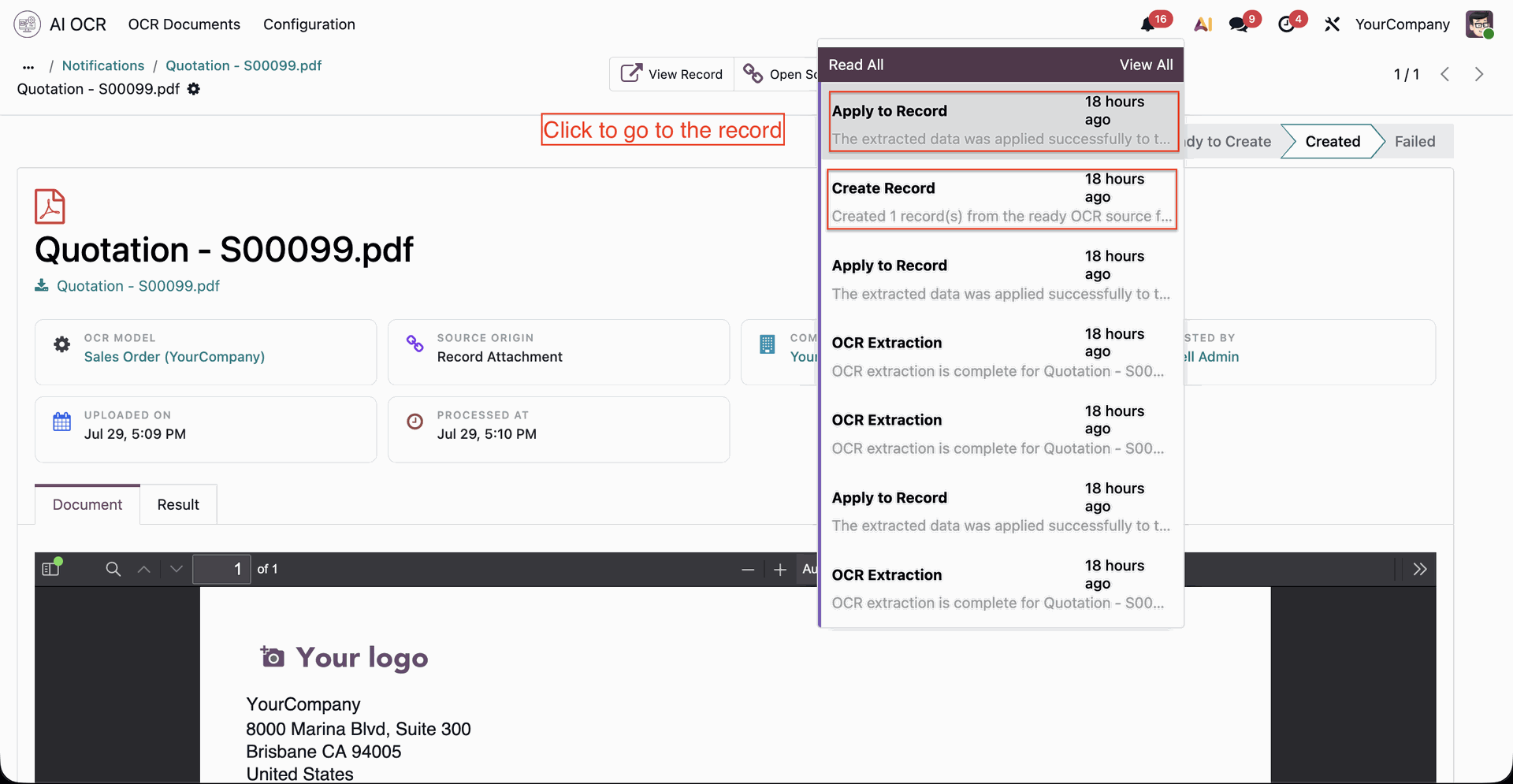
Click any notification to navigate directly to the corresponding OCR document or record.
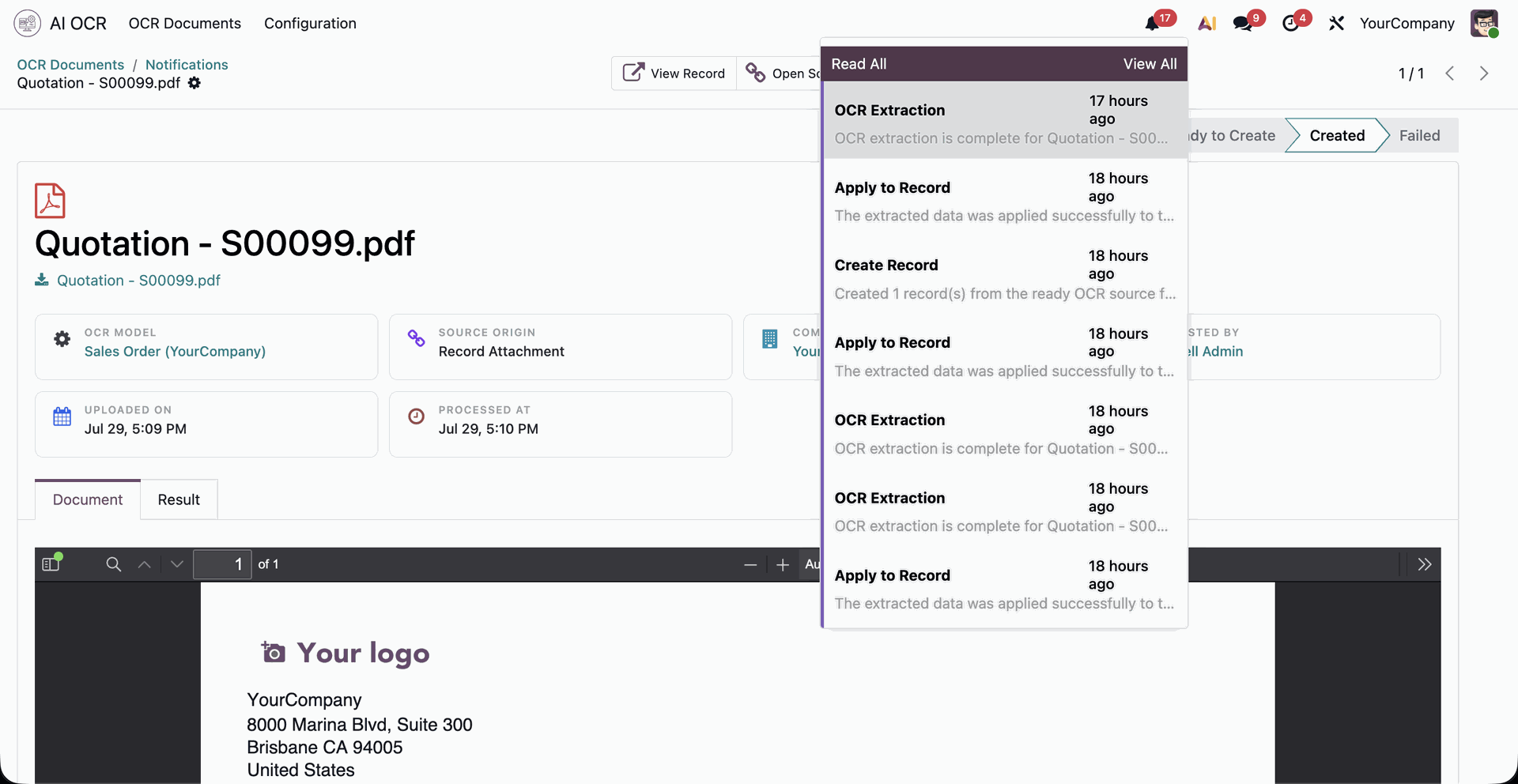
View and manage all user push notifications in a centralized list view.
Configure Many2many line field mappings in the AI OCR Model setup view.
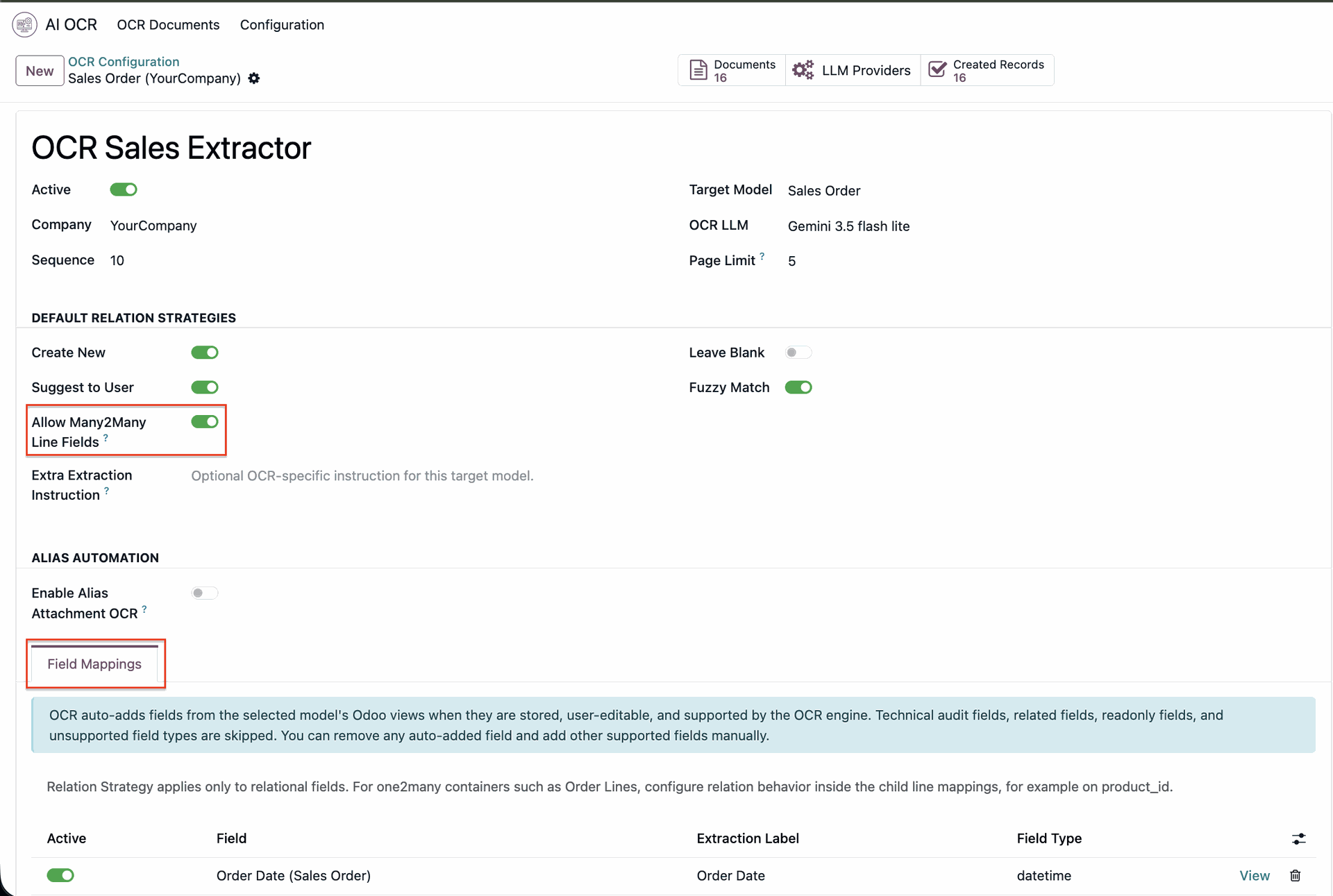
Set up relational strategy and field mapping rules for Many2many fields.
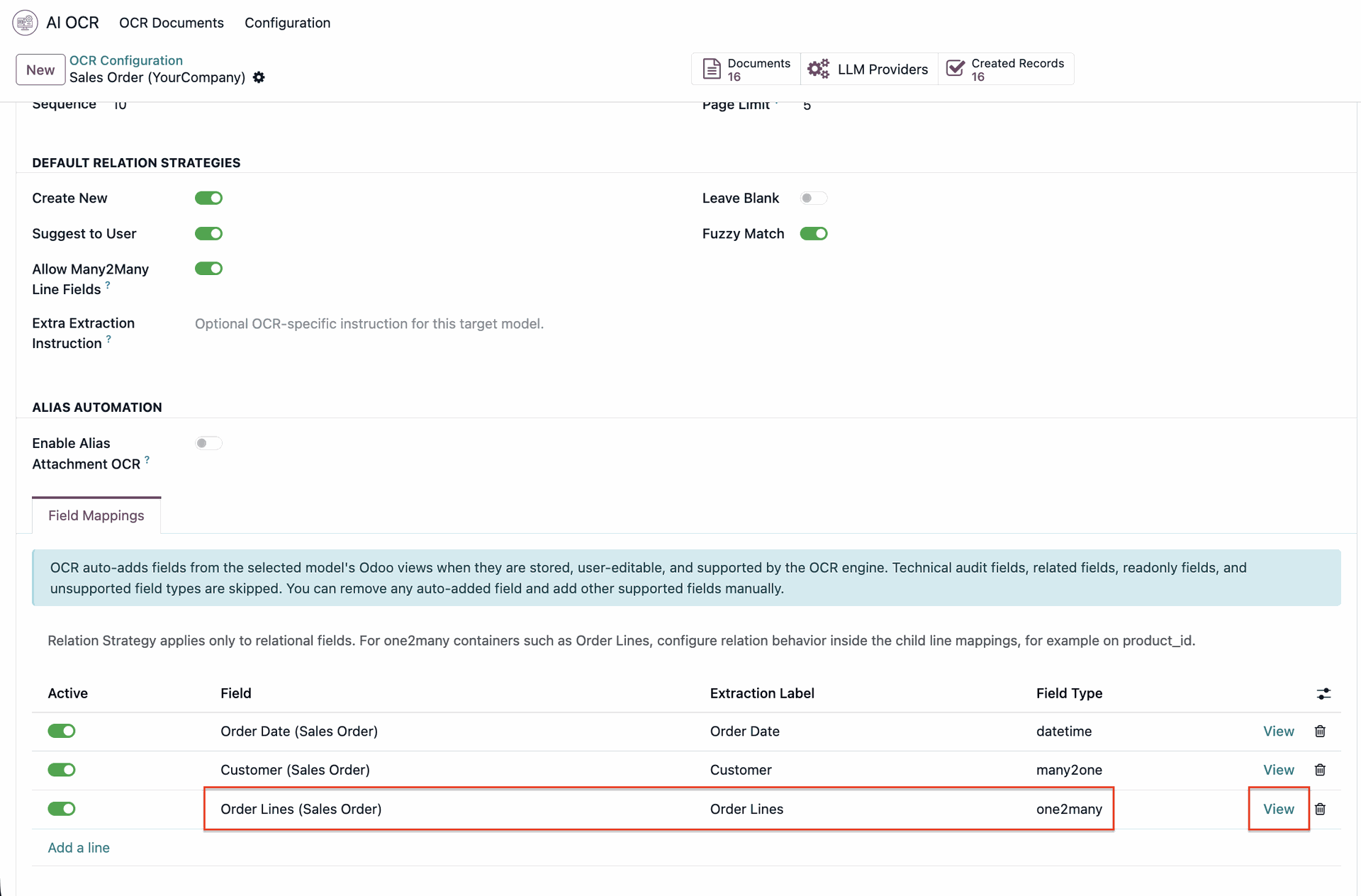
Click "Add a line" to add a new field mapping.
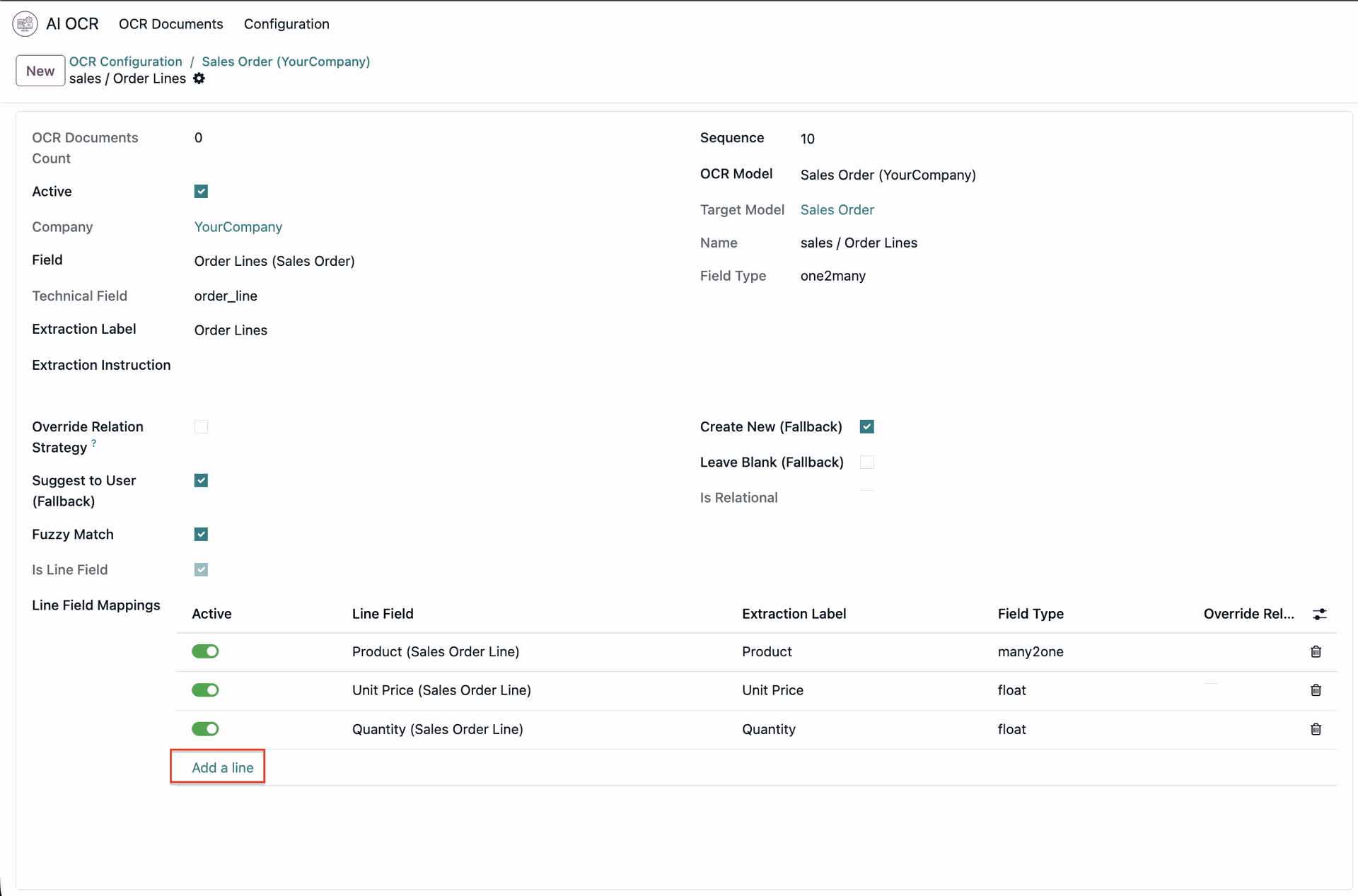
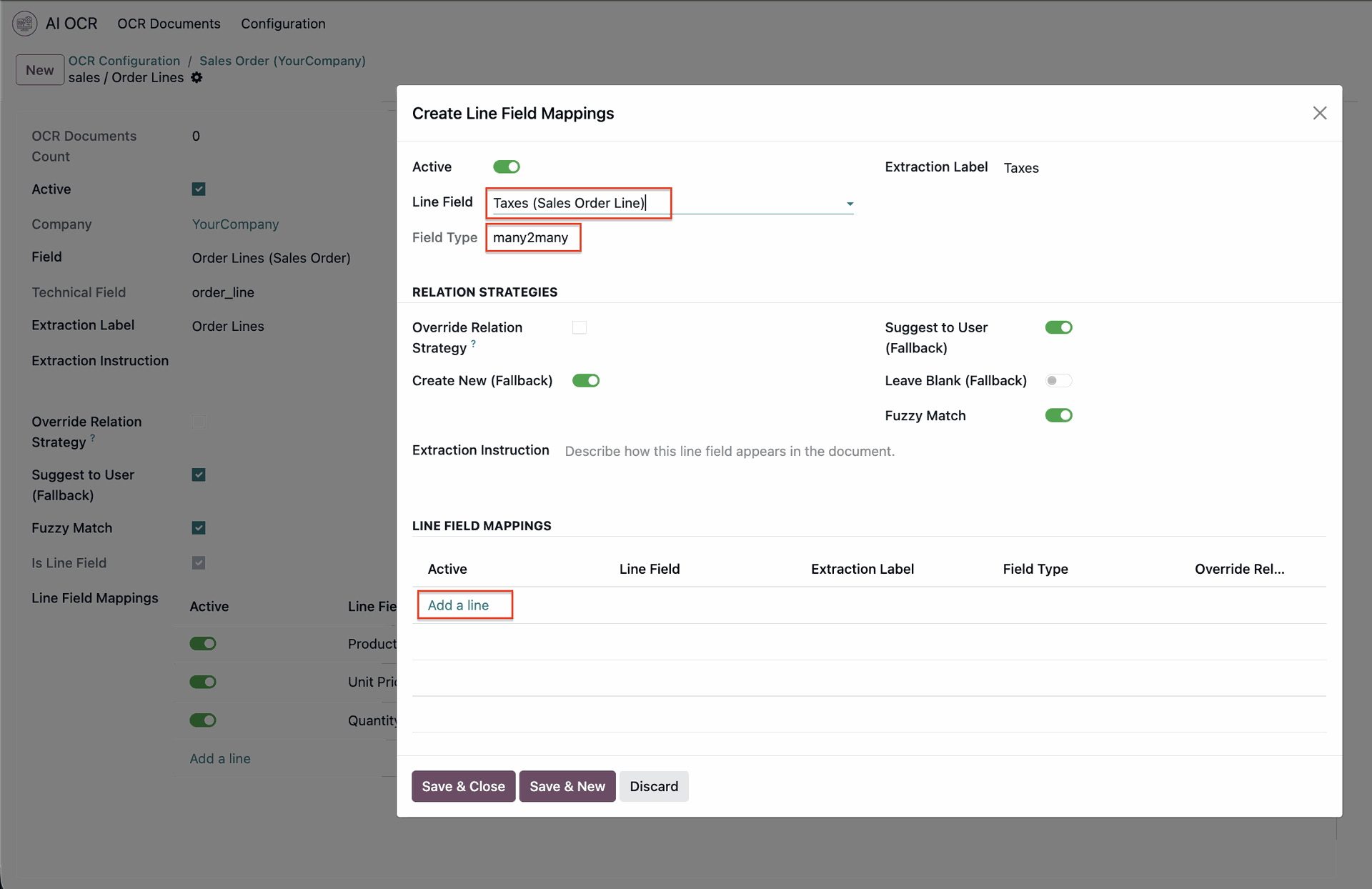
It opens the wizard; enter details.
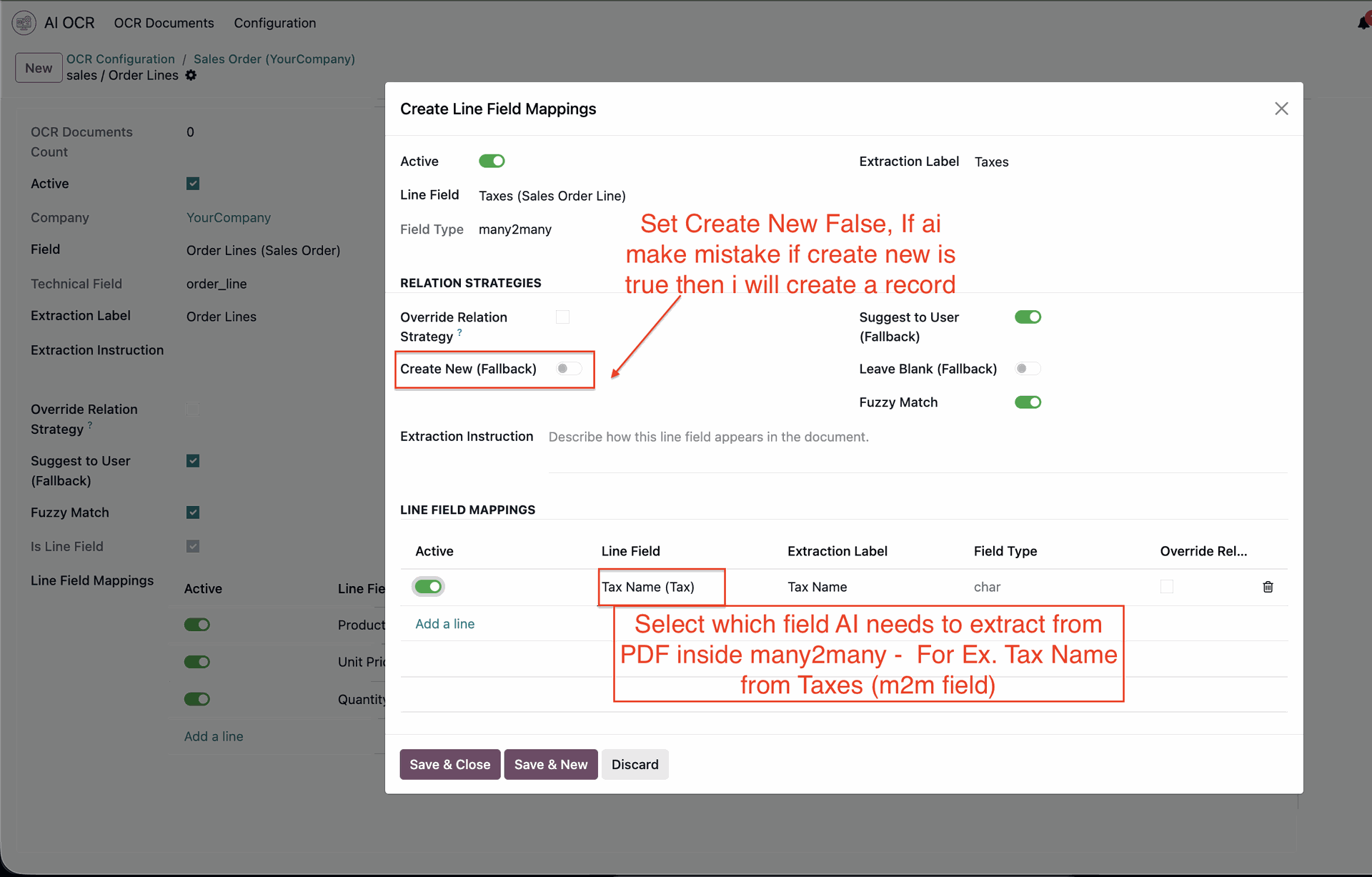
Inspect mapped Many2many tags and relational data directly inside the generated record.
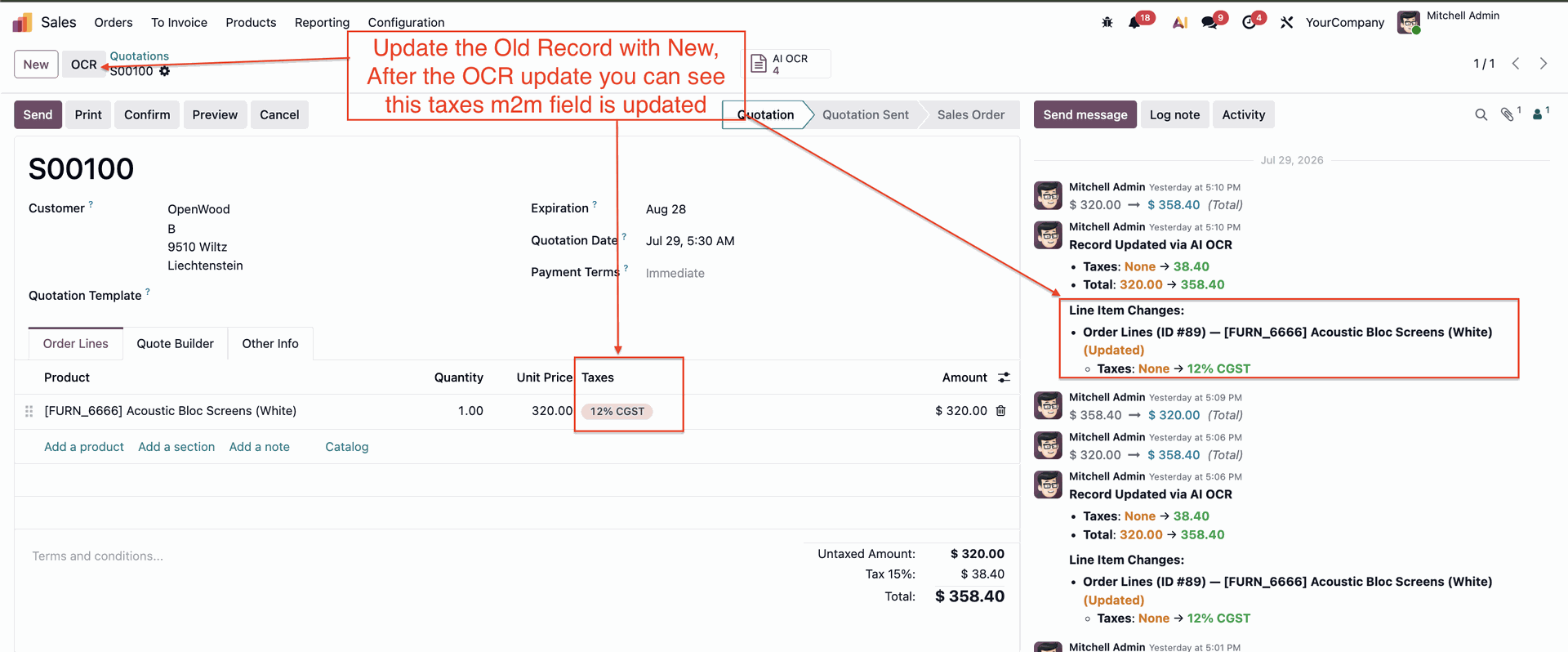
Automatically post and attach original OCR Image or PDF documents directly into the record Chatter feed.
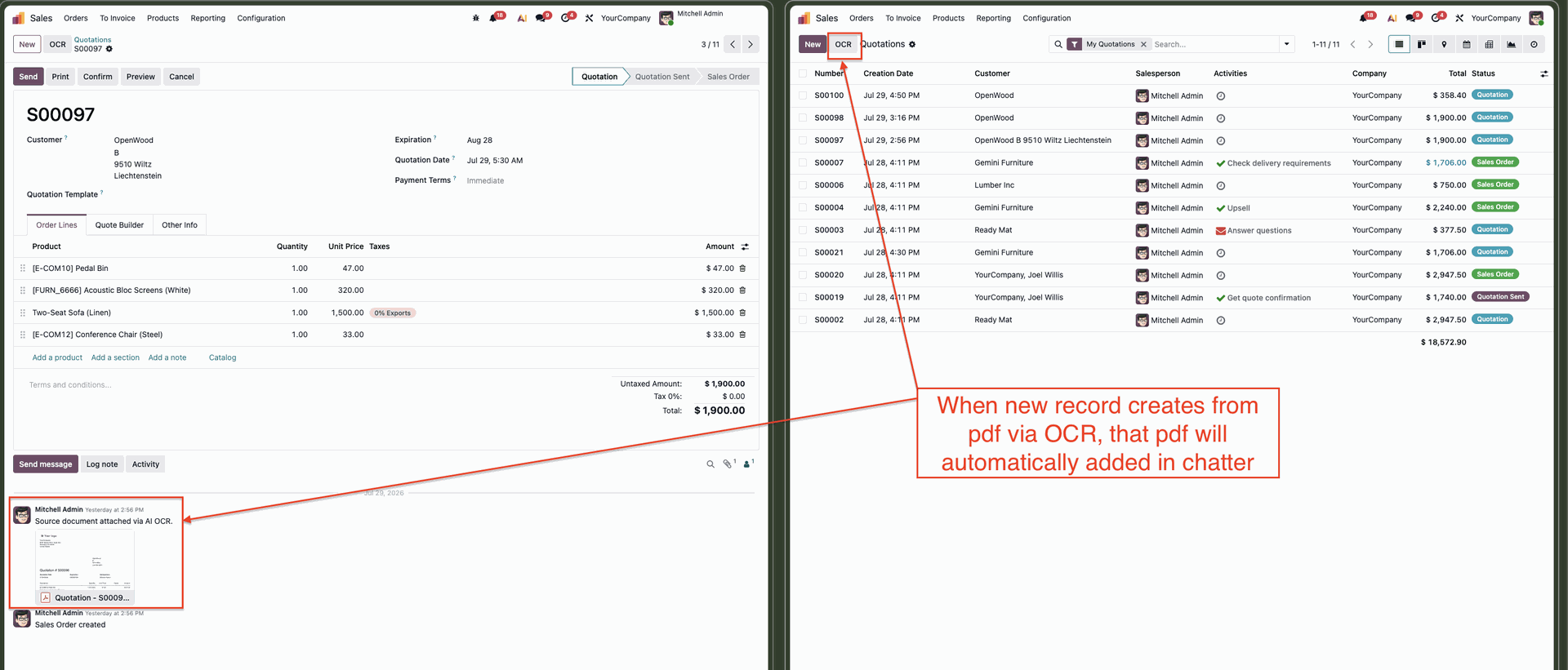
Access related AI OCR documents instantly via the dedicated OCR smart button on target records.
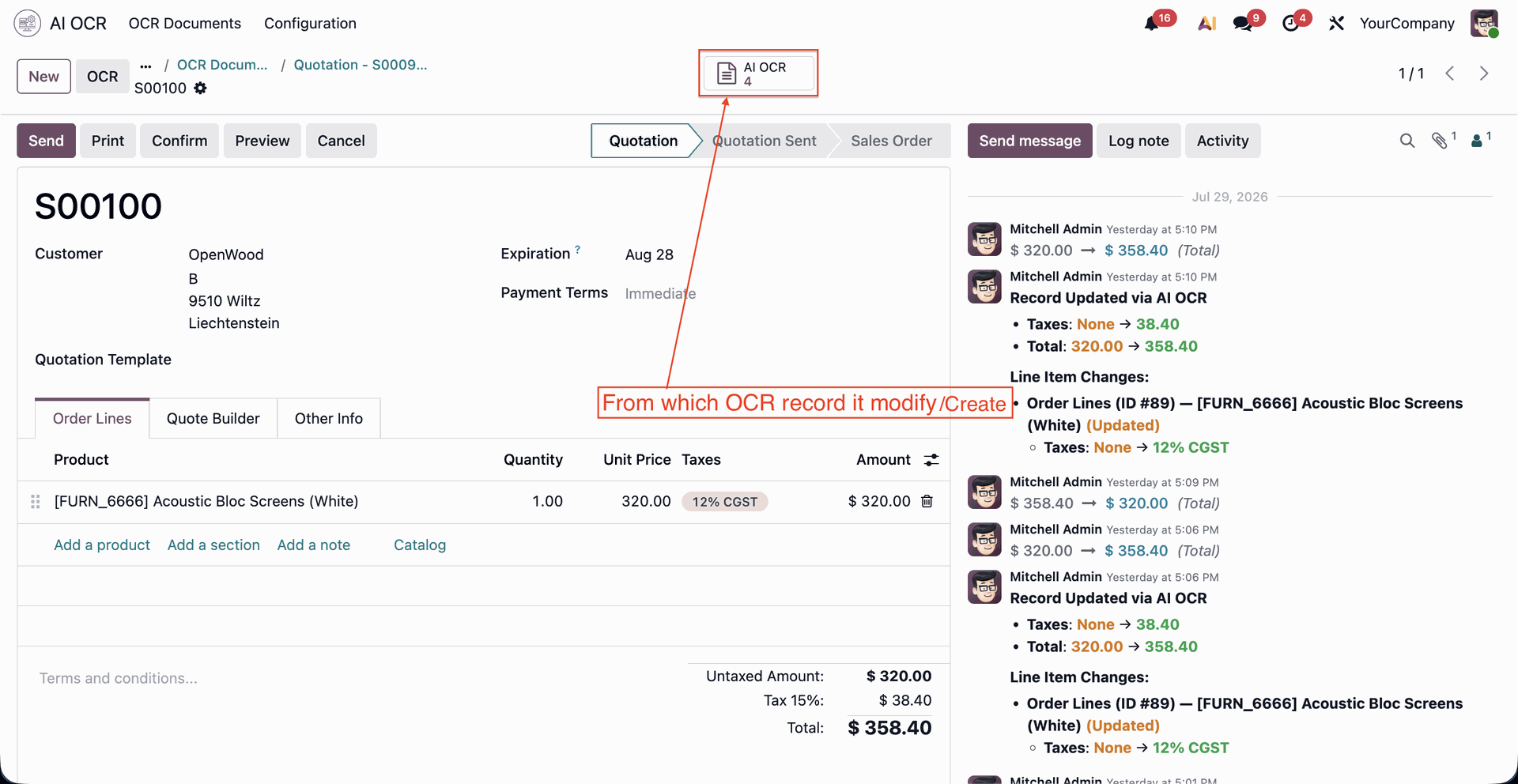
Enable Developer Mode in Odoo settings to configure advanced relational and Many2many field mappings.
Version 19.0.3.0.0 | Released on : 25th September 2026
Version 19.0.2.0.0 | Released on : 4th August 2026
Version 19.0.1.0.0 | Released on : 29 th May 2026
- Yes, this app works perfectly with Odoo Enterprise (Odoo.sh & Premise) as well as Community.
- No, this application is not compatible with odoo.com(odoo saas/Odoo Online)
- Yes, to test this module, please contact us at sales@softhealer.com.
- No. The AI provides intelligent responses based on available data and models, but results may sometimes be incomplete or approximate. Always verify critical business decisions manually. This case is not eligible for refund or exchange.
- AI interprets queries based on patterns and available data. Incorrect inputs, ambiguous questions, or missing data may lead to inaccurate outputs. This case is not eligible for refund or exchange.
- AI should be used as a decision-support tool, not a replacement for human judgment. Always review outputs before taking action. This case is not eligible for refund or exchange.
- AI understands structured data well, but complex business logic, customizations, or incomplete records may affect accuracy.
- No. The system is designed for business users with a simple chat interface.
- Check API configuration
- Verify internet connectivity
- Ensure provider API key is valid
- AI response time depends on the selected provider and plan. For example, if we are using a free tier, our request priority may be lower than other plans. Also, if we select high-thinking models, they usually take more time to generate responses.
- No, only models that support tool calling are usable in the app.
- Please contact us at sales@softhealer.com to request customization.
- Yes, we provide free support for 365 days from the date of purchase.
- Yes, we provide free support for 365 days from the date of purchase.
- No, there is no need to install any additional libraries.
- Yes, for version 12 and above, you need to purchase the module separately for each version you intend to use.
- No, exchanges or refunds are not allowed. Please make sure to select the correct version before purchasing.
- You can contact us at support@softhealer.com for language translation support. We use Google Translator tools to provide translations in multiple languages, so the accuracy may vary. We welcome your suggestions to help improve translations.







Discover Our Latest Apps