











All in One AI CRM Assistant

AI CRM Assistant empowers Odoo CRM with advanced AI-driven automation to intelligently analyze leads, generate qualification insights, create personalized follow-up emails, and streamline customer engagement workflows. The module supports dynamic AI prompt configuration, LLM model integration, AI-powered lead qualification, detailed analysis logging, and role-based access control, helping sales teams improve productivity, automate communication, and make smarter business decisions directly within Odoo CRM.

Features
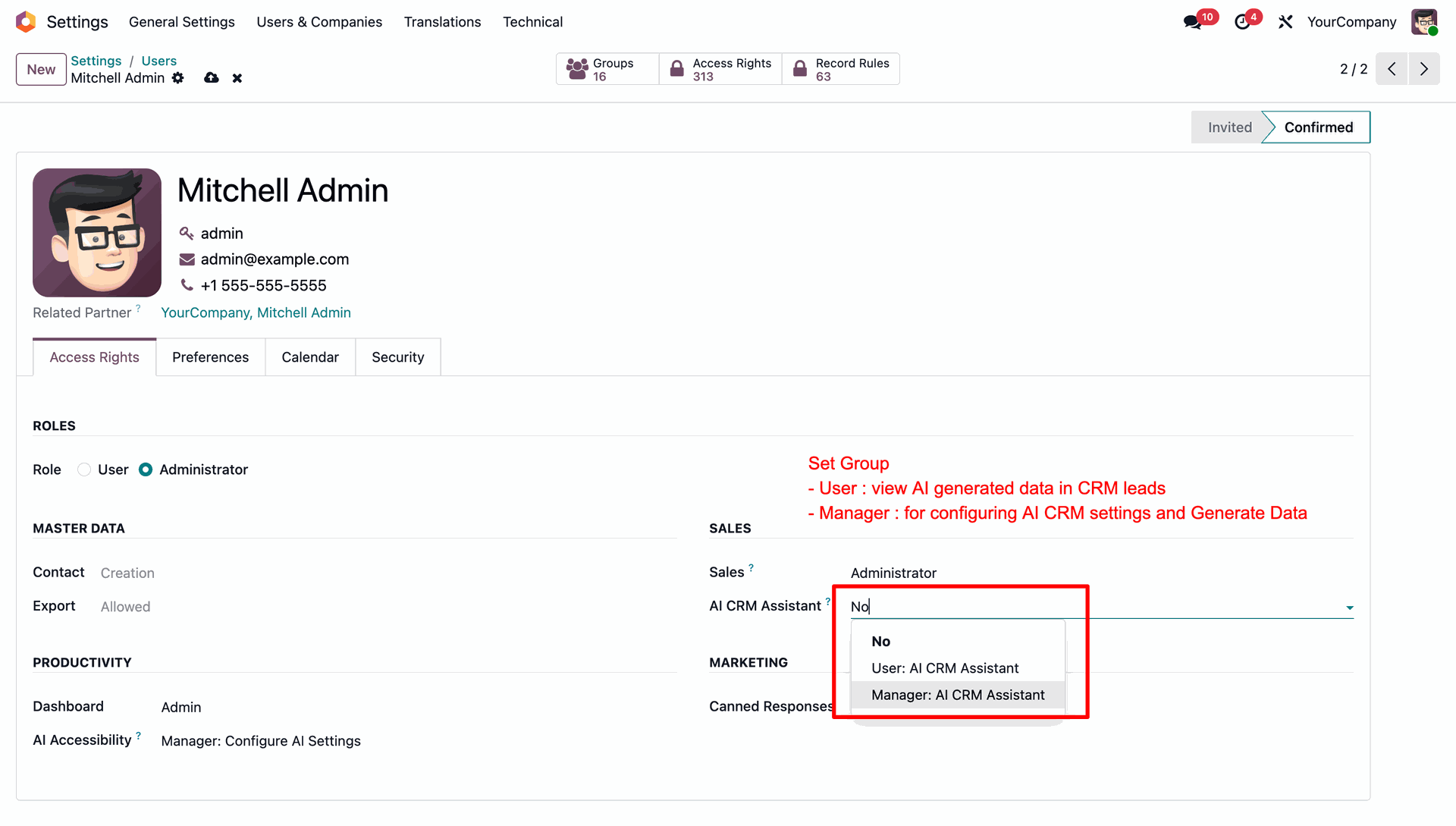
User Role-Based Access Control
Assign distinct operational permissions within Odoo user profiles to restrict or grant access to the AI CRM Assistant.

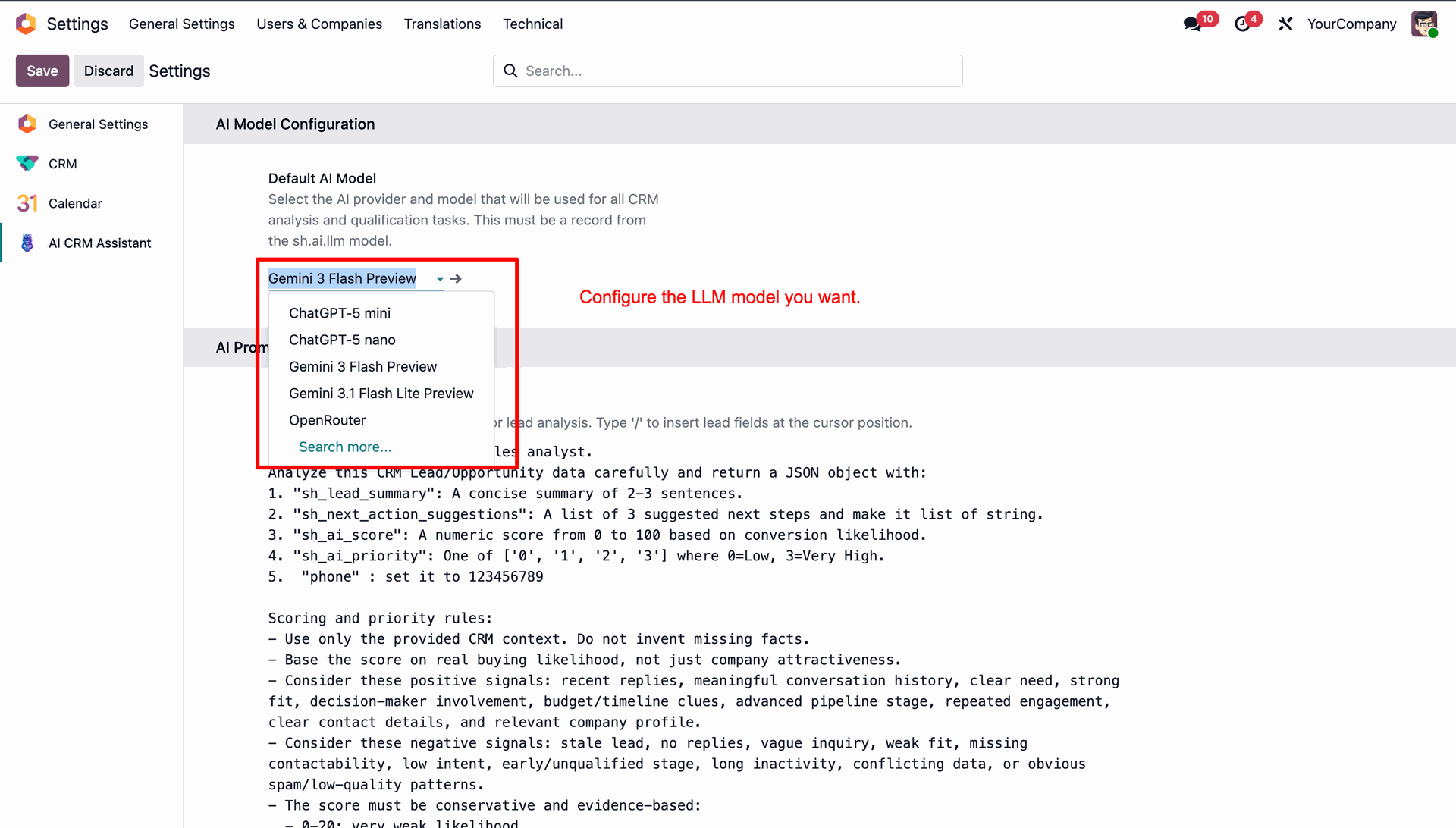
LLM Model Configuration
Configure and select your preferred LLM model for CRM lead, for analysis and qualification tasks.
Dynamic AI Prompt Builder
Create custom AI prompts and dynamically map CRM lead fields by field suggestions for flexible AI-driven lead analysis.
AI Lead Analysis
Generate AI-powered lead summaries, next actions, propensity scores, and qualification insights directly from CRM opportunities.

AI Analysis Logs
Maintain complete AI analysis logs with analysis type, model details, and execution status for transparency.

AI Follow-up Email
Generate professional AI-powered follow-up emails directly from CRM leads with personalized subjects and contextual email content.

Email Regeneration & Send
Regenerate AI-generated emails anytime and send emails directly from CRM using the built-in Send Email functionality.
AI Qualification Details
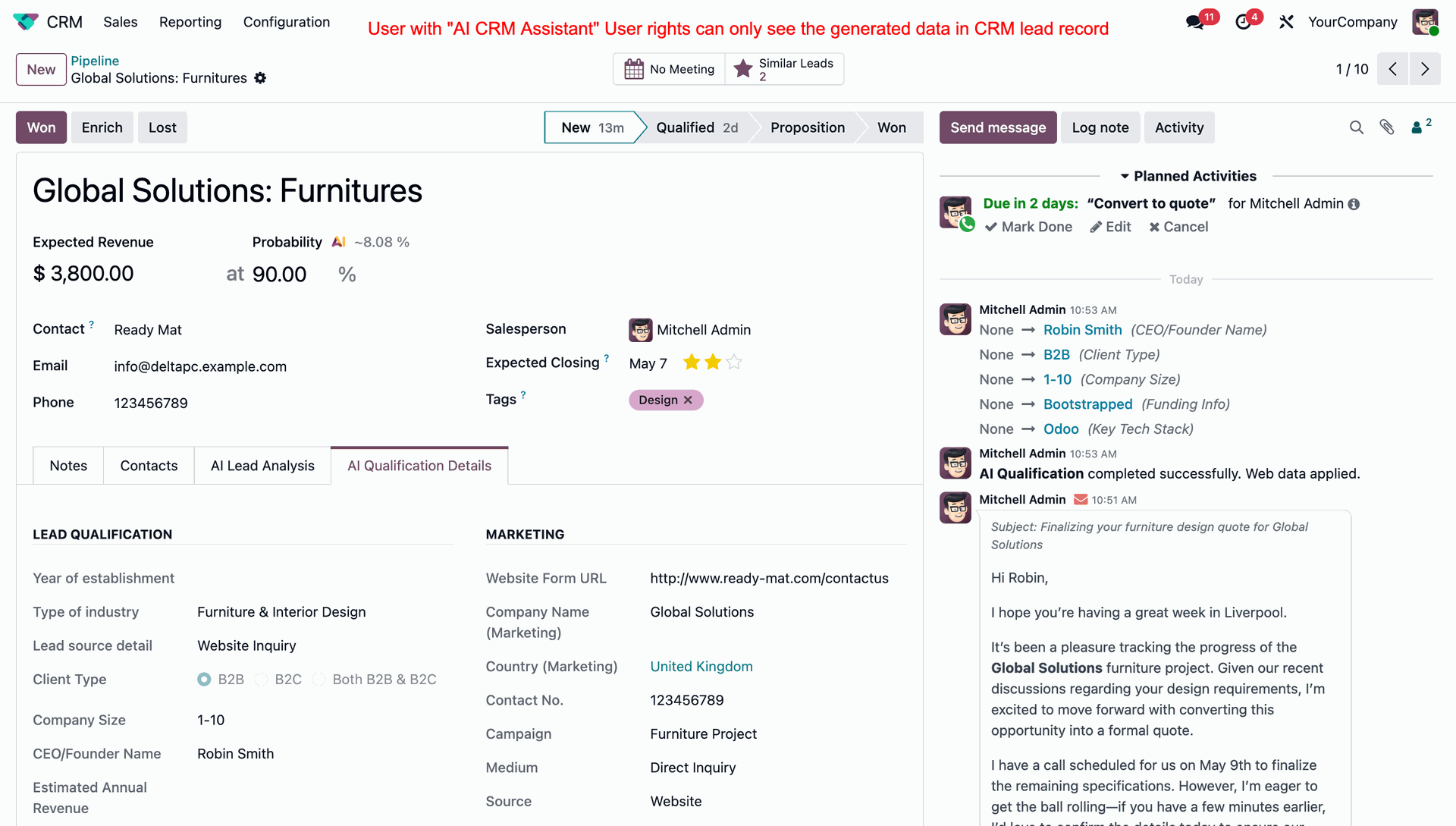
Fetch AI-powered qualification details, including company size, industry, client type, funding information, and other details automatically.
AI Qualification Logs
View detailed AI qualification logs with prompts, responses, execution status, and AI model information.
CRM Chatter Integration
Automatically post AI-generated qualification updates, emails, and lead intelligence activities directly into CRM chatter.
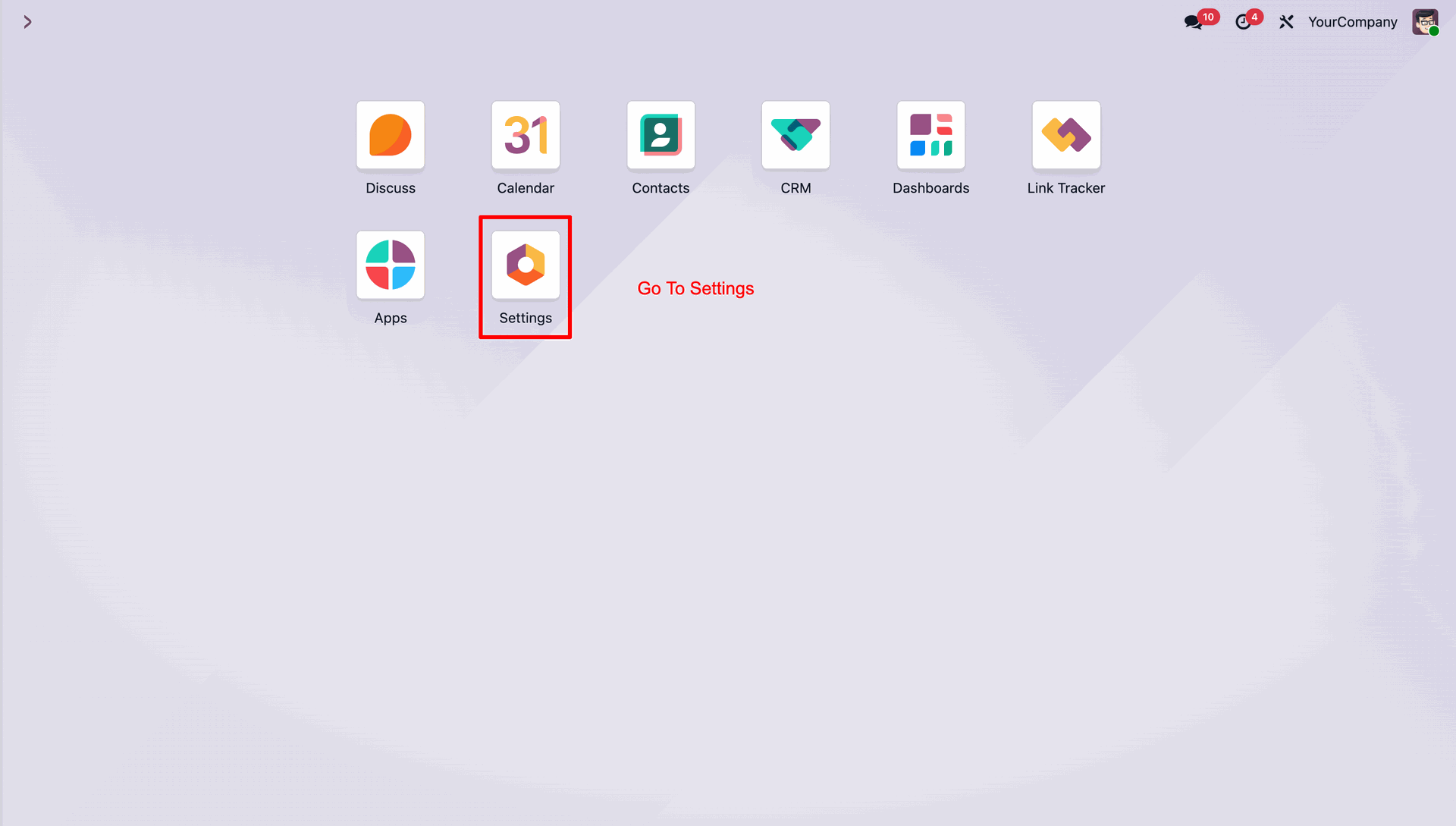
Select the Settings icon to access configuration.
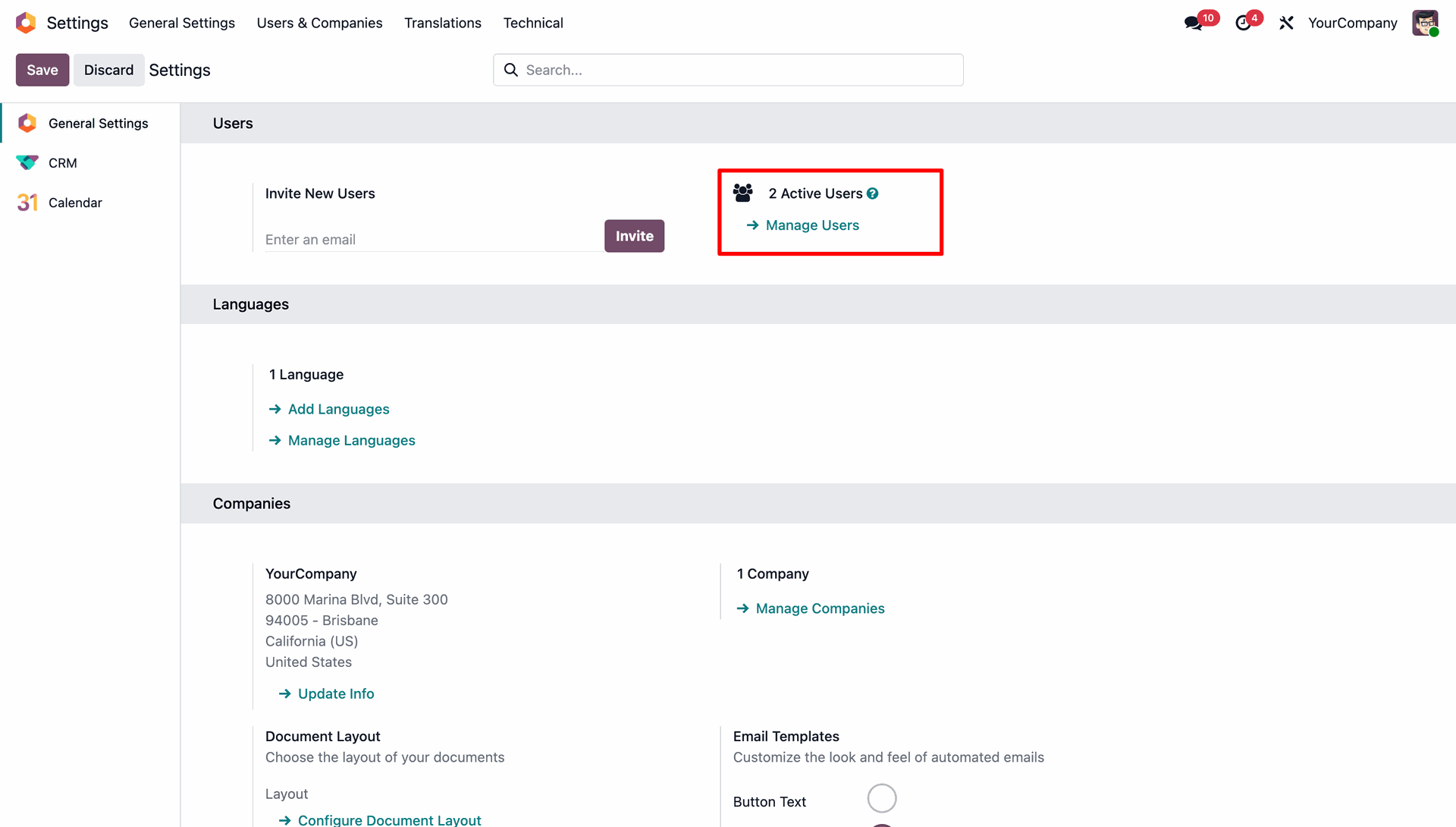
Navigate to General Settings and click Manage Users to edit user configurations and access.
Select the desired access level for AI CRM Assistant in the user roles configuration.
Configure the default LLM model for lead analysis in the AI settings panel.
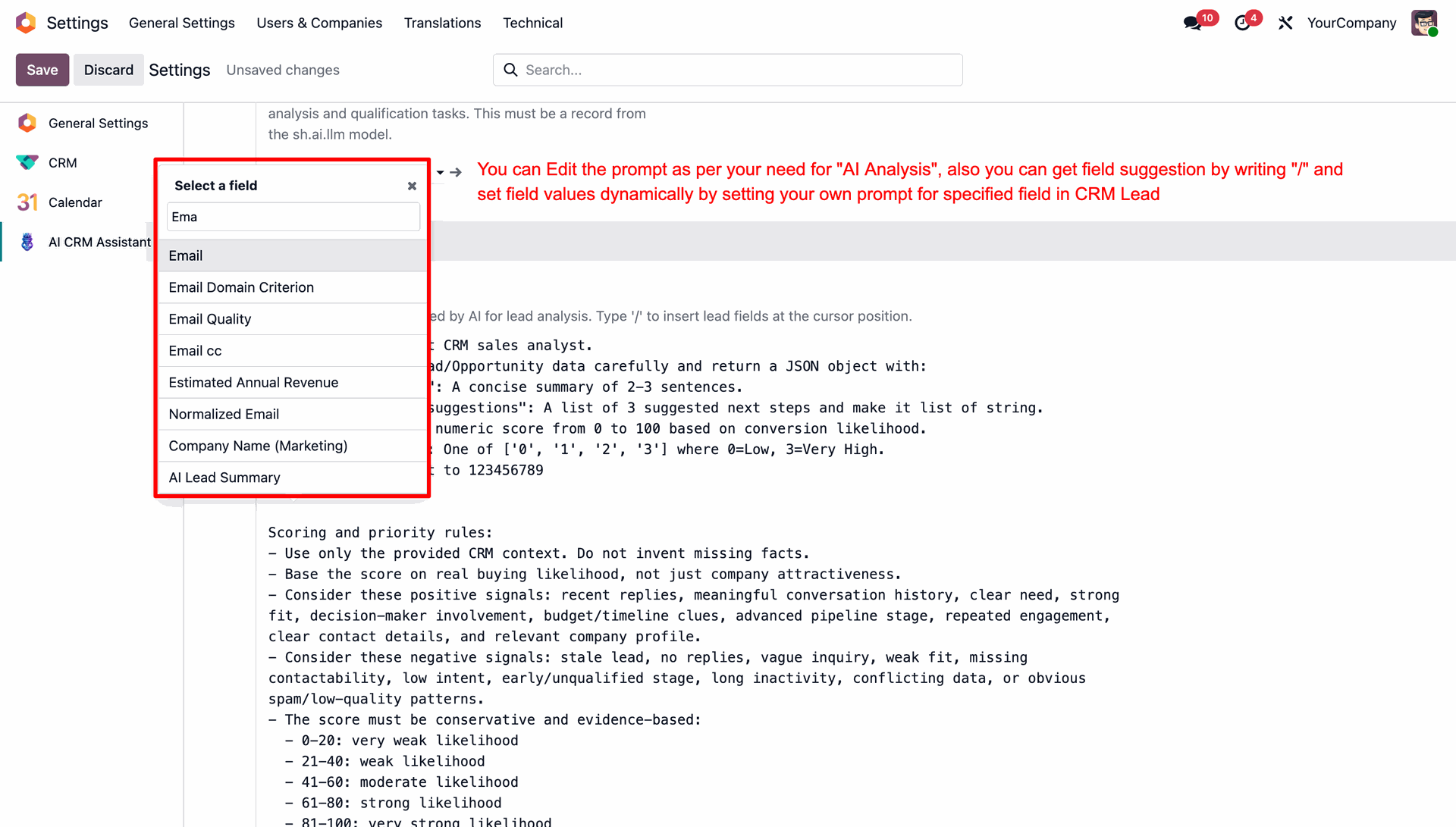
Use the slash command to dynamically insert CRM lead fields into custom AI prompts.
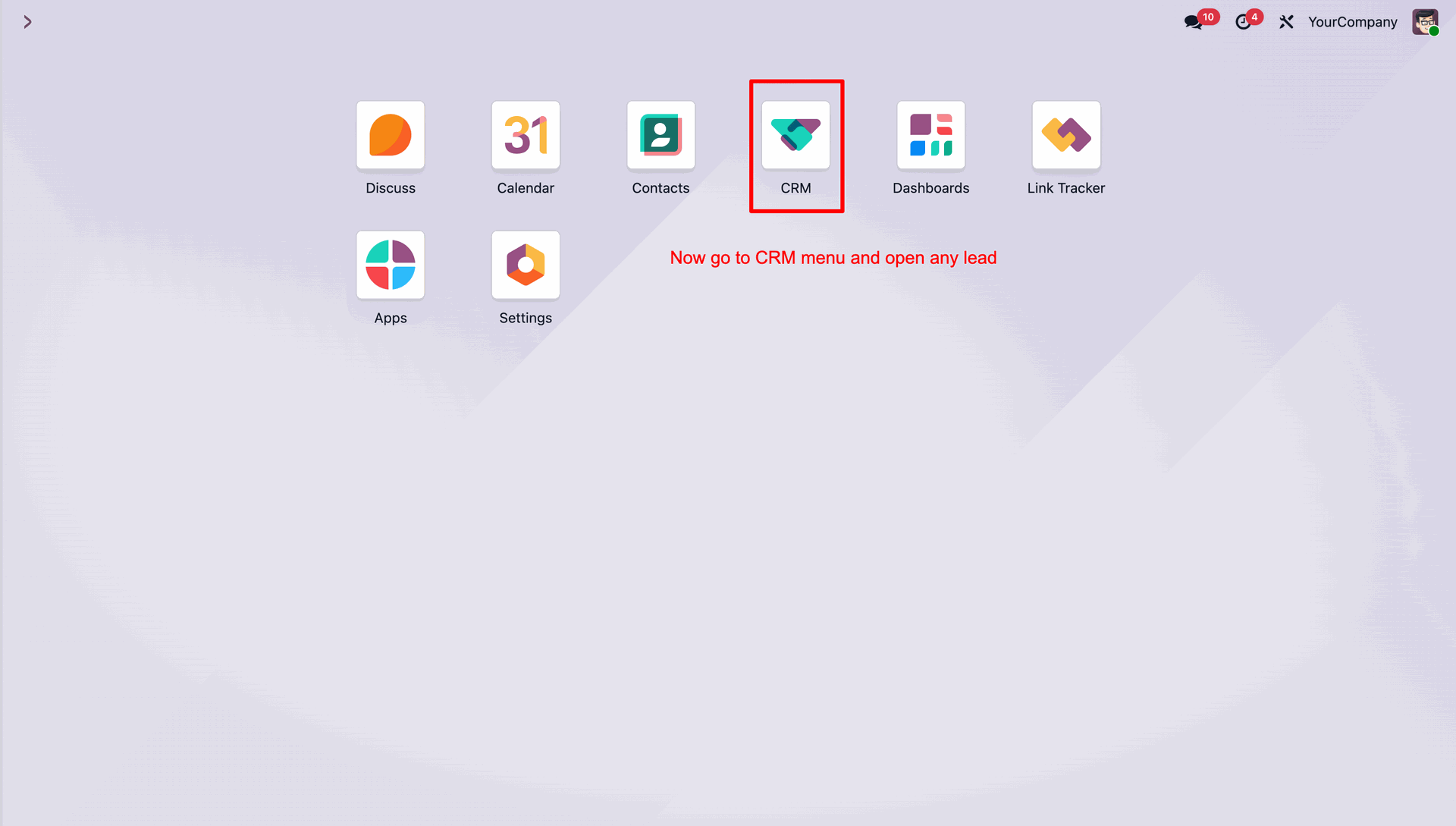
Navigate to the CRM module to access and manage your leads or opportunities.
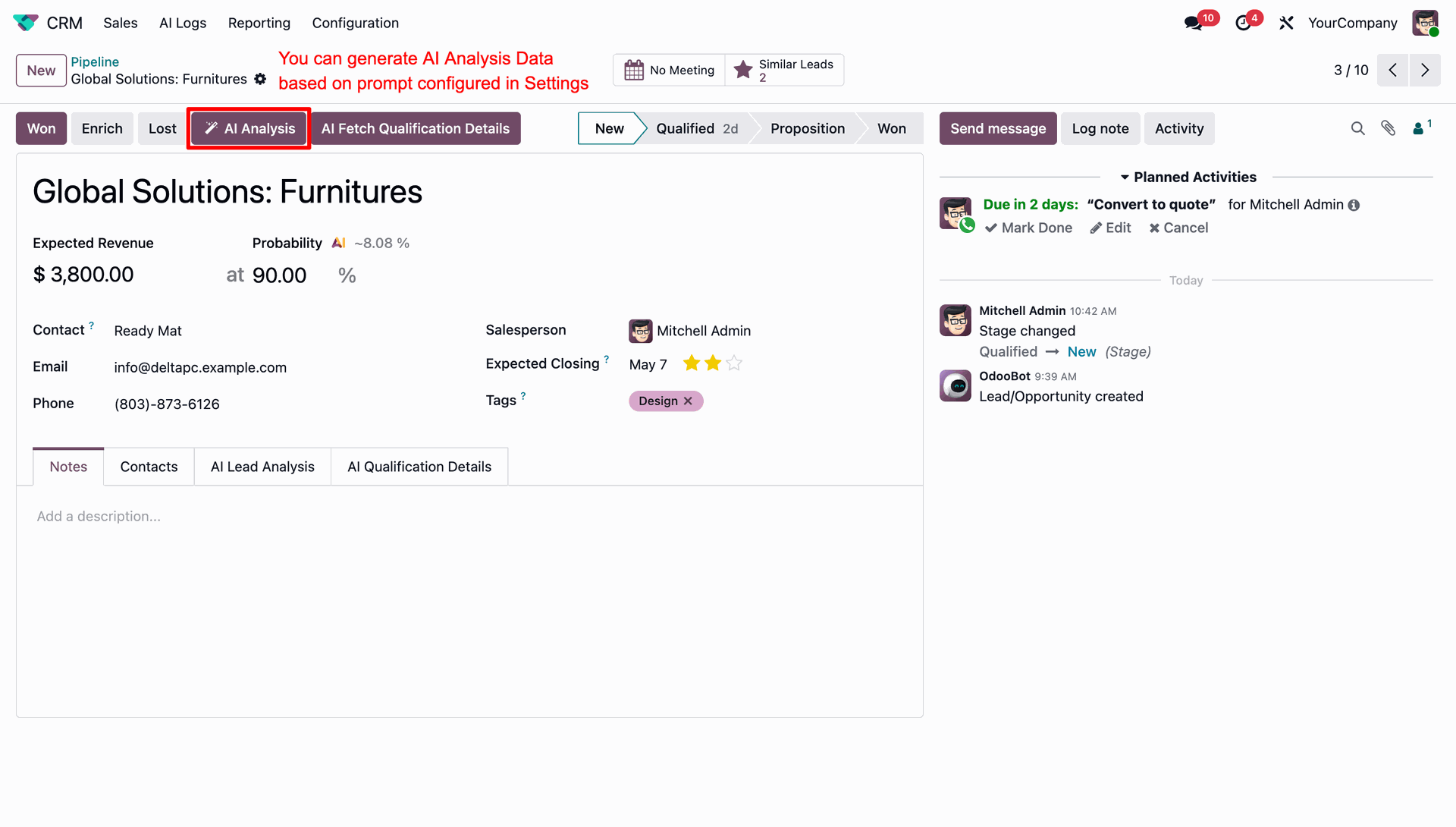
Press the AI Analysis button to generate AI insights based on the configured prompt.
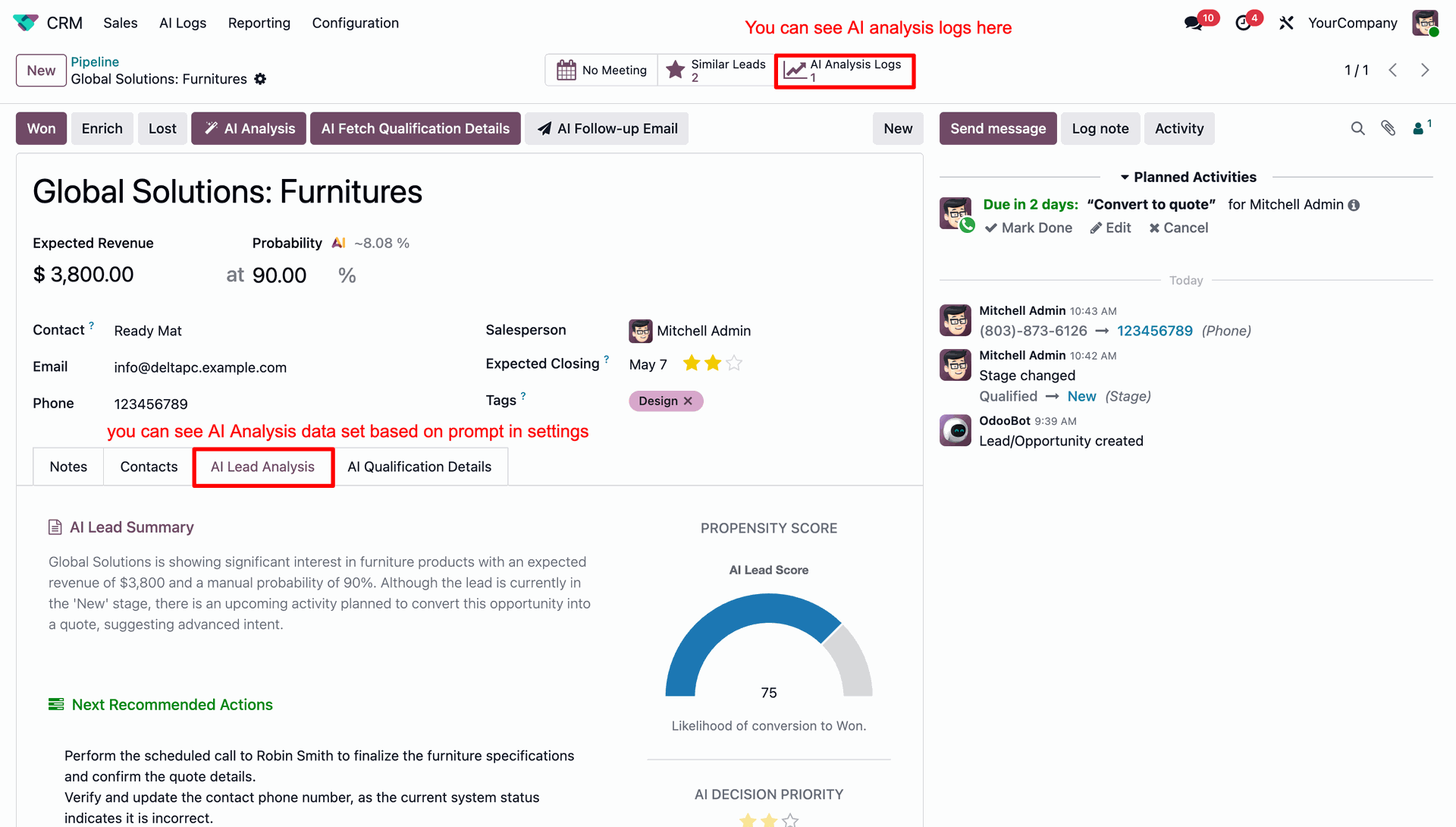
View the generated AI lead analysis, propensity score, priority, and links to analysis logs.
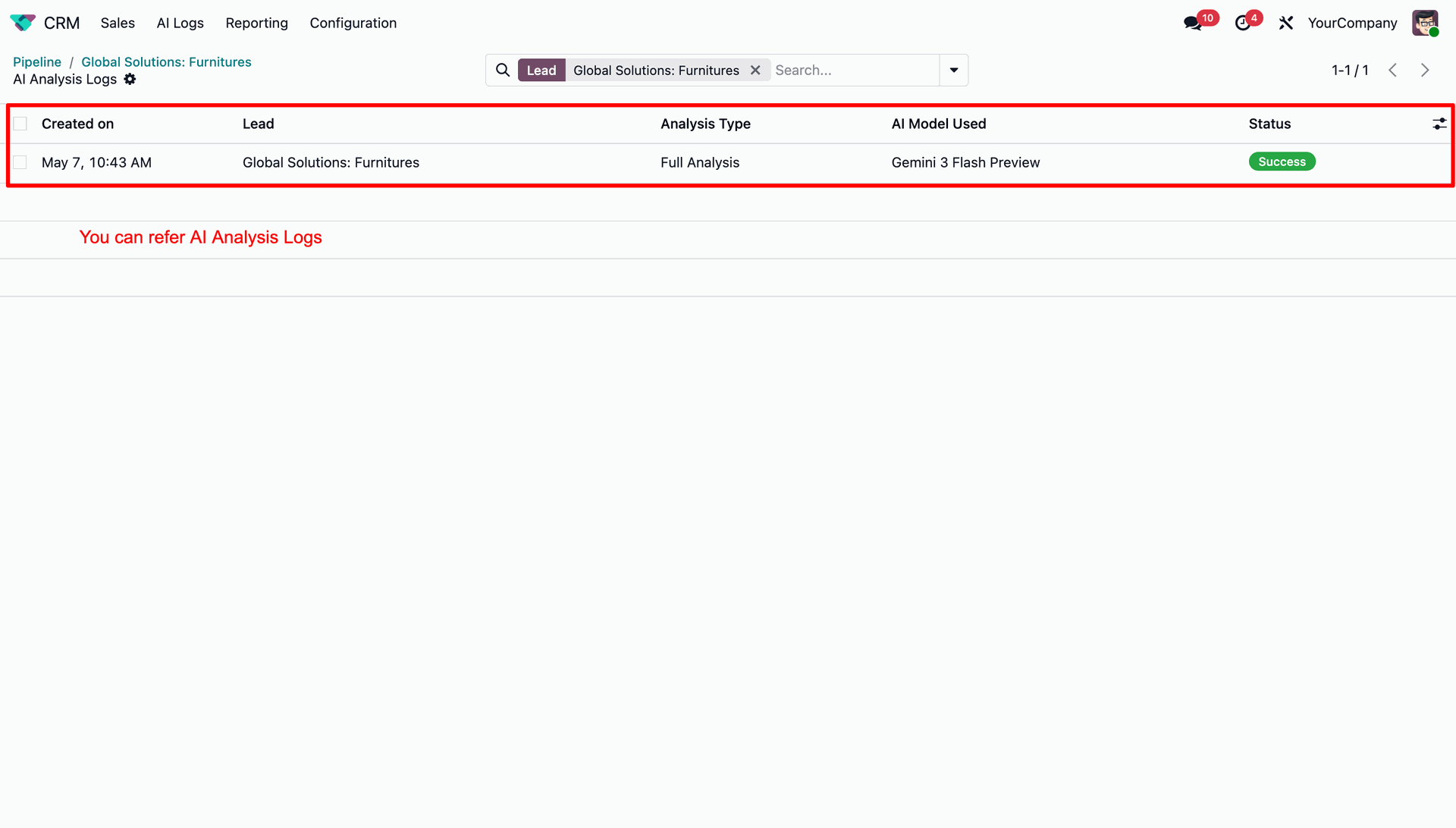
Track the execution history of AI analysis logs with model details and status.
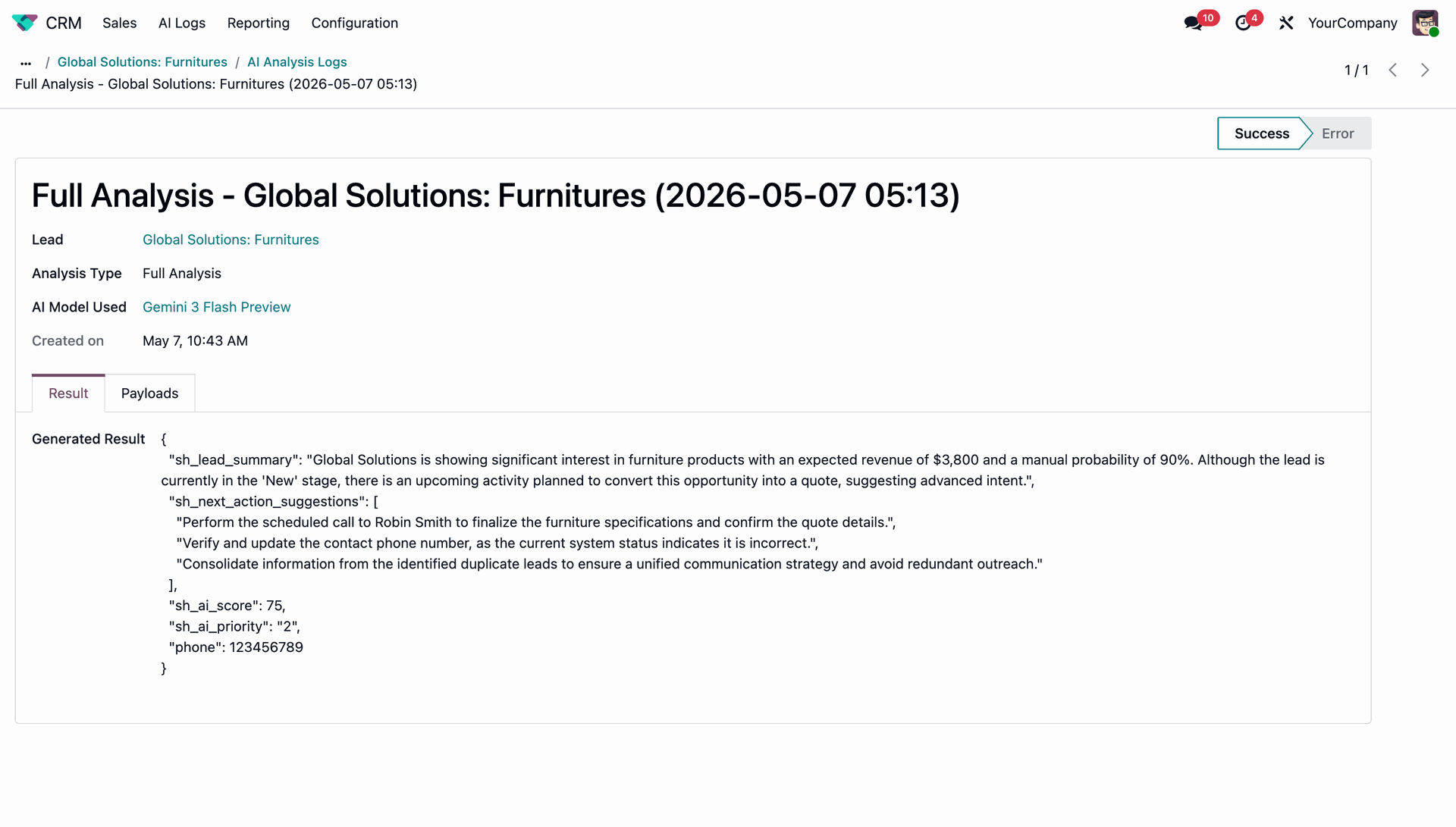
Examine the raw response of the AI analysis within the log form view.
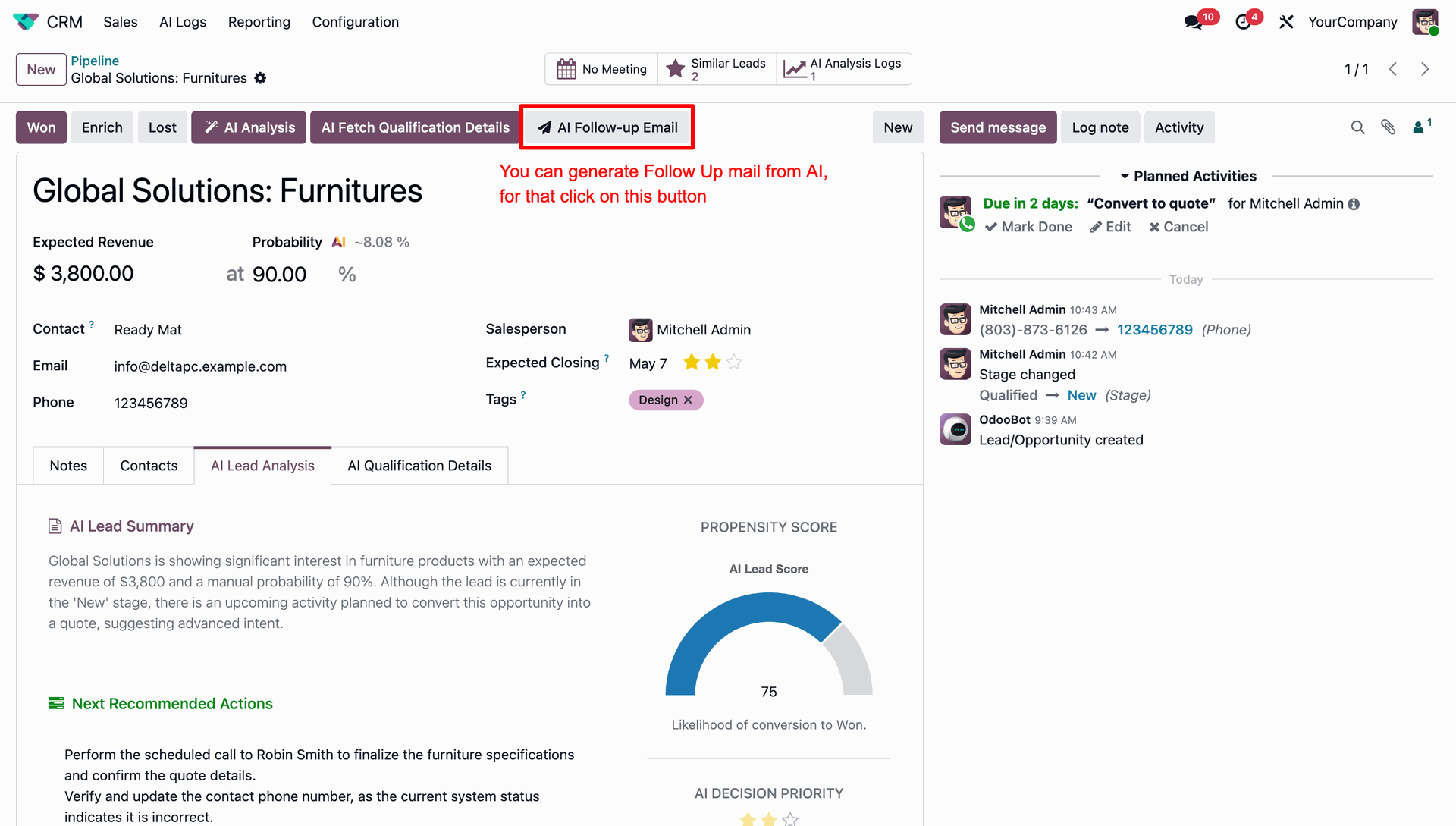
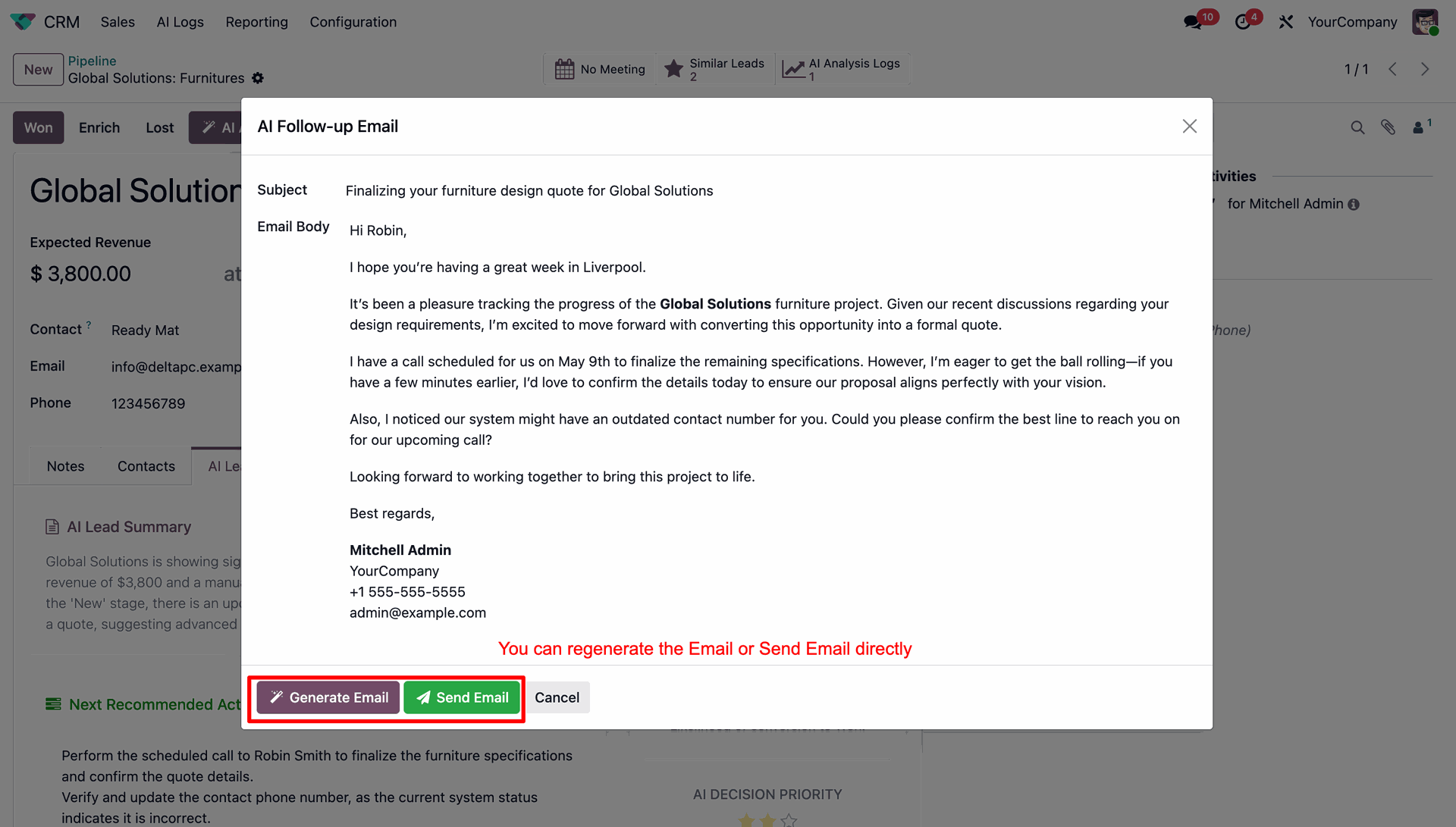
Select the AI Follow-up Email button to automatically generate customized draft follow-up emails.
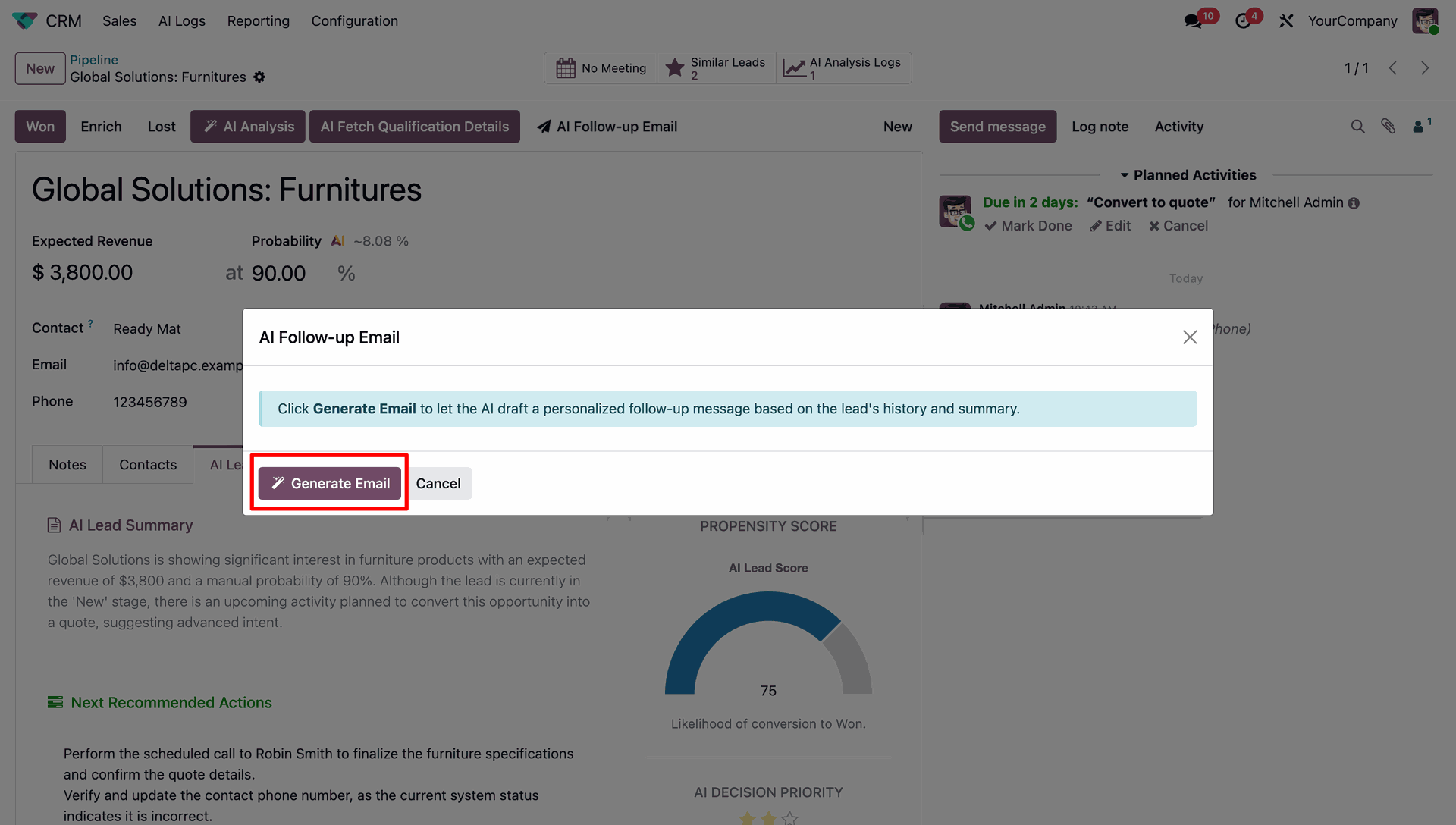
Click the Generate Email button in the popup wizard to draft a personalized follow-up.
Review the AI-generated email body and click Send Email to dispatch it directly.
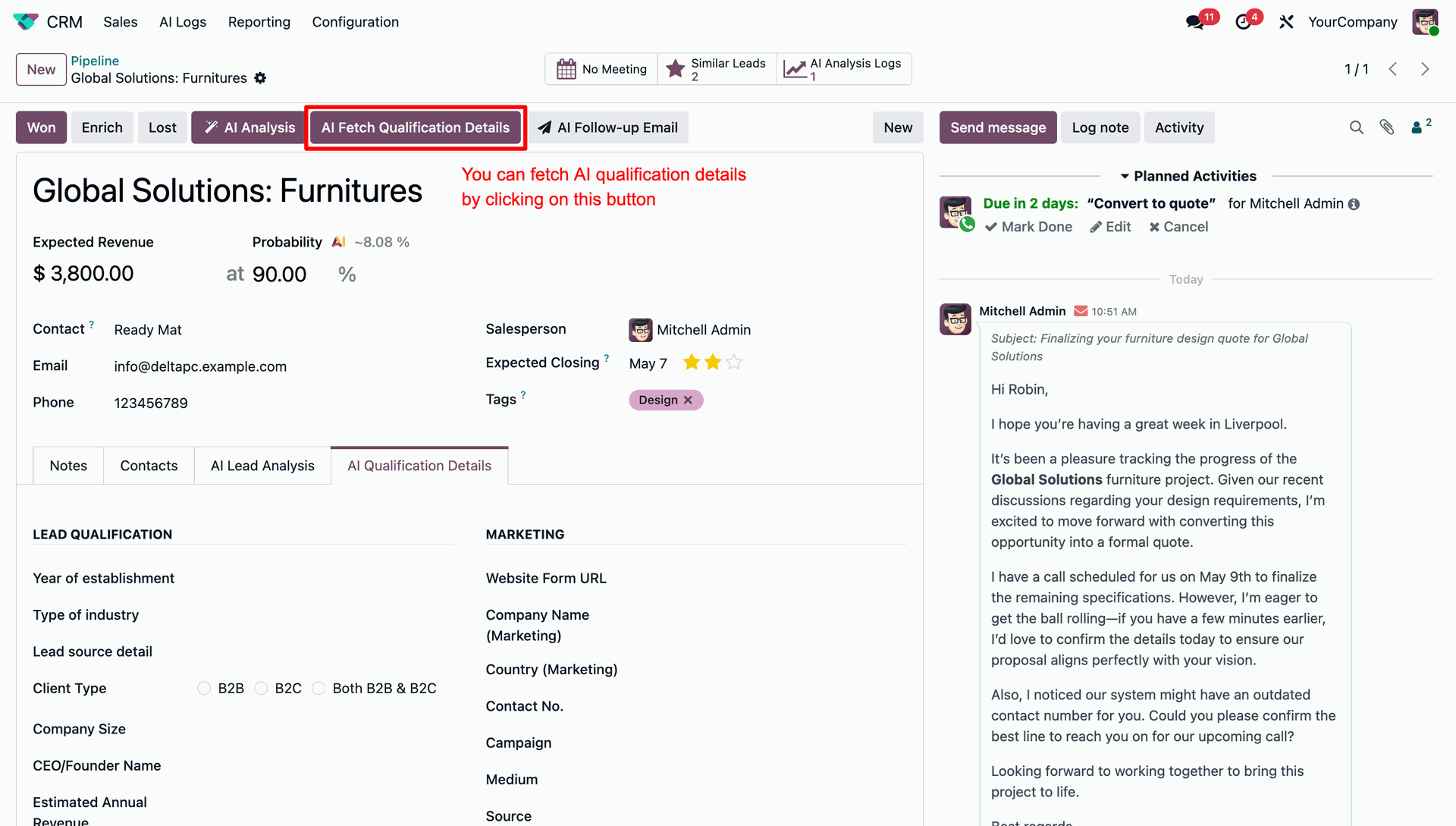
Use the AI Fetch Qualification Details button to automatically extract company background information.
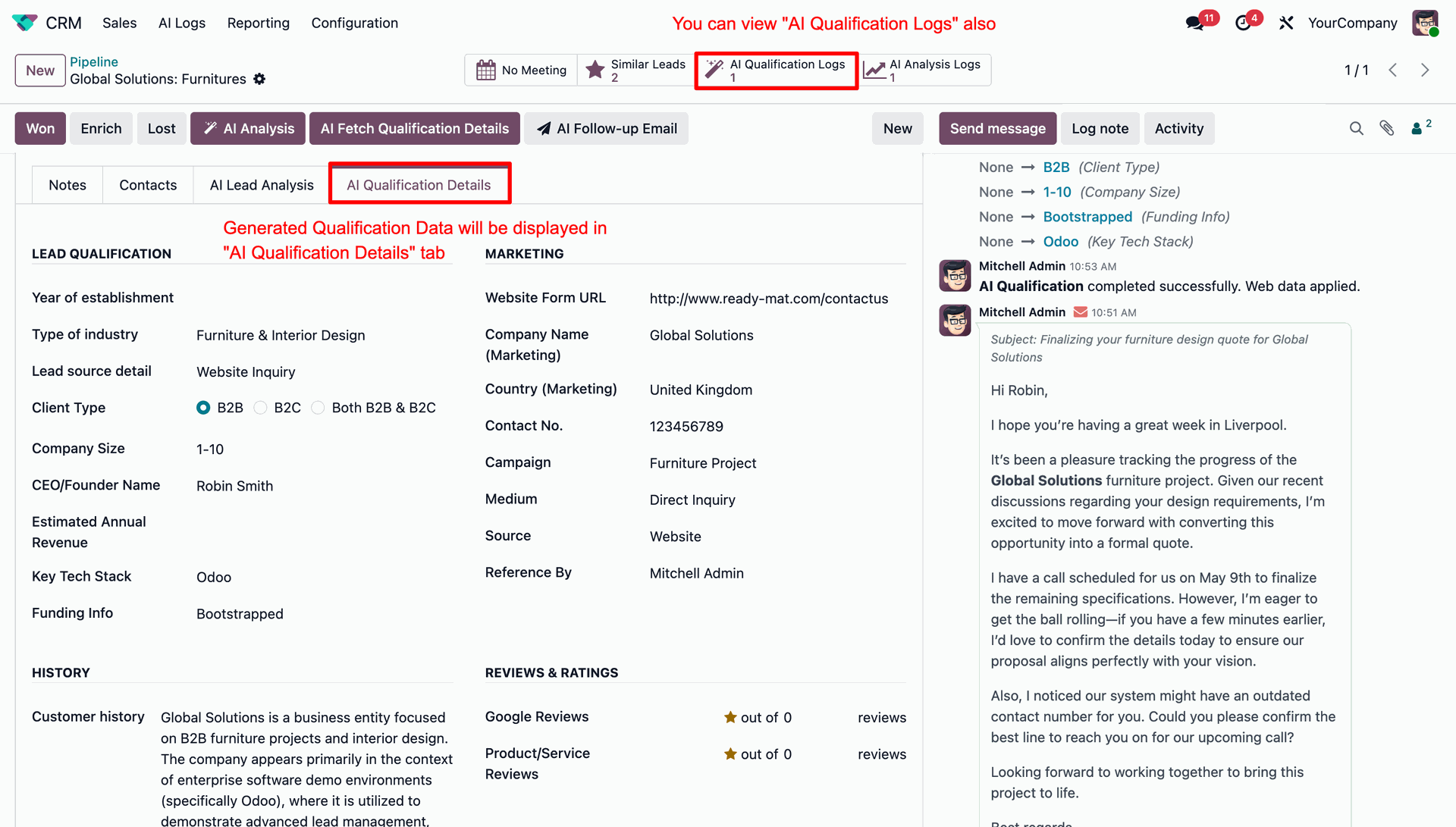
Access the retrieved lead qualification information alongside logs and execution status.
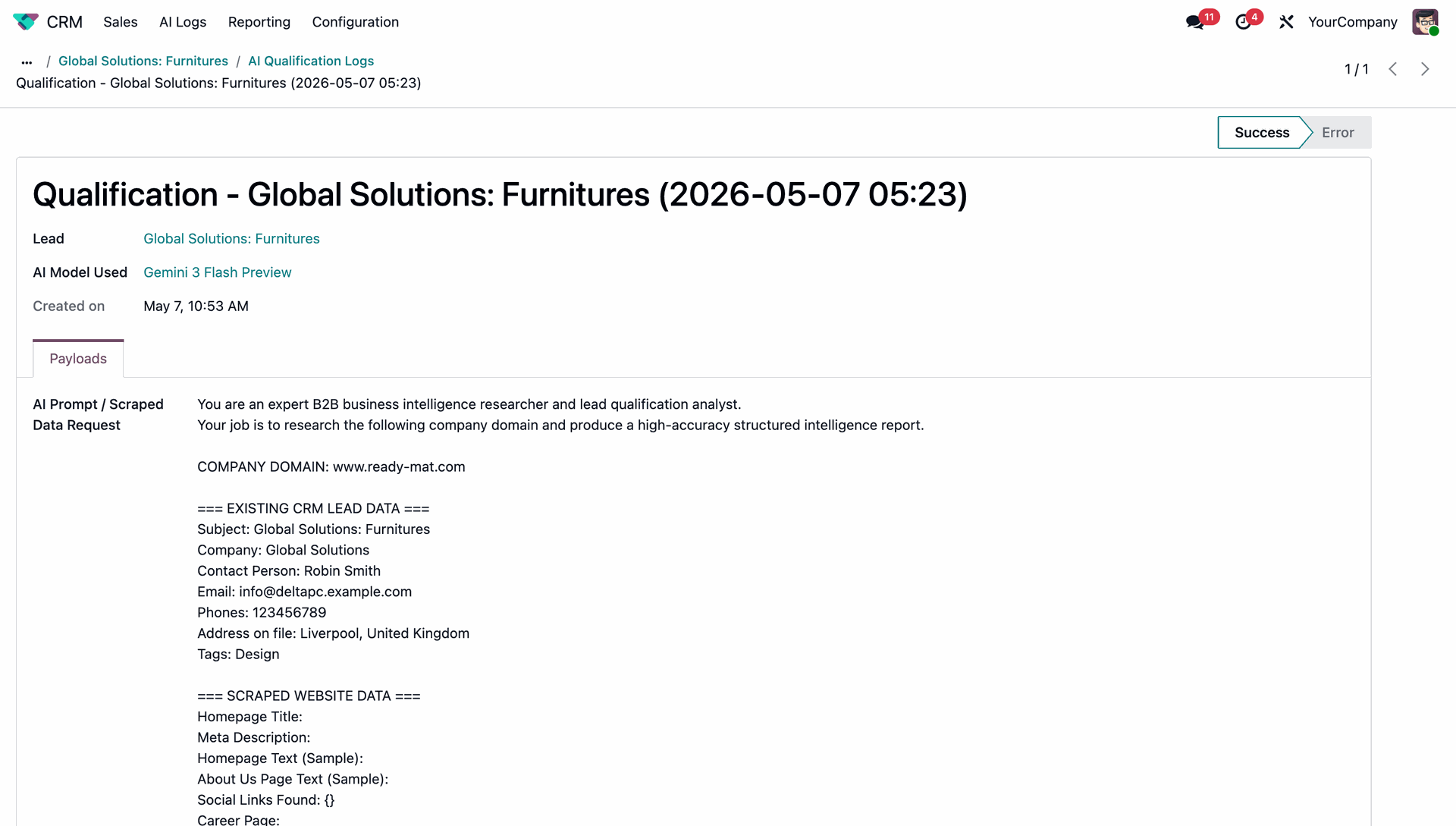
Analyze the exact prompt and scraped web data within the qualification log.
Standard users can only view the generated CRM data and logs without action buttons.
Version 18.0.1.0.0 | Released on : 24th July 2026
- Yes, this app works perfectly with Odoo Enterprise (Odoo.sh & Premise) as well as Community.
- No, this application is not compatible with odoo.com(odoo saas/Odoo Online)
- Yes, to test this module, please contact us at sales@softhealer.com.
- No. The AI provides intelligent responses based on available data and models, but results may sometimes be incomplete or approximate. Always verify critical business decisions manually. This case is not eligible for refund or exchange.
- AI interprets queries based on patterns and available data. Incorrect inputs, ambiguous questions, or missing data may lead to inaccurate outputs. This case is not eligible for refund or exchange.
- AI should be used as a decision-support tool, not a replacement for human judgment. Always review outputs before taking action. This case is not eligible for refund or exchange.
- AI understands structured data well, but complex business logic, customizations, or incomplete records may affect accuracy.
- No. The system is designed for business users with a simple chat interface.
- Check API configuration
- Verify internet connectivity
- Ensure provider API key is valid
- AI response time depends on the selected provider and plan. For example, if we are using a free tier, our request priority may be lower than other plans. Also, if we select high-thinking models, they usually take more time to generate responses.
- No, only models that support tool calling are usable in the app.
- Please contact us at sales@softhealer.com to request customization.
- Yes, we provide free support for 365 days from the date of purchase.
- Yes, we provide free support for 365 days from the date of purchase.
- No, there is no need to install any additional libraries.
- Yes, for version 12 and above, you need to purchase the module separately for each version you intend to use.
- No, exchanges or refunds are not allowed. Please make sure to select the correct version before purchasing.
- You can contact us at support@softhealer.com for language translation support. We use Google Translator tools to provide translations in multiple languages, so the accuracy may vary. We welcome your suggestions to help improve translations.








Discover Our Latest Apps