


 Easy to Manage
 Dedicated Support
















 Scan to email sales






All In One Advance Product Search

Do you have lots of products and variants? Feeling difficulty to filter/search and choose specific products in Sale, Purchase, Inventory, Invoice, BOM? So here we come with a solution, Our module will help you to filter products with fully customized your favorite products fields and variant attributes. Our module will save your time and efforts for the selection of products based on different criteria. We have provided the configuration of product fields and attributes. You can easily customize it as you required. After configurations of your favorites fields and attributes, you will be able to add products on basis of that customized fields and attributes criteria or patterns.

Hot Features
Features
- Powerful configurations of fields and attributes.
- Supported configurable field types: Char, Integer, Float, Boolean, Many to one, Selection.
- Product Template and Product Variant Supported.
- Smart filtering with =,!=, =, like, I like,=like, not like, not like.
- Easy to filter and add products in Sale, Purchase, Inventory, Invoice, BOM.
- Options that allow the person to select which product they would like to add in sale, purchase, inventory, invoice, BOM.
- Search and Select Products in Sale, Purchase, Inventory, Invoice, BOM.
- Launched new functions for select specific products from search results.
- Easy to select specific products or all products from search results.
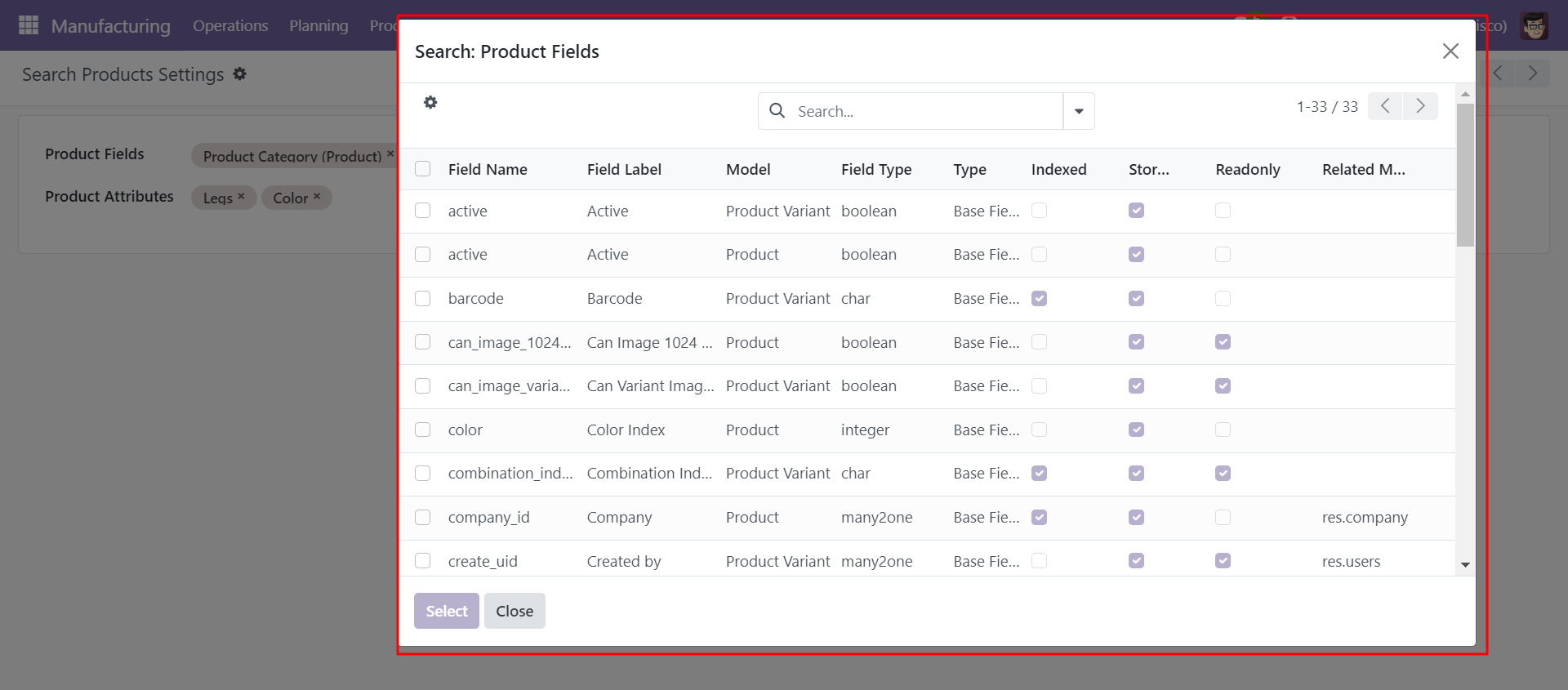
In settings, Select product fields and attributes that you want to search
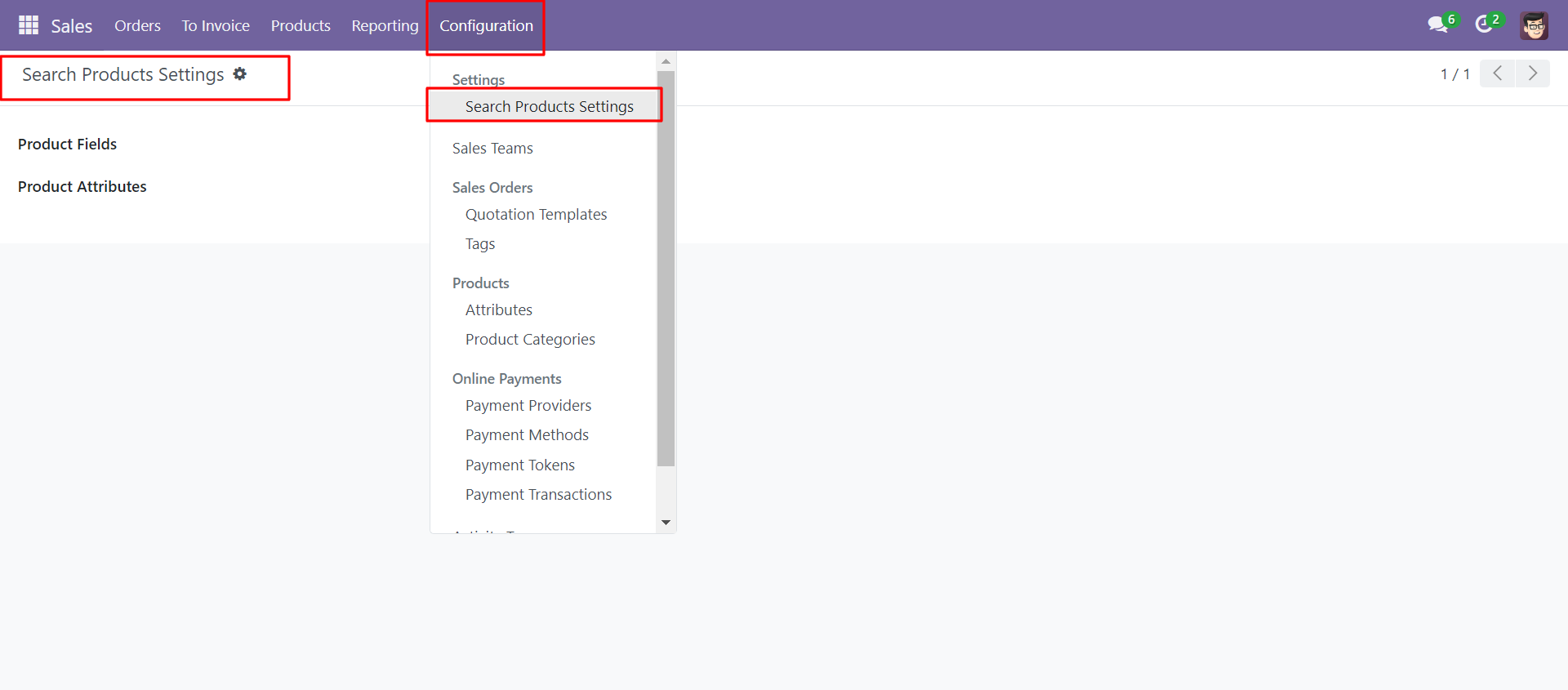
You can select product template and product fields as you want.
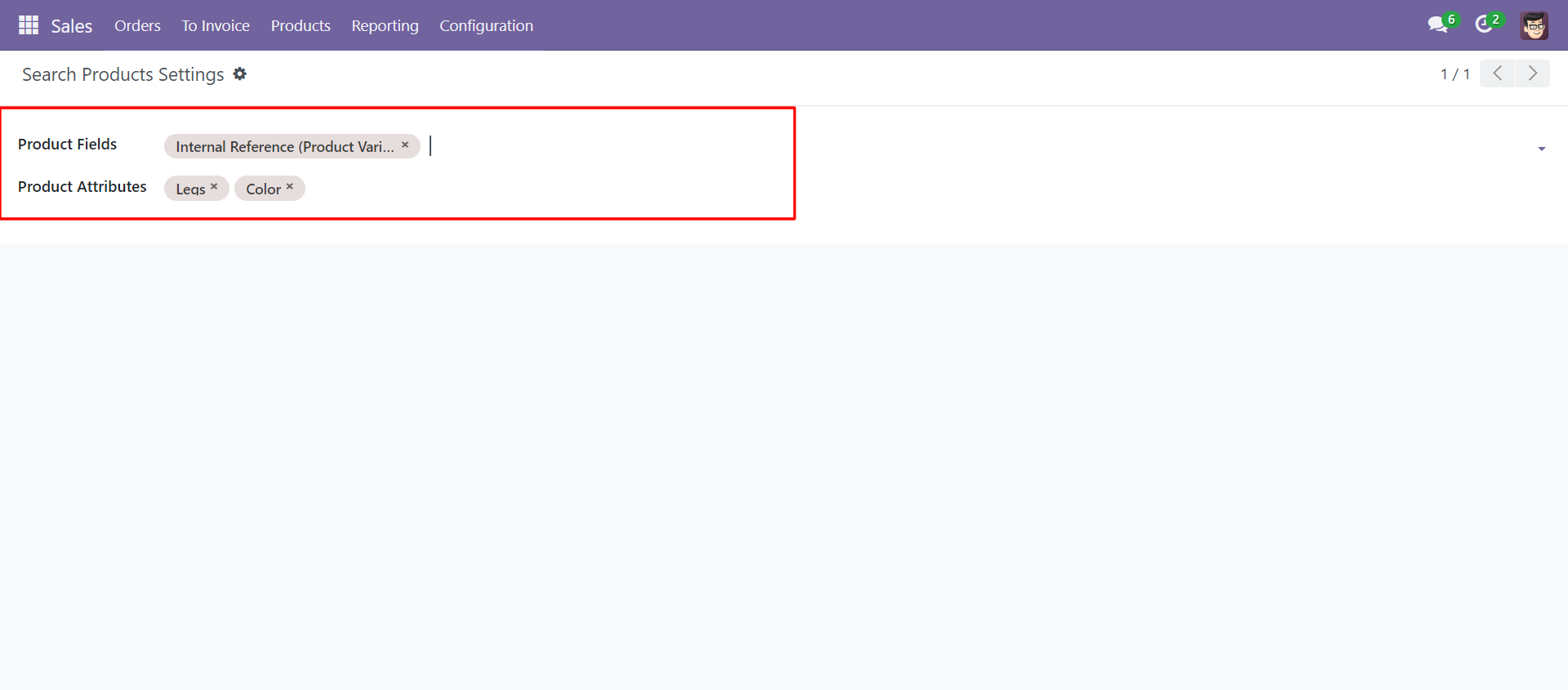
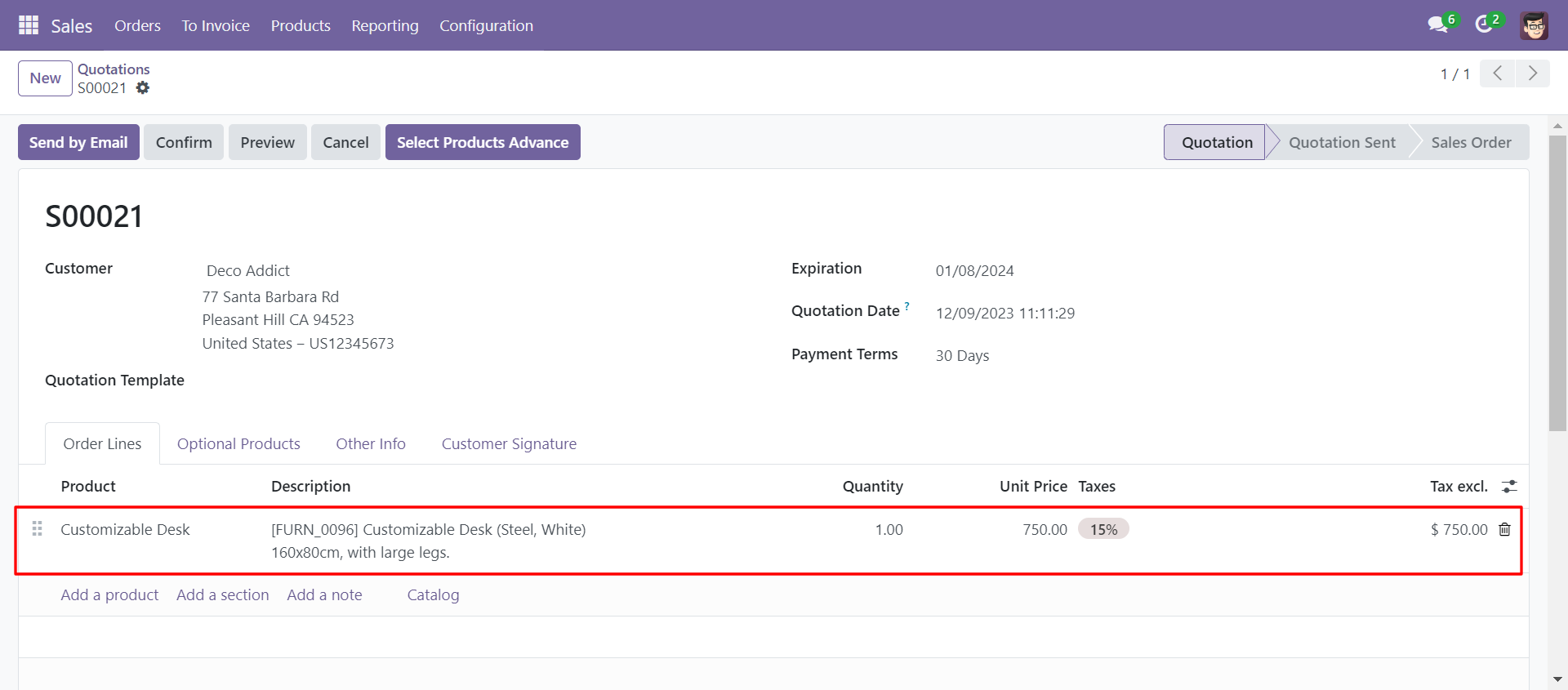
'Select Products Advance' button in Quotation/Sale Order Form View.
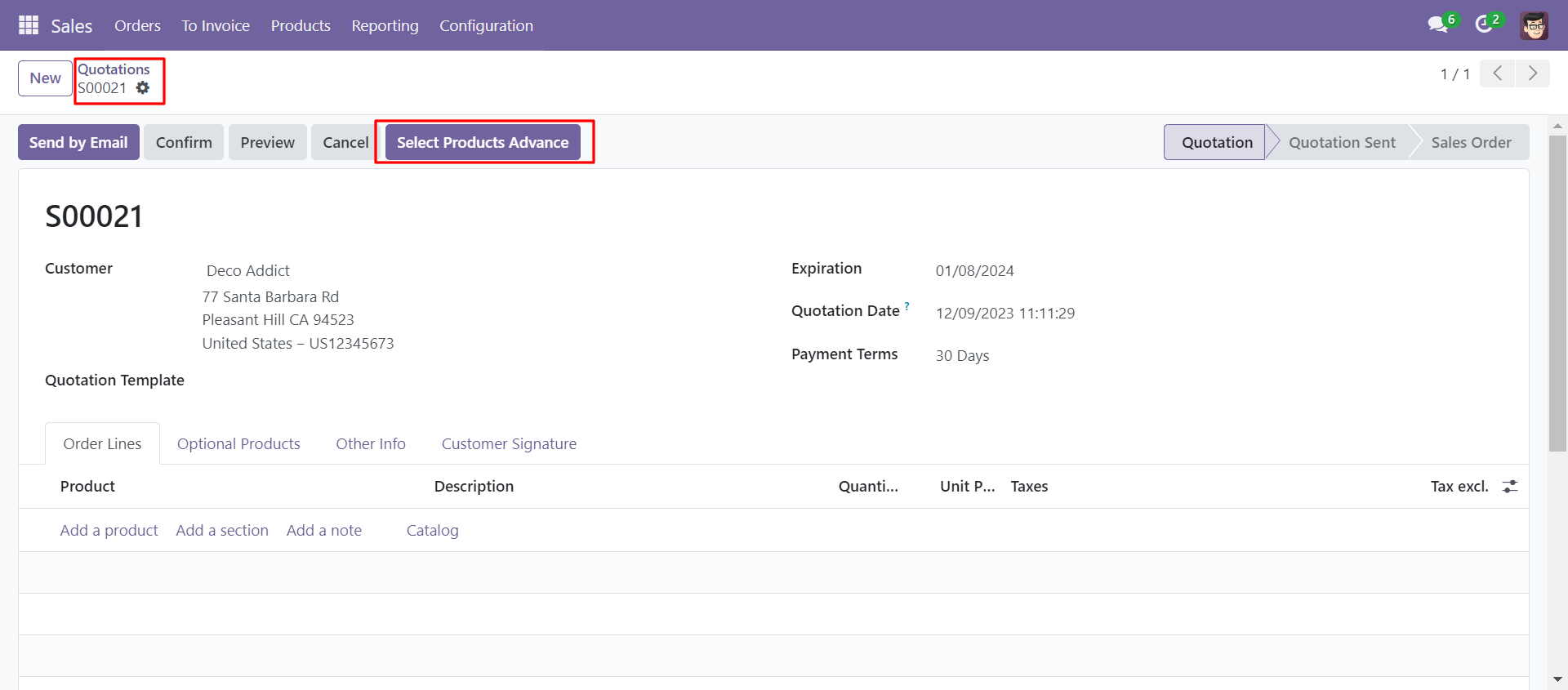
When you click 'Select Products Advance' button, wizard will open that looks like below. Wizard contains all the fields and attribute that you selected in settings, related comparison operators and Filter button, Reset button.
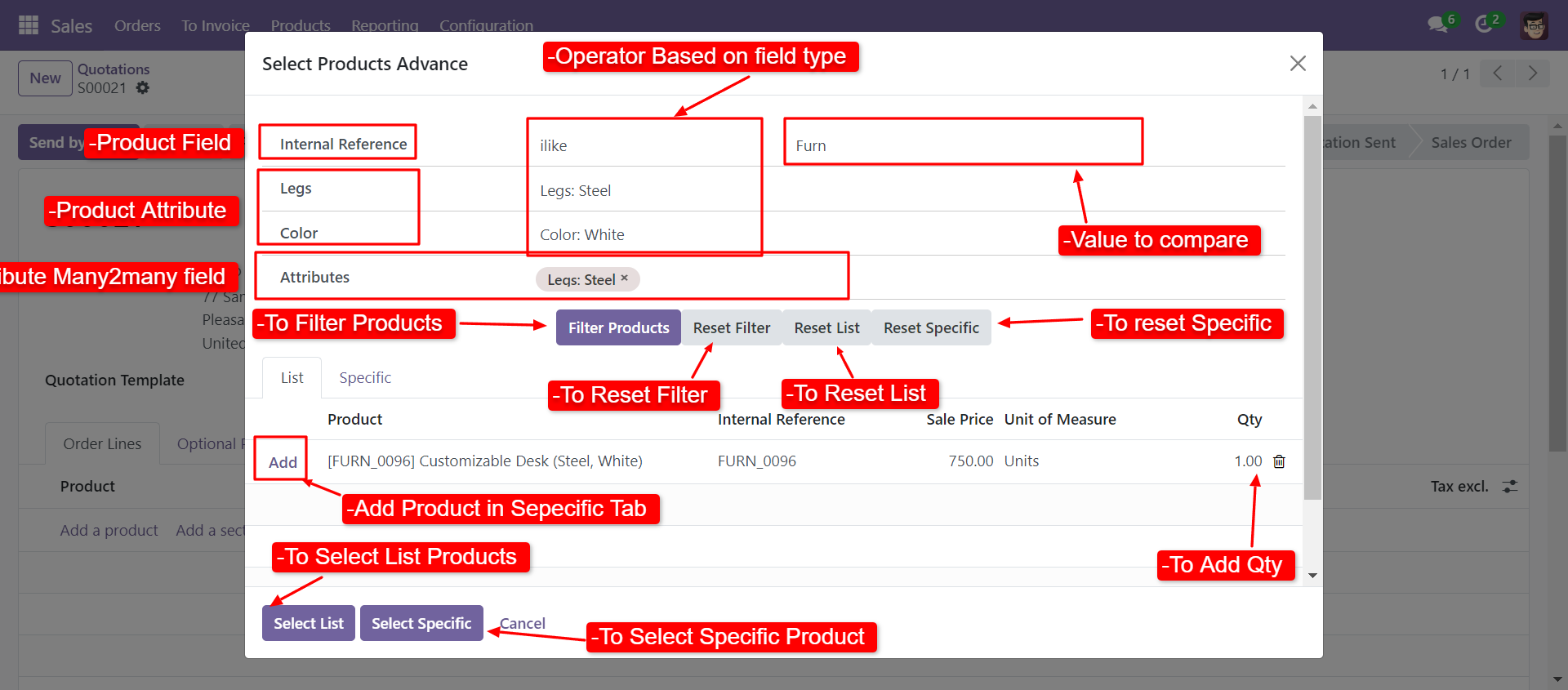
When you click 'Select List' or 'Select Specific' button in wizard, All the products and it's qty automatic add in sale order line from List or Specific tab of wizard.
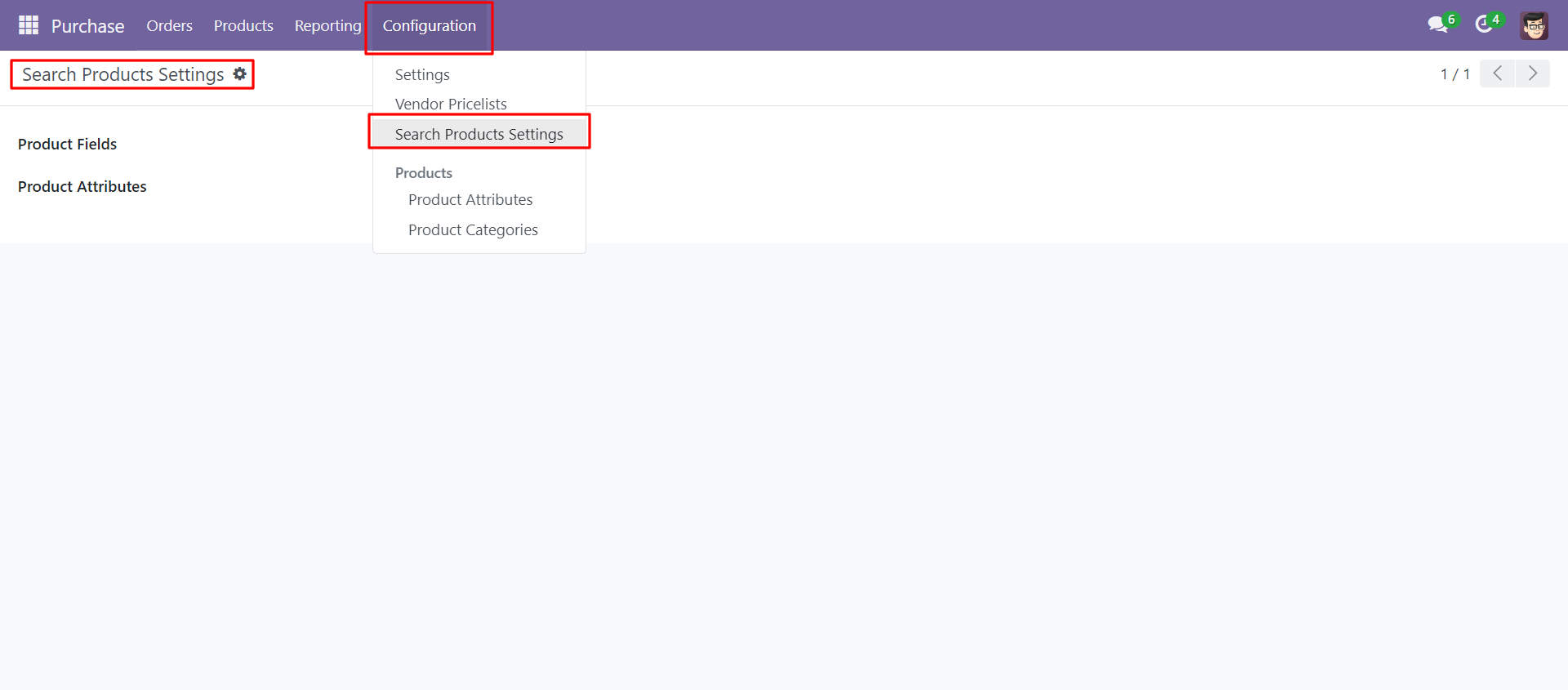
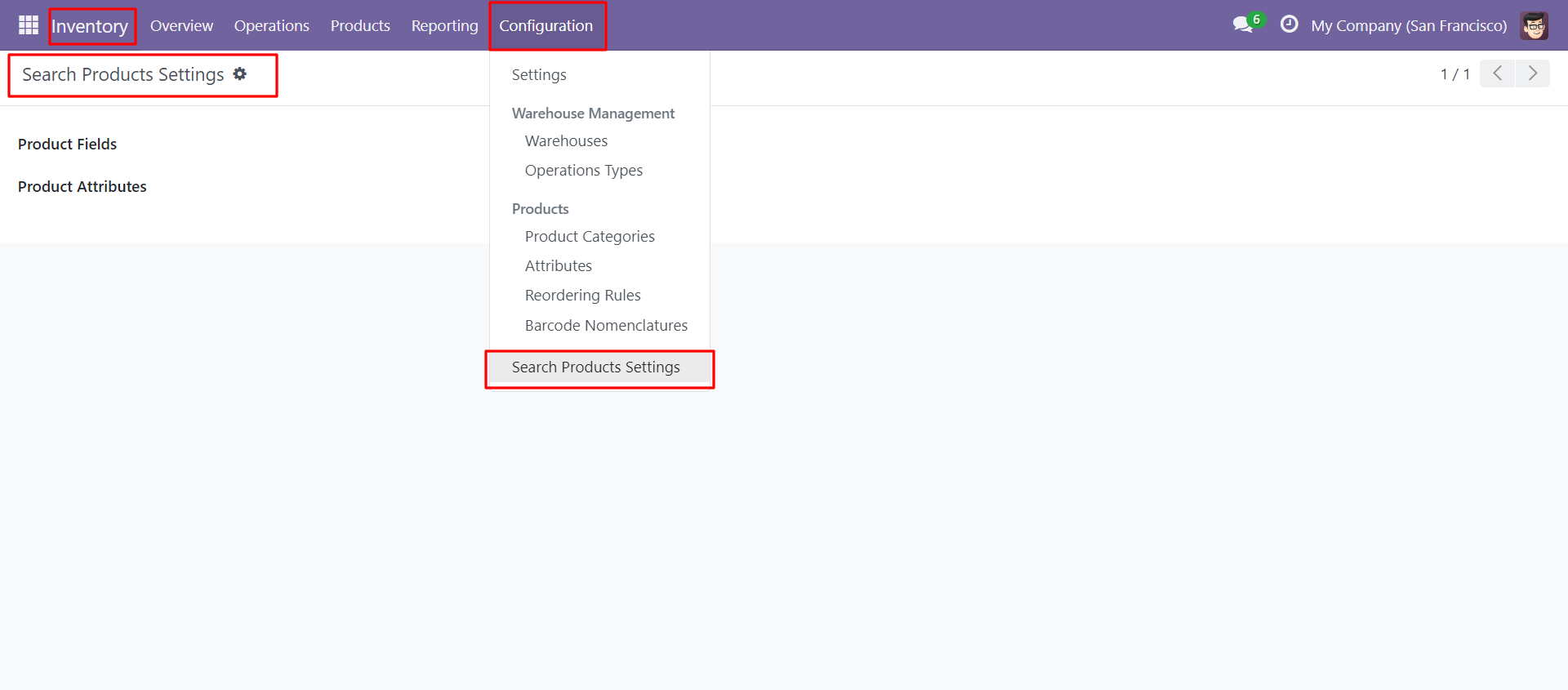
In Search Products Settings, Select product fields and attributes that you want to search.
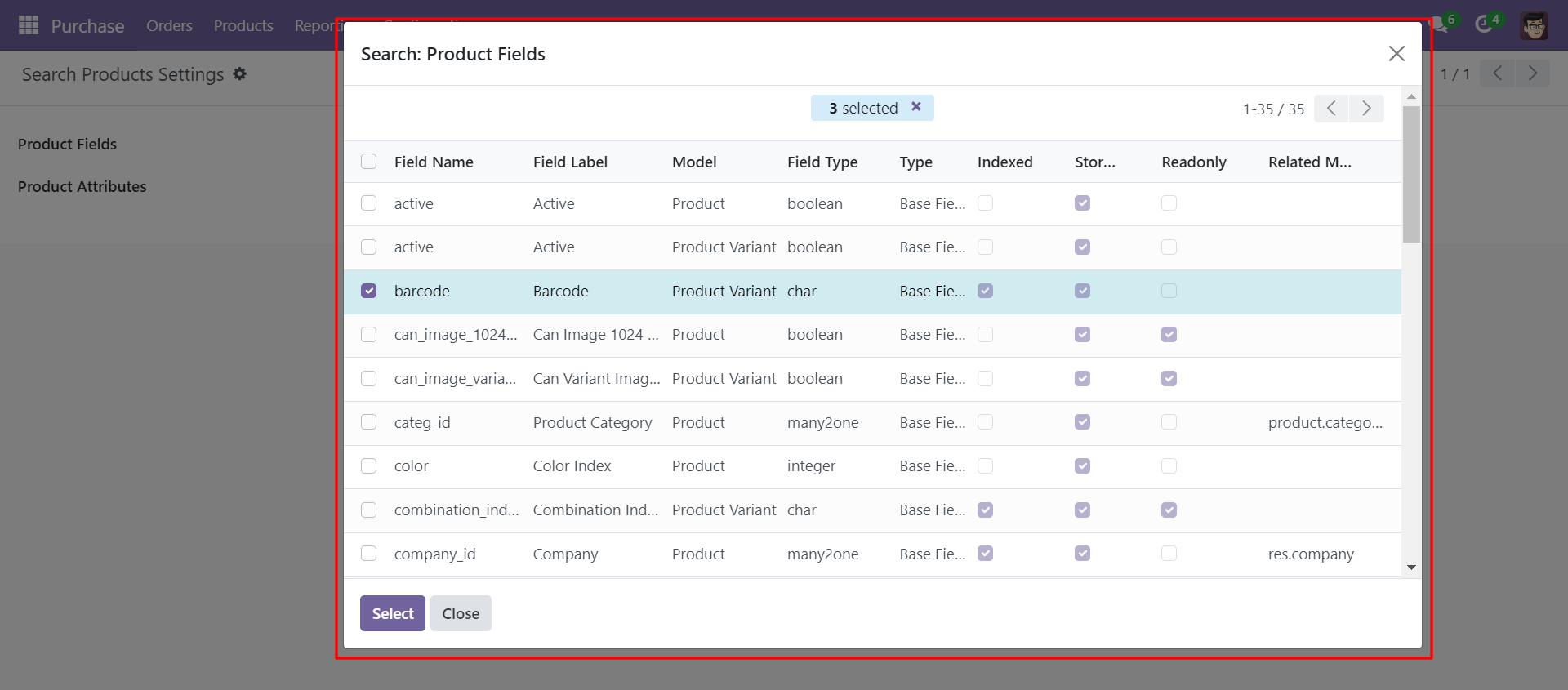
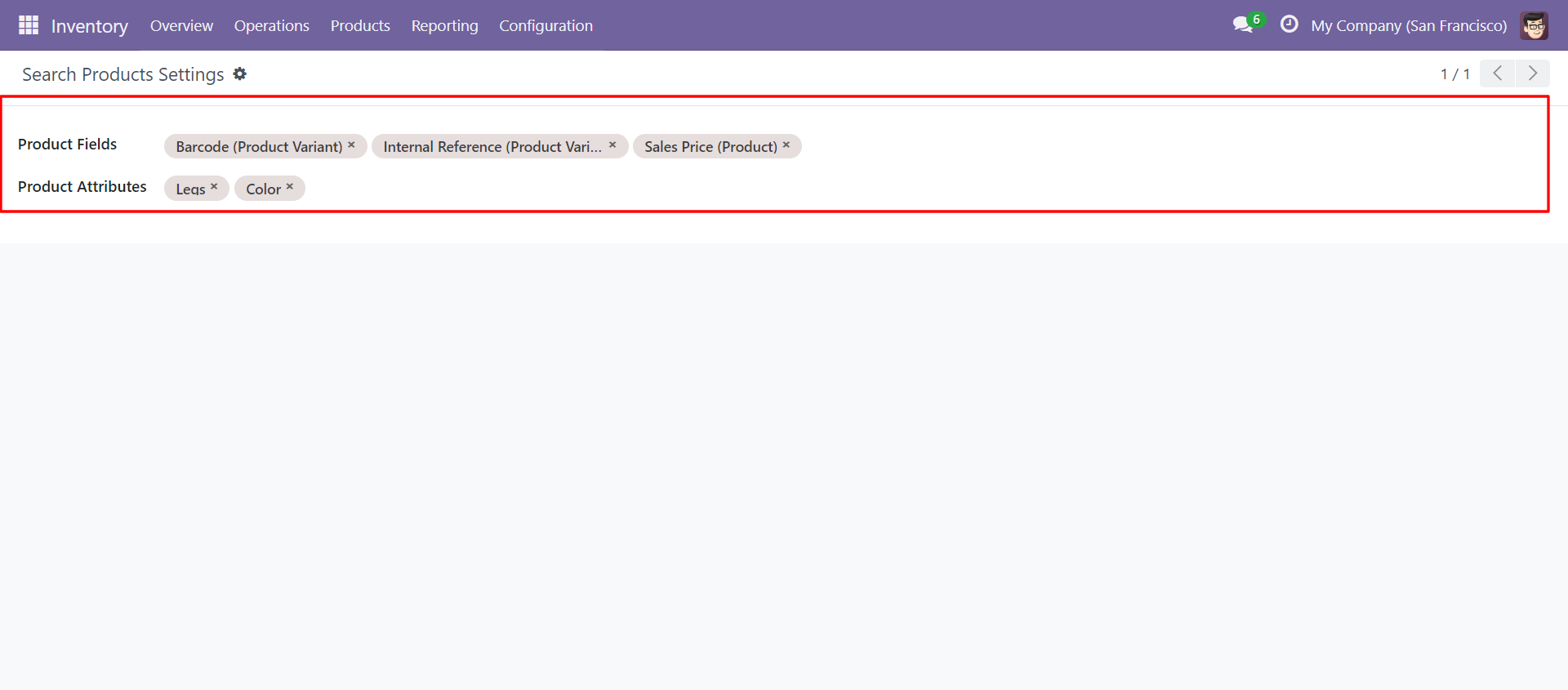
You can select product template and product fields as you want.
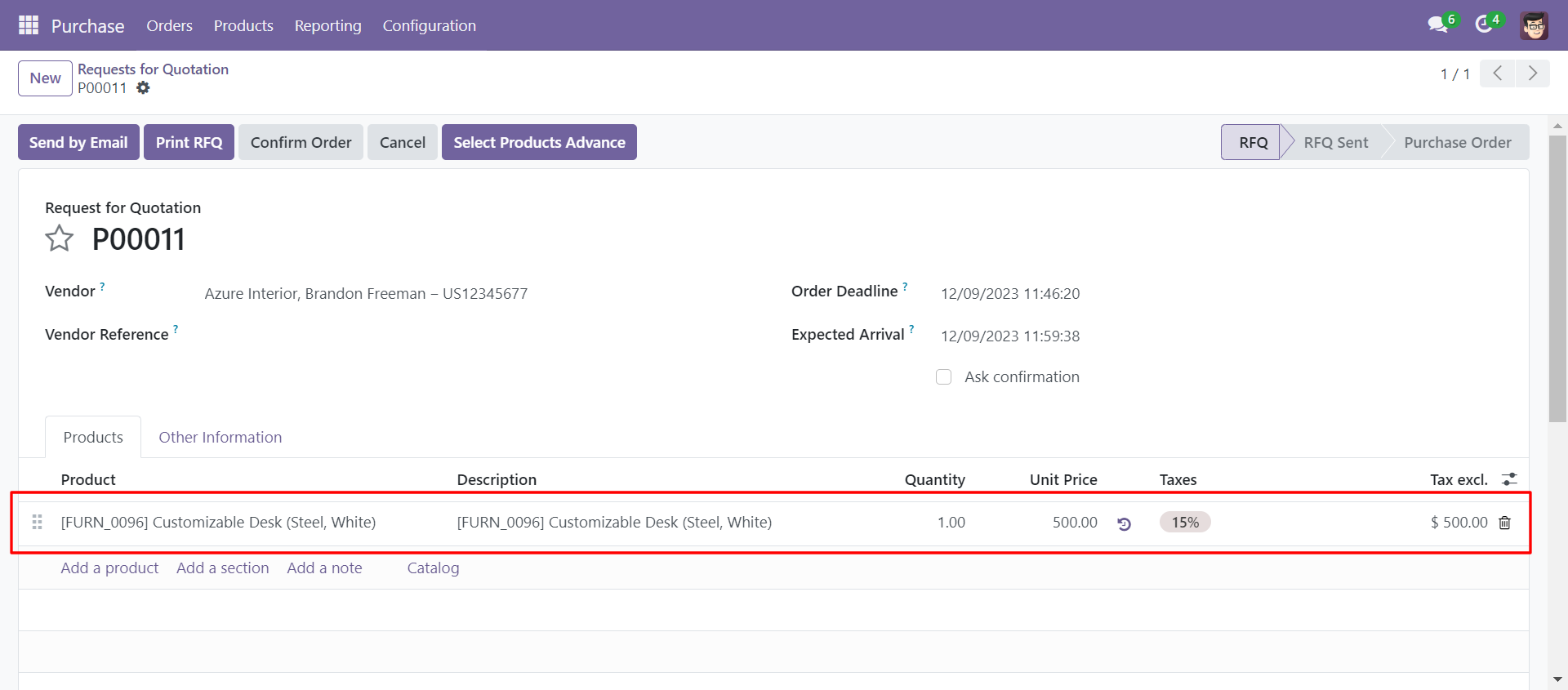
'Select Products Advance' button in RFQ/Purchase Order Form View.

When you click 'Select Products Advance' button, wizard will open that looks like below. Wizard contains all the fields and attribute that you selected in settings, related comparison operators and Filter button, Reset button.
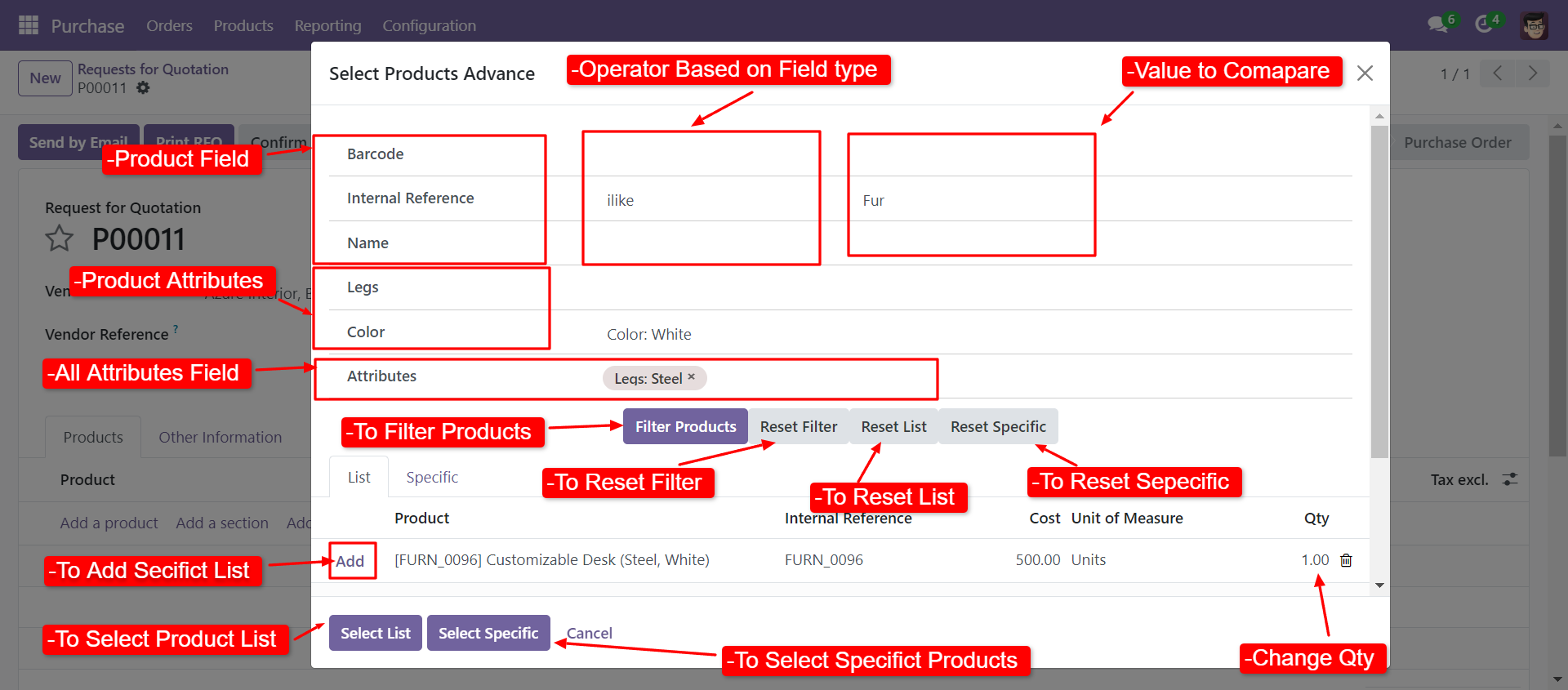
When you click 'Select List' or 'Select Specific' button in wizard, All the products and it's qty automatic add in purchase order line from List or Specific tab of wizard.
In Search Products Settings, Select product fields and attributes that you want to search.
You can select product template and product fields as you want.
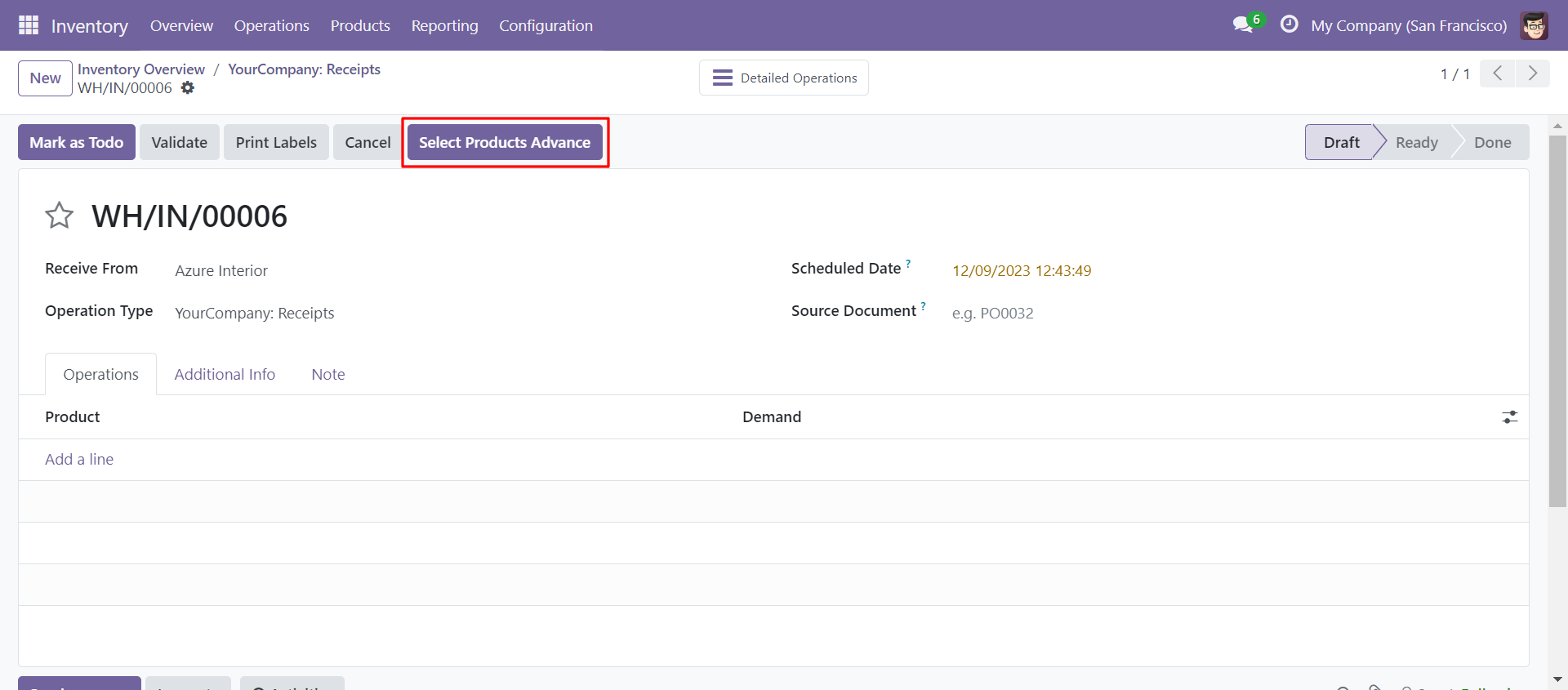
Select Products Advance' button in Receipts Form View.
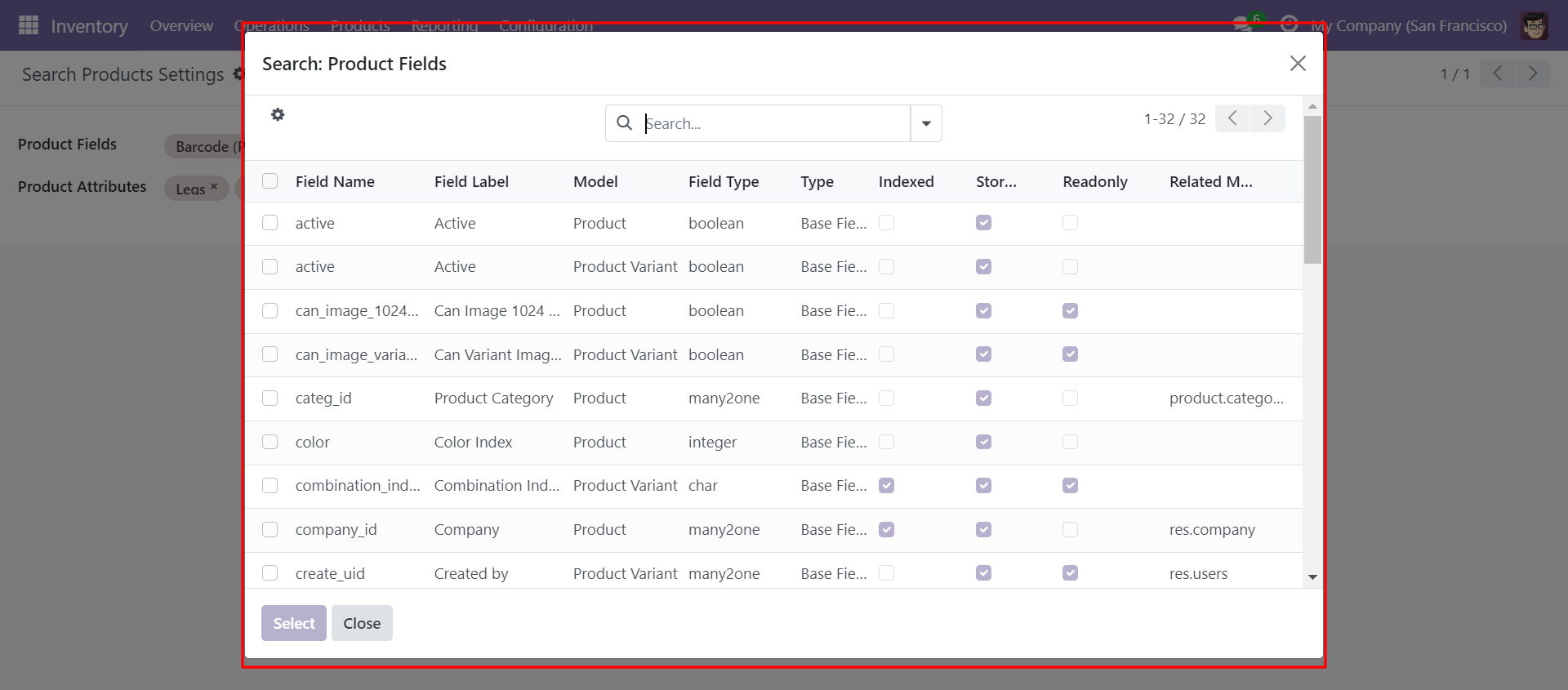
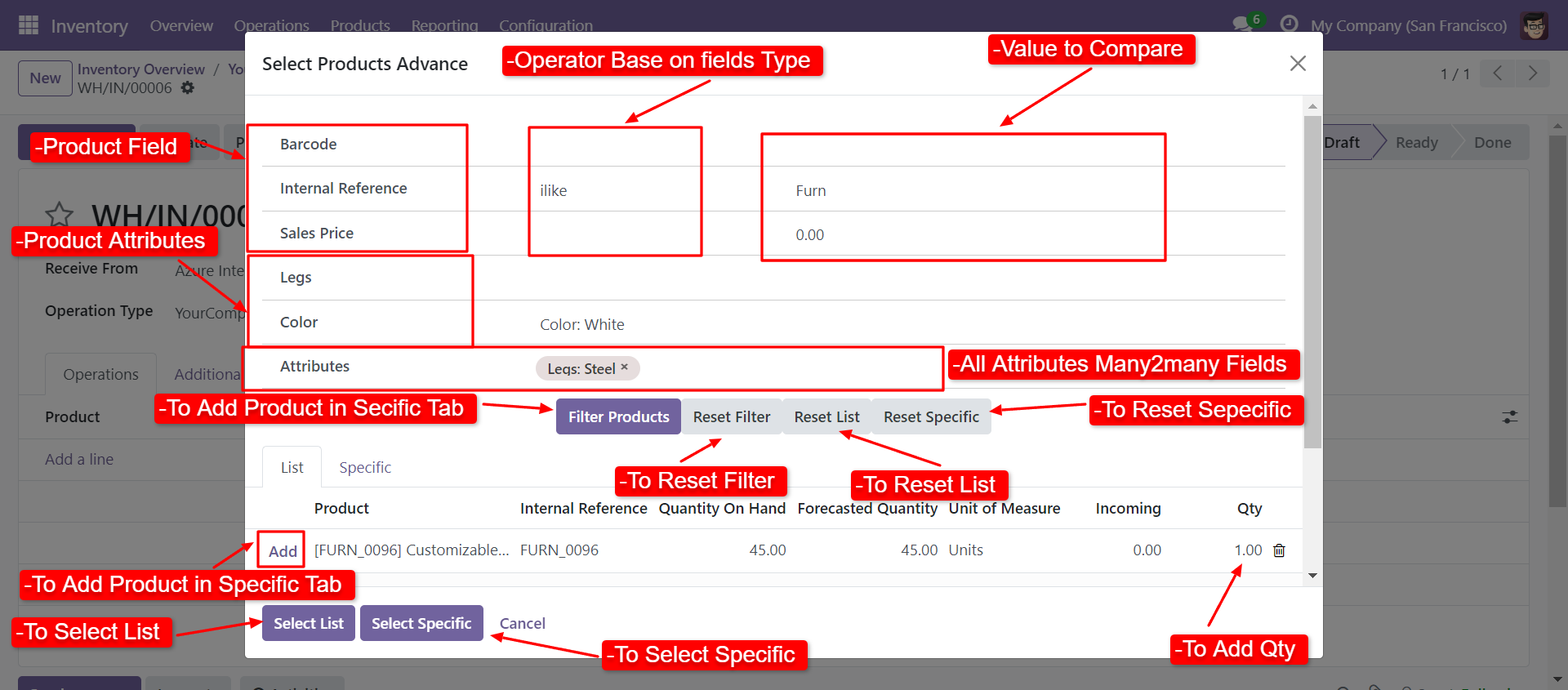
When you click 'Select Products Advance' button, wizard will open that looks like below. Wizard contains all the fields and attribute that you selected in settings, related comparison operators and Filter button, Reset button.
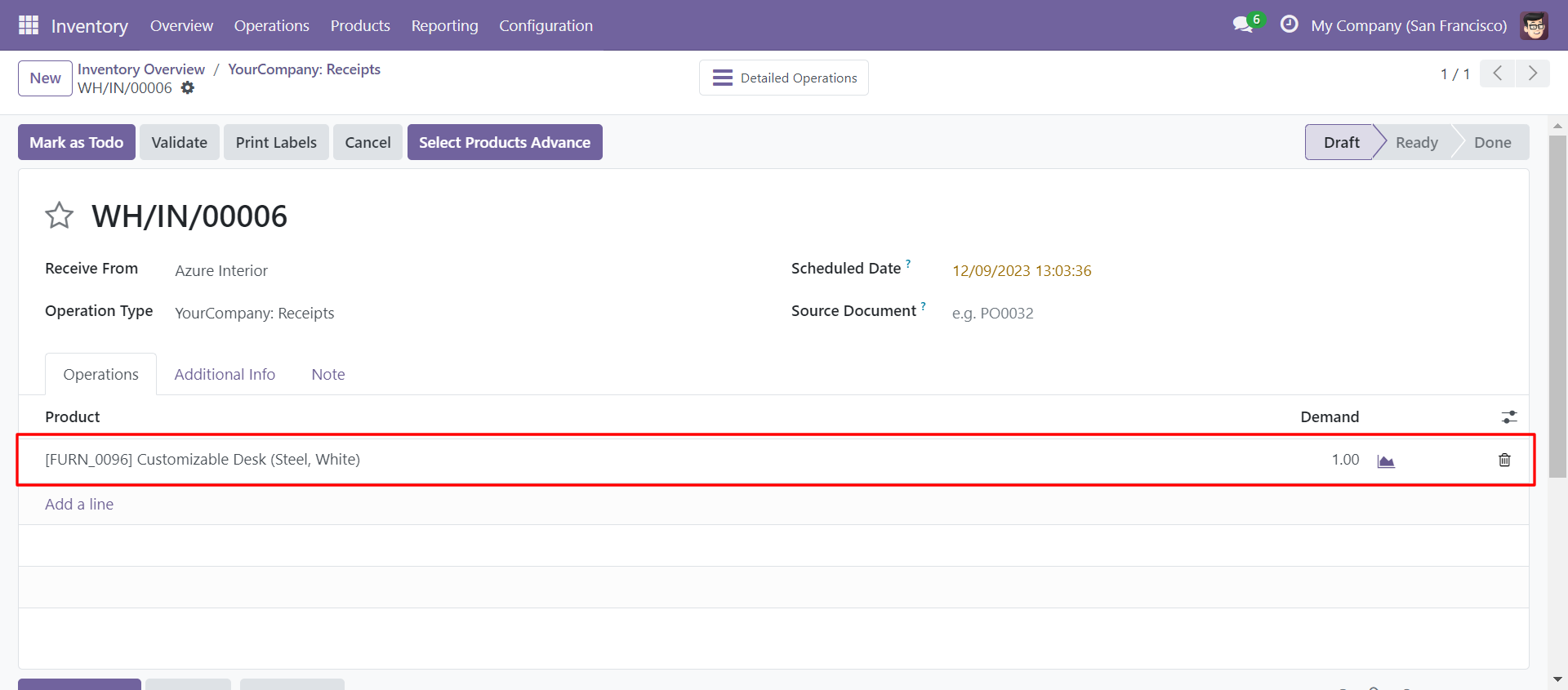
When you click 'Select List' or 'Select Specific' button in wizard, All the products and it's qty automatic add in Operation lines from List or Specific tab of wizard.
You can also search and select products in Internal Transfer.
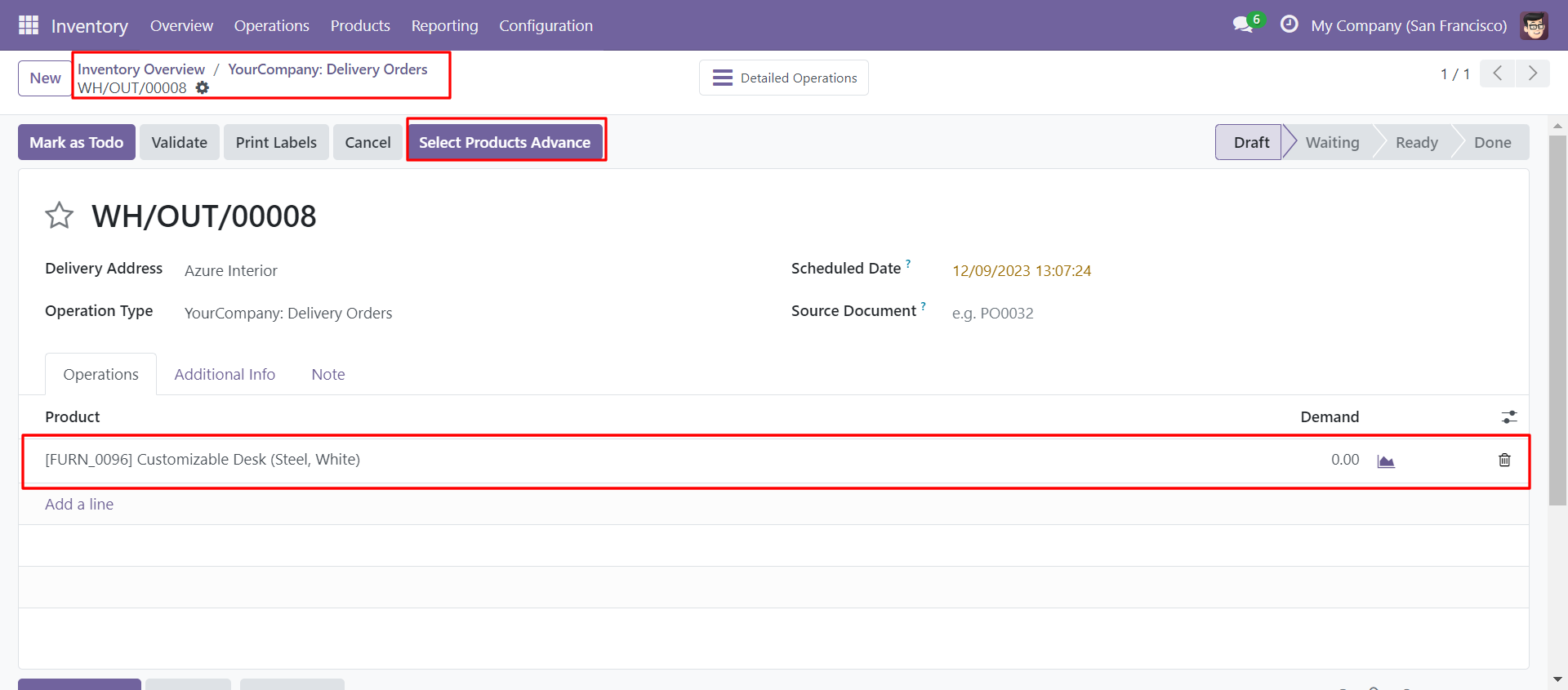
You can also search and select products in Delivery Order.
In Search Products Settings, Select product fields and attributes that you want to search
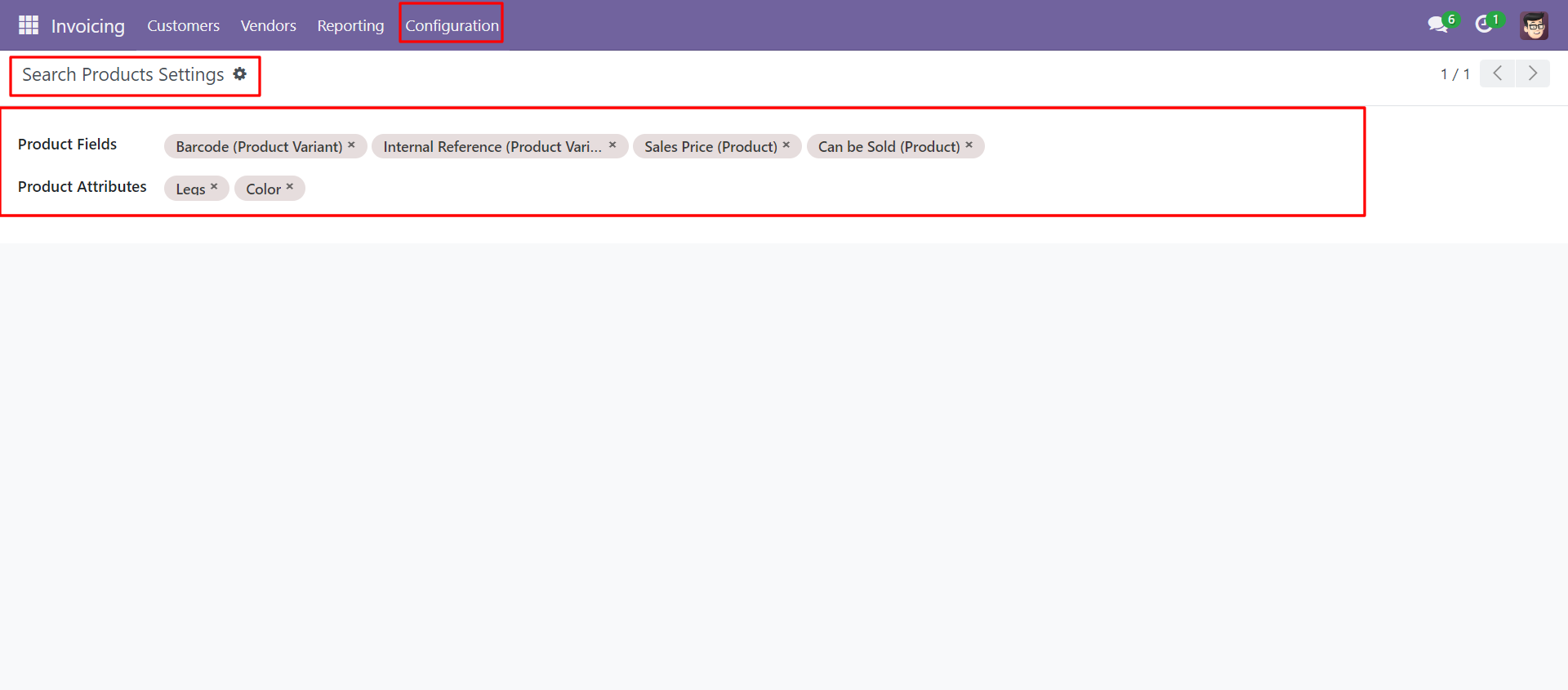
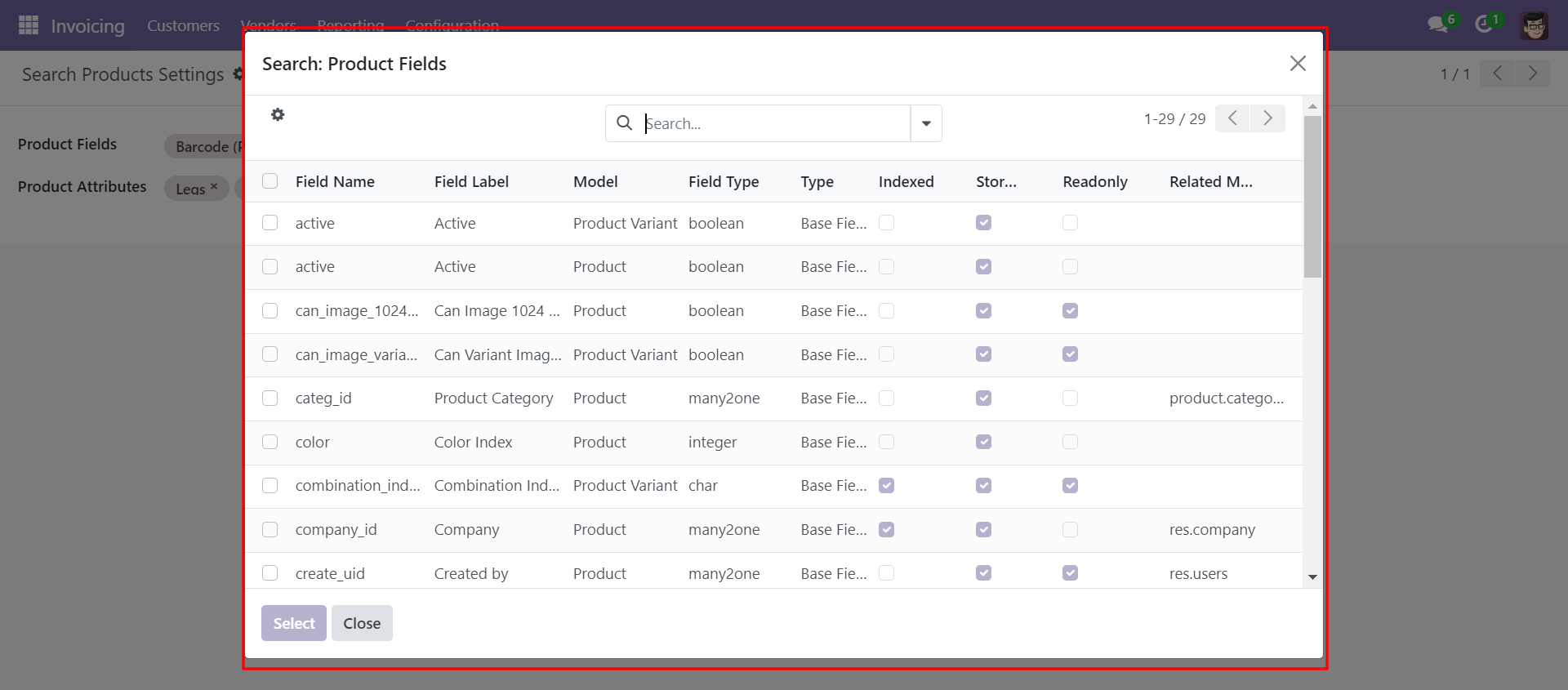
You can select product template and product fields as you want.
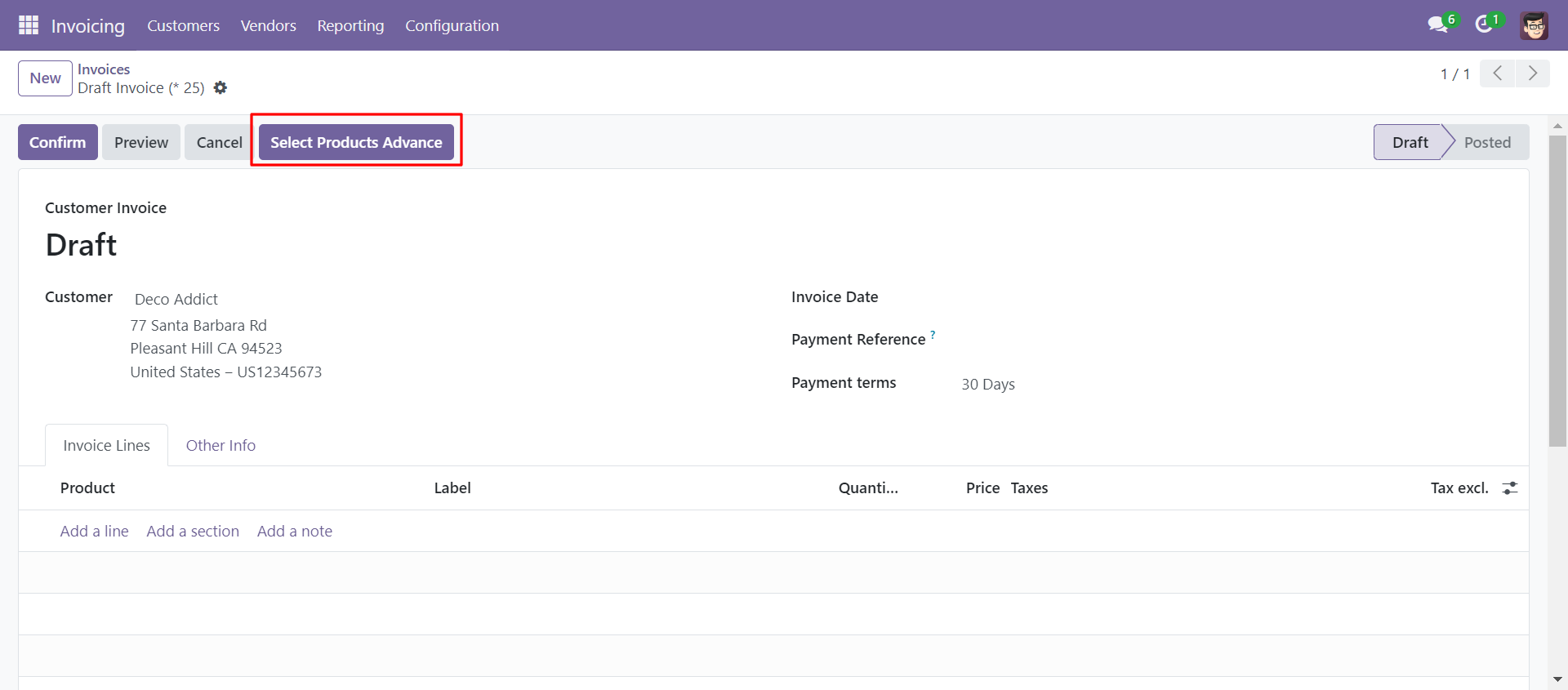
'Select Products Advance' button in invoice Form View.
When you click 'Select Products Advance' button, wizard will open that looks like below. Wizard contains all the fields and attribute that you selected in settings, related comparison operators and Filter button, Reset button.
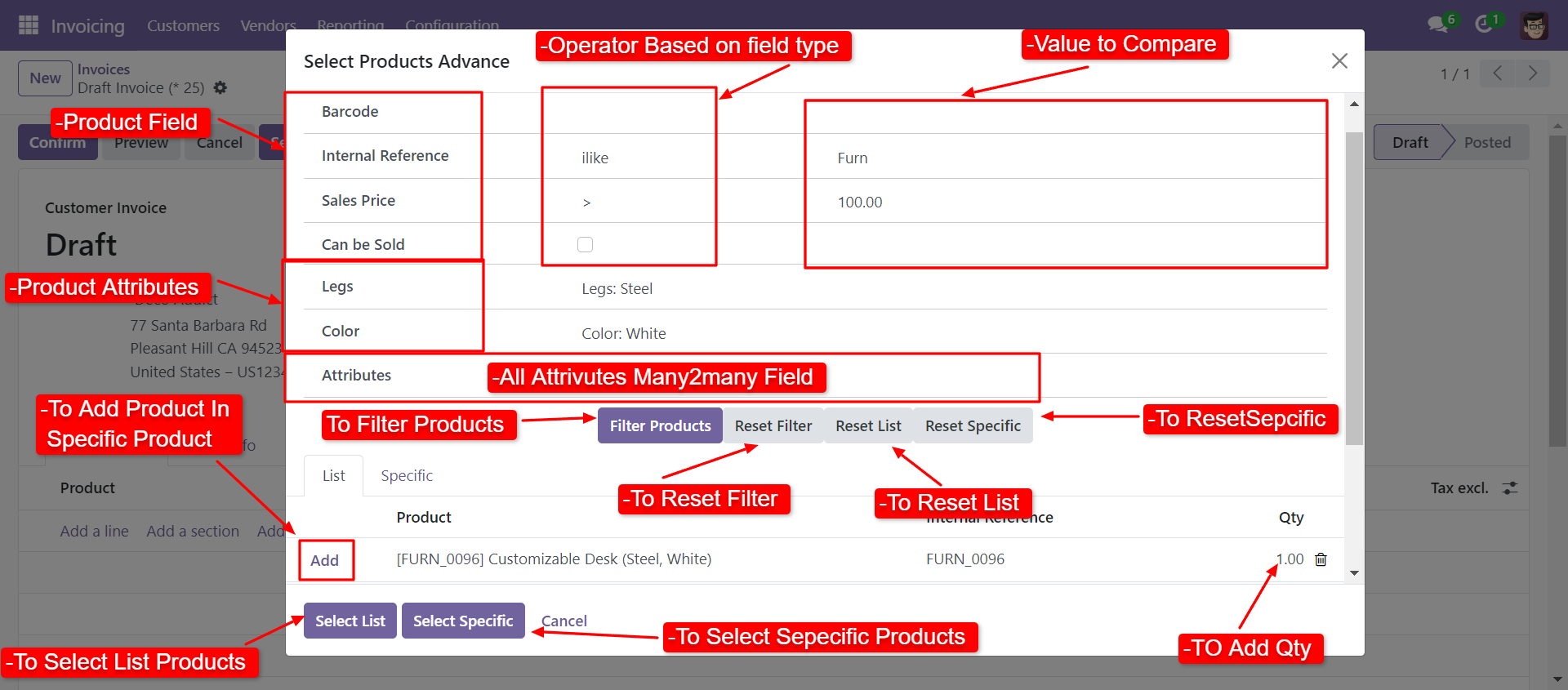
When you click 'Select List' or 'Select Specific' button in wizard, All the products and it's qty automatic add in invoice line from List or Specific tab of wizard.
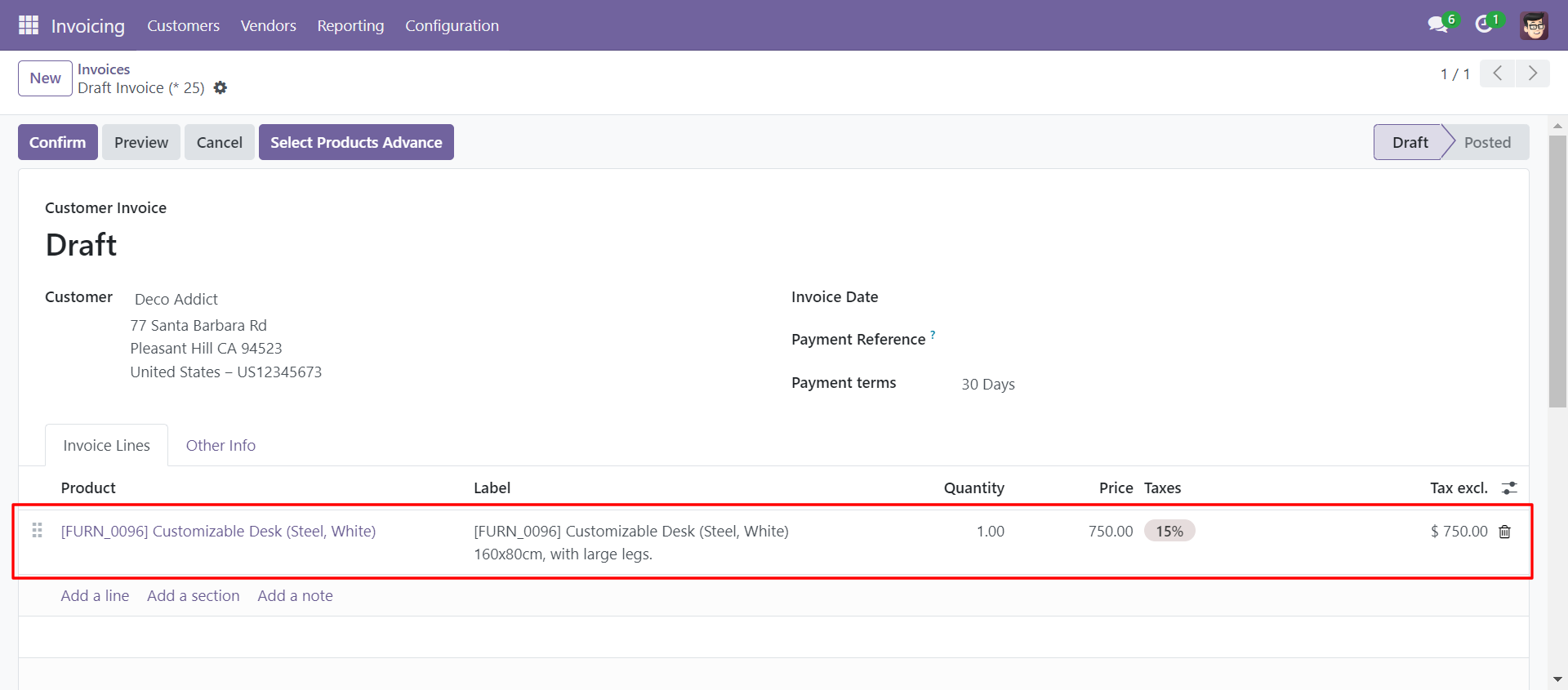
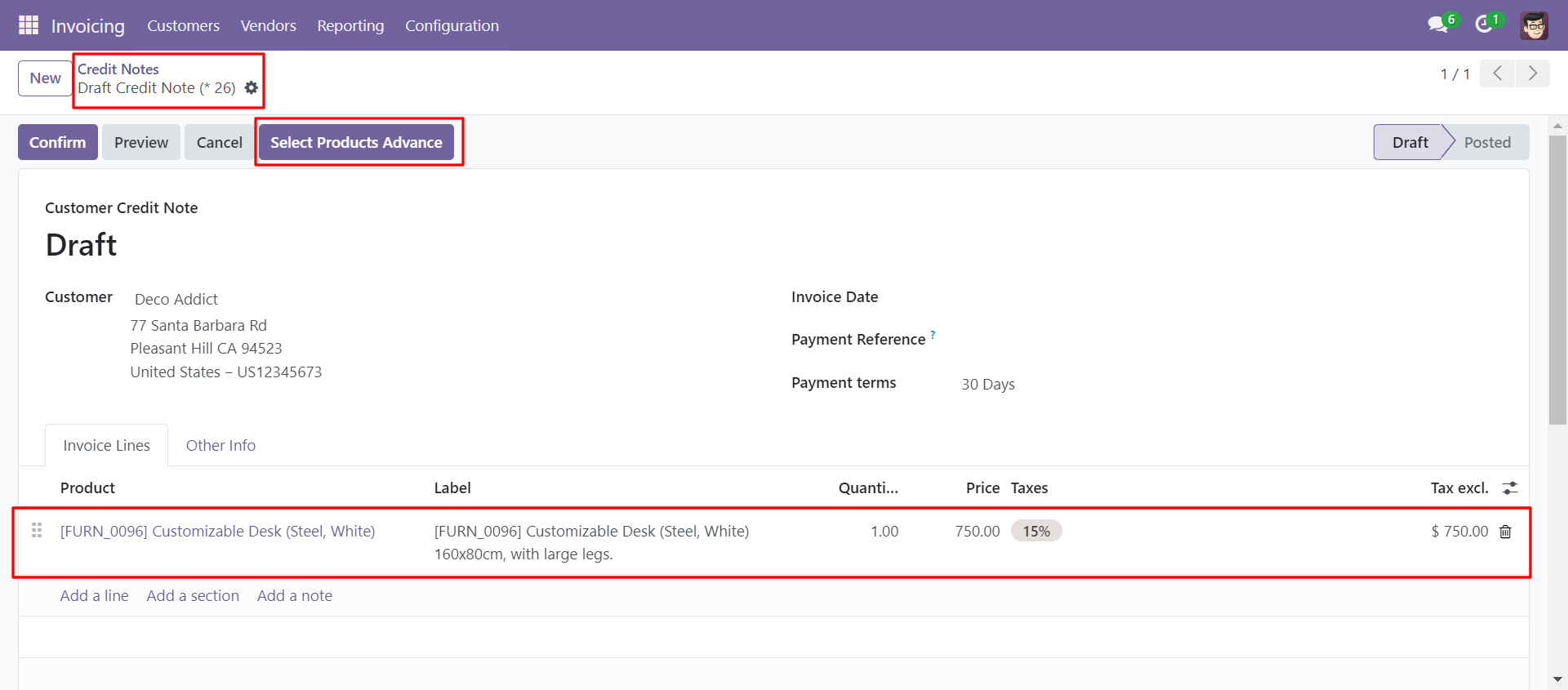
You can also search and select products in customer credit note.
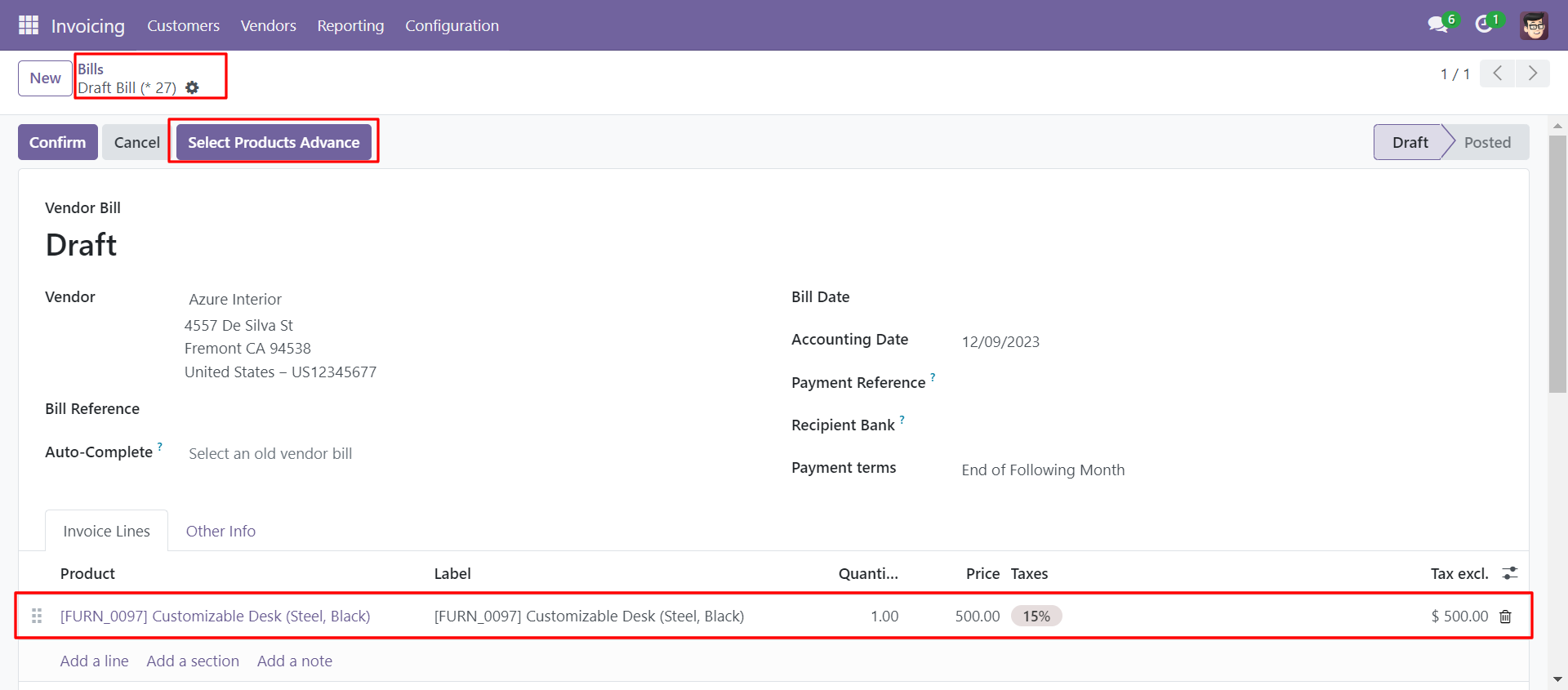
You can also search and select products in vendor bill
In Search Products Settings, Select product fields and attributes that you want to search.
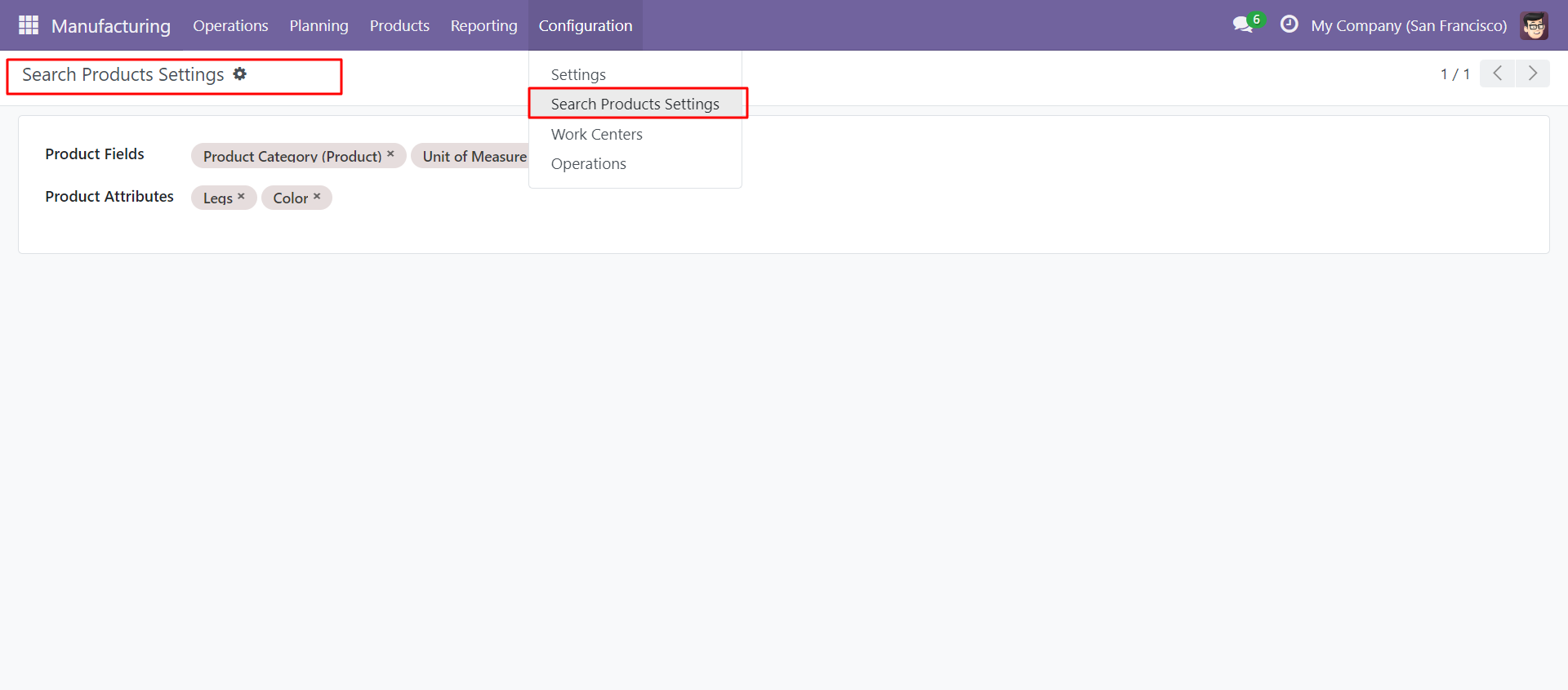
You can select product template and product fields as you want.
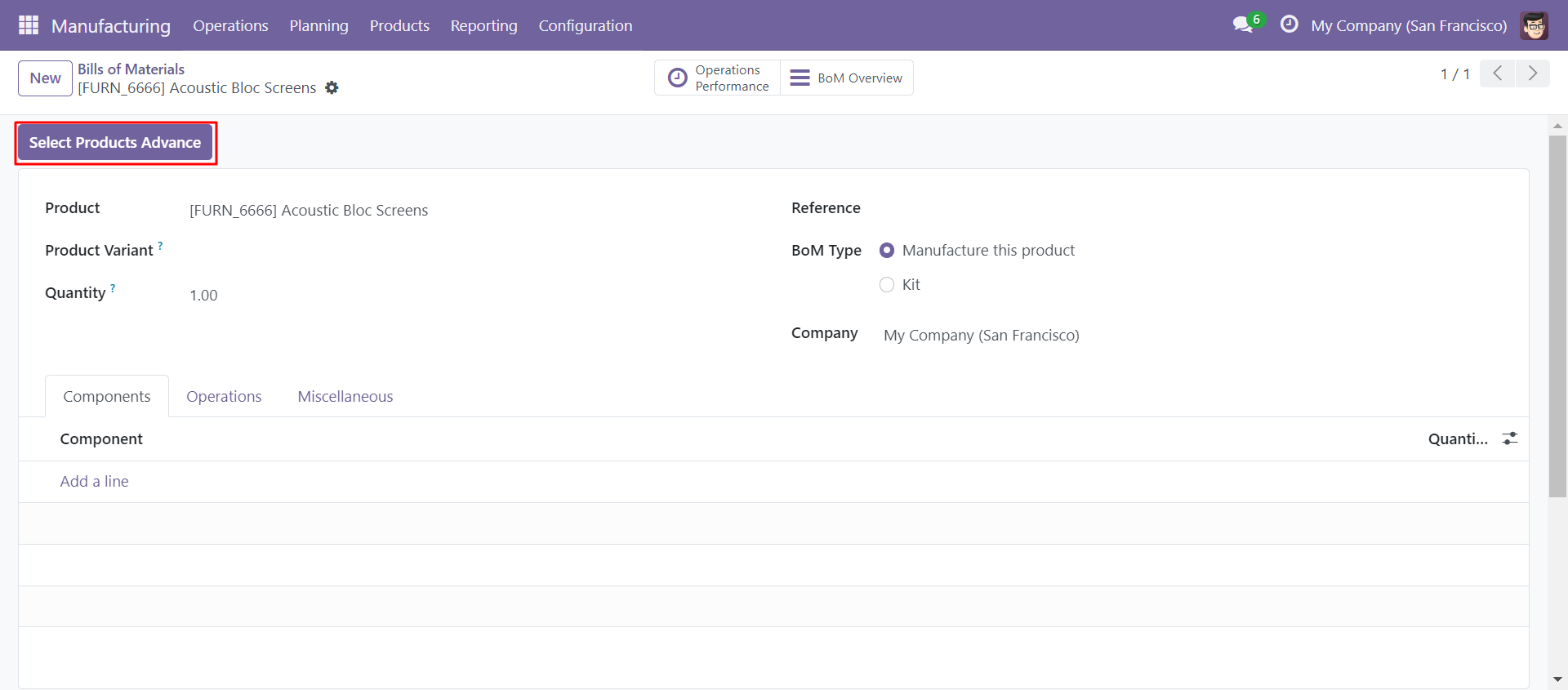
'Select Products Advance' button in Bill Of Materials Form View.
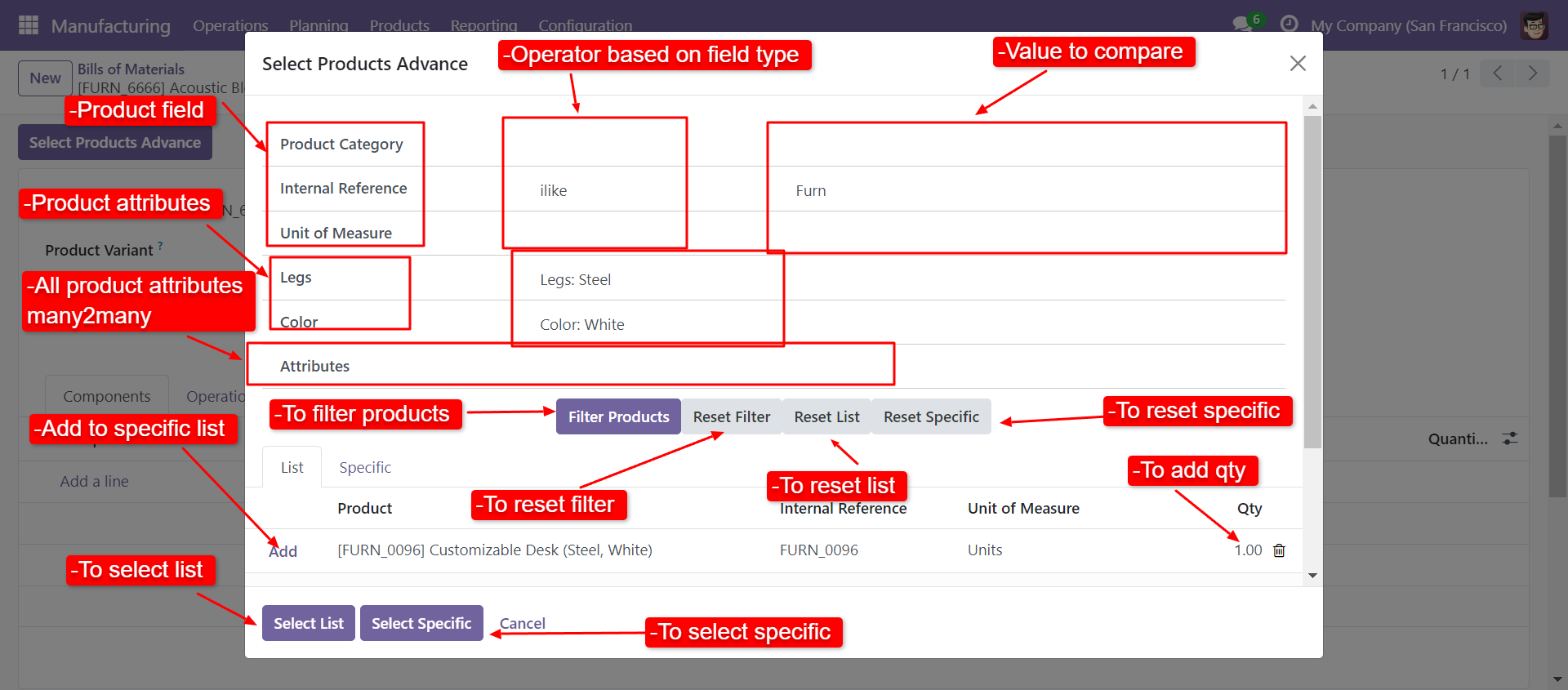
When you click 'Select Products Advance' button, wizard will open that looks like below. Wizard contains all the fields and attribute that you selected in settings, related comparison operators and Filter button, Reset button.
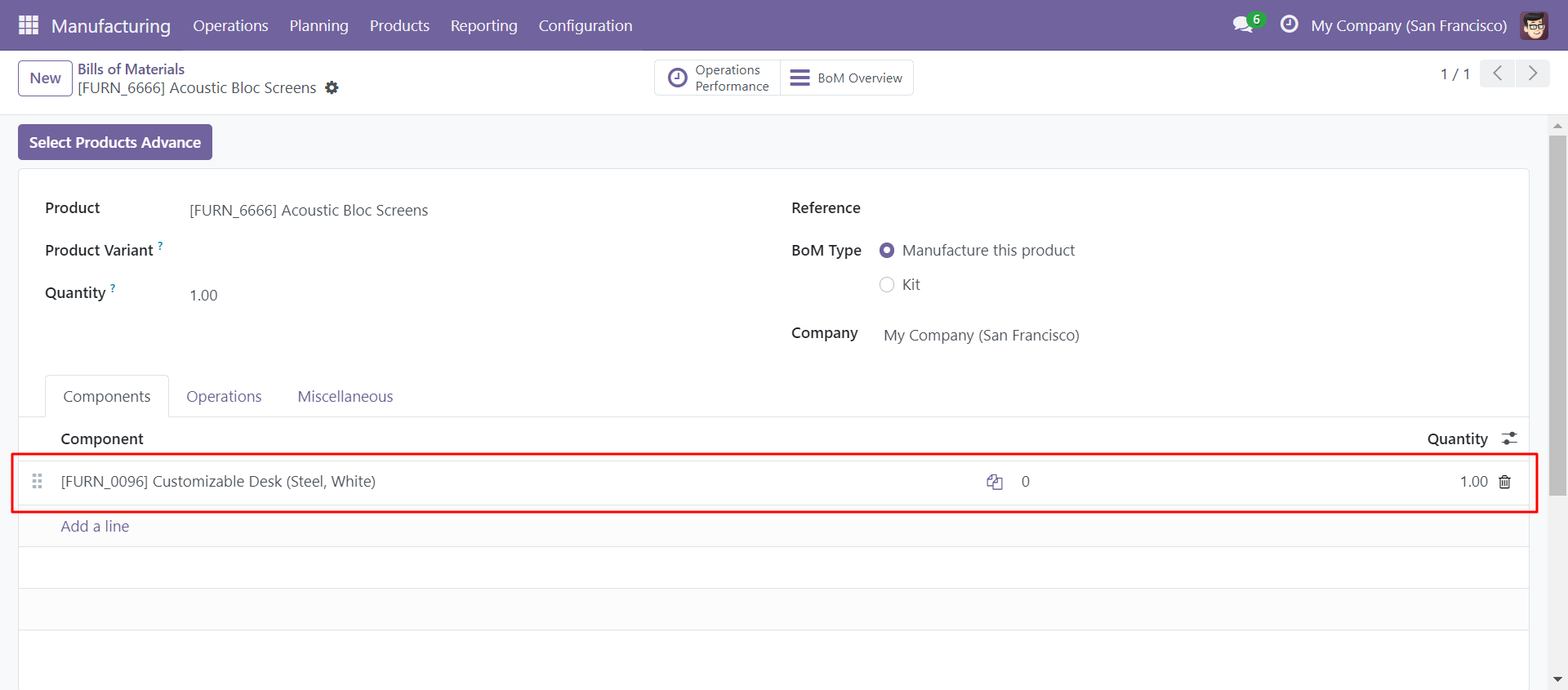
When you click 'Select List' or 'Select Specific' button in wizard, All the products and it's qty automatic add in bom line from List or Specific tab of wizard.
Version 18.0.3 | Released on : 24th March 2025
Version 18.0.2 | Released on : 19th March 2025
Version 18.0.1 | Released on : 4th September 2024
- Yes, this app works perfectly with Odoo Enterprise (Odoo.sh & On-Premise) as well as Community.
- No, this application is not compatible with odoo.com(odoo saas/Odoo Online).
- Please Contact Us at sales@softhealer.com to request customization.
- Yes, you will get free update for lifetime.
- No, you don't need to install additional libraries.
- For version 12 or upper, you will need to purchase the module for each version that you want to use.
- Yes, we provide free support for 100 days.
- No, We do not provide any kind of exchange.
