













Age Verification Popup

This module is useful for showing age popups on the website. So only verified or allowed-aged users can access the website. You have to set a minimum age for visitors. If the visitor's age is less than the allowed age, they can not access the website and redirect to the fallback URL. You can set customizable images, messages, colors & styles for the age popup!

Related Modules
Features
-
We have below styles for popups on the website,
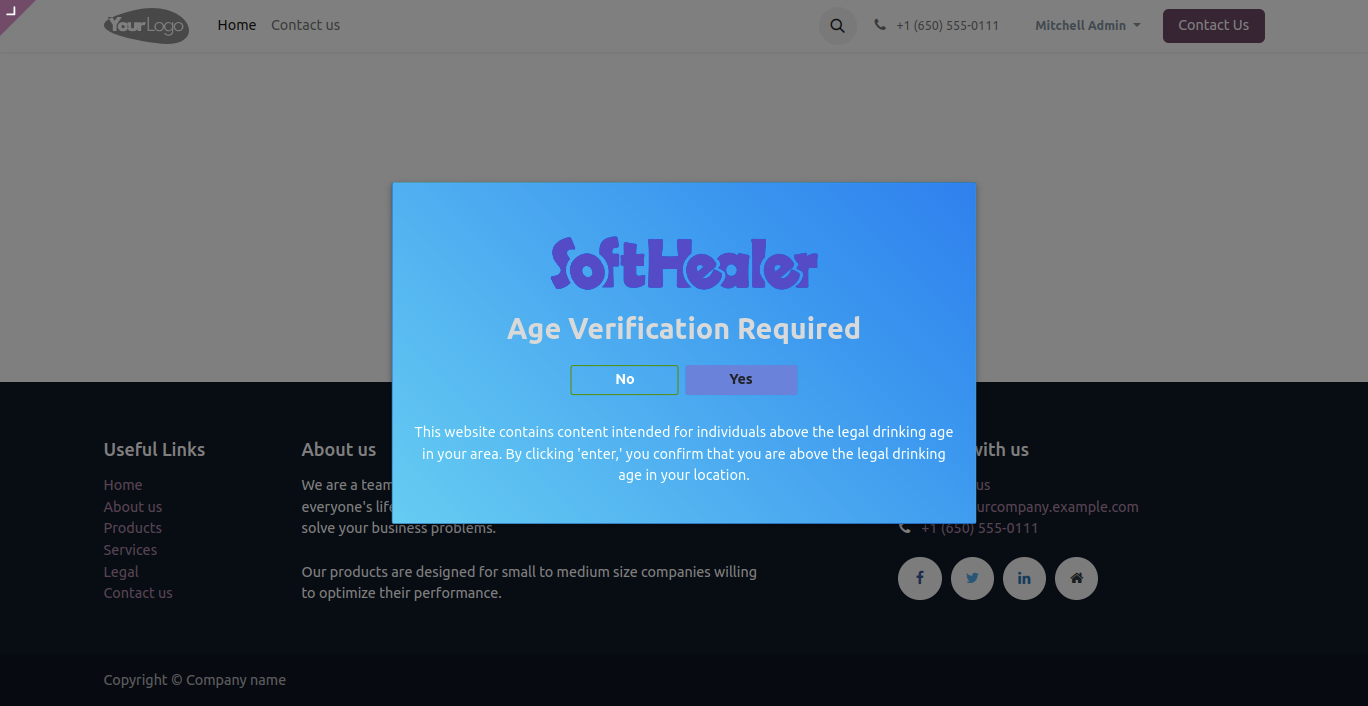
Style 1: Displays confirmation popup to visitors that visitor is authorized person to visit the website.
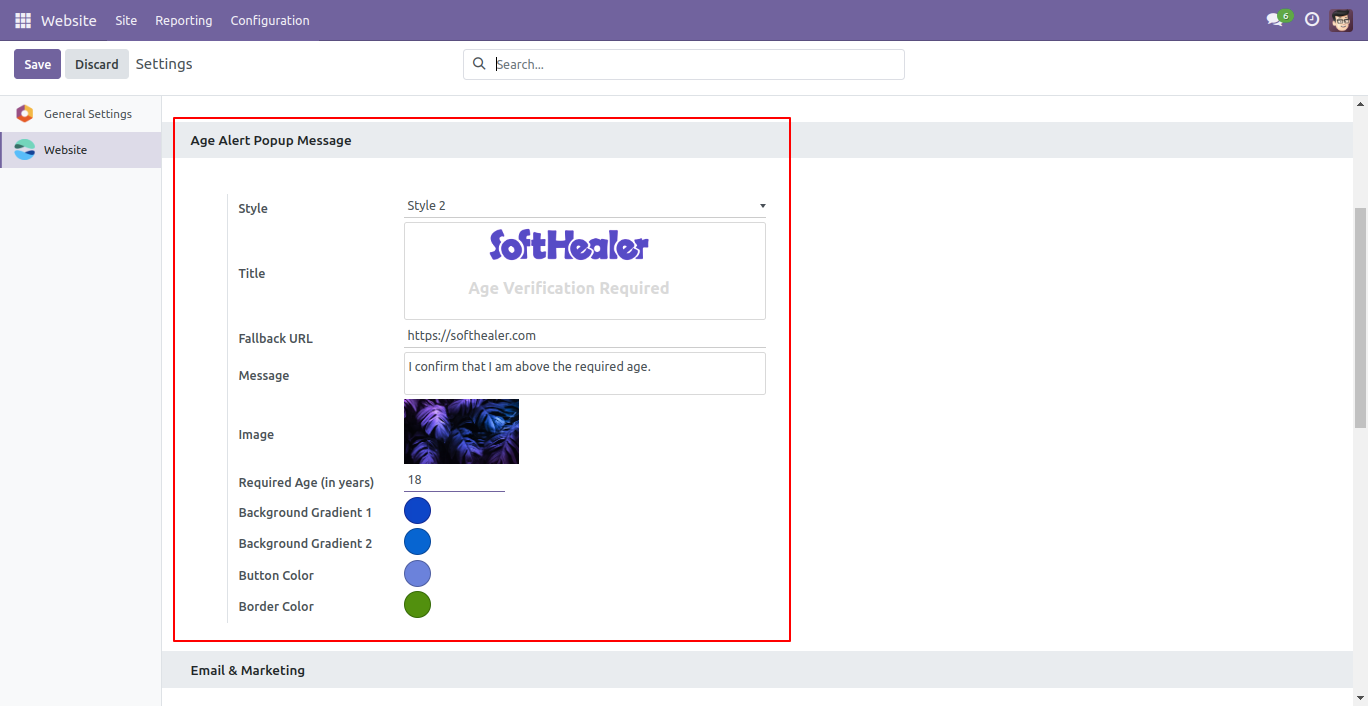
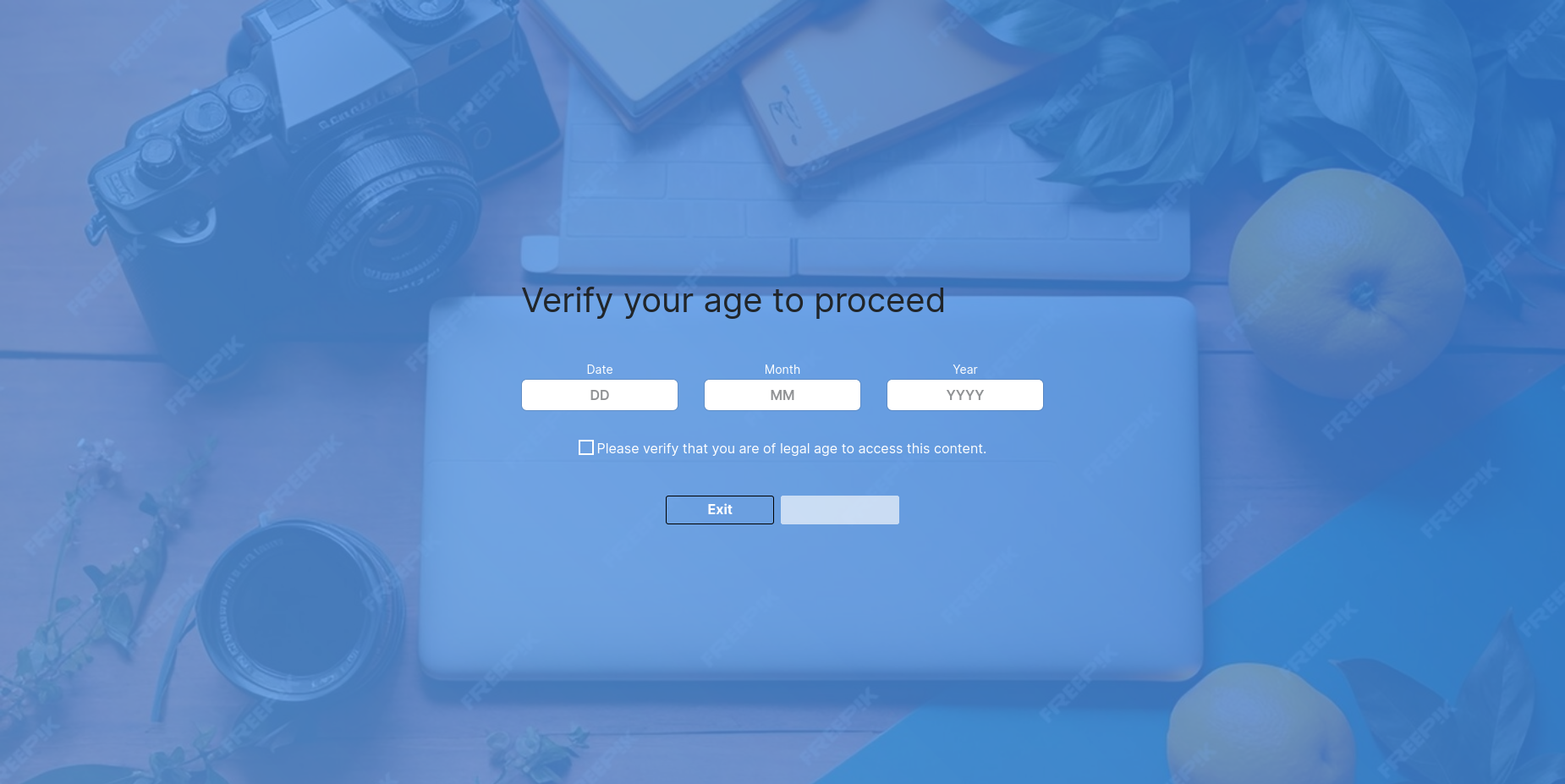
Style 2: You have to set a minimum age for visitors. When visitors come, they have to enter their birth date If the visitor's age is less than the allowed age, then they can not access the website. - We provide a customizable image, message, color & style for the age popup.
Go to the settings => website for the age alert popup.
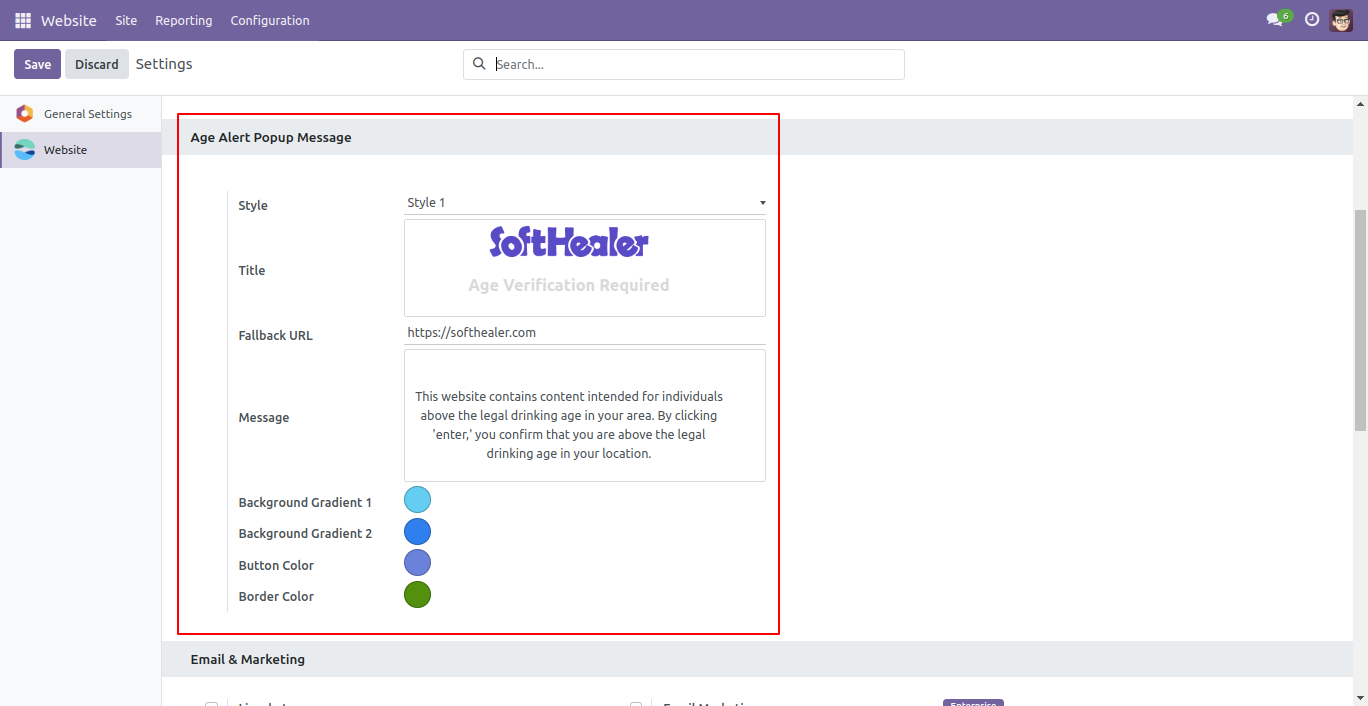
Choose the message, title & fallback URL for style-1,
You can choose the background colour and background gradient colour as per your choice.
Age alert popup style-1 at the website looks like below.
Click on the 'No' button.
When you click the 'No' option, you will be redirected to the Google page.
Click on the 'Yes' button.
When you click the 'Yes' option, you will be redirected to the page specified in the website configuration.
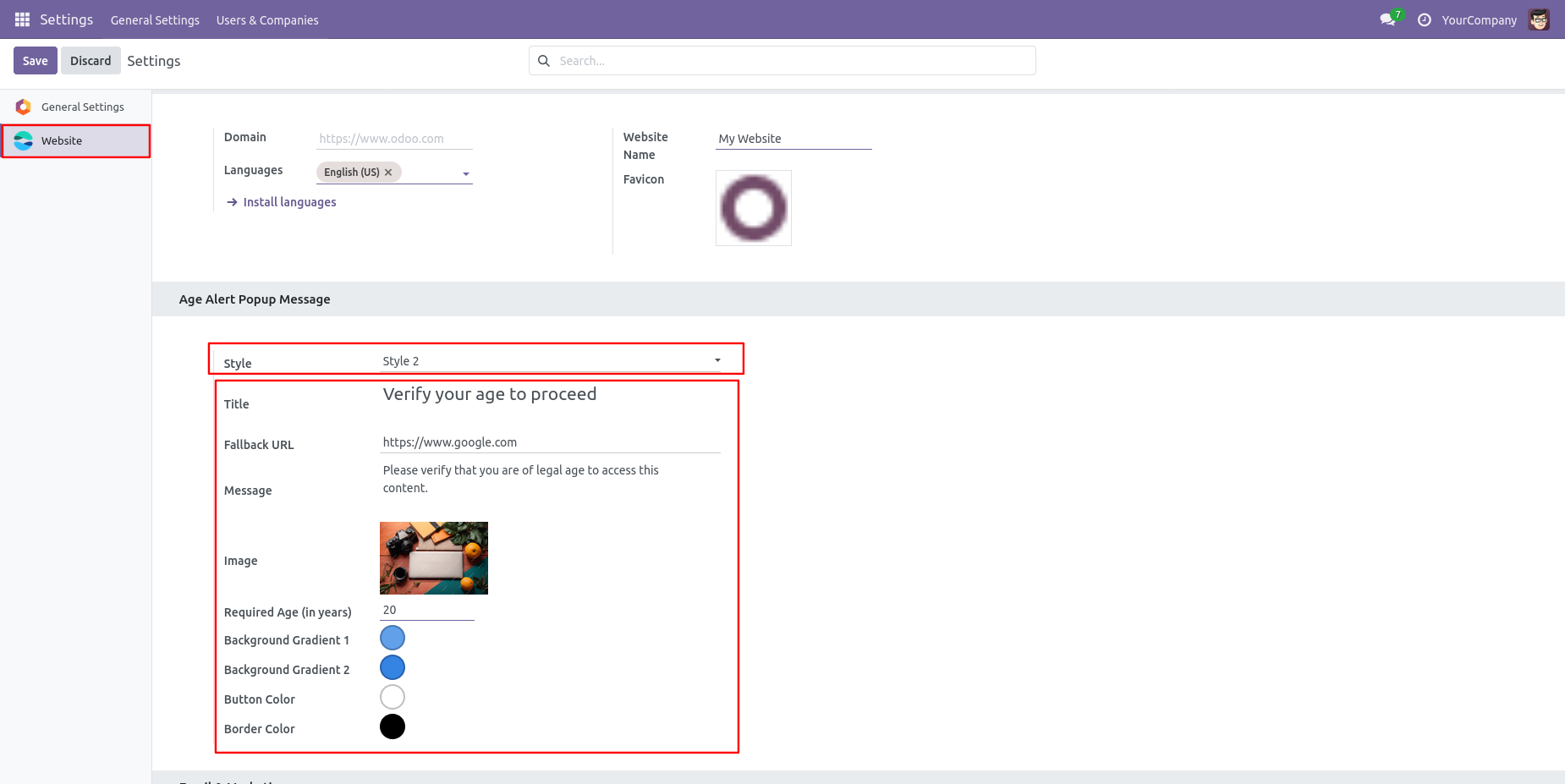
Choose the message, title, background image, required age & fallback URL for the style-2, You can choose the background color and background gradient color as per your choice.
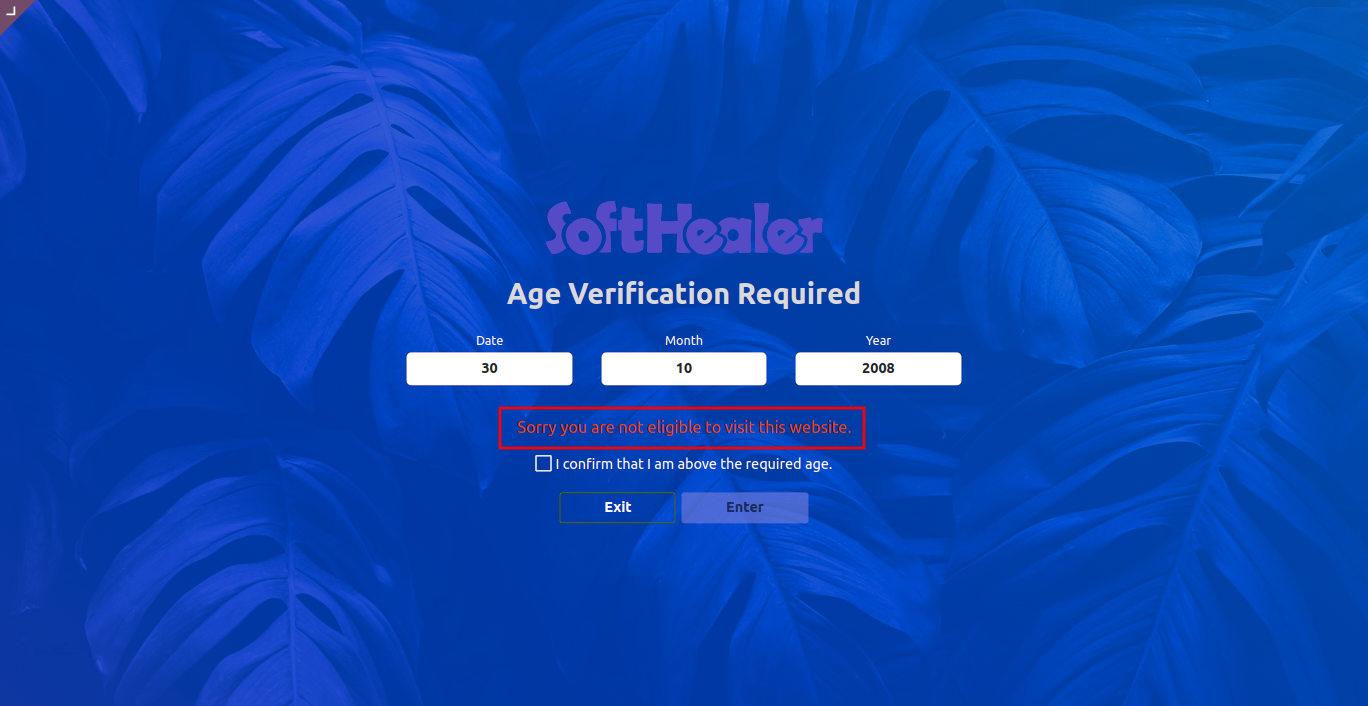
Age alert popup style-2 on the website looks like below.
It gives an alert if your age is less than the required or allowed age.

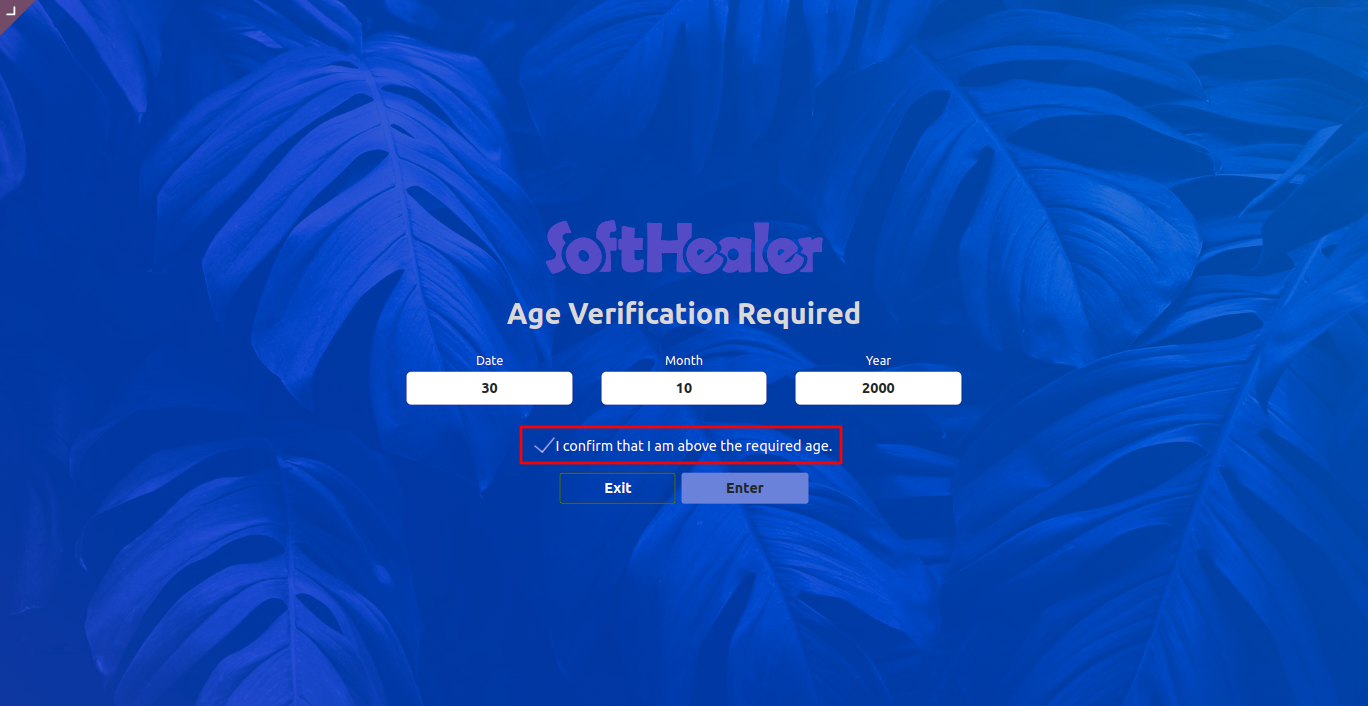
After all the correct details, visitors can enter the website.

Version 18.0.1 | Released on : 10th October 2024
- Yes, this app works perfectly with Odoo Enterprise (Odoo.sh & On-Premise) as well as Community.
- No, this application is not compatible with odoo.com(odoo saas/Odoo Online).
- Please Contact Us at sales@softhealer.com to request customization.
- Yes, you will get free update for lifetime.
- No, you don't need to install additional libraries.
- For version 12 or upper, you will need to purchase the module for each version that you want to use.
- Yes, we provide free support for 100 days.
- No, We do not provide any kind of exchange.
