












Advanced Filter for eCommerce

This module allows you to create dynamic and flexible product filters on your Odoo eCommerce store. It supports multiple filter types including Checkbox, Dropdown, and Color Picker. Easily group filters like brands, sizes, or colors, and assign them directly to product templates. Enhance customer search experience and drive more sales.

Features

Multiple Filter Types
Create filters using Checkbox, Dropdown list, or Color Picker interfaces.

Filter Values Setup
Easily configure and manage filter values to organize products and improve website product filtering.

Product Filter Assignment
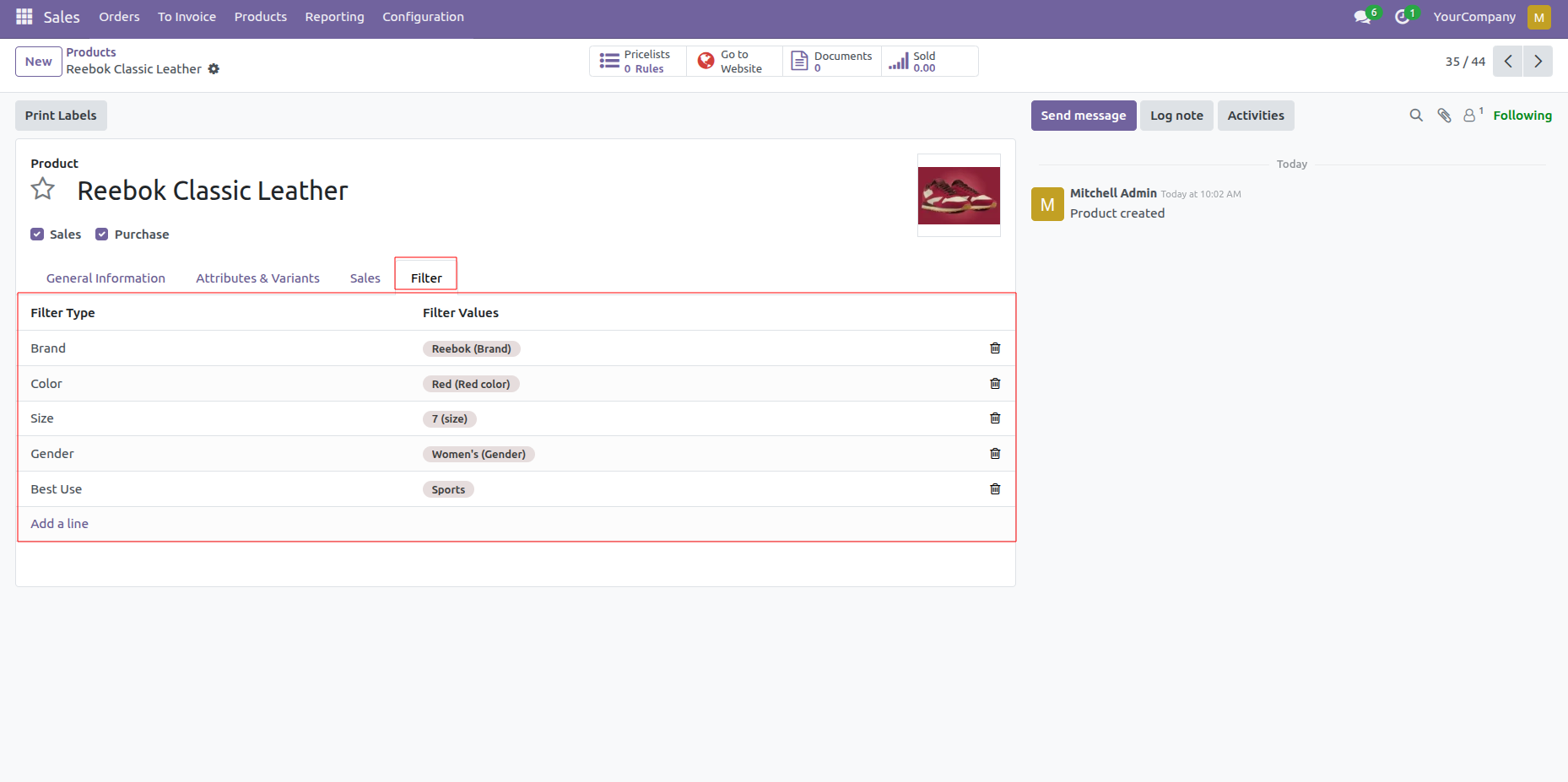
Assign filters and filter values directly on the Product's Filter tab to make the product more organized.

eCommerce Filter Management
Enable configured filters on the website to help customers quickly find relevant products based on their preferences.
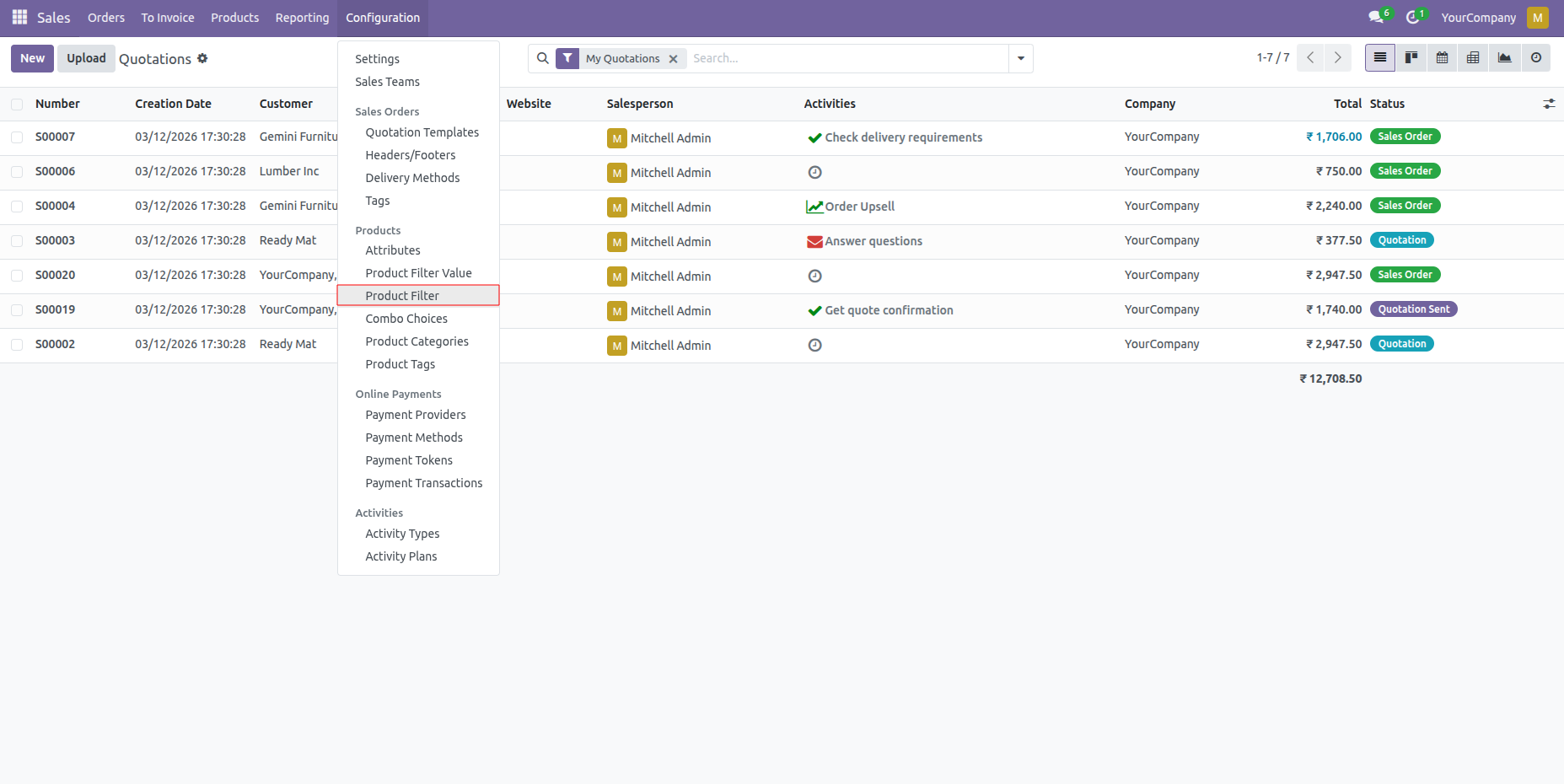
Go to Sales -> Configuration -> Products -> Product Filter menu.
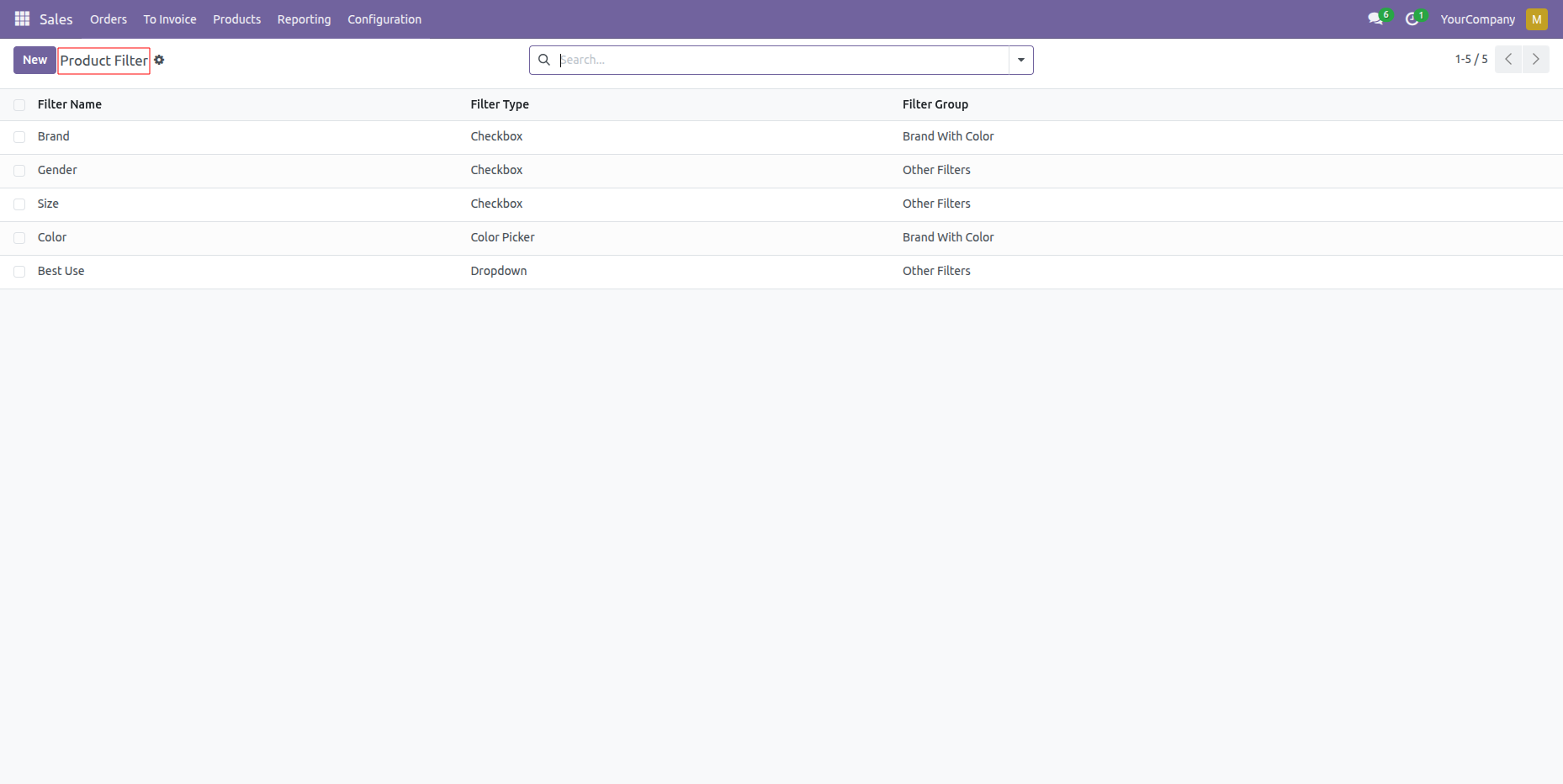
Create and view product filters with different filter types (Checkbox, Dropdown, Color Picker) and their assigned filter groups.
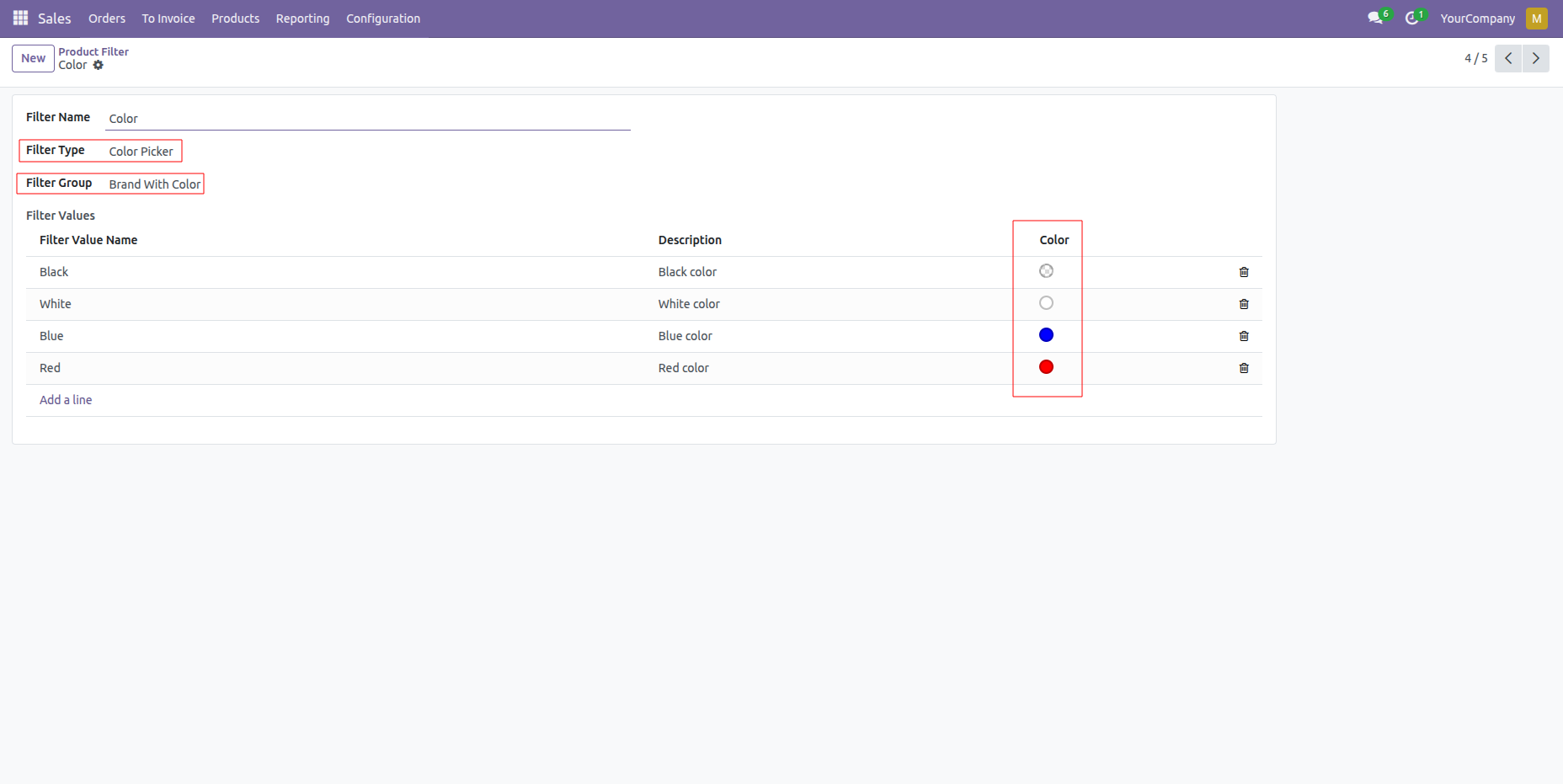
Configure filter options in detail, such as setting up color values for the Color Picker filter type.
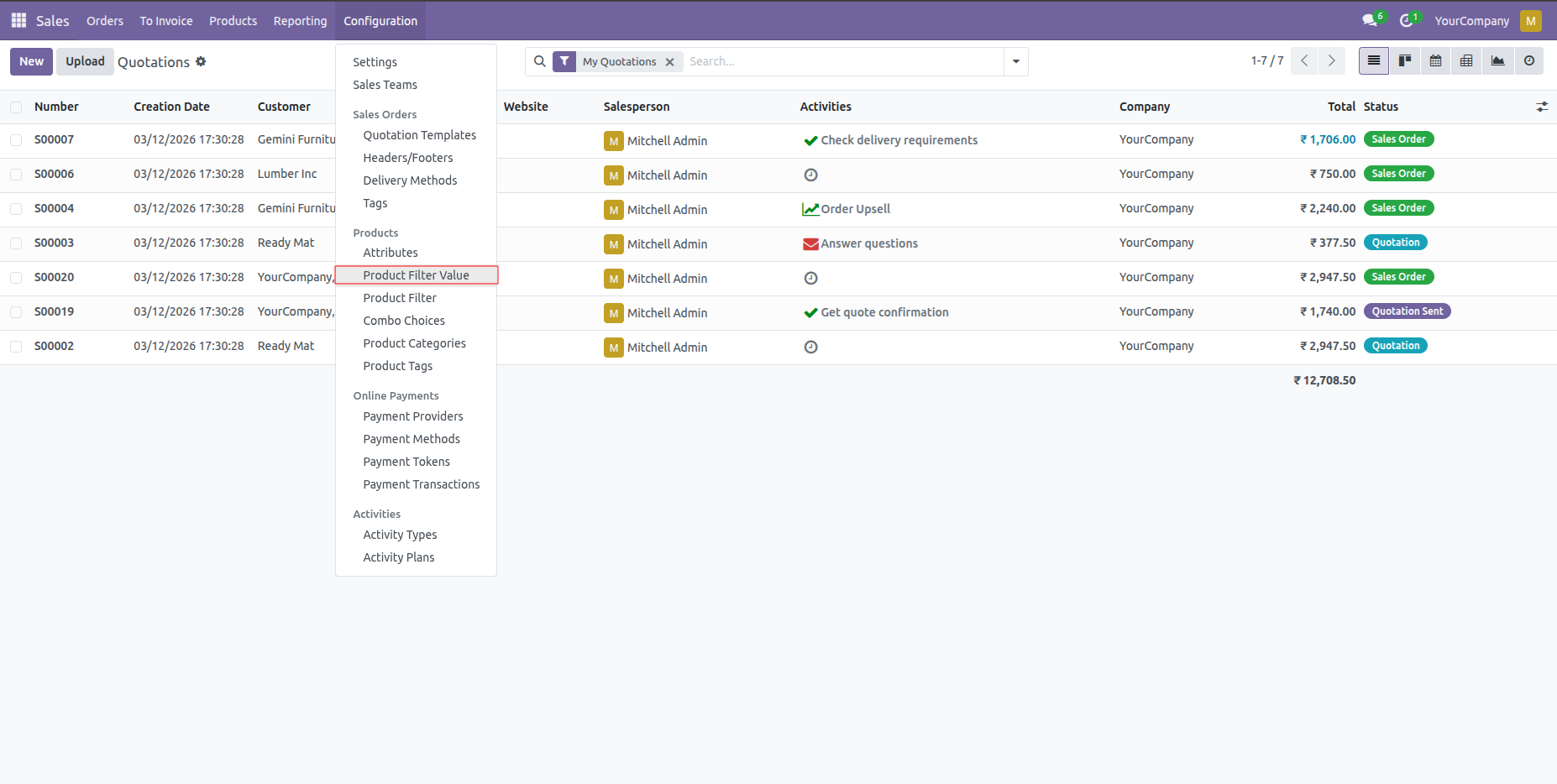
Navigate to Sales -> Configuration -> Products -> Product Filter Value.
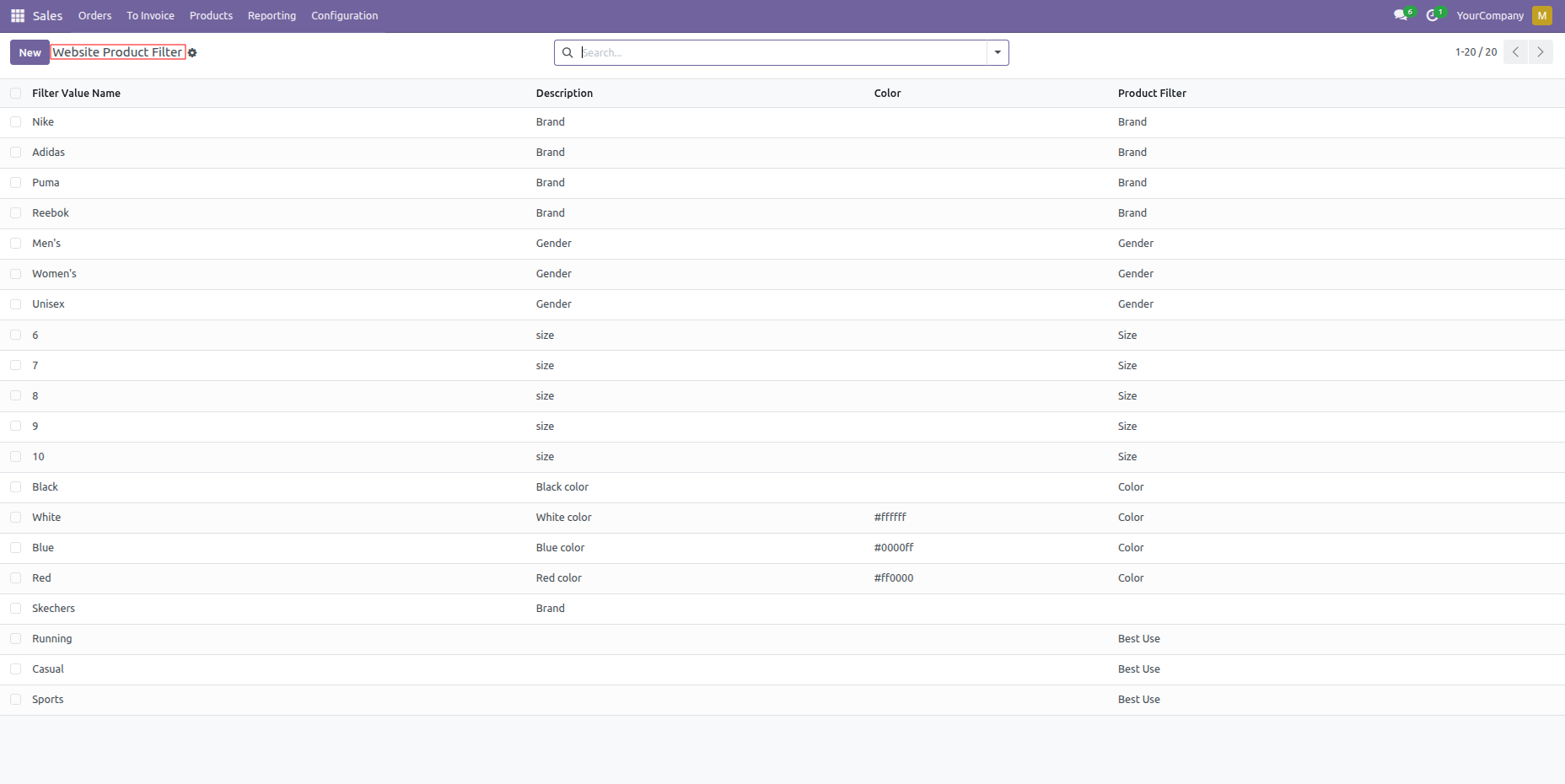
View the list of all created product filter values alongside their corresponding parent filters.
Assign specific custom filter values to a product directly within the product's dedicated "Filter" tab.
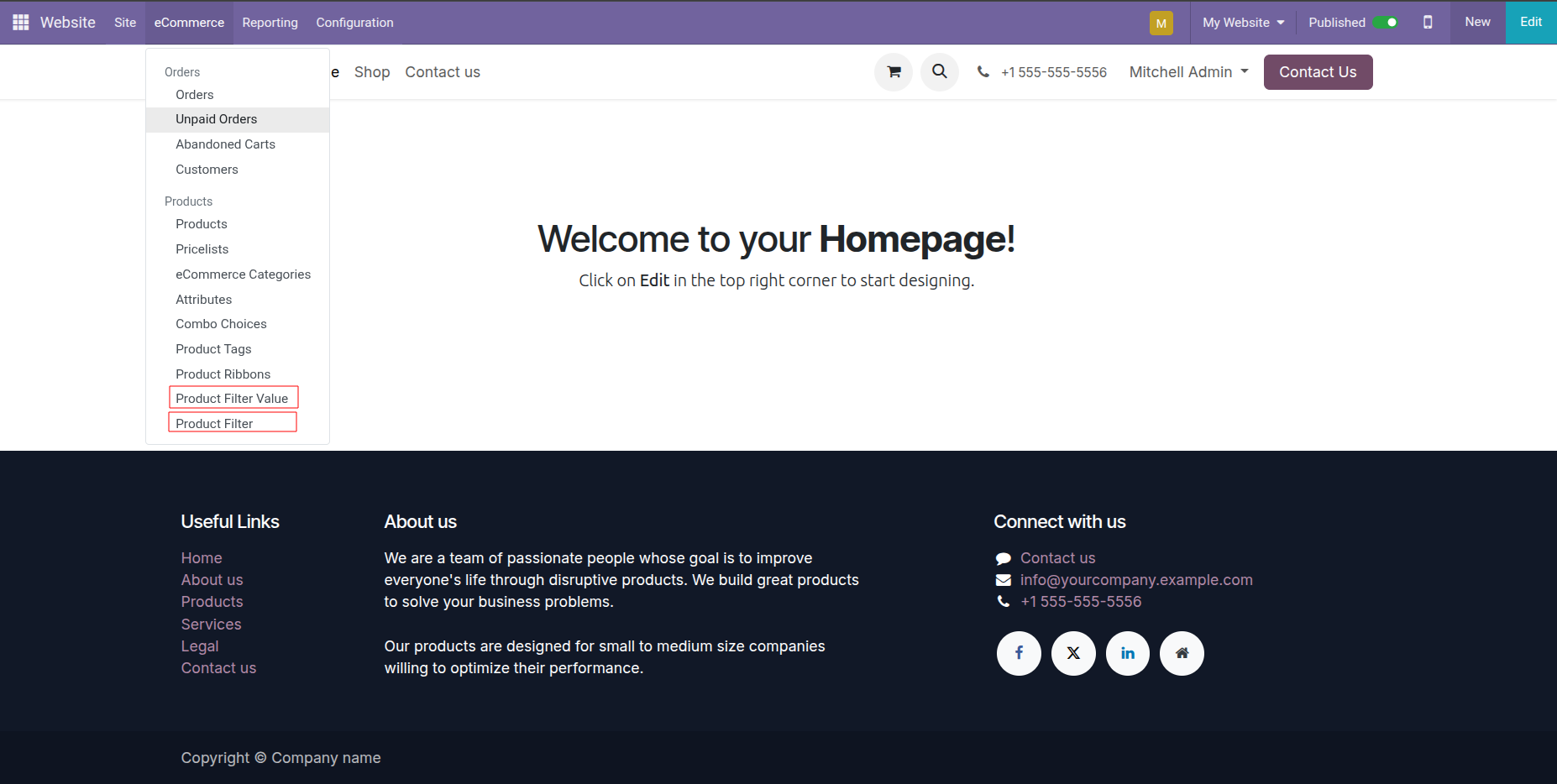
Access the product filter and value configuration menus directly from the Odoo Website backend (under eCommerce -> Products).
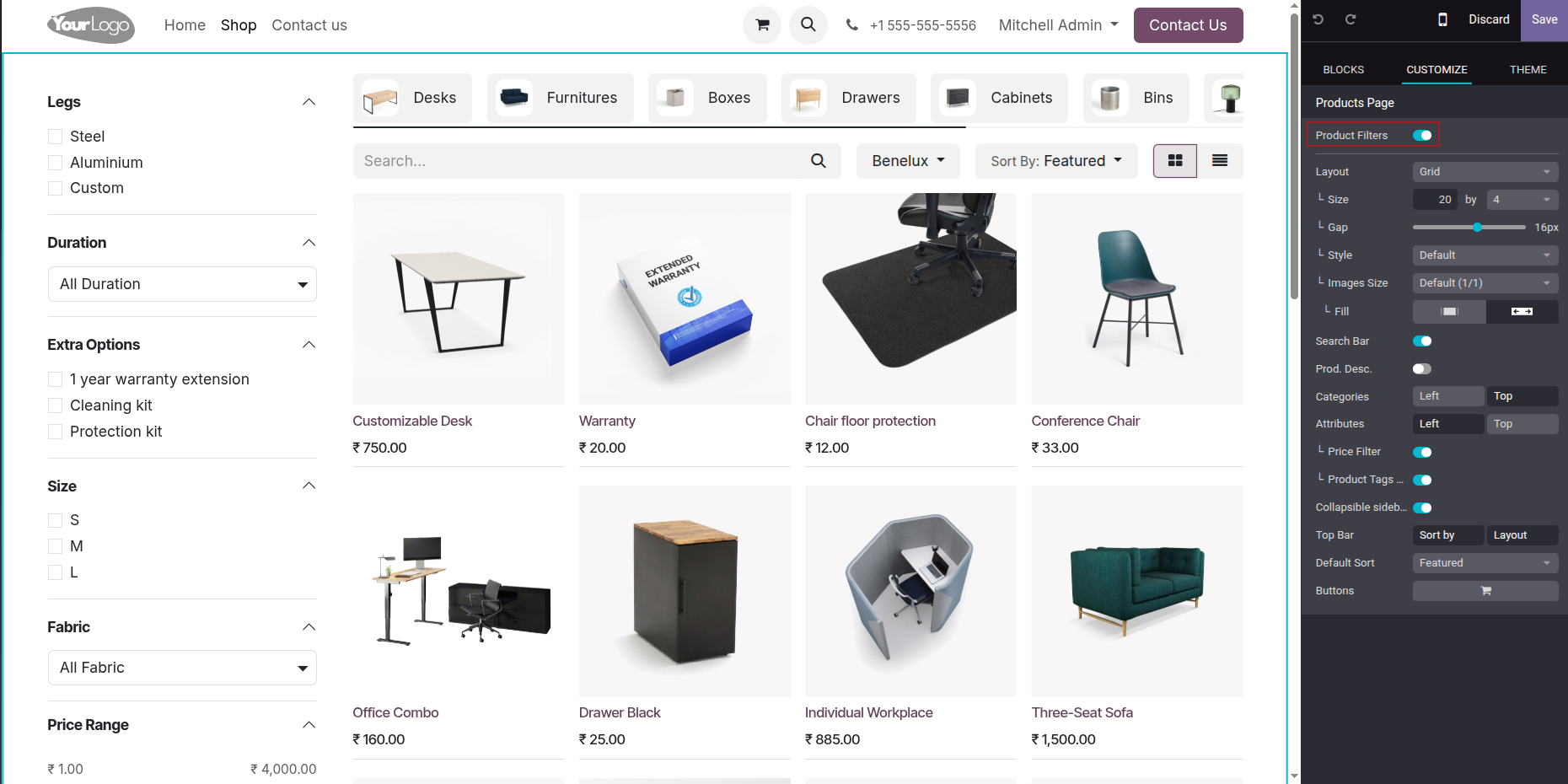
Enable the custom product filters easily on the Shop page using Odoo Website's frontend Customize/Edit panel toggle.
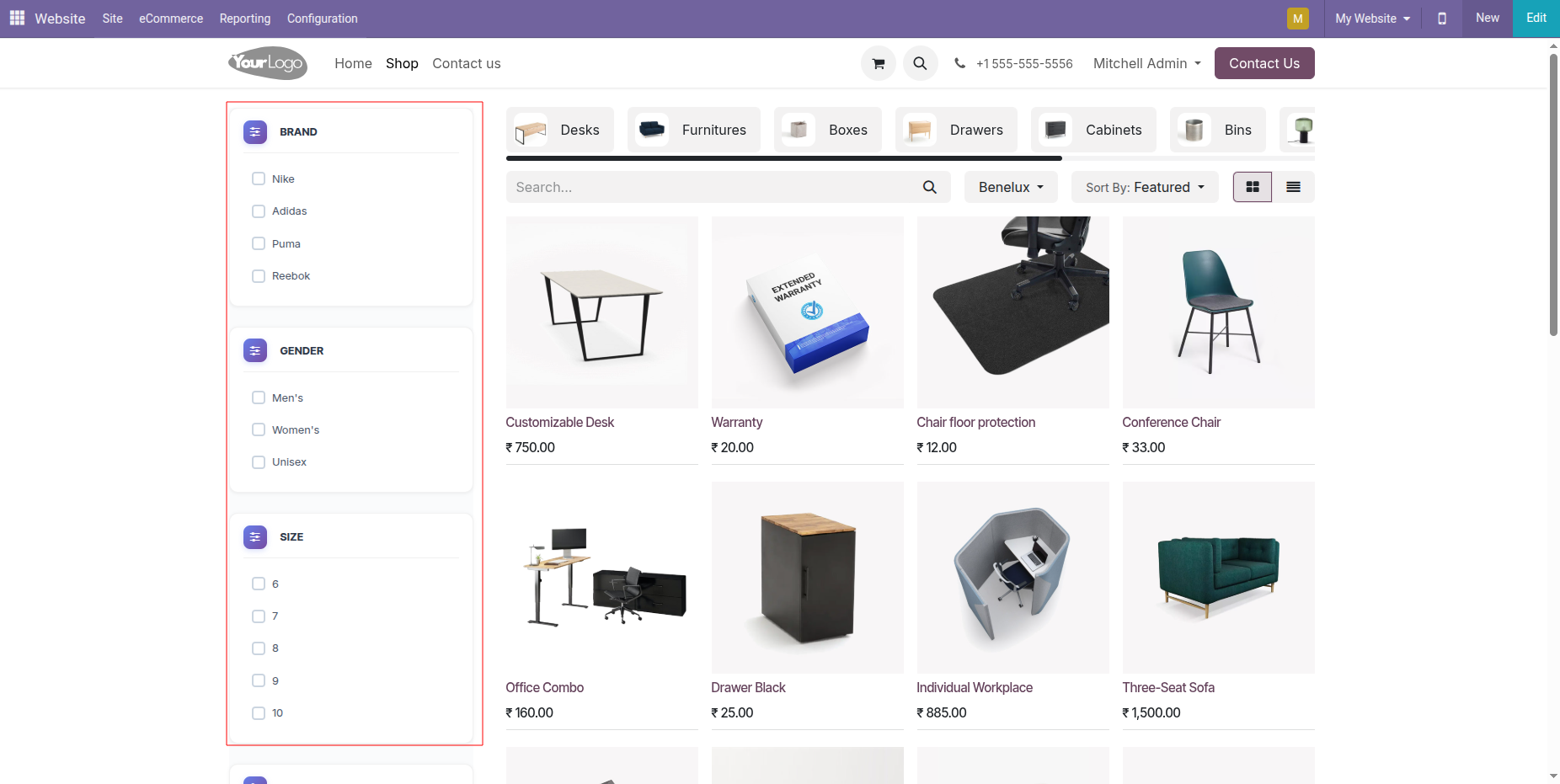
See the custom filters (Brand, Gender, Size) displayed as checkboxes in the Shop page sidebar.
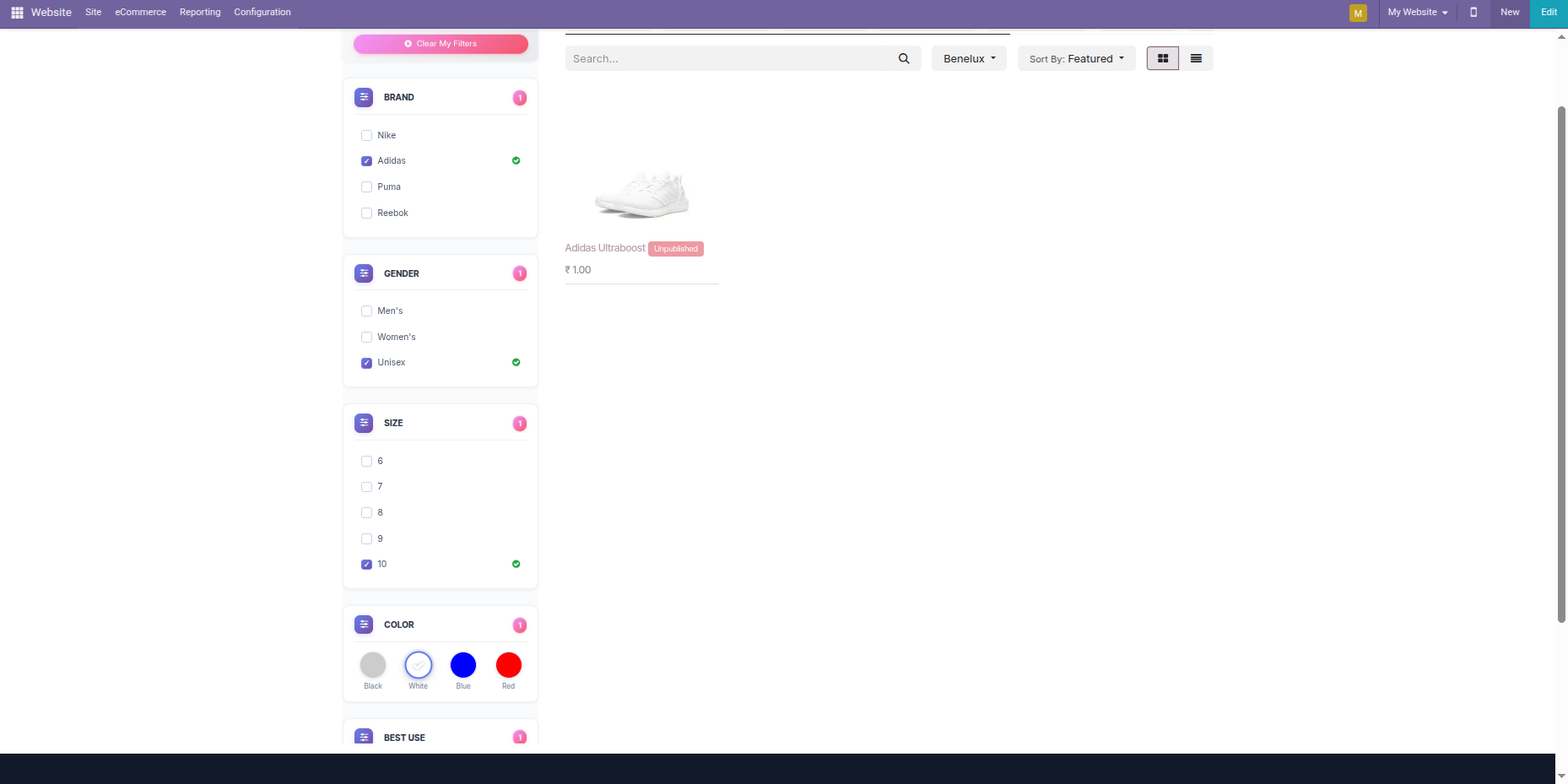
Filter products dynamically by combining multiple options.
Version 18.0.1.0.0 | Released on : 21st August 2026
- Yes, this app works perfectly with Odoo Enterprise (Odoo.sh & Premise) as well as Community.
- No, this application is not compatible with odoo.com(odoo saas/Odoo Online)
- Yes, to test this module, please contact us at sales@softhealer.com.
- Please contact us at sales@softhealer.com to request customization.
- Yes, we provide free support for 365 days from the date of purchase.
- Yes, you will receive lifetime free updates for the version of the module you purchased.
- No, there is no need to install any additional libraries.
- Yes, for version 12 and above, you need to purchase the module separately for each version you intend to use.
- No, exchanges or refunds are not allowed. Please make sure to select the correct version before purchasing.
- You can contact us at support@softhealer.com for language translation support. We use Google Translator tools to provide translations in multiple languages, so the accuracy may vary. We welcome your suggestions to help improve translations.
Discover Our Latest Apps