












Advanced Dynamic Filter & Group By Builder

Advanced Smart Filter & Group By enhances Odoo's search experience by allowing users to create dynamic and model-specific smart filters and group-by options without technical expertise. Configure advanced date-based filters, assign filters to specific users, set default filters, and manage custom grouping rules through an intuitive interface. With validation workflows, users can quickly access relevant data and streamline daily operations across any Odoo model.

Features

Model-Wise Configuration
Create smart filters and group-by options for specific Odoo models with dedicated configurations.

Multiple Filter Definitions
Create multiple filters and group by rules within a single configuration to create powerful search experiences.

Date Range Filters
Create dynamic date-based filters such as Today, Yesterday, Last 7 Days, Last Month, Last Quarter, This Year, and custom day ranges.

User-Based Access
Assign Smart Filters to selected users and control filter availability based on user access.

Draft & Done Stages
Manage Smart Filters through Draft and Done stages with the ability to reset configurations when needed.

Smart Group By
Create custom group-by options and make them available directly within search views.

Search View Integration
Access configured Smart Filters and Smart Group By options directly from the Odoo search panel.

Default Filter Configuration
Set smart filters as default to automatically apply predefined filtering criteria when users open a specific Odoo view.
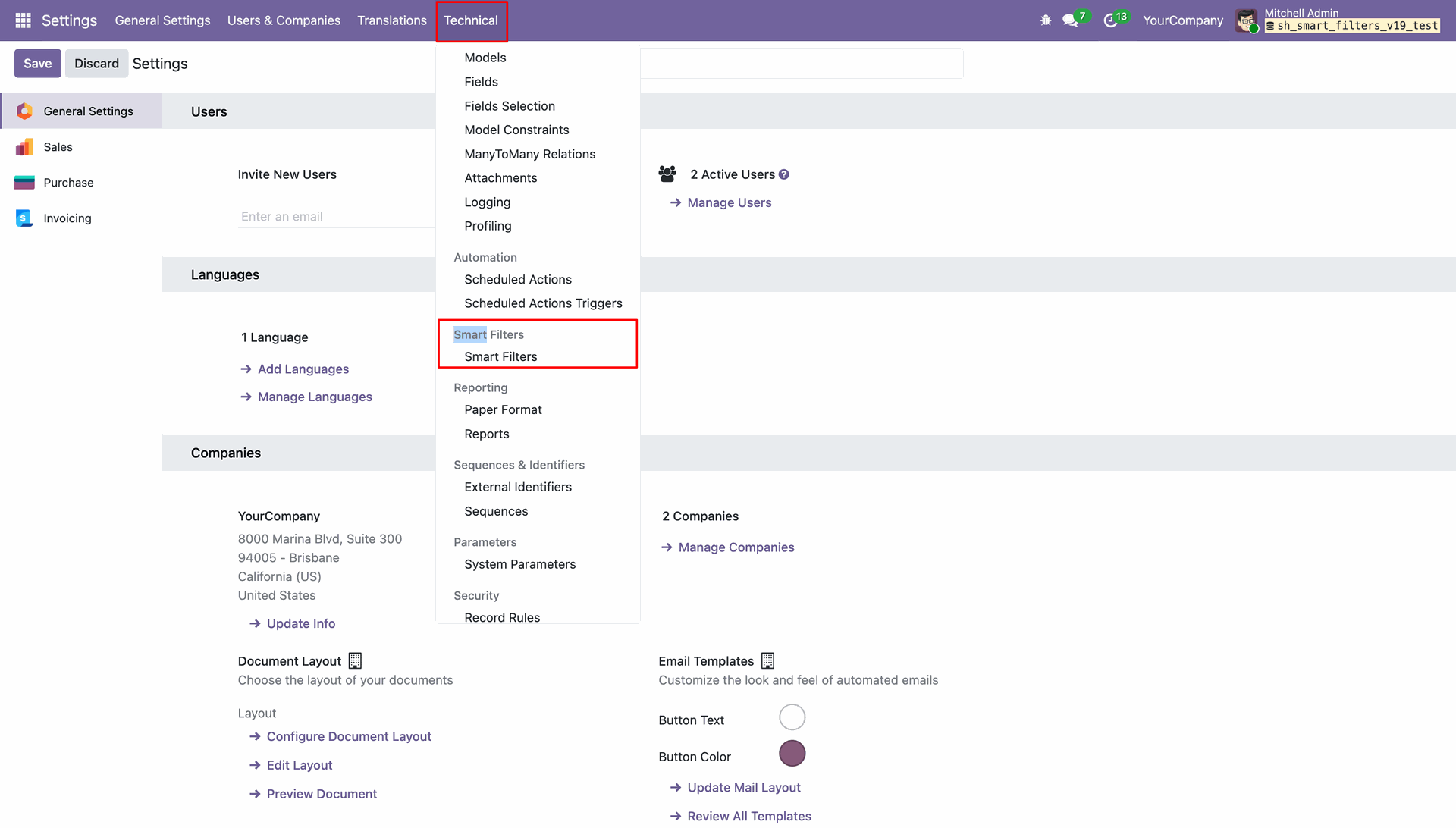
Navigating to the Smart Filters menu under the Technical tab in Odoo Settings to manage advanced data filtering configurations.
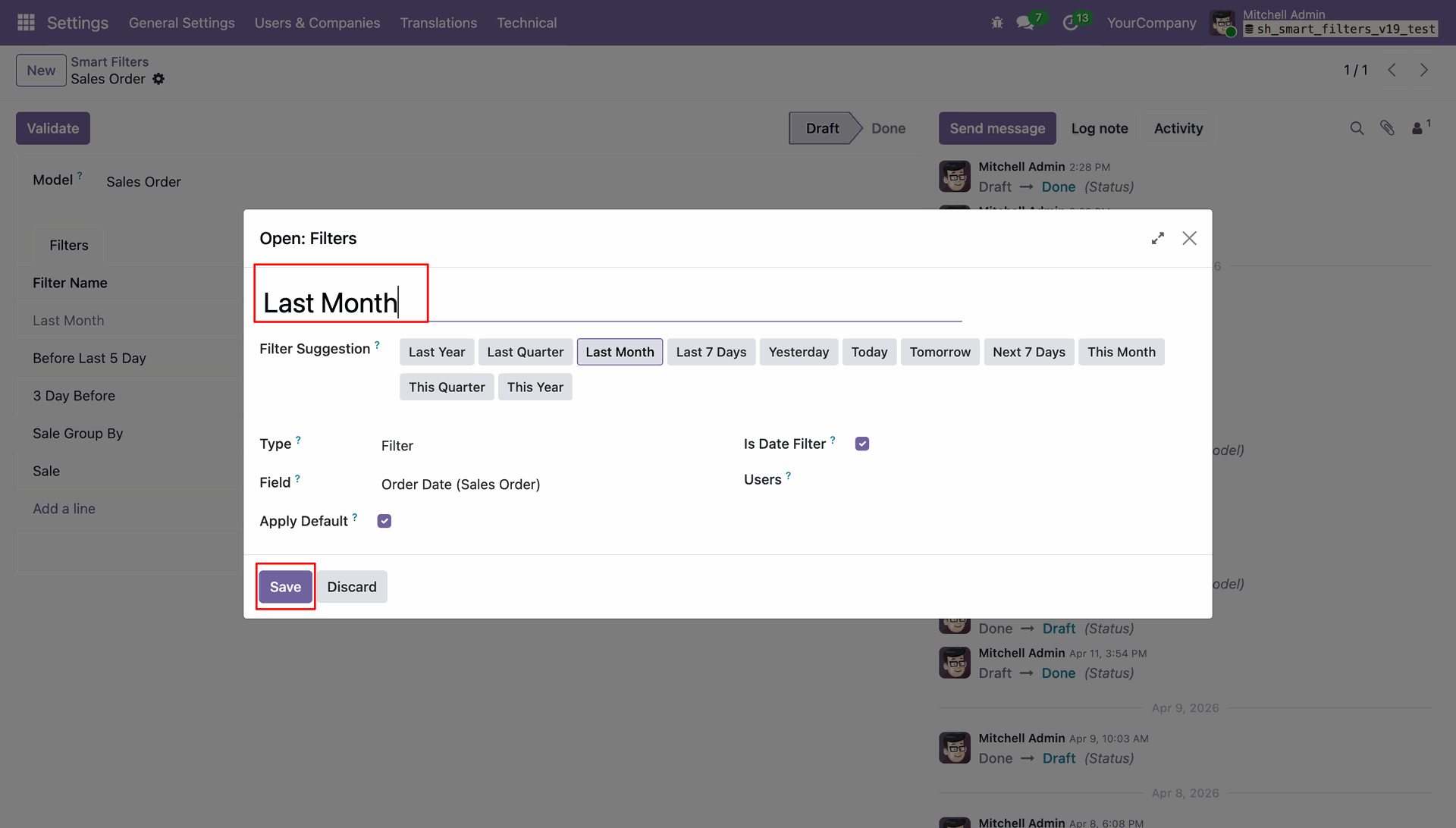
Creating a new "Last Month" date filter for the Sales Order model and clicking Save to apply the configuration.
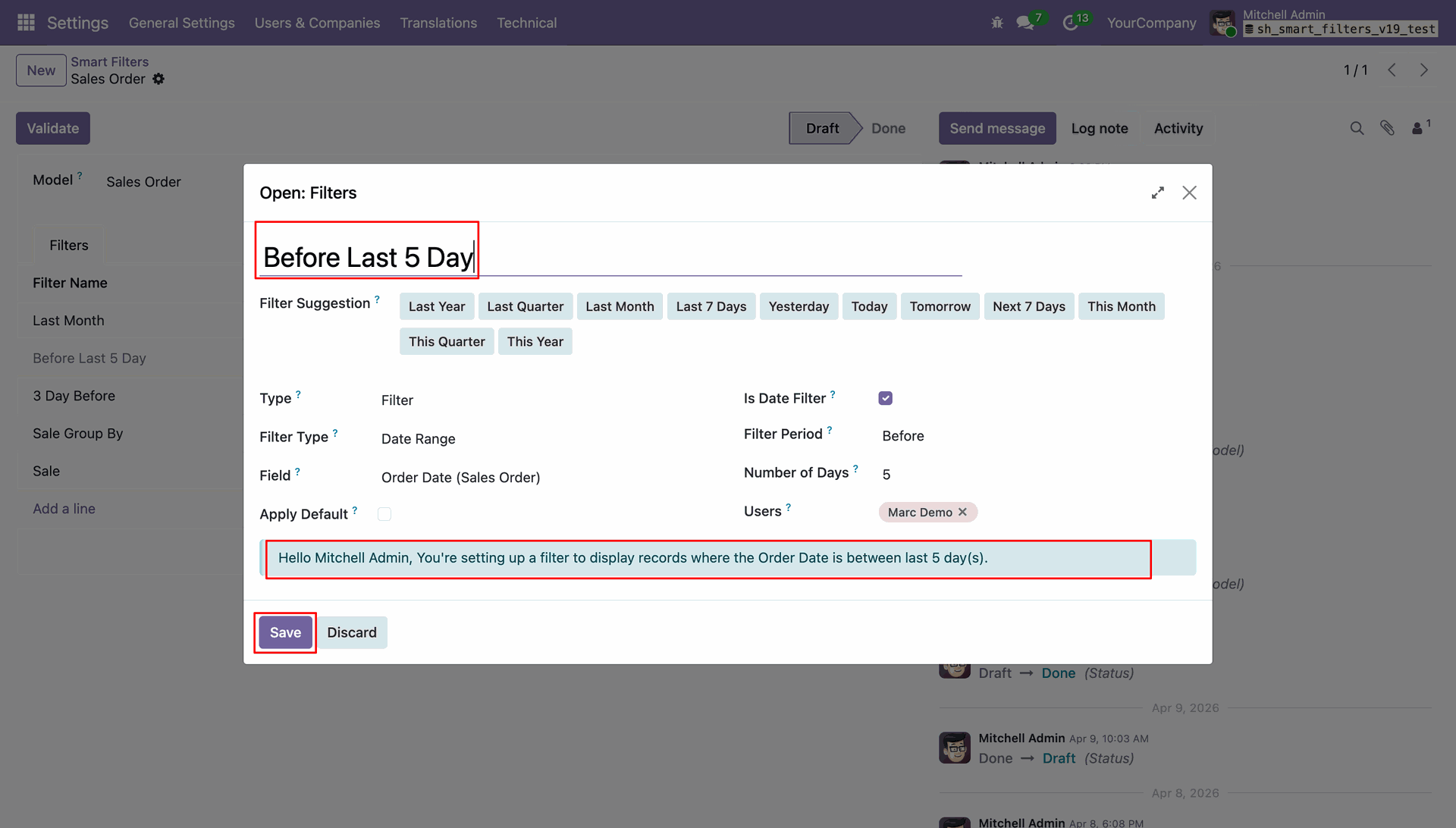
Creating a custom Smart Filter named "Before Last 5 Day" to automatically isolate Sales Orders based on a specific rolling date range.
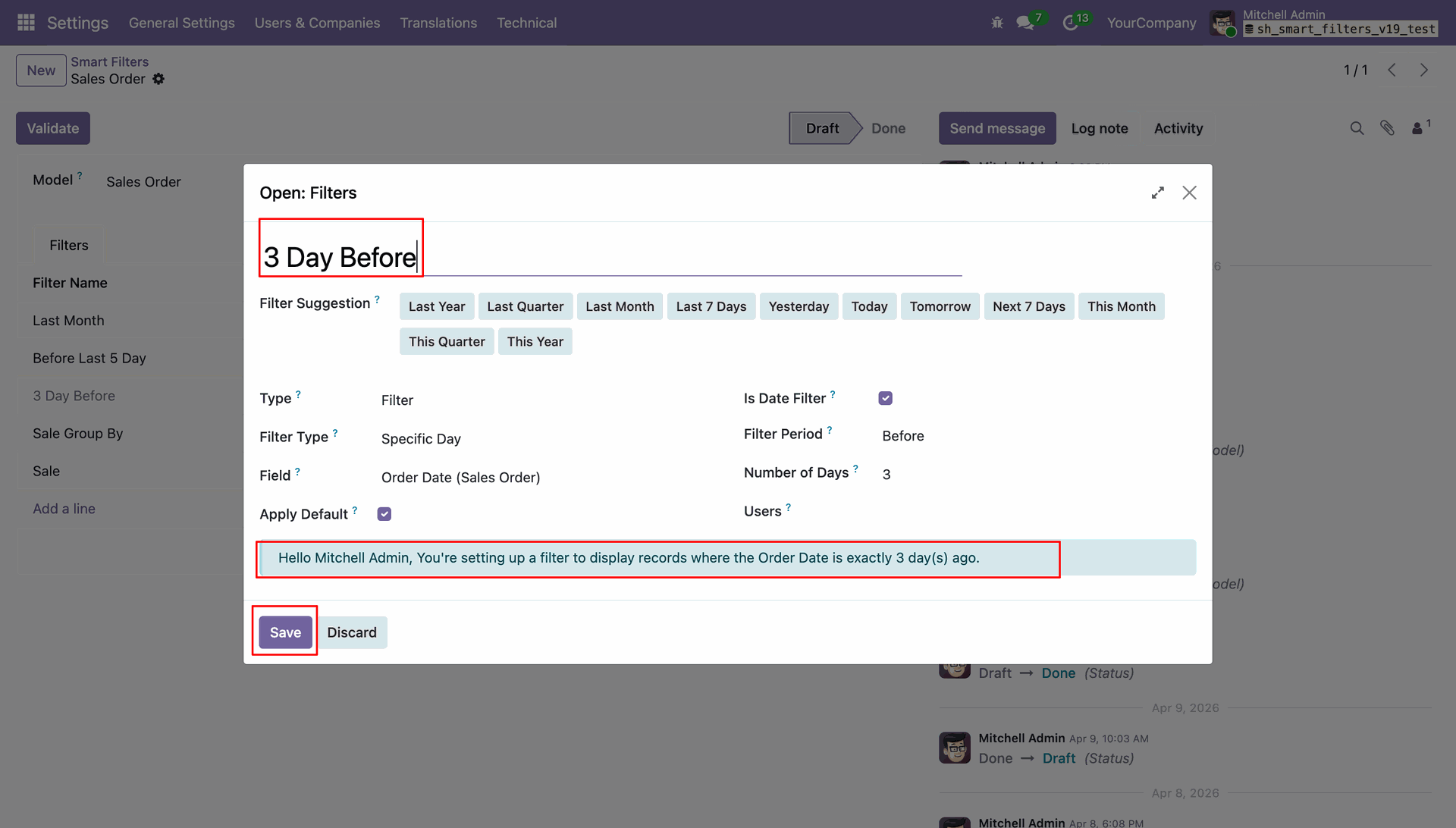
Configuring the 3 Day Before smart filter to isolate Sales Orders where the order date is exactly three days ago.
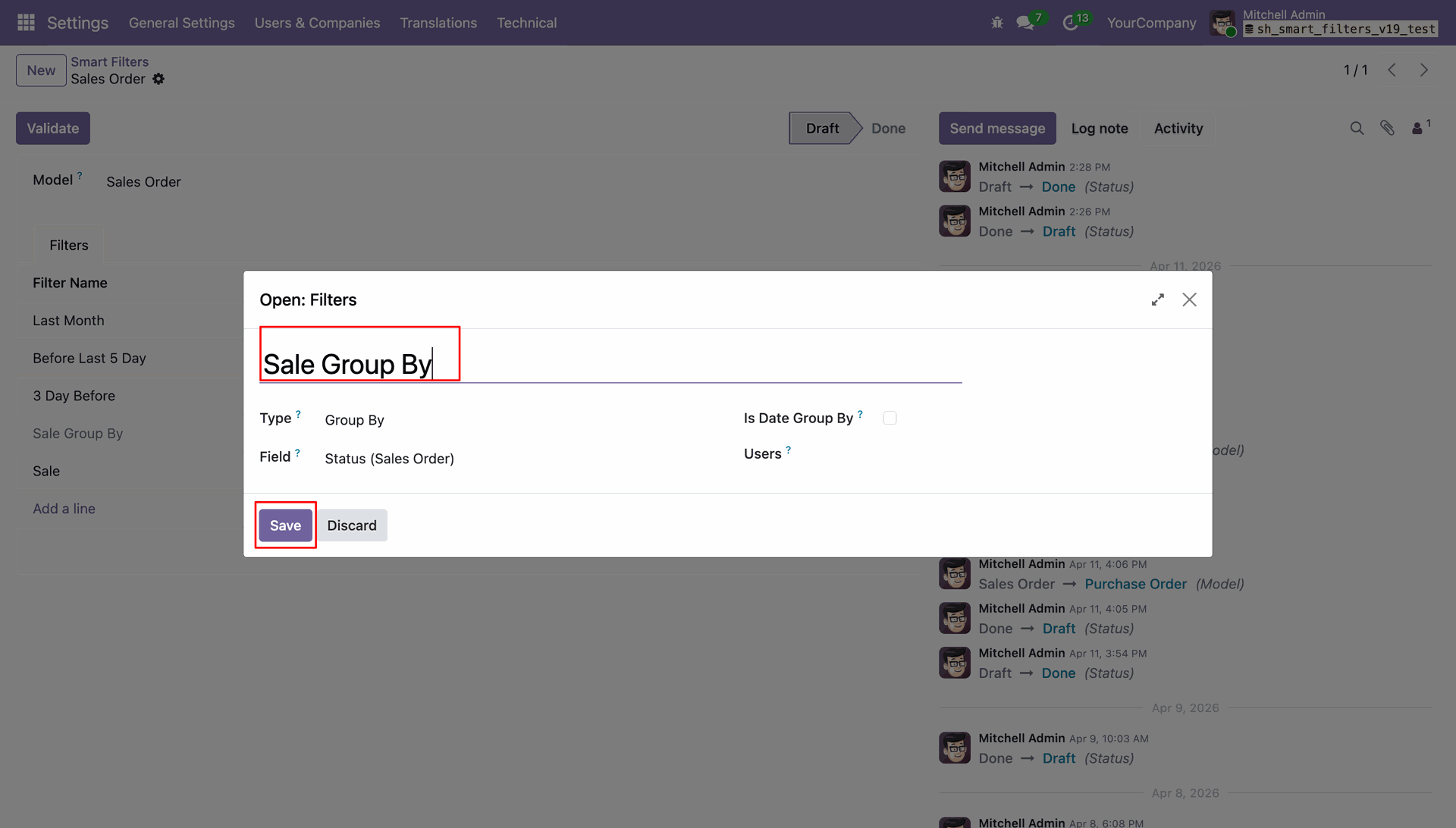
Defining a "Sale Group By" rule to automatically categorize Sales Order records by their current Status.
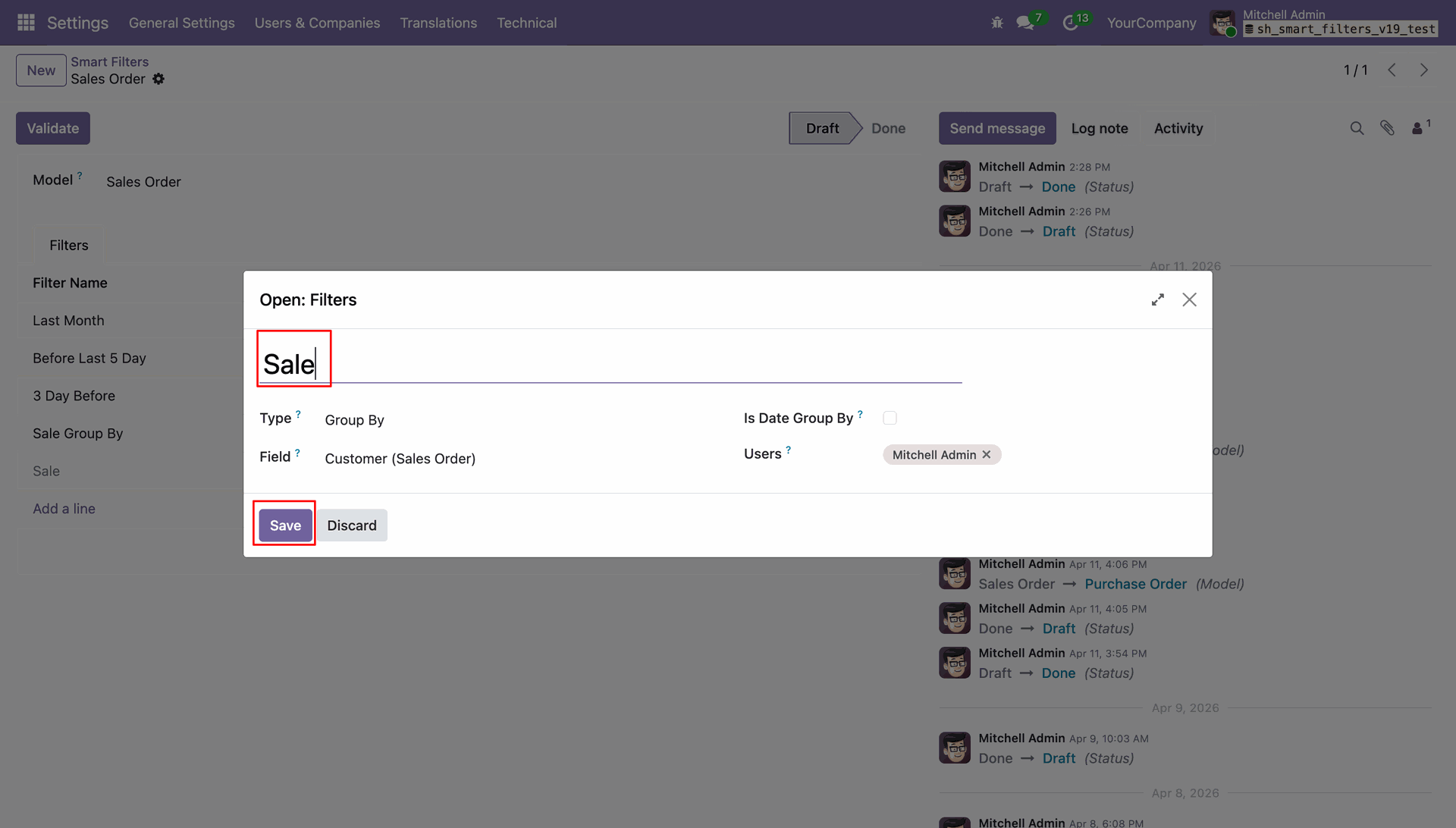
Creating a custom Smart Filter named "Sale" to automatically group Sales Order records by Customer for Mitchell Admin.
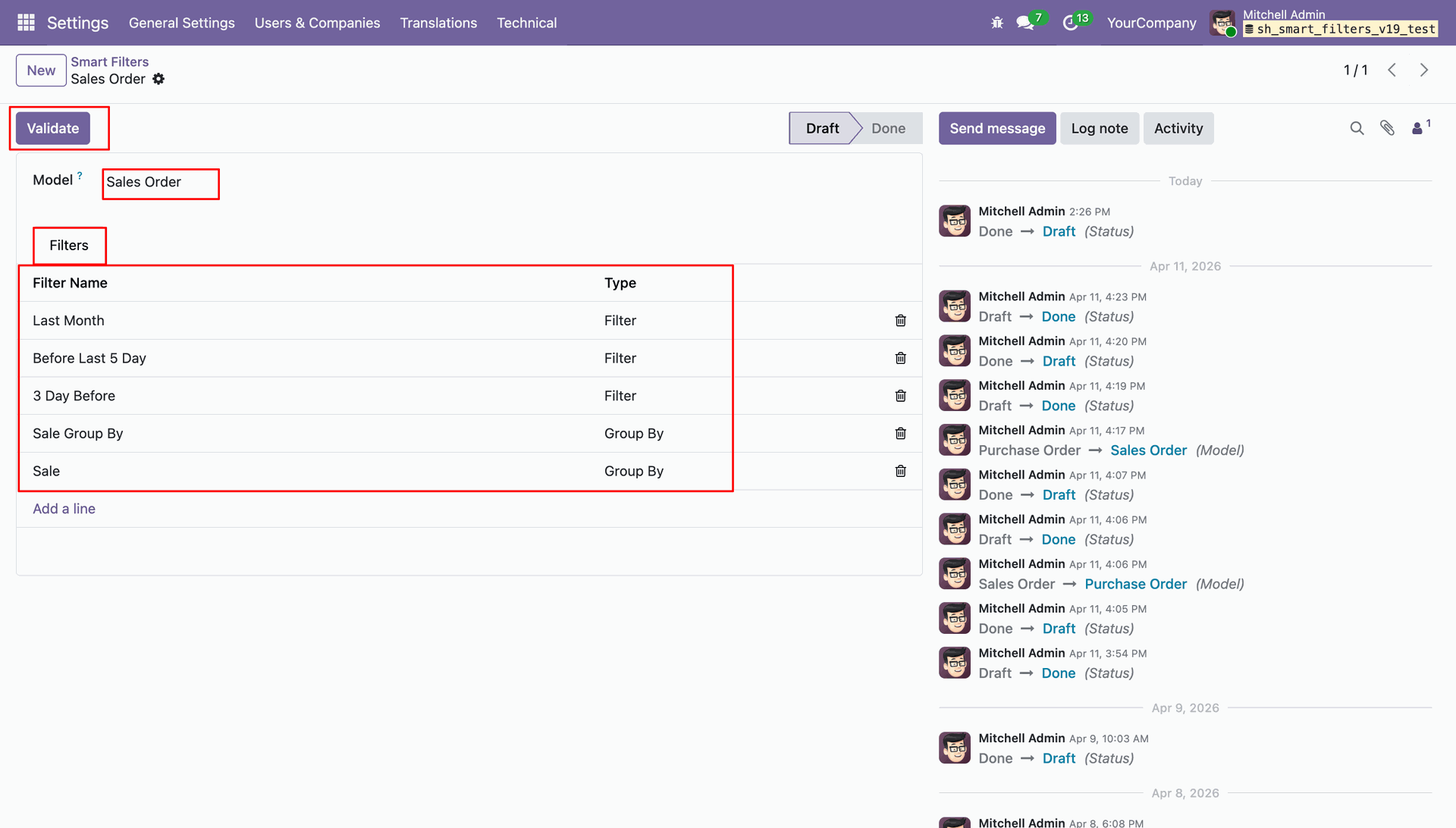
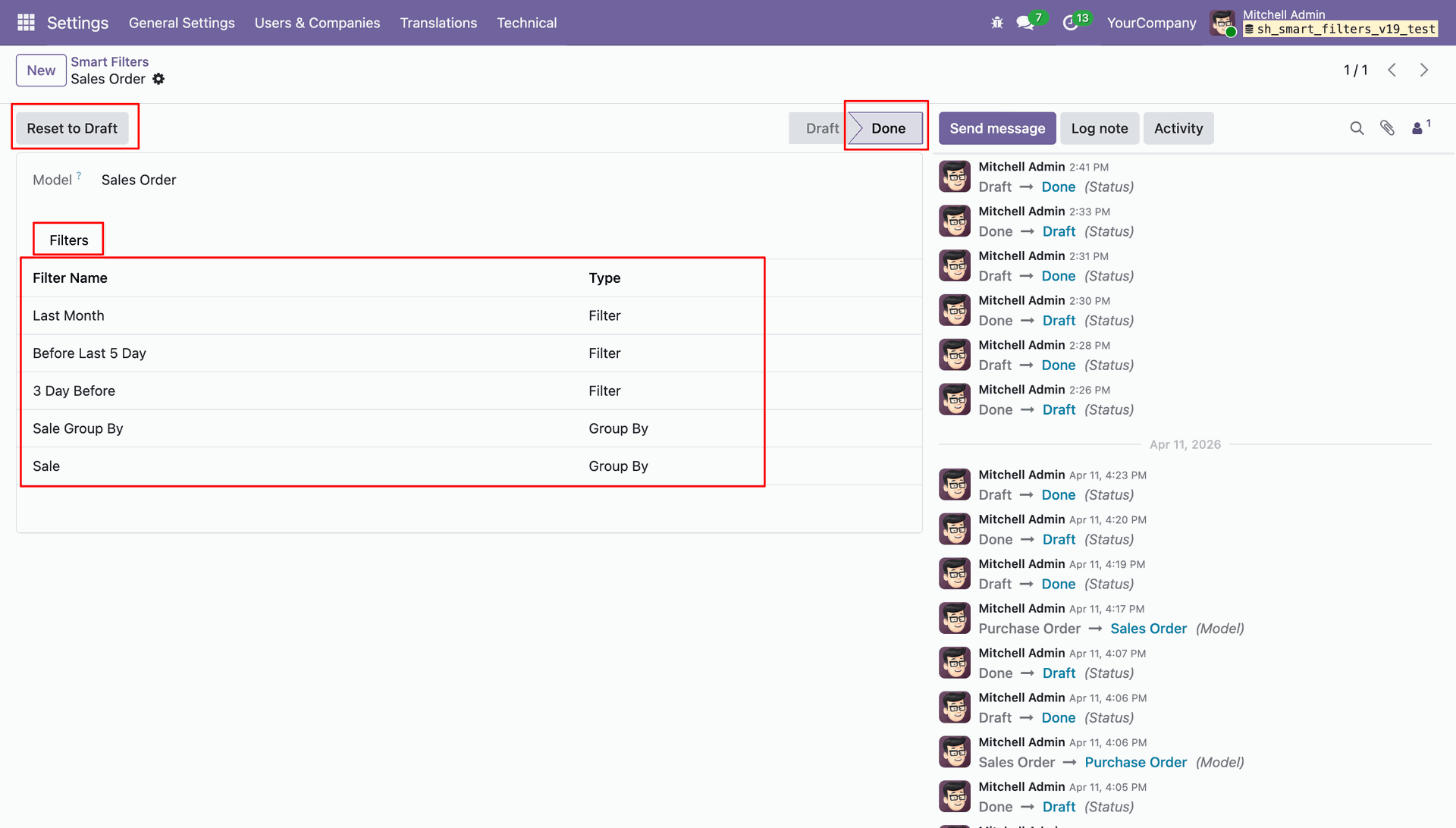
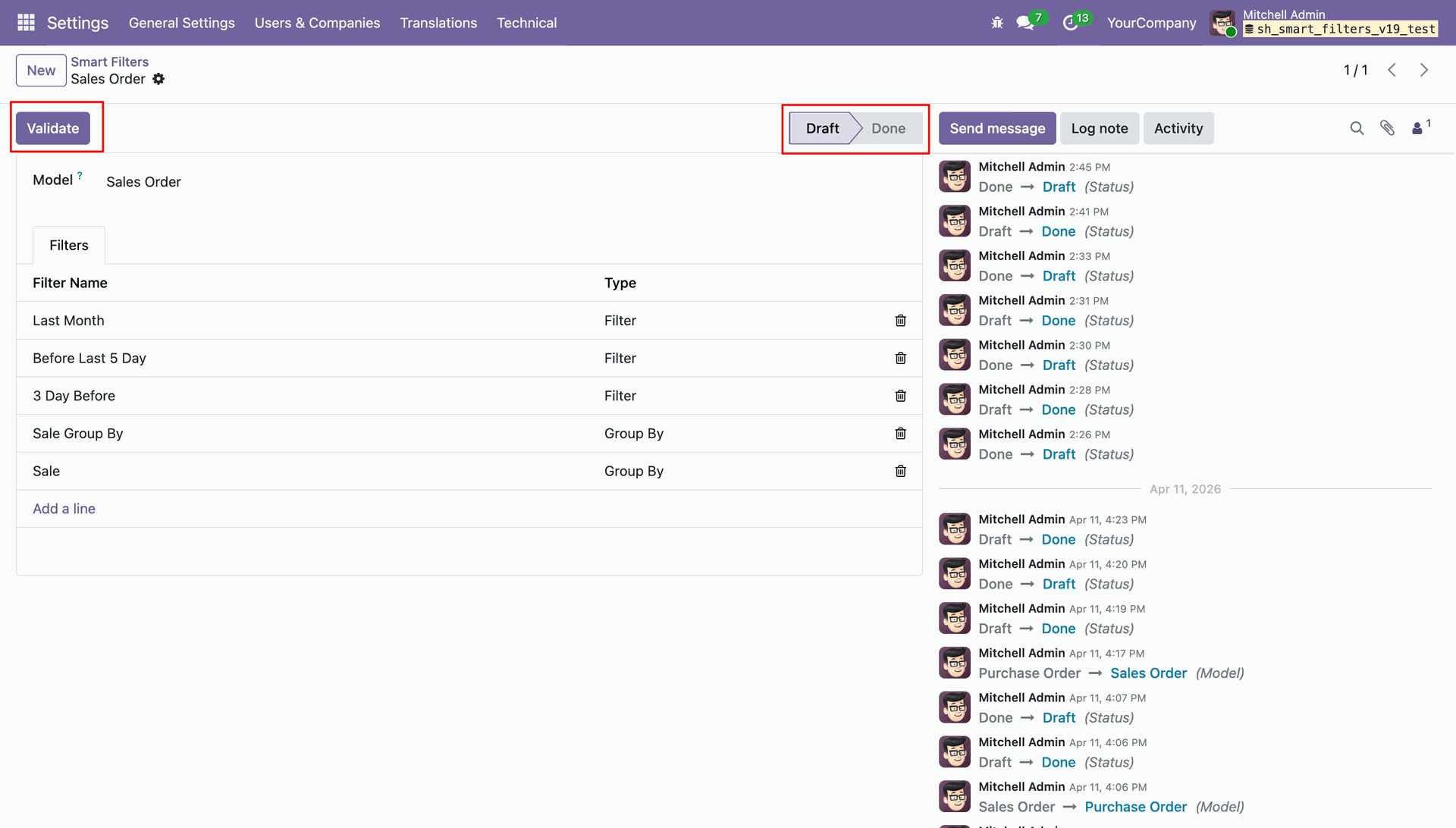
Reviewing the list of configured filters and groupings for the Sales Order model before clicking Validate to finalize the setup.
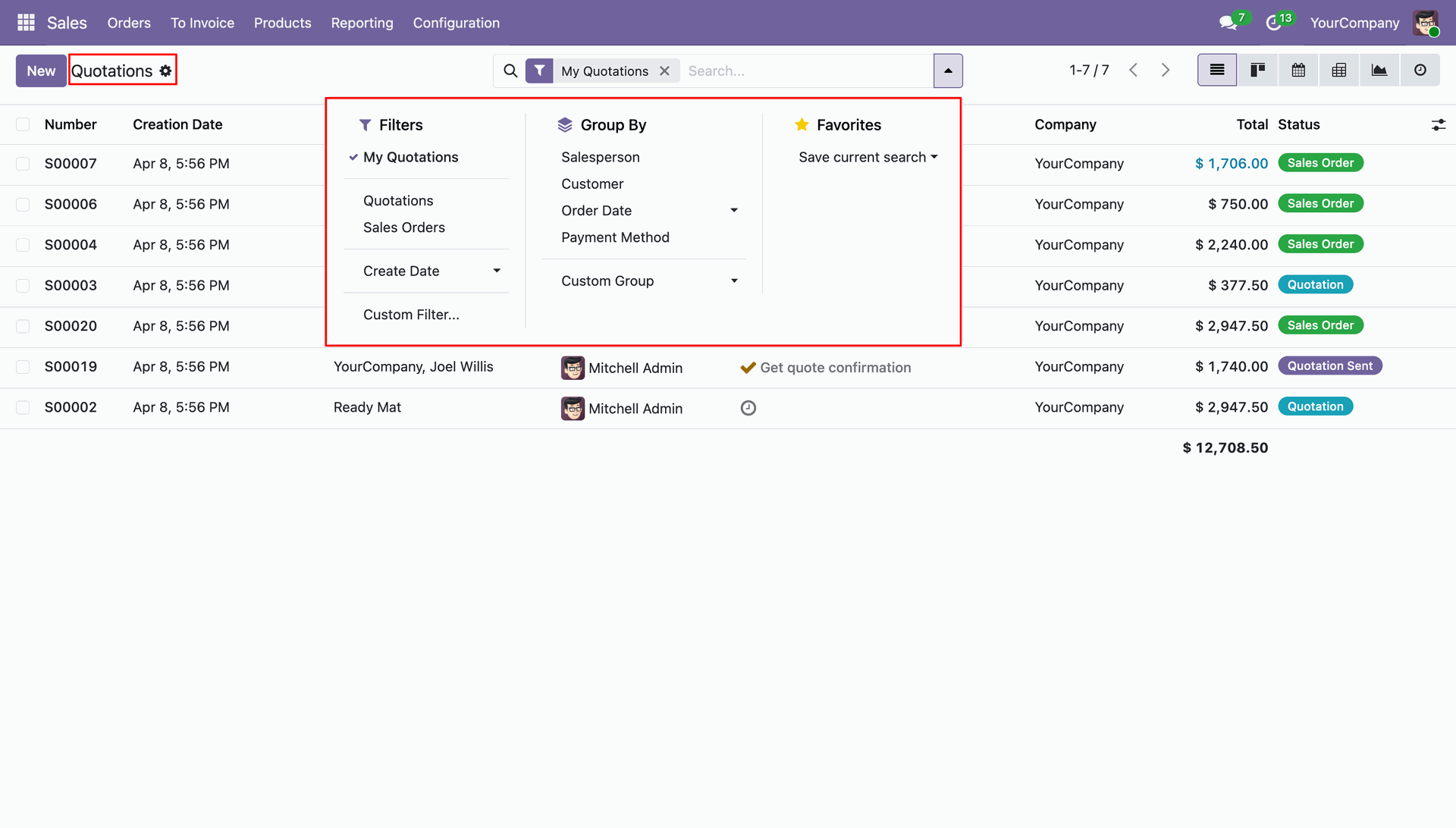
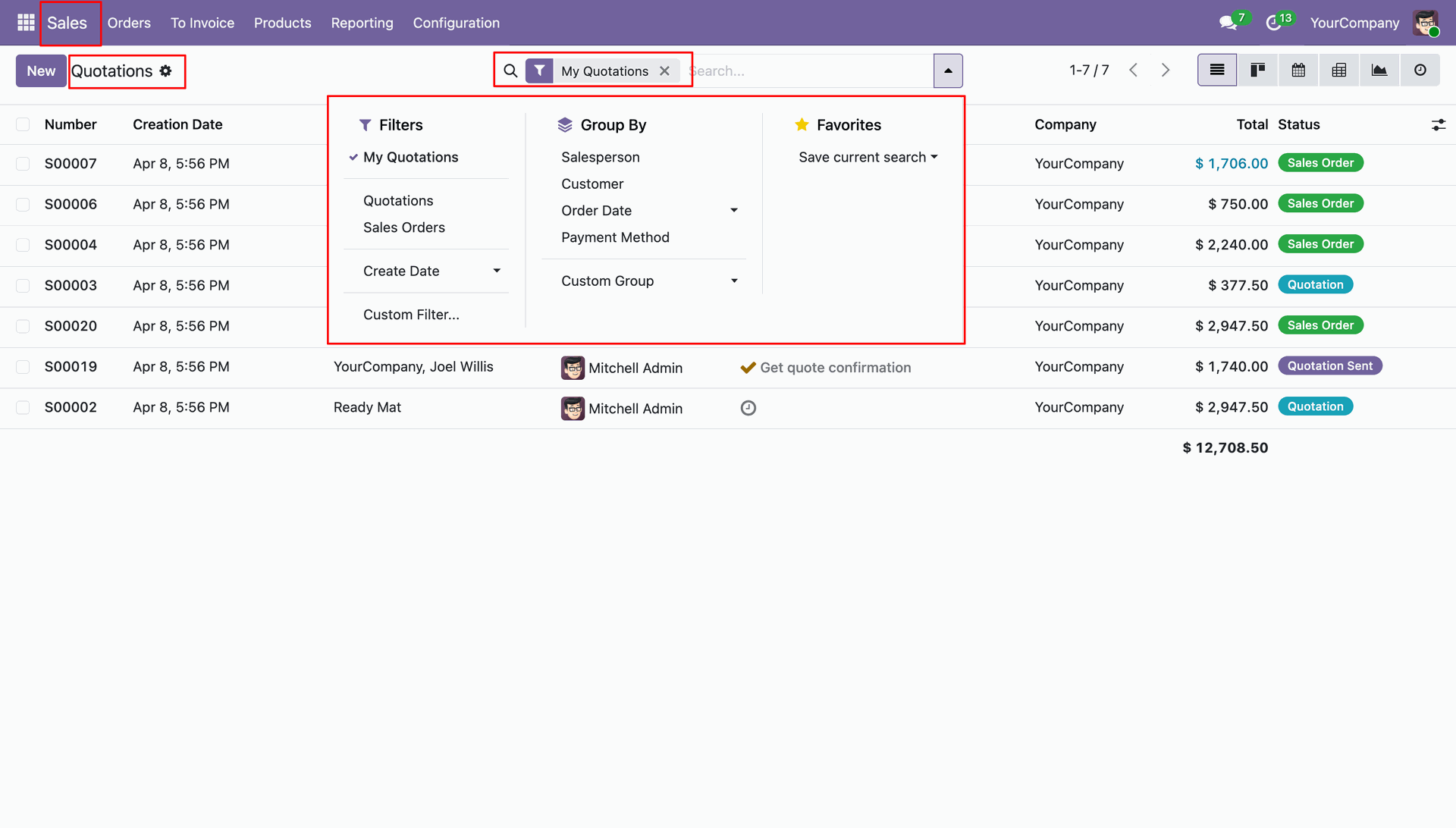
Using the Filters and Group By search bar dropdown to organize quotations by status, salesperson, or custom criteria.
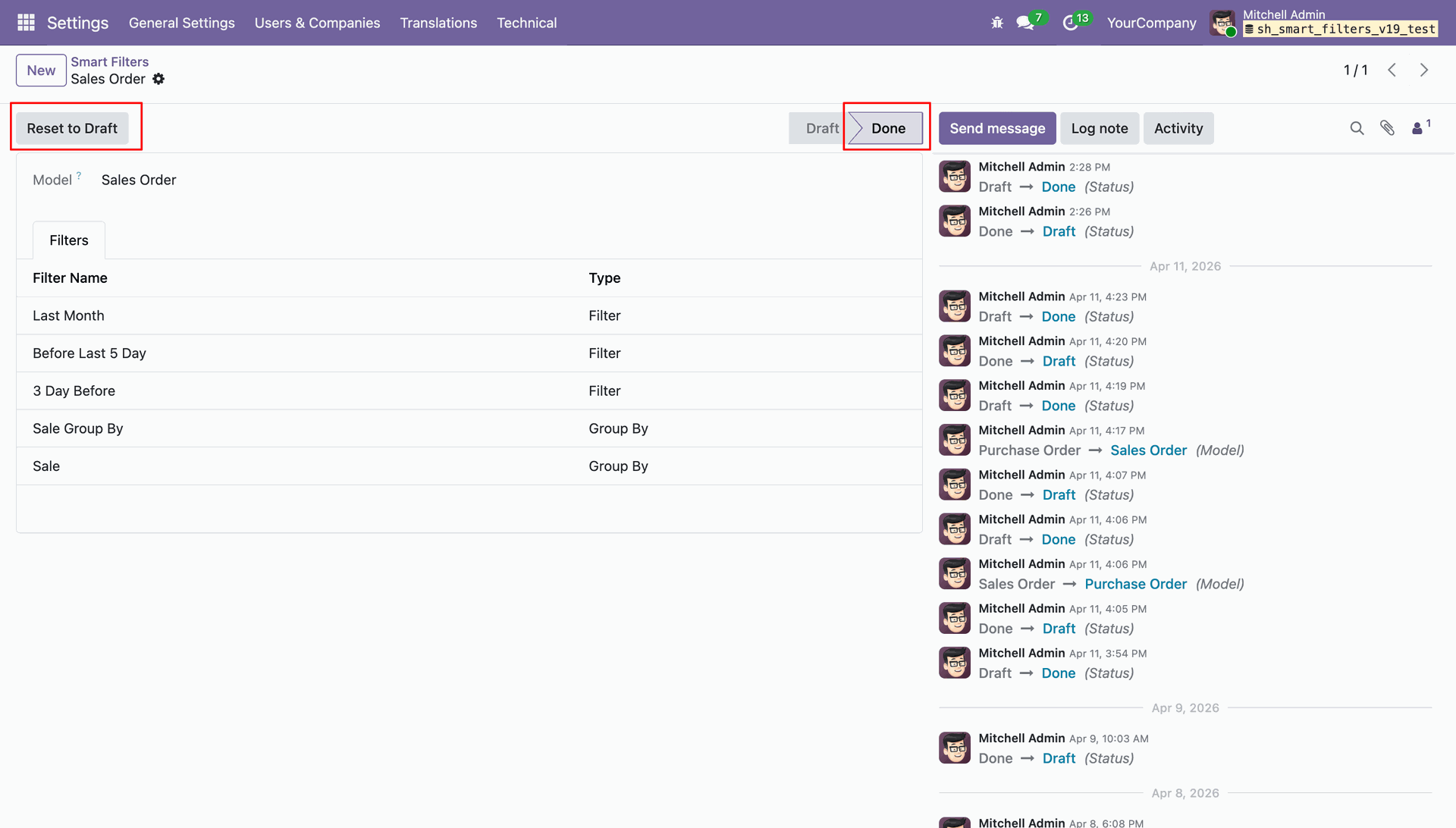
Finalizing the Smart Filters configuration for Sales Orders, with the status now set to Done and an option to Reset to Draft for further edits.
Reviewing the active Smart Filters list for Sales Orders, currently in the Done state with a Reset to Draft option available for modifications.
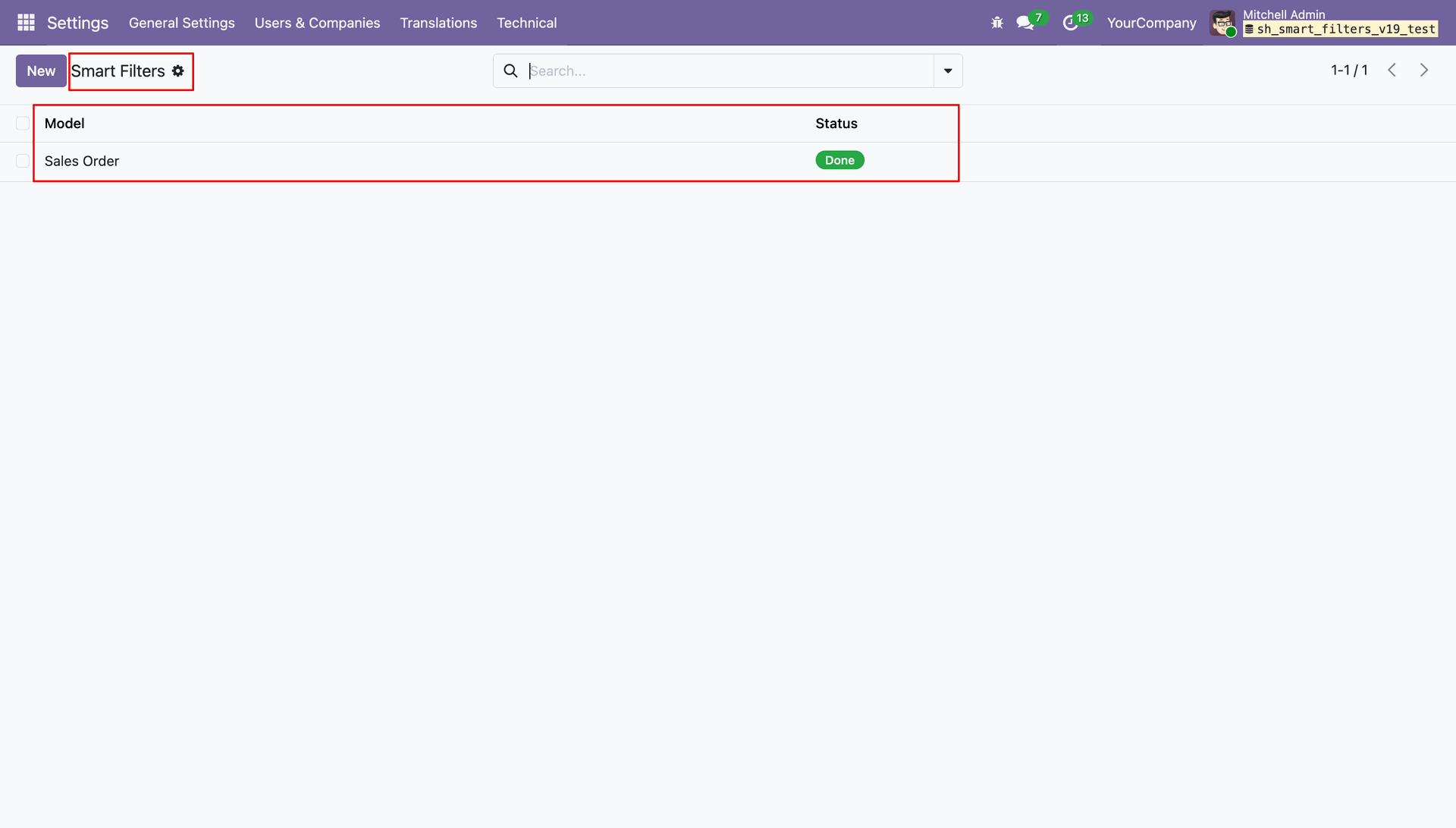
Viewing the list of configured Smart Filters in Odoo, showing the Sales Order model with a status of Done.
Applying custom Smart Filter and Smart Group By options like "Last Month" and "3 Day Before" to refine the Quotations list view.
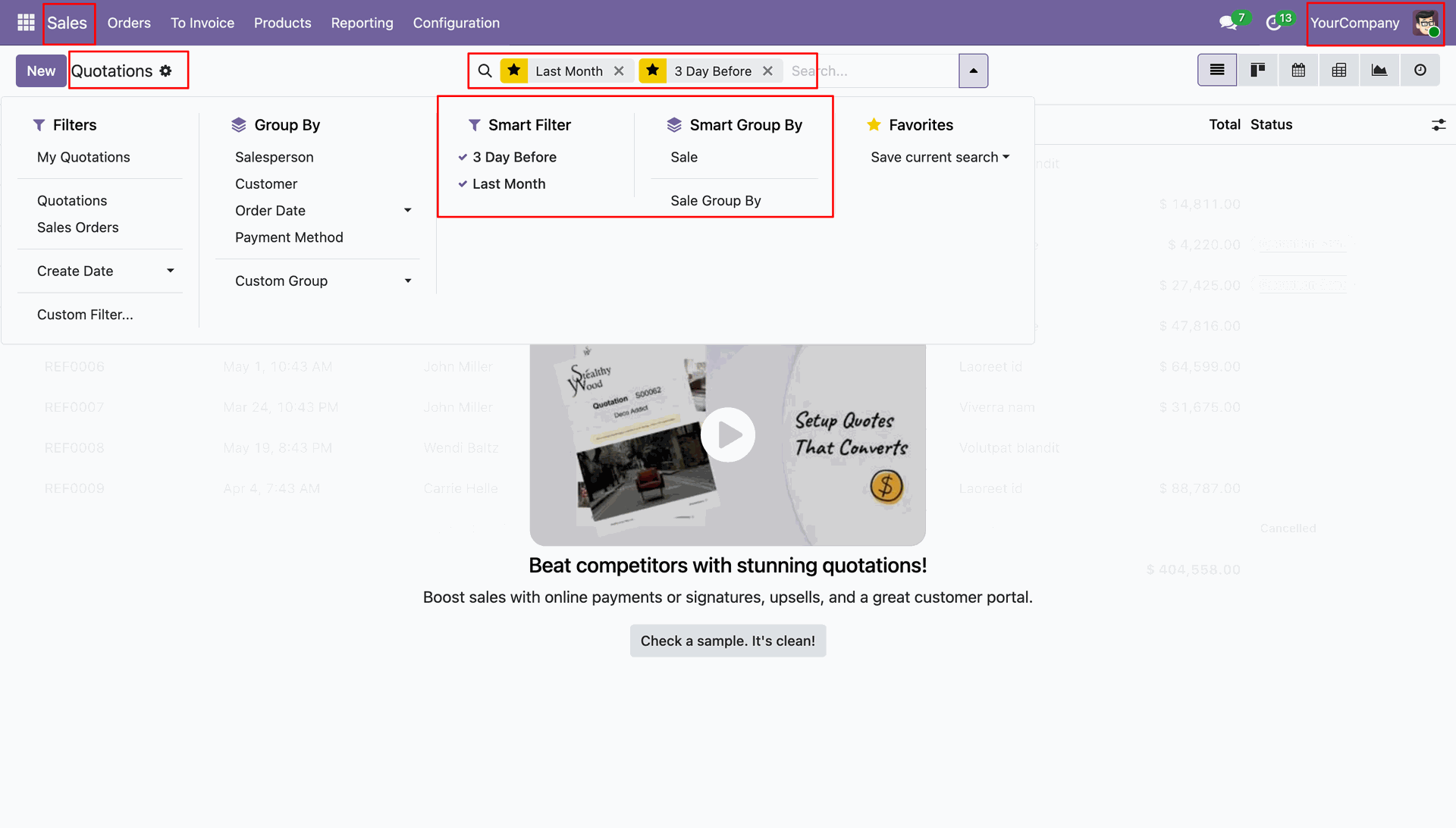
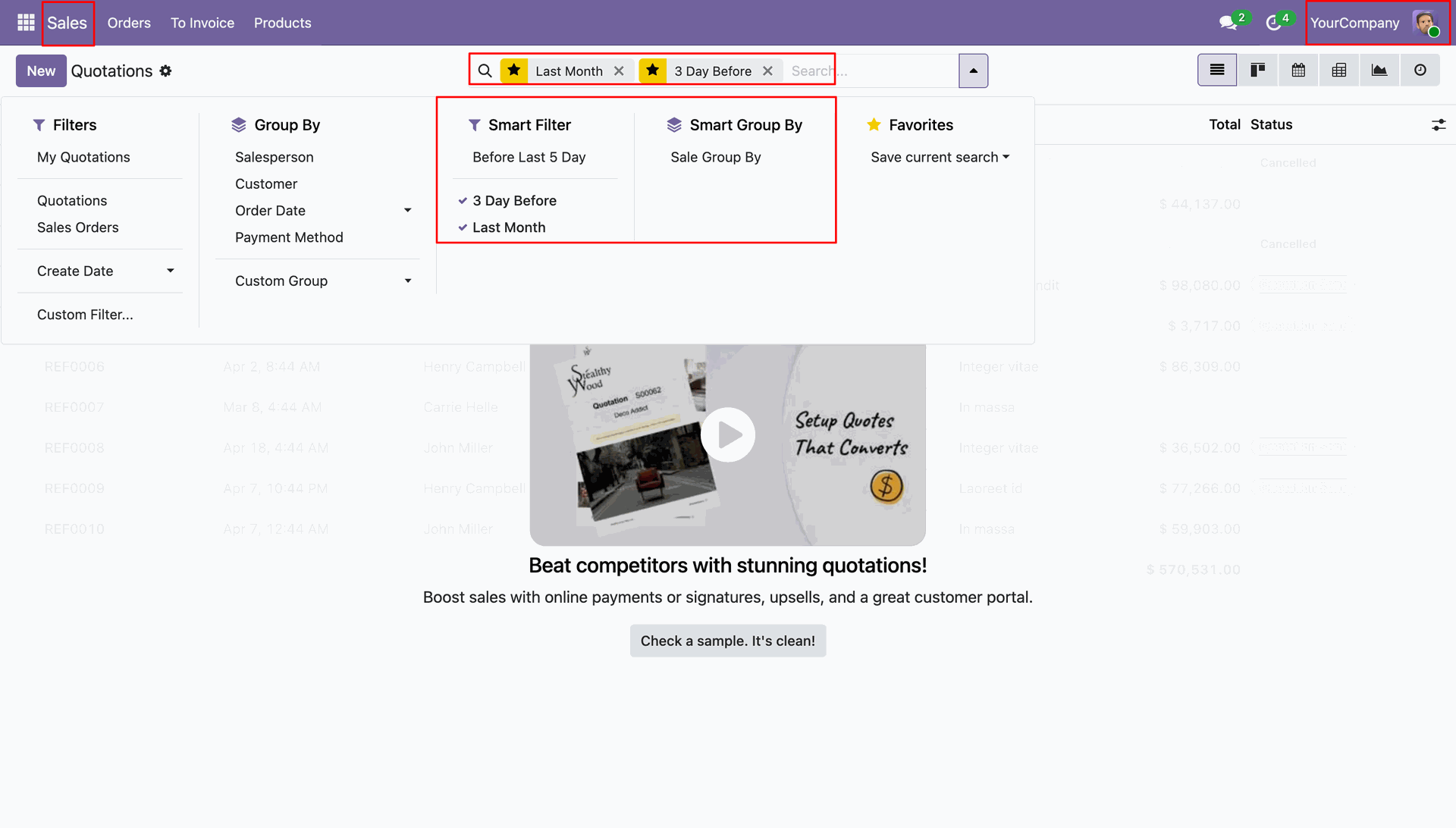
Selecting from the Smart Filter and Smart Group By menus to apply custom rules like "Before Last 5 Day".
Reviewing the Sales Order smart filters in Draft status before clicking Validate to make the new rules active across the system.
Navigating the Filters and Group By search menu to organize the quotations list by salesperson, customer, or specific order dates.
Version 16.0.1.0.0 | Released on : 18th June 2026
- Yes, this app works perfectly with Odoo Enterprise (Odoo.sh & Premise) as well as Community.
- No, this application is not compatible with odoo.com(odoo saas/Odoo Online)
- Yes, to test this module, please contact us at sales@softhealer.com.
- Please contact us at sales@softhealer.com to request customization.
- Yes, we provide free support for 365 days from the date of purchase.
- Yes, you will receive lifetime free updates for the version of the module you purchased.
- No, there is no need to install any additional libraries.
- Yes, for version 12 and above, you need to purchase the module separately for each version you intend to use.
- No, exchanges or refunds are not allowed. Please make sure to select the correct version before purchasing.
- You can contact us at support@softhealer.com for language translation support. We use Google Translator tools to provide translations in multiple languages, so the accuracy may vary. We welcome your suggestions to help improve translations.
Discover Our Latest Apps