

 Easy to Manage
 Dedicated Support
















 Scan to email sales





Advance Auto Parts Search and Selection in sale order

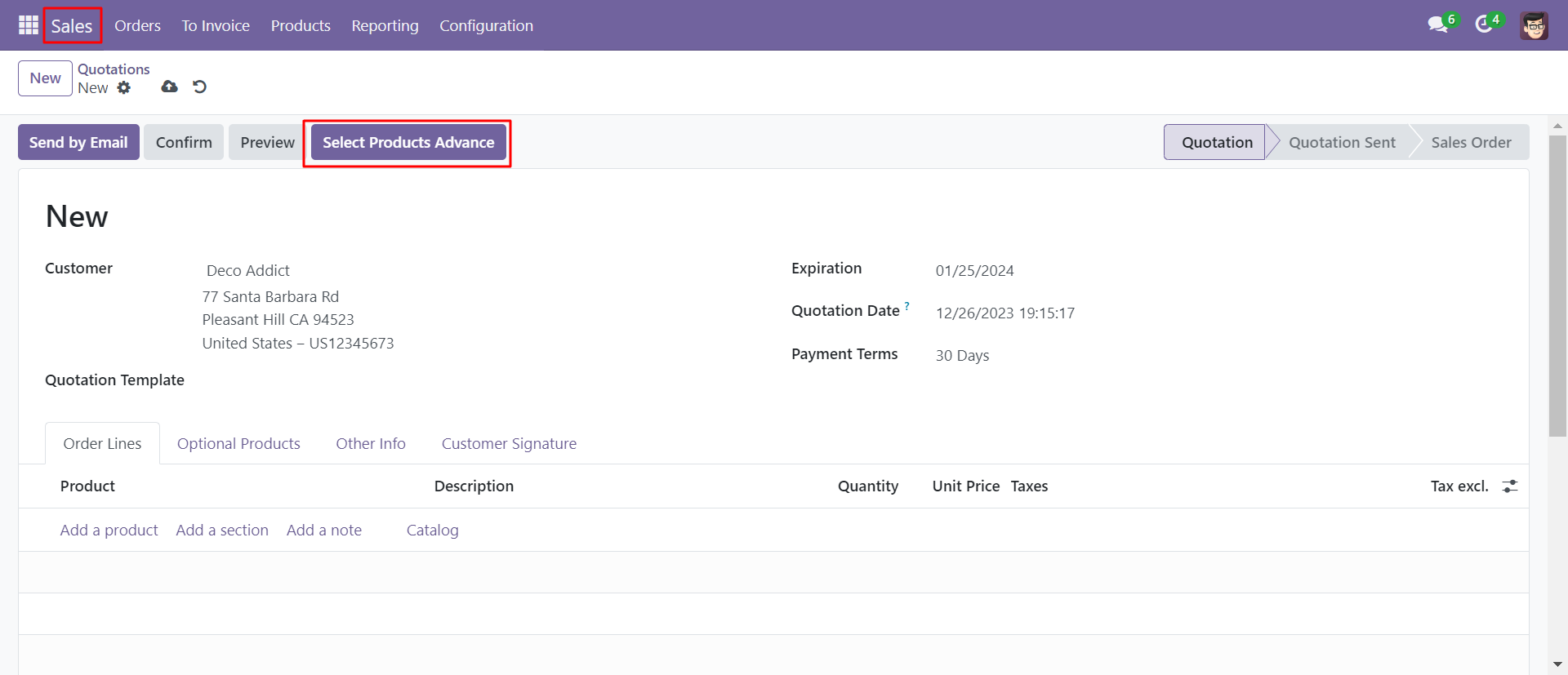
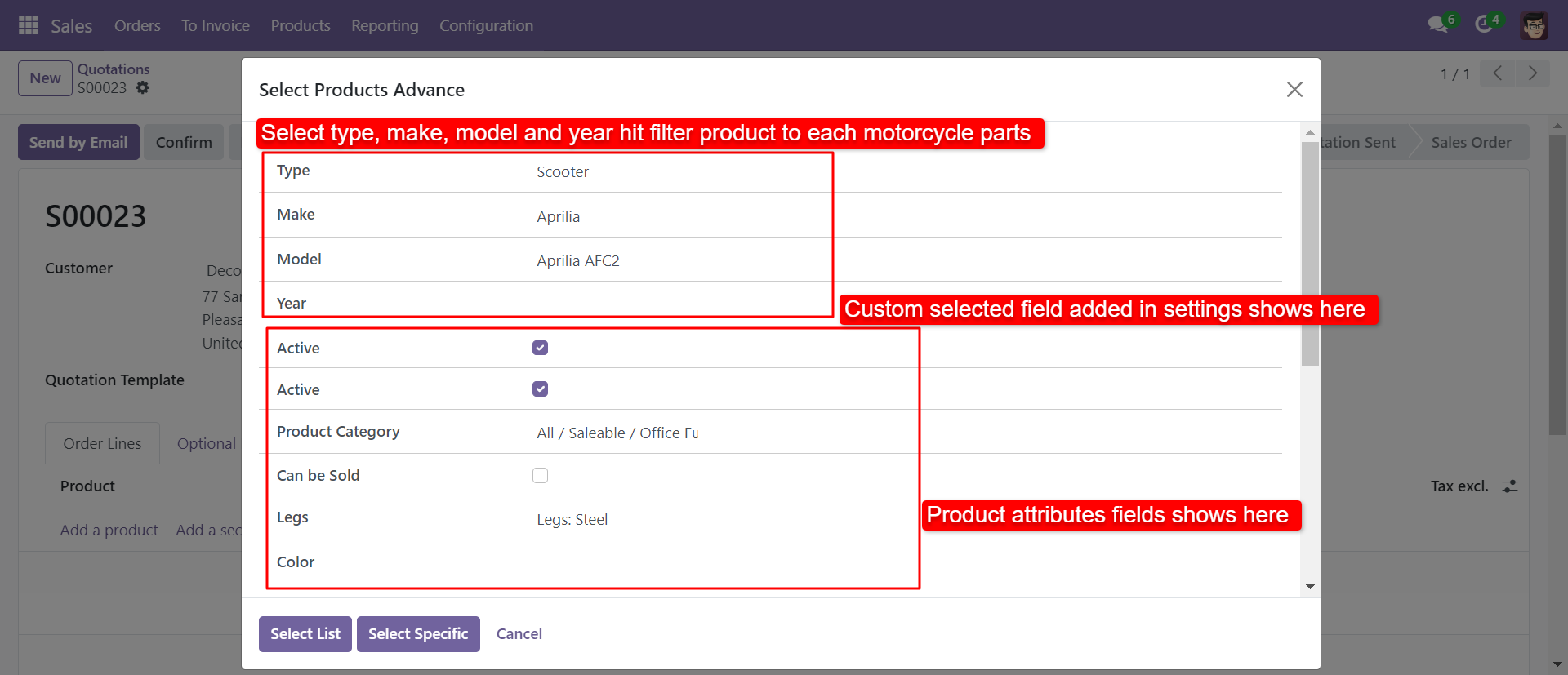
If you have the number of products and selection of products at the time of making a quotation it is a quite difficult task. So don't worry we have a solution here we build a module that can help to find a particular product from the product list. In this module provide a button "Select Product Advance" in the sale order. You can find auto parts in the product using a filter like a type, make, model, year. Also, you can find the product using the product attribute field. You can find a product by comparing price, barcode, internal reference. sometimes some product is commonly required so you can add product in 'specific' list and you can add that product in the quotation. This module saves your important time and reduces human error as well as less effort.

Features
- Easy to filter product using 'type, make, model, year'.
- Easy to store the common required product in a "specific" tab.
- Easy to find the product by comparing fields like price, barcode, internal reference.
- Easy to find product using products attributes filed.
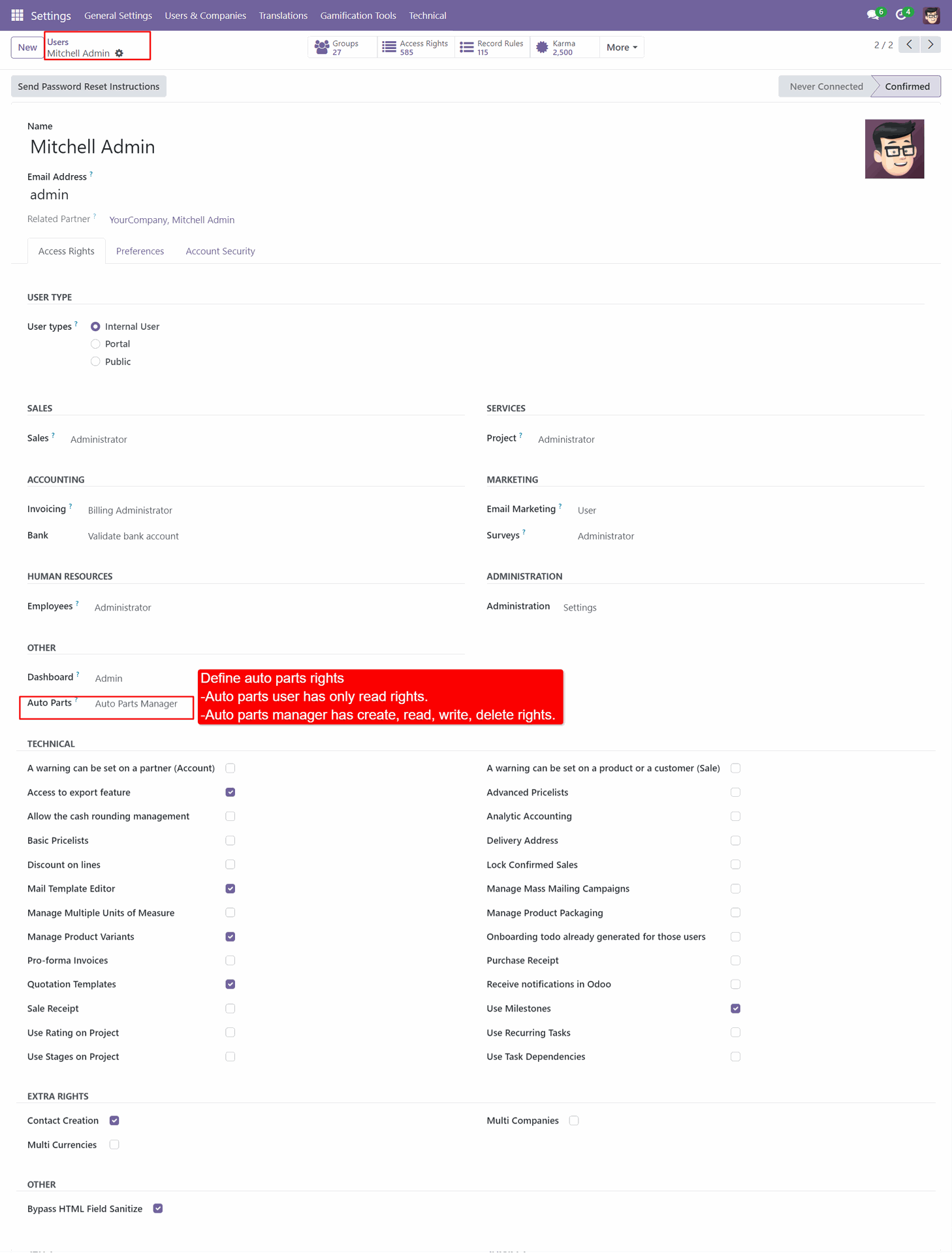
Select Auto Parts user and Manager.
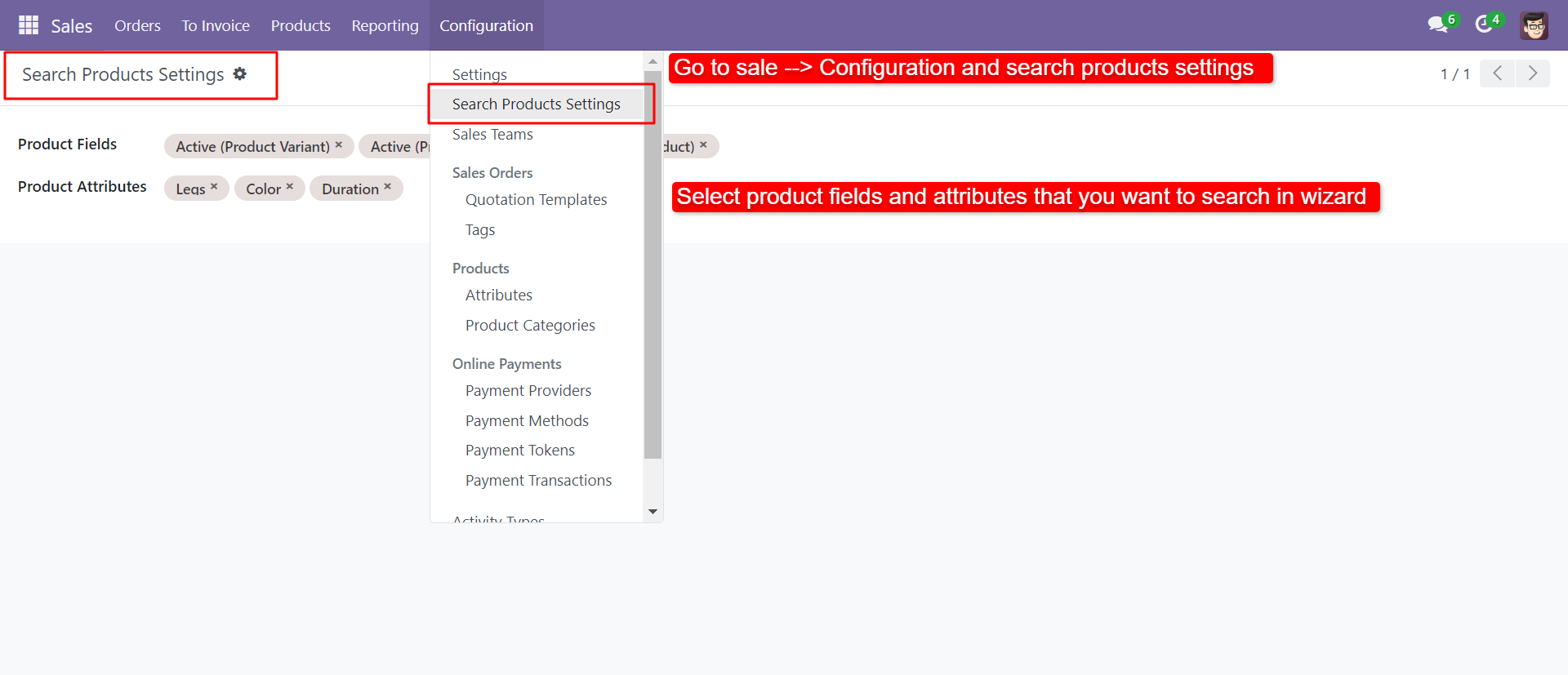
Advance product search settings.
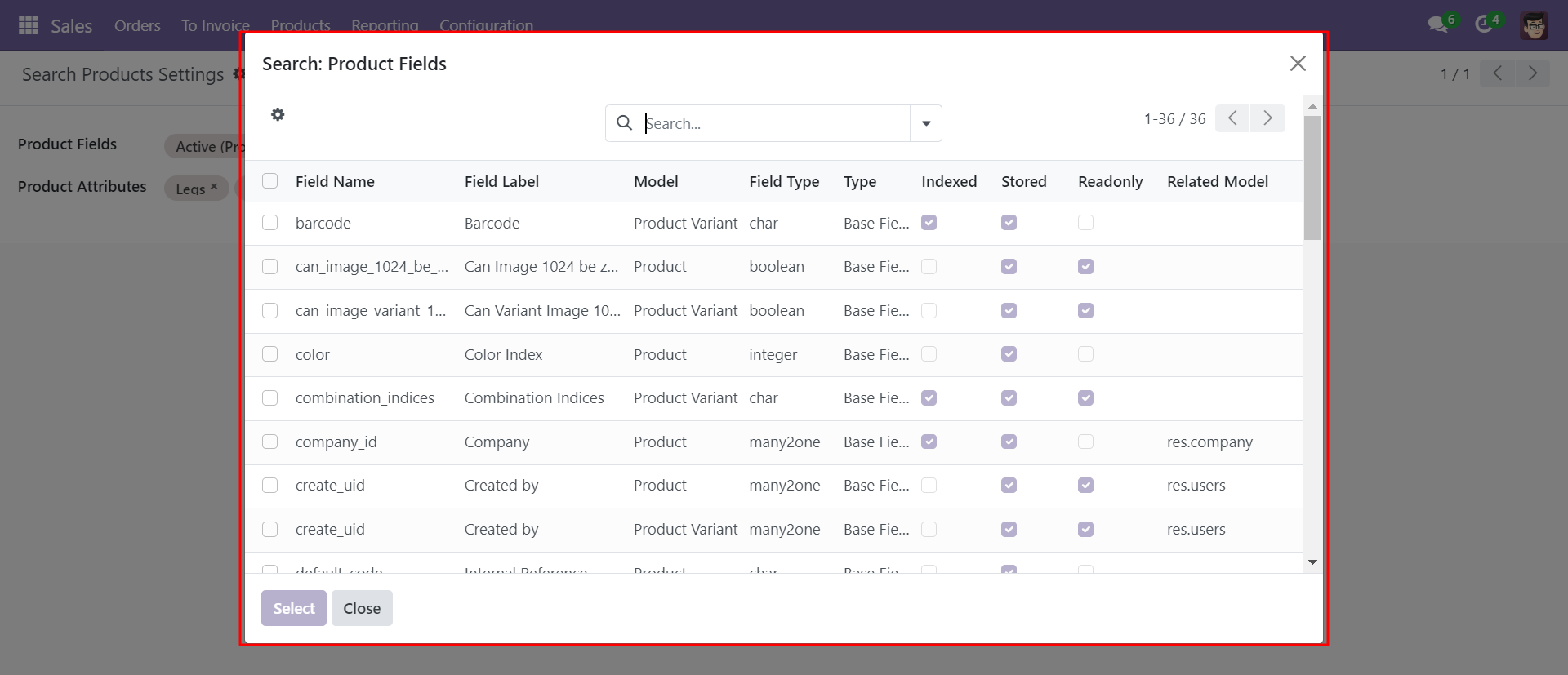
You can select a product template and product variant field.
Select product advance button in quotation/order form view.
Select product Advance Wizard.
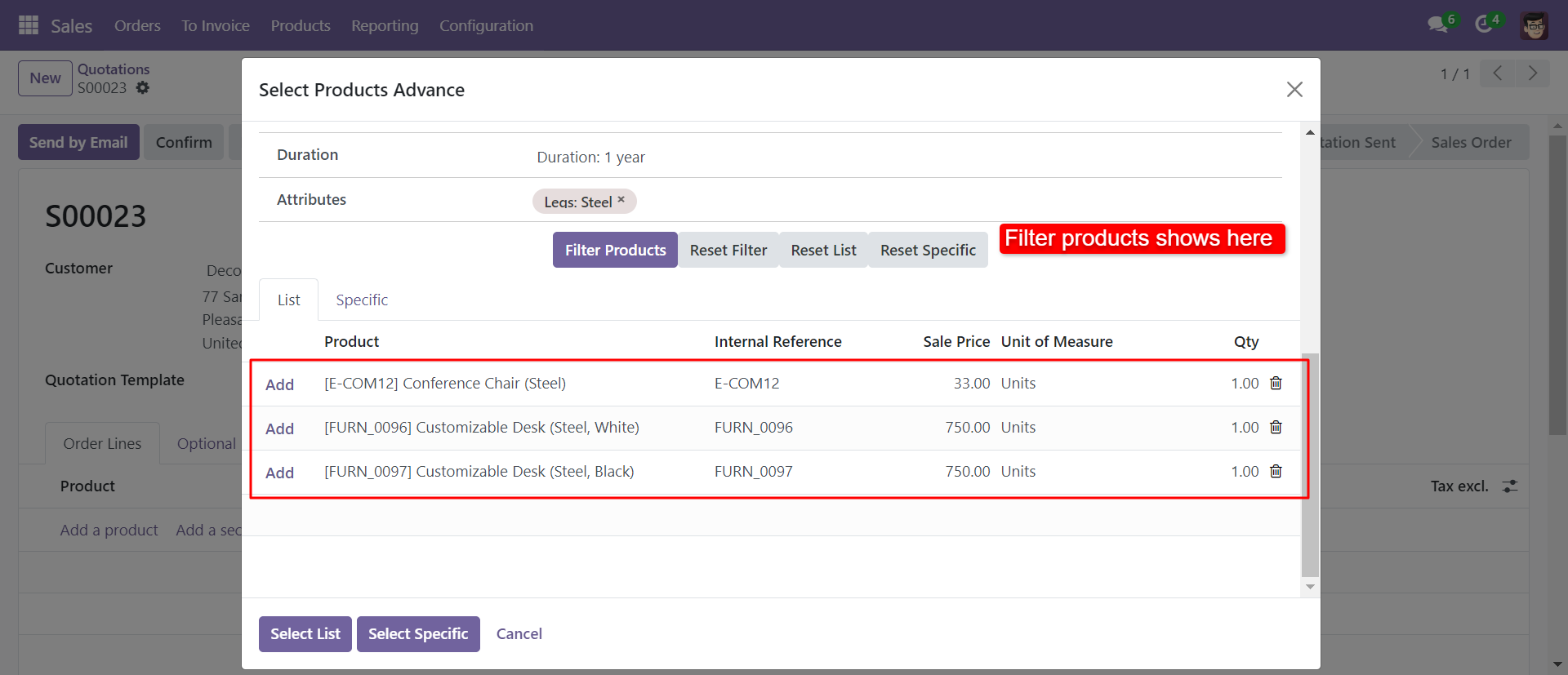
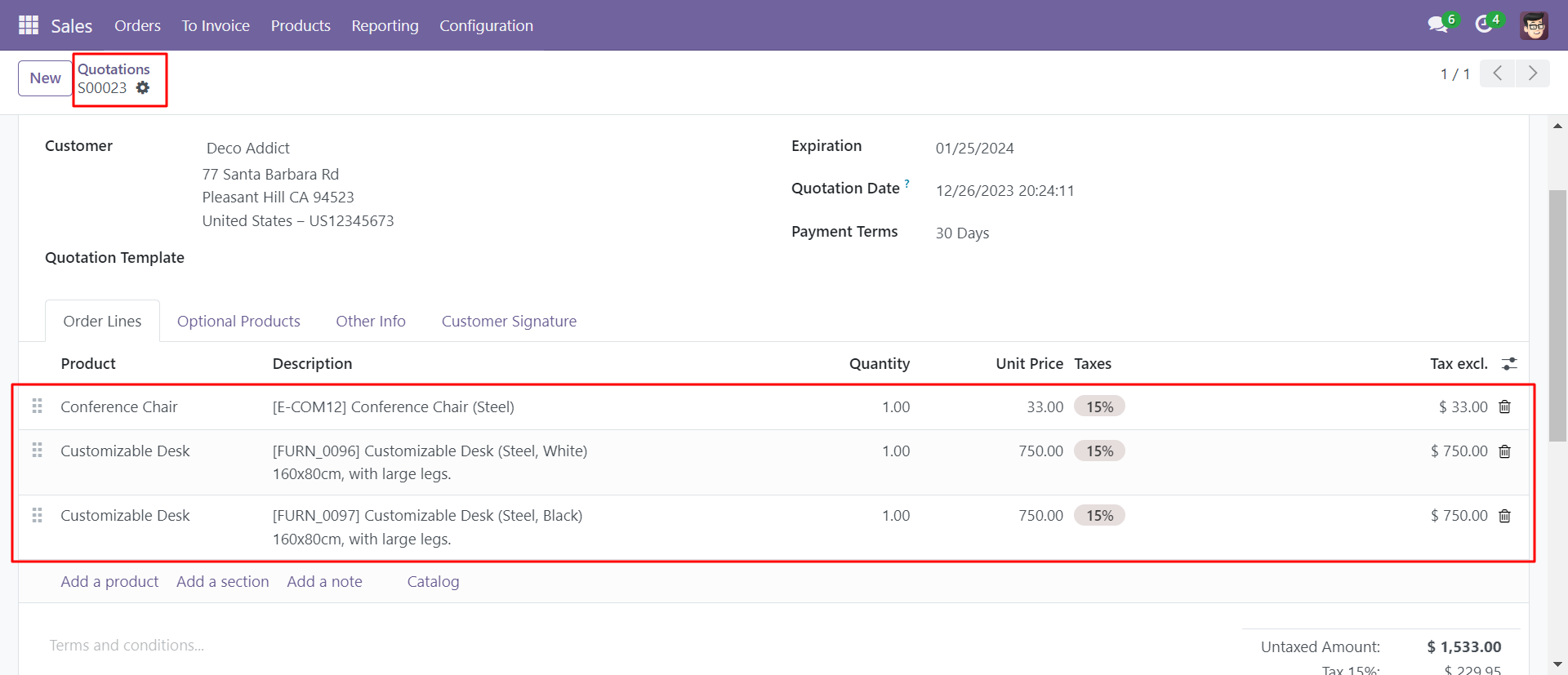
Filtered product added in sale order line.
Version 19.0.1 | Released on : 3rd September 2025
- Yes, this app works perfectly with Odoo Enterprise (Odoo.sh & Premise) as well as Community.
- No, this application is not compatible with odoo.com(odoo saas/Odoo Online)
- Yes, to test this module, please contact us at sales@softhealer.com.
- Please contact us at sales@softhealer.comto request customization.
- Yes, we provide free support for 365 days from the date of purchase.
- Yes, you will receive lifetime free updates for the version of the module you purchased.
- Yes, you need to install "Web Domain Field" module for using this module.
- Yes, for version 12 and above, you need to purchase the module separately for each version you intend to use.
- No, exchanges or refunds are not allowed. Please make sure to select the correct version before purchasing.
- You can contact us at support@softhealer.com for language translation support. We use Google Translator tools to provide translations in multiple languages, so the accuracy may vary. We welcome your suggestions to help improve translations.
Discover Our Latest Apps