












Account - WhatsApp API Chat

Nowadays, There is WhatsApp which is a widely used messenger to communicate with customers and it's faster than compares to emails. But in odoo there is no feature to send an order, documentation to your related customers, vendors, and contacts as well. Our this module will help to send message and orders on WhatsApp it sounds quite familiar, right? so what's new in this app? In this app you no need to go on WhatsApp web page, Just one click to send a message or order to your customer. Just get token and instance from 'Chat Api' and configure that in odoo and go for it.

Related Modules
Hot Features
Features
- You can get token and instance from 'ApiChat' and configure that in odoo.
- You can use both service providers 'ApiChat' & 'Chat Api' using this app.
- One click to send message.
- One time setup and use forever.
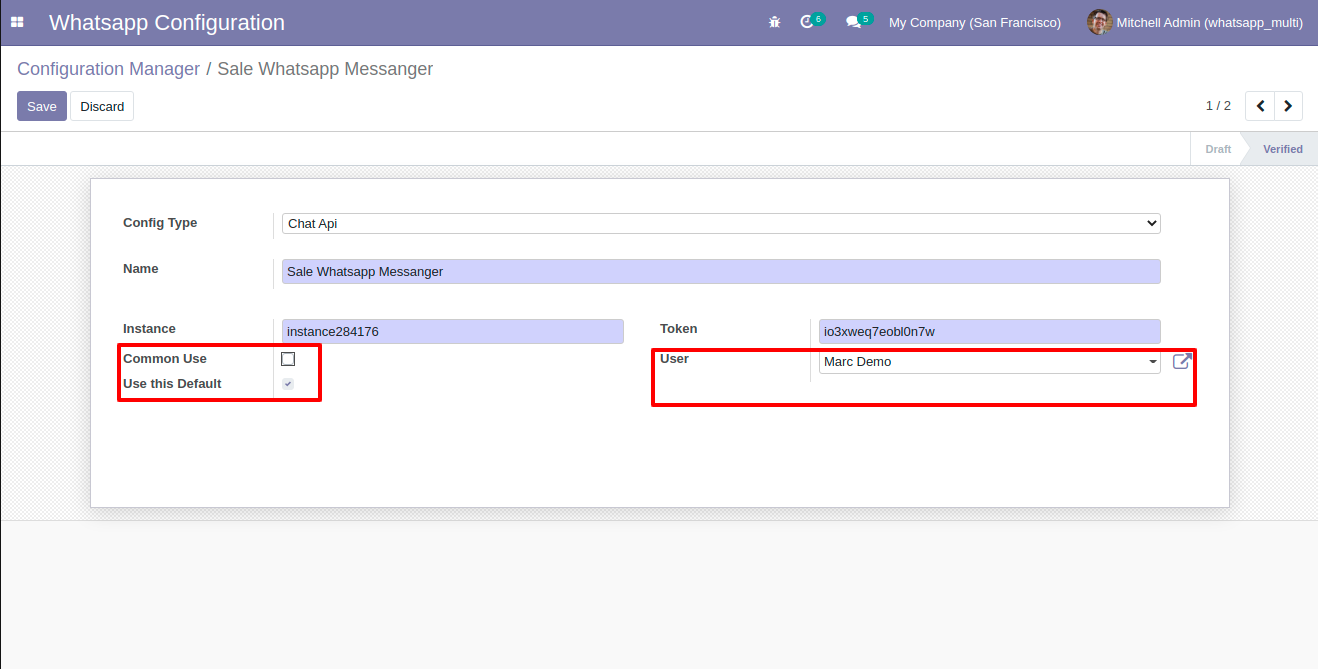
- Easy to setup a multiple whatsapp messanger for different users.
- Easy to set a default whatsapp messanger.
- Easy to customize the message as per your choices and in your language as well.
- You can enable or disable whatsapp feature for account.
- No more configuration require, easy setup and user friendly interface.
ApiChat
You can get token and instance from 'ApiChat' and configure that in odoo.
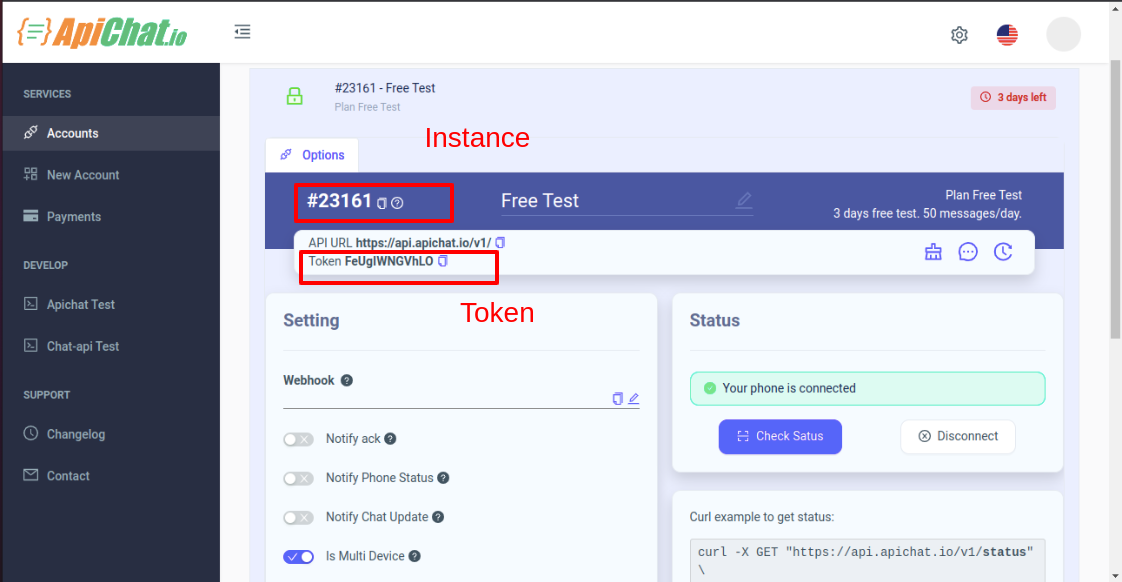
ApiChat configuration.
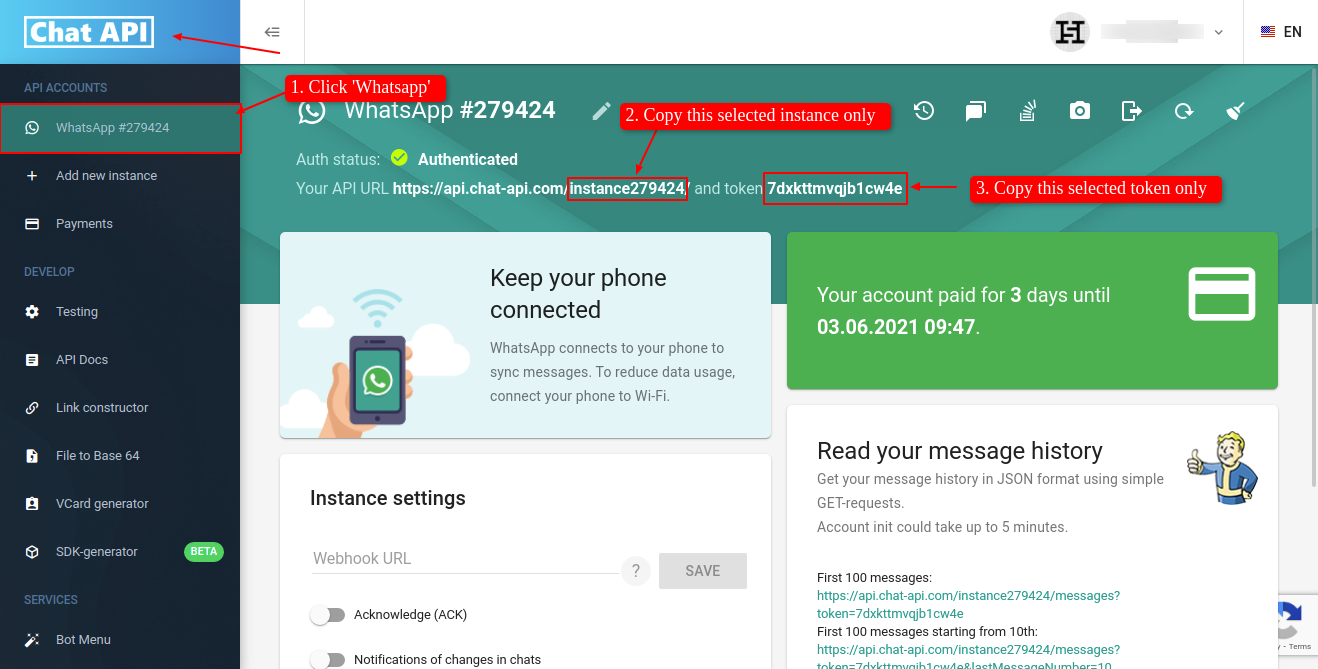
Chat API
Goto Chat Api Dashboard and click on 'Whatsapp' menu on top left side. After that you can see the Your Api Url. In Api Url just copy only selected part and paste in odoo whatsapp creds.
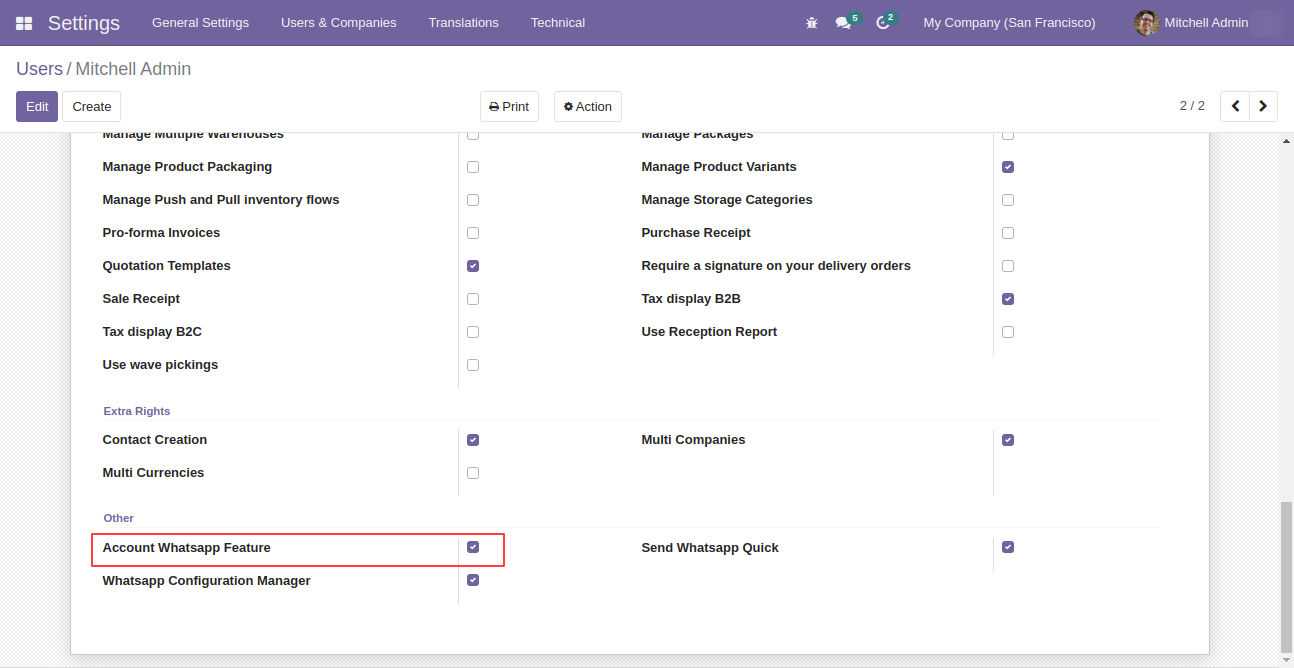
Enable 'Whatsapp Configuration Manager' to configure your whatsapp in odoo. and then Just enable the rights to used whatsapp feature for particular apps.
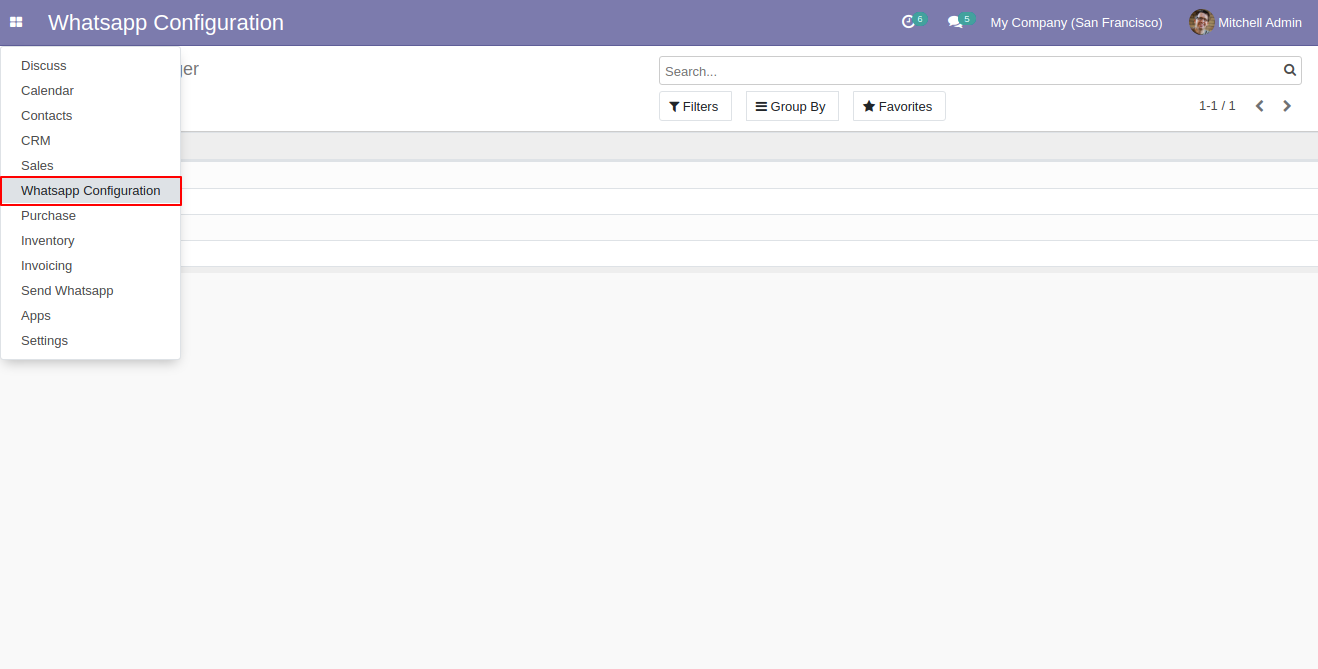
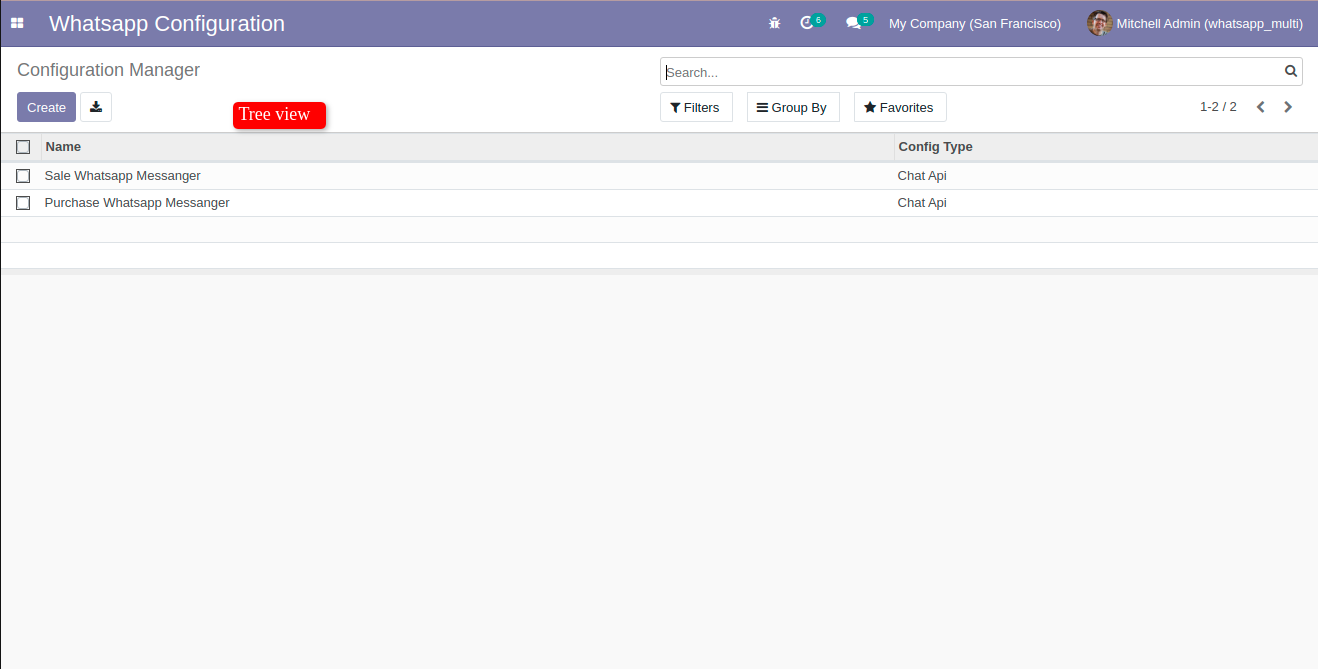
'Whatsapp Configuration' Menu and tree view.
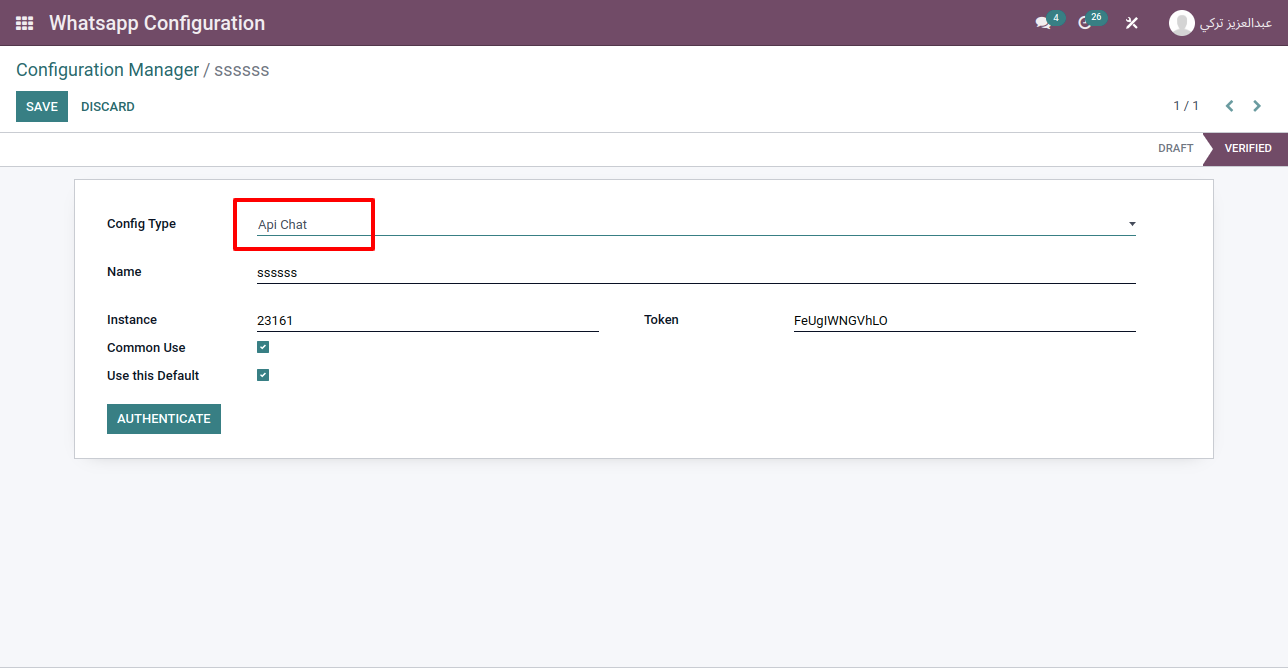
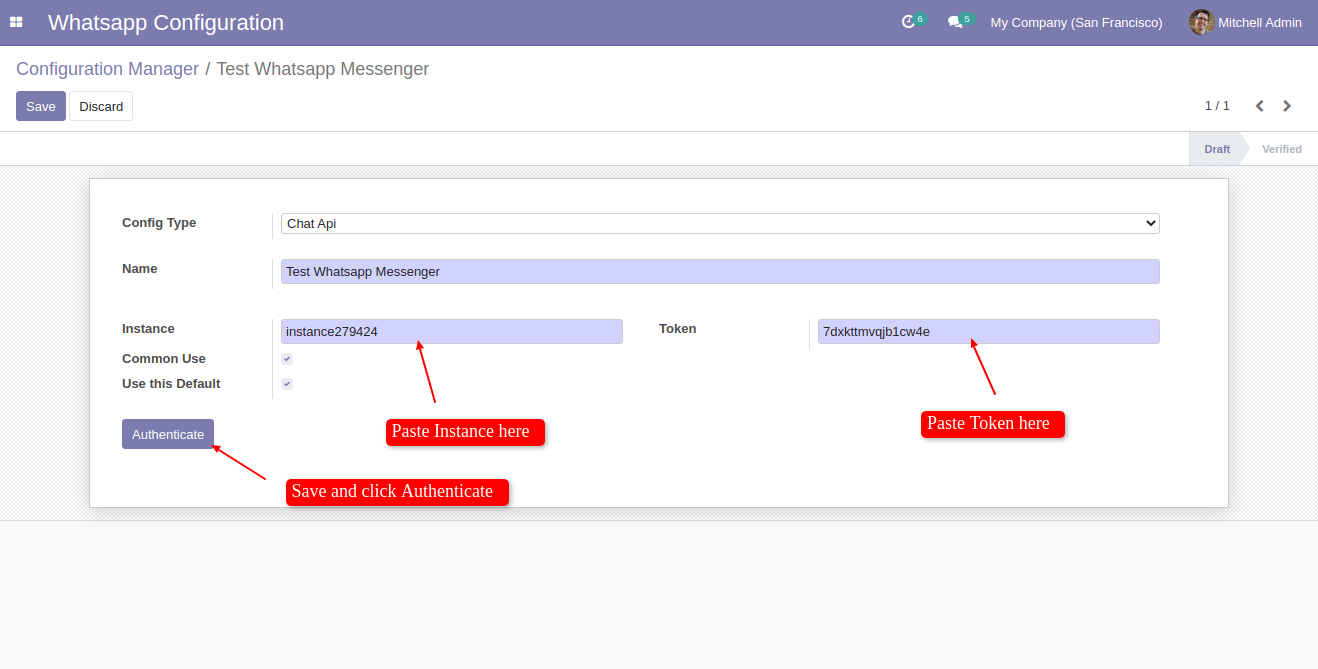
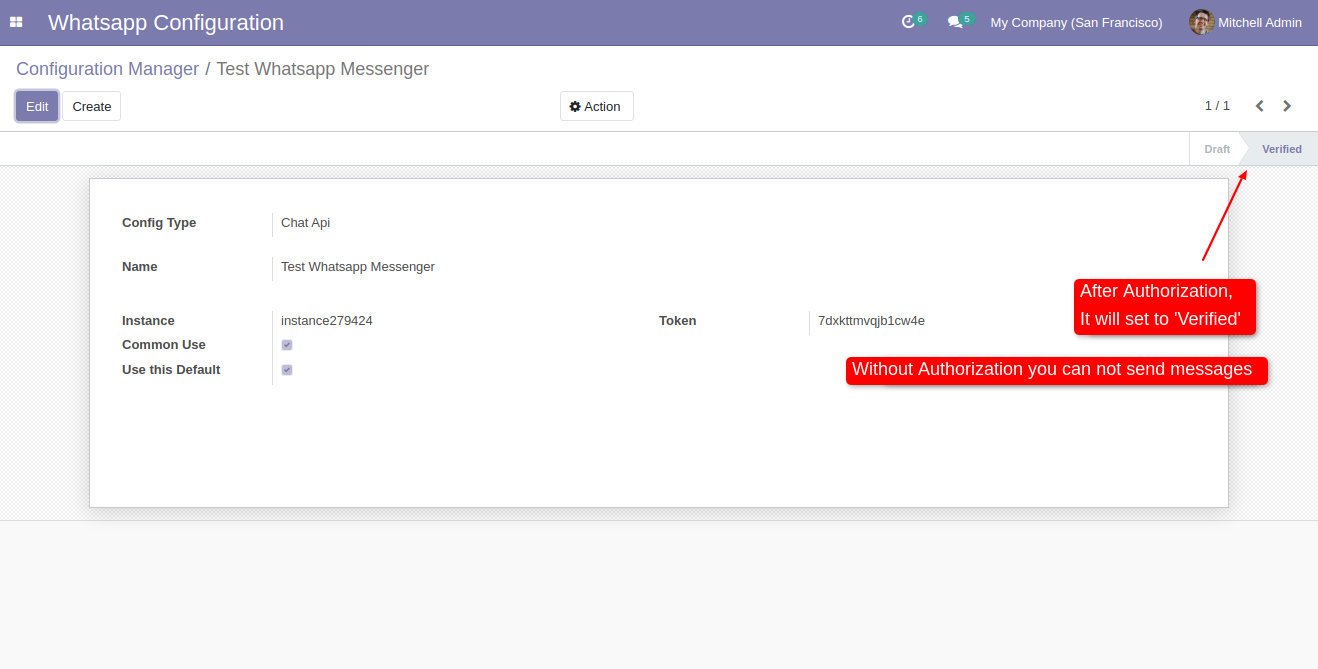
Create whatsapp creds and paste instance and token. and click 'Authenticate'.
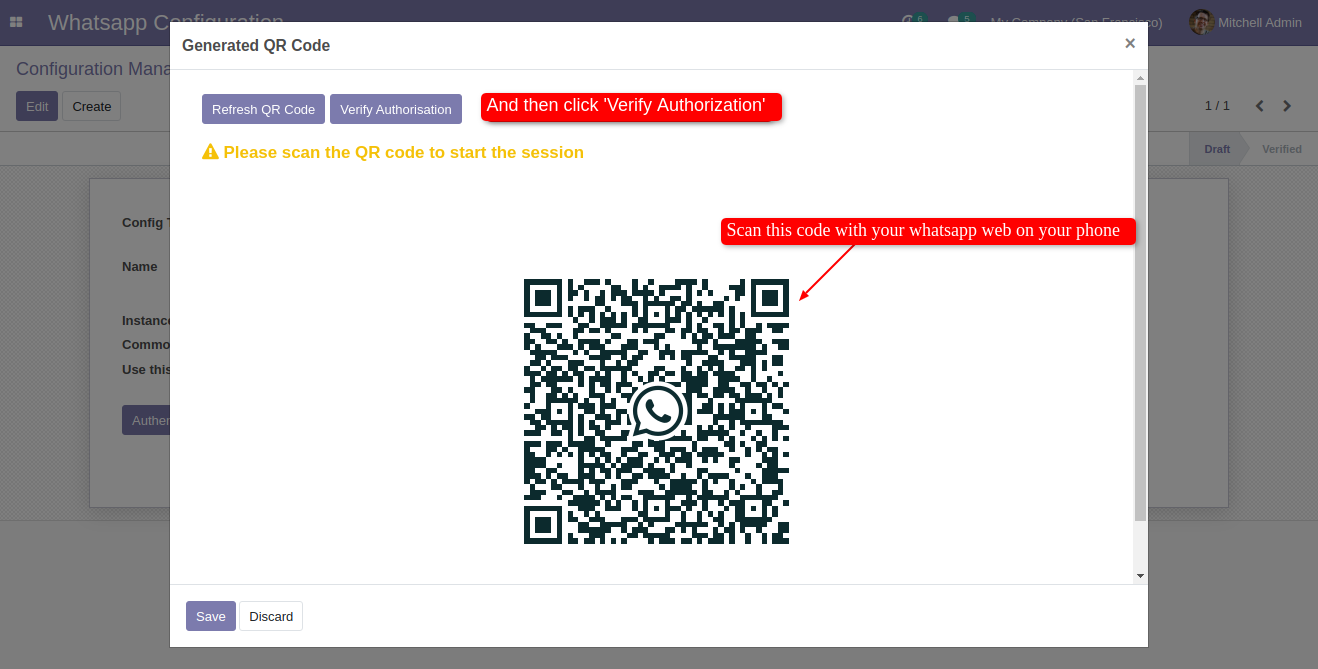
After that in this wizard just scan your whatsapp web and click 'Verify Authorization'.
After Authorization Config Stage change to 'Verified'.
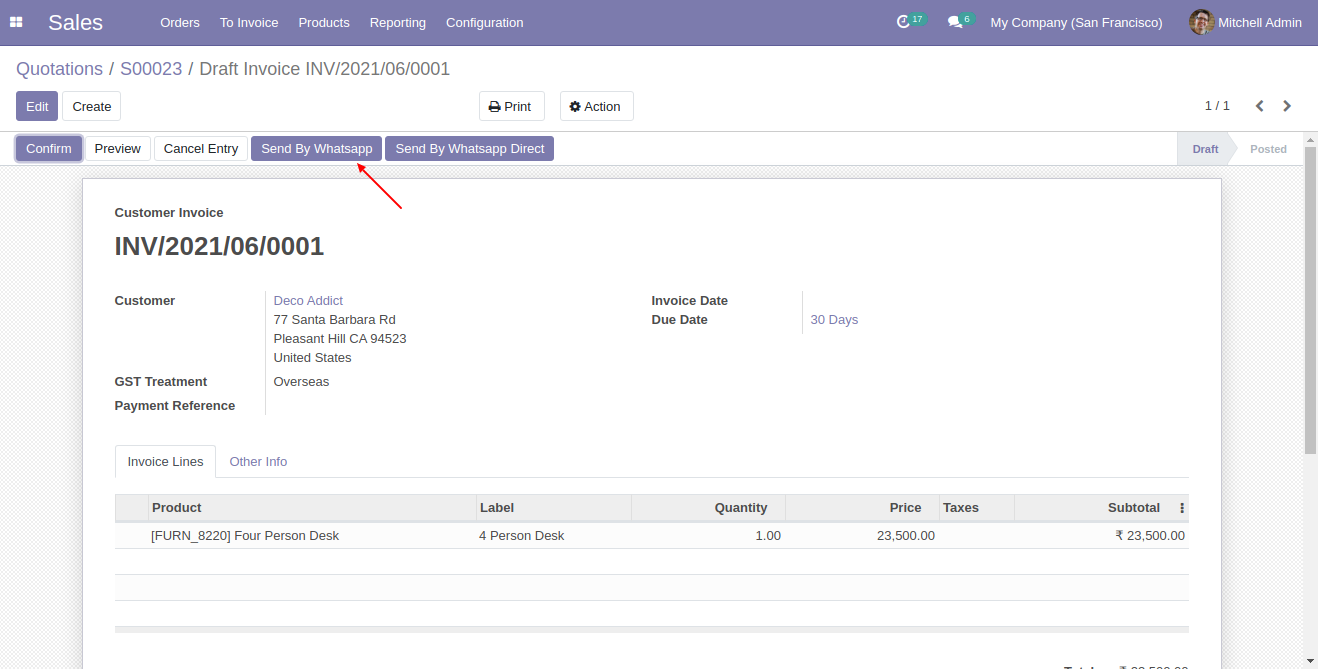
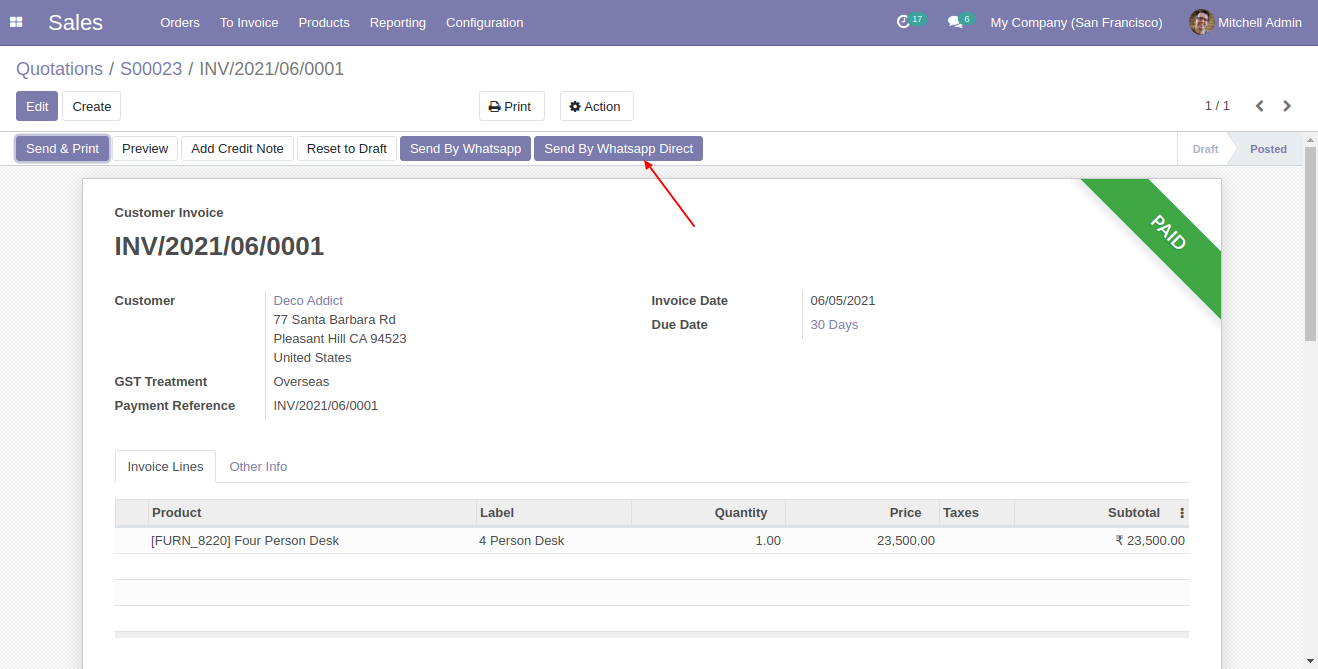
After that Two Button Visible, Click 'Send By Whatsapp Direct' to send
directly with predefine message and attachments..
If you click 'Send By Whatsapp' then you can customize message and send.
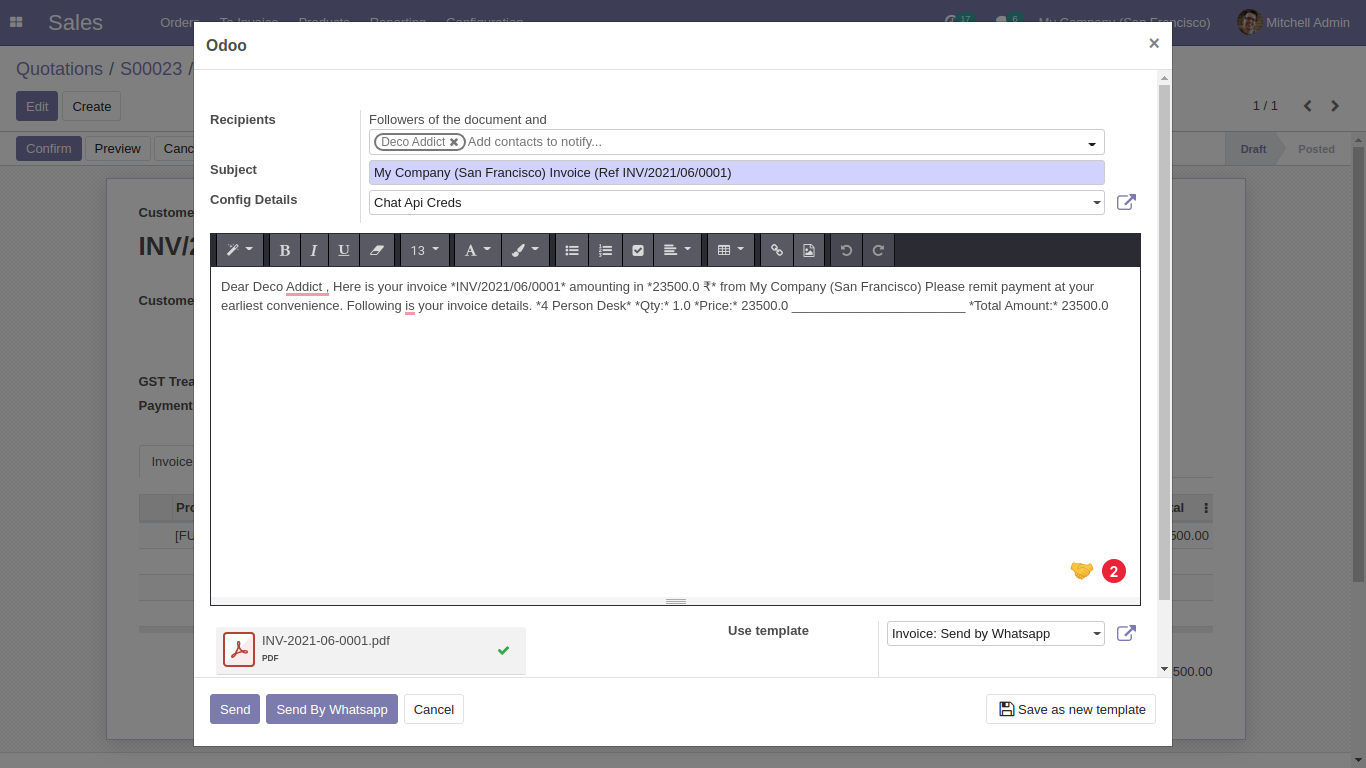
After that this wizard open, Just select an appropriate customer and add message, attachments as well and click 'Send by Whatsapp'.
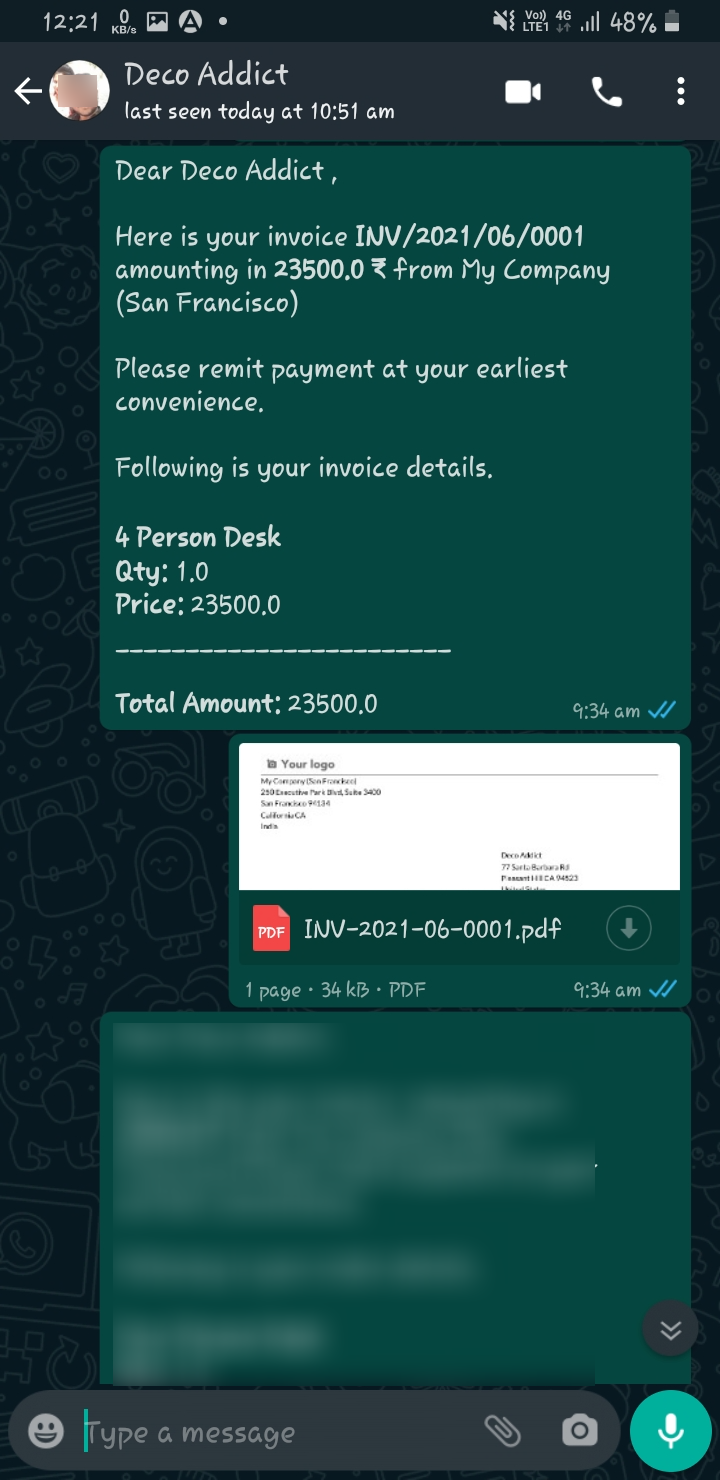
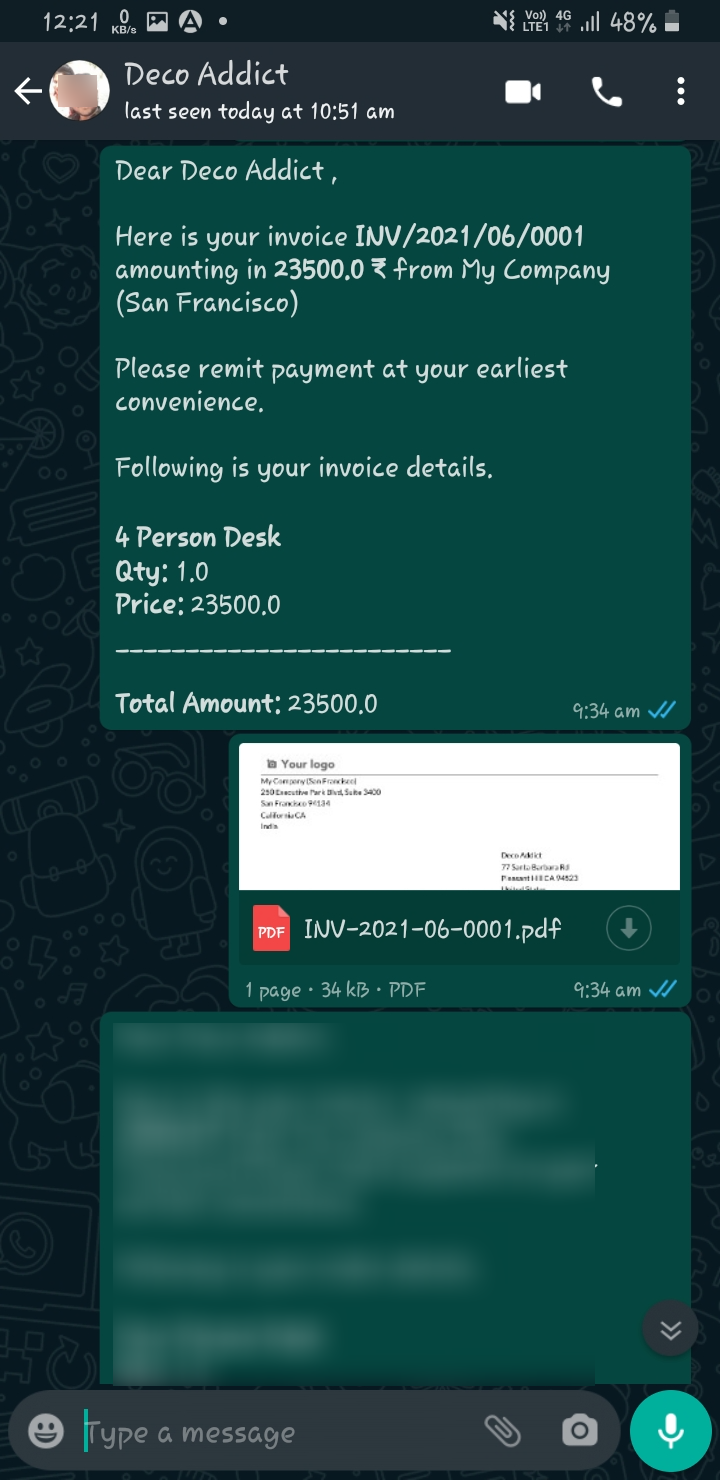
This is output of sended message on whatsapp.
Now Press send by whatsapp direct button.
This is output of sended message on whatsapp.
Go to Whatsapp Configuration Manager.
Create a whatsapp messanger for 'Sale Whatsapp Messanger' and assign to particular user.
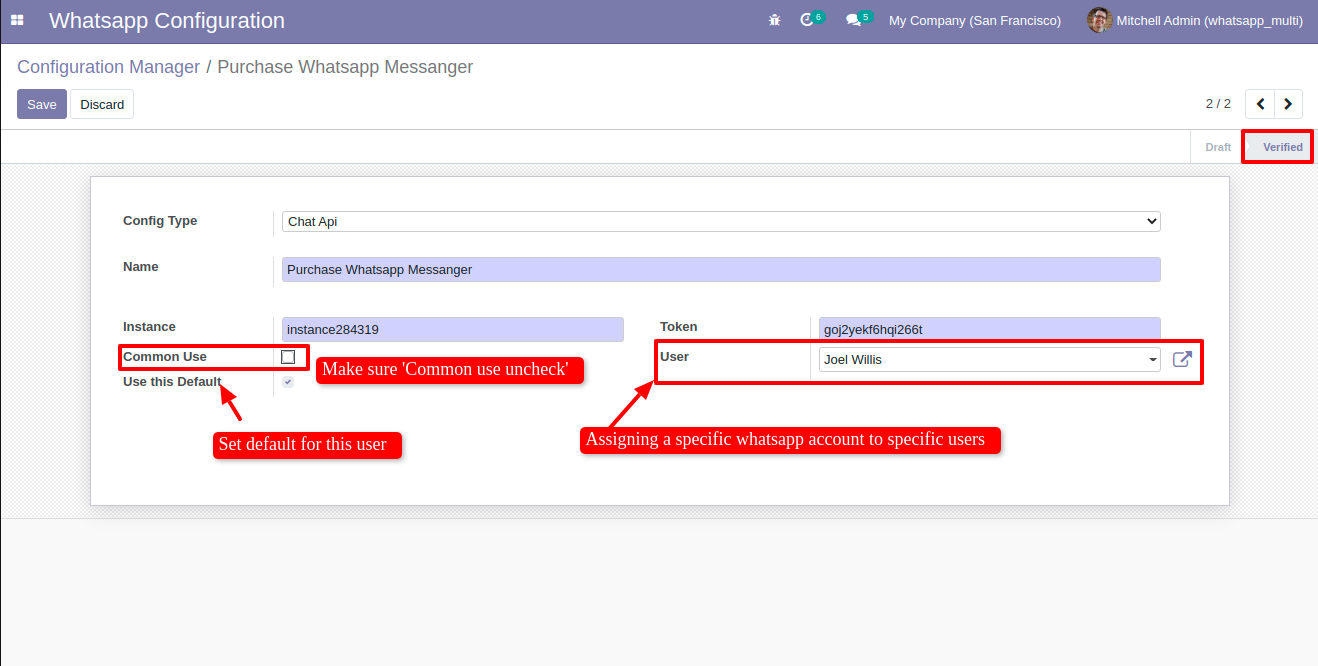
Create another whatsapp messanger for 'Purchase Whatsapp Messanger' and assign to particular user.
Version 20.0.1.0.0 | Released on : 15th September 2026
- Yes, this app works perfectly with Odoo Enterprise (Odoo.sh & Premise) as well as Community.
- No, this application is not compatible with odoo.com(odoo saas/Odoo Online)
- Yes, to test this module, please contact us at sales@softhealer.com.
- Please contact us at sales@softhealer.comto request customization.
- Yes, we provide free support for 365 days from the date of purchase.
- Yes, you will receive lifetime free updates for the version of the module you purchased.
- No, there is no need to install any additional libraries.
- Yes, for version 12 and above, you need to purchase the module separately for each version you intend to use.
- No, exchanges or refunds are not allowed. Please make sure to select the correct version before purchasing.
- You can contact us at support@softhealer.com for language translation support. We use Google Translator tools to provide translations in multiple languages, so the accuracy may vary. We welcome your suggestions to help improve translations.
Discover Our Latest Apps